Download to read offline


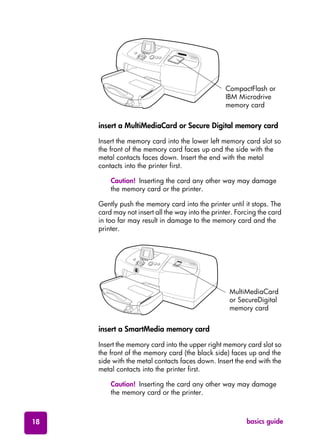




This document provides instructions for using an HP Photosmart 7550 printer. It describes the printer parts such as the control panel, card slots, and indicator lights. It provides directions for loading paper into the input tray and photo tray. It also covers installing print cartridges and using the control panel. Troubleshooting tips are included for connection, printer, and printing issues. Specifications for the printer like system requirements and paper support are listed at the end.


