How You Can Build a
Professional LinkedIn Profile
Overview
•   LinkedIn vs. Facebook
•   LinkedIn statistics
•   Why you need a LinkedIn account
•   What’s on your profile?
•   Basic profile checklist
LinkedIn vs. Facebook
• LinkedIn and Facebook are not the
  same thing!
• LinkedIn is a professional site that can help
  you with your career.
• Facebook is for socializing.
• Do not mix the two sites. Do you really want
  future employers looking at your Facebook
  photos or wall posts?
LinkedIn Statistics
•   100+ million users
•   Over 150 industries are represented
•   2+ million college students
•   37,000+ college and university alumni groups
    – including National College!
Why You Need a LinkedIn Account
• It’s your professional online presence
• Opportunity to connect with other students,
  alumni and local employers
• Research companies/career paths
• Explore opportunities with local employers
  that may not recruit on campus
• Learn professional networking etiquette
What’s on your LinkedIn profile?
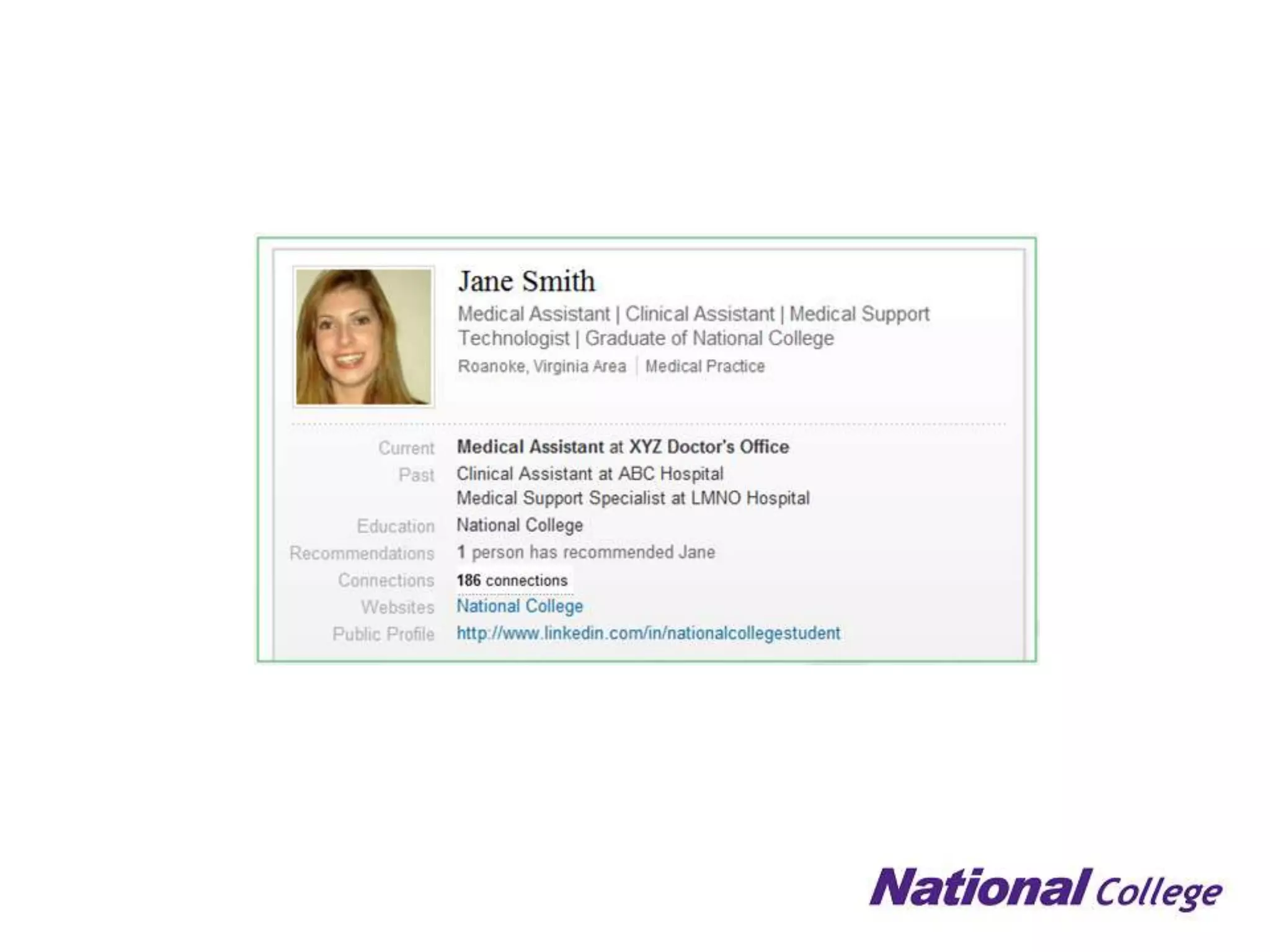
Headline
• Appears directly
  below your name
• Affects how people
  will find and classify
  you
• Think of this as a
  slogan for yourself –
  How do you want
  people to think of you
  professionally?
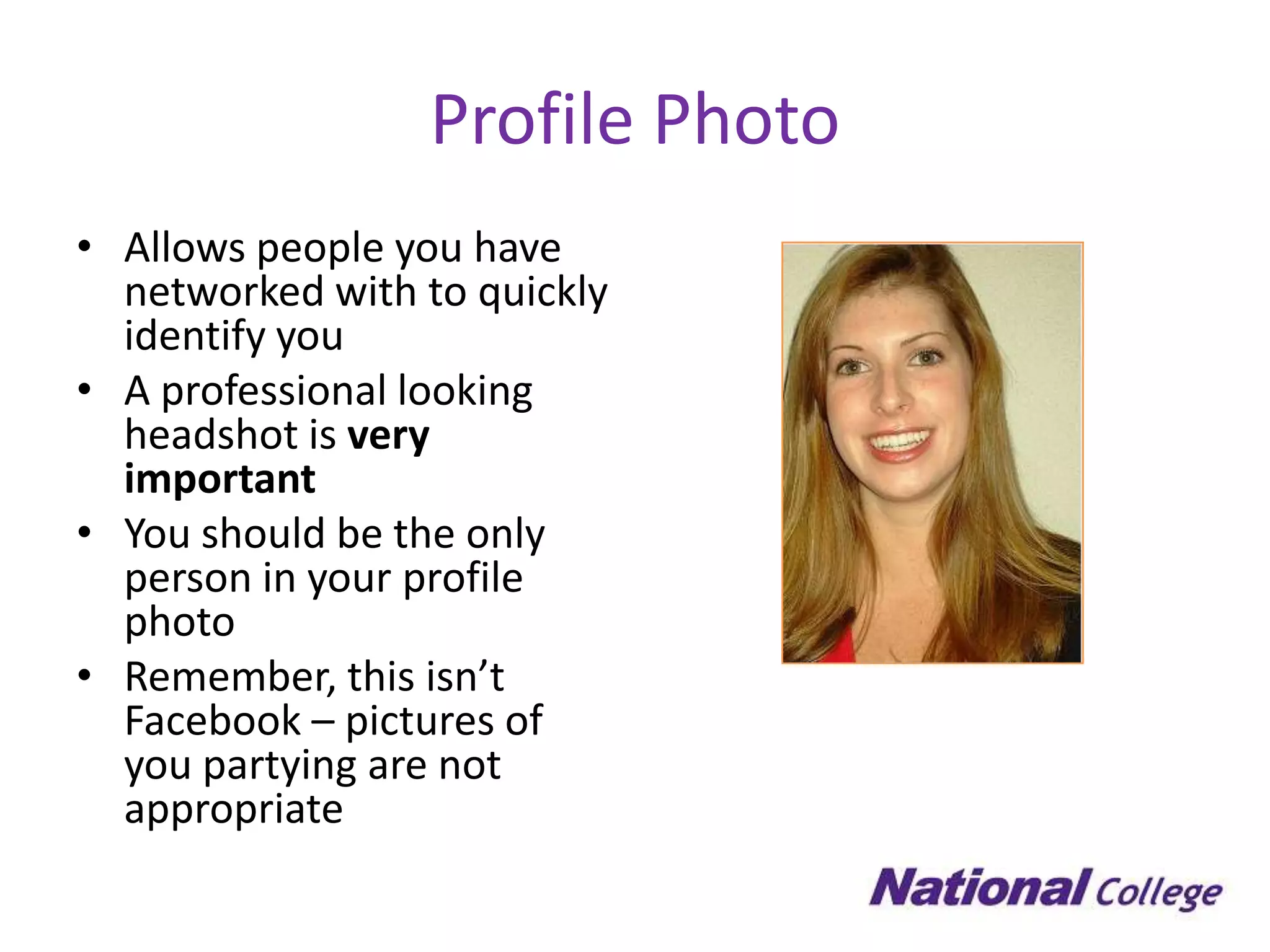
Profile Photo
• Allows people you have
  networked with to quickly
  identify you
• A professional looking
  headshot is very
  important
• You should be the only
  person in your profile
  photo
• Remember, this isn’t
  Facebook – pictures of
  you partying are not
  appropriate
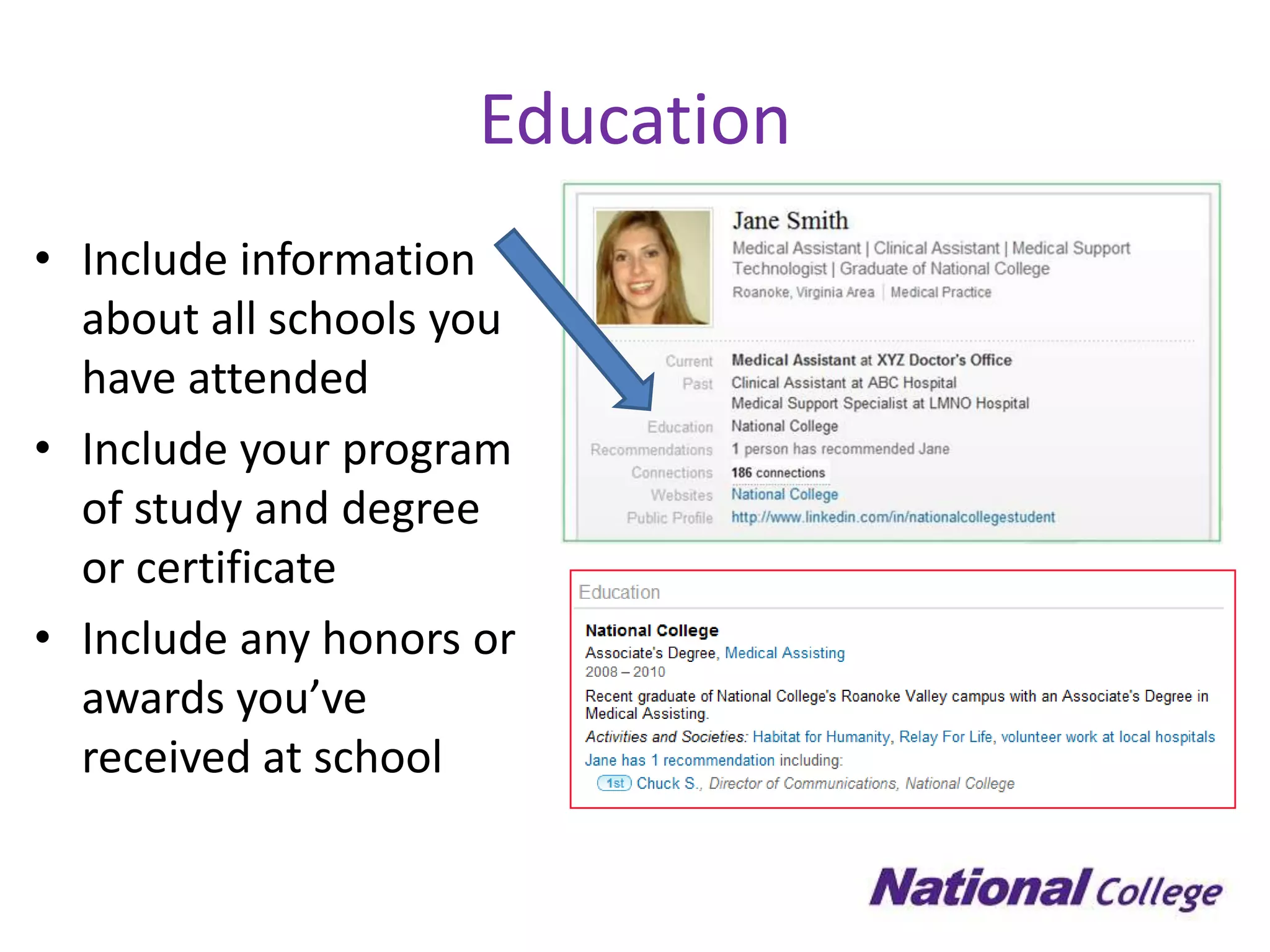
Education
• Include information
  about all schools you
  have attended
• Include your program
  of study and degree
  or certificate
• Include any honors or
  awards you’ve
  received at school
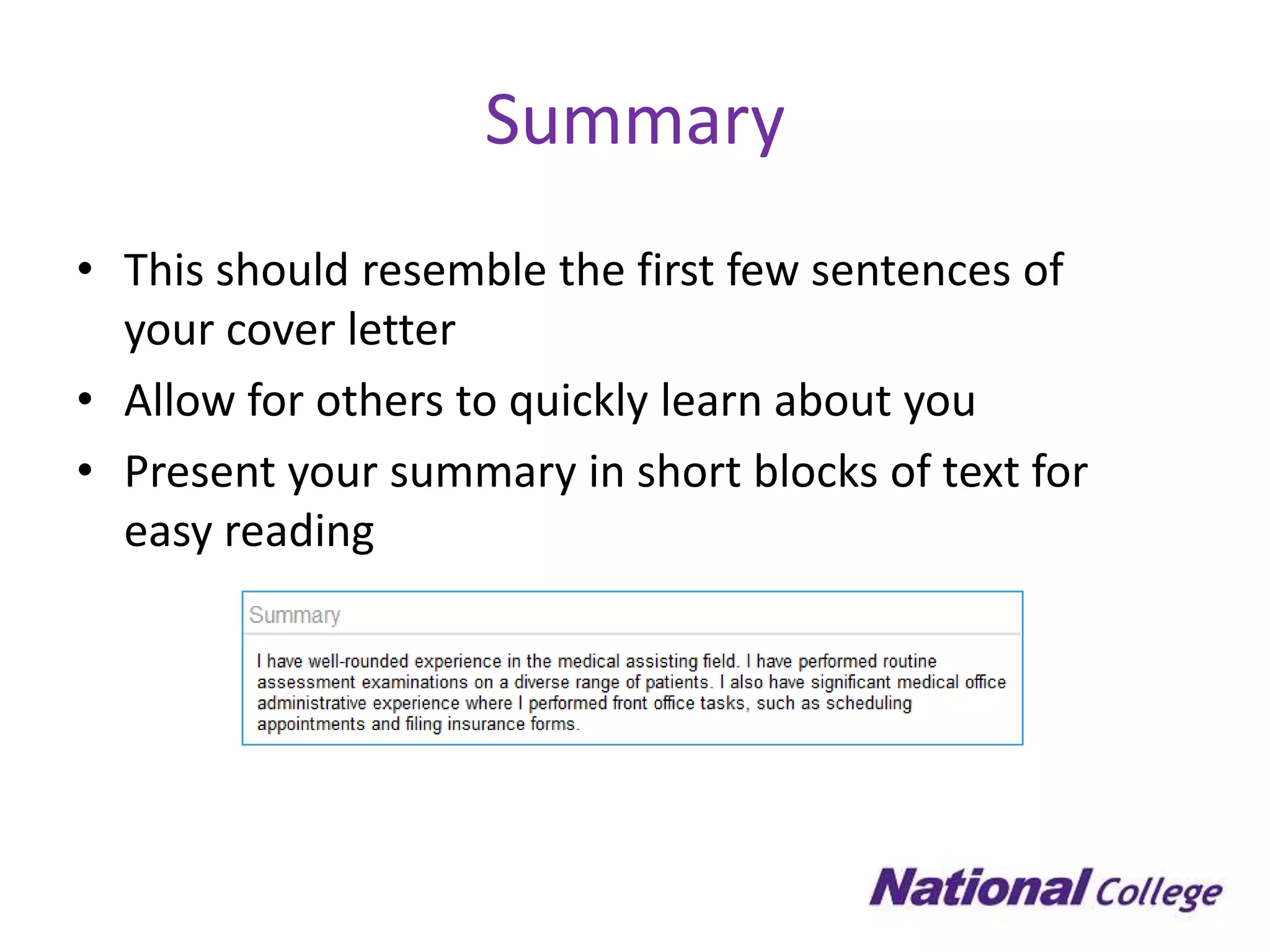
Summary
• This should resemble the first few sentences of
  your cover letter
• Allow for others to quickly learn about you
• Present your summary in short blocks of text for
  easy reading
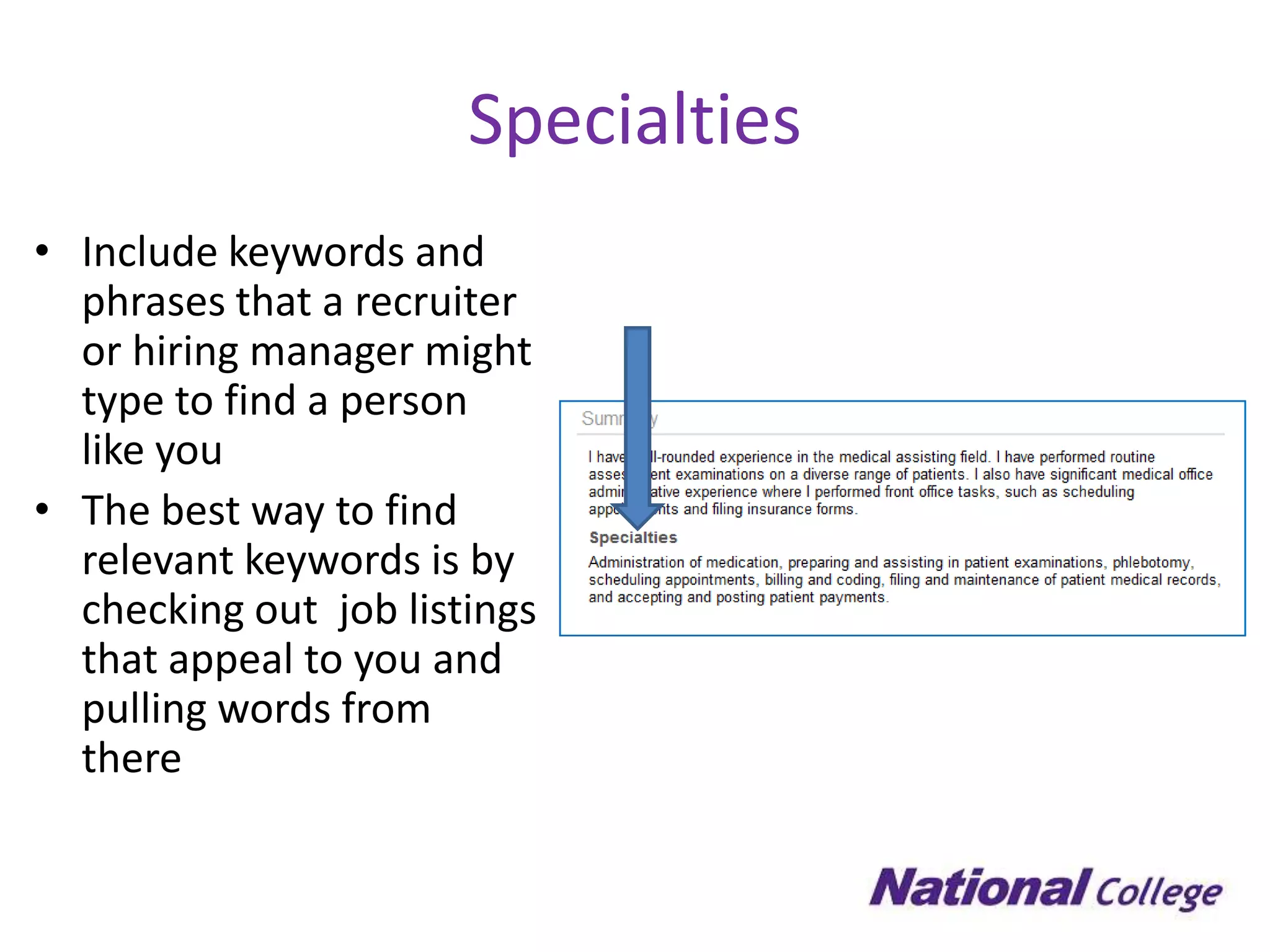
Specialties
• Include keywords and
  phrases that a recruiter
  or hiring manager might
  type to find a person
  like you
• The best way to find
  relevant keywords is by
  checking out job listings
  that appeal to you and
  pulling words from
  there
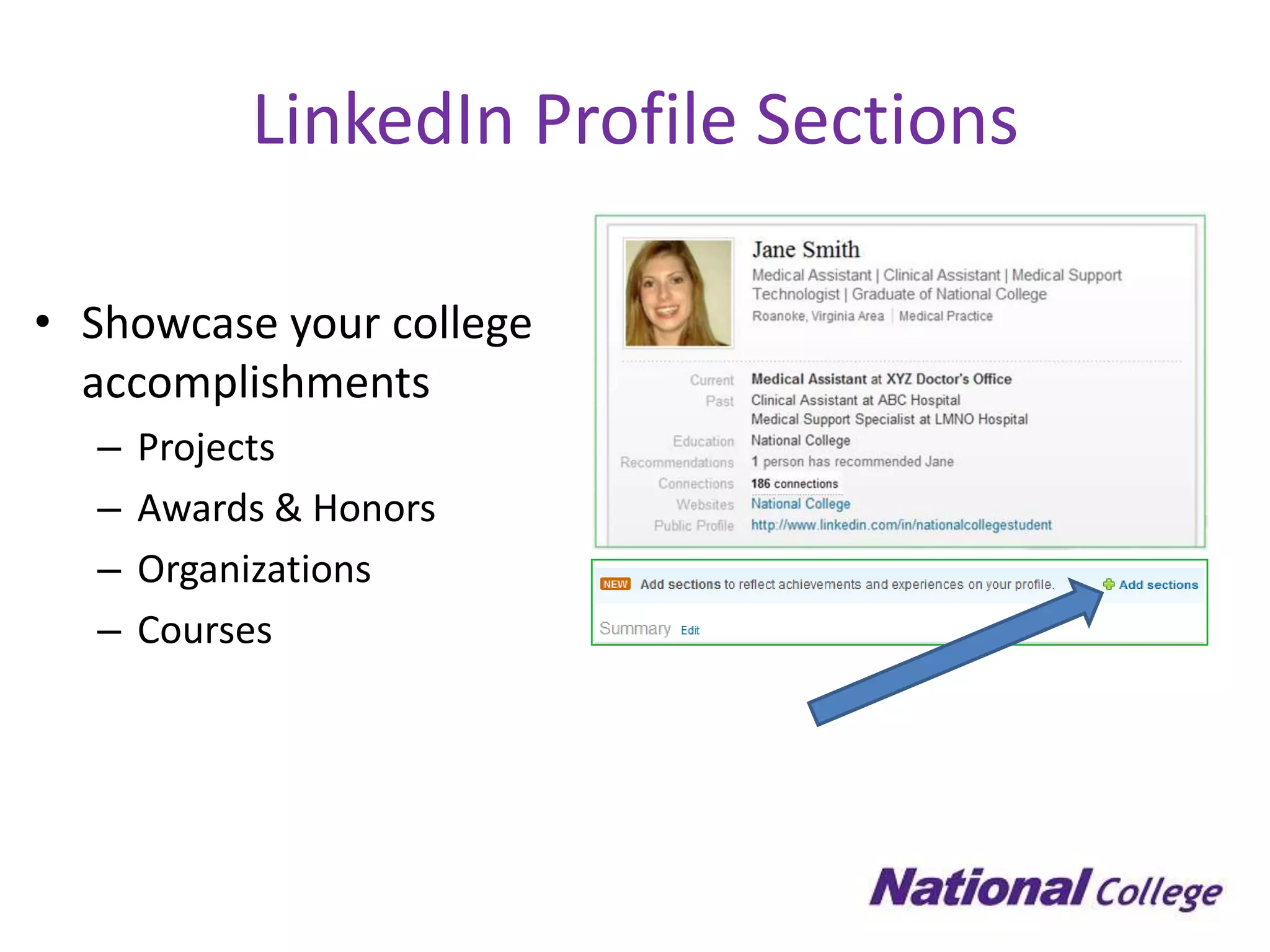
LinkedIn Profile Sections

• Showcase your college
  accomplishments
  –   Projects
  –   Awards & Honors
  –   Organizations
  –   Courses
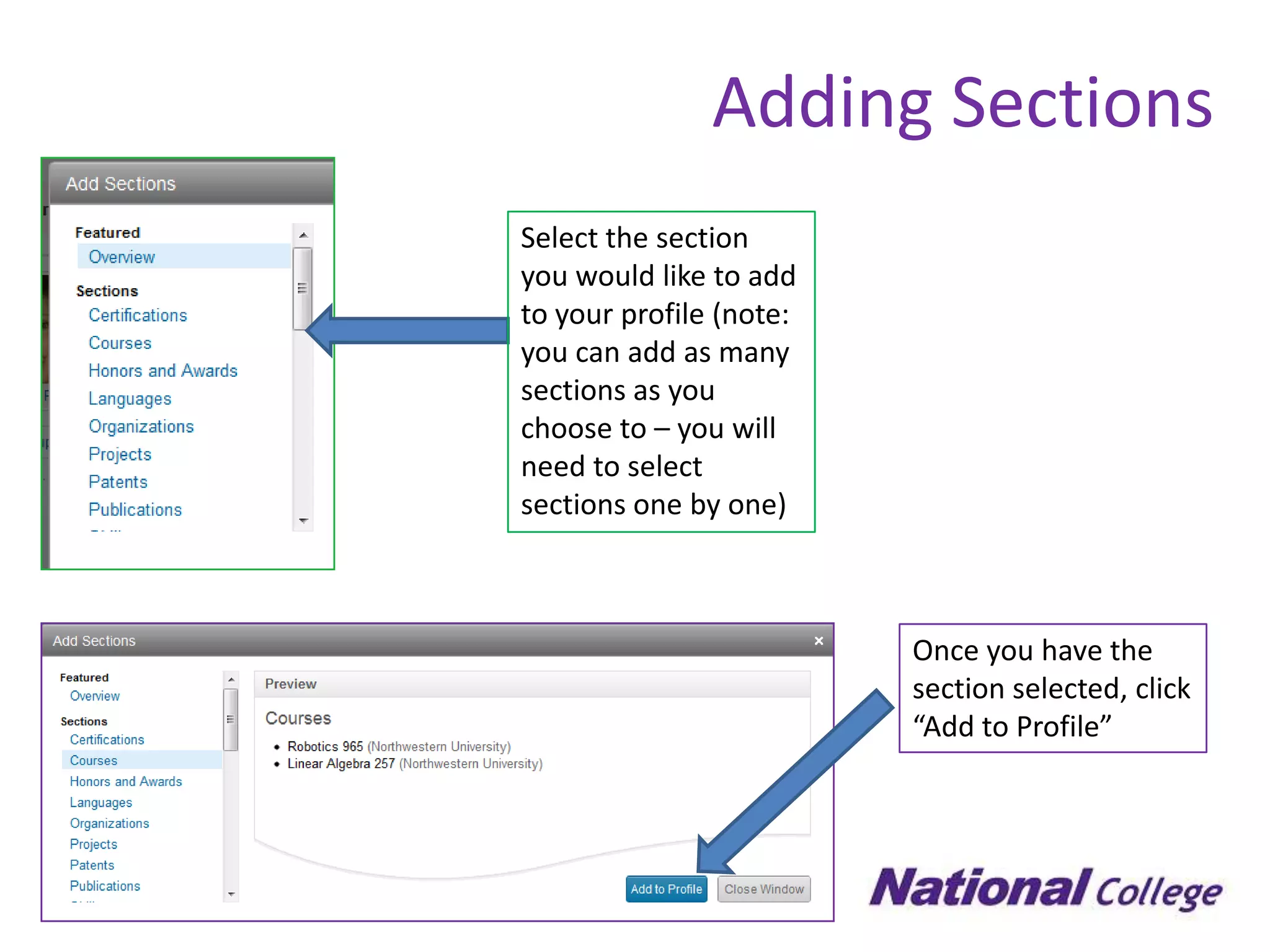
Adding Sections
Select the section
you would like to add
to your profile (note:
you can add as many
sections as you
choose to – you will
need to select
sections one by one)


                         Once you have the
                         section selected, click
                         “Add to Profile”
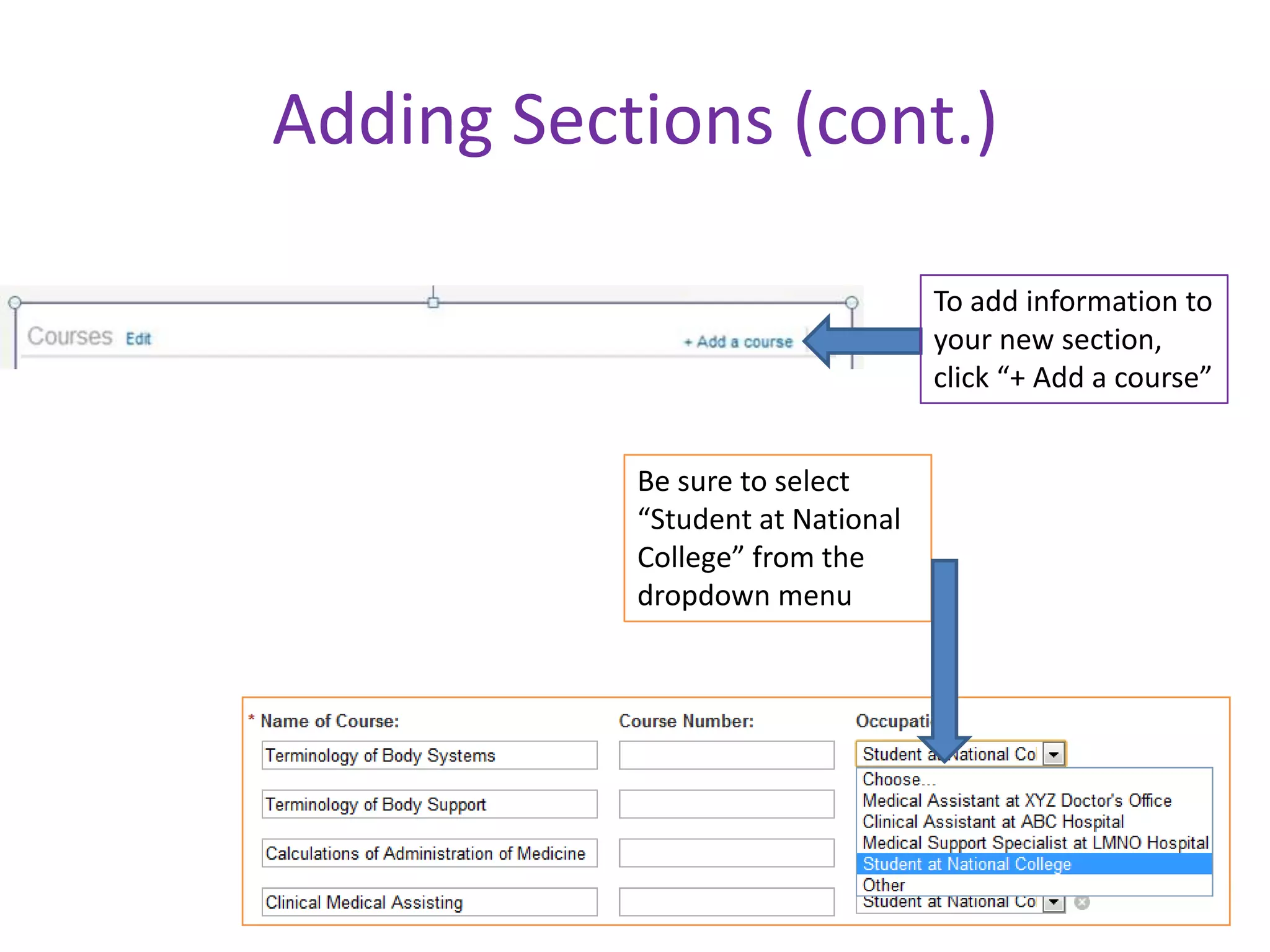
Adding Sections (cont.)

                                  To add information to
                                  your new section,
                                  click “+ Add a course”


           Be sure to select
           “Student at National
           College” from the
           dropdown menu
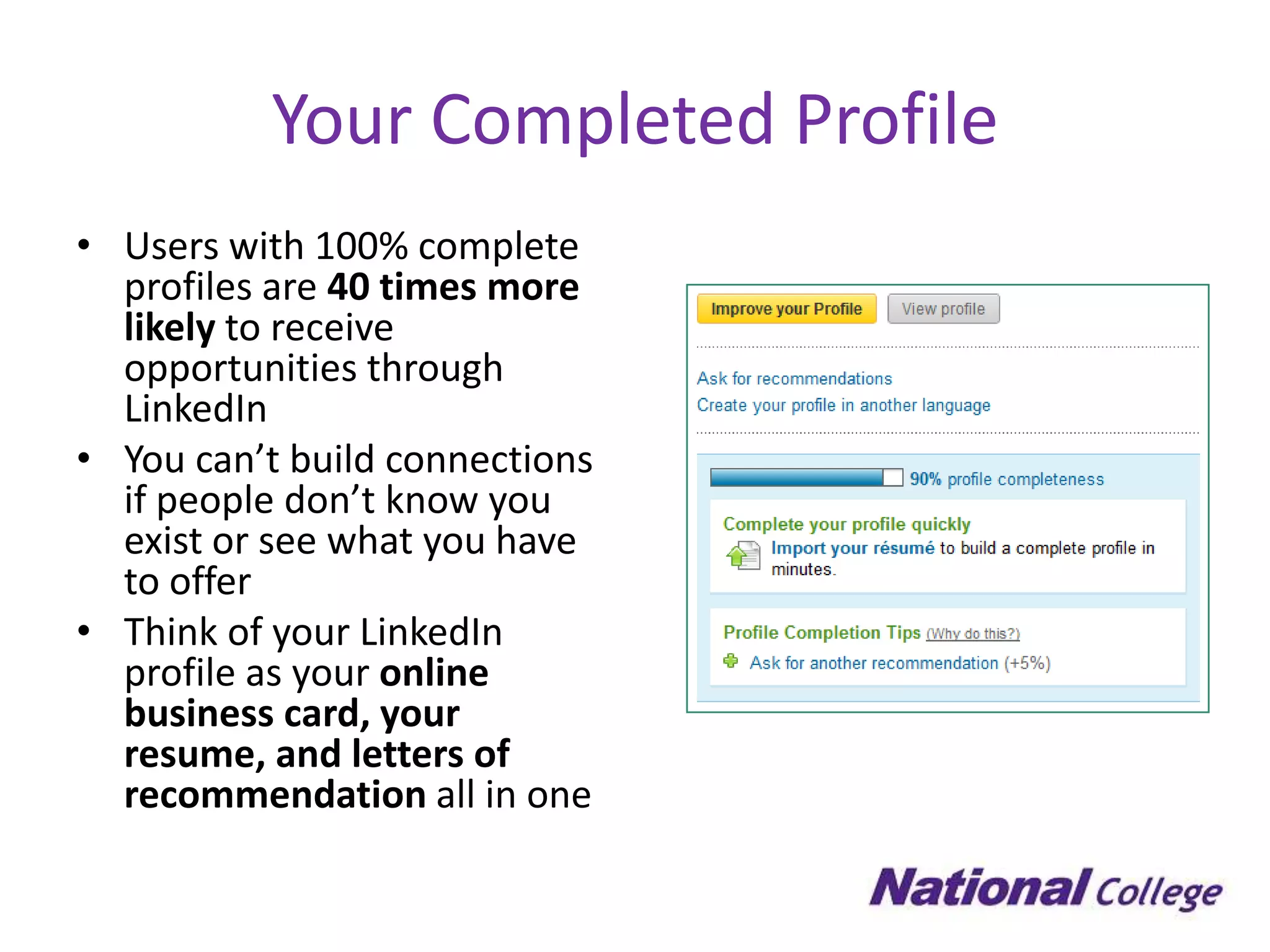
Your Completed Profile
• Users with 100% complete
  profiles are 40 times more
  likely to receive
  opportunities through
  LinkedIn
• You can’t build connections
  if people don’t know you
  exist or see what you have
  to offer
• Think of your LinkedIn
  profile as your online
  business card, your
  resume, and letters of
  recommendation all in one
LinkedIn Basic Checklist
 Headline
 Profile Photo
 Summary
 Specialties
 Experience
 Education

How You Can Build a Professional LinkedIn Profile

  • 1.
    How You CanBuild a Professional LinkedIn Profile
  • 2.
    Overview • LinkedIn vs. Facebook • LinkedIn statistics • Why you need a LinkedIn account • What’s on your profile? • Basic profile checklist
  • 3.
    LinkedIn vs. Facebook •LinkedIn and Facebook are not the same thing! • LinkedIn is a professional site that can help you with your career. • Facebook is for socializing. • Do not mix the two sites. Do you really want future employers looking at your Facebook photos or wall posts?
  • 4.
    LinkedIn Statistics • 100+ million users • Over 150 industries are represented • 2+ million college students • 37,000+ college and university alumni groups – including National College!
  • 5.
    Why You Needa LinkedIn Account • It’s your professional online presence • Opportunity to connect with other students, alumni and local employers • Research companies/career paths • Explore opportunities with local employers that may not recruit on campus • Learn professional networking etiquette
  • 6.
    What’s on yourLinkedIn profile?
  • 7.
    Headline • Appears directly below your name • Affects how people will find and classify you • Think of this as a slogan for yourself – How do you want people to think of you professionally?
  • 8.
    Profile Photo • Allowspeople you have networked with to quickly identify you • A professional looking headshot is very important • You should be the only person in your profile photo • Remember, this isn’t Facebook – pictures of you partying are not appropriate
  • 9.
    Education • Include information about all schools you have attended • Include your program of study and degree or certificate • Include any honors or awards you’ve received at school
  • 10.
    Summary • This shouldresemble the first few sentences of your cover letter • Allow for others to quickly learn about you • Present your summary in short blocks of text for easy reading
  • 11.
    Specialties • Include keywordsand phrases that a recruiter or hiring manager might type to find a person like you • The best way to find relevant keywords is by checking out job listings that appeal to you and pulling words from there
  • 13.
    LinkedIn Profile Sections •Showcase your college accomplishments – Projects – Awards & Honors – Organizations – Courses
  • 14.
    Adding Sections Select thesection you would like to add to your profile (note: you can add as many sections as you choose to – you will need to select sections one by one) Once you have the section selected, click “Add to Profile”
  • 15.
    Adding Sections (cont.) To add information to your new section, click “+ Add a course” Be sure to select “Student at National College” from the dropdown menu
  • 16.
    Your Completed Profile •Users with 100% complete profiles are 40 times more likely to receive opportunities through LinkedIn • You can’t build connections if people don’t know you exist or see what you have to offer • Think of your LinkedIn profile as your online business card, your resume, and letters of recommendation all in one
  • 17.
    LinkedIn Basic Checklist Headline  Profile Photo  Summary  Specialties  Experience  Education