
Dr ZEESHAN AHMAD
M.S.(ENT,PGY1)
Department of ENT
Nalanda Medical College, Patna
 Introduction

 Uses   of ppt presentation in medical field

 An   effective presentation

 BASIC   knowledge

 Adding   colours

 Changing   fonts

 Advanced    tricks
 PowerPoint    is a software to make presentations.

 It   is manufactured by Microsoft®.

 It   can be purchased or Downloaded.

 Both   genuine and pirated are available ( it is
  advised to purchase genuine software only).
 Used   by teachers for lectures.

 By   UG and PG students for presentations.

 For   CME’s.

 By   pharmaceutical companies to emphasize
  their products.

 In   health management.

 others
 Eye   catching

 Contrast

 Highlights

 Pictures/Videos

 Not   too congested

 Clear   message
 Right   click

 New

 New    PowerPoint presentation

 Rename

 Add   title

 Add   subtitle

 Keep    on adding slides
 Select   the text

 Right   click

 Select   the colour
 Select   the text

 Right   click

 Select   font size and type
 Background       styling

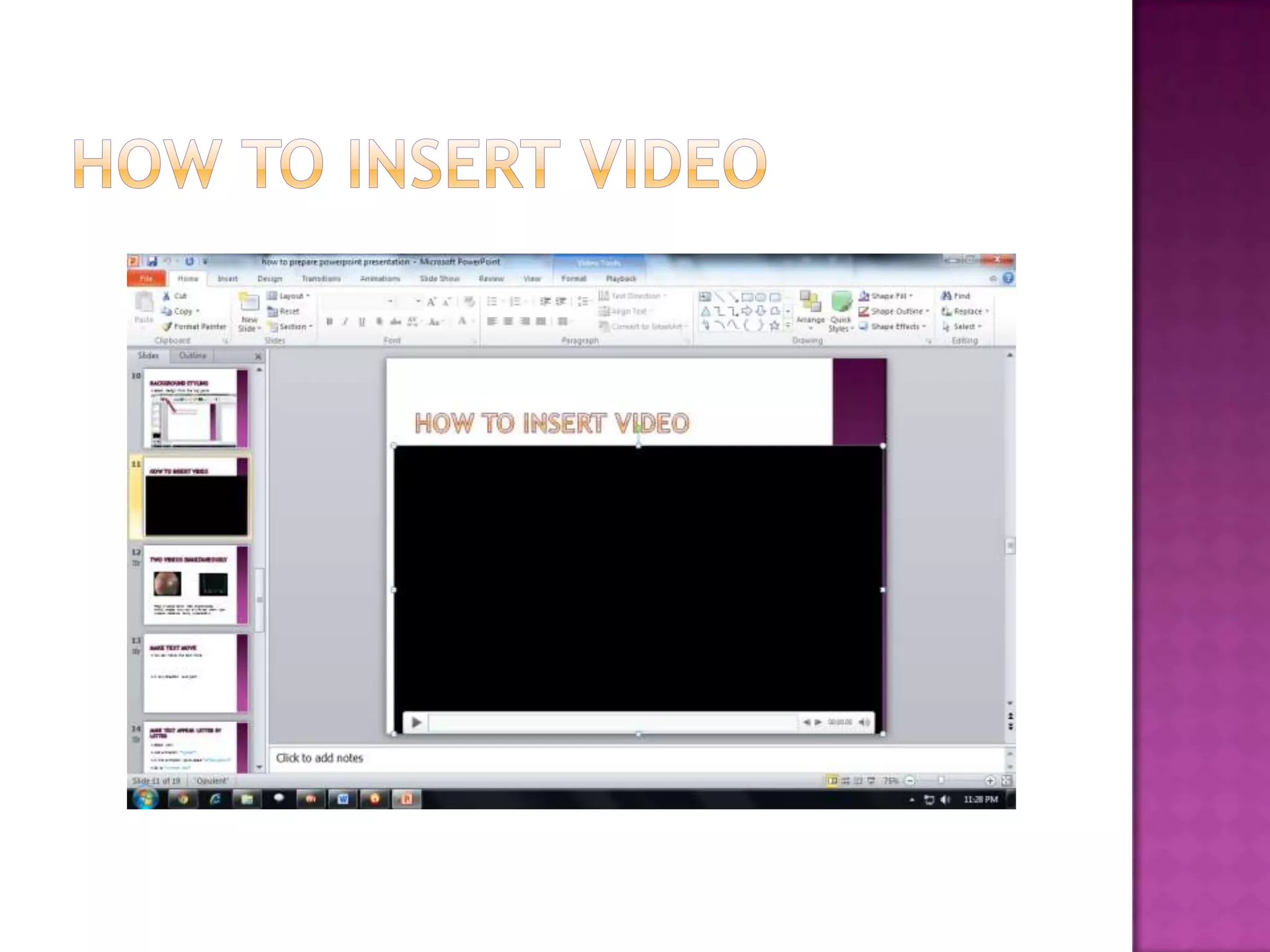
 Insert   video

 Make     text move

 Make     text appear letter by letter

 Labeling    by arrows
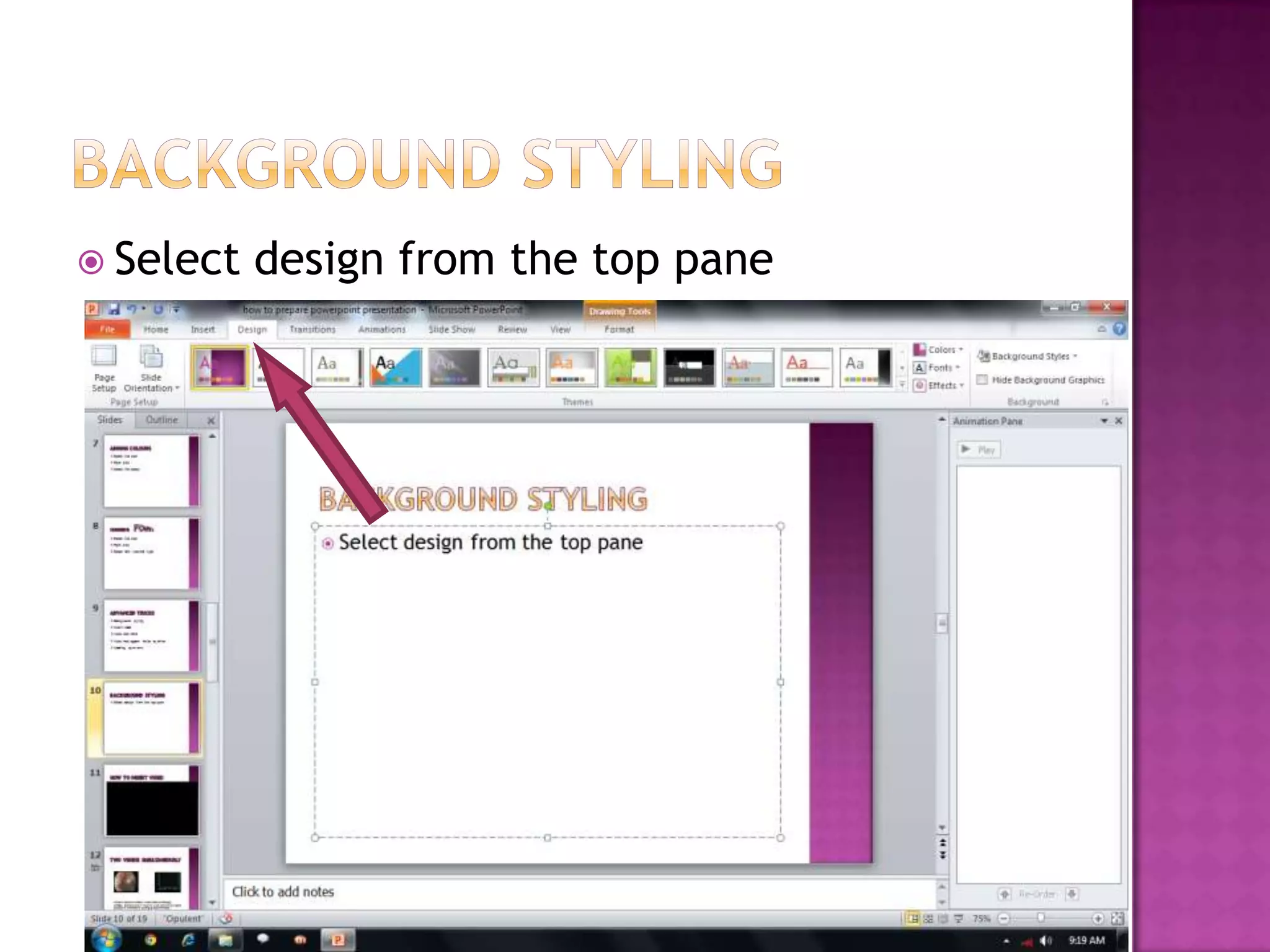
 Select   design from the top pane
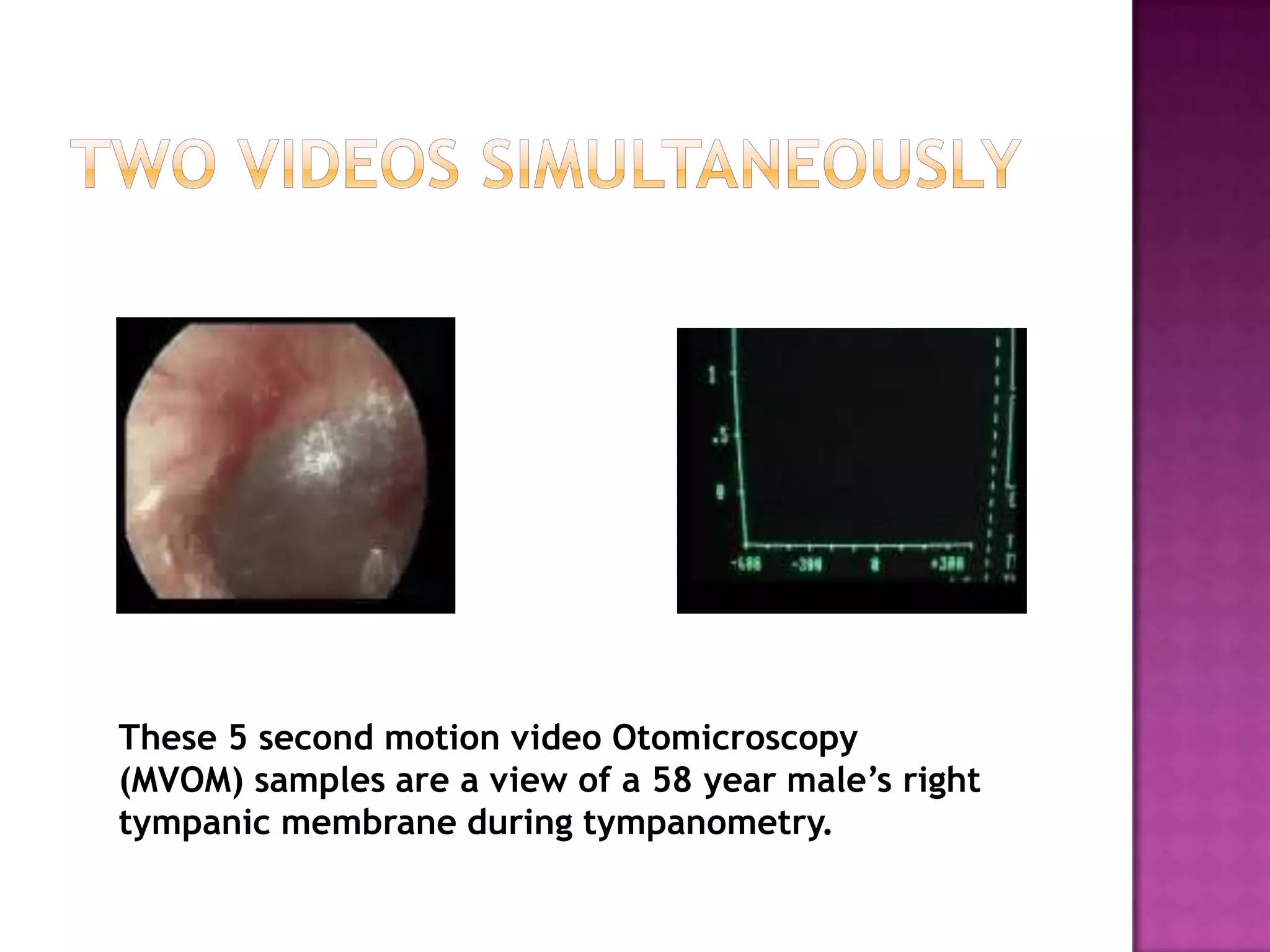
These 5 second motion video Otomicroscopy
(MVOM) samples are a view of a 58 year male’s right
tympanic membrane during tympanometry.
 You   can make the text move.


 In   any direction and path
 Select   text

 Add   animation “Appear”

 In   the animation pane select “effect options”

 Go   to “Animate text”

 Select   “Letter by letter”
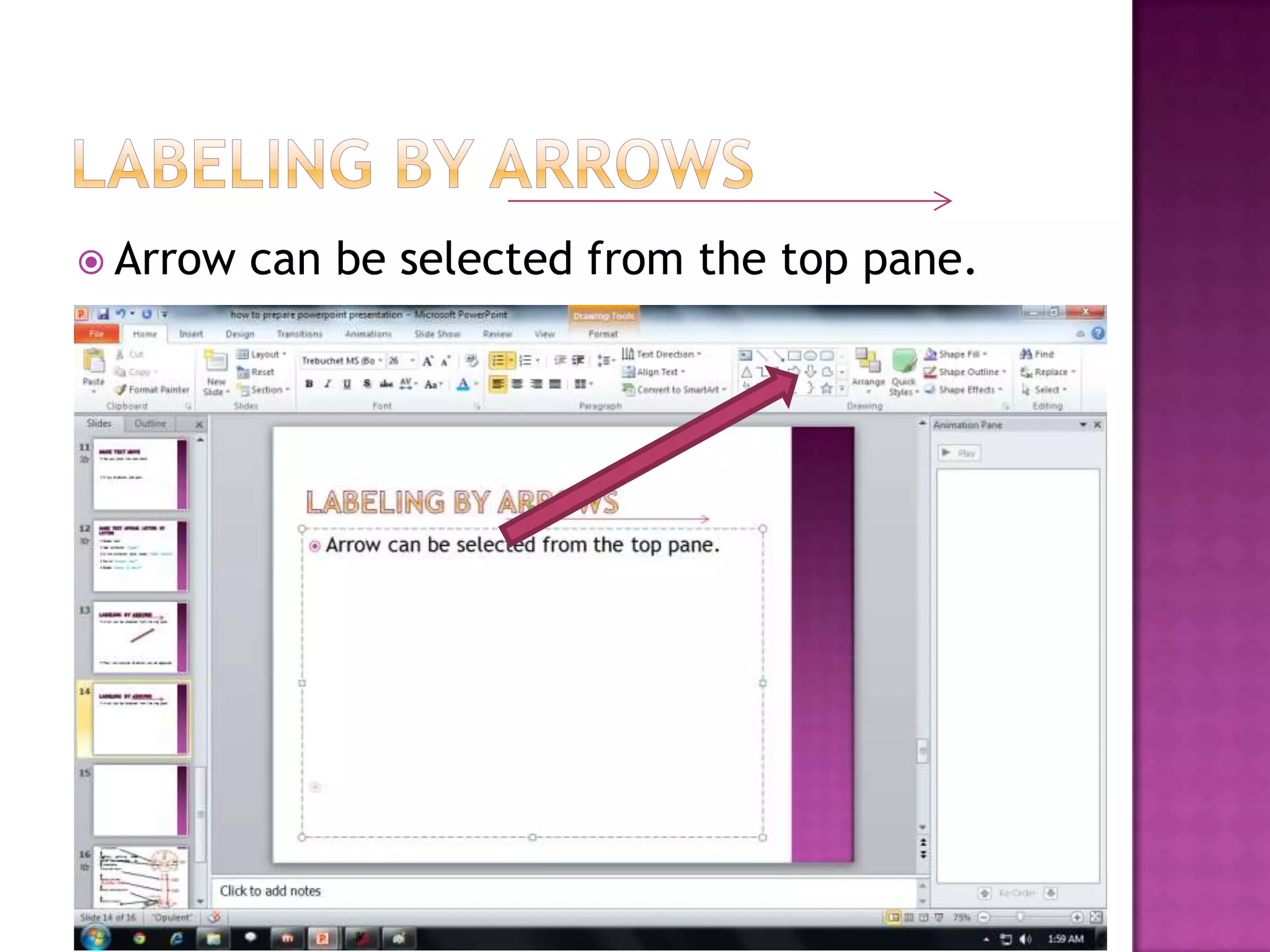
 Arrow   can be selected from the top pane.
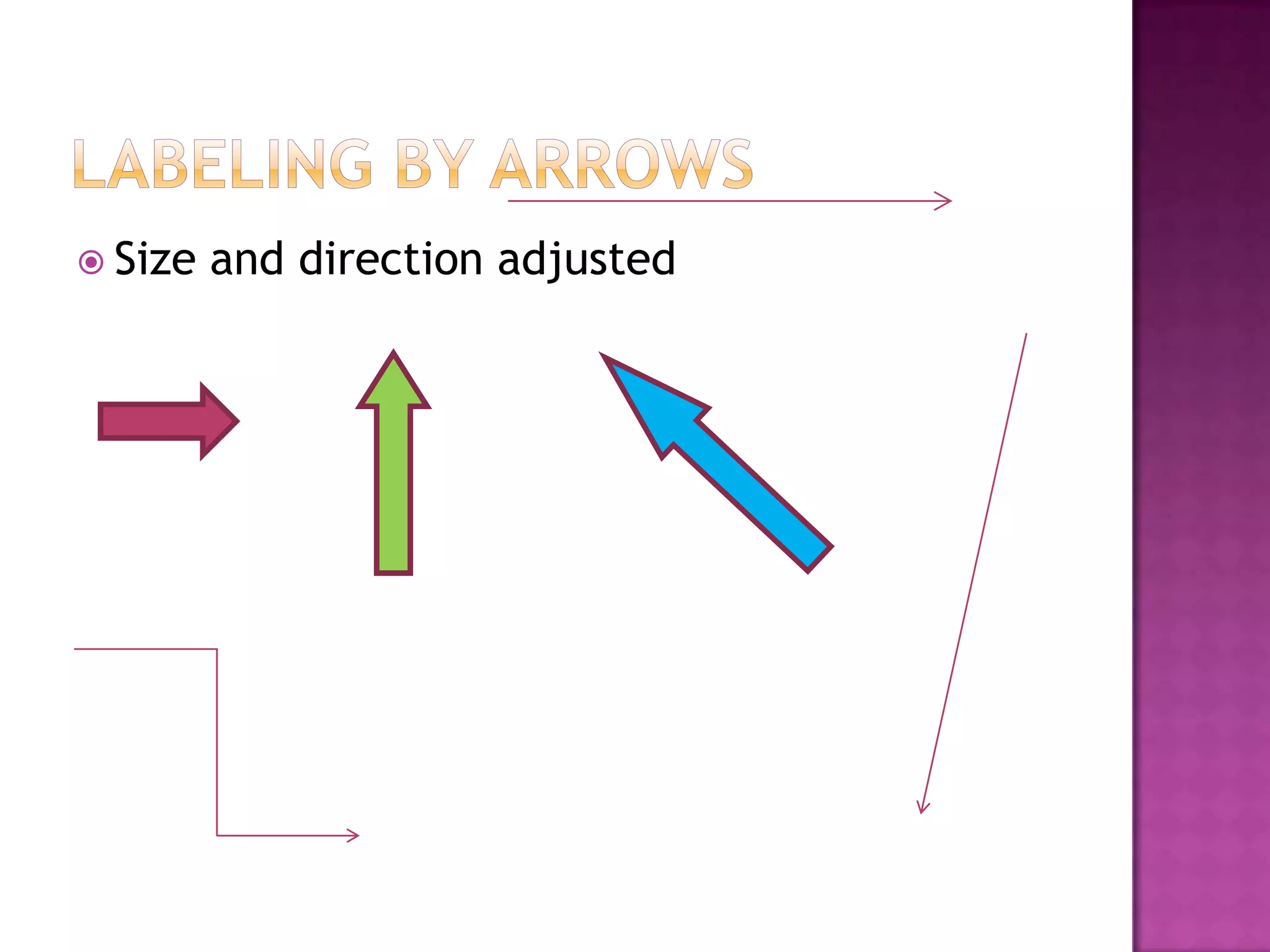
 Size   and direction adjusted
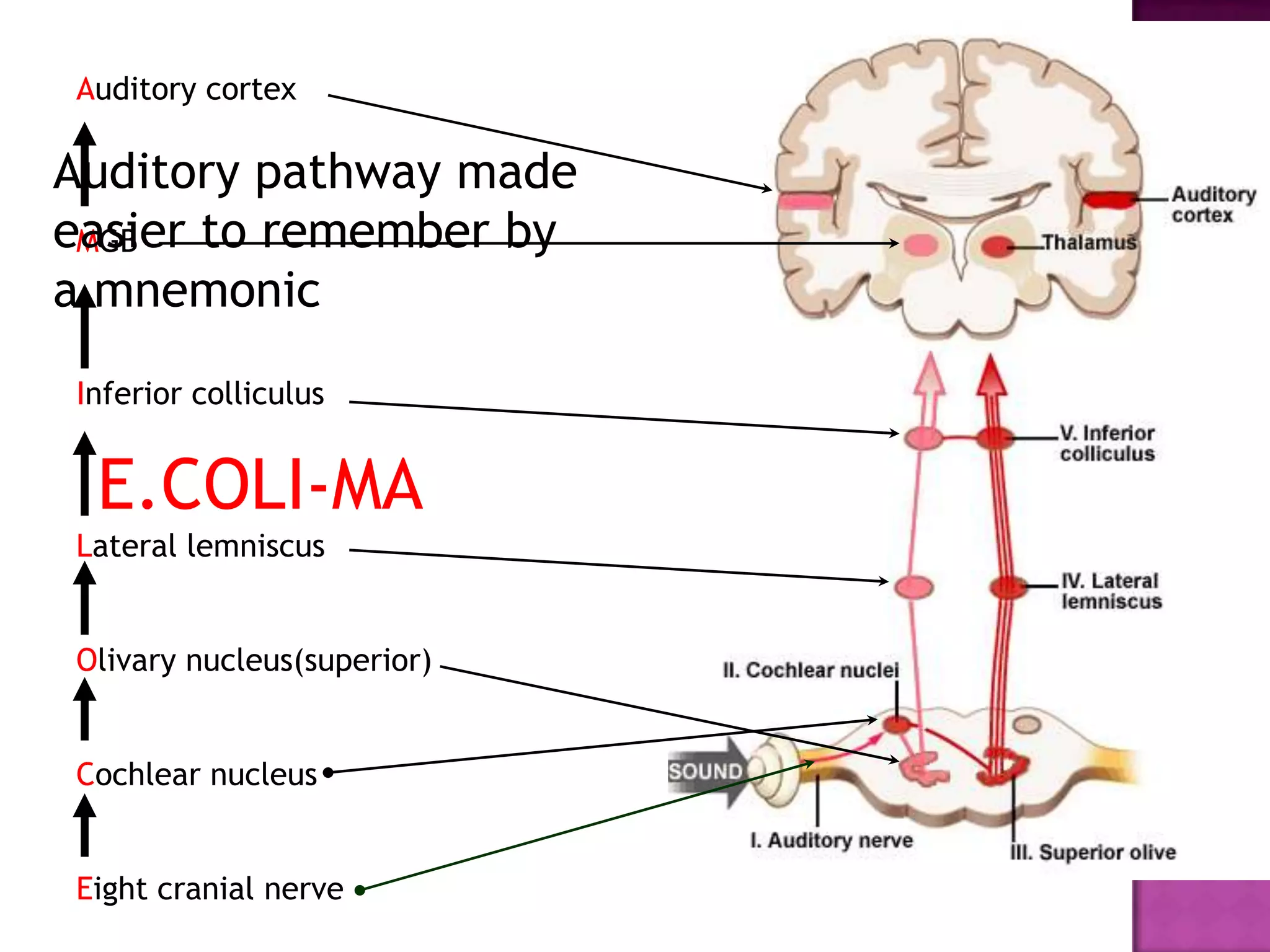
Auditory cortex

Auditory pathway made
easier to remember by
 MGB
a mnemonic
Inferior colliculus


 E.COLI-MA
Lateral lemniscus


Olivary nucleus(superior)


Cochlear nucleus


Eight cranial nerve
 There   are tremendous other features.


 All   what you need is to EXPLORE.


 Don’t   forget to save your work ( Ctrl+S)
How to prepare powerpoint presentation

How to prepare powerpoint presentation

  • 1.
    Dr ZEESHAN AHMAD M.S.(ENT,PGY1) Departmentof ENT Nalanda Medical College, Patna
  • 2.
     Introduction  Uses of ppt presentation in medical field  An effective presentation  BASIC knowledge  Adding colours  Changing fonts  Advanced tricks
  • 3.
     PowerPoint is a software to make presentations.  It is manufactured by Microsoft®.  It can be purchased or Downloaded.  Both genuine and pirated are available ( it is advised to purchase genuine software only).
  • 4.
     Used by teachers for lectures.  By UG and PG students for presentations.  For CME’s.  By pharmaceutical companies to emphasize their products.  In health management.  others
  • 5.
     Eye catching  Contrast  Highlights  Pictures/Videos  Not too congested  Clear message
  • 6.
     Right click  New  New PowerPoint presentation  Rename  Add title  Add subtitle  Keep on adding slides
  • 7.
     Select the text  Right click  Select the colour
  • 8.
     Select the text  Right click  Select font size and type
  • 9.
     Background styling  Insert video  Make text move  Make text appear letter by letter  Labeling by arrows
  • 10.
     Select design from the top pane
  • 12.
    These 5 secondmotion video Otomicroscopy (MVOM) samples are a view of a 58 year male’s right tympanic membrane during tympanometry.
  • 13.
     You can make the text move.  In any direction and path
  • 14.
     Select text  Add animation “Appear”  In the animation pane select “effect options”  Go to “Animate text”  Select “Letter by letter”
  • 15.
     Arrow can be selected from the top pane.
  • 16.
     Size and direction adjusted
  • 17.
    Auditory cortex Auditory pathwaymade easier to remember by MGB a mnemonic Inferior colliculus E.COLI-MA Lateral lemniscus Olivary nucleus(superior) Cochlear nucleus Eight cranial nerve
  • 18.
     There are tremendous other features.  All what you need is to EXPLORE.  Don’t forget to save your work ( Ctrl+S)