Powerful
Presentations with
PowerPoint
March 14, 2019
Max Anderson, MLIS, MS
Director of Instructional Design and
Learning Innovation
UICOM
Objectives
• Identify best practices in
designing PowerPoint slides
• Compare and contrast existing
slides and give feedback on
their effectiveness
• Arrange slides following best
practices guidelines
2
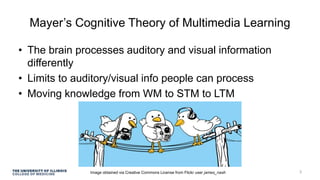
Mayer’s Cognitive Theory of Multimedia Learning
• The brain processes auditory and visual information
differently
• Limits to auditory/visual info people can process
• Moving knowledge from WM to STM to LTM
Image obtained via Creative Commons License from Flickr user james_nash 3
Test! What was I talking
just talking about?
4
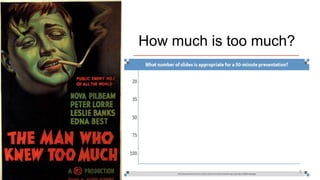
How much is too much?
5
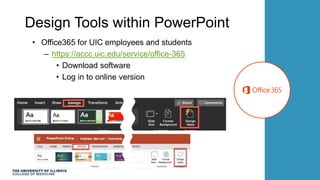
Design Tools within PowerPoint
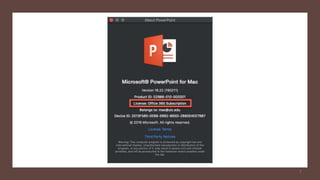
• Office365 for UIC employees and students
– https://accc.uic.edu/service/office-365
• Download software
• Log in to online version
6
7
Process
Adobe Spark
8
Let’s Get critical
9
Backgrounds
• Lorem ipsum dolor sit amet, consectetur adipiscing elit.
• Sed quis turpis faucibus, venenatis turpis sit amet,
hendrerit dui.
• Proin id risus id sapien consequat elementum eu ac dui.
10
Backgrounds
• Lorem ipsum dolor sit amet, consectetur
adipiscing elit.
• Sed quis turpis faucibus, venenatis
turpis sit amet, hendrerit dui.
• Proin id risus id sapien consequat
elementum eu ac dui.
11
Backgrounds
• Lorem ipsum dolor sit amet, consectetur
adipiscing elit.
• Sed quis turpis faucibus, venenatis turpis sit
amet, hendrerit dui.
• Proin id risus id sapien consequat
elementum eu ac dui.
12
Images
• Lorem ipsum dolor sit amet, consectetur adipiscing elit.
• Sed quis turpis faucibus, venenatis turpis sit amet, hendrerit dui.
• Proin id risus id sapien consequat elementum eu ac dui. Lorem ipsum dolor sit amet,
consectetur adipiscing elit.
• Sed quis turpis faucibus, venenatis turpis sit amet, hendrerit dui.
• Proin id risus id sapien consequat elementum eu ac dui.
• Lorem ipsum dolor sit amet, consectetur adipiscing elit.
• Sed quis turpis faucibus, venenatis turpis sit amet, hendrerit dui.
• Proin id risus id sapien consequat elementum eu ac dui.
• Lorem ipsum dolor sit amet, consectetur adipiscing elit.
• Sed quis turpis faucibus, venenatis turpis sit amet, hendrerit dui.
• Proin id risus id sapien consequat elementum eu ac dui.
Images
13
Images
• Lorem ipsum dolor sit amet, consectetur adipiscing elit.
• Sed quis turpis faucibus, venenatis turpis sit amet, hendrerit dui.
• Proin id risus id sapien consequat elementum eu ac dui. Lorem ipsum dolor sit amet,
consectetur adipiscing elit.
• Sed quis turpis faucibus, venenatis turpis sit amet, hendrerit dui.
• Proin id risus id sapien consequat elementum eu ac dui.
• Lorem ipsum dolor sit amet, consectetur adipiscing elit.
• Sed quis turpis faucibus, venenatis turpis sit amet, hendrerit dui.
• Proin id risus id sapien consequat elementum eu ac dui.
• Lorem ipsum dolor sit amet, consectetur adipiscing elit.
• Sed quis turpis faucibus, venenatis turpis sit amet, hendrerit dui.
• Proin id risus id sapien consequat elementum eu ac dui.
Images
14
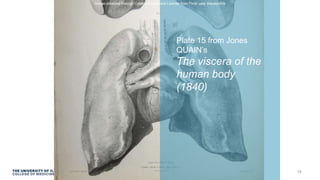
Plate 15 from Jones QUAIN’s The
viscera of the human body (1840)
Image obtained through Creative Commons License from Flickr user liverpoolhls
15
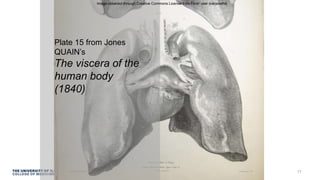
Plate 15 from Jones
QUAIN’s
The viscera of the
human body
(1840)
Image obtained through Creative Commons License from Flickr user liverpoolhls
16
Plate 15 from Jones
QUAIN’s
The viscera of the
human body
(1840)
Image obtained through Creative Commons License from Flickr user liverpoolhls
17
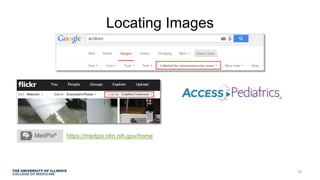
Locating Images
18
https://medpix.nlm.nih.gov/home
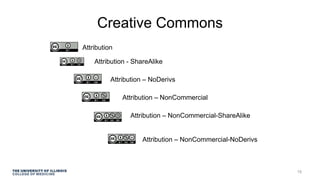
Creative Commons
Attribution
Attribution - ShareAlike
Attribution – NoDerivs
Attribution – NonCommercial
Attribution – NonCommercial-ShareAlike
Attribution – NonCommercial-NoDerivs
19
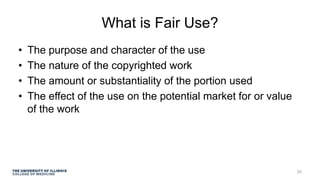
What is Fair Use?
• The purpose and character of the use
• The nature of the copyrighted work
• The amount or substantiality of the portion used
• The effect of the use on the potential market for or value
of the work
20
Communicating with Color
21
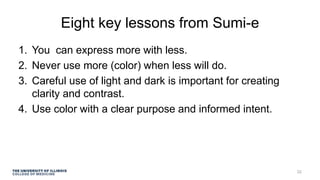
Eight key lessons from Sumi-e
1. You can express more with less.
2. Never use more (color) when less will do.
3. Careful use of light and dark is important for creating
clarity and contrast.
4. Use color with a clear purpose and informed intent.
22
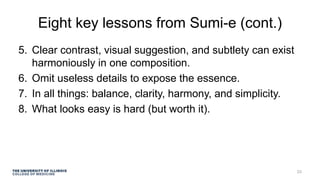
Eight key lessons from Sumi-e (cont.)
5. Clear contrast, visual suggestion, and subtlety can exist
harmoniously in one composition.
6. Omit useless details to expose the essence.
7. In all things: balance, clarity, harmony, and simplicity.
8. What looks easy is hard (but worth it).
23
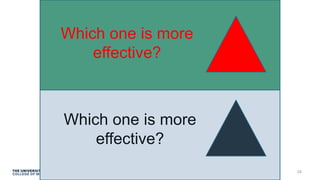
Which one is more
effective?
Which one is more
effective?
24
25
26
27
28
29
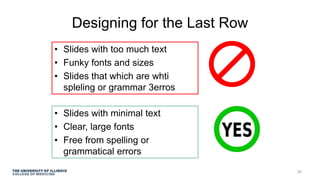
Designing for the Last Row
• Slides with too much text
• Funky fonts and sizes
• Slides that which are whti
spleling or grammar 3erros
• Slides with minimal text
• Clear, large fonts
• Free from spelling or
grammatical errors
30
Don’t read the
text on a slide
verbatim.
31
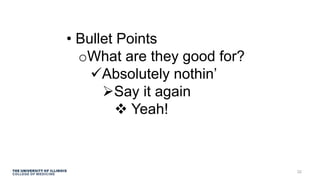
• Bullet Points
oWhat are they good for?
Absolutely nothin’
Say it again
 Yeah!
32
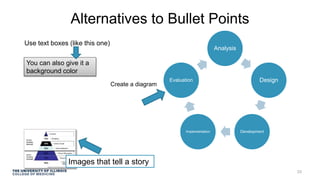
Alternatives to Bullet Points
Use text boxes (like this one)
Analysis
Design
DevelopmentImplementation
Evaluation
You can also give it a
background color
Create a diagram
Images that tell a story
33
‘To Animate or Not to
Animate,’ that is, well, this
question.
Cute, fuzzy hamsters from http://www.picgifs.com/graphics/hamsters/graphics-
hamsters-088017-850406/
34
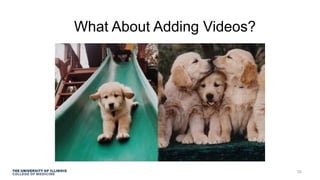
What About Adding Videos?
35
Make it easy for
people to see!
36
Image obtained through Creative Commons License from Flickr user ringai
37
38
Image obtained through Creative Commons License from Flickr user ringai
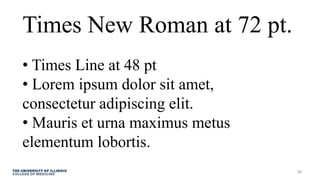
Times New Roman at 72 pt.
• Times Line at 48 pt
• Lorem ipsum dolor sit amet,
consectetur adipiscing elit.
• Mauris et urna maximus metus
elementum lobortis.
39
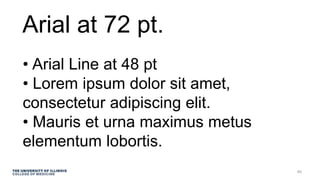
Arial at 72 pt.
• Arial Line at 48 pt

• Lorem ipsum dolor sit amet,
consectetur adipiscing elit.
• Mauris et urna maximus metus
elementum lobortis.
40
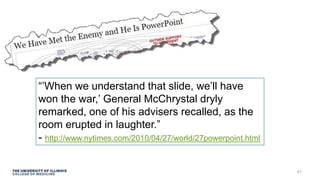
“’When we understand that slide, we’ll have
won the war,’ General McChrystal dryly
remarked, one of his advisers recalled, as the
room erupted in laughter.”
- http://www.nytimes.com/2010/04/27/world/27powerpoint.html
41
42
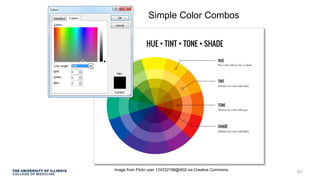
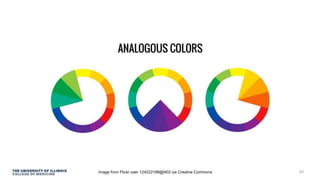
Simple Color Combos
Image from Flickr user 124222186@N02 via Creative Commons
43
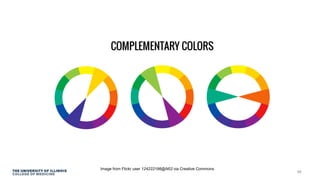
Image from Flickr user 124222186@N02 via Creative Commons
44
Image from Flickr user 124222186@N02 via Creative Commons 45
Image from Flickr user 124222186@N02 via Creative Commons
46
If you can’t use color wisely,
it is best to avoid it entirely.
Above all, do no harm.
47
Isn’t it a bit unnerving that doctors call
what they do ‘practice’?“ ” -George Carlin
Image obtained through Creative Commons License from Flickr user normalityrelief
48
Reduce PowerPoint
file size
49
Revisiting Objectives
• Identify best practices in designing PowerPoint slides
• Compare and contrast existing slides and give feedback
on their effectiveness
• Arrange slides following best practices guidelines
50
http://comfaculty.uic.edu
51
Thank you! max@uic.edu

Powerful Presentations with PowerPoint for Pediatrics Residents

  • 1.
    Powerful Presentations with PowerPoint March 14,2019 Max Anderson, MLIS, MS Director of Instructional Design and Learning Innovation UICOM
  • 2.
    Objectives • Identify bestpractices in designing PowerPoint slides • Compare and contrast existing slides and give feedback on their effectiveness • Arrange slides following best practices guidelines 2
  • 3.
    Mayer’s Cognitive Theoryof Multimedia Learning • The brain processes auditory and visual information differently • Limits to auditory/visual info people can process • Moving knowledge from WM to STM to LTM Image obtained via Creative Commons License from Flickr user james_nash 3
  • 4.
    Test! What wasI talking just talking about? 4
  • 5.
    How much istoo much? 5
  • 6.
    Design Tools withinPowerPoint • Office365 for UIC employees and students – https://accc.uic.edu/service/office-365 • Download software • Log in to online version 6
  • 7.
  • 8.
  • 9.
  • 10.
    Backgrounds • Lorem ipsumdolor sit amet, consectetur adipiscing elit. • Sed quis turpis faucibus, venenatis turpis sit amet, hendrerit dui. • Proin id risus id sapien consequat elementum eu ac dui. 10
  • 11.
    Backgrounds • Lorem ipsumdolor sit amet, consectetur adipiscing elit. • Sed quis turpis faucibus, venenatis turpis sit amet, hendrerit dui. • Proin id risus id sapien consequat elementum eu ac dui. 11
  • 12.
    Backgrounds • Lorem ipsumdolor sit amet, consectetur adipiscing elit. • Sed quis turpis faucibus, venenatis turpis sit amet, hendrerit dui. • Proin id risus id sapien consequat elementum eu ac dui. 12
  • 13.
    Images • Lorem ipsumdolor sit amet, consectetur adipiscing elit. • Sed quis turpis faucibus, venenatis turpis sit amet, hendrerit dui. • Proin id risus id sapien consequat elementum eu ac dui. Lorem ipsum dolor sit amet, consectetur adipiscing elit. • Sed quis turpis faucibus, venenatis turpis sit amet, hendrerit dui. • Proin id risus id sapien consequat elementum eu ac dui. • Lorem ipsum dolor sit amet, consectetur adipiscing elit. • Sed quis turpis faucibus, venenatis turpis sit amet, hendrerit dui. • Proin id risus id sapien consequat elementum eu ac dui. • Lorem ipsum dolor sit amet, consectetur adipiscing elit. • Sed quis turpis faucibus, venenatis turpis sit amet, hendrerit dui. • Proin id risus id sapien consequat elementum eu ac dui. Images 13
  • 14.
    Images • Lorem ipsumdolor sit amet, consectetur adipiscing elit. • Sed quis turpis faucibus, venenatis turpis sit amet, hendrerit dui. • Proin id risus id sapien consequat elementum eu ac dui. Lorem ipsum dolor sit amet, consectetur adipiscing elit. • Sed quis turpis faucibus, venenatis turpis sit amet, hendrerit dui. • Proin id risus id sapien consequat elementum eu ac dui. • Lorem ipsum dolor sit amet, consectetur adipiscing elit. • Sed quis turpis faucibus, venenatis turpis sit amet, hendrerit dui. • Proin id risus id sapien consequat elementum eu ac dui. • Lorem ipsum dolor sit amet, consectetur adipiscing elit. • Sed quis turpis faucibus, venenatis turpis sit amet, hendrerit dui. • Proin id risus id sapien consequat elementum eu ac dui. Images 14
  • 15.
    Plate 15 fromJones QUAIN’s The viscera of the human body (1840) Image obtained through Creative Commons License from Flickr user liverpoolhls 15
  • 16.
    Plate 15 fromJones QUAIN’s The viscera of the human body (1840) Image obtained through Creative Commons License from Flickr user liverpoolhls 16
  • 17.
    Plate 15 fromJones QUAIN’s The viscera of the human body (1840) Image obtained through Creative Commons License from Flickr user liverpoolhls 17
  • 18.
  • 19.
    Creative Commons Attribution Attribution -ShareAlike Attribution – NoDerivs Attribution – NonCommercial Attribution – NonCommercial-ShareAlike Attribution – NonCommercial-NoDerivs 19
  • 20.
    What is FairUse? • The purpose and character of the use • The nature of the copyrighted work • The amount or substantiality of the portion used • The effect of the use on the potential market for or value of the work 20
  • 21.
  • 22.
    Eight key lessonsfrom Sumi-e 1. You can express more with less. 2. Never use more (color) when less will do. 3. Careful use of light and dark is important for creating clarity and contrast. 4. Use color with a clear purpose and informed intent. 22
  • 23.
    Eight key lessonsfrom Sumi-e (cont.) 5. Clear contrast, visual suggestion, and subtlety can exist harmoniously in one composition. 6. Omit useless details to expose the essence. 7. In all things: balance, clarity, harmony, and simplicity. 8. What looks easy is hard (but worth it). 23
  • 24.
    Which one ismore effective? Which one is more effective? 24
  • 25.
  • 26.
  • 27.
  • 28.
  • 29.
  • 30.
    Designing for theLast Row • Slides with too much text • Funky fonts and sizes • Slides that which are whti spleling or grammar 3erros • Slides with minimal text • Clear, large fonts • Free from spelling or grammatical errors 30
  • 31.
    Don’t read the texton a slide verbatim. 31
  • 32.
    • Bullet Points oWhatare they good for? Absolutely nothin’ Say it again  Yeah! 32
  • 33.
    Alternatives to BulletPoints Use text boxes (like this one) Analysis Design DevelopmentImplementation Evaluation You can also give it a background color Create a diagram Images that tell a story 33
  • 34.
    ‘To Animate orNot to Animate,’ that is, well, this question. Cute, fuzzy hamsters from http://www.picgifs.com/graphics/hamsters/graphics- hamsters-088017-850406/ 34
  • 35.
  • 36.
    Make it easyfor people to see! 36
  • 37.
    Image obtained throughCreative Commons License from Flickr user ringai 37
  • 38.
    38 Image obtained throughCreative Commons License from Flickr user ringai
  • 39.
    Times New Romanat 72 pt. • Times Line at 48 pt • Lorem ipsum dolor sit amet, consectetur adipiscing elit. • Mauris et urna maximus metus elementum lobortis. 39
  • 40.
    Arial at 72pt. • Arial Line at 48 pt • Lorem ipsum dolor sit amet, consectetur adipiscing elit. • Mauris et urna maximus metus elementum lobortis. 40
  • 41.
    “’When we understandthat slide, we’ll have won the war,’ General McChrystal dryly remarked, one of his advisers recalled, as the room erupted in laughter.” - http://www.nytimes.com/2010/04/27/world/27powerpoint.html 41
  • 42.
  • 43.
    Simple Color Combos Imagefrom Flickr user 124222186@N02 via Creative Commons 43
  • 44.
    Image from Flickruser 124222186@N02 via Creative Commons 44
  • 45.
    Image from Flickruser 124222186@N02 via Creative Commons 45
  • 46.
    Image from Flickruser 124222186@N02 via Creative Commons 46
  • 47.
    If you can’tuse color wisely, it is best to avoid it entirely. Above all, do no harm. 47
  • 48.
    Isn’t it abit unnerving that doctors call what they do ‘practice’?“ ” -George Carlin Image obtained through Creative Commons License from Flickr user normalityrelief 48
  • 49.
  • 50.
    Revisiting Objectives • Identifybest practices in designing PowerPoint slides • Compare and contrast existing slides and give feedback on their effectiveness • Arrange slides following best practices guidelines 50 http://comfaculty.uic.edu
  • 51.

Editor's Notes

  • #2 This is a note.
  • #4 The brain processes auditory and visual information differently. There are limits to how much auditory and visual information people can process. People must be actively engaged in order to move knowledge from working memory to long-term memory - See more at: http://www.facultyfocus.com/articles/instructional-design/instructional-design-based-cognitive-theory/ This theory has some very practical implications for online course design, Stanfield says. For example, according to this theory, auditory input goes directly into the auditory channel for processing. With written language, the visual symbols must go through the visual channel and be converted to the auditory channel, which creates an extra level of processing that could inhibit learning. Working memory is divided into two parts – visual-pictoral and auditory-verbal. The mind conducts dual coding when multiple sources of information (e.g. text and picture) are presented at the same time. Simultaneous intake of multiple sources of information creates a higher chance of overloading the brain’s visual processor. When the brain’s working capacity is exceeded, cognitive overload may occur. In presentations where multimedia is present, this overload is common when the student is receiving the same information in two ore more formats, such as narration and text.  a prime example of this is when presenters read every word on a slide, or is speaking when participants are trying to read the slide. With all this said, Richard Mayer did a number of experiments with cognitive load and discovered the following: Students learn more effectively from multimedia presentations than from exclusively verbal information. They also learn more from presentations that use words and relevant pictures than from words alone Students learn more effectively when narration and pictures are presented simultaneously, rather than consecutively. This engages the mind to coordinate the audio and visual information instantly in the brain’s two channels, successfully creating a connection between the two items of information presented. Students do not learn efficiently when there are excessive or irrelevant sounds, motion, or video. Students learn more effectively when the presentation uses animation and narration together rather than animation and on-screen text. (The visual channel can be overloaded when presented with several modes of visual information) Students learn more effectively when the words presented are conversational rather than expository
  • #6 Image is in public domain What number of slides is appropriate for a 50-minute presentation? https://www.polleverywhere.com/multiple_choice_polls/I8mPNgR6xQ0AqB2EwNWPj Even the best activities will be difficult for students if the timing does not play out correctly. We understand that most of our instructors are already under significant time constraints and cannot necessarily practice all their activities in advance. Consequently, we suggest planning for no more than one and a half (1 ½) slides per two allocated minutes of the activities. For a 50-minute activity, this works out to approximately 33 slides. This will help ensure that the number of slides is appropriate for the time and material allotted. If instructors find themselves running behind, it is important that they keep in mind the LOs and point out the most relevant information before the end of the allocated time for the activity. This identification of critical information will be much more useful than a cursory glance at all remaining slides.
  • #10 Pixabay License Free for commercial use  No attribution required
  • #17 Asymmetrical text vs image
  • #19 Two options – Advance search in Google and Flickr What other options do you use to find images?
  • #20 http://creativecommons.org/licenses/ Attribution: This license lets others distribute, remix, tweak, and build upon your work, even commercially, as long as they credit you for the original creation. This is the most accommodating of licenses offered. Recommended for maximum dissemination and use of licensed materials. Attribution-ShareAlike: This license lets others remix, tweak, and build upon your work even for commercial purposes, as long as they credit you and license their new creations under the identical terms. This license is often compared to “copyleft” free and open source software licenses. All new works based on yours will carry the same license, so any derivatives will also allow commercial use. This is the license used by Wikipedia, and is recommended for materials that would benefit from incorporating content from Wikipedia and similarly licensed projects. Attribution-NoDerivs: This license allows for redistribution, commercial and non-commercial, as long as it is passed along unchanged and in whole, with credit to you. Attribution-NonCommercial: This license lets others remix, tweak, and build upon your work non-commercially, and although their new works must also acknowledge you and be non-commercial, they don’t have to license their derivative works on the same terms. Attribution-NonCommercial-ShareAlike: This license lets others remix, tweak, and build upon your work non-commercially, as long as they credit you and license their new creations under the identical terms Attribution-NonCommercial-NoDervis: This license is the most restrictive of our six main licenses, only allowing others to download your works and share them with others as long as they credit you, but they can’t change them in any way or use them commercially.
  • #21 Factor 1: The Purpose and Character of the Use The fair use statute itself indicates that nonprofit educational purposes are generally favored over commercial uses. In addition, the statute explicitly lists several purposes especially appropriate for fair use, such as criticism, comment, news reporting, teaching, scholarship, or research. These activities are also common and important at the university. But be careful: Not all nonprofit educational uses are “fair.” A finding of fair use depends on an application of all four factors, not merely the purpose. However, limiting your purpose to some of these activities will be an important part of claiming fair use. Courts also favor uses that are “transformative,” or that are not merely reproductions. Fair use is more likely to be found when the copyrighted work is “transformed” into something new or of new utility, such as quotations incorporated into a paper, or perhaps pieces of a work mixed into a multimedia product for your own teaching needs or included in commentary or criticism of the original.

 Factor 2: The Nature of the Copyrighted Work This factor centers on the work being used, and the law allows for a wider or narrower scope of fair use, depending on the characteristics or attributes of the work. For example, the unpublished “nature” of a work, such as private correspondence or a manuscript, can weigh against a finding of fair use. The courts reason that copyright owners should have the right to determine the circumstances of “first publication.” Use of a work that is commercially available specifically for the educational market is generally disfavored and is unlikely to be considered a fair use. Additionally, courts tend to give greater protection to creative works; consequently, fair use applies more broadly to nonfiction, rather than fiction. Courts are usually more protective of art, music, poetry, feature films, and other creative works than they might be of nonfiction works. Factor 3: The Amount or Substantiality of the Portion Used

 Although the law does not set exact quantity limits, generally the more you use, the less likely you are within fair use. The “amount” used is usually evaluated relative to the length of the entire original and in light of the amount needed to serve a proper objective. However, sometimes the exact “original” is not always obvious. A book chapter might be a relatively small portion of the book, but the same content might be published elsewhere as an article or essay and be considered the entire work in that context. The “amount” of a work is also measured in qualitative terms. Courts have ruled that even uses of small amounts may be excessive if they take the “heart of the work.” For example, a short clip from a motion picture may usually be acceptable, but not if it encompasses the most extraordinary or creative elements of the film. Similarly, it might be acceptable to quote a relatively small portion of a magazine article, but not if what you are quoting is the journalistic “scoop.” On the other hand, in some contexts, such as critical comment or parody, copying an entire work may be acceptable, generally depending on how much is needed to achieve your purpose. Photographs and artwork often generate controversies, because a user usually needs the full image, or the full “amount,” and this may not be a fair use. On the other hand, a court has ruled that a “thumbnail” or low-resolution version of an image is a lesser “amount.” Such a version of an image might adequately serve educational or research purposes. Factor 4: The Effect of the Use on the Potential Market for or Value of the Work Effect on the market is perhaps more complicated than the other three factors. Fundamentally, this factor means that if you could have realistically purchased or licensed the copyrighted work, that fact weighs against a finding of fair use. To evaluate this factor, you may need to make a simple investigation of the market to determine if the work is reasonably available for purchase or licensing. A work may be reasonably available if you are using a large portion of a book that is for sale at a typical market price. “Effect” is also closely linked to “purpose.” If your purpose is research or scholarship, market effect may be difficult to prove. If your purpose is commercial, then adverse market effect may be easier to prove. Occasional quotations or photocopies may have no adverse market effects, but reproductions of entire software works and videos can make direct inroads on the potential markets for those works.


  • #24 What is your intention when using color? Is it to emphasize or de-emphasize? Is it to create a subtle, or not so subtle, them across the presentation? Is it to help create flow and hierarchy, enhancing the viewers understanding? Are you just trying to get an emotional response from the viewer?
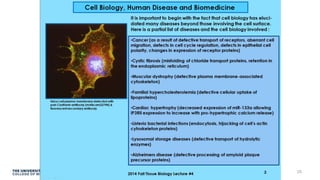
  • #26 This slide will be printed out and given to a small group to use to discuss what is good and what is bad about it, and what changes they would make. Then we might come back to the large group to go over each slide. Do the bullet points tell a story? Is the color scheme distracting? Is there too much text on the slide? How would you rework this slide?
  • #27 This slide will be printed out and given to a small group to use to discuss what is good and what is bad about it, and what changes they would make. Then we might come back to the large group to go over each slide. Do the bullet points tell a story?
  • #28 This slide will be printed out and given to a small group to use to discuss what is good and what is bad about it, and what changes they would make. Then we might come back to the large group to go over each slide. Do the bullet points tell a story? Is there too much text on the slide? Too little? Is there too much white space? How is the color scheme?
  • #29 This slide will be printed out and given to a small group to use to discuss what is good and what is bad about it, and what changes they would make. Then we might come back to the large group to go over each slide. Do the bullet points tell a story? Is there too much text on the slide? Too little? Is there too much white space? How is the color scheme?
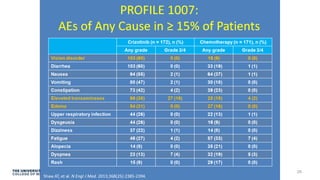
  • #30 This slide will be printed out and given to a small group to use to discuss what is good and what is bad about it, and what changes they would make. Then we might come back to the large group to go over each slide. Charts are better served in a handout rather than on a slide.
  • #31 If there is important presentation-related content that is text based, provide a handout. “Nothing bothers me more than when professors post to the learning management system a heavily text-based PowerPoint without narration. If you’ve got all this great text, copy it and put it in a Word document that students can have at their side so they can focus their limited working memory on the lecture itself—pictures, a few words [of text], and mostly voice,” Stanfield says. - See more at: http://www.facultyfocus.com/articles/instructional-design/instructional-design-based-cognitive-theory/#sthash.pzetomah.dpuf
  • #32 Don’t read slides verbatim, because visually processing text and converting it to the auditory channel takes more time than does processing auditory input, and this can overload working memory. - See more at: http://www.facultyfocus.com/articles/instructional-design/instructional-design-based-cognitive-theory/#sthash.pzetomah.dpuf
  • #33 Edward Tufte says that bullet points inhibit schema creation. A bulleted list can show only one relationship at a time. The reasoning behind relationships in a bulleted list is ambiguous so the viewer may not be able to store and process the information presented. Animation of bullet points can also delay the processing of content.
  • #34 An argument against bullet points as a list: “The list has a separating, reductive, simplifying effect. Lists make information more visible and readable but also more abstract, and ‘they stand opposed to the continuity, the flux, the connectedness of the usual speech forms, that is, conversation, oratory, etc. and substitute an arrangement in which concepts, verbal items, are separated not only from the wider context in which speech always, or almost always, takes place, but separated too from one another, as in the inventory of an estate.’” (note from Jack Goody, The Domestication of the Savage Mind (Cambridge press), p 75) and Franck Frommer, How PowerPoint Makes You Stupid (p. 58) I don’t advocate this slide as an example of how to place content overall to replace bullet points – these are just different options.
  • #35 Text on a slide: Animation and transition features interrupt the flow of information, thus making it harder for the reader to grasp connections between lines of text It’s not a best practice to embed a video in a PowerPoint slide. Why not?
  • #37 Text size is important as we will see shortly. Along with this, empty space is not a bad thing!
  • #38 Capitalize or Not? Which one of these is easier to read?
  • #39 Capitalize or Not? Which one of these is easier to read?
  • #40 My thought here is to print out a slide and hand it out to people. Have people put it on the ground, stand up, and see if they can read the slide text. This is the concept of ‘teaching to the back of the room.’ If it’s hard to read on the floor, it will likely be hard to read in an auditorium from the back row. Participants can also switch ppt handouts with someone else to see variations in styles. I may not show all of the different typefaces in this slide deck.
  • #41 My thought here is to print out a slide and hand it out to people. Have people put it on the ground, stand up, and see if they can read the slide text. This is the concept of ‘teaching to the back of the room.’ If it’s hard to read on the floor, it will likely be hard to read in an auditorium from the back row. Participants can also switch ppt handouts with someone else to see variations in styles. I may not show all of the different typefaces in this slide deck.
  • #42 From an article on April 26, 2010: http://www.nytimes.com/2010/04/27/world/27powerpoint.html?_r=0 General McChrystal accused PowerPoint of having become the US Army’s principle enemy (based on the next slide).
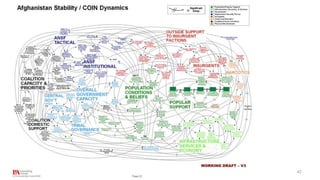
  • #43 This slide is an example of really poor design. Gen Stanley McChrystal, leader of American and NATO forces in Afghanistan, was shown a PowerPoint slide in Kabul in 2010 meant to portray the complexity of American military strategy (Illustration: PA) http://www.theguardian.com/news/datablog/2010/apr/29/mcchrystal-afghanistan-powerpoint-slide Columbia Shuttle Disaster slide Edward Tufte focuses on one slide out of 28 that were presented to an investigating board. He points to a “festival of bureaucratic hyper-rationalism” with 6 different levels of text to arrange and classify eleven phrases. As a consequence, the primary information is relegated in small print to a lower level. …makes the meaning confused and gives rise to ambiguity about some terms or emphasizes others such as the word “significant” (used five times in the NASA presentation) with no statistical justification for the use of the adjective. “The board was surprised to receive similar presentation slides from NASA officials in place of technical reports.”
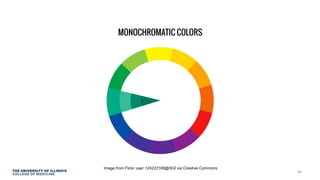
  • #45 A monochromatic color scheme features only one color, or hue, but in various shades and tints at different levels of saturation. This is a very effective way to achieve harmony because using the same hue gives your slides a unified, professional look.
  • #46 When you choose hues that are next to each other on the wheel, the relationship is called analogous. Starting off with analogous colors for slide elements is a very effective yet underutilized method of choosing a color scheme and a good way to achieve harmonious combinations. If you need one item to ‘pop out’ you can adjust the saturation levels.
  • #47 Complementary colors are basically opposites. They sit directly across from each other in the color wheel. Because they are so different, they tend to work well together. Caution: Complementary colors are often too strong together, so you may want to adjust the tints, shades, or saturation of one or both to achieve a combination that is harmonious yet still creates a nice contrast.
  • #48 Use http://vischeck.com/ to simulate color division deficiencies
  • #49 Centered symmetry
  • #50 Example: C&TB slides are regularly 60 mb each and sometimes double that size. I’ll demo tips on reducing file size and saving integrity of images.