






How To Make LinkedIn Work 
for Your Practice
About MyCase 
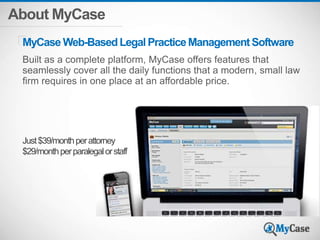
MyCaseWeb-Based Legal Practice Management Software 
Built as a complete platform, MyCase offers features that 
seamlessly cover all the daily functions that a modern, small law 
firm requires in one place at an affordable price. 
Just $39/month per attorney 
$29/month per paralegal or staff
About MyCase 
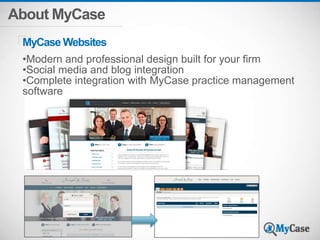
MyCaseWebsites 
•Modern and professional design built for your firm 
•Social media and blog integration 
•Complete integration with MyCase practice management 
software
About Our Presenter 
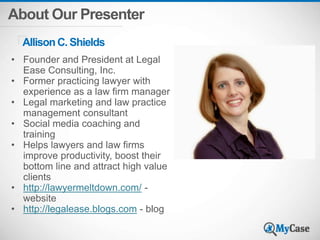
Allison C. Shields 
• Founder and President at Legal 
Ease Consulting, Inc. 
• Former practicing lawyer with 
experience as a law firm manager 
• Legal marketing and law practice 
management consultant 
• Social media coaching and 
training 
• Helps lawyers and law firms 
improve productivity, boost their 
bottom line and attract high value 
clients 
• http://lawyermeltdown.com/ - 
website 
• http://legalease.blogs.com - blog 
Add Photo
Poll #1 
How experienced are you with LinkedIn? 
1. I don’t currently have a LinkedIn Profile 
2. I have a Profile, but it’s bare bones and I rarely 
use LinkedIn 
3. My Profile is pretty complete, and I have over 
200 connections. I use LinkedIn a few times a 
month 
4. I’m a LinkedIn “power user”; I have 500+ 
connections and use LinkedIn at least weekly
What is Your Purpose? What 
are you hiring LinkedIn to do 
for you?
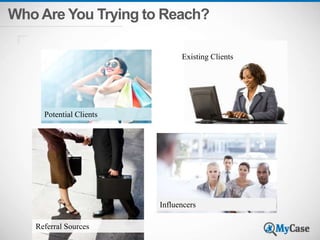
Who Are You Trying to Reach?
Who Are You Trying to Reach? 
Potential Clients 
Referral Sources 
Existing Clients 
Influencers
Everything you do on 
LinkedIn needs to be 
geared toward your 
target audience
Your Profile
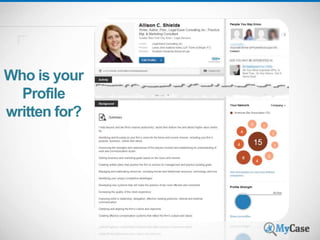
Who is your 
Profile 
written for?
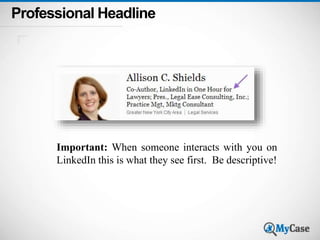
Professional Headline 
Important: When someone interacts with you on 
LinkedIn this is what they see first. Be descriptive!
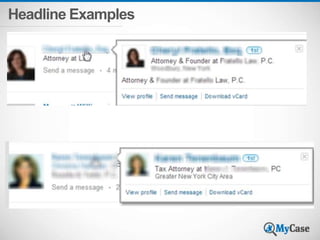
Headline Examples
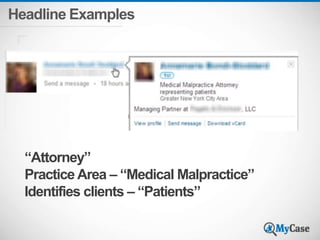
Headline Examples 
“Attorney” 
Practice Area – “Medical Malpractice” 
Identifies clients – “Patients”
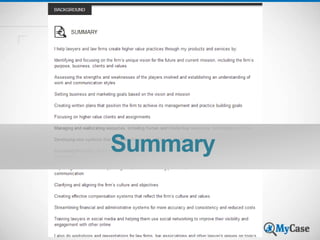
Summary
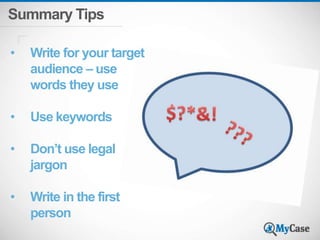
Summary Tips 
• Write for your target 
audience – use 
words they use 
• Use keywords 
• Don’t use legal 
jargon 
• Write in the first 
person
Summary 
Would your clients recognize 
themselves as potential candidates 
for your services just by reading 
your Profile?
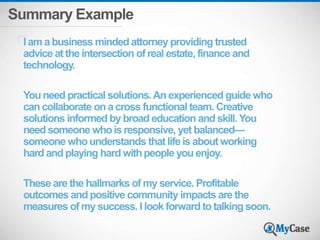
Summary Example 
I am a business minded attorney providing trusted 
advice at the intersection of real estate, finance and 
technology. 
You need practical solutions. An experienced guide who 
can collaborate on a cross functional team. Creative 
solutions informed by broad education and skill. You 
need someone who is responsive, yet balanced— 
someone who understands that life is about working 
hard and playing hard with people you enjoy. 
These are the hallmarks of my service. Profitable 
outcomes and positive community impacts are the 
measures of my success. I look forward to talking soon.
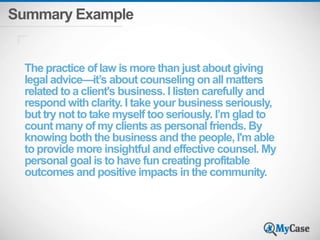
Summary Example 
The practice of law is more than just about giving 
legal advice—it’s about counseling on all matters 
related to a client's business. I listen carefully and 
respond with clarity. I take your business seriously, 
but try not to take myself too seriously. I’m glad to 
count many of my clients as personal friends. By 
knowing both the business and the people, I'm able 
to provide more insightful and effective counsel. My 
personal goal is to have fun creating profitable 
outcomes and positive impacts in the community.
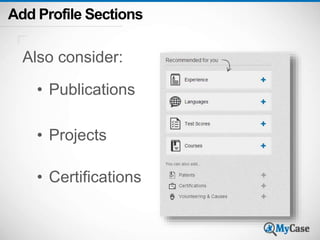
Add Profile Sections 
Also consider: 
• Publications 
• Projects 
• Certifications
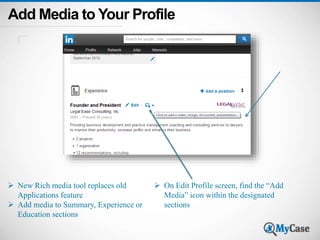
Add Media to Your Profile 
 New Rich media tool replaces old 
Applications feature 
 Add media to Summary, Experience or 
Education sections 
 On Edit Profile screen, find the “Add 
Media” icon within the designated 
sections
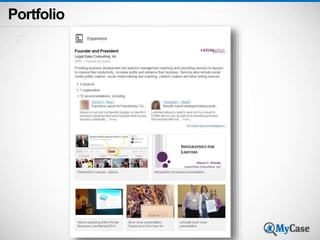
Portfolio
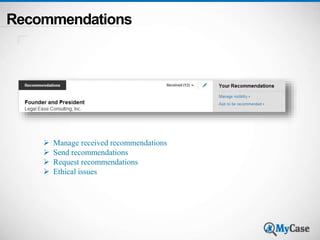
Recommendations 
 Manage received recommendations 
 Send recommendations 
 Request recommendations 
 Ethical issues
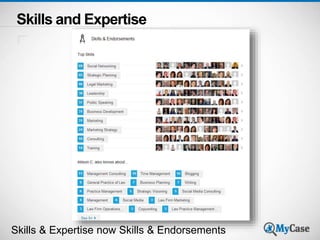
Skills and Expertise 
Skills & Expertise now Skills & Endorsements
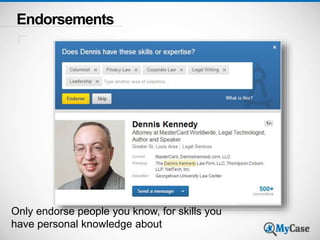
Endorsements 
Only endorse people you know, for skills you 
have personal knowledge about
Bar Admissions 
Helps define the jurisdictions you practice in 
Add to your Summary or Experience sections 
Example: 
PROFESSIONAL LICENSES: 
Admitted to the state bars of New York, District of 
Columbia, Florida, and Georgia. Also admitted to the 
Supreme Court of the United States.
Disclaimers 
• Review your ethics and attorney advertising rules! 
• LinkedIn Profiles qualify as attorney advertising in 
many states 
• “Attorney Advertising” disclaimer 
• Disclaimers about confidentiality, attorney-client 
relationship 
• “Prior results do not guarantee a similar outcome” 
• ABA Formal Opinion 10-457, Lawyer Websites, 
August 5, 2010
Company Pages and Showcase 
Pages
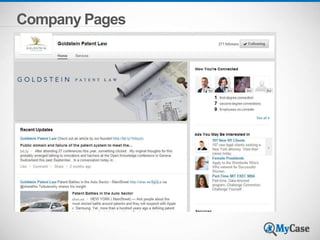
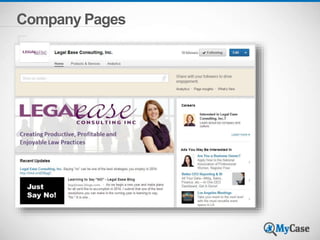
Company Pages for Law Firms 
About your Firm 
Showcase Practice Areas and Services 
using Showcase Pages 
Recommendations 
Firm News 
Update employees 
Promote firm events 
Highlight Employees
Company Pages
Company Pages
Company Pages 
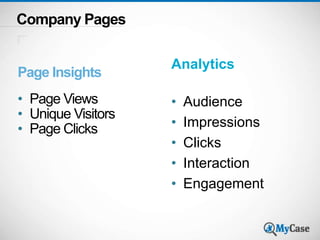
Page Insights 
• Page Views 
• Unique Visitors 
• Page Clicks 
Analytics 
• Audience 
• Impressions 
• Clicks 
• Interaction 
• Engagement
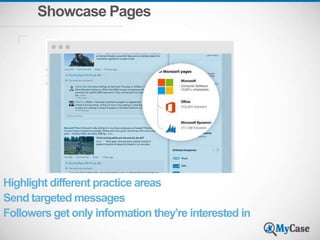
Showcase Pages 
Highlight different practice areas 
Send targeted messages 
Followers get only information they’re interested in
Using LinkedIn Updates Wisely
Poll #2 
How often do you post LinkedIn Updates? 
1. Never 
2. Rarely 
3. At Least Once a Month 
4. At Least Once a Week
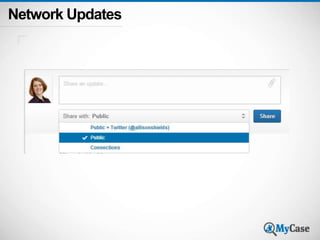
Network Updates
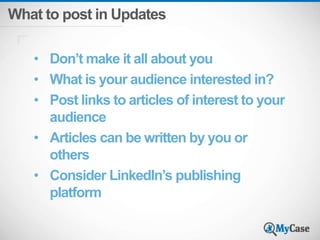
What to post in Updates 
• Don’t make it all about you 
• What is your audience interested in? 
• Post links to articles of interest to your 
audience 
• Articles can be written by you or 
others 
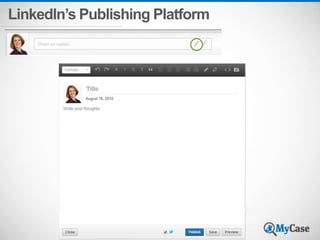
• Consider LinkedIn’s publishing 
platform
LinkedIn’s Publishing Platform
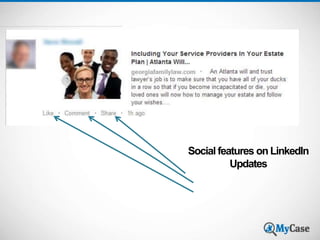
Social features on LinkedIn 
Updates
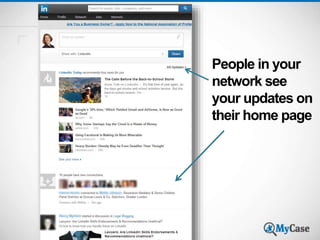
People in your 
network see 
your updates on 
their home page
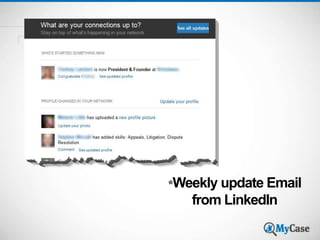
*Weekly update Email 
from LinkedIn
Making your LinkedIn 
Connections Work for You
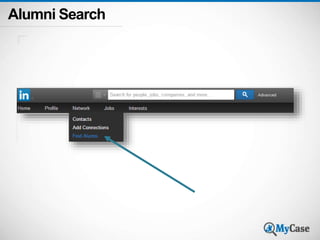
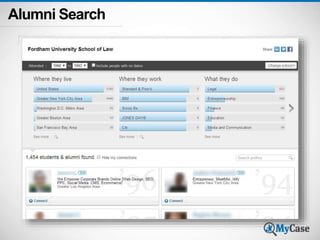
Alumni Search
Alumni Search
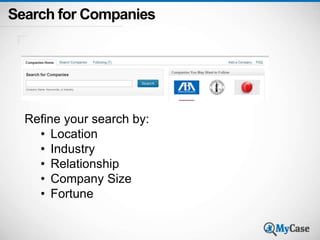
Search for Companies 
Refine your search by: 
• Location 
• Industry 
• Relationship 
• Company Size 
• Fortune
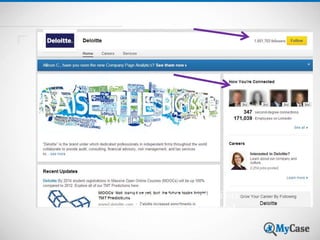
• Follow clients, competitors 
• See how you’re connected 
• Get more info
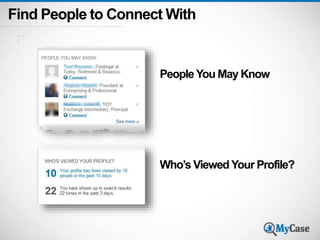
Find People to Connect With 
People You May Know 
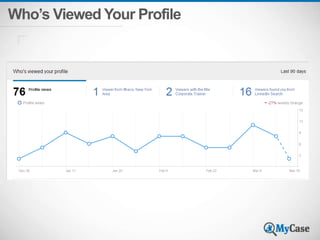
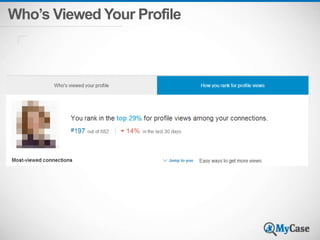
Who’s Viewed Your Profile?
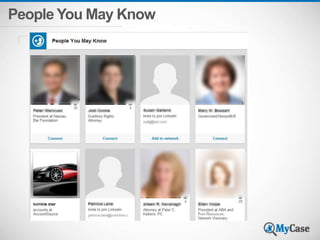
People You May Know
Who’s Viewed Your Profile
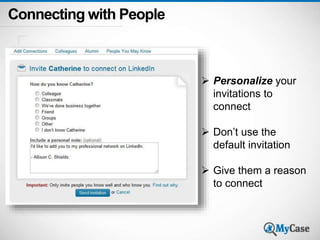
Connecting with People 
 Personalize your 
invitations to 
connect 
 Don’t use the 
default invitation 
 Give them a reason 
to connect
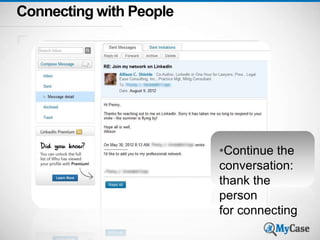
Connecting with People 
*Continue the 
conversation: 
thank the 
person 
for connecting
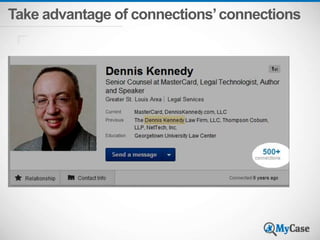
Take advantage of connections’ connections
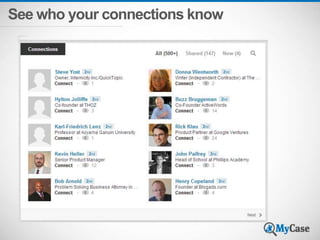
See who your connections know
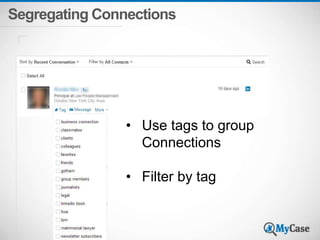
Segregating Connections 
• Use tags to group 
Connections 
• Filter by tag
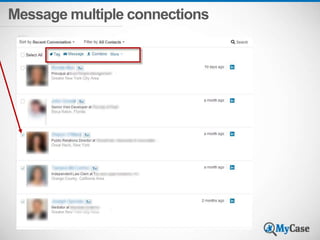
Message multiple connections
LinkedIn Contacts 
Sync contacts with your address book 
Use the Outlook social connector 
Enable LinkedIn features in OS X Mavericks 
Add notes, tags, reminders 
Search Contacts when traveling 
Leverage your Connections’ Contacts 
Watch Updates for opportunities to connect 
Send periodic messages
Withdrawing Invitations to Connect 
Go to your Inbox, click Sent 
Find an invitation not yet 
accepted 
Click the subject line 
Click Withdraw 
If there is no Withdraw button, 
you can’t withdraw 
The recipient won't be notified 
about a withdrawn invitation
LinkedIn Groups
Poll #3 
How active are you with LinkedIn Groups? 
1. I have not joined any Groups on LinkedIn 
2. I have joined a few Groups but don’t pay much 
attention to them 
3. I have joined several Groups and periodically 
review the discussions but don’t participate 
often 
4. I’m an active participant in LinkedIn Groups, 
contributing where I can, posting articles and 
starting discussions
Groups: 
 Get known outside of your circle 
 Establish yourself as an expert 
 Demonstrate knowledge 
 Build relationships 
 Develop rapport
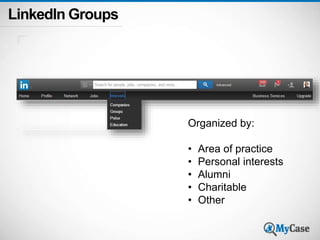
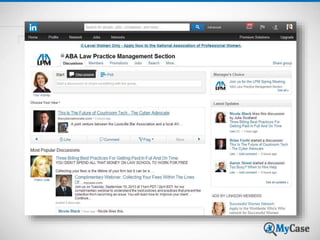
LinkedIn Groups 
Organized by: 
• Area of practice 
• Personal interests 
• Alumni 
• Charitable 
• Other
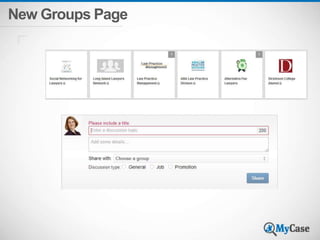
New Groups Page
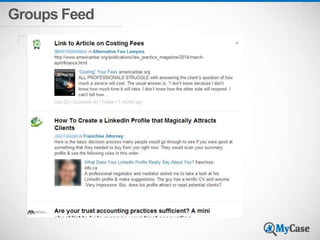
Groups Feed
Groups Tips 
• Think about your target audience 
• View your connections’ Profiles to see what 
Groups they belong to 
• Start simply 
• Participate regularly 
• Start your own discussions 
• Use Groups social features 
• Review Group membership lists for new 
connections
Blocking Spam on LinkedIn 
Block or report on 
their Profile 
Disconnect 
Flag or Report 
Group Moderation
Mobile vs. Desktop
• Watch out when uploading contacts on 
mobile 
• No ability to customize invitations on mobile 
• Desktop viewer history is from the past 90 
days. 
• Mobile viewer history is based on the last 
100 viewers. 
• Differences in viewing your recent activity 
and others’ activity 
• Mobile can be difficult to use
Settings
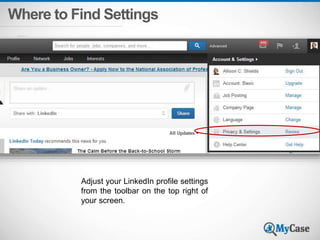
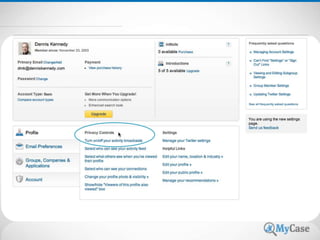
Where to Find Settings 
Adjust your LinkedIn profile settings 
from the toolbar on the top right of 
your screen.
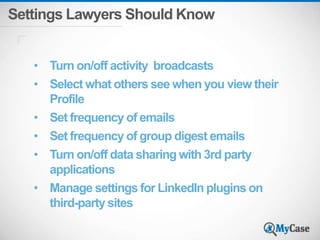
Settings Lawyers Should Know 
• Turn on/off activity broadcasts 
• Select what others see when you view their 
Profile 
• Set frequency of emails 
• Set frequency of group digest emails 
• Turn on/off data sharing with 3rd party 
applications 
• Manage settings for LinkedIn plugins on 
third-party sites
Goal: take it 
off-line ‘digital 
to personal’
Questions?
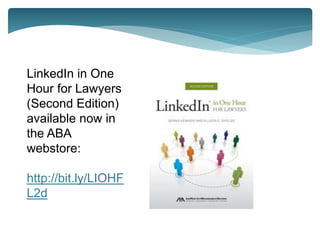
LinkedIn in One 
Hour for Lawyers 
(Second Edition) 
available now in 
the ABA 
webstore: 
http://bit.ly/LIOHF 
L2d
Contact Us 
Allison Shields 
• Legal Ease Consulting, Inc 
• http://lawyermeltdown.com/ 
• http://legalease.blogs.com 
• 631-642-0221 
• Allison@LegalEaseConsulting.com 
MyCase 
Web-Based Legal 
Practice Management Software 
MyCase.com 
MyCase.com/blog 
support@mycase.com 
(800) 571-8062 
30-Day FREE Trial 
Get 10% Off Your First 6 Months With 
MyCase Using Promo Code: 10LIN14
Thank You

(Webinar Slides) How To Make LinkedIn Work for Your Practice

  • 1.
    How To MakeLinkedIn Work for Your Practice
  • 2.
    About MyCase MyCaseWeb-BasedLegal Practice Management Software Built as a complete platform, MyCase offers features that seamlessly cover all the daily functions that a modern, small law firm requires in one place at an affordable price. Just $39/month per attorney $29/month per paralegal or staff
  • 3.
    About MyCase MyCaseWebsites •Modern and professional design built for your firm •Social media and blog integration •Complete integration with MyCase practice management software
  • 4.
    About Our Presenter Allison C. Shields • Founder and President at Legal Ease Consulting, Inc. • Former practicing lawyer with experience as a law firm manager • Legal marketing and law practice management consultant • Social media coaching and training • Helps lawyers and law firms improve productivity, boost their bottom line and attract high value clients • http://lawyermeltdown.com/ - website • http://legalease.blogs.com - blog Add Photo
  • 5.
    Poll #1 Howexperienced are you with LinkedIn? 1. I don’t currently have a LinkedIn Profile 2. I have a Profile, but it’s bare bones and I rarely use LinkedIn 3. My Profile is pretty complete, and I have over 200 connections. I use LinkedIn a few times a month 4. I’m a LinkedIn “power user”; I have 500+ connections and use LinkedIn at least weekly
  • 6.
    What is YourPurpose? What are you hiring LinkedIn to do for you?
  • 7.
    Who Are YouTrying to Reach?
  • 8.
    Who Are YouTrying to Reach? Potential Clients Referral Sources Existing Clients Influencers
  • 9.
    Everything you doon LinkedIn needs to be geared toward your target audience
  • 10.
  • 11.
    Who is your Profile written for?
  • 12.
    Professional Headline Important:When someone interacts with you on LinkedIn this is what they see first. Be descriptive!
  • 13.
  • 14.
    Headline Examples “Attorney” Practice Area – “Medical Malpractice” Identifies clients – “Patients”
  • 15.
  • 16.
    Summary Tips •Write for your target audience – use words they use • Use keywords • Don’t use legal jargon • Write in the first person
  • 17.
    Summary Would yourclients recognize themselves as potential candidates for your services just by reading your Profile?
  • 18.
    Summary Example Iam a business minded attorney providing trusted advice at the intersection of real estate, finance and technology. You need practical solutions. An experienced guide who can collaborate on a cross functional team. Creative solutions informed by broad education and skill. You need someone who is responsive, yet balanced— someone who understands that life is about working hard and playing hard with people you enjoy. These are the hallmarks of my service. Profitable outcomes and positive community impacts are the measures of my success. I look forward to talking soon.
  • 19.
    Summary Example Thepractice of law is more than just about giving legal advice—it’s about counseling on all matters related to a client's business. I listen carefully and respond with clarity. I take your business seriously, but try not to take myself too seriously. I’m glad to count many of my clients as personal friends. By knowing both the business and the people, I'm able to provide more insightful and effective counsel. My personal goal is to have fun creating profitable outcomes and positive impacts in the community.
  • 20.
    Add Profile Sections Also consider: • Publications • Projects • Certifications
  • 21.
    Add Media toYour Profile  New Rich media tool replaces old Applications feature  Add media to Summary, Experience or Education sections  On Edit Profile screen, find the “Add Media” icon within the designated sections
  • 22.
  • 23.
    Recommendations  Managereceived recommendations  Send recommendations  Request recommendations  Ethical issues
  • 24.
    Skills and Expertise Skills & Expertise now Skills & Endorsements
  • 25.
    Endorsements Only endorsepeople you know, for skills you have personal knowledge about
  • 26.
    Bar Admissions Helpsdefine the jurisdictions you practice in Add to your Summary or Experience sections Example: PROFESSIONAL LICENSES: Admitted to the state bars of New York, District of Columbia, Florida, and Georgia. Also admitted to the Supreme Court of the United States.
  • 27.
    Disclaimers • Reviewyour ethics and attorney advertising rules! • LinkedIn Profiles qualify as attorney advertising in many states • “Attorney Advertising” disclaimer • Disclaimers about confidentiality, attorney-client relationship • “Prior results do not guarantee a similar outcome” • ABA Formal Opinion 10-457, Lawyer Websites, August 5, 2010
  • 28.
    Company Pages andShowcase Pages
  • 29.
    Company Pages forLaw Firms About your Firm Showcase Practice Areas and Services using Showcase Pages Recommendations Firm News Update employees Promote firm events Highlight Employees
  • 30.
  • 31.
  • 32.
    Company Pages PageInsights • Page Views • Unique Visitors • Page Clicks Analytics • Audience • Impressions • Clicks • Interaction • Engagement
  • 33.
    Showcase Pages Highlightdifferent practice areas Send targeted messages Followers get only information they’re interested in
  • 34.
  • 35.
    Poll #2 Howoften do you post LinkedIn Updates? 1. Never 2. Rarely 3. At Least Once a Month 4. At Least Once a Week
  • 36.
  • 37.
    What to postin Updates • Don’t make it all about you • What is your audience interested in? • Post links to articles of interest to your audience • Articles can be written by you or others • Consider LinkedIn’s publishing platform
  • 38.
  • 39.
    Social features onLinkedIn Updates
  • 40.
    People in your network see your updates on their home page
  • 41.
    *Weekly update Email from LinkedIn
  • 42.
    Making your LinkedIn Connections Work for You
  • 43.
  • 44.
  • 45.
    Search for Companies Refine your search by: • Location • Industry • Relationship • Company Size • Fortune
  • 46.
    • Follow clients,competitors • See how you’re connected • Get more info
  • 47.
    Find People toConnect With People You May Know Who’s Viewed Your Profile?
  • 48.
  • 49.
  • 50.
  • 51.
    Connecting with People  Personalize your invitations to connect  Don’t use the default invitation  Give them a reason to connect
  • 52.
    Connecting with People *Continue the conversation: thank the person for connecting
  • 53.
    Take advantage ofconnections’ connections
  • 54.
    See who yourconnections know
  • 55.
    Segregating Connections •Use tags to group Connections • Filter by tag
  • 56.
  • 57.
    LinkedIn Contacts Synccontacts with your address book Use the Outlook social connector Enable LinkedIn features in OS X Mavericks Add notes, tags, reminders Search Contacts when traveling Leverage your Connections’ Contacts Watch Updates for opportunities to connect Send periodic messages
  • 58.
    Withdrawing Invitations toConnect Go to your Inbox, click Sent Find an invitation not yet accepted Click the subject line Click Withdraw If there is no Withdraw button, you can’t withdraw The recipient won't be notified about a withdrawn invitation
  • 59.
  • 60.
    Poll #3 Howactive are you with LinkedIn Groups? 1. I have not joined any Groups on LinkedIn 2. I have joined a few Groups but don’t pay much attention to them 3. I have joined several Groups and periodically review the discussions but don’t participate often 4. I’m an active participant in LinkedIn Groups, contributing where I can, posting articles and starting discussions
  • 61.
    Groups:  Getknown outside of your circle  Establish yourself as an expert  Demonstrate knowledge  Build relationships  Develop rapport
  • 62.
    LinkedIn Groups Organizedby: • Area of practice • Personal interests • Alumni • Charitable • Other
  • 64.
  • 65.
  • 66.
    Groups Tips •Think about your target audience • View your connections’ Profiles to see what Groups they belong to • Start simply • Participate regularly • Start your own discussions • Use Groups social features • Review Group membership lists for new connections
  • 67.
    Blocking Spam onLinkedIn Block or report on their Profile Disconnect Flag or Report Group Moderation
  • 68.
  • 69.
    • Watch outwhen uploading contacts on mobile • No ability to customize invitations on mobile • Desktop viewer history is from the past 90 days. • Mobile viewer history is based on the last 100 viewers. • Differences in viewing your recent activity and others’ activity • Mobile can be difficult to use
  • 70.
  • 71.
    Where to FindSettings Adjust your LinkedIn profile settings from the toolbar on the top right of your screen.
  • 73.
    Settings Lawyers ShouldKnow • Turn on/off activity broadcasts • Select what others see when you view their Profile • Set frequency of emails • Set frequency of group digest emails • Turn on/off data sharing with 3rd party applications • Manage settings for LinkedIn plugins on third-party sites
  • 74.
    Goal: take it off-line ‘digital to personal’
  • 75.
  • 76.
    LinkedIn in One Hour for Lawyers (Second Edition) available now in the ABA webstore: http://bit.ly/LIOHF L2d
  • 77.
    Contact Us AllisonShields • Legal Ease Consulting, Inc • http://lawyermeltdown.com/ • http://legalease.blogs.com • 631-642-0221 • Allison@LegalEaseConsulting.com MyCase Web-Based Legal Practice Management Software MyCase.com MyCase.com/blog support@mycase.com (800) 571-8062 30-Day FREE Trial Get 10% Off Your First 6 Months With MyCase Using Promo Code: 10LIN14
  • 78.

Editor's Notes

  • #58 See LI profile photo in your address book and on email messages – even if you’re not connected
  • #68 LinkedIn now keeps track of feedback from moderators and Group members; may automatically make some users subject to moderation across all groups; moderator will need to approve all posts for a period of time before they can be seen in the Group