















Allison C. Shields, Legal Ease Consulting, Inc.
   President, Legal Ease Consulting, Inc.

   Practice
    Management, Productivity, Marketing
    and Business Development for
    Lawyers

   Services include individual
    coaching, training, assessments &
    surveys, and business and marketing
    strategy

   Practicing lawyer for over 15 years

   Former law firm Administrative
    Partner

   Co-author, LinkedIn in One Hour for
    Lawyers, and Facebook in One Hour
    for Lawyers, published by the
    American Bar Association
What is LinkedIn and Why
Does It Matter?
   The “Professional
    Network”

   Founded 2003

   200 million users as
    of January 2013

   Business people
    connecting with
    business people
A tool that allows you to:
                       Connect and re-connect

                       Demonstrate your
                        expertise and interests

                       Foster and accelerate
                        relationships

                       Leverage: who knows
                        whom – six degrees of
                        separation
   160 million unique visitors
    monthly

   74 million users in USA

   700,000 members in the
    legal field

   >2 members join per second

   Executives from every
    Fortune 500 company

   50% of users are business
    decision makers
Ethics Considerations
   Communications about
    Services

   Advertising

   Duties to Prospective Clients

   Unauthorized Practice of Law

   Confidentiality

   Direct Contact/Solicitation/
    Disclaimers

   Specialization
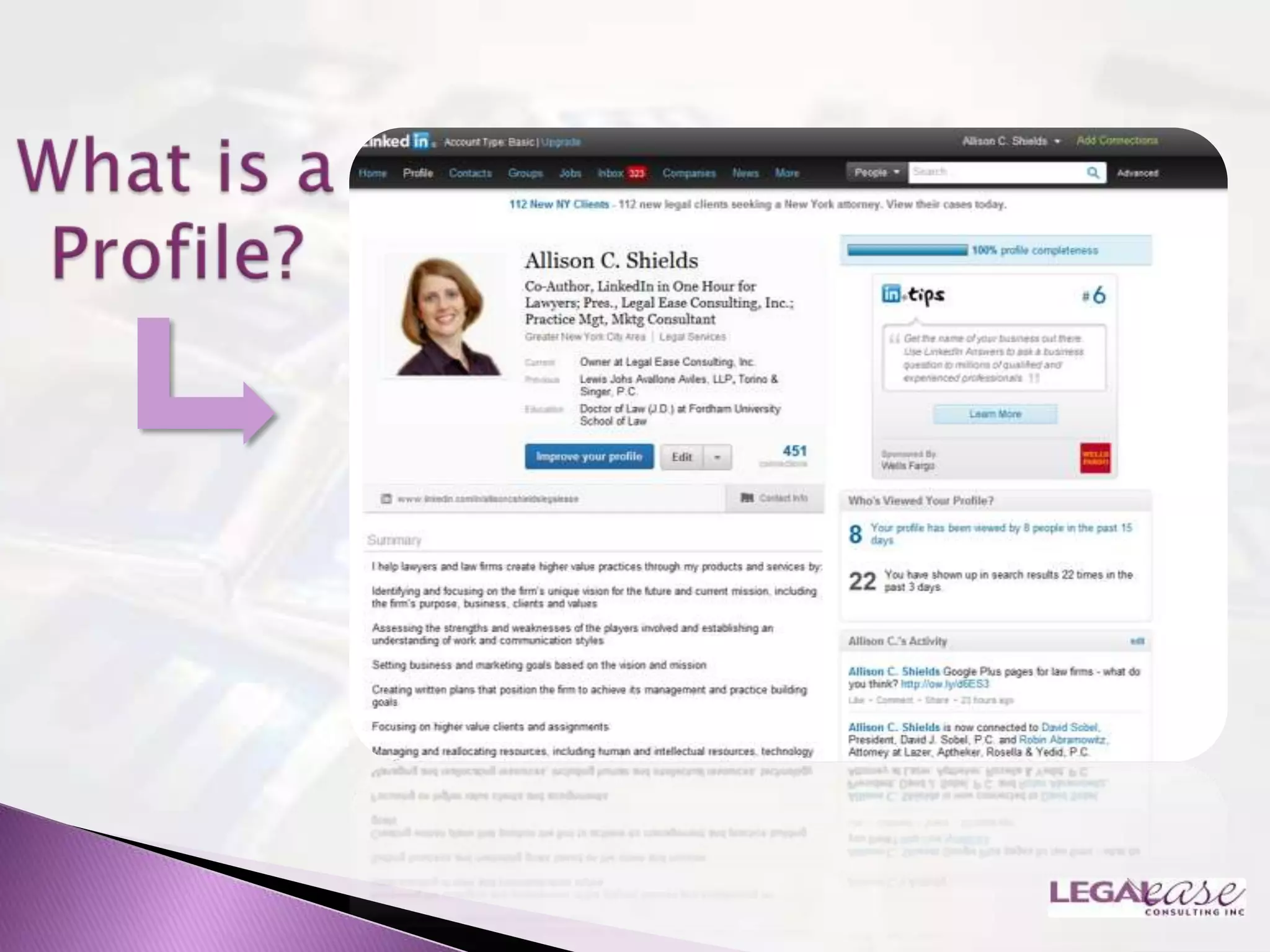
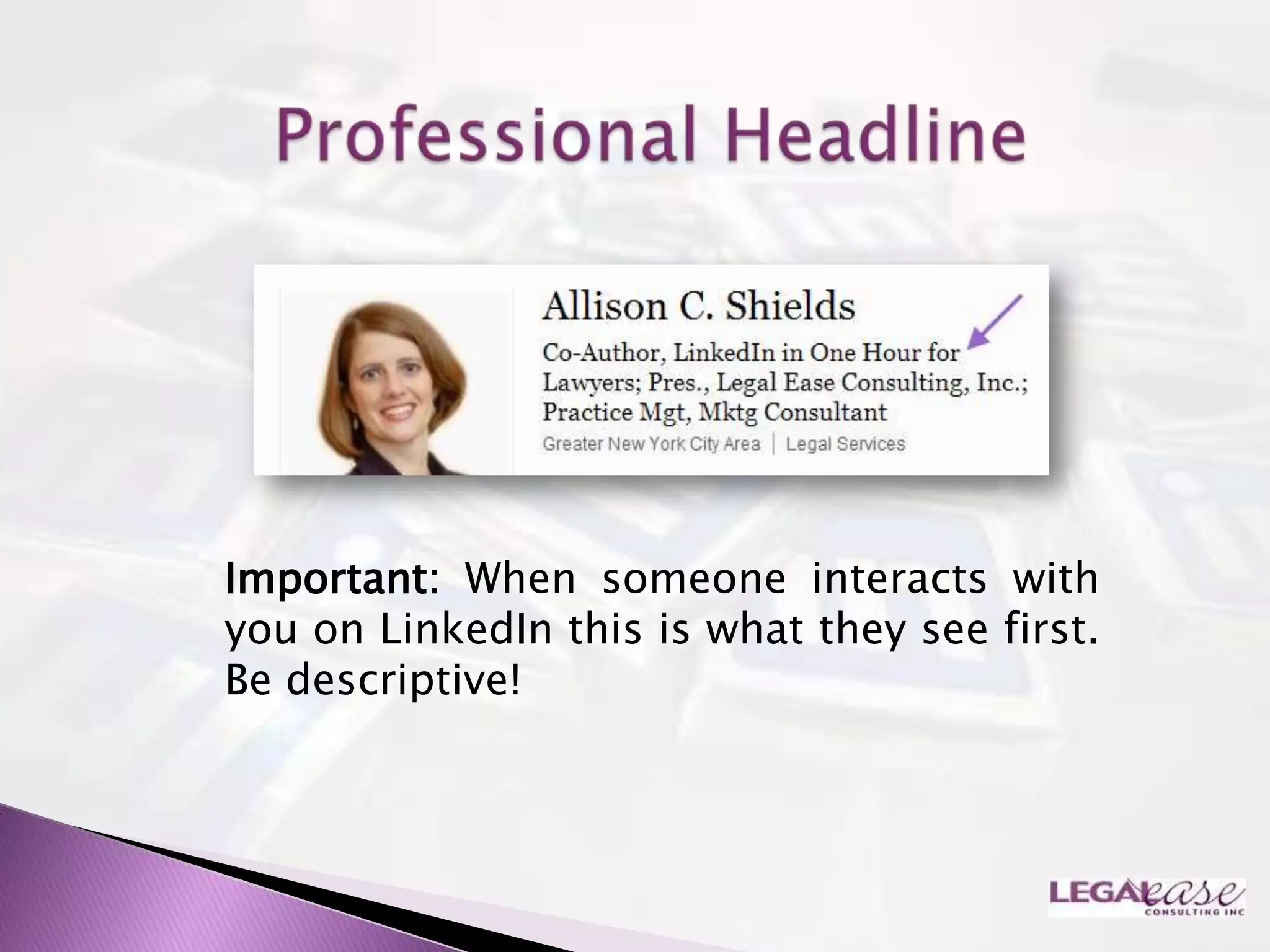
Important: When someone interacts with
you on LinkedIn this is what they see first.
Be descriptive!
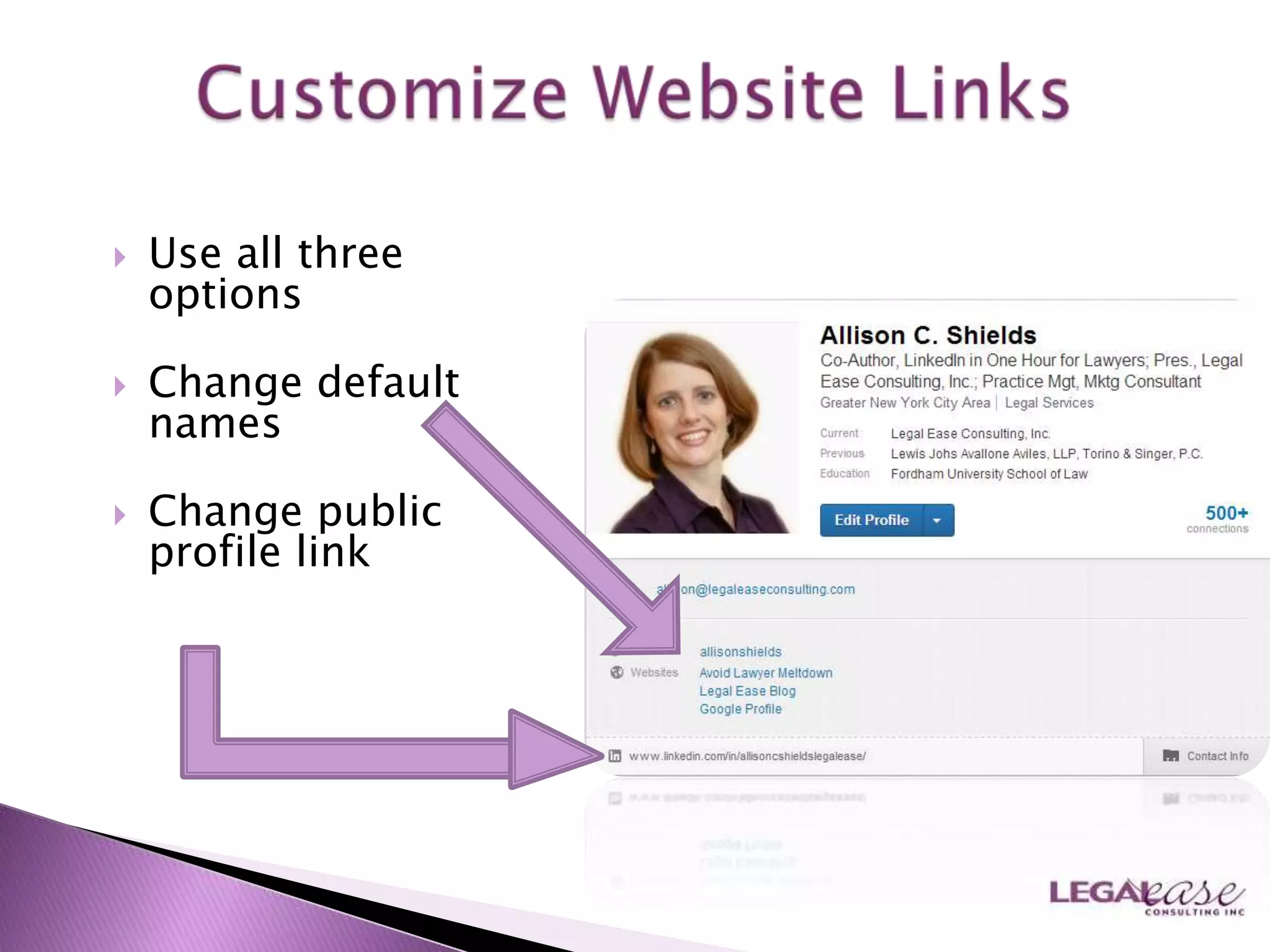
   Use all three
    options

   Change default
    names

   Change public
    profile link
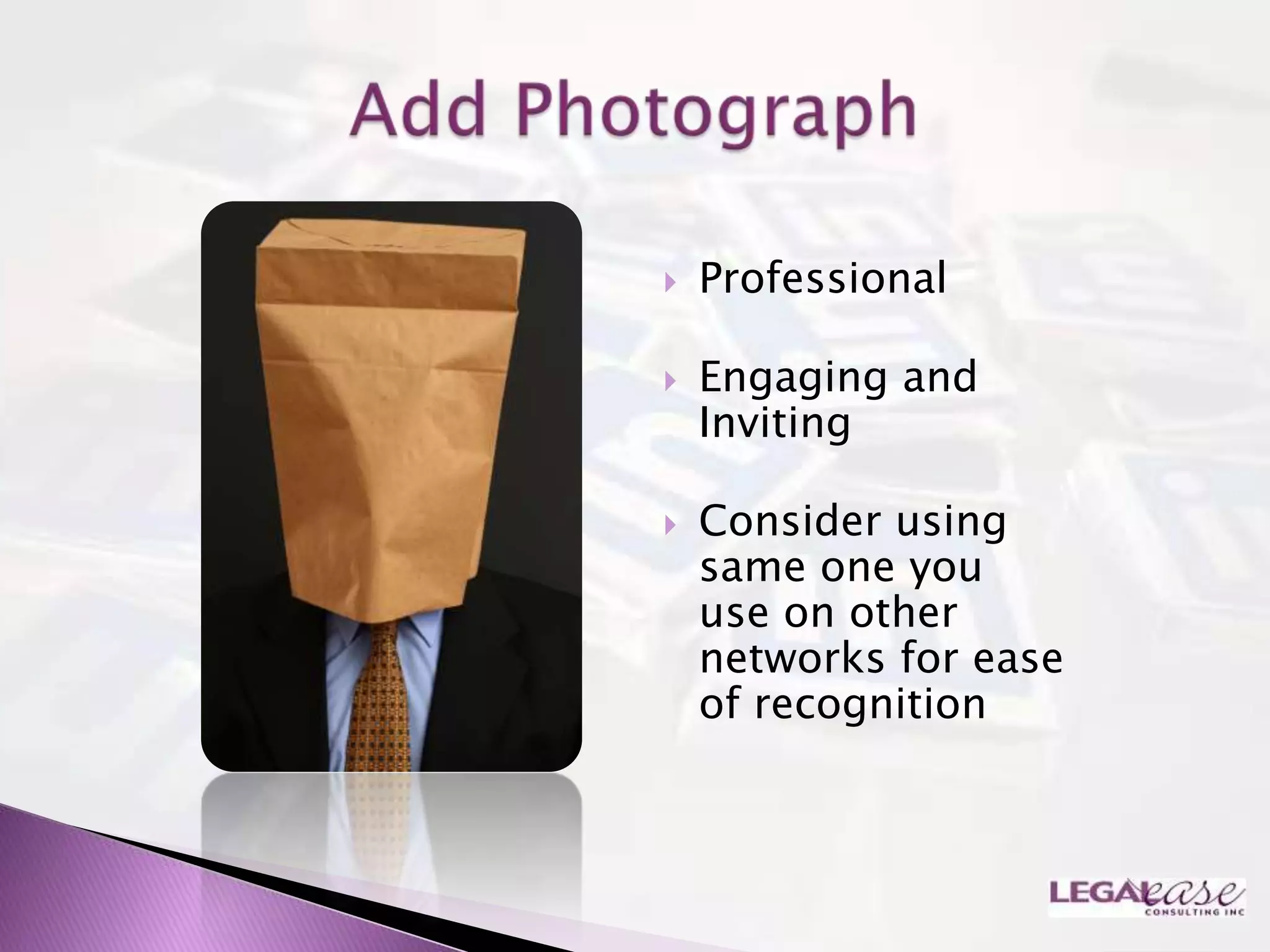
   Professional

   Engaging and
    Inviting

   Consider using
    same one you
    use on other
    networks for ease
    of recognition
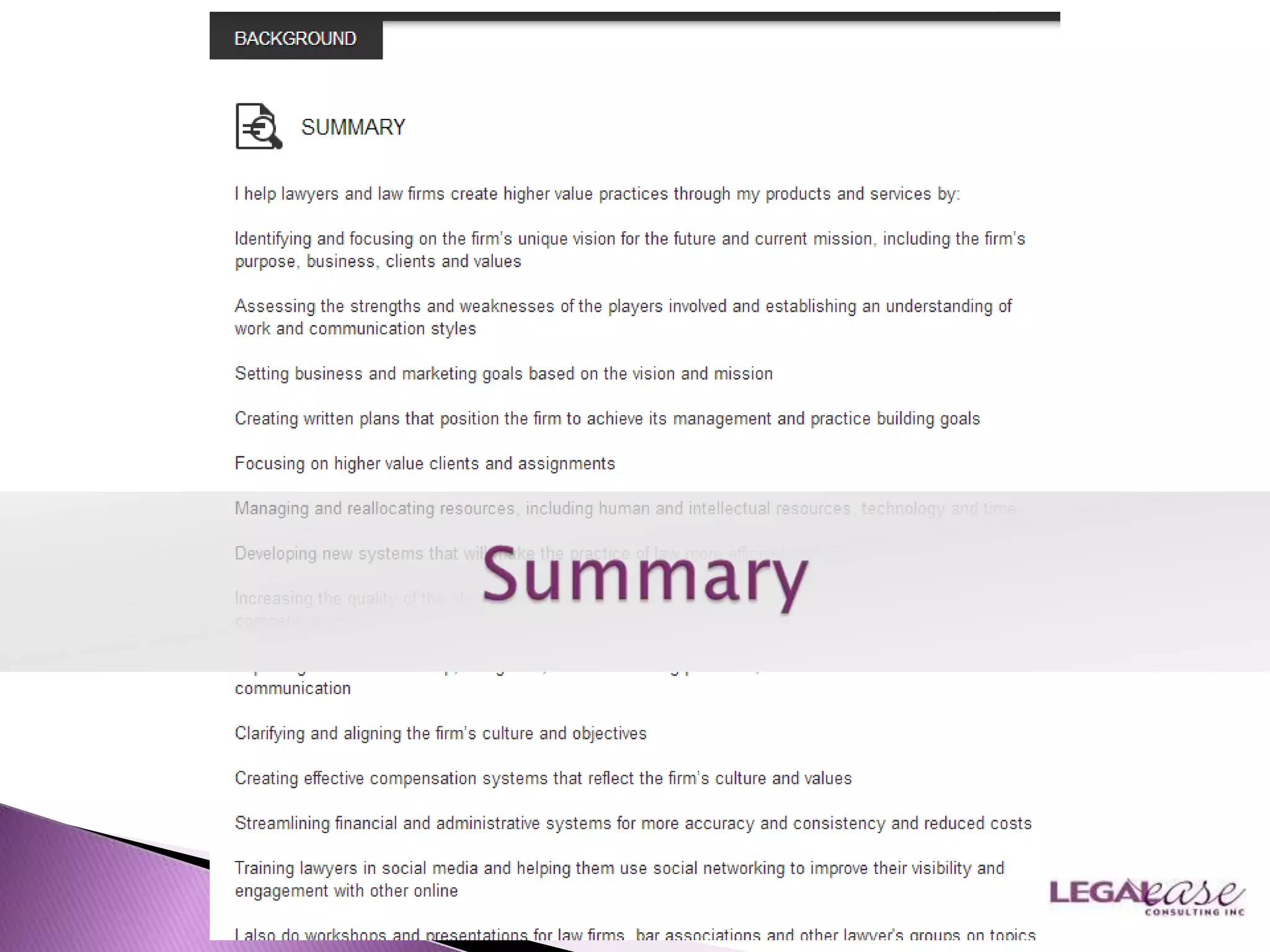
   Short Bio
   Use Keywords in your profile
    ◦ Words someone would use
      to find you
    ◦ Language potential
      employers use to describe
      skills and experience they
      seek
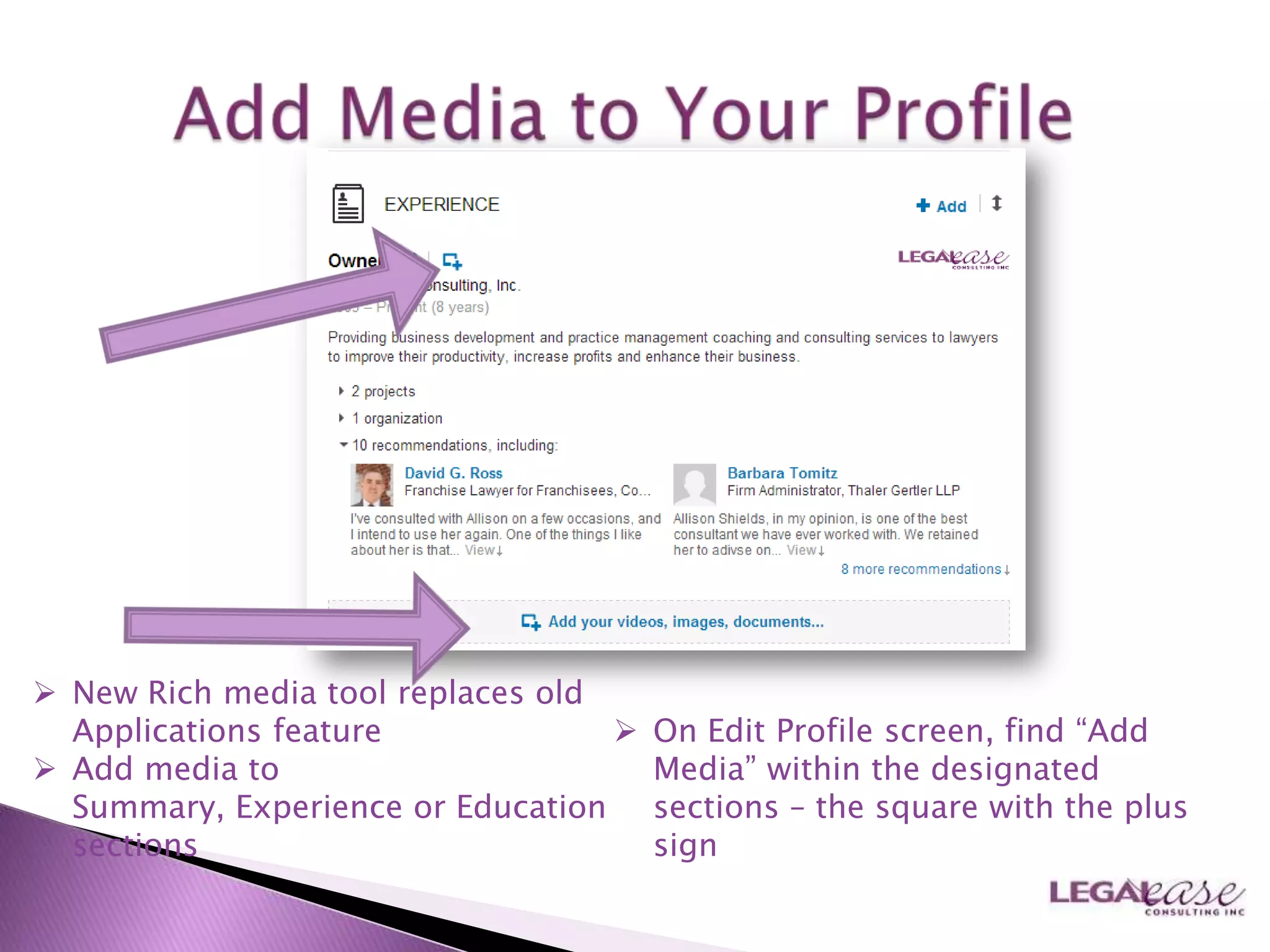
 New Rich media tool replaces old
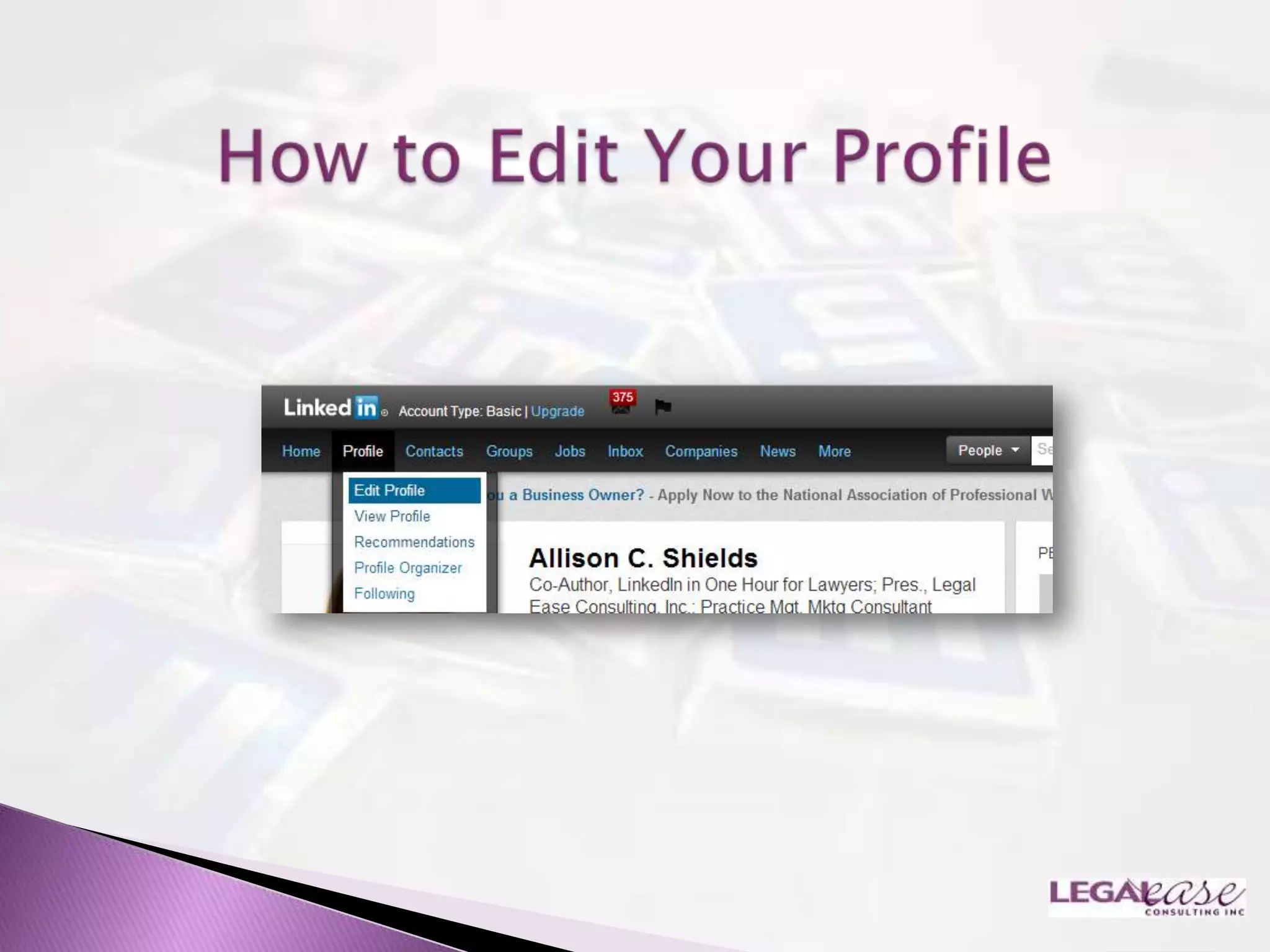
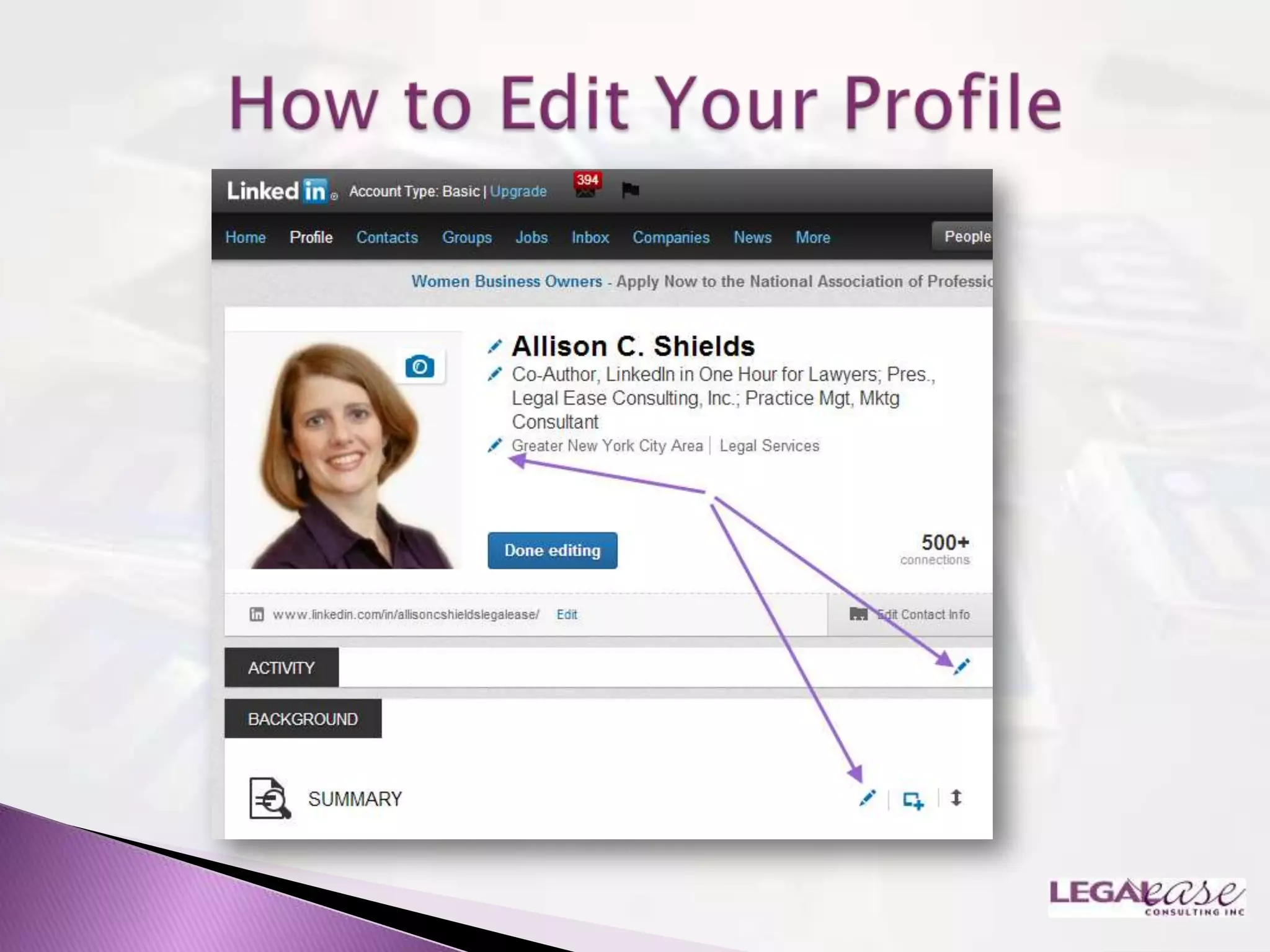
  Applications feature                On Edit Profile screen, find “Add
 Add media to                         Media” within the designated
  Summary, Experience or Education     sections – the square with the plus
  sections                             sign
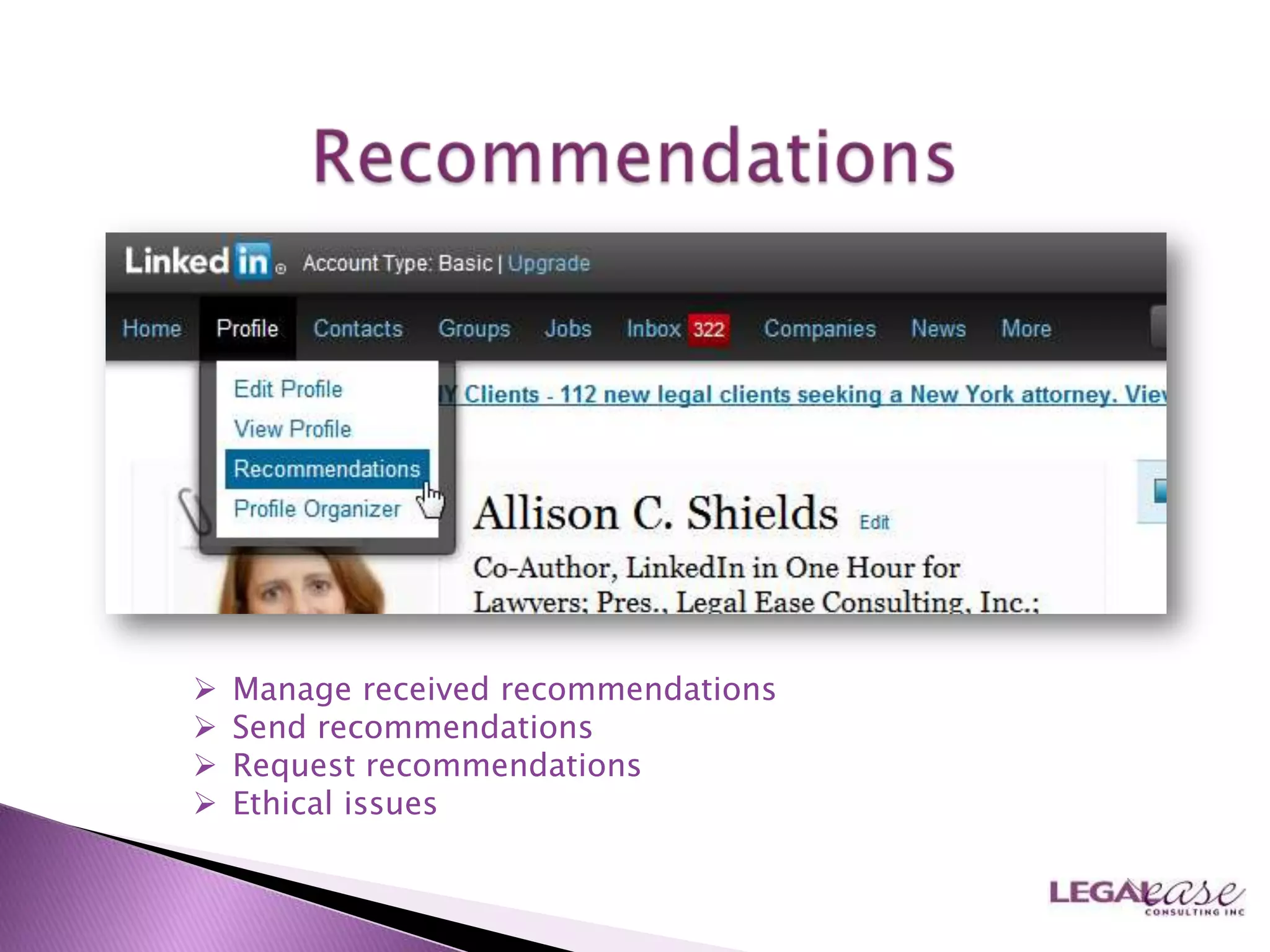
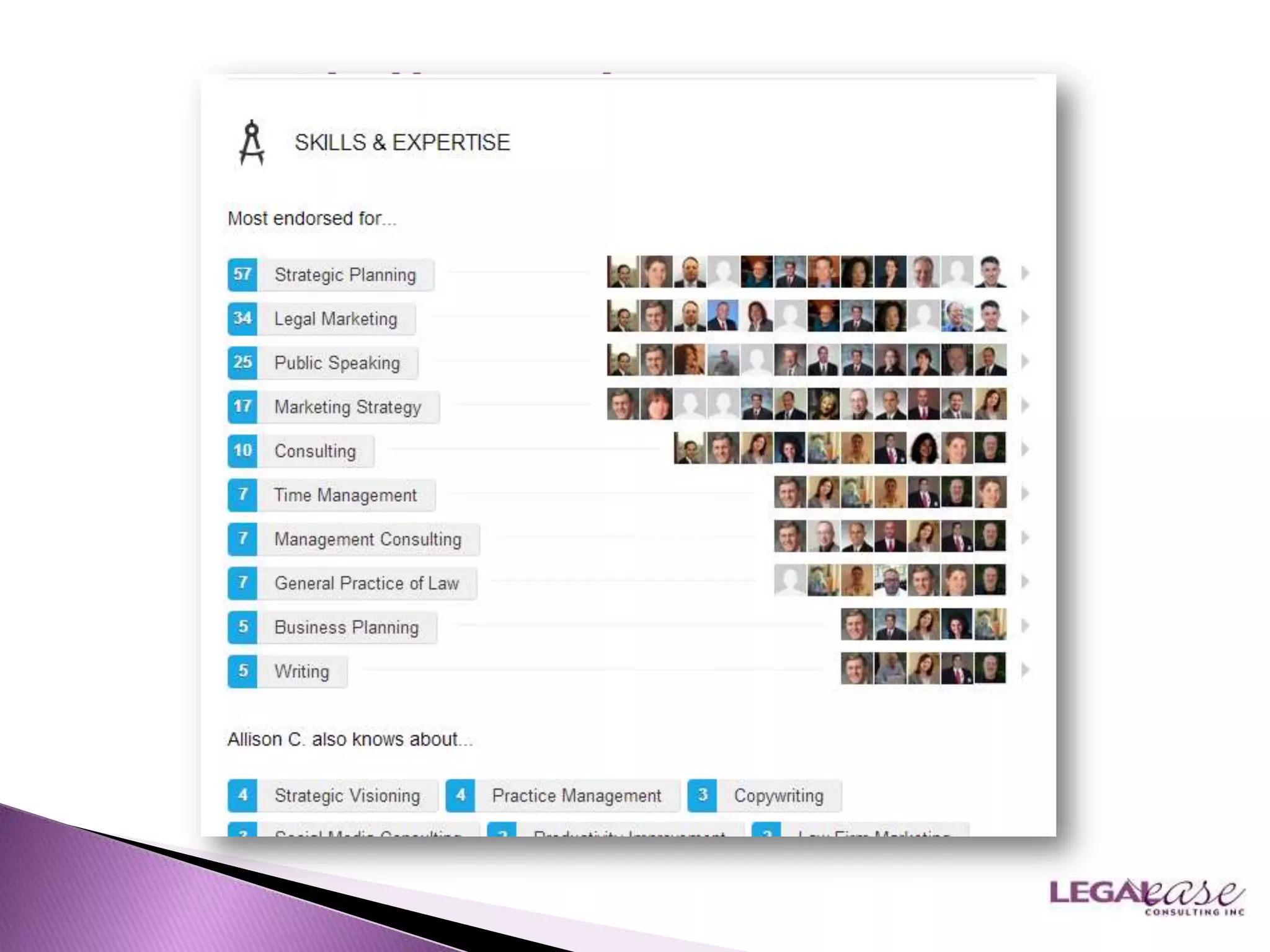
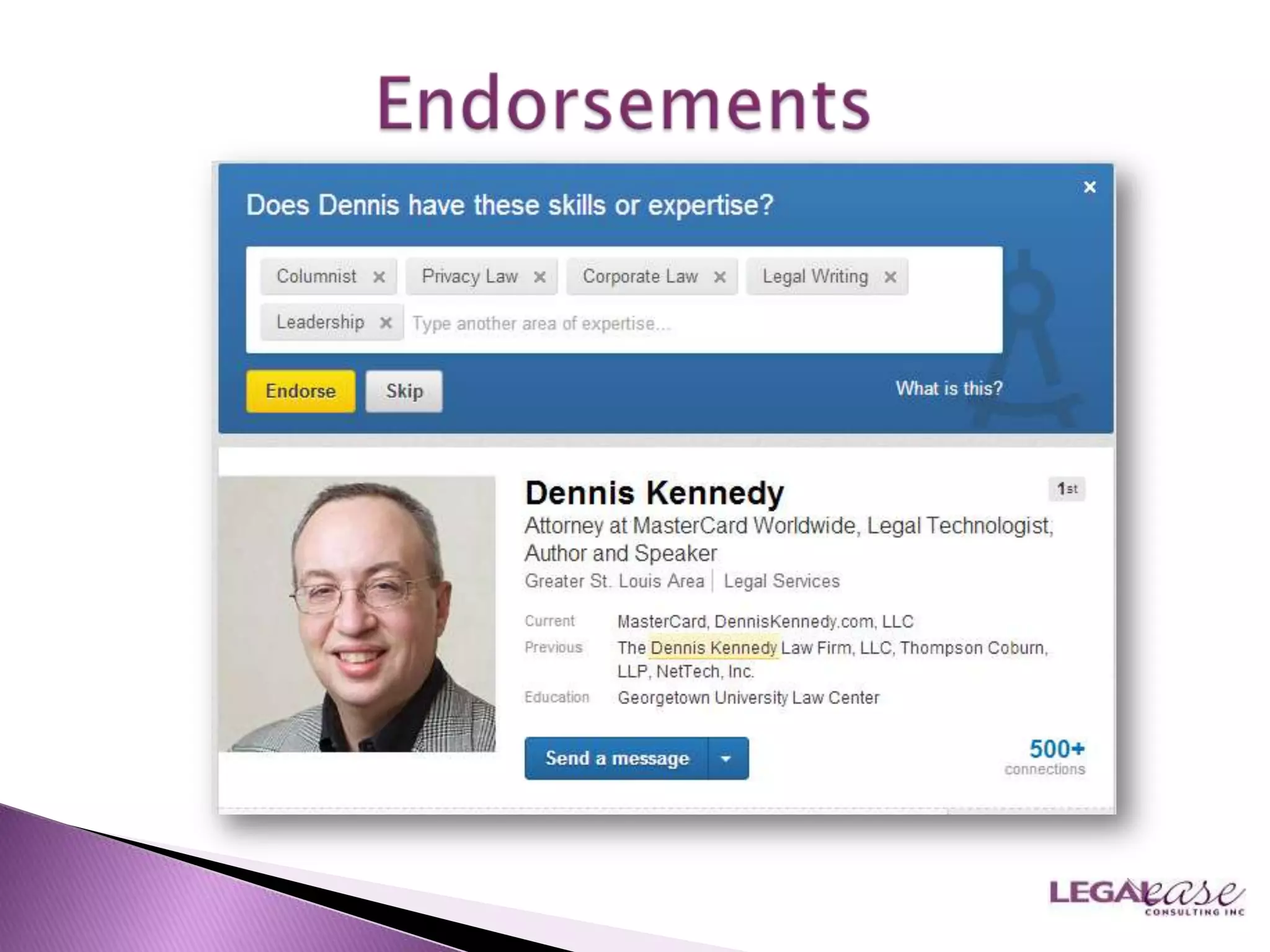
   Manage received recommendations
   Send recommendations
   Request recommendations
   Ethical issues
   Add Contacts
   Load up & look up
    (Outlook)
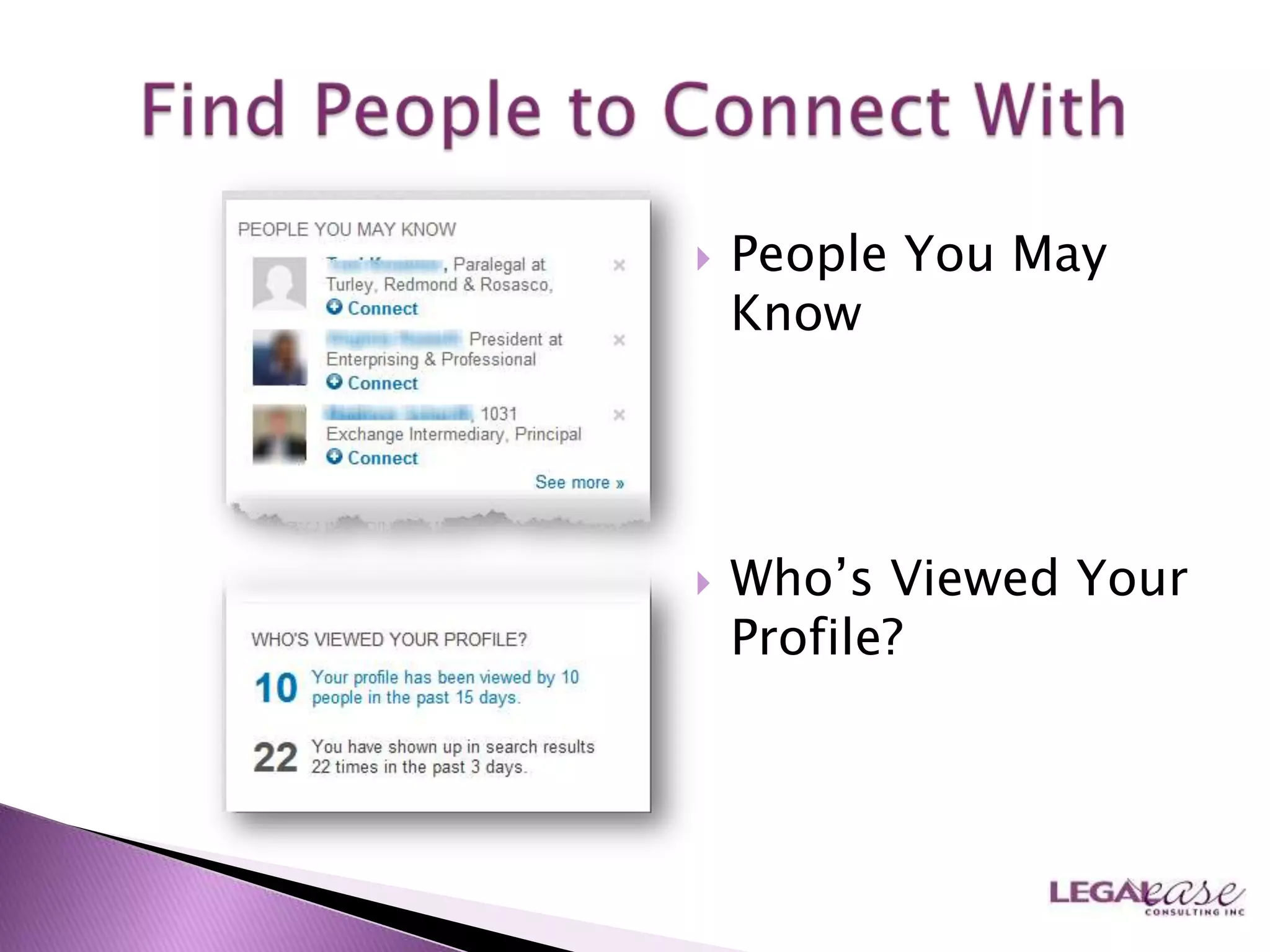
   People You May
    Know


   Who‟s Viewed Your
    Profile?
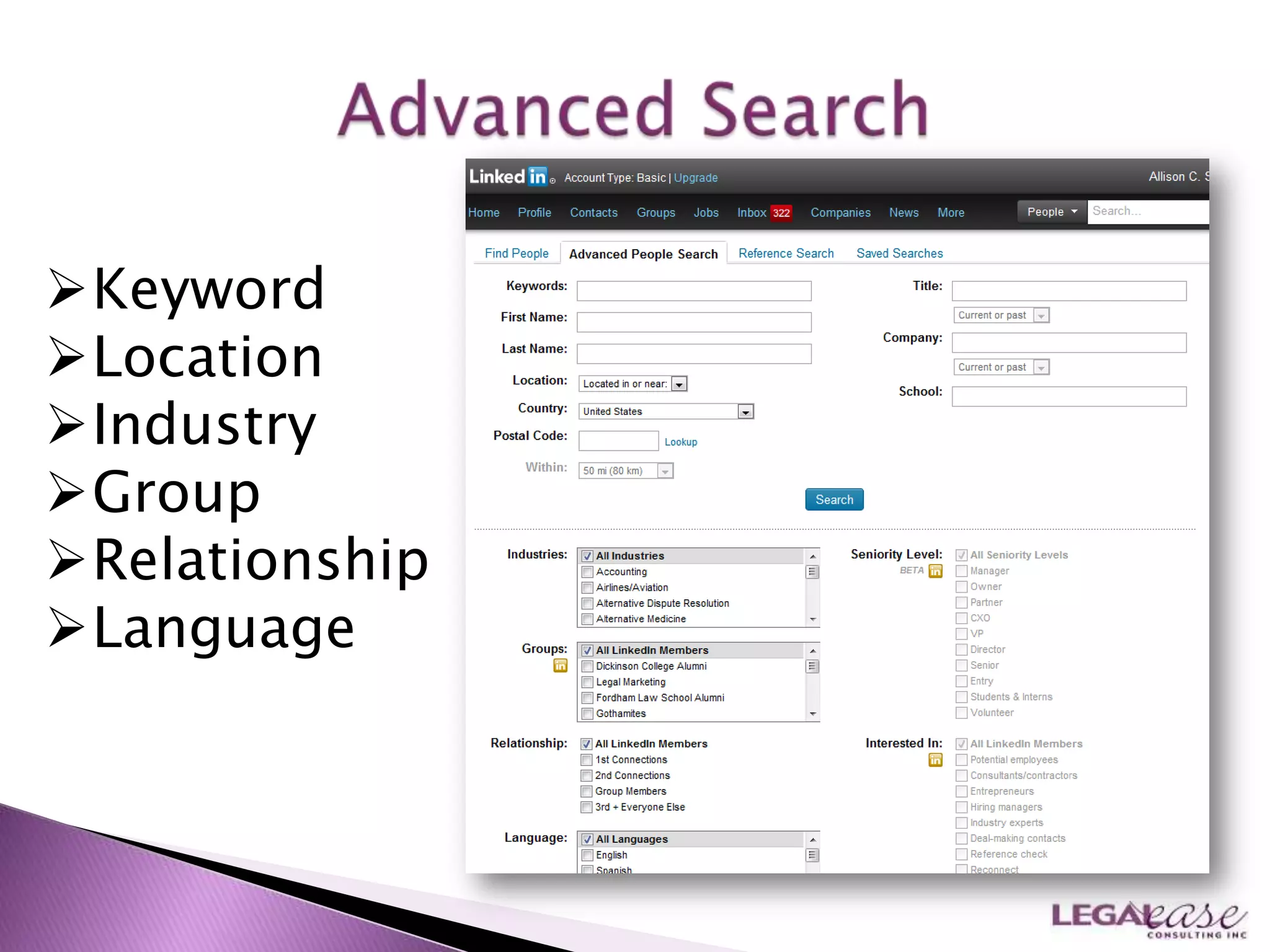
Keyword
Location
Industry
Group
Relationship
Language
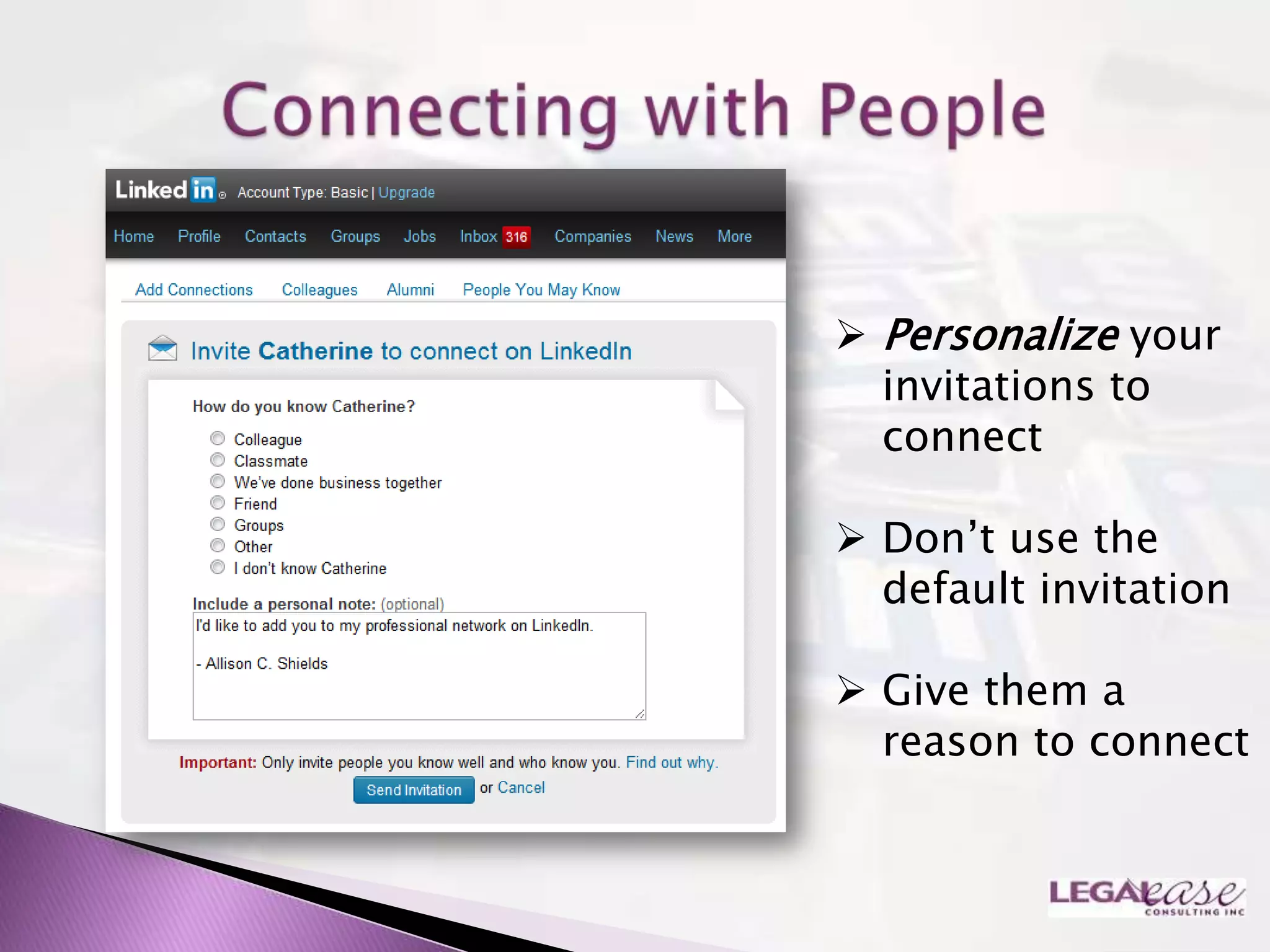
 Personalize your
  invitations to
  connect

 Don‟t use the
  default invitation

 Give them a
  reason to connect
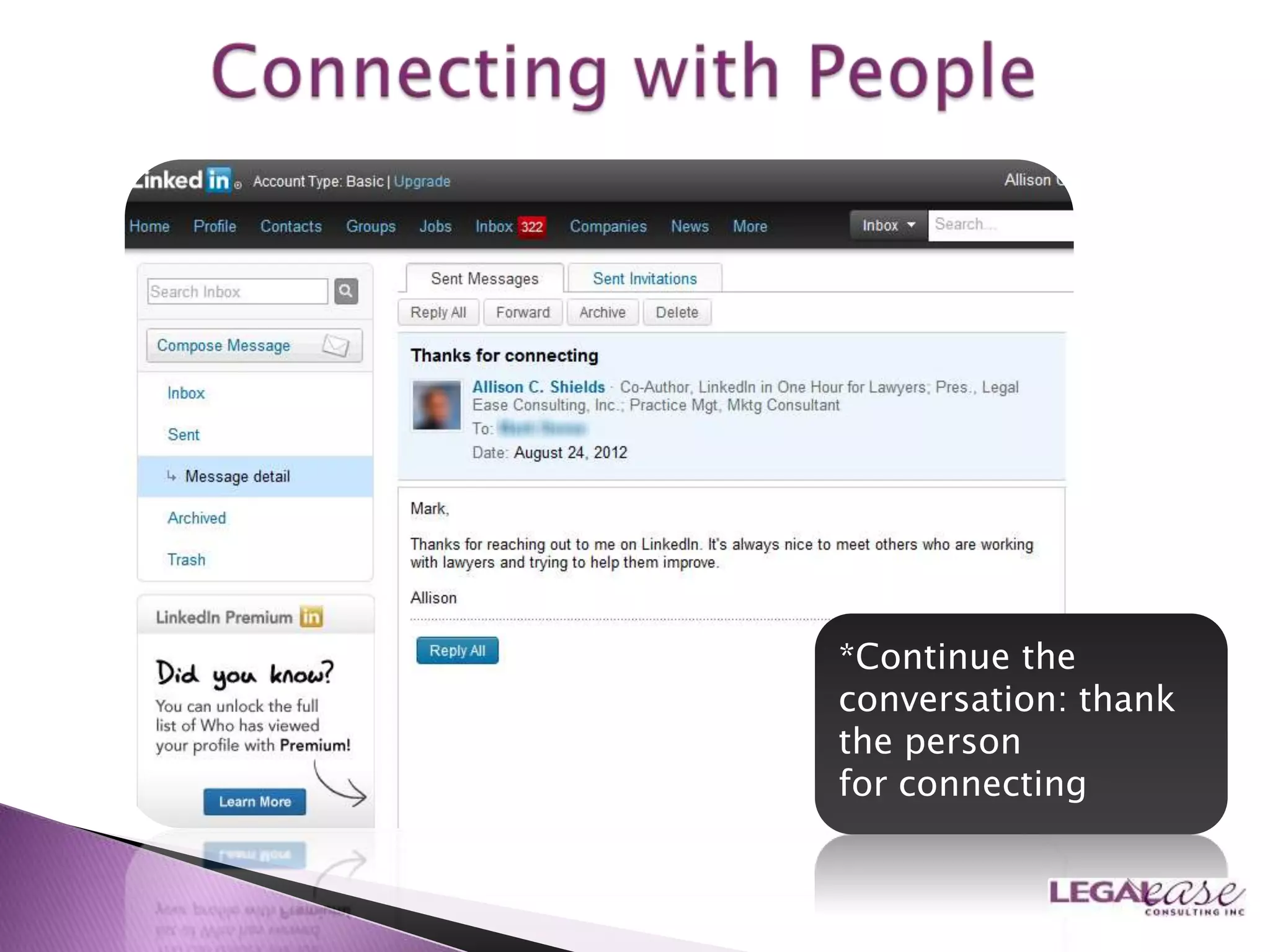
*Continue the
conversation: thank
the person
for connecting
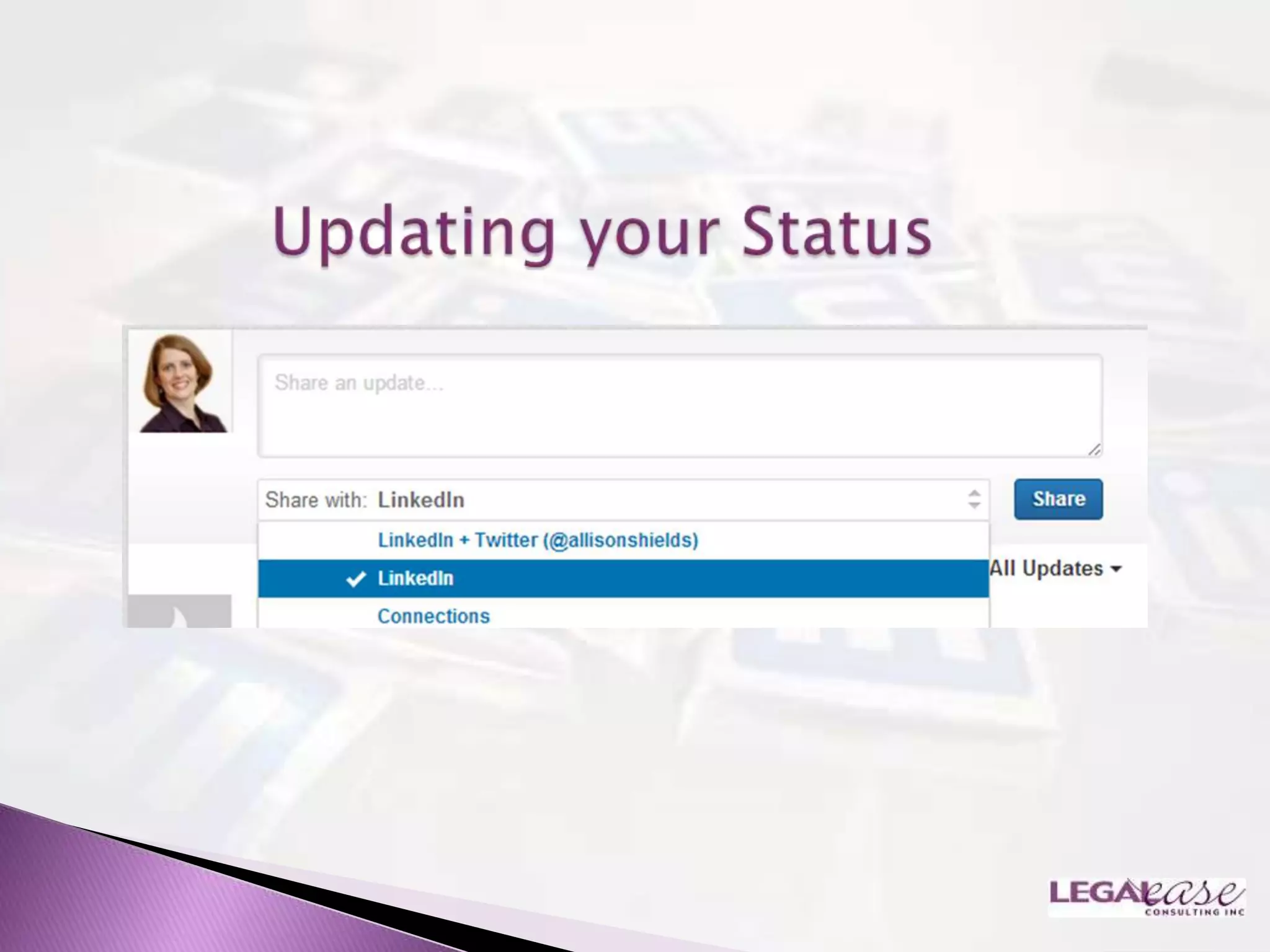
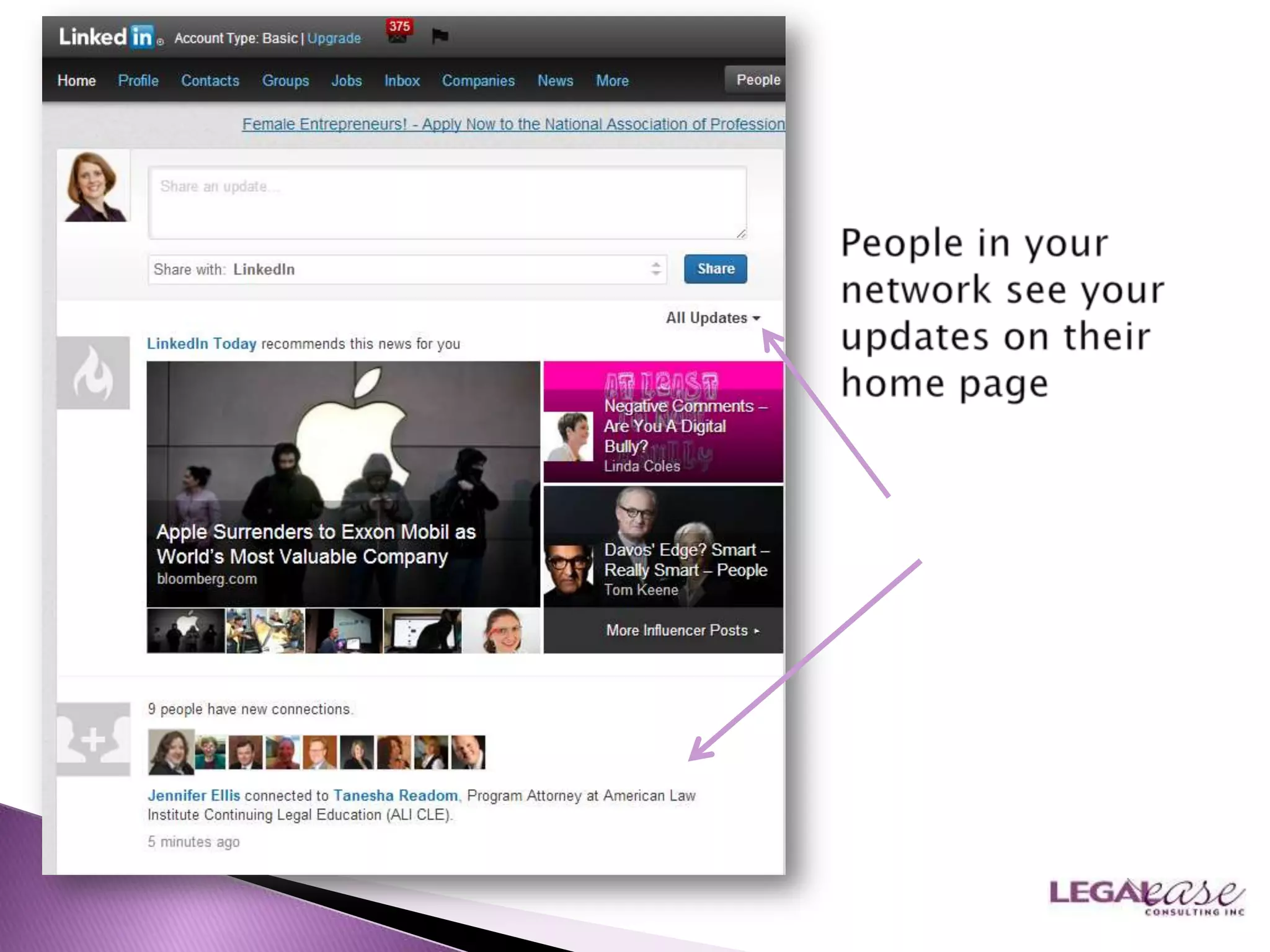
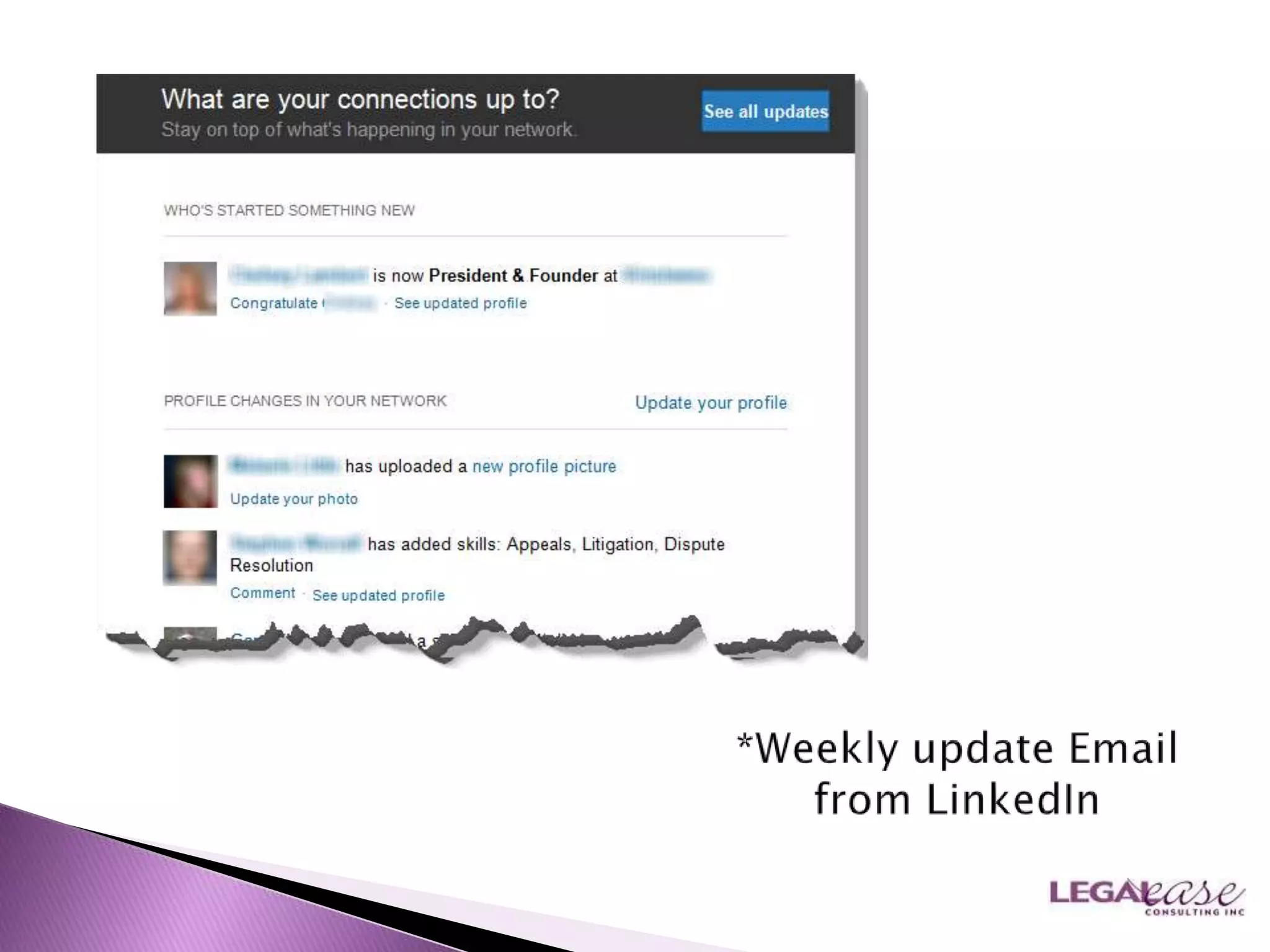
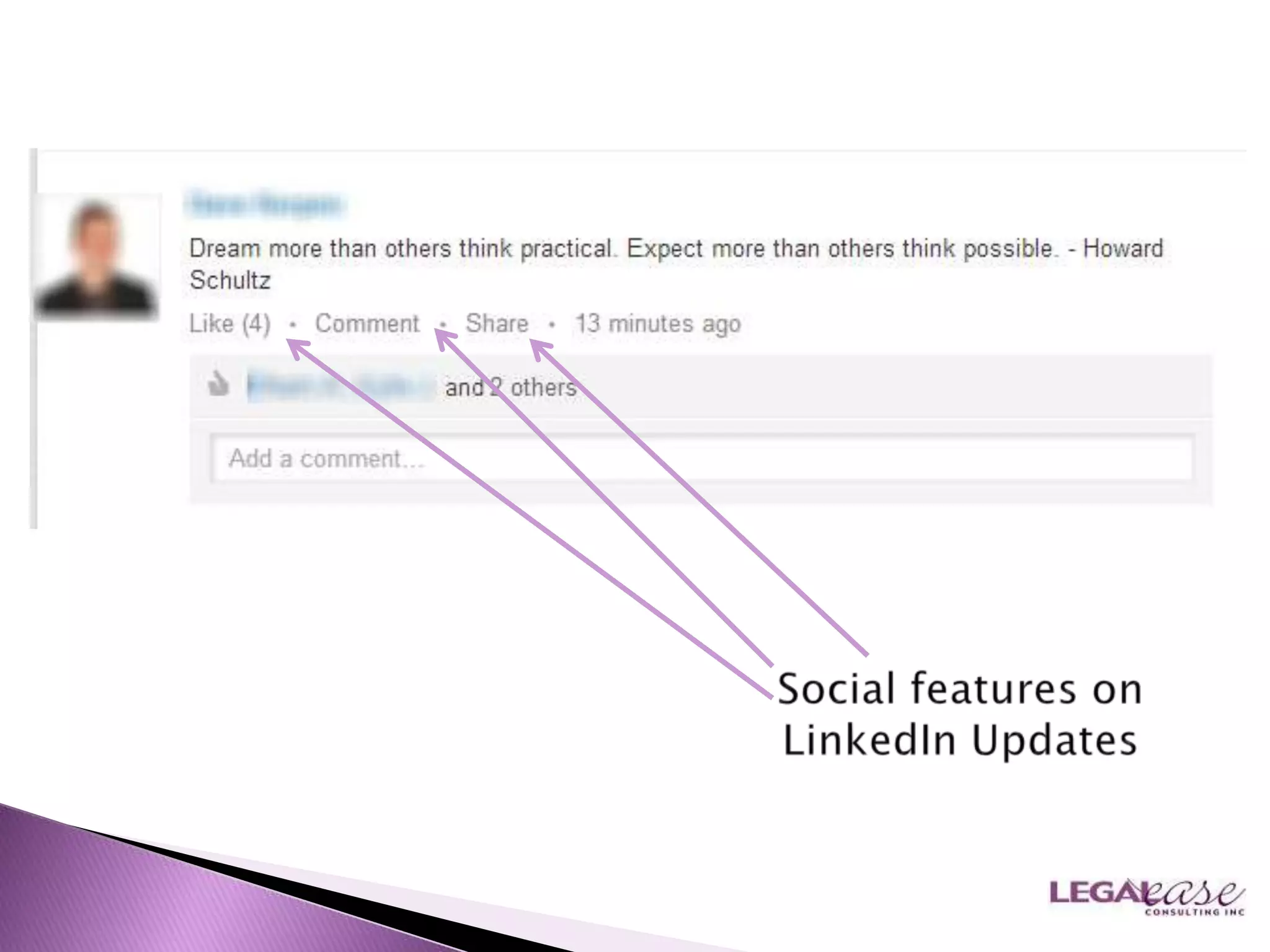
Be inspired by status
updates: correspond & fast
forward relationships!
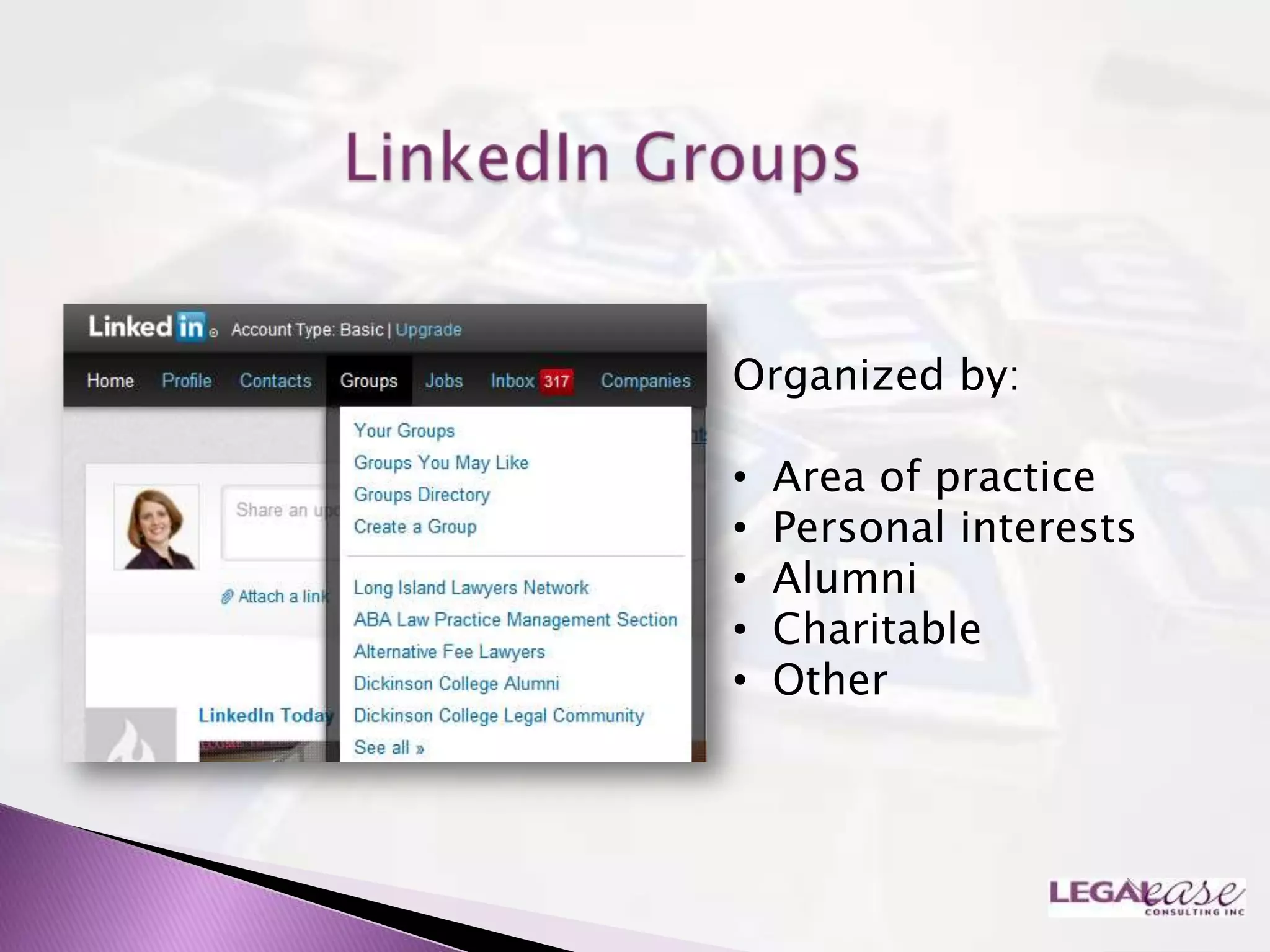
Organized by:

•   Area of practice
•   Personal interests
•   Alumni
•   Charitable
•   Other
Goal: take it off-
line „digital to
personal‟
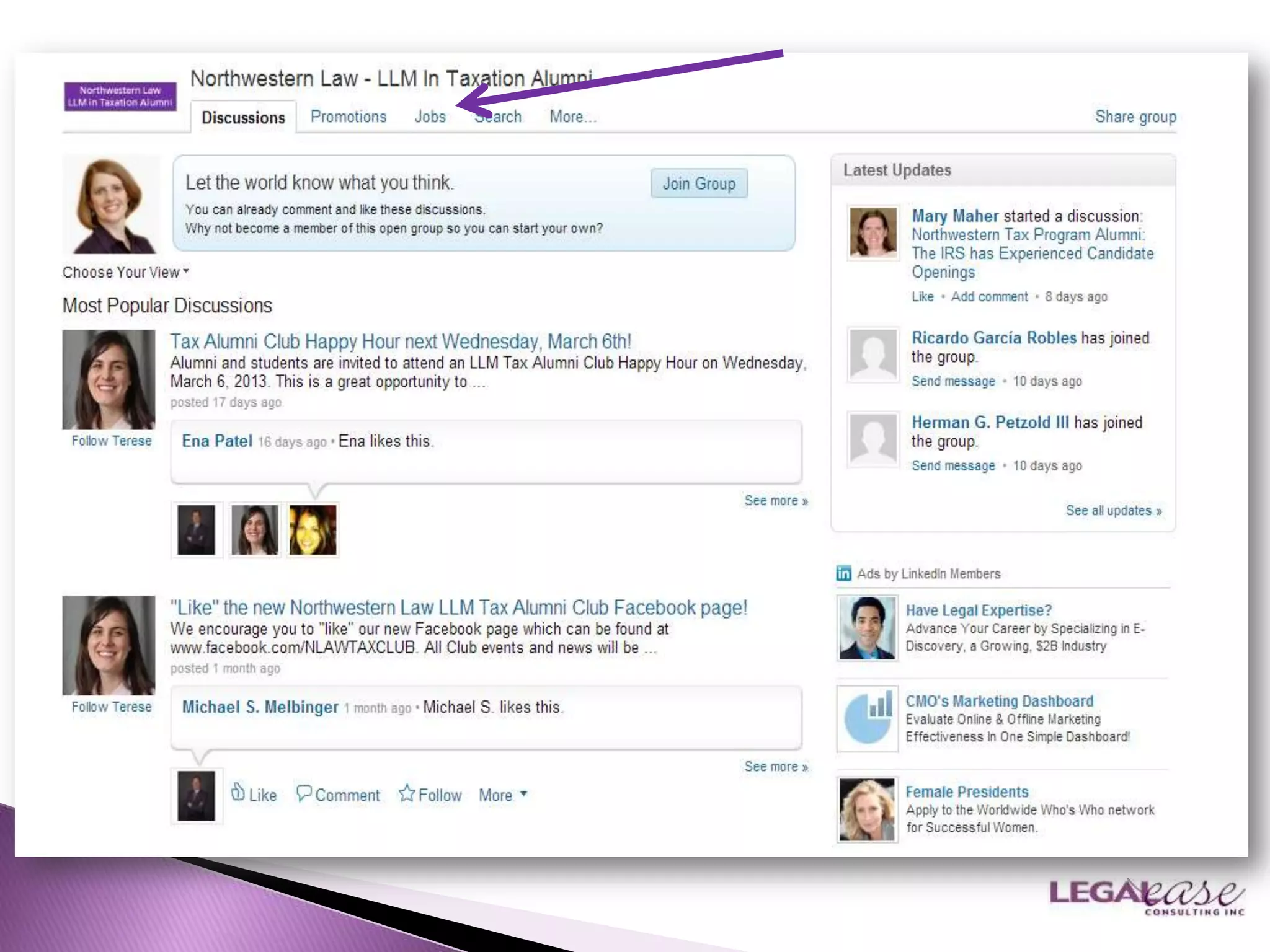
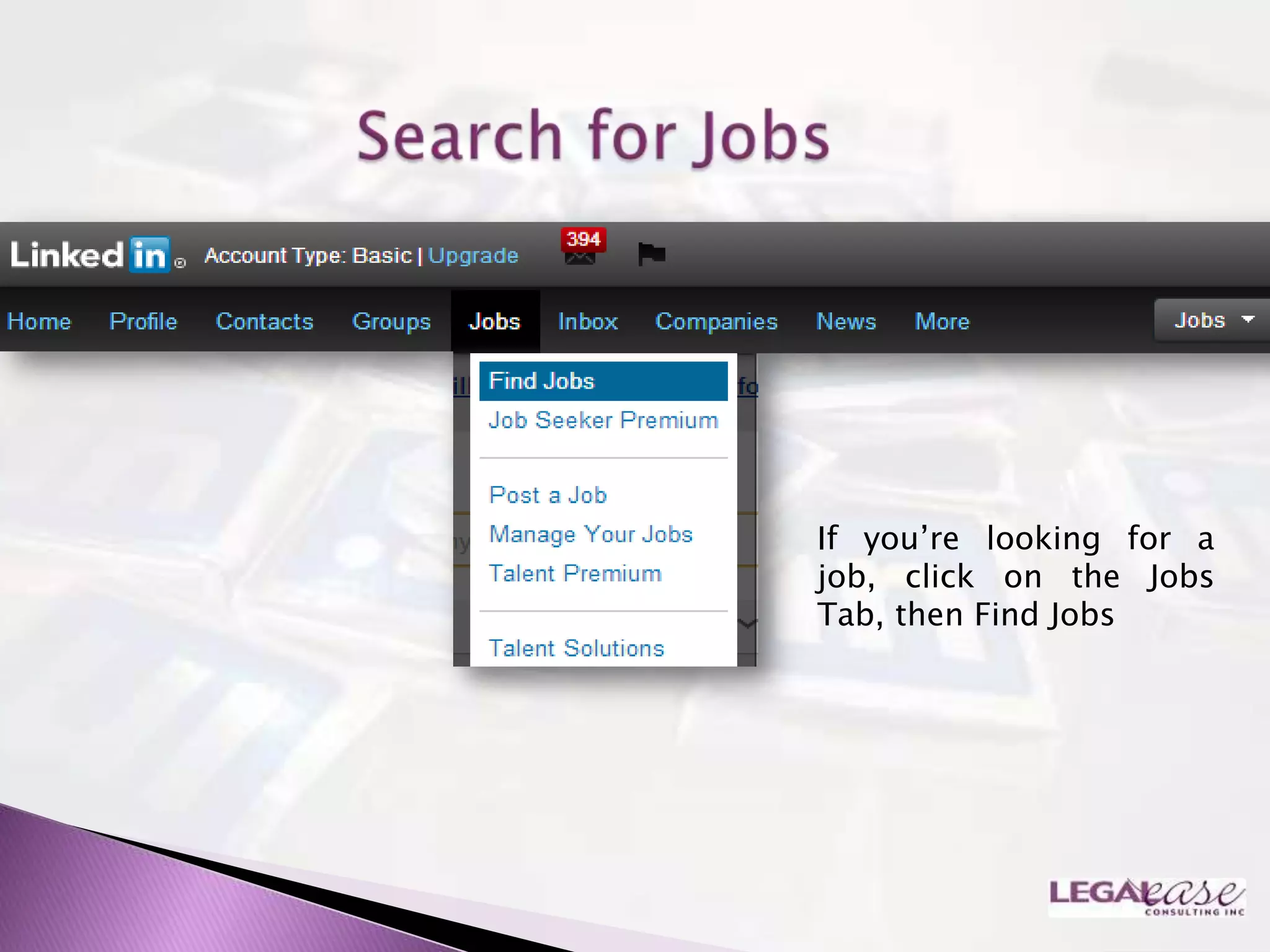
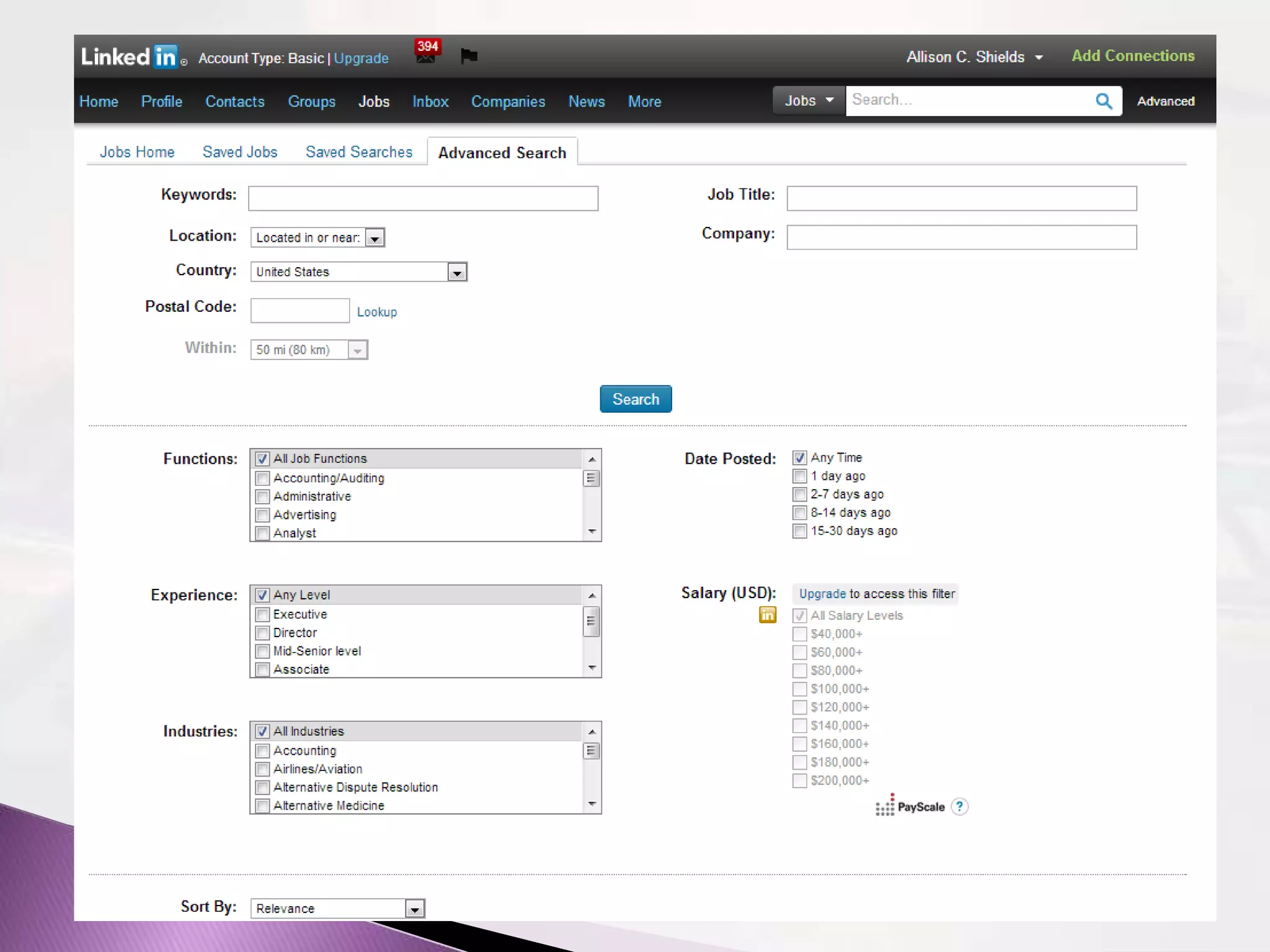
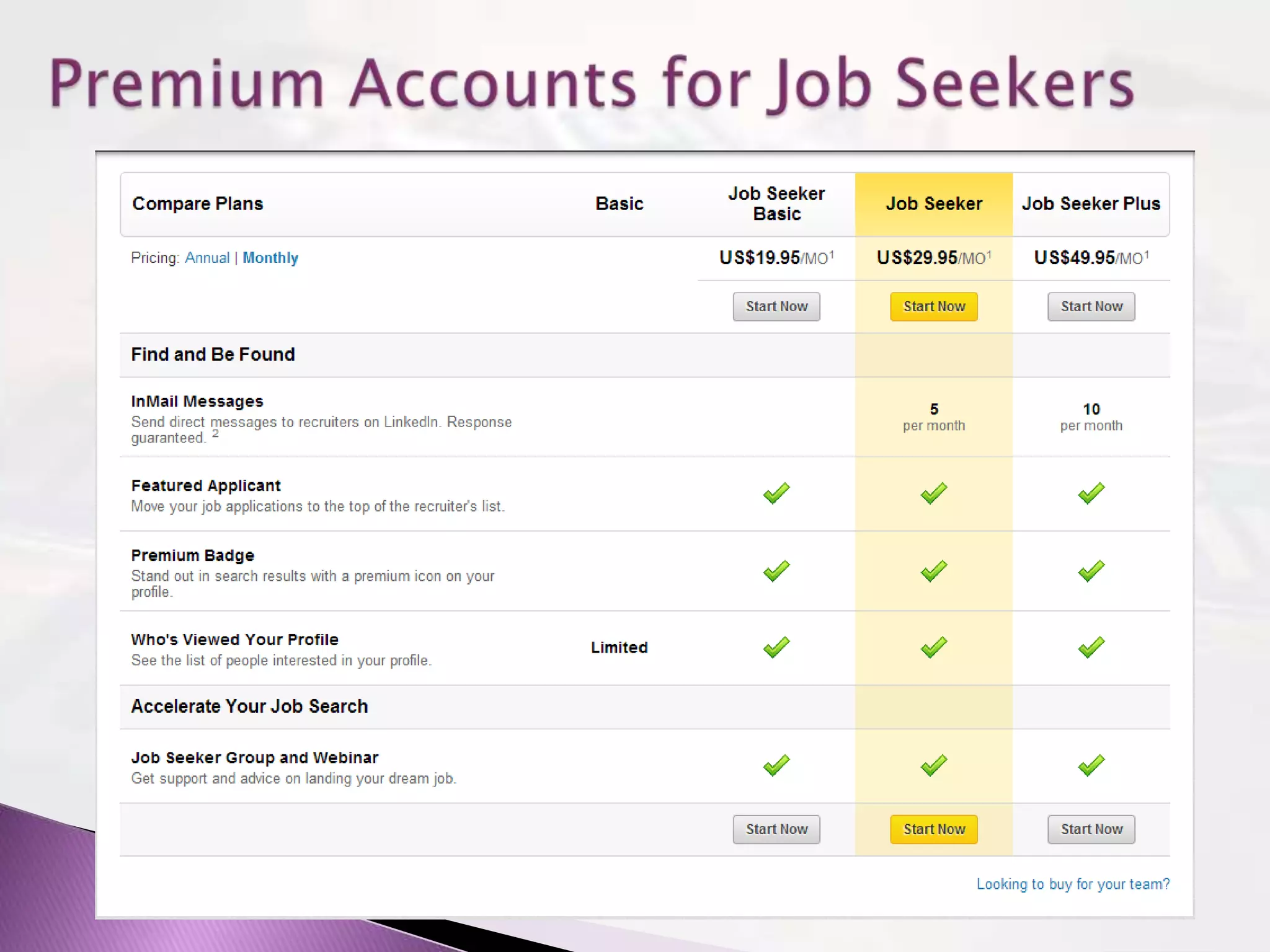
If you‟re looking for a
job, click on the Jobs
Tab, then Find Jobs
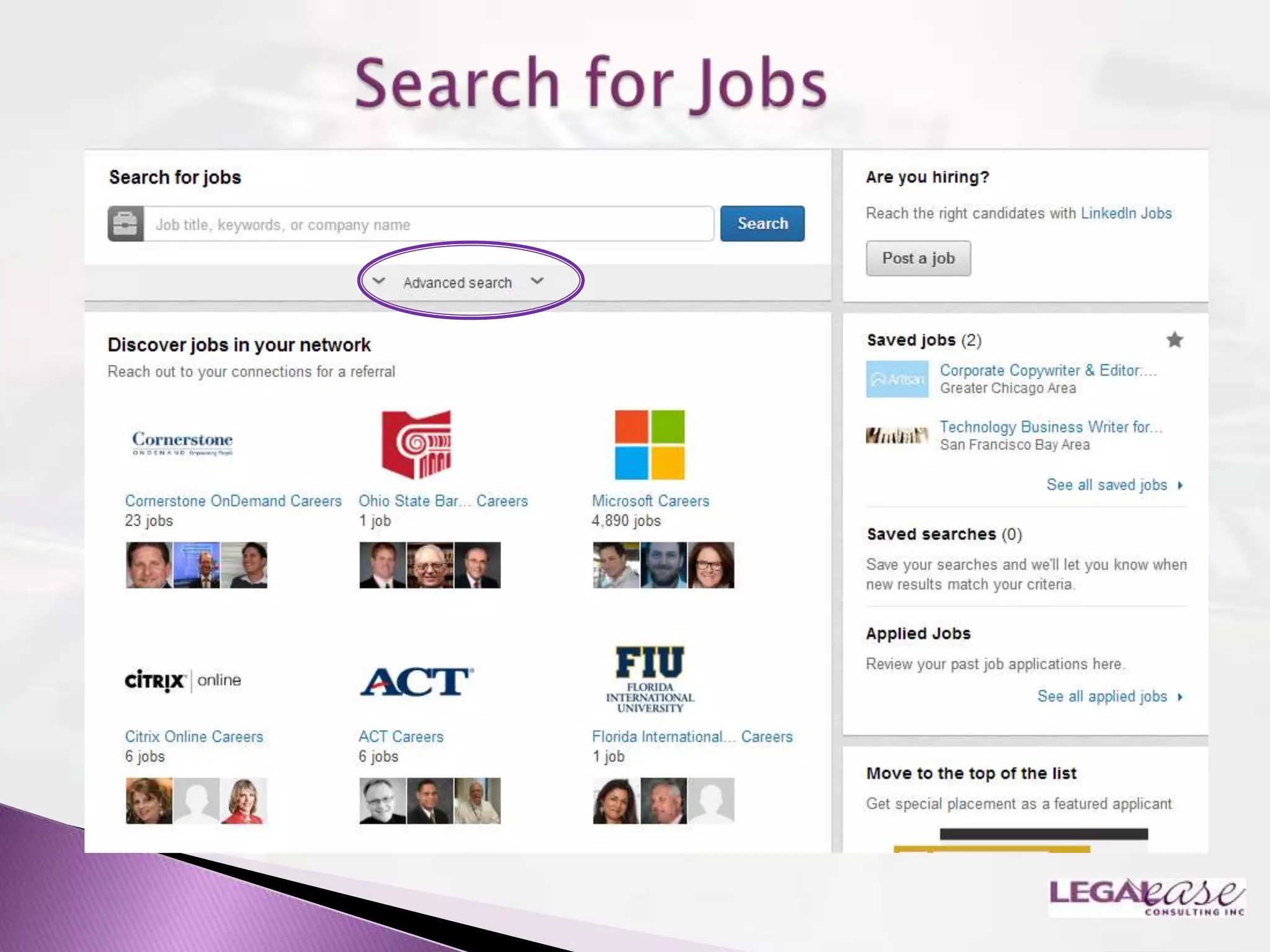
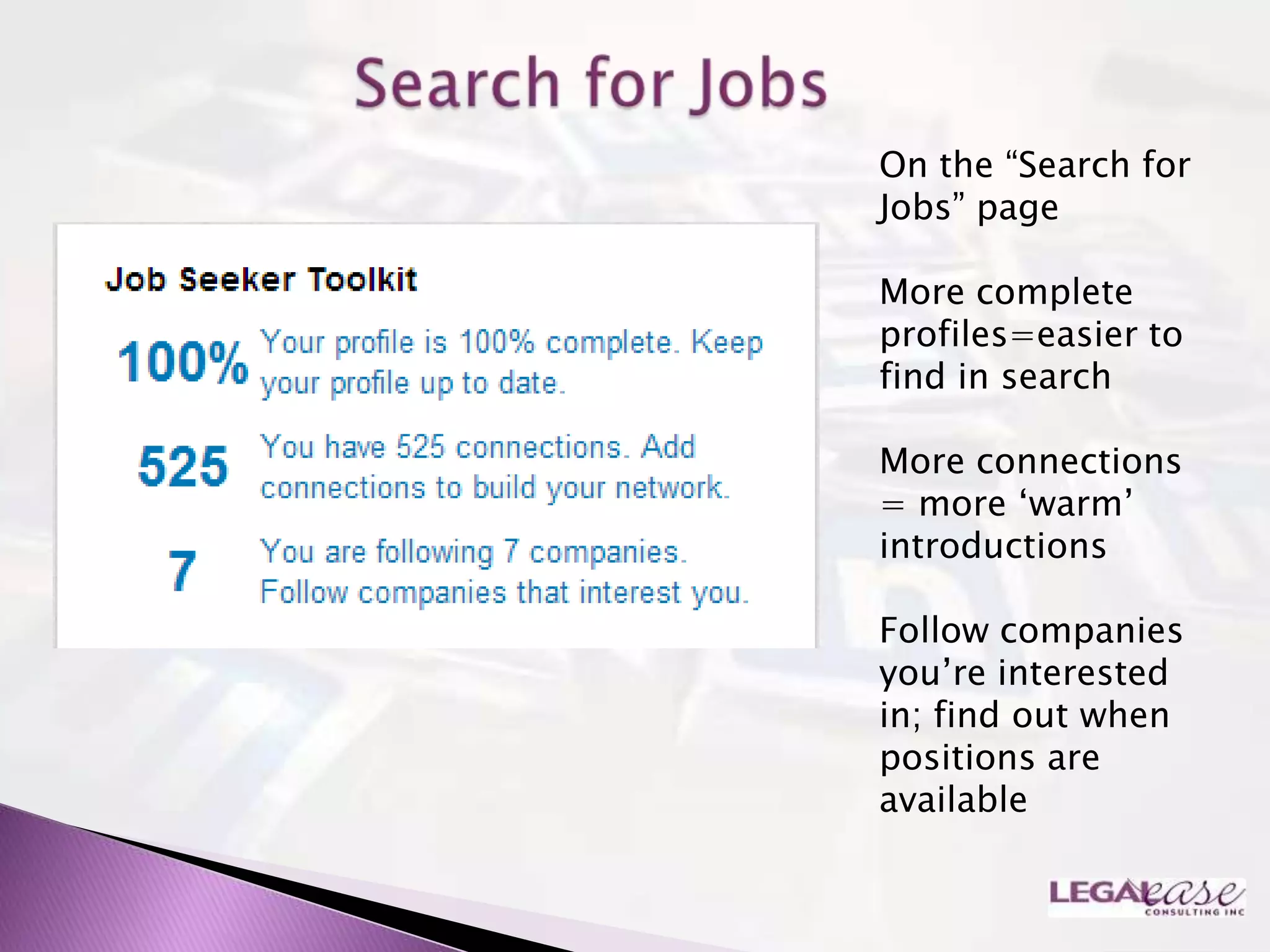
On the “Search for
Jobs” page

More complete
profiles=easier to
find in search

More connections
= more „warm‟
introductions

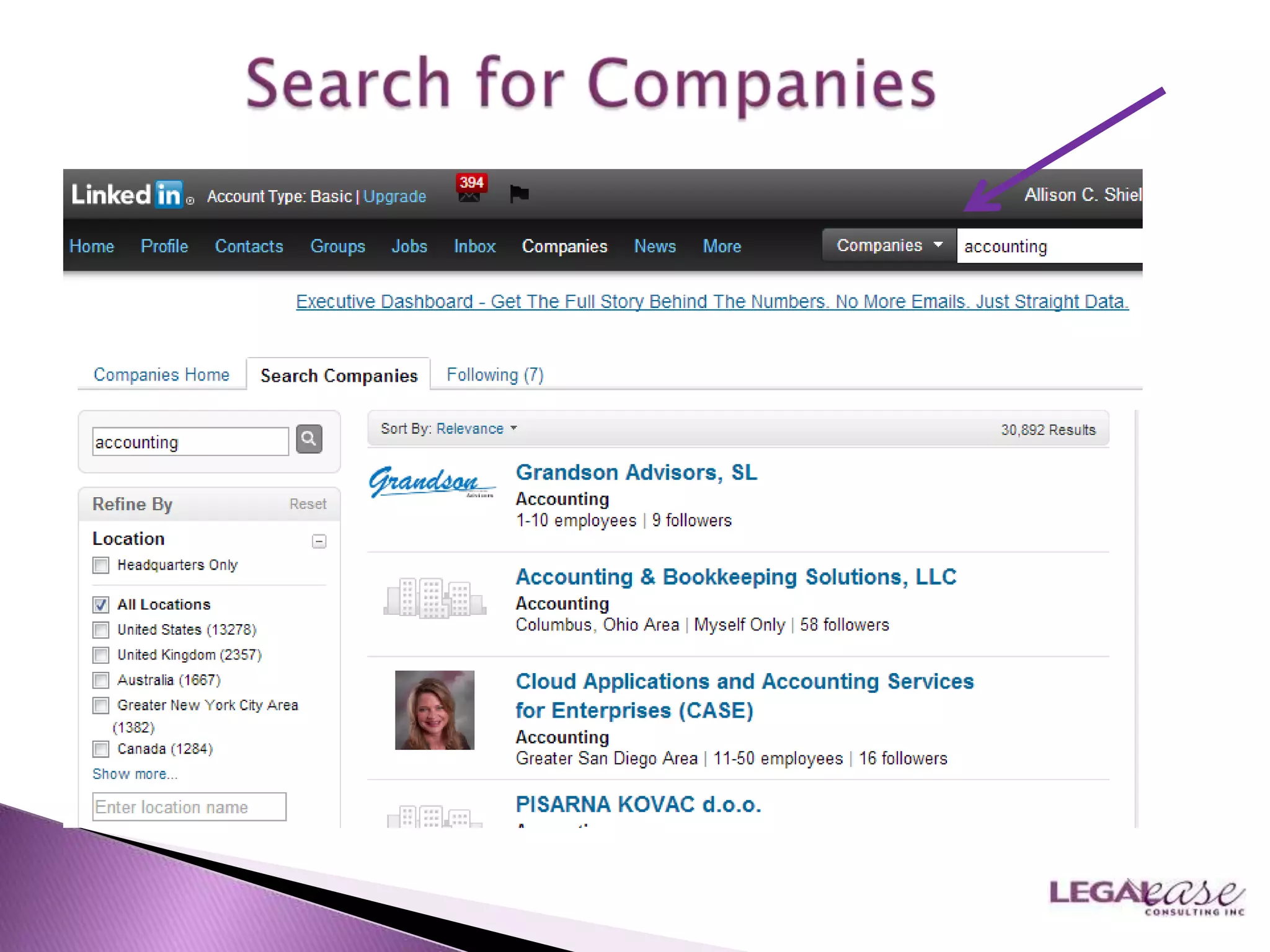
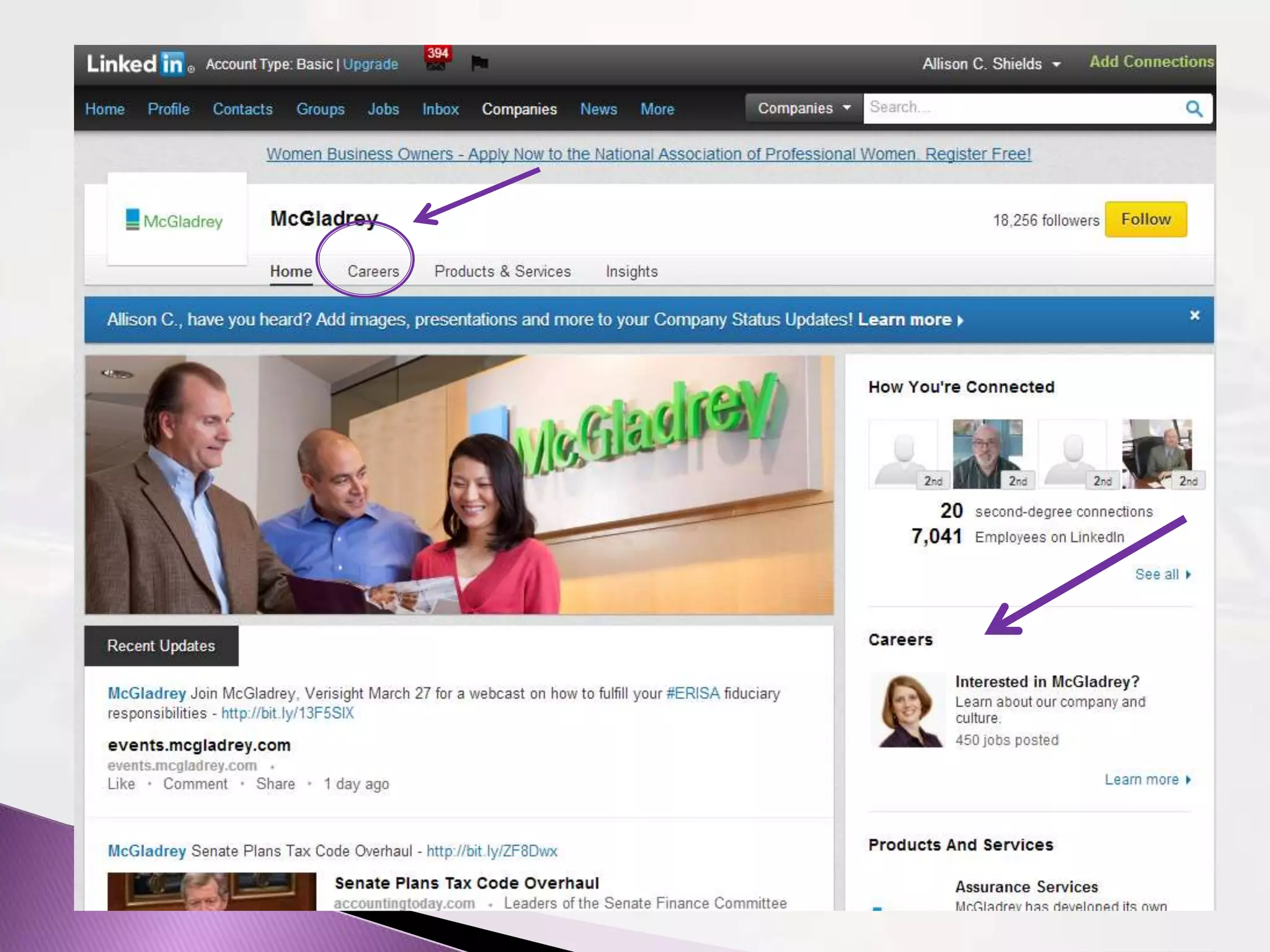
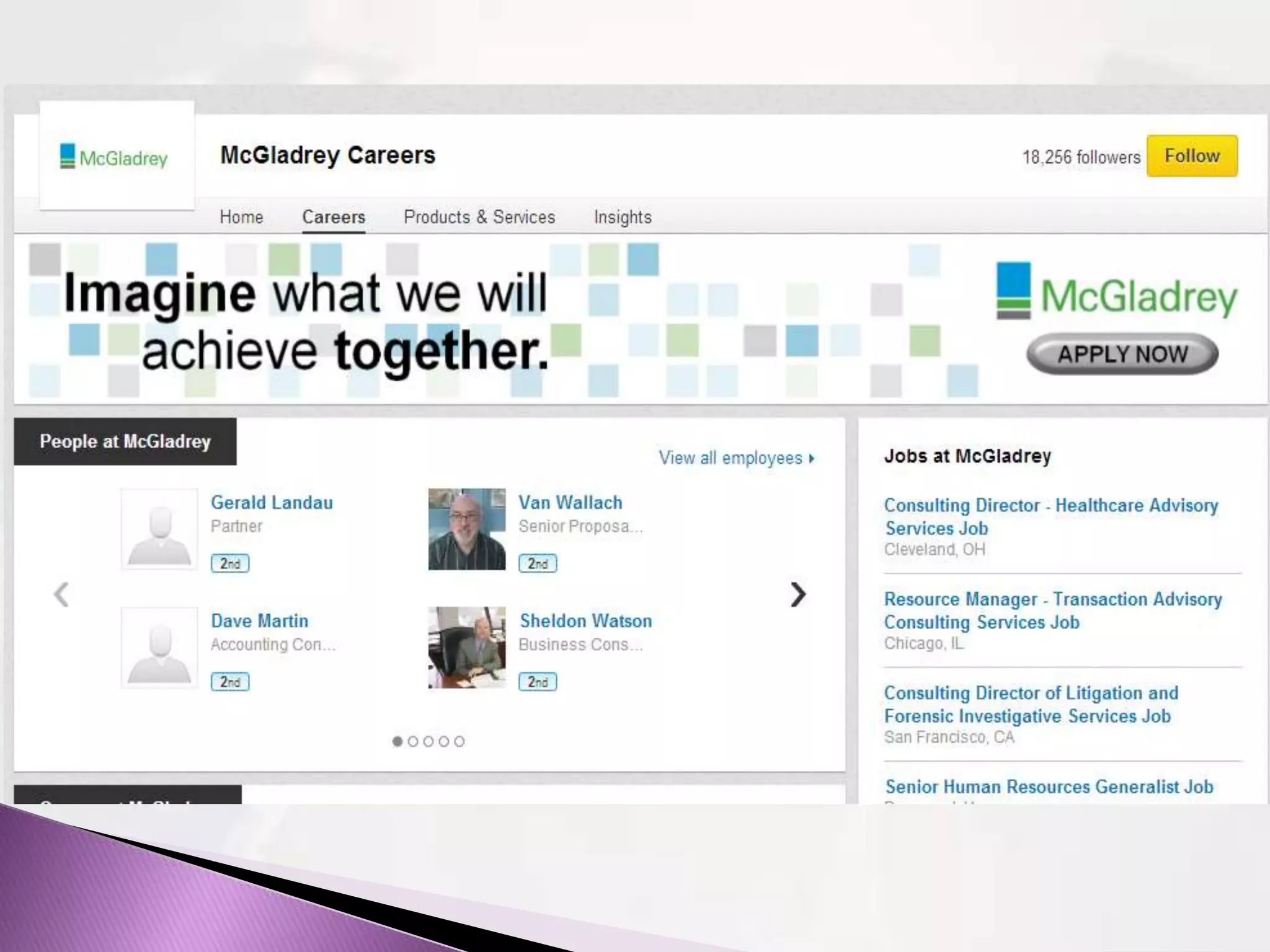
Follow companies
you‟re interested
in; find out when
positions are
available
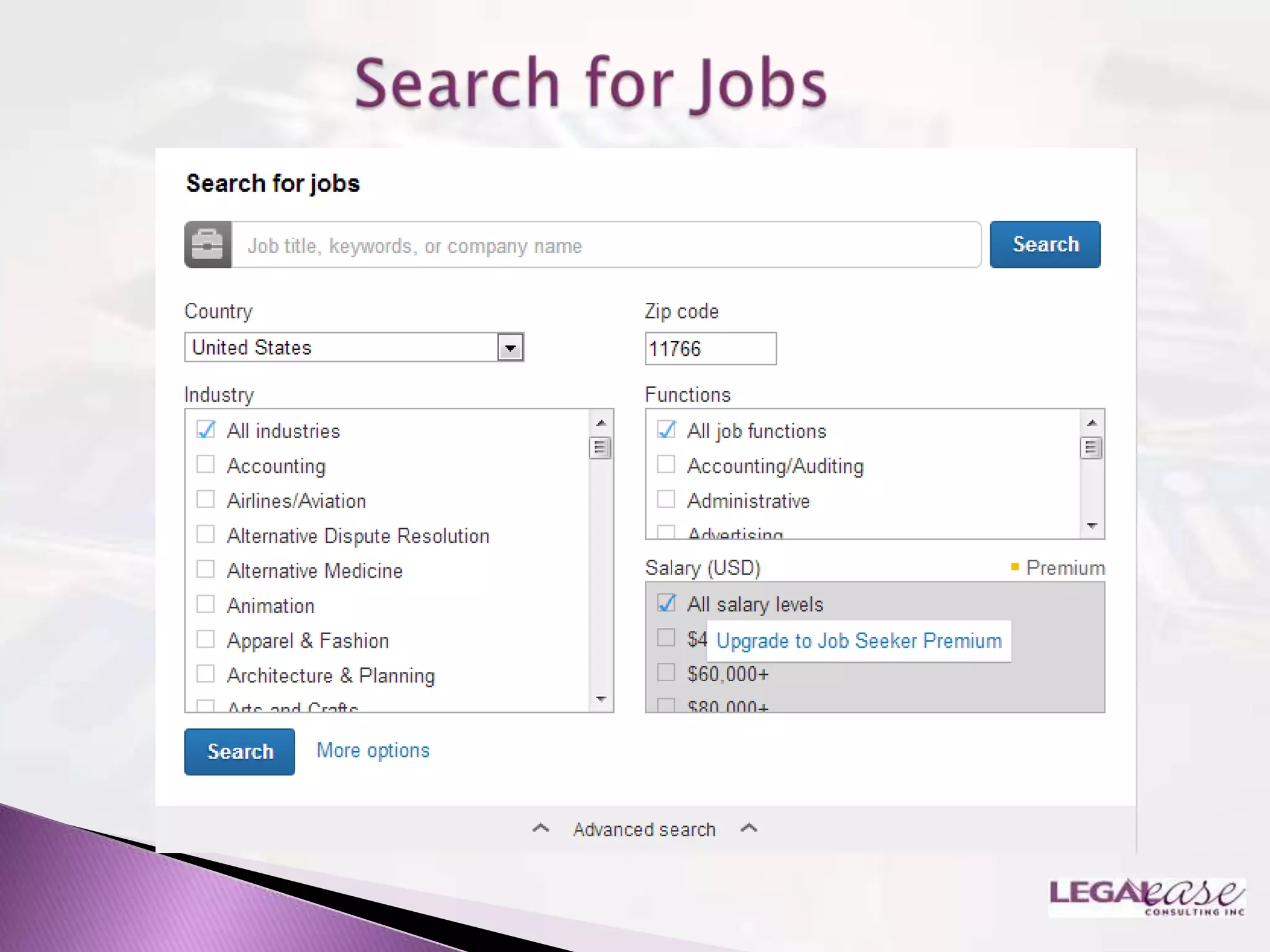
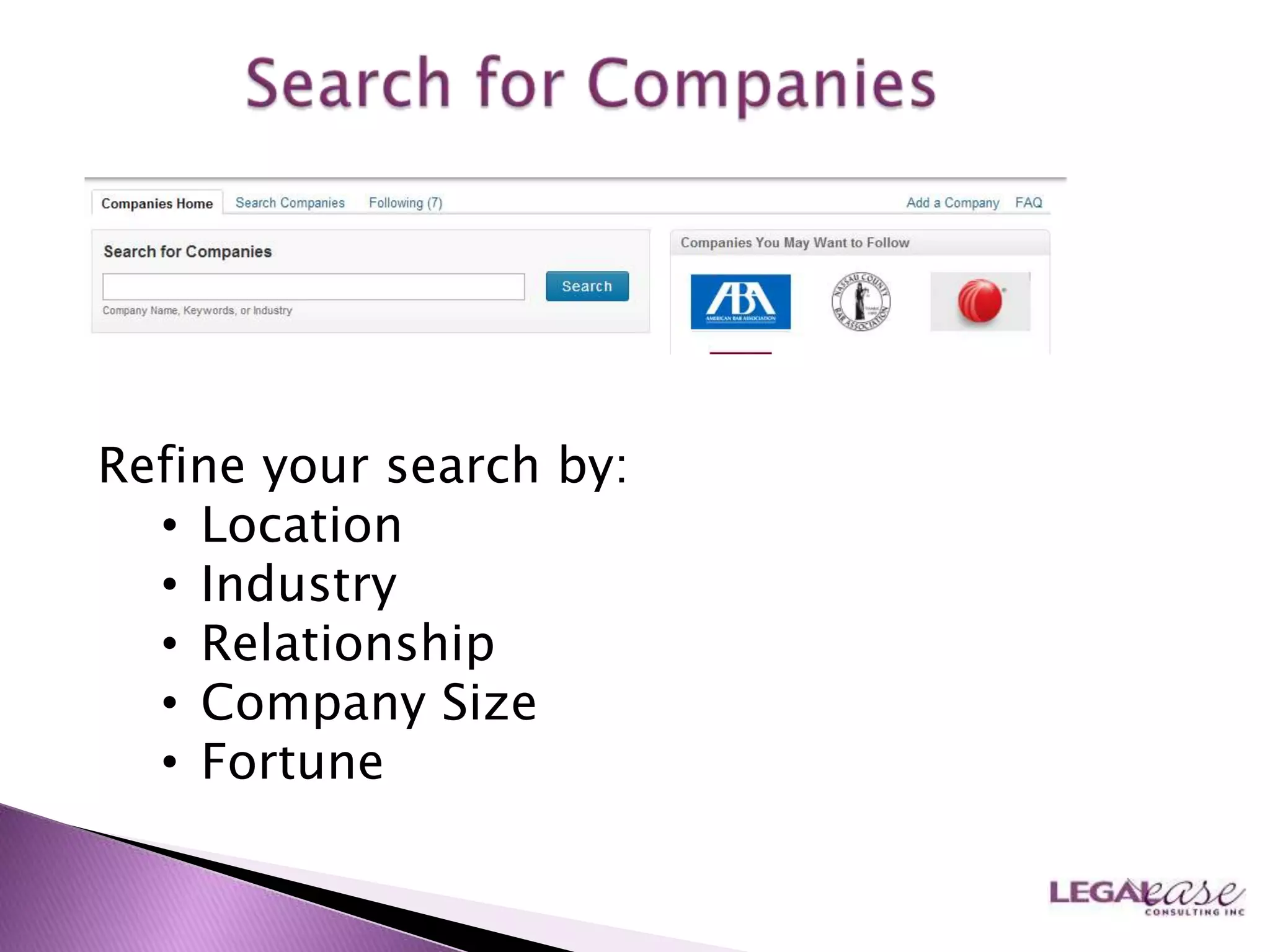
Refine your search by:
  • Location
  • Industry
  • Relationship
  • Company Size
  • Fortune
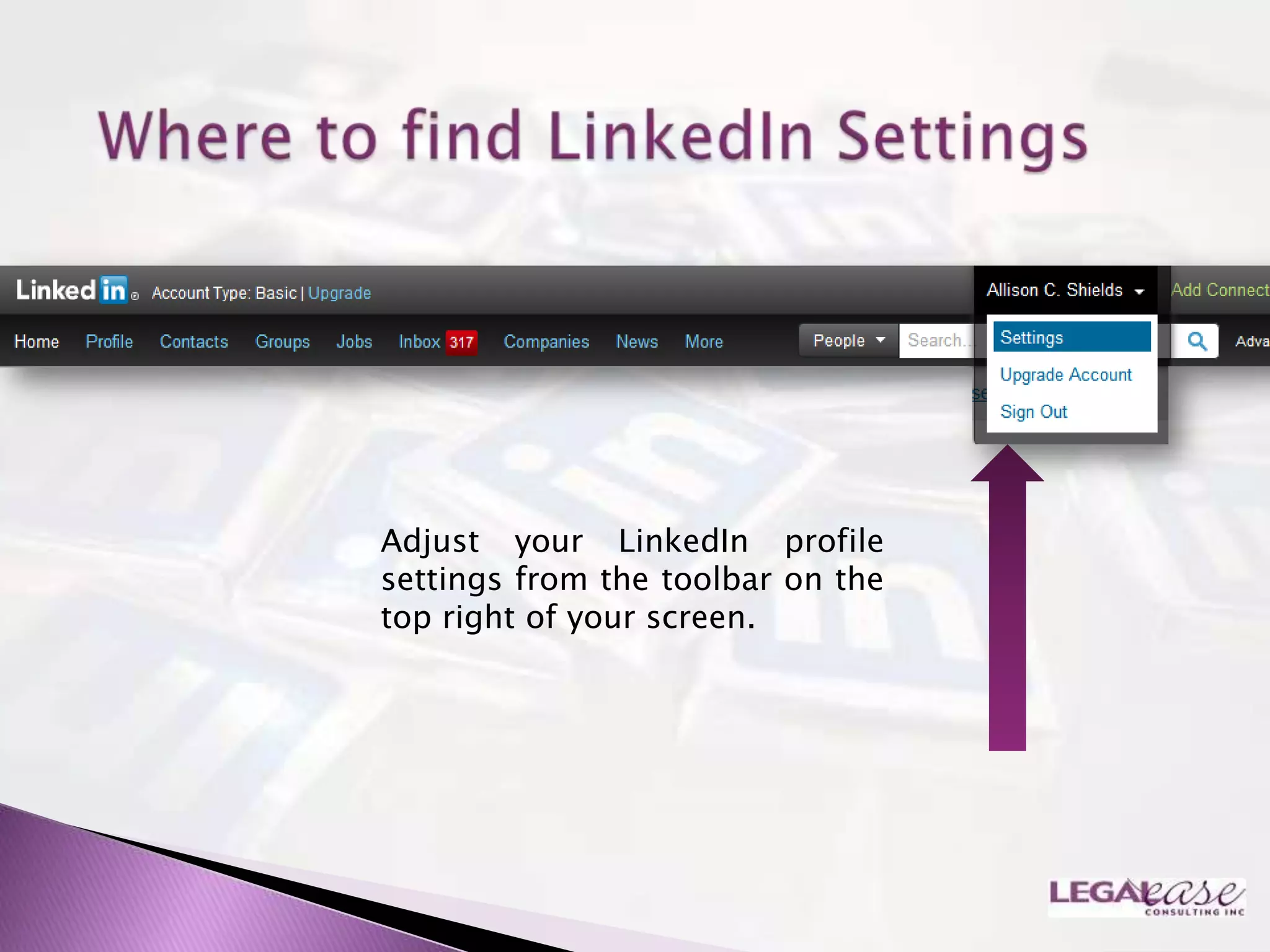
Adjust your LinkedIn profile
settings from the toolbar on the
top right of your screen.
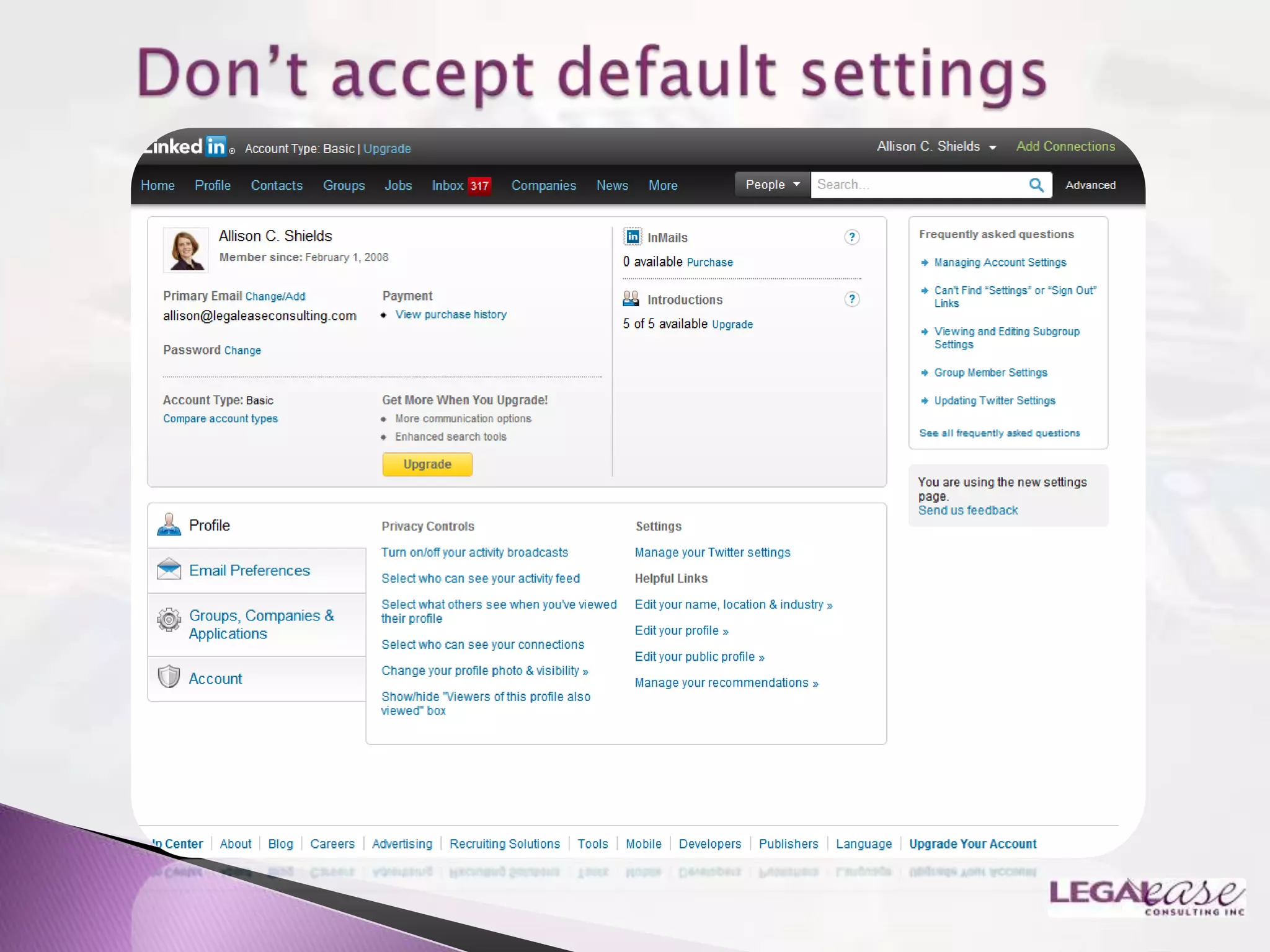
1.   Updates
2.   Activities
3.   Profile Views
4.   Connections
5.   Social and Partner
     advertising
Contact Information:

Allison@LegalEaseConsulting.com
Phone: 631-642-0221
www.LawyerMeltdown.com
www.LegalEaseConsulting.com (blog)

Making the most of LinkedIn for New Lawyers

  • 1.
    Allison C. Shields,Legal Ease Consulting, Inc.
  • 2.
    President, Legal Ease Consulting, Inc.  Practice Management, Productivity, Marketing and Business Development for Lawyers  Services include individual coaching, training, assessments & surveys, and business and marketing strategy  Practicing lawyer for over 15 years  Former law firm Administrative Partner  Co-author, LinkedIn in One Hour for Lawyers, and Facebook in One Hour for Lawyers, published by the American Bar Association
  • 3.
    What is LinkedInand Why Does It Matter?
  • 4.
    The “Professional Network”  Founded 2003  200 million users as of January 2013  Business people connecting with business people
  • 5.
    A tool thatallows you to:  Connect and re-connect  Demonstrate your expertise and interests  Foster and accelerate relationships  Leverage: who knows whom – six degrees of separation
  • 6.
    160 million unique visitors monthly  74 million users in USA  700,000 members in the legal field  >2 members join per second  Executives from every Fortune 500 company  50% of users are business decision makers
  • 7.
  • 8.
    Communications about Services  Advertising  Duties to Prospective Clients  Unauthorized Practice of Law  Confidentiality  Direct Contact/Solicitation/ Disclaimers  Specialization
  • 13.
    Important: When someoneinteracts with you on LinkedIn this is what they see first. Be descriptive!
  • 14.
    Use all three options  Change default names  Change public profile link
  • 15.
    Professional  Engaging and Inviting  Consider using same one you use on other networks for ease of recognition
  • 17.
    Short Bio  Use Keywords in your profile ◦ Words someone would use to find you ◦ Language potential employers use to describe skills and experience they seek
  • 21.
     New Richmedia tool replaces old Applications feature  On Edit Profile screen, find “Add  Add media to Media” within the designated Summary, Experience or Education sections – the square with the plus sections sign
  • 22.
    Manage received recommendations  Send recommendations  Request recommendations  Ethical issues
  • 26.
    Add Contacts  Load up & look up (Outlook)
  • 27.
    People You May Know  Who‟s Viewed Your Profile?
  • 28.
  • 29.
     Personalize your invitations to connect  Don‟t use the default invitation  Give them a reason to connect
  • 30.
  • 37.
    Be inspired bystatus updates: correspond & fast forward relationships!
  • 38.
    Organized by: • Area of practice • Personal interests • Alumni • Charitable • Other
  • 40.
    Goal: take itoff- line „digital to personal‟
  • 42.
    If you‟re lookingfor a job, click on the Jobs Tab, then Find Jobs
  • 44.
    On the “Searchfor Jobs” page More complete profiles=easier to find in search More connections = more „warm‟ introductions Follow companies you‟re interested in; find out when positions are available
  • 48.
    Refine your searchby: • Location • Industry • Relationship • Company Size • Fortune
  • 53.
    Adjust your LinkedInprofile settings from the toolbar on the top right of your screen.
  • 55.
    1. Updates 2. Activities 3. Profile Views 4. Connections 5. Social and Partner advertising
  • 57.