How to Build ADaM Basic Data
Structure from Mock Up tables
By Kevin Lee
Cytel, Inc.

1
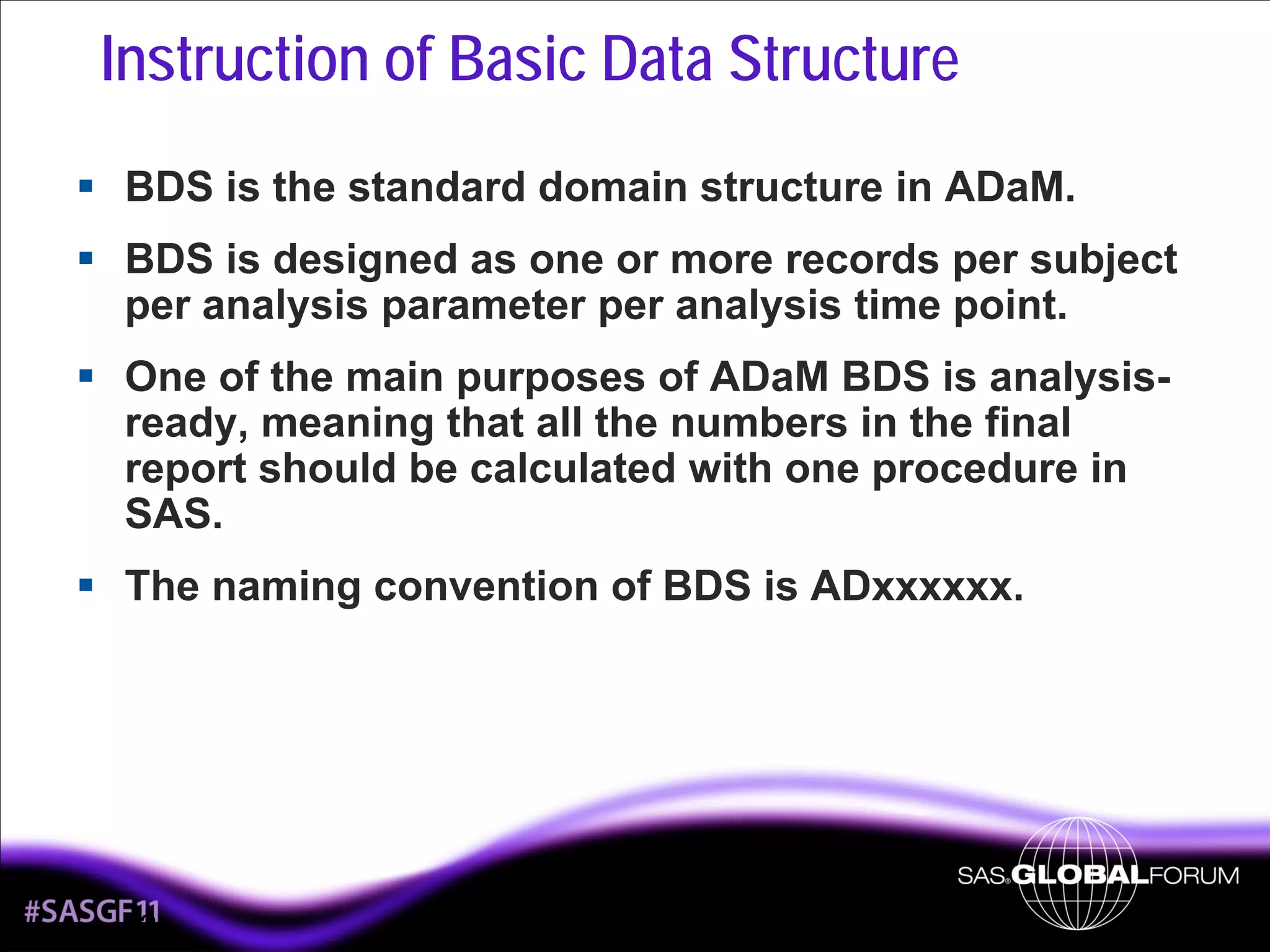
Instruction of Basic Data Structure
BDS is the standard domain structure in ADaM.
BDS is designed as one or more records per subject
per analysis parameter per analysis time point.
One of the main purposes of ADaM BDS is analysisready, meaning that all the numbers in the final
report should be calculated with one procedure in
SAS.
The naming convention of BDS is ADxxxxxx.

2
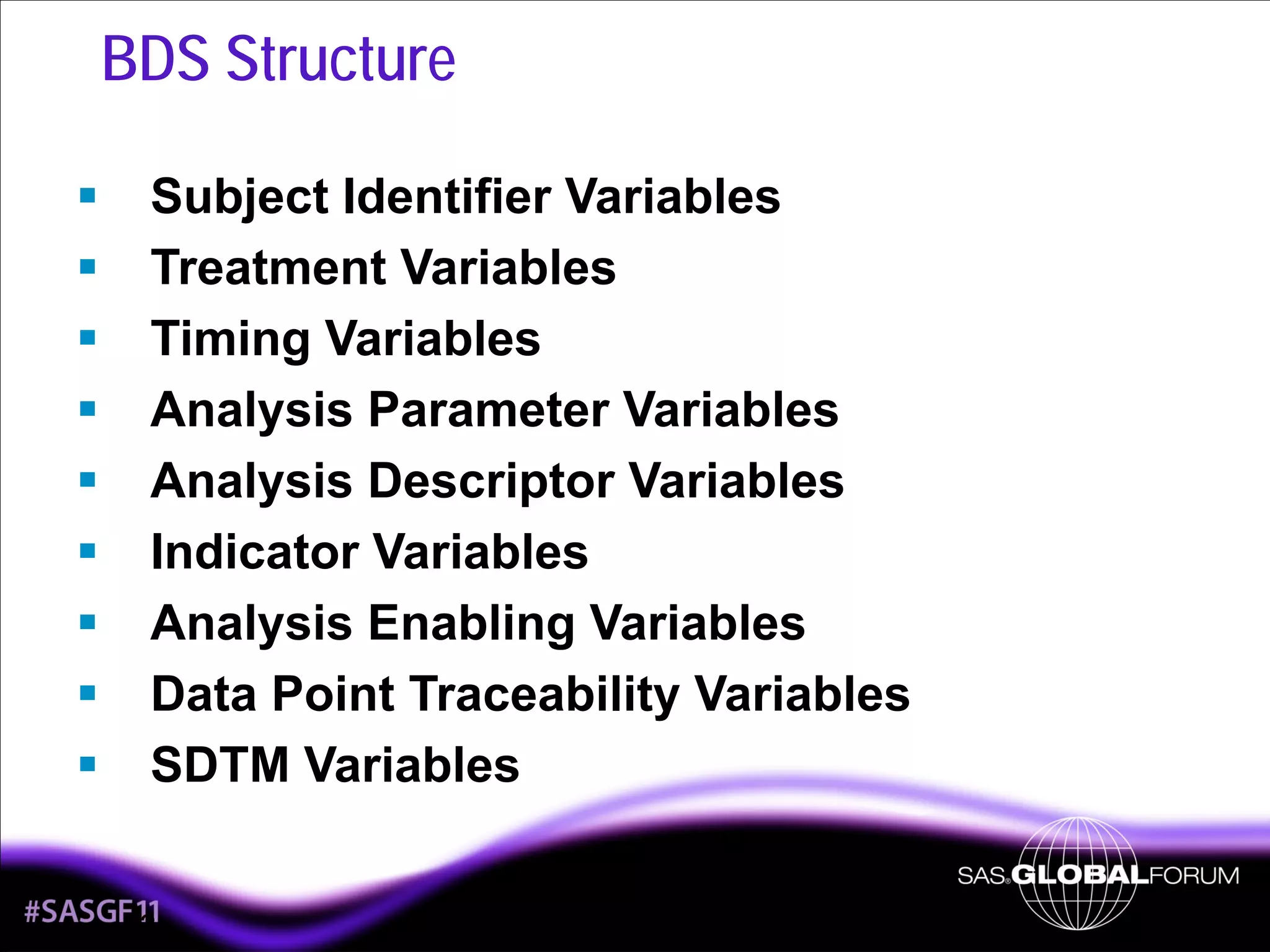
BDS Structure
Subject Identifier Variables
Treatment Variables
Timing Variables
Analysis Parameter Variables
Analysis Descriptor Variables
Indicator Variables
Analysis Enabling Variables
Data Point Traceability Variables
SDTM Variables
3
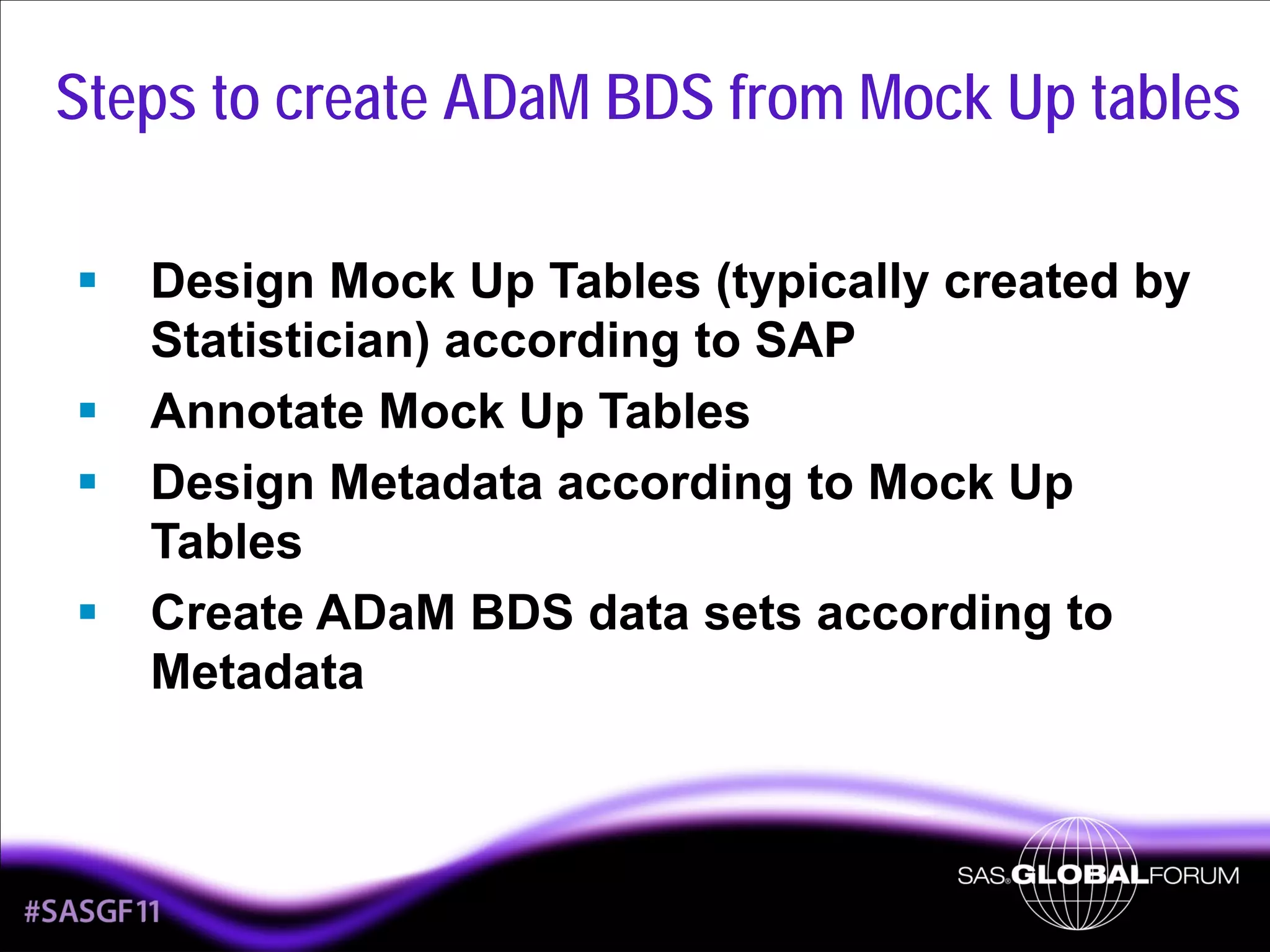
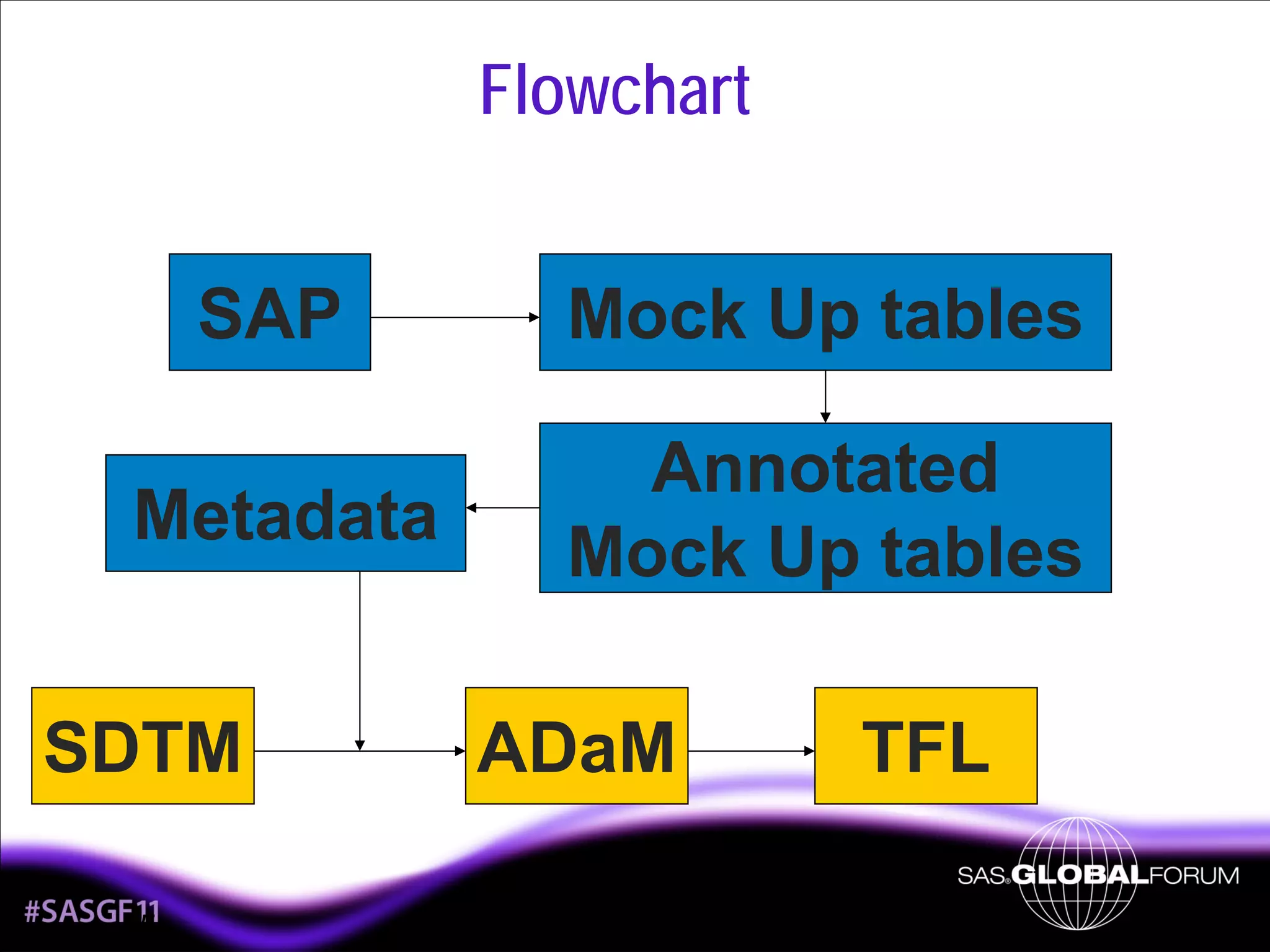
Steps to create ADaM BDS from Mock Up tables
Design Mock Up Tables (typically created by
Statistician) according to SAP
Annotate Mock Up Tables
Design Metadata according to Mock Up
Tables
Create ADaM BDS data sets according to
Metadata

4
Flowchart
SAP

Mock Up tables

Metadata

Annotated
Mock Up tables

SDTM
5

ADaM

TFL
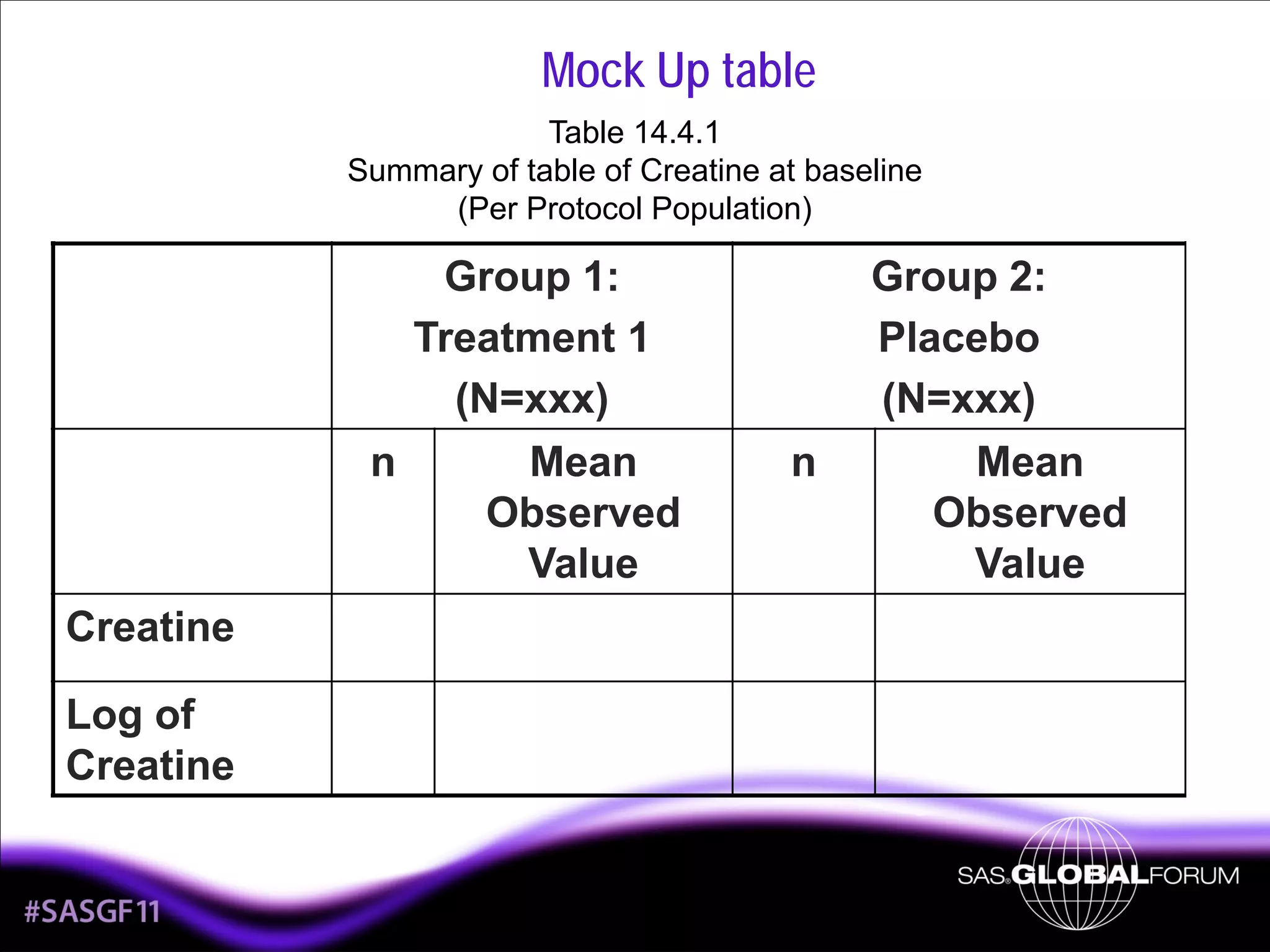
Mock Up table
Table 14.4.1
Summary of table of Creatine at baseline
(Per Protocol Population)

Group 1:
Treatment 1
(N=xxx)
n
Mean
Observed
Value
Creatine
Log of
Creatine

6

n

Group 2:
Placebo
(N=xxx)
Mean
Observed
Value
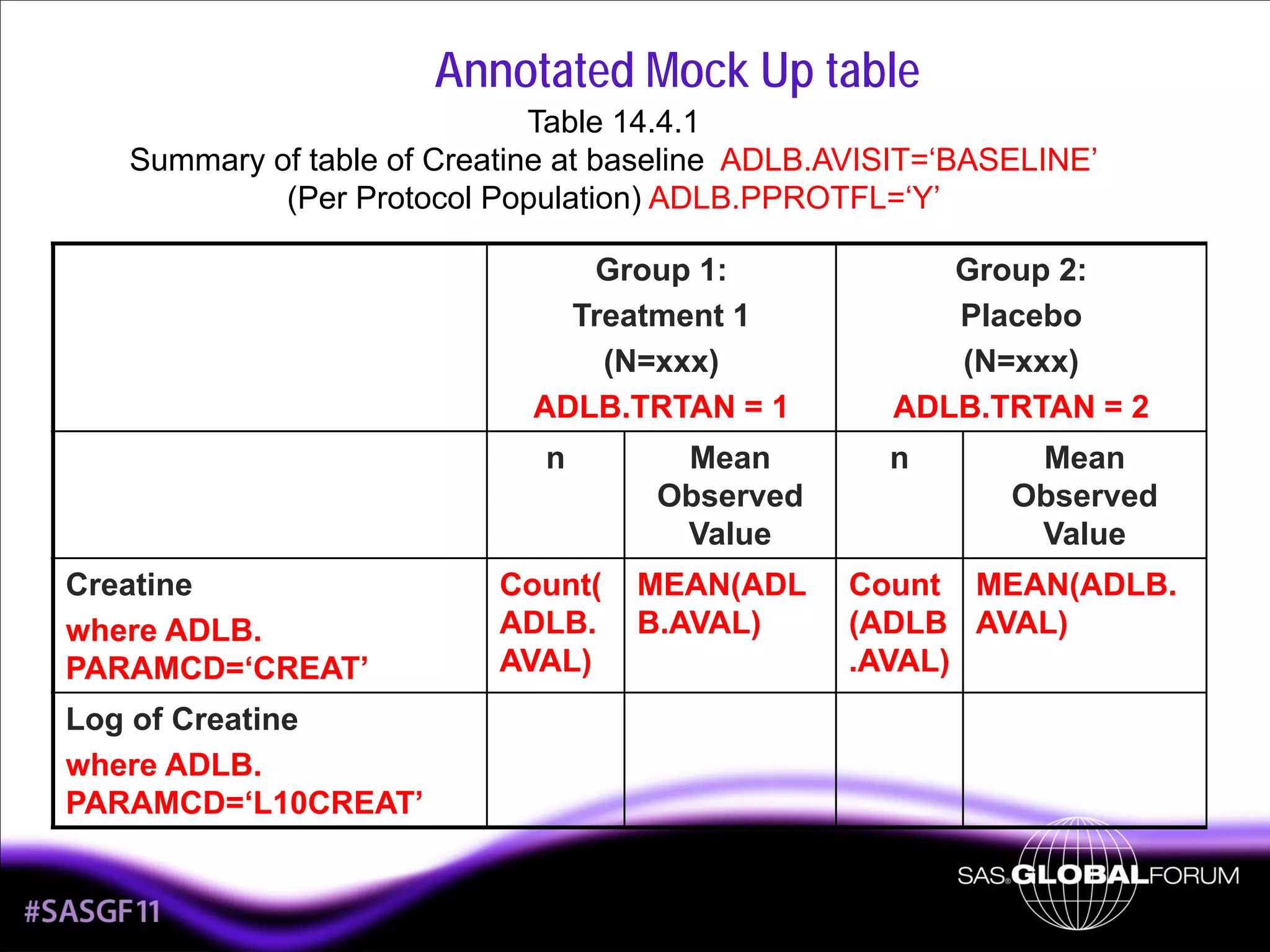
Annotated Mock Up table
Table 14.4.1
Summary of table of Creatine at baseline ADLB.AVISIT=‘BASELINE’
(Per Protocol Population) ADLB.PPROTFL=‘Y’
Group 1:
Treatment 1
(N=xxx)
ADLB.TRTAN = 1
n

Creatine
where ADLB.
PARAMCD=‘CREAT’

Mean
Observed
Value

Count(
ADLB.
AVAL)

MEAN(ADL
B.AVAL)

Log of Creatine
where ADLB.
PARAMCD=‘L10CREAT’

7

Group 2:
Placebo
(N=xxx)
ADLB.TRTAN = 2
n

Mean
Observed
Value

Count MEAN(ADLB.
(ADLB AVAL)
.AVAL)
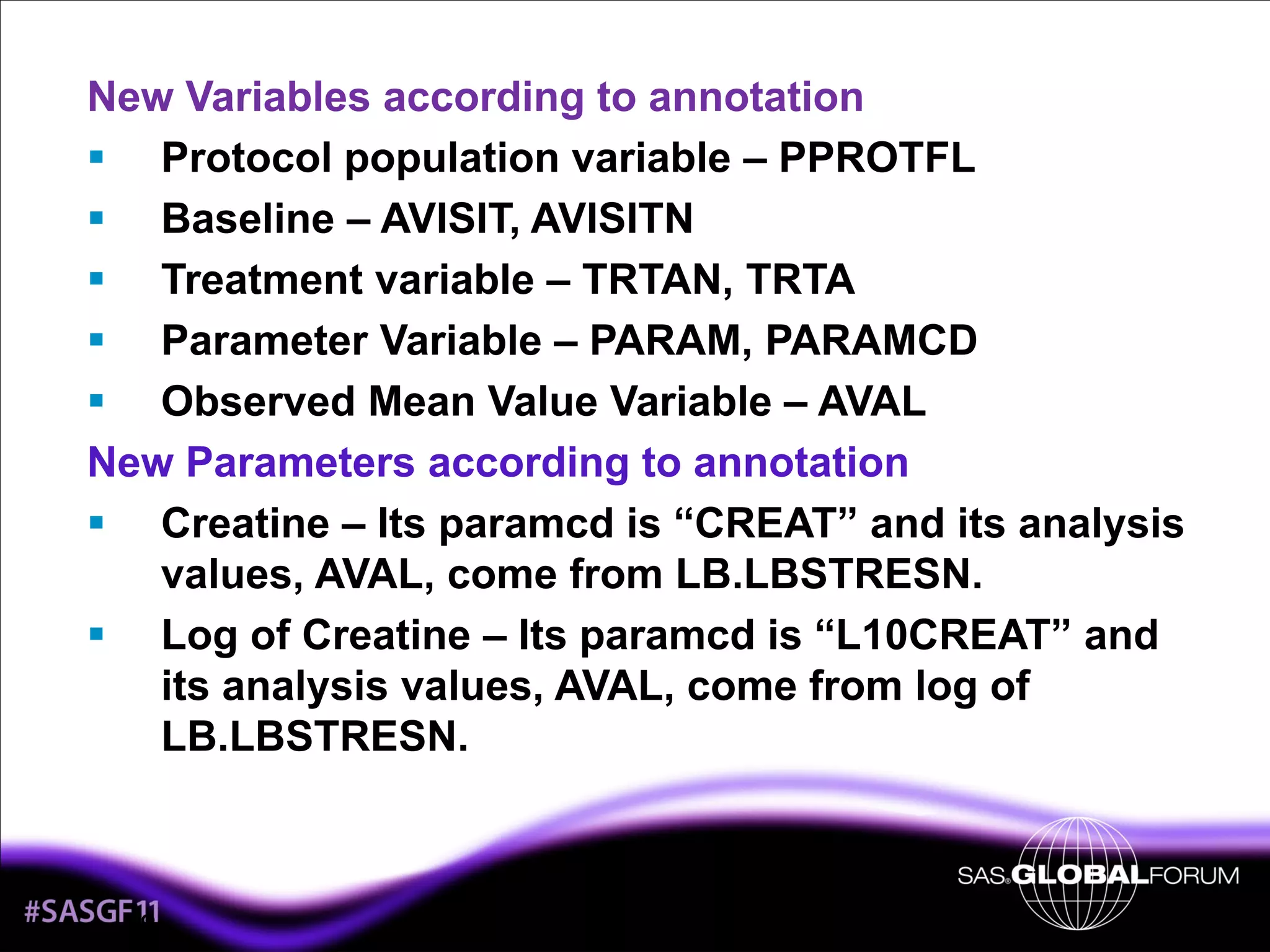
New Variables according to annotation
Protocol population variable – PPROTFL
Baseline – AVISIT, AVISITN
Treatment variable – TRTAN, TRTA
Parameter Variable – PARAM, PARAMCD
Observed Mean Value Variable – AVAL
New Parameters according to annotation
Creatine – Its paramcd is “CREAT” and its analysis
values, AVAL, come from LB.LBSTRESN.
Log of Creatine – Its paramcd is “L10CREAT” and
its analysis values, AVAL, come from log of
LB.LBSTRESN.

8
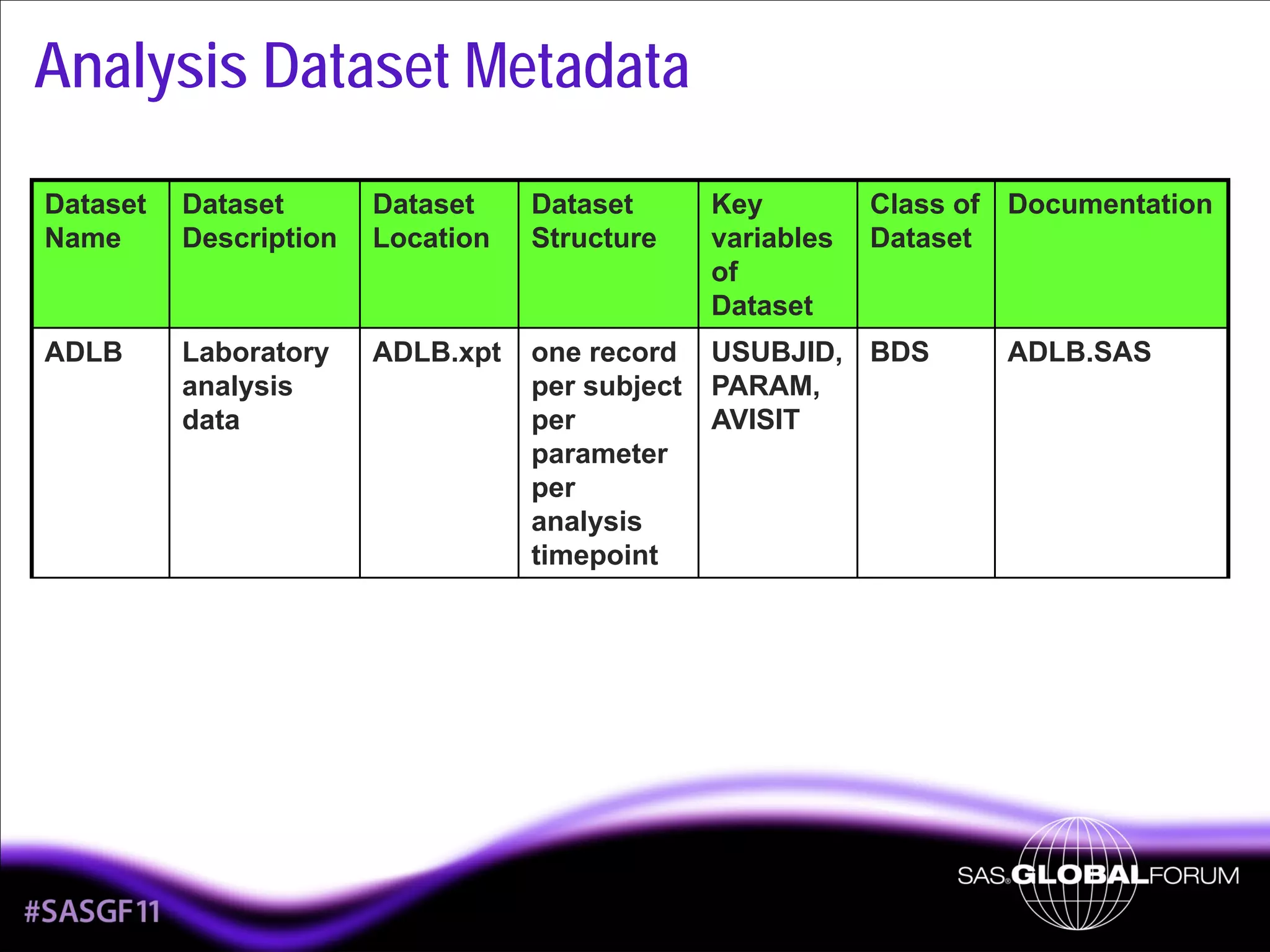
Analysis Dataset Metadata
Class of Documentation
Dataset

Dataset
Name

Dataset
Description

Dataset
Location

Dataset
Structure

Key
variables
of
Dataset

ADLB

Laboratory
analysis
data

ADLB.xpt

one record
per subject
per
parameter
per
analysis
timepoint

USUBJID, BDS
PARAM,
AVISIT

9

ADLB.SAS
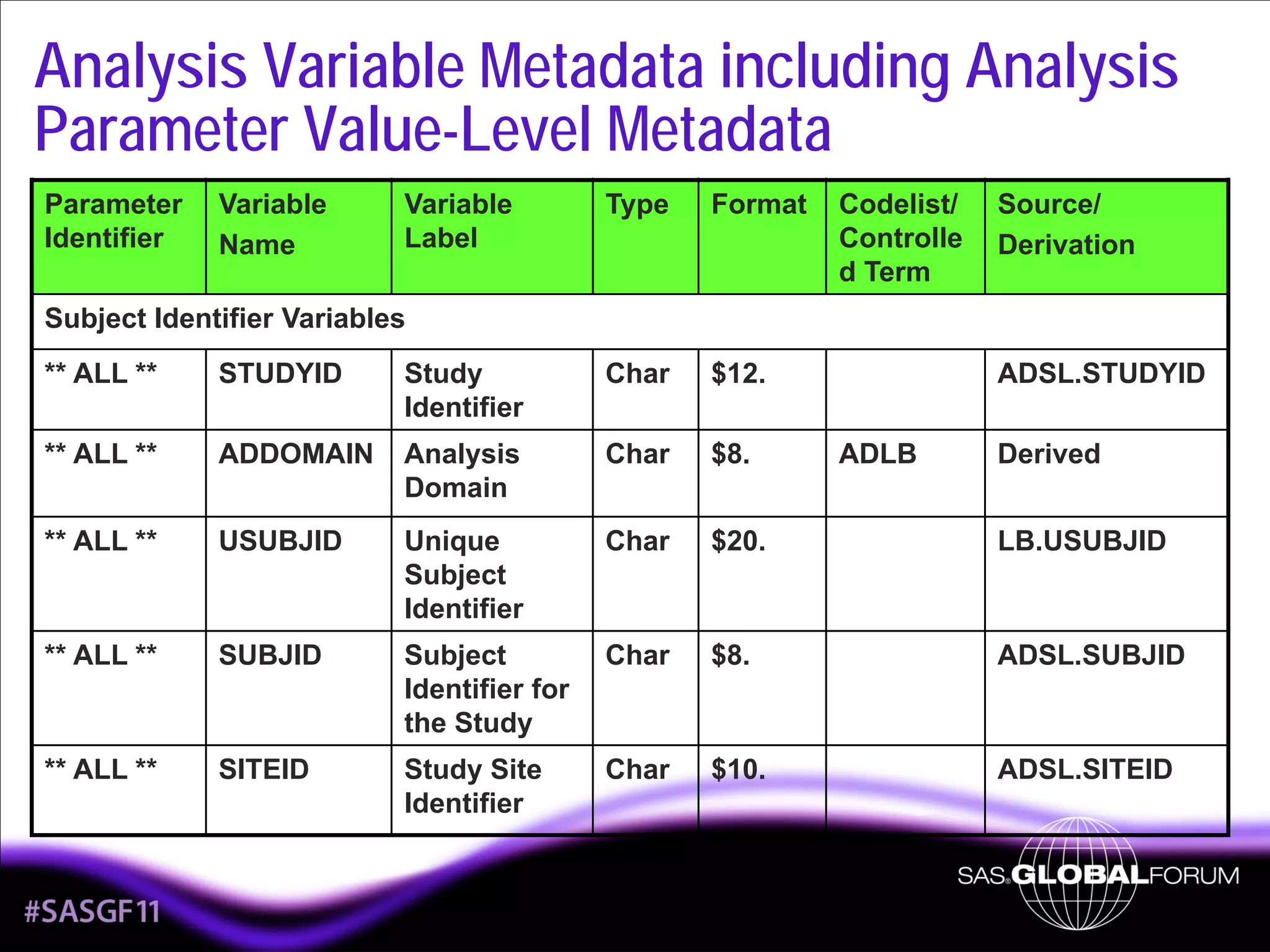
Analysis Variable Metadata including Analysis
Parameter Value-Level Metadata
Parameter
Identifier

Variable
Name

Variable
Label

Type

Format

Codelist/
Controlle
d Term

Source/
Derivation

Subject Identifier Variables
** ALL **

STUDYID

Study
Identifier

Char

$12.

** ALL **

ADDOMAIN

Analysis
Domain

Char

$8.

** ALL **

USUBJID

Unique
Subject
Identifier

Char

$20.

LB.USUBJID

** ALL **

SUBJID

Subject
Identifier for
the Study

Char

$8.

ADSL.SUBJID

** ALL **

SITEID

Study Site
Identifier

Char

$10.

ADSL.SITEID

10

ADSL.STUDYID
ADLB

Derived
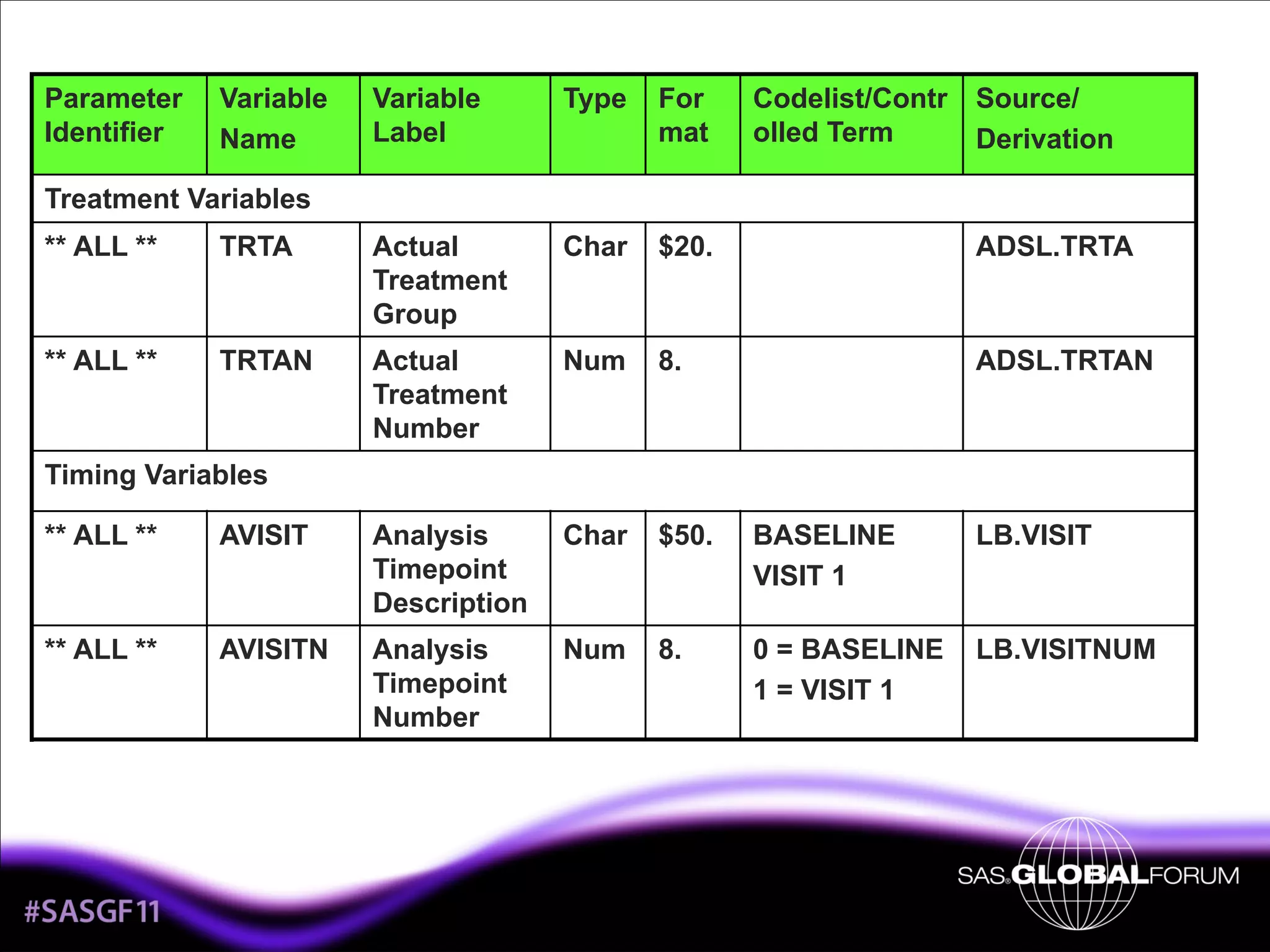
Parameter
Identifier

Variable
Name

Variable
Label

Type

For
mat

Codelist/Contr
olled Term

Source/
Derivation

Treatment Variables
** ALL **

TRTA

Actual
Treatment
Group

Char

$20.

ADSL.TRTA

** ALL **

TRTAN

Actual
Treatment
Number

Num

8.

ADSL.TRTAN

Timing Variables
** ALL **

AVISIT

Analysis
Timepoint
Description

Char

$50.

BASELINE
VISIT 1

LB.VISIT

** ALL **

AVISITN

Analysis
Timepoint
Number

Num

8.

0 = BASELINE
1 = VISIT 1

LB.VISITNUM

11
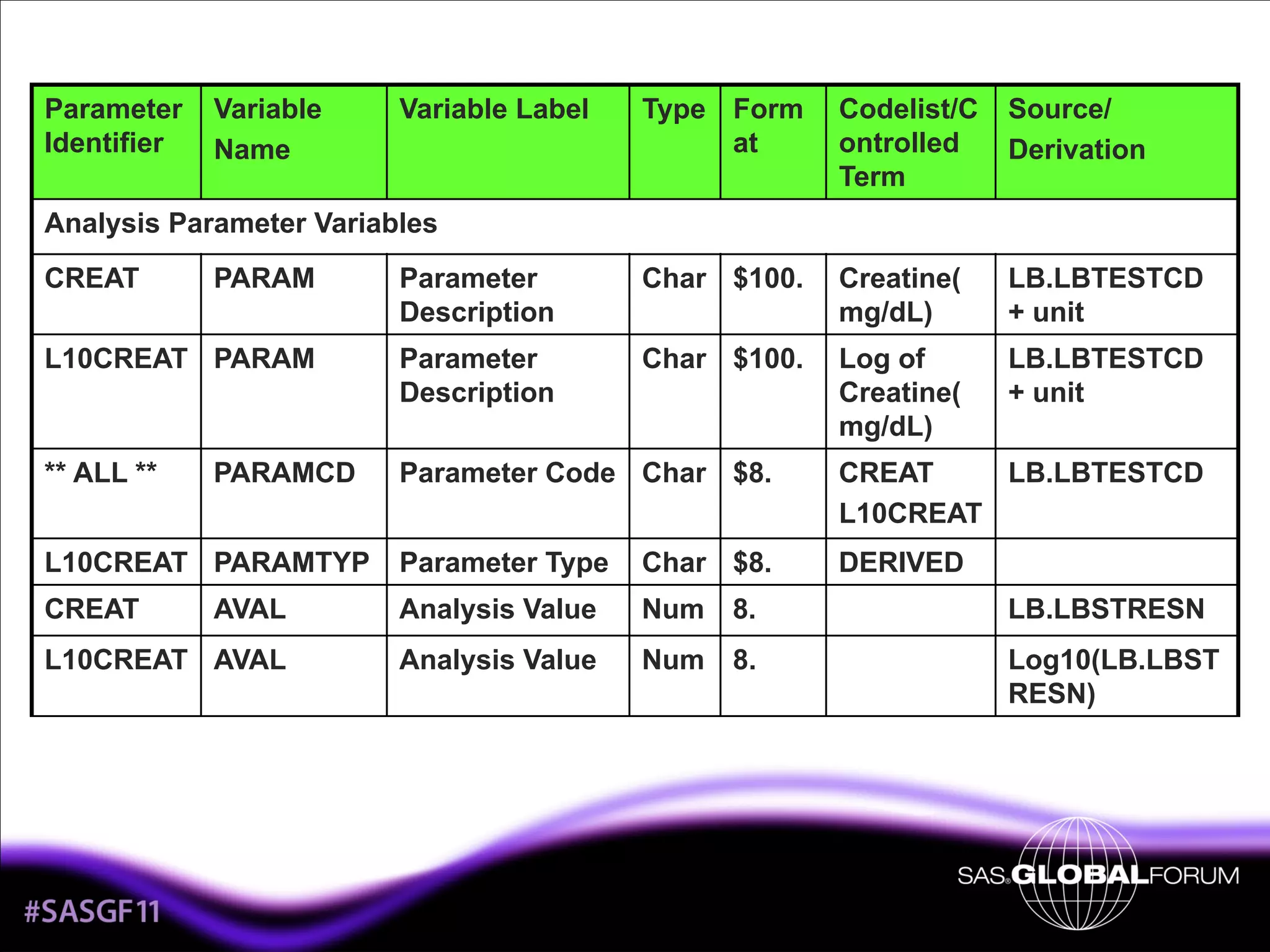
Parameter
Identifier

Variable
Name

Variable Label

Type Form
at

Codelist/C
ontrolled
Term

Source/
Derivation

Analysis Parameter Variables
CREAT

PARAM

Parameter
Description

Char $100.

Creatine(
mg/dL)

LB.LBTESTCD
+ unit

L10CREAT PARAM

Parameter
Description

Char $100.

Log of
Creatine(
mg/dL)

LB.LBTESTCD
+ unit

** ALL **

Parameter Code Char $8.

CREAT
LB.LBTESTCD
L10CREAT

L10CREAT PARAMTYP

Parameter Type

Char $8.

DERIVED

CREAT

AVAL

Analysis Value

Num 8.

LB.LBSTRESN

L10CREAT AVAL

Analysis Value

Num 8.

Log10(LB.LBST
RESN)

PARAMCD

12
Parameter
Identifier

Variable
Name

Variable Label

Type

For
mat

Codelist/Co Source/
ntrolled
Derivation
Term

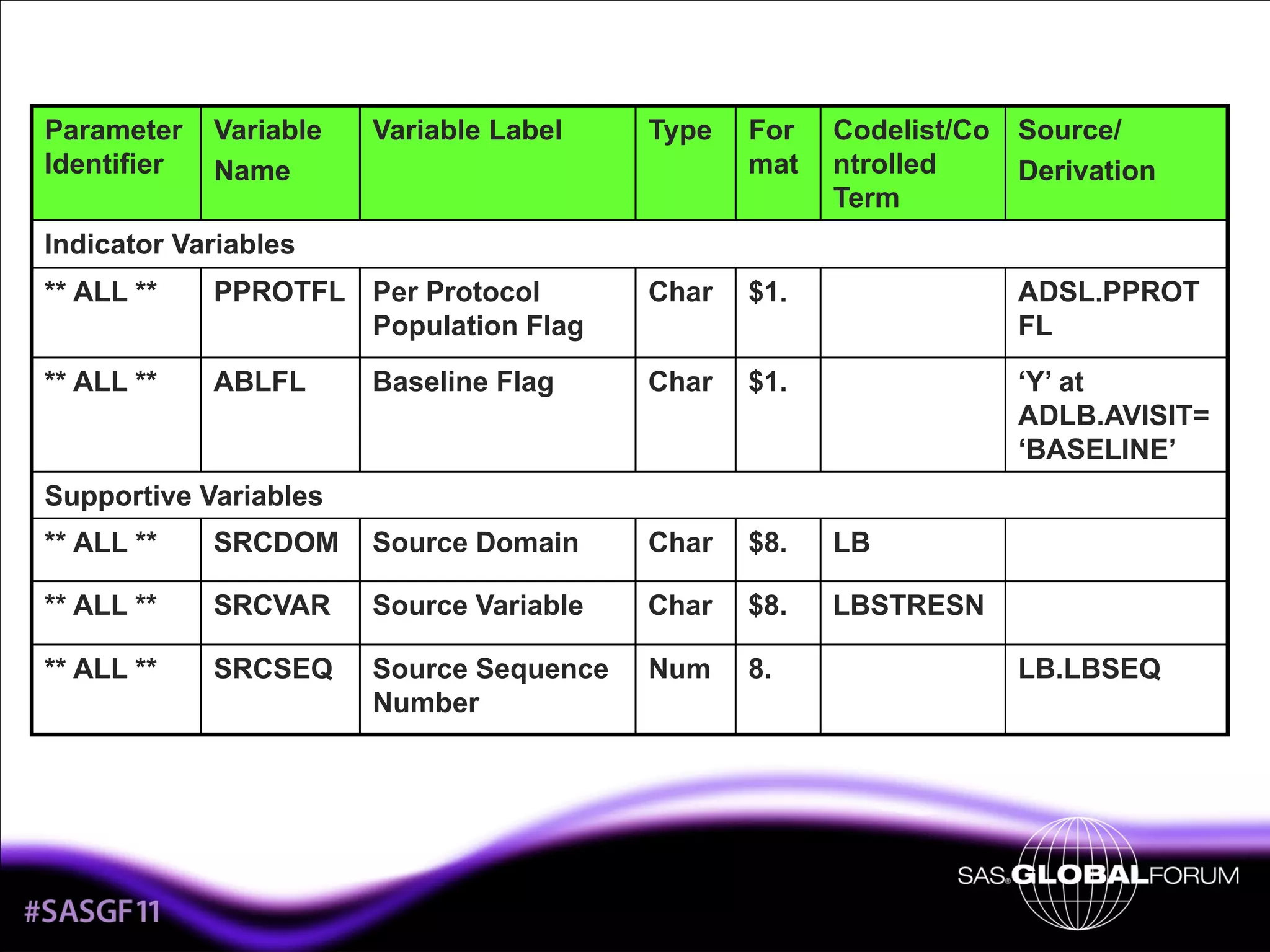
Indicator Variables
** ALL **

PPROTFL Per Protocol
Population Flag

Char

$1.

ADSL.PPROT
FL

** ALL **

ABLFL

Baseline Flag

Char

$1.

‘Y’ at
ADLB.AVISIT=
‘BASELINE’

Supportive Variables
** ALL **

SRCDOM

Source Domain

Char

$8.

LB

** ALL **

SRCVAR

Source Variable

Char

$8.

LBSTRESN

** ALL **

SRCSEQ

Source Sequence
Number

Num

8.

13

LB.LBSEQ
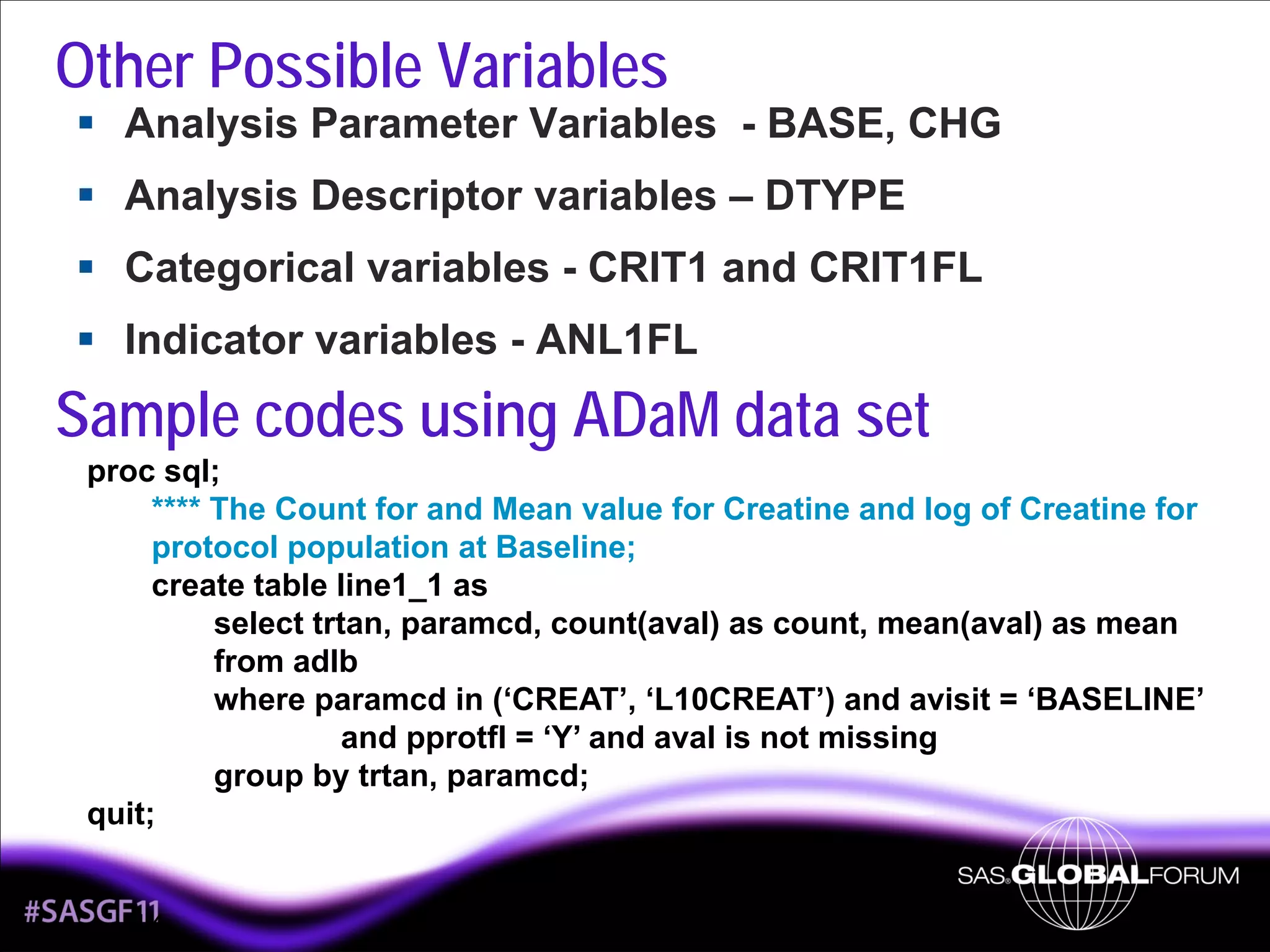
Other Possible Variables
Analysis Parameter Variables - BASE, CHG
Analysis Descriptor variables – DTYPE
Categorical variables - CRIT1 and CRIT1FL
Indicator variables - ANL1FL

Sample codes using ADaM data set
proc sql;
**** The Count for and Mean value for Creatine and log of Creatine for
protocol population at Baseline;
create table line1_1 as
select trtan, paramcd, count(aval) as count, mean(aval) as mean
from adlb
where paramcd in (‘CREAT’, ‘L10CREAT’) and avisit = ‘BASELINE’
and pprotfl = ‘Y’ and aval is not missing
group by trtan, paramcd;
quit;

14
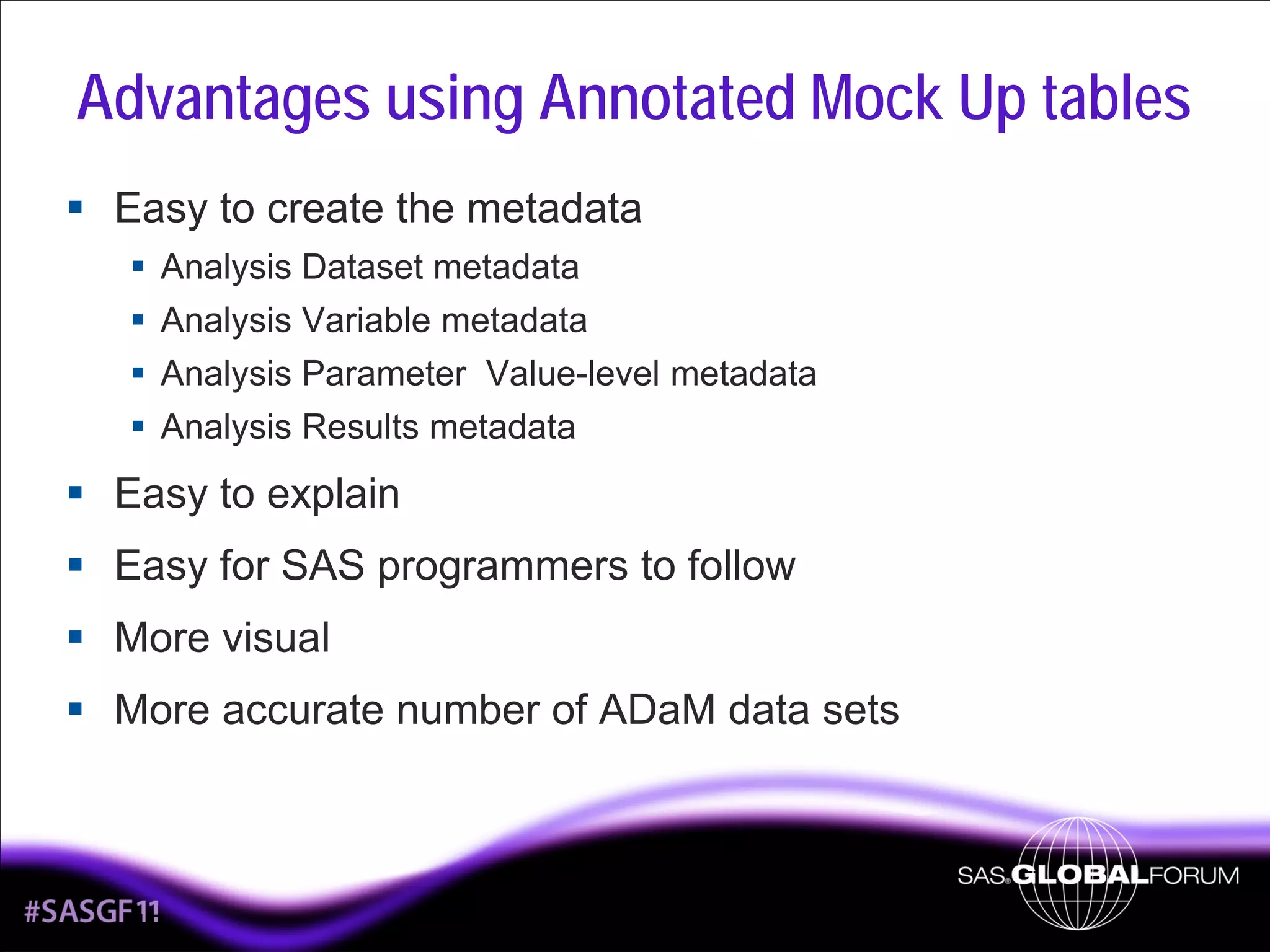
Advantages using Annotated Mock Up tables
Easy to create the metadata
Analysis Dataset metadata
Analysis Variable metadata
Analysis Parameter Value-level metadata
Analysis Results metadata

Easy to explain
Easy for SAS programmers to follow
More visual
More accurate number of ADaM data sets

15
Conclusion
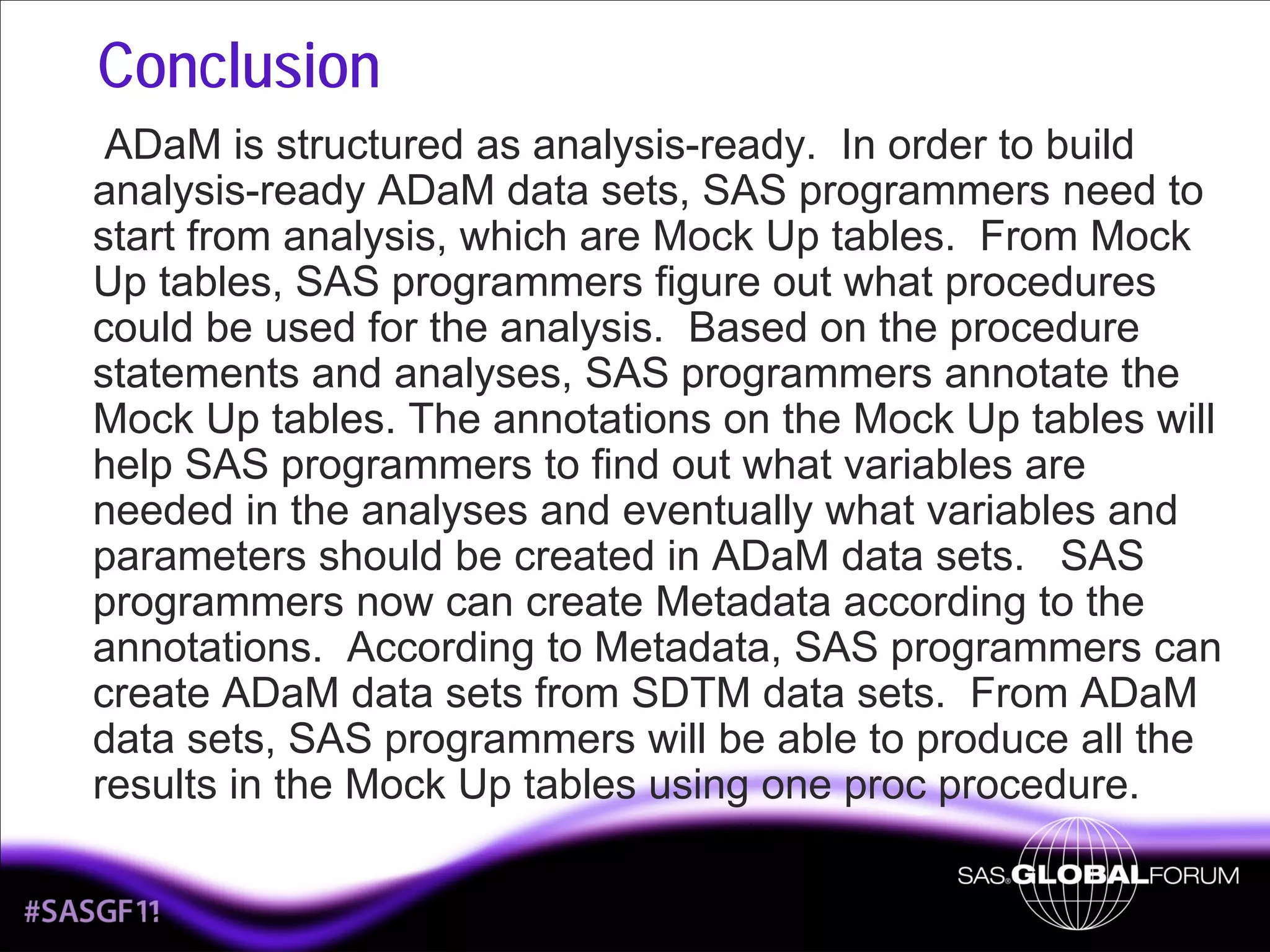
ADaM is structured as analysis-ready. In order to build
analysis-ready ADaM data sets, SAS programmers need to
start from analysis, which are Mock Up tables. From Mock
Up tables, SAS programmers figure out what procedures
could be used for the analysis. Based on the procedure
statements and analyses, SAS programmers annotate the
Mock Up tables. The annotations on the Mock Up tables will
help SAS programmers to find out what variables are
needed in the analyses and eventually what variables and
parameters should be created in ADaM data sets. SAS
programmers now can create Metadata according to the
annotations. According to Metadata, SAS programmers can
create ADaM data sets from SDTM data sets. From ADaM
data sets, SAS programmers will be able to produce all the
results in the Mock Up tables using one proc procedure.

16
Contact Information
Kevin Lee
Cytel, Inc.
Chesterbrook, PA
(610) 994 - 9840
Email:Kevin.lee@cytel.com

17

How to build ADaM BDS dataset from mock up table

  • 1.
    How to BuildADaM Basic Data Structure from Mock Up tables By Kevin Lee Cytel, Inc. 1
  • 2.
    Instruction of BasicData Structure BDS is the standard domain structure in ADaM. BDS is designed as one or more records per subject per analysis parameter per analysis time point. One of the main purposes of ADaM BDS is analysisready, meaning that all the numbers in the final report should be calculated with one procedure in SAS. The naming convention of BDS is ADxxxxxx. 2
  • 3.
    BDS Structure Subject IdentifierVariables Treatment Variables Timing Variables Analysis Parameter Variables Analysis Descriptor Variables Indicator Variables Analysis Enabling Variables Data Point Traceability Variables SDTM Variables 3
  • 4.
    Steps to createADaM BDS from Mock Up tables Design Mock Up Tables (typically created by Statistician) according to SAP Annotate Mock Up Tables Design Metadata according to Mock Up Tables Create ADaM BDS data sets according to Metadata 4
  • 5.
  • 6.
    Mock Up table Table14.4.1 Summary of table of Creatine at baseline (Per Protocol Population) Group 1: Treatment 1 (N=xxx) n Mean Observed Value Creatine Log of Creatine 6 n Group 2: Placebo (N=xxx) Mean Observed Value
  • 7.
    Annotated Mock Uptable Table 14.4.1 Summary of table of Creatine at baseline ADLB.AVISIT=‘BASELINE’ (Per Protocol Population) ADLB.PPROTFL=‘Y’ Group 1: Treatment 1 (N=xxx) ADLB.TRTAN = 1 n Creatine where ADLB. PARAMCD=‘CREAT’ Mean Observed Value Count( ADLB. AVAL) MEAN(ADL B.AVAL) Log of Creatine where ADLB. PARAMCD=‘L10CREAT’ 7 Group 2: Placebo (N=xxx) ADLB.TRTAN = 2 n Mean Observed Value Count MEAN(ADLB. (ADLB AVAL) .AVAL)
  • 8.
    New Variables accordingto annotation Protocol population variable – PPROTFL Baseline – AVISIT, AVISITN Treatment variable – TRTAN, TRTA Parameter Variable – PARAM, PARAMCD Observed Mean Value Variable – AVAL New Parameters according to annotation Creatine – Its paramcd is “CREAT” and its analysis values, AVAL, come from LB.LBSTRESN. Log of Creatine – Its paramcd is “L10CREAT” and its analysis values, AVAL, come from log of LB.LBSTRESN. 8
  • 9.
    Analysis Dataset Metadata Classof Documentation Dataset Dataset Name Dataset Description Dataset Location Dataset Structure Key variables of Dataset ADLB Laboratory analysis data ADLB.xpt one record per subject per parameter per analysis timepoint USUBJID, BDS PARAM, AVISIT 9 ADLB.SAS
  • 10.
    Analysis Variable Metadataincluding Analysis Parameter Value-Level Metadata Parameter Identifier Variable Name Variable Label Type Format Codelist/ Controlle d Term Source/ Derivation Subject Identifier Variables ** ALL ** STUDYID Study Identifier Char $12. ** ALL ** ADDOMAIN Analysis Domain Char $8. ** ALL ** USUBJID Unique Subject Identifier Char $20. LB.USUBJID ** ALL ** SUBJID Subject Identifier for the Study Char $8. ADSL.SUBJID ** ALL ** SITEID Study Site Identifier Char $10. ADSL.SITEID 10 ADSL.STUDYID ADLB Derived
  • 11.
    Parameter Identifier Variable Name Variable Label Type For mat Codelist/Contr olled Term Source/ Derivation Treatment Variables **ALL ** TRTA Actual Treatment Group Char $20. ADSL.TRTA ** ALL ** TRTAN Actual Treatment Number Num 8. ADSL.TRTAN Timing Variables ** ALL ** AVISIT Analysis Timepoint Description Char $50. BASELINE VISIT 1 LB.VISIT ** ALL ** AVISITN Analysis Timepoint Number Num 8. 0 = BASELINE 1 = VISIT 1 LB.VISITNUM 11
  • 12.
    Parameter Identifier Variable Name Variable Label Type Form at Codelist/C ontrolled Term Source/ Derivation AnalysisParameter Variables CREAT PARAM Parameter Description Char $100. Creatine( mg/dL) LB.LBTESTCD + unit L10CREAT PARAM Parameter Description Char $100. Log of Creatine( mg/dL) LB.LBTESTCD + unit ** ALL ** Parameter Code Char $8. CREAT LB.LBTESTCD L10CREAT L10CREAT PARAMTYP Parameter Type Char $8. DERIVED CREAT AVAL Analysis Value Num 8. LB.LBSTRESN L10CREAT AVAL Analysis Value Num 8. Log10(LB.LBST RESN) PARAMCD 12
  • 13.
    Parameter Identifier Variable Name Variable Label Type For mat Codelist/Co Source/ ntrolled Derivation Term IndicatorVariables ** ALL ** PPROTFL Per Protocol Population Flag Char $1. ADSL.PPROT FL ** ALL ** ABLFL Baseline Flag Char $1. ‘Y’ at ADLB.AVISIT= ‘BASELINE’ Supportive Variables ** ALL ** SRCDOM Source Domain Char $8. LB ** ALL ** SRCVAR Source Variable Char $8. LBSTRESN ** ALL ** SRCSEQ Source Sequence Number Num 8. 13 LB.LBSEQ
  • 14.
    Other Possible Variables AnalysisParameter Variables - BASE, CHG Analysis Descriptor variables – DTYPE Categorical variables - CRIT1 and CRIT1FL Indicator variables - ANL1FL Sample codes using ADaM data set proc sql; **** The Count for and Mean value for Creatine and log of Creatine for protocol population at Baseline; create table line1_1 as select trtan, paramcd, count(aval) as count, mean(aval) as mean from adlb where paramcd in (‘CREAT’, ‘L10CREAT’) and avisit = ‘BASELINE’ and pprotfl = ‘Y’ and aval is not missing group by trtan, paramcd; quit; 14
  • 15.
    Advantages using AnnotatedMock Up tables Easy to create the metadata Analysis Dataset metadata Analysis Variable metadata Analysis Parameter Value-level metadata Analysis Results metadata Easy to explain Easy for SAS programmers to follow More visual More accurate number of ADaM data sets 15
  • 16.
    Conclusion ADaM is structuredas analysis-ready. In order to build analysis-ready ADaM data sets, SAS programmers need to start from analysis, which are Mock Up tables. From Mock Up tables, SAS programmers figure out what procedures could be used for the analysis. Based on the procedure statements and analyses, SAS programmers annotate the Mock Up tables. The annotations on the Mock Up tables will help SAS programmers to find out what variables are needed in the analyses and eventually what variables and parameters should be created in ADaM data sets. SAS programmers now can create Metadata according to the annotations. According to Metadata, SAS programmers can create ADaM data sets from SDTM data sets. From ADaM data sets, SAS programmers will be able to produce all the results in the Mock Up tables using one proc procedure. 16
  • 17.
    Contact Information Kevin Lee Cytel,Inc. Chesterbrook, PA (610) 994 - 9840 Email:Kevin.lee@cytel.com 17