
1
www.dublindesign.com
How to Beat Automated
Bidding with Excel
HOSTED BY:
Presenters
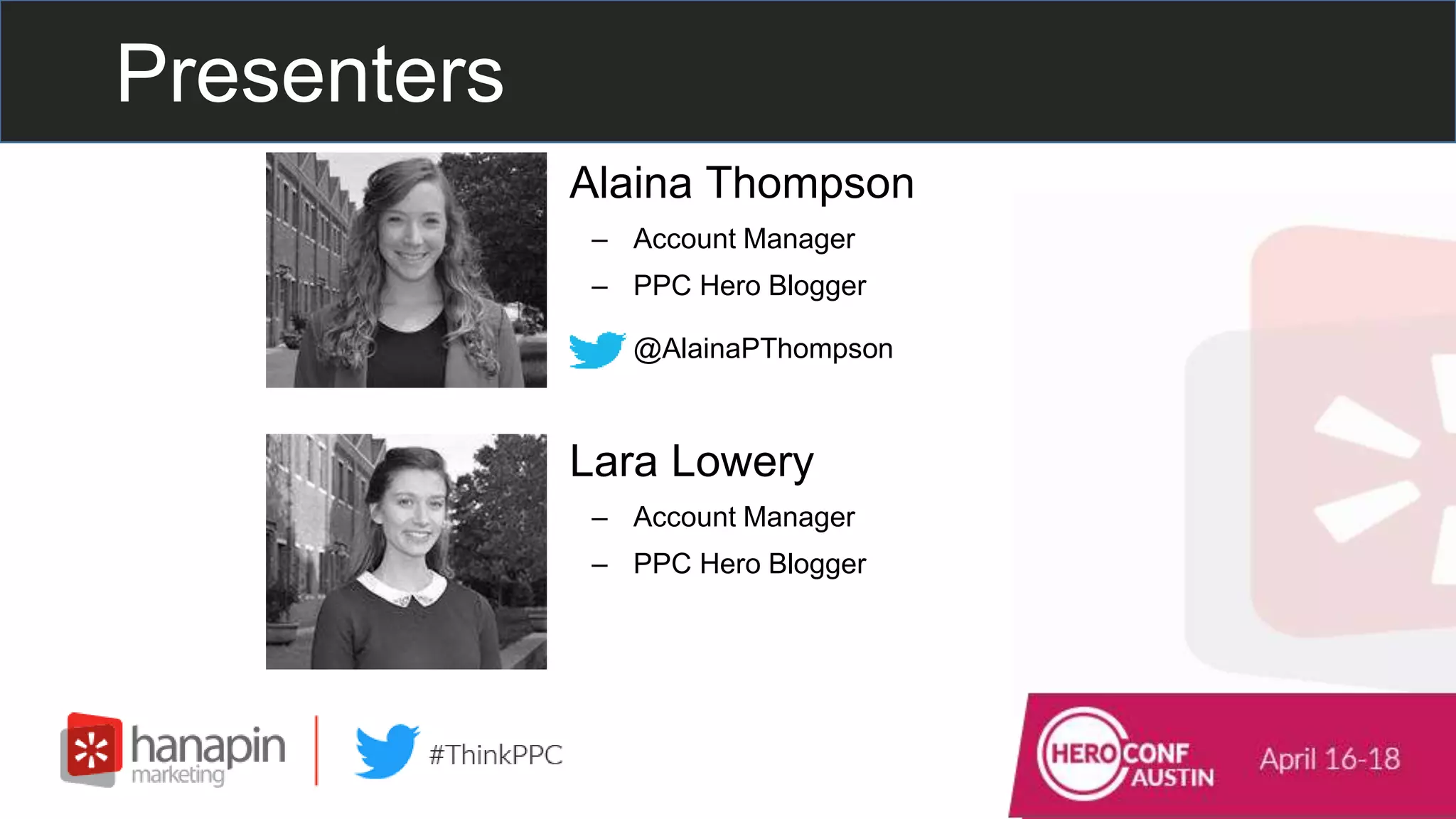
• Alaina Thompson
– Account Manager
– PPC Hero Blogger
– @AlainaPThompson
• Lara Lowery
– Account Manager
– PPC Hero Blogger
– Run the world’s most popular PPC blog
and conference.
– We manage and optimize global paid
search, paid social, and display programs.
– Within 12 months, brands can expect a
250% increase in their growth trajectory.
Who is Hanapin?
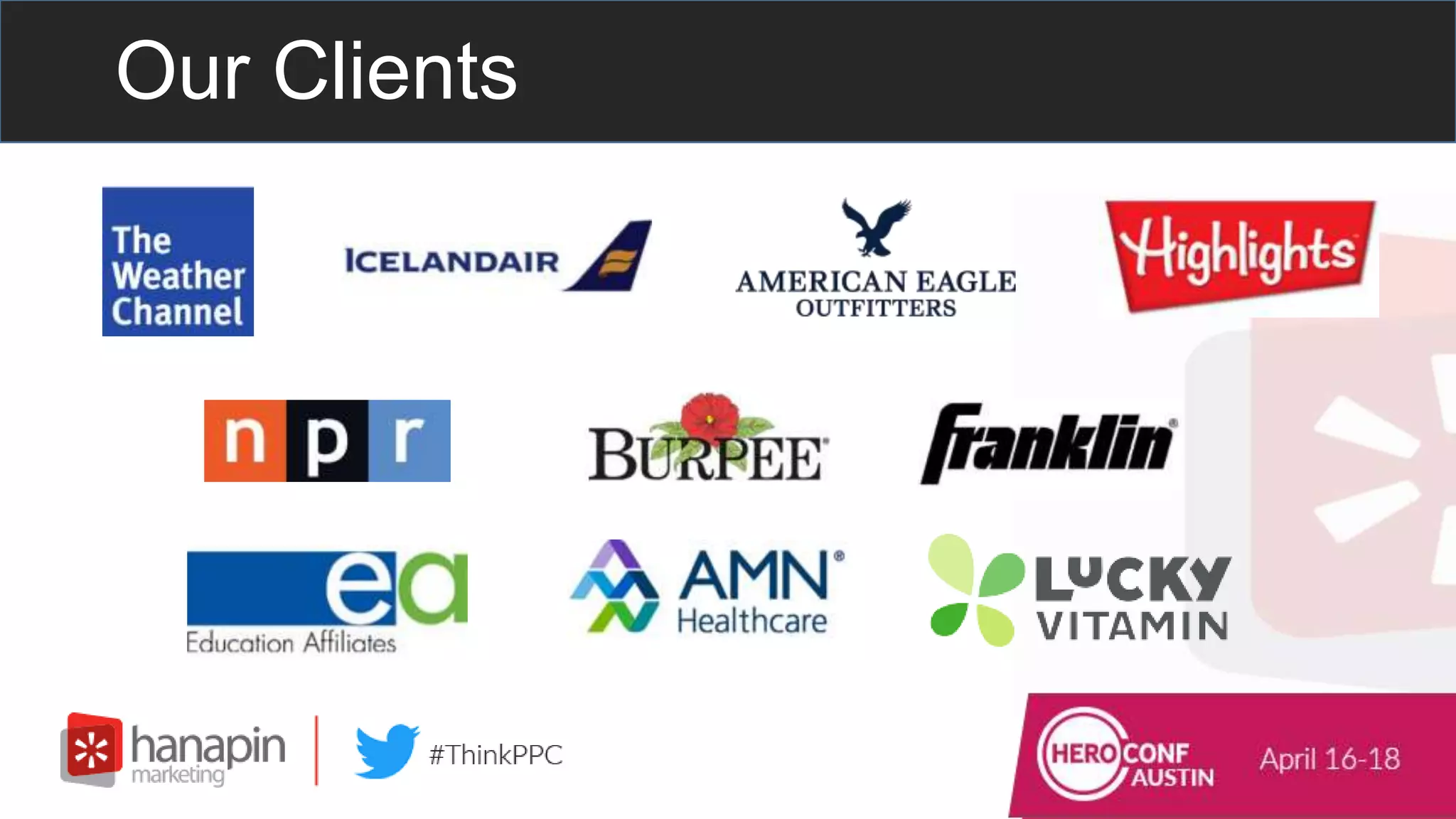
Our Clients
Join the Conversation
Include the hashtag #thinkppc in
your Twitter tweets.
Or use the webinar question box to
send us questions.
Live Poll Question #1
How long have you been in PPC?
#thinkppc
A. Less than 1 year
B. 1-3 years
C. 3-5 years
D. 5+ years
#thinkppc
How To Use Nested If
Functions To Manage Brand
Priorities
Prioritize
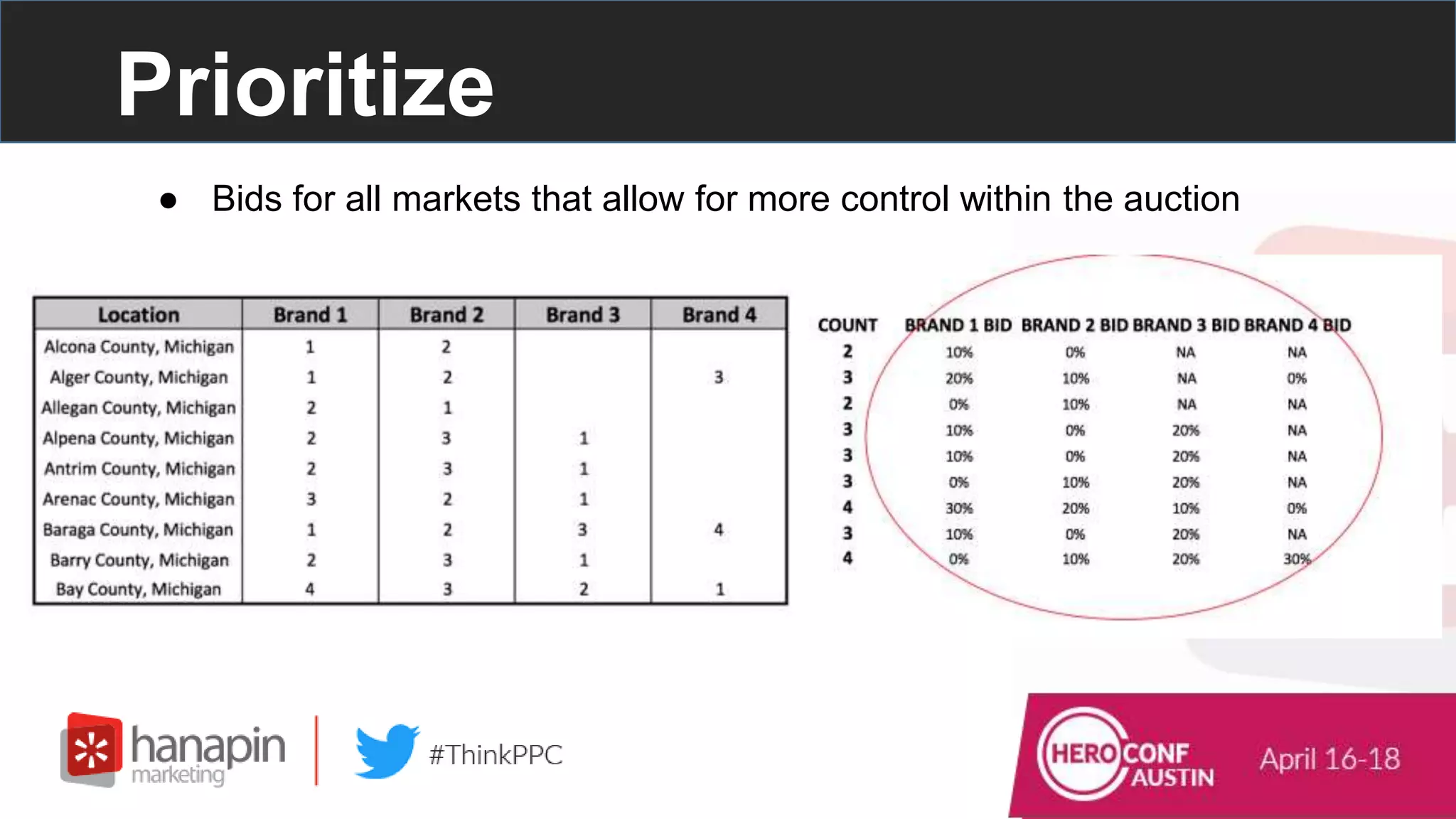
● So many brands, so little space - which will win?
Prioritize
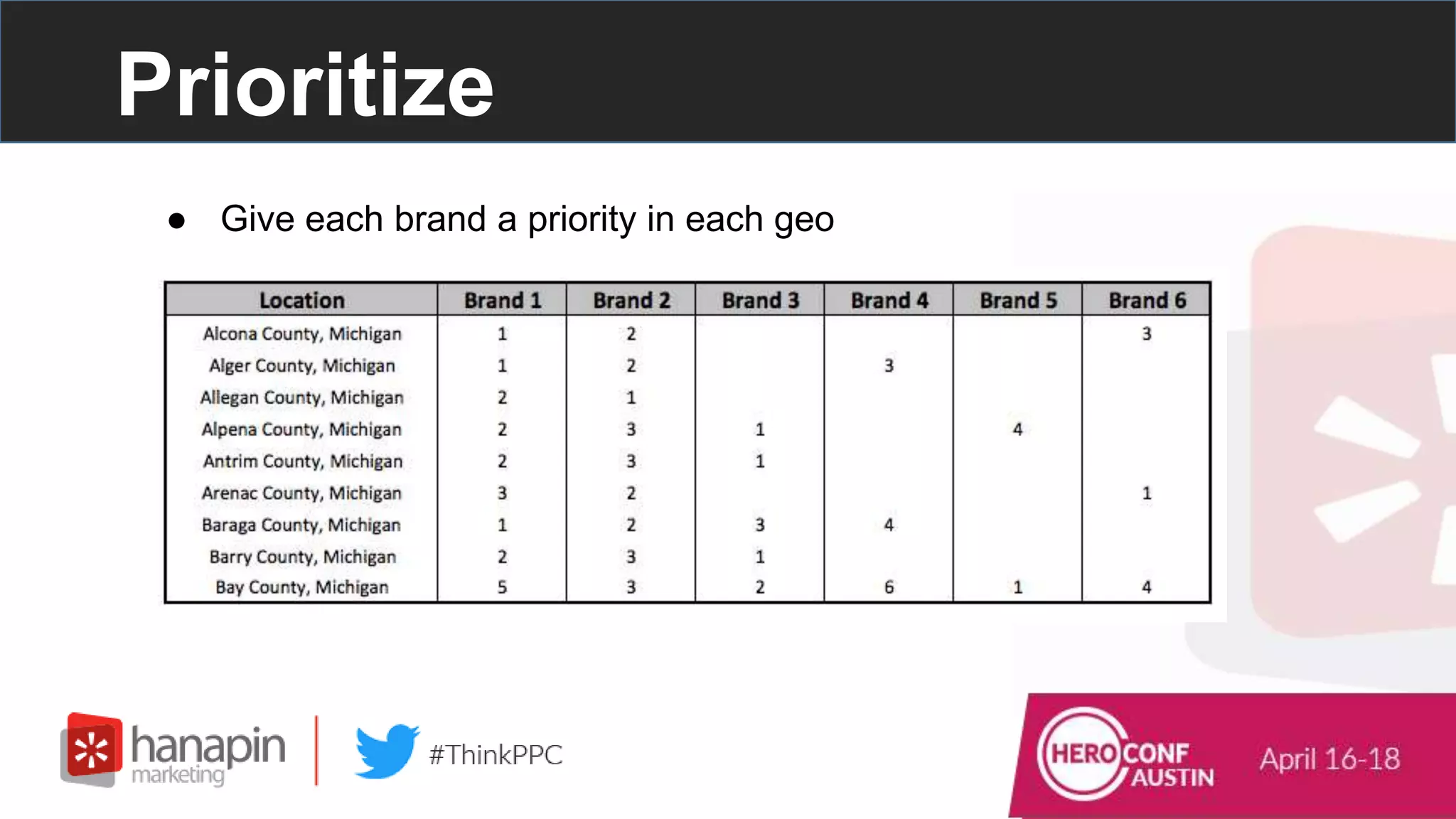
● Give each brand a priority in each geo
Prioritize
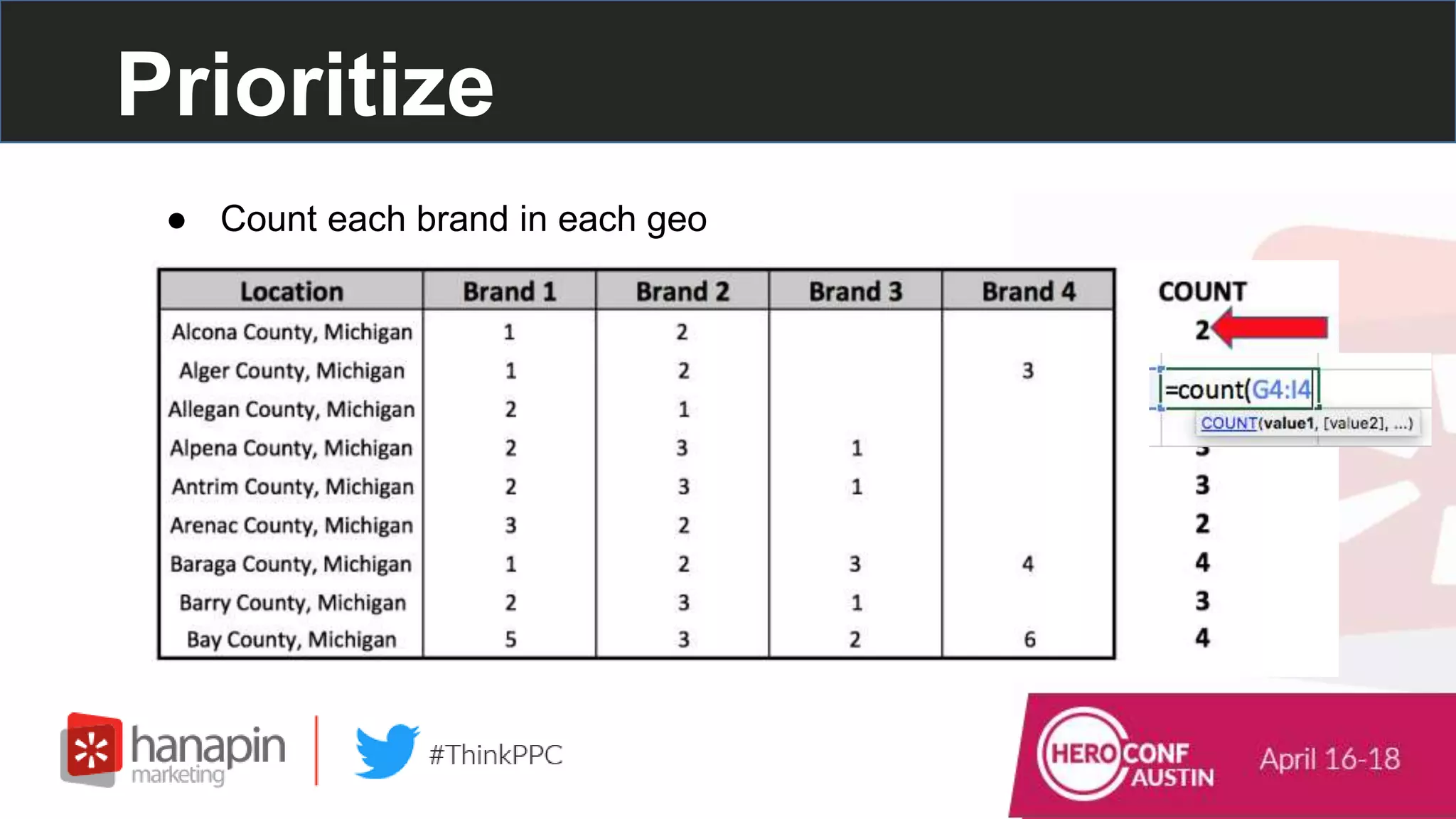
● Count each brand in each geo
Prioritize
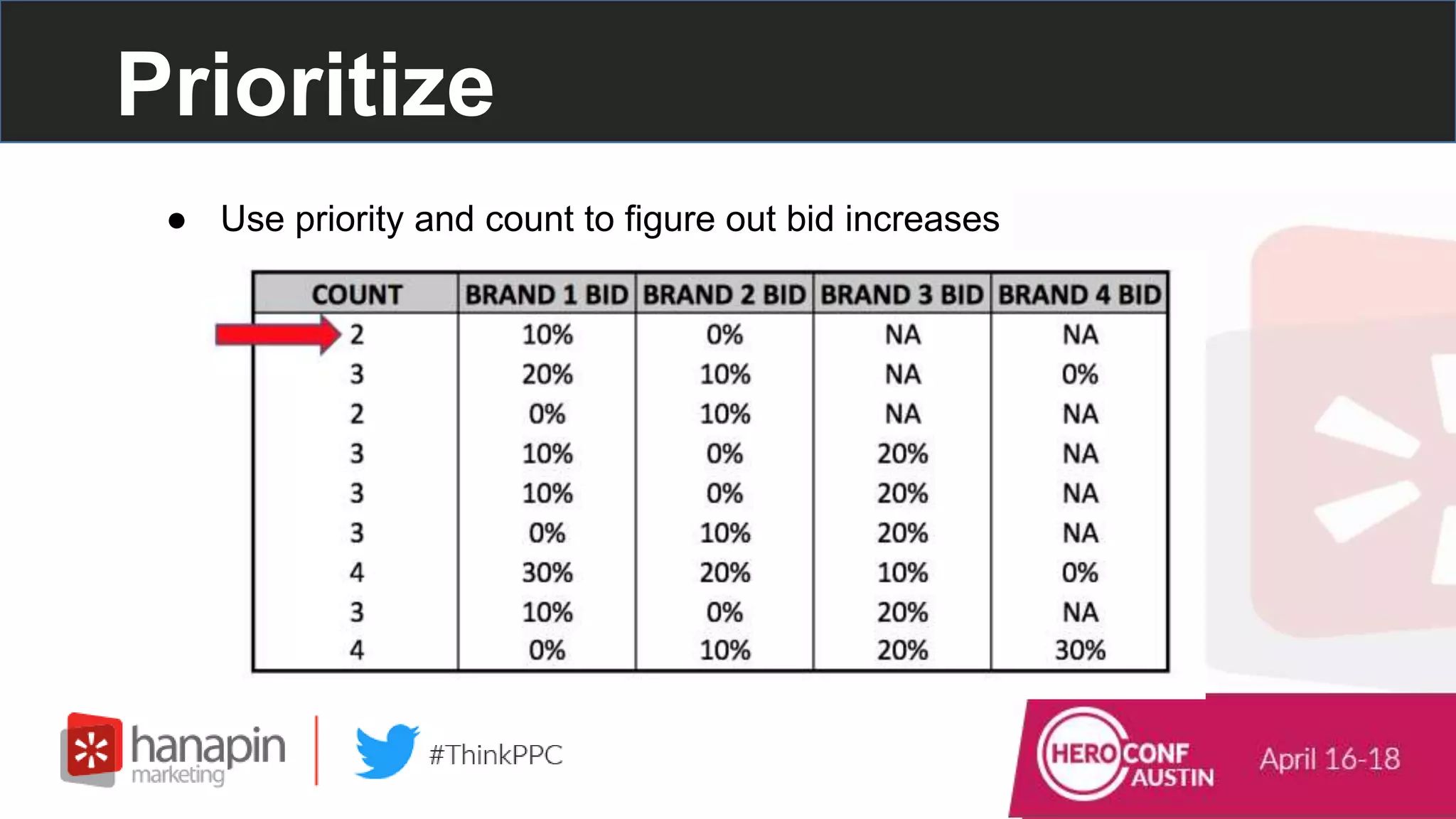
● Use priority and count to figure out bid increases
Prioritize
If Functions:
=IF(logical_test,[value if true],[value if false])
Logical_test = a logical expression that can be evaluated as TRUE or
FALSE
Value_if_true = value to return when logical_test evaluates to TRUE
Value_if_false = value to return when logical_test evaluates to FALSE
Prioritize
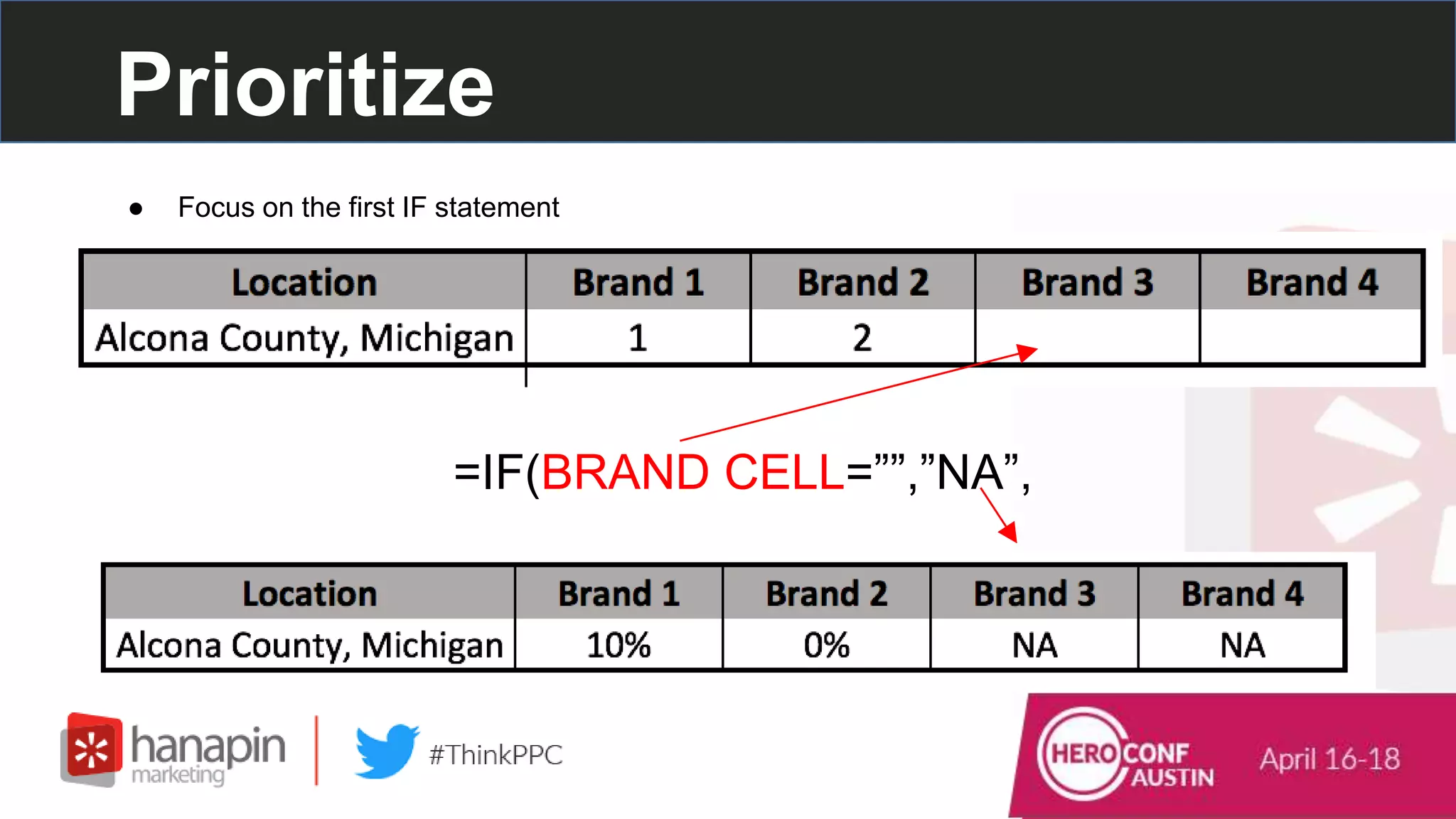
● Focus on the first IF statement
=IF(BRAND CELL=””,”NA”,
Prioritize
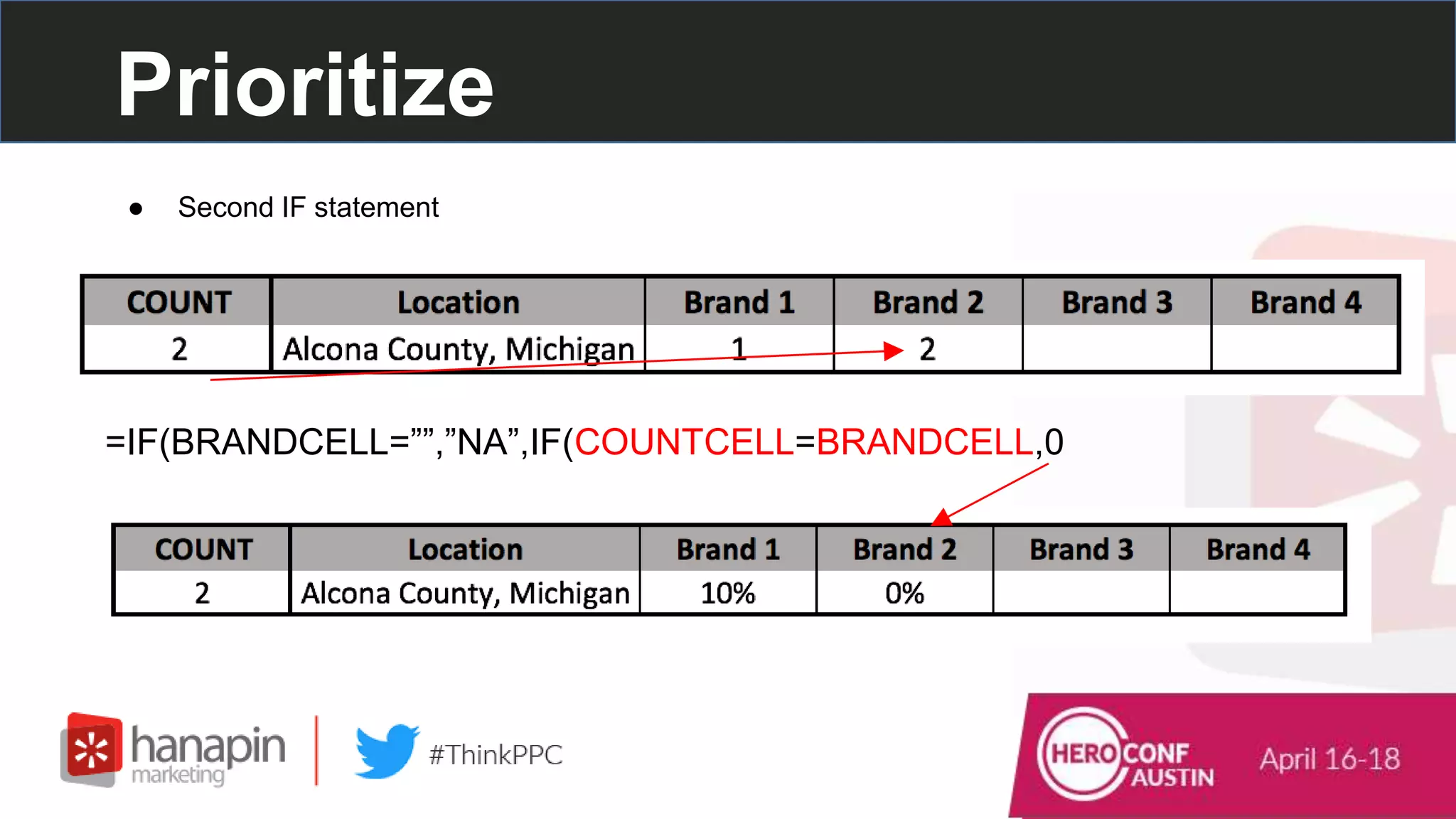
● Second IF statement
=IF(BRANDCELL=””,”NA”,IF(COUNTCELL=BRANDCELL,0
Prioritize
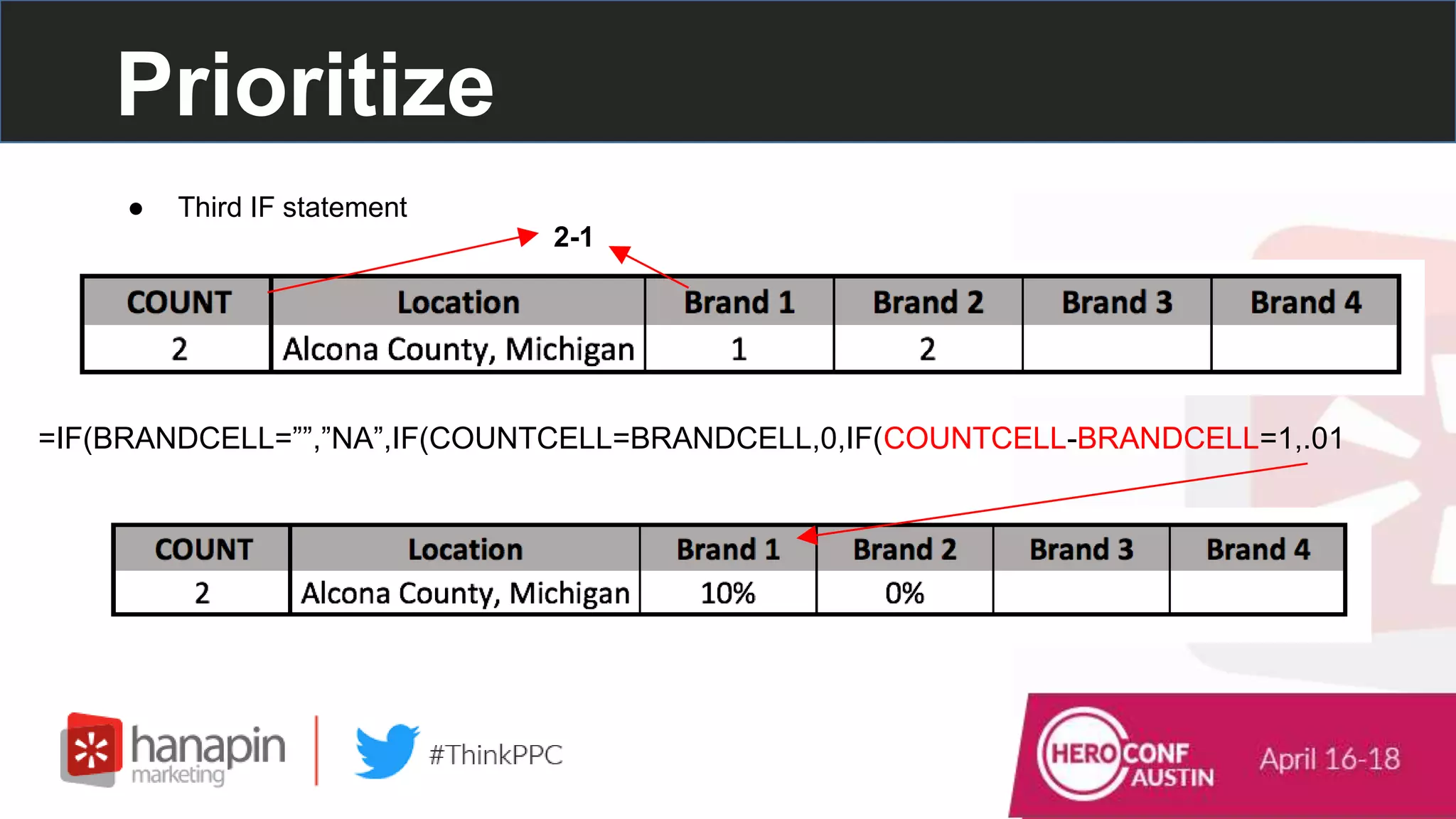
● Third IF statement
=IF(BRANDCELL=””,”NA”,IF(COUNTCELL=BRANDCELL,0,IF(COUNTCELL-BRANDCELL=1,.01
2-1
Prioritize
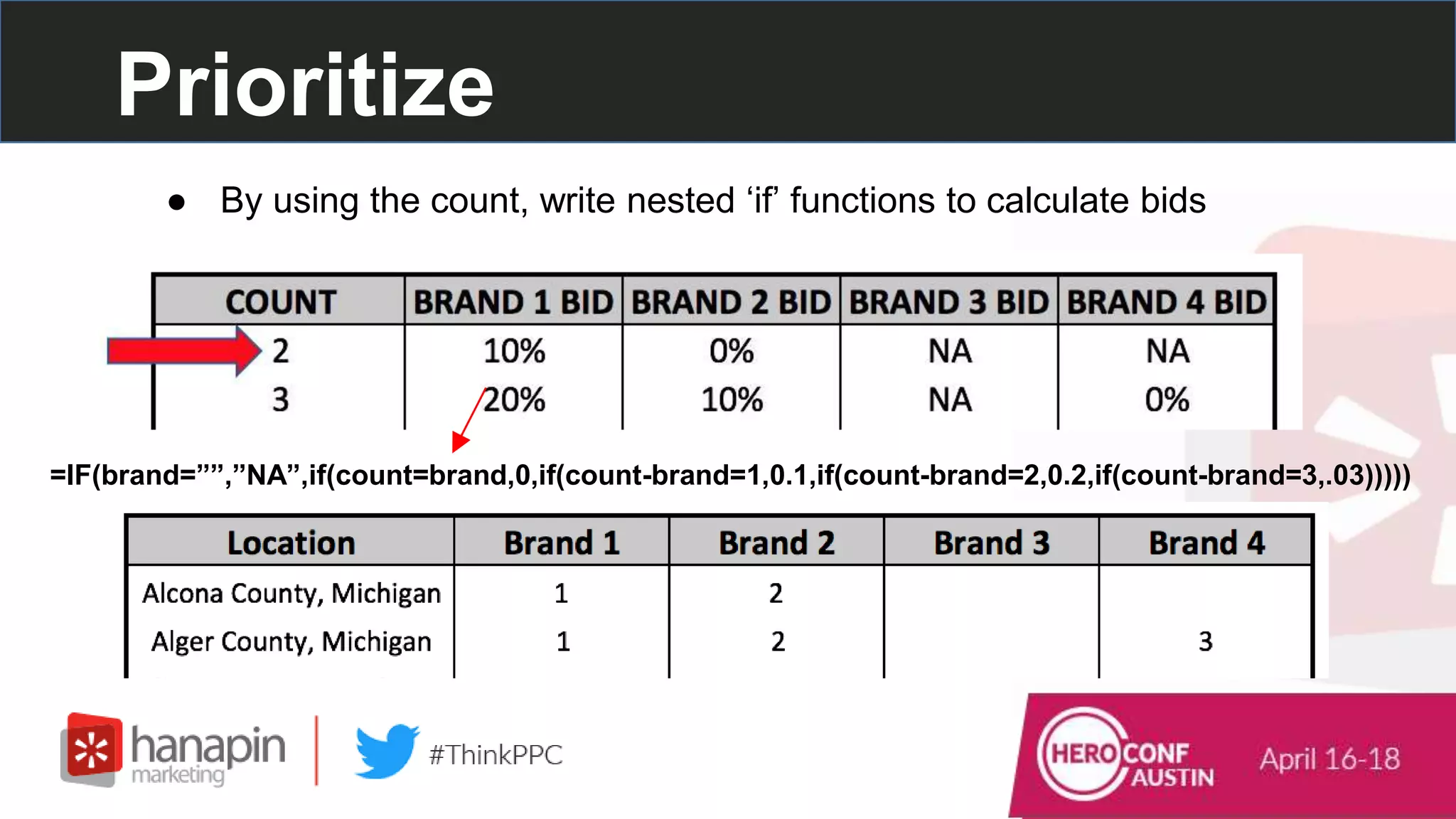
● By using the count, write nested ‘if’ functions to calculate bids
=IF(brand=””,”NA”,if(count=brand,0,if(count-brand=1,0.1,if(count-brand=2,0.2,if(count-brand=3,.03)))))
Prioritize
● Bids for all markets that allow for more control within the auction
Prioritize
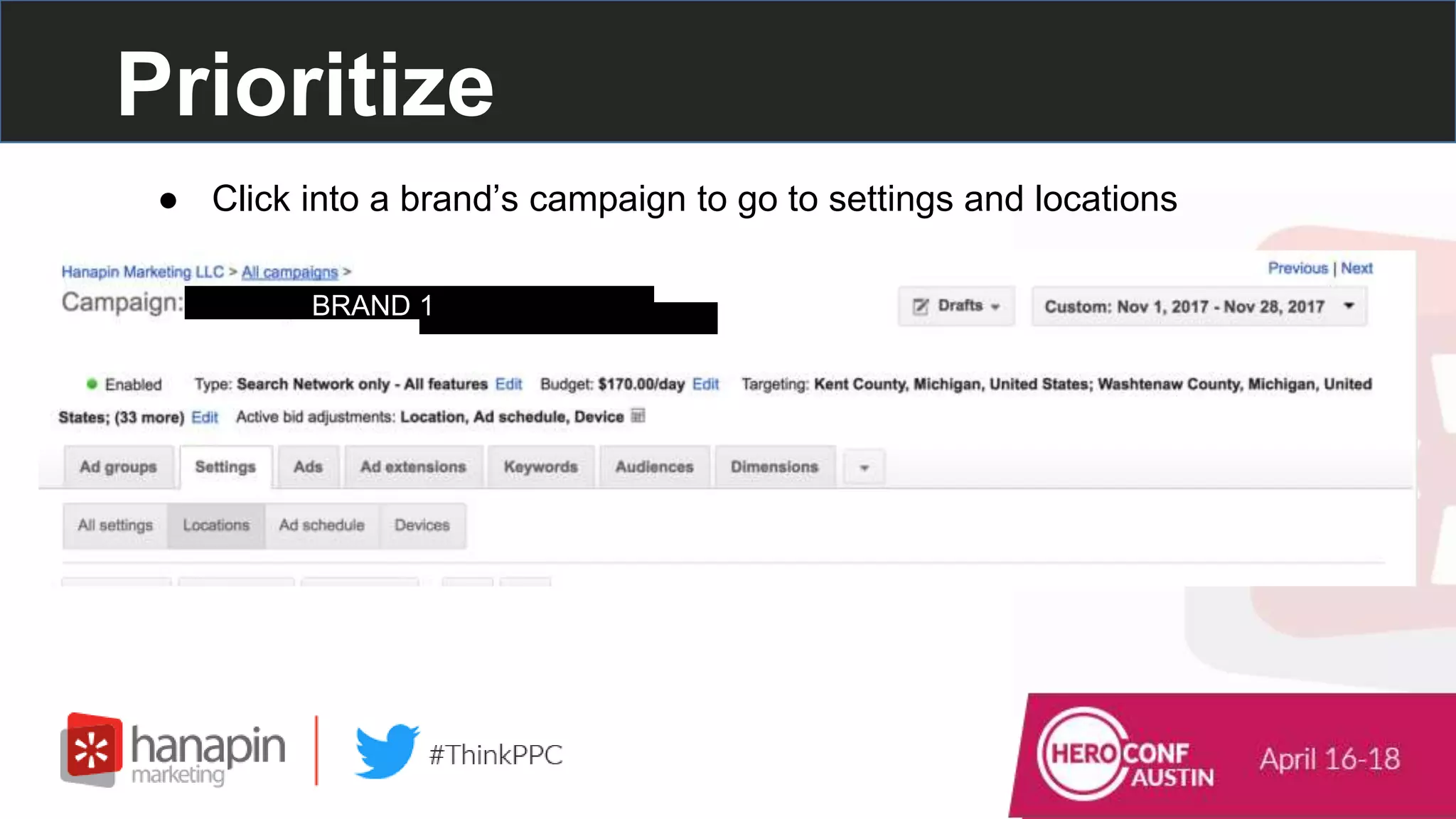
● Click into a brand’s campaign to go to settings and locations
BRAND 1
Prioritize
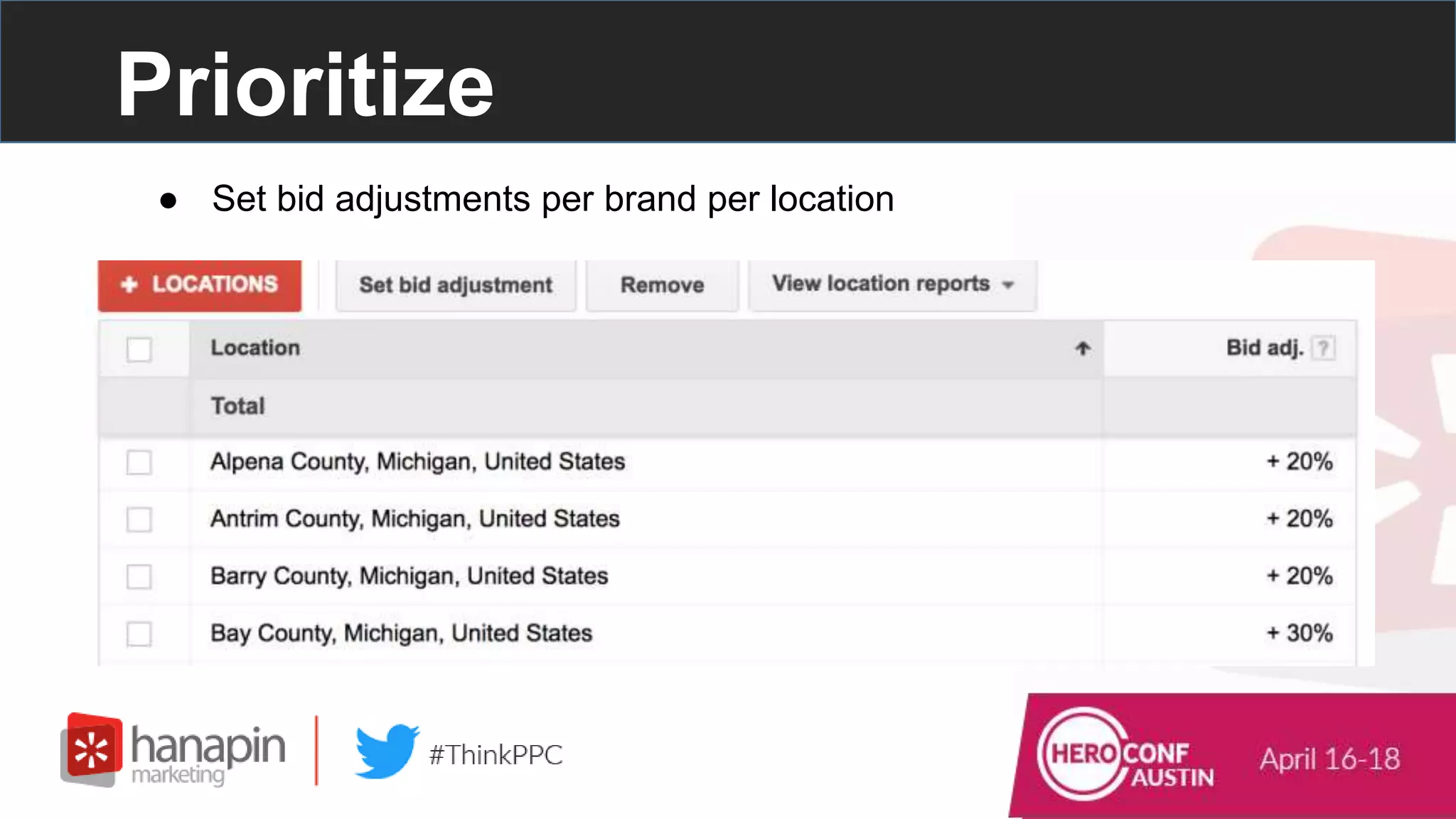
● Set bid adjustments per brand per location
#thinkppc
How To Use LookUp
Functions to Automate
Bidding
Create A Bid Table
EXAMPLE:
Client is in Law - High cpcs, Limited audience
PPC Goals: Profitable Leads + Visibility to a Limited Audience
● Determine Your Account Goals
Create A Bid Table
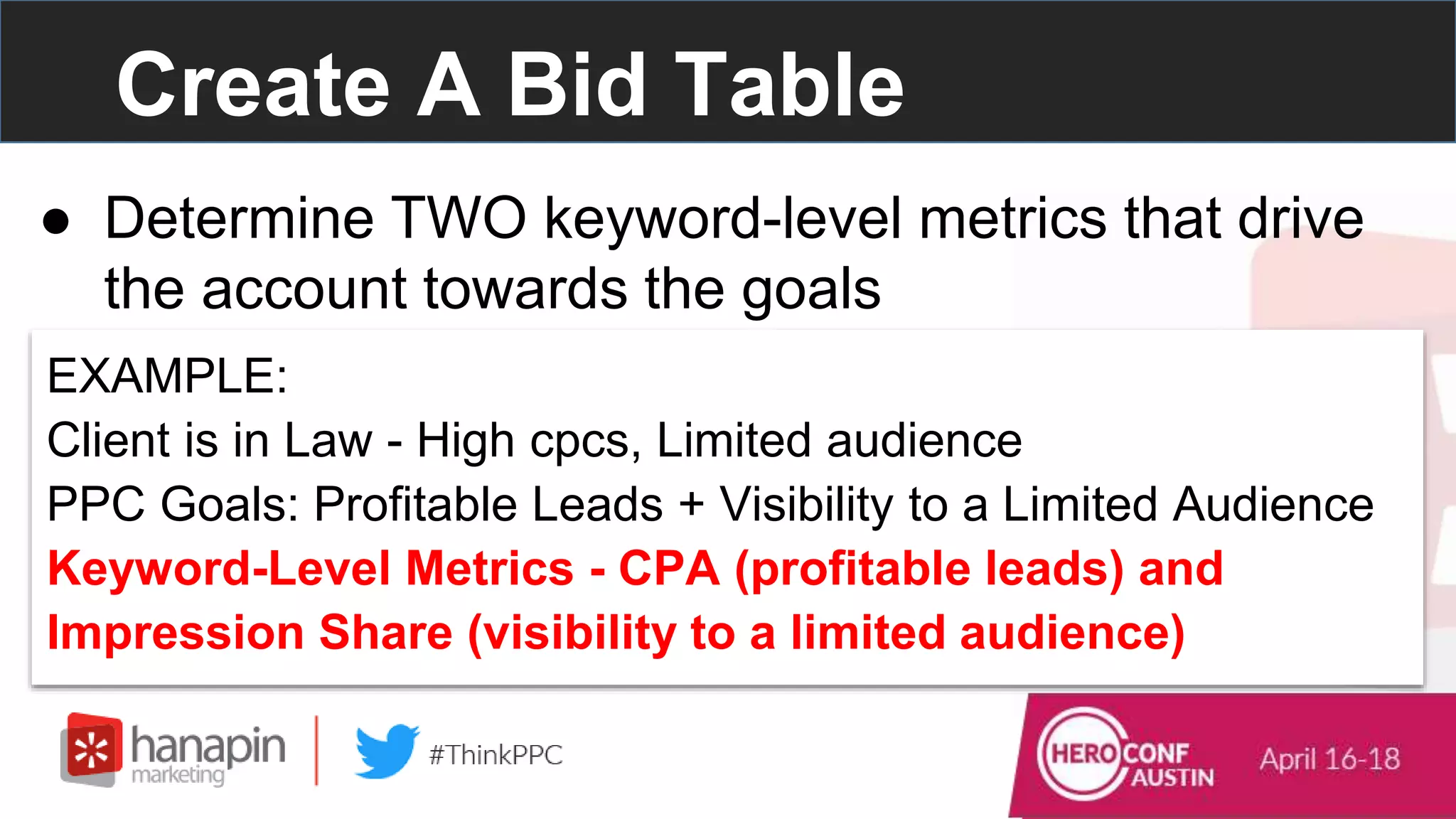
● Determine TWO keyword-level metrics that drive
the account towards the goals
EXAMPLE:
Client is in Law - High cpcs, Limited audience
PPC Goals: Profitable Leads + Visibility to a Limited Audience
Keyword-Level Metrics - CPA (profitable leads) and
Impression Share (visibility to a limited audience)
Create A Bid Table
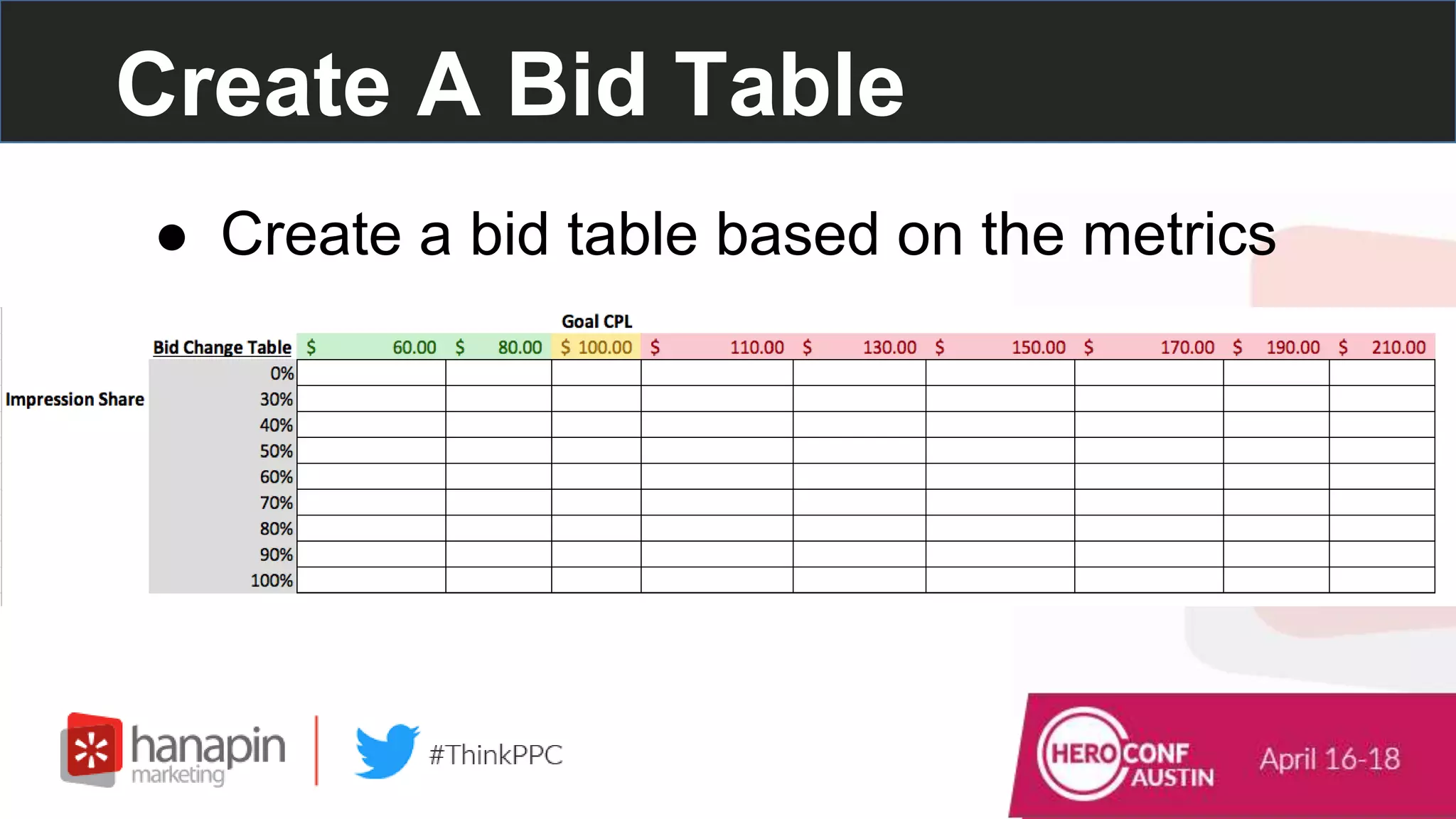
● Create a bid table based on the metrics
Create A Bid Table
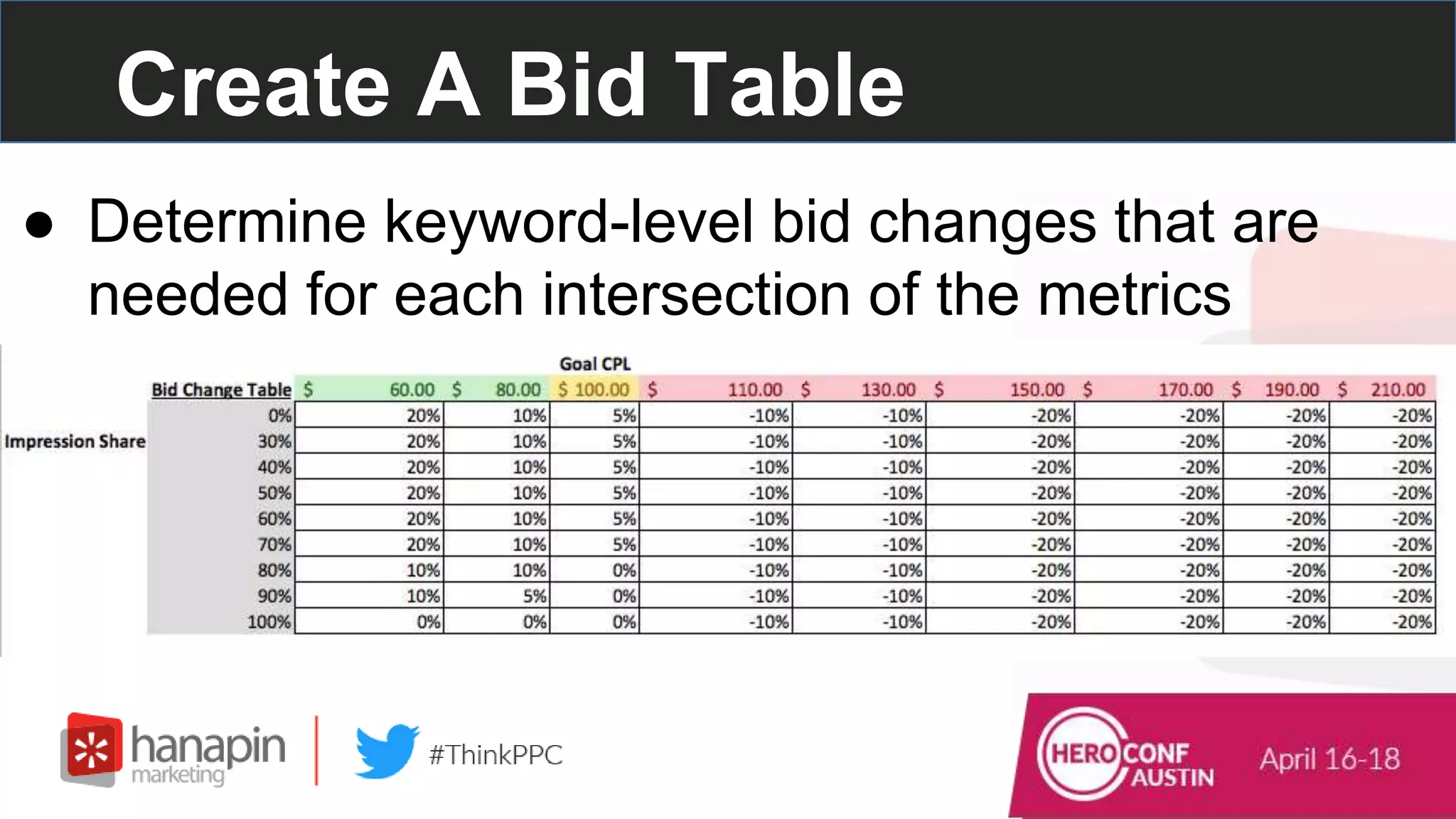
● Determine keyword-level bid changes that are
needed for each intersection of the metrics
Use an Index Function w/ the
Table
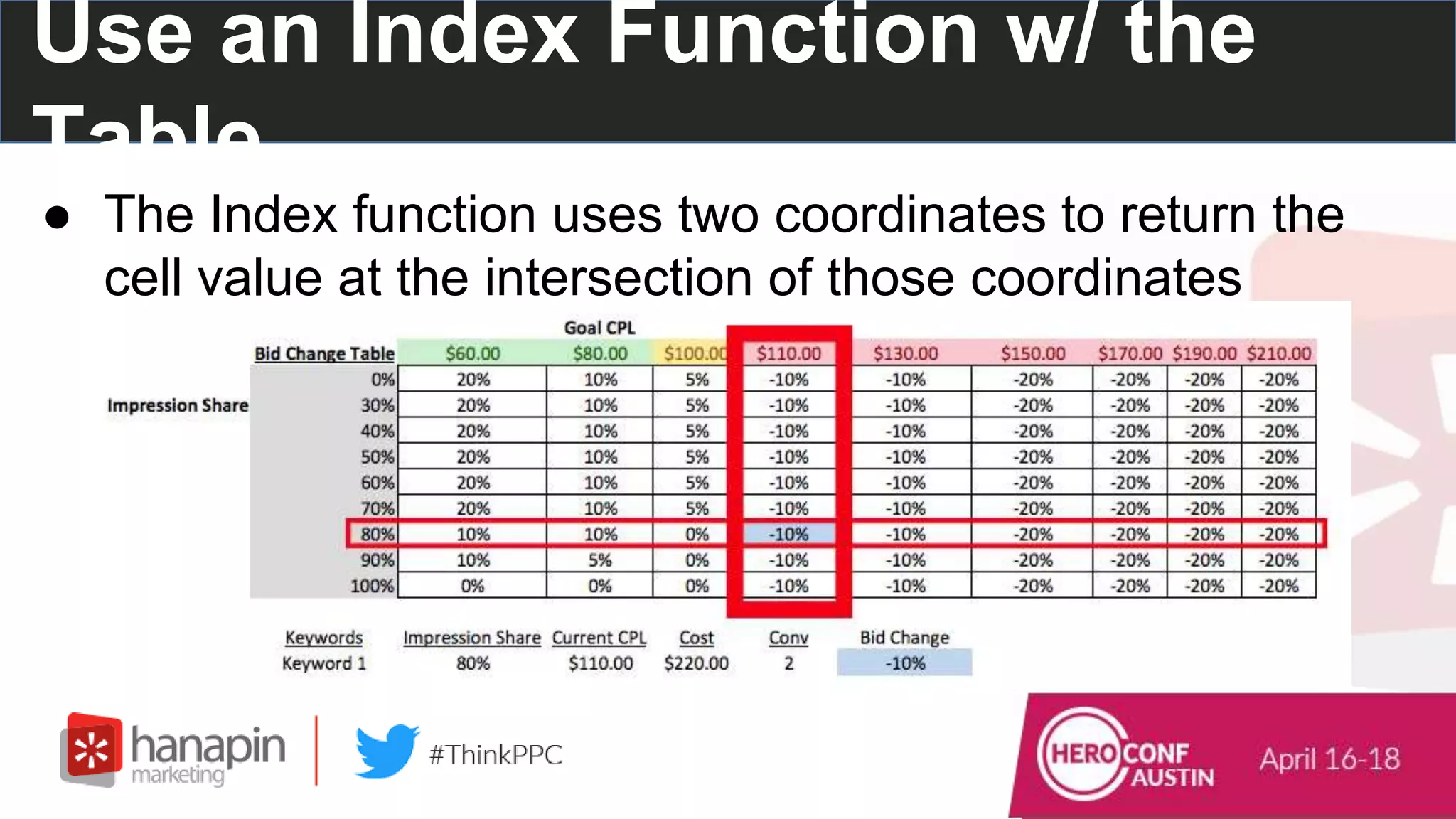
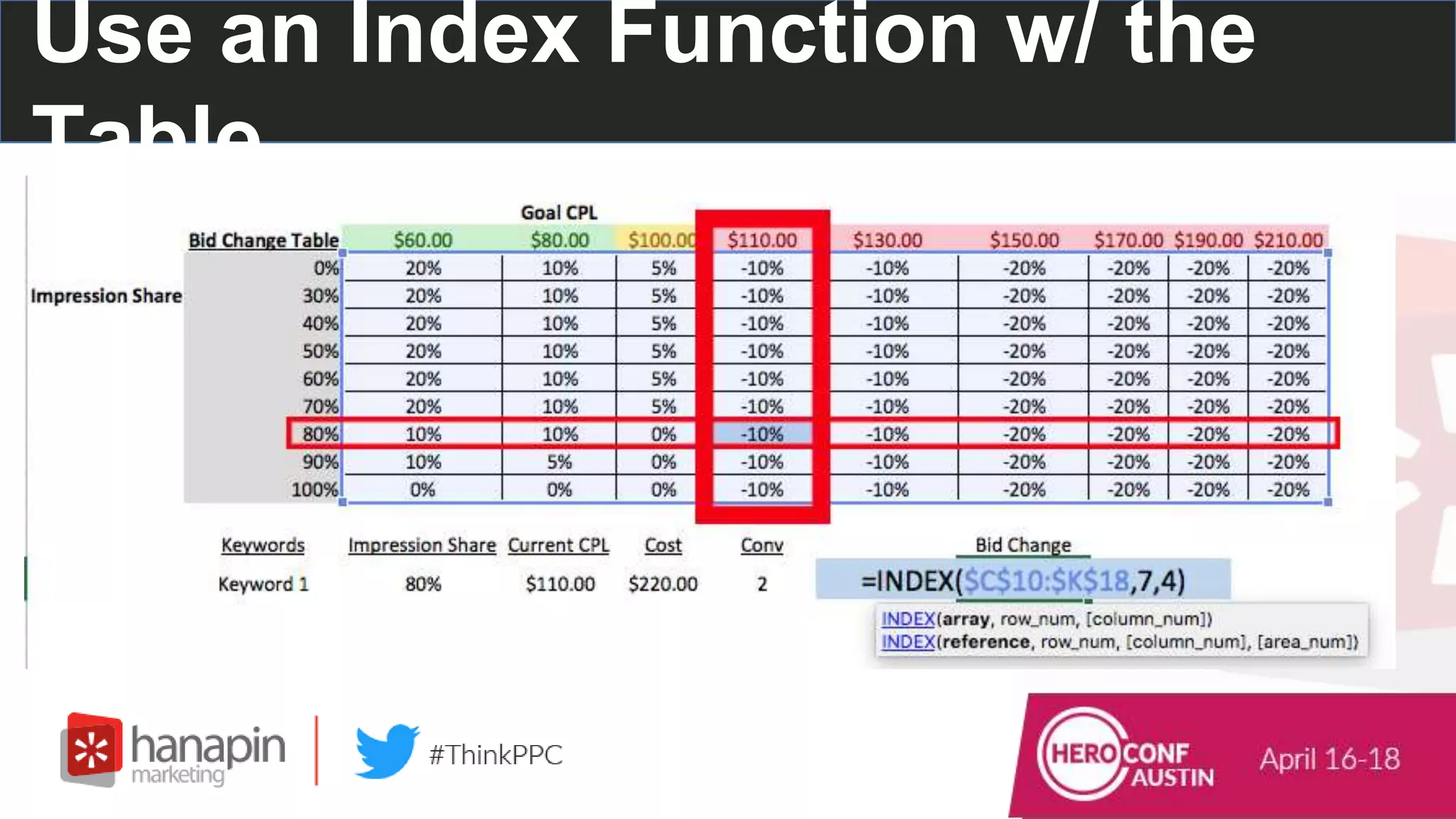
● The Index function uses two coordinates to return the
cell value at the intersection of those coordinates
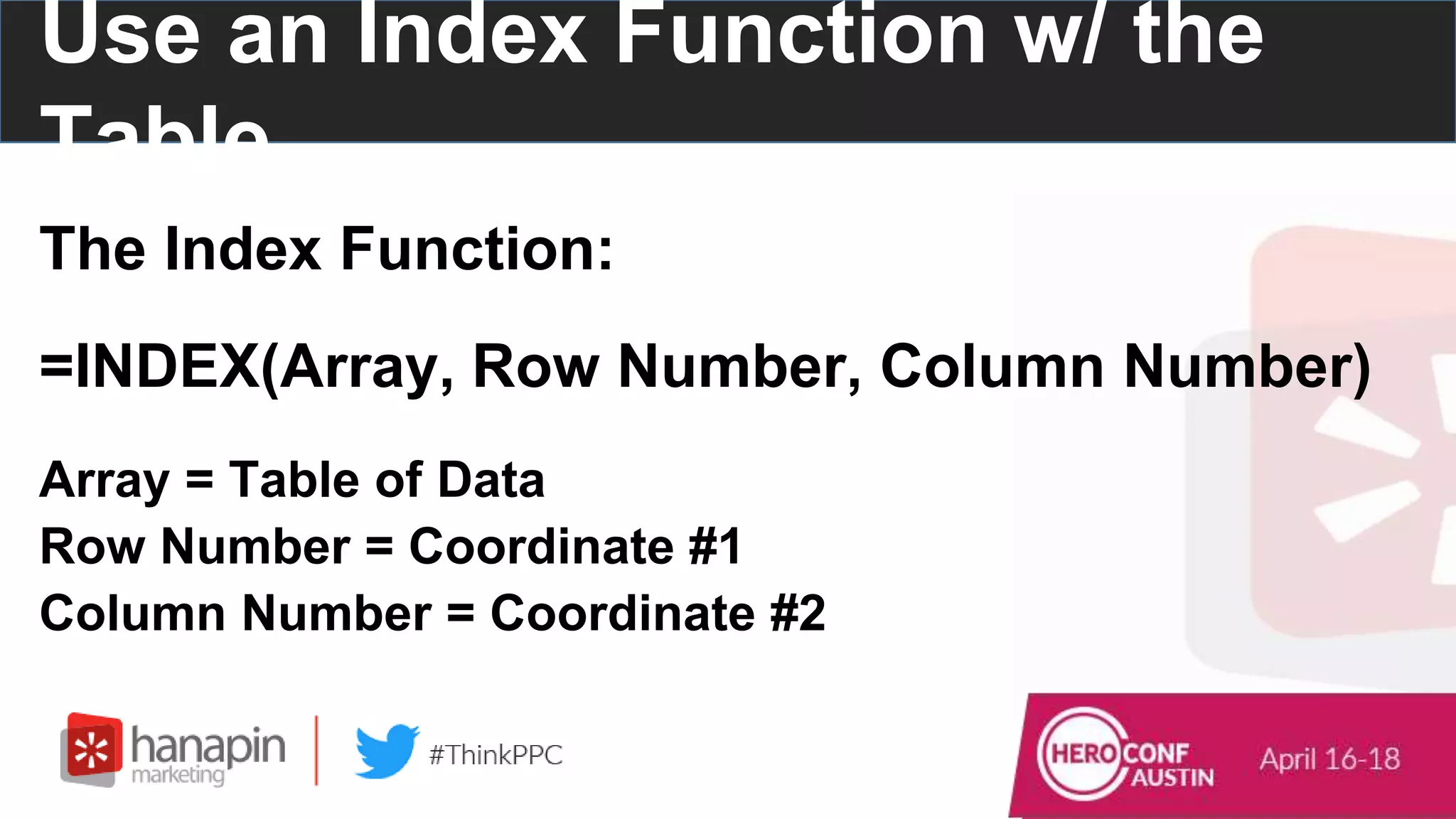
The Index Function:
=INDEX(Array, Row Number, Column Number)
Array = Table of Data
Row Number = Coordinate #1
Column Number = Coordinate #2
Use an Index Function w/ the
Table
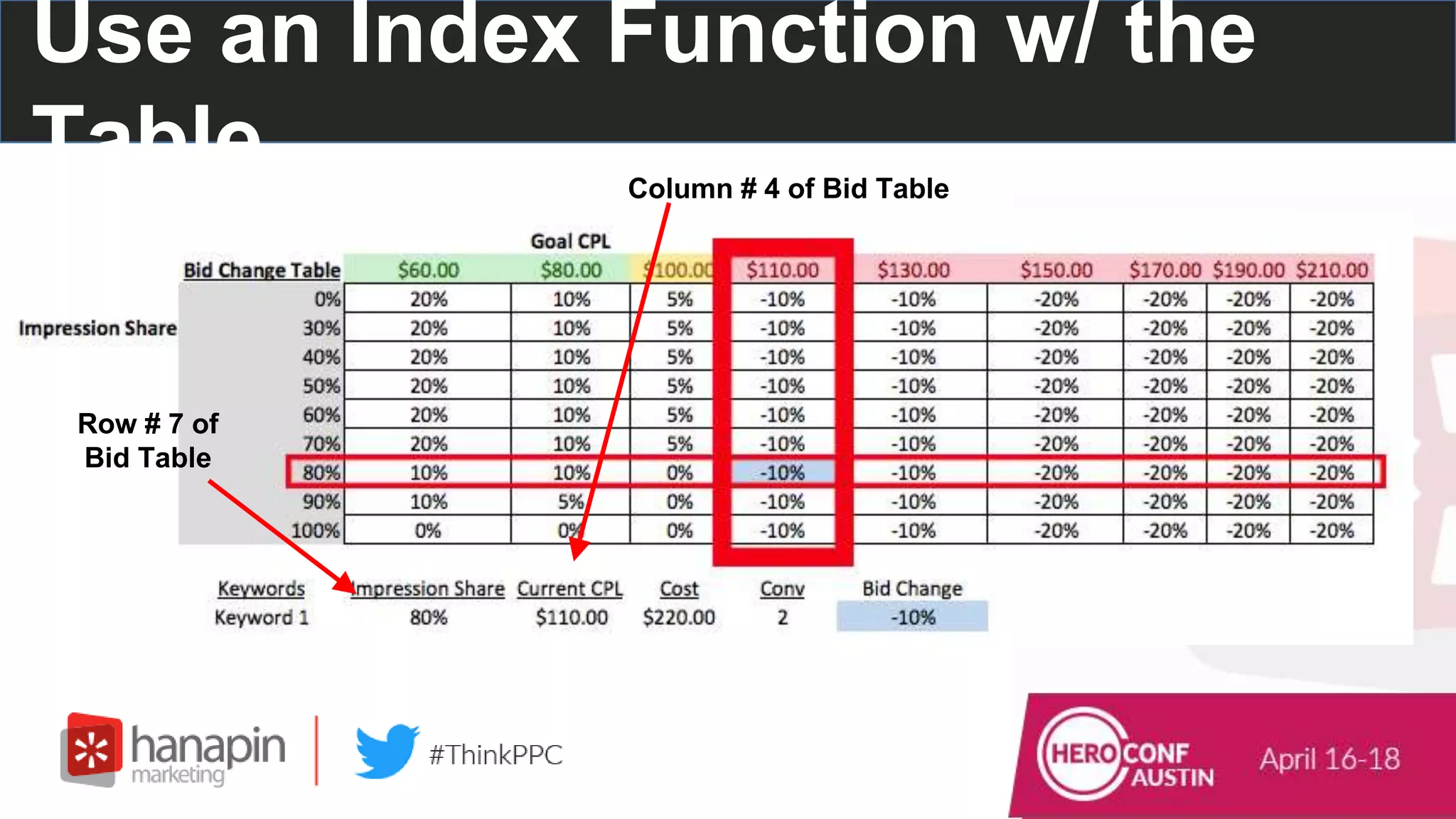
Column # 4 of Bid Table
Row # 7 of
Bid Table
Use an Index Function w/ the
Table
Use an Index Function w/ the
Table
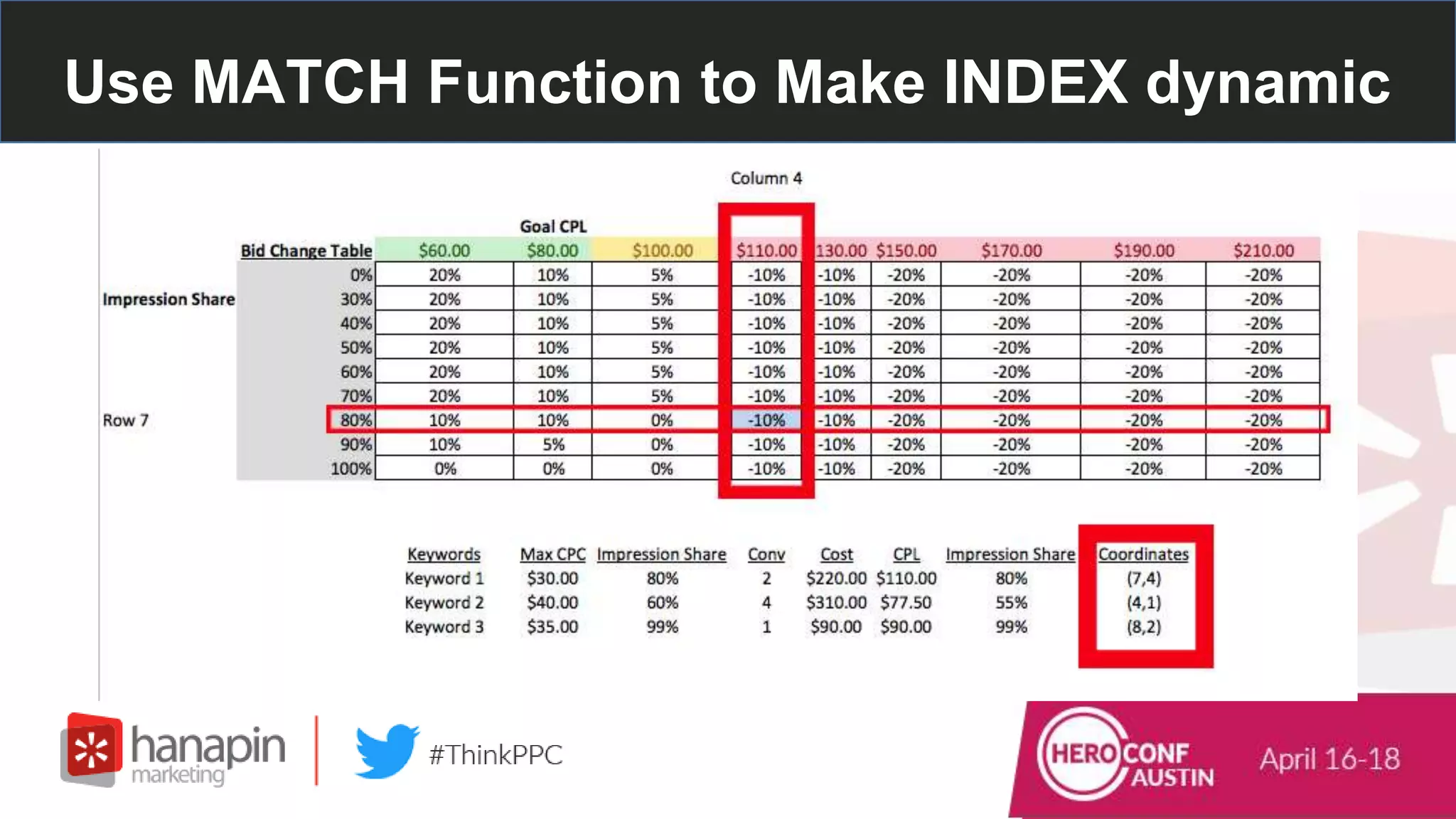
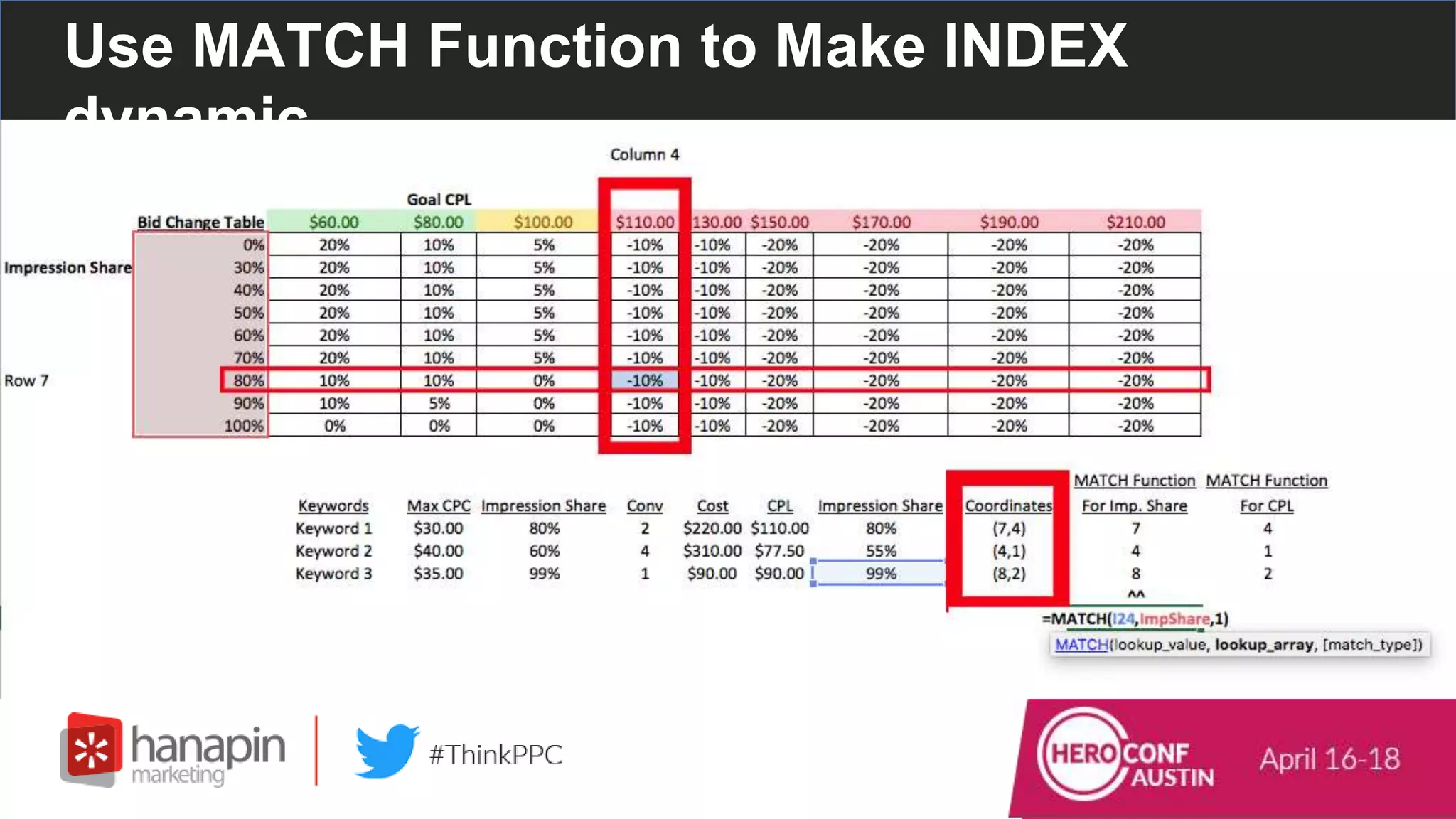
Use MATCH Function to Make INDEX dynamic
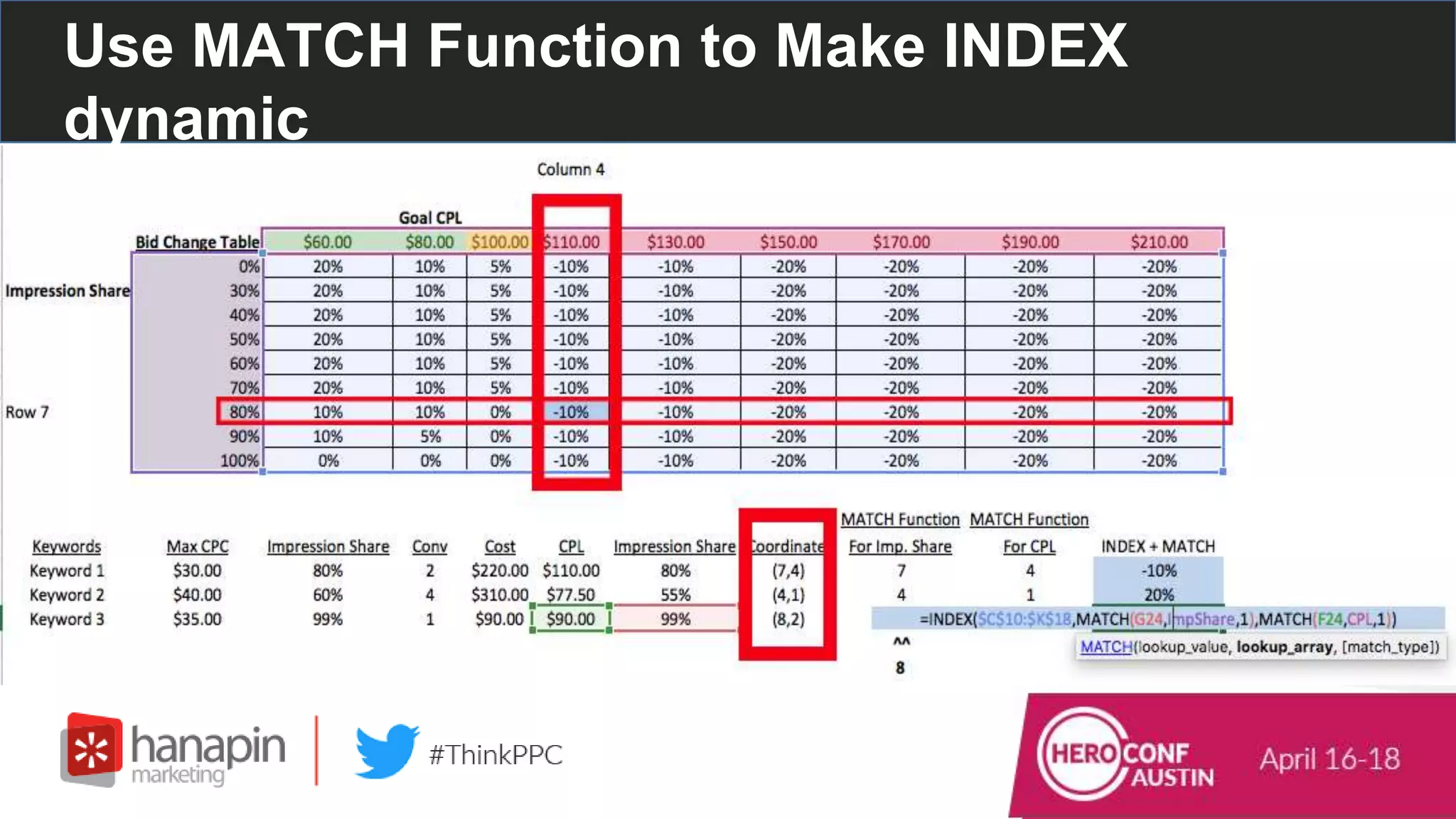
Use MATCH Function to Make INDEX
dynamic
The Match Function: Finds the position of a value
within ONE row or column
=MATCH(LookUp_Value, LookUp_Array, [Match_Type])
LookUp_Value = Value You’re Looking For
LookUp_Array = The single Row OR Column where you’re
looking for that LookUp_Value
Use MATCH Function to Make INDEX
dynamic
The Match Function:
=MATCH(LookUp_Value, LookUp_Array,
[Match_Type])
Use MATCH Function to Make INDEX
dynamic
Use MATCH Function to Make INDEX
dynamic
100
26%
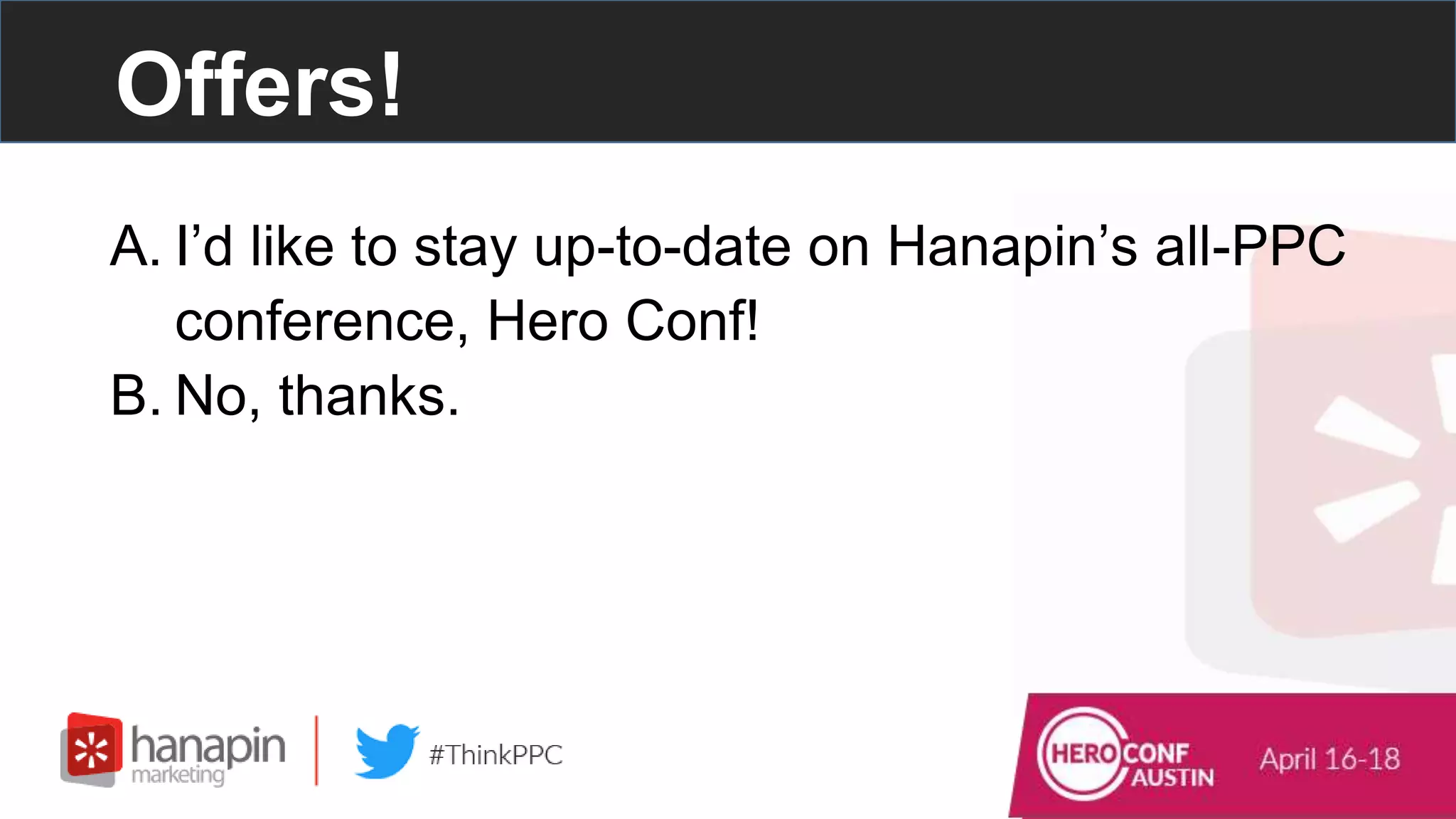
Offers!
A. I’d like to stay up-to-date on Hanapin’s all-PPC
conference, Hero Conf!
B. No, thanks.
Live Q&A Time!
#thinkppc
Thank you for attending our webinar!
#thinkppc
Contact Hanapin Directly: marketing@hanapinmarketing.com
Hanapin Marketing | The PPC Agency of Experts Behind PPC Hero and Hero Conf

How to Beat Automated Bidding with Excel

  • 1.
    1 www.dublindesign.com How to BeatAutomated Bidding with Excel HOSTED BY:
  • 2.
    Presenters • Alaina Thompson –Account Manager – PPC Hero Blogger – @AlainaPThompson • Lara Lowery – Account Manager – PPC Hero Blogger
  • 3.
    – Run theworld’s most popular PPC blog and conference. – We manage and optimize global paid search, paid social, and display programs. – Within 12 months, brands can expect a 250% increase in their growth trajectory. Who is Hanapin?
  • 4.
  • 5.
    Join the Conversation Includethe hashtag #thinkppc in your Twitter tweets. Or use the webinar question box to send us questions.
  • 6.
    Live Poll Question#1 How long have you been in PPC? #thinkppc A. Less than 1 year B. 1-3 years C. 3-5 years D. 5+ years
  • 7.
    #thinkppc How To UseNested If Functions To Manage Brand Priorities
  • 8.
    Prioritize ● So manybrands, so little space - which will win?
  • 9.
    Prioritize ● Give eachbrand a priority in each geo
  • 10.
    Prioritize ● Count eachbrand in each geo
  • 11.
    Prioritize ● Use priorityand count to figure out bid increases
  • 12.
    Prioritize If Functions: =IF(logical_test,[value iftrue],[value if false]) Logical_test = a logical expression that can be evaluated as TRUE or FALSE Value_if_true = value to return when logical_test evaluates to TRUE Value_if_false = value to return when logical_test evaluates to FALSE
  • 13.
    Prioritize ● Focus onthe first IF statement =IF(BRAND CELL=””,”NA”,
  • 14.
    Prioritize ● Second IFstatement =IF(BRANDCELL=””,”NA”,IF(COUNTCELL=BRANDCELL,0
  • 15.
    Prioritize ● Third IFstatement =IF(BRANDCELL=””,”NA”,IF(COUNTCELL=BRANDCELL,0,IF(COUNTCELL-BRANDCELL=1,.01 2-1
  • 16.
    Prioritize ● By usingthe count, write nested ‘if’ functions to calculate bids =IF(brand=””,”NA”,if(count=brand,0,if(count-brand=1,0.1,if(count-brand=2,0.2,if(count-brand=3,.03)))))
  • 17.
    Prioritize ● Bids forall markets that allow for more control within the auction
  • 18.
    Prioritize ● Click intoa brand’s campaign to go to settings and locations BRAND 1
  • 19.
    Prioritize ● Set bidadjustments per brand per location
  • 20.
    #thinkppc How To UseLookUp Functions to Automate Bidding
  • 21.
    Create A BidTable EXAMPLE: Client is in Law - High cpcs, Limited audience PPC Goals: Profitable Leads + Visibility to a Limited Audience ● Determine Your Account Goals
  • 22.
    Create A BidTable ● Determine TWO keyword-level metrics that drive the account towards the goals EXAMPLE: Client is in Law - High cpcs, Limited audience PPC Goals: Profitable Leads + Visibility to a Limited Audience Keyword-Level Metrics - CPA (profitable leads) and Impression Share (visibility to a limited audience)
  • 23.
    Create A BidTable ● Create a bid table based on the metrics
  • 24.
    Create A BidTable ● Determine keyword-level bid changes that are needed for each intersection of the metrics
  • 25.
    Use an IndexFunction w/ the Table ● The Index function uses two coordinates to return the cell value at the intersection of those coordinates
  • 26.
    The Index Function: =INDEX(Array,Row Number, Column Number) Array = Table of Data Row Number = Coordinate #1 Column Number = Coordinate #2 Use an Index Function w/ the Table
  • 27.
    Column # 4of Bid Table Row # 7 of Bid Table Use an Index Function w/ the Table
  • 28.
    Use an IndexFunction w/ the Table
  • 29.
    Use MATCH Functionto Make INDEX dynamic
  • 30.
    Use MATCH Functionto Make INDEX dynamic The Match Function: Finds the position of a value within ONE row or column =MATCH(LookUp_Value, LookUp_Array, [Match_Type]) LookUp_Value = Value You’re Looking For LookUp_Array = The single Row OR Column where you’re looking for that LookUp_Value
  • 31.
    Use MATCH Functionto Make INDEX dynamic The Match Function: =MATCH(LookUp_Value, LookUp_Array, [Match_Type])
  • 32.
    Use MATCH Functionto Make INDEX dynamic
  • 33.
    Use MATCH Functionto Make INDEX dynamic
  • 34.
  • 35.
    Offers! A. I’d liketo stay up-to-date on Hanapin’s all-PPC conference, Hero Conf! B. No, thanks.
  • 36.
  • 37.
    #thinkppc Thank you forattending our webinar! #thinkppc Contact Hanapin Directly: marketing@hanapinmarketing.com Hanapin Marketing | The PPC Agency of Experts Behind PPC Hero and Hero Conf