How Any
Institution Can
Get Started on
Retention
Analytics
Speakers
Jeremy Anderson
Assist VP & Dean Analytics & Technology
Transformation
Ashley Muraczewski
Director of Institutional Research and
Effectiveness
Outcomes
Order the steps to an analytics framework and consider local stakeholders involved
in each step
Identify data sources and preparation needs for different data sources
Identify ways to model data and deploy findings
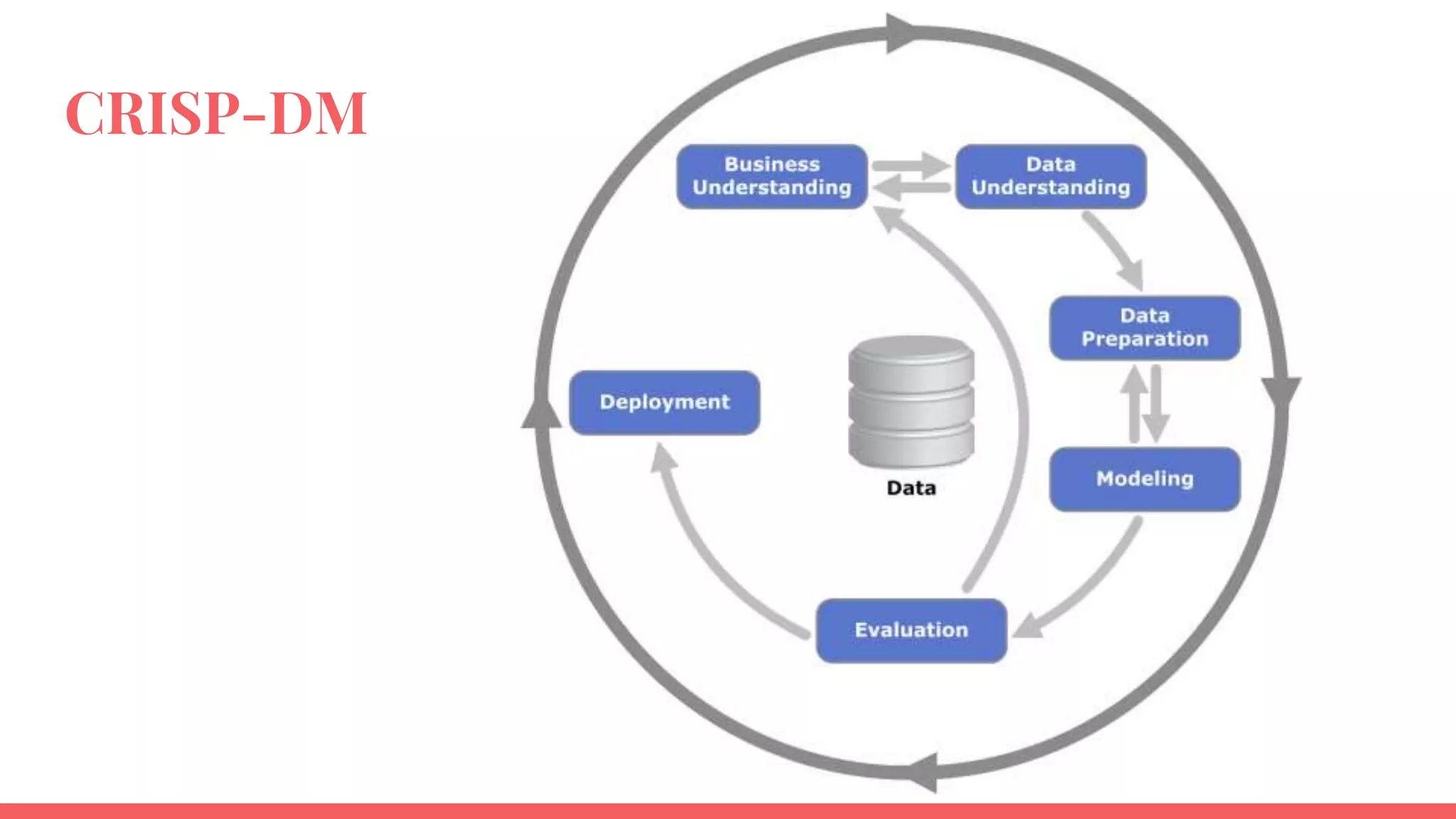
CRISP-DM
Example 1
Thing from the Spring
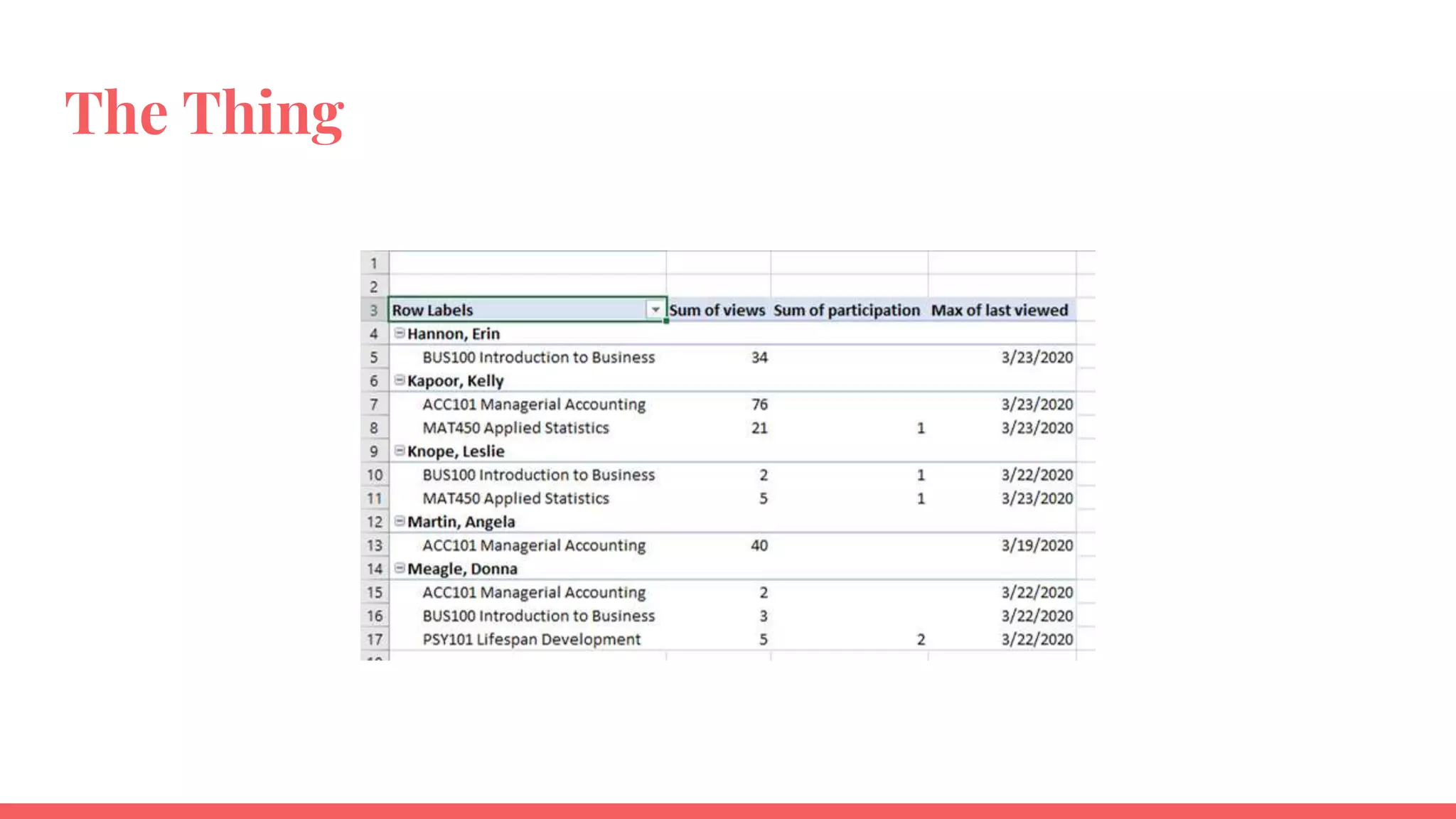
The Thing
Business understanding
We want to be able to reach
out to students who are
struggling with the transition
to online learning during
COVID
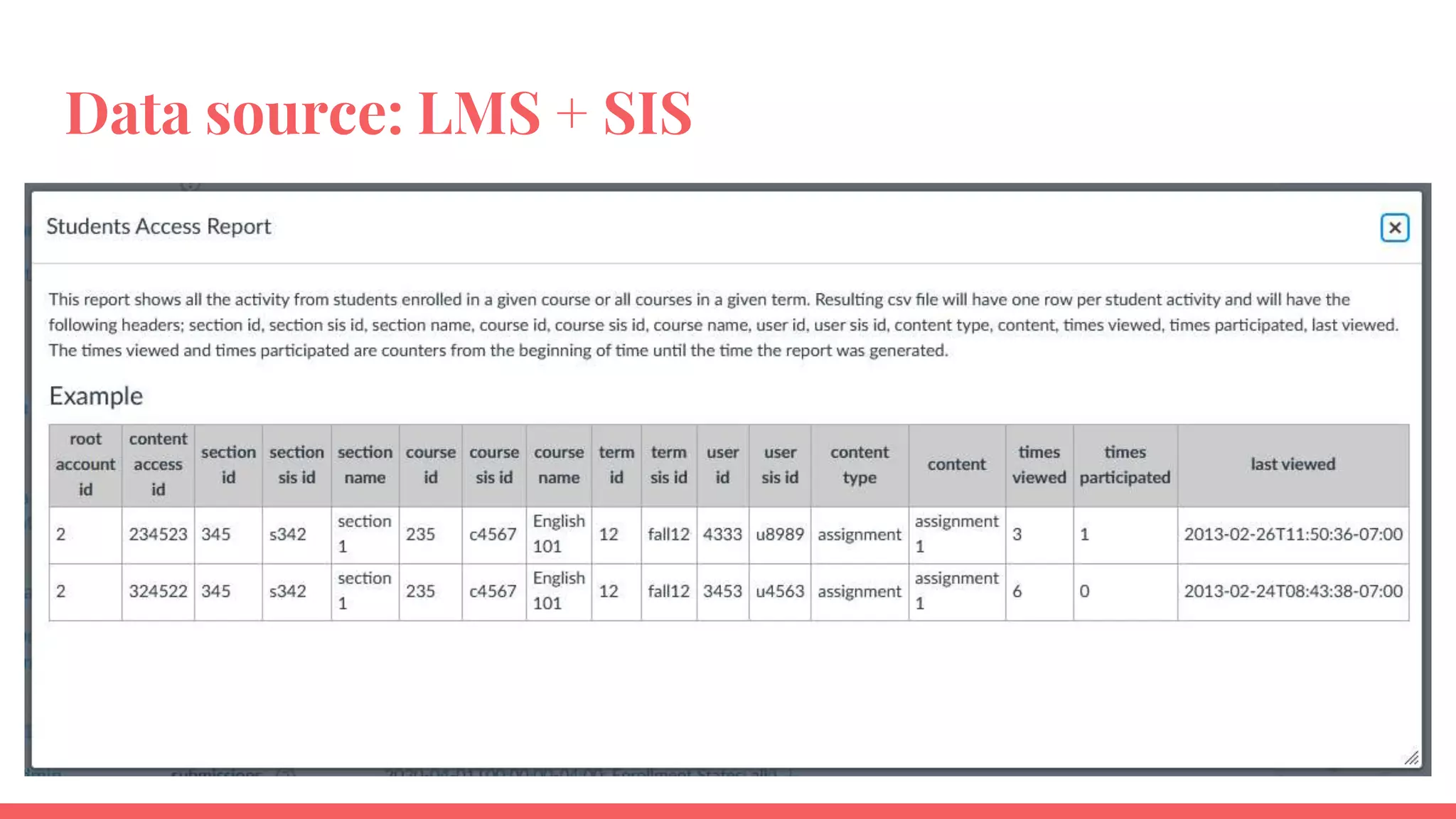
Data source: LMS + SIS
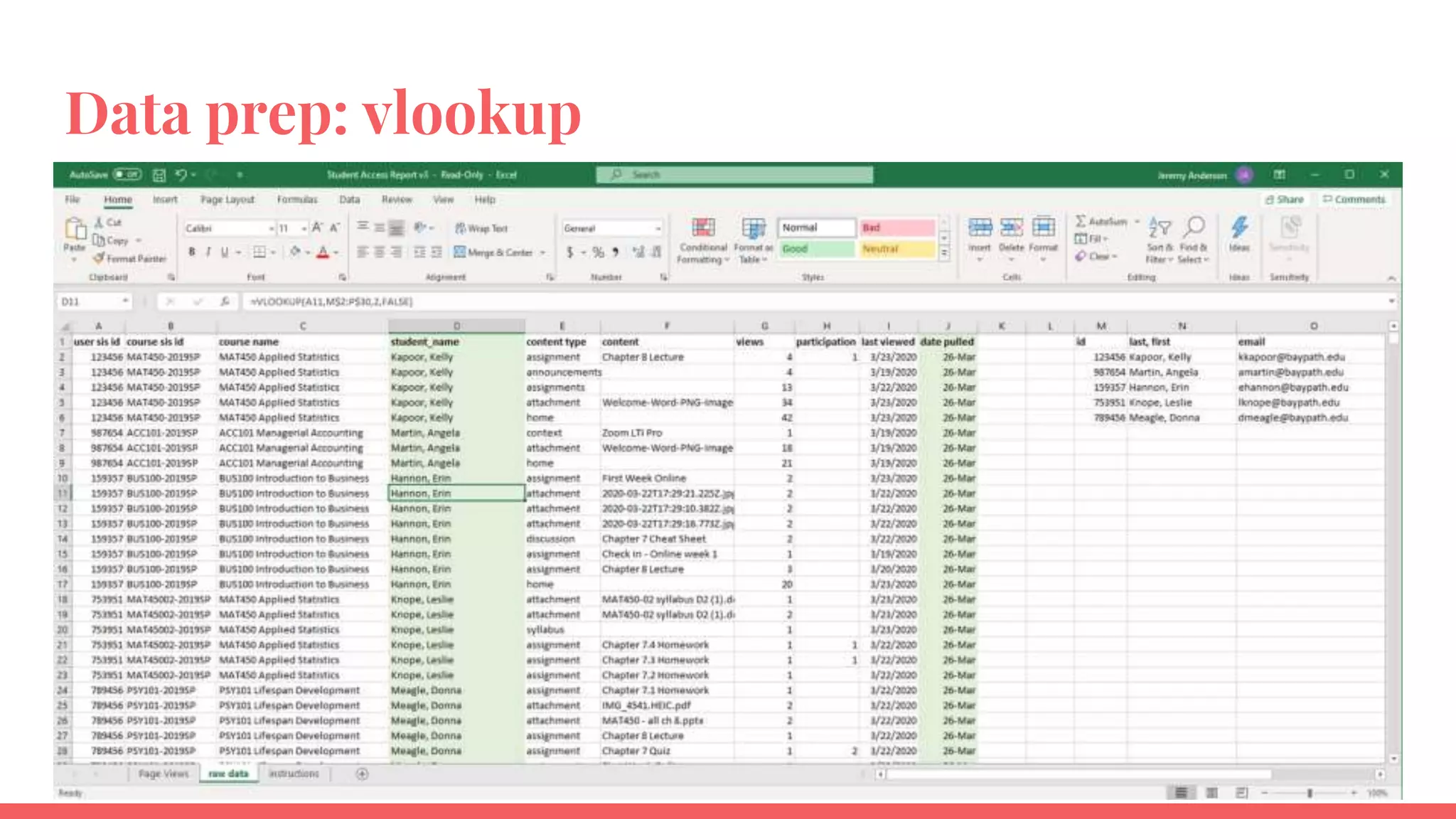
Data prep: vlookup
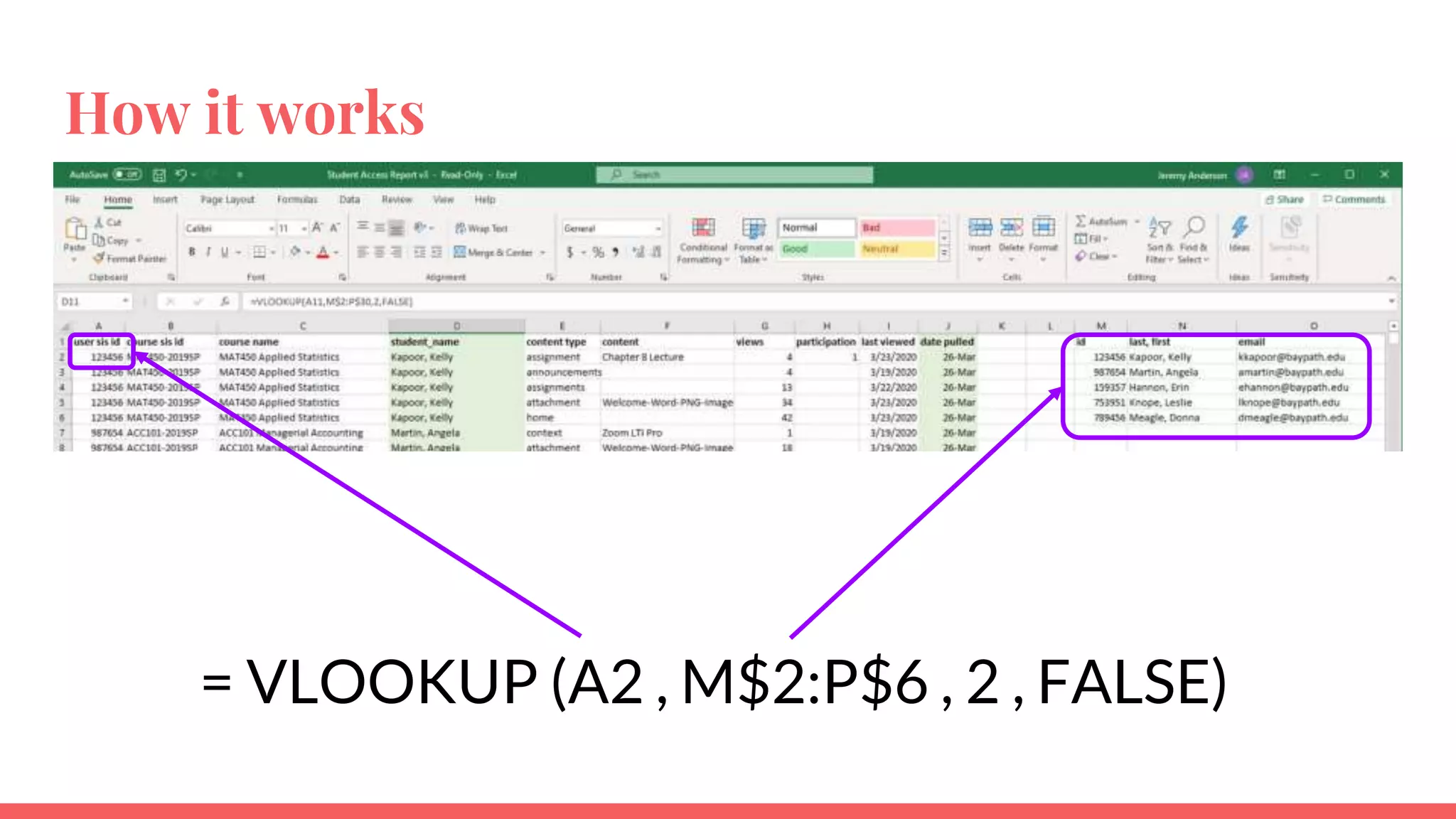
How it works
= VLOOKUP (A2 , M$2:P$6 , 2 , FALSE)
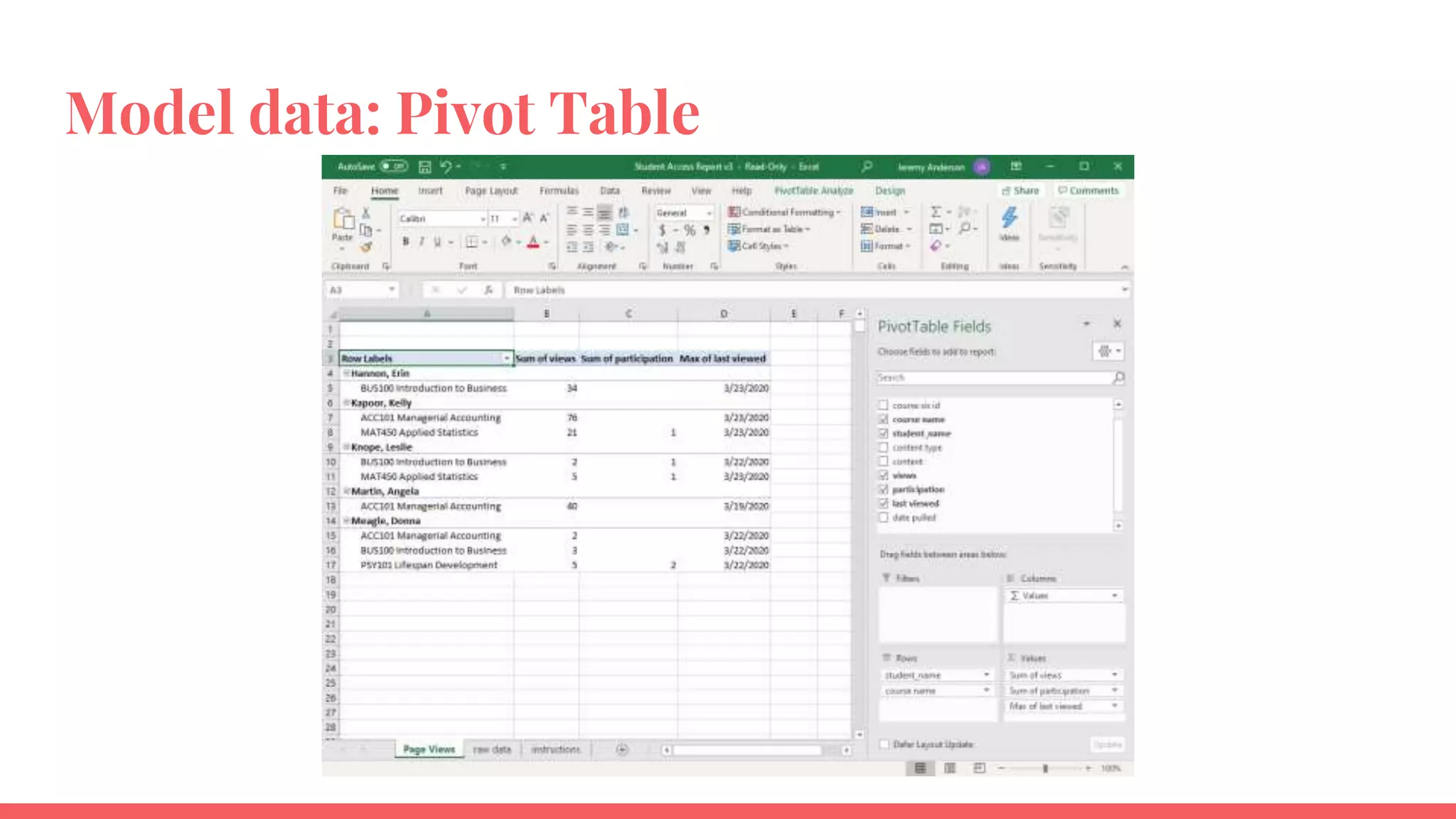
Model data: Pivot Table
Evaluate + Deploy
Spot checked data on the analytics team
Called together stakeholders to demonstrate
Made some tweaks to appearance
Deployed weekly as a pivot table
Example 2
Predictive Model for Persistence
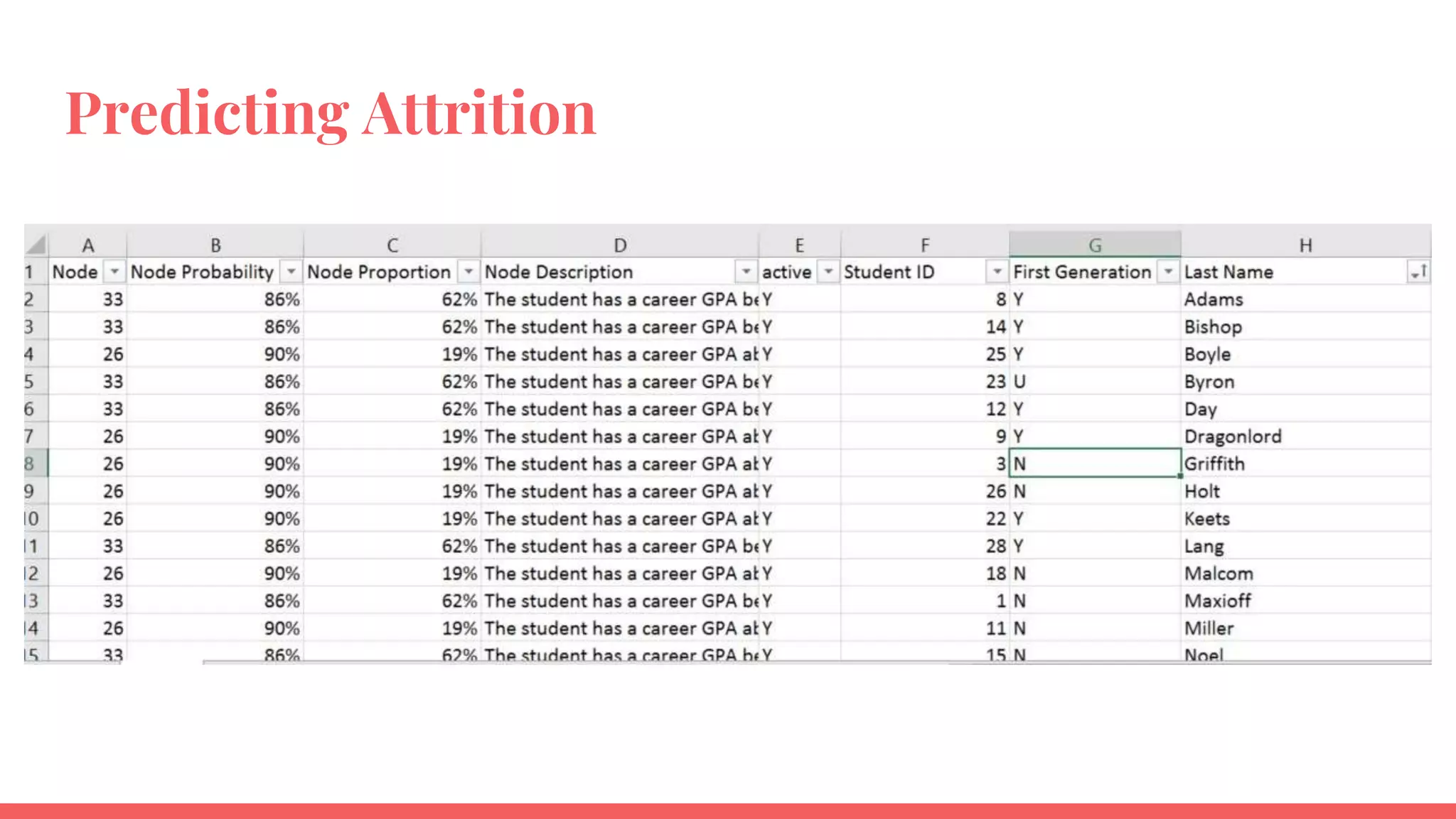
Predicting Attrition
Business understanding
We want to know which
students are most likely to attrit
before graduating so we can
target outreach
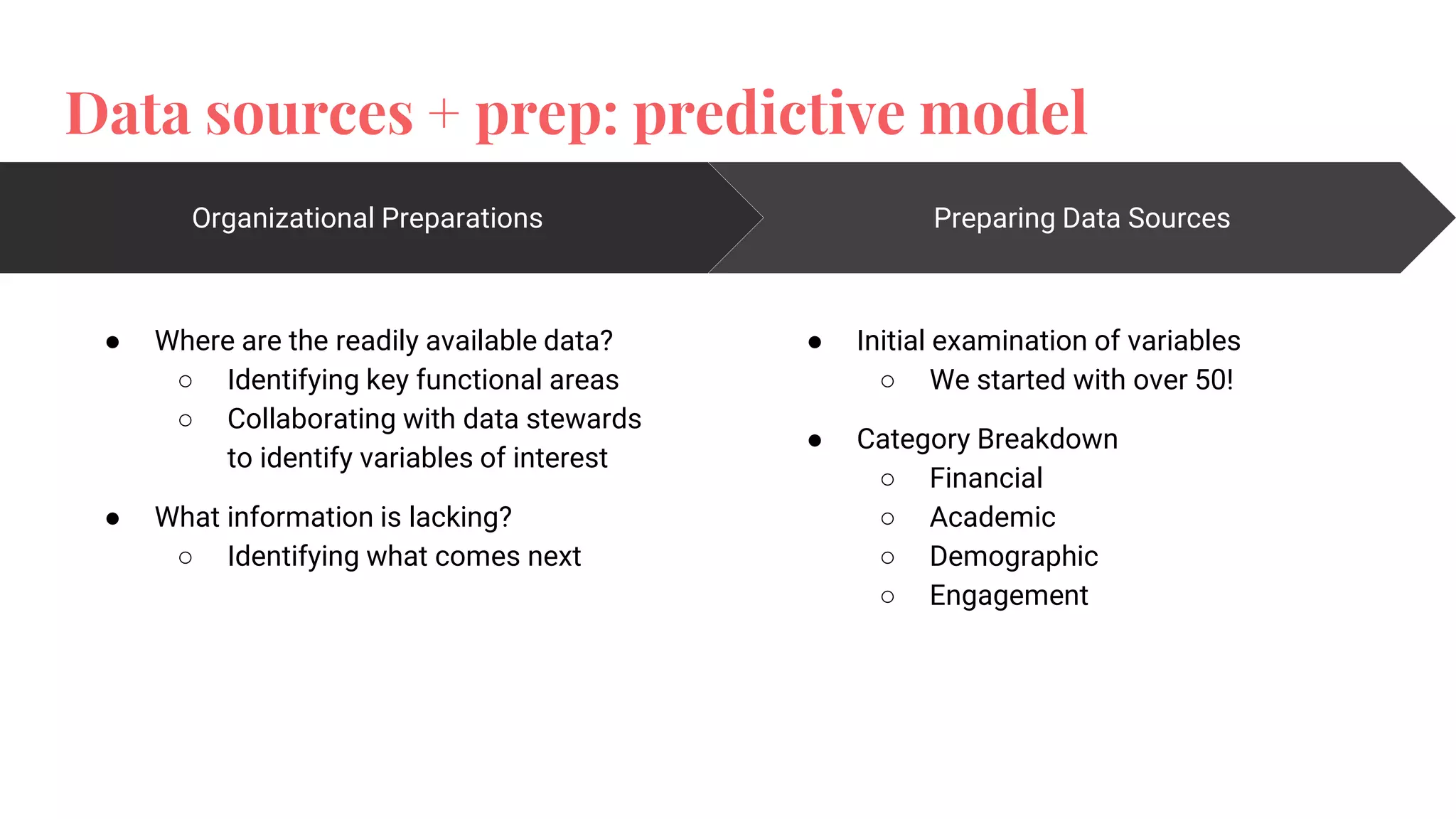
Data sources + prep: predictive model
Organizational Preparations
● Where are the readily available data?
○ Identifying key functional areas
○ Collaborating with data stewards
to identify variables of interest
● What information is lacking?
○ Identifying what comes next
Preparing Data Sources
● Initial examination of variables
○ We started with over 50!
● Category Breakdown
○ Financial
○ Academic
○ Demographic
○ Engagement
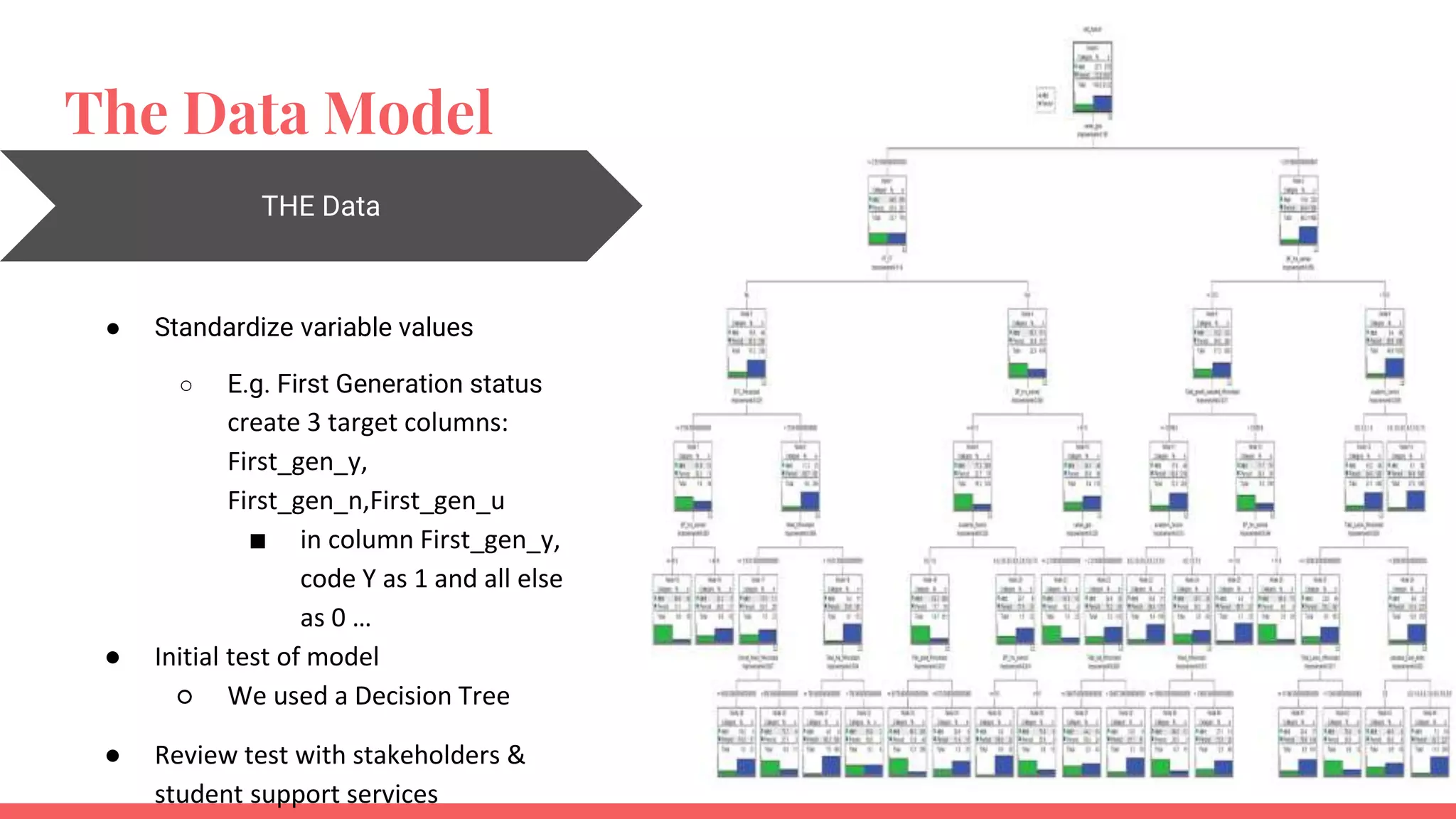
The Data Model
THE Data
● Standardize variable values
○ E.g. First Generation status
create 3 target columns:
First_gen_y,
First_gen_n,First_gen_u
■ in column First_gen_y,
code Y as 1 and all else
as 0 …
● Initial test of model
○ We used a Decision Tree
● Review test with stakeholders &
student support services
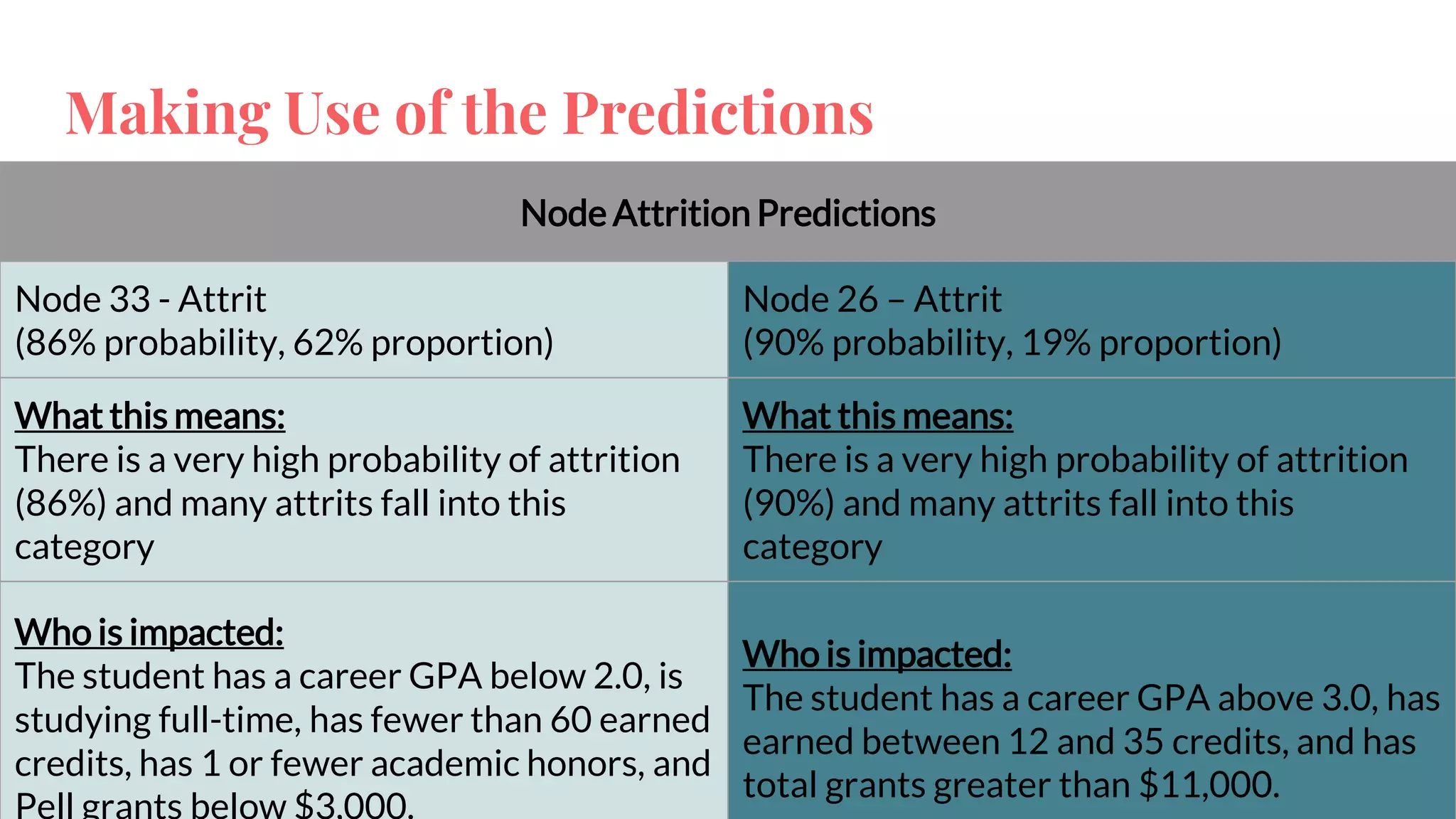
Making Use of the Predictions
Node Attrition Predictions
Node 33 - Attrit
(86% probability, 62% proportion)
Node 26 – Attrit
(90% probability, 19% proportion)
What this means:
There is a very high probability of attrition
(86%) and many attrits fall into this
category
What this means:
There is a very high probability of attrition
(90%) and many attrits fall into this
category
Who is impacted:
The student has a career GPA below 2.0, is
studying full-time, has fewer than 60 earned
credits, has 1 or fewer academic honors, and
Who is impacted:
The student has a career GPA above 3.0, has
earned between 12 and 35 credits, and has
total grants greater than $11,000.
Thank you!
Jeremy - jeanderson@baypath.edu
Ashley - amuraczewski@baypath.edu
Resources
CRISP-DM intro (text, 7 min read)
vlookup basics (text, 5 min read)
vlookup quick overview (video, 3 min)
vlookup for beginners (video, 22 min)
Pivot Table basics (text, 5 min read)
Pivot Tables for beginners (video, 13 min)
Normalizing vs. Standardizing Data (video, 18 min)

How any institution can get started on learning analytics

  • 1.
    How Any Institution Can GetStarted on Retention Analytics
  • 2.
    Speakers Jeremy Anderson Assist VP& Dean Analytics & Technology Transformation Ashley Muraczewski Director of Institutional Research and Effectiveness
  • 3.
    Outcomes Order the stepsto an analytics framework and consider local stakeholders involved in each step Identify data sources and preparation needs for different data sources Identify ways to model data and deploy findings
  • 4.
  • 5.
  • 6.
  • 7.
    Business understanding We wantto be able to reach out to students who are struggling with the transition to online learning during COVID
  • 8.
  • 9.
  • 10.
    How it works =VLOOKUP (A2 , M$2:P$6 , 2 , FALSE)
  • 11.
  • 12.
    Evaluate + Deploy Spotchecked data on the analytics team Called together stakeholders to demonstrate Made some tweaks to appearance Deployed weekly as a pivot table
  • 13.
  • 14.
  • 15.
    Business understanding We wantto know which students are most likely to attrit before graduating so we can target outreach
  • 16.
    Data sources +prep: predictive model Organizational Preparations ● Where are the readily available data? ○ Identifying key functional areas ○ Collaborating with data stewards to identify variables of interest ● What information is lacking? ○ Identifying what comes next Preparing Data Sources ● Initial examination of variables ○ We started with over 50! ● Category Breakdown ○ Financial ○ Academic ○ Demographic ○ Engagement
  • 17.
    The Data Model THEData ● Standardize variable values ○ E.g. First Generation status create 3 target columns: First_gen_y, First_gen_n,First_gen_u ■ in column First_gen_y, code Y as 1 and all else as 0 … ● Initial test of model ○ We used a Decision Tree ● Review test with stakeholders & student support services
  • 18.
    Making Use ofthe Predictions Node Attrition Predictions Node 33 - Attrit (86% probability, 62% proportion) Node 26 – Attrit (90% probability, 19% proportion) What this means: There is a very high probability of attrition (86%) and many attrits fall into this category What this means: There is a very high probability of attrition (90%) and many attrits fall into this category Who is impacted: The student has a career GPA below 2.0, is studying full-time, has fewer than 60 earned credits, has 1 or fewer academic honors, and Who is impacted: The student has a career GPA above 3.0, has earned between 12 and 35 credits, and has total grants greater than $11,000.
  • 19.
    Thank you! Jeremy -jeanderson@baypath.edu Ashley - amuraczewski@baypath.edu
  • 20.
    Resources CRISP-DM intro (text,7 min read) vlookup basics (text, 5 min read) vlookup quick overview (video, 3 min) vlookup for beginners (video, 22 min) Pivot Table basics (text, 5 min read) Pivot Tables for beginners (video, 13 min) Normalizing vs. Standardizing Data (video, 18 min)

Editor's Notes

  • #5 JA - 3 min The framework we follow in our data projects is the Cross-Industry Standard Process for Data Mining The most important thing to know about this process is that you start with a clear business understanding. We use standard tools for this part of the process, namely our data request form and request specification document. End users of the data clearly define the question(s) they’re trying to answer and what a successful product would look like to them in terms of the data that would be available. We also define key terms in this process to make sure everyone is on the same page. We then move onto the data understanding piece of the process where we determine what data sources we have available to answer the business needs that the stakeholders expressed. This means going to our data warehouse and/or to transactional systems like our student information system or learning management system. Once we understand the data we have, its structure, and any hiccups, then we can pull the data and begin to prepare it for analysis. There are several ways we clean the data, such as searching for and merging duplicate records and identifying missing values and deciding how to account for them. Next, we bring the data into a system whether that be Excel or SPSS for statistical analysis or basic presentation or our business intelligence platform for more advanced visualization. This is the modeling phase where we begin to turn the data into insights. Before putting the data into the end users’ hands in the deployment phase, first we evaluate the resulting data, whether it be descriptive or predictive, to make sure it passes the sniff test. Most often, we’ll pull a random sample to look at more closely or pick a few known cases that may be likely to cause issues. Having the stakeholder put the model through its paces also is incredibly helpful since they know the data best. Once we’re all satisfied, then we hand over the final product. Ashley and I will talk through two examples of how we used the CRISP-DM process at work at Bay Path to generate learning analytics to drive outreach to at-risk students. While we’ll mention tools specific to our university, the process and approaches can work pretty much anywhere.
  • #6 I’ll walk you through our first example of some LMS data that we used to gauge students’ engagement with online courses after the shift to online shells in the spring. This project took a few hours and was of fairly low complexity, though we see potential down the road to refine and improve the model. That would take much more effort. What you’re about to see, though, can be done at pretty much any institution who has an LMS since the underlying report to pull data is available in all the biggies like Canvas, Blackboard, and Moodle. You may have to work with your LMS administrator to determine the best report, but then a few Excel skills will be all you need to put the data to use.
  • #8 Our Student Success Team
  • #9 JA
  • #12 JA
  • #13 Tweaks over time Added weekly columns to show how the student engaged each week Added trendlines (sparklines) to visualize the rise and fall of page views between weeks Added a column for a percentage change in views and participations when comparing the two most recent weeks Used highlight rules to call out percentage changes that represented more than a 20% drop in page views or participations Added an aggregate score across all three courses and brought this into a student tracker sheet where the Student Success Team was tracking outreach attempts
  • #16 Our Student Success Team
  • #17 AM Data sources: -Where we started: -Pre-existing model, adapted to fit current need -Examined list of variables from existing model what do we want to keep, what do we think is missing, what is extraneous to our needs?
  • #18 AM