Strategies to Scale
Adaptive Course Design
Jeremy Anderson
The American Women’s College
TAWC’s Model
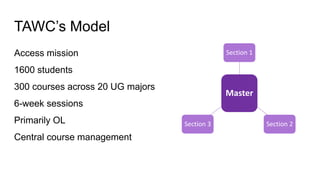
Access mission
1600 students
300 courses across 20 UG majors
6-week sessions
Primarily OL
Central course management
Master
Section 1
Section 2Section 3
Why Adaptive?
CompletePersistGraduate
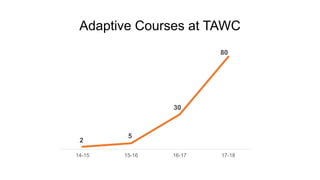
Adaptive Courses at TAWC
2
5
30
80
14-15 15-16 16-17 17-18
Challenges to Scale
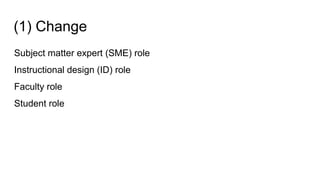
(1) Change
Subject matter expert (SME) role
Instructional design (ID) role
Faculty role
Student role
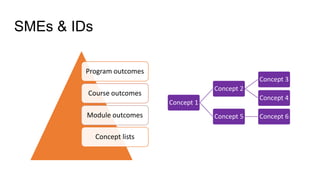
Program outcomes
Course outcomes
Module outcomes
Concept listsConcept lists
Concept 1
Concept 2
Concept 3
Concept 4
Concept 5 Concept 6
SMEs & IDs
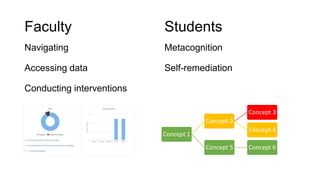
Faculty
Navigating
Accessing data
Conducting interventions
Students
Metacognition
Self-remediation
Concept 1
Concept 2
Concept 3
Concept 4
Concept 5 Concept 6
(2) Communication
Faculty
Advisors
Students
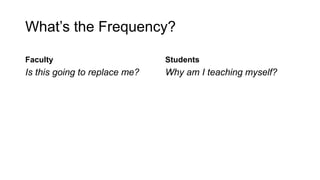
What’s the Frequency?
Faculty
Is this going to replace me?
Students
Why am I teaching myself?
(3) Resources
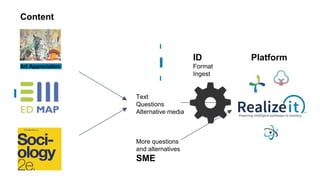
Content source
SME
ID
Platform
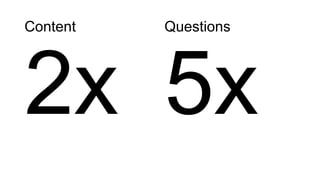
Content
2x
Questions
5x
Text
Questions
Alternative media
More questions
and alternatives
SME
Art Appreciation
ID
Format
Ingest
Content
Platform
Pause!
Questions and Comments?
Strategies to Scale
Onward and Upward
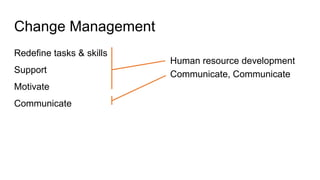
Change Management
Redefine tasks & skills
Support
Motivate
Communicate
Human resource development
Communicate, Communicate
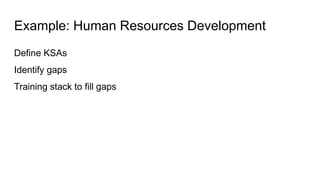
Example: Human Resources Development
Define KSAs
Identify gaps
Training stack to fill gaps
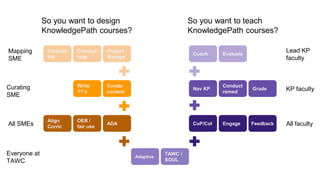
Adaptive
TAWC /
SOUL
CoP/CoI Engage Feedback
Nav KP
Conduct
remed
Grade
Coach Evaluate
OER /
fair use
ADA
Write
??’s
Curate
content
Concept
map
Project
Manage
Concept
list
So you want to design
KnowledgePath courses?
So you want to teach
KnowledgePath courses?
All SMEs
Curating
SME
Mapping
SME
Lead KP
faculty
KP faculty
All faculty
Everyone at
TAWC
Align
Curric
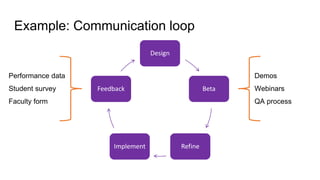
Example: Communication loop
Design
Beta
RefineImplement
Feedback
Performance data
Student survey
Faculty form
Demos
Webinars
QA process
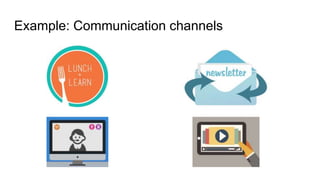
Example: Communication channels
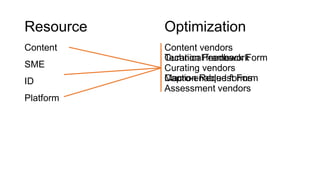
Resource
Content
SME
ID
Platform
Optimization
Content vendors
Curating vendors
Assessment vendors
Curation Feedback Form
Caption Request Form
Technical framework
Macro-enabled forms
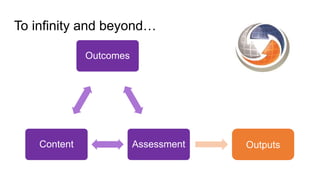
To infinity and beyond…
Outcomes
AssessmentContent Outputs
Questions?
jeanderson@baypath.edu
Thank You!
jeanderson@baypath.edu

Strategies to Scale Adaptive Course Design

Editor's Notes

  • #3 Emphasize that we design courses and roll them to faculty. Changes a lot of what we’re going to talk about. PD works w SMEs and ID to design course PD works with Lead Faculty and adjuncts to implement course Advisors (engagement) and adjuncts (performance) are the front lines
  • #4 Complete Tons of formative feedback for non-traditional students Lets them jump ahead in learning based on what they bring to the course Persist Connect curriculum across courses to support longitudinally – ex MAT stack Graduate
  • #5 Our goal is to develop every course where it makes sense
  • #6 Change Communication Resources
  • #9 Faculty worried: my role is being eliminated Students: I’m teaching myself
  • #10 All of the back-end people – PDs, SMEs, IDs, data folks – were in on the ground floor Had to get the front-line ready to talk about it, do it, support it
  • #11 We experienced some of these common themes early in our pilot adoption Recognized the need to head these off at the pass as we begin to bring it to more and more Working together across the organization to get the messaging right
  • #13 Content: requires granular content for every concept or skill you want to teach, preferably with multiple representations Objective questions are the backbone – need many questions to gauge mastery of every skill/concept
  • #14 Key ideas: Building an adaptive course is kind of like a supply chain You start with a book or resources You form it into a complete product by adding subject matter expertise You provide structure to the product And then you deliver the product in a platform Each phase contributes complexity and cost
  • #15 Change Communication Resources
  • #19 Competency stacks for designing and for teaching KP Ability to support all layers below Commonality with all those in same role - can bond in training and then afterwards in VLC
  • #20 Example of a webinar: Trying a new, improved template document for designing and ingesting content Webinar with returning SMEs Demo to PDs Sandboxed for a few weeks before go-live
  • #21 Use as many channels as possible Synchronous and asynchronous Lunch and learn worked really well for our advisors and local SMEs Webinars were good for remote users – students and faculty Newsletters and videos to be customized by role
  • #23 Scaling beyond an institution – standards for the platform Need interoperability If an institution has multiple platforms If an institution has multiple content providers or accreditors If an institution wishes to move between platforms If an institution wishes to collaborate with other institutions with different platforms