Hardware and Systems
Technology
This section will make up 15% of the questions on the exam.
Computers
 Computer – an electronic device (made up of hardware and
software) that is programmable to perform specific functions or
tasks.
 Computer hardware – the physical components of a computer
 Software – programs that allow a computer to carry out its
function.
 IPOS cycle – used by computers to perform a task. (Input,
Processing, Output, Storage)
 Data – information that has not yet been processed (text,
numerical, audio, image, video etc.)
 Information – data that has been processed
Cont.
 Input devices – mouse/keyboard
 Output devices – monitor
 Processing devices - CPU
 Storage devices – hard disks
 Storage media – flash memory cards
 Communication devices – modem
 Operating system – is required to manage a computers soft
and hardware. It also allows the computer to run programs.
Cont.
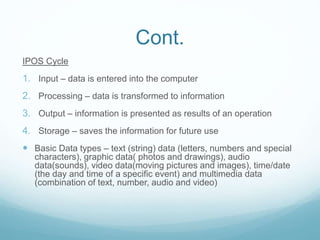
IPOS Cycle
1. Input – data is entered into the computer
2. Processing – data is transformed to information
3. Output – information is presented as results of an operation
4. Storage – saves the information for future use
 Basic Data types – text (string) data (letters, numbers and special
characters), graphic data( photos and drawings), audio
data(sounds), video data(moving pictures and images), time/date
(the day and time of a specific event) and multimedia data
(combination of text, number, audio and video)
Cont.
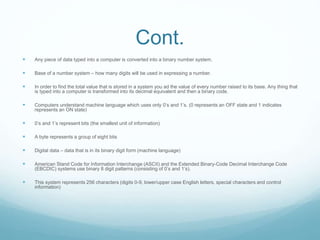
 Any piece of data typed into a computer is converted into a binary number system.
 Base of a number system – how many digits will be used in expressing a number.
 In order to find the total value that is stored in a system you ad the value of every number raised to its base. Any thing that
is typed into a computer is transformed into its decimal equivalent and then a binary code.
 Computers understand machine language which uses only 0’s and 1’s. (0 represents an OFF state and 1 indicates
represents an ON state)
 0’s and 1’s represent bits (the smallest unit of information)
 A byte represents a group of eight bits
 Digital data – data that is in its binary digit form (machine language)
 American Stand Code for Information Interchange (ASCII) and the Extended Binary-Code Decimal Interchange Code
(EBCDIC) systems use binary 8 digit patterns (consisting of 0’s and 1’s).
 This system represents 256 characters (digits 0-9, lower/upper case English letters, special characters and control
information)
Cont.
 Unicode system – a universal coding standard that
represents the ASCII and EBCDIC code in addition to other
languages.
 Operator – special symbols that are used to perform
operations.
 Operands – numerical values of which the operation is
performed.
 Assignment operator – assigns the calculated result.
 Ex. D= 3-1 (D is the difference of 3 and 1) (3 and 1 are the
operands) (= is the assignment operator)
Cont.
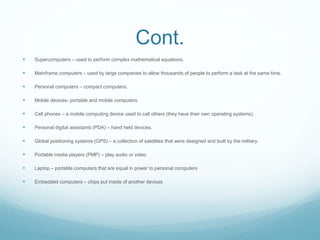
 Supercomputers – used to perform complex mathematical equations.
 Mainframe computers – used by large companies to allow thousands of people to perform a task at the same time.
 Personal computers – compact computers.
 Mobile devices- portable and mobile computers.
 Cell phones – a mobile computing device used to call others (they have their own operating systems).
 Personal digital assistants (PDA) – hand held devices.
 Global positioning systems (GPS) – a collection of satellites that were designed and built by the military.
 Portable media players (PMP) – play audio or video
 Laptop – portable computers that are equal in power to personal computers
 Embedded computers – chips put inside of another devices
Hard/Software
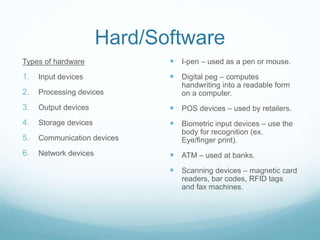
Types of hardware
1. Input devices
2. Processing devices
3. Output devices
4. Storage devices
5. Communication devices
6. Network devices
 I-pen – used as a pen or mouse.
 Digital peg – computes
handwriting into a readable form
on a computer.
 POS devices – used by retailers.
 Biometric input devices – use the
body for recognition (ex.
Eye/finger print).
 ATM – used at banks.
 Scanning devices – magnetic card
readers, bar codes, RFID tags
and fax machines.
Cont.
 Motherboard – the main part of a CSU.
 RAM – temporary memory that is erased when the computer is
turned off.
 Large RAM + fast CPU = fast computer
 Ram is measured in MB, CPU’s are measured in Gigahertz.
 Chipset – is used to connect the CPU to other parts of the
computer system
 CPU – the “brain” of the computer (a chip mounted on the
motherboard)
 Expansion slots – are located on the back of a system unit to add
other functions/components.
Cont.
Memory Hierarchy
1. CPU registers – stores items that are ready
to be processed or that are being
processed
2. Cache level 1 - stores most the CPU’s most
frequently used items
3. Cache level 2 - stores most the CPU’s
frequently used items
4. Cache level 3 - stores most the CPU’s least
frequently used items
5. RAM (random access memory) – stores
the operating system and other files used
when the computer is on
6. Secondary storage devices (hard disk) –
stores files when the computer is off
Types of ports
 Serial ports – send one bit of data at a time
 Parallel ports – send multiple bits of data at a time
 Universal serial bus (USB)
 Connectivity ports – allow computers to communicate
with other computers
 Ethernet ports
 Fire wire ports – allow for faster transferring of data
 Graphic ports
 Audio ports
 Speaker ports
Cont.
Components of a CPU
 Arithmetic/Logic Unit (ALU) – performs al logical and arithmetical tasks
 Control Unit – manages all of the computers operations
 CPU Registers – a special storage area only usable by the CPU
The CPU Machine Cycle
1. Fetch instructions
2. Decode instructions
3. Execute instructions
4. Store results in the CPU registers
 Computer output devices – present information in human language types of information include (text,
numerical, audio, graphics pictures alphanumeric and video)
Cont.
 Computer monitors – a soft-copy output device (CRT – old
version) (LCD – new version).
 Pixel – a single point on any image.
 Resolution – the number of pixels horizontally and vertically.
 Dot pitch- the distance between the center of two pixels.
 Printers are measured in PPM (pages per minute).
 On impact printers – use wire pins that touch the paper.
 Non-impact printers – the paper is not touched.
Cont.
 Photo printer – print high quality
 Laser Print – print high-quality and high speed (non-impact)
 Large format printers – print pages >60 inches in width
 Fax Machines – use telephone lines to send or receive documents
 All computers contain a small audio device
 Magnetic storage devices use magnetics to store information. 0’s represent a non magnetized particle
and 1’s represent a magnetized particle. When being read the reader picks up the magnetized
particles.
 Without formatting a hard disk no information can be stored on it.
 File allocation table – contains a directory of the topics on the disk.
 Root directory – puts the data into different folders.
 Units of memory from smallest to large (byte, kilobyte, megabyte, gigabyte, terabyte, petabyte)
Storage Devices
 Tracks – concentric circles that a hard disk is divided
into during formatting.
 Sector – a subdivision of each track.
 Cluster – a group of sectors (2-8)
 Platters – are made from a rigid material and consist of
tracks and sectors.
 USB drives – non-volatile storage devices that are
portable.
Cont.
 Both CD’s and DVD’s are made from plastic
 CD-ROM – can be written on once (used for computer software)
 DVD-ROM – can be written on once
 CD-R - can be recorded on once
 DVD-R, DVD+R – can be recorded on once
 CD-RW, DVD-RW – can be recorded on several times
 DVD-RAM- can be recorded on several times
 DVD-Video – used to record movies
 DVD-Audio – used to store music
 Blu-ray was designed to replace DVD
Cont.
 In order to read from a disk a beam is shined onto it and the pits (area with information)
will absorb the light. The computer will then read this area as a 1.
 A communication medium is needed to transfer data.
 Transmission = communication
 Fiber optic cables – use light pulses to send information through a fiber or plastic wire.
 Twisted-pair cables – consist of two twisted copper wires that are wrapped in an
insulation.
 Coaxial cables – are made by two parallel copper wires that can each carry a signal.
 Digital subscriber line (DSL) – uses telephone network cables to transmit internet. This
allows for surfing the web, while talking on the telephone (not available everywhere).
Communication
 Wireless communication – uses either radio waves or infrared light.
 Wi-Fi – Wireless Fidelity, follows IEEE standards.
 Wireless access points (WAP) – provide the internet connection to various
devices.
 Integrated Services Digital Network (ISDN) – works the same way as DSL, but
is more expensive.
 Communication satellites – receive waves from earth and amplify them back
at the earth.
 Microwave technology – requires line of sight.
 Cellular technology – allows people to communicate without cables (virtually
from anywhere)
Cont.
 Packets are involved in packet-switched networks. One packet can
carry one unit of binary data.
 A typical packet is between 1,000-1,500 bytes.
 Packet header – contains the IP address for the message’s
destination.
 Packet Body – the message being sent.
 Packet footer – the end of the message.
 Packet destination – receives and reassembles the message.
 Packet switching – subdivides a message to transmit it to its
destination.
Cont.
 Modem – involves both modulating and demodulating by converting analog signals to
digital signals and vise versa.
 Internal modems- are inside computers.
 Wireless modems – found in mobile devices.
 Dial-up models- convert a digital signal to an analog signal.
 Cable modems – use a cable television network to communicate.
 ISDN modems – use ISDN data as a communication medium.
 DSL modems – use DSL data as a communication medium.
 Communication path via modems (Computer A, Modem A, Communication medium,
Modem B, Computer B)
 Network interference card – allows a computer to communicate with other computers via
a network.
Cont.
 Computer network devices – mediate data in a computer
network (ex. Switches or gateways).
 Node – a point at which two networks intersect.
 Network node – anything that can send information via a
medium.
 OSI Model – each layer provides services to the layer above
it and receives service from the layer below it.
 Layers from top to bottom – Application layer, presentation
layer, session layer, transport layer, network layer, data-link
layer, physical layer.
Cont.
 Gateway – interfaces between two networks that use different protocols (each network has its own
protocols).
 Switch- handles and controls data communication.
 Bridge- transfers data between two LANs.
 Hub- connects all computers in a LAN.
 Repeater –amplifies the strength of an incoming signal.
 Network router – links multiple networks.
 Each computer system is made up of 3 components
1. System unit – the plastic/metal frame that stores everything.
2. Monitor- projects the information in human language.
3. Keyboard/mouse – input devices.
Cont.
 Computer network – allows for communication between devices.
 Communication protocols – standard rules that control how data will be communicated between
computers in a network (ex. HTTP, FTP, TCP/IP)
 Local area network (LAN) – computers are close in proximity. Has one computer that is a server
computer that will allow for easy access by other computers.
 Wide area network (WAN) – computers are not close in proximity.
 Metropolitan area network (MAN) – a type of WAN that covers a city.
 Value added network (VAN) – is a type of WAN that allows a company to provide network connections
between multiple parties.
 Enterprise Network Architecture – the use of multiple devices to allow an organization or departments
to share and access information more easily.
 Web browsers – are universal.
 Web servers – provide data to web browsers.

Hardware and systems technology

  • 1.
    Hardware and Systems Technology Thissection will make up 15% of the questions on the exam.
  • 2.
    Computers  Computer –an electronic device (made up of hardware and software) that is programmable to perform specific functions or tasks.  Computer hardware – the physical components of a computer  Software – programs that allow a computer to carry out its function.  IPOS cycle – used by computers to perform a task. (Input, Processing, Output, Storage)  Data – information that has not yet been processed (text, numerical, audio, image, video etc.)  Information – data that has been processed
  • 3.
    Cont.  Input devices– mouse/keyboard  Output devices – monitor  Processing devices - CPU  Storage devices – hard disks  Storage media – flash memory cards  Communication devices – modem  Operating system – is required to manage a computers soft and hardware. It also allows the computer to run programs.
  • 4.
    Cont. IPOS Cycle 1. Input– data is entered into the computer 2. Processing – data is transformed to information 3. Output – information is presented as results of an operation 4. Storage – saves the information for future use  Basic Data types – text (string) data (letters, numbers and special characters), graphic data( photos and drawings), audio data(sounds), video data(moving pictures and images), time/date (the day and time of a specific event) and multimedia data (combination of text, number, audio and video)
  • 5.
    Cont.  Any pieceof data typed into a computer is converted into a binary number system.  Base of a number system – how many digits will be used in expressing a number.  In order to find the total value that is stored in a system you ad the value of every number raised to its base. Any thing that is typed into a computer is transformed into its decimal equivalent and then a binary code.  Computers understand machine language which uses only 0’s and 1’s. (0 represents an OFF state and 1 indicates represents an ON state)  0’s and 1’s represent bits (the smallest unit of information)  A byte represents a group of eight bits  Digital data – data that is in its binary digit form (machine language)  American Stand Code for Information Interchange (ASCII) and the Extended Binary-Code Decimal Interchange Code (EBCDIC) systems use binary 8 digit patterns (consisting of 0’s and 1’s).  This system represents 256 characters (digits 0-9, lower/upper case English letters, special characters and control information)
  • 6.
    Cont.  Unicode system– a universal coding standard that represents the ASCII and EBCDIC code in addition to other languages.  Operator – special symbols that are used to perform operations.  Operands – numerical values of which the operation is performed.  Assignment operator – assigns the calculated result.  Ex. D= 3-1 (D is the difference of 3 and 1) (3 and 1 are the operands) (= is the assignment operator)
  • 7.
    Cont.  Supercomputers –used to perform complex mathematical equations.  Mainframe computers – used by large companies to allow thousands of people to perform a task at the same time.  Personal computers – compact computers.  Mobile devices- portable and mobile computers.  Cell phones – a mobile computing device used to call others (they have their own operating systems).  Personal digital assistants (PDA) – hand held devices.  Global positioning systems (GPS) – a collection of satellites that were designed and built by the military.  Portable media players (PMP) – play audio or video  Laptop – portable computers that are equal in power to personal computers  Embedded computers – chips put inside of another devices
  • 8.
    Hard/Software Types of hardware 1.Input devices 2. Processing devices 3. Output devices 4. Storage devices 5. Communication devices 6. Network devices  I-pen – used as a pen or mouse.  Digital peg – computes handwriting into a readable form on a computer.  POS devices – used by retailers.  Biometric input devices – use the body for recognition (ex. Eye/finger print).  ATM – used at banks.  Scanning devices – magnetic card readers, bar codes, RFID tags and fax machines.
  • 9.
    Cont.  Motherboard –the main part of a CSU.  RAM – temporary memory that is erased when the computer is turned off.  Large RAM + fast CPU = fast computer  Ram is measured in MB, CPU’s are measured in Gigahertz.  Chipset – is used to connect the CPU to other parts of the computer system  CPU – the “brain” of the computer (a chip mounted on the motherboard)  Expansion slots – are located on the back of a system unit to add other functions/components.
  • 10.
    Cont. Memory Hierarchy 1. CPUregisters – stores items that are ready to be processed or that are being processed 2. Cache level 1 - stores most the CPU’s most frequently used items 3. Cache level 2 - stores most the CPU’s frequently used items 4. Cache level 3 - stores most the CPU’s least frequently used items 5. RAM (random access memory) – stores the operating system and other files used when the computer is on 6. Secondary storage devices (hard disk) – stores files when the computer is off Types of ports  Serial ports – send one bit of data at a time  Parallel ports – send multiple bits of data at a time  Universal serial bus (USB)  Connectivity ports – allow computers to communicate with other computers  Ethernet ports  Fire wire ports – allow for faster transferring of data  Graphic ports  Audio ports  Speaker ports
  • 11.
    Cont. Components of aCPU  Arithmetic/Logic Unit (ALU) – performs al logical and arithmetical tasks  Control Unit – manages all of the computers operations  CPU Registers – a special storage area only usable by the CPU The CPU Machine Cycle 1. Fetch instructions 2. Decode instructions 3. Execute instructions 4. Store results in the CPU registers  Computer output devices – present information in human language types of information include (text, numerical, audio, graphics pictures alphanumeric and video)
  • 12.
    Cont.  Computer monitors– a soft-copy output device (CRT – old version) (LCD – new version).  Pixel – a single point on any image.  Resolution – the number of pixels horizontally and vertically.  Dot pitch- the distance between the center of two pixels.  Printers are measured in PPM (pages per minute).  On impact printers – use wire pins that touch the paper.  Non-impact printers – the paper is not touched.
  • 13.
    Cont.  Photo printer– print high quality  Laser Print – print high-quality and high speed (non-impact)  Large format printers – print pages >60 inches in width  Fax Machines – use telephone lines to send or receive documents  All computers contain a small audio device  Magnetic storage devices use magnetics to store information. 0’s represent a non magnetized particle and 1’s represent a magnetized particle. When being read the reader picks up the magnetized particles.  Without formatting a hard disk no information can be stored on it.  File allocation table – contains a directory of the topics on the disk.  Root directory – puts the data into different folders.  Units of memory from smallest to large (byte, kilobyte, megabyte, gigabyte, terabyte, petabyte)
  • 14.
    Storage Devices  Tracks– concentric circles that a hard disk is divided into during formatting.  Sector – a subdivision of each track.  Cluster – a group of sectors (2-8)  Platters – are made from a rigid material and consist of tracks and sectors.  USB drives – non-volatile storage devices that are portable.
  • 15.
    Cont.  Both CD’sand DVD’s are made from plastic  CD-ROM – can be written on once (used for computer software)  DVD-ROM – can be written on once  CD-R - can be recorded on once  DVD-R, DVD+R – can be recorded on once  CD-RW, DVD-RW – can be recorded on several times  DVD-RAM- can be recorded on several times  DVD-Video – used to record movies  DVD-Audio – used to store music  Blu-ray was designed to replace DVD
  • 16.
    Cont.  In orderto read from a disk a beam is shined onto it and the pits (area with information) will absorb the light. The computer will then read this area as a 1.  A communication medium is needed to transfer data.  Transmission = communication  Fiber optic cables – use light pulses to send information through a fiber or plastic wire.  Twisted-pair cables – consist of two twisted copper wires that are wrapped in an insulation.  Coaxial cables – are made by two parallel copper wires that can each carry a signal.  Digital subscriber line (DSL) – uses telephone network cables to transmit internet. This allows for surfing the web, while talking on the telephone (not available everywhere).
  • 17.
    Communication  Wireless communication– uses either radio waves or infrared light.  Wi-Fi – Wireless Fidelity, follows IEEE standards.  Wireless access points (WAP) – provide the internet connection to various devices.  Integrated Services Digital Network (ISDN) – works the same way as DSL, but is more expensive.  Communication satellites – receive waves from earth and amplify them back at the earth.  Microwave technology – requires line of sight.  Cellular technology – allows people to communicate without cables (virtually from anywhere)
  • 18.
    Cont.  Packets areinvolved in packet-switched networks. One packet can carry one unit of binary data.  A typical packet is between 1,000-1,500 bytes.  Packet header – contains the IP address for the message’s destination.  Packet Body – the message being sent.  Packet footer – the end of the message.  Packet destination – receives and reassembles the message.  Packet switching – subdivides a message to transmit it to its destination.
  • 19.
    Cont.  Modem –involves both modulating and demodulating by converting analog signals to digital signals and vise versa.  Internal modems- are inside computers.  Wireless modems – found in mobile devices.  Dial-up models- convert a digital signal to an analog signal.  Cable modems – use a cable television network to communicate.  ISDN modems – use ISDN data as a communication medium.  DSL modems – use DSL data as a communication medium.  Communication path via modems (Computer A, Modem A, Communication medium, Modem B, Computer B)  Network interference card – allows a computer to communicate with other computers via a network.
  • 20.
    Cont.  Computer networkdevices – mediate data in a computer network (ex. Switches or gateways).  Node – a point at which two networks intersect.  Network node – anything that can send information via a medium.  OSI Model – each layer provides services to the layer above it and receives service from the layer below it.  Layers from top to bottom – Application layer, presentation layer, session layer, transport layer, network layer, data-link layer, physical layer.
  • 21.
    Cont.  Gateway –interfaces between two networks that use different protocols (each network has its own protocols).  Switch- handles and controls data communication.  Bridge- transfers data between two LANs.  Hub- connects all computers in a LAN.  Repeater –amplifies the strength of an incoming signal.  Network router – links multiple networks.  Each computer system is made up of 3 components 1. System unit – the plastic/metal frame that stores everything. 2. Monitor- projects the information in human language. 3. Keyboard/mouse – input devices.
  • 22.
    Cont.  Computer network– allows for communication between devices.  Communication protocols – standard rules that control how data will be communicated between computers in a network (ex. HTTP, FTP, TCP/IP)  Local area network (LAN) – computers are close in proximity. Has one computer that is a server computer that will allow for easy access by other computers.  Wide area network (WAN) – computers are not close in proximity.  Metropolitan area network (MAN) – a type of WAN that covers a city.  Value added network (VAN) – is a type of WAN that allows a company to provide network connections between multiple parties.  Enterprise Network Architecture – the use of multiple devices to allow an organization or departments to share and access information more easily.  Web browsers – are universal.  Web servers – provide data to web browsers.