Hands-on Lua
Introductory course
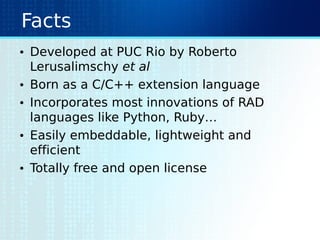
Facts
• Developed at PUC Rio by Roberto
Lerusalimschy et al
• Born as a C/C++ extension language
• Incorporates most innovations of RAD
languages like Python, Ruby…
• Easily embeddable, lightweight and
efficient
• Totally free and open license
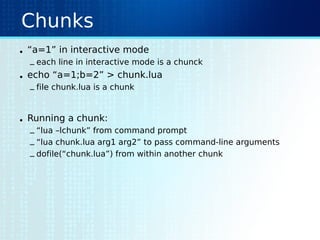
Chunks
• “a=1” in interactive mode
– each line in interactive mode is a chunck
• echo “a=1;b=2” > chunk.lua
– file chunk.lua is a chunk
• Running a chunk:
– “lua –lchunk” from command prompt
– “lua chunk.lua arg1 arg2” to pass command-line arguments
– dofile(“chunk.lua”) from within another chunk
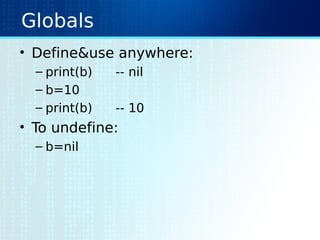
Globals
• Define&use anywhere:
– print(b) -- nil
– b=10
– print(b) -- 10
• To undefine:
– b=nil
The interpreter
• Passing chunks:
– lua –lchunk –e “a=math.sqrt(b)”
chunk.lua
• Passing command-line arguments:
– lua –i –e “c=‘Hi !’” chunk.lua 1 2 3
– print(arg[1])
– print(arg[2])
– print(arg[3])
– print(arg[-1]) --???!!!
Types and Values
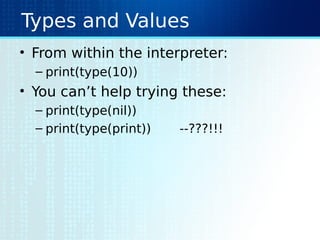
• From within the interpreter:
– print(type(10))
• You can’t help trying these:
– print(type(nil))
– print(type(print)) --???!!!
Types and Values
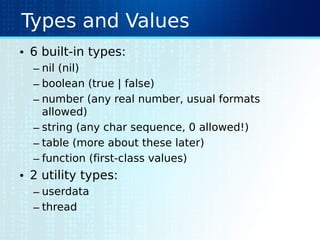
• 6 built-in types:
– nil (nil)
– boolean (true | false)
– number (any real number, usual formats
allowed)
– string (any char sequence, 0 allowed!)
– table (more about these later)
– function (first-class values)
• 2 utility types:
– userdata
– thread
Tables
• From within the interpreter:
– t = {}
– t[“key”] = “value”; print(t[“key”])
– print(t[“otherkey”])
– t[1] = “first”; print(t[1]); print(t[“key”])
– print(t.key) --???!!!
– t = { key=“value”, otherkey=“first” }
– t = { key=“value”, 1=“first” } --???!!!
– t = { key=“value”, [1]=“first” }
– print(t.1) --???!!!
Arrays
• From within the interpreter:
– t[1] = ‘a’; t[2] = ‘b’; t[3] = ‘c’
– print(t[1] .. t[2] .. t[3])
– print(t[-1]) (got what you expected?)
– t[-1] = ‘z’
– print(t[-1])
– print(t) --???!!!
– print(unpack(t))
Functions
• From within the interpreter:
– function f ( a ) return a^2 end
– print(f(2))
• Functions are first-class values:
– t = {}
– t[“square”] = f
– print(t.square(2))
Some math…
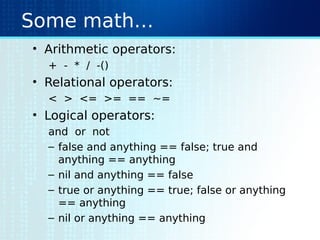
• Arithmetic operators:
+ - * / -()
• Relational operators:
< > <= >= == ~=
• Logical operators:
and or not
– false and anything == false; true and
anything == anything
– nil and anything == false
– true or anything == true; false or anything
== anything
– nil or anything == anything
Assignments
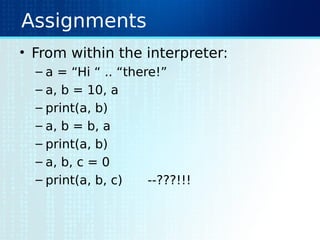
• From within the interpreter:
– a = “Hi “ .. “there!”
– a, b = 10, a
– print(a, b)
– a, b = b, a
– print(a, b)
– a, b, c = 0
– print(a, b, c) --???!!!
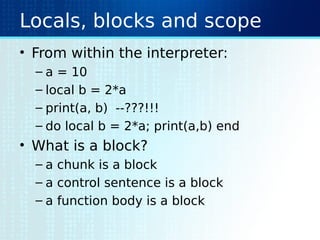
Locals, blocks and scope
• From within the interpreter:
– a = 10
– local b = 2*a
– print(a, b) --???!!!
– do local b = 2*a; print(a,b) end
• What is a block?
– a chunk is a block
– a control sentence is a block
– a function body is a block
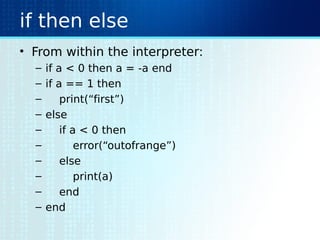
if then else
• From within the interpreter:
– if a < 0 then a = -a end
– if a == 1 then
– print(“first”)
– else
– if a < 0 then
– error(“outofrange”)
– else
– print(a)
– end
– end
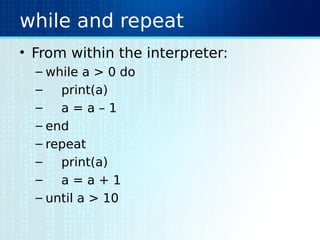
while and repeat
• From within the interpreter:
– while a > 0 do
– print(a)
– a = a – 1
– end
– repeat
– print(a)
– a = a + 1
– until a > 10
for
• From within the interpreter:
– for i=1,10,2 do print(i) end
– pets = { “cat”, “dog”, “bunny” }
– for i,pet in pairs(pets) do print(i, pet) end
– for i,pet in ipairs(pets) do print(i, pet) end
– pets[“ops”] = “lion”
– for i,pet in pairs(pets) do print(i, pet) end
– for i,pet in ipairs(pets) do print(i, pet) end
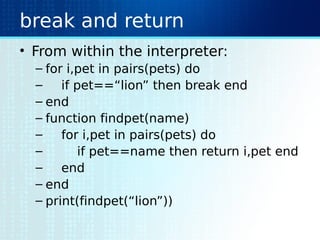
break and return
• From within the interpreter:
– for i,pet in pairs(pets) do
– if pet==“lion” then break end
– end
– function findpet(name)
– for i,pet in pairs(pets) do
– if pet==name then return i,pet end
– end
– end
– print(findpet(“lion”))
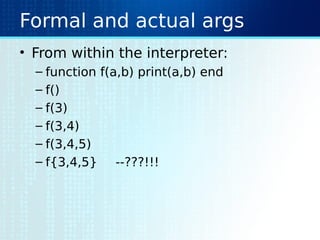
Formal and actual args
• From within the interpreter:
– function f(a,b) print(a,b) end
– f()
– f(3)
– f(3,4)
– f(3,4,5)
– f{3,4,5} --???!!!
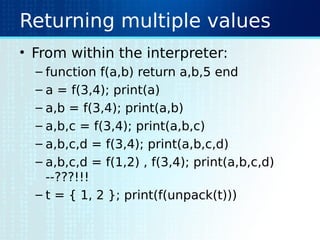
Returning multiple values
• From within the interpreter:
– function f(a,b) return a,b,5 end
– a = f(3,4); print(a)
– a,b = f(3,4); print(a,b)
– a,b,c = f(3,4); print(a,b,c)
– a,b,c,d = f(3,4); print(a,b,c,d)
– a,b,c,d = f(1,2) , f(3,4); print(a,b,c,d)
--???!!!
– t = { 1, 2 }; print(f(unpack(t)))
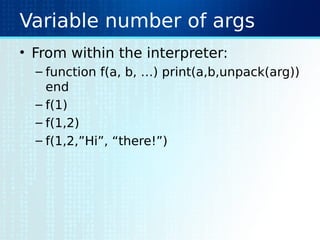
Variable number of args
• From within the interpreter:
– function f(a, b, …) print(a,b,unpack(arg))
end
– f(1)
– f(1,2)
– f(1,2,”Hi”, “there!”)
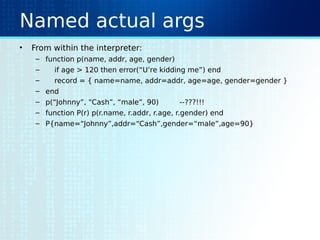
Named actual args
• From within the interpreter:
– function p(name, addr, age, gender)
– if age > 120 then error(“U’re kidding me”) end
– record = { name=name, addr=addr, age=age, gender=gender }
– end
– p(“Johnny”, “Cash”, “male”, 90) --???!!!
– function P(r) p(r.name, r.addr, r.age, r.gender) end
– P{name=“Johnny”,addr=“Cash”,gender=“male”,age=90}
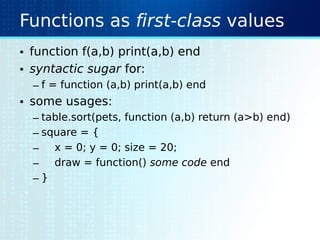
Functions as first-class values
• function f(a,b) print(a,b) end
• syntactic sugar for:
– f = function (a,b) print(a,b) end
• some usages:
– table.sort(pets, function (a,b) return (a>b) end)
– square = {
– x = 0; y = 0; size = 20;
– draw = function() some code end
– }
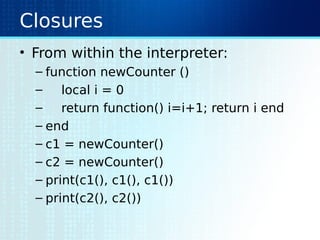
Closures
• From within the interpreter:
– function newCounter ()
– local i = 0
– return function() i=i+1; return i end
– end
– c1 = newCounter()
– c2 = newCounter()
– print(c1(), c1(), c1())
– print(c2(), c2())
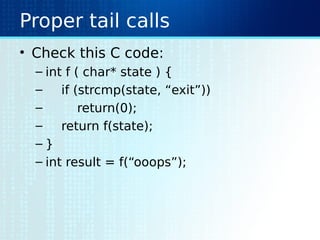
Proper tail calls
• Check this C code:
– int f ( char* state ) {
– if (strcmp(state, “exit”))
– return(0);
– return f(state);
– }
– int result = f(“ooops”);
Iterators
• From within the interpreter:
– function words ( filename )
– local file = io.open(filename)
– local line = file:read()
– local i = nil
– return function ()
– local b, e
– while not b do
– if not line then return nil end
– b,e = string.find(line, "[%w_]+", i)
– if b then
– i = e + 1; return string.sub(line, b, e)
– else
– i = nil; line = file:read()
– end
– end
– end
– end
–
– for word in words("chunk.lua") do print(word) end
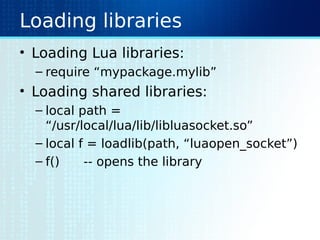
Loading libraries
• Loading Lua libraries:
– require “mypackage.mylib”
• Loading shared libraries:
– local path =
“/usr/local/lua/lib/libluasocket.so”
– local f = loadlib(path, “luaopen_socket”)
– f() -- opens the library
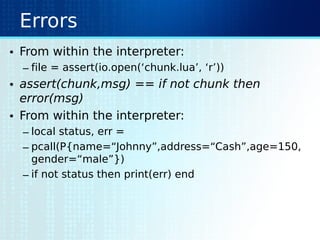
Errors
• From within the interpreter:
– file = assert(io.open(‘chunk.lua’, ‘r’))
• assert(chunk,msg) == if not chunk then
error(msg)
• From within the interpreter:
– local status, err =
– pcall(P{name=“Johnny”,address=“Cash”,age=150,
gender=“male”})
– if not status then print(err) end
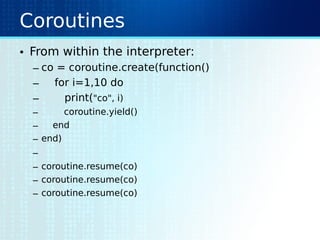
Coroutines
• From within the interpreter:
– co = coroutine.create(function()
– for i=1,10 do
– print("co", i)
– coroutine.yield()
– end
– end)
–
– coroutine.resume(co)
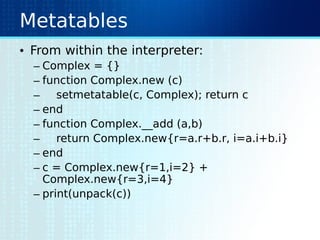
Metatables
• From within the interpreter:
– Complex = {}
– function Complex.new (c)
– setmetatable(c, Complex); return c
– end
– function Complex.__add (a,b)
– return Complex.new{r=a.r+b.r, i=a.i+b.i}
– end
– c = Complex.new{r=1,i=2} +
Complex.new{r=3,i=4}
– print(unpack(c))
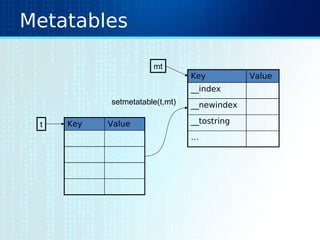
Metatables
Key Value
Key Value
__index
__newindex
__tostring
…
setmetatable(t,mt)
t
mt
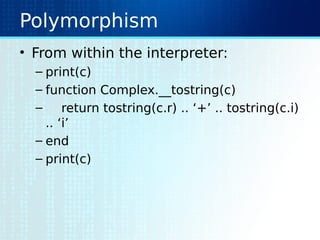
Polymorphism
• From within the interpreter:
– print(c)
– function Complex.__tostring(c)
– return tostring(c.r) .. ‘+’ .. tostring(c.i)
.. ‘i’
– end
– print(c)
Inheritance
• From within the interpreter:
– Phone = {}
– Phone.keypad = {[1]=“1”, [2]=“2”}
– function Phone.dial ( keys ) print(keys) end
– CarPhone = {}
– CarPhone.mike = io
– CarPhone.dir = { Johnny = “112”, Cash = “211” }
– function CarPhone.voice_dial ()
– CarPhone.dial(CarPhone.dir[CarPhone.mike.read()])
– end
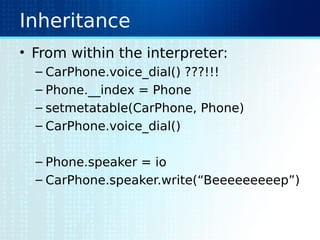
Inheritance
• From within the interpreter:
– CarPhone.voice_dial() ???!!!
– Phone.__index = Phone
– setmetatable(CarPhone, Phone)
– CarPhone.voice_dial()
– Phone.speaker = io
– CarPhone.speaker.write(“Beeeeeeeeep”)
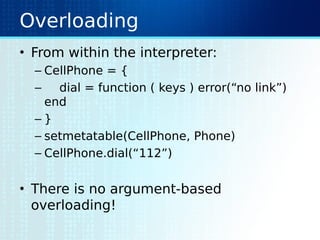
Overloading
• From within the interpreter:
– CellPhone = {
– dial = function ( keys ) error(“no link”)
end
– }
– setmetatable(CellPhone, Phone)
– CellPhone.dial(“112”)
• There is no argument-based
overloading!
Metamethods
• List of metamethods:
– add (+)
– sub (-)
– mul (*)
– div (/)
– mod (%)
– pow (^)
– unm (-)
– concat (..)
– len (#)
– eq (=)
– lt (<)
– le (<=)
– index ([])
– newindex
– call (())
The environment
• From within the interpreter:
– print(_G._G == _G) ???!!!
– for gv in pairs(_G) do print(gv) end
– for obj in pairs(_G) do
– if string.find(obj, “Phone$”) then
– _G[obj].dial(“112”)
– end
– end
– setmetatable(_G, {
– __newindex = function(_,gv) error(“read only!”) end,
– })
– newglobal = “oopss”
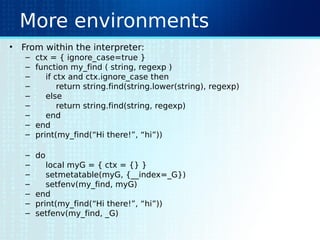
More environments
• From within the interpreter:
– ctx = { ignore_case=true }
– function my_find ( string, regexp )
– if ctx and ctx.ignore_case then
– return string.find(string.lower(string), regexp)
– else
– return string.find(string, regexp)
– end
– end
– print(my_find(“Hi there!”, “hi”))
– do
– local myG = { ctx = {} }
– setmetatable(myG, {__index=_G})
– setfenv(my_find, myG)
– end
– print(my_find(“Hi there!”, “hi”))
– setfenv(my_find, _G)
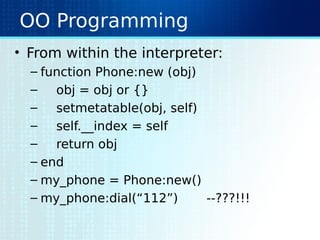
OO Programming
• From within the interpreter:
– function Phone:new (obj)
– obj = obj or {}
– setmetatable(obj, self)
– self.__index = self
– return obj
– end
– my_phone = Phone:new()
– my_phone:dial(“112”) --???!!!
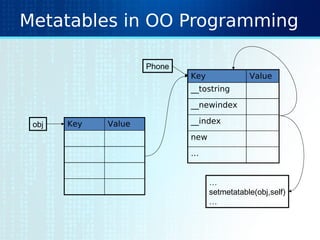
Metatables in OO Programming
Key Value
Key Value
__tostring
__newindex
__index
new
…
obj
Phone
…
setmetatable(obj,self)
…
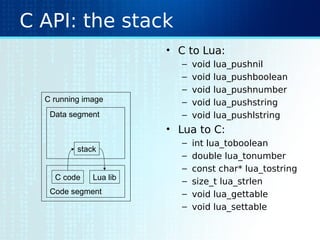
C API: the stack
• C to Lua:
– void lua_pushnil
– void lua_pushboolean
– void lua_pushnumber
– void lua_pushstring
– void lua_pushlstring
• Lua to C:
– int lua_toboolean
– double lua_tonumber
– const char* lua_tostring
– size_t lua_strlen
– void lua_gettable
– void lua_settable
C running image
Data segment
Code segment
stack
C code Lua lib
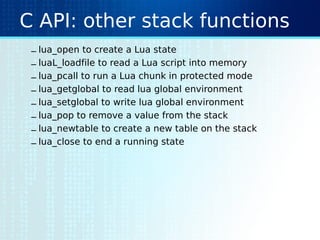
C API: other stack functions
– lua_open to create a Lua state
– luaL_loadfile to read a Lua script into memory
– lua_pcall to run a Lua chunk in protected mode
– lua_getglobal to read lua global environment
– lua_setglobal to write lua global environment
– lua_pop to remove a value from the stack
– lua_newtable to create a new table on the stack
– lua_close to end a running state
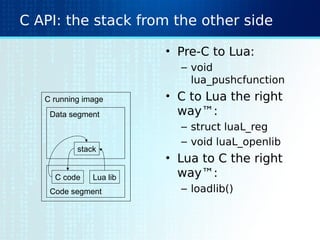
C API: the stack from the other side
• Pre-C to Lua:
– void
lua_pushcfunction
• C to Lua the right
way™:
– struct luaL_reg
– void luaL_openlib
• Lua to C the right
way™:
– loadlib()
C running image
Data segment
Code segment
stack
C code Lua lib
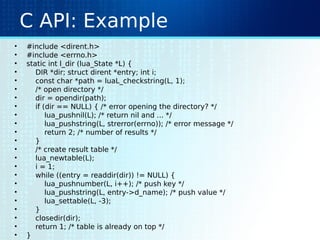
C API: Example
• #include <dirent.h>
• #include <errno.h>
• static int l_dir (lua_State *L) {
• DIR *dir; struct dirent *entry; int i;
• const char *path = luaL_checkstring(L, 1);
• /* open directory */
• dir = opendir(path);
• if (dir == NULL) { /* error opening the directory? */
• lua_pushnil(L); /* return nil and ... */
• lua_pushstring(L, strerror(errno)); /* error message */
• return 2; /* number of results */
• }
• /* create result table */
• lua_newtable(L);
• i = 1;
• while ((entry = readdir(dir)) != NULL) {
• lua_pushnumber(L, i++); /* push key */
• lua_pushstring(L, entry->d_name); /* push value */
• lua_settable(L, -3);
• }
• closedir(dir);
• return 1; /* table is already on top */
• }
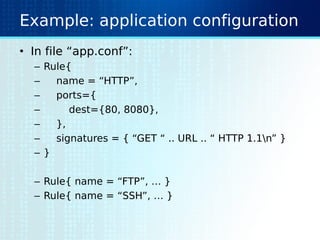
Example: application configuration
• In file “app.conf”:
– Rule{
– name = “HTTP”,
– ports={
– dest={80, 8080},
– },
– signatures = { “GET “ .. URL .. “ HTTP 1.1n” }
– }
– Rule{ name = “FTP”, … }
– Rule{ name = “SSH”, … }
Example: application configuration
• In file “main.c”:
– typedef struct { char*name, int* ports, char** signatures } Rule;
– static Rule rules[256];
– static int numRules = 0;
– static int readRule ( lua_State* L ) {
– if (numRules == sizeof(rules)) return 0;
– Rule rule;
– rule.name = lua_tostring(L, 1);
– rule.ports = …
– rule.signatures = …
– rules[numRules++] = rule;
– return 0;
– }
– …
– int main ( int argc, char** argv ) {
– lua_State* L = lua_open();
– luaL_loadfile(L, “app.conf”);
– lua_pushcfunction(L, readRule);
– lua_setglobal(L, “Rule”);
– lua_pcall(L, 0, 0, 0);
– }
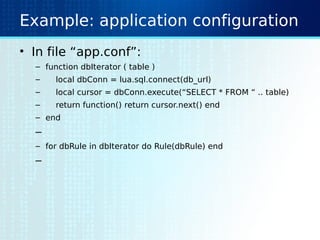
Example: application configuration
• In file “app.conf”:
– function dbIterator ( table )
– local dbConn = lua.sql.connect(db_url)
– local cursor = dbConn.execute(“SELECT * FROM “ .. table)
– return function() return cursor.next() end
– end
–
– for dbRule in dbIterator do Rule(dbRule) end
–
Example: transforms
References
• http://www.lua.org
– http://www.lua.org/manual Reference Manual
– http://www.lua.org/pil Text Book
– http://www.luaforge.net Code Repository
– http://www.keplerproject.org It all begun here

Hands on lua

  • 1.
  • 2.
    Facts • Developed atPUC Rio by Roberto Lerusalimschy et al • Born as a C/C++ extension language • Incorporates most innovations of RAD languages like Python, Ruby… • Easily embeddable, lightweight and efficient • Totally free and open license
  • 3.
    Chunks • “a=1” ininteractive mode – each line in interactive mode is a chunck • echo “a=1;b=2” > chunk.lua – file chunk.lua is a chunk • Running a chunk: – “lua –lchunk” from command prompt – “lua chunk.lua arg1 arg2” to pass command-line arguments – dofile(“chunk.lua”) from within another chunk
  • 4.
    Globals • Define&use anywhere: –print(b) -- nil – b=10 – print(b) -- 10 • To undefine: – b=nil
  • 5.
    The interpreter • Passingchunks: – lua –lchunk –e “a=math.sqrt(b)” chunk.lua • Passing command-line arguments: – lua –i –e “c=‘Hi !’” chunk.lua 1 2 3 – print(arg[1]) – print(arg[2]) – print(arg[3]) – print(arg[-1]) --???!!!
  • 6.
    Types and Values •From within the interpreter: – print(type(10)) • You can’t help trying these: – print(type(nil)) – print(type(print)) --???!!!
  • 7.
    Types and Values •6 built-in types: – nil (nil) – boolean (true | false) – number (any real number, usual formats allowed) – string (any char sequence, 0 allowed!) – table (more about these later) – function (first-class values) • 2 utility types: – userdata – thread
  • 8.
    Tables • From withinthe interpreter: – t = {} – t[“key”] = “value”; print(t[“key”]) – print(t[“otherkey”]) – t[1] = “first”; print(t[1]); print(t[“key”]) – print(t.key) --???!!! – t = { key=“value”, otherkey=“first” } – t = { key=“value”, 1=“first” } --???!!! – t = { key=“value”, [1]=“first” } – print(t.1) --???!!!
  • 9.
    Arrays • From withinthe interpreter: – t[1] = ‘a’; t[2] = ‘b’; t[3] = ‘c’ – print(t[1] .. t[2] .. t[3]) – print(t[-1]) (got what you expected?) – t[-1] = ‘z’ – print(t[-1]) – print(t) --???!!! – print(unpack(t))
  • 10.
    Functions • From withinthe interpreter: – function f ( a ) return a^2 end – print(f(2)) • Functions are first-class values: – t = {} – t[“square”] = f – print(t.square(2))
  • 11.
    Some math… • Arithmeticoperators: + - * / -() • Relational operators: < > <= >= == ~= • Logical operators: and or not – false and anything == false; true and anything == anything – nil and anything == false – true or anything == true; false or anything == anything – nil or anything == anything
  • 12.
    Assignments • From withinthe interpreter: – a = “Hi “ .. “there!” – a, b = 10, a – print(a, b) – a, b = b, a – print(a, b) – a, b, c = 0 – print(a, b, c) --???!!!
  • 13.
    Locals, blocks andscope • From within the interpreter: – a = 10 – local b = 2*a – print(a, b) --???!!! – do local b = 2*a; print(a,b) end • What is a block? – a chunk is a block – a control sentence is a block – a function body is a block
  • 14.
    if then else •From within the interpreter: – if a < 0 then a = -a end – if a == 1 then – print(“first”) – else – if a < 0 then – error(“outofrange”) – else – print(a) – end – end
  • 15.
    while and repeat •From within the interpreter: – while a > 0 do – print(a) – a = a – 1 – end – repeat – print(a) – a = a + 1 – until a > 10
  • 16.
    for • From withinthe interpreter: – for i=1,10,2 do print(i) end – pets = { “cat”, “dog”, “bunny” } – for i,pet in pairs(pets) do print(i, pet) end – for i,pet in ipairs(pets) do print(i, pet) end – pets[“ops”] = “lion” – for i,pet in pairs(pets) do print(i, pet) end – for i,pet in ipairs(pets) do print(i, pet) end
  • 17.
    break and return •From within the interpreter: – for i,pet in pairs(pets) do – if pet==“lion” then break end – end – function findpet(name) – for i,pet in pairs(pets) do – if pet==name then return i,pet end – end – end – print(findpet(“lion”))
  • 18.
    Formal and actualargs • From within the interpreter: – function f(a,b) print(a,b) end – f() – f(3) – f(3,4) – f(3,4,5) – f{3,4,5} --???!!!
  • 19.
    Returning multiple values •From within the interpreter: – function f(a,b) return a,b,5 end – a = f(3,4); print(a) – a,b = f(3,4); print(a,b) – a,b,c = f(3,4); print(a,b,c) – a,b,c,d = f(3,4); print(a,b,c,d) – a,b,c,d = f(1,2) , f(3,4); print(a,b,c,d) --???!!! – t = { 1, 2 }; print(f(unpack(t)))
  • 20.
    Variable number ofargs • From within the interpreter: – function f(a, b, …) print(a,b,unpack(arg)) end – f(1) – f(1,2) – f(1,2,”Hi”, “there!”)
  • 21.
    Named actual args •From within the interpreter: – function p(name, addr, age, gender) – if age > 120 then error(“U’re kidding me”) end – record = { name=name, addr=addr, age=age, gender=gender } – end – p(“Johnny”, “Cash”, “male”, 90) --???!!! – function P(r) p(r.name, r.addr, r.age, r.gender) end – P{name=“Johnny”,addr=“Cash”,gender=“male”,age=90}
  • 22.
    Functions as first-classvalues • function f(a,b) print(a,b) end • syntactic sugar for: – f = function (a,b) print(a,b) end • some usages: – table.sort(pets, function (a,b) return (a>b) end) – square = { – x = 0; y = 0; size = 20; – draw = function() some code end – }
  • 23.
    Closures • From withinthe interpreter: – function newCounter () – local i = 0 – return function() i=i+1; return i end – end – c1 = newCounter() – c2 = newCounter() – print(c1(), c1(), c1()) – print(c2(), c2())
  • 24.
    Proper tail calls •Check this C code: – int f ( char* state ) { – if (strcmp(state, “exit”)) – return(0); – return f(state); – } – int result = f(“ooops”);
  • 25.
    Iterators • From withinthe interpreter: – function words ( filename ) – local file = io.open(filename) – local line = file:read() – local i = nil – return function () – local b, e – while not b do – if not line then return nil end – b,e = string.find(line, "[%w_]+", i) – if b then – i = e + 1; return string.sub(line, b, e) – else – i = nil; line = file:read() – end – end – end – end – – for word in words("chunk.lua") do print(word) end
  • 26.
    Loading libraries • LoadingLua libraries: – require “mypackage.mylib” • Loading shared libraries: – local path = “/usr/local/lua/lib/libluasocket.so” – local f = loadlib(path, “luaopen_socket”) – f() -- opens the library
  • 27.
    Errors • From withinthe interpreter: – file = assert(io.open(‘chunk.lua’, ‘r’)) • assert(chunk,msg) == if not chunk then error(msg) • From within the interpreter: – local status, err = – pcall(P{name=“Johnny”,address=“Cash”,age=150, gender=“male”}) – if not status then print(err) end
  • 28.
    Coroutines • From withinthe interpreter: – co = coroutine.create(function() – for i=1,10 do – print("co", i) – coroutine.yield() – end – end) – – coroutine.resume(co) – coroutine.resume(co) – coroutine.resume(co)
  • 29.
    Metatables • From withinthe interpreter: – Complex = {} – function Complex.new (c) – setmetatable(c, Complex); return c – end – function Complex.__add (a,b) – return Complex.new{r=a.r+b.r, i=a.i+b.i} – end – c = Complex.new{r=1,i=2} + Complex.new{r=3,i=4} – print(unpack(c))
  • 30.
  • 31.
    Polymorphism • From withinthe interpreter: – print(c) – function Complex.__tostring(c) – return tostring(c.r) .. ‘+’ .. tostring(c.i) .. ‘i’ – end – print(c)
  • 32.
    Inheritance • From withinthe interpreter: – Phone = {} – Phone.keypad = {[1]=“1”, [2]=“2”} – function Phone.dial ( keys ) print(keys) end – CarPhone = {} – CarPhone.mike = io – CarPhone.dir = { Johnny = “112”, Cash = “211” } – function CarPhone.voice_dial () – CarPhone.dial(CarPhone.dir[CarPhone.mike.read()]) – end
  • 33.
    Inheritance • From withinthe interpreter: – CarPhone.voice_dial() ???!!! – Phone.__index = Phone – setmetatable(CarPhone, Phone) – CarPhone.voice_dial() – Phone.speaker = io – CarPhone.speaker.write(“Beeeeeeeeep”)
  • 34.
    Overloading • From withinthe interpreter: – CellPhone = { – dial = function ( keys ) error(“no link”) end – } – setmetatable(CellPhone, Phone) – CellPhone.dial(“112”) • There is no argument-based overloading!
  • 35.
    Metamethods • List ofmetamethods: – add (+) – sub (-) – mul (*) – div (/) – mod (%) – pow (^) – unm (-) – concat (..) – len (#) – eq (=) – lt (<) – le (<=) – index ([]) – newindex – call (())
  • 36.
    The environment • Fromwithin the interpreter: – print(_G._G == _G) ???!!! – for gv in pairs(_G) do print(gv) end – for obj in pairs(_G) do – if string.find(obj, “Phone$”) then – _G[obj].dial(“112”) – end – end – setmetatable(_G, { – __newindex = function(_,gv) error(“read only!”) end, – }) – newglobal = “oopss”
  • 37.
    More environments • Fromwithin the interpreter: – ctx = { ignore_case=true } – function my_find ( string, regexp ) – if ctx and ctx.ignore_case then – return string.find(string.lower(string), regexp) – else – return string.find(string, regexp) – end – end – print(my_find(“Hi there!”, “hi”)) – do – local myG = { ctx = {} } – setmetatable(myG, {__index=_G}) – setfenv(my_find, myG) – end – print(my_find(“Hi there!”, “hi”)) – setfenv(my_find, _G)
  • 38.
    OO Programming • Fromwithin the interpreter: – function Phone:new (obj) – obj = obj or {} – setmetatable(obj, self) – self.__index = self – return obj – end – my_phone = Phone:new() – my_phone:dial(“112”) --???!!!
  • 39.
    Metatables in OOProgramming Key Value Key Value __tostring __newindex __index new … obj Phone … setmetatable(obj,self) …
  • 40.
    C API: thestack • C to Lua: – void lua_pushnil – void lua_pushboolean – void lua_pushnumber – void lua_pushstring – void lua_pushlstring • Lua to C: – int lua_toboolean – double lua_tonumber – const char* lua_tostring – size_t lua_strlen – void lua_gettable – void lua_settable C running image Data segment Code segment stack C code Lua lib
  • 41.
    C API: otherstack functions – lua_open to create a Lua state – luaL_loadfile to read a Lua script into memory – lua_pcall to run a Lua chunk in protected mode – lua_getglobal to read lua global environment – lua_setglobal to write lua global environment – lua_pop to remove a value from the stack – lua_newtable to create a new table on the stack – lua_close to end a running state
  • 42.
    C API: thestack from the other side • Pre-C to Lua: – void lua_pushcfunction • C to Lua the right way™: – struct luaL_reg – void luaL_openlib • Lua to C the right way™: – loadlib() C running image Data segment Code segment stack C code Lua lib
  • 43.
    C API: Example •#include <dirent.h> • #include <errno.h> • static int l_dir (lua_State *L) { • DIR *dir; struct dirent *entry; int i; • const char *path = luaL_checkstring(L, 1); • /* open directory */ • dir = opendir(path); • if (dir == NULL) { /* error opening the directory? */ • lua_pushnil(L); /* return nil and ... */ • lua_pushstring(L, strerror(errno)); /* error message */ • return 2; /* number of results */ • } • /* create result table */ • lua_newtable(L); • i = 1; • while ((entry = readdir(dir)) != NULL) { • lua_pushnumber(L, i++); /* push key */ • lua_pushstring(L, entry->d_name); /* push value */ • lua_settable(L, -3); • } • closedir(dir); • return 1; /* table is already on top */ • }
  • 44.
    Example: application configuration •In file “app.conf”: – Rule{ – name = “HTTP”, – ports={ – dest={80, 8080}, – }, – signatures = { “GET “ .. URL .. “ HTTP 1.1n” } – } – Rule{ name = “FTP”, … } – Rule{ name = “SSH”, … }
  • 45.
    Example: application configuration •In file “main.c”: – typedef struct { char*name, int* ports, char** signatures } Rule; – static Rule rules[256]; – static int numRules = 0; – static int readRule ( lua_State* L ) { – if (numRules == sizeof(rules)) return 0; – Rule rule; – rule.name = lua_tostring(L, 1); – rule.ports = … – rule.signatures = … – rules[numRules++] = rule; – return 0; – } – … – int main ( int argc, char** argv ) { – lua_State* L = lua_open(); – luaL_loadfile(L, “app.conf”); – lua_pushcfunction(L, readRule); – lua_setglobal(L, “Rule”); – lua_pcall(L, 0, 0, 0); – }
  • 46.
    Example: application configuration •In file “app.conf”: – function dbIterator ( table ) – local dbConn = lua.sql.connect(db_url) – local cursor = dbConn.execute(“SELECT * FROM “ .. table) – return function() return cursor.next() end – end – – for dbRule in dbIterator do Rule(dbRule) end –
  • 47.
  • 48.
    References • http://www.lua.org – http://www.lua.org/manualReference Manual – http://www.lua.org/pil Text Book – http://www.luaforge.net Code Repository – http://www.keplerproject.org It all begun here