- Gayatri Nittala
About:
Optimization - what, when & where?
General Optimization strategies
Python specific optimizations
Profiling
Golden Rule:

    "First make it work.
          Then make it right.
               Then make it fast!"
                           - Kent Beck
The process:

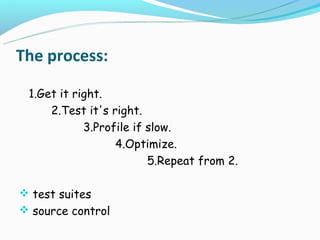
 1.Get it right.
     2.Test it's right.
            3.Profile if slow.
                  4.Optimize.
                         5.Repeat from 2.

 test suites
 source control
Make it right & pretty!

 Good Programming :-)

    General optimization strategies
    Python optimizations
Optimization:
Aims to improve
Not perfect, the result
Programming with performance tips
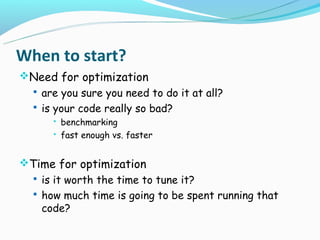
When to start?
Need for optimization
  are you sure you need to do it at all?
  is your code really so bad?
         benchmarking
         fast enough vs. faster


Time for optimization
  is it worth the time to tune it?
  how much time is going to be spent running that
   code?
When to start?
Cost of optimization
   costly developer time
   addition of new features
   new bugs in algorithms
   speed vs. space


            Optimize only if necessary!
Where to start?
 Are you sure you're done coding?
 frosting a half-baked cake
 Premature optimization is the root of all evil!
                                           - Don Knuth
 Working, well-architected code is always a must
General strategies
  Algorithms - the big-O notation
  Architecture
  Choice of Data structures
  LRU techniques
  Loop invariant code out of loops
  Nested loops
  try...catch instead of if...else
  Multithreading for I/O bound code
  DBMS instead of flat files
General strategies
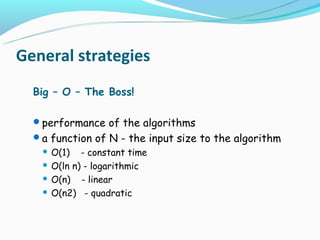
  Big – O – The Boss!

  performance of the algorithms
  a function of N - the input size to the algorithm
    O(1) - constant time
    O(ln n) - logarithmic

    O(n)   - linear
    O(n2) - quadratic
Common big-O’s
Order      Said to be Examples
           “…. time”
--------------------------------------------------
O(1)       constant       key in dict
                          dict[key] = value
                          list.append(item)
O(ln n)    logarithmic Binary search
O(n)       linear         item in sequence
                          str.join(list)
O(n ln n)                 list.sort()
O(n2)      quadratic      Nested loops (with constant time bodies)
Note the notation
  O(N2)                         O(N)
  def slow(it):                 def fast(it):
    result = []                   result = []
    for item in it:               for item in it:
       result.insert(0, item)       result.append(item)
       return result                result.reverse( )
                                  return result
  result = list(it)
Big-O’s of Python Building blocks
   lists - vectors
   dictionaries - hash tables
   sets - hash tables
Big-O’s of Python Building blocks
  Let, L be any list, T any string (plain or Unicode); D
   any dict; S any set, with (say) numbers as items
   (with O(1) hashing and comparison) and x any
   number:

  O(1) - len( L ), len(T), len( D ), len(S), L [i],
           T [i], D[i], del D[i], if x in D, if x in S,
           S .add( x ), S.remove( x ), additions or
           removals to/from the right end of L
Big-O’s of Python Building blocks
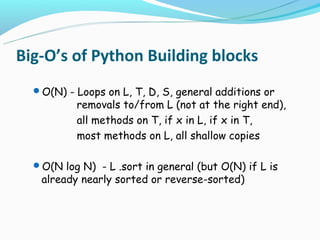
  O(N) - Loops on L, T, D, S, general additions or
          removals to/from L (not at the right end),
          all methods on T, if x in L, if x in T,
          most methods on L, all shallow copies

  O(N log N) - L .sort in general (but O(N) if L is
   already nearly sorted or reverse-sorted)
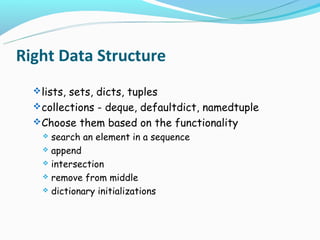
Right Data Structure
   lists, sets, dicts, tuples
   collections - deque, defaultdict, namedtuple
   Choose them based on the functionality
     search an element in a sequence
     append

     intersection

     remove from middle

     dictionary initializations
Right Data Structure
   my_list = range(n)
    n in my_list
   my_list = set(range(n))
    n in my_list

   my_list[start:end] = []
   my_deque.rotate(-end)
    for counter in (end-start):
      my_deque.pop()
Right Data Structure
  s = [('yellow', 1), ('blue', 2), ('yellow', 3), ('blue', 4), ('red', 1)]

   d = defaultdict(list)
    for k, v in s:
       d[k].append(v)
    d.items()
    [('blue', [2, 4]), ('red', [1]), ('yellow', [1, 3])]

   d = {}
    for k, v in s:
       d.setdefault(k, []).append(v)
    d.items()
    [('blue', [2, 4]), ('red', [1]), ('yellow', [1, 3])]
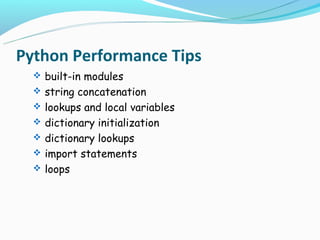
Python Performance Tips
   built-in modules
   string concatenation
   lookups and local variables
   dictionary initialization
   dictionary lookups
   import statements
   loops
Built-ins
  - Highly optimized
  - Sort a list of tuples by it’s n-th field


   def sortby(somelist, n):
      nlist = [(x[n], x) for x in somelist]
      nlist.sort()
      return [val for (key, val) in nlist]
  n = 1
   import operator
   nlist.sort(key=operator.itemgetter(n))
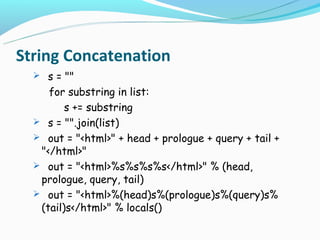
String Concatenation
   s = ""
     for substring in list:
         s += substring
   s = "".join(list)
   out = "<html>" + head + prologue + query + tail +
   "</html>"
   out = "<html>%s%s%s%s</html>" % (head,
   prologue, query, tail)
   out = "<html>%(head)s%(prologue)s%(query)s%
   (tail)s</html>" % locals()
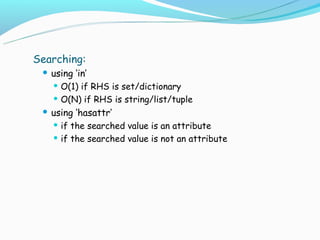
Searching:
  using ‘in’
    O(1) if RHS is set/dictionary

    O(N) if RHS is string/list/tuple

  using ‘hasattr’
    if the searched value is an attribute

    if the searched value is not an attribute
Loops:
  list comprehensions
  map as for loop moved to c – if the body of the loop is a
   function call

    newlist = []
     for word in oldlist:
       newlist.append(word.upper())

    newlist = [s.upper() for s in oldlist]

    newlist = map(str.upper, oldlist)
Lookups and Local variables:
  evaluating function references in loops
  accessing local variables vs global variables


    upper = str.upper
     newlist = []
     append = newlist.append
     for word in oldlist:
       append(upper(word))
Dictionaries
  Initialization -- try... Except
  Lookups -- string.maketrans


Regular expressions:
  RE's better than writing a loop
  Built-in string functions better than RE's

  Compiled re's are significantly faster


    re.search('^[A-Za-z]+$', source)
    x = re.compile('^[A-Za-z]+$').search
     x(source)
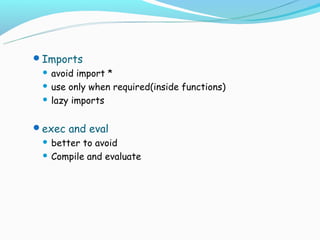
Imports
  avoid import *
  use only when required(inside functions)

  lazy imports


exec and eval
  better to avoid
  Compile and evaluate
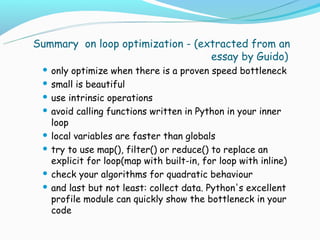
Summary on loop optimization - (extracted from an
                                  essay by Guido)
  only optimize when there is a proven speed bottleneck
  small is beautiful

  use intrinsic operations

  avoid calling functions written in Python in your inner
   loop
  local variables are faster than globals

  try to use map(), filter() or reduce() to replace an
   explicit for loop(map with built-in, for loop with inline)
  check your algorithms for quadratic behaviour

  and last but not least: collect data. Python's excellent
   profile module can quickly show the bottleneck in your
   code
Might be unintentional, better not to be intuitive!

The right answer to improve performance
          - Use PROFILERS
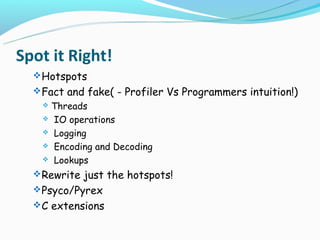
Spot it Right!
   Hotspots
   Fact and fake( - Profiler Vs Programmers intuition!)
   Threads
    IO operations

    Logging

    Encoding and Decoding

    Lookups

   Rewrite just the hotspots!
   Psyco/Pyrex
   C extensions
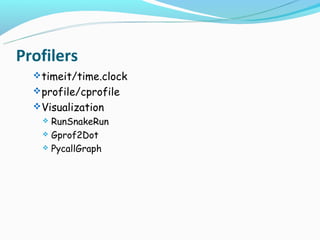
Profilers
   timeit/time.clock
   profile/cprofile
   Visualization
     RunSnakeRun
     Gprof2Dot

     PycallGraph
timeit
   precise performance of small code snippets.
   the two convenience functions - timeit and repeat
    timeit.repeat(stmt[, setup[, timer[, repeat=3[,
     number=1000000]]]])
    timeit.timeit(stmt[, setup[, timer[, number=1000000]]])


   can also be used from command line
      python -m timeit [-n N] [-r N] [-s S] [-t] [-c] [-h]
       [statement ...]
timeit
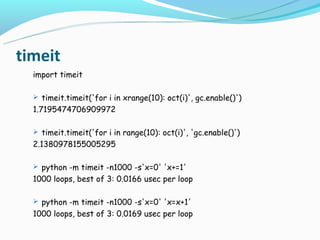
  import timeit

   timeit.timeit('for i in xrange(10): oct(i)', gc.enable()')
  1.7195474706909972

   timeit.timeit('for i in range(10): oct(i)', 'gc.enable()')
  2.1380978155005295

   python -m timeit -n1000 -s'x=0' 'x+=1'
  1000 loops, best of 3: 0.0166 usec per loop

   python -m timeit -n1000 -s'x=0' 'x=x+1'
  1000 loops, best of 3: 0.0169 usec per loop
timeit
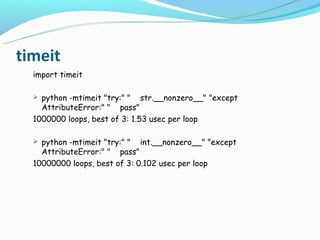
  import timeit

   python -mtimeit "try:" "   str.__nonzero__" "except
    AttributeError:" " pass"
  1000000 loops, best of 3: 1.53 usec per loop

   python -mtimeit "try:" "   int.__nonzero__" "except
    AttributeError:" " pass"
  10000000 loops, best of 3: 0.102 usec per loop
timeit
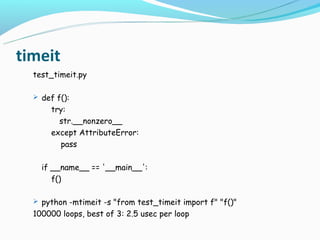
  test_timeit.py

   def f():
       try:
         str.__nonzero__
       except AttributeError:
         pass

    if __name__ == '__main__':
       f()

   python -mtimeit -s "from test_timeit import f" "f()"
  100000 loops, best of 3: 2.5 usec per loop
cProfile/profile
   Deterministic profiling
   The run time performance
   With statistics
   Small snippets bring big changes!


      import cProfile
       cProfile.run(command[, filename])

      python -m cProfile myscript.py [-o output_file] [-s
       sort_order]
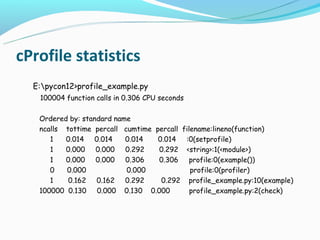
cProfile statistics
  E:pycon12>profile_example.py
   100004 function calls in 0.306 CPU seconds

   Ordered by: standard name
   ncalls tottime percall cumtime percall filename:lineno(function)
      1   0.014 0.014      0.014   0.014 :0(setprofile)
      1   0.000 0.000 0.292        0.292 <string>:1(<module>)
      1   0.000 0.000 0.306        0.306 profile:0(example())
      0   0.000            0.000             profile:0(profiler)
      1    0.162 0.162 0.292        0.292 profile_example.py:10(example)
   100000 0.130 0.000 0.130 0.000            profile_example.py:2(check)
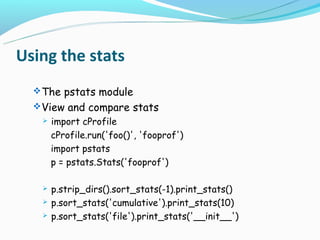
Using the stats
   The pstats module
   View and compare stats
      import cProfile
       cProfile.run('foo()', 'fooprof')
       import pstats
       p = pstats.Stats('fooprof')

      p.strip_dirs().sort_stats(-1).print_stats()
      p.sort_stats('cumulative').print_stats(10)
      p.sort_stats('file').print_stats('__init__')
Visualization
   A picture is worth a thousand words!
   Other tools to visualize profiles
     kcachegrind
     RunSnakeRun

     GProf2Dot

     PyCallGraph

     PyProf2CallTree
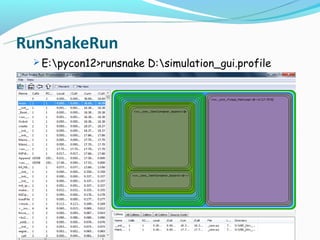
RunSnakeRun
  E:pycon12>runsnake D:simulation_gui.profile
Don't be too clever.
Don't sweat it too much.
 Develop an instinct for the sort of code that
 Python runs well.
References
   http://docs.python.org
   http://wiki.python.org/moin/PythonSpeed/PerformanceTips/
   http://sschwarzer.com/download/optimization_europython2006.pdf
   http://oreilly.com/python/excerpts/python-in-a-nutshell/testing-
    debugging.html
Questions?

Profiling and optimization

  • 1.
  • 2.
    About: Optimization - what,when & where? General Optimization strategies Python specific optimizations Profiling
  • 3.
    Golden Rule: "First make it work. Then make it right. Then make it fast!" - Kent Beck
  • 4.
    The process: 1.Getit right. 2.Test it's right. 3.Profile if slow. 4.Optimize. 5.Repeat from 2.  test suites  source control
  • 5.
    Make it right& pretty! Good Programming :-)  General optimization strategies  Python optimizations
  • 6.
    Optimization: Aims to improve Notperfect, the result Programming with performance tips
  • 7.
    When to start? Needfor optimization  are you sure you need to do it at all?  is your code really so bad?  benchmarking  fast enough vs. faster Time for optimization  is it worth the time to tune it?  how much time is going to be spent running that code?
  • 8.
    When to start? Costof optimization  costly developer time  addition of new features  new bugs in algorithms  speed vs. space Optimize only if necessary!
  • 9.
    Where to start? Are you sure you're done coding? frosting a half-baked cake Premature optimization is the root of all evil! - Don Knuth  Working, well-architected code is always a must
  • 10.
    General strategies Algorithms - the big-O notation Architecture Choice of Data structures LRU techniques Loop invariant code out of loops Nested loops try...catch instead of if...else Multithreading for I/O bound code DBMS instead of flat files
  • 11.
    General strategies Big – O – The Boss! performance of the algorithms a function of N - the input size to the algorithm  O(1) - constant time  O(ln n) - logarithmic  O(n) - linear  O(n2) - quadratic
  • 12.
    Common big-O’s Order Said to be Examples “…. time” -------------------------------------------------- O(1) constant key in dict dict[key] = value list.append(item) O(ln n) logarithmic Binary search O(n) linear item in sequence str.join(list) O(n ln n) list.sort() O(n2) quadratic Nested loops (with constant time bodies)
  • 13.
    Note the notation O(N2) O(N) def slow(it): def fast(it): result = [] result = [] for item in it: for item in it: result.insert(0, item) result.append(item) return result result.reverse( ) return result result = list(it)
  • 14.
    Big-O’s of PythonBuilding blocks  lists - vectors  dictionaries - hash tables  sets - hash tables
  • 15.
    Big-O’s of PythonBuilding blocks Let, L be any list, T any string (plain or Unicode); D any dict; S any set, with (say) numbers as items (with O(1) hashing and comparison) and x any number: O(1) - len( L ), len(T), len( D ), len(S), L [i], T [i], D[i], del D[i], if x in D, if x in S, S .add( x ), S.remove( x ), additions or removals to/from the right end of L
  • 16.
    Big-O’s of PythonBuilding blocks O(N) - Loops on L, T, D, S, general additions or removals to/from L (not at the right end), all methods on T, if x in L, if x in T, most methods on L, all shallow copies O(N log N) - L .sort in general (but O(N) if L is already nearly sorted or reverse-sorted)
  • 17.
    Right Data Structure  lists, sets, dicts, tuples  collections - deque, defaultdict, namedtuple  Choose them based on the functionality  search an element in a sequence  append  intersection  remove from middle  dictionary initializations
  • 18.
    Right Data Structure  my_list = range(n) n in my_list  my_list = set(range(n)) n in my_list  my_list[start:end] = []  my_deque.rotate(-end) for counter in (end-start): my_deque.pop()
  • 19.
    Right Data Structure s = [('yellow', 1), ('blue', 2), ('yellow', 3), ('blue', 4), ('red', 1)]  d = defaultdict(list) for k, v in s: d[k].append(v) d.items() [('blue', [2, 4]), ('red', [1]), ('yellow', [1, 3])]  d = {} for k, v in s: d.setdefault(k, []).append(v) d.items() [('blue', [2, 4]), ('red', [1]), ('yellow', [1, 3])]
  • 20.
    Python Performance Tips  built-in modules  string concatenation  lookups and local variables  dictionary initialization  dictionary lookups  import statements  loops
  • 21.
    Built-ins -Highly optimized - Sort a list of tuples by it’s n-th field  def sortby(somelist, n): nlist = [(x[n], x) for x in somelist] nlist.sort() return [val for (key, val) in nlist] n = 1 import operator nlist.sort(key=operator.itemgetter(n))
  • 22.
    String Concatenation  s = "" for substring in list: s += substring  s = "".join(list)  out = "<html>" + head + prologue + query + tail + "</html>"  out = "<html>%s%s%s%s</html>" % (head, prologue, query, tail)  out = "<html>%(head)s%(prologue)s%(query)s% (tail)s</html>" % locals()
  • 23.
    Searching:  using‘in’  O(1) if RHS is set/dictionary  O(N) if RHS is string/list/tuple  using ‘hasattr’  if the searched value is an attribute  if the searched value is not an attribute
  • 24.
    Loops:  listcomprehensions  map as for loop moved to c – if the body of the loop is a function call  newlist = [] for word in oldlist: newlist.append(word.upper())  newlist = [s.upper() for s in oldlist]  newlist = map(str.upper, oldlist)
  • 25.
    Lookups and Localvariables:  evaluating function references in loops  accessing local variables vs global variables  upper = str.upper newlist = [] append = newlist.append for word in oldlist: append(upper(word))
  • 26.
    Dictionaries  Initialization-- try... Except  Lookups -- string.maketrans Regular expressions:  RE's better than writing a loop  Built-in string functions better than RE's  Compiled re's are significantly faster  re.search('^[A-Za-z]+$', source)  x = re.compile('^[A-Za-z]+$').search x(source)
  • 27.
    Imports  avoidimport *  use only when required(inside functions)  lazy imports exec and eval  better to avoid  Compile and evaluate
  • 28.
    Summary on loopoptimization - (extracted from an essay by Guido)  only optimize when there is a proven speed bottleneck  small is beautiful  use intrinsic operations  avoid calling functions written in Python in your inner loop  local variables are faster than globals  try to use map(), filter() or reduce() to replace an explicit for loop(map with built-in, for loop with inline)  check your algorithms for quadratic behaviour  and last but not least: collect data. Python's excellent profile module can quickly show the bottleneck in your code
  • 29.
    Might be unintentional,better not to be intuitive! The right answer to improve performance - Use PROFILERS
  • 30.
    Spot it Right!  Hotspots  Fact and fake( - Profiler Vs Programmers intuition!) Threads  IO operations  Logging  Encoding and Decoding  Lookups  Rewrite just the hotspots!  Psyco/Pyrex  C extensions
  • 31.
    Profilers timeit/time.clock  profile/cprofile  Visualization  RunSnakeRun  Gprof2Dot  PycallGraph
  • 32.
    timeit precise performance of small code snippets.  the two convenience functions - timeit and repeat  timeit.repeat(stmt[, setup[, timer[, repeat=3[, number=1000000]]]])  timeit.timeit(stmt[, setup[, timer[, number=1000000]]])  can also be used from command line  python -m timeit [-n N] [-r N] [-s S] [-t] [-c] [-h] [statement ...]
  • 33.
    timeit importtimeit  timeit.timeit('for i in xrange(10): oct(i)', gc.enable()') 1.7195474706909972  timeit.timeit('for i in range(10): oct(i)', 'gc.enable()') 2.1380978155005295  python -m timeit -n1000 -s'x=0' 'x+=1' 1000 loops, best of 3: 0.0166 usec per loop  python -m timeit -n1000 -s'x=0' 'x=x+1' 1000 loops, best of 3: 0.0169 usec per loop
  • 34.
    timeit importtimeit  python -mtimeit "try:" " str.__nonzero__" "except AttributeError:" " pass" 1000000 loops, best of 3: 1.53 usec per loop  python -mtimeit "try:" " int.__nonzero__" "except AttributeError:" " pass" 10000000 loops, best of 3: 0.102 usec per loop
  • 35.
    timeit test_timeit.py  def f(): try: str.__nonzero__ except AttributeError: pass if __name__ == '__main__': f()  python -mtimeit -s "from test_timeit import f" "f()" 100000 loops, best of 3: 2.5 usec per loop
  • 36.
    cProfile/profile Deterministic profiling  The run time performance  With statistics  Small snippets bring big changes!  import cProfile cProfile.run(command[, filename])  python -m cProfile myscript.py [-o output_file] [-s sort_order]
  • 37.
    cProfile statistics E:pycon12>profile_example.py 100004 function calls in 0.306 CPU seconds Ordered by: standard name ncalls tottime percall cumtime percall filename:lineno(function) 1 0.014 0.014 0.014 0.014 :0(setprofile) 1 0.000 0.000 0.292 0.292 <string>:1(<module>) 1 0.000 0.000 0.306 0.306 profile:0(example()) 0 0.000 0.000 profile:0(profiler) 1 0.162 0.162 0.292 0.292 profile_example.py:10(example) 100000 0.130 0.000 0.130 0.000 profile_example.py:2(check)
  • 38.
    Using the stats  The pstats module  View and compare stats  import cProfile cProfile.run('foo()', 'fooprof') import pstats p = pstats.Stats('fooprof')  p.strip_dirs().sort_stats(-1).print_stats()  p.sort_stats('cumulative').print_stats(10)  p.sort_stats('file').print_stats('__init__')
  • 39.
    Visualization A picture is worth a thousand words!  Other tools to visualize profiles  kcachegrind  RunSnakeRun  GProf2Dot  PyCallGraph  PyProf2CallTree
  • 40.
    RunSnakeRun  E:pycon12>runsnakeD:simulation_gui.profile
  • 41.
    Don't be tooclever. Don't sweat it too much.  Develop an instinct for the sort of code that Python runs well.
  • 42.
    References http://docs.python.org  http://wiki.python.org/moin/PythonSpeed/PerformanceTips/  http://sschwarzer.com/download/optimization_europython2006.pdf  http://oreilly.com/python/excerpts/python-in-a-nutshell/testing- debugging.html
  • 43.