Running Hadoop
Hadoop Platforms
• Platforms: Unix and on Windows.
  – Linux: the only supported production platform.
  – Other variants of Unix, like Mac OS X: run Hadoop for
    development.
  – Windows + Cygwin: development platform (openssh)
• Java 6
  – Java 1.6.x (aka 6.0.x aka 6) is recommended for
    running Hadoop.
Hadoop Installation
• Download a stable version of Hadoop:
  – http://hadoop.apache.org/core/releases.html
• Untar the hadoop file:
  – tar xvfz hadoop-0.20.2.tar.gz
• JAVA_HOME at hadoop/conf/hadoop-env.sh:
  – Mac OS:
    /System/Library/Frameworks/JavaVM.framework/Versions
    /1.6.0/Home (/Library/Java/Home)
  – Linux: which java
• Environment Variables:
  – export PATH=$PATH:$HADOOP_HOME/bin
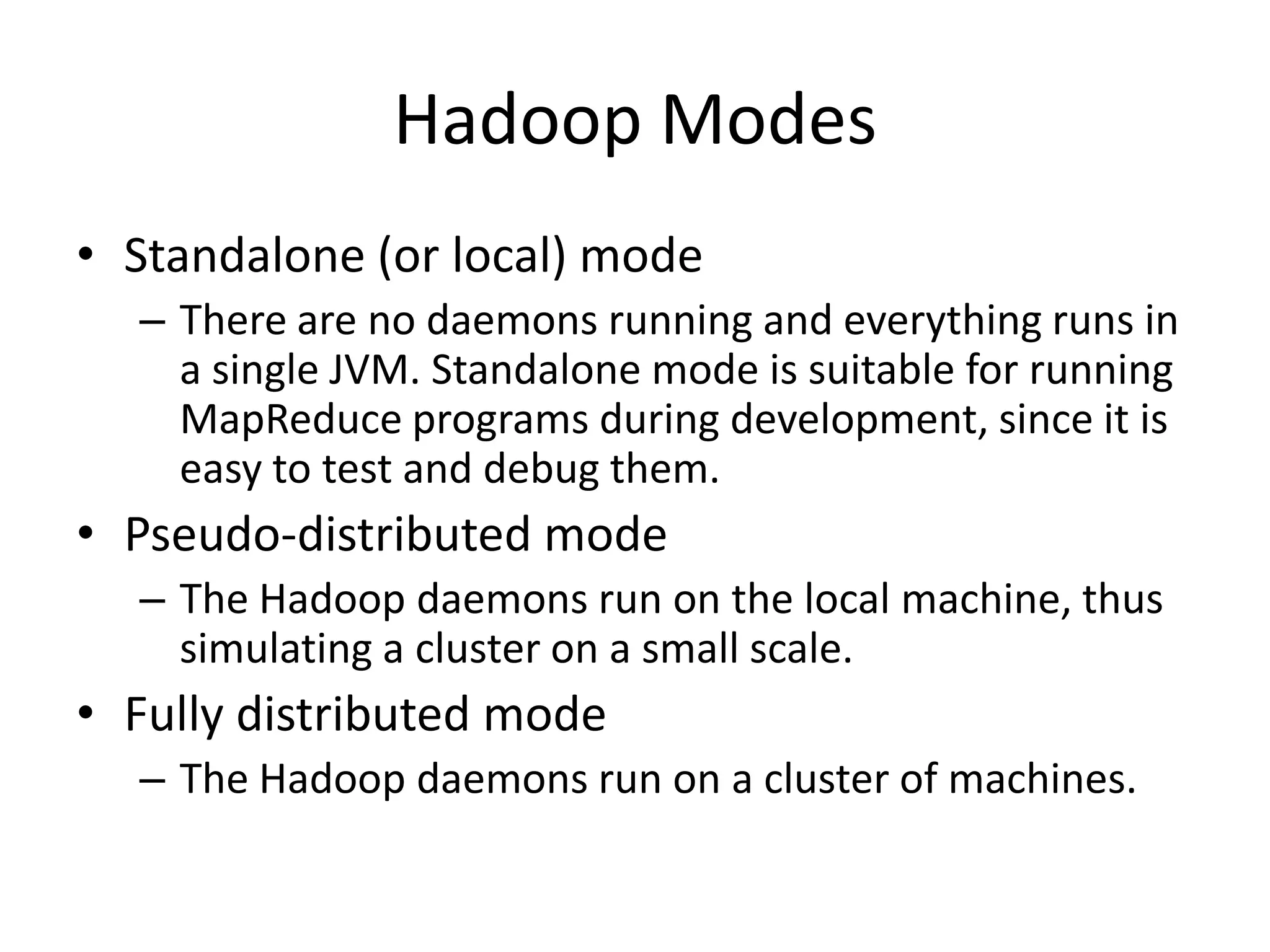
Hadoop Modes
• Standalone (or local) mode
  – There are no daemons running and everything runs in
    a single JVM. Standalone mode is suitable for running
    MapReduce programs during development, since it is
    easy to test and debug them.
• Pseudo-distributed mode
  – The Hadoop daemons run on the local machine, thus
    simulating a cluster on a small scale.
• Fully distributed mode
  – The Hadoop daemons run on a cluster of machines.
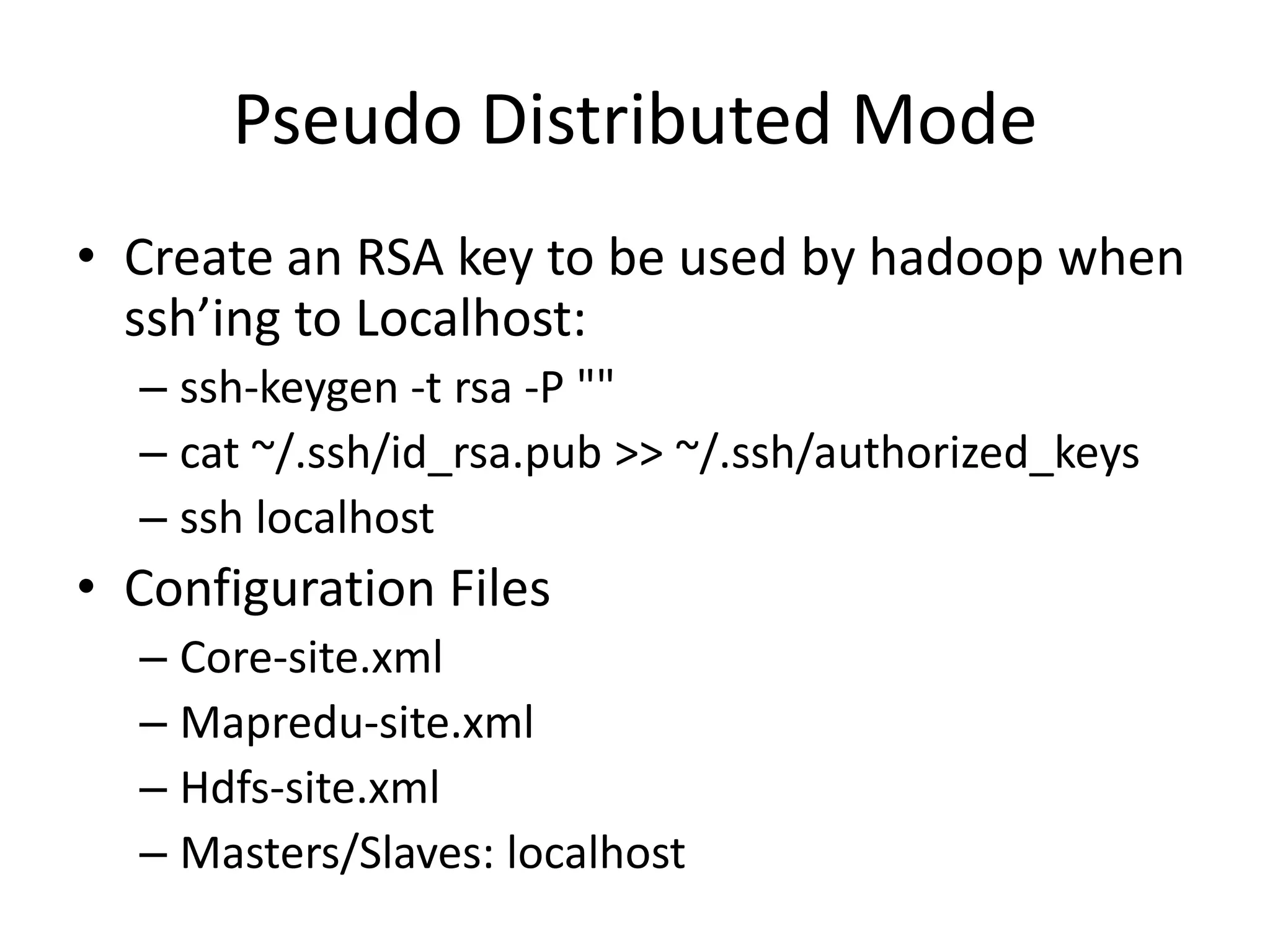
Pseudo Distributed Mode
• Create an RSA key to be used by hadoop when
  ssh’ing to Localhost:
  – ssh-keygen -t rsa -P ""
  – cat ~/.ssh/id_rsa.pub >> ~/.ssh/authorized_keys
  – ssh localhost
• Configuration Files
  – Core-site.xml
  – Mapredu-site.xml
  – Hdfs-site.xml
  – Masters/Slaves: localhost
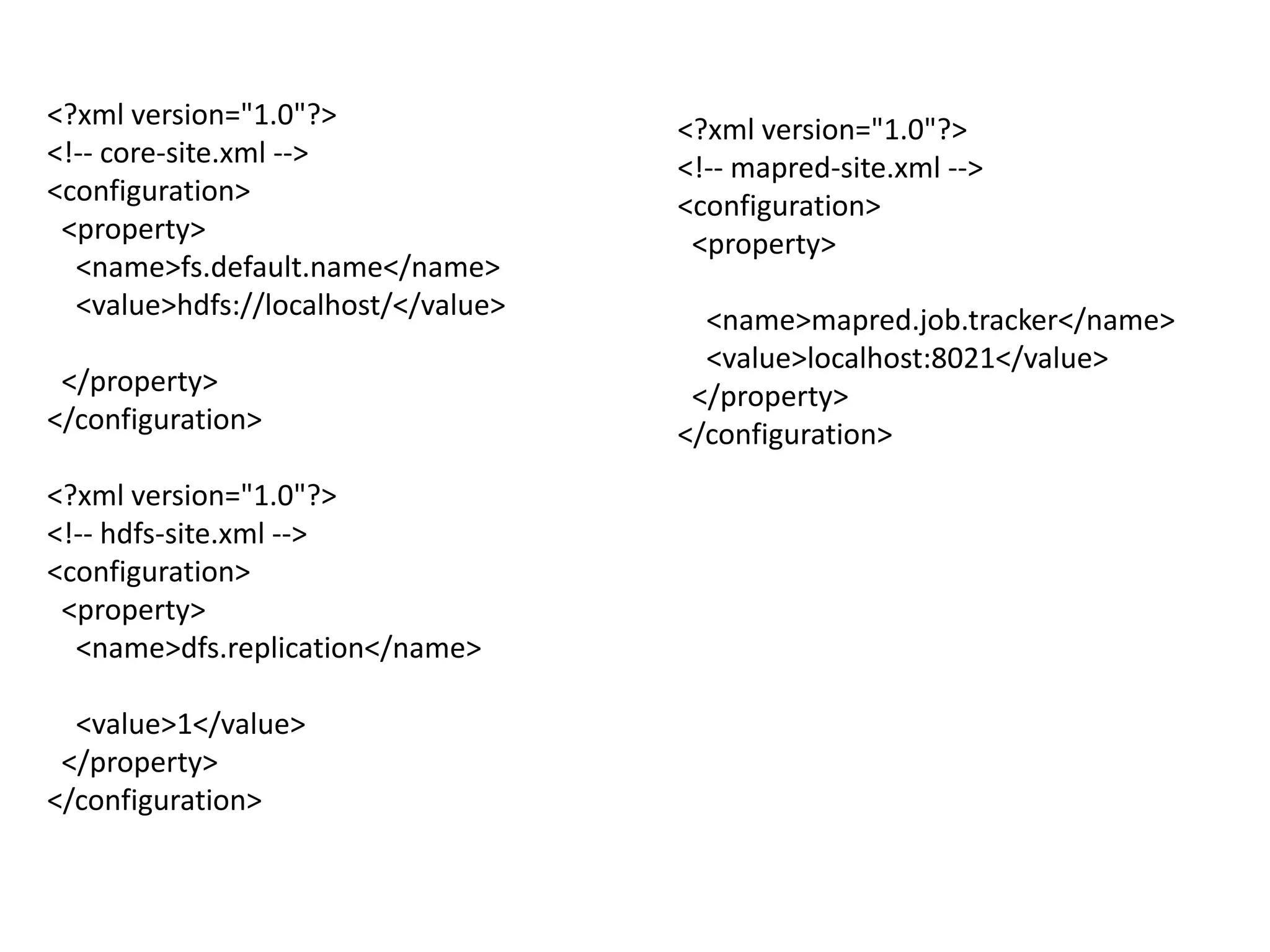
<?xml version="1.0"?>                <?xml version="1.0"?>
<!-- core-site.xml -->               <!-- mapred-site.xml -->
<configuration>                      <configuration>
 <property>                           <property>
  <name>fs.default.name</name>
  <value>hdfs://localhost/</value>     <name>mapred.job.tracker</name>
                                       <value>localhost:8021</value>
 </property>                          </property>
</configuration>                     </configuration>
<?xml version="1.0"?>
<!-- hdfs-site.xml -->
<configuration>
 <property>
  <name>dfs.replication</name>

  <value>1</value>
 </property>
</configuration>
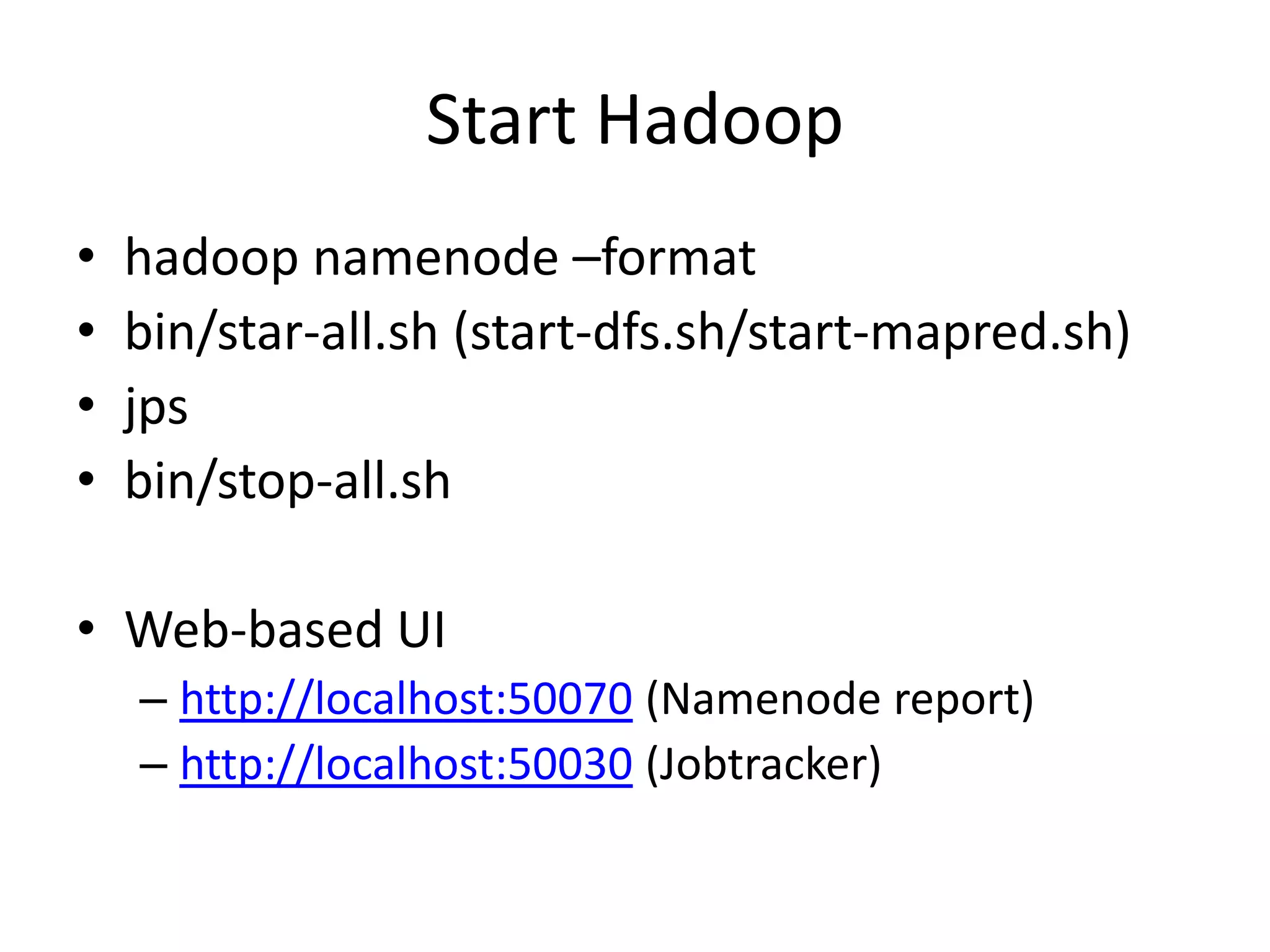
Start Hadoop
•   hadoop namenode –format
•   bin/star-all.sh (start-dfs.sh/start-mapred.sh)
•   jps
•   bin/stop-all.sh

• Web-based UI
    – http://localhost:50070 (Namenode report)
    – http://localhost:50030 (Jobtracker)
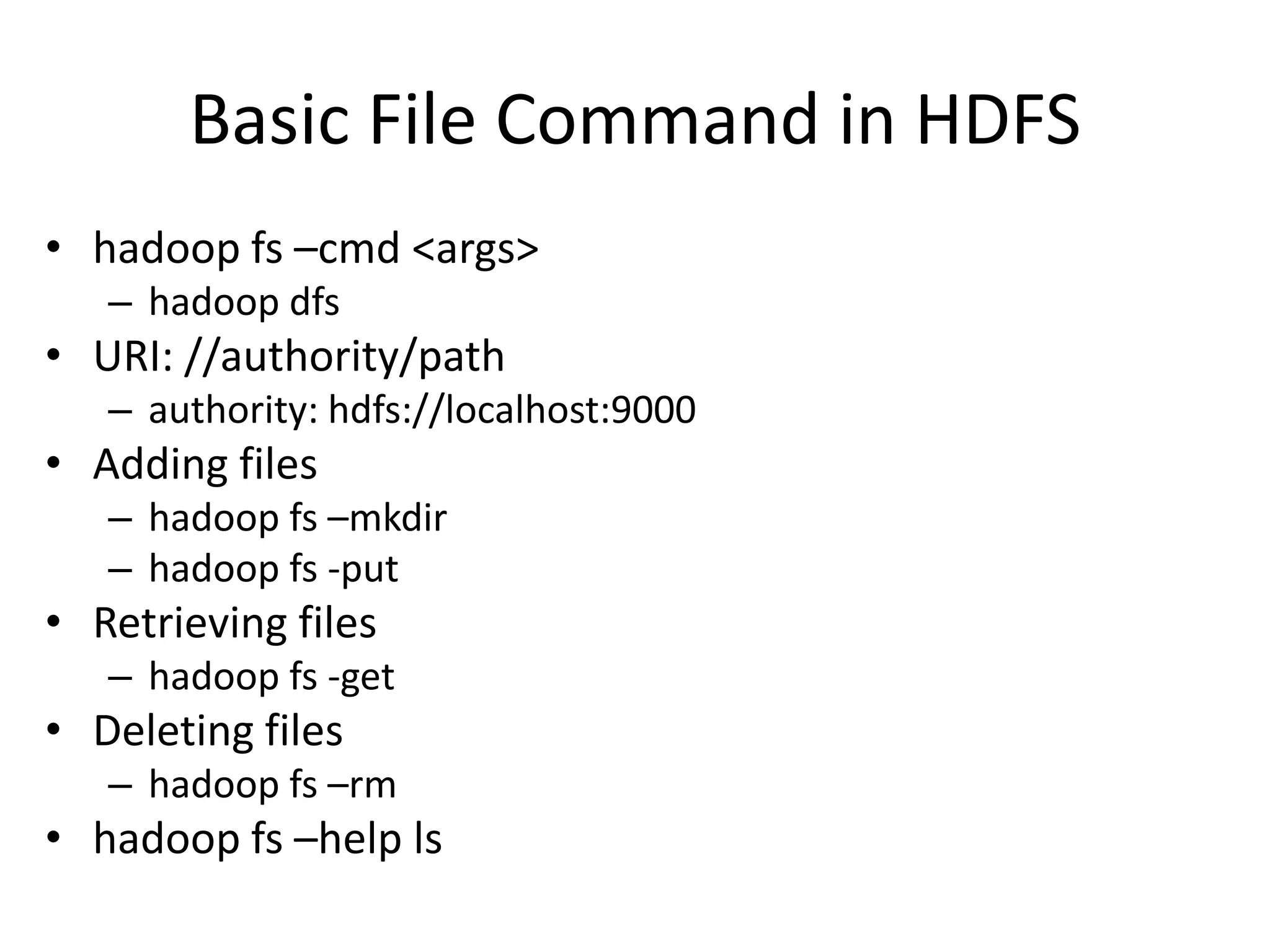
Basic File Command in HDFS
• hadoop fs –cmd <args>
   – hadoop dfs
• URI: //authority/path
   – authority: hdfs://localhost:9000
• Adding files
   – hadoop fs –mkdir
   – hadoop fs -put
• Retrieving files
   – hadoop fs -get
• Deleting files
   – hadoop fs –rm
• hadoop fs –help ls
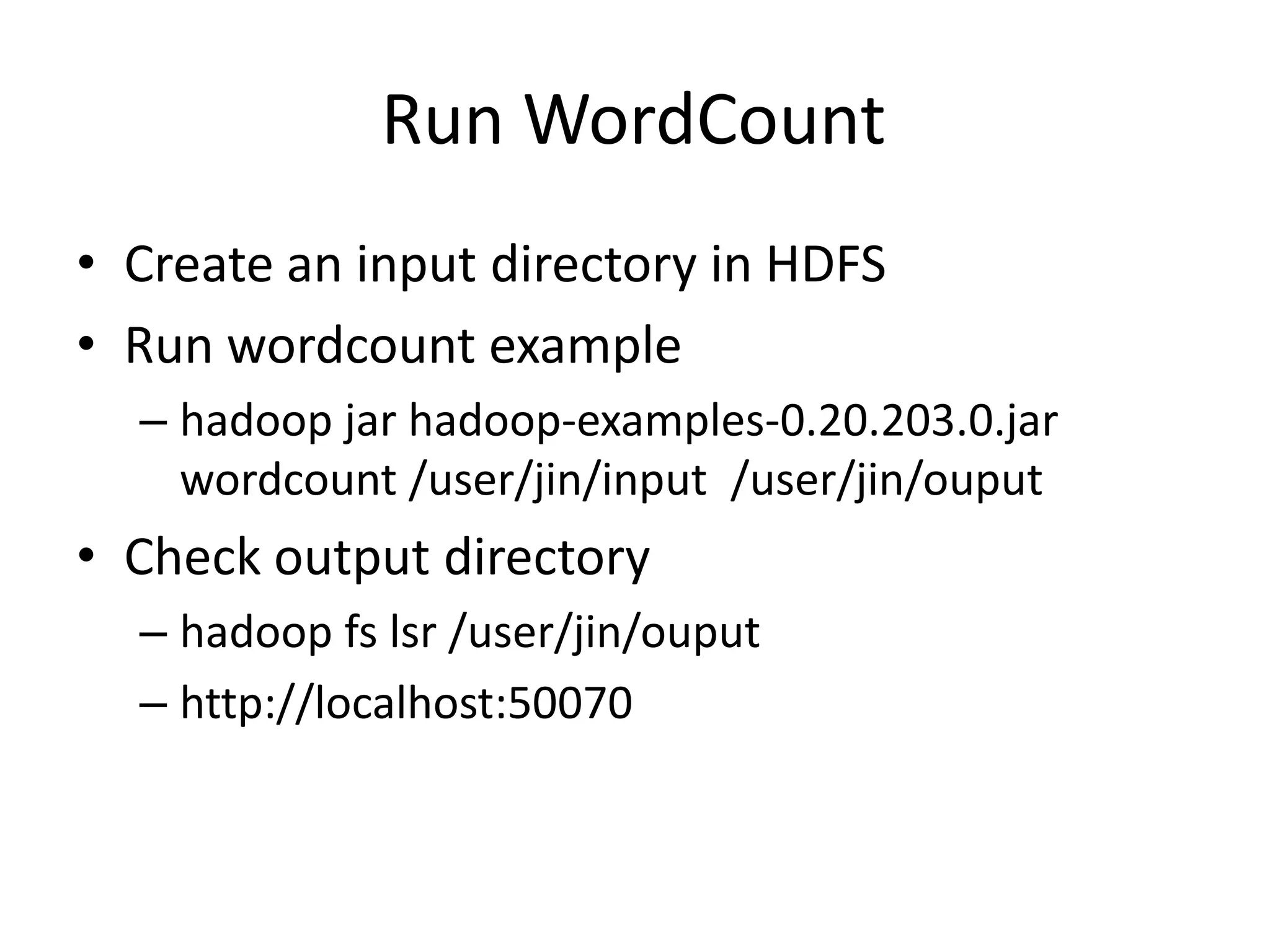
Run WordCount
• Create an input directory in HDFS
• Run wordcount example
  – hadoop jar hadoop-examples-0.20.203.0.jar
    wordcount /user/jin/input /user/jin/ouput
• Check output directory
  – hadoop fs lsr /user/jin/ouput
  – http://localhost:50070
References
• http://hadoop.apache.org/common/docs/r0.2
  0.2/quickstart.html
• http://oreilly.com/other-
  programming/excerpts/hadoop-tdg/installing-
  apache-hadoop.html
• http://www.michael-
  noll.com/tutorials/running-hadoop-on-
  ubuntu-linux-single-node-cluster/
• http://snap.stanford.edu/class/cs246-
  2011/hw_files/hadoop_install.pdf
Hadoop and HFDS
  Programming
import java.io.IOException;
                                                                try {
import org.apache.hadoop.conf.Configuration;                           FileStatus[] inputFiles = local.listStatus(inputDir);
import org.apache.hadoop.fs.FSDataInputStream;                         FSDataOutputStream out = hdfs.create(hdfsFile);
import org.apache.hadoop.fs.FSDataOutputStream;                        for(int i = 0; i < inputFiles.length; i++) {
import org.apache.hadoop.fs.FileStatus;                                   if(!inputFiles[i].isDir()) {
import org.apache.hadoop.fs.FileSystem;                                      System.out.println("tnow processing <" +
import org.apache.hadoop.fs.Path;
                                                                inputFiles[i].getPath().getName() + ">");
                                                                             FSDataInputStream in =
public class PutMerge {                                         local.open(inputFiles[i].getPath());
  public static void main(String[] args) throws IOException {
    if(args.length != 2) {                                                   byte buffer[] = new byte[256];
       System.out.println("Usage PutMerge <dir> <outfile>");                 int bytesRead = 0;
       System.exit(1);                                                       while ((bytesRead = in.read(buffer)) > 0) {
    }                                                                           out.write(buffer, 0, bytesRead);
                                                                             }
     Configuration conf = new Configuration();                               filesProcessed++;
     FileSystem hdfs = FileSystem.get(conf);                                 in.close();
     FileSystem local = FileSystem.getLocal(conf);                       }
     int filesProcessed = 0;                                            }
                                                                        out.close();
     Path inputDir = new Path(args[0]);                                 System.out.println("nSuccessfully merged " +
     Path hdfsFile = new Path(args[1]);                         filesProcessed + " local files and written to <" +
                                                                hdfsFile.getName() + "> in HDFS.");
                                                                     } catch (IOException ioe) {
                                                                        ioe.printStackTrace();
                                                                     }
                                                                   }
                                                                }
import java.io.IOException;
import org.apache.hadoop.fs.Path;
import org.apache.hadoop.io.IntWritable;
import org.apache.hadoop.io.Text;
import org.apache.hadoop.mapred.FileInputFormat;
import org.apache.hadoop.mapred.FileOutputFormat;
import org.apache.hadoop.mapred.JobClient;
import org.apache.hadoop.mapred.JobConf;


public class MaxTemperature {
  public static void main(String[] args) throws IOException {
     if (args.length != 2) {
          System.err.println("Usage: MaxTemperature <input path> <output path>");
System.exit(-1); }
     JobConf conf = new JobConf(MaxTemperature.class);
     conf.setJobName("Max temperature");
     FileInputFormat.addInputPath(conf, new Path(args[0]));
     FileOutputFormat.setOutputPath(conf, new Path(args[1]));
     conf.setMapperClass(MaxTemperatureMapper.class);
     conf.setReducerClass(MaxTemperatureReducer.class);
     conf.setOutputKeyClass(Text.class);
     conf.setOutputValueClass(IntWritable.class);
     JobClient.runJob(conf);
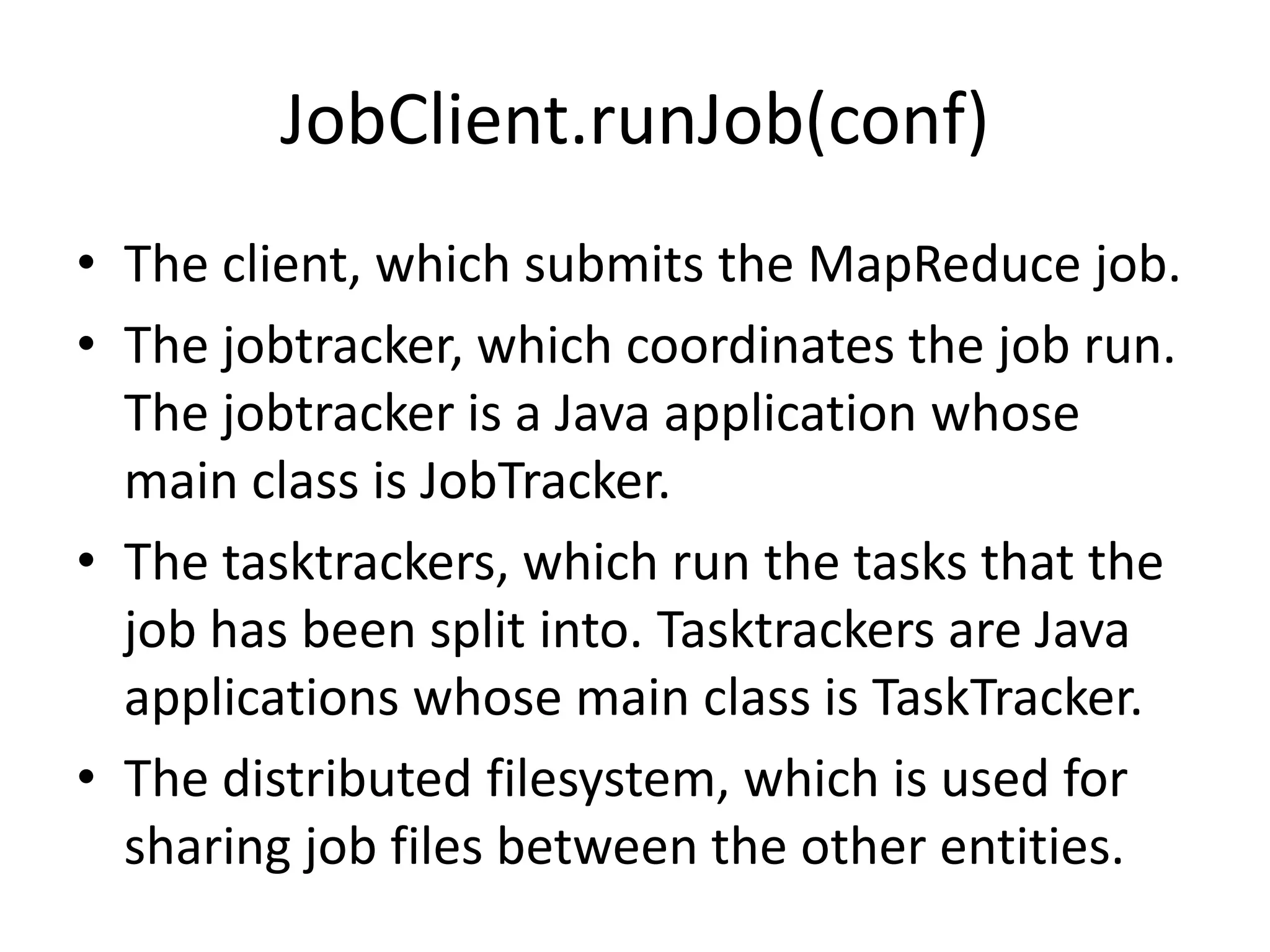
JobClient.runJob(conf)
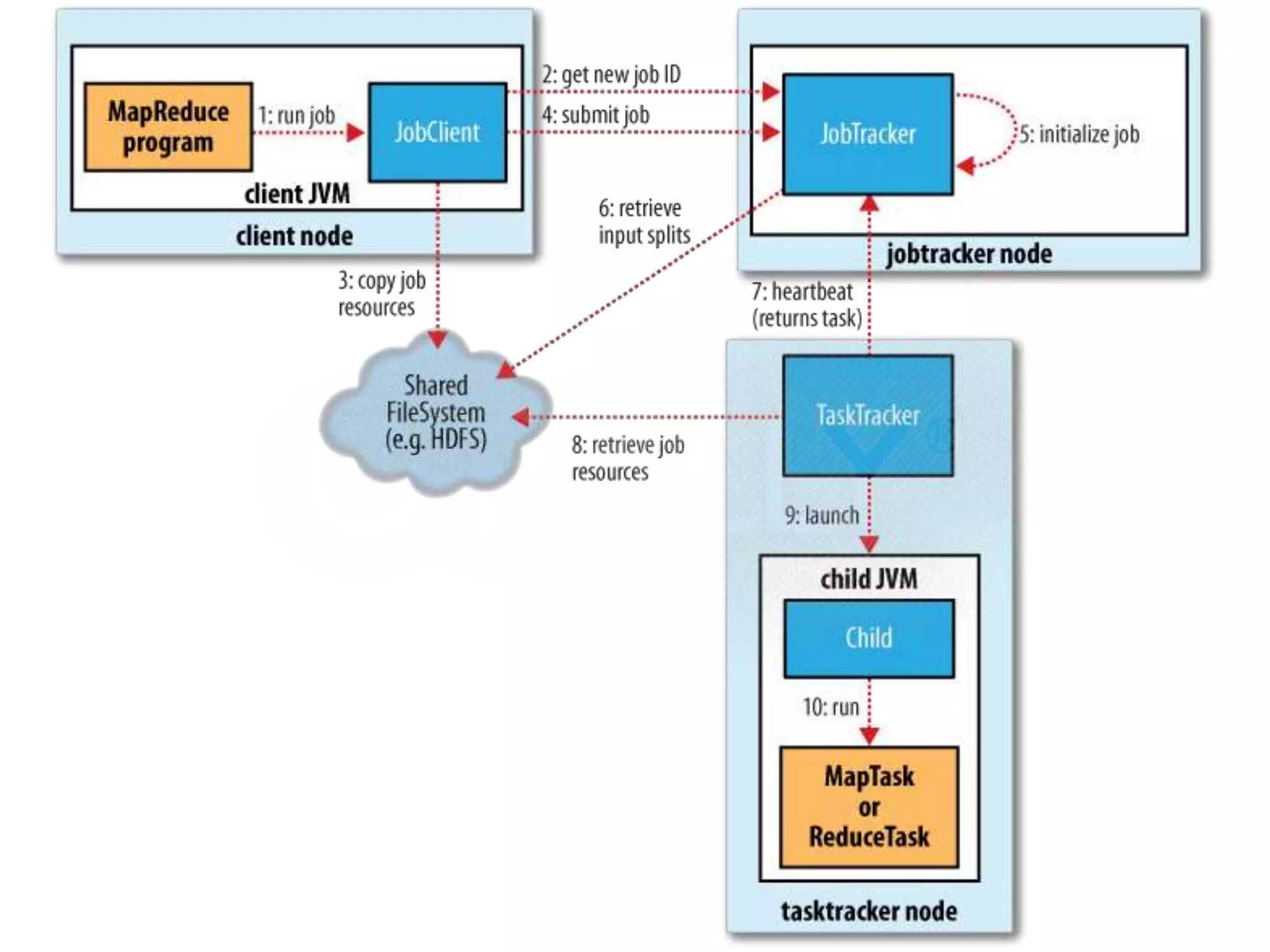
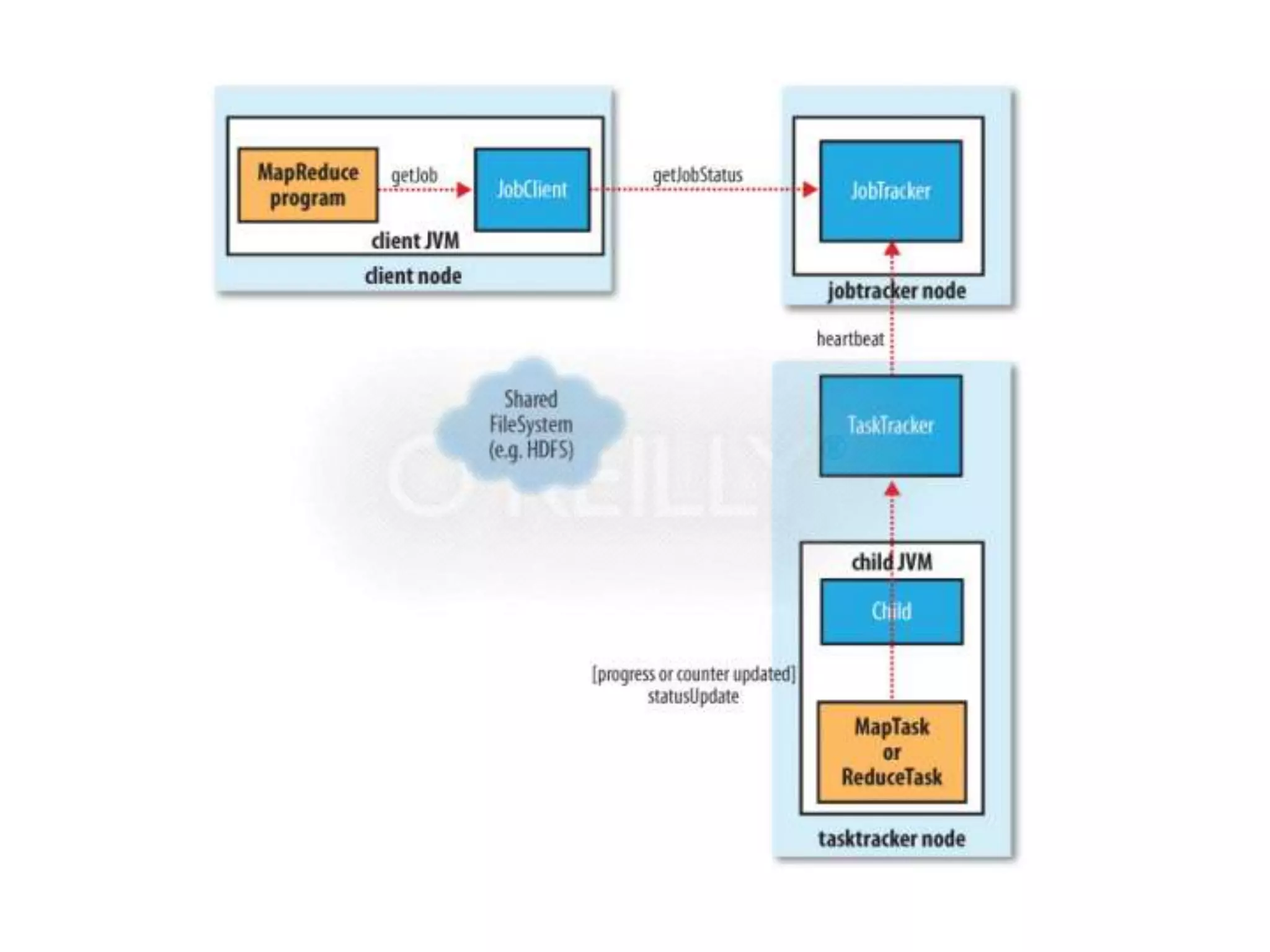
• The client, which submits the MapReduce job.
• The jobtracker, which coordinates the job run.
  The jobtracker is a Java application whose
  main class is JobTracker.
• The tasktrackers, which run the tasks that the
  job has been split into. Tasktrackers are Java
  applications whose main class is TaskTracker.
• The distributed filesystem, which is used for
  sharing job files between the other entities.
Job Launch: Client
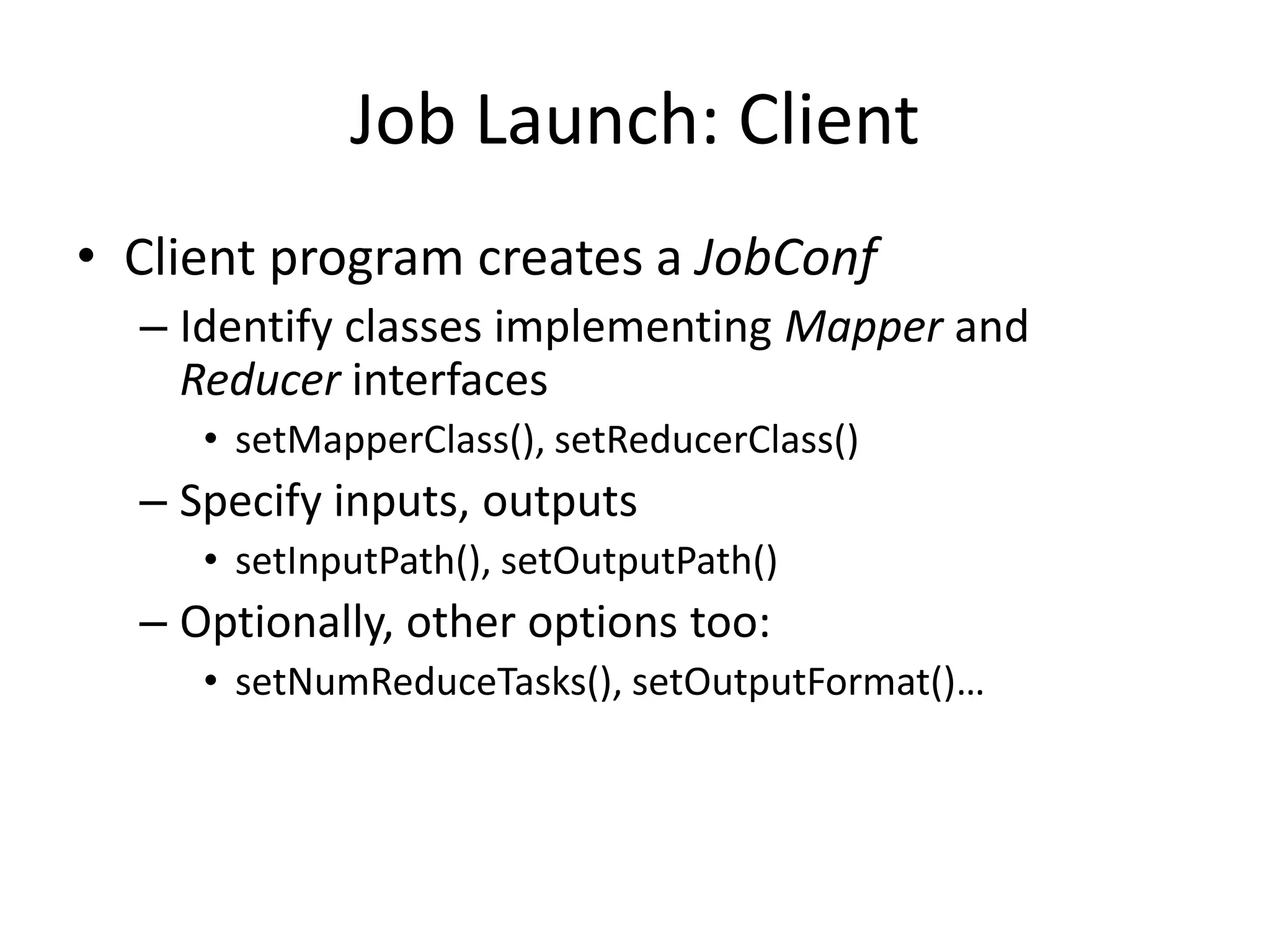
• Client program creates a JobConf
  – Identify classes implementing Mapper and
    Reducer interfaces
     • setMapperClass(), setReducerClass()
  – Specify inputs, outputs
     • setInputPath(), setOutputPath()
  – Optionally, other options too:
     • setNumReduceTasks(), setOutputFormat()…
Job Launch: JobClient
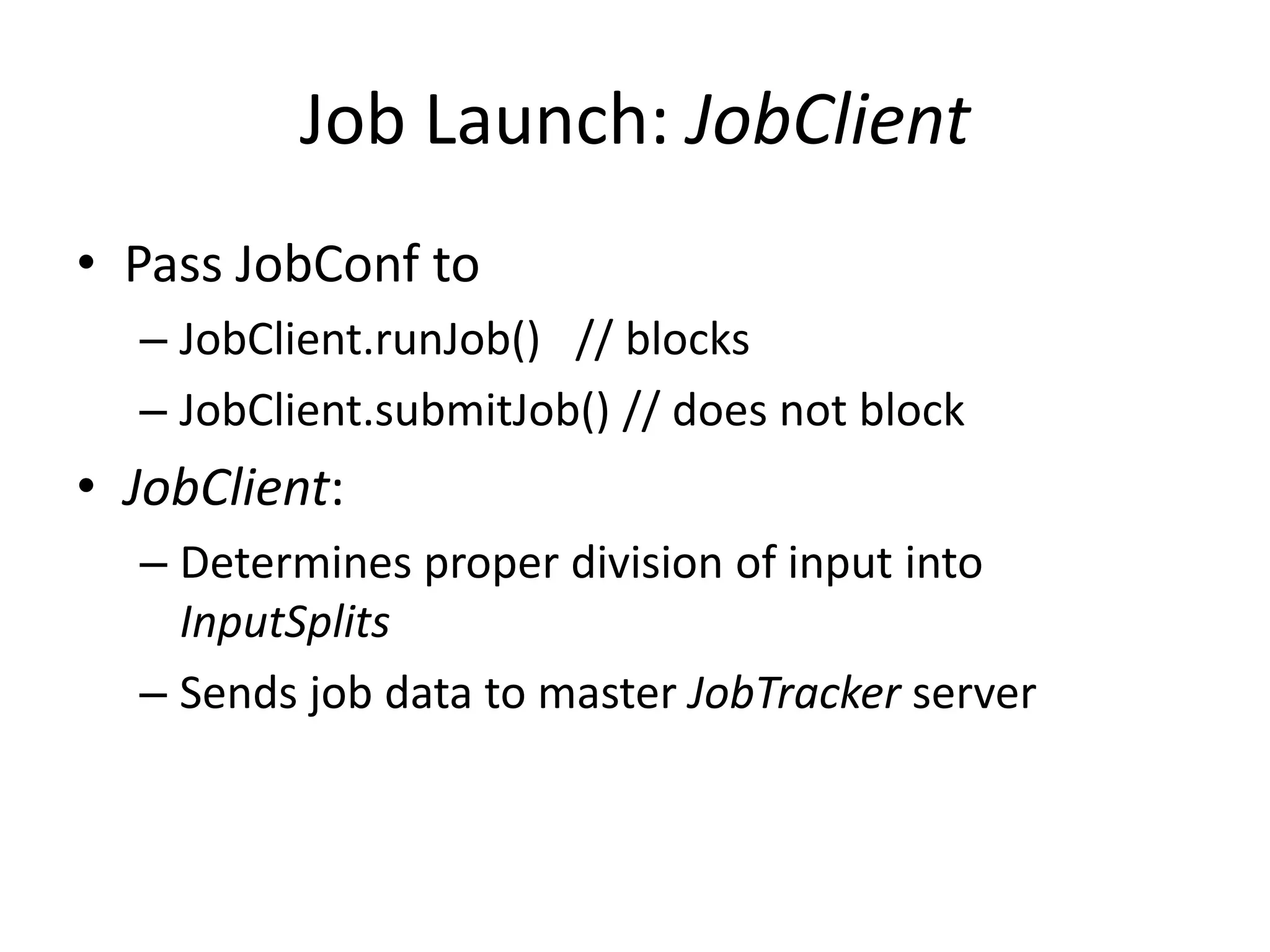
• Pass JobConf to
  – JobClient.runJob() // blocks
  – JobClient.submitJob() // does not block
• JobClient:
  – Determines proper division of input into
    InputSplits
  – Sends job data to master JobTracker server
Job Launch: JobTracker
• JobTracker:
  – Inserts jar and JobConf (serialized to XML) in
    shared location
  – Posts a JobInProgress to its run queue
Job Launch: TaskTracker
• TaskTrackers running on slave nodes
  periodically query JobTracker for work
• Retrieve job-specific jar and config
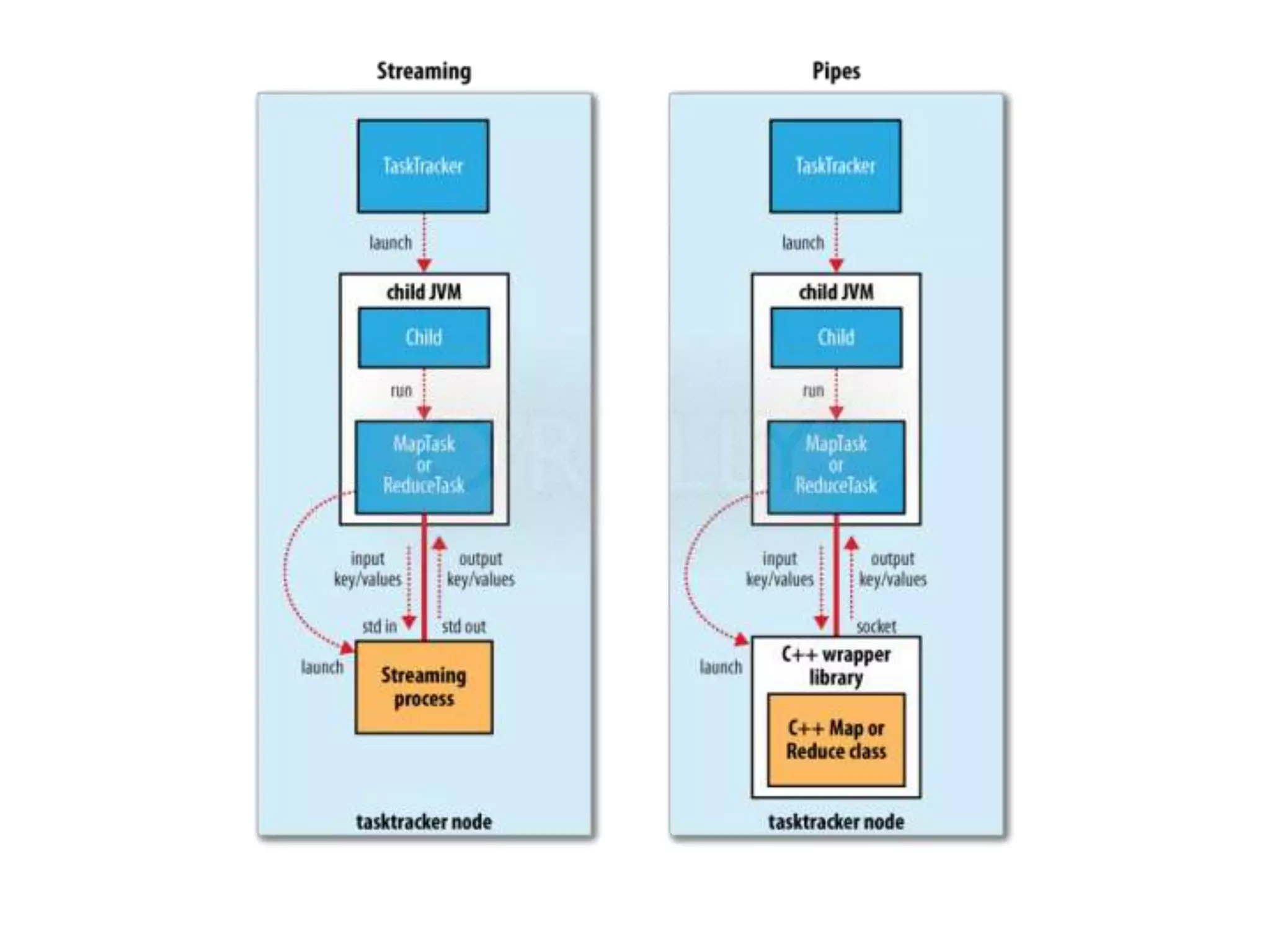
• Launch task in separate instance of Java
  – main() is provided by Hadoop
Job Launch: Task
• TaskTracker.Child.main():
  – Sets up the child TaskInProgress attempt
  – Reads XML configuration
  – Connects back to necessary MapReduce
    components via RPC
  – Uses TaskRunner to launch user process
Job Launch: TaskRunner
• TaskRunner, MapTaskRunner, MapRunner
  work in a daisy-chain to launch Mapper
  – Task knows ahead of time which InputSplits it
    should be mapping
  – Calls Mapper once for each record retrieved from
    the InputSplit
• Running the Reducer is much the same
public class MaxTemperature {
  public static void main(String[] args) throws IOException {
     if (args.length != 2) {
          System.err.println("Usage: MaxTemperature <input path> <output path>");
System.exit(-1); }

     JobConf conf = new JobConf(MaxTemperature.class);
     conf.setJobName("Max temperature");

     FileInputFormat.addInputPath(conf, new Path(args[0]));
     FileOutputFormat.setOutputPath(conf, new Path(args[1]));

     conf.setMapperClass(MaxTemperatureMapper.class);
     conf.setReducerClass(MaxTemperatureReducer.class);

     conf.setOutputKeyClass(Text.class);
     conf.setOutputValueClass(IntWritable.class);

     JobClient.runJob(conf);
}}
public static void main(String[] args) throws Exception {
 Configuration conf = new Configuration();
 String[] otherArgs = new GenericOptionsParser(conf, args).getRemainingArgs();
 if (otherArgs.length != 2) {
   System.err.println("Usage: wordcount <in> <out>");
   System.exit(2);
 }

    Job job = new Job(conf, "word count");
    job.setJarByClass(WordCount.class);

    job.setMapperClass(TokenizerMapper.class);
    job.setCombinerClass(IntSumReducer.class);
    job.setReducerClass(IntSumReducer.class);

    job.setOutputKeyClass(Text.class);
    job.setOutputValueClass(IntWritable.class);

    FileInputFormat.addInputPath(job, new Path(otherArgs[0]));
    FileOutputFormat.setOutputPath(job, new Path(otherArgs[1]));

    System.exit(job.waitForCompletion(true) ? 0 : 1);
}
Creating the Mapper
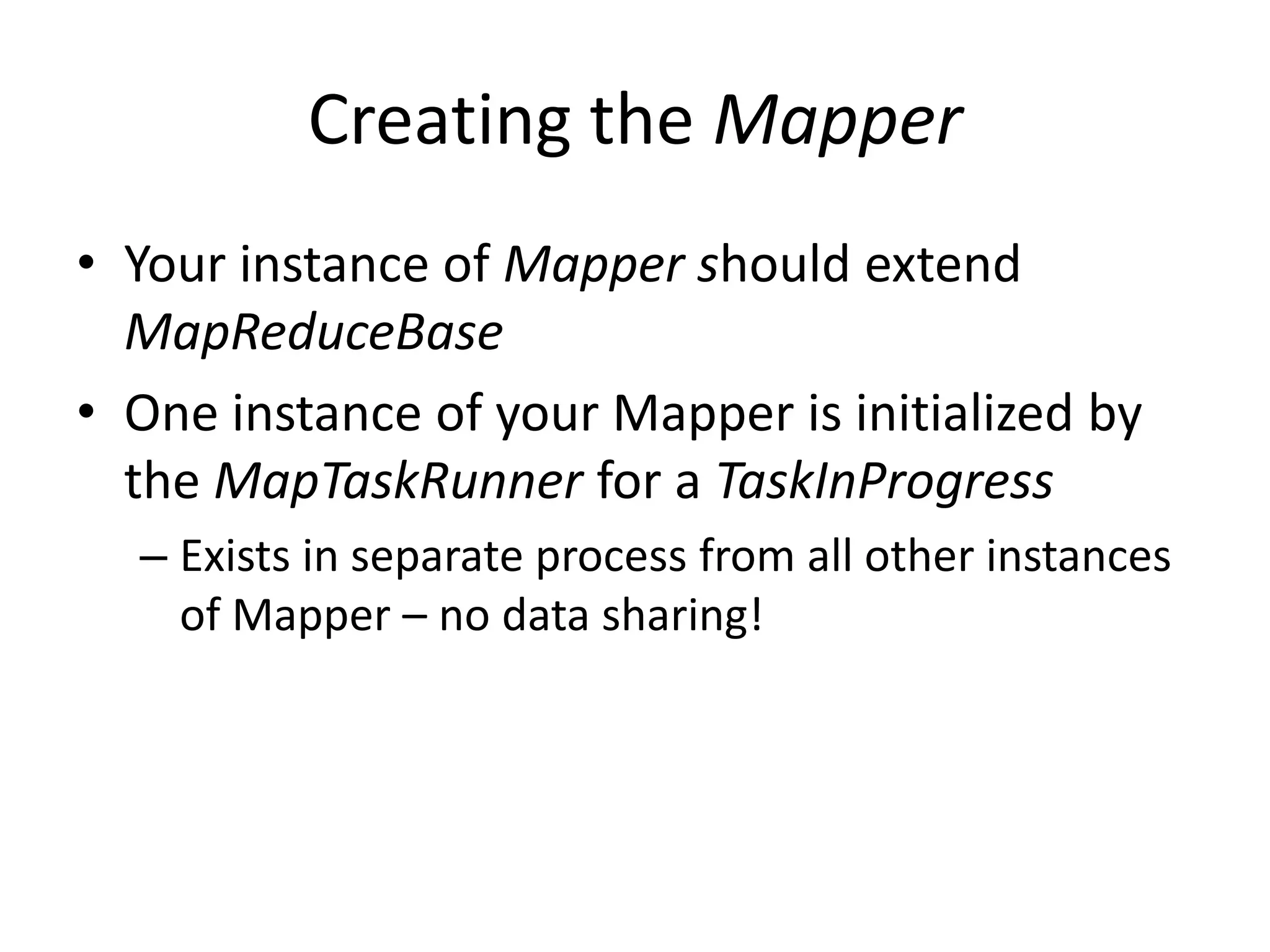
• Your instance of Mapper should extend
  MapReduceBase
• One instance of your Mapper is initialized by
  the MapTaskRunner for a TaskInProgress
  – Exists in separate process from all other instances
    of Mapper – no data sharing!
Mapper
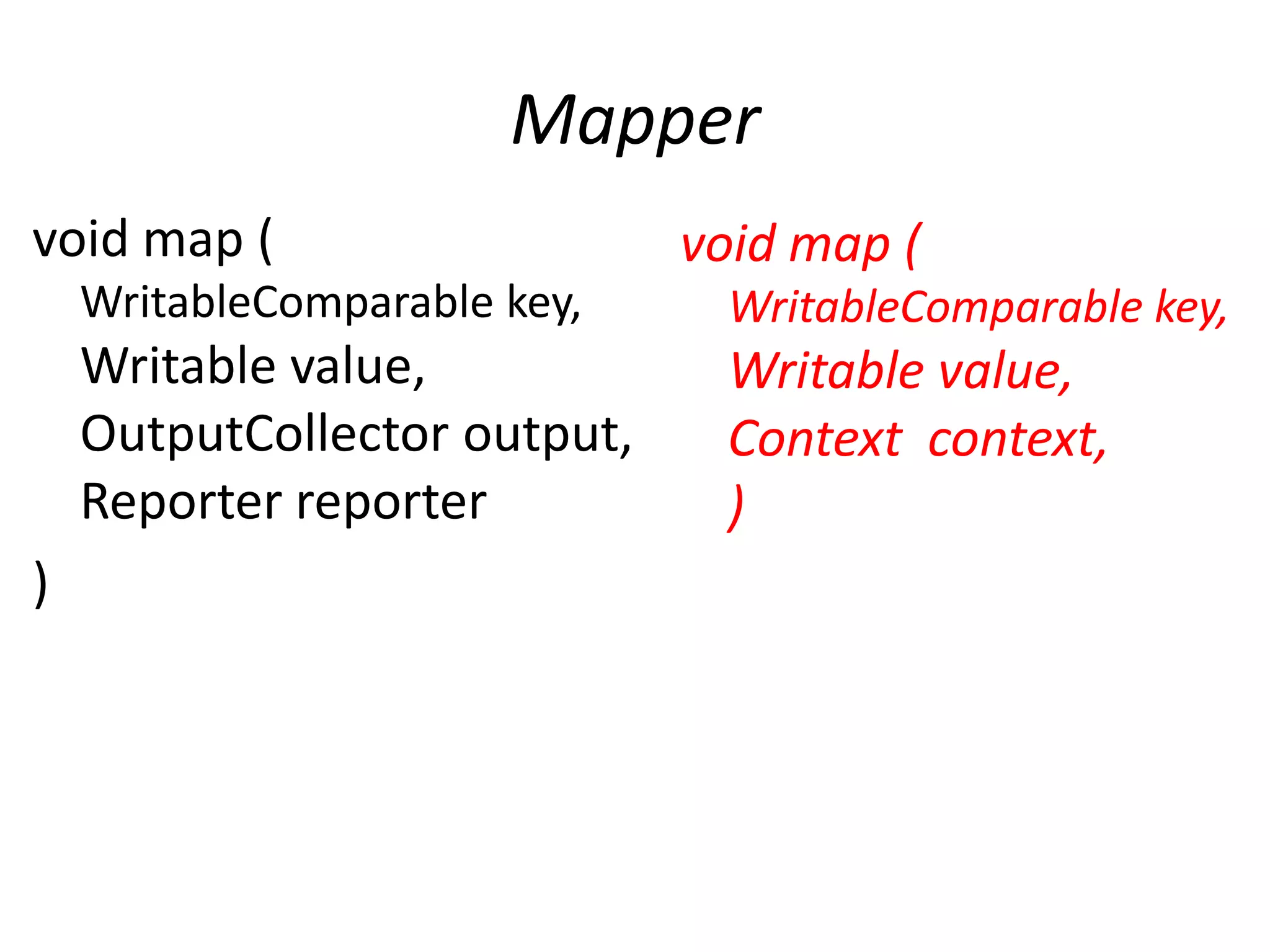
void map (                    void map (
    WritableComparable key,    WritableComparable key,
    Writable value,            Writable value,
    OutputCollector output,    Context context,
    Reporter reporter          )
)
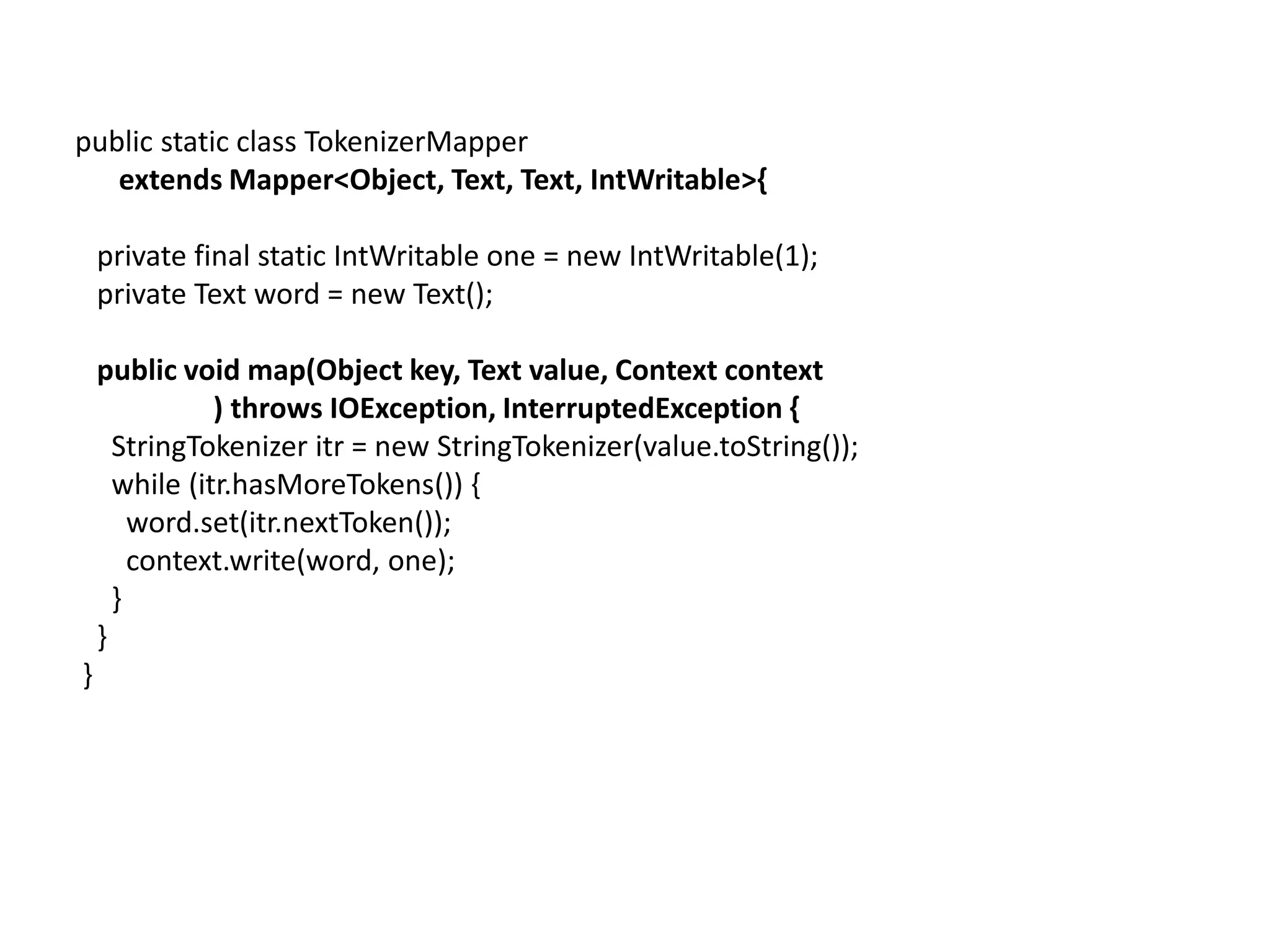
public static class TokenizerMapper
   extends Mapper<Object, Text, Text, IntWritable>{

    private final static IntWritable one = new IntWritable(1);
    private Text word = new Text();

    public void map(Object key, Text value, Context context
               ) throws IOException, InterruptedException {
      StringTokenizer itr = new StringTokenizer(value.toString());
      while (itr.hasMoreTokens()) {
        word.set(itr.nextToken());
        context.write(word, one);
      }
    }
}
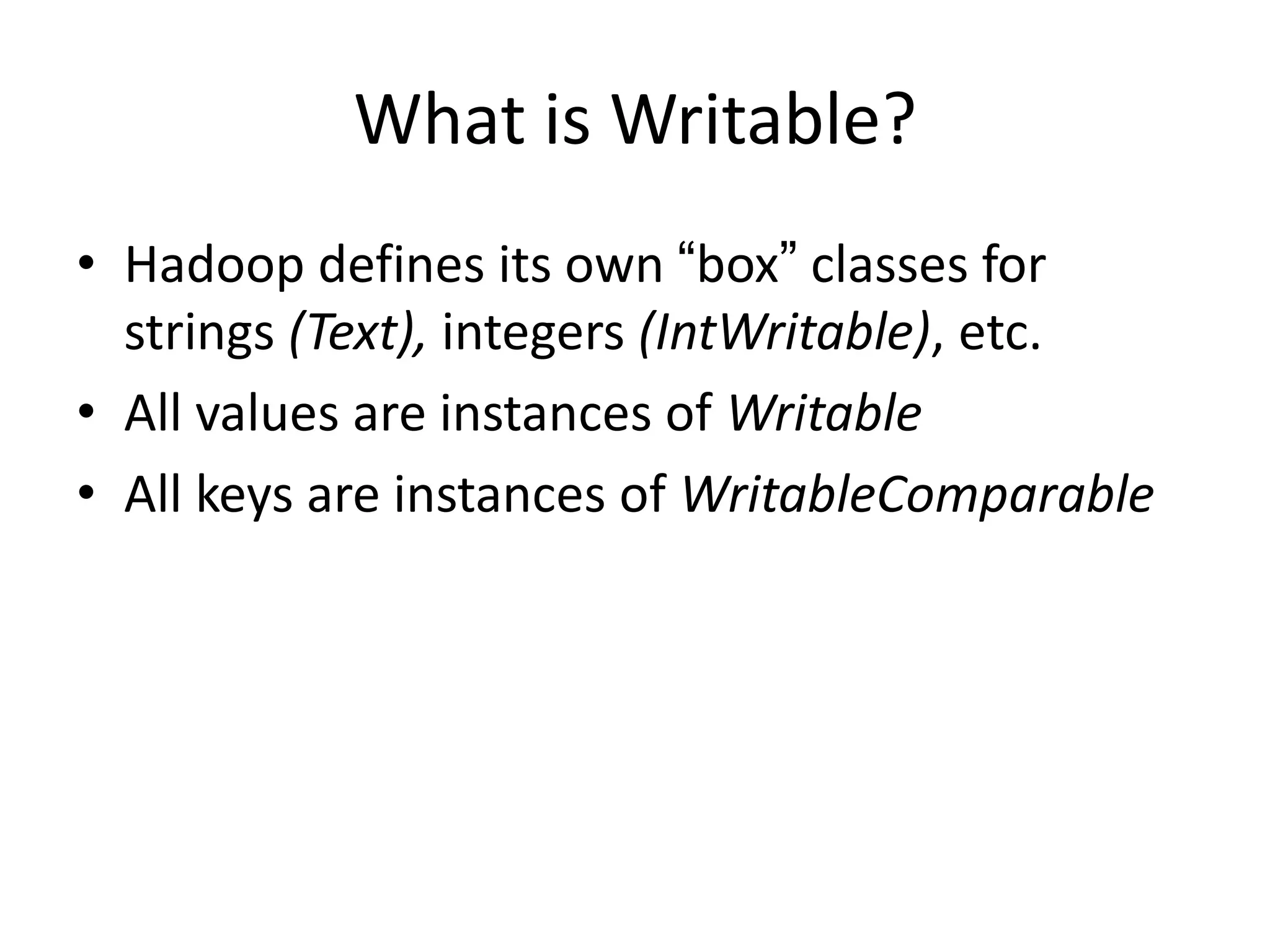
What is Writable?
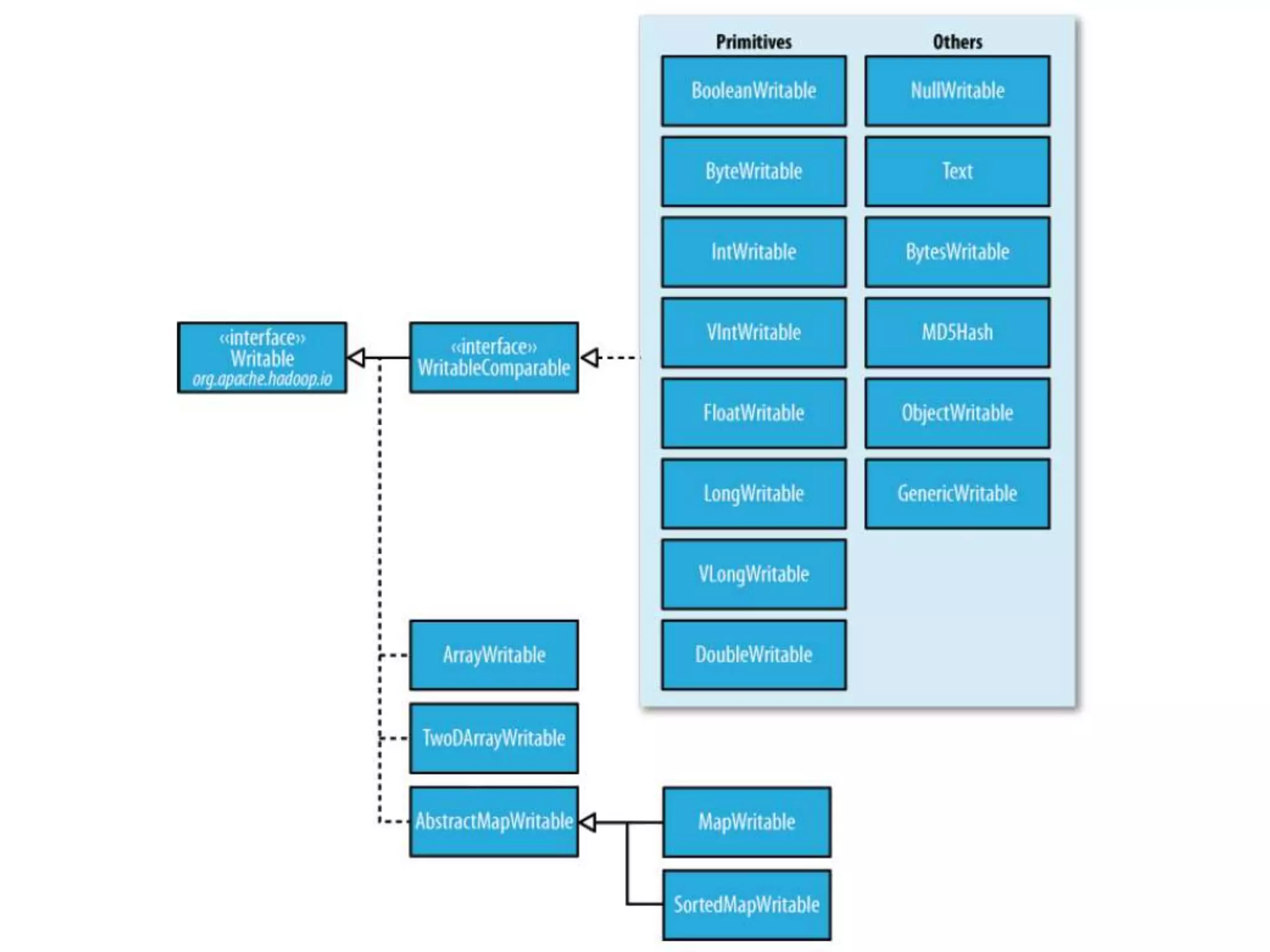
• Hadoop defines its own “box” classes for
  strings (Text), integers (IntWritable), etc.
• All values are instances of Writable
• All keys are instances of WritableComparable
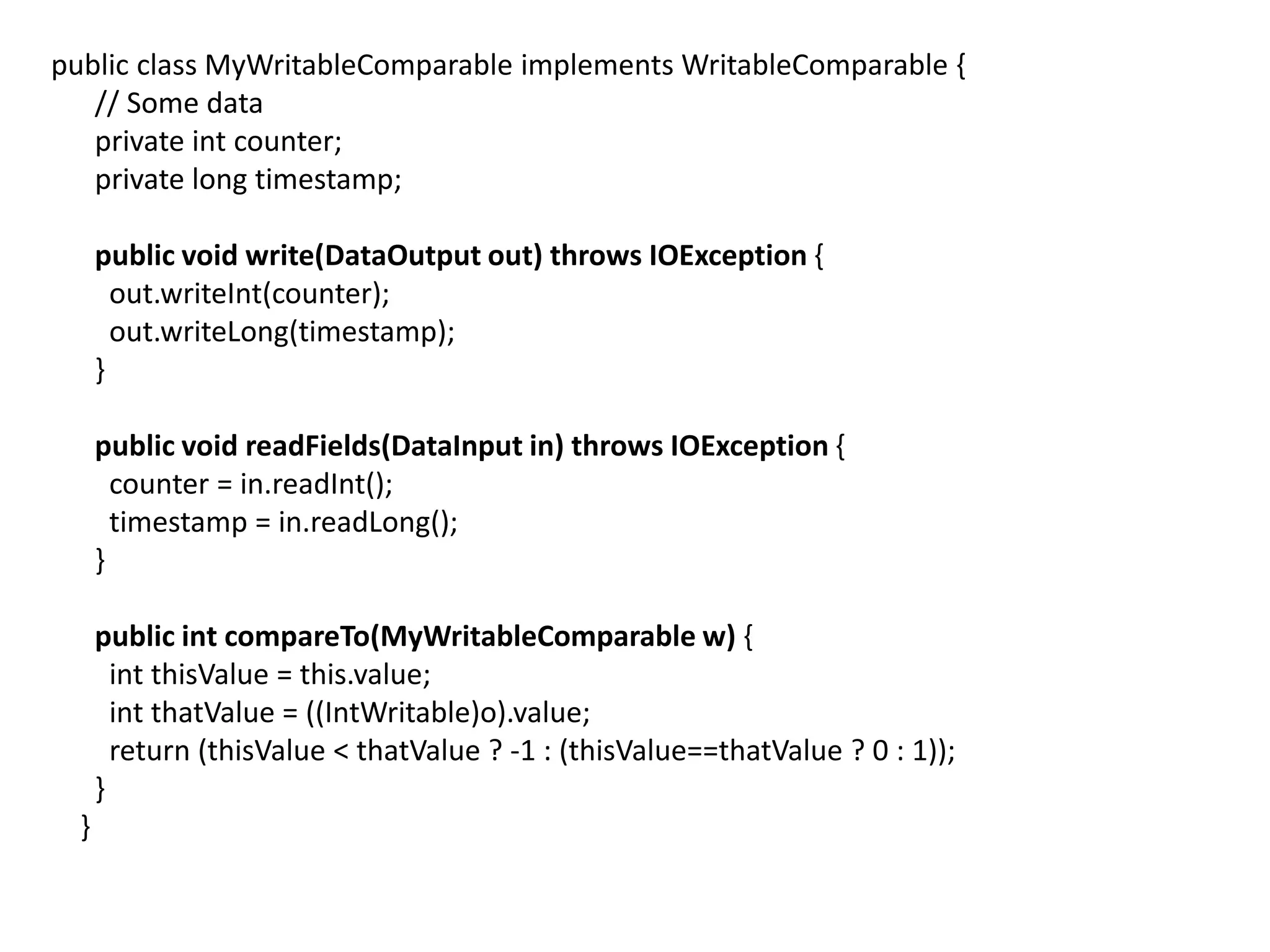
public class MyWritableComparable implements WritableComparable {
   // Some data
   private int counter;
   private long timestamp;

      public void write(DataOutput out) throws IOException {
        out.writeInt(counter);
        out.writeLong(timestamp);
      }

      public void readFields(DataInput in) throws IOException {
        counter = in.readInt();
        timestamp = in.readLong();
      }

      public int compareTo(MyWritableComparable w) {
        int thisValue = this.value;
        int thatValue = ((IntWritable)o).value;
        return (thisValue < thatValue ? -1 : (thisValue==thatValue ? 0 : 1));
      }
  }
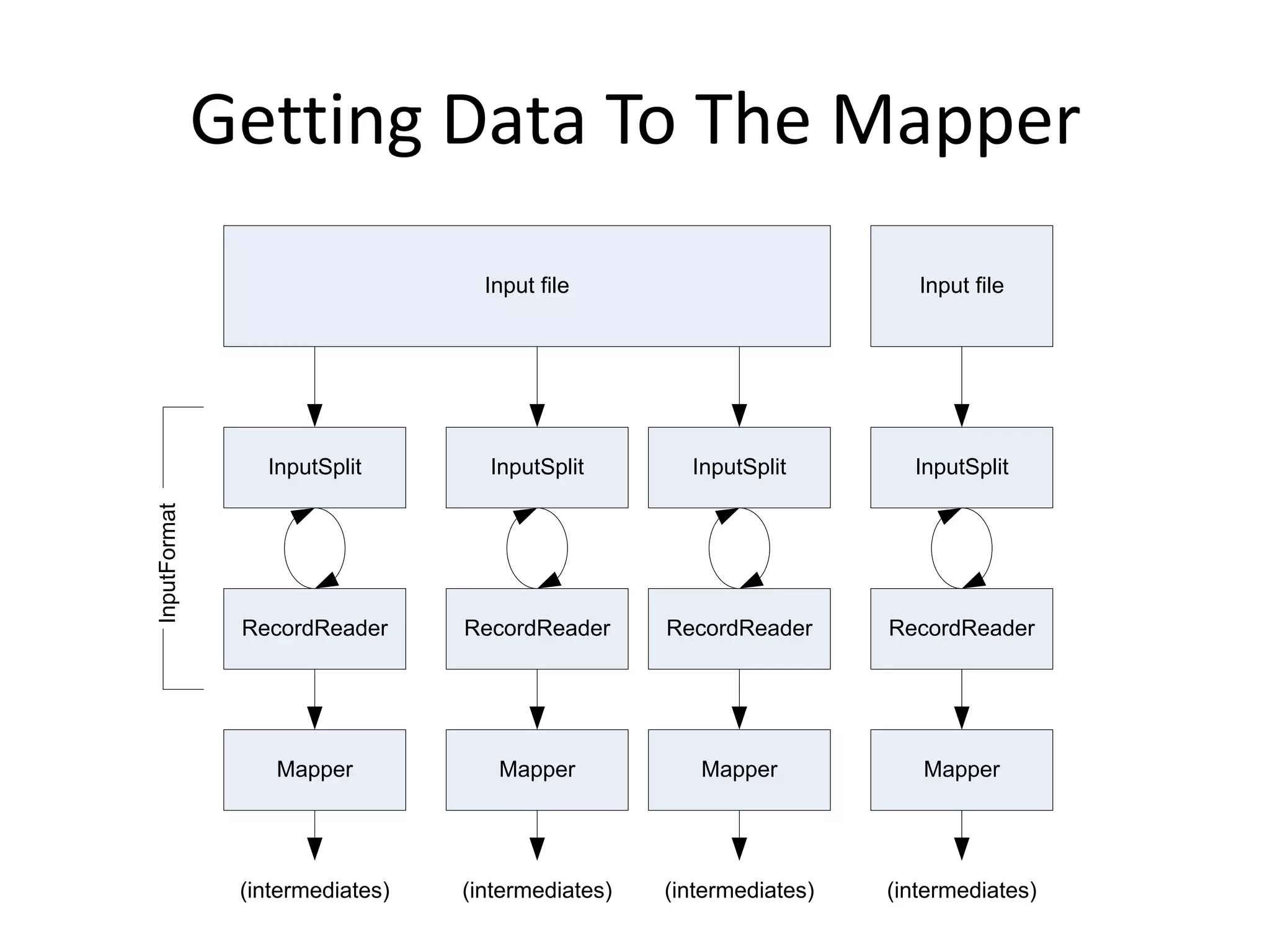
Getting Data To The Mapper
                                   Input file                           Input file


                 InputSplit        InputSplit        InputSplit        InputSplit
InputFormat


               RecordReader      RecordReader      RecordReader      RecordReader


                  Mapper            Mapper            Mapper            Mapper


               (intermediates)   (intermediates)   (intermediates)   (intermediates)
public static void main(String[] args) throws Exception {
 Configuration conf = new Configuration();
 String[] otherArgs = new GenericOptionsParser(conf, args).getRemainingArgs();
 if (otherArgs.length != 2) {
   System.err.println("Usage: wordcount <in> <out>");
   System.exit(2);
 }

    Job job = new Job(conf, "word count");
    job.setJarByClass(WordCount.class);

    job.setMapperClass(TokenizerMapper.class);
    job.setCombinerClass(IntSumReducer.class);
    job.setReducerClass(IntSumReducer.class);

    job.setOutputKeyClass(Text.class);
    job.setOutputValueClass(IntWritable.class);

    FileInputFormat.addInputPath(job, new Path(otherArgs[0]));
    FileOutputFormat.setOutputPath(job, new Path(otherArgs[1]));

    System.exit(job.waitForCompletion(true) ? 0 : 1);
}
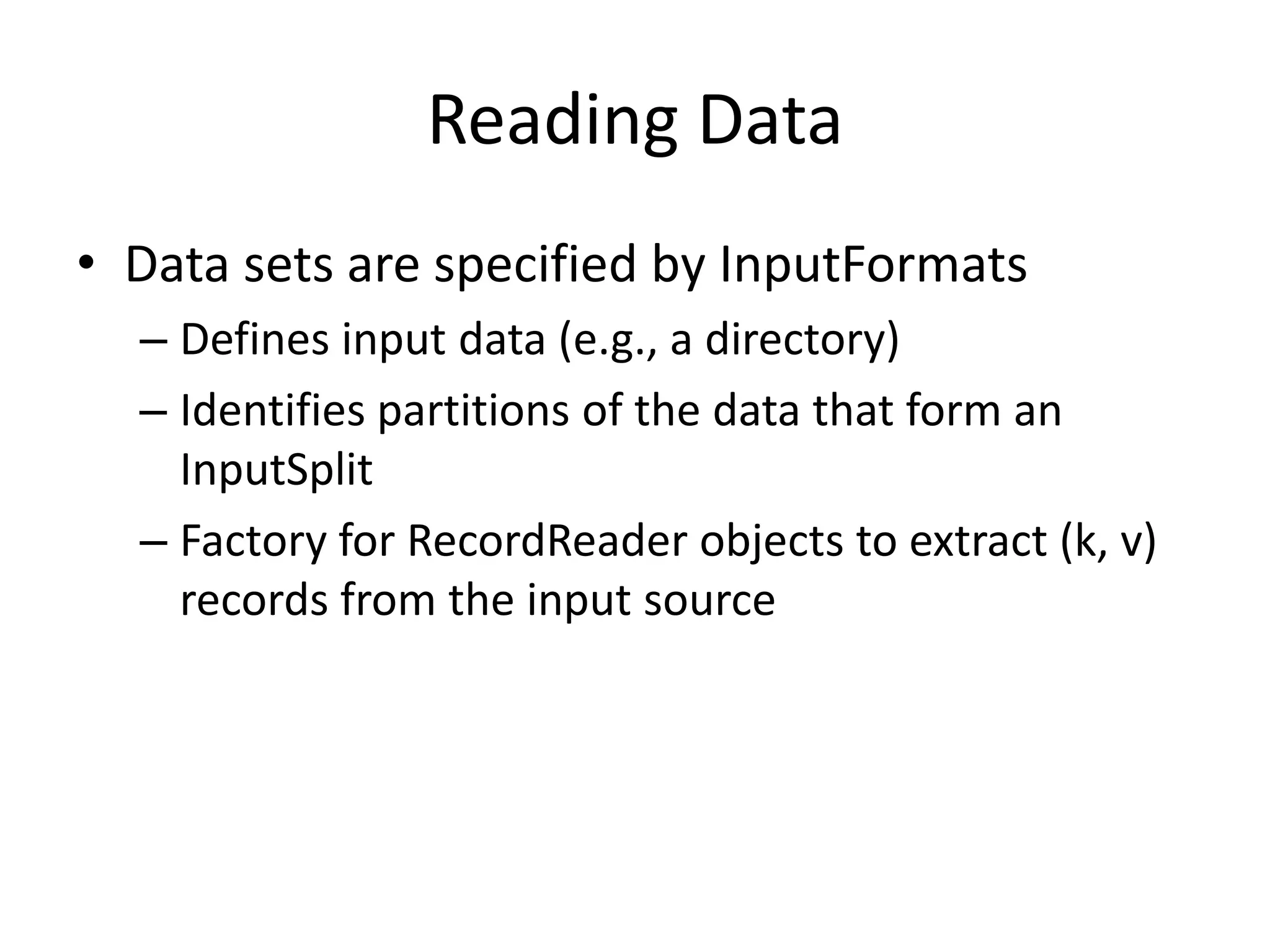
Reading Data
• Data sets are specified by InputFormats
  – Defines input data (e.g., a directory)
  – Identifies partitions of the data that form an
    InputSplit
  – Factory for RecordReader objects to extract (k, v)
    records from the input source
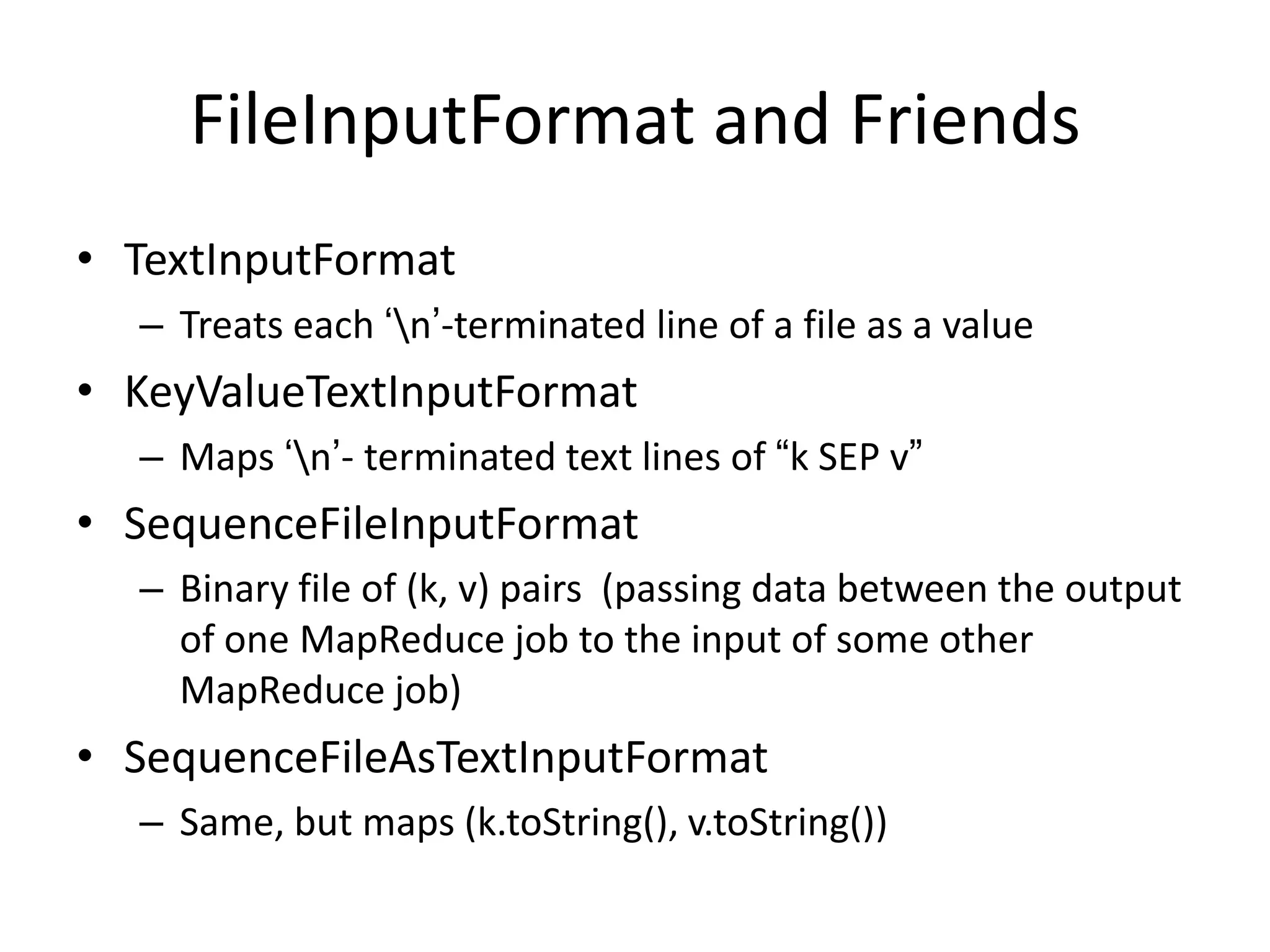
FileInputFormat and Friends
• TextInputFormat
  – Treats each „n‟-terminated line of a file as a value
• KeyValueTextInputFormat
  – Maps „n‟- terminated text lines of “k SEP v”
• SequenceFileInputFormat
  – Binary file of (k, v) pairs (passing data between the output
    of one MapReduce job to the input of some other
    MapReduce job)
• SequenceFileAsTextInputFormat
  – Same, but maps (k.toString(), v.toString())
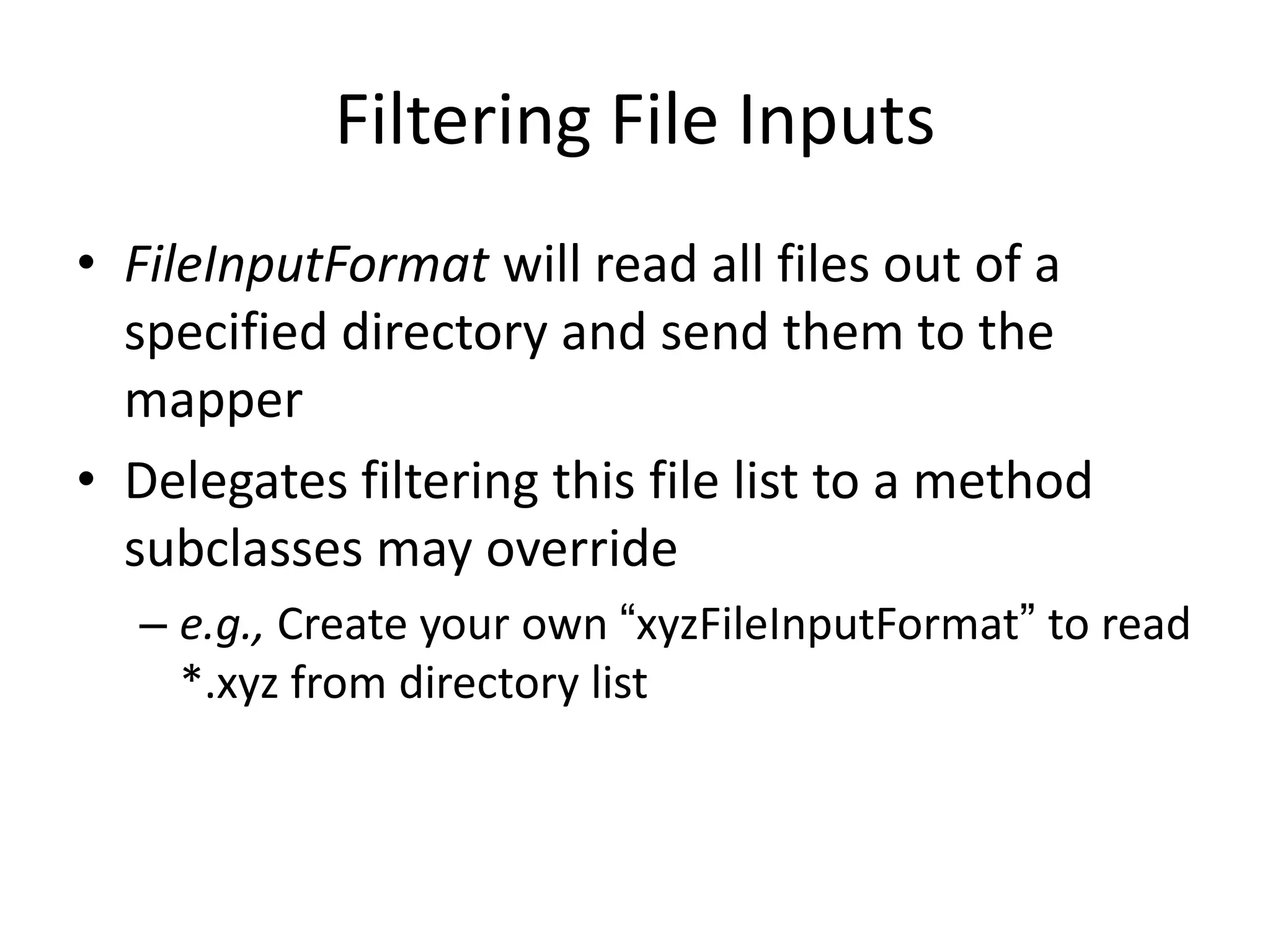
Filtering File Inputs
• FileInputFormat will read all files out of a
  specified directory and send them to the
  mapper
• Delegates filtering this file list to a method
  subclasses may override
  – e.g., Create your own “xyzFileInputFormat” to read
    *.xyz from directory list
Record Readers
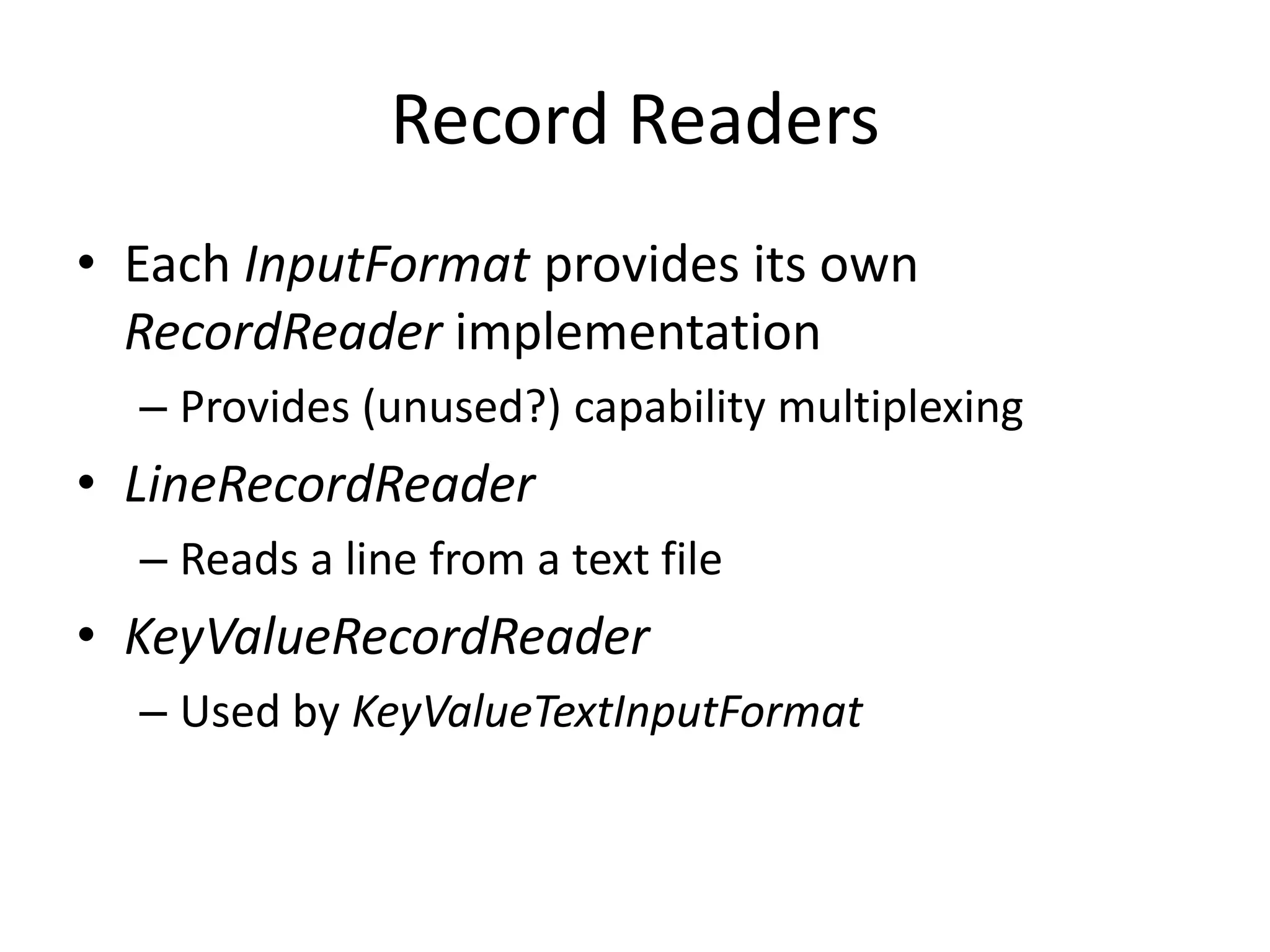
• Each InputFormat provides its own
  RecordReader implementation
  – Provides (unused?) capability multiplexing
• LineRecordReader
  – Reads a line from a text file
• KeyValueRecordReader
  – Used by KeyValueTextInputFormat
Input Split Size
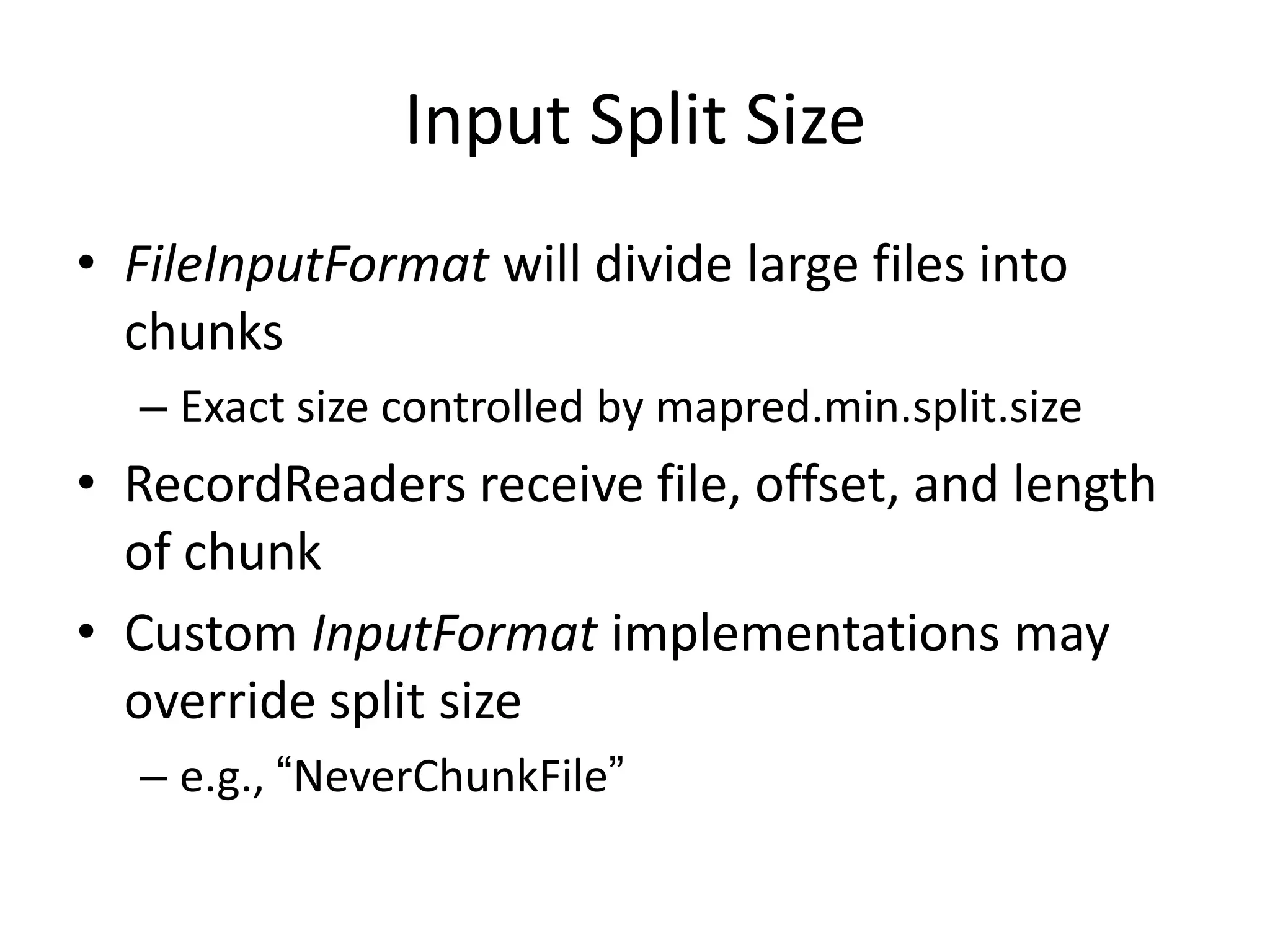
• FileInputFormat will divide large files into
  chunks
  – Exact size controlled by mapred.min.split.size
• RecordReaders receive file, offset, and length
  of chunk
• Custom InputFormat implementations may
  override split size
  – e.g., “NeverChunkFile”
public class ObjectPositionInputFormat extends
  FileInputFormat<Text, Point3D> {

    public RecordReader<Text, Point3D> getRecordReader(
      InputSplit input, JobConf job, Reporter reporter)
      throws IOException {

        reporter.setStatus(input.toString());
        return new ObjPosRecordReader(job, (FileSplit)input);
    }

    InputSplit[] getSplits(JobConf job, int numSplits) throuw IOException;
}
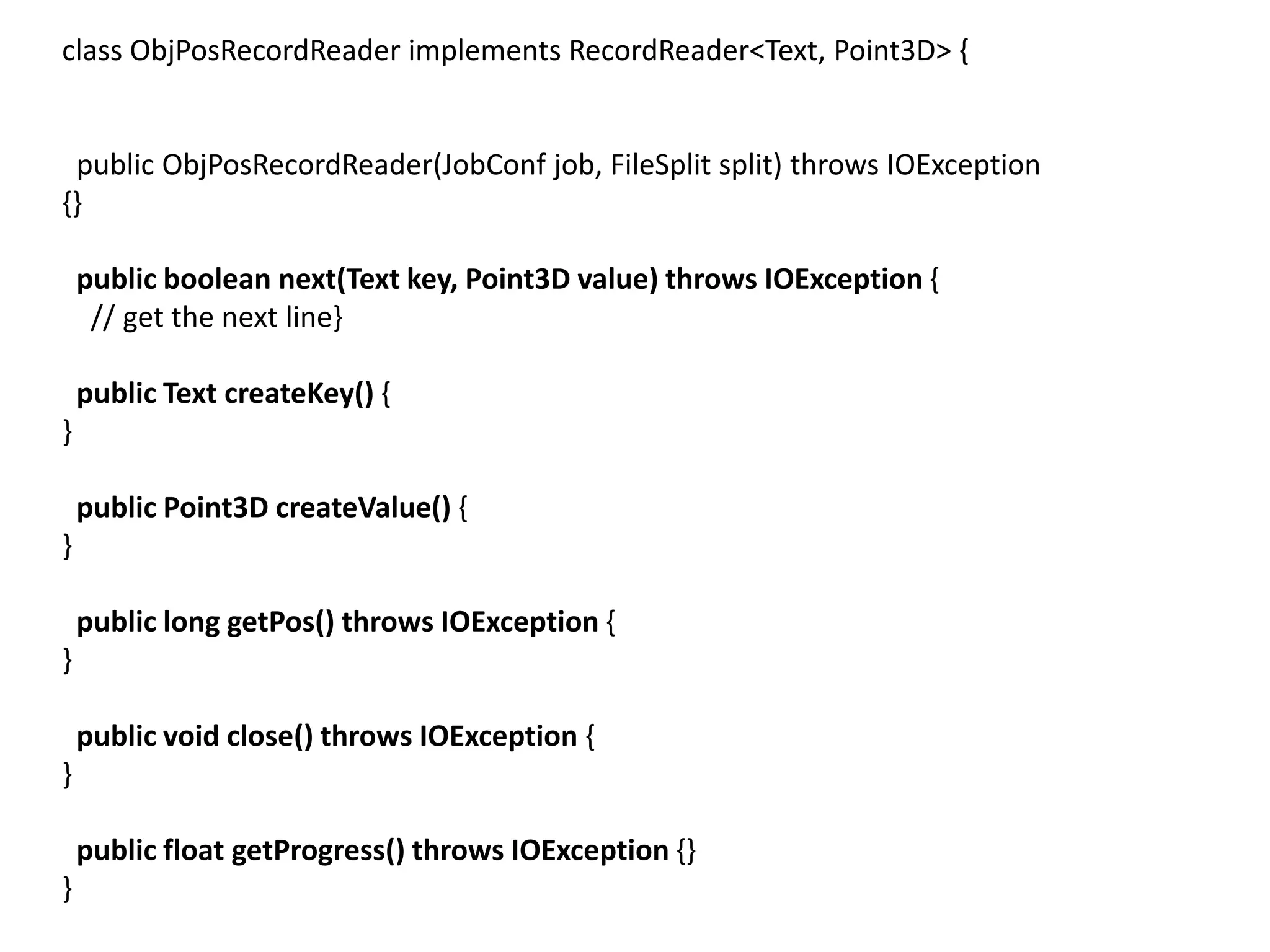
class ObjPosRecordReader implements RecordReader<Text, Point3D> {


 public ObjPosRecordReader(JobConf job, FileSplit split) throws IOException
{}

    public boolean next(Text key, Point3D value) throws IOException {
     // get the next line}

    public Text createKey() {
}

    public Point3D createValue() {
}

    public long getPos() throws IOException {
}

    public void close() throws IOException {
}

    public float getProgress() throws IOException {}
}
Sending Data To Reducers
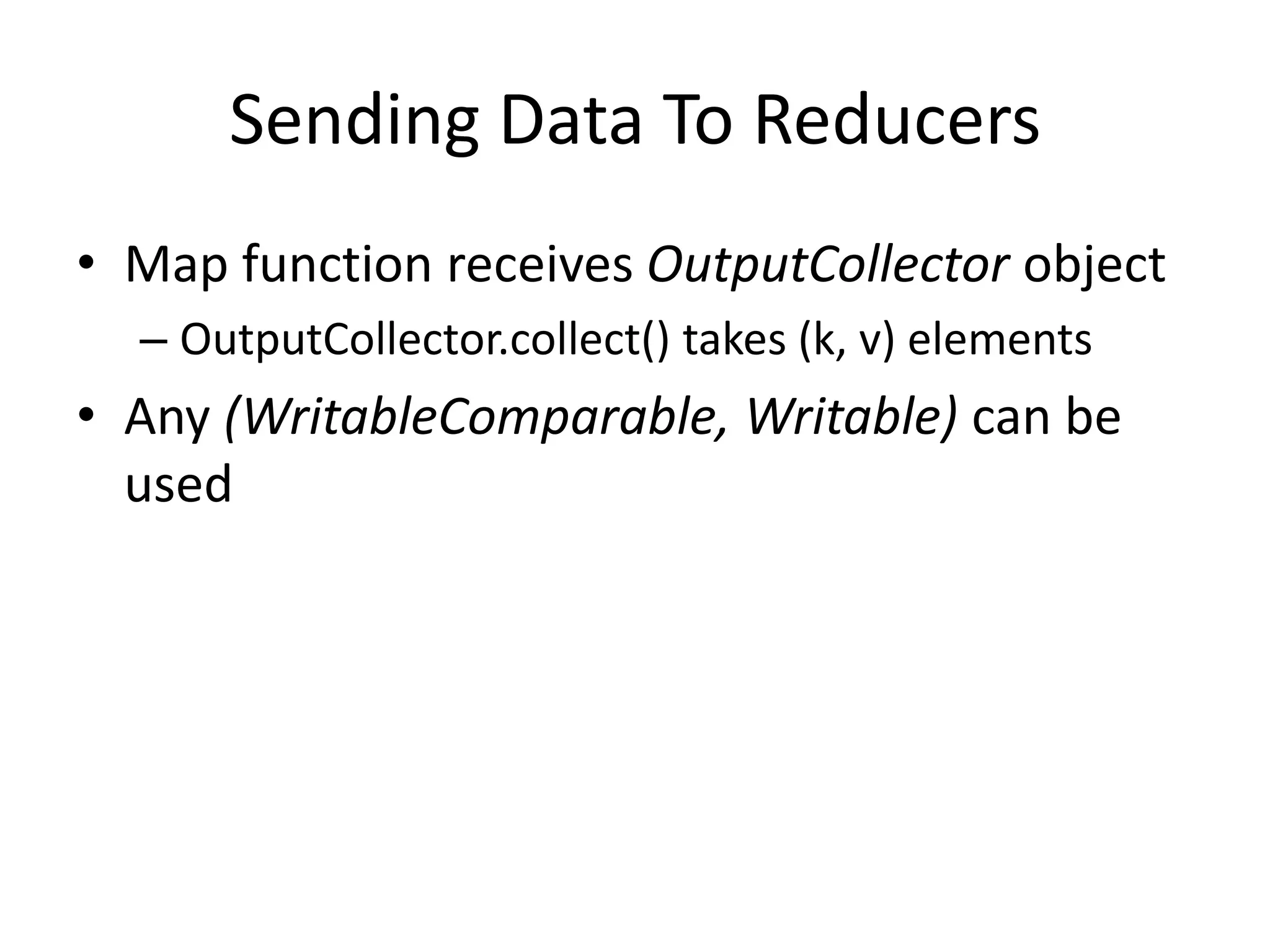
• Map function receives OutputCollector object
  – OutputCollector.collect() takes (k, v) elements
• Any (WritableComparable, Writable) can be
  used
WritableComparator
• Compares WritableComparable data
   – Will call WritableComparable.compare()
   – Can provide fast path for serialized data
• JobConf.setOutputValueGroupingComparator()
Sending Data To The Client
• Reporter object sent to Mapper allows simple
  asynchronous feedback
  – incrCounter(Enum key, long amount)
  – setStatus(String msg)
• Allows self-identification of input
  – InputSplit getInputSplit()
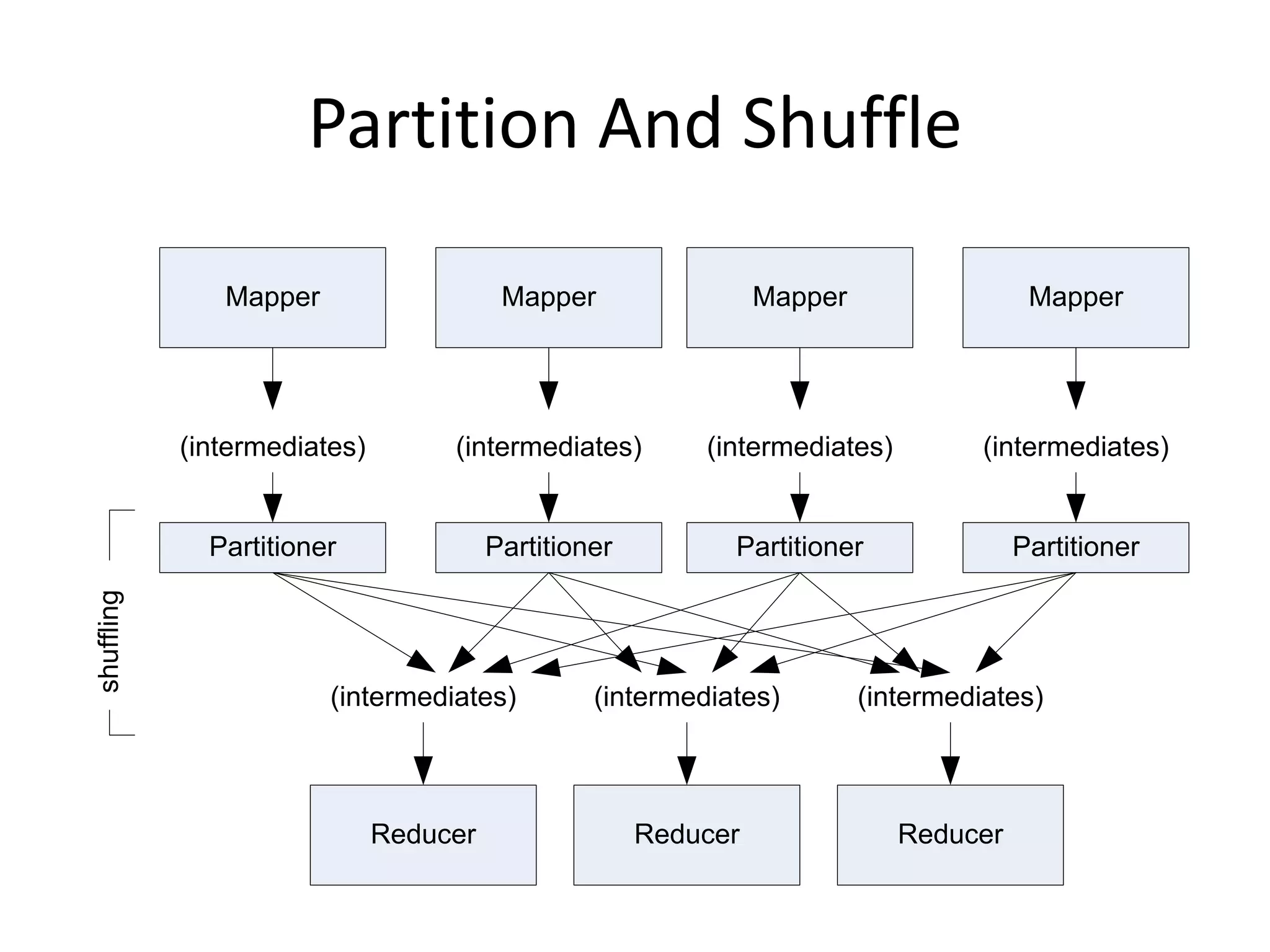
Partition And Shuffle

               Mapper                    Mapper                 Mapper                 Mapper


            (intermediates)        (intermediates)        (intermediates)          (intermediates)


              Partitioner               Partitioner         Partitioner               Partitioner
shuffling


                        (intermediates)          (intermediates)         (intermediates)


                              Reducer                 Reducer               Reducer
Partitioner
• int getPartition(key, val, numPartitions)
  – Outputs the partition number for a given key
  – One partition == values sent to one Reduce task
• HashPartitioner used by default
  – Uses key.hashCode() to return partition num
• JobConf sets Partitioner implementation
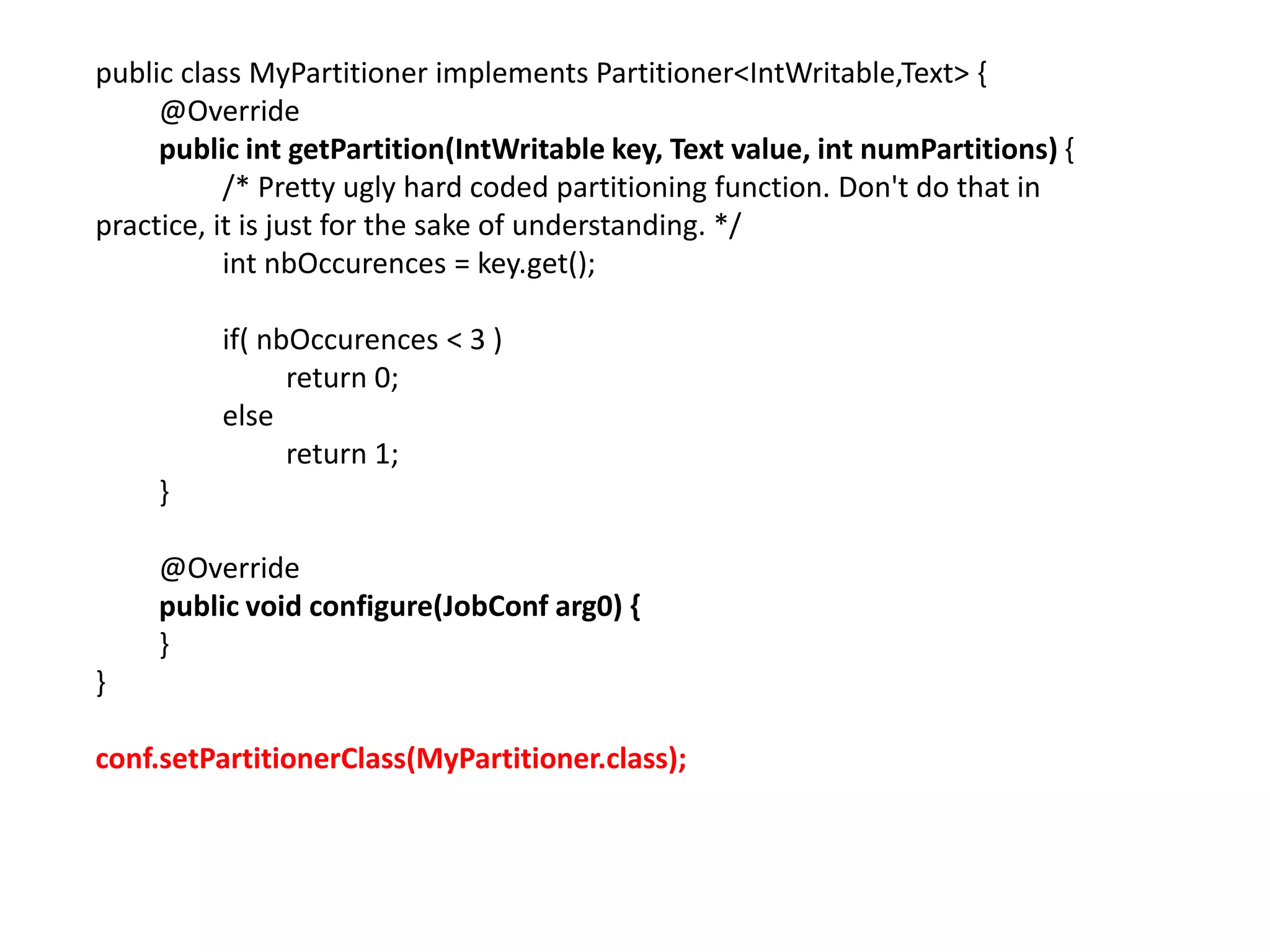
public class MyPartitioner implements Partitioner<IntWritable,Text> {
     @Override
     public int getPartition(IntWritable key, Text value, int numPartitions) {
           /* Pretty ugly hard coded partitioning function. Don't do that in
practice, it is just for the sake of understanding. */
           int nbOccurences = key.get();

          if( nbOccurences < 3 )
                return 0;
          else
                return 1;
     }

     @Override
     public void configure(JobConf arg0) {
     }
}

conf.setPartitionerClass(MyPartitioner.class);
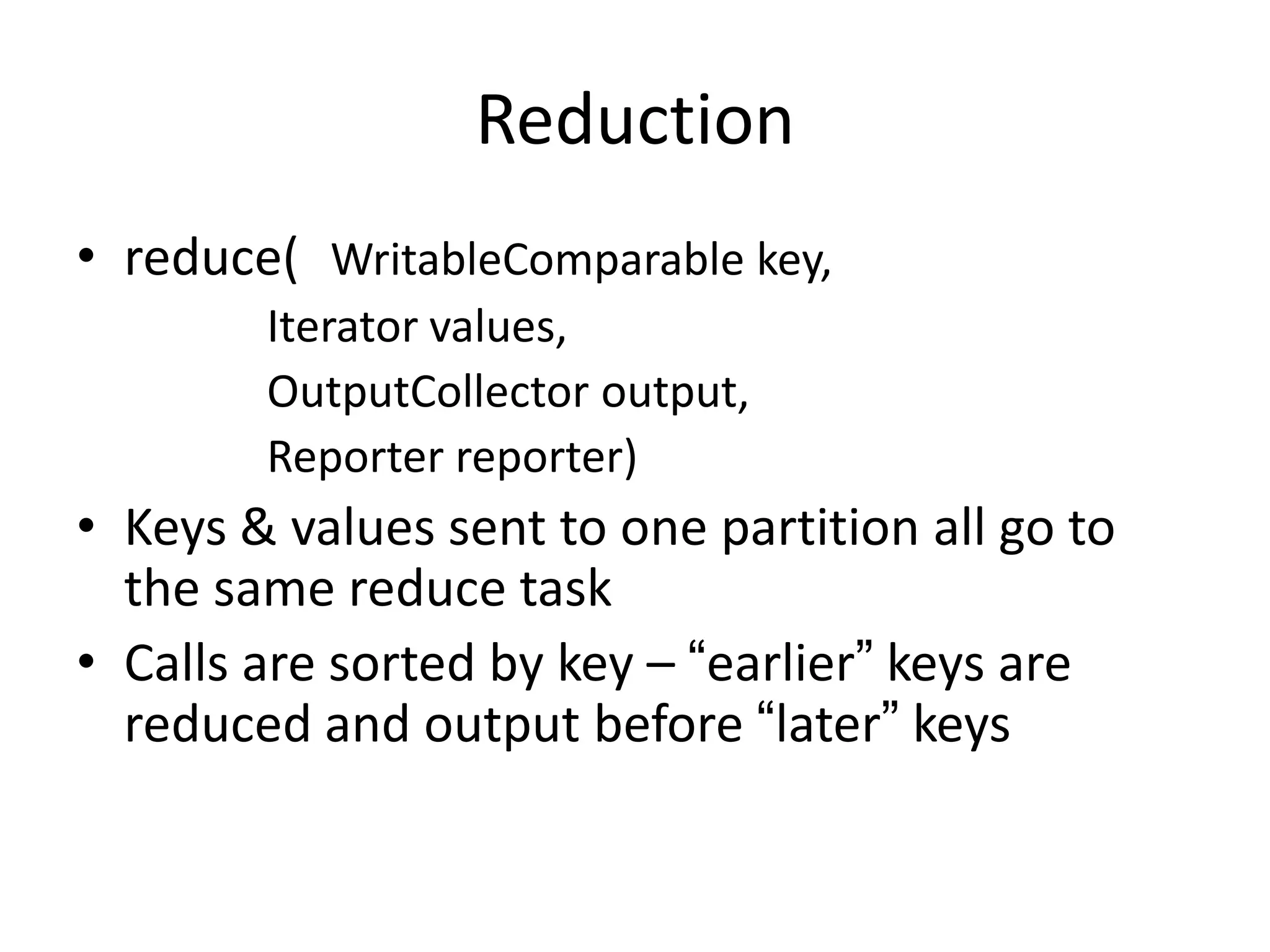
Reduction
• reduce( WritableComparable key,
        Iterator values,
        OutputCollector output,
        Reporter reporter)
• Keys & values sent to one partition all go to
  the same reduce task
• Calls are sorted by key – “earlier” keys are
  reduced and output before “later” keys
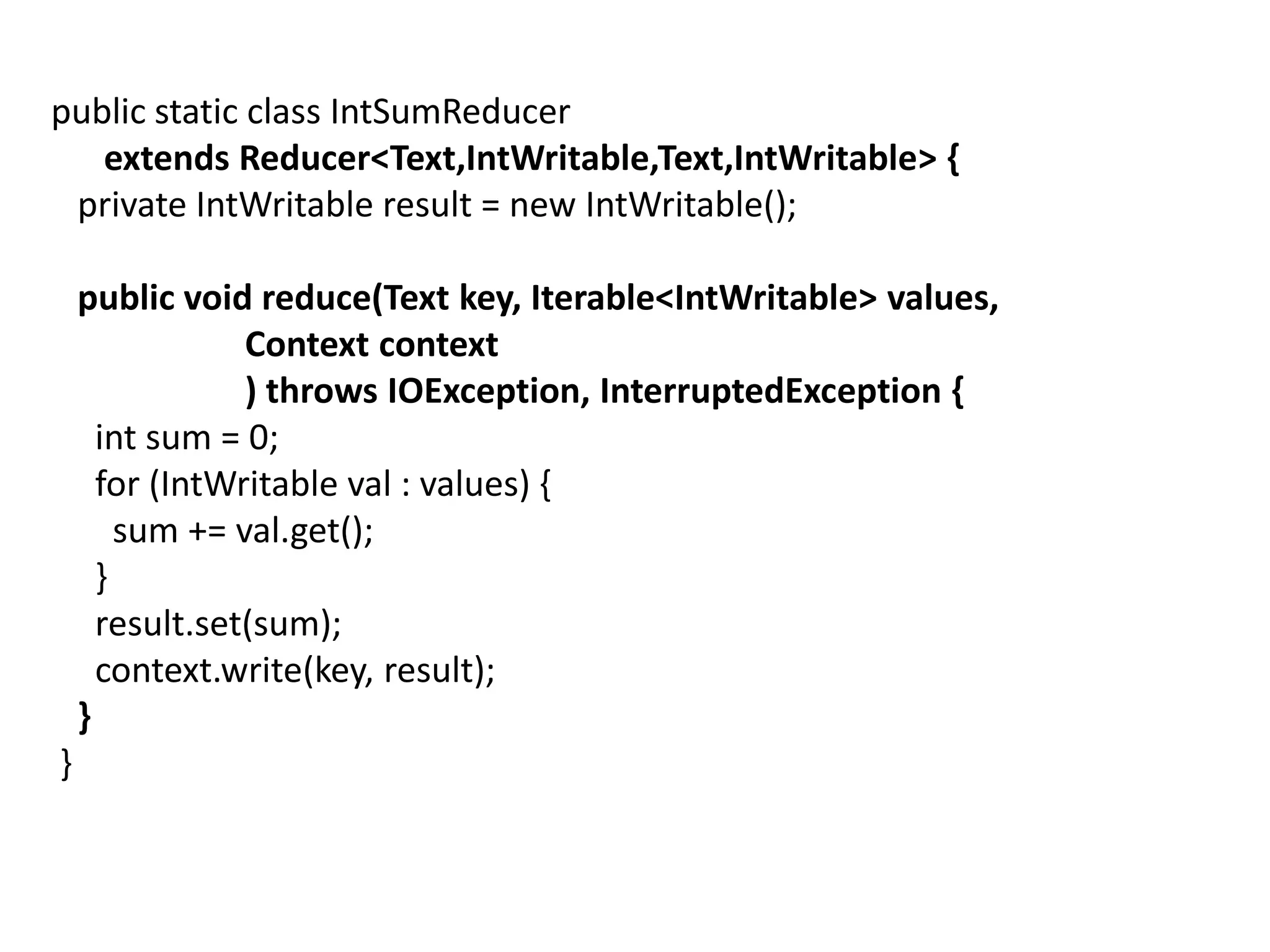
public static class IntSumReducer
   extends Reducer<Text,IntWritable,Text,IntWritable> {
 private IntWritable result = new IntWritable();

    public void reduce(Text key, Iterable<IntWritable> values,
                Context context
                ) throws IOException, InterruptedException {
      int sum = 0;
      for (IntWritable val : values) {
        sum += val.get();
      }
      result.set(sum);
      context.write(key, result);
    }
}
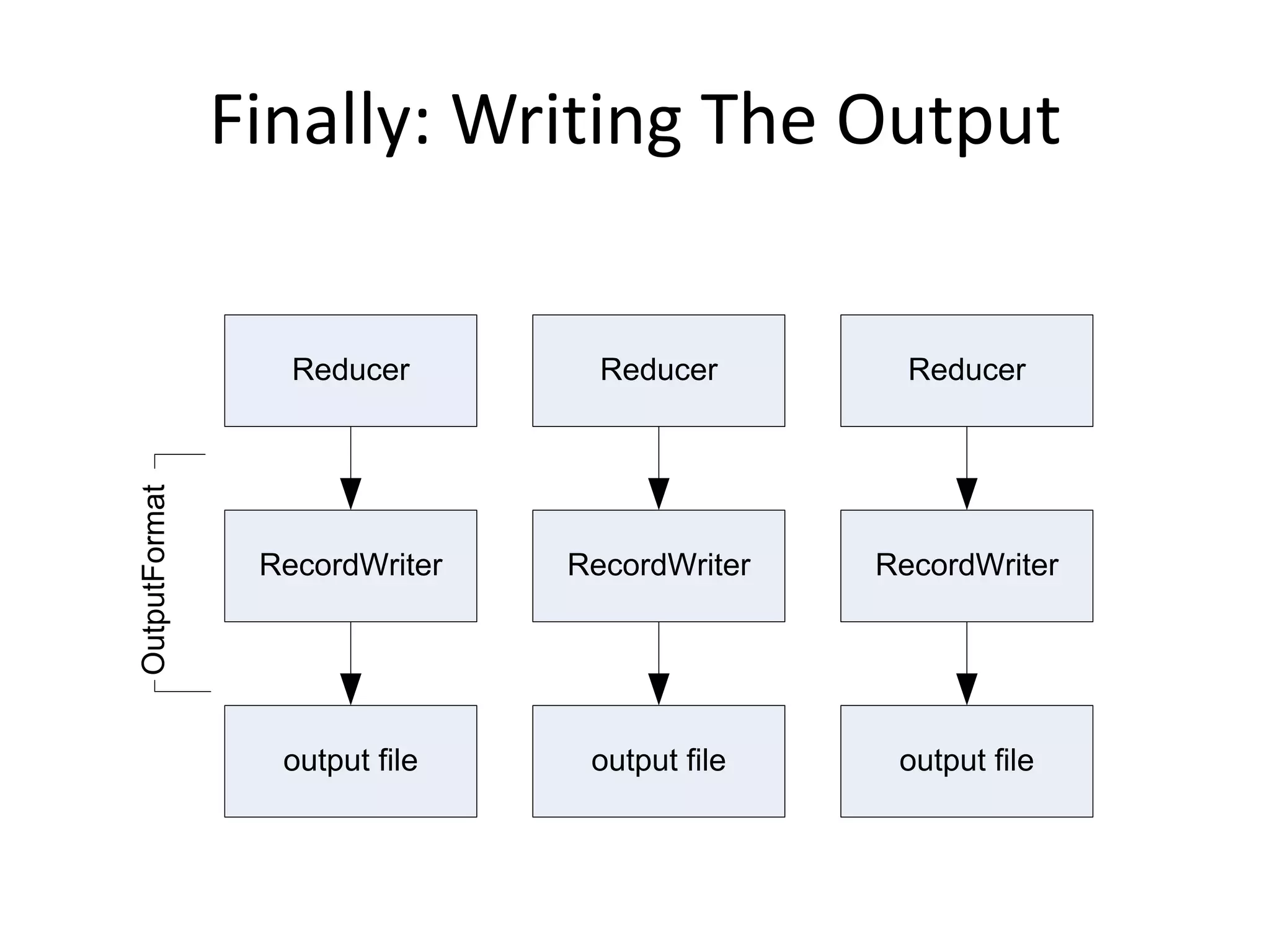
Finally: Writing The Output


                  Reducer        Reducer        Reducer
OutputFormat


                RecordWriter   RecordWriter   RecordWriter


                 output file    output file    output file
OutputFormat
• Analogous to InputFormat
• TextOutputFormat
  – Writes “key valn” strings to output file
• SequenceFileOutputFormat
  – Uses a binary format to pack (k, v) pairs
• NullOutputFormat
  – Discards output
public static void main(String[] args) throws Exception {
 Configuration conf = new Configuration();
 String[] otherArgs = new GenericOptionsParser(conf, args).getRemainingArgs();
 if (otherArgs.length != 2) {
   System.err.println("Usage: wordcount <in> <out>");
   System.exit(2);
 }

    Job job = new Job(conf, "word count");
    job.setJarByClass(WordCount.class);

    job.setMapperClass(TokenizerMapper.class);
    job.setCombinerClass(IntSumReducer.class);
    job.setReducerClass(IntSumReducer.class);

    job.setOutputKeyClass(Text.class);
    job.setOutputValueClass(IntWritable.class);

    FileInputFormat.addInputPath(job, new Path(otherArgs[0]));
    FileOutputFormat.setOutputPath(job, new Path(otherArgs[1]));

    System.exit(job.waitForCompletion(true) ? 0 : 1);
}

Hadoop

  • 1.
  • 2.
    Hadoop Platforms • Platforms:Unix and on Windows. – Linux: the only supported production platform. – Other variants of Unix, like Mac OS X: run Hadoop for development. – Windows + Cygwin: development platform (openssh) • Java 6 – Java 1.6.x (aka 6.0.x aka 6) is recommended for running Hadoop.
  • 3.
    Hadoop Installation • Downloada stable version of Hadoop: – http://hadoop.apache.org/core/releases.html • Untar the hadoop file: – tar xvfz hadoop-0.20.2.tar.gz • JAVA_HOME at hadoop/conf/hadoop-env.sh: – Mac OS: /System/Library/Frameworks/JavaVM.framework/Versions /1.6.0/Home (/Library/Java/Home) – Linux: which java • Environment Variables: – export PATH=$PATH:$HADOOP_HOME/bin
  • 4.
    Hadoop Modes • Standalone(or local) mode – There are no daemons running and everything runs in a single JVM. Standalone mode is suitable for running MapReduce programs during development, since it is easy to test and debug them. • Pseudo-distributed mode – The Hadoop daemons run on the local machine, thus simulating a cluster on a small scale. • Fully distributed mode – The Hadoop daemons run on a cluster of machines.
  • 5.
    Pseudo Distributed Mode •Create an RSA key to be used by hadoop when ssh’ing to Localhost: – ssh-keygen -t rsa -P "" – cat ~/.ssh/id_rsa.pub >> ~/.ssh/authorized_keys – ssh localhost • Configuration Files – Core-site.xml – Mapredu-site.xml – Hdfs-site.xml – Masters/Slaves: localhost
  • 6.
    <?xml version="1.0"?> <?xml version="1.0"?> <!-- core-site.xml --> <!-- mapred-site.xml --> <configuration> <configuration> <property> <property> <name>fs.default.name</name> <value>hdfs://localhost/</value> <name>mapred.job.tracker</name> <value>localhost:8021</value> </property> </property> </configuration> </configuration> <?xml version="1.0"?> <!-- hdfs-site.xml --> <configuration> <property> <name>dfs.replication</name> <value>1</value> </property> </configuration>
  • 7.
    Start Hadoop • hadoop namenode –format • bin/star-all.sh (start-dfs.sh/start-mapred.sh) • jps • bin/stop-all.sh • Web-based UI – http://localhost:50070 (Namenode report) – http://localhost:50030 (Jobtracker)
  • 8.
    Basic File Commandin HDFS • hadoop fs –cmd <args> – hadoop dfs • URI: //authority/path – authority: hdfs://localhost:9000 • Adding files – hadoop fs –mkdir – hadoop fs -put • Retrieving files – hadoop fs -get • Deleting files – hadoop fs –rm • hadoop fs –help ls
  • 9.
    Run WordCount • Createan input directory in HDFS • Run wordcount example – hadoop jar hadoop-examples-0.20.203.0.jar wordcount /user/jin/input /user/jin/ouput • Check output directory – hadoop fs lsr /user/jin/ouput – http://localhost:50070
  • 10.
    References • http://hadoop.apache.org/common/docs/r0.2 0.2/quickstart.html • http://oreilly.com/other- programming/excerpts/hadoop-tdg/installing- apache-hadoop.html • http://www.michael- noll.com/tutorials/running-hadoop-on- ubuntu-linux-single-node-cluster/ • http://snap.stanford.edu/class/cs246- 2011/hw_files/hadoop_install.pdf
  • 11.
    Hadoop and HFDS Programming
  • 12.
    import java.io.IOException; try { import org.apache.hadoop.conf.Configuration; FileStatus[] inputFiles = local.listStatus(inputDir); import org.apache.hadoop.fs.FSDataInputStream; FSDataOutputStream out = hdfs.create(hdfsFile); import org.apache.hadoop.fs.FSDataOutputStream; for(int i = 0; i < inputFiles.length; i++) { import org.apache.hadoop.fs.FileStatus; if(!inputFiles[i].isDir()) { import org.apache.hadoop.fs.FileSystem; System.out.println("tnow processing <" + import org.apache.hadoop.fs.Path; inputFiles[i].getPath().getName() + ">"); FSDataInputStream in = public class PutMerge { local.open(inputFiles[i].getPath()); public static void main(String[] args) throws IOException { if(args.length != 2) { byte buffer[] = new byte[256]; System.out.println("Usage PutMerge <dir> <outfile>"); int bytesRead = 0; System.exit(1); while ((bytesRead = in.read(buffer)) > 0) { } out.write(buffer, 0, bytesRead); } Configuration conf = new Configuration(); filesProcessed++; FileSystem hdfs = FileSystem.get(conf); in.close(); FileSystem local = FileSystem.getLocal(conf); } int filesProcessed = 0; } out.close(); Path inputDir = new Path(args[0]); System.out.println("nSuccessfully merged " + Path hdfsFile = new Path(args[1]); filesProcessed + " local files and written to <" + hdfsFile.getName() + "> in HDFS."); } catch (IOException ioe) { ioe.printStackTrace(); } } }
  • 13.
    import java.io.IOException; import org.apache.hadoop.fs.Path; importorg.apache.hadoop.io.IntWritable; import org.apache.hadoop.io.Text; import org.apache.hadoop.mapred.FileInputFormat; import org.apache.hadoop.mapred.FileOutputFormat; import org.apache.hadoop.mapred.JobClient; import org.apache.hadoop.mapred.JobConf; public class MaxTemperature { public static void main(String[] args) throws IOException { if (args.length != 2) { System.err.println("Usage: MaxTemperature <input path> <output path>"); System.exit(-1); } JobConf conf = new JobConf(MaxTemperature.class); conf.setJobName("Max temperature"); FileInputFormat.addInputPath(conf, new Path(args[0])); FileOutputFormat.setOutputPath(conf, new Path(args[1])); conf.setMapperClass(MaxTemperatureMapper.class); conf.setReducerClass(MaxTemperatureReducer.class); conf.setOutputKeyClass(Text.class); conf.setOutputValueClass(IntWritable.class); JobClient.runJob(conf);
  • 14.
    JobClient.runJob(conf) • The client,which submits the MapReduce job. • The jobtracker, which coordinates the job run. The jobtracker is a Java application whose main class is JobTracker. • The tasktrackers, which run the tasks that the job has been split into. Tasktrackers are Java applications whose main class is TaskTracker. • The distributed filesystem, which is used for sharing job files between the other entities.
  • 16.
    Job Launch: Client •Client program creates a JobConf – Identify classes implementing Mapper and Reducer interfaces • setMapperClass(), setReducerClass() – Specify inputs, outputs • setInputPath(), setOutputPath() – Optionally, other options too: • setNumReduceTasks(), setOutputFormat()…
  • 17.
    Job Launch: JobClient •Pass JobConf to – JobClient.runJob() // blocks – JobClient.submitJob() // does not block • JobClient: – Determines proper division of input into InputSplits – Sends job data to master JobTracker server
  • 18.
    Job Launch: JobTracker •JobTracker: – Inserts jar and JobConf (serialized to XML) in shared location – Posts a JobInProgress to its run queue
  • 19.
    Job Launch: TaskTracker •TaskTrackers running on slave nodes periodically query JobTracker for work • Retrieve job-specific jar and config • Launch task in separate instance of Java – main() is provided by Hadoop
  • 20.
    Job Launch: Task •TaskTracker.Child.main(): – Sets up the child TaskInProgress attempt – Reads XML configuration – Connects back to necessary MapReduce components via RPC – Uses TaskRunner to launch user process
  • 21.
    Job Launch: TaskRunner •TaskRunner, MapTaskRunner, MapRunner work in a daisy-chain to launch Mapper – Task knows ahead of time which InputSplits it should be mapping – Calls Mapper once for each record retrieved from the InputSplit • Running the Reducer is much the same
  • 24.
    public class MaxTemperature{ public static void main(String[] args) throws IOException { if (args.length != 2) { System.err.println("Usage: MaxTemperature <input path> <output path>"); System.exit(-1); } JobConf conf = new JobConf(MaxTemperature.class); conf.setJobName("Max temperature"); FileInputFormat.addInputPath(conf, new Path(args[0])); FileOutputFormat.setOutputPath(conf, new Path(args[1])); conf.setMapperClass(MaxTemperatureMapper.class); conf.setReducerClass(MaxTemperatureReducer.class); conf.setOutputKeyClass(Text.class); conf.setOutputValueClass(IntWritable.class); JobClient.runJob(conf); }}
  • 25.
    public static voidmain(String[] args) throws Exception { Configuration conf = new Configuration(); String[] otherArgs = new GenericOptionsParser(conf, args).getRemainingArgs(); if (otherArgs.length != 2) { System.err.println("Usage: wordcount <in> <out>"); System.exit(2); } Job job = new Job(conf, "word count"); job.setJarByClass(WordCount.class); job.setMapperClass(TokenizerMapper.class); job.setCombinerClass(IntSumReducer.class); job.setReducerClass(IntSumReducer.class); job.setOutputKeyClass(Text.class); job.setOutputValueClass(IntWritable.class); FileInputFormat.addInputPath(job, new Path(otherArgs[0])); FileOutputFormat.setOutputPath(job, new Path(otherArgs[1])); System.exit(job.waitForCompletion(true) ? 0 : 1); }
  • 26.
    Creating the Mapper •Your instance of Mapper should extend MapReduceBase • One instance of your Mapper is initialized by the MapTaskRunner for a TaskInProgress – Exists in separate process from all other instances of Mapper – no data sharing!
  • 27.
    Mapper void map ( void map ( WritableComparable key, WritableComparable key, Writable value, Writable value, OutputCollector output, Context context, Reporter reporter ) )
  • 28.
    public static classTokenizerMapper extends Mapper<Object, Text, Text, IntWritable>{ private final static IntWritable one = new IntWritable(1); private Text word = new Text(); public void map(Object key, Text value, Context context ) throws IOException, InterruptedException { StringTokenizer itr = new StringTokenizer(value.toString()); while (itr.hasMoreTokens()) { word.set(itr.nextToken()); context.write(word, one); } } }
  • 29.
    What is Writable? •Hadoop defines its own “box” classes for strings (Text), integers (IntWritable), etc. • All values are instances of Writable • All keys are instances of WritableComparable
  • 31.
    public class MyWritableComparableimplements WritableComparable { // Some data private int counter; private long timestamp; public void write(DataOutput out) throws IOException { out.writeInt(counter); out.writeLong(timestamp); } public void readFields(DataInput in) throws IOException { counter = in.readInt(); timestamp = in.readLong(); } public int compareTo(MyWritableComparable w) { int thisValue = this.value; int thatValue = ((IntWritable)o).value; return (thisValue < thatValue ? -1 : (thisValue==thatValue ? 0 : 1)); } }
  • 32.
    Getting Data ToThe Mapper Input file Input file InputSplit InputSplit InputSplit InputSplit InputFormat RecordReader RecordReader RecordReader RecordReader Mapper Mapper Mapper Mapper (intermediates) (intermediates) (intermediates) (intermediates)
  • 33.
    public static voidmain(String[] args) throws Exception { Configuration conf = new Configuration(); String[] otherArgs = new GenericOptionsParser(conf, args).getRemainingArgs(); if (otherArgs.length != 2) { System.err.println("Usage: wordcount <in> <out>"); System.exit(2); } Job job = new Job(conf, "word count"); job.setJarByClass(WordCount.class); job.setMapperClass(TokenizerMapper.class); job.setCombinerClass(IntSumReducer.class); job.setReducerClass(IntSumReducer.class); job.setOutputKeyClass(Text.class); job.setOutputValueClass(IntWritable.class); FileInputFormat.addInputPath(job, new Path(otherArgs[0])); FileOutputFormat.setOutputPath(job, new Path(otherArgs[1])); System.exit(job.waitForCompletion(true) ? 0 : 1); }
  • 34.
    Reading Data • Datasets are specified by InputFormats – Defines input data (e.g., a directory) – Identifies partitions of the data that form an InputSplit – Factory for RecordReader objects to extract (k, v) records from the input source
  • 35.
    FileInputFormat and Friends •TextInputFormat – Treats each „n‟-terminated line of a file as a value • KeyValueTextInputFormat – Maps „n‟- terminated text lines of “k SEP v” • SequenceFileInputFormat – Binary file of (k, v) pairs (passing data between the output of one MapReduce job to the input of some other MapReduce job) • SequenceFileAsTextInputFormat – Same, but maps (k.toString(), v.toString())
  • 36.
    Filtering File Inputs •FileInputFormat will read all files out of a specified directory and send them to the mapper • Delegates filtering this file list to a method subclasses may override – e.g., Create your own “xyzFileInputFormat” to read *.xyz from directory list
  • 37.
    Record Readers • EachInputFormat provides its own RecordReader implementation – Provides (unused?) capability multiplexing • LineRecordReader – Reads a line from a text file • KeyValueRecordReader – Used by KeyValueTextInputFormat
  • 38.
    Input Split Size •FileInputFormat will divide large files into chunks – Exact size controlled by mapred.min.split.size • RecordReaders receive file, offset, and length of chunk • Custom InputFormat implementations may override split size – e.g., “NeverChunkFile”
  • 39.
    public class ObjectPositionInputFormatextends FileInputFormat<Text, Point3D> { public RecordReader<Text, Point3D> getRecordReader( InputSplit input, JobConf job, Reporter reporter) throws IOException { reporter.setStatus(input.toString()); return new ObjPosRecordReader(job, (FileSplit)input); } InputSplit[] getSplits(JobConf job, int numSplits) throuw IOException; }
  • 40.
    class ObjPosRecordReader implementsRecordReader<Text, Point3D> { public ObjPosRecordReader(JobConf job, FileSplit split) throws IOException {} public boolean next(Text key, Point3D value) throws IOException { // get the next line} public Text createKey() { } public Point3D createValue() { } public long getPos() throws IOException { } public void close() throws IOException { } public float getProgress() throws IOException {} }
  • 41.
    Sending Data ToReducers • Map function receives OutputCollector object – OutputCollector.collect() takes (k, v) elements • Any (WritableComparable, Writable) can be used
  • 42.
    WritableComparator • Compares WritableComparabledata – Will call WritableComparable.compare() – Can provide fast path for serialized data • JobConf.setOutputValueGroupingComparator()
  • 43.
    Sending Data ToThe Client • Reporter object sent to Mapper allows simple asynchronous feedback – incrCounter(Enum key, long amount) – setStatus(String msg) • Allows self-identification of input – InputSplit getInputSplit()
  • 44.
    Partition And Shuffle Mapper Mapper Mapper Mapper (intermediates) (intermediates) (intermediates) (intermediates) Partitioner Partitioner Partitioner Partitioner shuffling (intermediates) (intermediates) (intermediates) Reducer Reducer Reducer
  • 45.
    Partitioner • int getPartition(key,val, numPartitions) – Outputs the partition number for a given key – One partition == values sent to one Reduce task • HashPartitioner used by default – Uses key.hashCode() to return partition num • JobConf sets Partitioner implementation
  • 46.
    public class MyPartitionerimplements Partitioner<IntWritable,Text> { @Override public int getPartition(IntWritable key, Text value, int numPartitions) { /* Pretty ugly hard coded partitioning function. Don't do that in practice, it is just for the sake of understanding. */ int nbOccurences = key.get(); if( nbOccurences < 3 ) return 0; else return 1; } @Override public void configure(JobConf arg0) { } } conf.setPartitionerClass(MyPartitioner.class);
  • 47.
    Reduction • reduce( WritableComparablekey, Iterator values, OutputCollector output, Reporter reporter) • Keys & values sent to one partition all go to the same reduce task • Calls are sorted by key – “earlier” keys are reduced and output before “later” keys
  • 48.
    public static classIntSumReducer extends Reducer<Text,IntWritable,Text,IntWritable> { private IntWritable result = new IntWritable(); public void reduce(Text key, Iterable<IntWritable> values, Context context ) throws IOException, InterruptedException { int sum = 0; for (IntWritable val : values) { sum += val.get(); } result.set(sum); context.write(key, result); } }
  • 49.
    Finally: Writing TheOutput Reducer Reducer Reducer OutputFormat RecordWriter RecordWriter RecordWriter output file output file output file
  • 50.
    OutputFormat • Analogous toInputFormat • TextOutputFormat – Writes “key valn” strings to output file • SequenceFileOutputFormat – Uses a binary format to pack (k, v) pairs • NullOutputFormat – Discards output
  • 51.
    public static voidmain(String[] args) throws Exception { Configuration conf = new Configuration(); String[] otherArgs = new GenericOptionsParser(conf, args).getRemainingArgs(); if (otherArgs.length != 2) { System.err.println("Usage: wordcount <in> <out>"); System.exit(2); } Job job = new Job(conf, "word count"); job.setJarByClass(WordCount.class); job.setMapperClass(TokenizerMapper.class); job.setCombinerClass(IntSumReducer.class); job.setReducerClass(IntSumReducer.class); job.setOutputKeyClass(Text.class); job.setOutputValueClass(IntWritable.class); FileInputFormat.addInputPath(job, new Path(otherArgs[0])); FileOutputFormat.setOutputPath(job, new Path(otherArgs[1])); System.exit(job.waitForCompletion(true) ? 0 : 1); }

Editor's Notes

  • #32 http://hadoop.apache.org/common/docs/current/api/org/apache/hadoop/io/WritableComparable.html