Back to the Future with Java 7 Martijn Verburg  ( @karianna ,  @java7developer ) http://www.java7developer.com Slide Design by  http://www.kerrykenneally.com
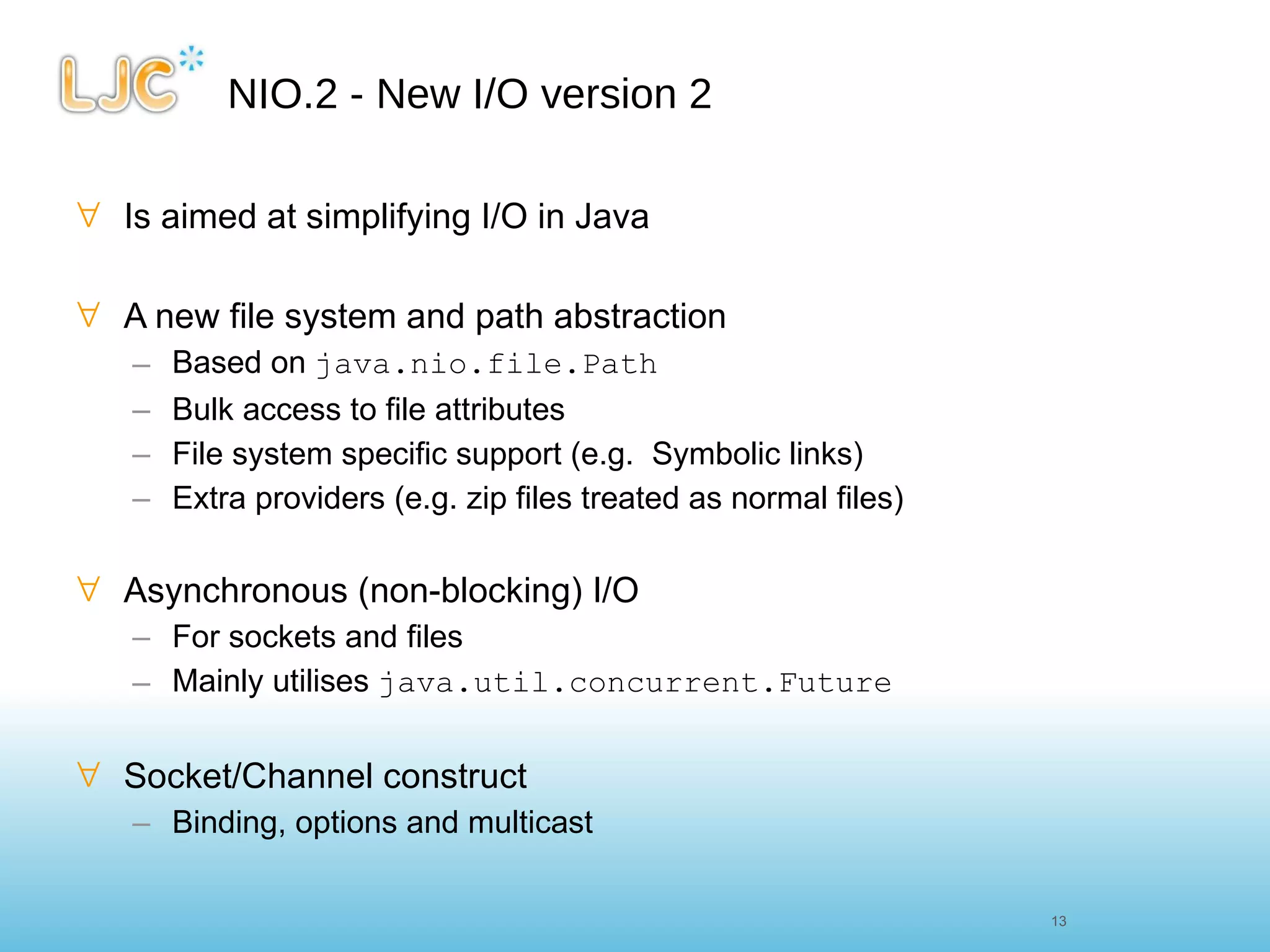
NIO.2 - New I/O version 2 Is aimed at simplifying I/O in Java A new file system and path abstraction Based on  java.nio.file.Path Bulk access to file attributes File system specific support (e.g.  Symbolic links) Extra providers (e.g. zip files treated as normal files) Asynchronous (non-blocking) I/O For sockets and files Mainly utilises  java.util.concurrent.Future Socket/Channel construct Binding, options and multicast 13 13
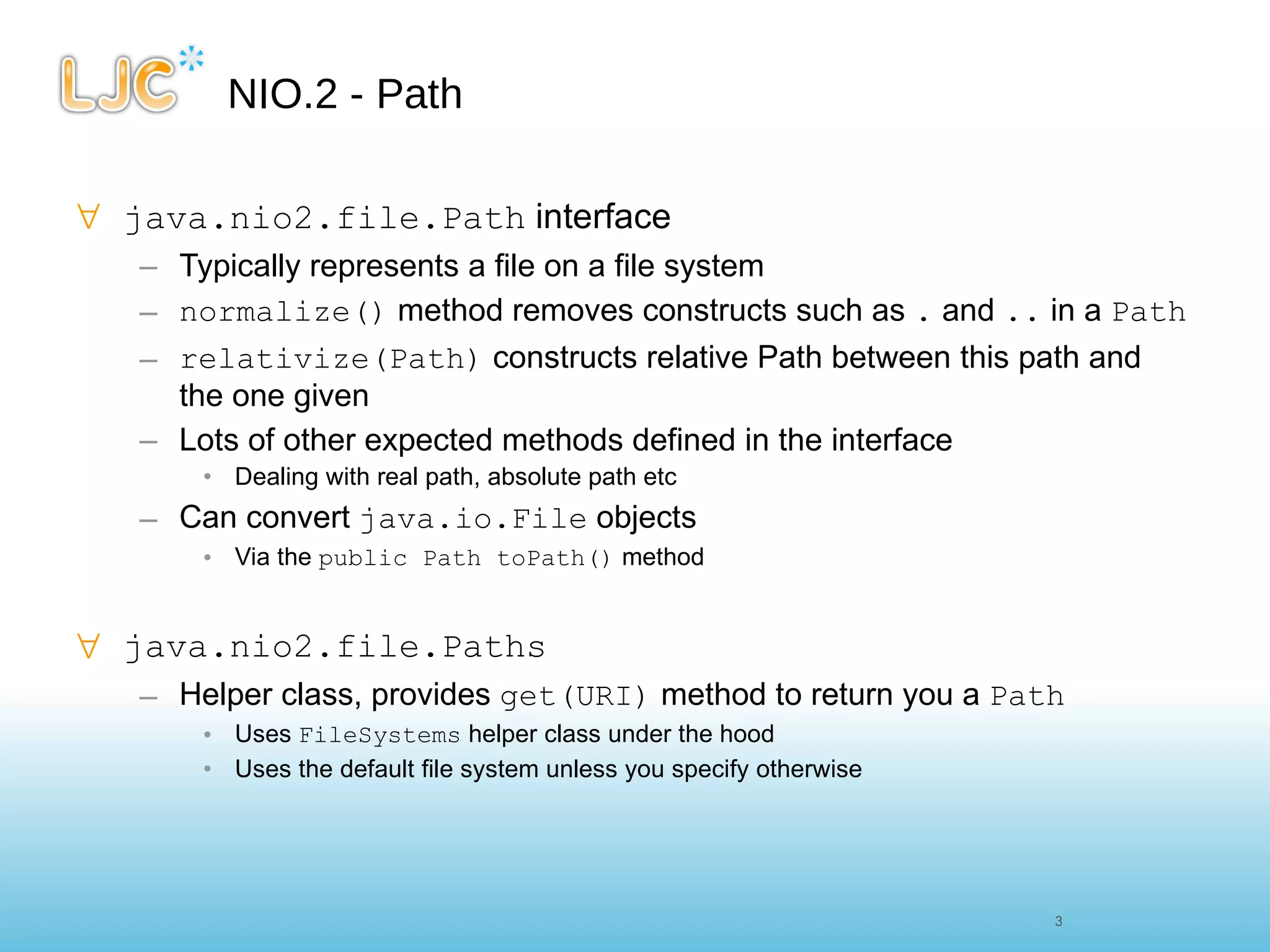
NIO.2 - Path java.nio2.file.Path  interface Typically represents a file on a file system normalize()  method removes constructs such as  .  and  ..  in a  Path relativize(Path)  constructs relative Path between this path and the one given Lots of other expected methods defined in the interface  Dealing with real path, absolute path etc Can convert  java.io.File  objects Via the  public Path toPath()  method java.nio2.file.Paths Helper class, provides  get(URI)  method to return you a  Path Uses  FileSystems  helper class under the hood Uses the default file system unless you specify otherwise
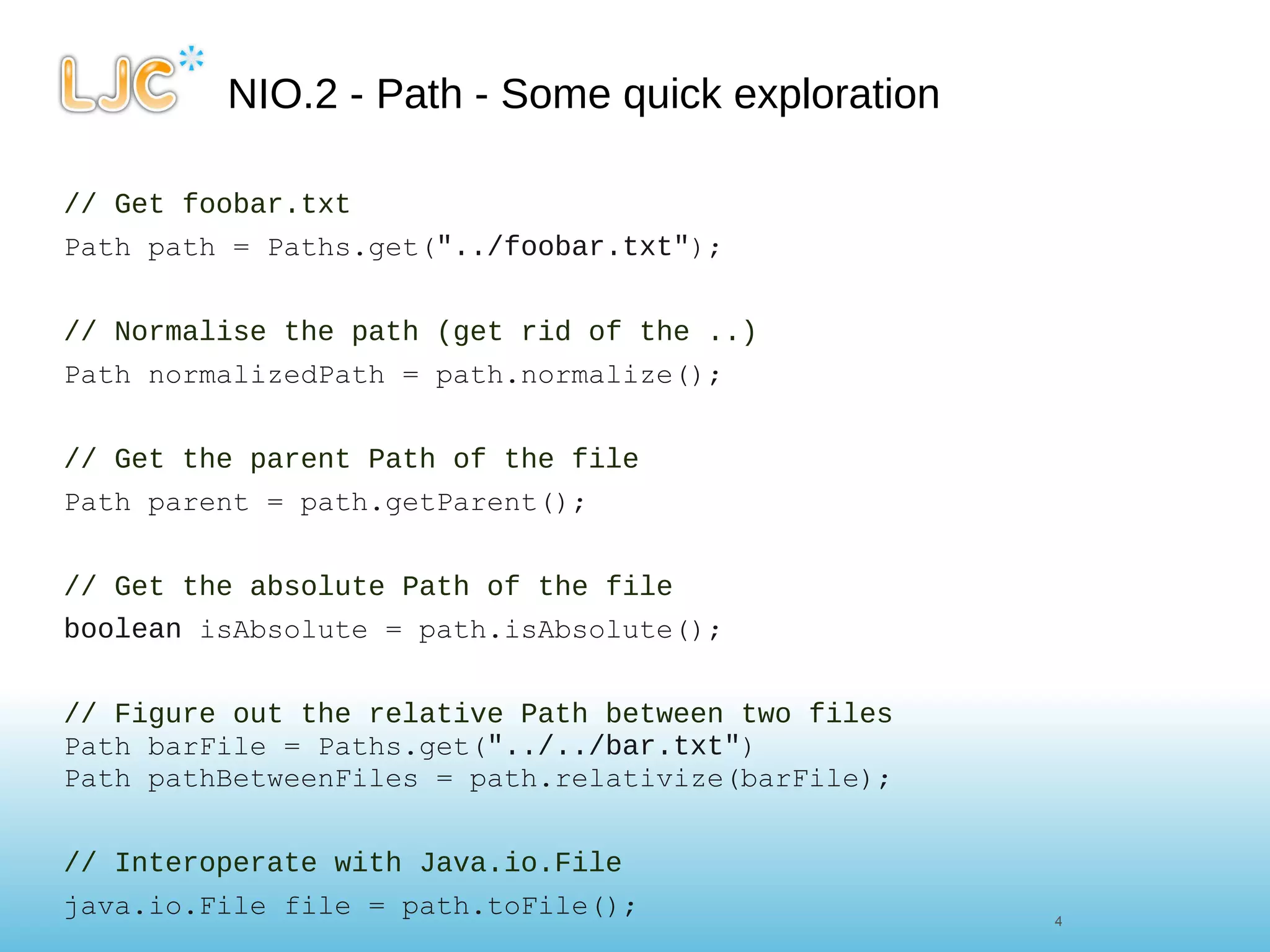
NIO.2 - Path - Some quick exploration // Get foobar.txt Path path = Paths.get( "../foobar.txt" ); // Normalise the path (get rid of the ..) Path normalizedPath = path.normalize(); // Get the parent Path of the file Path parent = path.getParent(); // Get the absolute Path of the file boolean  isAbsolute = path.isAbsolute();     // Figure out the relative Path between two files Path barFile = Paths.get( "../../bar.txt" ) Path pathBetweenFiles = path.relativize(barFile); // Interoperate with Java.io.File java.io.File file = path.toFile();
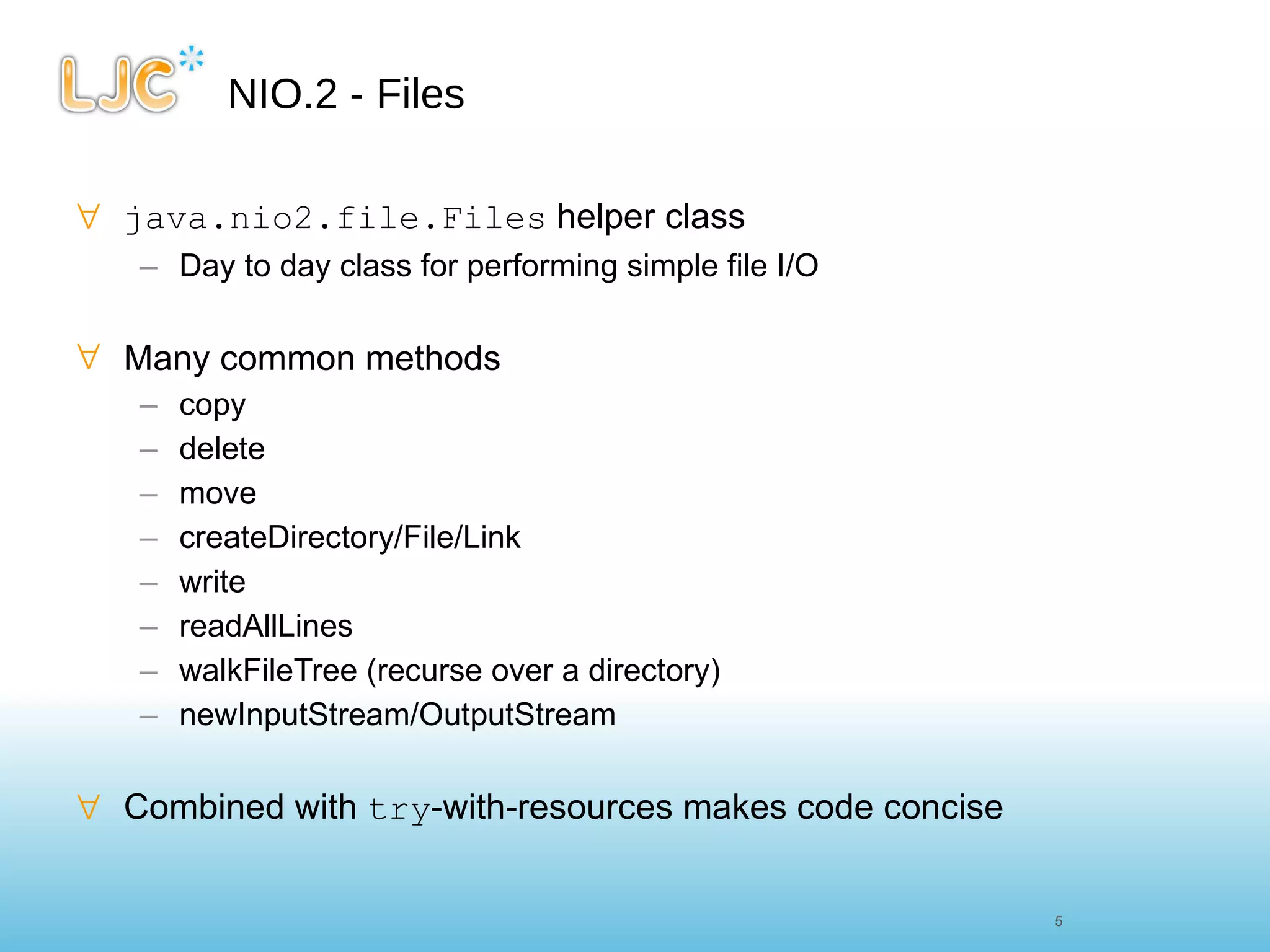
NIO.2 - Files java.nio2.file.Files  helper class Day to day class for performing simple file I/O Many common methods copy delete move createDirectory/File/Link write readAllLines walkFileTree (recurse over a directory) newInputStream/OutputStream Combined with  try -with-resources makes code concise
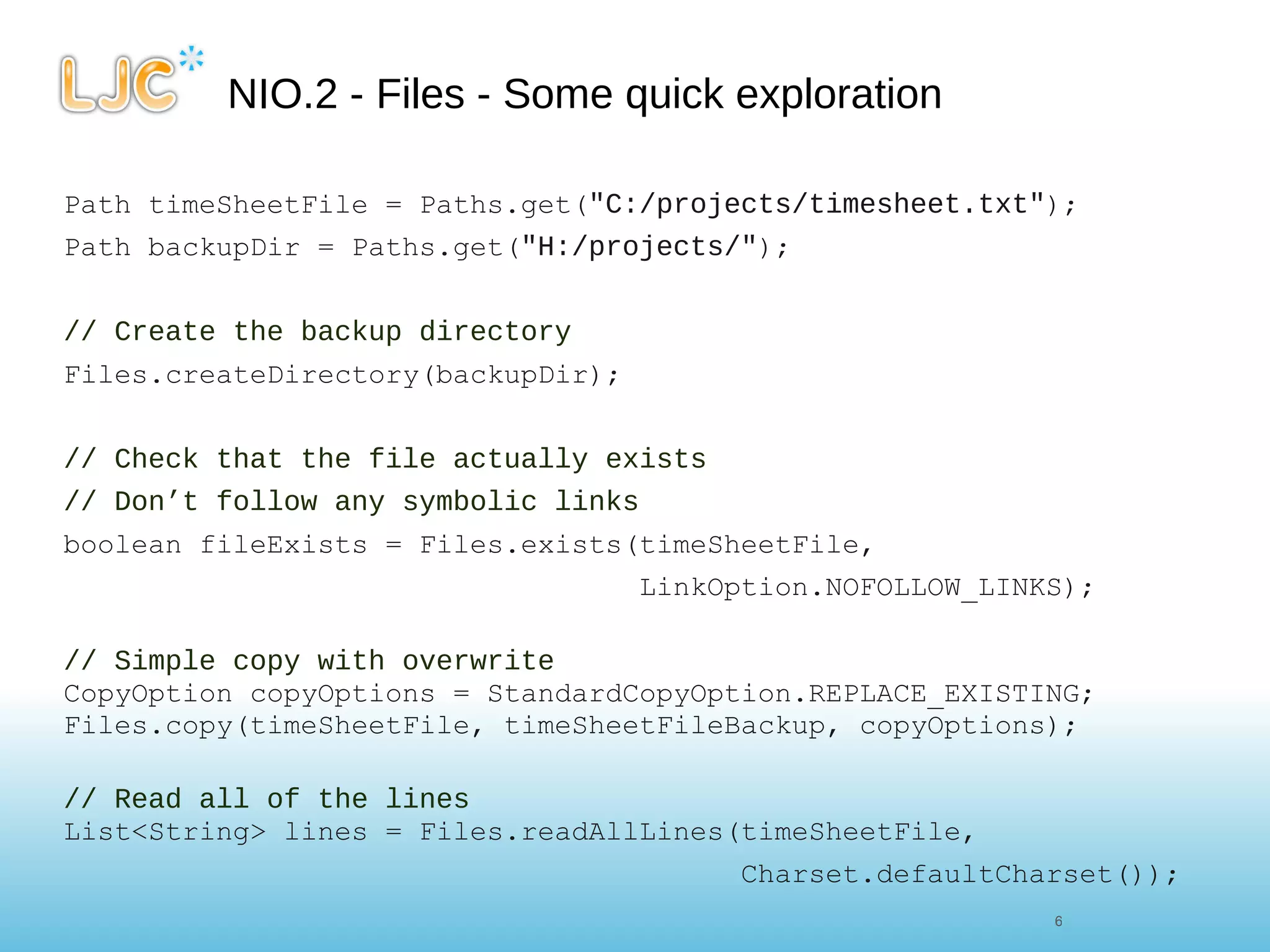
NIO.2 - Files - Some quick exploration Path timeSheetFile = Paths.get( &quot;C:/projects/timesheet.txt&quot; ); Path backupDir = Paths.get( &quot;H:/projects/&quot; ); // Create the backup directory Files.createDirectory(backupDir); // Check that the file actually exists // Don’t follow any symbolic links boolean fileExists = Files.exists(timeSheetFile,  LinkOption.NOFOLLOW_LINKS);    // Simple copy with overwrite CopyOption copyOptions = StandardCopyOption.REPLACE_EXISTING; Files.copy(timeSheetFile, timeSheetFileBackup, copyOptions); // Read all of the lines List<String> lines = Files.readAllLines(timeSheetFile, Charset.defaultCharset());
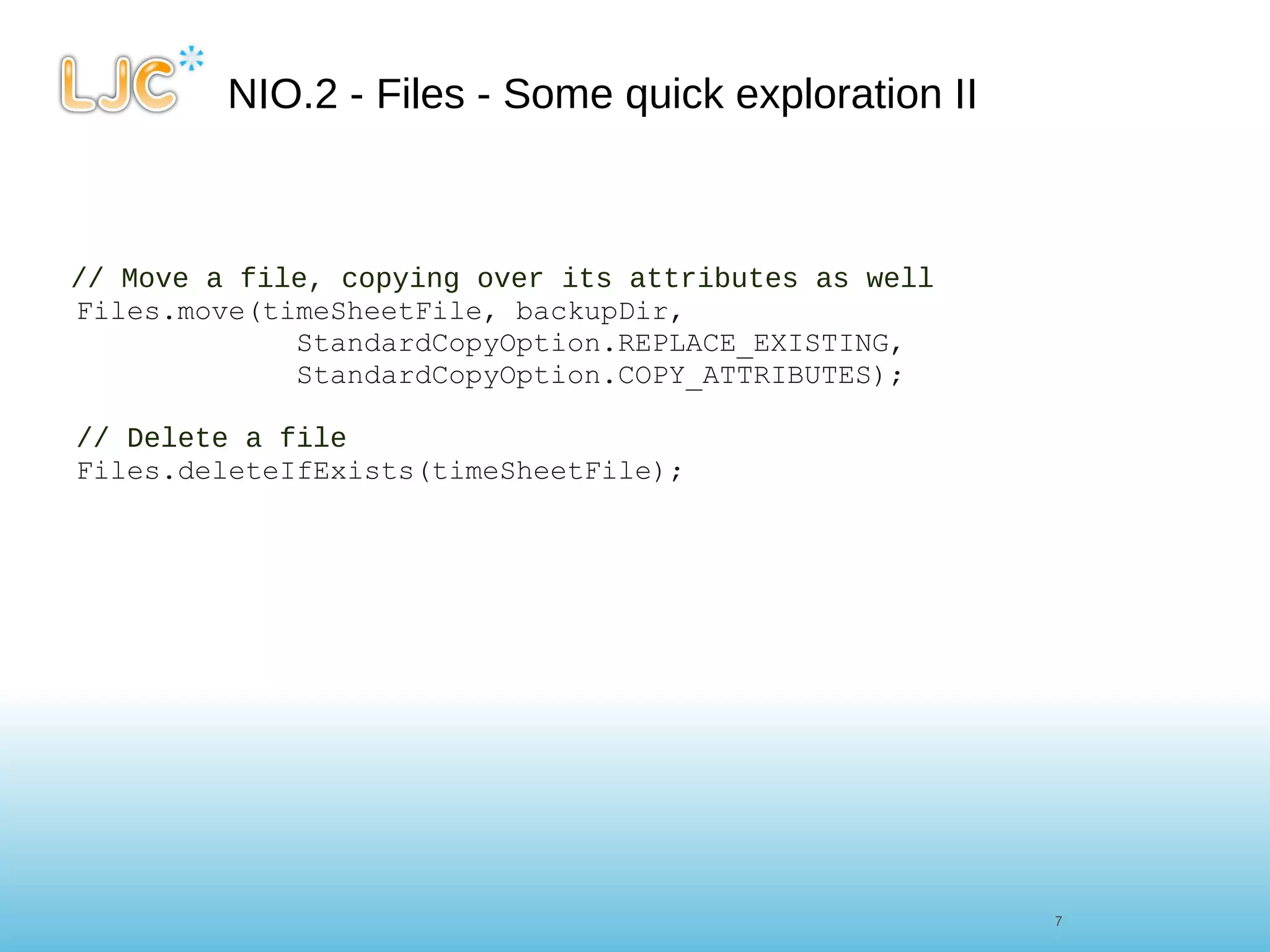
NIO.2 - Files - Some quick exploration II // Move a file, copying over its attributes as well Files.move(timeSheetFile, backupDir,               StandardCopyOption.REPLACE_EXISTING,               StandardCopyOption.COPY_ATTRIBUTES);      // Delete a file Files.deleteIfExists(timeSheetFile);
URLStream to file - Java 6 URL url =  new  URL( &quot; http://www.java7developer.com/blog/?page_id=97 &quot; ); try  ( FileOutputStream fos =  new  FileOutputStream( new  File( &quot;output.txt&quot; )); InputStream is = url.openStream() ) { byte [] buf = new  byte [4096]; int  len; while  ((len = is.read(buf)) > 0) { fos.write(buf, 0, len); } }  catch  (IOException e) { e.printStackTrace(); }
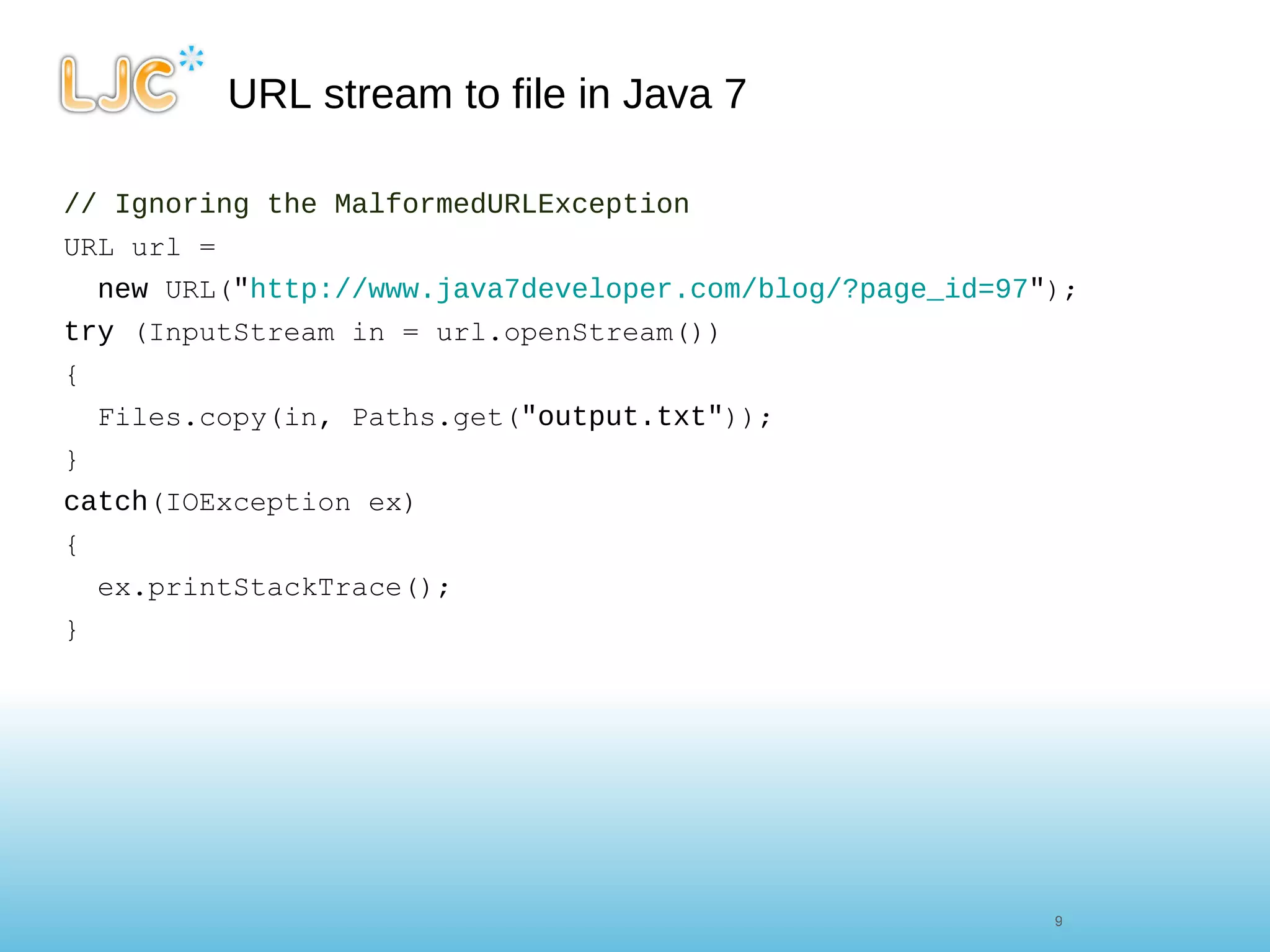
URL stream to file in Java 7 // Ignoring the MalformedURLException URL url =  new  URL( &quot; http://www.java7developer.com/blog/?page_id=97 &quot; ); try  (InputStream in = url.openStream()) { Files.copy(in, Paths.get( &quot;output.txt&quot; )); } catch (IOException ex) { ex.printStackTrace(); }
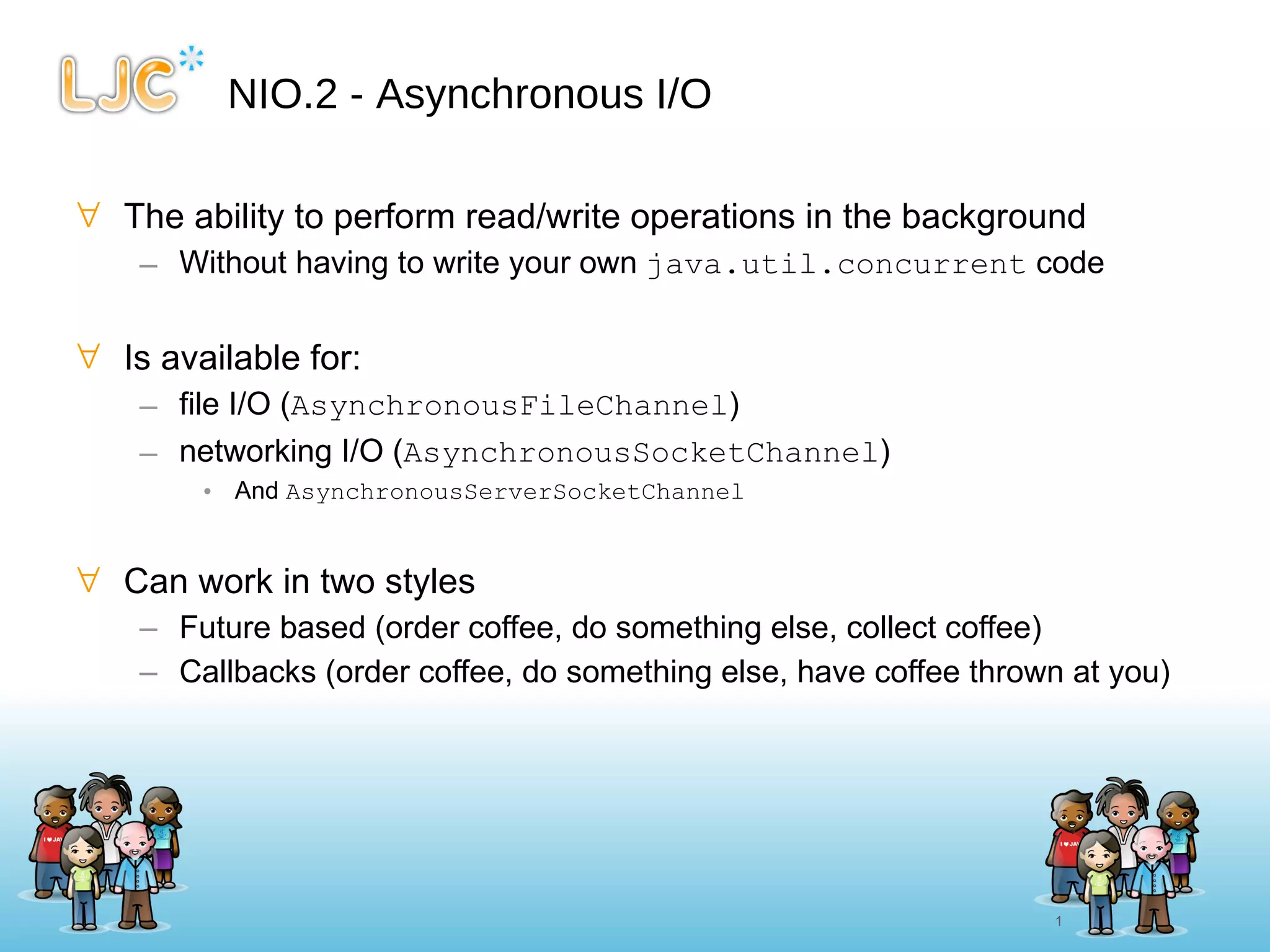
NIO.2 - Asynchronous I/O The ability to perform read/write operations in the background Without having to write your own  java.util.concurrent  code Is available for: file I/O ( AsynchronousFileChannel ) networking I/O ( AsynchronousSocketChannel ) And  AsynchronousServerSocketChannel Can work in two styles Future based (order coffee, do something else, collect coffee) Callbacks (order coffee, do something else, have coffee thrown at you)
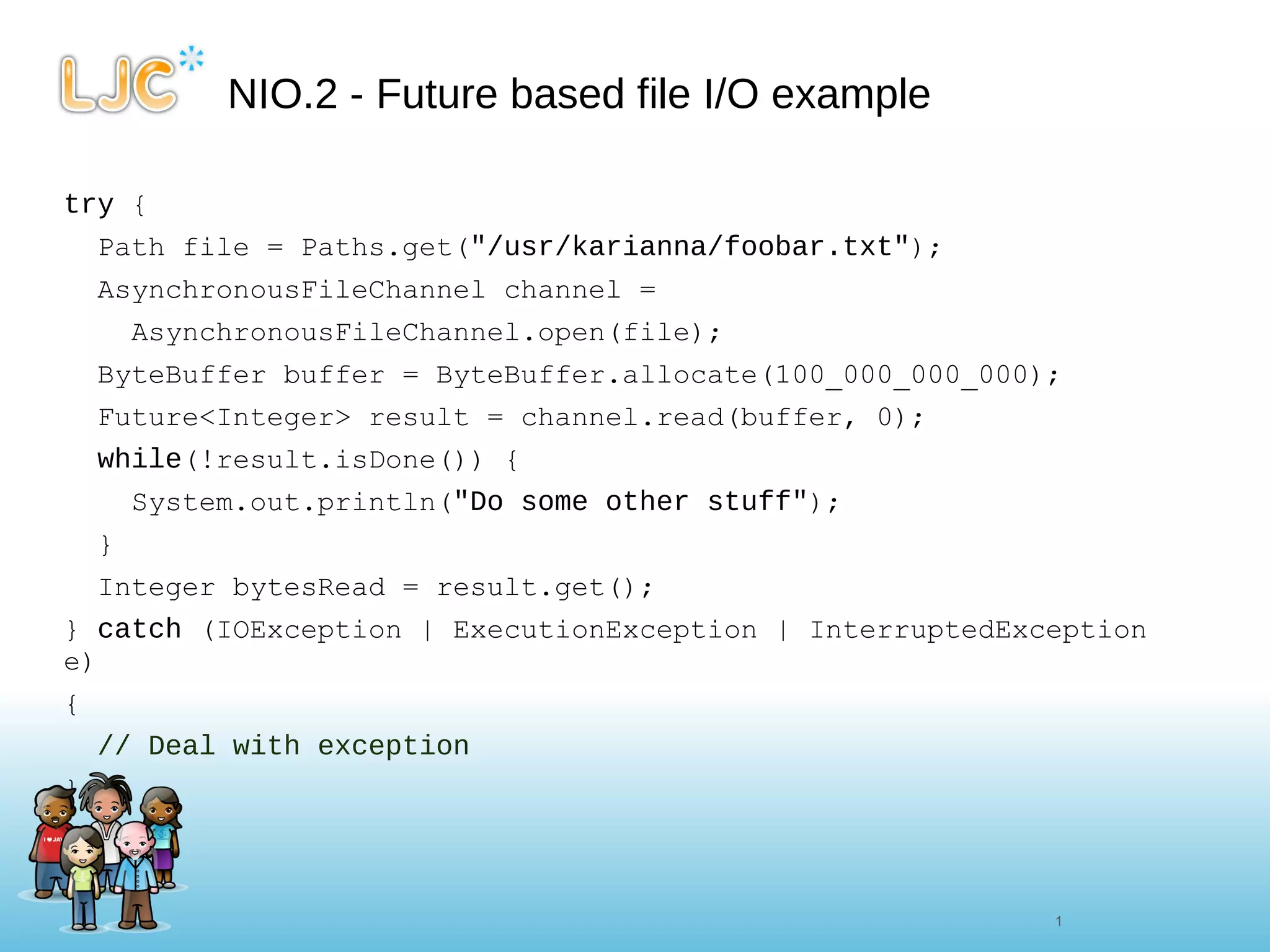
NIO.2 - Future based file I/O example try  { Path file = Paths.get( &quot;/usr/karianna/foobar.txt&quot; ); AsynchronousFileChannel channel = AsynchronousFileChannel.open(file); ByteBuffer buffer = ByteBuffer.allocate(100_000_000_000); Future<Integer> result = channel.read(buffer, 0); while (!result.isDone()) { System.out.println( &quot;Do some other stuff&quot; ); } Integer bytesRead = result.get(); }  catch  (IOException | ExecutionException | InterruptedException e) {  // Deal with exception  }
NIO.2 - Callback based file I/O example try  { Path file = Paths.get(&quot;/usr/karianna/foobar.txt&quot;); AsynchronousFileChannel channel = AsynchronousFileChannel.open(file); ByteBuffer buffer = ByteBuffer.allocate(100_000_000_000); channel.read(buffer, 0, buffer,  new  CompletionHandler<Integer, ByteBuffer>() {      public   void  completed(Integer result, ByteBuffer attachment) {          System.out.println( &quot;Bytes read [&quot;  + result +  &quot;]&quot; );          }          public   void  failed(Throwable exception, ByteBuffer attachment) {          // Deal with exception          }     }); }  catch  (IOException e) {      // Deal with exception }
Thanks for listening! ( http://www.java7developer.com ) )

Java 7 - short intro to NIO.2

  • 1.
    Back to theFuture with Java 7 Martijn Verburg ( @karianna , @java7developer ) http://www.java7developer.com Slide Design by http://www.kerrykenneally.com
  • 2.
    NIO.2 - NewI/O version 2 Is aimed at simplifying I/O in Java A new file system and path abstraction Based on java.nio.file.Path Bulk access to file attributes File system specific support (e.g. Symbolic links) Extra providers (e.g. zip files treated as normal files) Asynchronous (non-blocking) I/O For sockets and files Mainly utilises java.util.concurrent.Future Socket/Channel construct Binding, options and multicast 13 13
  • 3.
    NIO.2 - Pathjava.nio2.file.Path interface Typically represents a file on a file system normalize() method removes constructs such as . and .. in a Path relativize(Path) constructs relative Path between this path and the one given Lots of other expected methods defined in the interface Dealing with real path, absolute path etc Can convert java.io.File objects Via the public Path toPath() method java.nio2.file.Paths Helper class, provides get(URI) method to return you a Path Uses FileSystems helper class under the hood Uses the default file system unless you specify otherwise
  • 4.
    NIO.2 - Path- Some quick exploration // Get foobar.txt Path path = Paths.get( &quot;../foobar.txt&quot; ); // Normalise the path (get rid of the ..) Path normalizedPath = path.normalize(); // Get the parent Path of the file Path parent = path.getParent(); // Get the absolute Path of the file boolean isAbsolute = path.isAbsolute();     // Figure out the relative Path between two files Path barFile = Paths.get( &quot;../../bar.txt&quot; ) Path pathBetweenFiles = path.relativize(barFile); // Interoperate with Java.io.File java.io.File file = path.toFile();
  • 5.
    NIO.2 - Filesjava.nio2.file.Files helper class Day to day class for performing simple file I/O Many common methods copy delete move createDirectory/File/Link write readAllLines walkFileTree (recurse over a directory) newInputStream/OutputStream Combined with try -with-resources makes code concise
  • 6.
    NIO.2 - Files- Some quick exploration Path timeSheetFile = Paths.get( &quot;C:/projects/timesheet.txt&quot; ); Path backupDir = Paths.get( &quot;H:/projects/&quot; ); // Create the backup directory Files.createDirectory(backupDir); // Check that the file actually exists // Don’t follow any symbolic links boolean fileExists = Files.exists(timeSheetFile, LinkOption.NOFOLLOW_LINKS);   // Simple copy with overwrite CopyOption copyOptions = StandardCopyOption.REPLACE_EXISTING; Files.copy(timeSheetFile, timeSheetFileBackup, copyOptions); // Read all of the lines List<String> lines = Files.readAllLines(timeSheetFile, Charset.defaultCharset());
  • 7.
    NIO.2 - Files- Some quick exploration II // Move a file, copying over its attributes as well Files.move(timeSheetFile, backupDir,               StandardCopyOption.REPLACE_EXISTING,               StandardCopyOption.COPY_ATTRIBUTES);      // Delete a file Files.deleteIfExists(timeSheetFile);
  • 8.
    URLStream to file- Java 6 URL url = new URL( &quot; http://www.java7developer.com/blog/?page_id=97 &quot; ); try ( FileOutputStream fos = new FileOutputStream( new File( &quot;output.txt&quot; )); InputStream is = url.openStream() ) { byte [] buf = new byte [4096]; int len; while ((len = is.read(buf)) > 0) { fos.write(buf, 0, len); } } catch (IOException e) { e.printStackTrace(); }
  • 9.
    URL stream tofile in Java 7 // Ignoring the MalformedURLException URL url = new URL( &quot; http://www.java7developer.com/blog/?page_id=97 &quot; ); try (InputStream in = url.openStream()) { Files.copy(in, Paths.get( &quot;output.txt&quot; )); } catch (IOException ex) { ex.printStackTrace(); }
  • 10.
    NIO.2 - AsynchronousI/O The ability to perform read/write operations in the background Without having to write your own java.util.concurrent code Is available for: file I/O ( AsynchronousFileChannel ) networking I/O ( AsynchronousSocketChannel ) And AsynchronousServerSocketChannel Can work in two styles Future based (order coffee, do something else, collect coffee) Callbacks (order coffee, do something else, have coffee thrown at you)
  • 11.
    NIO.2 - Futurebased file I/O example try { Path file = Paths.get( &quot;/usr/karianna/foobar.txt&quot; ); AsynchronousFileChannel channel = AsynchronousFileChannel.open(file); ByteBuffer buffer = ByteBuffer.allocate(100_000_000_000); Future<Integer> result = channel.read(buffer, 0); while (!result.isDone()) { System.out.println( &quot;Do some other stuff&quot; ); } Integer bytesRead = result.get(); } catch (IOException | ExecutionException | InterruptedException e) { // Deal with exception }
  • 12.
    NIO.2 - Callbackbased file I/O example try { Path file = Paths.get(&quot;/usr/karianna/foobar.txt&quot;); AsynchronousFileChannel channel = AsynchronousFileChannel.open(file); ByteBuffer buffer = ByteBuffer.allocate(100_000_000_000); channel.read(buffer, 0, buffer, new CompletionHandler<Integer, ByteBuffer>() {     public void completed(Integer result, ByteBuffer attachment) {         System.out.println( &quot;Bytes read [&quot; + result + &quot;]&quot; );         }         public void failed(Throwable exception, ByteBuffer attachment) {         // Deal with exception         }     }); } catch (IOException e) {     // Deal with exception }
  • 13.
    Thanks for listening!( http://www.java7developer.com ) )