Download as PDF, PPTX
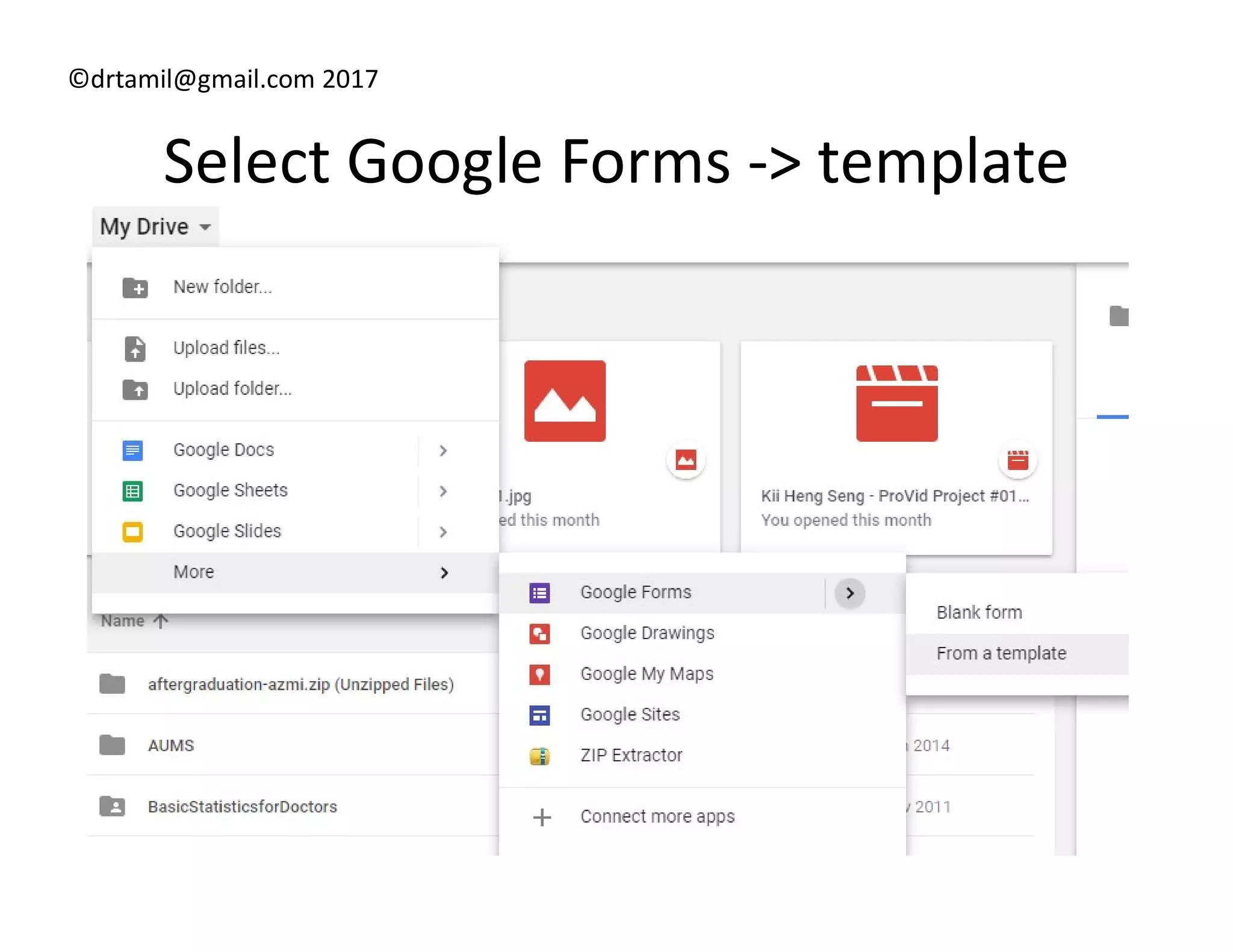
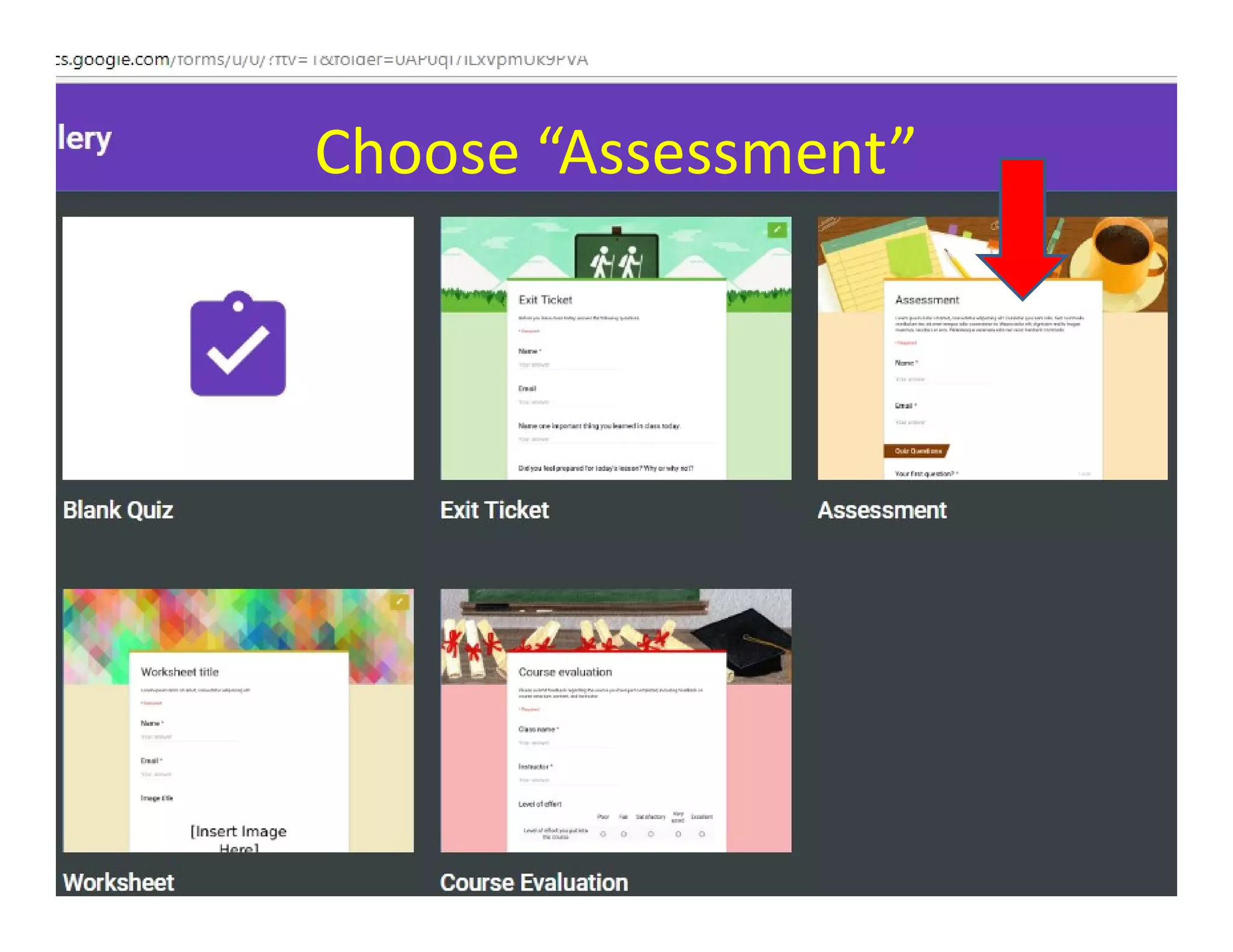
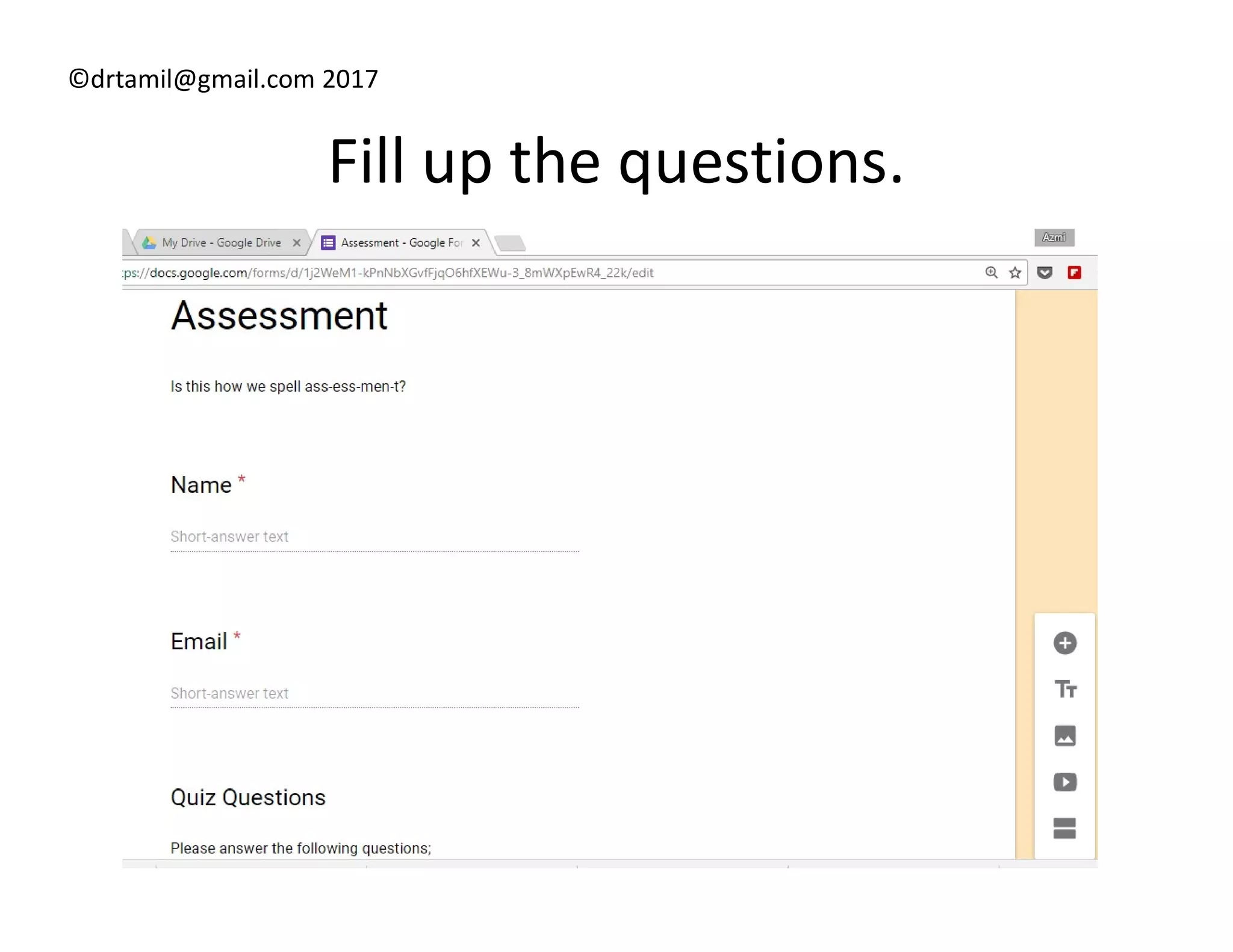
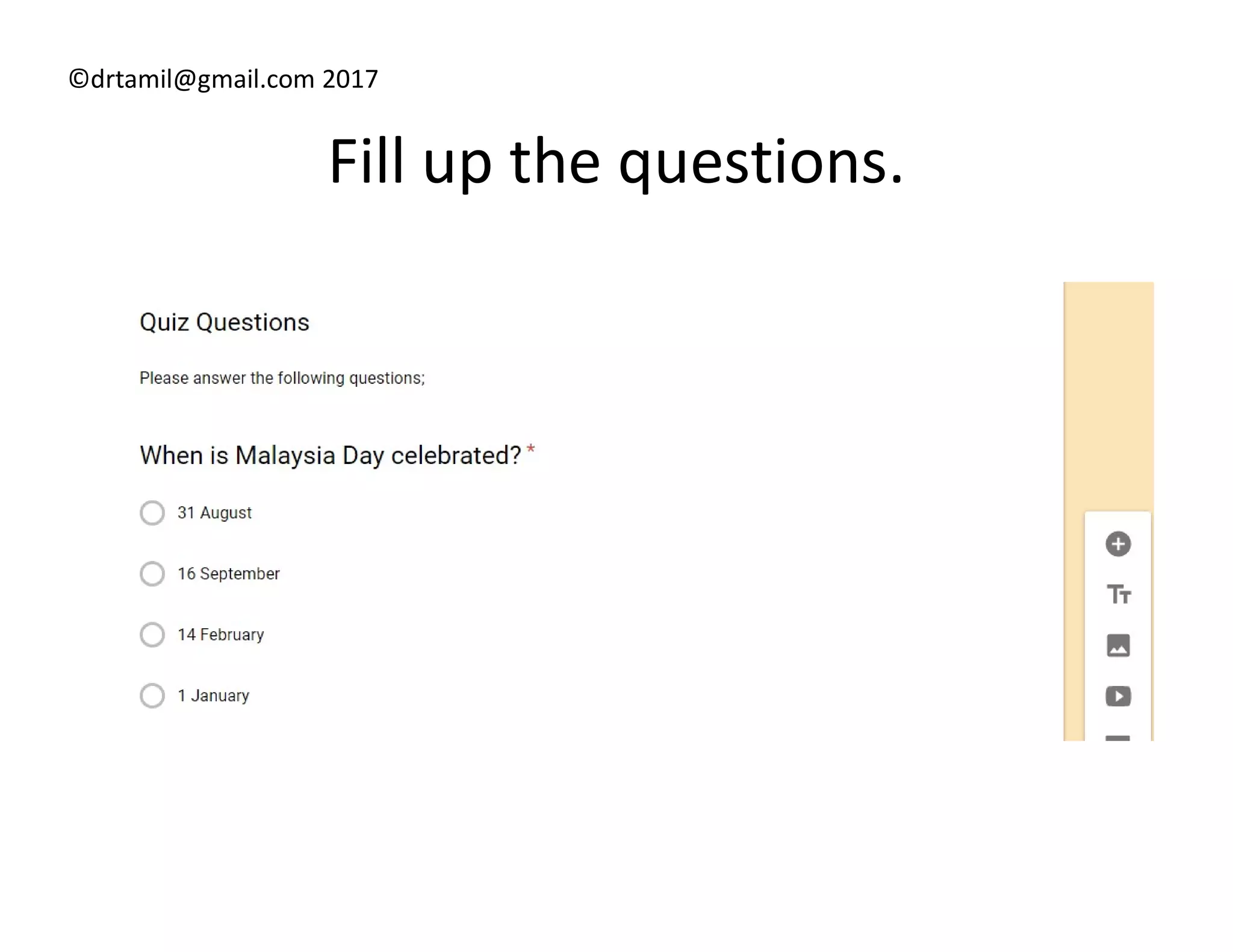
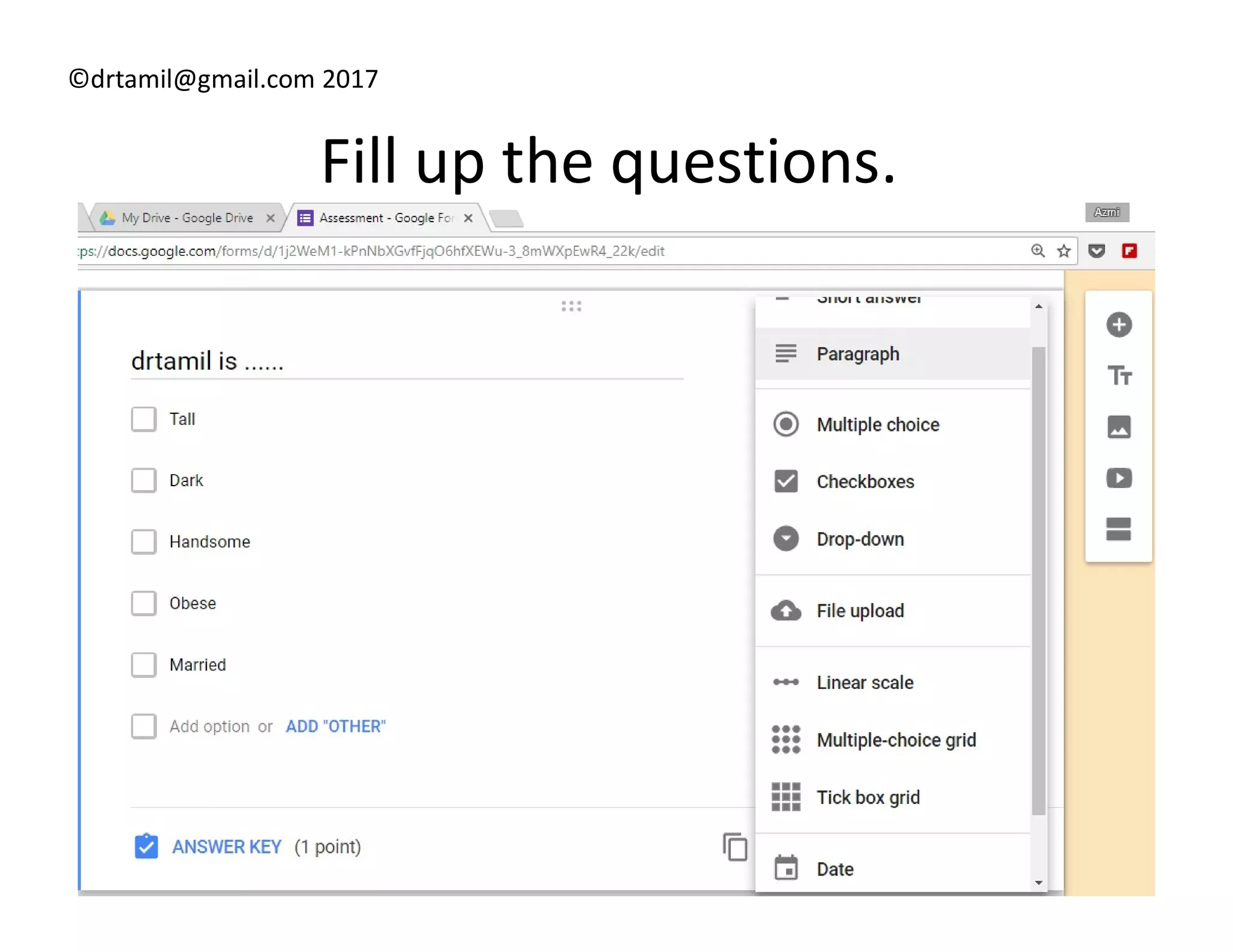
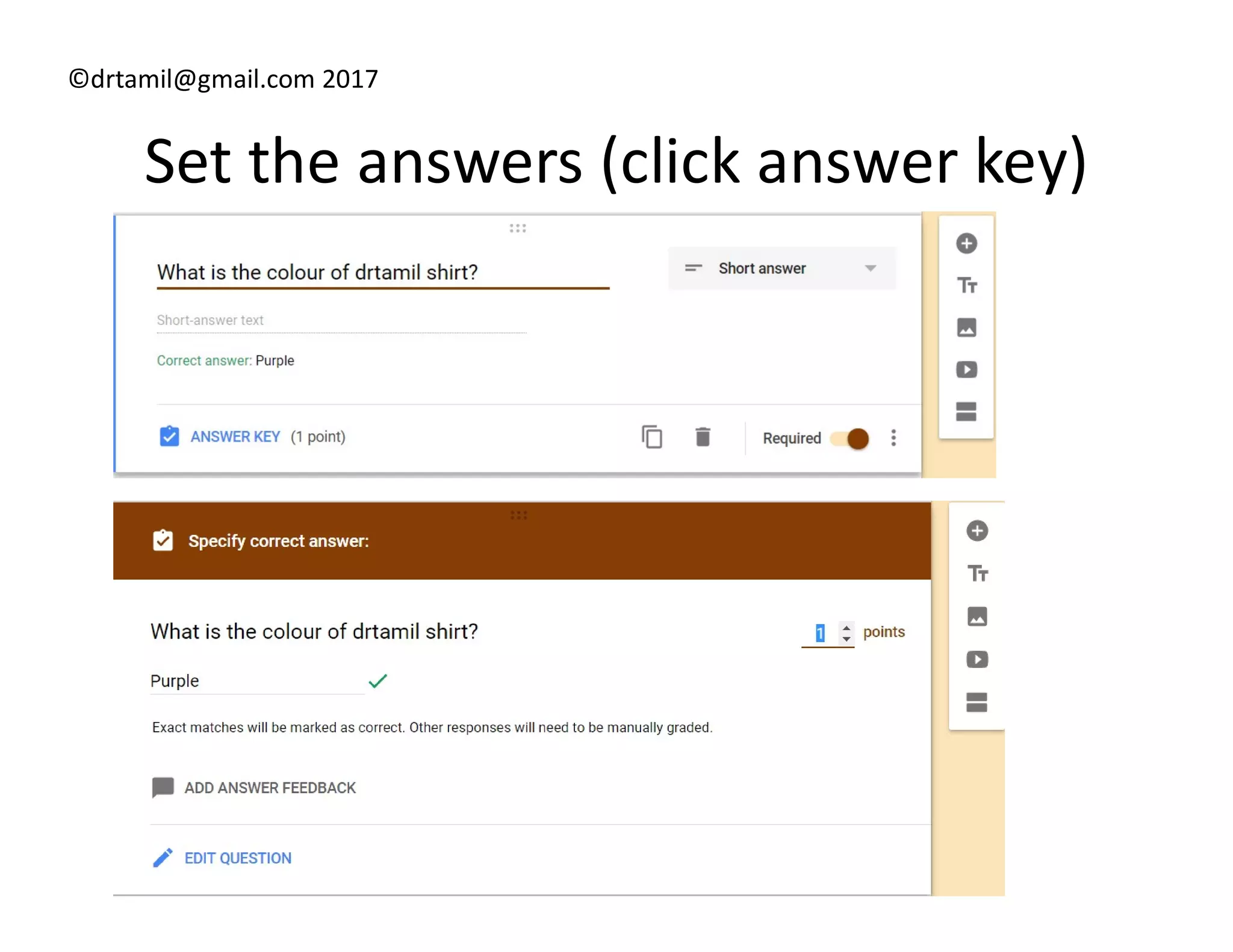
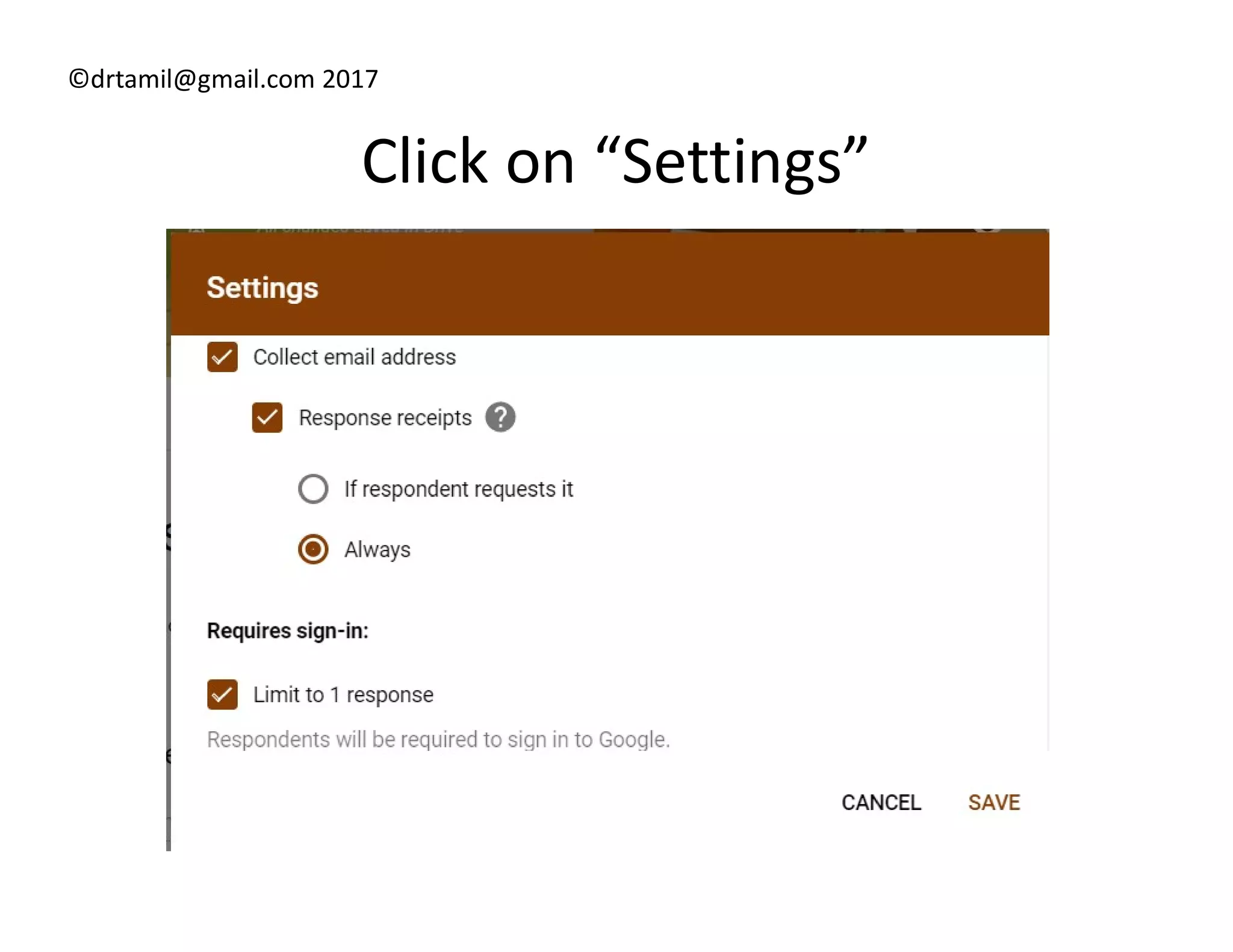
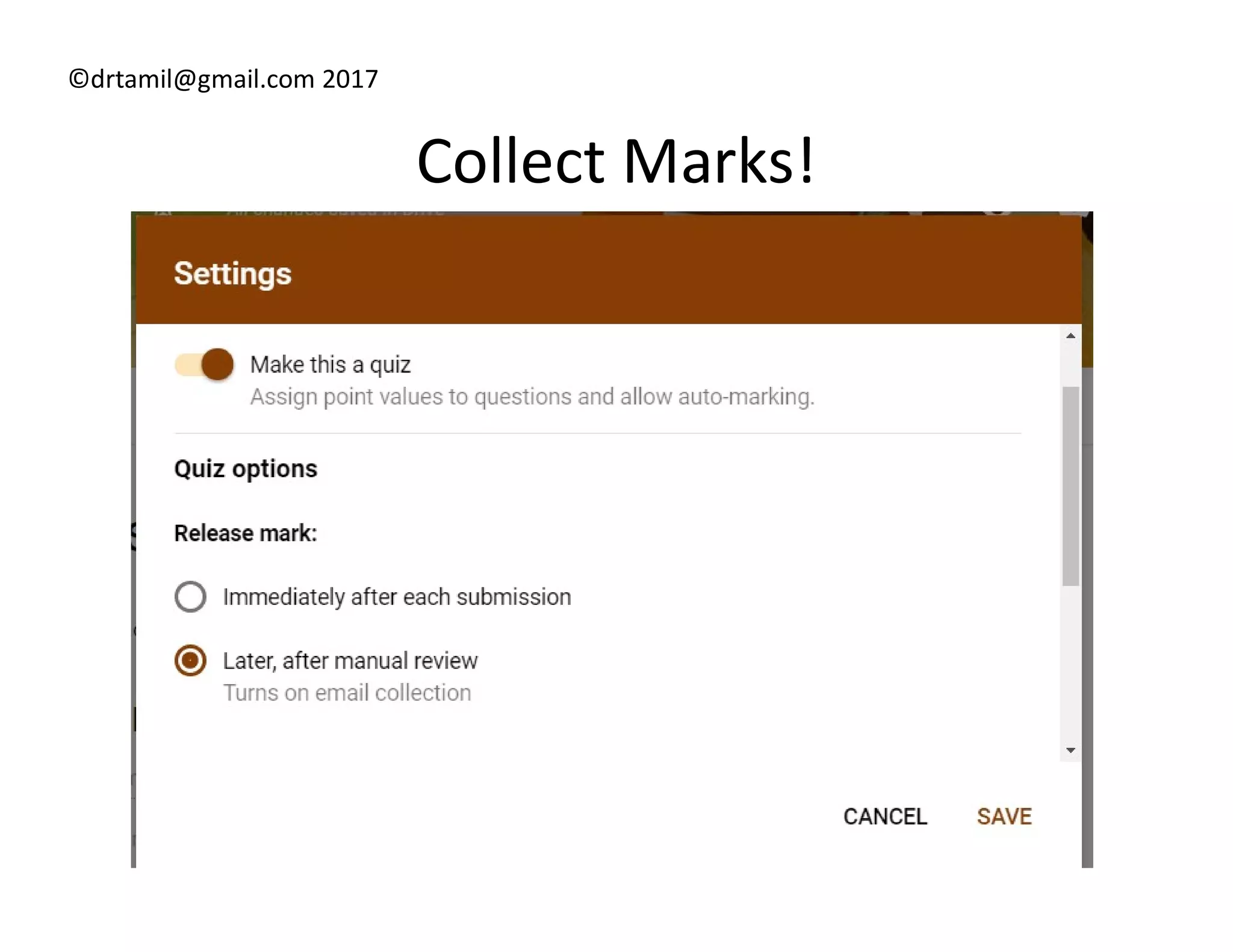
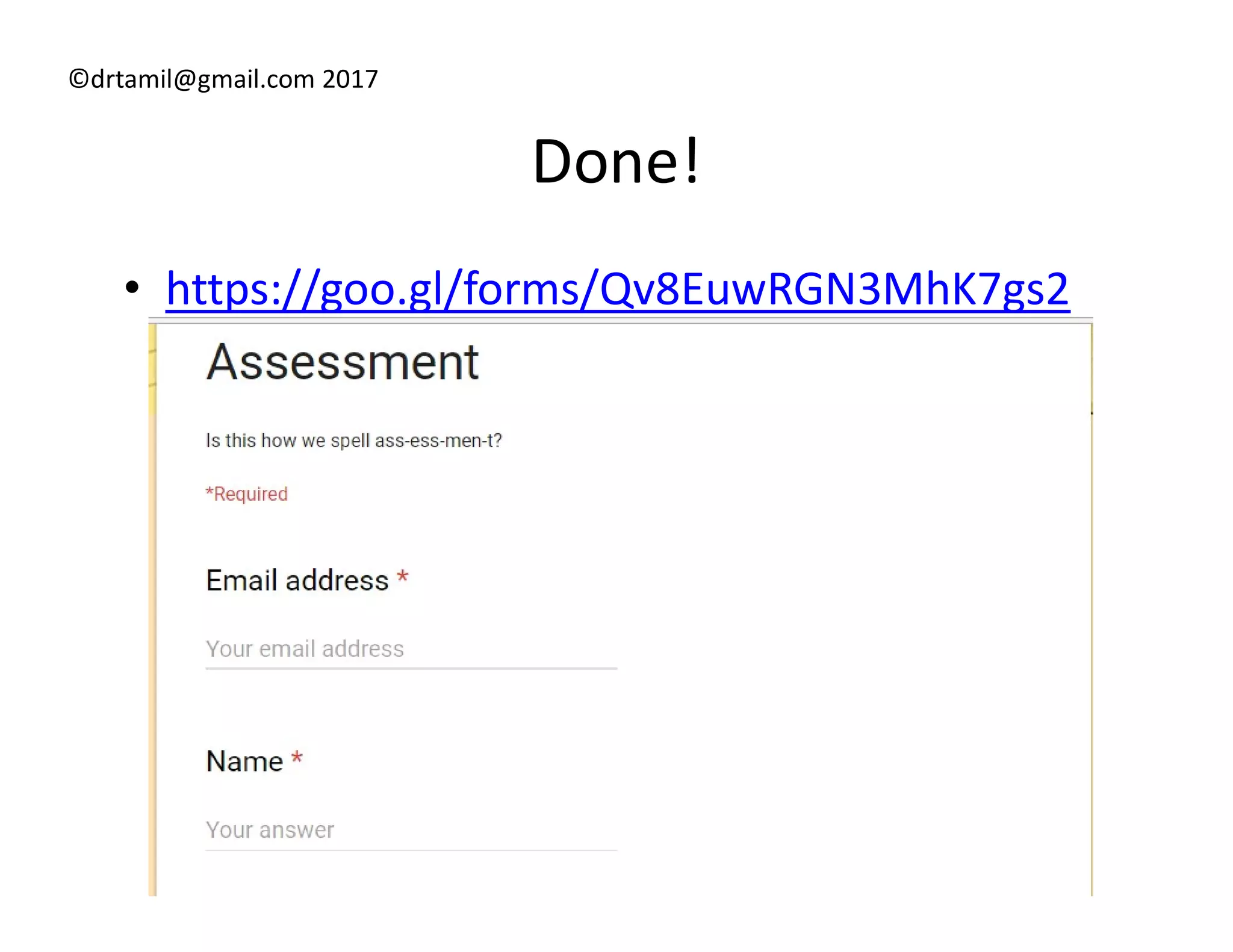

This document provides instructions for creating a summative assessment using Google Forms. It notes that you need a Google Drive account, which users already have if they have a Google account. It instructs users to click "My Drive" and then select Google Forms and the "Assessment" template. Users are then directed to fill out questions, set answers using the answer key, configure settings, and their form will be ready to collect marks. An example link to a completed form is also provided.


