©drtamil@gmail.com 2020
Hack#35-FB Live With
Video Encoder
Azmi Mohd Tamil
drtamil@gmail.com
©drtamil@gmail.com 2020
Why Use An Encoder?
• In this previous slide, we showed how to FB Live
without using a video encoder.
https://www.slideshare.net/drtamil/hack33-how-
to-fblive
• But it does not always work well on all devices.
Sometimes you cannot share the entire desktop
screen. Therefore when you jump between
applications, the FB Live stops suddenly, disrupting
broadcast.
• Therefore a video encoder running on a separate
PC/notebook will help to FB Live seamlessly.
©drtamil@gmail.com 2020
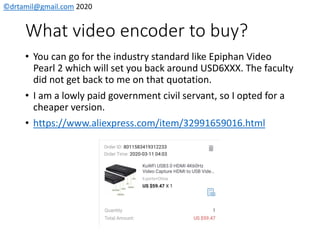
What video encoder to buy?
• You can go for the industry standard like Epiphan Video
Pearl 2 which will set you back around USD6XXX. The faculty
did not get back to me on that quotation.
• I am a lowly paid government civil servant, so I opted for a
cheaper version.
• https://www.aliexpress.com/item/32991659016.html
©drtamil@gmail.com 2020
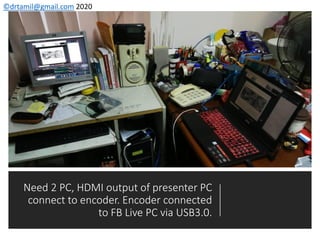
Need 2 PC, HDMI output of presenter PC
connect to encoder. Encoder connected
to FB Live PC via USB3.0.
©drtamil@gmail.com 2020
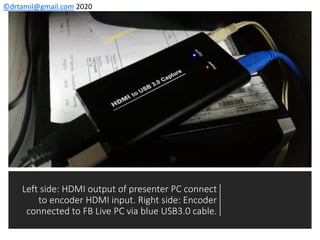
Left side: HDMI output of presenter PC connect
to encoder HDMI input. Right side: Encoder
connected to FB Live PC via blue USB3.0 cable.
©drtamil@gmail.com 2020
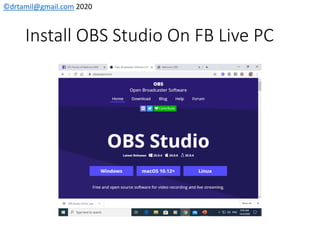
Install OBS Studio On FB Live PC
©drtamil@gmail.com 2020
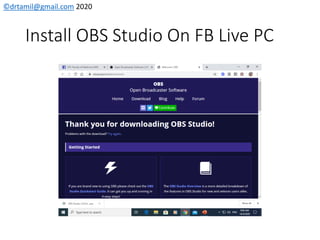
Install OBS Studio On FB Live PC
©drtamil@gmail.com 2020
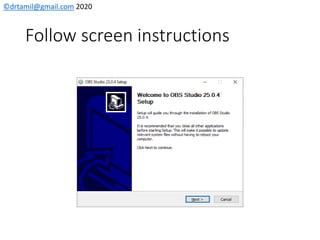
Follow screen instructions
©drtamil@gmail.com 2020
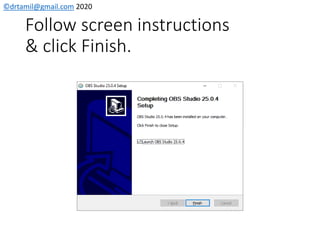
Follow screen instructions
& click Finish.
©drtamil@gmail.com 2020
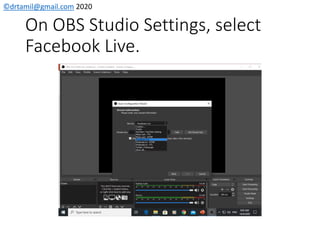
On OBS Studio Settings, select
Facebook Live.
©drtamil@gmail.com 2020
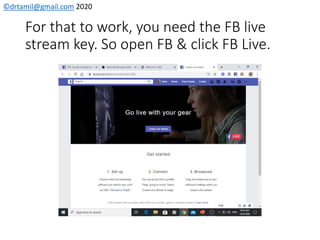
For that to work, you need the FB live
stream key. So open FB & click FB Live.
©drtamil@gmail.com 2020
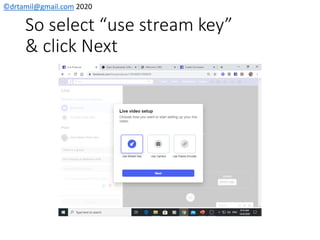
So select “use stream key”
& click Next
©drtamil@gmail.com 2020
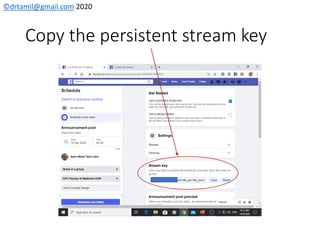
Copy the persistent stream key
©drtamil@gmail.com 2020
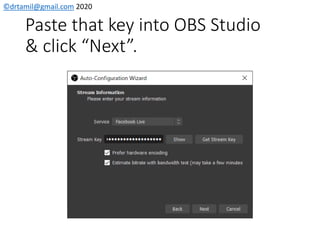
Paste that key into OBS Studio
& click “Next”.
©drtamil@gmail.com 2020
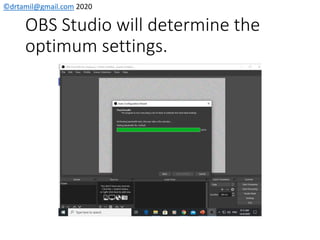
OBS Studio will determine the
optimum settings.
©drtamil@gmail.com 2020
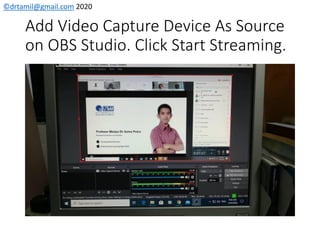
Add Video Capture Device As Source
on OBS Studio. Click Start Streaming.
©drtamil@gmail.com 2020
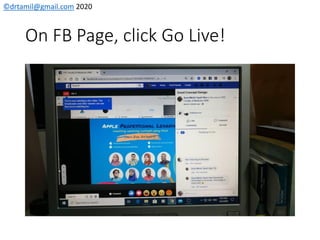
On FB Page, click Go Live!
©drtamil@gmail.com 2020
What to do at the end?
• Click stop Go Live on FB and save the video.
• Switch to OBS Studio and click “Stop Streaming”.
• Shutdown all apps on the FB Live PC and the PC.
• Shutdown all apps on the presenter’s PC and the
PC.
• Disconnect the video encoder after it has been
switched off.
©drtamil@gmail.com 2020
Thank you!
Have fun trying it out!

Hack#35 How to FB Live using a Video Encoder