welcome
Mini Project
Present by
Saraswati S. Dolai
Pruthvi B. Adekar
Mayuri S. Kharwade
Supriya M. Iname
GROCERY
STORE
APPLICATION
IN
PYTHON
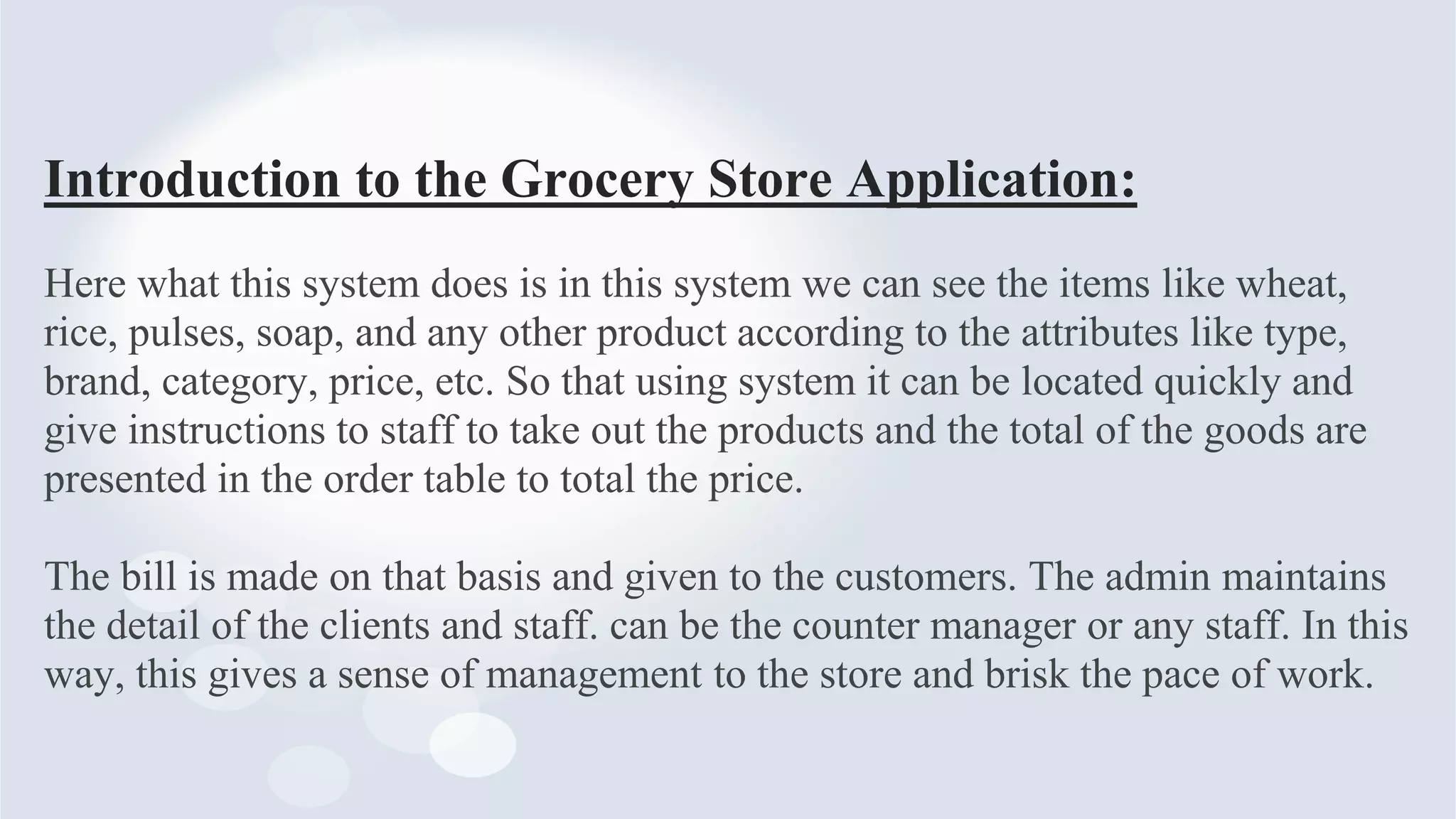
Contents:
• Introduction
• Requirements
• Objectives
• Functionality
• Technical Tools used
• Advantages & Disadvantages
• Flow Chart
• Output
Introduction to the Grocery Store Application:
Here what this system does is in this system we can see the items like wheat,
rice, pulses, soap, and any other product according to the attributes like type,
brand, category, price, etc. So that using system it can be located quickly and
give instructions to staff to take out the products and the total of the goods are
presented in the order table to total the price.
The bill is made on that basis and given to the customers. The admin maintains
the detail of the clients and staff. can be the counter manager or any staff. In this
way, this gives a sense of management to the store and brisk the pace of work.
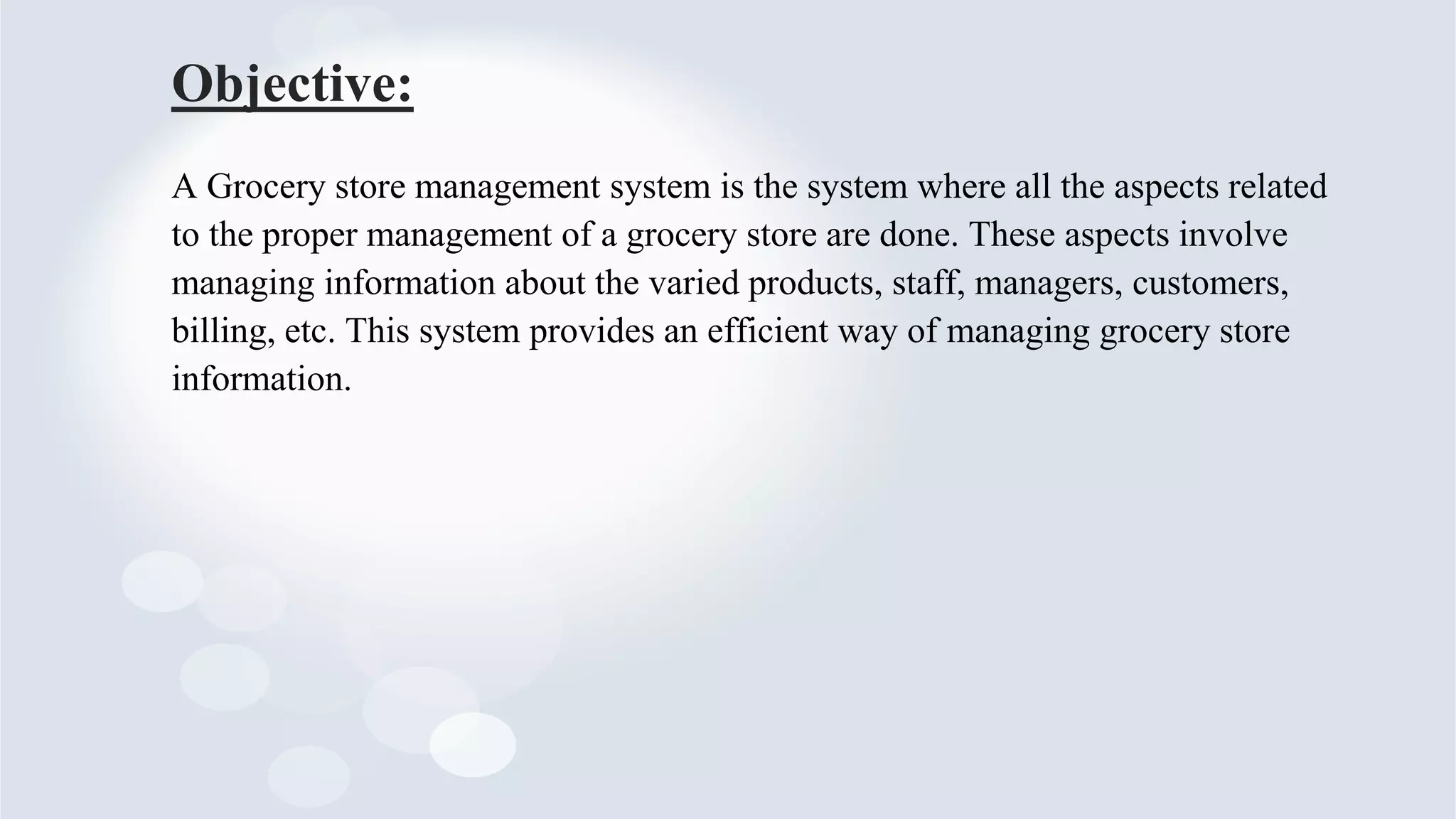
Requirements:
1. SOFTWARE REQUIREMENTS:
• Operating System- WINDOWS 11
• Application Software- PyCharm, VS code, MySQL
• Language-
Backend- PYTHON
Frontend- html, CSS, JavaScript
Database- SQL
2. HARDWARE REQUIREMENTS:
• Processor: 32-bit or 64-bit
• RAM: 4-GB
Objective:
A Grocery store management system is the system where all the aspects related
to the proper management of a grocery store are done. These aspects involve
managing information about the varied products, staff, managers, customers,
billing, etc. This system provides an efficient way of managing grocery store
information.
Functionality :
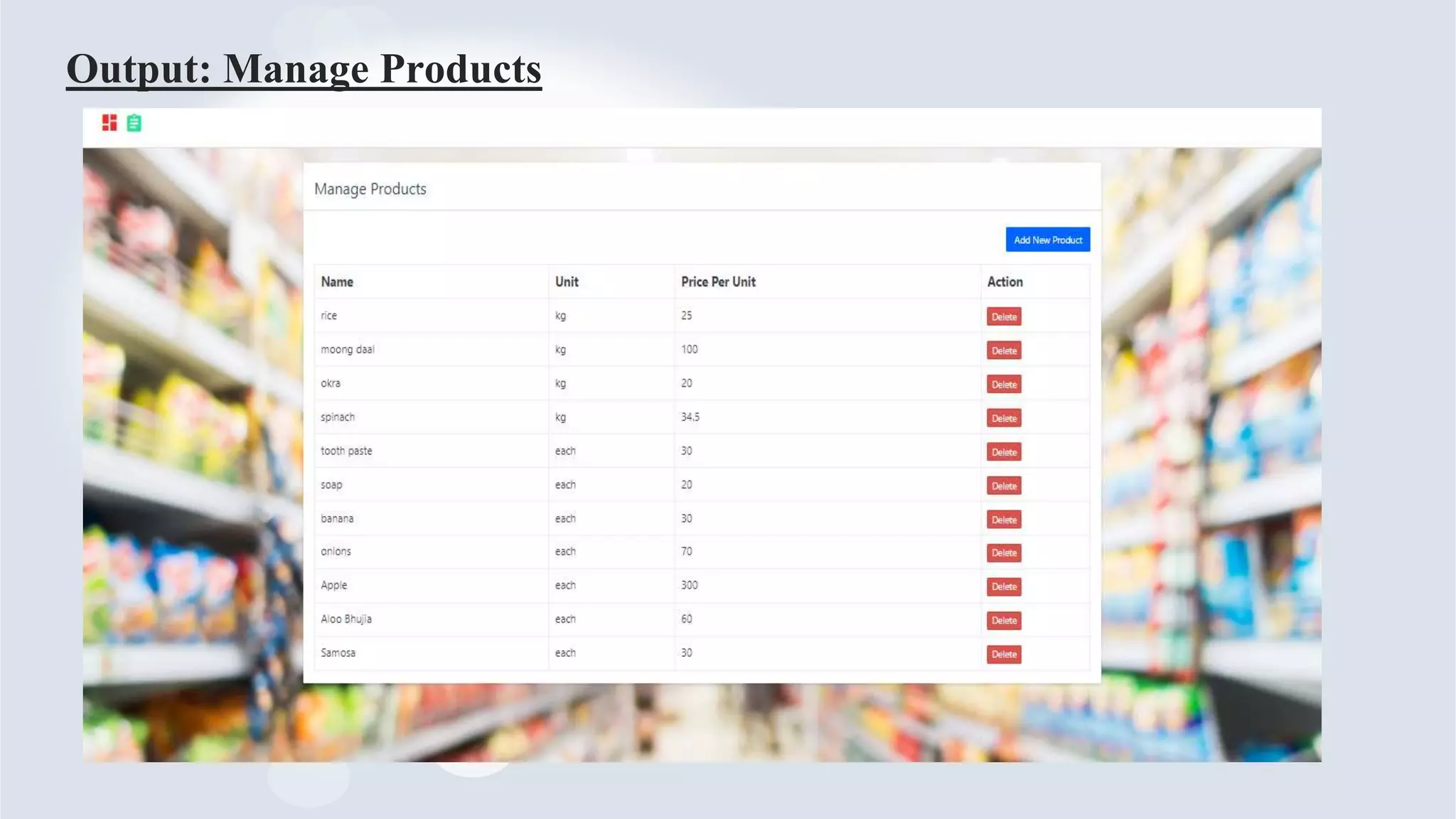
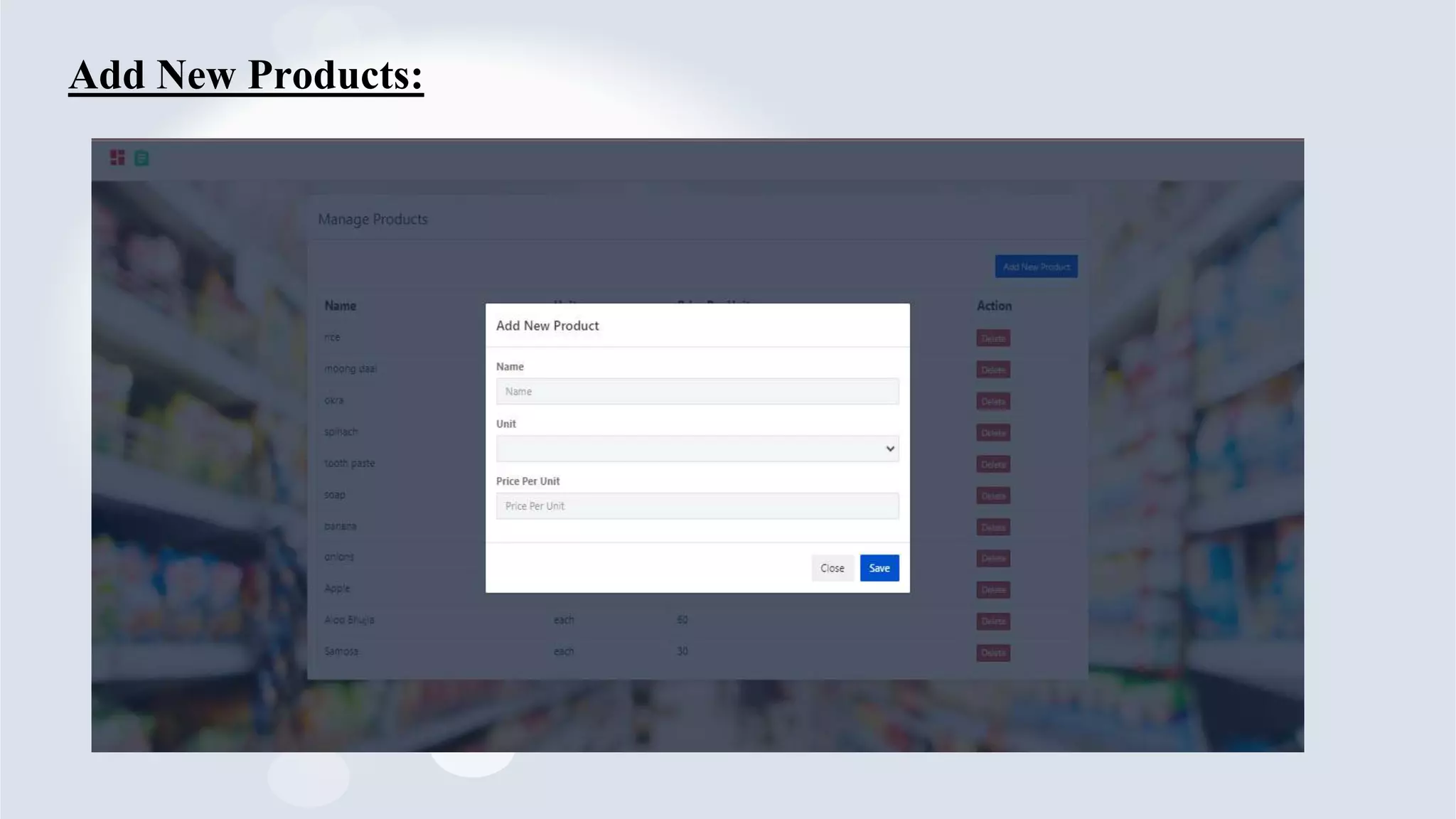
• Manage Products
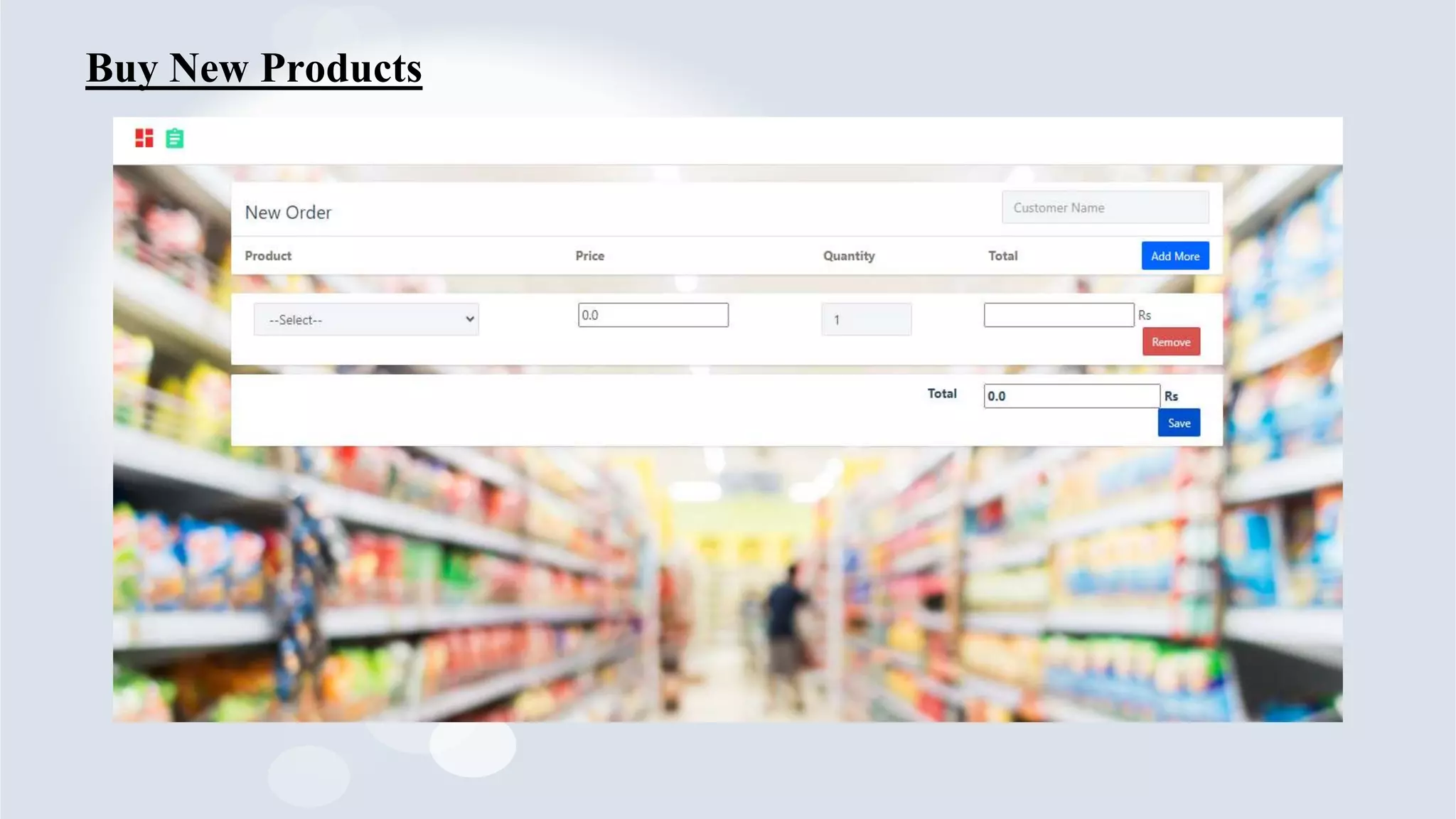
• New Order
• Product Details
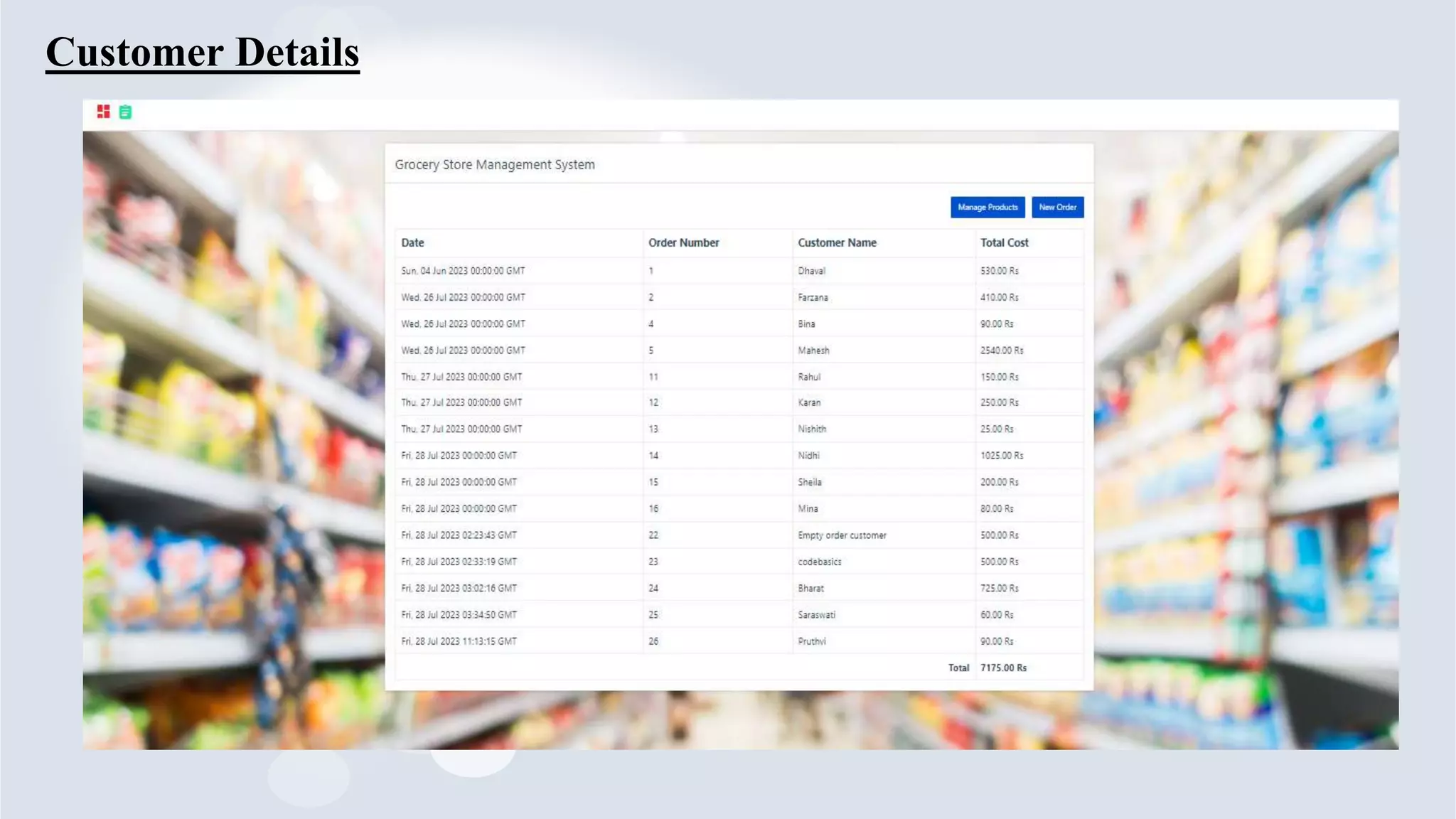
• Customer Details, etc.
Technical Tools Used :
• PyCharm, VS code, MySQL
• Microsoft Office & PowerPoint.
Advantages :
• Save the time for customer
• Lower cost of store maintenance
• You can retarget the customers
• Automation minimizes human error
• Detailed product information
• Ability to handle multiple purchases
Disadvantages :
• Security issues
• Waiting for a product to be delivered
• Compulsory registration
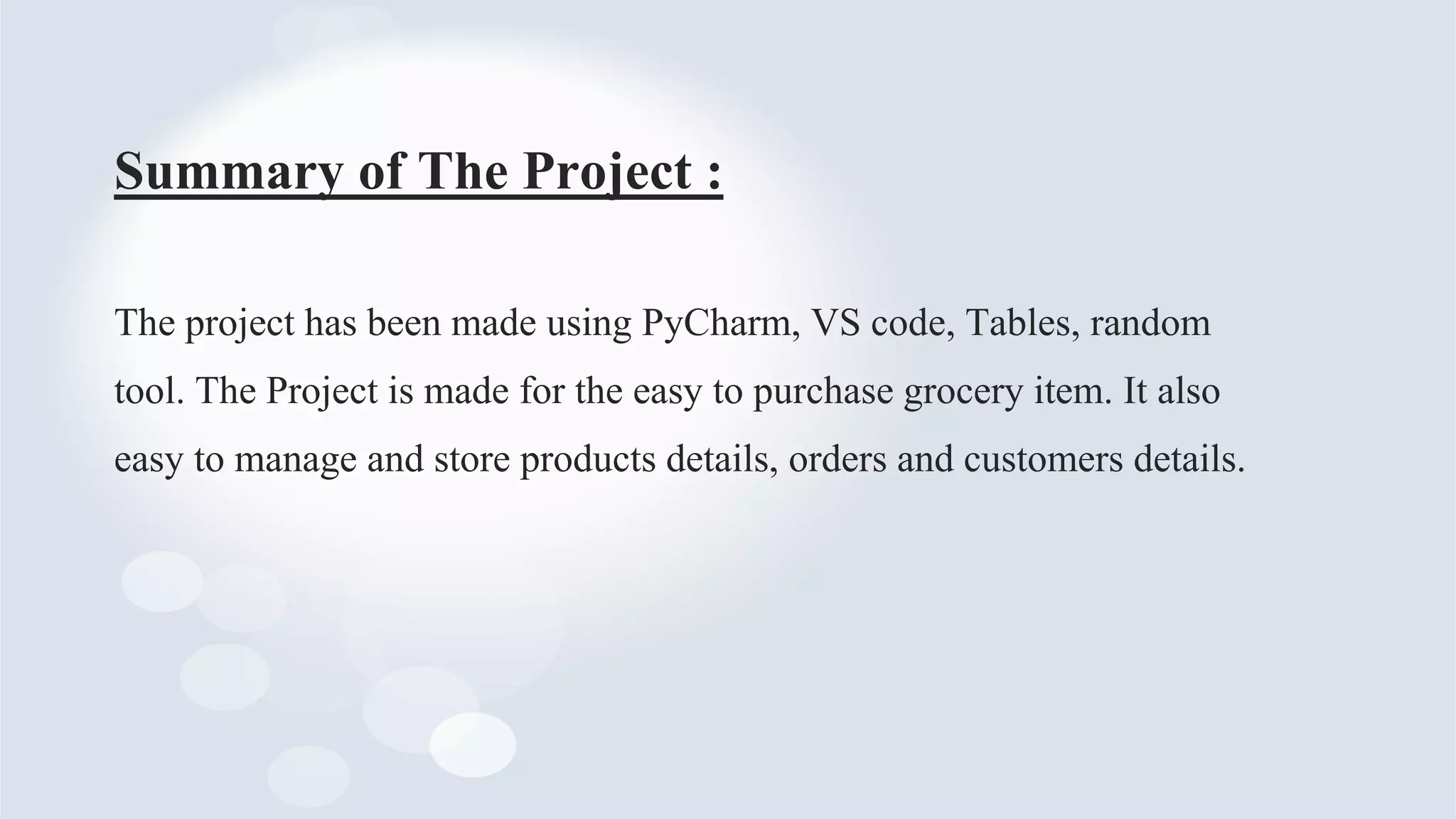
Flow Chart:
Summary of The Project :
The project has been made using PyCharm, VS code, Tables, random
tool. The Project is made for the easy to purchase grocery item. It also
easy to manage and store products details, orders and customers details.
Output: Manage Products
Add New Products:
Customer Details
Buy New Products
THANK YOU

Grocery Store Application in Python.pptx

  • 1.
  • 2.
    Mini Project Present by SaraswatiS. Dolai Pruthvi B. Adekar Mayuri S. Kharwade Supriya M. Iname GROCERY STORE APPLICATION IN PYTHON
  • 3.
    Contents: • Introduction • Requirements •Objectives • Functionality • Technical Tools used • Advantages & Disadvantages • Flow Chart • Output
  • 4.
    Introduction to theGrocery Store Application: Here what this system does is in this system we can see the items like wheat, rice, pulses, soap, and any other product according to the attributes like type, brand, category, price, etc. So that using system it can be located quickly and give instructions to staff to take out the products and the total of the goods are presented in the order table to total the price. The bill is made on that basis and given to the customers. The admin maintains the detail of the clients and staff. can be the counter manager or any staff. In this way, this gives a sense of management to the store and brisk the pace of work.
  • 5.
    Requirements: 1. SOFTWARE REQUIREMENTS: •Operating System- WINDOWS 11 • Application Software- PyCharm, VS code, MySQL • Language- Backend- PYTHON Frontend- html, CSS, JavaScript Database- SQL 2. HARDWARE REQUIREMENTS: • Processor: 32-bit or 64-bit • RAM: 4-GB
  • 6.
    Objective: A Grocery storemanagement system is the system where all the aspects related to the proper management of a grocery store are done. These aspects involve managing information about the varied products, staff, managers, customers, billing, etc. This system provides an efficient way of managing grocery store information.
  • 7.
    Functionality : • ManageProducts • New Order • Product Details • Customer Details, etc. Technical Tools Used : • PyCharm, VS code, MySQL • Microsoft Office & PowerPoint.
  • 8.
    Advantages : • Savethe time for customer • Lower cost of store maintenance • You can retarget the customers • Automation minimizes human error • Detailed product information • Ability to handle multiple purchases Disadvantages : • Security issues • Waiting for a product to be delivered • Compulsory registration
  • 9.
  • 10.
    Summary of TheProject : The project has been made using PyCharm, VS code, Tables, random tool. The Project is made for the easy to purchase grocery item. It also easy to manage and store products details, orders and customers details.
  • 11.
  • 12.
  • 13.
  • 14.
  • 15.