Green IT Practices Presented by David Deal, CEO Community IT Innovators www.citidc.com @CommunityIT, @ddealdc
Takeaways To increase  awareness  of the environmental impact of desktops, servers, and other ICT equipment  To  provide guidance  and opportunities to adopt technology practices that will help reduce that impact and reduce costs To discuss  select solutions  that will help nonprofits and social mission organizations reduce the environmental impact of their ICT AND use ICT to reduce their operational impact on the environment.
Poll Organization Size?  Who knows what these are:  Desktop Power Management?  EPEAT?  vSphere?  Deliberate green efforts underway?
Agenda Hardware  Software Green Practices And…
INTERACTION!
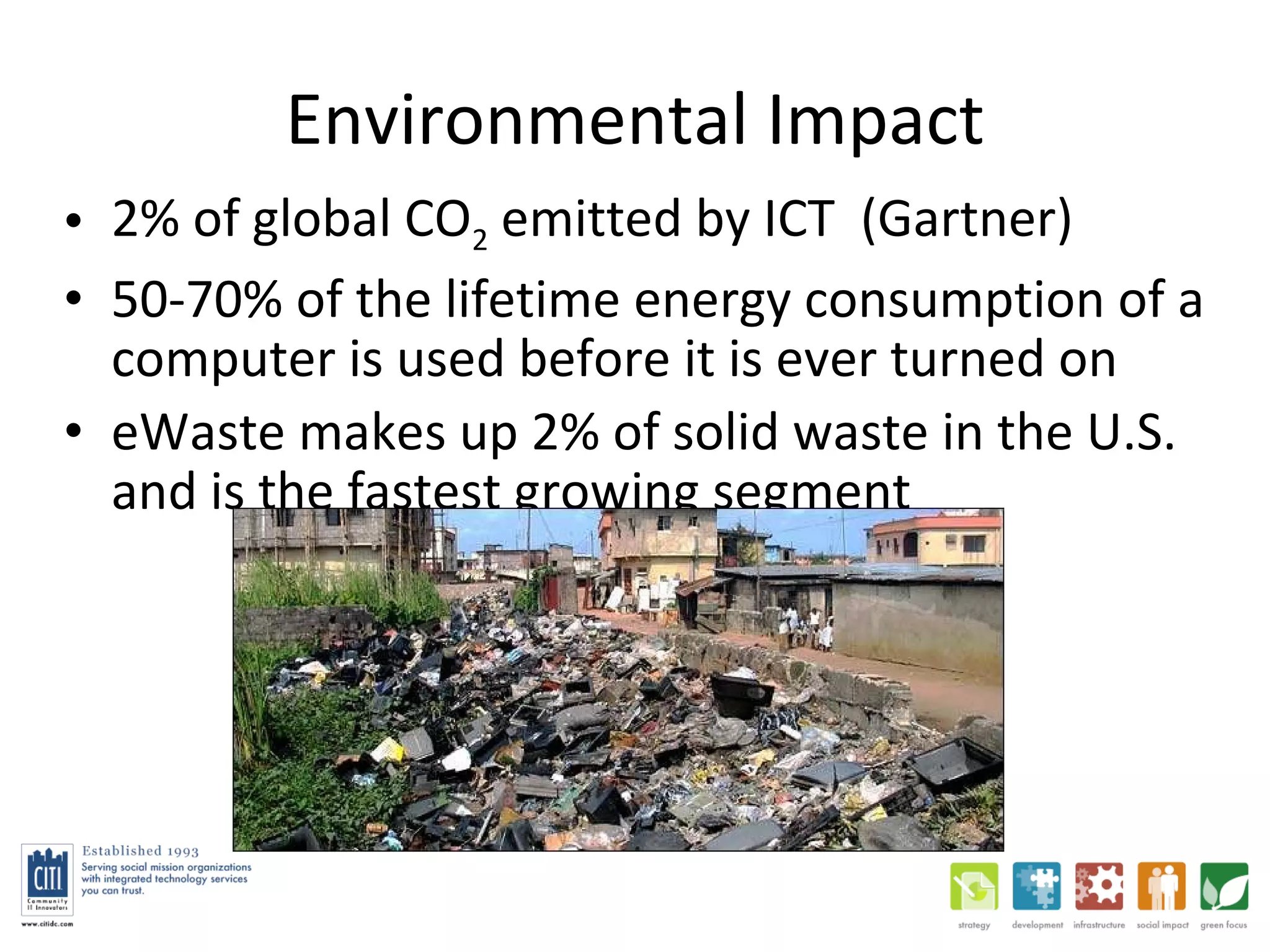
Environmental Impact 2% of global CO 2  emitted by ICT  (Gartner) 50-70% of the lifetime energy consumption of a computer is used before it is ever turned on eWaste makes up 2% of solid waste in the U.S. and is the fastest growing segment
Environmental Impact A PC and monitor take 530 lbs of fossil fuels, 58 lbs of chemicals, and 1.5 tons of water to produce (UN Resource Saver) 50% of our 50-person company’s emissions are from business travel (commuting, clients, flights, etc.)
HARDWARE
“ Green” HW Considerations What you buy How long you use it How you dispose of it
Device Power Consumption Desktop: 70-120W++ Laptop: 20-40W Thin client: 8-12W (For use with Terminal Server or Virtual Desktops) Desktop/laptop in sleep mode: 2-10W LCD  35-40W  vs  CRT  80-120W
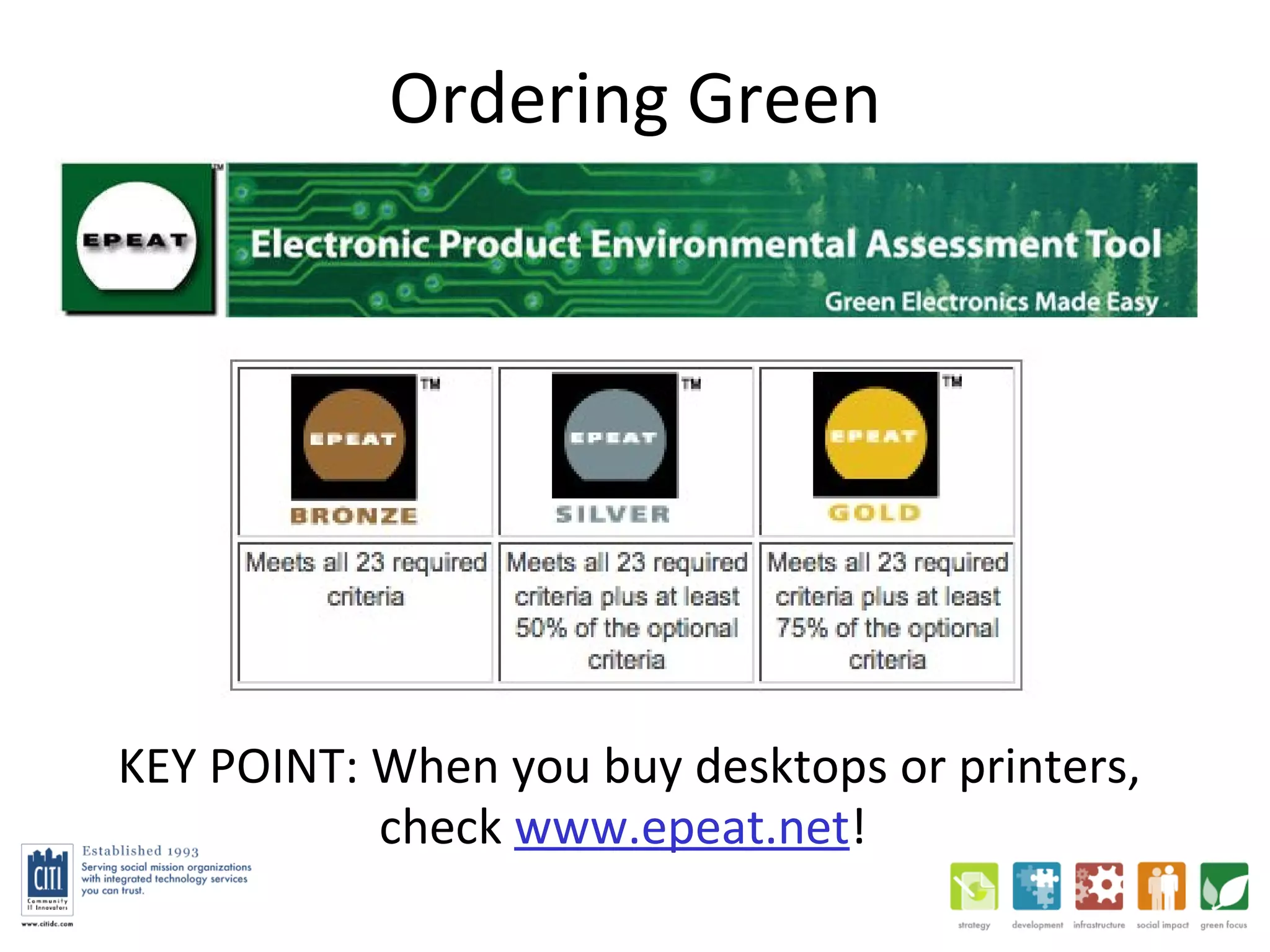
Ordering Green KEY POINT: When you buy desktops or printers,  check  www.epeat.net !
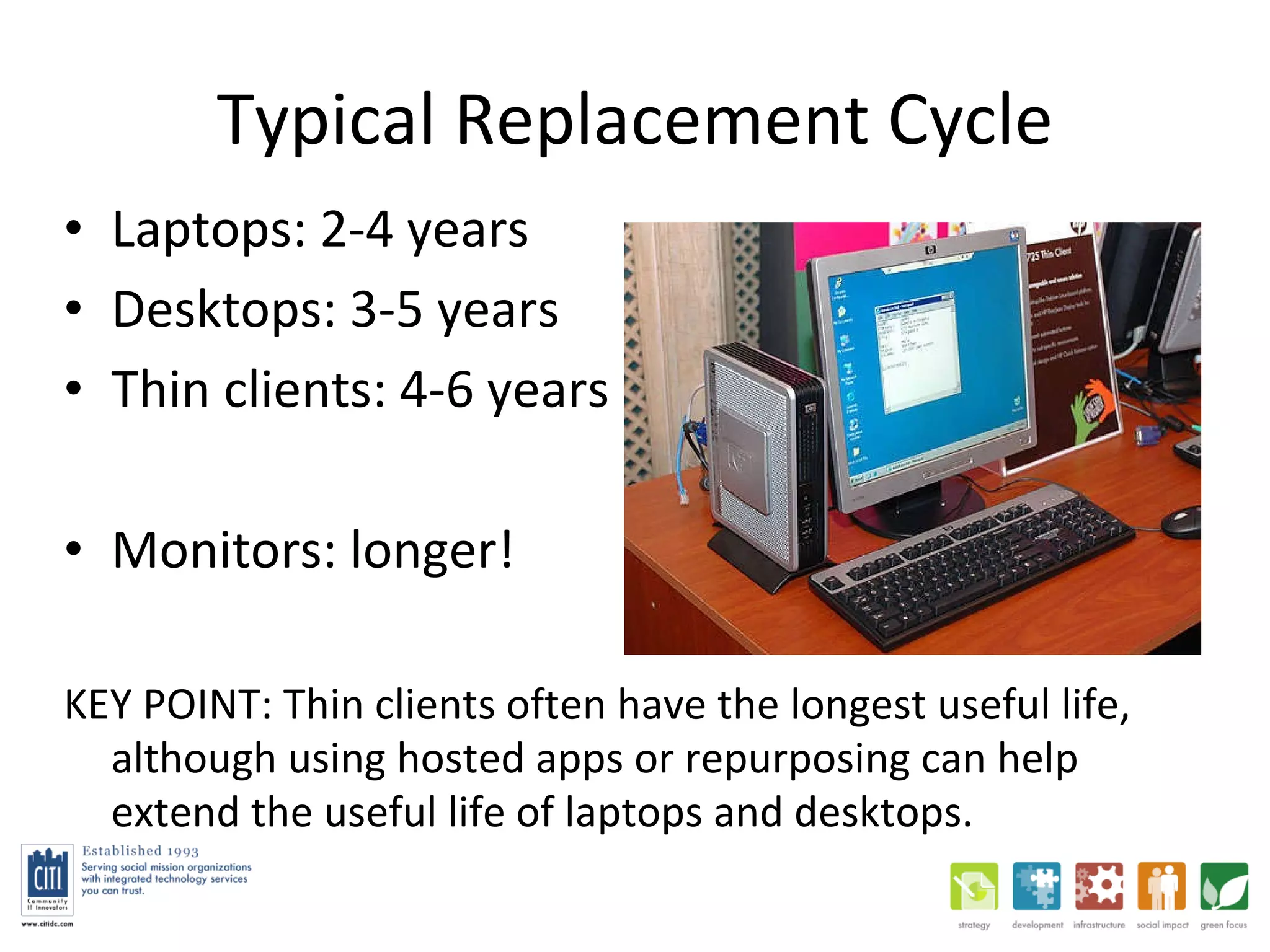
Typical Replacement Cycle Laptops: 2-4 years Desktops: 3-5 years Thin clients: 4-6 years Monitors: longer! KEY POINT: Thin clients often have the longest useful life, although using hosted apps or repurposing can help extend the useful life of laptops and desktops.
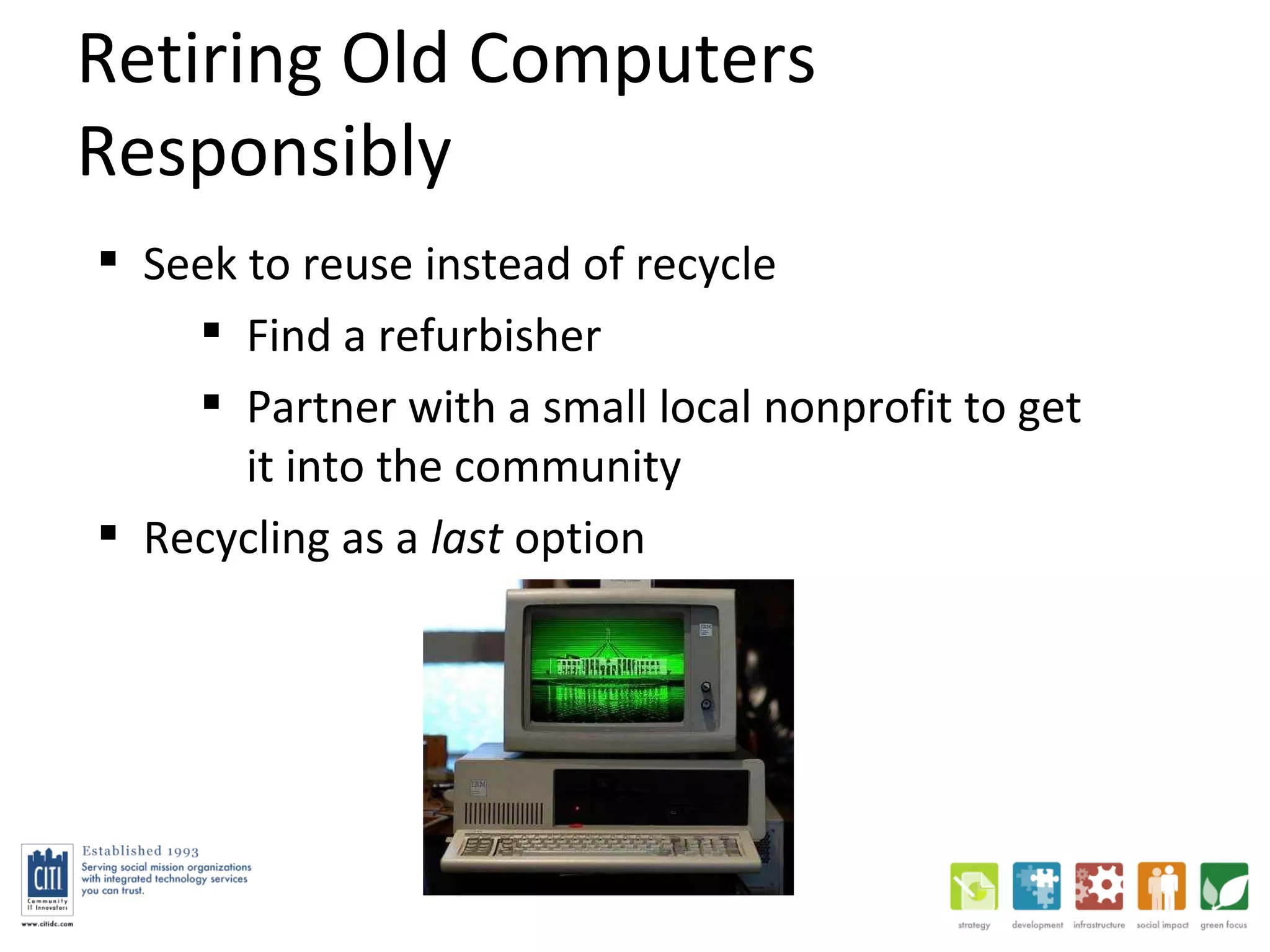
Retiring Old Computers Responsibly Seek to reuse instead of recycle Find a refurbisher Partner with a small local nonprofit to get it into the community Recycling as a  last  option
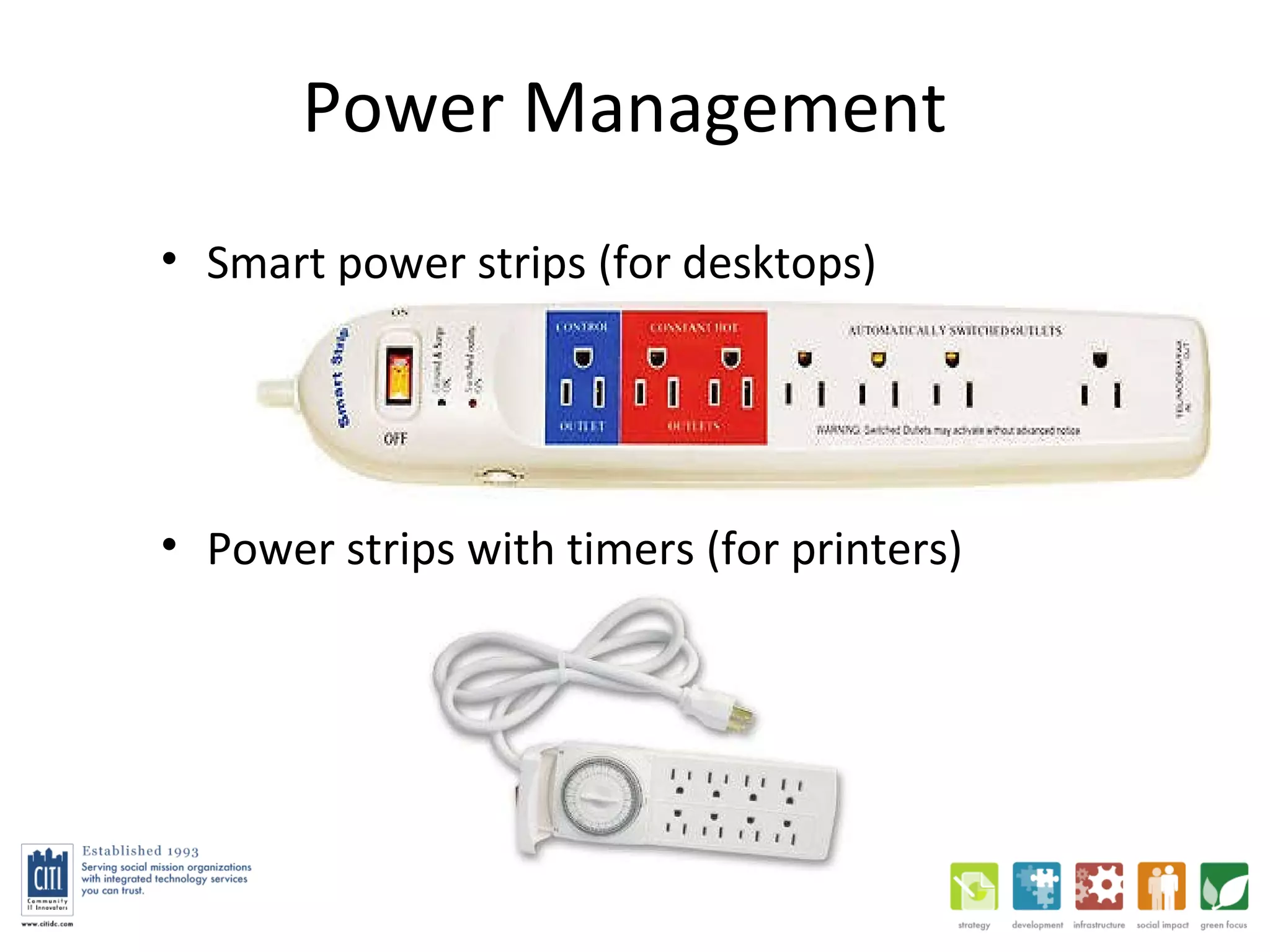
Power Management Smart power strips (for desktops) Power strips with timers (for printers)
SOFTWARE
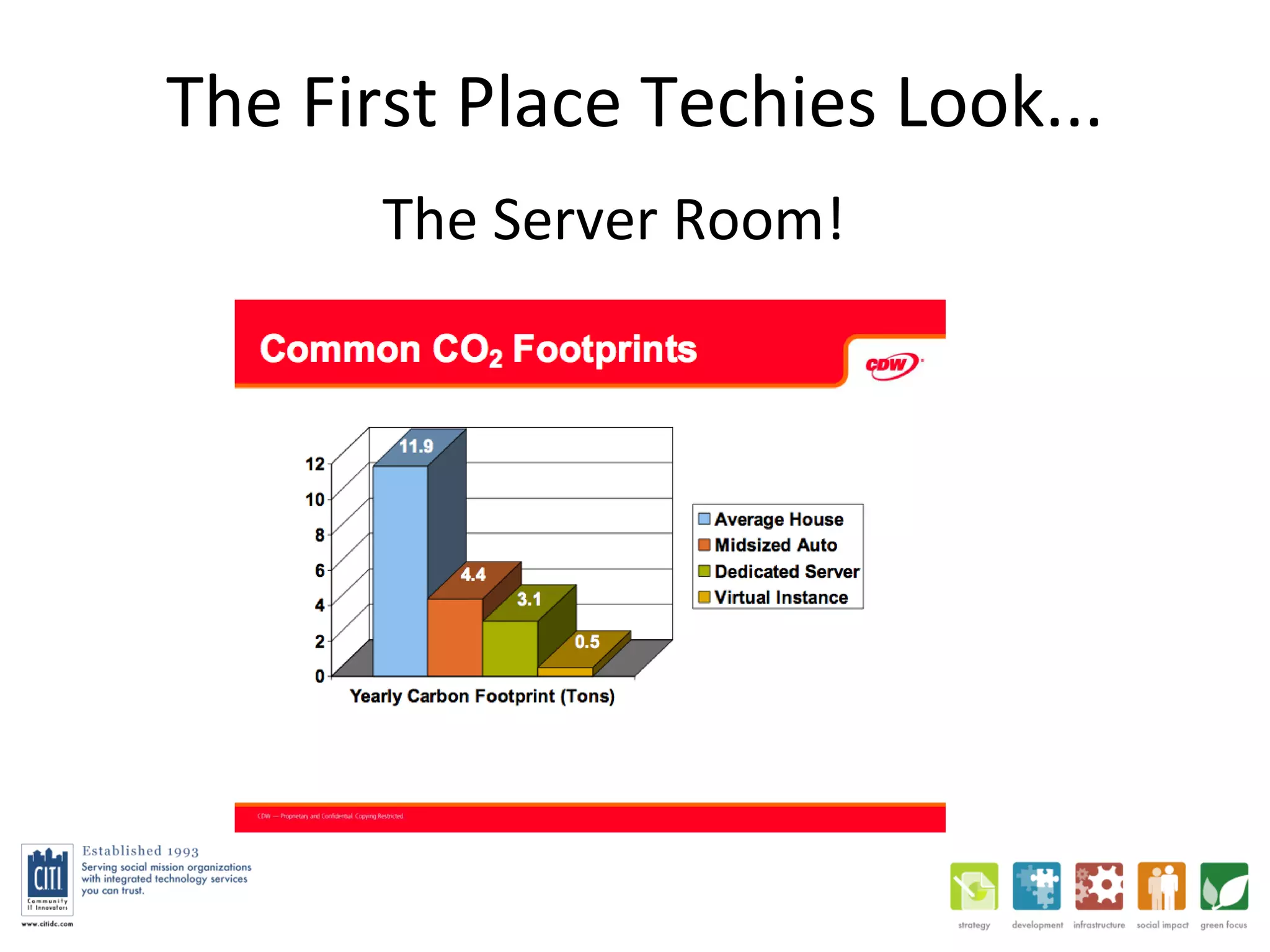
The First Place Techies Look... The Server Room!
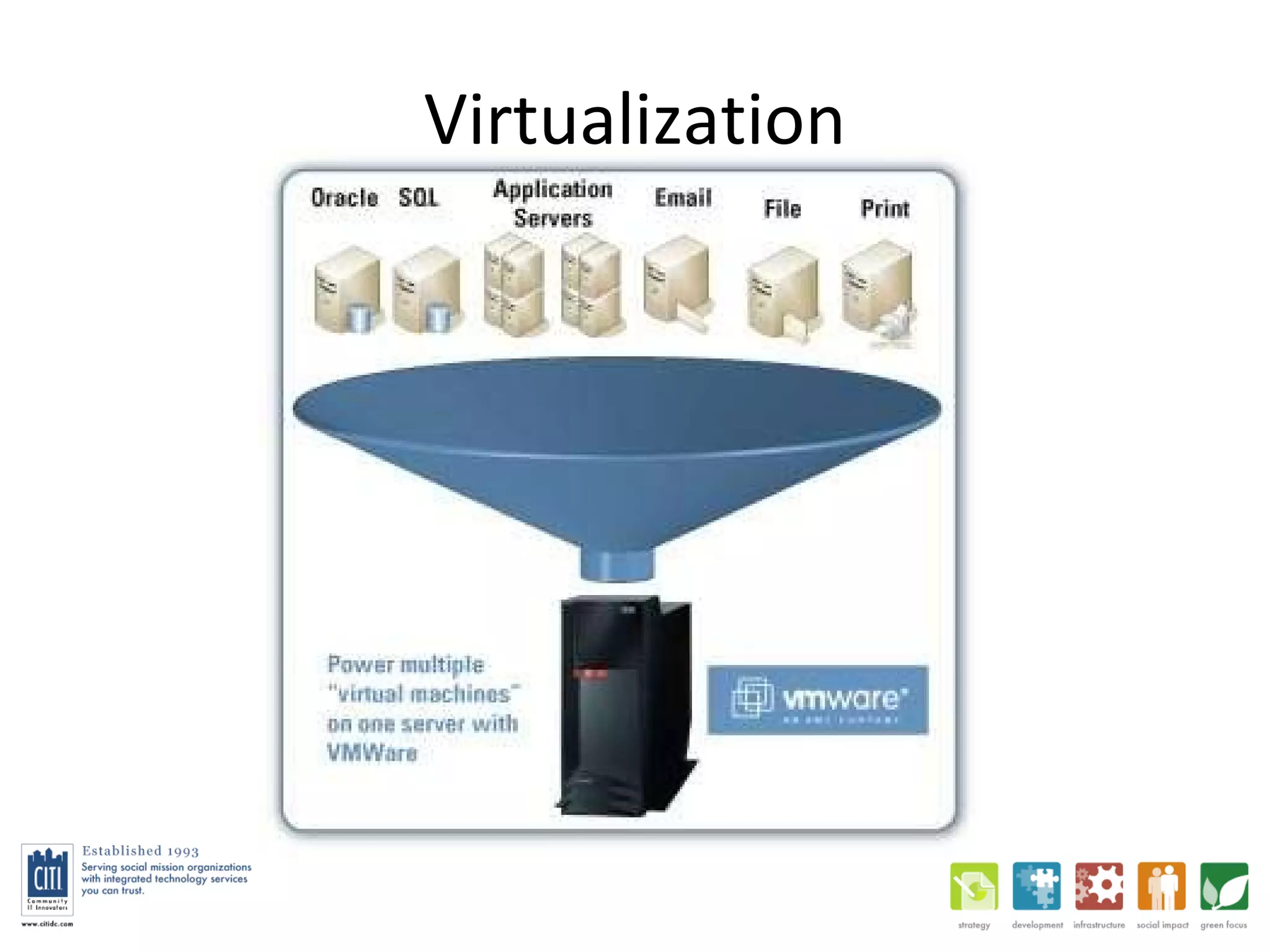
Server Virtualization Energy reduction up to 82% (Gartner) Small & medium-sized NPO’s (<100 PCs) often virtualize 4-8 servers on 1 physical server Software: VMware, MS Hyper-V, Citrix, etc.
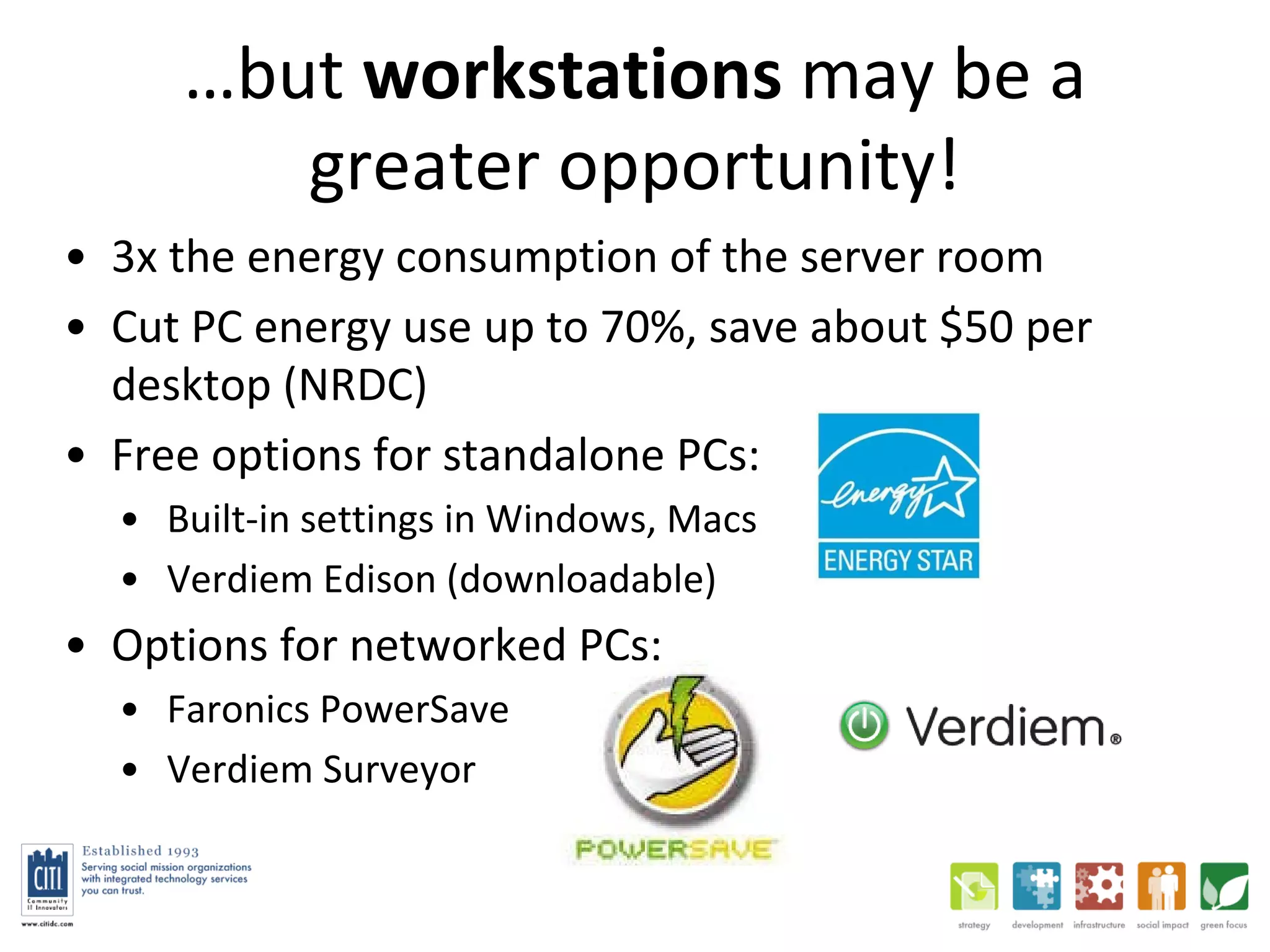
… but  workstations  may be a greater opportunity! 3x the energy consumption of the server room Cut PC energy use up to 70%, save about $50 per desktop (NRDC) Free options for standalone PCs:  Built-in settings in Windows, Macs Verdiem Edison (downloadable) Options for networked PCs:  Faronics PowerSave Verdiem Surveyor
Virtualization
(Server-based)  Desktop Virtualization Desktop virtualization makes energy savings possible by allowing the use of terminals instead of desktops or laptops Also, roaming access = travel reduction!
Hosted Software a.k.a. Cloud Computing, SaaS Salesforce, DIA, Google Apps, Constant Contact, MS BPOS (e.g. Hosted MS Exchange) Theoretically greener due to:  Better use of server resources Remote access reducing travel But to realize this you need to:  Turn off old server(s) Use it to reduce travel Also, is their power source cleaner than yours?
(TECHNOLOGY-ENABLED)  GREEN PRACTICES
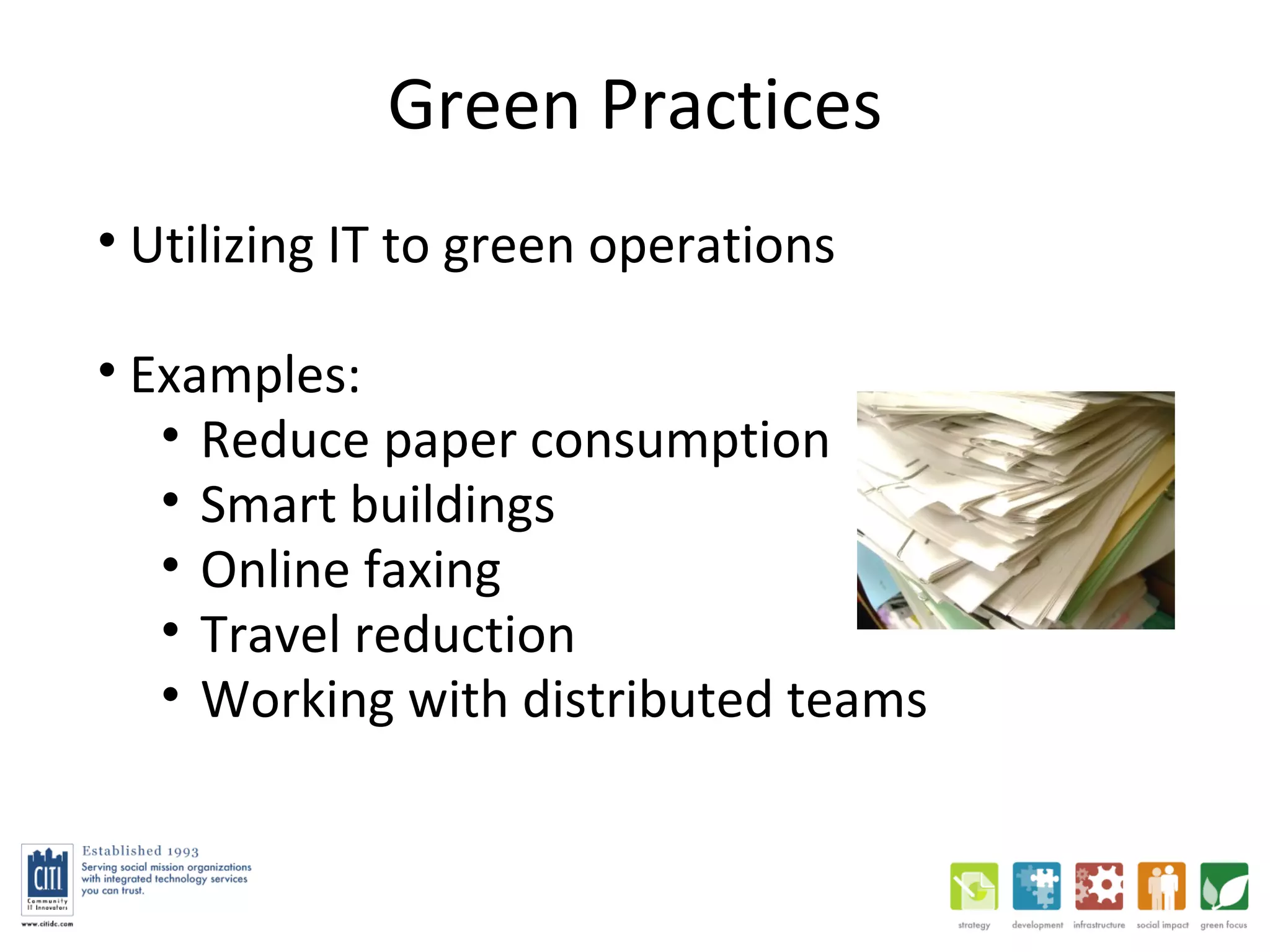
Green Practices Utilizing IT to green operations Examples:  Reduce paper consumption Smart buildings Online faxing Travel reduction Working with distributed teams
Efficient Printing Duplexing  - make it the default! (double-sided printing) Consolidate printers  (reducing printer-to-staff ratio)
Travel Reduction Reduce commuter and business travel Travel contributes to 50% of CITI’s total emissions (even with 75% of travel done via public transit, biking, and walking!) Ingredients: Remote & mobile access to ICT resources - data, voice, video Numerous studies confirming moderate to significant positive environmental impact
Working with Distributed Teams Web conferencing:  GoToMeeting, WebEx, Ready Talk File sharing Box.net, Dropbox, BPOS/SharePoint, Jungle Disk, Drop.io, Google Docs Comprehensive  hosted apps:  Hyperoffice, Zoho, Google Apps, (MS BPOS+Office Web Apps coming) Extranets/project collaboration:  Basecamp, SharePoint
Travel Reduction: Voice Voice over IP & IP Telephony Virtual/hosted PBX  Lower startup costs, often lower calling costs Cost-effective for smaller organizations BUT: unless the vendor also provides the data connection (T1), they still don’t control call quality May not be for you if you have a large number of  users, high call volume, or if you need certain features (ACD)
Travel Reduction: Video Peer-to-peer, small groups Skype (+VuRoom for group video?) Quality?  Hosted WebEx (up to 6), etc. On-premises Polycom, LifeSize, Cisco, etc.  Requires appropriate Internet bandwidth
Questions What is one easy IT-related step you want to take to green your organization?  What is a “stretch” green IT solution you would implement if your organization had the resources?  Any other ideas to share?  What was your most significant takeaway from today?
Conclusion There’s a lot you can do to green your IT that does not require either behavioral change by staff or tremendous resources.  Two high-impact starting points may be desktop power management (easy) and travel reduction (maybe more challenging).

Green IT Practices, Hardware, and Software

  • 1.
    Green IT PracticesPresented by David Deal, CEO Community IT Innovators www.citidc.com @CommunityIT, @ddealdc
  • 2.
    Takeaways To increase awareness of the environmental impact of desktops, servers, and other ICT equipment To provide guidance and opportunities to adopt technology practices that will help reduce that impact and reduce costs To discuss select solutions that will help nonprofits and social mission organizations reduce the environmental impact of their ICT AND use ICT to reduce their operational impact on the environment.
  • 3.
    Poll Organization Size? Who knows what these are: Desktop Power Management? EPEAT? vSphere? Deliberate green efforts underway?
  • 4.
    Agenda Hardware Software Green Practices And…
  • 5.
  • 6.
    Environmental Impact 2%of global CO 2 emitted by ICT (Gartner) 50-70% of the lifetime energy consumption of a computer is used before it is ever turned on eWaste makes up 2% of solid waste in the U.S. and is the fastest growing segment
  • 7.
    Environmental Impact APC and monitor take 530 lbs of fossil fuels, 58 lbs of chemicals, and 1.5 tons of water to produce (UN Resource Saver) 50% of our 50-person company’s emissions are from business travel (commuting, clients, flights, etc.)
  • 8.
  • 9.
    “ Green” HWConsiderations What you buy How long you use it How you dispose of it
  • 10.
    Device Power ConsumptionDesktop: 70-120W++ Laptop: 20-40W Thin client: 8-12W (For use with Terminal Server or Virtual Desktops) Desktop/laptop in sleep mode: 2-10W LCD 35-40W vs CRT 80-120W
  • 11.
    Ordering Green KEYPOINT: When you buy desktops or printers, check www.epeat.net !
  • 12.
    Typical Replacement CycleLaptops: 2-4 years Desktops: 3-5 years Thin clients: 4-6 years Monitors: longer! KEY POINT: Thin clients often have the longest useful life, although using hosted apps or repurposing can help extend the useful life of laptops and desktops.
  • 13.
    Retiring Old ComputersResponsibly Seek to reuse instead of recycle Find a refurbisher Partner with a small local nonprofit to get it into the community Recycling as a last option
  • 14.
    Power Management Smartpower strips (for desktops) Power strips with timers (for printers)
  • 15.
  • 16.
    The First PlaceTechies Look... The Server Room!
  • 17.
    Server Virtualization Energyreduction up to 82% (Gartner) Small & medium-sized NPO’s (<100 PCs) often virtualize 4-8 servers on 1 physical server Software: VMware, MS Hyper-V, Citrix, etc.
  • 18.
    … but workstations may be a greater opportunity! 3x the energy consumption of the server room Cut PC energy use up to 70%, save about $50 per desktop (NRDC) Free options for standalone PCs: Built-in settings in Windows, Macs Verdiem Edison (downloadable) Options for networked PCs: Faronics PowerSave Verdiem Surveyor
  • 19.
  • 20.
    (Server-based) DesktopVirtualization Desktop virtualization makes energy savings possible by allowing the use of terminals instead of desktops or laptops Also, roaming access = travel reduction!
  • 21.
    Hosted Software a.k.a.Cloud Computing, SaaS Salesforce, DIA, Google Apps, Constant Contact, MS BPOS (e.g. Hosted MS Exchange) Theoretically greener due to: Better use of server resources Remote access reducing travel But to realize this you need to: Turn off old server(s) Use it to reduce travel Also, is their power source cleaner than yours?
  • 22.
  • 23.
    Green Practices UtilizingIT to green operations Examples: Reduce paper consumption Smart buildings Online faxing Travel reduction Working with distributed teams
  • 24.
    Efficient Printing Duplexing - make it the default! (double-sided printing) Consolidate printers (reducing printer-to-staff ratio)
  • 25.
    Travel Reduction Reducecommuter and business travel Travel contributes to 50% of CITI’s total emissions (even with 75% of travel done via public transit, biking, and walking!) Ingredients: Remote & mobile access to ICT resources - data, voice, video Numerous studies confirming moderate to significant positive environmental impact
  • 26.
    Working with DistributedTeams Web conferencing: GoToMeeting, WebEx, Ready Talk File sharing Box.net, Dropbox, BPOS/SharePoint, Jungle Disk, Drop.io, Google Docs Comprehensive hosted apps: Hyperoffice, Zoho, Google Apps, (MS BPOS+Office Web Apps coming) Extranets/project collaboration: Basecamp, SharePoint
  • 27.
    Travel Reduction: VoiceVoice over IP & IP Telephony Virtual/hosted PBX Lower startup costs, often lower calling costs Cost-effective for smaller organizations BUT: unless the vendor also provides the data connection (T1), they still don’t control call quality May not be for you if you have a large number of users, high call volume, or if you need certain features (ACD)
  • 28.
    Travel Reduction: VideoPeer-to-peer, small groups Skype (+VuRoom for group video?) Quality? Hosted WebEx (up to 6), etc. On-premises Polycom, LifeSize, Cisco, etc. Requires appropriate Internet bandwidth
  • 29.
    Questions What isone easy IT-related step you want to take to green your organization? What is a “stretch” green IT solution you would implement if your organization had the resources? Any other ideas to share? What was your most significant takeaway from today?
  • 30.
    Conclusion There’s alot you can do to green your IT that does not require either behavioral change by staff or tremendous resources. Two high-impact starting points may be desktop power management (easy) and travel reduction (maybe more challenging).

Editor's Notes

  • #2 About CITI, 3BL
  • #7 2% vs 98%
  • #18 VMWare: vSphere (servers) MS: (Server 2008) Hyper-V Citrix XenServer
  • #21 VDI : per-user customization, greater application compatibility. VMWare View 4, MS VDI Std/Premium Suite   TS : requires less hardware than VDI, is slightly more scalable, and arguably less management
  • #24 eFax, MyFax, RingCentral
  • #27 How to share visuals – e.g. docs, plan, preso - Web Conf : * GoToMeeting (Citrix): $50/mo, 15 people * WebEx (Cisco): $50/mo, 25 people * ReadyTalk: $45/yr Techsoup , 15 people * Office Communications Server How to share files : * basic repository - Jungle Disk , Drop.io, Dropbox, Office Live * repository + apps: Google Docs * repository + workflow ( Enterprise Content Management ): SharePoint, Alfresco (open source), Knowledge Tree Avoid managing desktop enviro at all – comprehensive hosted software: * Hyperoffice: docs, email, calendar, contacts, Intranet, meetings. $700/yr for 10 ppl. * Zoho, Google Apps, MS BPOS , Ofc Web Apps … Coordinate teams/projects: * Basecamp, Sharepoint/SP Online, Pivotal Tracker (* Azure is MS cloud computing framework) Contacts/CRM: * Salesforce, SugarCRM, DIA, Convio/Common Ground Desktop replacement: * Aviary – online image editing Email hosting: * Gmail, hosted Exchange
  • #28 VoIP : voice traffic on data networks. Use analog telephone adapter, softphone, or VoIP phone. Cheaper long distance, virtual phone numbers. Skype! IP Telephony : Taking voice data out of the PBX: Web/email integrated voicemail. PBX: Private Branch Exchange, traditionally serves 1 office. Virtual PBX = hosted PBX: low cost of entry &amp; calling costs * Ring Central * Vocalocity-eliminates long dist charge * VoiceNation-best @ unifying sites into 1 * Virtual PBX.   Buy/build/host: * Buy Nortel, Avaya. Big orgs. * Build with Asterisk. Larger orgs with tech capacity. * Host with third party vendor. Apptix, Aptela, iCore, etc. Smaller orgs.