SHRI RAWATPURASARKAR INSTITUTE OFTECHNOLOGY,
NEW RAIPUR(C.G.)
CSE/4th
/GUI Lab/PreparedbyVivekKumarSinha
GUI
PROGRAMMING
LAB
SHRI RAWATPURASARKAR INSTITUTE OFTECHNOLOGY,
NEW RAIPUR(C.G.)
CSE/4th
/GUI Lab/PreparedbyVivekKumarSinha
EXPERIMENT NO-1
Design & identify card containing information regarding students such as Name,Roll
No.,Address,Class Studying,Date Of Birth,Blood Group,Phone No.,etc .Add a Exit
Button.
Property Setting:
Property of Name label box
Name=label1
Caption=Name
Property of Roll No label box
Name=label2
Caption= Roll No
Property of Address label box
Name=label3
Caption= Address
Property of Class label box
Name=label4
Caption= Class
SHRI RAWATPURASARKAR INSTITUTE OFTECHNOLOGY,
NEW RAIPUR(C.G.)
CSE/4th
/GUI Lab/PreparedbyVivekKumarSinha
Property of Date Of Birth label box
Name=label5
Caption= Date Of Birth
Property of Blood Group label box
Name=label6
Caption= Blood Group
Property of Phone No label box
Name=label7
Caption= Phone No
Property of Text box
Name=Text1
Caption=""
Property of Text box
Name=Text2
Caption=""
Property of Text box
Name=Text3
Caption=""
SHRI RAWATPURASARKAR INSTITUTE OFTECHNOLOGY,
NEW RAIPUR(C.G.)
CSE/4th
/GUI Lab/PreparedbyVivekKumarSinha
Property of Text box
Name=Text4
Caption=""
Property of Text box
Name=Text5
Caption=""
Property of Text box
Name=Text6
Caption=""
Property of Text box
Name=Text7
Caption=""
Property of Exit command button
Name=Command1
Caption=Exit
Source Code:
Private Sub cmd_Exit_Click()
SHRI RAWATPURASARKAR INSTITUTE OFTECHNOLOGY,
NEW RAIPUR(C.G.)
CSE/4th
/GUI Lab/PreparedbyVivekKumarSinha
Unload Me
End Sub
SHRI RAWATPURASARKAR INSTITUTE OFTECHNOLOGY,
NEW RAIPUR(C.G.)
CSE/4th
/GUI Lab/PreparedbyVivekKumarSinha
EXPERIMENT NO-2
Develop an application to calculate Interest. It should accept rate of interest, period
for calculation of interest (years), amount on which interest is to be calculated (Rs.).
After clicking Compute Investment amount (Principal + Interest) should be
displayed in separate text box. Add Exit button, Proper text box controls and labels
to be used. Provide 2 options- Simple, Compound interest. Provide Picture and
Radio Button control.
Property Setting:
Property of Principal label box
Name=label1
Caption= Principal
Property of Rate label box
Name=label1
Caption= Rate
Property of Time label box
Name=label1
Caption= Time
Property of Result label box
Name=label1
Caption= Result
Property of Text box
SHRI RAWATPURASARKAR INSTITUTE OFTECHNOLOGY,
NEW RAIPUR(C.G.)
CSE/4th
/GUI Lab/PreparedbyVivekKumarSinha
Name=Text1
Caption=""
Property of Text box
Name=Text2
Caption=""
Property of Text box
Name=Text3
Caption=""
Property of Text box
Name=Text4
Caption=""
Property of SI command button
Name=Command1
Caption=SI
Property of CI command button
Name=Command2
Caption=CI
Property of clear command button
SHRI RAWATPURASARKAR INSTITUTE OFTECHNOLOGY,
NEW RAIPUR(C.G.)
CSE/4th
/GUI Lab/PreparedbyVivekKumarSinha
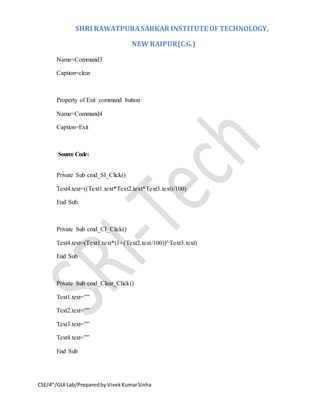
Name=Command3
Caption=clear
Property of Exit command button
Name=Command4
Caption=Exit
Source Code:
Private Sub cmd_SI_Click()
Text4.text=((Text1.text*Text2.text*Text3.text)/100)
End Sub
Private Sub cmd_CI_Click()
Text4.text=(Text1.text*(1+(Text2.text/100))^Text3.text)
End Sub
Private Sub cmd_Clear_Click()
Text1.text=””
Text2.text=””
Text3.text=””
Text4.text=””
End Sub
SHRI RAWATPURASARKAR INSTITUTE OFTECHNOLOGY,
NEW RAIPUR(C.G.)
CSE/4th
/GUI Lab/PreparedbyVivekKumarSinha
Private Sub cmd_Exit_Click()
Unload Me
End Sub
SHRI RAWATPURASARKAR INSTITUTE OFTECHNOLOGY,
NEW RAIPUR(C.G.)
CSE/4th
/GUI Lab/PreparedbyVivekKumarSinha
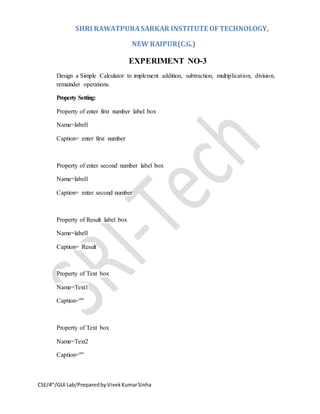
EXPERIMENT NO-3
Design a Simple Calculator to implement addition, subtraction, multiplication, division,
remainder operations.
Property Setting:
Property of enter first number label box
Name=label1
Caption= enter first number
Property of enter second number label box
Name=label1
Caption= enter second number
Property of Result label box
Name=label1
Caption= Result
Property of Text box
Name=Text1
Caption=""
Property of Text box
Name=Text2
Caption=""
SHRI RAWATPURASARKAR INSTITUTE OFTECHNOLOGY,
NEW RAIPUR(C.G.)
CSE/4th
/GUI Lab/PreparedbyVivekKumarSinha
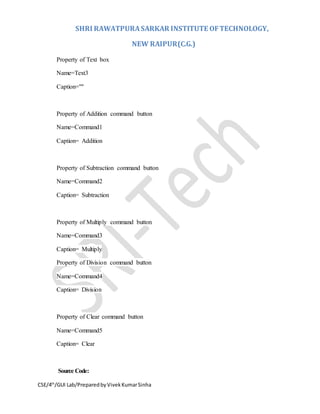
Property of Text box
Name=Text3
Caption=""
Property of Addition command button
Name=Command1
Caption= Addition
Property of Subtraction command button
Name=Command2
Caption= Subtraction
Property of Multiply command button
Name=Command3
Caption= Multiply
Property of Division command button
Name=Command4
Caption= Division
Property of Clear command button
Name=Command5
Caption= Clear
Source Code:
SHRI RAWATPURASARKAR INSTITUTE OFTECHNOLOGY,
NEW RAIPUR(C.G.)
CSE/4th
/GUI Lab/PreparedbyVivekKumarSinha
Private Sub cmd_Addition_Click()
Text3.text=(Text1.text+Text2.text)
End Sub
Private Sub cmd_Subtraction_Click()
Text3.text=(Text1.text-Text2.text)
End Sub
Private Sub cmd_Multiply_Click()
Text3.text=(Text1.text*Text2.text)
End Sub
Private Sub cmd_Division_Click()
Text3.text=(Text1.text/Text2.text)
End Sub
Private Sub cmd_Clear_Click()
Unload Me
End Sub
SHRI RAWATPURASARKAR INSTITUTE OFTECHNOLOGY,
NEW RAIPUR(C.G.)
CSE/4th
/GUI Lab/PreparedbyVivekKumarSinha
EXPERIMENT NO-4
Create a form using check box and option box to giveeffect for fonts such as bold, italic,
underline strike through respectively for the text entered in the rich text box.Program to
display message in message box.
Property Setting:
Property of Print command button
Name=Command1
Caption=Print
Source Code:
Private Sub cmd_Print_Click()
Print "Hello"
MsgBox "Welcome To the World of Visual Basic"
End Sub
SHRI RAWATPURASARKAR INSTITUTE OFTECHNOLOGY,
NEW RAIPUR(C.G.)
CSE/4th
/GUI Lab/PreparedbyVivekKumarSinha
EXPERIMENT NO-5
Demonstrate use of Date Environment, add tables and queries, place fields on form,
report etc..Design a program to calculate Factorial.
Property Setting:
Property of enter number label box
Name=label1
Caption= enter number
Property of Text box
Name=Text1
Caption=""
Property of Calculate command button
Name=Command1
Caption= Calculate
Source Code:
Private Sub cmd_Calculate_Click()
Dim n As Integer, f As Double, I As Integer
f = 1
n = Val(Text1.Text)
If n > 170 Then
SHRI RAWATPURASARKAR INSTITUTE OFTECHNOLOGY,
NEW RAIPUR(C.G.)
CSE/4th
/GUI Lab/PreparedbyVivekKumarSinha
MsgBox "Buffer Overflow!"
Text1.Text = ""
Text1.SetFocus
Else
For I = 1 To n
f = f * I
Next I
MsgBox "Factorial of " & n & " is " & f
Text1.Text = ""
Text1.SetFocus
End If
End Sub
SHRI RAWATPURASARKAR INSTITUTE OFTECHNOLOGY,
NEW RAIPUR(C.G.)
CSE/4th
/GUI Lab/PreparedbyVivekKumarSinha
EXPERIMENT NO-6
Design a program to display regional languages of different states in India. Take many
names of status of India in one listbox control and other text box control should display
their languages e. g. Maharashtra _ Marathi etc.
Property Setting:
Property of List box
Name=List1
List= Maharashtra
Chhattisgarh
Punjab
Andhra Pradesh
Kerala
MP
Property of Text box
Name=Text1
Caption=""
Property of Show Language command button
Name=Command1
Caption= Show Language
Source Code:
SHRI RAWATPURASARKAR INSTITUTE OFTECHNOLOGY,
NEW RAIPUR(C.G.)
CSE/4th
/GUI Lab/PreparedbyVivekKumarSinha
Private Sub cmd_Show Language_Click()
If List1.Text = "Maharashtra" Then
Text1.Text = "Marathi"
ElseIf List1.Text = "Chhattisgarh" Then
Text1.Text = "Chhattisgarhi"
ElseIf List1.Text = "Punjab" Then
Text1.Text = "Punjabi"
ElseIf List1.Text = "Andhra Pradesh" Then
Text1.Text = "Telugu"
ElseIf List1.Text = "Kerala" Then
Text1.Text = "Tamil"
ElseIf List1.Text = "MP" Then
Text1.Text = "Hindi"
End If
End Sub
SHRI RAWATPURASARKAR INSTITUTE OFTECHNOLOGY,
NEW RAIPUR(C.G.)
CSE/4th
/GUI Lab/PreparedbyVivekKumarSinha
EXPERIMENT NO-7
Design a program to display regional languages of different states in India. Take many
names of status of India in one list .box control and other text box control should display
their languages e. g. Maharashtra _ Marathi etc.Program for Language selector.
Private Sub Command1_Click()
If List1.Text = "Maharashtra" Then
Text1.Text = "Marathi"
ElseIf List1.Text = "Chhattisgarh" Then
Text1.Text = "Chhattisgarhi"
ElseIf List1.Text = "Punjab" Then
Text1.Text = "Punjabi"
ElseIf List1.Text = "Andhra Pradesh" Then
Text1.Text = "Telugu"
ElseIf List1.Text = "Kerala" Then
Text1.Text = "Tamil"
ElseIf List1.Text = "MP" Then
Text1.Text = "Hindi"
End If
End Sub
SHRI RAWATPURASARKAR INSTITUTE OFTECHNOLOGY,
NEW RAIPUR(C.G.)
CSE/4th
/GUI Lab/PreparedbyVivekKumarSinha
EXPERIMENT NO-8
Create a Simple NotE pad application, which contains Menus, Rich Text Box, Common
Dialog box, formatted text using Toolbar, and Replace text, Windows (Tile / Cascade),
Status bar and scroll bar Program to draw a menu .
Private Sub mnuAddProject_Click()
Print "Another Project Added!"
End Sub
Private Sub mnuCopy_Click()
Print "Content Ready To Paste!"
End Sub
Private Sub mnuCut_Click()
Print "Content Ready To Paste!"
End Sub
Private Sub mnuDelete_Click()
Print "Deleted!"
End Sub
Private Sub mnuExit_Click()
End
End Sub
SHRI RAWATPURASARKAR INSTITUTE OFTECHNOLOGY,
NEW RAIPUR(C.G.)
CSE/4th
/GUI Lab/PreparedbyVivekKumarSinha
Private Sub mnuNewProject_Click()
Print "New Project Added!"
End Sub
Private Sub mnuOpenProject_Click()
Print "Existing Project Opened!"
End Sub
Private Sub mnuPaste_Click()
Print "Content Copied!"
End Sub
Private Sub mnuRedo_Click()
Print "Last Action Repeated!"
End Sub
Private Sub mnuRemoveProject_Click()
Print "Current Project Removed!"
End Sub
Private Sub mnuReset_Click()
Me.Cls
End Sub
SHRI RAWATPURASARKAR INSTITUTE OFTECHNOLOGY,
NEW RAIPUR(C.G.)
CSE/4th
/GUI Lab/PreparedbyVivekKumarSinha
Private Sub mnuSaveProject_Click()
Print "Project Saved!"
End Sub
Private Sub mnuSaveProjectAs_Click()
Print "Project Saved With Different Name!"
End Sub
Private Sub mnuUndo_Click()
Print "Returned to Previous State!"
End Sub
SHRI RAWATPURASARKAR INSTITUTE OFTECHNOLOGY,
NEW RAIPUR(C.G.)
CSE/4th
/GUI Lab/PreparedbyVivekKumarSinha
SHRI RAWATPURASARKAR INSTITUTE OFTECHNOLOGY,
NEW RAIPUR(C.G.)
CSE/4th
/GUI Lab/PreparedbyVivekKumarSinha
SHRI RAWATPURASARKAR INSTITUTE OFTECHNOLOGY,
NEW RAIPUR(C.G.)
CSE/4th
/GUI Lab/PreparedbyVivekKumarSinha

Graphics User Interface Lab Manual

  • 1.
    SHRI RAWATPURASARKAR INSTITUTEOFTECHNOLOGY, NEW RAIPUR(C.G.) CSE/4th /GUI Lab/PreparedbyVivekKumarSinha GUI PROGRAMMING LAB
  • 2.
    SHRI RAWATPURASARKAR INSTITUTEOFTECHNOLOGY, NEW RAIPUR(C.G.) CSE/4th /GUI Lab/PreparedbyVivekKumarSinha EXPERIMENT NO-1 Design & identify card containing information regarding students such as Name,Roll No.,Address,Class Studying,Date Of Birth,Blood Group,Phone No.,etc .Add a Exit Button. Property Setting: Property of Name label box Name=label1 Caption=Name Property of Roll No label box Name=label2 Caption= Roll No Property of Address label box Name=label3 Caption= Address Property of Class label box Name=label4 Caption= Class
  • 3.
    SHRI RAWATPURASARKAR INSTITUTEOFTECHNOLOGY, NEW RAIPUR(C.G.) CSE/4th /GUI Lab/PreparedbyVivekKumarSinha Property of Date Of Birth label box Name=label5 Caption= Date Of Birth Property of Blood Group label box Name=label6 Caption= Blood Group Property of Phone No label box Name=label7 Caption= Phone No Property of Text box Name=Text1 Caption="" Property of Text box Name=Text2 Caption="" Property of Text box Name=Text3 Caption=""
  • 4.
    SHRI RAWATPURASARKAR INSTITUTEOFTECHNOLOGY, NEW RAIPUR(C.G.) CSE/4th /GUI Lab/PreparedbyVivekKumarSinha Property of Text box Name=Text4 Caption="" Property of Text box Name=Text5 Caption="" Property of Text box Name=Text6 Caption="" Property of Text box Name=Text7 Caption="" Property of Exit command button Name=Command1 Caption=Exit Source Code: Private Sub cmd_Exit_Click()
  • 5.
    SHRI RAWATPURASARKAR INSTITUTEOFTECHNOLOGY, NEW RAIPUR(C.G.) CSE/4th /GUI Lab/PreparedbyVivekKumarSinha Unload Me End Sub
  • 6.
    SHRI RAWATPURASARKAR INSTITUTEOFTECHNOLOGY, NEW RAIPUR(C.G.) CSE/4th /GUI Lab/PreparedbyVivekKumarSinha EXPERIMENT NO-2 Develop an application to calculate Interest. It should accept rate of interest, period for calculation of interest (years), amount on which interest is to be calculated (Rs.). After clicking Compute Investment amount (Principal + Interest) should be displayed in separate text box. Add Exit button, Proper text box controls and labels to be used. Provide 2 options- Simple, Compound interest. Provide Picture and Radio Button control. Property Setting: Property of Principal label box Name=label1 Caption= Principal Property of Rate label box Name=label1 Caption= Rate Property of Time label box Name=label1 Caption= Time Property of Result label box Name=label1 Caption= Result Property of Text box
  • 7.
    SHRI RAWATPURASARKAR INSTITUTEOFTECHNOLOGY, NEW RAIPUR(C.G.) CSE/4th /GUI Lab/PreparedbyVivekKumarSinha Name=Text1 Caption="" Property of Text box Name=Text2 Caption="" Property of Text box Name=Text3 Caption="" Property of Text box Name=Text4 Caption="" Property of SI command button Name=Command1 Caption=SI Property of CI command button Name=Command2 Caption=CI Property of clear command button
  • 8.
    SHRI RAWATPURASARKAR INSTITUTEOFTECHNOLOGY, NEW RAIPUR(C.G.) CSE/4th /GUI Lab/PreparedbyVivekKumarSinha Name=Command3 Caption=clear Property of Exit command button Name=Command4 Caption=Exit Source Code: Private Sub cmd_SI_Click() Text4.text=((Text1.text*Text2.text*Text3.text)/100) End Sub Private Sub cmd_CI_Click() Text4.text=(Text1.text*(1+(Text2.text/100))^Text3.text) End Sub Private Sub cmd_Clear_Click() Text1.text=”” Text2.text=”” Text3.text=”” Text4.text=”” End Sub
  • 9.
    SHRI RAWATPURASARKAR INSTITUTEOFTECHNOLOGY, NEW RAIPUR(C.G.) CSE/4th /GUI Lab/PreparedbyVivekKumarSinha Private Sub cmd_Exit_Click() Unload Me End Sub
  • 10.
    SHRI RAWATPURASARKAR INSTITUTEOFTECHNOLOGY, NEW RAIPUR(C.G.) CSE/4th /GUI Lab/PreparedbyVivekKumarSinha EXPERIMENT NO-3 Design a Simple Calculator to implement addition, subtraction, multiplication, division, remainder operations. Property Setting: Property of enter first number label box Name=label1 Caption= enter first number Property of enter second number label box Name=label1 Caption= enter second number Property of Result label box Name=label1 Caption= Result Property of Text box Name=Text1 Caption="" Property of Text box Name=Text2 Caption=""
  • 11.
    SHRI RAWATPURASARKAR INSTITUTEOFTECHNOLOGY, NEW RAIPUR(C.G.) CSE/4th /GUI Lab/PreparedbyVivekKumarSinha Property of Text box Name=Text3 Caption="" Property of Addition command button Name=Command1 Caption= Addition Property of Subtraction command button Name=Command2 Caption= Subtraction Property of Multiply command button Name=Command3 Caption= Multiply Property of Division command button Name=Command4 Caption= Division Property of Clear command button Name=Command5 Caption= Clear Source Code:
  • 12.
    SHRI RAWATPURASARKAR INSTITUTEOFTECHNOLOGY, NEW RAIPUR(C.G.) CSE/4th /GUI Lab/PreparedbyVivekKumarSinha Private Sub cmd_Addition_Click() Text3.text=(Text1.text+Text2.text) End Sub Private Sub cmd_Subtraction_Click() Text3.text=(Text1.text-Text2.text) End Sub Private Sub cmd_Multiply_Click() Text3.text=(Text1.text*Text2.text) End Sub Private Sub cmd_Division_Click() Text3.text=(Text1.text/Text2.text) End Sub Private Sub cmd_Clear_Click() Unload Me End Sub
  • 13.
    SHRI RAWATPURASARKAR INSTITUTEOFTECHNOLOGY, NEW RAIPUR(C.G.) CSE/4th /GUI Lab/PreparedbyVivekKumarSinha EXPERIMENT NO-4 Create a form using check box and option box to giveeffect for fonts such as bold, italic, underline strike through respectively for the text entered in the rich text box.Program to display message in message box. Property Setting: Property of Print command button Name=Command1 Caption=Print Source Code: Private Sub cmd_Print_Click() Print "Hello" MsgBox "Welcome To the World of Visual Basic" End Sub
  • 14.
    SHRI RAWATPURASARKAR INSTITUTEOFTECHNOLOGY, NEW RAIPUR(C.G.) CSE/4th /GUI Lab/PreparedbyVivekKumarSinha EXPERIMENT NO-5 Demonstrate use of Date Environment, add tables and queries, place fields on form, report etc..Design a program to calculate Factorial. Property Setting: Property of enter number label box Name=label1 Caption= enter number Property of Text box Name=Text1 Caption="" Property of Calculate command button Name=Command1 Caption= Calculate Source Code: Private Sub cmd_Calculate_Click() Dim n As Integer, f As Double, I As Integer f = 1 n = Val(Text1.Text) If n > 170 Then
  • 15.
    SHRI RAWATPURASARKAR INSTITUTEOFTECHNOLOGY, NEW RAIPUR(C.G.) CSE/4th /GUI Lab/PreparedbyVivekKumarSinha MsgBox "Buffer Overflow!" Text1.Text = "" Text1.SetFocus Else For I = 1 To n f = f * I Next I MsgBox "Factorial of " & n & " is " & f Text1.Text = "" Text1.SetFocus End If End Sub
  • 16.
    SHRI RAWATPURASARKAR INSTITUTEOFTECHNOLOGY, NEW RAIPUR(C.G.) CSE/4th /GUI Lab/PreparedbyVivekKumarSinha EXPERIMENT NO-6 Design a program to display regional languages of different states in India. Take many names of status of India in one listbox control and other text box control should display their languages e. g. Maharashtra _ Marathi etc. Property Setting: Property of List box Name=List1 List= Maharashtra Chhattisgarh Punjab Andhra Pradesh Kerala MP Property of Text box Name=Text1 Caption="" Property of Show Language command button Name=Command1 Caption= Show Language Source Code:
  • 17.
    SHRI RAWATPURASARKAR INSTITUTEOFTECHNOLOGY, NEW RAIPUR(C.G.) CSE/4th /GUI Lab/PreparedbyVivekKumarSinha Private Sub cmd_Show Language_Click() If List1.Text = "Maharashtra" Then Text1.Text = "Marathi" ElseIf List1.Text = "Chhattisgarh" Then Text1.Text = "Chhattisgarhi" ElseIf List1.Text = "Punjab" Then Text1.Text = "Punjabi" ElseIf List1.Text = "Andhra Pradesh" Then Text1.Text = "Telugu" ElseIf List1.Text = "Kerala" Then Text1.Text = "Tamil" ElseIf List1.Text = "MP" Then Text1.Text = "Hindi" End If End Sub
  • 18.
    SHRI RAWATPURASARKAR INSTITUTEOFTECHNOLOGY, NEW RAIPUR(C.G.) CSE/4th /GUI Lab/PreparedbyVivekKumarSinha EXPERIMENT NO-7 Design a program to display regional languages of different states in India. Take many names of status of India in one list .box control and other text box control should display their languages e. g. Maharashtra _ Marathi etc.Program for Language selector. Private Sub Command1_Click() If List1.Text = "Maharashtra" Then Text1.Text = "Marathi" ElseIf List1.Text = "Chhattisgarh" Then Text1.Text = "Chhattisgarhi" ElseIf List1.Text = "Punjab" Then Text1.Text = "Punjabi" ElseIf List1.Text = "Andhra Pradesh" Then Text1.Text = "Telugu" ElseIf List1.Text = "Kerala" Then Text1.Text = "Tamil" ElseIf List1.Text = "MP" Then Text1.Text = "Hindi" End If End Sub
  • 19.
    SHRI RAWATPURASARKAR INSTITUTEOFTECHNOLOGY, NEW RAIPUR(C.G.) CSE/4th /GUI Lab/PreparedbyVivekKumarSinha EXPERIMENT NO-8 Create a Simple NotE pad application, which contains Menus, Rich Text Box, Common Dialog box, formatted text using Toolbar, and Replace text, Windows (Tile / Cascade), Status bar and scroll bar Program to draw a menu . Private Sub mnuAddProject_Click() Print "Another Project Added!" End Sub Private Sub mnuCopy_Click() Print "Content Ready To Paste!" End Sub Private Sub mnuCut_Click() Print "Content Ready To Paste!" End Sub Private Sub mnuDelete_Click() Print "Deleted!" End Sub Private Sub mnuExit_Click() End End Sub
  • 20.
    SHRI RAWATPURASARKAR INSTITUTEOFTECHNOLOGY, NEW RAIPUR(C.G.) CSE/4th /GUI Lab/PreparedbyVivekKumarSinha Private Sub mnuNewProject_Click() Print "New Project Added!" End Sub Private Sub mnuOpenProject_Click() Print "Existing Project Opened!" End Sub Private Sub mnuPaste_Click() Print "Content Copied!" End Sub Private Sub mnuRedo_Click() Print "Last Action Repeated!" End Sub Private Sub mnuRemoveProject_Click() Print "Current Project Removed!" End Sub Private Sub mnuReset_Click() Me.Cls End Sub
  • 21.
    SHRI RAWATPURASARKAR INSTITUTEOFTECHNOLOGY, NEW RAIPUR(C.G.) CSE/4th /GUI Lab/PreparedbyVivekKumarSinha Private Sub mnuSaveProject_Click() Print "Project Saved!" End Sub Private Sub mnuSaveProjectAs_Click() Print "Project Saved With Different Name!" End Sub Private Sub mnuUndo_Click() Print "Returned to Previous State!" End Sub
  • 22.
    SHRI RAWATPURASARKAR INSTITUTEOFTECHNOLOGY, NEW RAIPUR(C.G.) CSE/4th /GUI Lab/PreparedbyVivekKumarSinha
  • 23.
    SHRI RAWATPURASARKAR INSTITUTEOFTECHNOLOGY, NEW RAIPUR(C.G.) CSE/4th /GUI Lab/PreparedbyVivekKumarSinha
  • 24.
    SHRI RAWATPURASARKAR INSTITUTEOFTECHNOLOGY, NEW RAIPUR(C.G.) CSE/4th /GUI Lab/PreparedbyVivekKumarSinha