Downloaded 10 times

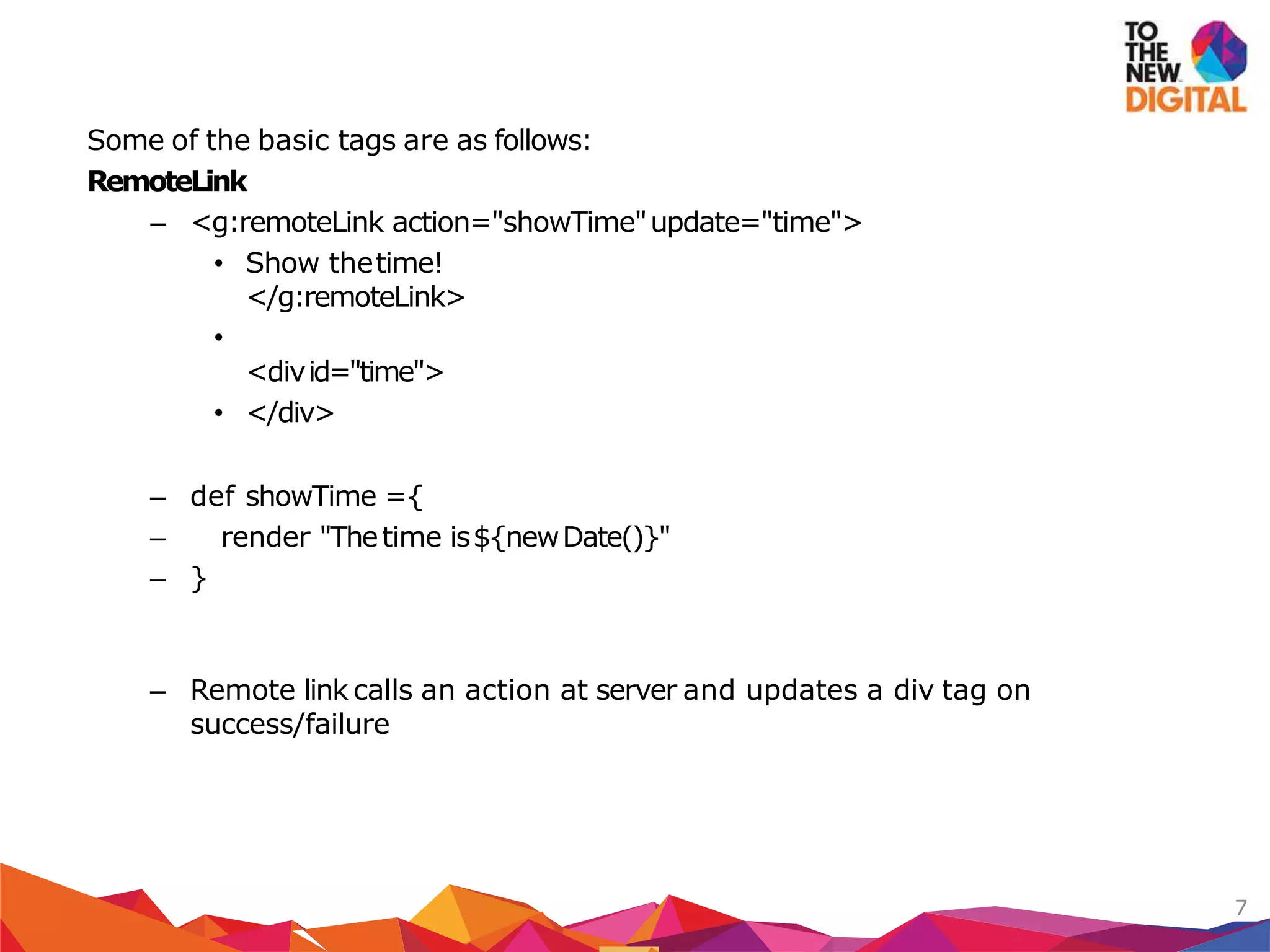
![<g:formRemote
name="loginForm"
url="[controller:'user',action:'login']"
update="loginBox">
...
</g:formRemote>
<divid="loginBox">
</div>
def loginBox ={
//process formhere
render "Success"
}
Alternatively you can use submitToRemote tag as well
8
Form Remote](https://image.slidesharecdn.com/grailsandajax-100617043714-phpapp02/75/Grails-and-Ajax-8-2048.jpg)
![<select
onchange="${remoteFunction(action:'bookbyname',update:[success:'great'
, failure:'ohno'], params:''bookName=' +this.value')}">
– <option>first</option>
– <option>second</option>
– </select>
– Creates a remote javascript function that can be assigned to a DOM
event to call the remote method
9
Remote Function](https://image.slidesharecdn.com/grailsandajax-100617043714-phpapp02/75/Grails-and-Ajax-9-2048.jpg)
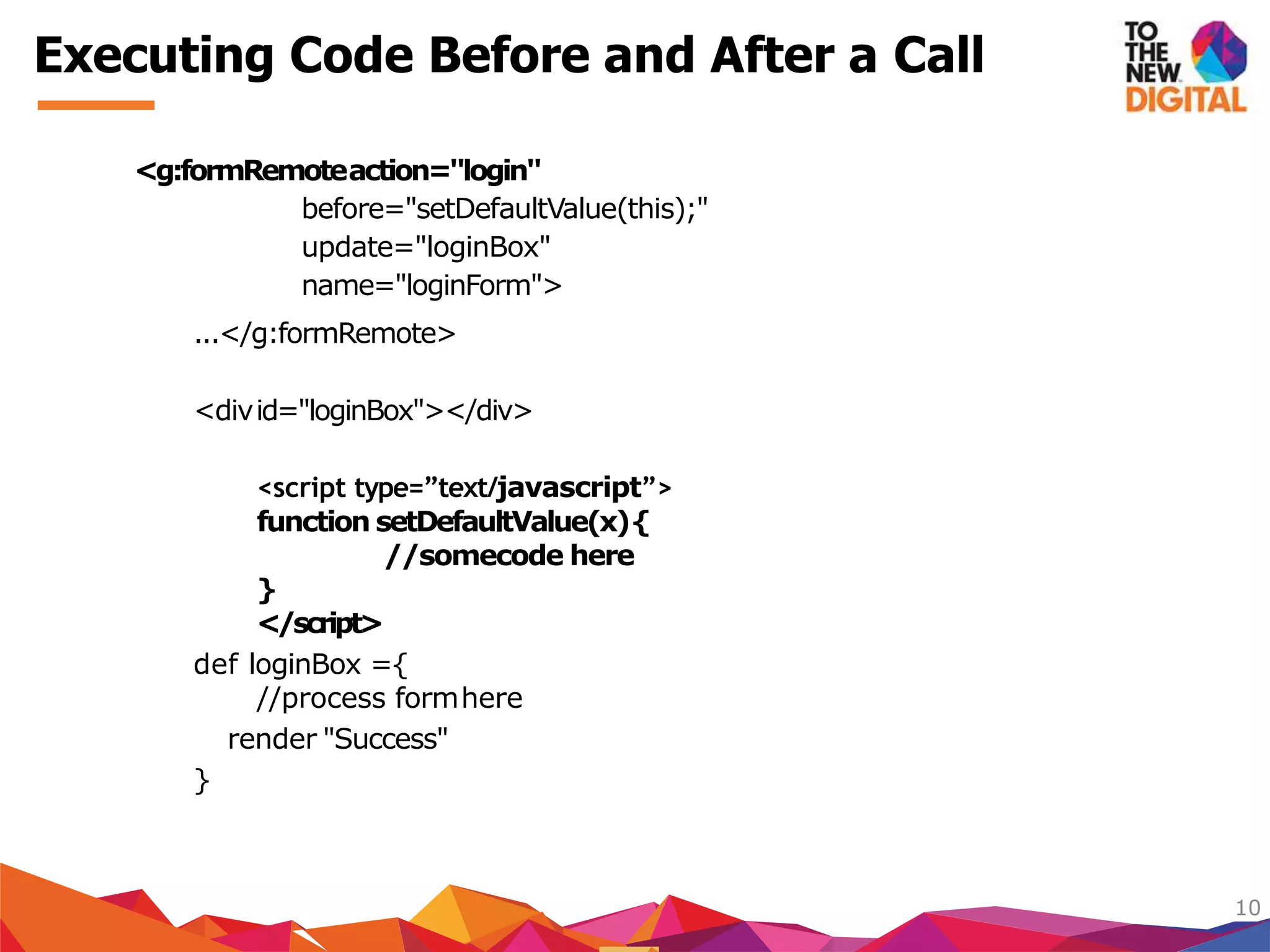
![<g:formRemote url="[controller:'user',action:'login']"
onLoading="showProgress();" onComplete="hideProgress();"
update="loginBox" name="loginForm">
...
</g:formRemote>
ListOfevents
onSuccess : Called when the remote call issuccessful
onFailure : Called when the remote call begins to load the response
onLoaded :Called when the remote call has loaded the response
onComplete :Called when the response has been received and any
updates arecompleted
onERROR_CODE : Called for specific error codes such as on404
11
Handling Events](https://image.slidesharecdn.com/grailsandajax-100617043714-phpapp02/75/Grails-and-Ajax-11-2048.jpg)
![Grails provides an extremely useful tag to help implement the search feature—
the <g:remoteField> tag. As you might guess from the name, <g:remoteField> is
a text field that sends itsvalue to the server whenever it changes..
<divid="searchBox">
Instant Search:<g:remoteField
name="searchBox"
update="musicPanel"
paramName="q"
url="[control er:'store', action:'search']"/>
</div>
12
Ajax-Enabled Form Fields](https://image.slidesharecdn.com/grailsandajax-100617043714-phpapp02/75/Grails-and-Ajax-12-2048.jpg)


The document discusses AJAX technology and its integration with the Grails framework, which automates certain AJAX functionalities to enhance web applications. It outlines the advantages of using AJAX, such as avoiding full page refreshes and includes various Grails tags for implementing remote calls and updating DOM elements. Additionally, the document touches on performance considerations like caching and the importance of optimizing AJAX calls to reduce server requests.
Overview of Grails and its integration with Ajax, outlining the session agenda and core topics related to Ajax.
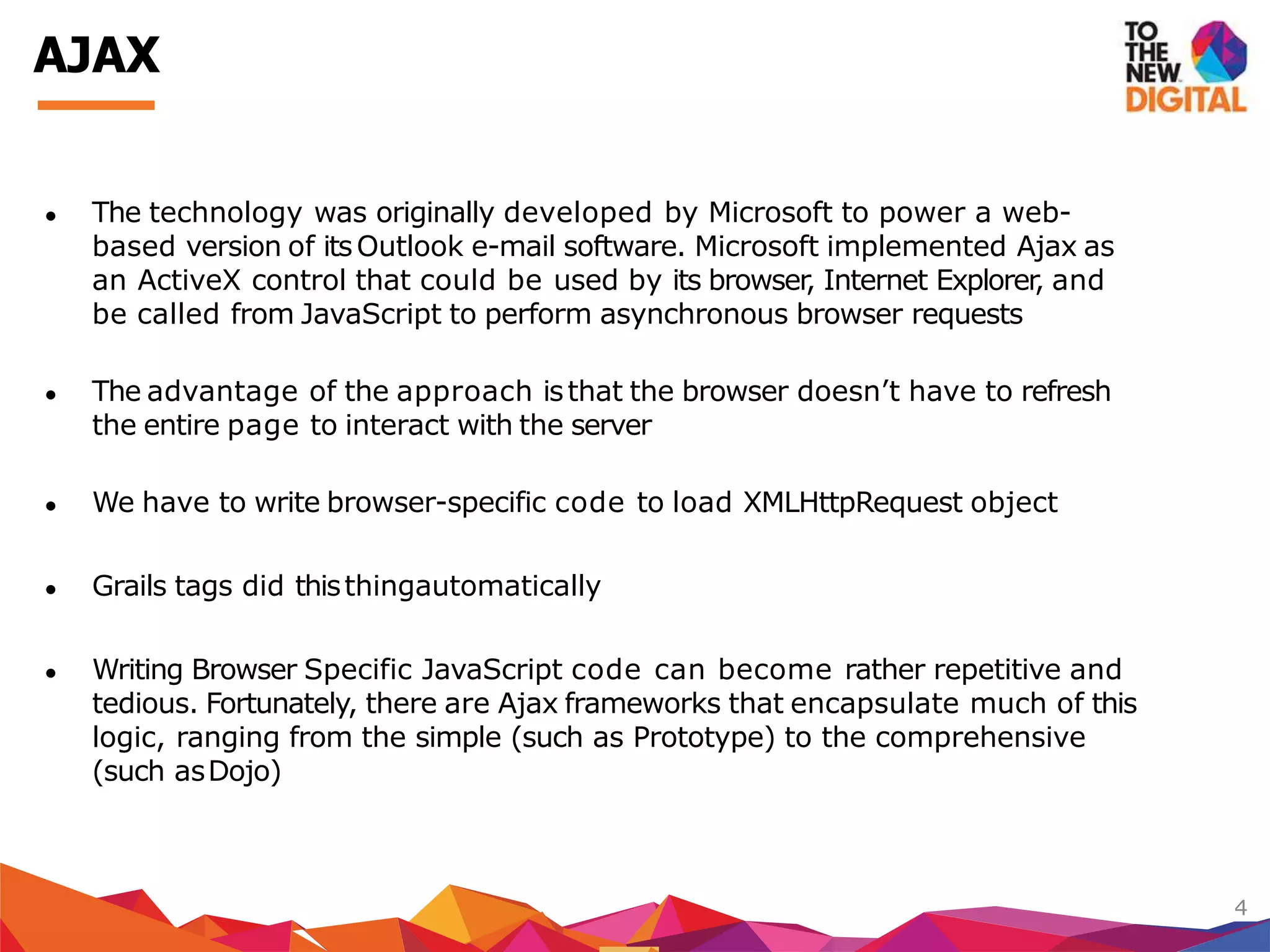
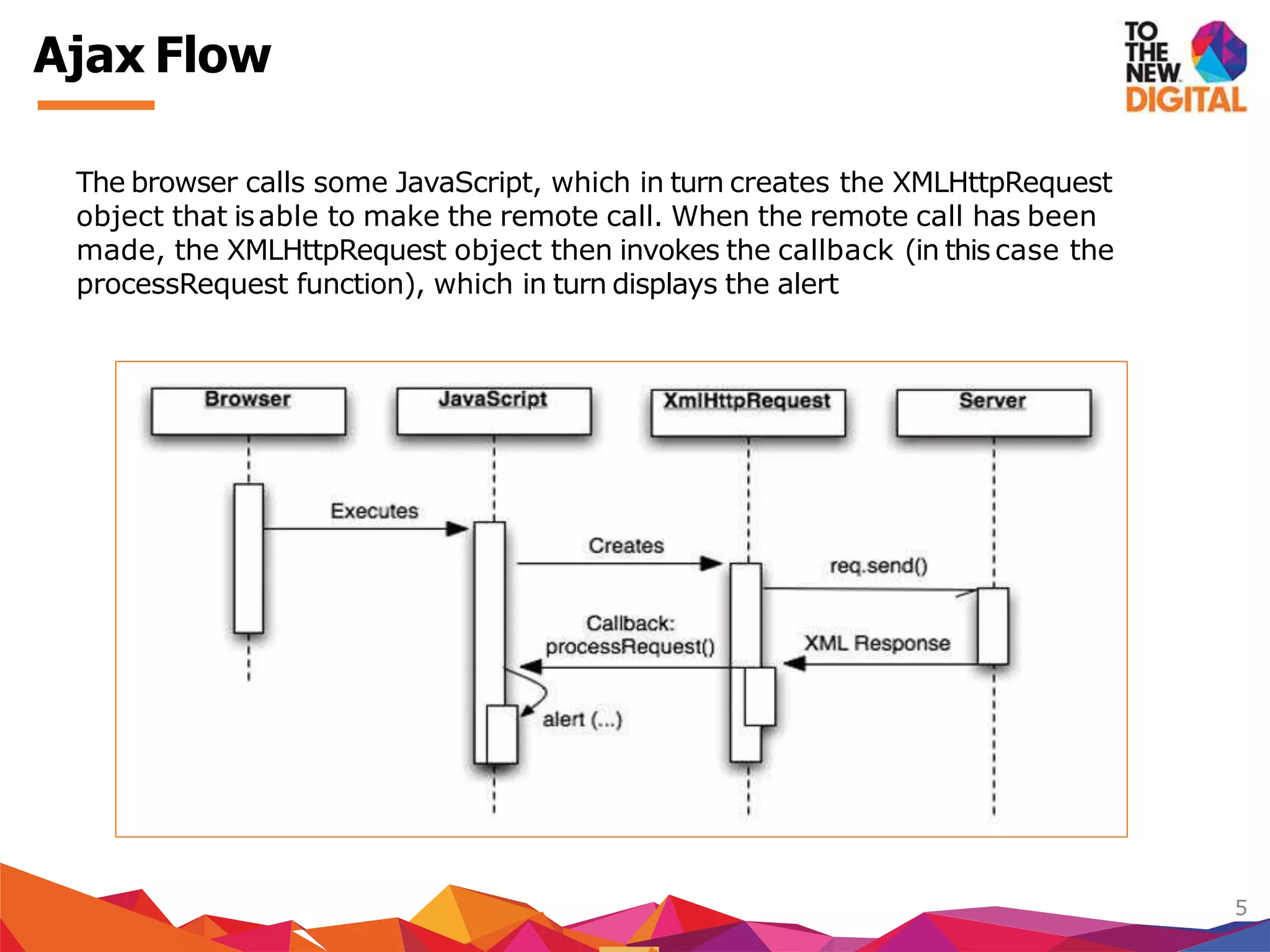
Introduction to Ajax technology, originally developed by Microsoft, discussing its advantages and underlying mechanisms.
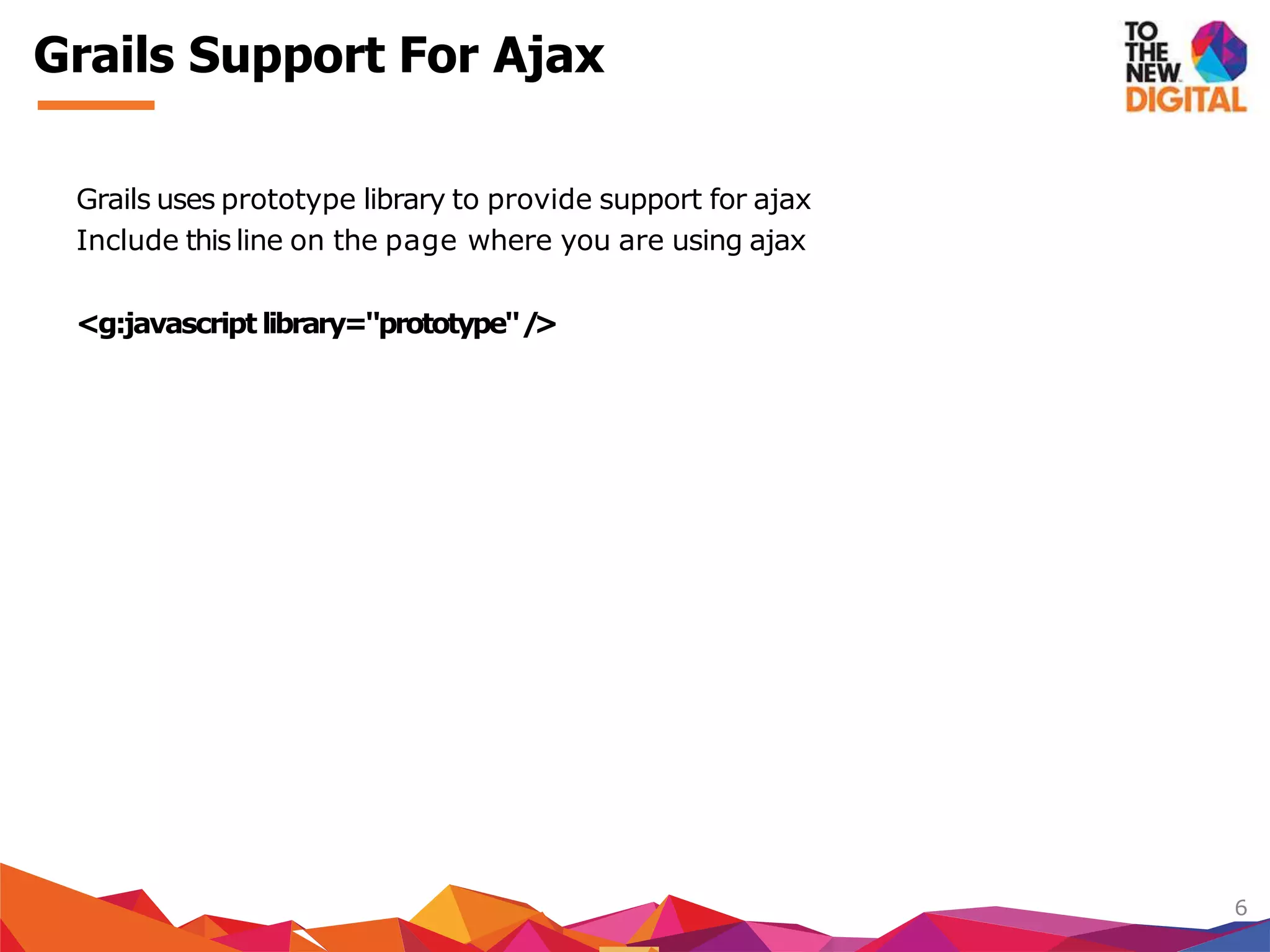
Grails' support for Ajax using the Prototype library, explaining basic tags like <g:remoteLink> and <g:formRemote> for dynamic updates.
Details on creating remote JavaScript functions in Grails to handle browser events and executing code asynchronously.
Handling Ajax call events in Grails, including success and error callbacks, and using <g:remoteField> for real-time data submission.
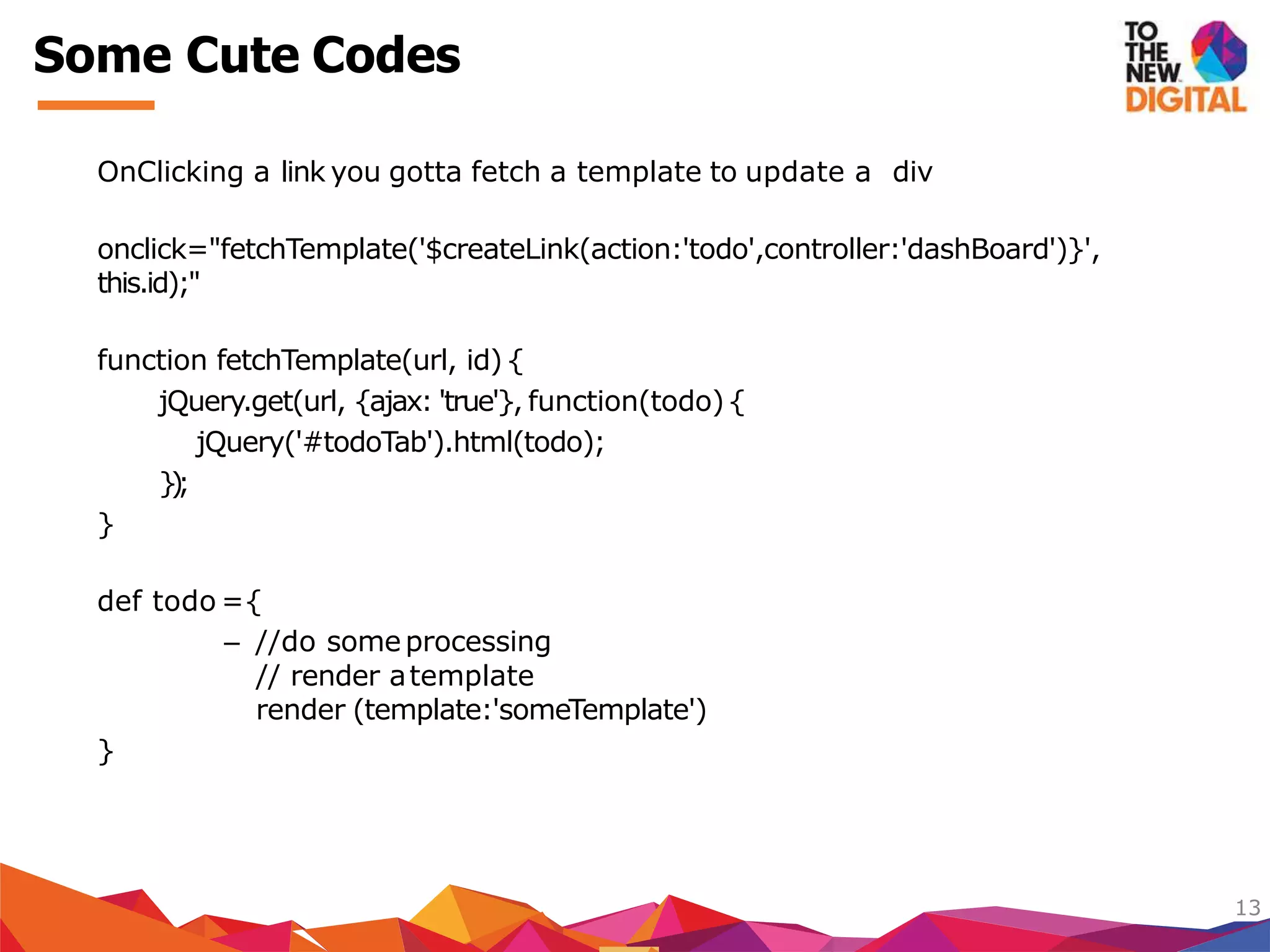
Showcasing practical code examples for Ajax functionality in Grails, including JSON responses and file uploads.
Discussion on optimizing Ajax performance through batching requests and caching, emphasizing best practices.
Providing resources for further learning about Grails and offering contact information for expert consultations.


![Java Web Programming [8/9] : JSF and AJAX](https://cdn.slidesharecdn.com/ss_thumbnails/javaweb-module8-130106070914-phpapp02-thumbnail.jpg?width=640&height=640&fit=bounds)


