GOOGLE DOCS
LEVERAGE THE POWER OF
COLLABORATION
HELLO!
I am here because I want to share with
you how to leverage the power of
collaboration using online document
systems like Google Docs
You can find me at @anoopjohn
2
“If everyone is moving
forward together, then
success takes care of
itself.” - Henry Ford
3
INEFFICIENCIES OF
EMAILING FILES
FROM USB DRIVES, TO EMAIL, TO ONLINE DOCS
4
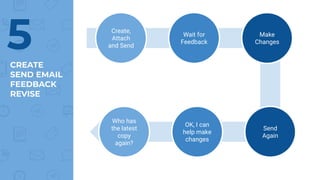
CREATE
SEND EMAIL
FEEDBACK
REVISE
5 Create,
Attach
and Send
Wait for
Feedback
Make
Changes
Who has
the latest
copy
again?
OK, I can
help make
changes
Send
Again
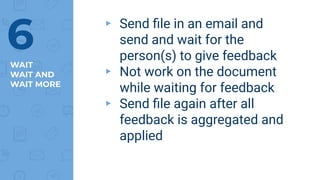
WAIT
WAIT AND
WAIT MORE
▸ Send file in an email and
send and wait for the
person(s) to give feedback
▸ Not work on the document
while waiting for feedback
▸ Send file again after all
feedback is aggregated and
applied
6
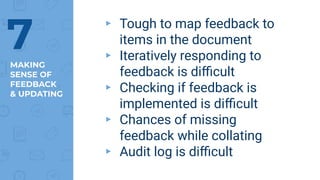
MAKING
SENSE OF
FEEDBACK
& UPDATING
▸ Tough to map feedback to
items in the document
▸ Iteratively responding to
feedback is difficult
▸ Checking if feedback is
implemented is difficult
▸ Chances of missing
feedback while collating
▸ Audit log is difficult
7
ONLY ONE
PERSON
CAN EDIT
▸ Only one person can edit at
any point of time
▸ Design changes will have to
wait all the way to the end
▸ Only one document owner
▸ Once document is finalized
you will have to go back to
document owner to fix errors
8
VERSIONS,
STORAGE,
DUPLiCATES
▸ Managing versions of the
document is a challenge
▸ Tough to know who has the
latest copy of the document
▸ Multiple inboxes gets filled
up with the same copy of file
across the organization
▸ Can never prevent somebody
from editing their local copy
9
TO WORKING TOGETHER
Sharing documents is no longer about giving a copy of the
document, it is about working together
10
WORK
TOGETHER
AND BUILD
YOUR DOCS
11
CHANGE
PARADIGM
CO-CREATE
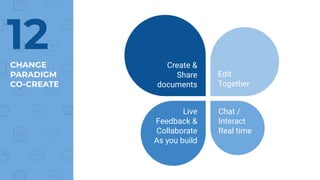
12 Create &
Share
documents
Edit
Together
Chat /
Interact
Real time
Live
Feedback &
Collaborate
As you build
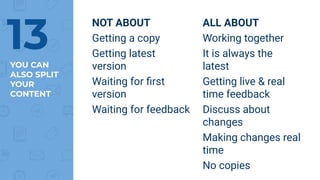
NOT ABOUT
Getting a copy
Getting latest
version
Waiting for first
version
Waiting for feedback
YOU CAN
ALSO SPLIT
YOUR
CONTENT
ALL ABOUT
Working together
It is always the
latest
Getting live & real
time feedback
Discuss about
changes
Making changes real
time
No copies
13
TEXT DOCUMENTS
IDEATE, BUILD LIVE PLANS, REVISE PLANS
14
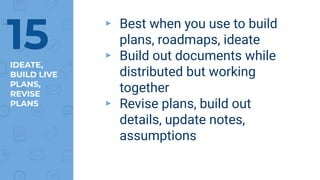
IDEATE,
BUILD LIVE
PLANS,
REVISE
PLANS
▸ Best when you use to build
plans, roadmaps, ideate
▸ Build out documents while
distributed but working
together
▸ Revise plans, build out
details, update notes,
assumptions
15
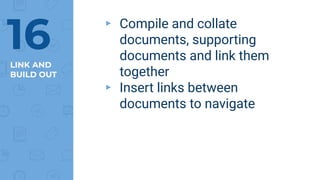
LINK AND
BUILD OUT
▸ Compile and collate
documents, supporting
documents and link them
together
▸ Insert links between
documents to navigate
16
SPREADSHEETS
COLLECT DATA, LIVE UPDATES, UPDATE STATUS
17
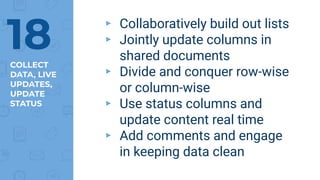
COLLECT
DATA, LIVE
UPDATES,
UPDATE
STATUS
▸ Collaboratively build out lists
▸ Jointly update columns in
shared documents
▸ Divide and conquer row-wise
or column-wise
▸ Use status columns and
update content real time
▸ Add comments and engage
in keeping data clean
18
PRESENTATIONS
DESIGN, COPY-WRITE, IDEATE, REVISE
19
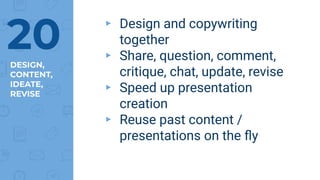
DESIGN,
CONTENT,
IDEATE,
REVISE
▸ Design and copywriting
together
▸ Share, question, comment,
critique, chat, update, revise
▸ Speed up presentation
creation
▸ Reuse past content /
presentations on the fly
20
PERMISSIONS
ACCESS CONTROL
21
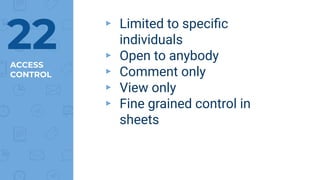
ACCESS
CONTROL
▸ Limited to specific
individuals
▸ Open to anybody
▸ Comment only
▸ View only
▸ Fine grained control in
sheets
22
DON’T WANT TO
WORK TOGETHER?
DON’T NEED TO COLLABORATE, BUT STILL
23
DON’T NEED
TO WORK
TOGETHER?
▸ Leverage the other
advantages of online
documents
▹ Version
▹ Storage
▹ Latest copy
▹ Live feedback
▸ Control access and continue
in the single author mode
24
25 THANKS!
Any questions?
You can find me at
▸ https://twitter.com/anoopjohn
▸ https://www.linkedin.com/in/anoopj
ohn/
LICENSE &
CREDITS
▸ Presentation shared under cc-by-sa
▸ Presentation template by
SlidesCarnival
▸ Photographs by Unsplash
26

Google Docs - Leverage the power of collaboration with shared documents