Google Docs for BusinessJuly 11 & 12, 2011Shannon ScanlanBusiness Services Librariansscanlan@ahml.info
What is Google DocsIntroduced in 2006Web based applicationsDocuments, spreadsheets and presentations can be accessed from any computer with an internet connectionFiles can be shared with others for easier collaborationFiles can be worked on at the same timeExcellent resource for storing documents
Where are my Docs?Items are stored via the Internet, “Cloud Computing”You can restrict privacy to only yourself, friends or make publicYour documents cannot be found by search engines unless shared publicly via a web addressGoogle Docs will store up to 5,000 documents
How Can My Business Use Docs?Share documentsPersonnel manualDepartment updatesShare spreadsheetsSchedulesVacation planningCollaborationPresentations (slideshows)DocumentsForms
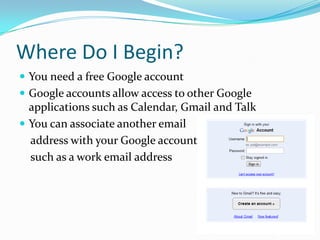
Where Do I Begin?You need a free Google accountGoogle accounts allow access to other Google applications such as Calendar, Gmailand TalkYou can associate another email  address with your Google accounts    such as a work email address
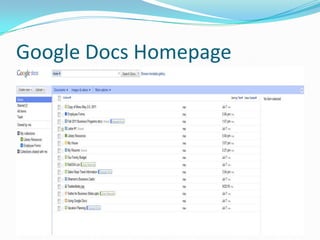
Google Docs Homepage
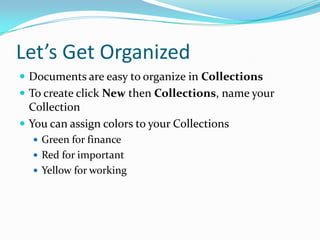
Let’s Get OrganizedDocuments are easy to organize in CollectionsTo create click New then Collections, name your Collection You can assign colors to your CollectionsGreen for financeRed for important Yellow for working
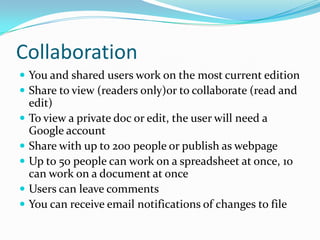
CollaborationYou and shared users work on the most current editionShare to view (readers only)or to collaborate (read and edit)To view a private doc or edit, the user will need a Google accountShare with up to 200 people or publish as webpageUp to 50 people can work on a spreadsheet at once, 10 can work on a document at onceUsers can leave commentsYou can receive email notifications of changes to file
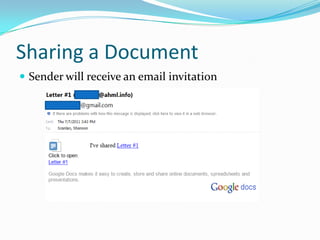
Sharing a DocumentSender will receive an email invitation
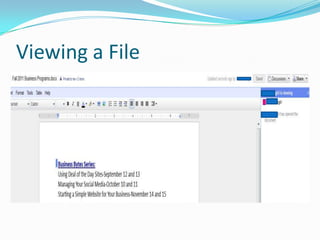
Viewing a File
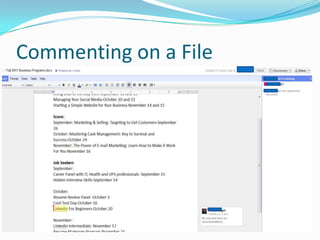
Commenting on a File
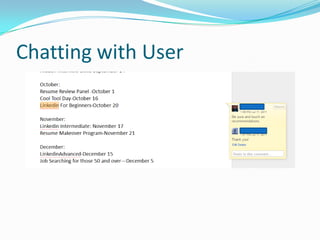
Chatting with User
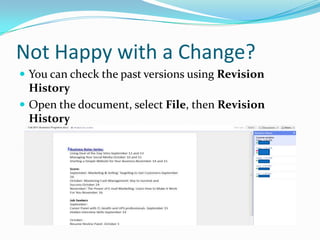
Not Happy with a Change?You can check the past versions using Revision HistoryOpen the document, select File, then Revision History
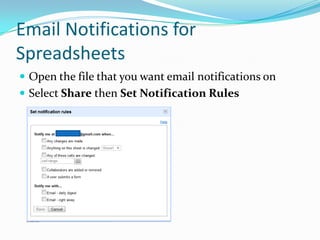
Email Notifications for SpreadsheetsOpen the file that you want email notifications onSelect Share then Set Notification Rules
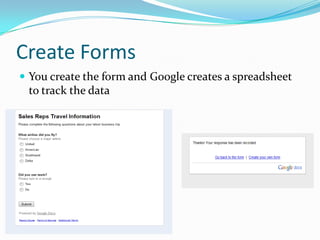
Create FormsYou create the form and Google creates a spreadsheet to track the data
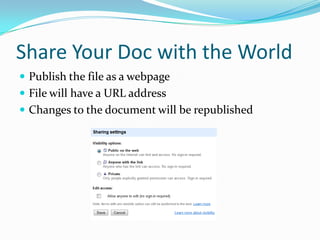
Share Your Doc with the WorldPublish the file as a webpageFile will have a URL addressChanges to the document will be republished
Using TemplatesA formatted document includingResumeCover letterMenuBudget Business cardsYou can use a Google Template or create your ownSelect Create New, then From Template
Uploading DocsMaximum sixe is 500 kb.doc (Microsoft Word).odt (Openoffice.org Writer and OpenDocument).sxw (StarOffice).rtf (rich text format).txt (plain text).htm or .html (HTML, for website display).pdf
Exporting DocsFiles you create in Google Docs are HTML files (Hypertext Markup Language), files that can be read by Web browsersWhen exporting documents to another program they must be converted into other formats such as.doc.pdf.xls
Additional InformationGoogle Docs Tourhttp://www.google.com/google-d-s/tour1.htmlGoogle Docs Video on YouTubehttp://www.youtube.com/watch?v=eRqUE6IHTEAGetting Started Guidehttp://docs.google.com/support/bin/answer.py?hl=en&answer=1107581Google Apps for Businesshttp://www.google.com/apps/intl/en/business/collaboration.html

Google Docs for Business

  • 1.
    Google Docs forBusinessJuly 11 & 12, 2011Shannon ScanlanBusiness Services Librariansscanlan@ahml.info
  • 2.
    What is GoogleDocsIntroduced in 2006Web based applicationsDocuments, spreadsheets and presentations can be accessed from any computer with an internet connectionFiles can be shared with others for easier collaborationFiles can be worked on at the same timeExcellent resource for storing documents
  • 3.
    Where are myDocs?Items are stored via the Internet, “Cloud Computing”You can restrict privacy to only yourself, friends or make publicYour documents cannot be found by search engines unless shared publicly via a web addressGoogle Docs will store up to 5,000 documents
  • 4.
    How Can MyBusiness Use Docs?Share documentsPersonnel manualDepartment updatesShare spreadsheetsSchedulesVacation planningCollaborationPresentations (slideshows)DocumentsForms
  • 5.
    Where Do IBegin?You need a free Google accountGoogle accounts allow access to other Google applications such as Calendar, Gmailand TalkYou can associate another email address with your Google accounts such as a work email address
  • 6.
  • 7.
    Let’s Get OrganizedDocumentsare easy to organize in CollectionsTo create click New then Collections, name your Collection You can assign colors to your CollectionsGreen for financeRed for important Yellow for working
  • 8.
    CollaborationYou and sharedusers work on the most current editionShare to view (readers only)or to collaborate (read and edit)To view a private doc or edit, the user will need a Google accountShare with up to 200 people or publish as webpageUp to 50 people can work on a spreadsheet at once, 10 can work on a document at onceUsers can leave commentsYou can receive email notifications of changes to file
  • 9.
    Sharing a DocumentSenderwill receive an email invitation
  • 10.
  • 11.
  • 12.
  • 13.
    Not Happy witha Change?You can check the past versions using Revision HistoryOpen the document, select File, then Revision History
  • 14.
    Email Notifications forSpreadsheetsOpen the file that you want email notifications onSelect Share then Set Notification Rules
  • 15.
    Create FormsYou createthe form and Google creates a spreadsheet to track the data
  • 16.
    Share Your Docwith the WorldPublish the file as a webpageFile will have a URL addressChanges to the document will be republished
  • 17.
    Using TemplatesA formatteddocument includingResumeCover letterMenuBudget Business cardsYou can use a Google Template or create your ownSelect Create New, then From Template
  • 18.
    Uploading DocsMaximum sixeis 500 kb.doc (Microsoft Word).odt (Openoffice.org Writer and OpenDocument).sxw (StarOffice).rtf (rich text format).txt (plain text).htm or .html (HTML, for website display).pdf
  • 19.
    Exporting DocsFiles youcreate in Google Docs are HTML files (Hypertext Markup Language), files that can be read by Web browsersWhen exporting documents to another program they must be converted into other formats such as.doc.pdf.xls
  • 20.
    Additional InformationGoogle DocsTourhttp://www.google.com/google-d-s/tour1.htmlGoogle Docs Video on YouTubehttp://www.youtube.com/watch?v=eRqUE6IHTEAGetting Started Guidehttp://docs.google.com/support/bin/answer.py?hl=en&answer=1107581Google Apps for Businesshttp://www.google.com/apps/intl/en/business/collaboration.html