In the last month
Presentations
How many
presentations were
good?
Aboubakr Elnashar
Aboubakr Elnashar
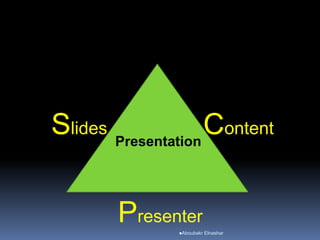
ContentSlides
Presenter
Presentation
Great Content:
bad Slides will not damage the presentation...
Bad content:
great Slides cannot improve bad Content!
(Osterwalder A, 2006)
Aboubakr Elnashar
Content
Aboubakr Elnashar
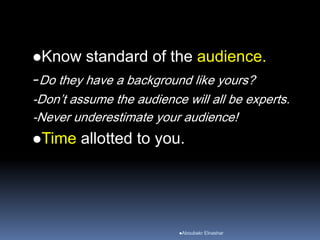
Know standard of the audience.
-Do they have a background like yours?
-Don’t assume the audience will all be experts.
-Never underestimate your audience!
Time allotted to you.
Aboubakr Elnashar
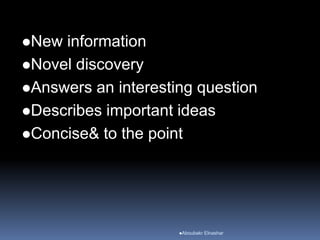
New information
Novel discovery
Answers an interesting question
Describes important ideas
Concise& to the point
Aboubakr Elnashar
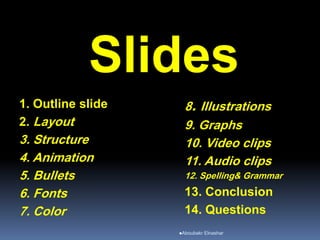
Slides
1. Outline slide
2. Layout
3. Structure
4. Animation
5. Bullets
6. Fonts
7. Color
8. Illustrations
9. Graphs
10. Video clips
11. Audio clips
12. Spelling& Grammar
13. Conclusion
14. Questions
Aboubakr Elnashar
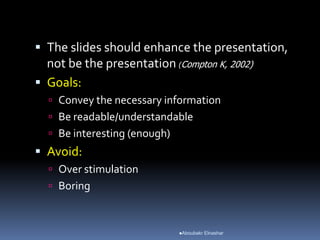
 The slides should enhance the presentation,
not be the presentation (Compton K, 2002)
 Goals:
 Convey the necessary information
 Be readable/understandable
 Be interesting (enough)
 Avoid:
 Over stimulation
 Boring
Aboubakr Elnashar
1. Outline slide
 Start with
 Main points
 Follow the order of your outline for the
rest of the presentation
Aboubakr Elnashar
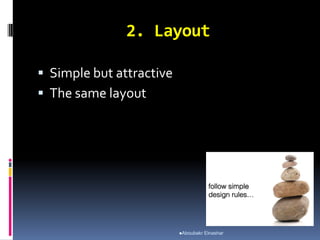
2. Layout
 Simple but attractive
 The same layout
Aboubakr Elnashar
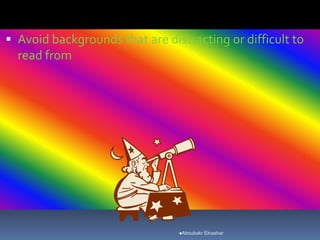
 Avoid backgrounds that are distracting or difficult to
read from
Aboubakr Elnashar
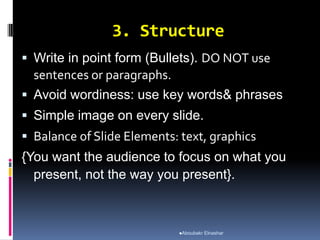
3. Structure
 Write in point form (Bullets). DO NOT use
sentences or paragraphs.
 Avoid wordiness: use key words& phrases
 Simple image on every slide.
 Balance of Slide Elements: text, graphics
{You want the audience to focus on what you
present, not the way you present}.
Aboubakr Elnashar
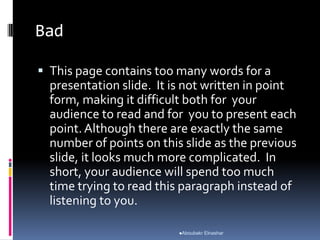
Bad
 This page contains too many words for a
presentation slide. It is not written in point
form, making it difficult both for your
audience to read and for you to present each
point.Although there are exactly the same
number of points on this slide as the previous
slide, it looks much more complicated. In
short, your audience will spend too much
time trying to read this paragraph instead of
listening to you.
Aboubakr Elnashar
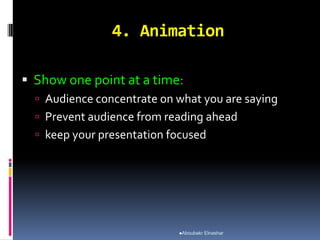
4. Animation
 Show one point at a time:
 Audience concentrate on what you are saying
 Prevent audience from reading ahead
 keep your presentation focused
Aboubakr Elnashar
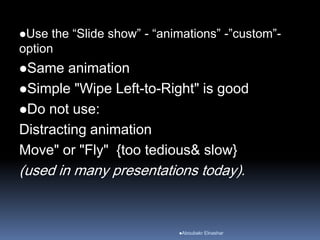
Use the “Slide show” - “animations” -”custom”-
option
Same animation
Simple "Wipe Left-to-Right" is good
Do not use:
Distracting animation
Move" or "Fly" {too tedious& slow}
(used in many presentations today).
Aboubakr Elnashar
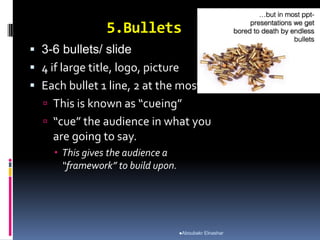
5.Bullets
 3-6 bullets/ slide
 4 if large title, logo, picture
 Each bullet 1 line, 2 at the most.
 This is known as “cueing”
 “cue” the audience in what you
are going to say.
 This gives the audience a
“framework” to build upon.
Aboubakr Elnashar
 Crowded text: audience will not read it.
 Reading speed does not match listening
speed:
confuse instead of reinforcing each
other.
Aboubakr Elnashar
6. Fonts
Size:
 Title: at least 28-point.
 Text: at least 18-point
 References: 14-point
 Different size for main points& secondary points
 Text can be read from the back of the room.
Aboubakr Elnashar
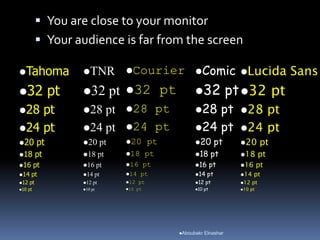
 You are close to your monitor
 Your audience is far from the screen
Tahoma
32 pt
28 pt
24 pt
20 pt
18 pt
16 pt
14 pt
12 pt
10 pt
TNR
32 pt
28 pt
24 pt
20 pt
18 pt
16 pt
14 pt
12 pt
10 pt
Courier
32 pt
28 pt
24 pt
20 pt
18 pt
16 pt
14 pt
12 pt
10 pt
Comic
32 pt
28 pt
24 pt
20 pt
18 pt
16 pt
14 pt
12 pt
10 pt
Lucida Sans
32 pt
28 pt
24 pt
20 pt
18 pt
16 pt
14 pt
12 pt
10 pt
Aboubakr Elnashar
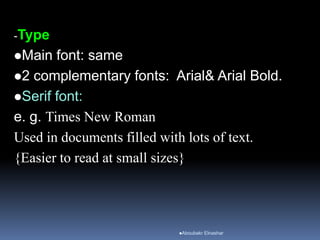
-Type
Main font: same
2 complementary fonts: Arial& Arial Bold.
Serif font:
e. g. Times New Roman
Used in documents filled with lots of text.
{Easier to read at small sizes}
Aboubakr Elnashar
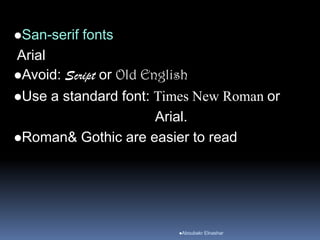
San-serif fonts
Arial
Avoid: Script or Old English
Use a standard font: Times New Roman or
Arial.
Roman& Gothic are easier to read
Aboubakr Elnashar
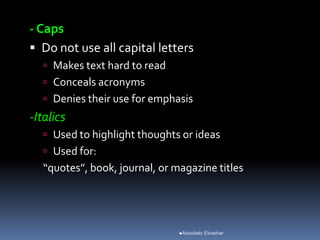
- Caps
 Do not use all capital letters
 Makes text hard to read
 Conceals acronyms
 Denies their use for emphasis
-Italics
 Used to highlight thoughts or ideas
 Used for:
“quotes”, book, journal, or magazine titles
Aboubakr Elnashar
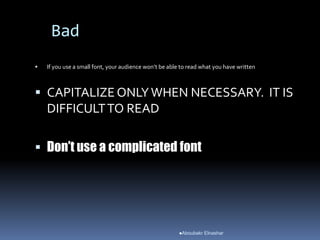
Bad
 If you use a small font, your audience won’t be able to read what you have written
 CAPITALIZE ONLYWHEN NECESSARY. IT IS
DIFFICULTTO READ
 Don’t use a complicated font
Aboubakr Elnashar
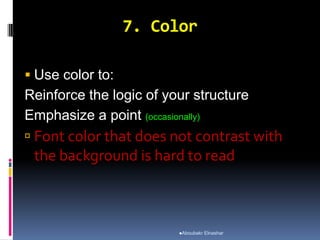
7. Color
 Use color to:
Reinforce the logic of your structure
Emphasize a point (occasionally)
 Font color that does not contrast with
the background is hard to read
Aboubakr Elnashar
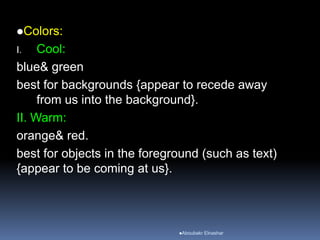
Colors:
I. Cool:
blue& green
best for backgrounds {appear to recede away
from us into the background}.
II. Warm:
orange& red.
best for objects in the foreground (such as text)
{appear to be coming at us}.
Aboubakr Elnashar
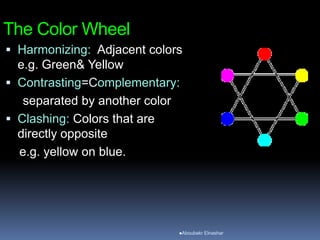
The Color Wheel
 Harmonizing: Adjacent colors
e.g. Green& Yellow
 Contrasting=Complementary:
separated by another color
 Clashing: Colors that are
directly opposite
e.g. yellow on blue.
Aboubakr Elnashar
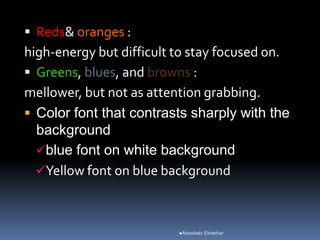
 Reds& oranges :
high-energy but difficult to stay focused on.
 Greens, blues, and browns :
mellower, but not as attention grabbing.
 Color font that contrasts sharply with the
background
blue font on white background
Yellow font on blue background
Aboubakr Elnashar
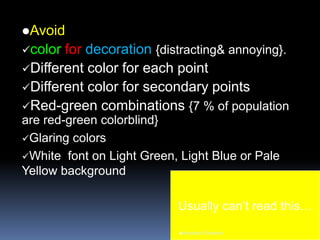
Avoid
color for decoration {distracting& annoying}.
Different color for each point
Different color for secondary points
Red-green combinations {7 % of population
are red-green colorblind}
Glaring colors
White font on Light Green, Light Blue or Pale
Yellow background
Usually can’t read this…
Aboubakr Elnashar
Dark room
white or light font on dark background
(dark blue, grey, etc.).
Good light Rooms: (which is highly
advisable)
Black or dark font on white background
Aboubakr Elnashar
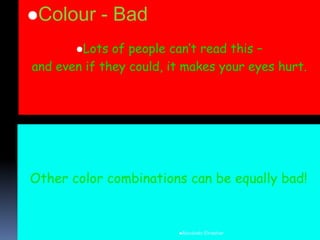
Lots of people can’t read this –
and even if they could, it makes your eyes hurt.
Colour - Bad
Aboubakr Elnashar
8. Illustrations
 Diagrams are great communicators
 (Well-drawn) pictures easier to
understand
 Use only when needed, otherwise they
become distracters instead of
communicators
 They should relate to the message&
help make a point
Aboubakr Elnashar
9. Graphs
 Use graphs:
 Data in graphs is easier to comprehend &
retain than is raw data
 Trends are easier to visualize in graphs
 Graphs& figures:
large
Title
High-quality
Aboubakr Elnashar
Types
Pie Charts.
Used to show percentages.
Limit the slices to 4-6
contrast the most important slice either with color
or by exploding the slice.
Aboubakr Elnashar
Vertical Bar Charts.
Used to show changes in quantity over time.
Limit the bars to 4-8
Horizontal Bar Charts.
Used to compare quantities.
Aboubakr Elnashar
Line Charts.
Used to demonstrate trends.
Tables
Good for side-by-side comparisons of
quantitative data.
lacks impact on a visceral level.
Aboubakr Elnashar
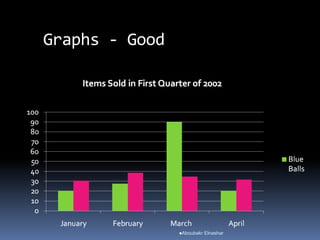
Graphs - Good
Aboubakr Elnashar
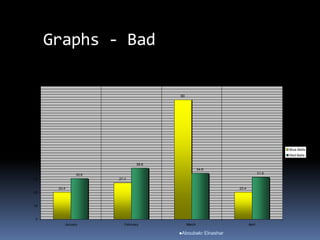
Graphs - Bad
20.4
27.4
90
20.4
30.6
38.6
34.6
31.6
0
10
20
30
40
50
60
70
80
90
100
January February March April
Blue Balls
Red Balls
Aboubakr Elnashar
Graphs - Bad
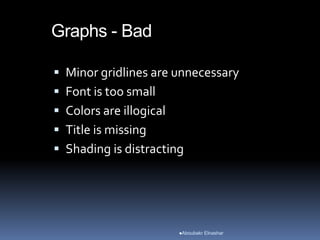
 Minor gridlines are unnecessary
 Font is too small
 Colors are illogical
 Title is missing
 Shading is distracting
Aboubakr Elnashar
Aboubakr Elnashar
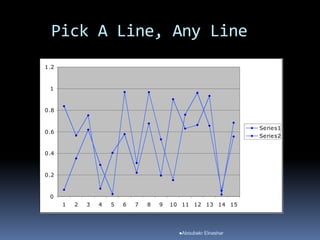
Pick A Line, Any Line
0
0.2
0.4
0.6
0.8
1
1.2
1 2 3 4 5 6 7 8 9 10 11 12 13 14 15
Series1
Series2
Aboubakr Elnashar
10. Video clips
To show concrete examples
promote active cognitive processing,
{this natural way people learn}.
Illustrate your point better
Increase the interest of audience.
Aboubakr Elnashar
11. Audio clips
As interviews.
Avoid
-Cheesy sound effects (sound of a horn or
clapping when transitioning slides).
-Extra sound effects attached to animations
{lose credibility with your audience}.
Aboubakr Elnashar
12. Spelling& Grammar
 Checked
 If English is not your first language:
pls have someone else check your
presentation
Aboubakr Elnashar
13. Conclusion
 Effective& strong
 Your audience is likely to remember your last
words
 Conclusion slides:
 Bring people back if they zoned out
 Summarize the main points of presentation
 Suggest future research
Aboubakr Elnashar
14. Questions??
 Avoid ending presentation abruptly
 End with a simple question slide to:
 Invite audience to ask questions
 Provide a visual aid during question
period
Aboubakr Elnashar
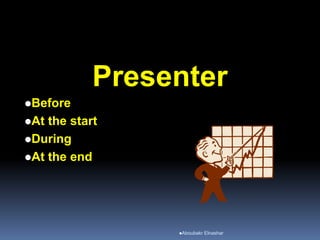
Presenter
Before
At the start
During
At the end
Aboubakr Elnashar
Before the talk:
 Practice in front of friends or using a video
camera& timer
 Take criticism as constructive, not personally
 Make changes well in advance
 Know Your Location
Check the podium& AV equipment
How far is audience from screen?
Do you need a laser pointer?
Aboubakr Elnashar
At the start of the talk:
 Thank the sponsor, panel
 Start using an emotionally competent stimulus
 Story
 Question
 Anecdote
 Application
Aboubakr Elnashar
During the Talk:
 Do not read your notes word for
word!
-It’s called a “presentation” & not “a reading” of
your work
-Reading a slide is annoying
-Do not read your slides like a script
-You should not simply be a text-to-speech
converter.
Aboubakr Elnashar
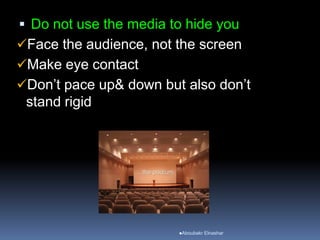
 Do not use the media to hide you
Face the audience, not the screen
Make eye contact
Don’t pace up& down but also don’t
stand rigid
Aboubakr Elnashar
Are you hiding behind the podium?
Are your hands/face motionless?
Are you staring…
at your advisor/boss?
at your laptop?
at the screen?
at the ceiling?
Is your back to the audience?
IF SO… you’re probably BORING!
Dead Man Talking
Aboubakr Elnashar
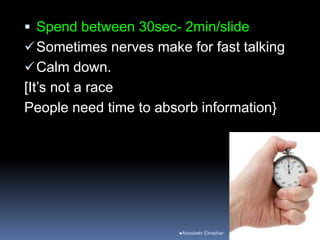
 Spend between 30sec- 2min/slide
Sometimes nerves make for fast talking
Calm down.
[It’s not a race
People need time to absorb information}
Aboubakr Elnashar
Not exceed your allotted time
You were poorly prepared
Have bad manners
If you’re running late:
 skip
Don’t just talk faster!
Aboubakr Elnashar
 Do be enthusiastic
Are you interested in your topic?
 If no, get a different one!
 If yes, act like it
If you aren’t excited…
 Can’t expect other people to be!
Aboubakr Elnashar
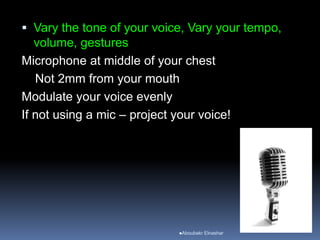
 Vary the tone of your voice, Vary your tempo,
volume, gestures
Microphone at middle of your chest
Not 2mm from your mouth
Modulate your voice evenly
If not using a mic – project your voice!
Aboubakr Elnashar
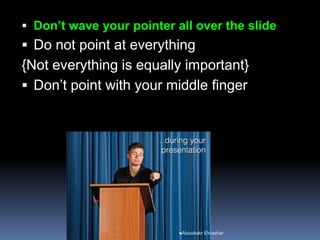
 Don’t wave your pointer all over the slide
 Do not point at everything
{Not everything is equally important}
 Don’t point with your middle finger
Aboubakr Elnashar
Orient the audience:
Don’t take lots of drinks {distracting&
unprofessional}
Spend time on graphs, charts,
anatomy
Memorize the outline
Memorize the concluding sentence
Be able to recover from interruptions
Aboubakr Elnashar
Careful use of pause
When starting a major result
Raising a question
Showing a complicated fig
Avoid annoying mannerisms
Use of OK
Interrupting yourself with I mean or you know
Aboubakr Elnashar
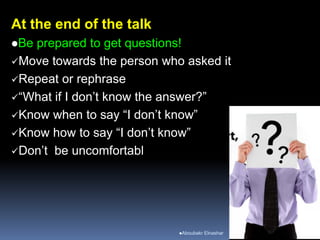
At the end of the talk
Be prepared to get questions!
Move towards the person who asked it
Repeat or rephrase
“What if I don’t know the answer?”
Know when to say “I don’t know”
Know how to say “I don’t know”
Don’t be uncomfortabl
Aboubakr Elnashar
Close by thanking your audience
Plan to stay a while after talk
Audience may want to talk with you
Aboubakr Elnashar
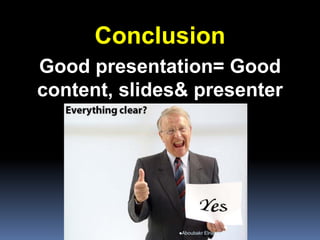
Conclusion
Good presentation= Good
content, slides& presenter
Aboubakr Elnashar
Questions??
Aboubakr Elnashar
Aboubakr Elnashar

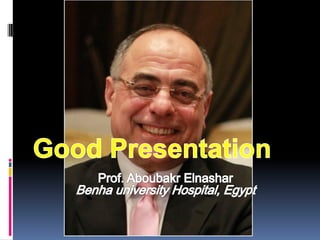
Good presentation

  • 2.
    In the lastmonth Presentations How many presentations were good? Aboubakr Elnashar
  • 3.
  • 4.
    Great Content: bad Slideswill not damage the presentation... Bad content: great Slides cannot improve bad Content! (Osterwalder A, 2006) Aboubakr Elnashar
  • 5.
  • 6.
    Know standard ofthe audience. -Do they have a background like yours? -Don’t assume the audience will all be experts. -Never underestimate your audience! Time allotted to you. Aboubakr Elnashar
  • 7.
    New information Novel discovery Answersan interesting question Describes important ideas Concise& to the point Aboubakr Elnashar
  • 8.
    Slides 1. Outline slide 2.Layout 3. Structure 4. Animation 5. Bullets 6. Fonts 7. Color 8. Illustrations 9. Graphs 10. Video clips 11. Audio clips 12. Spelling& Grammar 13. Conclusion 14. Questions Aboubakr Elnashar
  • 9.
     The slidesshould enhance the presentation, not be the presentation (Compton K, 2002)  Goals:  Convey the necessary information  Be readable/understandable  Be interesting (enough)  Avoid:  Over stimulation  Boring Aboubakr Elnashar
  • 10.
    1. Outline slide Start with  Main points  Follow the order of your outline for the rest of the presentation Aboubakr Elnashar
  • 11.
    2. Layout  Simplebut attractive  The same layout Aboubakr Elnashar
  • 12.
     Avoid backgroundsthat are distracting or difficult to read from Aboubakr Elnashar
  • 13.
    3. Structure  Writein point form (Bullets). DO NOT use sentences or paragraphs.  Avoid wordiness: use key words& phrases  Simple image on every slide.  Balance of Slide Elements: text, graphics {You want the audience to focus on what you present, not the way you present}. Aboubakr Elnashar
  • 14.
    Bad  This pagecontains too many words for a presentation slide. It is not written in point form, making it difficult both for your audience to read and for you to present each point.Although there are exactly the same number of points on this slide as the previous slide, it looks much more complicated. In short, your audience will spend too much time trying to read this paragraph instead of listening to you. Aboubakr Elnashar
  • 15.
    4. Animation  Showone point at a time:  Audience concentrate on what you are saying  Prevent audience from reading ahead  keep your presentation focused Aboubakr Elnashar
  • 16.
    Use the “Slideshow” - “animations” -”custom”- option Same animation Simple "Wipe Left-to-Right" is good Do not use: Distracting animation Move" or "Fly" {too tedious& slow} (used in many presentations today). Aboubakr Elnashar
  • 17.
    5.Bullets  3-6 bullets/slide  4 if large title, logo, picture  Each bullet 1 line, 2 at the most.  This is known as “cueing”  “cue” the audience in what you are going to say.  This gives the audience a “framework” to build upon. Aboubakr Elnashar
  • 18.
     Crowded text:audience will not read it.  Reading speed does not match listening speed: confuse instead of reinforcing each other. Aboubakr Elnashar
  • 19.
    6. Fonts Size:  Title:at least 28-point.  Text: at least 18-point  References: 14-point  Different size for main points& secondary points  Text can be read from the back of the room. Aboubakr Elnashar
  • 20.
     You areclose to your monitor  Your audience is far from the screen Tahoma 32 pt 28 pt 24 pt 20 pt 18 pt 16 pt 14 pt 12 pt 10 pt TNR 32 pt 28 pt 24 pt 20 pt 18 pt 16 pt 14 pt 12 pt 10 pt Courier 32 pt 28 pt 24 pt 20 pt 18 pt 16 pt 14 pt 12 pt 10 pt Comic 32 pt 28 pt 24 pt 20 pt 18 pt 16 pt 14 pt 12 pt 10 pt Lucida Sans 32 pt 28 pt 24 pt 20 pt 18 pt 16 pt 14 pt 12 pt 10 pt Aboubakr Elnashar
  • 21.
    -Type Main font: same 2complementary fonts: Arial& Arial Bold. Serif font: e. g. Times New Roman Used in documents filled with lots of text. {Easier to read at small sizes} Aboubakr Elnashar
  • 22.
    San-serif fonts Arial Avoid: Scriptor Old English Use a standard font: Times New Roman or Arial. Roman& Gothic are easier to read Aboubakr Elnashar
  • 23.
    - Caps  Donot use all capital letters  Makes text hard to read  Conceals acronyms  Denies their use for emphasis -Italics  Used to highlight thoughts or ideas  Used for: “quotes”, book, journal, or magazine titles Aboubakr Elnashar
  • 24.
    Bad  If youuse a small font, your audience won’t be able to read what you have written  CAPITALIZE ONLYWHEN NECESSARY. IT IS DIFFICULTTO READ  Don’t use a complicated font Aboubakr Elnashar
  • 25.
    7. Color  Usecolor to: Reinforce the logic of your structure Emphasize a point (occasionally)  Font color that does not contrast with the background is hard to read Aboubakr Elnashar
  • 26.
    Colors: I. Cool: blue& green bestfor backgrounds {appear to recede away from us into the background}. II. Warm: orange& red. best for objects in the foreground (such as text) {appear to be coming at us}. Aboubakr Elnashar
  • 27.
    The Color Wheel Harmonizing: Adjacent colors e.g. Green& Yellow  Contrasting=Complementary: separated by another color  Clashing: Colors that are directly opposite e.g. yellow on blue. Aboubakr Elnashar
  • 28.
     Reds& oranges: high-energy but difficult to stay focused on.  Greens, blues, and browns : mellower, but not as attention grabbing.  Color font that contrasts sharply with the background blue font on white background Yellow font on blue background Aboubakr Elnashar
  • 29.
    Avoid color for decoration{distracting& annoying}. Different color for each point Different color for secondary points Red-green combinations {7 % of population are red-green colorblind} Glaring colors White font on Light Green, Light Blue or Pale Yellow background Usually can’t read this… Aboubakr Elnashar
  • 30.
    Dark room white orlight font on dark background (dark blue, grey, etc.). Good light Rooms: (which is highly advisable) Black or dark font on white background Aboubakr Elnashar
  • 31.
    Lots of peoplecan’t read this – and even if they could, it makes your eyes hurt. Colour - Bad Aboubakr Elnashar
  • 32.
    8. Illustrations  Diagramsare great communicators  (Well-drawn) pictures easier to understand  Use only when needed, otherwise they become distracters instead of communicators  They should relate to the message& help make a point Aboubakr Elnashar
  • 33.
    9. Graphs  Usegraphs:  Data in graphs is easier to comprehend & retain than is raw data  Trends are easier to visualize in graphs  Graphs& figures: large Title High-quality Aboubakr Elnashar
  • 34.
    Types Pie Charts. Used toshow percentages. Limit the slices to 4-6 contrast the most important slice either with color or by exploding the slice. Aboubakr Elnashar
  • 35.
    Vertical Bar Charts. Usedto show changes in quantity over time. Limit the bars to 4-8 Horizontal Bar Charts. Used to compare quantities. Aboubakr Elnashar
  • 36.
    Line Charts. Used todemonstrate trends. Tables Good for side-by-side comparisons of quantitative data. lacks impact on a visceral level. Aboubakr Elnashar
  • 37.
  • 38.
    Graphs - Bad 20.4 27.4 90 20.4 30.6 38.6 34.6 31.6 0 10 20 30 40 50 60 70 80 90 100 JanuaryFebruary March April Blue Balls Red Balls Aboubakr Elnashar
  • 39.
    Graphs - Bad Minor gridlines are unnecessary  Font is too small  Colors are illogical  Title is missing  Shading is distracting Aboubakr Elnashar
  • 40.
  • 41.
    Pick A Line,Any Line 0 0.2 0.4 0.6 0.8 1 1.2 1 2 3 4 5 6 7 8 9 10 11 12 13 14 15 Series1 Series2 Aboubakr Elnashar
  • 42.
    10. Video clips Toshow concrete examples promote active cognitive processing, {this natural way people learn}. Illustrate your point better Increase the interest of audience. Aboubakr Elnashar
  • 43.
    11. Audio clips Asinterviews. Avoid -Cheesy sound effects (sound of a horn or clapping when transitioning slides). -Extra sound effects attached to animations {lose credibility with your audience}. Aboubakr Elnashar
  • 44.
    12. Spelling& Grammar Checked  If English is not your first language: pls have someone else check your presentation Aboubakr Elnashar
  • 45.
    13. Conclusion  Effective&strong  Your audience is likely to remember your last words  Conclusion slides:  Bring people back if they zoned out  Summarize the main points of presentation  Suggest future research Aboubakr Elnashar
  • 46.
    14. Questions??  Avoidending presentation abruptly  End with a simple question slide to:  Invite audience to ask questions  Provide a visual aid during question period Aboubakr Elnashar
  • 47.
  • 48.
    Before the talk: Practice in front of friends or using a video camera& timer  Take criticism as constructive, not personally  Make changes well in advance  Know Your Location Check the podium& AV equipment How far is audience from screen? Do you need a laser pointer? Aboubakr Elnashar
  • 49.
    At the startof the talk:  Thank the sponsor, panel  Start using an emotionally competent stimulus  Story  Question  Anecdote  Application Aboubakr Elnashar
  • 50.
    During the Talk: Do not read your notes word for word! -It’s called a “presentation” & not “a reading” of your work -Reading a slide is annoying -Do not read your slides like a script -You should not simply be a text-to-speech converter. Aboubakr Elnashar
  • 51.
     Do notuse the media to hide you Face the audience, not the screen Make eye contact Don’t pace up& down but also don’t stand rigid Aboubakr Elnashar
  • 52.
    Are you hidingbehind the podium? Are your hands/face motionless? Are you staring… at your advisor/boss? at your laptop? at the screen? at the ceiling? Is your back to the audience? IF SO… you’re probably BORING! Dead Man Talking Aboubakr Elnashar
  • 53.
     Spend between30sec- 2min/slide Sometimes nerves make for fast talking Calm down. [It’s not a race People need time to absorb information} Aboubakr Elnashar
  • 54.
    Not exceed yourallotted time You were poorly prepared Have bad manners If you’re running late:  skip Don’t just talk faster! Aboubakr Elnashar
  • 55.
     Do beenthusiastic Are you interested in your topic?  If no, get a different one!  If yes, act like it If you aren’t excited…  Can’t expect other people to be! Aboubakr Elnashar
  • 56.
     Vary thetone of your voice, Vary your tempo, volume, gestures Microphone at middle of your chest Not 2mm from your mouth Modulate your voice evenly If not using a mic – project your voice! Aboubakr Elnashar
  • 57.
     Don’t waveyour pointer all over the slide  Do not point at everything {Not everything is equally important}  Don’t point with your middle finger Aboubakr Elnashar
  • 58.
    Orient the audience: Don’ttake lots of drinks {distracting& unprofessional} Spend time on graphs, charts, anatomy Memorize the outline Memorize the concluding sentence Be able to recover from interruptions Aboubakr Elnashar
  • 59.
    Careful use ofpause When starting a major result Raising a question Showing a complicated fig Avoid annoying mannerisms Use of OK Interrupting yourself with I mean or you know Aboubakr Elnashar
  • 60.
    At the endof the talk Be prepared to get questions! Move towards the person who asked it Repeat or rephrase “What if I don’t know the answer?” Know when to say “I don’t know” Know how to say “I don’t know” Don’t be uncomfortabl Aboubakr Elnashar
  • 61.
    Close by thankingyour audience Plan to stay a while after talk Audience may want to talk with you Aboubakr Elnashar
  • 62.
    Conclusion Good presentation= Good content,slides& presenter Aboubakr Elnashar
  • 63.
  • 64.