
All Rights Reserved | FIDO Alliance | Copyright 20191
GOING PASSWORDLESS WITH
MICROSOFT
ANTHONY NADALIN
2
CLOSING THE DOOR ON PASSWORDS
All Rights Reserved | FIDO Alliance | Copyright 2019
Stra tegy a nd bes t pra c ti c es fo r go i ng pa s s wo rdles s
A ntho ny N a da li n
At the end of this session, you should be better able to…
• Describe the core concepts of “Passwordless”
• Present Microsoft’s strategy on why and how to go
passwordless
• Demo and try out passwordless methods in your own
environment
• Determine next steps for customers on their own
passwordless journey
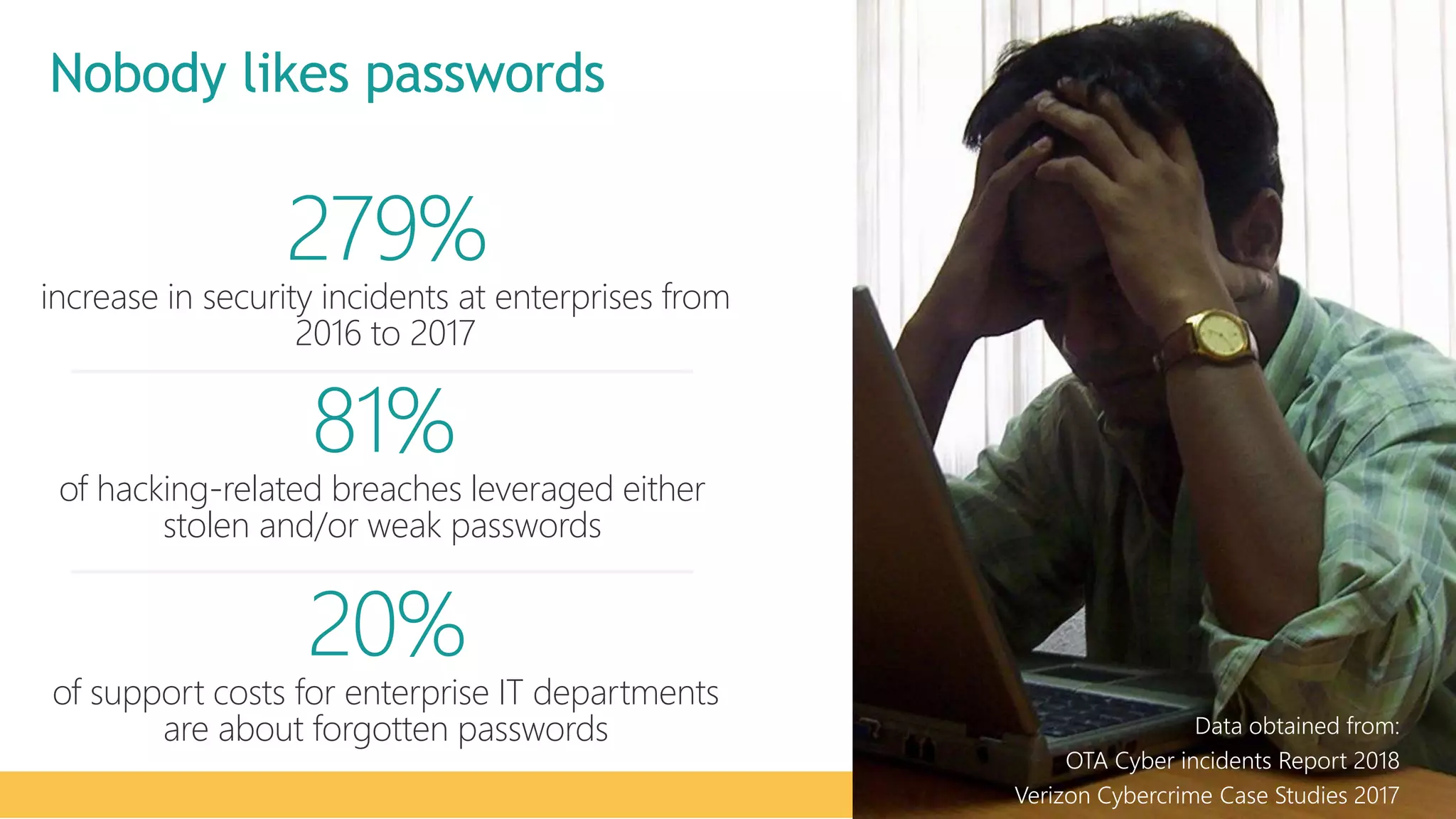
279%
increase in security incidents at enterprises from
2016 to 2017
81%
of hacking-related breaches leveraged either
stolen and/or weak passwords
20%
of support costs for enterprise IT departments
are about forgotten passwords Data obtained from:
OTA Cyber incidents Report 2018
Verizon Cybercrime Case Studies 2017
Nobody likes passwords
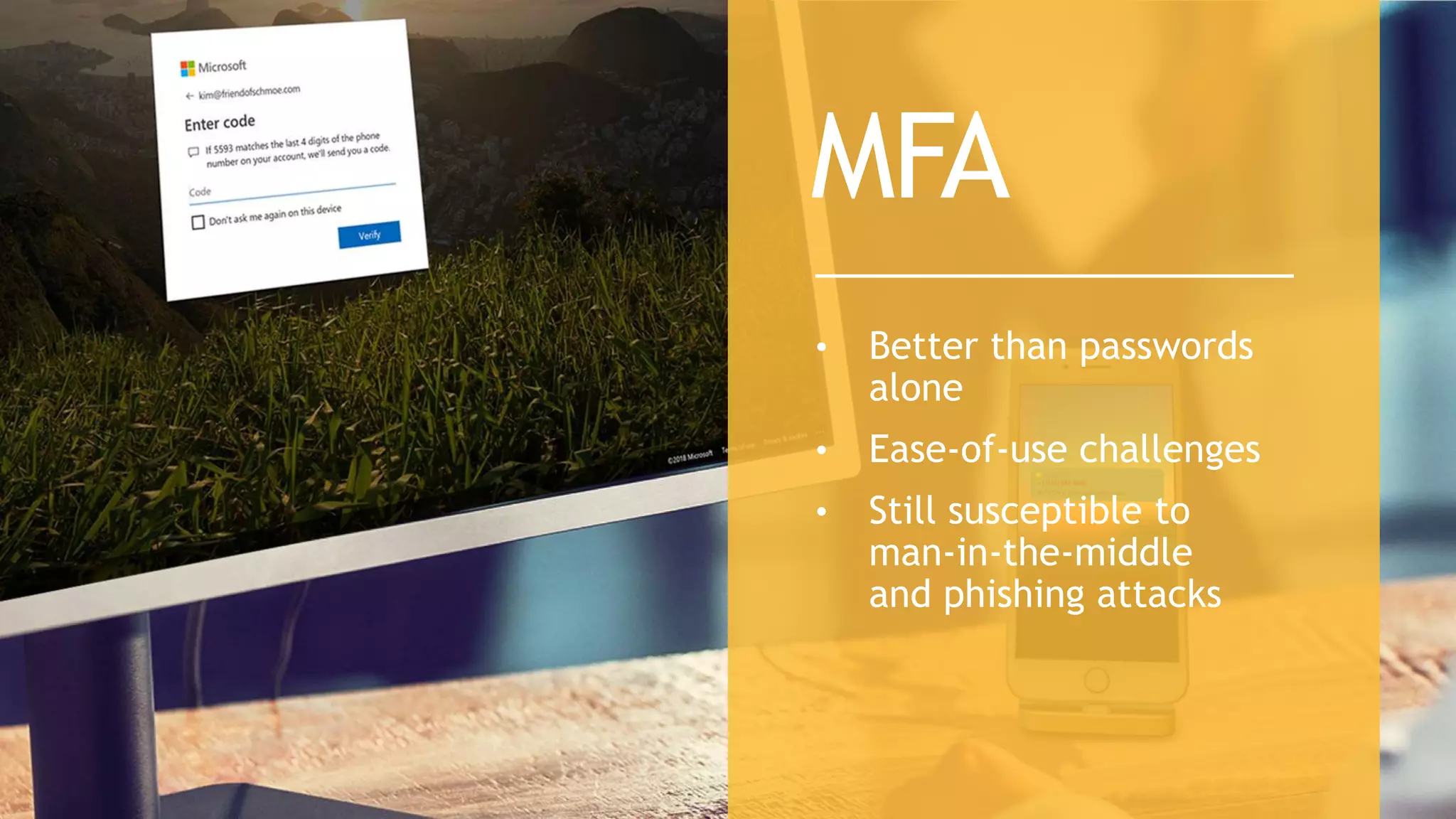
• Better than passwords
alone
• Ease-of-use challenges
• Still susceptible to
man-in-the-middle
and phishing attacks
MFA
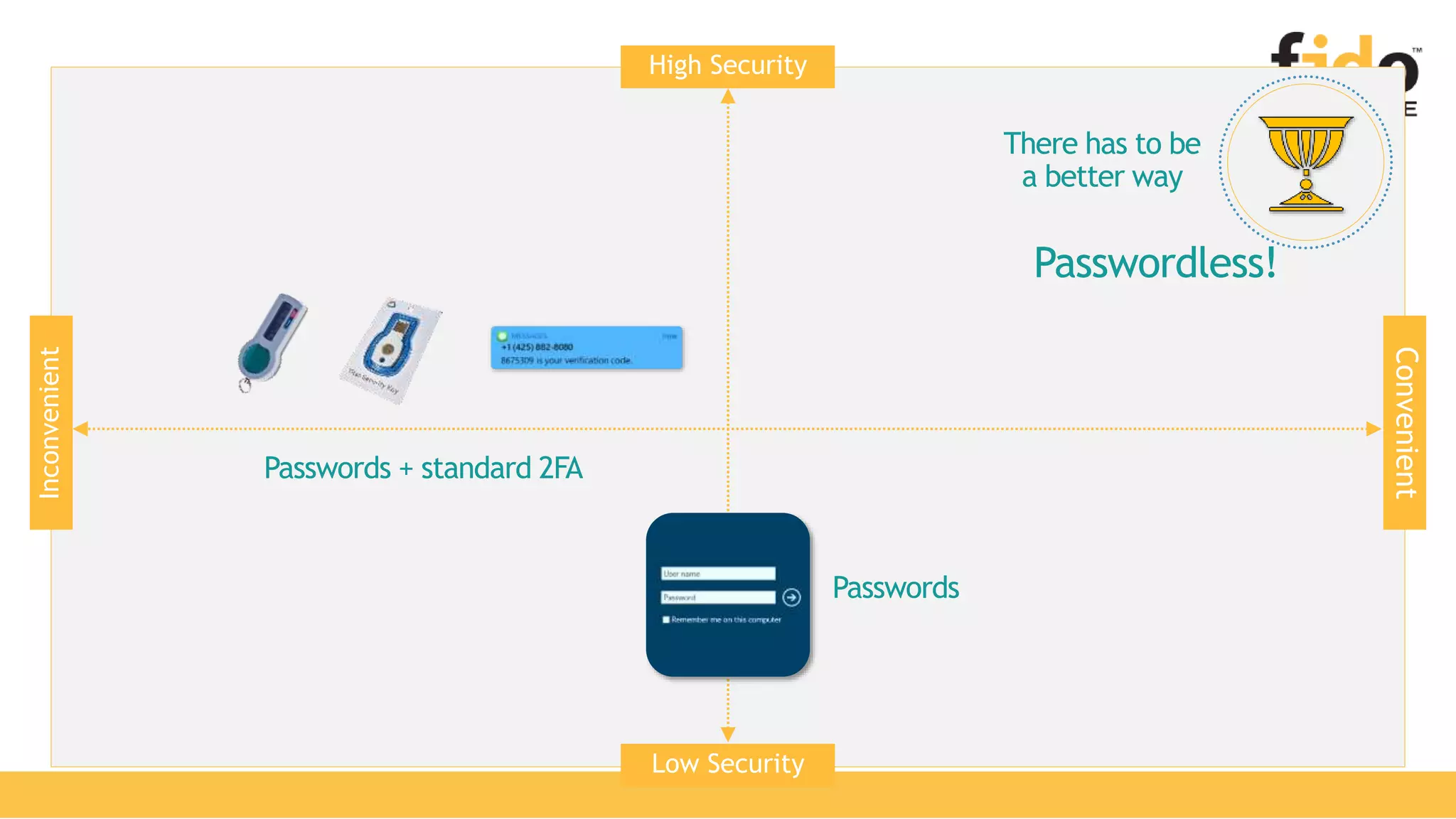
Passwords + standard 2FA
High Security
Low Security
Convenient
Inconvenient
Passwords
There has to be
a better way
Passwordless!
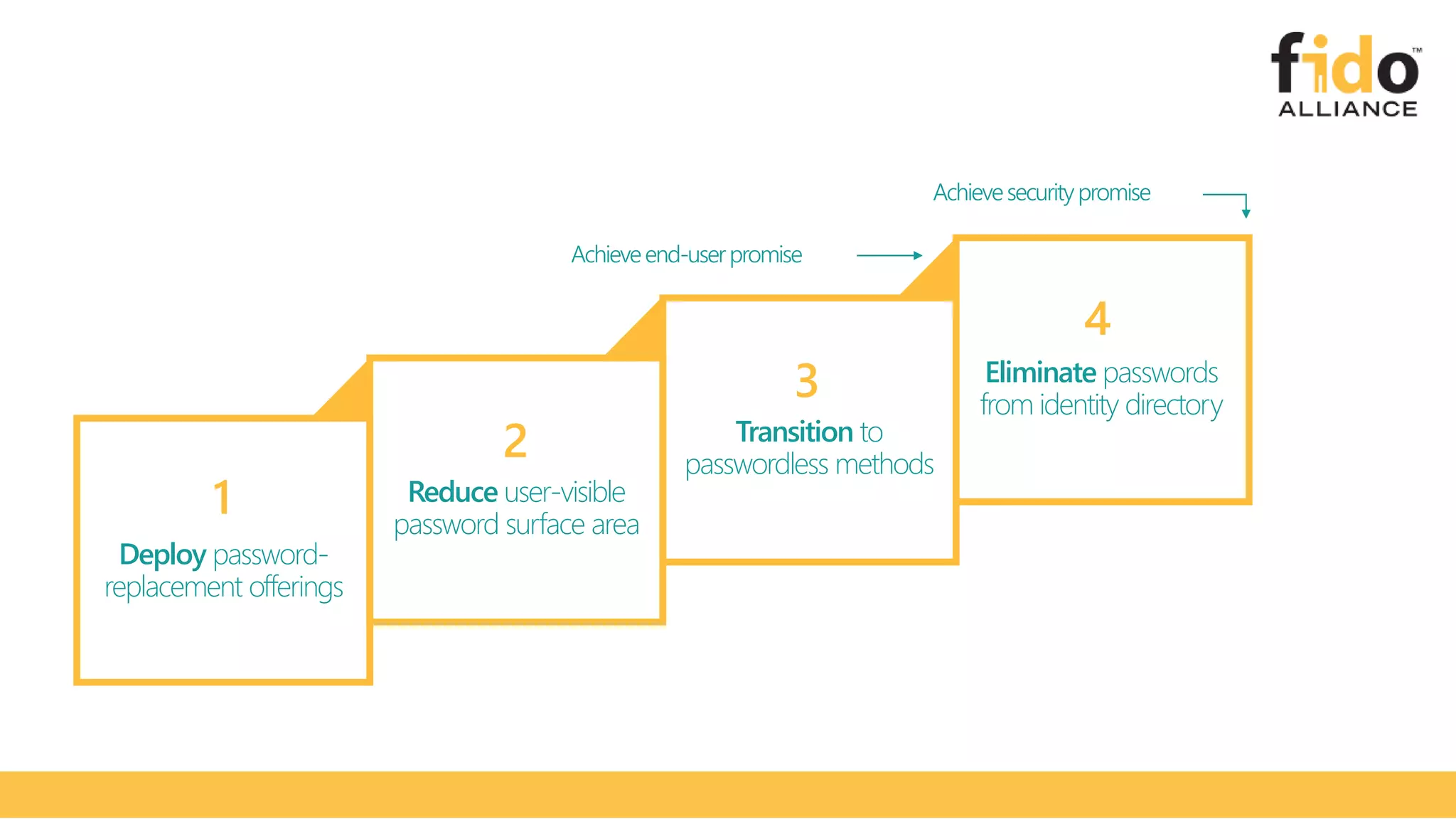
Deploy password-
replacement offerings
Reduce user-visible
password surface area
Transition to
passwordless methods
Eliminate passwords
from identity directory
1
2
3
4
Achieveend-userpromise
Achievesecuritypromise
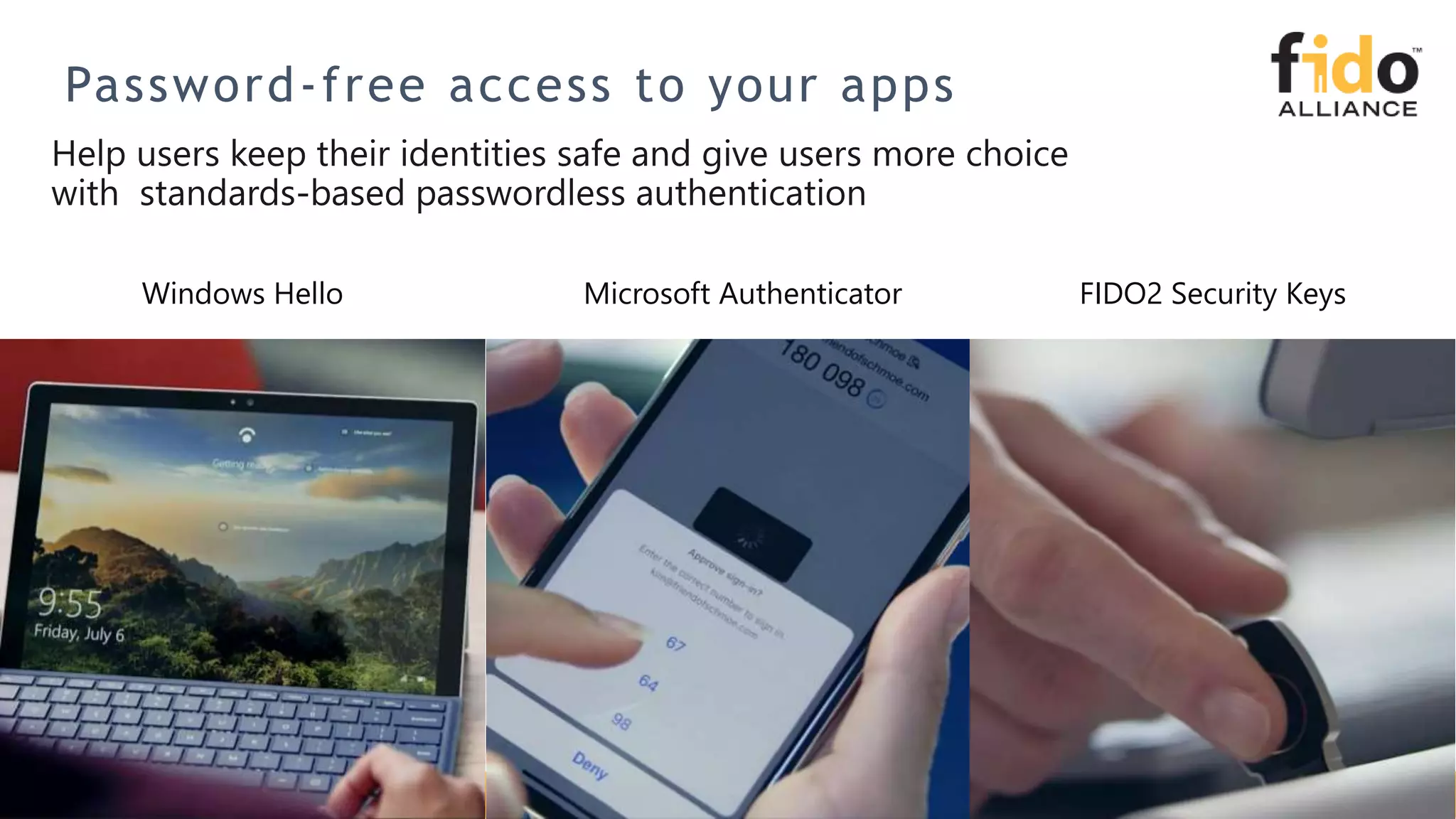
Password-free access to your apps
Windows Hello Microsoft Authenticator FIDO2 Security Keys
Passwordless
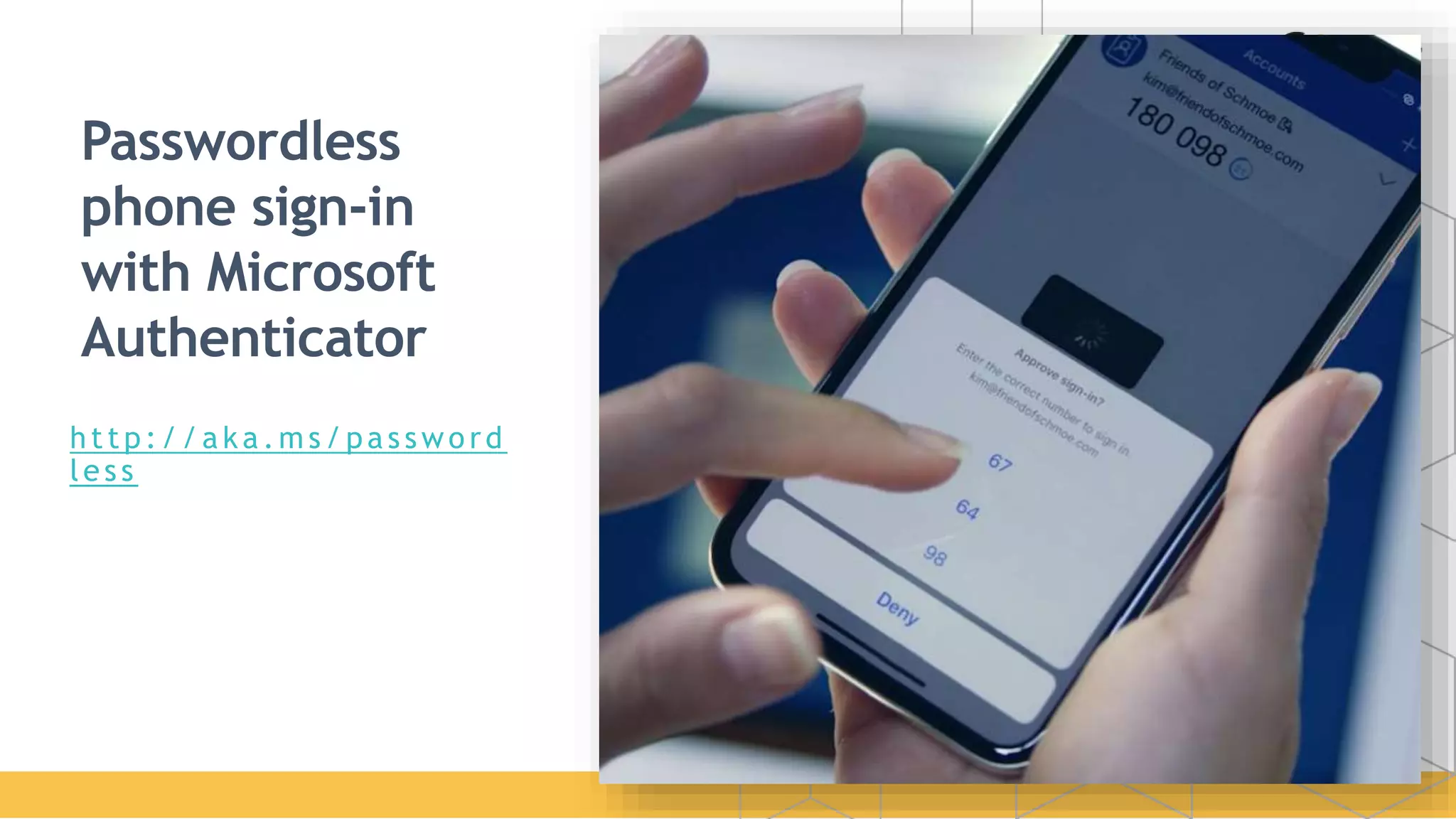
phone sign-in
with Microsoft
Authenticator
http:/ / a ka .m s / pa s swo rd
les s
FIDO2 Security
Keys
P a s s wo r d - l e s s s e c u r i t y
d e v i c e s b a s e d o n t h e
F I D O 2 s t a n d a r d
A z u r e A c t i v e D i r e c t o r y
J u l y 2 0 1 9
h t t p : / / a k a . m s / f i d o 2 d o c s
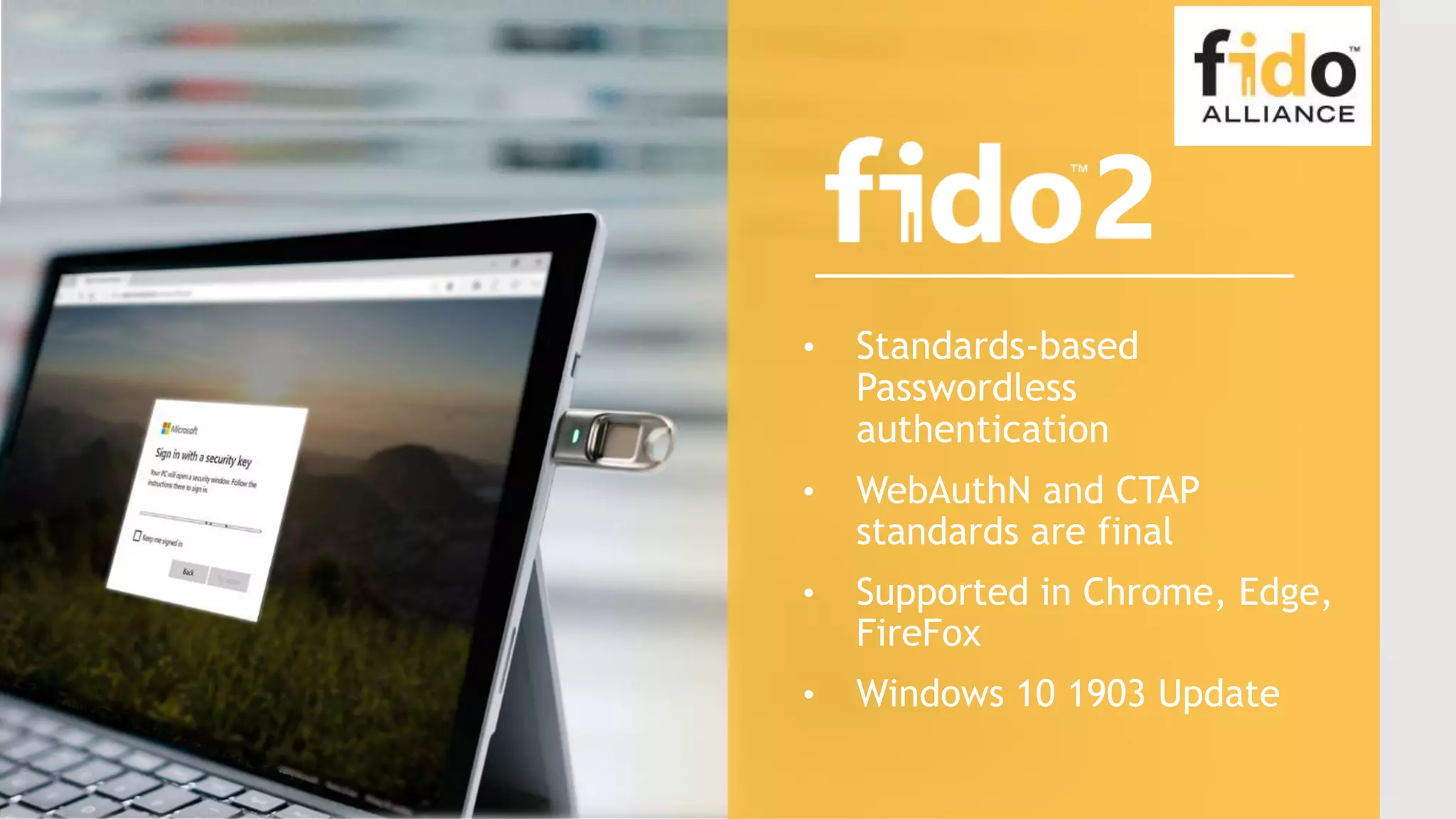
• Standards-based
Passwordless
authentication
• WebAuthN and CTAP
standards are final
• Supported in Chrome, Edge,
FireFox
• Windows 10 1903 Update
2
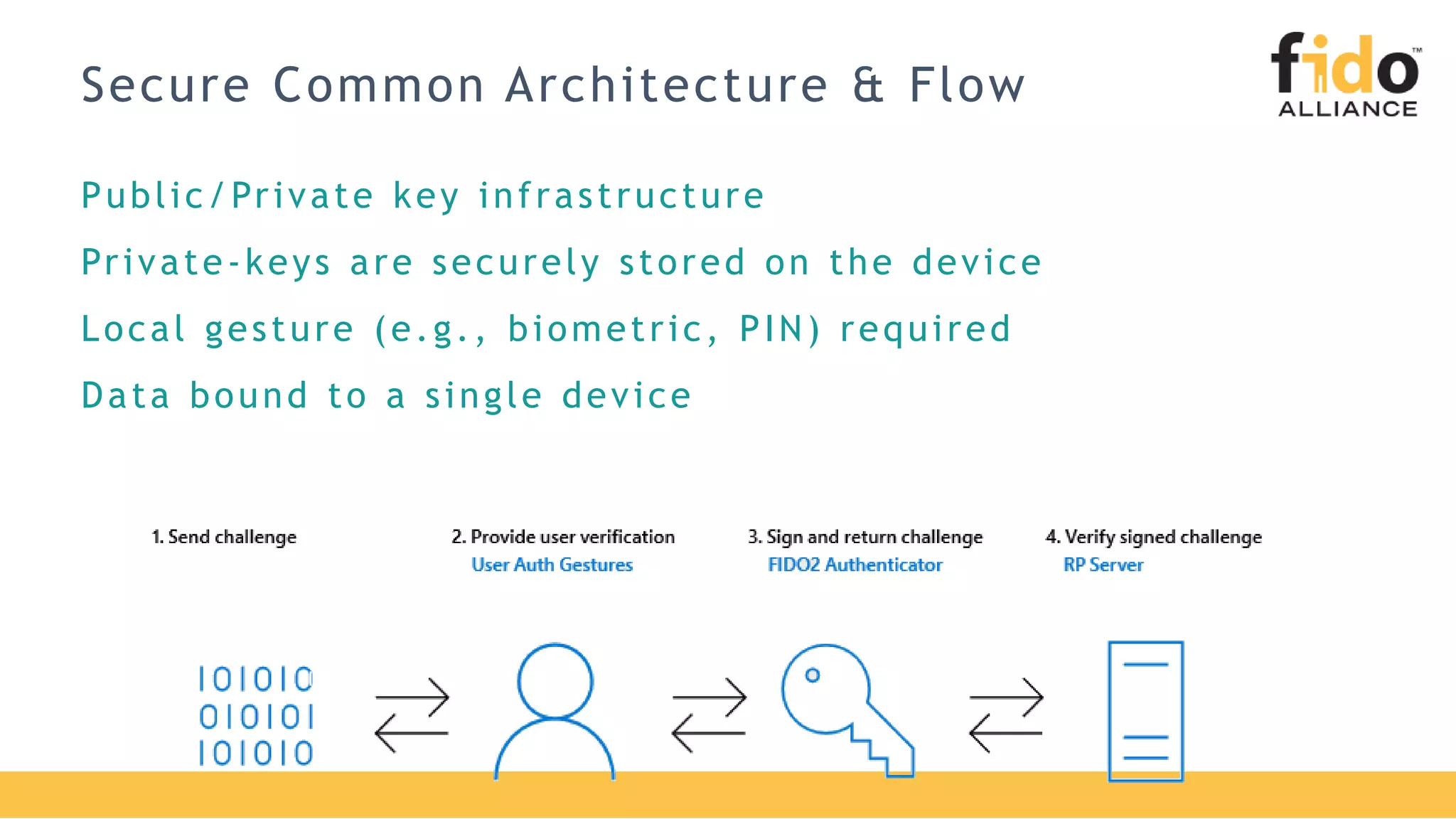
Secure Common Architecture & Flow
Public/Private key infrastructure
Private-keys are securely stored on the device
Local gesture (e.g., biometric, PIN) required
Data bound to a single device
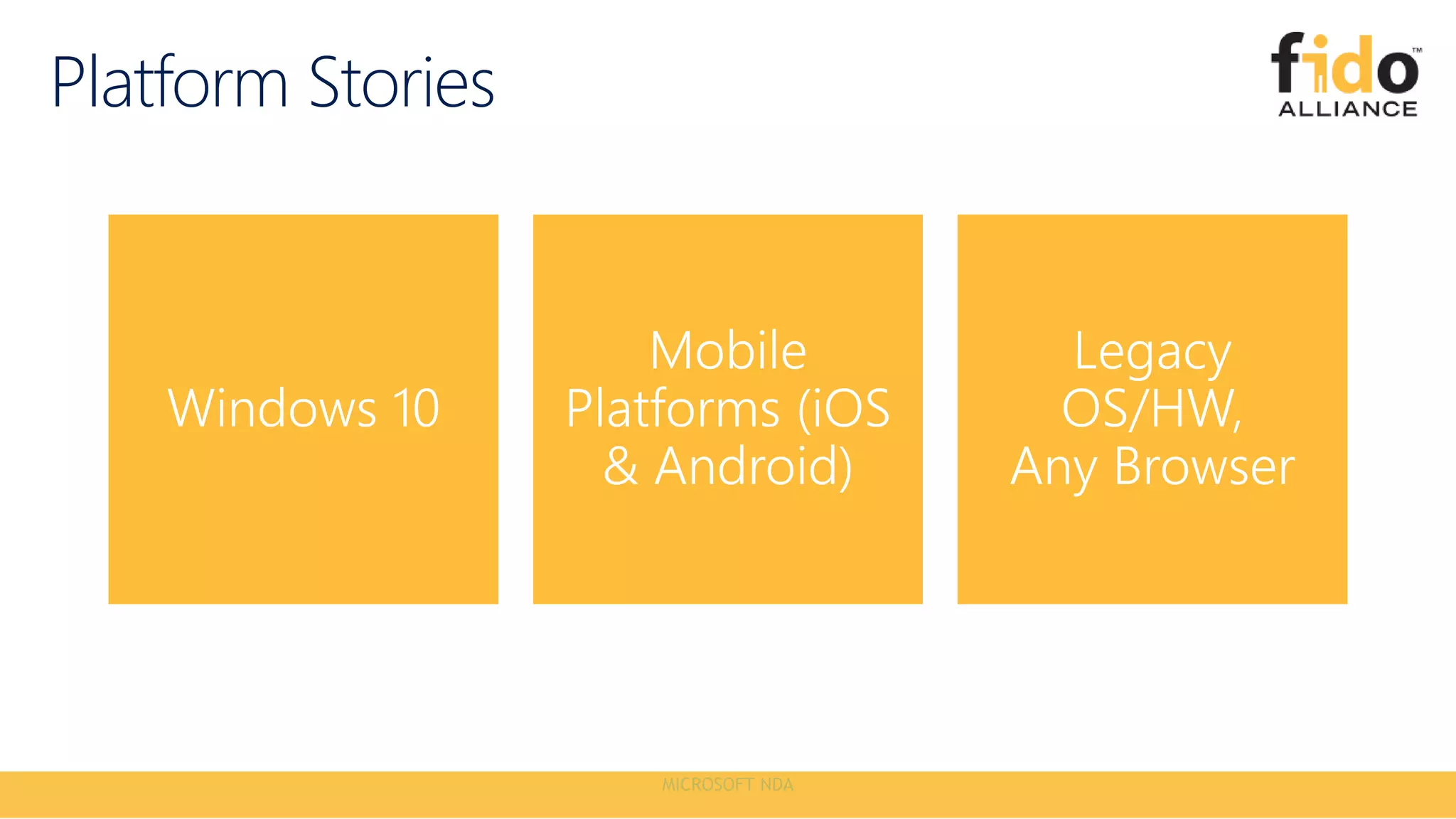
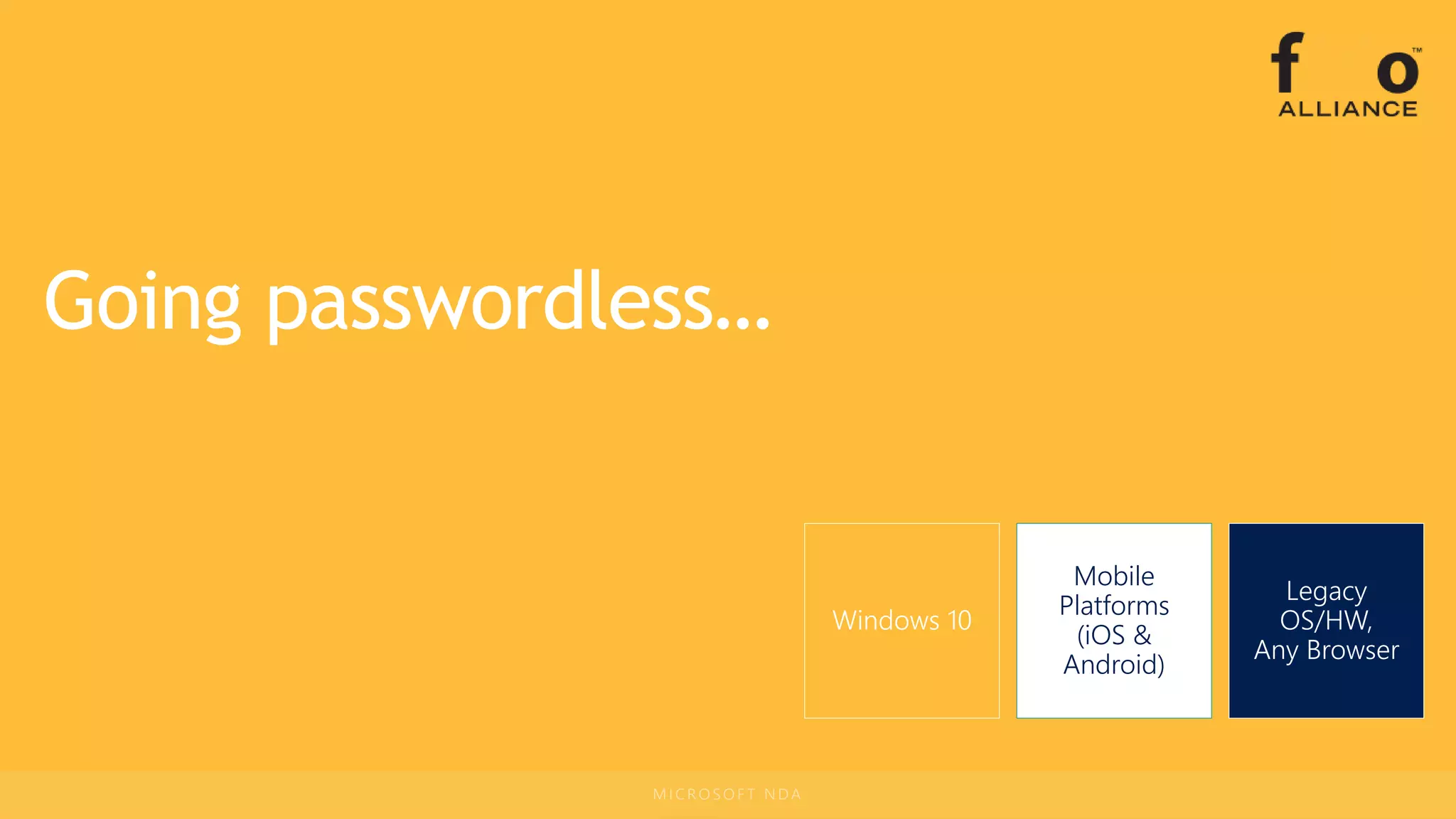
Going Passwordless
Platform Stories
Windows 10
Mobile
Platforms
(iOS &
Android)
Legacy
OS/HW,
Any Browser
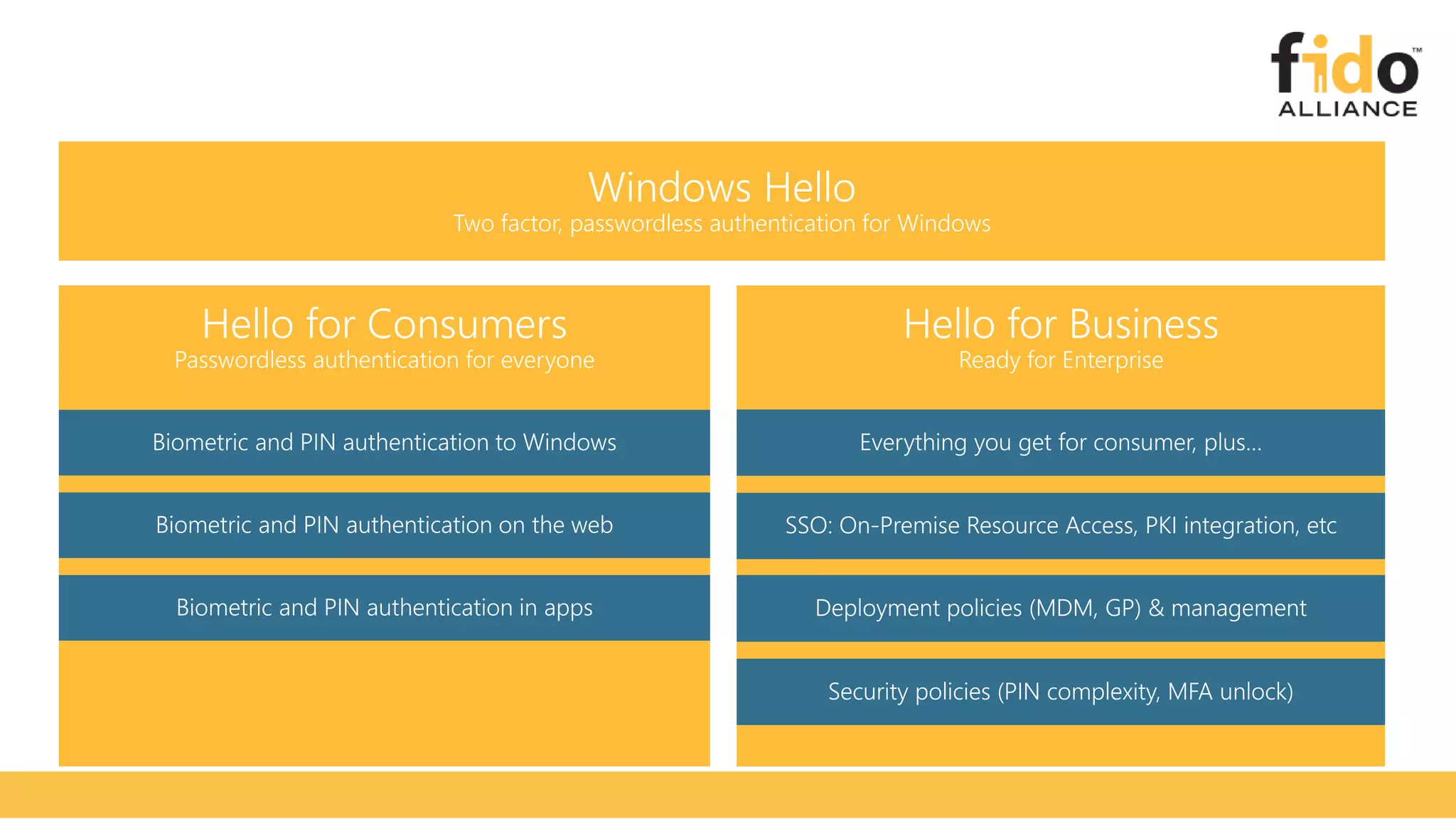
Ready for Enterprise
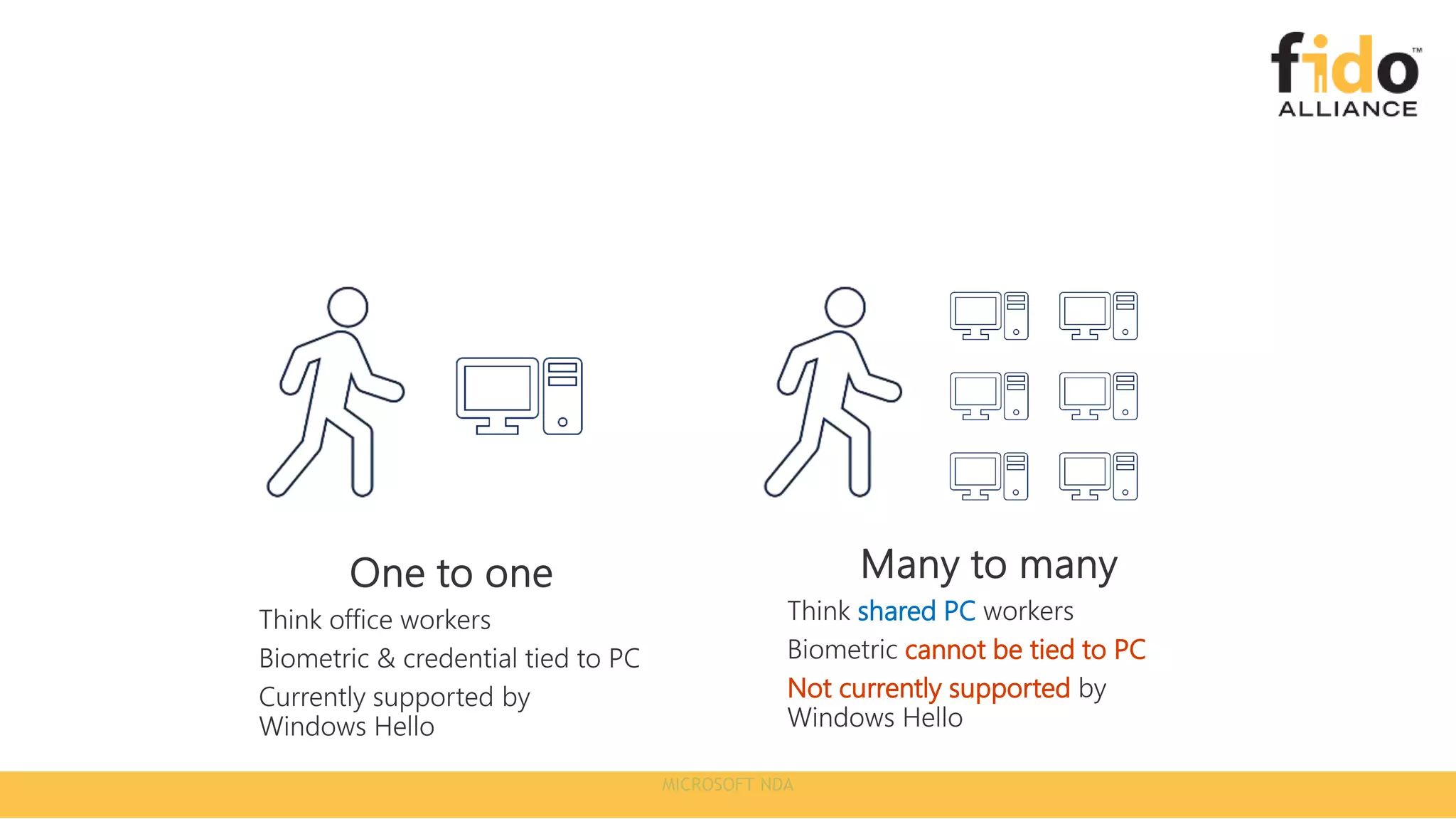
shared PC
cannot be tied to PC
Not currently supported
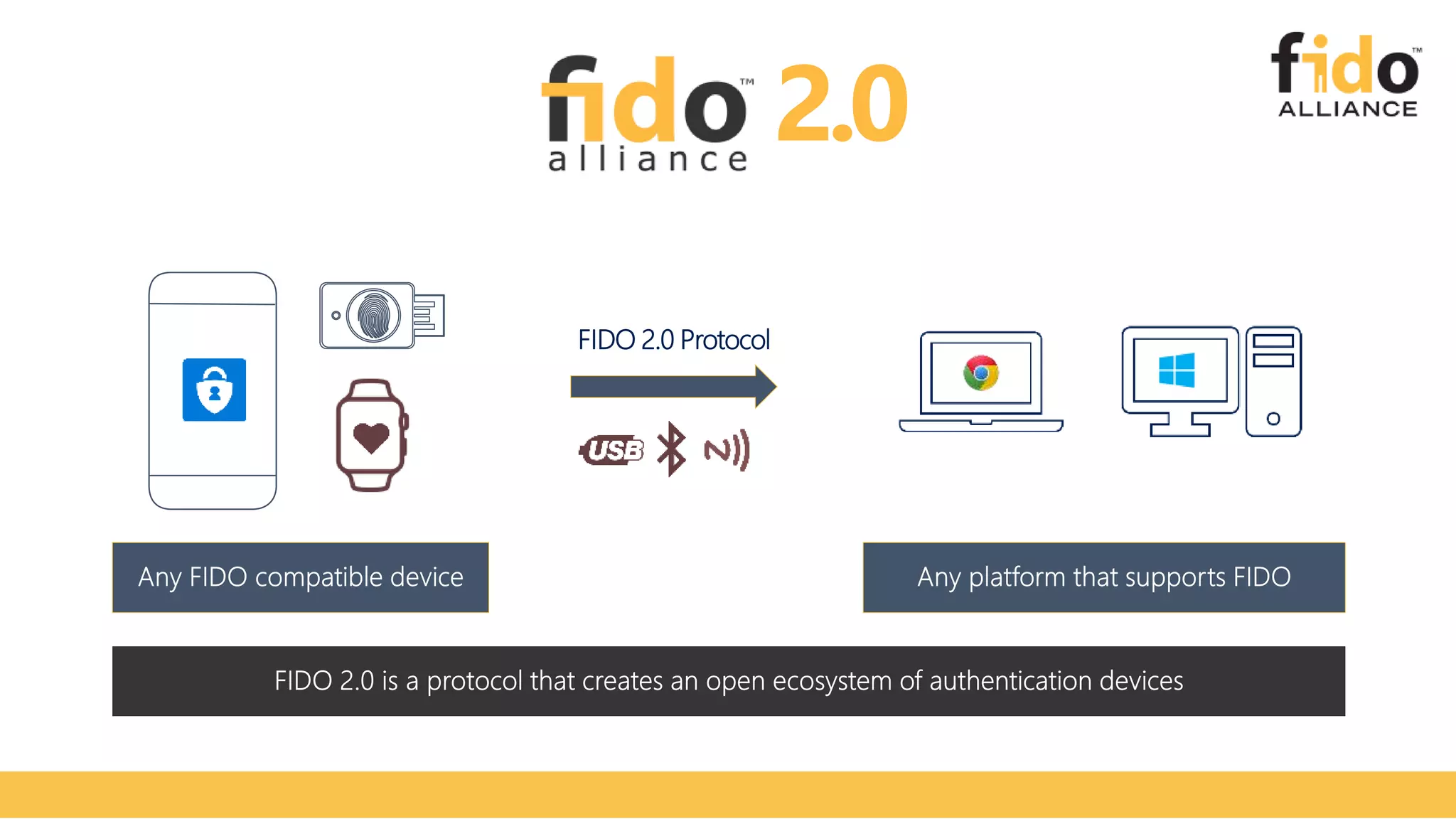
FIDO 2.0 Protocol
2.0
Windows 10
Mobile
Platforms
(iOS &
Android)
Legacy
OS/HW,
Any Browser
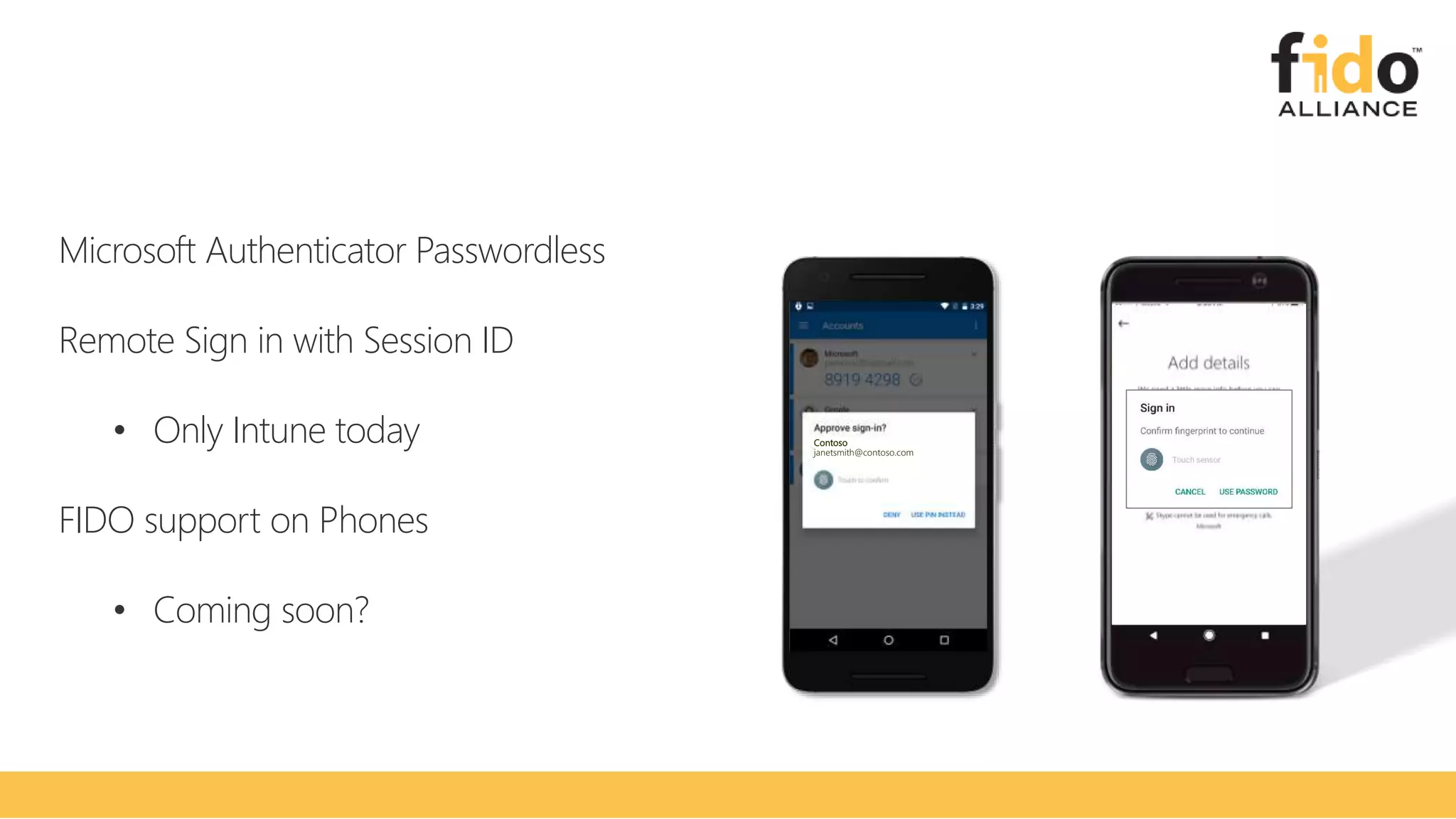
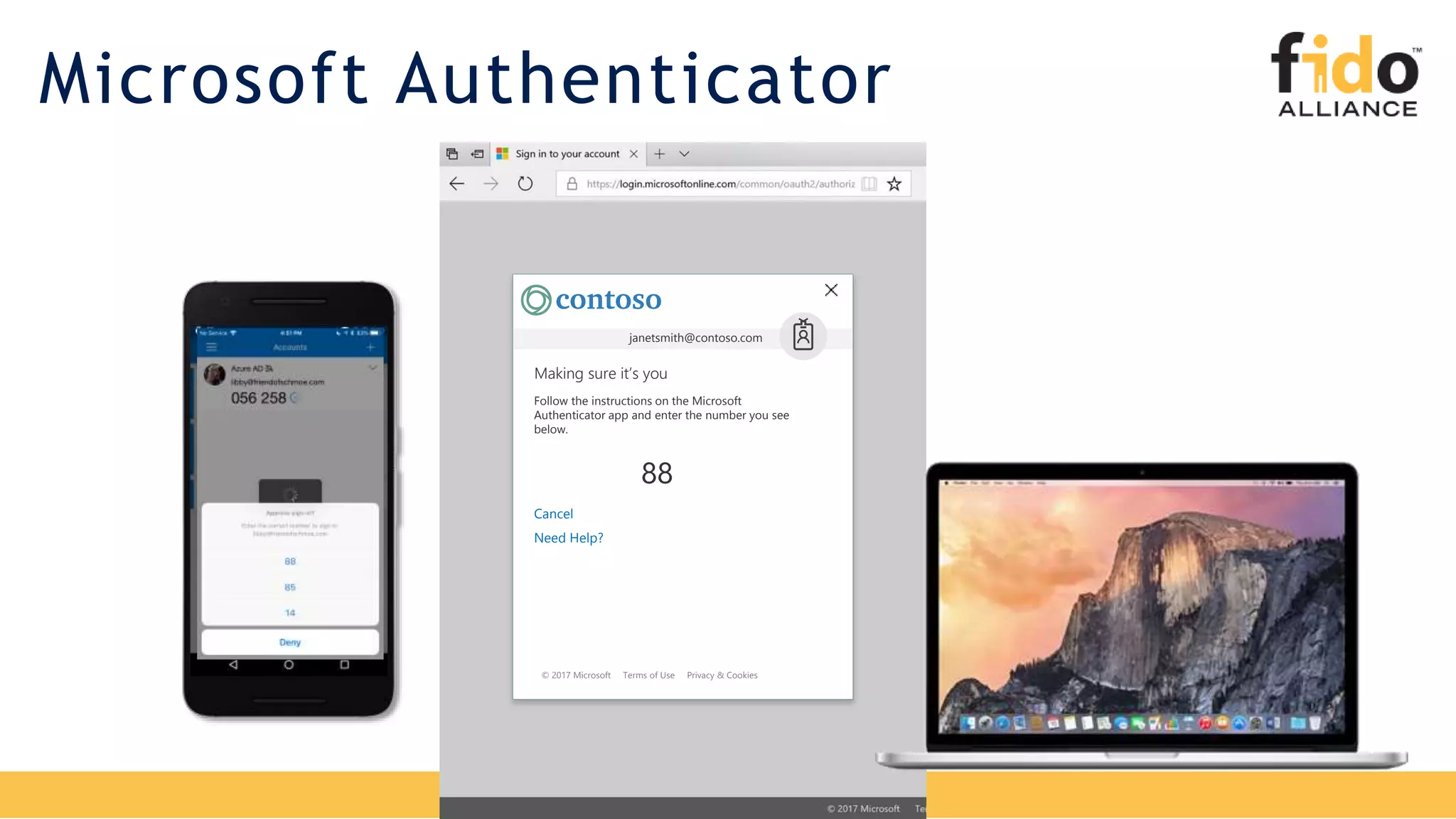
Microsoft Authenticator Passwordless
Remote Sign in with Session ID
• Only Intune today
FIDO support on Phones
• Coming soon?
Contoso
janetsmith@contoso.com
Windows 10
Mobile
Platforms
(iOS &
Android)
Legacy
OS/HW,
Any Browser
© 2017 Microsoft Terms of Use Privacy & Cookies
Cancel
Need Help?
Making sure it’s you
janetsmith@contoso.com
Follow the instructions on the Microsoft
Authenticator app and enter the number you see
below.
88
Microsoft Authenticator
Contoso
janetsmith@contoso.com
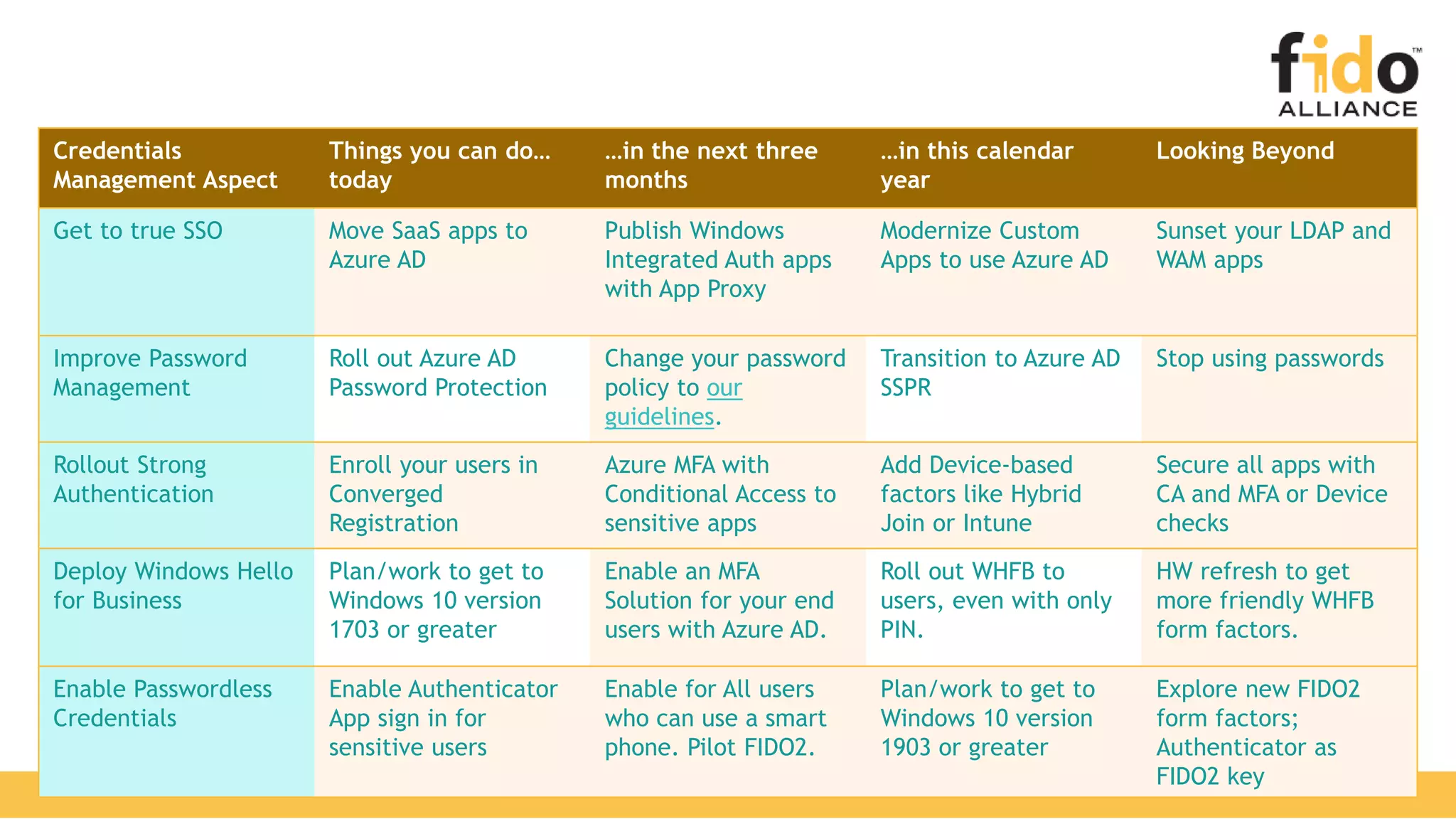
Credentials
Management Aspect
Things you can do…
today
…in the next three
months
…in this calendar
year
Looking Beyond
Get to true SSO Move SaaS apps to
Azure AD
Publish Windows
Integrated Auth apps
with App Proxy
Modernize Custom
Apps to use Azure AD
Sunset your LDAP and
WAM apps
Improve Password
Management
Roll out Azure AD
Password Protection
Change your password
policy to our
guidelines.
Transition to Azure AD
SSPR
Stop using passwords
Rollout Strong
Authentication
Enroll your users in
Converged
Registration
Azure MFA with
Conditional Access to
sensitive apps
Add Device-based
factors like Hybrid
Join or Intune
Secure all apps with
CA and MFA or Device
checks
Deploy Windows Hello
for Business
Plan/work to get to
Windows 10 version
1703 or greater
Enable an MFA
Solution for your end
users with Azure AD.
Roll out WHFB to
users, even with only
PIN.
HW refresh to get
more friendly WHFB
form factors.
Enable Passwordless
Credentials
Enable Authenticator
App sign in for
sensitive users
Enable for All users
who can use a smart
phone. Pilot FIDO2.
Plan/work to get to
Windows 10 version
1903 or greater
Explore new FIDO2
form factors;
Authenticator as
FIDO2 key
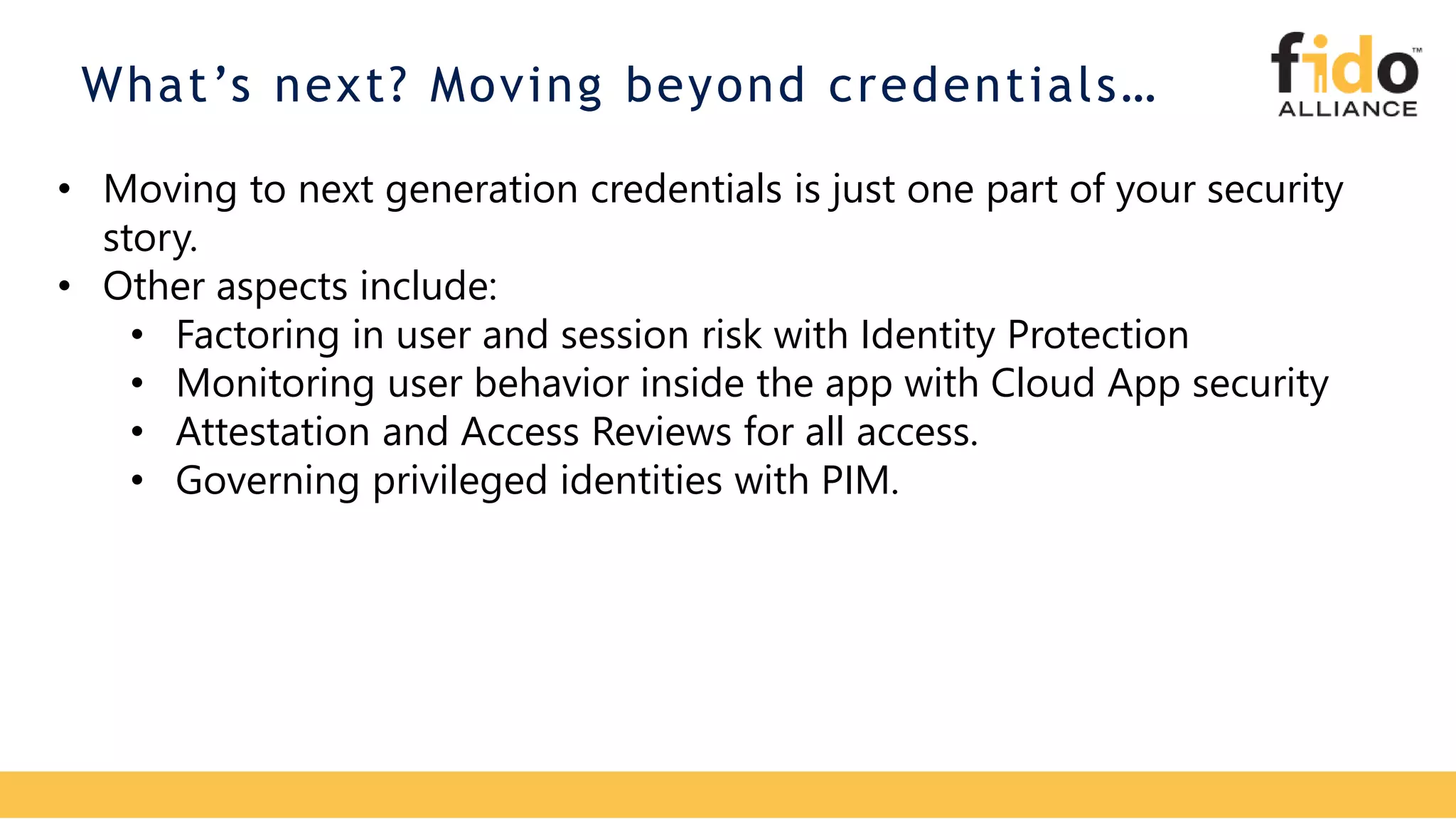
What’s next? Moving beyond credentials…
• Moving to next generation credentials is just one part of your security
story.
• Other aspects include:
• Factoring in user and session risk with Identity Protection
• Monitoring user behavior inside the app with Cloud App security
• Attestation and Access Reviews for all access.
• Governing privileged identities with PIM.
Q&A
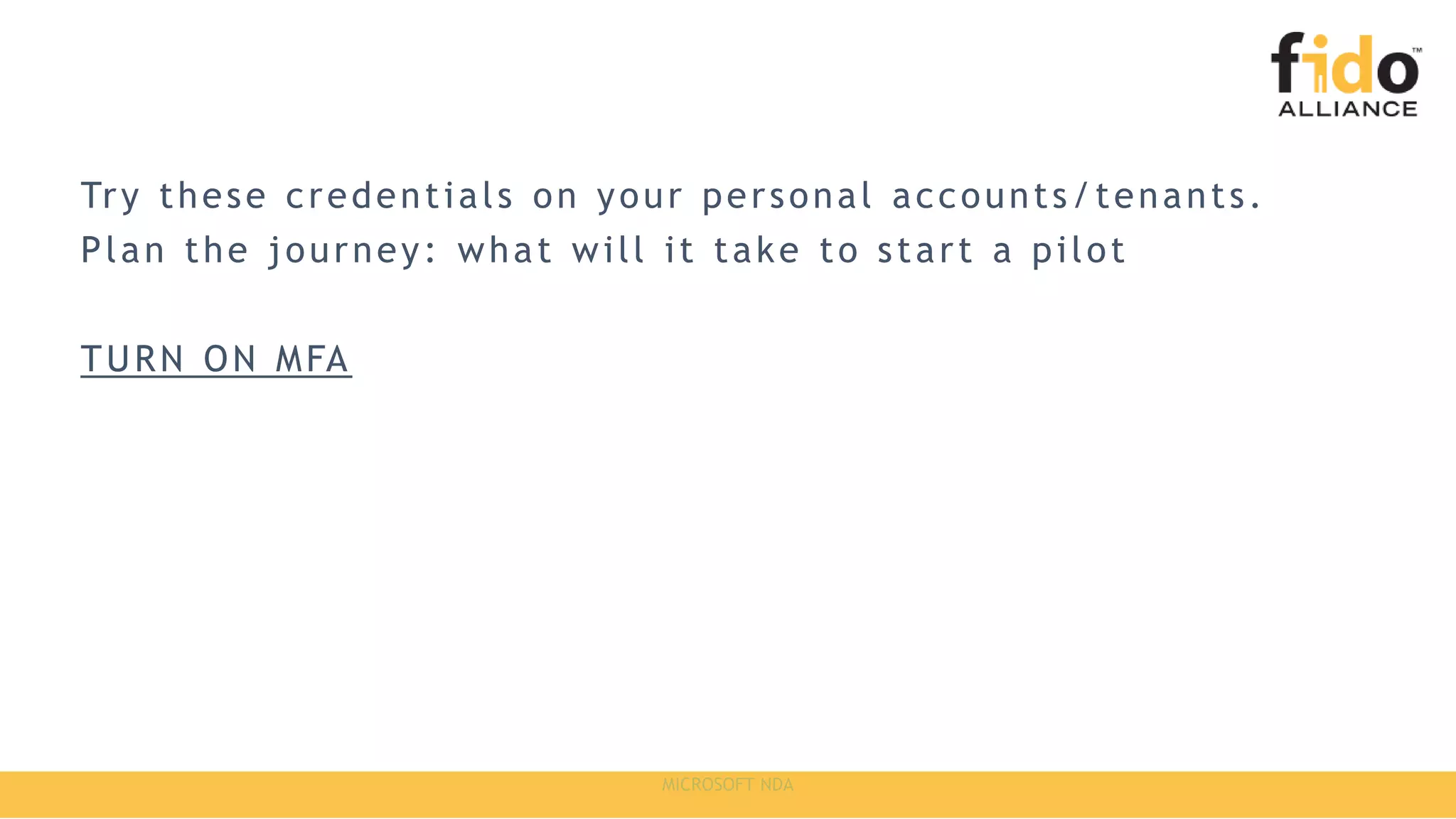
Try these credentials on your personal accounts/tenants.
Plan the journey: what will it take to start a pilot
TURN ON MFA
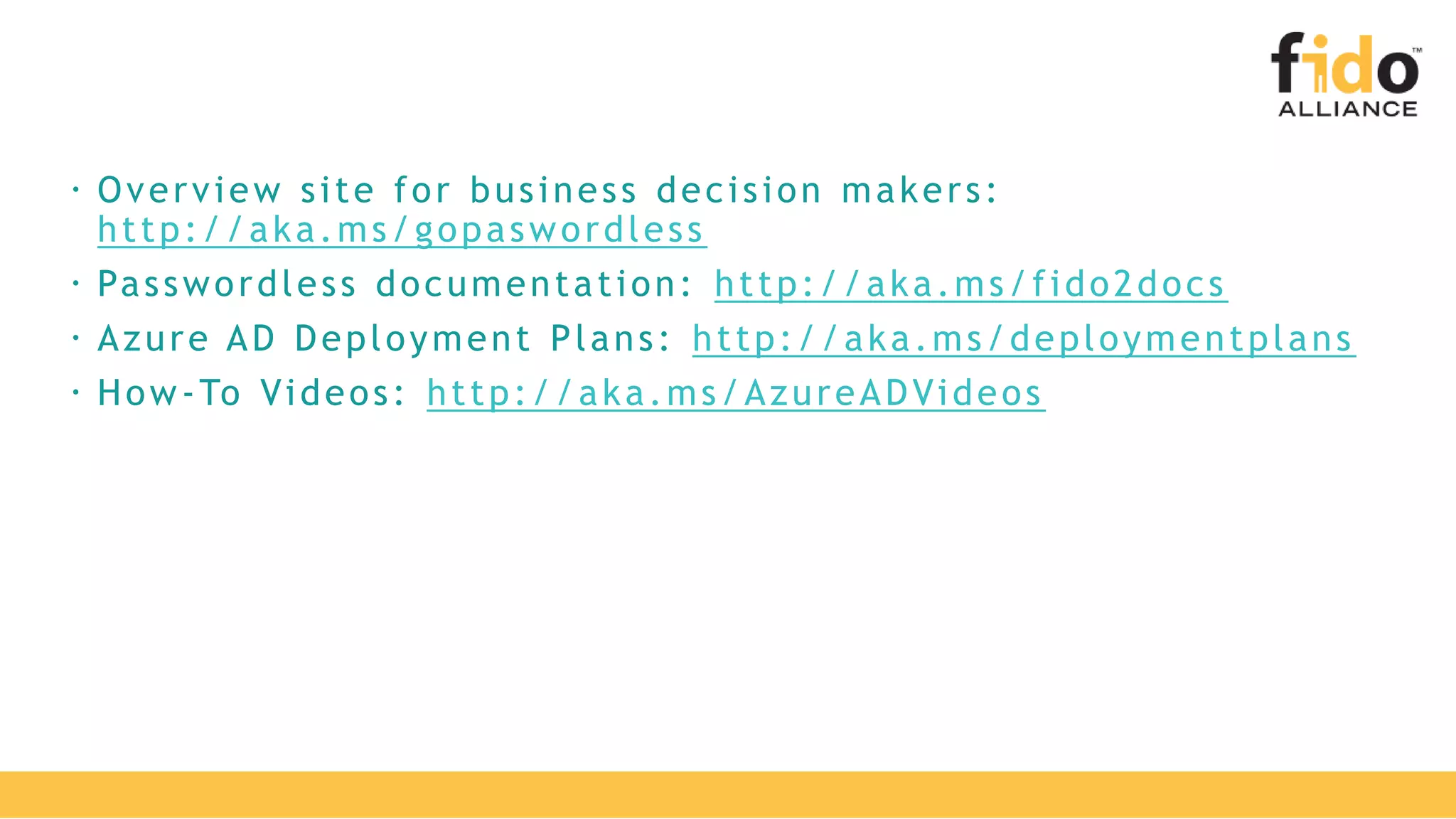
 Overview site for business decision makers:
http://aka.ms/gopaswordless
 Passwordless documentation: http://aka.ms/fido2docs
 Azure AD Deployment Plans: http://aka.ms/deploymentplans
 How-To Videos: http://aka.ms/AzureADVideos

Going Passwordless with Microsoft

  • 1.
    All Rights Reserved| FIDO Alliance | Copyright 20191 GOING PASSWORDLESS WITH MICROSOFT ANTHONY NADALIN
  • 2.
    2 CLOSING THE DOORON PASSWORDS All Rights Reserved | FIDO Alliance | Copyright 2019 Stra tegy a nd bes t pra c ti c es fo r go i ng pa s s wo rdles s A ntho ny N a da li n
  • 3.
    At the endof this session, you should be better able to… • Describe the core concepts of “Passwordless” • Present Microsoft’s strategy on why and how to go passwordless • Demo and try out passwordless methods in your own environment • Determine next steps for customers on their own passwordless journey
  • 4.
    279% increase in securityincidents at enterprises from 2016 to 2017 81% of hacking-related breaches leveraged either stolen and/or weak passwords 20% of support costs for enterprise IT departments are about forgotten passwords Data obtained from: OTA Cyber incidents Report 2018 Verizon Cybercrime Case Studies 2017 Nobody likes passwords
  • 5.
    • Better thanpasswords alone • Ease-of-use challenges • Still susceptible to man-in-the-middle and phishing attacks MFA
  • 6.
    Passwords + standard2FA High Security Low Security Convenient Inconvenient Passwords There has to be a better way Passwordless!
  • 7.
    Deploy password- replacement offerings Reduceuser-visible password surface area Transition to passwordless methods Eliminate passwords from identity directory 1 2 3 4 Achieveend-userpromise Achievesecuritypromise
  • 8.
    Password-free access toyour apps Windows Hello Microsoft Authenticator FIDO2 Security Keys
  • 9.
  • 10.
    FIDO2 Security Keys P as s wo r d - l e s s s e c u r i t y d e v i c e s b a s e d o n t h e F I D O 2 s t a n d a r d A z u r e A c t i v e D i r e c t o r y J u l y 2 0 1 9 h t t p : / / a k a . m s / f i d o 2 d o c s
  • 11.
    • Standards-based Passwordless authentication • WebAuthNand CTAP standards are final • Supported in Chrome, Edge, FireFox • Windows 10 1903 Update 2
  • 12.
    Secure Common Architecture& Flow Public/Private key infrastructure Private-keys are securely stored on the device Local gesture (e.g., biometric, PIN) required Data bound to a single device
  • 13.
  • 14.
  • 15.
  • 16.
  • 17.
    shared PC cannot betied to PC Not currently supported
  • 18.
  • 19.
  • 20.
    Microsoft Authenticator Passwordless RemoteSign in with Session ID • Only Intune today FIDO support on Phones • Coming soon? Contoso janetsmith@contoso.com
  • 21.
  • 22.
    © 2017 MicrosoftTerms of Use Privacy & Cookies Cancel Need Help? Making sure it’s you janetsmith@contoso.com Follow the instructions on the Microsoft Authenticator app and enter the number you see below. 88 Microsoft Authenticator Contoso janetsmith@contoso.com
  • 25.
    Credentials Management Aspect Things youcan do… today …in the next three months …in this calendar year Looking Beyond Get to true SSO Move SaaS apps to Azure AD Publish Windows Integrated Auth apps with App Proxy Modernize Custom Apps to use Azure AD Sunset your LDAP and WAM apps Improve Password Management Roll out Azure AD Password Protection Change your password policy to our guidelines. Transition to Azure AD SSPR Stop using passwords Rollout Strong Authentication Enroll your users in Converged Registration Azure MFA with Conditional Access to sensitive apps Add Device-based factors like Hybrid Join or Intune Secure all apps with CA and MFA or Device checks Deploy Windows Hello for Business Plan/work to get to Windows 10 version 1703 or greater Enable an MFA Solution for your end users with Azure AD. Roll out WHFB to users, even with only PIN. HW refresh to get more friendly WHFB form factors. Enable Passwordless Credentials Enable Authenticator App sign in for sensitive users Enable for All users who can use a smart phone. Pilot FIDO2. Plan/work to get to Windows 10 version 1903 or greater Explore new FIDO2 form factors; Authenticator as FIDO2 key
  • 26.
    What’s next? Movingbeyond credentials… • Moving to next generation credentials is just one part of your security story. • Other aspects include: • Factoring in user and session risk with Identity Protection • Monitoring user behavior inside the app with Cloud App security • Attestation and Access Reviews for all access. • Governing privileged identities with PIM.
  • 27.
  • 28.
    Try these credentialson your personal accounts/tenants. Plan the journey: what will it take to start a pilot TURN ON MFA
  • 29.
     Overview sitefor business decision makers: http://aka.ms/gopaswordless  Passwordless documentation: http://aka.ms/fido2docs  Azure AD Deployment Plans: http://aka.ms/deploymentplans  How-To Videos: http://aka.ms/AzureADVideos

Editor's Notes

  • #5 Show of
  • #9 FIDO2 is a new open standard for secure authentication that locks the credentials to a device. That means you can keep identities safe wherever users roam through the cloud. Give users password-free access to as many apps and devices as possible Give users as much choice as possible to avoid passwords. Let’s talk about each one.
  • #10 To provide more mobility, such as for employees traveling or on a Macbook or home computer, you can allow them to be productive by validating identity from our phone app, which now supports password-less auth. As a user, you go to sign in from a browser to an application, it sends a push notification to your phone (iOS or Android) and you validate the matching number on the screen to prove presence and then use the biometric or PIN on your phone as the second factor to unlock your credentials which are protected with a private/public key pair. Public preview of Authenticator password-less sign-in (or phone sign-in) was announced at Ignite. We are working on the admin portal experience and GA is expected in the next 3-6 months.
  • #11 Azure AD rolling out. Private preview from last spring is now closed and we plan to announce a public preview in H2 (spring). Can try out on Microsoft account (e.g. the account they used to register for this event) with enterprise support coming next.
  • #13 User signs in to Windows using bio-gesture. The gesture unlocks the WHfB key. A “hello” message is sent to Azure AD. This is an empty OAuth 2.0 password grant request. Azure AD returns a nonce that is valid for 5 minutes. A request containing both the nonce + the key ID signed with the WHfB key is sent to Azure AD. Azure AD verifies signature with the WHfB public key in the user object and verifies nonce. Builds a Primary Refresh Token (SSO token) and an ID token and send them back along with an encrypted session key. User accesses cloud and on-premises applications without the need of authenticating again (SSO).
  • #15 Show of hands, how many of you work with organizations that are primarily Windows 10? How about organizations that are still in Win 7/8.1 or use other machines like Mac or Linux? Lastly, how many of your work with organizations that have mobile devices that are iOS & Android?
  • #17 FIDO 2.0 Compliant
  • #18 How many of you work with organizations that have shared PC scenarios? What are they doing today? What will work or not work in FIDO?
  • #21 This satisfies MFA
  • #25 What Windows version is needed? White paper guidance. Convert to table with IT & Sec Ops Cost vs End User Awareness/Education vs Architect vs … Appendix for Developers? Slide? What will and won’t work?
  • #27 How many of you work with organizations that have shared PC scenarios? What are they doing today? What will work or not work in FIDO?
  • #28 Display this slide during session Q&A and direct attendees to use the Q&A microphone located in the session room: Digital Ready session recordings cannot capture Q&A unless it is spoken using the microphone Attendees in the back of the room may not be able to hear a question from someone in the front of the room SPEAKERS MUST REPEAT THE QUESTIONS IF THE ATTENDEE IS NOT USING THE Q&A MICROPHONE
  • #29 This slide is required. Do NOT delete. This slide is required just prior to the “session resources” slide SESSION TAKEAWAYS & ACTIONS: Bullet points highlighting the primary actions learners should take away or knowledge learners should recall to help them successfully perform in role (e.g. practical guidance, tips, suggested behavior changes.) Please Note: Session Takeaways are not required for Group Discussions; however, takeaways should be captured real time by the facilitator during the session and those key points should be emphasized during the discussion or workshop. If you have questions, please contact your Track Content Lead.
  • #30 This slide is required. Do NOT delete. This slide is required at the end of your session to recap additional resources. Use this slide to share additional available content that attendees can leverage after the event. In this section you can call out whitepapers, websites, communities, etc. that might be useful for the learner.