


Building a
CRAPLOAD
 of Web Sites
 in dotCMS
OR

 Creating a
Site Building
 Framework
   in dotCMS
WE ARE CURRENTLY CONVERTING

700 WEB SITES
        to dotCMS 1.9
CONVENTIONS
    are your friend
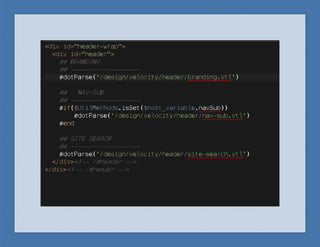
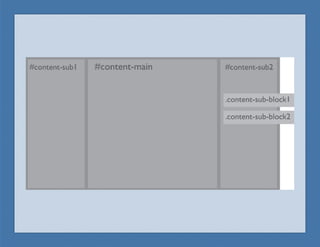
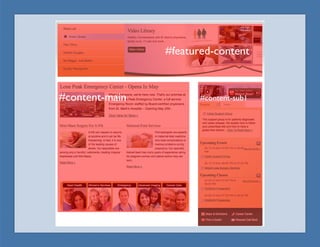
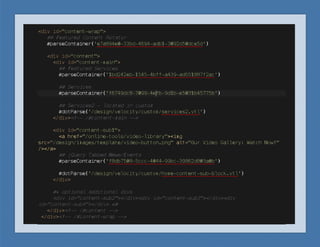
A connected base framework of HTML, CSS,
JavaScript, Velocity, and Containers that provide a
solid foundation for all sites.
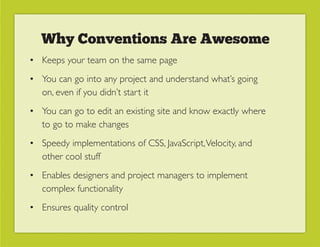
Why Conventions Are Awesome
• Keeps your team on the same page
• You can go into any project and understand what’s going
  on, even if you didn’t start it
• You can go to edit an existing site and know exactly where
  to go to make changes
• Speedy implementations of CSS, JavaScript, Velocity, and
  other cool stuff
• Enables designers and project managers to implement
  complex functionality
• Ensures quality control
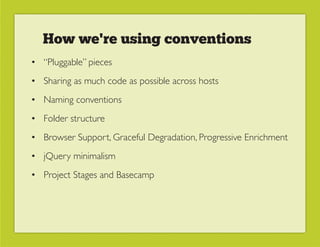
How we're using conventions
• “Pluggable” pieces
• Sharing as much code as possible across hosts
• Naming conventions
• Folder structure
• Browser Support, Graceful Degradation, Progressive Enrichment
• jQuery minimalism
• Project Stages and Basecamp
GLOBAL
  vs.

LOCAL   be lazy
In 1.9 everything lives self-contained on a host.
Because the sites run on the same code base, this
means that we would end up with lots of dupli-
cate containers, vtls, CSS, and jQuery plugins.
Global Host
• The host where we distribute all the global pieces of our
  site building framework.
• Host CSS for base layouts, print styles, and mobile styles
• Host jQuery plugins and other global JavaScript
• Host all containers for velocity powered functionality and
  HTML
• Global content delivery (CDN)
• Host files referenced by widgets and containers used
  across sites
Basically, we come back to the age-old principle
of being lazy. Do something once, and then reuse
it a thousand times.
AND NOW
   AN
EXAMPLE
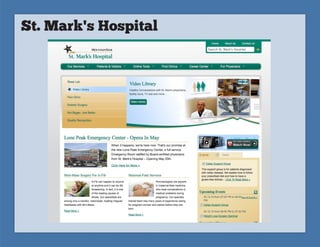
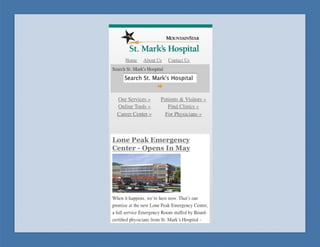
St. Mark's Hospital
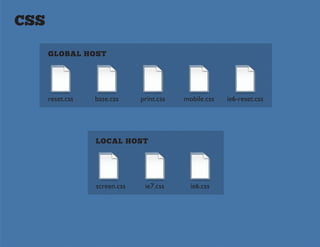
CSS

      GLOBAL HOST


      reset.css   base.css     print.css   mobile.css   ie6-reset.css


                  LOCAL HOST


                  screen.css    ie7.css      ie6.css
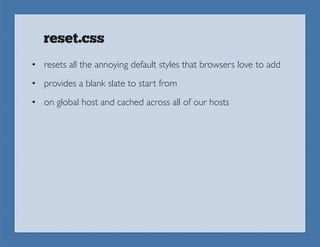
reset.css
• resets all the annoying default styles that browsers love to add
• provides a blank slate to start from
• on global host and cached across all of our hosts
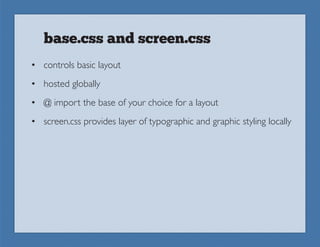
base.css and screen.css
• controls basic layout
• hosted globally
• @ import the base of your choice for a layout
• screen.css provides layer of typographic and graphic styling locally
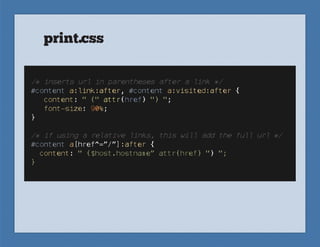
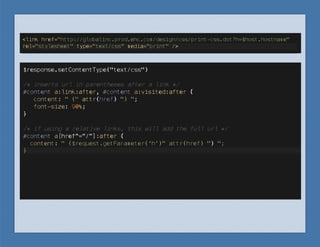
print.css
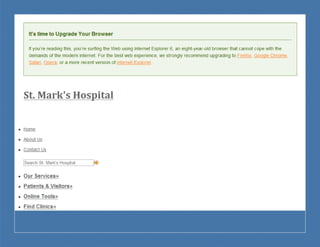
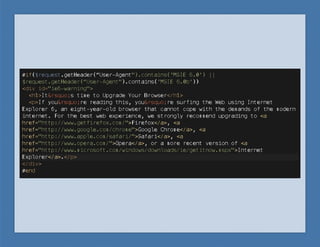
ie6-reset.css
• not all browsers, especially older ones, are going to see
  exactly the same design
• providing a layer of content level support by using one
  stylesheet that provides a simple, usable design
• using the same HTML naming conventions makes this
  really easy
mobile.css
• User Agent detection
• iPhone specific Meta tags
• Currently works with iPhone, iPod, iPad (he he) and most
  other mobile browsers
• Fully CSS-powered; no JS
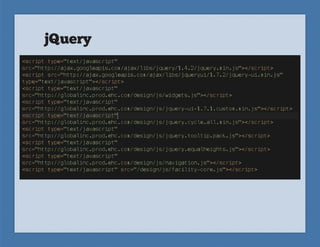
jQuery
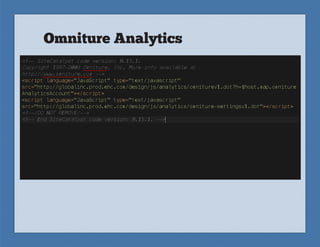
Omniture Analytics
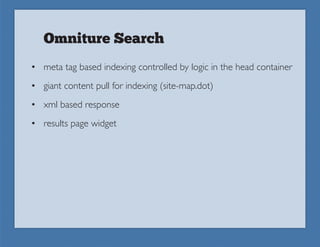
Omniture Search
• meta tag based indexing controlled by logic in the head container
• giant content pull for indexing (site-map.dot)
• xml based response
• results page widget
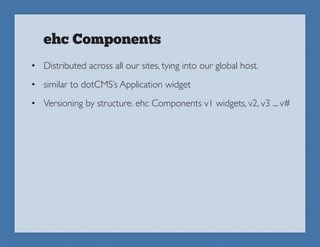
ehc Components
• Distributed across all our sites, tying into our global host.
• similar to dotCMS’s Application widget
• Versioning by structure. ehc Components v1 widgets, v2, v3 ... v#
Watch for more details on
        our blog.

Going Multi-Tenant with dotCMS

  • 1.
    Building a CRAPLOAD ofWeb Sites in dotCMS
  • 2.
    OR Creating a SiteBuilding Framework in dotCMS
  • 4.
    WE ARE CURRENTLYCONVERTING 700 WEB SITES to dotCMS 1.9
  • 5.
    CONVENTIONS are your friend
  • 6.
    A connected baseframework of HTML, CSS, JavaScript, Velocity, and Containers that provide a solid foundation for all sites.
  • 7.
    Why Conventions AreAwesome • Keeps your team on the same page • You can go into any project and understand what’s going on, even if you didn’t start it • You can go to edit an existing site and know exactly where to go to make changes • Speedy implementations of CSS, JavaScript, Velocity, and other cool stuff • Enables designers and project managers to implement complex functionality • Ensures quality control
  • 8.
    How we're usingconventions • “Pluggable” pieces • Sharing as much code as possible across hosts • Naming conventions • Folder structure • Browser Support, Graceful Degradation, Progressive Enrichment • jQuery minimalism • Project Stages and Basecamp
  • 9.
  • 10.
    In 1.9 everythinglives self-contained on a host. Because the sites run on the same code base, this means that we would end up with lots of dupli- cate containers, vtls, CSS, and jQuery plugins.
  • 11.
    Global Host • Thehost where we distribute all the global pieces of our site building framework. • Host CSS for base layouts, print styles, and mobile styles • Host jQuery plugins and other global JavaScript • Host all containers for velocity powered functionality and HTML • Global content delivery (CDN) • Host files referenced by widgets and containers used across sites
  • 12.
    Basically, we comeback to the age-old principle of being lazy. Do something once, and then reuse it a thousand times.
  • 13.
    AND NOW AN EXAMPLE
  • 14.
  • 26.
    CSS GLOBAL HOST reset.css base.css print.css mobile.css ie6-reset.css LOCAL HOST screen.css ie7.css ie6.css
  • 27.
    reset.css • resets allthe annoying default styles that browsers love to add • provides a blank slate to start from • on global host and cached across all of our hosts
  • 28.
    base.css and screen.css •controls basic layout • hosted globally • @ import the base of your choice for a layout • screen.css provides layer of typographic and graphic styling locally
  • 29.
  • 31.
    ie6-reset.css • not allbrowsers, especially older ones, are going to see exactly the same design • providing a layer of content level support by using one stylesheet that provides a simple, usable design • using the same HTML naming conventions makes this really easy
  • 34.
    mobile.css • User Agentdetection • iPhone specific Meta tags • Currently works with iPhone, iPod, iPad (he he) and most other mobile browsers • Fully CSS-powered; no JS
  • 36.
  • 39.
  • 40.
    Omniture Search • metatag based indexing controlled by logic in the head container • giant content pull for indexing (site-map.dot) • xml based response • results page widget
  • 41.
    ehc Components • Distributedacross all our sites, tying into our global host. • similar to dotCMS’s Application widget • Versioning by structure. ehc Components v1 widgets, v2, v3 ... v#
  • 42.
    Watch for moredetails on our blog.