Building WordPress sites with 
AngularJS and the RESTful 
plugin JSON API 
DevLink 2014 
By: Eric W. Greene 
http://www.ericwgreene.com 
@ericwgreene
Introduction 
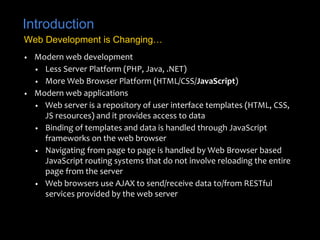
Web Development is Changing… 
• Modern web development 
• Less Server Platform (PHP, Java, .NET) 
• More Web Browser Platform (HTML/CSS/JavaScript) 
• Modern web applications 
• Web server is a repository of user interface templates (HTML, CSS, 
JS resources) and it provides access to data 
• Binding of templates and data is handled through JavaScript 
frameworks on the web browser 
• Navigating from page to page is handled by Web Browser based 
JavaScript routing systems that do not involve reloading the entire 
page from the server 
• Web browsers use AJAX to send/receive data to/from RESTful 
services provided by the web server
Introduction 
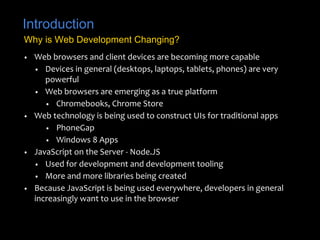
Why is Web Development Changing? 
• Web browsers and client devices are becoming more capable 
• Devices in general (desktops, laptops, tablets, phones) are very 
powerful 
• Web browsers are emerging as a true platform 
• Chromebooks, Chrome Store 
• Web technology is being used to construct UIs for traditional apps 
• PhoneGap 
• Windows 8 Apps 
• JavaScript on the Server - Node.JS 
• Used for development and development tooling 
• More and more libraries being created 
• Because JavaScript is being used everywhere, developers in general 
increasingly want to use in the browser
Introduction 
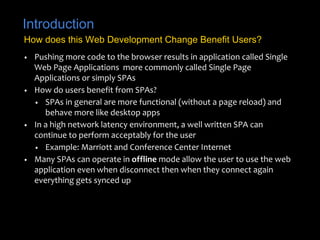
How does this Web Development Change Benefit Users? 
• Pushing more code to the browser results in application called Single 
Web Page Applications more commonly called Single Page 
Applications or simply SPAs 
• How do users benefit from SPAs? 
• SPAs in general are more functional (without a page reload) and 
behave more like desktop apps 
• In a high network latency environment, a well written SPA can 
continue to perform acceptably for the user 
• Example: Marriott and Conference Center Internet 
• Many SPAs can operate in offline mode allow the user to use the web 
application even when disconnect then when they connect again 
everything gets synced up
Introduction 
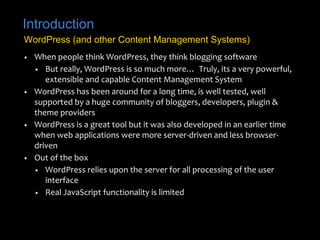
WordPress (and other Content Management Systems) 
• When people think WordPress, they think blogging software 
• But really, WordPress is so much more… Truly, its a very powerful, 
extensible and capable Content Management System 
• WordPress has been around for a long time, is well tested, well 
supported by a huge community of bloggers, developers, plugin & 
theme providers 
• WordPress is a great tool but it was also developed in an earlier time 
when web applications were more server-driven and less browser-driven 
• Out of the box 
• WordPress relies upon the server for all processing of the user 
interface 
• Real JavaScript functionality is limited
Introduction 
Transforming WordPress 
• WordPress does not have to be limited to older server-driven 
techniques 
• To bring WordPress into the next generation of web apps 
• Create themes that leverage the power of JavaScript libraries such 
as KnockoutJS, EmberJS and AngularJS. 
• Employ plugins which provides RESTful services that provide access 
to core WordPress data 
• Up and coming - WP REST API - new RESTful API for WordPress 
• The result 
• Blogs and websites which perform better with the latest 
development technologies
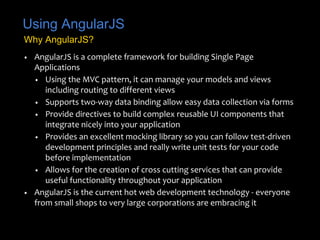
Using AngularJS 
Why AngularJS? 
• AngularJS is a complete framework for building Single Page 
Applications 
• Using the MVC pattern, it can manage your models and views 
including routing to different views 
• Supports two-way data binding allow easy data collection via forms 
• Provide directives to build complex reusable UI components that 
integrate nicely into your application 
• Provides an excellent mocking library so you can follow test-driven 
development principles and really write unit tests for your code 
before implementation 
• Allows for the creation of cross cutting services that can provide 
useful functionality throughout your application 
• AngularJS is the current hot web development technology - everyone 
from small shops to very large corporations are embracing it
Introduction 
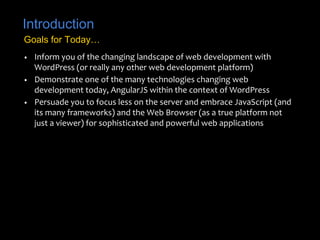
Goals for Today… 
• Inform you of the changing landscape of web development with 
WordPress (or really any other web development platform) 
• Demonstrate one of the many technologies changing web 
development today, AngularJS within the context of WordPress 
• Persuade you to focus less on the server and embrace JavaScript (and 
its many frameworks) and the Web Browser (as a true platform not 
just a viewer) for sophisticated and powerful web applications
Let’s Get Started… 
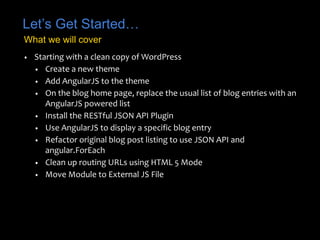
What we will cover 
• Starting with a clean copy of WordPress 
• Create a new theme 
• Add AngularJS to the theme 
• On the blog home page, replace the usual list of blog entries with an 
AngularJS powered list 
• Install the RESTful JSON API Plugin 
• Use AngularJS to display a specific blog entry 
• Refactor original blog post listing to use JSON API and 
angular.ForEach 
• Clean up routing URLs using HTML 5 Mode 
• Move Module to External JS File
Thank You for Attending! 
Some Good AngularJS Resources 
• Some good resources for learning more about AngularJS 
• Pro AngularJS from APress 
(http://www.apress.com/9781430264484) 
• Ng-Book (https://www.ng-book.com/) 
• WintellectNow Training Videos 
(https://www.wintellectnow.com/Videos/Index?searchString=Angul 
arJS) 
• Accelebrate, Inc. On-site Training (http://www.accelebrate.com/) 
• WordPress REST API (instead of the JSON API Plugin) 
• http://wp-api.org/ 
• Download Today’s Demos 
• https://github.com/ericwgreene/wordpress-angularjs-jsonapi 
• Includes all source code and PDF of slide deck

Building WordPress sites with AngularJS and the RESTful plugin JSON API @ DevLink 2014

  • 1.
    Building WordPress siteswith AngularJS and the RESTful plugin JSON API DevLink 2014 By: Eric W. Greene http://www.ericwgreene.com @ericwgreene
  • 2.
    Introduction Web Developmentis Changing… • Modern web development • Less Server Platform (PHP, Java, .NET) • More Web Browser Platform (HTML/CSS/JavaScript) • Modern web applications • Web server is a repository of user interface templates (HTML, CSS, JS resources) and it provides access to data • Binding of templates and data is handled through JavaScript frameworks on the web browser • Navigating from page to page is handled by Web Browser based JavaScript routing systems that do not involve reloading the entire page from the server • Web browsers use AJAX to send/receive data to/from RESTful services provided by the web server
  • 3.
    Introduction Why isWeb Development Changing? • Web browsers and client devices are becoming more capable • Devices in general (desktops, laptops, tablets, phones) are very powerful • Web browsers are emerging as a true platform • Chromebooks, Chrome Store • Web technology is being used to construct UIs for traditional apps • PhoneGap • Windows 8 Apps • JavaScript on the Server - Node.JS • Used for development and development tooling • More and more libraries being created • Because JavaScript is being used everywhere, developers in general increasingly want to use in the browser
  • 4.
    Introduction How doesthis Web Development Change Benefit Users? • Pushing more code to the browser results in application called Single Web Page Applications more commonly called Single Page Applications or simply SPAs • How do users benefit from SPAs? • SPAs in general are more functional (without a page reload) and behave more like desktop apps • In a high network latency environment, a well written SPA can continue to perform acceptably for the user • Example: Marriott and Conference Center Internet • Many SPAs can operate in offline mode allow the user to use the web application even when disconnect then when they connect again everything gets synced up
  • 5.
    Introduction WordPress (andother Content Management Systems) • When people think WordPress, they think blogging software • But really, WordPress is so much more… Truly, its a very powerful, extensible and capable Content Management System • WordPress has been around for a long time, is well tested, well supported by a huge community of bloggers, developers, plugin & theme providers • WordPress is a great tool but it was also developed in an earlier time when web applications were more server-driven and less browser-driven • Out of the box • WordPress relies upon the server for all processing of the user interface • Real JavaScript functionality is limited
  • 6.
    Introduction Transforming WordPress • WordPress does not have to be limited to older server-driven techniques • To bring WordPress into the next generation of web apps • Create themes that leverage the power of JavaScript libraries such as KnockoutJS, EmberJS and AngularJS. • Employ plugins which provides RESTful services that provide access to core WordPress data • Up and coming - WP REST API - new RESTful API for WordPress • The result • Blogs and websites which perform better with the latest development technologies
  • 7.
    Using AngularJS WhyAngularJS? • AngularJS is a complete framework for building Single Page Applications • Using the MVC pattern, it can manage your models and views including routing to different views • Supports two-way data binding allow easy data collection via forms • Provide directives to build complex reusable UI components that integrate nicely into your application • Provides an excellent mocking library so you can follow test-driven development principles and really write unit tests for your code before implementation • Allows for the creation of cross cutting services that can provide useful functionality throughout your application • AngularJS is the current hot web development technology - everyone from small shops to very large corporations are embracing it
  • 8.
    Introduction Goals forToday… • Inform you of the changing landscape of web development with WordPress (or really any other web development platform) • Demonstrate one of the many technologies changing web development today, AngularJS within the context of WordPress • Persuade you to focus less on the server and embrace JavaScript (and its many frameworks) and the Web Browser (as a true platform not just a viewer) for sophisticated and powerful web applications
  • 9.
    Let’s Get Started… What we will cover • Starting with a clean copy of WordPress • Create a new theme • Add AngularJS to the theme • On the blog home page, replace the usual list of blog entries with an AngularJS powered list • Install the RESTful JSON API Plugin • Use AngularJS to display a specific blog entry • Refactor original blog post listing to use JSON API and angular.ForEach • Clean up routing URLs using HTML 5 Mode • Move Module to External JS File
  • 10.
    Thank You forAttending! Some Good AngularJS Resources • Some good resources for learning more about AngularJS • Pro AngularJS from APress (http://www.apress.com/9781430264484) • Ng-Book (https://www.ng-book.com/) • WintellectNow Training Videos (https://www.wintellectnow.com/Videos/Index?searchString=Angul arJS) • Accelebrate, Inc. On-site Training (http://www.accelebrate.com/) • WordPress REST API (instead of the JSON API Plugin) • http://wp-api.org/ • Download Today’s Demos • https://github.com/ericwgreene/wordpress-angularjs-jsonapi • Includes all source code and PDF of slide deck