



Introduction to blogging with Jekyll
Eric Lathrop
● Senior Software Engineer at
CafePress
● @ericlathrop
● http://ericlathrop.com
●
“A simple, blog-aware, static site generator”
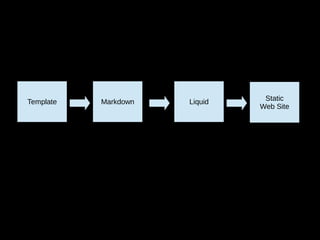
Template Markdown Liquid Static
Web Site
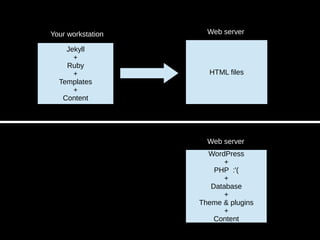
Jekyll
+
Ruby
+
Templates
+
Content
HTML files
Your workstation Web server
WordPress
+
PHP :'(
+
Database
+
Theme & plugins
+
Content
Web server
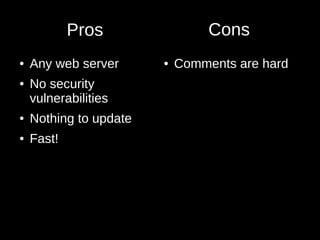
Pros
● Any web server
● No security
vulnerabilities
● Nothing to update
● Fast!
● Comments are hard
Cons
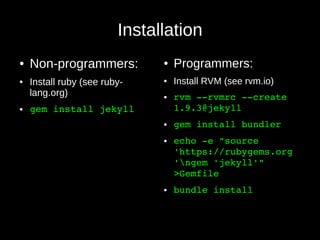
Installation
● Non-programmers:
● Install ruby (see ruby-
lang.org)
● gem install jekyll
● Programmers:
● Install RVM (see rvm.io)
● rvm ­­rvmrc ­­create 
1.9.3@jekyll
● gem install bundler
● echo ­e "source 
'https://rubygems.org
'ngem 'jekyll'" 
>Gemfile
● bundle install
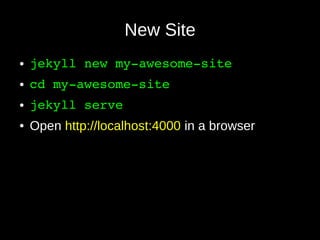
New Site
● jekyll new my­awesome­site
● cd my­awesome­site
● jekyll serve
● Open http://localhost:4000 in a browser
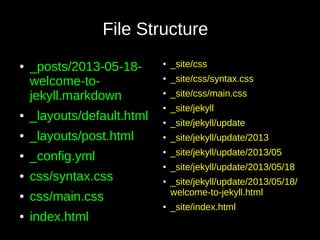
● _posts/2013-05-18-
welcome-to-
jekyll.markdown
● _layouts/default.html
● _layouts/post.html
● _config.yml
● css/syntax.css
● css/main.css
● index.html
●
_site/css
● _site/css/syntax.css
● _site/css/main.css
●
_site/jekyll
●
_site/jekyll/update
● _site/jekyll/update/2013
● _site/jekyll/update/2013/05
●
_site/jekyll/update/2013/05/18
●
_site/jekyll/update/2013/05/18/
welcome-to-jekyll.html
●
_site/index.html
File Structure
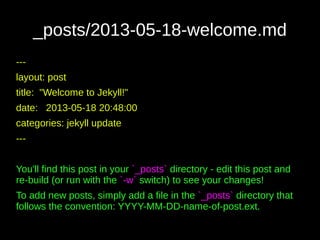
_posts/2013-05-18-welcome.md
---
layout: post
title: "Welcome to Jekyll!"
date: 2013-05-18 20:48:00
categories: jekyll update
---
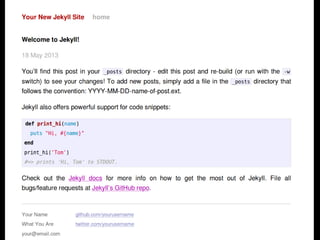
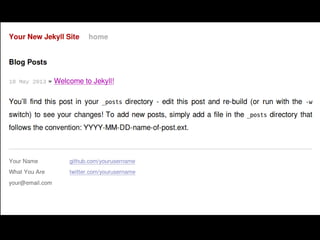
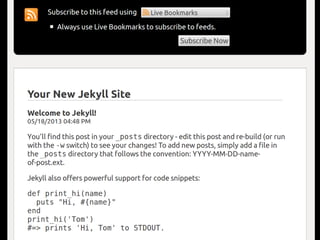
You'll find this post in your `_posts` directory - edit this post and
re-build (or run with the `-w` switch) to see your changes!
To add new posts, simply add a file in the `_posts` directory that
follows the convention: YYYY-MM-DD-name-of-post.ext.
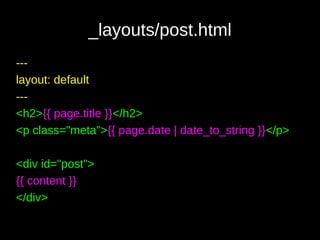
_layouts/post.html
---
layout: default
---
<h2>{{ page.title }}</h2>
<p class="meta">{{ page.date | date_to_string }}</p>
<div id="post">
{{ content }}
</div>
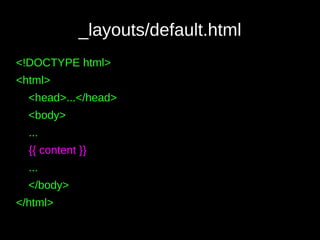
_layouts/default.html
<!DOCTYPE html>
<html>
<head>...</head>
<body>
...
{{ content }}
...
</body>
</html>
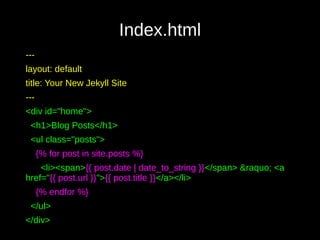
Index.html
---
layout: default
title: Your New Jekyll Site
---
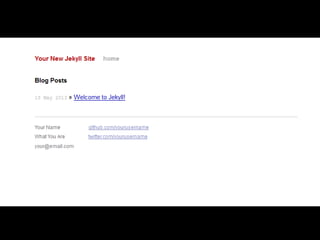
<div id="home">
<h1>Blog Posts</h1>
<ul class="posts">
{% for post in site.posts %}
<li><span>{{ post.date | date_to_string }}</span> &raquo; <a
href="{{ post.url }}">{{ post.title }}</a></li>
{% endfor %}
</ul>
</div>
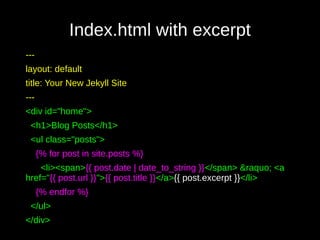
Index.html with excerpt
---
layout: default
title: Your New Jekyll Site
---
<div id="home">
<h1>Blog Posts</h1>
<ul class="posts">
{% for post in site.posts %}
<li><span>{{ post.date | date_to_string }}</span> &raquo; <a
href="{{ post.url }}">{{ post.title }}</a>{{ post.excerpt }}</li>
{% endfor %}
</ul>
</div>
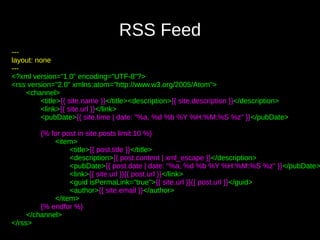
RSS Feed
---
layout: none
---
<?xml version="1.0" encoding="UTF-8"?>
<rss version="2.0" xmlns:atom="http://www.w3.org/2005/Atom">
<channel>
<title>{{ site.name }}</title><description>{{ site.description }}</description>
<link>{{ site.url }}</link>
<pubDate>{{ site.time | date: "%a, %d %b %Y %H:%M:%S %z" }}</pubDate>
{% for post in site.posts limit:10 %}
<item>
<title>{{ post.title }}</title>
<description>{{ post.content | xml_escape }}</description>
<pubDate>{{ post.date | date: "%a, %d %b %Y %H:%M:%S %z" }}</pubDate>
<link>{{ site.url }}{{ post.url }}</link>
<guid isPermaLink="true">{{ site.url }}{{ post.url }}</guid>
<author>{{ site.email }}</author>
</item>
{% endfor %}
</channel>
</rss>
Plugins
● LESS / SASS
● CoffeeScript
● Minification
● Emoticons
● Youtube / Tweet / Gist embedding
● Flickr galleries
● Etc.
Workflow
● jekyll serve –watch
● Edit files
● View in browser
● jekyll build
● Deploy (rsync, FTP, scp, etc.)
GitHub Pages
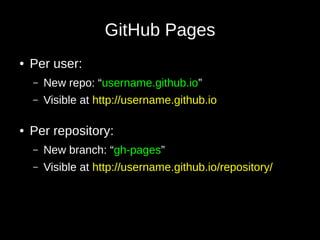
GitHub Pages
● Per user:
– New repo: “username.github.io”
– Visible at http://username.github.io
● Per repository:
– New branch: “gh-pages”
– Visible at http://username.github.io/repository/
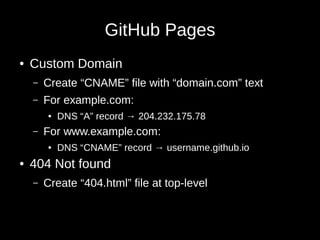
GitHub Pages
● Custom Domain
– Create “CNAME” file with “domain.com” text
– For example.com:
● DNS “A” record → 204.232.175.78
– For www.example.com:
● DNS “CNAME” record → username.github.io
● 404 Not found
– Create “404.html” file at top-level
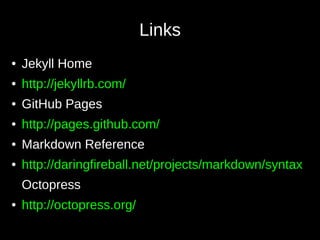
Links
● Jekyll Home
● http://jekyllrb.com/
● GitHub Pages
● http://pages.github.com/
● Markdown Reference
● http://daringfireball.net/projects/markdown/syntax
Octopress
● http://octopress.org/

Introduction to blogging with Jekyll

  • 1.
  • 2.
    Eric Lathrop ● SeniorSoftware Engineer at CafePress ● @ericlathrop ● http://ericlathrop.com ●
  • 3.
    “A simple, blog-aware,static site generator”
  • 4.
    Template Markdown LiquidStatic Web Site
  • 5.
    Jekyll + Ruby + Templates + Content HTML files Your workstationWeb server WordPress + PHP :'( + Database + Theme & plugins + Content Web server
  • 6.
    Pros ● Any webserver ● No security vulnerabilities ● Nothing to update ● Fast! ● Comments are hard Cons
  • 7.
    Installation ● Non-programmers: ● Installruby (see ruby- lang.org) ● gem install jekyll ● Programmers: ● Install RVM (see rvm.io) ● rvm ­­rvmrc ­­create  1.9.3@jekyll ● gem install bundler ● echo ­e "source  'https://rubygems.org 'ngem 'jekyll'"  >Gemfile ● bundle install
  • 8.
    New Site ● jekyll new my­awesome­site ●cd my­awesome­site ● jekyll serve ● Open http://localhost:4000 in a browser
  • 9.
    ● _posts/2013-05-18- welcome-to- jekyll.markdown ● _layouts/default.html ●_layouts/post.html ● _config.yml ● css/syntax.css ● css/main.css ● index.html ● _site/css ● _site/css/syntax.css ● _site/css/main.css ● _site/jekyll ● _site/jekyll/update ● _site/jekyll/update/2013 ● _site/jekyll/update/2013/05 ● _site/jekyll/update/2013/05/18 ● _site/jekyll/update/2013/05/18/ welcome-to-jekyll.html ● _site/index.html File Structure
  • 11.
    _posts/2013-05-18-welcome.md --- layout: post title: "Welcometo Jekyll!" date: 2013-05-18 20:48:00 categories: jekyll update --- You'll find this post in your `_posts` directory - edit this post and re-build (or run with the `-w` switch) to see your changes! To add new posts, simply add a file in the `_posts` directory that follows the convention: YYYY-MM-DD-name-of-post.ext.
  • 13.
    _layouts/post.html --- layout: default --- <h2>{{ page.title}}</h2> <p class="meta">{{ page.date | date_to_string }}</p> <div id="post"> {{ content }} </div>
  • 14.
  • 16.
    Index.html --- layout: default title: YourNew Jekyll Site --- <div id="home"> <h1>Blog Posts</h1> <ul class="posts"> {% for post in site.posts %} <li><span>{{ post.date | date_to_string }}</span> &raquo; <a href="{{ post.url }}">{{ post.title }}</a></li> {% endfor %} </ul> </div>
  • 17.
    Index.html with excerpt --- layout:default title: Your New Jekyll Site --- <div id="home"> <h1>Blog Posts</h1> <ul class="posts"> {% for post in site.posts %} <li><span>{{ post.date | date_to_string }}</span> &raquo; <a href="{{ post.url }}">{{ post.title }}</a>{{ post.excerpt }}</li> {% endfor %} </ul> </div>
  • 19.
    RSS Feed --- layout: none --- <?xmlversion="1.0" encoding="UTF-8"?> <rss version="2.0" xmlns:atom="http://www.w3.org/2005/Atom"> <channel> <title>{{ site.name }}</title><description>{{ site.description }}</description> <link>{{ site.url }}</link> <pubDate>{{ site.time | date: "%a, %d %b %Y %H:%M:%S %z" }}</pubDate> {% for post in site.posts limit:10 %} <item> <title>{{ post.title }}</title> <description>{{ post.content | xml_escape }}</description> <pubDate>{{ post.date | date: "%a, %d %b %Y %H:%M:%S %z" }}</pubDate> <link>{{ site.url }}{{ post.url }}</link> <guid isPermaLink="true">{{ site.url }}{{ post.url }}</guid> <author>{{ site.email }}</author> </item> {% endfor %} </channel> </rss>
  • 21.
    Plugins ● LESS /SASS ● CoffeeScript ● Minification ● Emoticons ● Youtube / Tweet / Gist embedding ● Flickr galleries ● Etc.
  • 22.
    Workflow ● jekyll serve–watch ● Edit files ● View in browser ● jekyll build ● Deploy (rsync, FTP, scp, etc.)
  • 23.
  • 24.
    GitHub Pages ● Peruser: – New repo: “username.github.io” – Visible at http://username.github.io ● Per repository: – New branch: “gh-pages” – Visible at http://username.github.io/repository/
  • 25.
    GitHub Pages ● CustomDomain – Create “CNAME” file with “domain.com” text – For example.com: ● DNS “A” record → 204.232.175.78 – For www.example.com: ● DNS “CNAME” record → username.github.io ● 404 Not found – Create “404.html” file at top-level
  • 26.
    Links ● Jekyll Home ●http://jekyllrb.com/ ● GitHub Pages ● http://pages.github.com/ ● Markdown Reference ● http://daringfireball.net/projects/markdown/syntax Octopress ● http://octopress.org/

Editor's Notes

  • #4 Composes your content with templates to produce a website.