WORDPRESS & BACKBONE.JS
Andrew Duthie
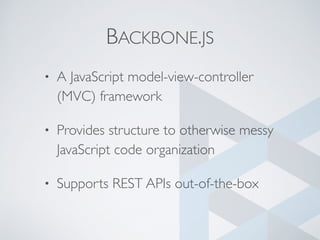
BACKBONE.JS
• A JavaScript model-view-controller
(MVC) framework
• Provides structure to otherwise messy
JavaScript code organization
• Supports REST APIs out-of-the-box
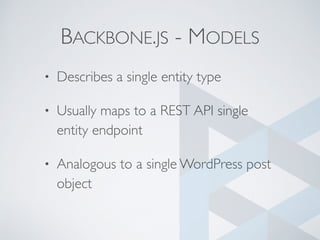
BACKBONE.JS - MODELS
• Describes a single entity type
• Usually maps to a REST API single
entity endpoint
• Analogous to a single WordPress post
object
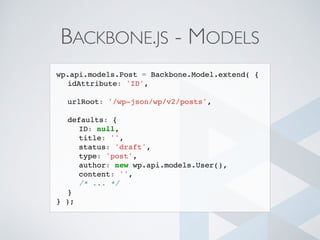
BACKBONE.JS - MODELS
wp.api.models.Post = Backbone.Model.extend( {
idAttribute: 'ID',
urlRoot: '/wp-json/wp/v2/posts',
defaults: {
ID: null,
title: '',
status: 'draft',
type: 'post',
author: new wp.api.models.User(),
content: '',
/* ... */
}
} );
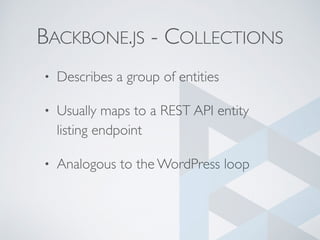
BACKBONE.JS - COLLECTIONS
• Describes a group of entities
• Usually maps to a REST API entity
listing endpoint
• Analogous to the WordPress loop
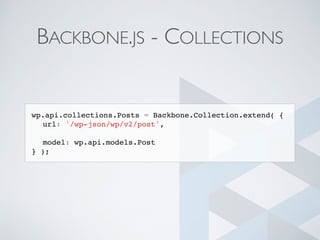
BACKBONE.JS - COLLECTIONS
wp.api.collections.Posts = Backbone.Collection.extend( {
url: '/wp-json/wp/v2/post',
model: wp.api.models.Post
} );
BACKBONE.JS -VIEWS
• Describes how to render content to
the page
• Analogous to a WordPress template
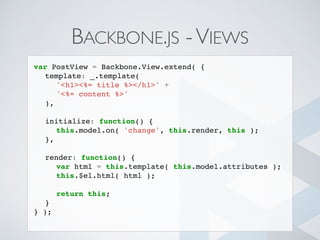
BACKBONE.JS -VIEWS
var PostView = Backbone.View.extend( {
template: _.template(
'<h1><%= title %></h1>' +
'<%= content %>'
),
initialize: function() {
this.model.on( 'change', this.render, this );
},
render: function() {
var html = this.template( this.model.attributes );
this.$el.html( html );
return this;
}
} );
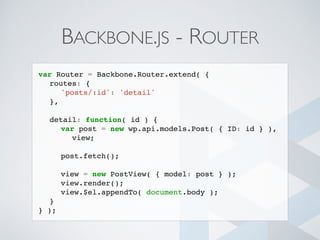
BACKBONE.JS - ROUTER
• Specifies the logic to perform when
particular URLs are visited
• Typically reserved for “single-page
application” type applications
• Somewhat analogous to WordPress
add_rewrite_rule
BACKBONE.JS - ROUTER
var Router = Backbone.Router.extend( {
routes: {
'posts/:id': 'detail'
},
detail: function( id ) {
var post = new wp.api.models.Post( { ID: id } ),
view;
post.fetch();
view = new PostView( { model: post } );
view.render();
view.$el.appendTo( document.body );
}
} );
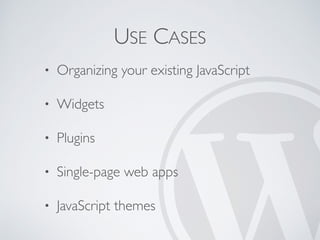
USE CASES
• Organizing your existing JavaScript
• Widgets
• Plugins
• Single-page web apps
• JavaScript themes
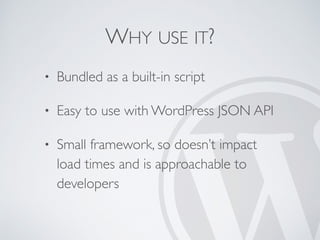
WHY USE IT?
• Bundled as a built-in script
• Easy to use with WordPress JSON API
• Small framework, so doesn’t impact
load times and is approachable to
developers
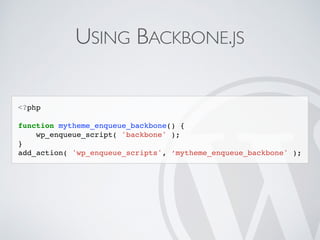
USING BACKBONE.JS
<?php
function mytheme_enqueue_backbone() {
wp_enqueue_script( 'backbone' );
}
add_action( 'wp_enqueue_scripts', ‘mytheme_enqueue_backbone' );
DEMO
github.com/aduth/wordcamp-popular-movies

WordPress & Backbone.js

  • 1.
  • 2.
    BACKBONE.JS • A JavaScriptmodel-view-controller (MVC) framework • Provides structure to otherwise messy JavaScript code organization • Supports REST APIs out-of-the-box
  • 3.
    BACKBONE.JS - MODELS •Describes a single entity type • Usually maps to a REST API single entity endpoint • Analogous to a single WordPress post object
  • 4.
    BACKBONE.JS - MODELS wp.api.models.Post= Backbone.Model.extend( { idAttribute: 'ID', urlRoot: '/wp-json/wp/v2/posts', defaults: { ID: null, title: '', status: 'draft', type: 'post', author: new wp.api.models.User(), content: '', /* ... */ } } );
  • 5.
    BACKBONE.JS - COLLECTIONS •Describes a group of entities • Usually maps to a REST API entity listing endpoint • Analogous to the WordPress loop
  • 6.
    BACKBONE.JS - COLLECTIONS wp.api.collections.Posts= Backbone.Collection.extend( { url: '/wp-json/wp/v2/post', model: wp.api.models.Post } );
  • 7.
    BACKBONE.JS -VIEWS • Describeshow to render content to the page • Analogous to a WordPress template
  • 8.
    BACKBONE.JS -VIEWS var PostView= Backbone.View.extend( { template: _.template( '<h1><%= title %></h1>' + '<%= content %>' ), initialize: function() { this.model.on( 'change', this.render, this ); }, render: function() { var html = this.template( this.model.attributes ); this.$el.html( html ); return this; } } );
  • 9.
    BACKBONE.JS - ROUTER •Specifies the logic to perform when particular URLs are visited • Typically reserved for “single-page application” type applications • Somewhat analogous to WordPress add_rewrite_rule
  • 10.
    BACKBONE.JS - ROUTER varRouter = Backbone.Router.extend( { routes: { 'posts/:id': 'detail' }, detail: function( id ) { var post = new wp.api.models.Post( { ID: id } ), view; post.fetch(); view = new PostView( { model: post } ); view.render(); view.$el.appendTo( document.body ); } } );
  • 11.
    USE CASES • Organizingyour existing JavaScript • Widgets • Plugins • Single-page web apps • JavaScript themes
  • 12.
    WHY USE IT? •Bundled as a built-in script • Easy to use with WordPress JSON API • Small framework, so doesn’t impact load times and is approachable to developers
  • 13.
    USING BACKBONE.JS <?php function mytheme_enqueue_backbone(){ wp_enqueue_script( 'backbone' ); } add_action( 'wp_enqueue_scripts', ‘mytheme_enqueue_backbone' );
  • 14.