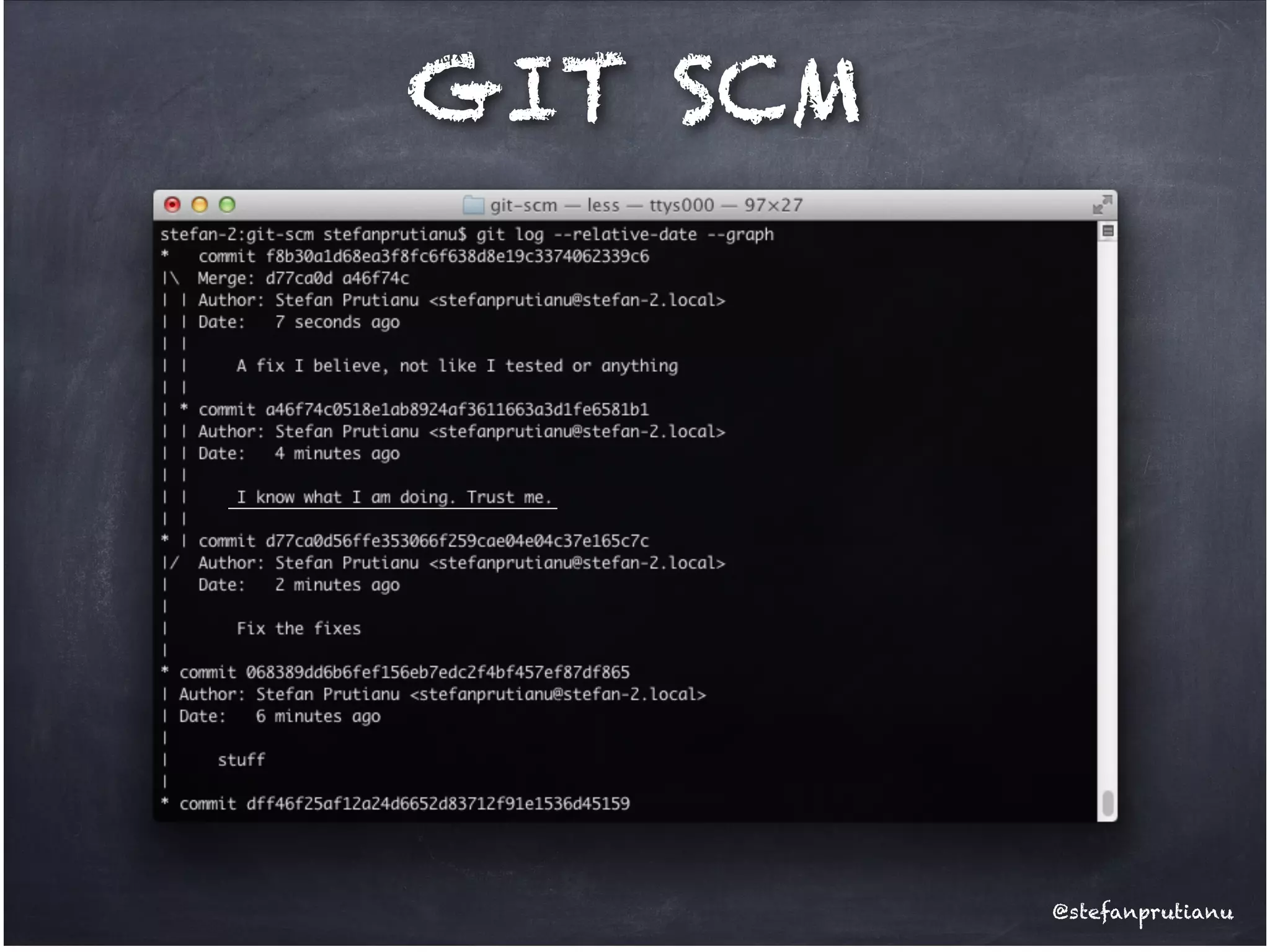
GIT SCM

@stefanprutianu
SCM?
Source Code Management
aka!
!

Version Control System!
aka!
!

Revision Control System
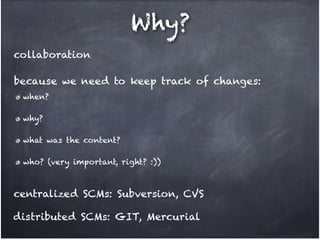
Why?
! collaboration
! because we need to keep track of changes:
when? !
why? !
what was the content? !
who? (very important, right? :))

! centralized SCMs: Subversion, CVS
! distributed SCMs: GIT, Mercurial
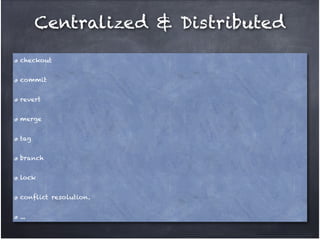
Centralized & Distributed
checkout!
commit!
revert!
merge!
tag!
branch!
lock!
conflict resolution.!
...
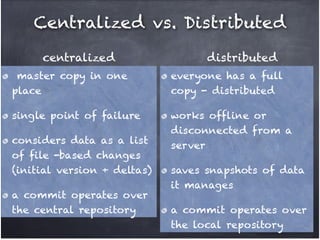
Centralized vs. Distributed
centralized

distributed

master copy in one
place!

everyone has a full
copy - distributed!

single point of failure!

works offline or
disconnected from a
server!

considers data as a list
of file -based changes
(initial version + deltas) !
a commit operates over
the central repository

saves snapshots of data
it manages !
a commit operates over
the local repository
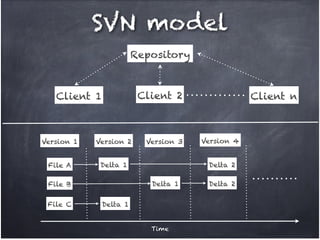
SVN model
Repository

Client 2

Client 1

Version 1

Version 2

File A

Delta 1

Version 4
Delta 2

Delta 1

File B
File C

Version 3

Client n

Delta 1
Time

Delta 2
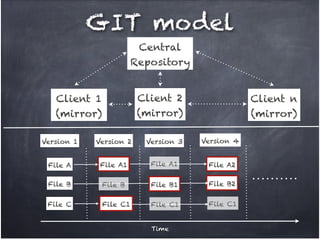
GIT model
Central!
Repository
Client 1 !
(mirror)

Client 2!
(mirror)

Client n!
(mirror)

Version 1

Version 2

Version 3

Version 4

File A

File A1

File A1

File A2

File B

File B

File B1

File B2

File C

File C1

File C1

File C1

Time
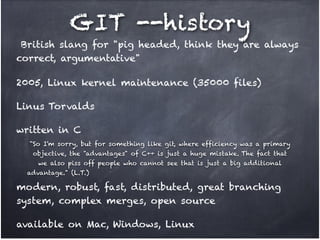
GIT --history
British slang for "pig headed, think they are always
correct, argumentative"
2005, Linux kernel maintenance (35000 files)!
Linus Torvalds!
written in C
"So I'm sorry, but for something like git, where efficiency was a primary !
objective, the "advantages" of C++ is just a huge mistake. The fact that !
we also piss off people who cannot see that is just a big additional !
advantage." (L.T.)

modern, robust, fast, distributed, great branching
system, complex merges, open source!
available on Mac, Windows, Linux
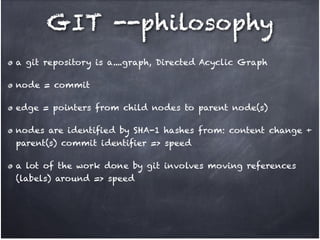
GIT --philosophy
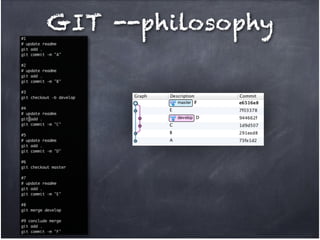
a git repository is a....graph, Directed Acyclic Graph!
node = commit!
edge = pointers from child nodes to parent node(s)!
nodes are identified by SHA-1 hashes from: content change +
parent(s) commit identifier => speed!
a lot of the work done by git involves moving references
(labels) around => speed
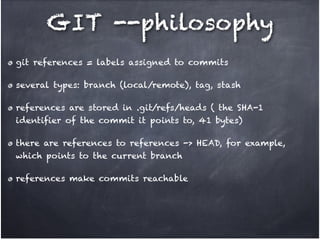
GIT --philosophy
git references = labels assigned to commits !
several types: branch (local/remote), tag, stash!
references are stored in .git/refs/heads ( the SHA-1
identifier of the commit it points to, 41 bytes)!
there are references to references -> HEAD, for example,
which points to the current branch!
references make commits reachable
GIT --philosophy

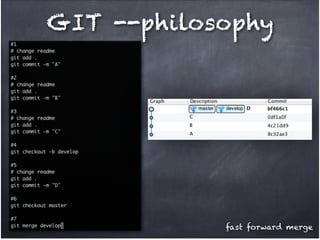
fast forward merge
GIT --philosophy
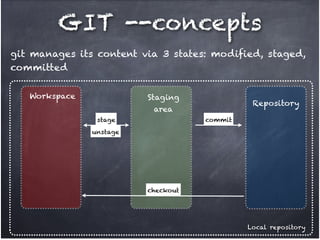
GIT --concepts
git manages its content via 3 states: modified, staged,
committed
Workspace

Staging !

Repository

area
stage

commit

unstage

checkout

Local repository
GIT --concepts
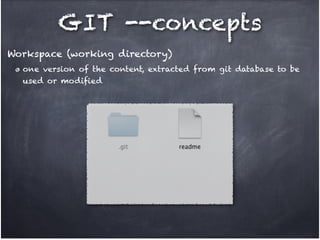
Workspace (working directory)
one version of the content, extracted from git database to be
used or modified
GIT --concepts
Staging area (index)
allows you to elect files/content that is going to participate in
the next commit!
you can see how the next snapshot would look like before
actually creating it - avoid mistakes!
allows you to break changes in workspace into more than 1
single commit
GIT --concepts
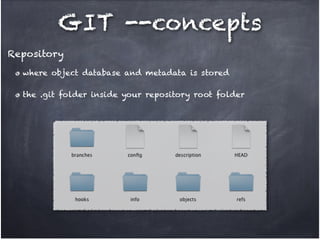
Repository
where object database and metadata is stored!
the .git folder inside your repository root folder
GIT --concepts
git manages its content via 3 4 states: modified,
staged, committed, stashed!
!

Stash
here you can save changes you want to keep but
not ready to commit yet!
stashes are in fact labeled nodes on the
repository graph
GIT --concepts
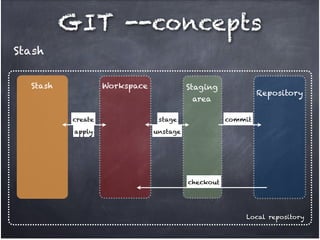
Stash
Stash

Workspace

Staging !

Repository

area
create

stage

apply

commit

unstage

checkout

Local repository
GIT --concepts
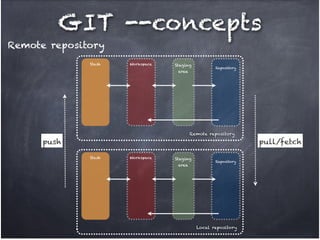
Remote repository
git repository located on another machine, usually!
the local repository may be a mirror of the remote one!
write into it via push, read from it via pull & fetch
GIT --concepts
Remote repository
Stash

Workspace

Staging !
area

Repository

Remote repository

push

pull/fetch
Stash

Workspace

Staging !
area

Repository

Local repository
GIT --concepts
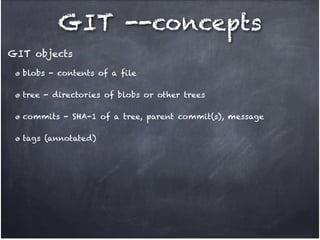
GIT objects
blobs - contents of a file!
tree - directories of blobs or other trees!
commits - SHA-1 of a tree, parent commit(s), message!
tags (annotated)
GIT --@work
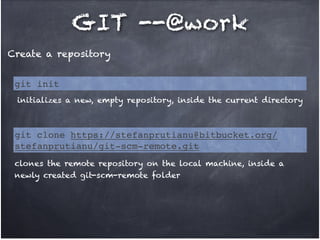
Create a repository
git init
initializes a new, empty repository, inside the current directory

git clone https://stefanprutianu@bitbucket.org/
stefanprutianu/git-scm-remote.git
clones the remote repository on the local machine, inside a
newly created git-scm-remote folder
GIT --@work
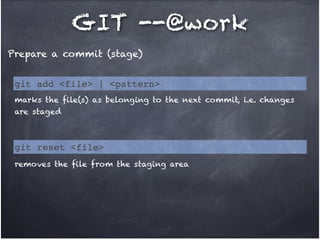
Prepare a commit (stage)
git add <file> | <pattern>
marks the file(s) as belonging to the next commit, i.e. changes
are staged

git reset <file>
removes the file from the staging area
GIT --@work
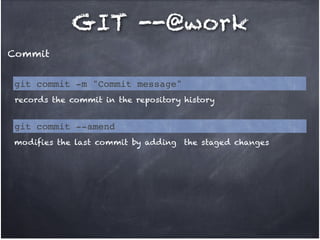
Commit
git commit -m "Commit message"
records the commit in the repository history

git commit --amend
modifies the last commit by adding the staged changes
GIT --@work
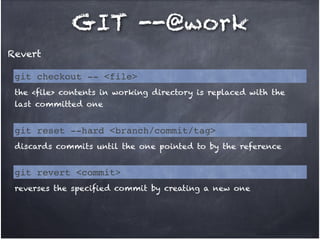
Revert
git checkout -- <file>
the <file> contents in working directory is replaced with the
last committed one

git reset --hard <branch/commit/tag>
discards commits until the one pointed to by the reference

git revert <commit>
reverses the specified commit by creating a new one
GIT --@work
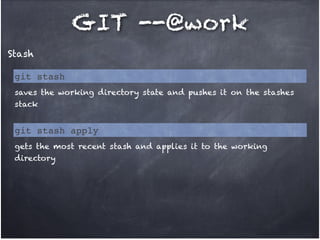
Stash
git stash
saves the working directory state and pushes it on the stashes
stack

git stash apply
gets the most recent stash and applies it to the working
directory
GIT --@work
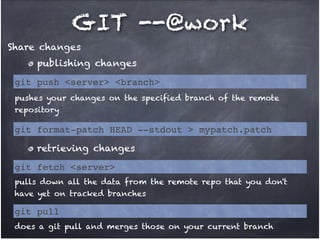
Share changes
publishing changes
git push <server> <branch>
pushes your changes on the specified branch of the remote
repository

git format-patch HEAD --stdout > mypatch.patch
retrieving changes
git fetch <server>
pulls down all the data from the remote repo that you don't
have yet on tracked branches

git pull
does a git pull and merges those on your current branch
GIT --@work
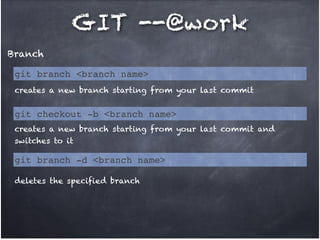
Branch
git branch <branch name>
creates a new branch starting from your last commit

git checkout -b <branch name>
creates a new branch starting from your last commit and
switches to it

git branch -d <branch name>
deletes the specified branch
GIT --@work
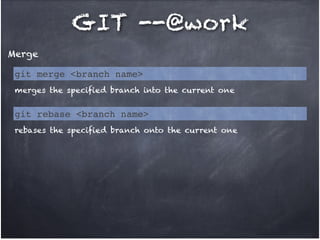
Merge
git merge <branch name>
merges the specified branch into the current one

git rebase <branch name>
rebases the specified branch onto the current one
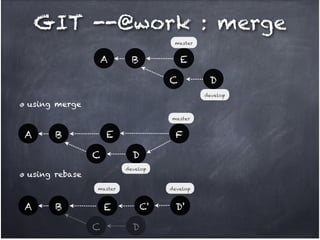
GIT --@work : merge
master

A

E

B
C

D
develop

using merge
master

A

E

B

F
D

C

develop

using rebase
master

A

B

develop

E
C

C'

D

D'
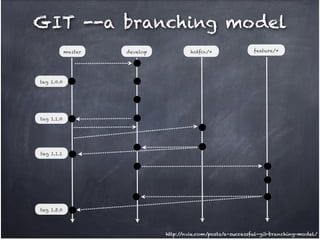
GIT --a branching model
master

develop

hotfix/*

feature/*

tag 1.0.0

tag 1.1.0

tag 1.1.1

tag 1.5.0

http:/
/nvie.com/posts/a-successful-git-branching-model/
GIT --@work
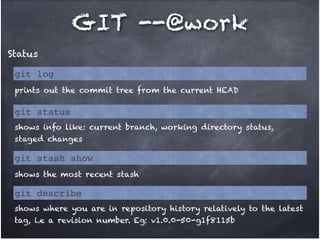
Status
git log
prints out the commit tree from the current HEAD

git status
shows info like: current branch, working directory status,
staged changes

git stash show
shows the most recent stash

git describe
shows where you are in repository history relatively to the latest
tag, i.e a revision number. Eg: v1.0.0-50-g1f8115b
GIT --@work
Status
git diff <commit>
shows the diff between working directory and specified commit

git branch [-r]
lists either local or remote (-r) branches
GIT --@work
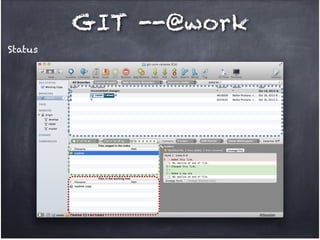
Status
GIT --@work
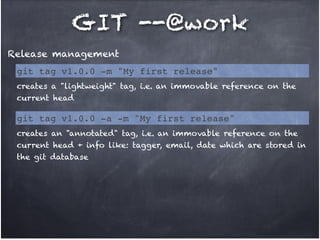
Release management
git tag v1.0.0 -m "My first release"
creates a "lightweight" tag, i.e. an immovable reference on the
current head

git tag v1.0.0 -a -m "My first release"
creates an "annotated" tag, i.e. an immovable reference on the
current head + info like: tagger, email, date which are stored in
the git database
GIT --@work
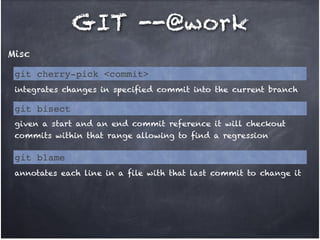
Misc
git cherry-pick <commit>
integrates changes in specified commit into the current branch

git bisect
given a start and an end commit reference it will checkout
commits within that range allowing to find a regression

git blame
annotates each line in a file with that last commit to change it
GIT --repository
.gitignore file to express ignore patterns, can be put in
multiple places!
!

git repos smaller than SVN ones, 30x in case of Mozilla!
!

steep learning curve (debatable)!
!

can't checkout part of a repository!
!

oriented towards content rather than files !
!

for transport it supports: HTTP, SSH, GIT protocols!
!

objects are generally added not deleted, reason for git gc
GIT --how to
latest release http:/
/git-scm.com/downloads!
works from CLI!
good GUI clients:
Github for Mac/Win, free ("optimized" for github.com remotes,
but works with others too)!
SourceTree (Mac & Win), free!
Tower (Mac)
(Em)Powered by GIT
https:/
/github.com/

https:/
/bitbucket.org/

https:/
/www.assembla.com/
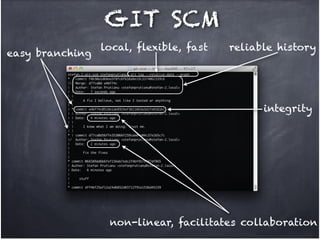
GIT SCM
easy branching

local, flexible, fast

reliable history

integrity

non-linear, facilitates collaboration
Thank you!
Questions?

@stefanprutianu

Git SCM

  • 1.
  • 2.
    SCM? Source Code Management aka! ! VersionControl System! aka! ! Revision Control System
  • 3.
    Why? ! collaboration ! becausewe need to keep track of changes: when? ! why? ! what was the content? ! who? (very important, right? :)) ! centralized SCMs: Subversion, CVS ! distributed SCMs: GIT, Mercurial
  • 4.
  • 5.
    Centralized vs. Distributed centralized distributed mastercopy in one place! everyone has a full copy - distributed! single point of failure! works offline or disconnected from a server! considers data as a list of file -based changes (initial version + deltas) ! a commit operates over the central repository saves snapshots of data it manages ! a commit operates over the local repository
  • 6.
    SVN model Repository Client 2 Client1 Version 1 Version 2 File A Delta 1 Version 4 Delta 2 Delta 1 File B File C Version 3 Client n Delta 1 Time Delta 2
  • 7.
    GIT model Central! Repository Client 1! (mirror) Client 2! (mirror) Client n! (mirror) Version 1 Version 2 Version 3 Version 4 File A File A1 File A1 File A2 File B File B File B1 File B2 File C File C1 File C1 File C1 Time
  • 8.
    GIT --history British slangfor "pig headed, think they are always correct, argumentative" 2005, Linux kernel maintenance (35000 files)! Linus Torvalds! written in C "So I'm sorry, but for something like git, where efficiency was a primary ! objective, the "advantages" of C++ is just a huge mistake. The fact that ! we also piss off people who cannot see that is just a big additional ! advantage." (L.T.) modern, robust, fast, distributed, great branching system, complex merges, open source! available on Mac, Windows, Linux
  • 9.
    GIT --philosophy a gitrepository is a....graph, Directed Acyclic Graph! node = commit! edge = pointers from child nodes to parent node(s)! nodes are identified by SHA-1 hashes from: content change + parent(s) commit identifier => speed! a lot of the work done by git involves moving references (labels) around => speed
  • 10.
    GIT --philosophy git references= labels assigned to commits ! several types: branch (local/remote), tag, stash! references are stored in .git/refs/heads ( the SHA-1 identifier of the commit it points to, 41 bytes)! there are references to references -> HEAD, for example, which points to the current branch! references make commits reachable
  • 11.
  • 12.
  • 13.
    GIT --concepts git managesits content via 3 states: modified, staged, committed Workspace Staging ! Repository area stage commit unstage checkout Local repository
  • 14.
    GIT --concepts Workspace (workingdirectory) one version of the content, extracted from git database to be used or modified
  • 15.
    GIT --concepts Staging area(index) allows you to elect files/content that is going to participate in the next commit! you can see how the next snapshot would look like before actually creating it - avoid mistakes! allows you to break changes in workspace into more than 1 single commit
  • 16.
    GIT --concepts Repository where objectdatabase and metadata is stored! the .git folder inside your repository root folder
  • 17.
    GIT --concepts git managesits content via 3 4 states: modified, staged, committed, stashed! ! Stash here you can save changes you want to keep but not ready to commit yet! stashes are in fact labeled nodes on the repository graph
  • 18.
  • 19.
    GIT --concepts Remote repository gitrepository located on another machine, usually! the local repository may be a mirror of the remote one! write into it via push, read from it via pull & fetch
  • 20.
    GIT --concepts Remote repository Stash Workspace Staging! area Repository Remote repository push pull/fetch Stash Workspace Staging ! area Repository Local repository
  • 21.
    GIT --concepts GIT objects blobs- contents of a file! tree - directories of blobs or other trees! commits - SHA-1 of a tree, parent commit(s), message! tags (annotated)
  • 22.
    GIT --@work Create arepository git init initializes a new, empty repository, inside the current directory git clone https://stefanprutianu@bitbucket.org/ stefanprutianu/git-scm-remote.git clones the remote repository on the local machine, inside a newly created git-scm-remote folder
  • 23.
    GIT --@work Prepare acommit (stage) git add <file> | <pattern> marks the file(s) as belonging to the next commit, i.e. changes are staged git reset <file> removes the file from the staging area
  • 24.
    GIT --@work Commit git commit-m "Commit message" records the commit in the repository history git commit --amend modifies the last commit by adding the staged changes
  • 25.
    GIT --@work Revert git checkout-- <file> the <file> contents in working directory is replaced with the last committed one git reset --hard <branch/commit/tag> discards commits until the one pointed to by the reference git revert <commit> reverses the specified commit by creating a new one
  • 26.
    GIT --@work Stash git stash savesthe working directory state and pushes it on the stashes stack git stash apply gets the most recent stash and applies it to the working directory
  • 27.
    GIT --@work Share changes publishingchanges git push <server> <branch> pushes your changes on the specified branch of the remote repository git format-patch HEAD --stdout > mypatch.patch retrieving changes git fetch <server> pulls down all the data from the remote repo that you don't have yet on tracked branches git pull does a git pull and merges those on your current branch
  • 28.
    GIT --@work Branch git branch<branch name> creates a new branch starting from your last commit git checkout -b <branch name> creates a new branch starting from your last commit and switches to it git branch -d <branch name> deletes the specified branch
  • 29.
    GIT --@work Merge git merge<branch name> merges the specified branch into the current one git rebase <branch name> rebases the specified branch onto the current one
  • 30.
    GIT --@work :merge master A E B C D develop using merge master A E B F D C develop using rebase master A B develop E C C' D D'
  • 31.
    GIT --a branchingmodel master develop hotfix/* feature/* tag 1.0.0 tag 1.1.0 tag 1.1.1 tag 1.5.0 http:/ /nvie.com/posts/a-successful-git-branching-model/
  • 32.
    GIT --@work Status git log printsout the commit tree from the current HEAD git status shows info like: current branch, working directory status, staged changes git stash show shows the most recent stash git describe shows where you are in repository history relatively to the latest tag, i.e a revision number. Eg: v1.0.0-50-g1f8115b
  • 33.
    GIT --@work Status git diff<commit> shows the diff between working directory and specified commit git branch [-r] lists either local or remote (-r) branches
  • 34.
  • 35.
    GIT --@work Release management gittag v1.0.0 -m "My first release" creates a "lightweight" tag, i.e. an immovable reference on the current head git tag v1.0.0 -a -m "My first release" creates an "annotated" tag, i.e. an immovable reference on the current head + info like: tagger, email, date which are stored in the git database
  • 36.
    GIT --@work Misc git cherry-pick<commit> integrates changes in specified commit into the current branch git bisect given a start and an end commit reference it will checkout commits within that range allowing to find a regression git blame annotates each line in a file with that last commit to change it
  • 37.
    GIT --repository .gitignore fileto express ignore patterns, can be put in multiple places! ! git repos smaller than SVN ones, 30x in case of Mozilla! ! steep learning curve (debatable)! ! can't checkout part of a repository! ! oriented towards content rather than files ! ! for transport it supports: HTTP, SSH, GIT protocols! ! objects are generally added not deleted, reason for git gc
  • 38.
    GIT --how to latestrelease http:/ /git-scm.com/downloads! works from CLI! good GUI clients: Github for Mac/Win, free ("optimized" for github.com remotes, but works with others too)! SourceTree (Mac & Win), free! Tower (Mac)
  • 39.
  • 40.
    GIT SCM easy branching local,flexible, fast reliable history integrity non-linear, facilitates collaboration
  • 41.