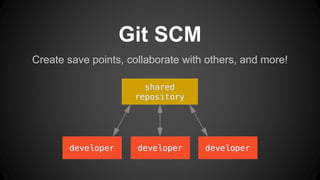
Create save points, collaborate with others, and more!
Git SCM
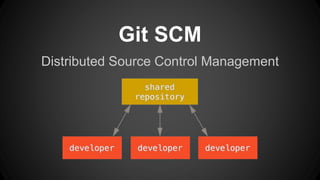
Distributed Source Control Management
Git SCM
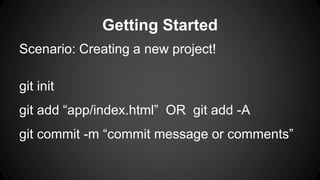
Getting Started
Scenario: Creating a new project!
git init
git add “app/index.html” OR git add -A
git commit -m “commit message or comments”
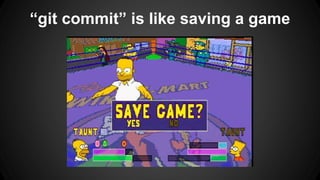
“git commit” is like saving a game
Adding a Remote
git remote add origin https://github.com…
git push origin master
git pull
Merging
● Editing same project, even same file
● Automatic merging
● One problem with it...
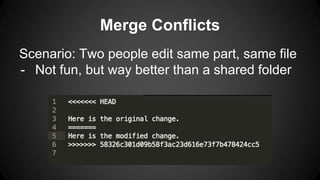
Merge Conflicts
Scenario: Two people edit same part, same file
- Not fun, but way better than a shared folder
Now you might see why this could be a problem...
Branching
All git repositories start on branch “master.”
● Takes a picture of the current branch
● Changes in branch do not modify others
● If things go well, merge into good branch
● Otherwise, nuke the branch!
Branching, cont.
Use cases:
● Development branch in commercial software
● New module in existing project
● Venturing into unknown territory
● Any time you think to yourself “I might make
a really, really stupid change that breaks the
whole codebase”
Branching and Merging
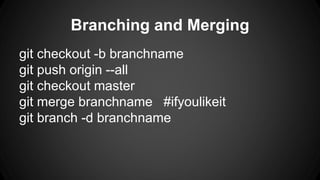
git checkout -b branchname
git push origin --all
git checkout master
git merge branchname #ifyoulikeit
git branch -d branchname
Use Git EVERYWHERE
● School software projects
● Side projects
● Collaboration with others
● Anything where you might make a really,
really stupid change that breaks the whole
codebase
- git-scm.com
- try.github.io
- rebase
- aliasing
- forking
Lightning Talk: Git VCS

Lightning Talk: Git VCS