ggplot2
パッケージ作成者: Wickham さんの話を聞いて


                       簑田 高志
目次

 1. 自己紹介
 2. 統数研でのセミナー
 3. 今日の話の構成
 4. ggplot2 とはどんなパッケージ?
 5. インストール方法
 6. 基本的な使い方
 7. 具体的にやってみよう
 8. まとめ
 9. 参考資料


01/29/11                   2
自己紹介


     Twitter     aad34210
                 http://pracmper.blogspot.com/


                                    Web


               : MGSPW


01/29/11                                            3
統数研でのセミナー


01/29/11               4
統数研でのセミナー

     11 月 25 日:統計数理研究所で海外のスピーカーを招い
     て、セミナーが行われました。
     今回は 2 人の方が参加されました。
           ggplot2 のパッケージ開発者        Hadley Wickham さん
           黄色い本を書かれた                Uwe Ligges さん
     概要は以下の URL に公開されています。
      http://jasp.ism.ac.jp/~nakanoj/workshop10/2010Rmeetin
      g.htm


01/29/11                                                  5
統数研でのセミナー

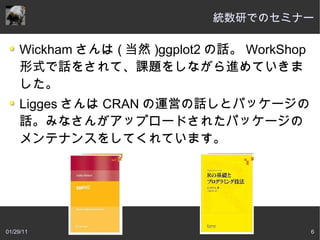
     Wickham さんは ( 当然 )ggplot2 の話。 WorkShop
     形式で話をされて、課題をしながら進めていきま
     した。
     Ligges さんは CRAN の運営の話しとパッケージの
     話。みなさんがアップロードされたパッケージの
     メンテナンスをしてくれています。


01/29/11                                      6
今日の話の構成


01/29/11             7
今日の話の構成

     時間は最大 30 分〜 40 分ぐらい。
     インストール〜使い方まで。
     ベースは統数研のセミナーで使われた資料を元に
     アレンジしています。
     具体的にデモをやりつつ進めていきます。
     こんな人向け
           デフォルトの plot ではちょっと物足りない…
           きれいなグラフを作りたい。


01/29/11                              8
ggplot2 とは
           どんなパッケージ?

01/29/11                  9
ggplot2 とはどんなパッケージ?

     ggplot2 とは?
           ggplot2 is a plotting system for R, based on the
           grammar of graphics, which tries to take the good parts
           of base and lattice graphics and none of the bad parts.
           It takes care of many of the fiddly details that make
           plotting a hassle (like drawing legends) as well as
           providing a powerful model of graphics that makes it
           easy to produce complex multi-layered graphics
           超意訳:グラフ文法をベースにした R の描画機能。簡
           単にきれいでパワフルなグラフがかけまっせ!
                                              出典: http://had.co.nz/ggplot2/


01/29/11                                                                 10
ggplot2 とはどんなパッケージ?

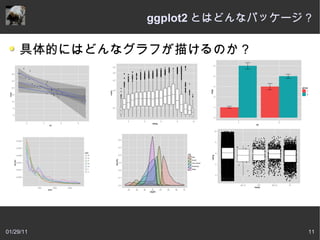
     具体的にはどんなグラフが描けるのか?


01/29/11                        11
インストール方法


01/29/11              12
インストール方法

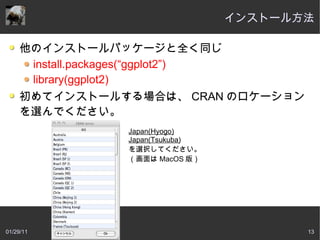
     他のインストールパッケージと全く同じ
      install.packages(“ggplot2”)
      library(ggplot2)
     初めてインストールする場合は、 CRAN のロケーション
     を選んでください。
                    Japan(Hyogo)
                    Japan(Tsukuba)
                    を選択してください。
                    (画面は MacOS 版)


01/29/11                                    13
基本的な使い方


01/29/11             14
基本的な使い方

     ggplot2 には 2 つの構文があります。
           ggplot([data] , aes(x = X 軸
 , y = Y 軸 )) : データ定義

              + geom_          () : 出力するグラフ
              + geom_          () : 出力するグラフ 2
              + xlim( 最小値 , 最大値 ) + ylim( 最小値 , 最大値 )
              + xlab(X 軸ラベル )+ ylab(Y 軸ラベル ) などなど…
     例)
             ggplot(movies, aes(x=mpaa, y=rating))
             +geom_jitter(aes(colour=rating))+xlab(“ 対象年令” ) +
             ylab(“ レーティング” )


01/29/11                                                         15
基本的な使い方

     ggplot2 には 2 つの構文があります。
           qplot(x , y , data = [data] , geom = グラフ )
     例)
             qplot(mpaa, rating,
             data=movies,geom=c("boxplot","jitter"))


     ggplot~,qplot も構文が違うだけで同じグラフを作ってくれま
     す。


01/29/11                                                      16
具体的にやってみよう


01/29/11        17
具体的にやってみよう

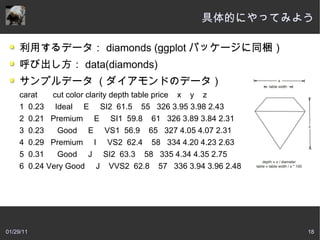
     利用するデータ: diamonds (ggplot パッケージに同梱)
     呼び出し方: data(diamonds)
     サンプルデータ
(ダイアモンドのデータ)
     carat   cut color clarity depth table price x y z
     1 0.23 Ideal E SI2 61.5 55 326 3.95 3.98 2.43
     2 0.21 Premium E SI1 59.8 61 326 3.89 3.84 2.31
     3 0.23   Good E VS1 56.9 65 327 4.05 4.07 2.31
     4 0.29 Premium I VS2 62.4 58 334 4.20 4.23 2.63
     5 0.31   Good J SI2 63.3 58 335 4.34 4.35 2.75
     6 0.24 Very Good J VVS2 62.8 57 336 3.94 3.96 2.48


01/29/11                                                  18
具体的にやってみよう(棒グラフ)

   ■ 変数
 cut , carat の棒グラフと、 X 軸の間隔を調整してみよう。
   ・ qplot(cut, data = diamonds)
   ・ ggplot(diamonds , aes(cut)) + geom_bar()

   ・ qplot(carat, data = diamonds)
   ・ ggplot(diamonds , aes(carat)) + geom_bar()

   ・ qplot(carat, data = diamonds, binwidth = 1)
   ・ ggplot(diamonds , aes(x = carat)) + geom_bar(binwidth = 1)

   ・ qplot(carat, data = diamonds, binwidth = 0.1)
   ・ ggplot(diamonds , aes(x = carat)) + geom_bar(binwidth = 0.1)

   ・ qplot(carat, data = diamonds, binwidth = 0.01)
   ・ ggplot(diamonds , aes(x = carat)) + geom_bar(binwidth = 0.1)

01/29/11                                                            19
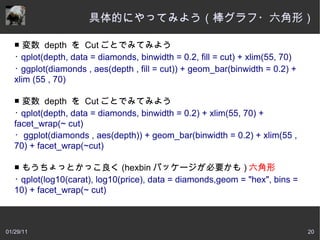
具体的にやってみよう(棒グラフ・六角形)

   ■ 変数
 depth を
 Cut ごとでみてみよう
   ・ qplot(depth, data = diamonds, binwidth = 0.2, fill = cut) + xlim(55, 70)
   ・ ggplot(diamonds , aes(depth , fill = cut)) + geom_bar(binwidth = 0.2) +
   xlim (55 , 70)

   ■ 変数
 depth を
 Cut ごとでみてみよう
   ・ qplot(depth, data = diamonds, binwidth = 0.2) + xlim(55, 70) +
   facet_wrap(~ cut)
   ・
 ggplot(diamonds , aes(depth)) + geom_bar(binwidth = 0.2) + xlim(55 ,
   70) + facet_wrap(~cut)

   ■ もうちょっとかっこ良く (hexbin パッケージが必要かも ) 六角形
   ・ qplot(log10(carat), log10(price), data = diamonds,geom = "hex", bins =
   10) + facet_wrap(~ cut)


01/29/11                                                                        20
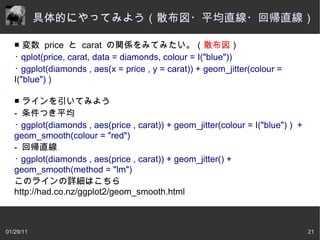
具体的にやってみよう(散布図・平均直線・回帰直線)

   ■ 変数
 price と
 carat の関係をみてみたい。(散布図)
   ・ qplot(price, carat, data = diamonds, colour = I("blue"))
   ・ ggplot(diamonds , aes(x = price , y = carat)) + geom_jitter(colour =
   I("blue") )

   ■ ラインを引いてみよう
   - 条件つき平均
   ・ ggplot(diamonds , aes(price , carat)) + geom_jitter(colour = I("blue") ) +
   geom_smooth(colour = "red")
   - 回帰直線
   ・ ggplot(diamonds , aes(price , carat)) + geom_jitter() +
   geom_smooth(method = "lm")
   このラインの詳細はこちら
   http://had.co.nz/ggplot2/geom_smooth.html


01/29/11                                                                          21
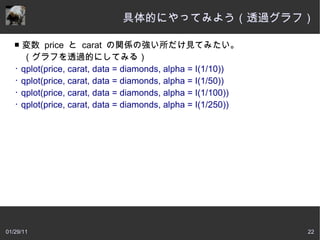
具体的にやってみよう(透過グラフ)

   ■ 変数
 price と
 carat の関係の強い所だけ見てみたい。
    (グラフを透過的にしてみる)
   ・ qplot(price, carat, data = diamonds, alpha = I(1/10))
   ・ qplot(price, carat, data = diamonds, alpha = I(1/50))
   ・ qplot(price, carat, data = diamonds, alpha = I(1/100))
   ・ qplot(price, carat, data = diamonds, alpha = I(1/250))


01/29/11                                                      22
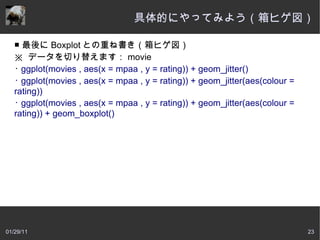
具体的にやってみよう(箱ヒゲ図)

   ■ 最後に Boxplot との重ね書き(箱ヒゲ図)
   ※
 データを切り替えます: movie
   ・ ggplot(movies , aes(x = mpaa , y = rating)) + geom_jitter()
   ・ ggplot(movies , aes(x = mpaa , y = rating)) + geom_jitter(aes(colour =
   rating))
   ・ ggplot(movies , aes(x = mpaa , y = rating)) + geom_jitter(aes(colour =
   rating)) + geom_boxplot()


01/29/11                                                                      23
まとめ


01/29/11         24
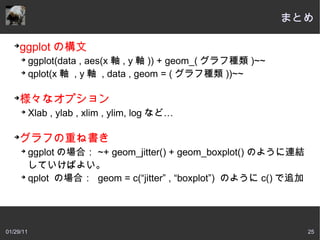
まとめ

   ➔
     ggplot の構文
       ➔
         ggplot(data , aes(x 軸 , y 軸 )) + geom_( グラフ種類 )~~
       ➔
         qplot(x 軸
 , y 軸
 , data , geom = ( グラフ種類 ))~~

   ➔
     様々なオプション
       ➔
           Xlab , ylab , xlim , ylim, log など…

   ➔
     グラフの重ね書き
       ➔
         ggplot の場合: ~+ geom_jitter() + geom_boxplot() のように連結
         していけばよい。
       ➔
         qplot の場合:
 geom = c(“jitter” , “boxplot”) のように c() で追加


01/29/11                                                           25
参考文献


01/29/11          26
今日の話の構成

     ggplot2 マニュアル
       http://had.co.nz/ggplot2/
           利用する時にとても参考になります。
     統数研セミナー概要
      http://jasp.ism.ac.jp/~nakanoj/workshop10/2010Rmeeting.ht
      m
     セミナー資料
        http://had.co.nz/courses/10-tokyo/
     SlideShare(Hadly Wickham)
        http://www.slideshare.net/hadley/presentations


01/29/11                                                      27
ご清聴
  ありがとうございました
      m(__)m

01/29/11        28

ggplot2 110129

  • 1.
  • 2.
    目次 1. 自己紹介 2. 統数研でのセミナー 3. 今日の話の構成 4. ggplot2 とはどんなパッケージ? 5. インストール方法 6. 基本的な使い方 7. 具体的にやってみよう 8. まとめ 9. 参考資料 01/29/11 2
  • 3.
    自己紹介 Twitter aad34210 http://pracmper.blogspot.com/ Web : MGSPW 01/29/11 3
  • 4.
  • 5.
    統数研でのセミナー 11 月 25 日:統計数理研究所で海外のスピーカーを招い て、セミナーが行われました。 今回は 2 人の方が参加されました。 ggplot2 のパッケージ開発者 Hadley Wickham さん 黄色い本を書かれた Uwe Ligges さん 概要は以下の URL に公開されています。 http://jasp.ism.ac.jp/~nakanoj/workshop10/2010Rmeetin g.htm 01/29/11 5
  • 6.
    統数研でのセミナー Wickham さんは ( 当然 )ggplot2 の話。 WorkShop 形式で話をされて、課題をしながら進めていきま した。 Ligges さんは CRAN の運営の話しとパッケージの 話。みなさんがアップロードされたパッケージの メンテナンスをしてくれています。 01/29/11 6
  • 7.
  • 8.
    今日の話の構成 時間は最大 30 分〜 40 分ぐらい。 インストール〜使い方まで。 ベースは統数研のセミナーで使われた資料を元に アレンジしています。 具体的にデモをやりつつ進めていきます。 こんな人向け デフォルトの plot ではちょっと物足りない… きれいなグラフを作りたい。 01/29/11 8
  • 9.
    ggplot2 とは どんなパッケージ? 01/29/11 9
  • 10.
    ggplot2 とはどんなパッケージ? ggplot2 とは? ggplot2 is a plotting system for R, based on the grammar of graphics, which tries to take the good parts of base and lattice graphics and none of the bad parts. It takes care of many of the fiddly details that make plotting a hassle (like drawing legends) as well as providing a powerful model of graphics that makes it easy to produce complex multi-layered graphics 超意訳:グラフ文法をベースにした R の描画機能。簡 単にきれいでパワフルなグラフがかけまっせ! 出典: http://had.co.nz/ggplot2/ 01/29/11 10

  • 11.
    ggplot2 とはどんなパッケージ? 具体的にはどんなグラフが描けるのか? 01/29/11 11
  • 12.
  • 13.
    インストール方法 他のインストールパッケージと全く同じ install.packages(“ggplot2”) library(ggplot2) 初めてインストールする場合は、 CRAN のロケーション を選んでください。 Japan(Hyogo) Japan(Tsukuba) を選択してください。 (画面は MacOS 版) 01/29/11 13
  • 14.
  • 15.
    基本的な使い方 ggplot2 には 2 つの構文があります。 ggplot([data] , aes(x = X 軸
 , y = Y 軸 )) : データ定義
 + geom_ () : 出力するグラフ + geom_ () : 出力するグラフ 2 + xlim( 最小値 , 最大値 ) + ylim( 最小値 , 最大値 ) + xlab(X 軸ラベル )+ ylab(Y 軸ラベル ) などなど… 例) ggplot(movies, aes(x=mpaa, y=rating)) +geom_jitter(aes(colour=rating))+xlab(“ 対象年令” ) + ylab(“ レーティング” ) 01/29/11 15
  • 16.
    基本的な使い方 ggplot2 には 2 つの構文があります。 qplot(x , y , data = [data] , geom = グラフ ) 例) qplot(mpaa, rating, data=movies,geom=c("boxplot","jitter")) ggplot~,qplot も構文が違うだけで同じグラフを作ってくれま す。
 01/29/11 16
  • 17.
  • 18.
    具体的にやってみよう 利用するデータ: diamonds (ggplot パッケージに同梱) 呼び出し方: data(diamonds) サンプルデータ
(ダイアモンドのデータ) carat cut color clarity depth table price x y z 1 0.23 Ideal E SI2 61.5 55 326 3.95 3.98 2.43 2 0.21 Premium E SI1 59.8 61 326 3.89 3.84 2.31 3 0.23 Good E VS1 56.9 65 327 4.05 4.07 2.31 4 0.29 Premium I VS2 62.4 58 334 4.20 4.23 2.63 5 0.31 Good J SI2 63.3 58 335 4.34 4.35 2.75 6 0.24 Very Good J VVS2 62.8 57 336 3.94 3.96 2.48 01/29/11 18
  • 19.
    具体的にやってみよう(棒グラフ) ■ 変数
 cut , carat の棒グラフと、 X 軸の間隔を調整してみよう。 ・ qplot(cut, data = diamonds) ・ ggplot(diamonds , aes(cut)) + geom_bar() ・ qplot(carat, data = diamonds) ・ ggplot(diamonds , aes(carat)) + geom_bar() ・ qplot(carat, data = diamonds, binwidth = 1) ・ ggplot(diamonds , aes(x = carat)) + geom_bar(binwidth = 1) ・ qplot(carat, data = diamonds, binwidth = 0.1) ・ ggplot(diamonds , aes(x = carat)) + geom_bar(binwidth = 0.1) ・ qplot(carat, data = diamonds, binwidth = 0.01) ・ ggplot(diamonds , aes(x = carat)) + geom_bar(binwidth = 0.1) 01/29/11 19
  • 20.
    具体的にやってみよう(棒グラフ・六角形) ■ 変数
 depth を
 Cut ごとでみてみよう ・ qplot(depth, data = diamonds, binwidth = 0.2, fill = cut) + xlim(55, 70) ・ ggplot(diamonds , aes(depth , fill = cut)) + geom_bar(binwidth = 0.2) + xlim (55 , 70) ■ 変数
 depth を
 Cut ごとでみてみよう ・ qplot(depth, data = diamonds, binwidth = 0.2) + xlim(55, 70) + facet_wrap(~ cut) ・
 ggplot(diamonds , aes(depth)) + geom_bar(binwidth = 0.2) + xlim(55 , 70) + facet_wrap(~cut) ■ もうちょっとかっこ良く (hexbin パッケージが必要かも ) 六角形 ・ qplot(log10(carat), log10(price), data = diamonds,geom = "hex", bins = 10) + facet_wrap(~ cut) 01/29/11 20
  • 21.
    具体的にやってみよう(散布図・平均直線・回帰直線) ■ 変数
 price と
 carat の関係をみてみたい。(散布図) ・ qplot(price, carat, data = diamonds, colour = I("blue")) ・ ggplot(diamonds , aes(x = price , y = carat)) + geom_jitter(colour = I("blue") ) ■ ラインを引いてみよう - 条件つき平均 ・ ggplot(diamonds , aes(price , carat)) + geom_jitter(colour = I("blue") ) + geom_smooth(colour = "red") - 回帰直線 ・ ggplot(diamonds , aes(price , carat)) + geom_jitter() + geom_smooth(method = "lm") このラインの詳細はこちら http://had.co.nz/ggplot2/geom_smooth.html 01/29/11 21
  • 22.
    具体的にやってみよう(透過グラフ) ■ 変数
 price と
 carat の関係の強い所だけ見てみたい。  (グラフを透過的にしてみる) ・ qplot(price, carat, data = diamonds, alpha = I(1/10)) ・ qplot(price, carat, data = diamonds, alpha = I(1/50)) ・ qplot(price, carat, data = diamonds, alpha = I(1/100)) ・ qplot(price, carat, data = diamonds, alpha = I(1/250)) 01/29/11 22
  • 23.
    具体的にやってみよう(箱ヒゲ図) ■ 最後に Boxplot との重ね書き(箱ヒゲ図) ※
 データを切り替えます: movie ・ ggplot(movies , aes(x = mpaa , y = rating)) + geom_jitter() ・ ggplot(movies , aes(x = mpaa , y = rating)) + geom_jitter(aes(colour = rating)) ・ ggplot(movies , aes(x = mpaa , y = rating)) + geom_jitter(aes(colour = rating)) + geom_boxplot() 01/29/11 23
  • 24.
  • 25.
    まとめ ➔ ggplot の構文 ➔ ggplot(data , aes(x 軸 , y 軸 )) + geom_( グラフ種類 )~~ ➔ qplot(x 軸
 , y 軸
 , data , geom = ( グラフ種類 ))~~ ➔ 様々なオプション ➔ Xlab , ylab , xlim , ylim, log など… ➔ グラフの重ね書き ➔ ggplot の場合: ~+ geom_jitter() + geom_boxplot() のように連結 していけばよい。 ➔ qplot の場合:
 geom = c(“jitter” , “boxplot”) のように c() で追加 01/29/11 25
  • 26.
  • 27.
    今日の話の構成 ggplot2 マニュアル http://had.co.nz/ggplot2/ 利用する時にとても参考になります。 統数研セミナー概要 http://jasp.ism.ac.jp/~nakanoj/workshop10/2010Rmeeting.ht m セミナー資料 http://had.co.nz/courses/10-tokyo/ SlideShare(Hadly Wickham) http://www.slideshare.net/hadley/presentations 01/29/11 27
  • 28.