GETTING STARTED WITH
E-LEARNING
Andre Netto
teacherandre@gmail.com
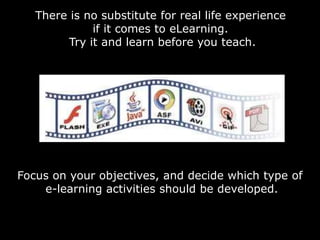
There is no substitute for real life experience
if it comes to eLearning.
Try it and learn before you teach.
Focus on your objectives, and decide which type of
e-learning activities should be developed.
Develop your own content and promote
interaction by using social media
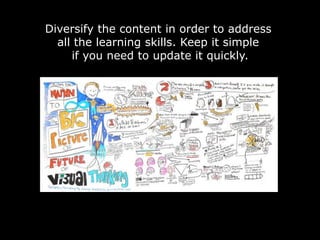
Diversify the content in order to address
all the learning skills. Keep it simple
if you need to update it quickly.
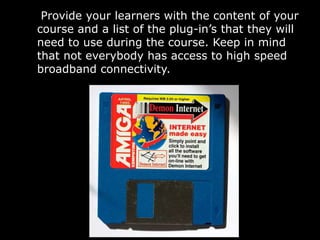
Provide your learners with the content of your
course and a list of the plug-in’s that they will
need to use during the course. Keep in mind
that not everybody has access to high speed
broadband connectivity.
Test everything first! A pilot course with
a small group will allow you to check if
everything works and adjust the
material, if necessary!
BE CREATIVE!
HAVE FUN!
References
This presentation was based on My Top Ten Tips for Getting Started
With Elearning - @Ignatia Webs
http://ignatiawebs.blogspot.com/2009/04/my-top-ten-tips-for-getting-started.html
Slide 2 - http://farm3.static.flickr.com/2659/3894763651_44a406eaa4.jpg
Slide 3 – CTJ EdTech Week - 2009
Slide 4 - http://farm5.static.flickr.com/4119/4886206818_8a2cf28676_z.jpg
Slide 5 - http://farm3.static.flickr.com/2437/3625043250_296519a3d3.jpg
Slide 6 - http://farm5.static.flickr.com/4115/4765401607_86e6d182b2.jpg
Slide 7 - http://farm4.static.flickr.com/3105/2282265286_e7a23bbb5d.jpg
Creative Commons Quality Photos for Free

Getting started with e-learning

  • 1.
    GETTING STARTED WITH E-LEARNING AndreNetto teacherandre@gmail.com
  • 2.
    There is nosubstitute for real life experience if it comes to eLearning. Try it and learn before you teach. Focus on your objectives, and decide which type of e-learning activities should be developed.
  • 3.
    Develop your owncontent and promote interaction by using social media
  • 4.
    Diversify the contentin order to address all the learning skills. Keep it simple if you need to update it quickly.
  • 5.
    Provide your learnerswith the content of your course and a list of the plug-in’s that they will need to use during the course. Keep in mind that not everybody has access to high speed broadband connectivity.
  • 6.
    Test everything first!A pilot course with a small group will allow you to check if everything works and adjust the material, if necessary!
  • 7.
  • 8.
    References This presentation wasbased on My Top Ten Tips for Getting Started With Elearning - @Ignatia Webs http://ignatiawebs.blogspot.com/2009/04/my-top-ten-tips-for-getting-started.html Slide 2 - http://farm3.static.flickr.com/2659/3894763651_44a406eaa4.jpg Slide 3 – CTJ EdTech Week - 2009 Slide 4 - http://farm5.static.flickr.com/4119/4886206818_8a2cf28676_z.jpg Slide 5 - http://farm3.static.flickr.com/2437/3625043250_296519a3d3.jpg Slide 6 - http://farm5.static.flickr.com/4115/4765401607_86e6d182b2.jpg Slide 7 - http://farm4.static.flickr.com/3105/2282265286_e7a23bbb5d.jpg Creative Commons Quality Photos for Free