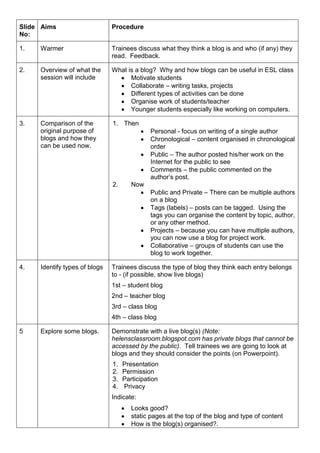
Slide No:AimsProcedure1.WarmerTrainees discuss what they think a blog is and who (if any) they read.  Feedback.2.Overview of what the session will includeWhat is a blog?  Why and how blogs can be useful in ESL classMotivate studentsCollaborate – writing tasks, projectsDifferent types of activities can be doneOrganise work of students/teacherYounger students especially like working on computers.3.Comparison of the original purpose of blogs and how they can be used now.ThenPersonal - focus on writing of a single authorChronological – content organised in chronological orderPublic – The author posted his/her work on the Internet for the public to seeComments – the public commented on the author’s post.NowPublic and Private – There can be multiple authors on a blogTags (labels) – posts can be tagged.  Using the tags you can organise the content by topic, author, or any other method.Projects – because you can have multiple authors, you can now use a blog for project work.Collaborative – groups of students can use the blog to work together.4.Identify types of blogsTrainees discuss the type of blog they think each entry belongs to - (if possible, show live blogs)1st – student blog2nd – teacher blog3rd – class blog4th – class blog5Explore some blogs.Demonstrate with a live blog(s) (Note:  helensclassroom.blogspot.com has private blogs that cannot be accessed by the public).  Tell trainees we are going to look at blogs and they should consider the points (on Powerpoint).PresentationPermissionParticipation PrivacyIndicate:Looks good?static pages at the top of the blog and type of contentHow is the blog(s) organised?.links to other websites and blogscontent of entriesauthor(s) of entriestypes of activitiespermissions and privacyimages (mention copyright on public blogs)There is usually a lot of interest in this part and lots of questions.1.Trainees discuss the blog(s) and consider how they could use a blog with their students.2.Feedback.6.Provide a checklist of things to consider when planning a blog1.Trainees discuss the advantages and disadvantages of using blogs with their students.2.Feedback.Compare trainees ideas with ideas on slideshow:Type of blog – teacher, class or studentGetting Permission from parents – younger learners and teens – for photos, email addresses, etc.Public or private – must be private if it is going to contain photos of students.Name should be easy to remember.How will you organise everything – chronological, topic, skills?Content – on public blogs it is important to respect copyright lawsWhat will it look like? – spend some time playing with designs to make it unique.  Have students design it?Class time – depends on how much you are able to or want to spend and the types of projects you want to do.  If you are using it for homework and links to other resources, classroom time is minimal.  Project work would mean more time to be dedicated to it.Teacher time – after inital setup, which might include setting up email accounts and assigning author and reading permissions it will depend on what type of blog and what it is used for.  Generally, it is not much more than taking lots of photocopies for homework or typing up an activity in Word.Training – young students (in my opinion) are not digital natives but most learn quickly.  The teacher may need to spend some time teaching students basic language and technical skills.  Use the more experienced students to help!7.Provide a summary of ideas to keep teachers/students motivated to use the blog Trainees discuss how to keep themselves motivated and the students motivated once a blog has been set up.Compare trainees ideas to ideas on slideshow.Resources - Teachers can use blogs to create links to frequently used online resources, or self created online resources.Homework – get students to do their homework on the blog as often as possible.   Information – Teacher posts important information such as exam dates and other upcoming events.  Students and teacher have a central place to find information.Useful links – links to dictionaries, etc.Projects – Either teacher led or student projects.  Keep students involved by giving them tasks and responsibilities on the blog.  Not everybody will respond, but enough will to make the blog successful.  If you need a break – give control to a student(s) for a while – get them to find interesting homework activities for their classmates and put them on blog.  Encourage students to create their own blogs and link them to the class blog..Have it on screen at the beginning of the class with an outline lesson plan – could also be used by absent students to keep up to date with classwork.  Have it on the board as the students enter the classroom with a video playing or puzzle.  Use it as much as possible in class to remind students it exists.8.Provide further guidance on planning a blog and making it future proofLooking ahead – the blog will constantly evolve.  When creating a blog, think about:PlanReuse - Initially setting up your first blog can take a little time.  But once it is setup it takes no longer than making photocopies of activities or writing up instructions.  One great advantage of using a blog is that once the content is on the blog, it’s there forever so you can reuse it.  You don’t even need to create new blogs every year for new classes.  If you have the same level class, you can import the design and content from one blog into another blog (then delete any content you don’t want in the new blog).  This is a simple way to reuse materials and designs on your blogs.  Or, if you only want an activity on another blog, simply create a link to that activity, or copy and paste it into the other blog.Blogger is always coming up with new features that make more things possible, easier, more attractive, etc.New ideas for using blogs always coming up.  Let the students get involved.  Share with colleagues.OrganiseOrganise content and blogs so that it can be found easily in the future.Trainees who don’t want to setup a blog leave.9-1314-18Setting up a blog with Blogger.  This session takes about 1 hour.Trainees setup a blog in Blogger Trainer demonstrates how to create a blog.  Trainees create blogs – slides 9-13.Trainer gives overview of features available on the dashboard – Posts/Settings/Design/Monetize Trainer demonstrates how to publish a post including image, video, tags, and view. Trainer demonstrates how to return to “design” mode from view mode.Trainees do tasks in slides 14 to 18.Trainer demonstrates how to edit posts from the blog and from the “dashboard”.The screenshots are for use after a demonstration by a trainer of what to do.The first and second posts suggested below are also ideal first and second posts for students.NotesImage - The image will have to be on the computer or trainees can insert a URL to an online image.Youtube:  Demonstrate where the youtube html code is (also show trainees that they can change the border and size of the video to match the colour of the blog)Tags / labels – demonstrate on a live blog if possible.  Also point out that the DESIGN tab is for rearranging the look of the blog and there are a lot of other options.10Provide useful websitesSome useful websites that trainees can use to learn more about different features of Blogger.
Introduction to Blogs

Introduction to Blogs

  • 1.
    Slide No:AimsProcedure1.WarmerTrainees discusswhat they think a blog is and who (if any) they read. Feedback.2.Overview of what the session will includeWhat is a blog? Why and how blogs can be useful in ESL classMotivate studentsCollaborate – writing tasks, projectsDifferent types of activities can be doneOrganise work of students/teacherYounger students especially like working on computers.3.Comparison of the original purpose of blogs and how they can be used now.ThenPersonal - focus on writing of a single authorChronological – content organised in chronological orderPublic – The author posted his/her work on the Internet for the public to seeComments – the public commented on the author’s post.NowPublic and Private – There can be multiple authors on a blogTags (labels) – posts can be tagged. Using the tags you can organise the content by topic, author, or any other method.Projects – because you can have multiple authors, you can now use a blog for project work.Collaborative – groups of students can use the blog to work together.4.Identify types of blogsTrainees discuss the type of blog they think each entry belongs to - (if possible, show live blogs)1st – student blog2nd – teacher blog3rd – class blog4th – class blog5Explore some blogs.Demonstrate with a live blog(s) (Note: helensclassroom.blogspot.com has private blogs that cannot be accessed by the public). Tell trainees we are going to look at blogs and they should consider the points (on Powerpoint).PresentationPermissionParticipation PrivacyIndicate:Looks good?static pages at the top of the blog and type of contentHow is the blog(s) organised?.links to other websites and blogscontent of entriesauthor(s) of entriestypes of activitiespermissions and privacyimages (mention copyright on public blogs)There is usually a lot of interest in this part and lots of questions.1.Trainees discuss the blog(s) and consider how they could use a blog with their students.2.Feedback.6.Provide a checklist of things to consider when planning a blog1.Trainees discuss the advantages and disadvantages of using blogs with their students.2.Feedback.Compare trainees ideas with ideas on slideshow:Type of blog – teacher, class or studentGetting Permission from parents – younger learners and teens – for photos, email addresses, etc.Public or private – must be private if it is going to contain photos of students.Name should be easy to remember.How will you organise everything – chronological, topic, skills?Content – on public blogs it is important to respect copyright lawsWhat will it look like? – spend some time playing with designs to make it unique. Have students design it?Class time – depends on how much you are able to or want to spend and the types of projects you want to do. If you are using it for homework and links to other resources, classroom time is minimal. Project work would mean more time to be dedicated to it.Teacher time – after inital setup, which might include setting up email accounts and assigning author and reading permissions it will depend on what type of blog and what it is used for. Generally, it is not much more than taking lots of photocopies for homework or typing up an activity in Word.Training – young students (in my opinion) are not digital natives but most learn quickly. The teacher may need to spend some time teaching students basic language and technical skills. Use the more experienced students to help!7.Provide a summary of ideas to keep teachers/students motivated to use the blog Trainees discuss how to keep themselves motivated and the students motivated once a blog has been set up.Compare trainees ideas to ideas on slideshow.Resources - Teachers can use blogs to create links to frequently used online resources, or self created online resources.Homework – get students to do their homework on the blog as often as possible. Information – Teacher posts important information such as exam dates and other upcoming events. Students and teacher have a central place to find information.Useful links – links to dictionaries, etc.Projects – Either teacher led or student projects. Keep students involved by giving them tasks and responsibilities on the blog. Not everybody will respond, but enough will to make the blog successful. If you need a break – give control to a student(s) for a while – get them to find interesting homework activities for their classmates and put them on blog. Encourage students to create their own blogs and link them to the class blog..Have it on screen at the beginning of the class with an outline lesson plan – could also be used by absent students to keep up to date with classwork. Have it on the board as the students enter the classroom with a video playing or puzzle. Use it as much as possible in class to remind students it exists.8.Provide further guidance on planning a blog and making it future proofLooking ahead – the blog will constantly evolve. When creating a blog, think about:PlanReuse - Initially setting up your first blog can take a little time. But once it is setup it takes no longer than making photocopies of activities or writing up instructions. One great advantage of using a blog is that once the content is on the blog, it’s there forever so you can reuse it. You don’t even need to create new blogs every year for new classes. If you have the same level class, you can import the design and content from one blog into another blog (then delete any content you don’t want in the new blog). This is a simple way to reuse materials and designs on your blogs. Or, if you only want an activity on another blog, simply create a link to that activity, or copy and paste it into the other blog.Blogger is always coming up with new features that make more things possible, easier, more attractive, etc.New ideas for using blogs always coming up. Let the students get involved. Share with colleagues.OrganiseOrganise content and blogs so that it can be found easily in the future.Trainees who don’t want to setup a blog leave.9-1314-18Setting up a blog with Blogger. This session takes about 1 hour.Trainees setup a blog in Blogger Trainer demonstrates how to create a blog. Trainees create blogs – slides 9-13.Trainer gives overview of features available on the dashboard – Posts/Settings/Design/Monetize Trainer demonstrates how to publish a post including image, video, tags, and view. Trainer demonstrates how to return to “design” mode from view mode.Trainees do tasks in slides 14 to 18.Trainer demonstrates how to edit posts from the blog and from the “dashboard”.The screenshots are for use after a demonstration by a trainer of what to do.The first and second posts suggested below are also ideal first and second posts for students.NotesImage - The image will have to be on the computer or trainees can insert a URL to an online image.Youtube: Demonstrate where the youtube html code is (also show trainees that they can change the border and size of the video to match the colour of the blog)Tags / labels – demonstrate on a live blog if possible. Also point out that the DESIGN tab is for rearranging the look of the blog and there are a lot of other options.10Provide useful websitesSome useful websites that trainees can use to learn more about different features of Blogger.