Globalized Digital  Learning
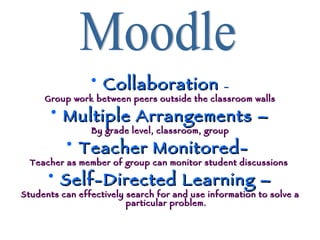
Collaboration  – Group work between peers outside the classroom walls Multiple Arrangements – By grade level, classroom, group Teacher Monitored-  Teacher as member of group can monitor student discussions  Self-Directed Learning – Students can effectively search for and use information to solve a particular problem. Moodle
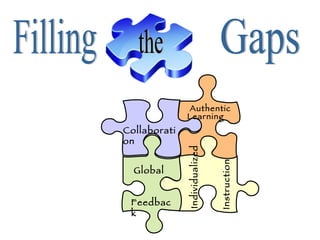
Filling the Gaps Collaboration Authentic  Feedback Global Learning Individualized Instruction
Collaboration Students can assist each other in working with technology and on-line learning (Hargis, J. & Schofield, K., 2007). Participatory Learning where students use global communication to extend conversations outside of classroom walls (Lemke, C., & Coughlin, E., 2009).
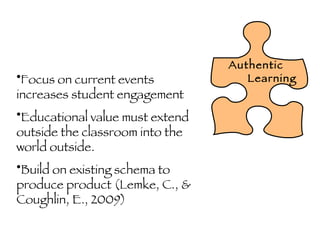
Authentic Learning Focus on current events increases student engagement Educational value must extend outside the classroom into the world outside.  Build on existing schema to produce product (Lemke, C., & Coughlin, E., 2009)
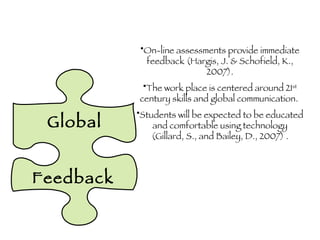
Global Feedback On-line assessments provide immediate feedback (Hargis, J. & Schofield, K., 2007). The work place is centered around 21 st  century skills and global communication.  Students will be expected to be educated and comfortable using technology (Gillard, S., and Bailey, D., 2007) .
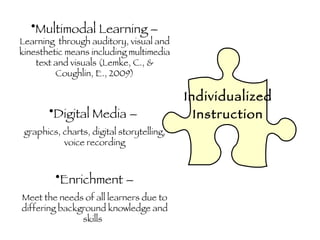
Individualized   Instruction Multimodal Learning –  Learning  through auditory, visual and kinesthetic means including multimedia text and visuals (Lemke, C., & Coughlin, E., 2009) Digital Media –  graphics, charts, digital storytelling, voice recording Enrichment – Meet the needs of all learners due to differing background knowledge and skills
IF & BUT
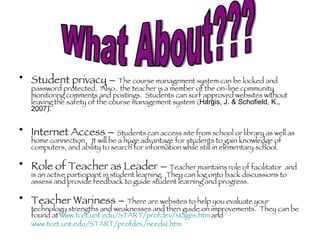
Student privacy –  The course management system can be locked and password protected.  Also,  the teacher is a member of the on-line community monitoring comments and postings.  Students can surf approved websites without leaving the safety of the course management system ( Hargis, J. & Schofield, K., 2007) . Internet Access –  Students can access site from school or library as well as home connection.  It will be a huge advantage for students to gain knowledge of computers, and ability to search for information while still in elementary school. Role of Teacher as Leader –  Teacher maintains role of facilitator  and is an active participant in student learning.  They can log onto back discussions to assess and provide feedback to guide student learning and progress.  Teacher Wariness –  There are websites to help you evaluate your technology strengths and weaknesses and then guide on improvements.  They can be found at  www.tcet.unt.edu/START/profdev/stages.htm  and  www.tcet.unt.edu/START/profdev/needs1.htm   What About???
References: Gillard, S., & Bailey, D. (2007). Technology in the classroom: Overcoming obstacles, reaping rewards. The International Journal of Learning, 14(1), 87–93.  Hargis, J., & Schofield, K. (2007). Integrating Online Learning into Elementary Classrooms. In P. Adamson, B. Adamson, & N. Clausen-Grace, et al (Eds.), What Works in K-12 Online Learning  (pp. 33-47). Eugene, OR: International Society for Technology in Education.  Lemke, C., & Coughlin, E. (2009). The change agents. Educational Leadership, 67(1), 54–59.

Gdl

  • 1.
  • 2.
    Collaboration –Group work between peers outside the classroom walls Multiple Arrangements – By grade level, classroom, group Teacher Monitored- Teacher as member of group can monitor student discussions Self-Directed Learning – Students can effectively search for and use information to solve a particular problem. Moodle
  • 3.
    Filling the GapsCollaboration Authentic Feedback Global Learning Individualized Instruction
  • 4.
    Collaboration Students canassist each other in working with technology and on-line learning (Hargis, J. & Schofield, K., 2007). Participatory Learning where students use global communication to extend conversations outside of classroom walls (Lemke, C., & Coughlin, E., 2009).
  • 5.
    Authentic Learning Focuson current events increases student engagement Educational value must extend outside the classroom into the world outside. Build on existing schema to produce product (Lemke, C., & Coughlin, E., 2009)
  • 6.
    Global Feedback On-lineassessments provide immediate feedback (Hargis, J. & Schofield, K., 2007). The work place is centered around 21 st century skills and global communication. Students will be expected to be educated and comfortable using technology (Gillard, S., and Bailey, D., 2007) .
  • 7.
    Individualized Instruction Multimodal Learning – Learning through auditory, visual and kinesthetic means including multimedia text and visuals (Lemke, C., & Coughlin, E., 2009) Digital Media – graphics, charts, digital storytelling, voice recording Enrichment – Meet the needs of all learners due to differing background knowledge and skills
  • 8.
  • 9.
    Student privacy – The course management system can be locked and password protected. Also, the teacher is a member of the on-line community monitoring comments and postings. Students can surf approved websites without leaving the safety of the course management system ( Hargis, J. & Schofield, K., 2007) . Internet Access – Students can access site from school or library as well as home connection. It will be a huge advantage for students to gain knowledge of computers, and ability to search for information while still in elementary school. Role of Teacher as Leader – Teacher maintains role of facilitator and is an active participant in student learning. They can log onto back discussions to assess and provide feedback to guide student learning and progress. Teacher Wariness – There are websites to help you evaluate your technology strengths and weaknesses and then guide on improvements. They can be found at www.tcet.unt.edu/START/profdev/stages.htm and www.tcet.unt.edu/START/profdev/needs1.htm What About???
  • 10.
    References: Gillard, S.,& Bailey, D. (2007). Technology in the classroom: Overcoming obstacles, reaping rewards. The International Journal of Learning, 14(1), 87–93. Hargis, J., & Schofield, K. (2007). Integrating Online Learning into Elementary Classrooms. In P. Adamson, B. Adamson, & N. Clausen-Grace, et al (Eds.), What Works in K-12 Online Learning (pp. 33-47). Eugene, OR: International Society for Technology in Education. Lemke, C., & Coughlin, E. (2009). The change agents. Educational Leadership, 67(1), 54–59.