HTML
PRESENTED BY MEGAN JOHNSON
HTML BASICS
AGENDA
▸Terminology & Descriptions
▸Set up of in-browser code editor
▸What is an HTML document
▸What are elements, tags and attributes
▸Structural vs. Semantic Elements
HTML BASICS
TERMS & DEFINITIONS
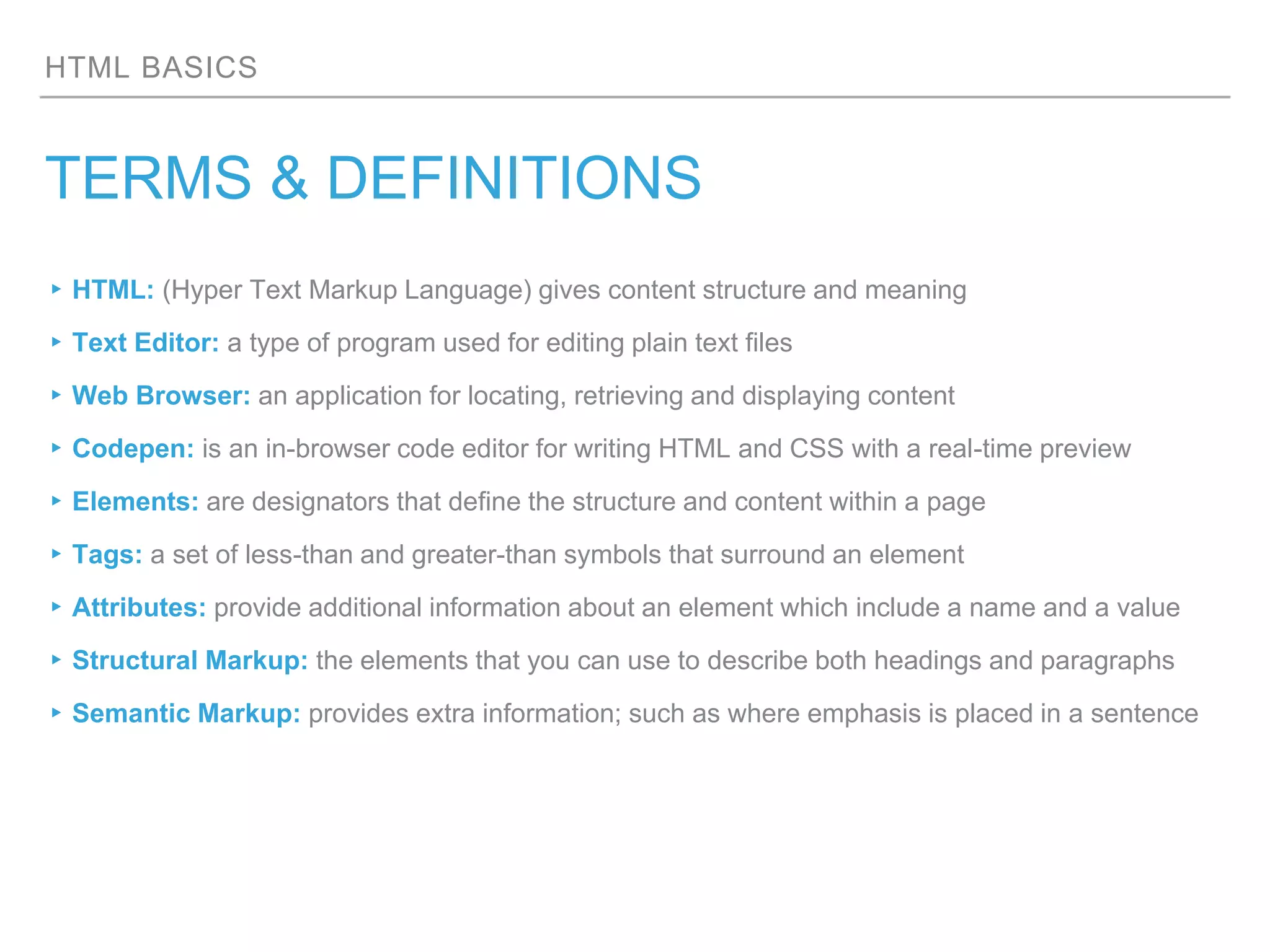
▸HTML: (Hyper Text Markup Language) gives content structure and meaning
▸Text Editor: a type of program used for editing plain text files
▸Web Browser: an application for locating, retrieving and displaying content
▸Codepen: is an in-browser code editor for writing HTML and CSS with a real-time preview
▸Elements: are designators that define the structure and content within a page
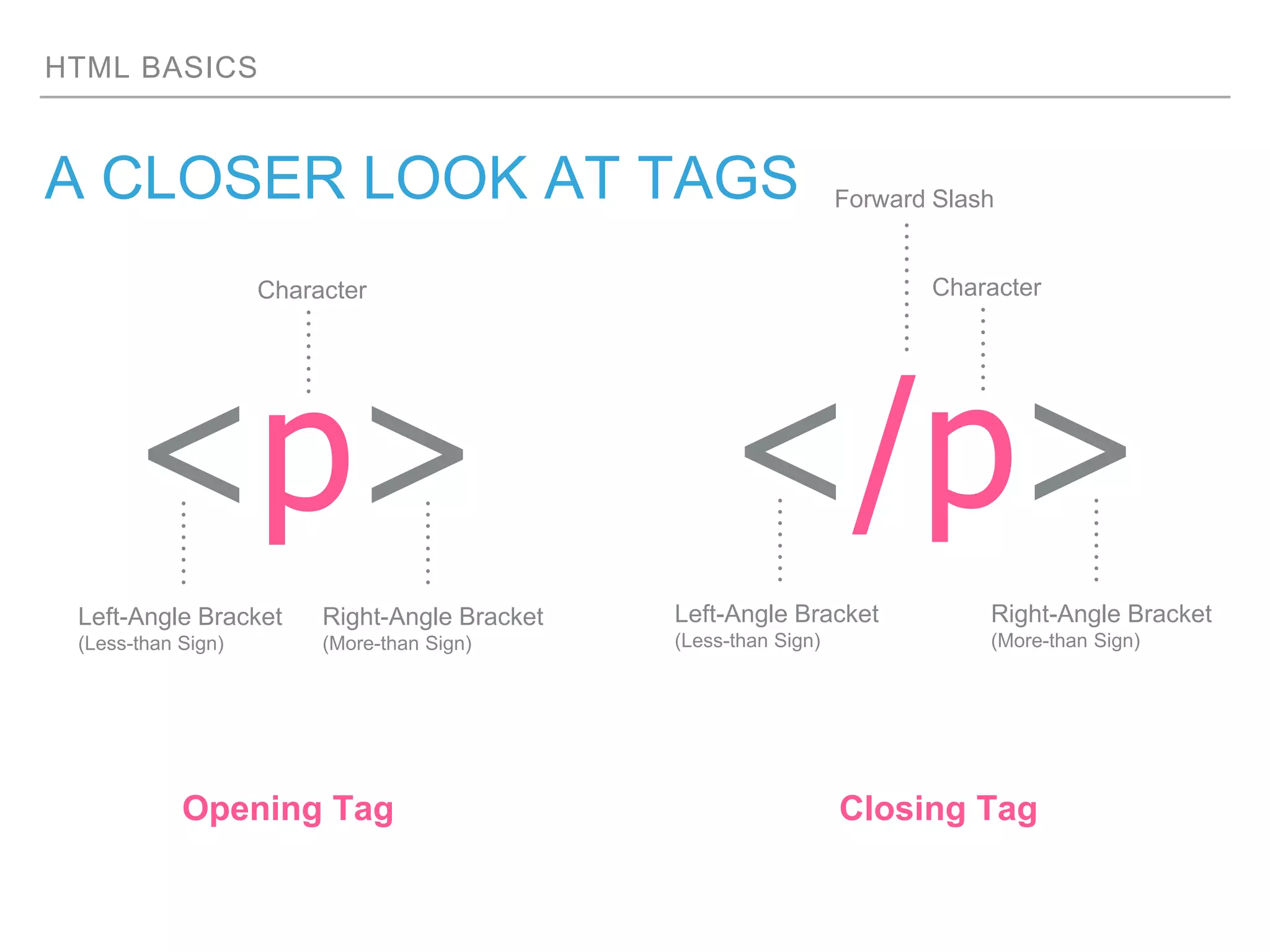
▸Tags: a set of less-than and greater-than symbols that surround an element
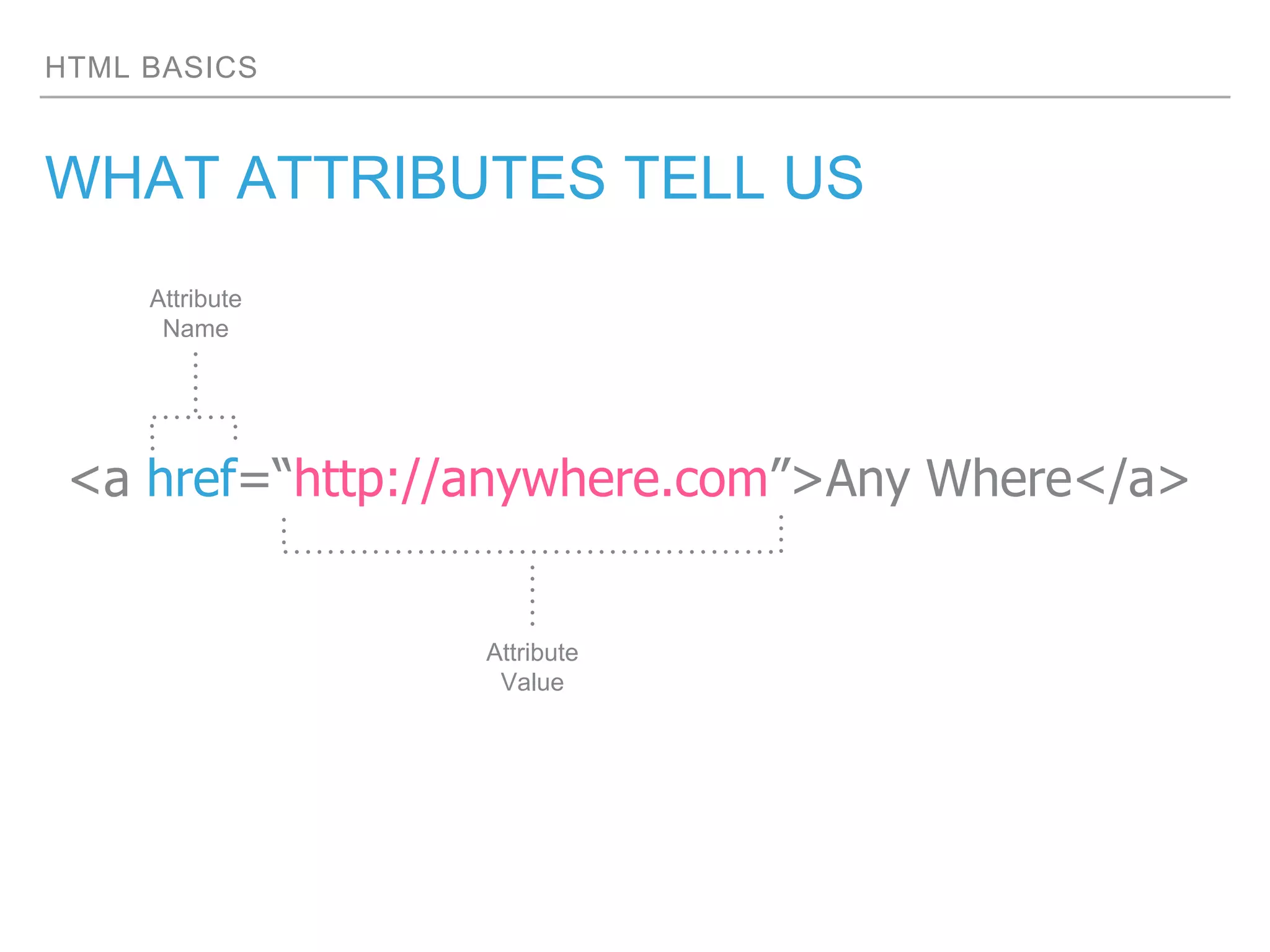
▸Attributes: provide additional information about an element which include a name and a value
▸Structural Markup: the elements that you can use to describe both headings and paragraphs
▸Semantic Markup: provides extra information; such as where emphasis is placed in a sentence
HTML BASICS
THE OUTLINING SYSTEM
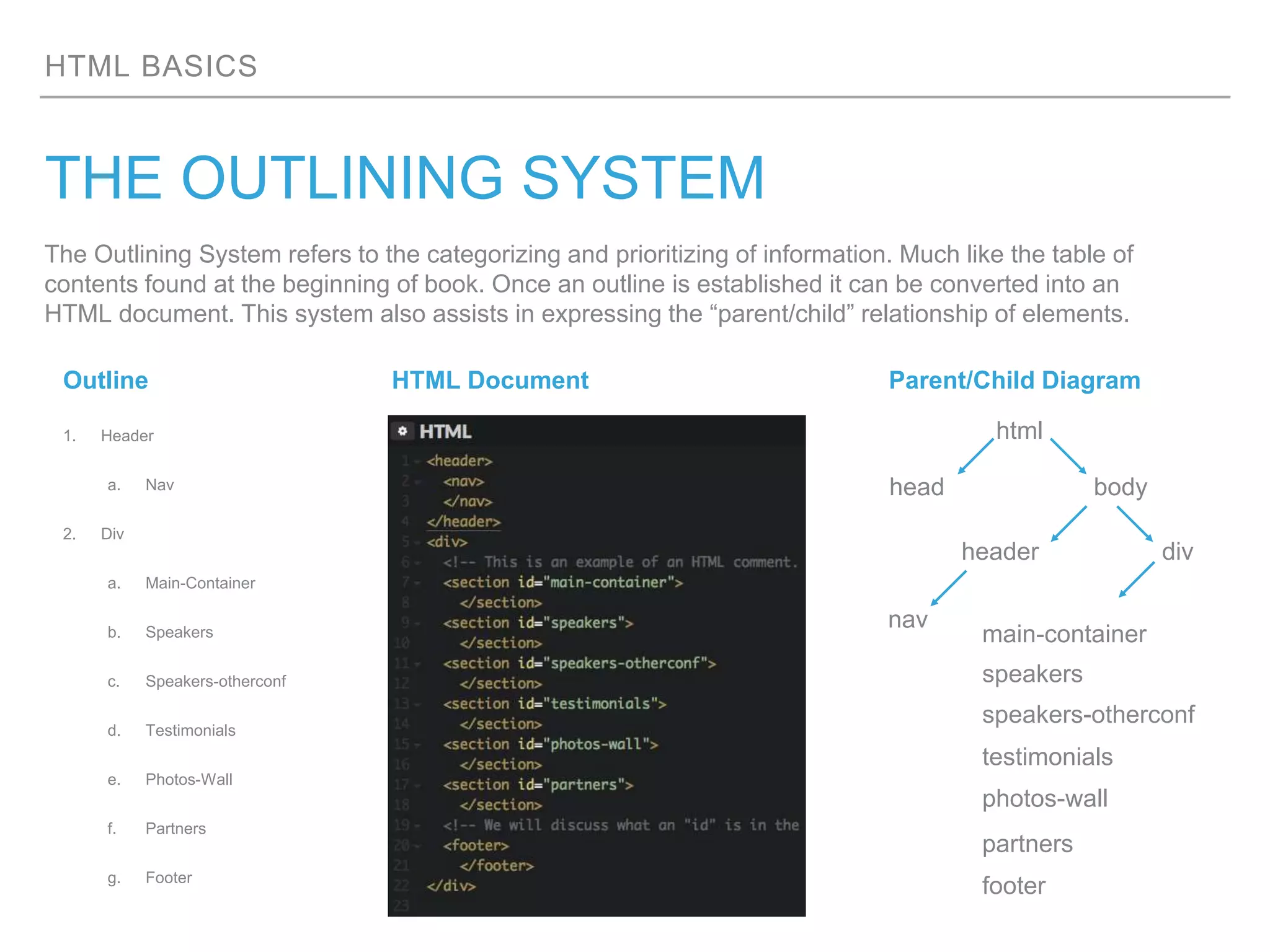
The Outlining System refers to the categorizing and prioritizing of information. Much like the table of
contents found at the beginning of book. Once an outline is established it can be converted into an
HTML document. This system also assists in expressing the “parent/child” relationship of elements.
1. Header
a. Nav
2. Div
a. Main-Container
b. Speakers
c. Speakers-otherconf
d. Testimonials
e. Photos-Wall
f. Partners
g. Footer
bodyhead
html
header div
nav
main-container
speakers
speakers-otherconf
testimonials
photos-wall
partners
footer
Outline HTML Document Parent/Child Diagram
HTML BASICS
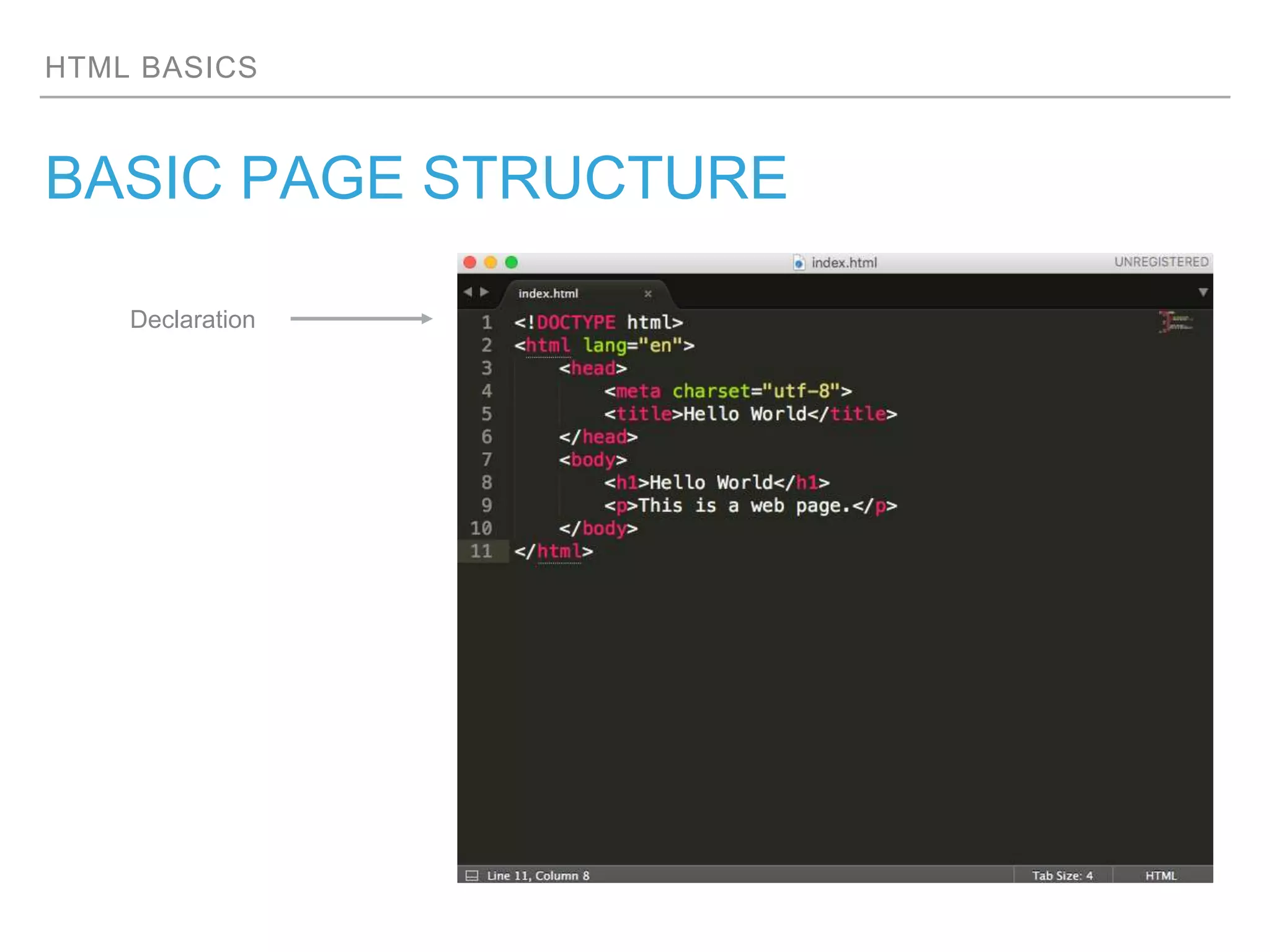
BASIC PAGE STRUCTURE
Declaration
HTML BASICS
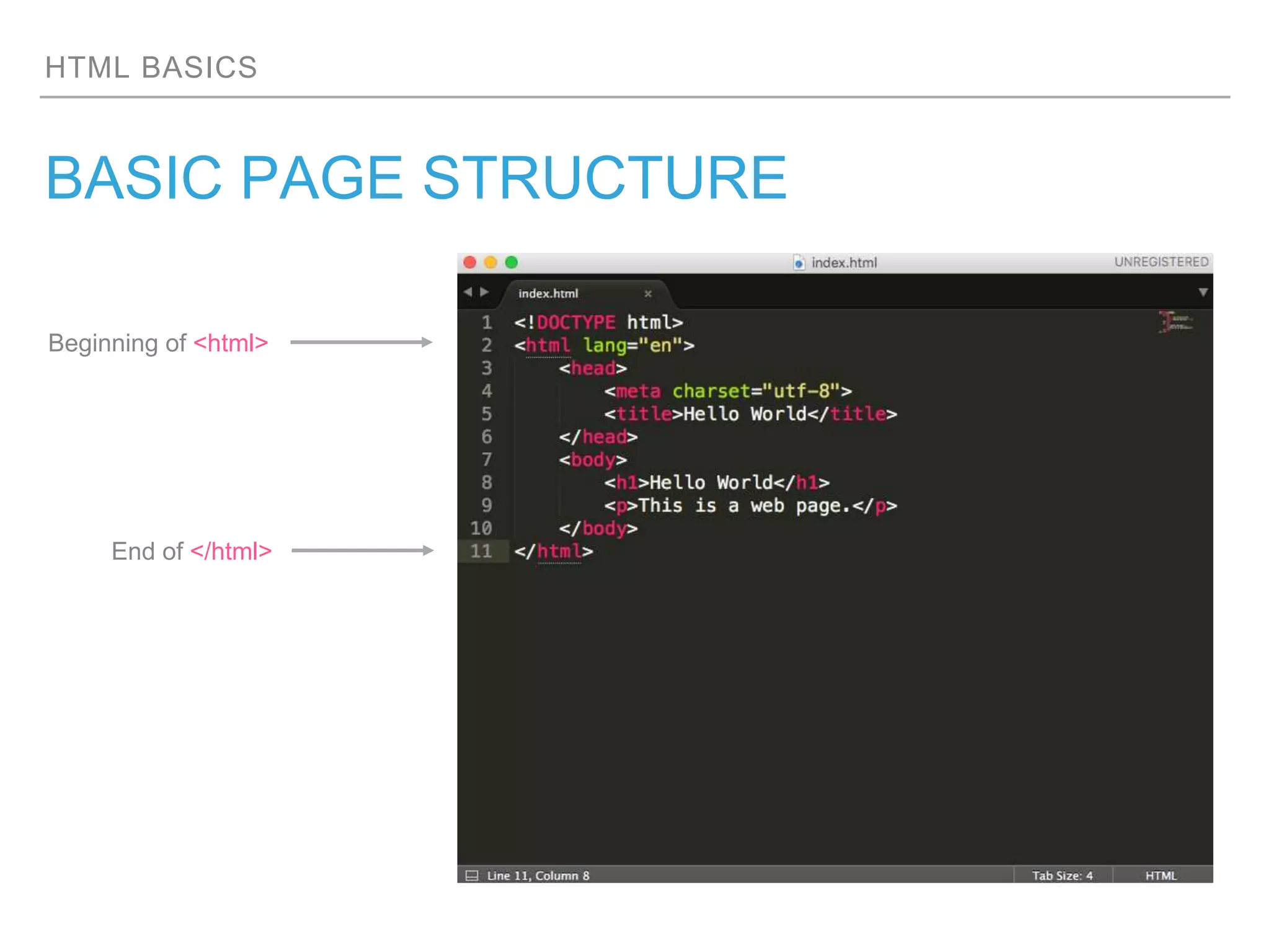
BASIC PAGE STRUCTURE
Beginning of <html>
End of </html>
HTML BASICS
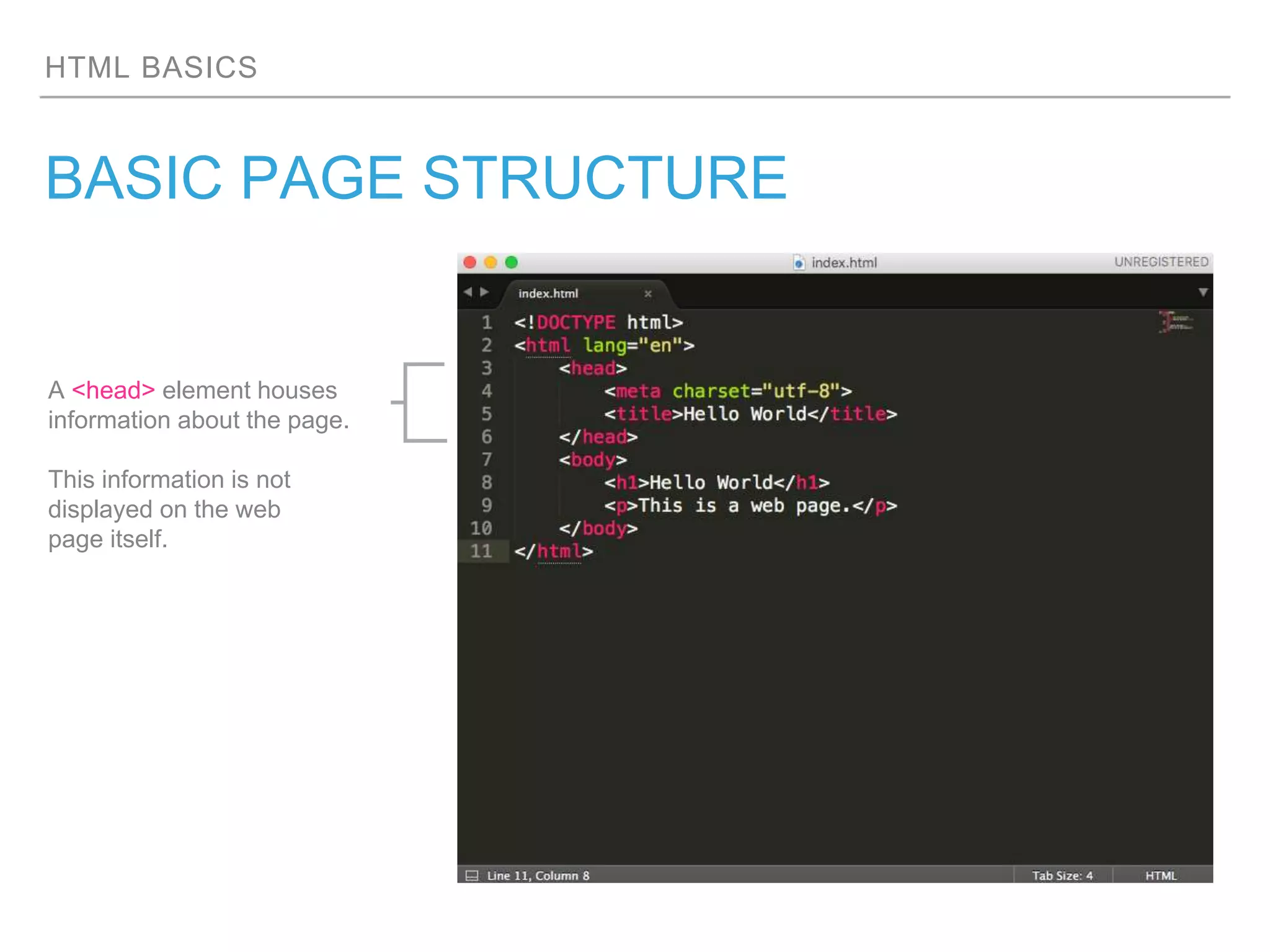
BASIC PAGE STRUCTURE
A <head> element houses
information about the page.
This information is not
displayed on the web
page itself.
HTML BASICS
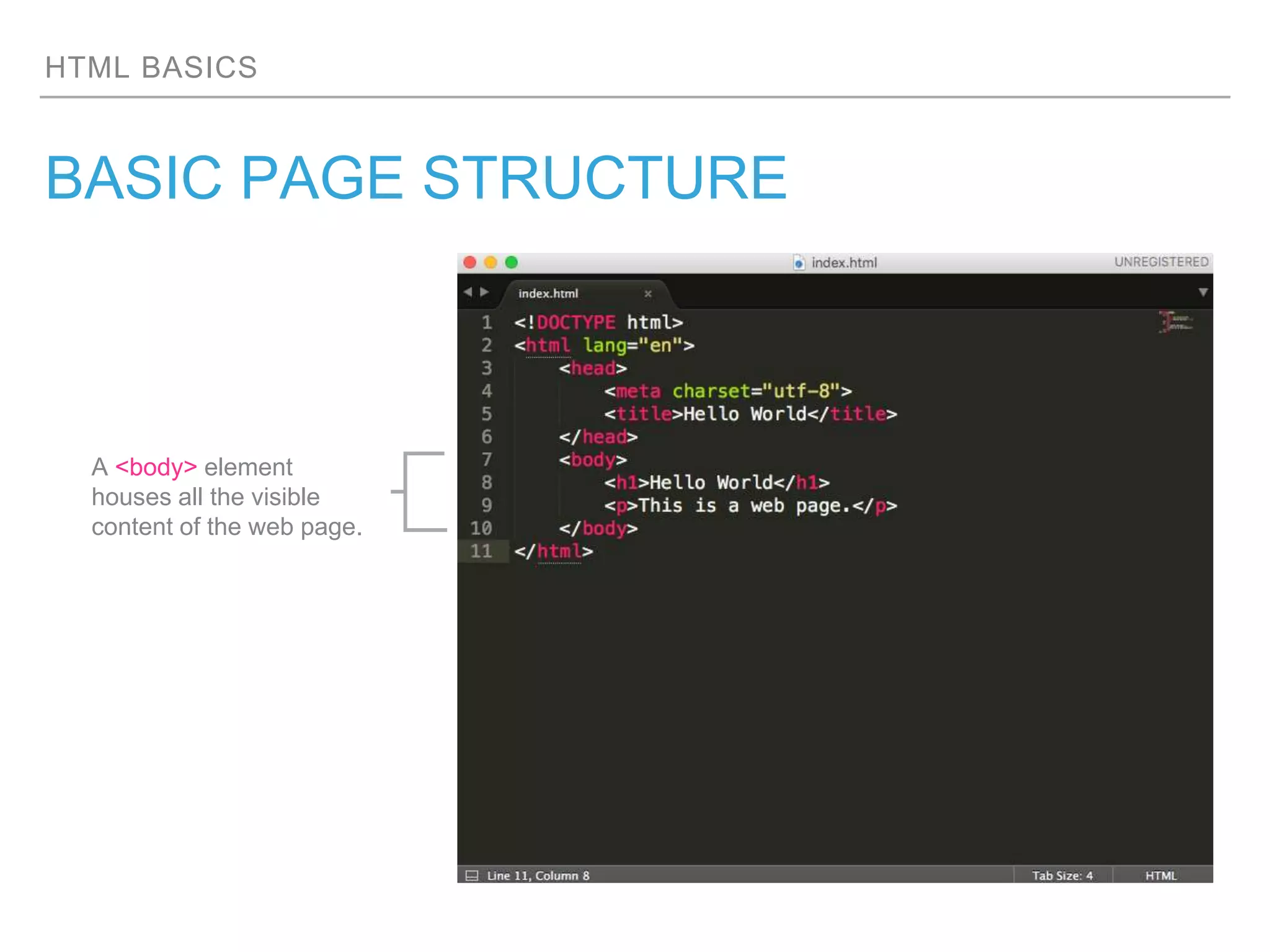
BASIC PAGE STRUCTURE
A <body> element
houses all the visible
content of the web page.
HTML BASICS
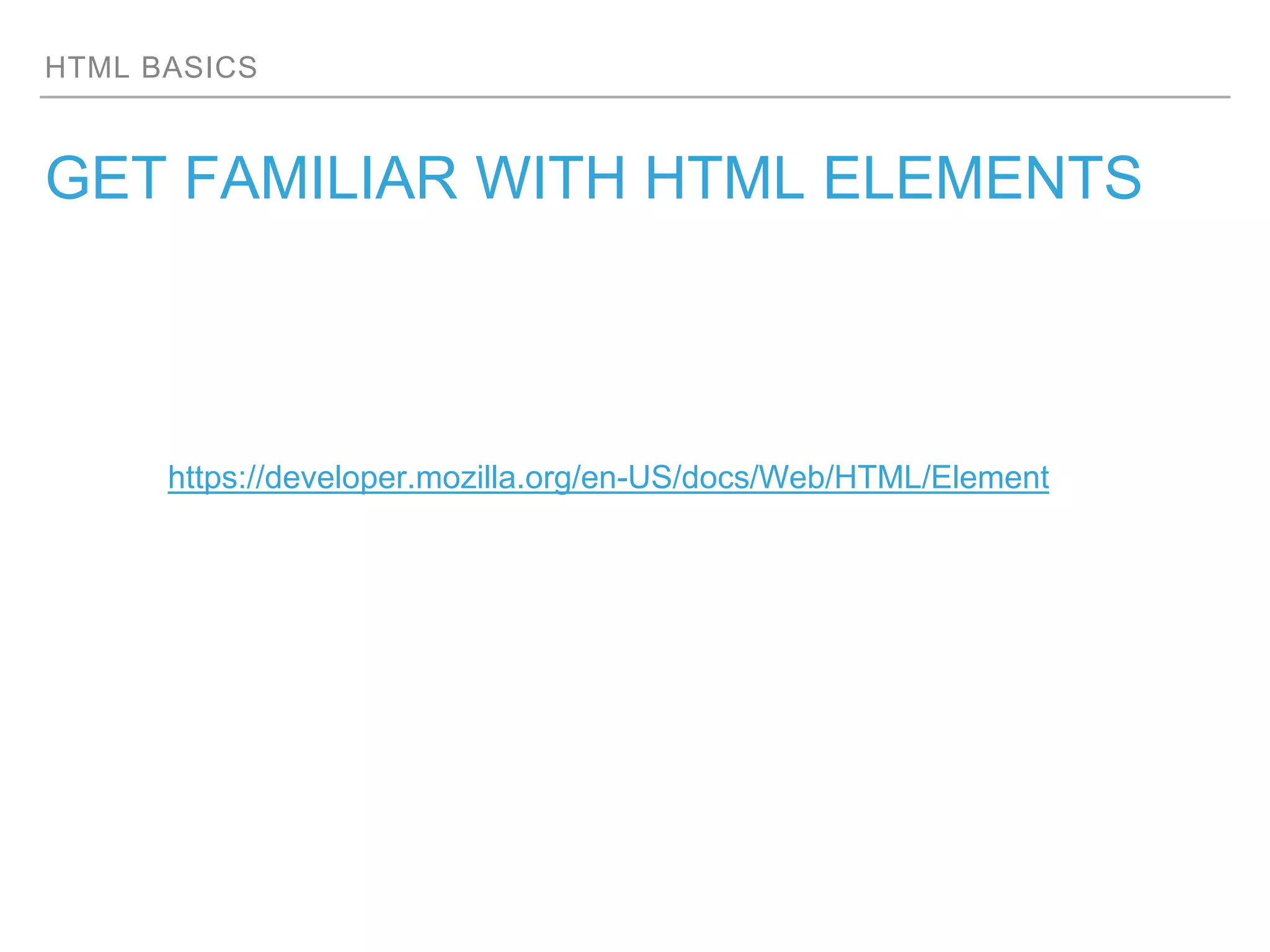
GET FAMILIAR WITH HTML ELEMENTS
https://developer.mozilla.org/en-US/docs/Web/HTML/Element
HTML BASICS
A CLOSER LOOK AT TAGS
<p>
Opening Tag Closing Tag
Character
Left-Angle Bracket
(Less-than Sign)
Right-Angle Bracket
(More-than Sign)
</p>
Character
Left-Angle Bracket
(Less-than Sign)
Right-Angle Bracket
(More-than Sign)
Forward Slash
HTML BASICS
WHAT ATTRIBUTES TELL US
<a href=“http://anywhere.com”>Any Where</a>
Attribute
Name
Attribute
Value
HTML BASICS
STRUCTURAL & SEMANTIC ELEMENTS
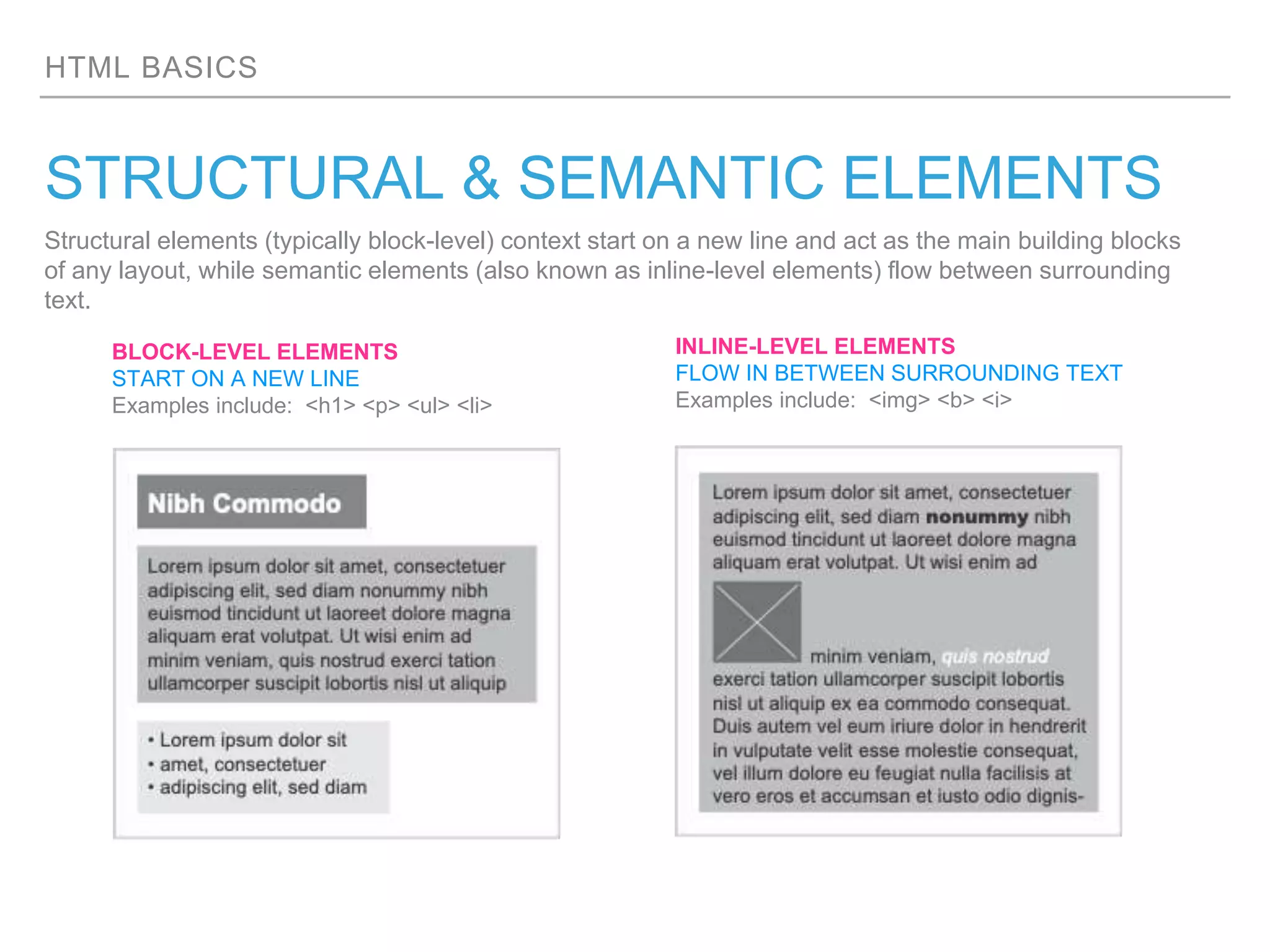
Structural elements (typically block-level) context start on a new line and act as the main building blocks
of any layout, while semantic elements (also known as inline-level elements) flow between surrounding
text.
BLOCK-LEVEL ELEMENTS
START ON A NEW LINE
Examples include: <h1> <p> <ul> <li>
INLINE-LEVEL ELEMENTS
FLOW IN BETWEEN SURROUNDING TEXT
Examples include: <img> <b> <i>
NEXT CLASS
TOPICHTML & CSS
What is CSS
The difference between HTML & CSS
How to reference a CSS file
What are Selectors, Properties and
Values
…and more
HTML BASICS
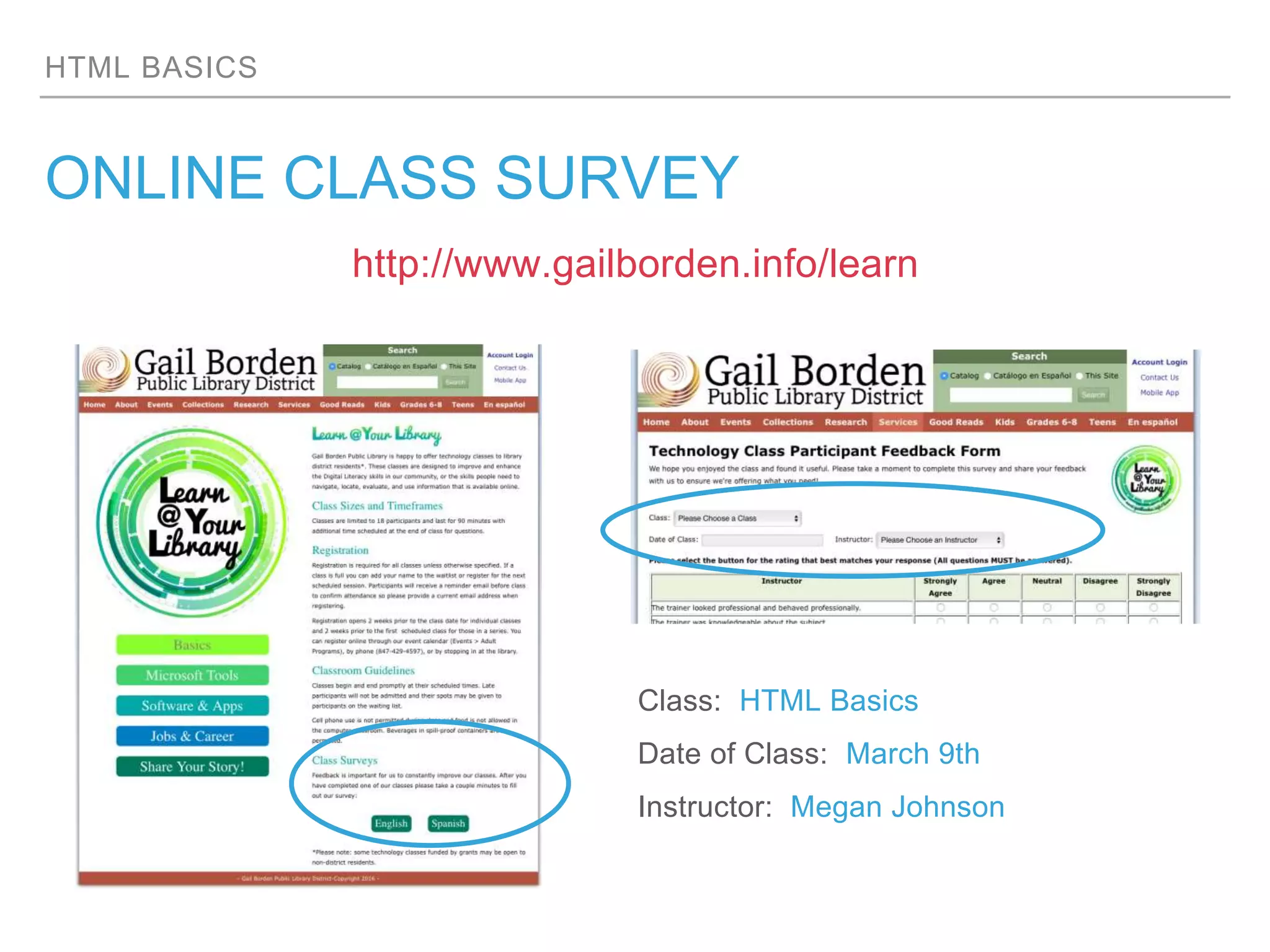
ONLINE CLASS SURVEY
http://www.gailborden.info/learn
Class: HTML Basics
Date of Class: March 9th
Instructor: Megan Johnson

Gail Borden Library | HTML/CSS Program

  • 1.
  • 2.
    HTML BASICS AGENDA ▸Terminology &Descriptions ▸Set up of in-browser code editor ▸What is an HTML document ▸What are elements, tags and attributes ▸Structural vs. Semantic Elements
  • 3.
    HTML BASICS TERMS &DEFINITIONS ▸HTML: (Hyper Text Markup Language) gives content structure and meaning ▸Text Editor: a type of program used for editing plain text files ▸Web Browser: an application for locating, retrieving and displaying content ▸Codepen: is an in-browser code editor for writing HTML and CSS with a real-time preview ▸Elements: are designators that define the structure and content within a page ▸Tags: a set of less-than and greater-than symbols that surround an element ▸Attributes: provide additional information about an element which include a name and a value ▸Structural Markup: the elements that you can use to describe both headings and paragraphs ▸Semantic Markup: provides extra information; such as where emphasis is placed in a sentence
  • 4.
    HTML BASICS THE OUTLININGSYSTEM The Outlining System refers to the categorizing and prioritizing of information. Much like the table of contents found at the beginning of book. Once an outline is established it can be converted into an HTML document. This system also assists in expressing the “parent/child” relationship of elements. 1. Header a. Nav 2. Div a. Main-Container b. Speakers c. Speakers-otherconf d. Testimonials e. Photos-Wall f. Partners g. Footer bodyhead html header div nav main-container speakers speakers-otherconf testimonials photos-wall partners footer Outline HTML Document Parent/Child Diagram
  • 5.
    HTML BASICS BASIC PAGESTRUCTURE Declaration
  • 6.
    HTML BASICS BASIC PAGESTRUCTURE Beginning of <html> End of </html>
  • 7.
    HTML BASICS BASIC PAGESTRUCTURE A <head> element houses information about the page. This information is not displayed on the web page itself.
  • 8.
    HTML BASICS BASIC PAGESTRUCTURE A <body> element houses all the visible content of the web page.
  • 9.
    HTML BASICS GET FAMILIARWITH HTML ELEMENTS https://developer.mozilla.org/en-US/docs/Web/HTML/Element
  • 10.
    HTML BASICS A CLOSERLOOK AT TAGS <p> Opening Tag Closing Tag Character Left-Angle Bracket (Less-than Sign) Right-Angle Bracket (More-than Sign) </p> Character Left-Angle Bracket (Less-than Sign) Right-Angle Bracket (More-than Sign) Forward Slash
  • 11.
    HTML BASICS WHAT ATTRIBUTESTELL US <a href=“http://anywhere.com”>Any Where</a> Attribute Name Attribute Value
  • 12.
    HTML BASICS STRUCTURAL &SEMANTIC ELEMENTS Structural elements (typically block-level) context start on a new line and act as the main building blocks of any layout, while semantic elements (also known as inline-level elements) flow between surrounding text. BLOCK-LEVEL ELEMENTS START ON A NEW LINE Examples include: <h1> <p> <ul> <li> INLINE-LEVEL ELEMENTS FLOW IN BETWEEN SURROUNDING TEXT Examples include: <img> <b> <i>
  • 13.
    NEXT CLASS TOPICHTML &CSS What is CSS The difference between HTML & CSS How to reference a CSS file What are Selectors, Properties and Values …and more
  • 14.
    HTML BASICS ONLINE CLASSSURVEY http://www.gailborden.info/learn Class: HTML Basics Date of Class: March 9th Instructor: Megan Johnson