JavaScript analysis is
extremely important and
anyone can do it
July 2020
@Gaca-Tworek
I am Barbara Gaca-Tworek
Technical SEO Lead
Find me at @Gaca-Tworek
Hello!
2
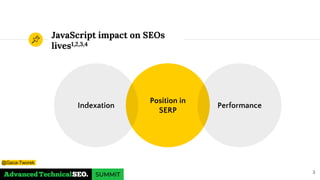
JavaScript impact on SEOs
lives1,2,3,4
Position in
SERP
Indexation Performance
3
@Gaca-Tworek
JavaScript indexation
Basic overview and how to spot issues
1
4
@Gaca-Tworek
5
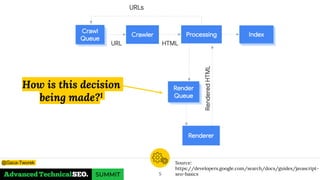
How is this decision
being made?1
Source:
https://developers.google.com/search/docs/guides/javascript-
seo-basics
@Gaca-Tworek
“
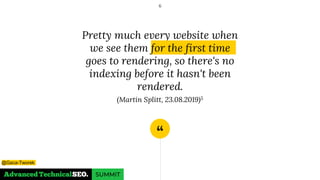
Pretty much every website when
we see them for the first time
goes to rendering, so there's no
indexing before it hasn't been
rendered.
(Martin Splitt, 23.08.2019)5
6
@Gaca-Tworek
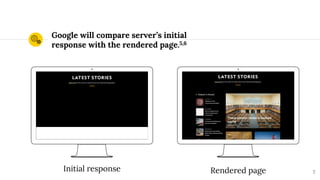
Google will compare server’s initial
response with the rendered page.5,6
7
Initial response Rendered page
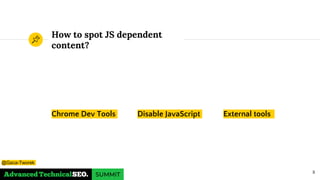
How to spot JS dependent
content?
Chrome Dev Tools Disable JavaScript External tools
8
@Gaca-Tworek
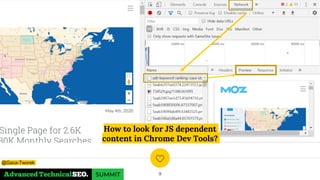
How to look for JS dependent
content in Chrome Dev Tools?
9
@Gaca-Tworek
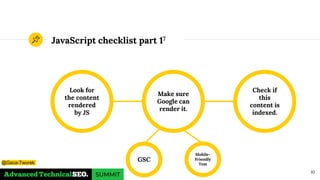
JavaScript checklist part 17
Look for
the content
rendered
by JS
Check if
this
content is
indexed.
Make sure
Google can
render it.
10
GSC
Mobile-
Friendly
Test@Gaca-Tworek
Web Rendering Service
What do we need to know about WRS?
2
11
@Gaca-Tworek
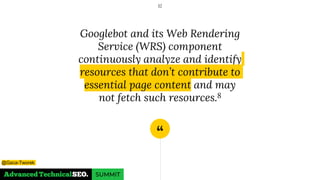
“
Googlebot and its Web Rendering
Service (WRS) component
continuously analyze and identify
resources that don’t contribute to
essential page content and may
not fetch such resources.8
12
@Gaca-Tworek
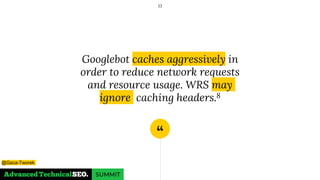
“
Googlebot caches aggressively in
order to reduce network requests
and resource usage. WRS may
ignore caching headers.8
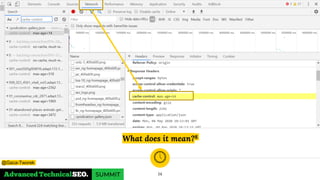
13
@Gaca-Tworek
What does it mean?8
14
@Gaca-Tworek
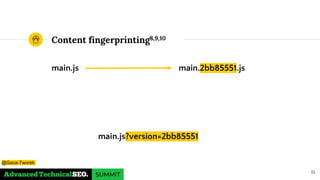
main.js
Content fingerprinting8,9,10
main.2bb85551.js
15
main.js?version=2bb85551
@Gaca-Tworek
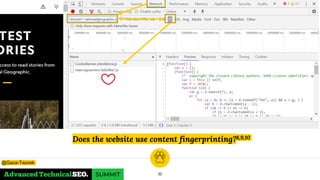
Does the website use content fingerprinting?8,9,10
16
@Gaca-Tworek
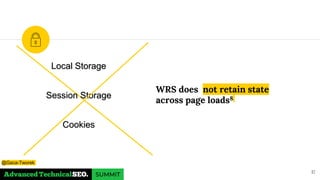
WRS does not retain state
across page loads8
17
Local Storage
Session Storage
Cookies
@Gaca-Tworek
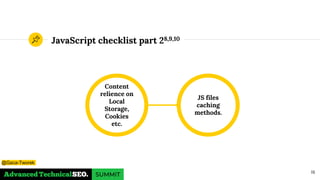
JavaScript checklist part 28,9,10
JS files
caching
methods.
Content
relience on
Local
Storage,
Cookies
etc.
18
@Gaca-Tworek
JavaScript &
Performance
How JS can impact loading times and user experience?
3
19
@Gaca-Tworek
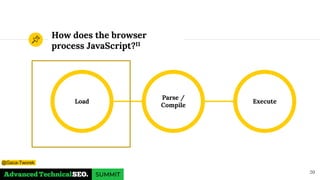
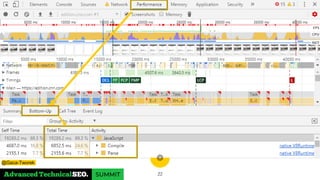
How does the browser
process JavaScript?11
Load Execute
Parse /
Compile
20
@Gaca-Tworek
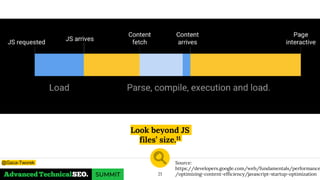
Look beyond JS
files’ size.11
21
Source:
https://developers.google.com/web/fundamentals/performance
/optimizing-content-efficiency/javascript-startup-optimization
@Gaca-Tworek
22
@Gaca-Tworek
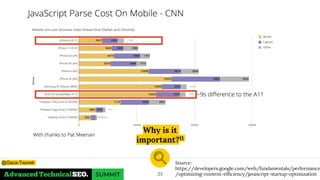
Why is it
important?11
23
Source:
https://developers.google.com/web/fundamentals/performance
/optimizing-content-efficiency/javascript-startup-optimization
@Gaca-Tworek
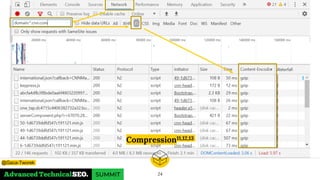
Compression11,12,13
24
@Gaca-Tworek
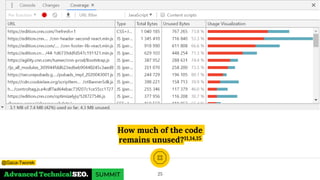
How much of the code
remains unused?11,14,15
25
@Gaca-Tworek
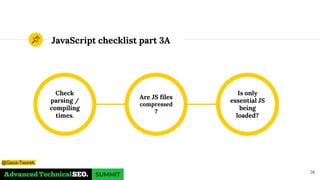
JavaScript checklist part 3A
Check
parsing /
compiling
times.
Is only
essential JS
being
loaded?
Are JS files
compressed
?
26
@Gaca-Tworek
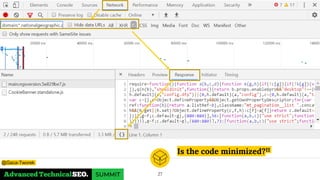
Is the code minimized?11
27
@Gaca-Tworek
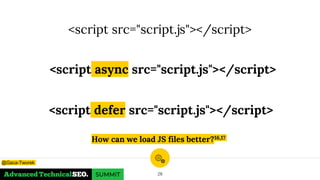
<script src="script.js"></script>
<script async src="script.js"></script>
28
How can we load JS files better?16,17
<script defer src="script.js"></script>
@Gaca-Tworek
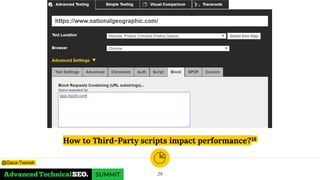
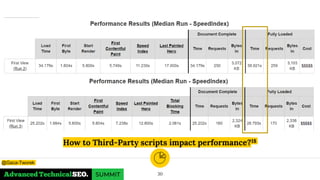
How to Third-Party scripts impact performance?18
29
@Gaca-Tworek
How to Third-Party scripts impact performance?18
30
@Gaca-Tworek
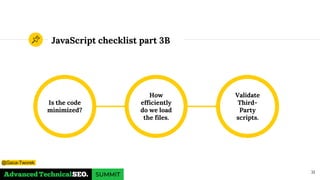
JavaScript checklist part 3B
31
Is the code
minimized?
Validate
Third-
Party
scripts.
How
efficiently
do we load
the files.
@Gaca-Tworek
Efficiency
is the key
32
@Gaca-Tworek
Any questions ?
You can find me at
◉ @Gaca-Tworek
◉ https://www.linkedin.com/in/barbaragaca
Thanks!
33
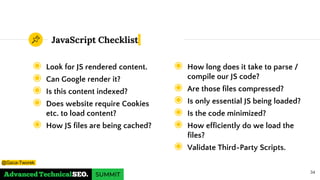
JavaScript Checklist
◉ Look for JS rendered content.
◉ Can Google render it?
◉ Is this content indexed?
◉ Does website require Cookies
etc. to load content?
◉ How JS files are being cached?
34
◉ How long does it take to parse /
compile our JS code?
◉ Are those files compressed?
◉ Is only essential JS being loaded?
◉ Is the code minimized?
◉ How efficiently do we load the
files?
◉ Validate Third-Party Scripts.
@Gaca-Tworek
References - part 1
1. Understand the JavaScript SEO
basics (Google, documentation)
2. The new evergreen Googlebot
(Google, 2019)
3. The new evergreen Bingbot
simplifying SEO by leveraging
Microsoft Edge (Bing, 2019)
4. Evaluating page experience for a
better web (Google,2020)
5. Google Webmaster Central office-
hours (Google, 2019)
35
6. Google Webmaster JavaScript SEO
office hours (Google, 2020)
7. The Ultimate Guide to JavaScript SEO
(Onely,2020)
8. Fix Search-related JavaScript
problems (Google, 2020)
9. Prevent unnecessary network
requests with the HTTP Cache
(Google, 2018)
10.Caching: Google Webmasters
JavaScript SEO office hours (Google,
2020)
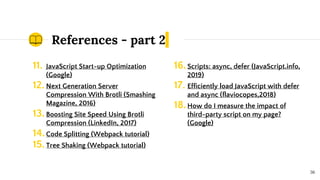
References - part 2
11. JavaScript Start-up Optimization
(Google)
12. Next Generation Server
Compression With Brotli (Smashing
Magazine, 2016)
13.Boosting Site Speed Using Brotli
Compression (LinkedIn, 2017)
14.Code Splitting (Webpack tutorial)
15.Tree Shaking (Webpack tutorial)
36
16.Scripts: async, defer (JavaScript.info,
2019)
17. Efficiently load JavaScript with defer
and async (flaviocopes,2018)
18.How do I measure the impact of
third-party script on my page?
(Google)

Gaca-Tworek: JavaScript analysis is extremely important and anyone can do it! - BrightonSEO

  • 1.
    JavaScript analysis is extremelyimportant and anyone can do it July 2020 @Gaca-Tworek
  • 2.
    I am BarbaraGaca-Tworek Technical SEO Lead Find me at @Gaca-Tworek Hello! 2
  • 3.
    JavaScript impact onSEOs lives1,2,3,4 Position in SERP Indexation Performance 3 @Gaca-Tworek
  • 4.
    JavaScript indexation Basic overviewand how to spot issues 1 4 @Gaca-Tworek
  • 5.
    5 How is thisdecision being made?1 Source: https://developers.google.com/search/docs/guides/javascript- seo-basics @Gaca-Tworek
  • 6.
    “ Pretty much everywebsite when we see them for the first time goes to rendering, so there's no indexing before it hasn't been rendered. (Martin Splitt, 23.08.2019)5 6 @Gaca-Tworek
  • 7.
    Google will compareserver’s initial response with the rendered page.5,6 7 Initial response Rendered page
  • 8.
    How to spotJS dependent content? Chrome Dev Tools Disable JavaScript External tools 8 @Gaca-Tworek
  • 9.
    How to lookfor JS dependent content in Chrome Dev Tools? 9 @Gaca-Tworek
  • 10.
    JavaScript checklist part17 Look for the content rendered by JS Check if this content is indexed. Make sure Google can render it. 10 GSC Mobile- Friendly Test@Gaca-Tworek
  • 11.
    Web Rendering Service Whatdo we need to know about WRS? 2 11 @Gaca-Tworek
  • 12.
    “ Googlebot and itsWeb Rendering Service (WRS) component continuously analyze and identify resources that don’t contribute to essential page content and may not fetch such resources.8 12 @Gaca-Tworek
  • 13.
    “ Googlebot caches aggressivelyin order to reduce network requests and resource usage. WRS may ignore caching headers.8 13 @Gaca-Tworek
  • 14.
    What does itmean?8 14 @Gaca-Tworek
  • 15.
  • 16.
    Does the websiteuse content fingerprinting?8,9,10 16 @Gaca-Tworek
  • 17.
    WRS does notretain state across page loads8 17 Local Storage Session Storage Cookies @Gaca-Tworek
  • 18.
    JavaScript checklist part28,9,10 JS files caching methods. Content relience on Local Storage, Cookies etc. 18 @Gaca-Tworek
  • 19.
    JavaScript & Performance How JScan impact loading times and user experience? 3 19 @Gaca-Tworek
  • 20.
    How does thebrowser process JavaScript?11 Load Execute Parse / Compile 20 @Gaca-Tworek
  • 21.
    Look beyond JS files’size.11 21 Source: https://developers.google.com/web/fundamentals/performance /optimizing-content-efficiency/javascript-startup-optimization @Gaca-Tworek
  • 22.
  • 23.
  • 24.
  • 25.
    How much ofthe code remains unused?11,14,15 25 @Gaca-Tworek
  • 26.
    JavaScript checklist part3A Check parsing / compiling times. Is only essential JS being loaded? Are JS files compressed ? 26 @Gaca-Tworek
  • 27.
    Is the codeminimized?11 27 @Gaca-Tworek
  • 28.
    <script src="script.js"></script> <script asyncsrc="script.js"></script> 28 How can we load JS files better?16,17 <script defer src="script.js"></script> @Gaca-Tworek
  • 29.
    How to Third-Partyscripts impact performance?18 29 @Gaca-Tworek
  • 30.
    How to Third-Partyscripts impact performance?18 30 @Gaca-Tworek
  • 31.
    JavaScript checklist part3B 31 Is the code minimized? Validate Third- Party scripts. How efficiently do we load the files. @Gaca-Tworek
  • 32.
  • 33.
    Any questions ? Youcan find me at ◉ @Gaca-Tworek ◉ https://www.linkedin.com/in/barbaragaca Thanks! 33
  • 34.
    JavaScript Checklist ◉ Lookfor JS rendered content. ◉ Can Google render it? ◉ Is this content indexed? ◉ Does website require Cookies etc. to load content? ◉ How JS files are being cached? 34 ◉ How long does it take to parse / compile our JS code? ◉ Are those files compressed? ◉ Is only essential JS being loaded? ◉ Is the code minimized? ◉ How efficiently do we load the files? ◉ Validate Third-Party Scripts. @Gaca-Tworek
  • 35.
    References - part1 1. Understand the JavaScript SEO basics (Google, documentation) 2. The new evergreen Googlebot (Google, 2019) 3. The new evergreen Bingbot simplifying SEO by leveraging Microsoft Edge (Bing, 2019) 4. Evaluating page experience for a better web (Google,2020) 5. Google Webmaster Central office- hours (Google, 2019) 35 6. Google Webmaster JavaScript SEO office hours (Google, 2020) 7. The Ultimate Guide to JavaScript SEO (Onely,2020) 8. Fix Search-related JavaScript problems (Google, 2020) 9. Prevent unnecessary network requests with the HTTP Cache (Google, 2018) 10.Caching: Google Webmasters JavaScript SEO office hours (Google, 2020)
  • 36.
    References - part2 11. JavaScript Start-up Optimization (Google) 12. Next Generation Server Compression With Brotli (Smashing Magazine, 2016) 13.Boosting Site Speed Using Brotli Compression (LinkedIn, 2017) 14.Code Splitting (Webpack tutorial) 15.Tree Shaking (Webpack tutorial) 36 16.Scripts: async, defer (JavaScript.info, 2019) 17. Efficiently load JavaScript with defer and async (flaviocopes,2018) 18.How do I measure the impact of third-party script on my page? (Google)