Functions and Formulas
in an Electronic Spread
Sheet
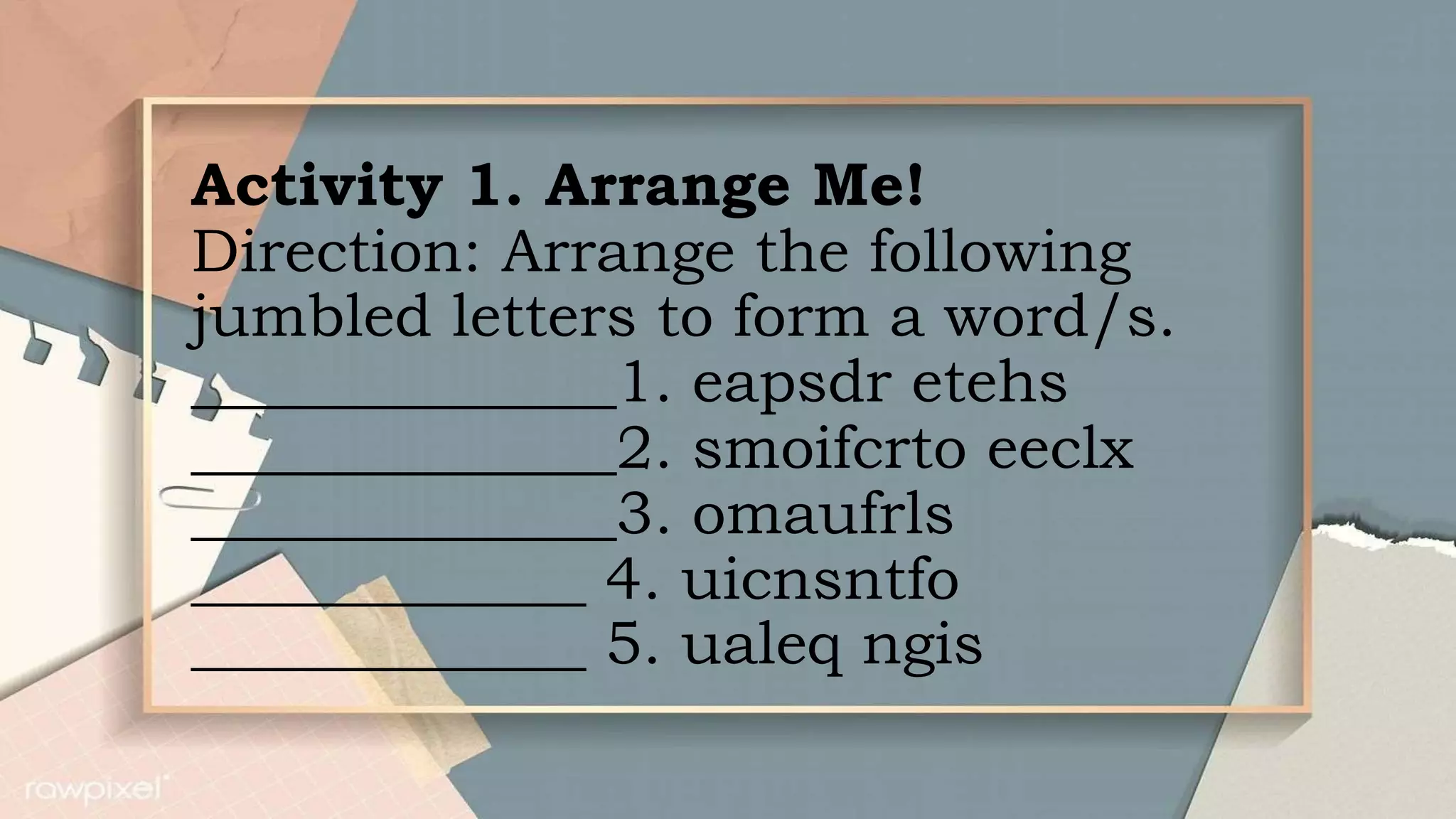
Activity 1. Arrange Me!
Direction: Arrange the following
jumbled letters to form a word/s.
______________1. eapsdr etehs
______________2. smoifcrto eeclx
______________3. omaufrls
_____________ 4. uicnsntfo
_____________ 5. ualeq ngis
What’s New
What is It?
Electronic Spread Sheet application
program is designed to perform basic
mathematical and arithmetic operations.
Microsoft Excel is one example of the
most commonly used computerized
worksheets.
Uses of MS Excel:
1. Accounting and Financial
applications
2. Statistics
3. Engineering and
Calculations
4. Analyzing Data
Spread Sheets are designed with
functions and formulas that will
make calculating numerical data
easier and convenient for you.
Using formulas and functions will
help you increase the accuracy of
your calculations while decreasing
the amount of time you need to
spend in Excel.
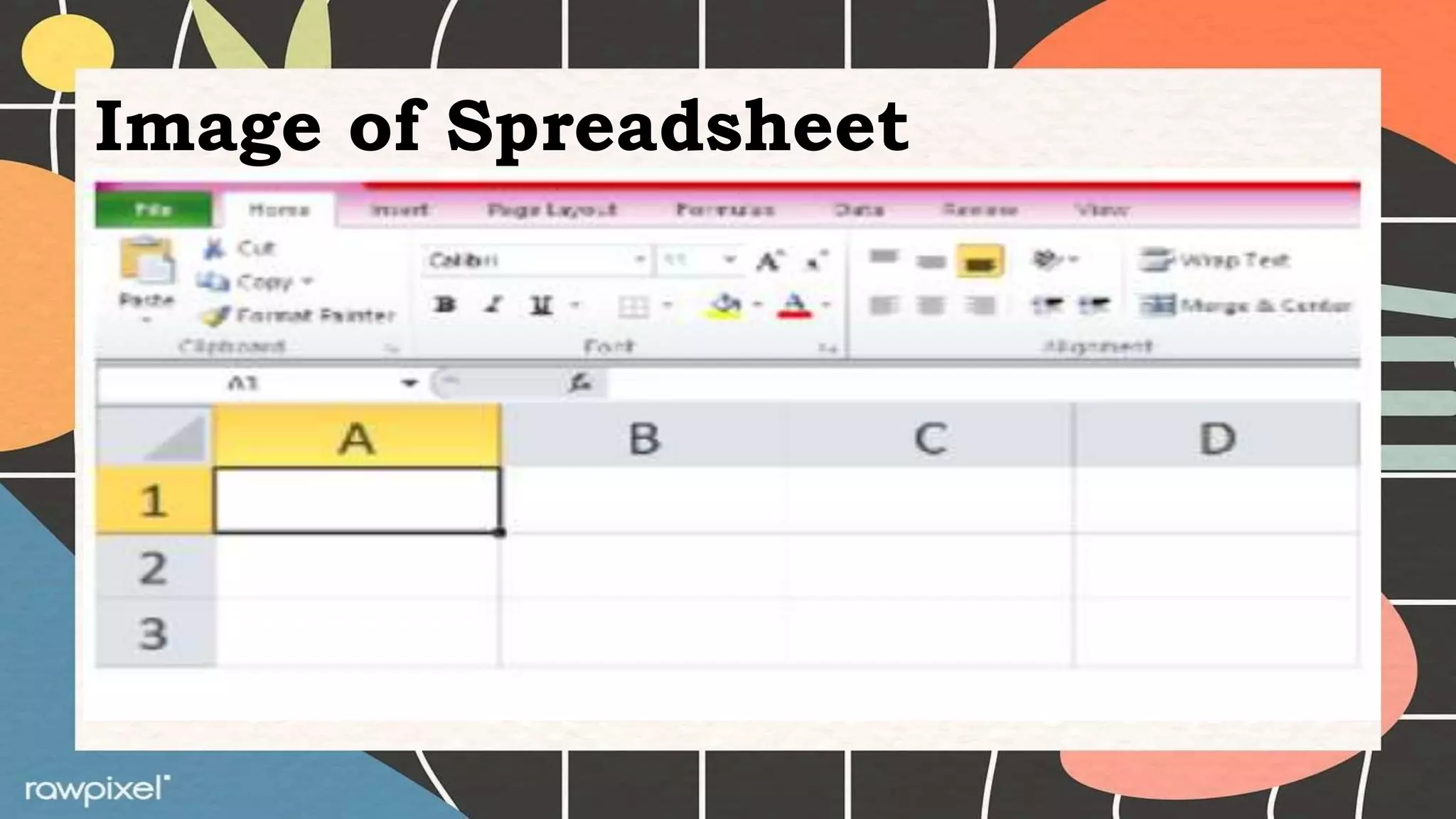
Image of Spreadsheet
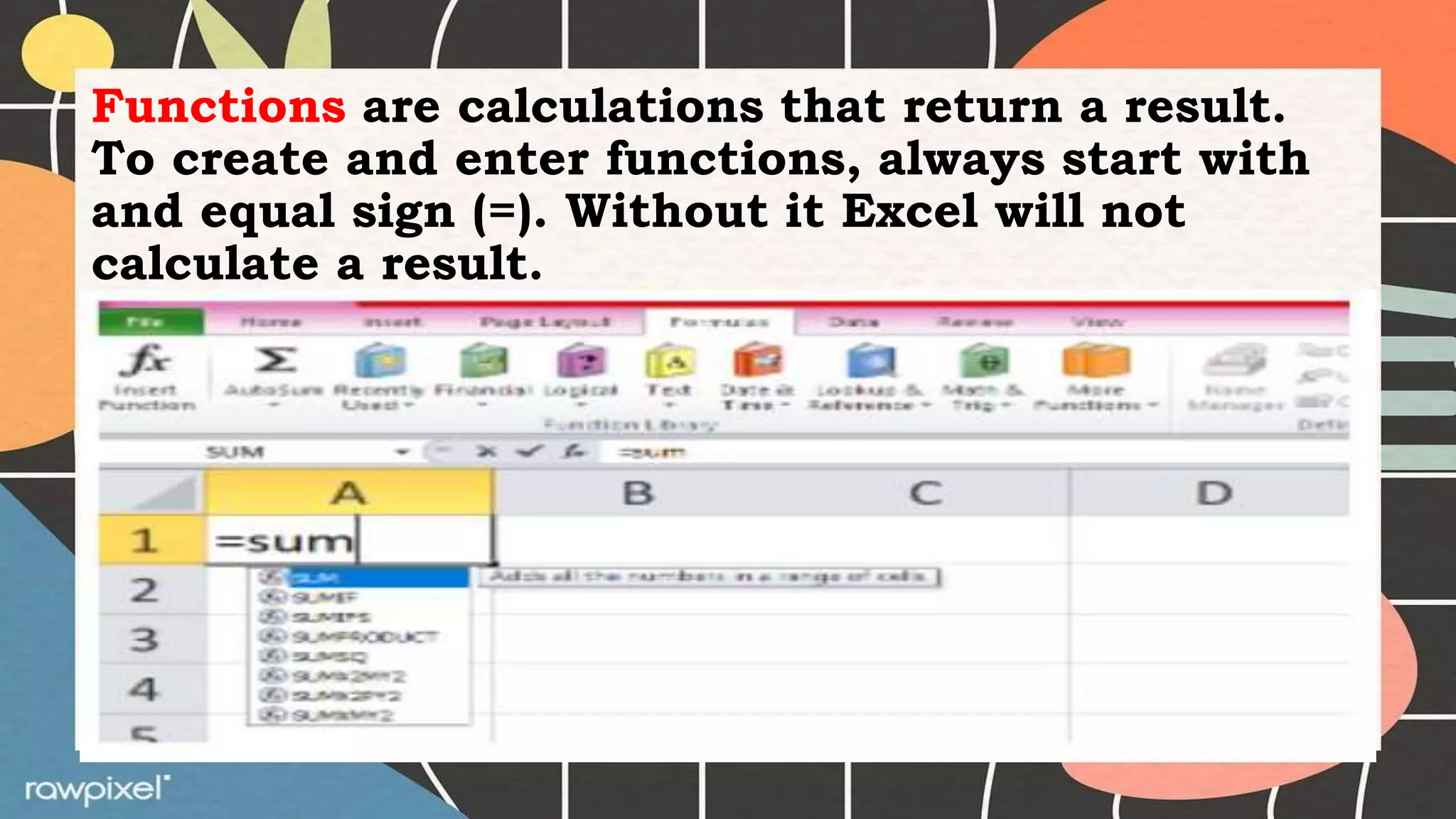
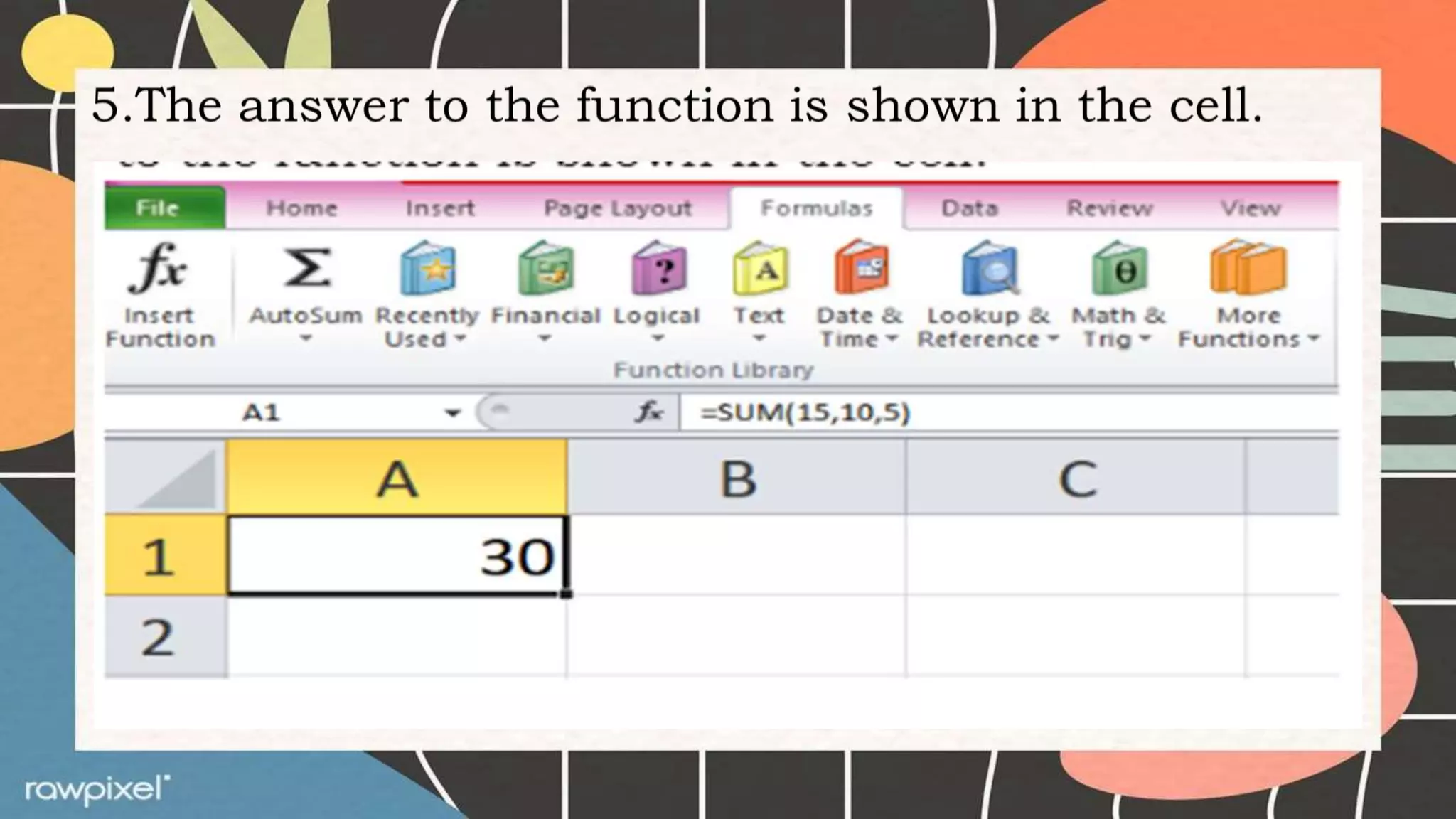
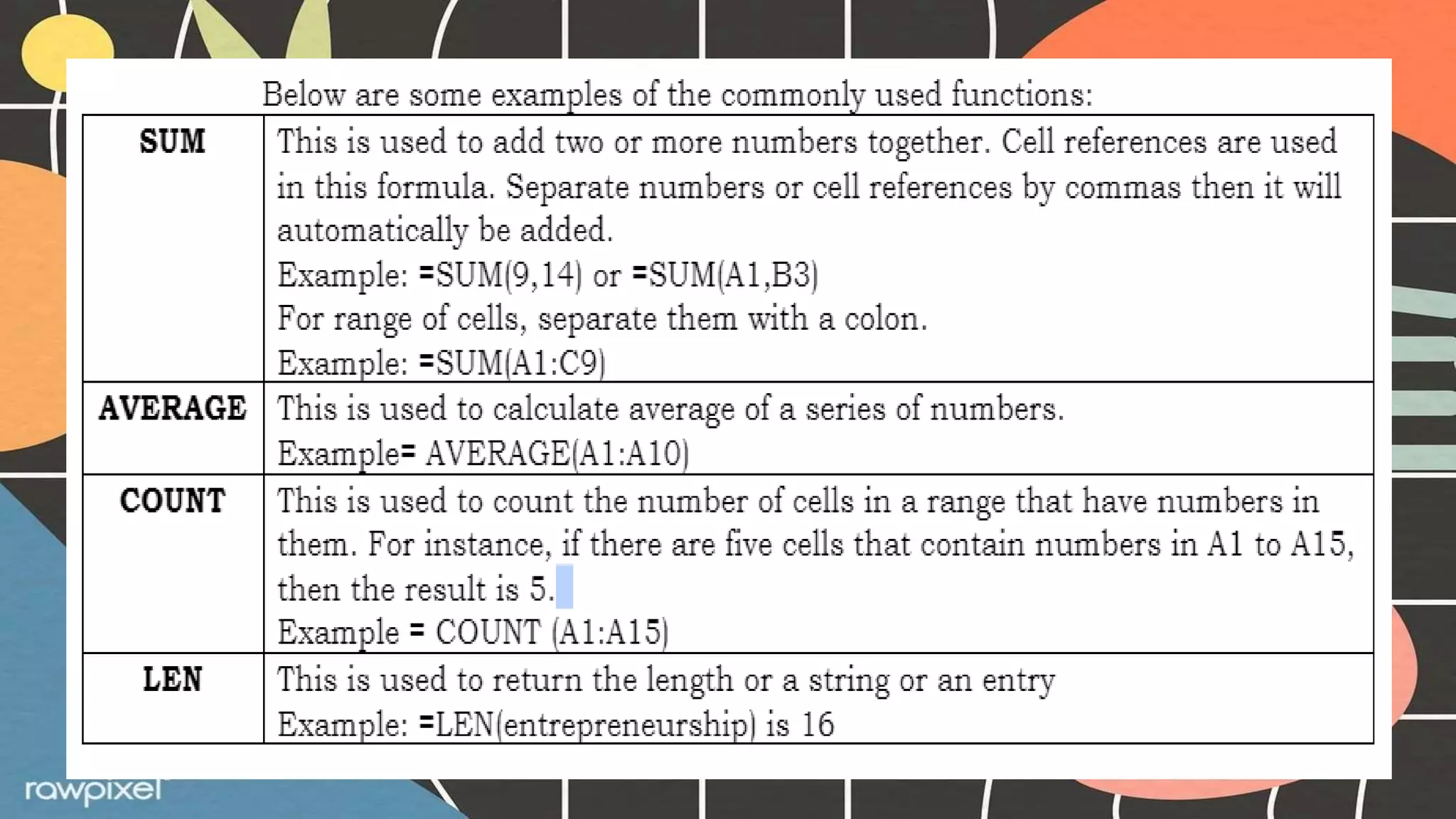
Functions are calculations that return a result.
To create and enter functions, always start with
and equal sign (=). Without it Excel will not
calculate a result.
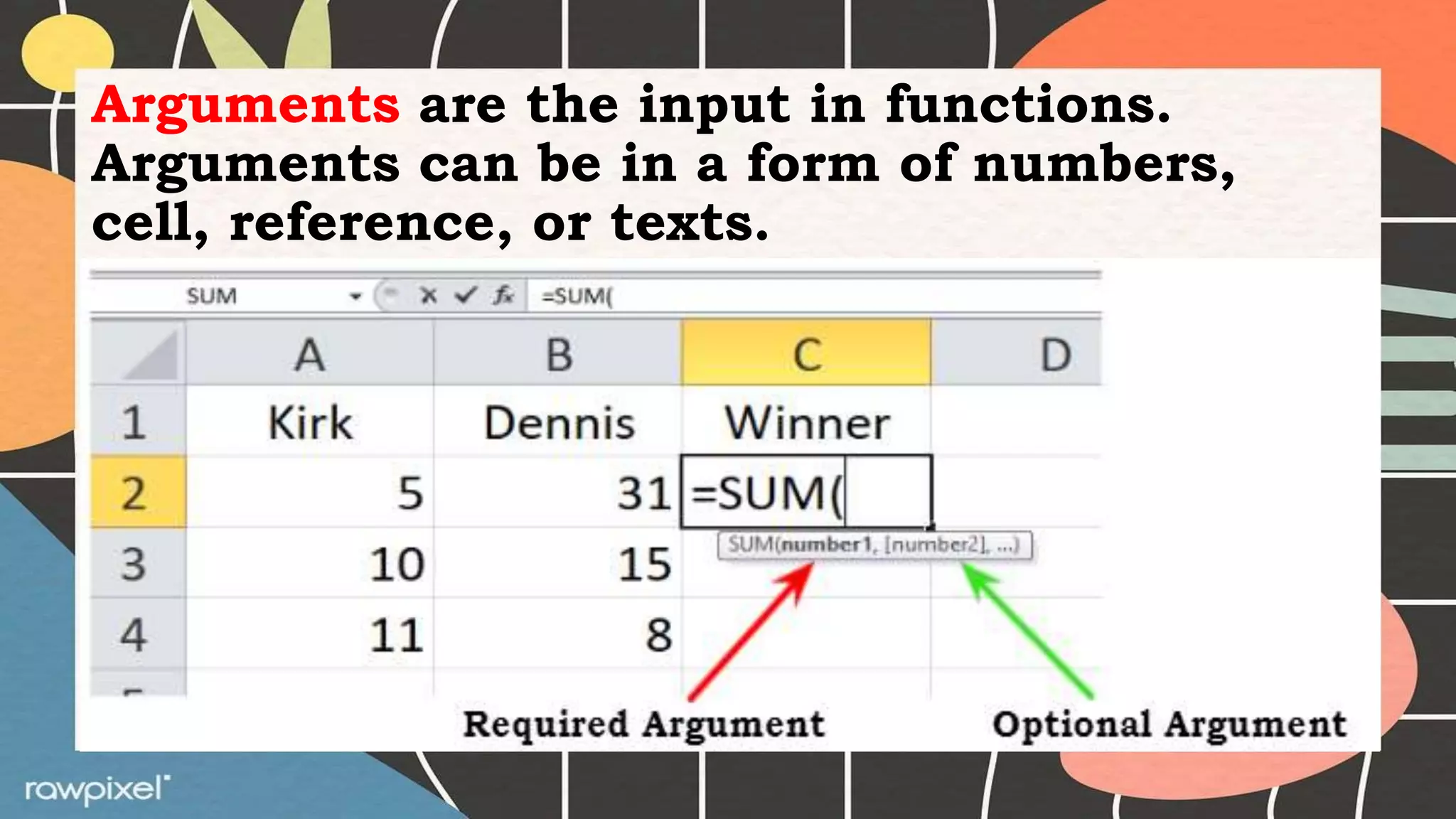
Arguments are the input in functions.
Arguments can be in a form of numbers,
cell, reference, or texts.
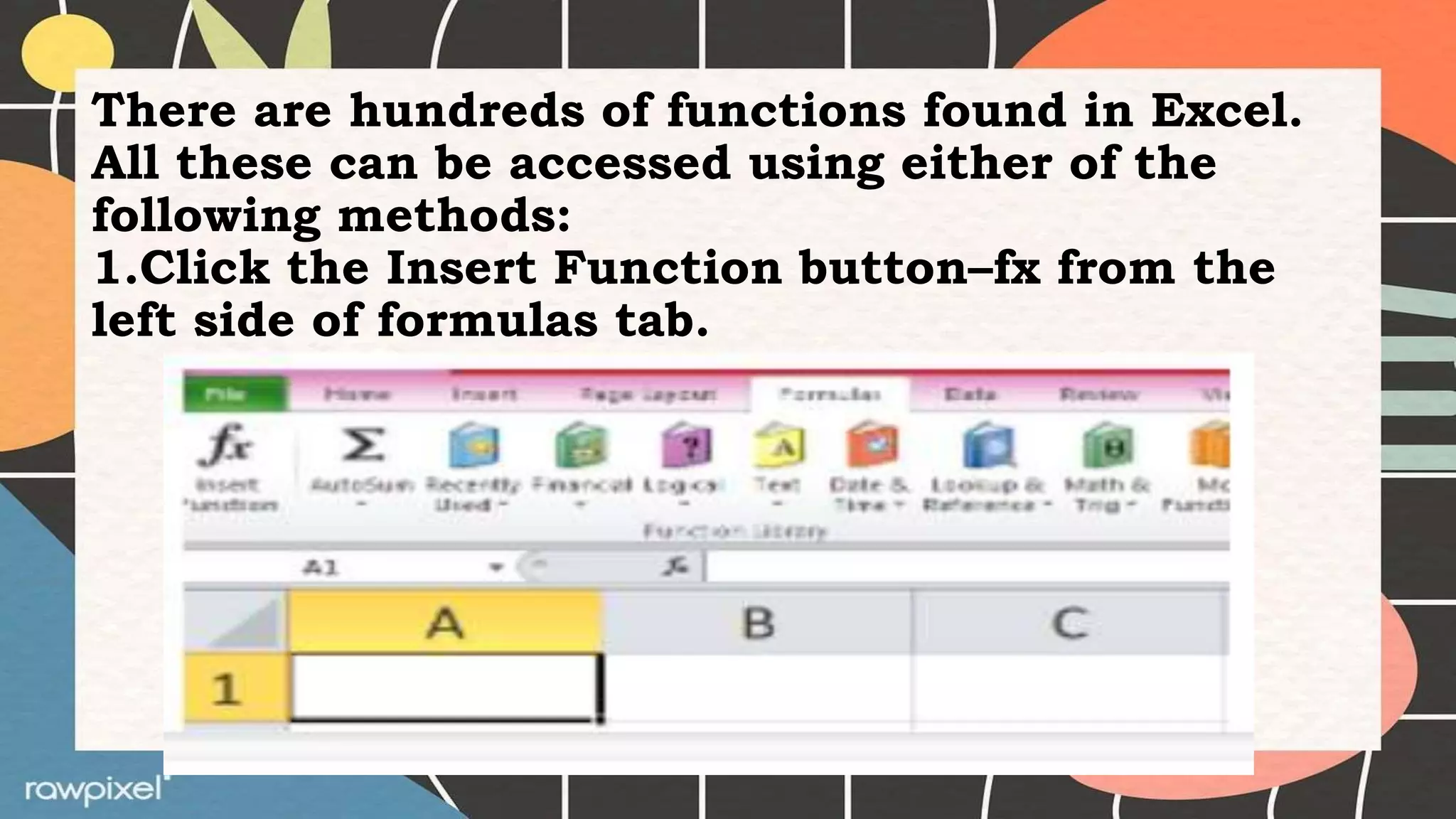
There are hundreds of functions found in Excel.
All these can be accessed using either of the
following methods:
1.Click the Insert Function button–fx from the
left side of formulas tab.
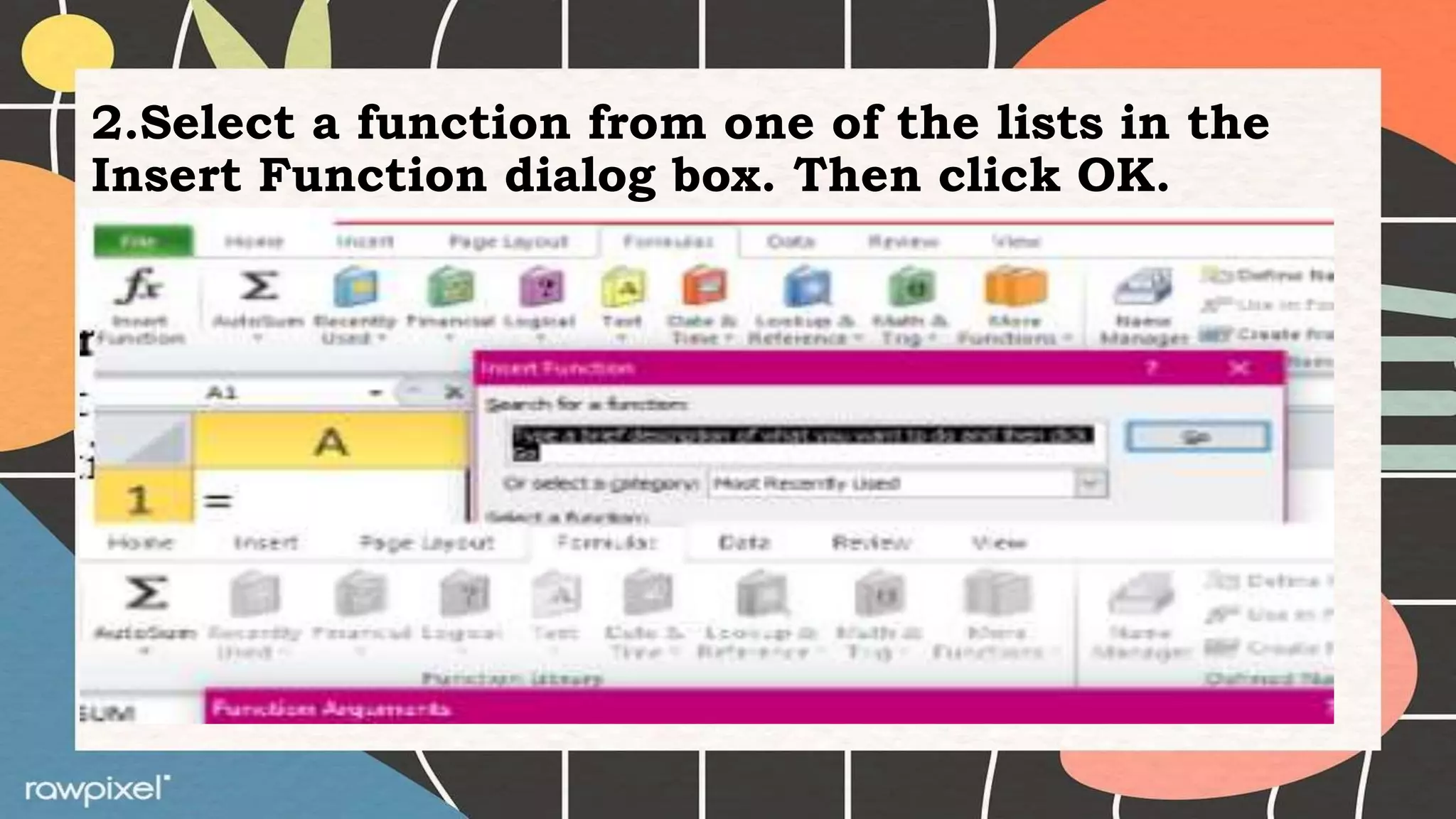
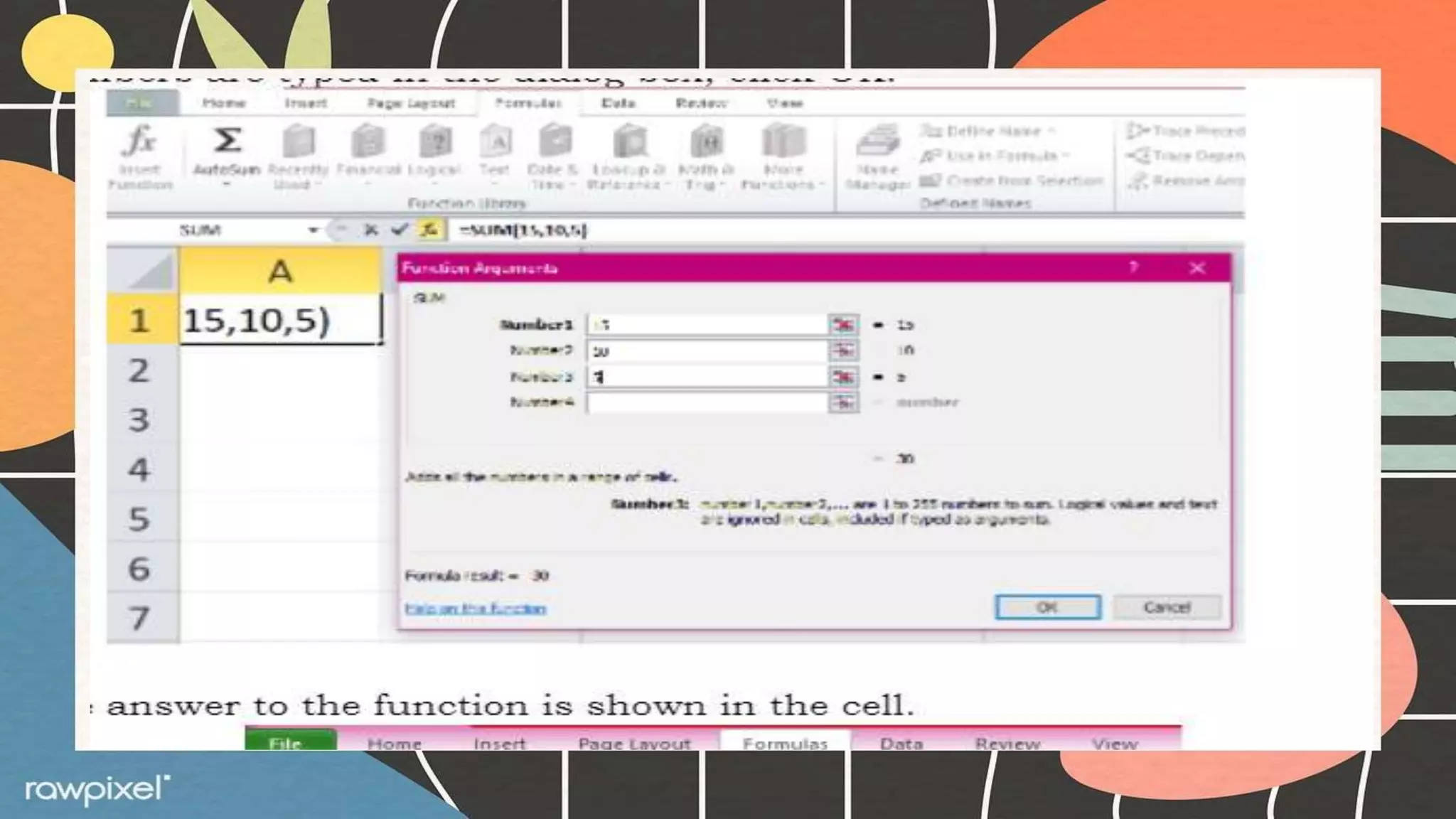
2.Select a function from one of the lists in the
Insert Function dialog box. Then click OK.
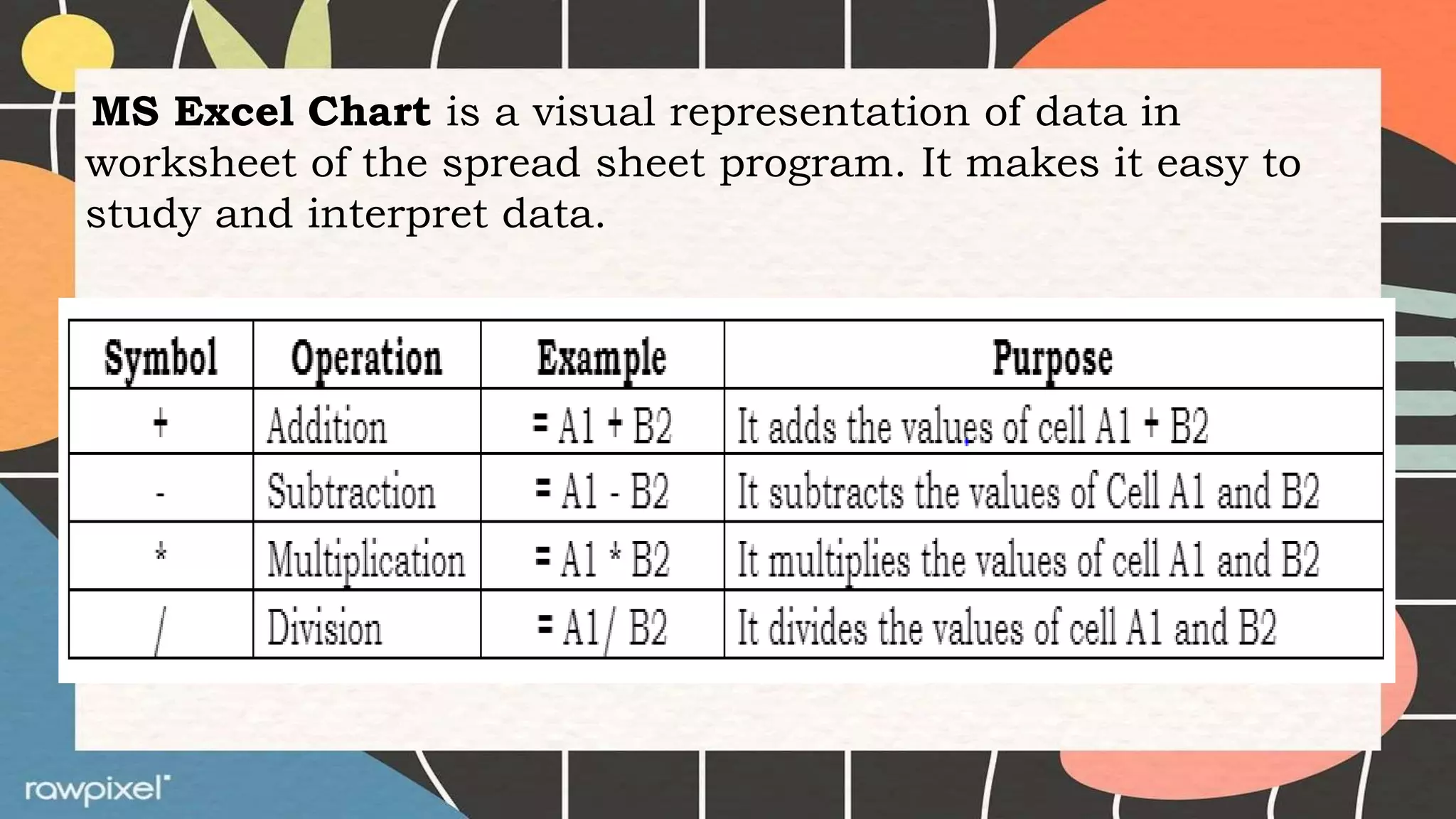
MS Excel Chart is a visual representation of data in
worksheet of the spread sheet program. It makes it easy to
study and interpret data.
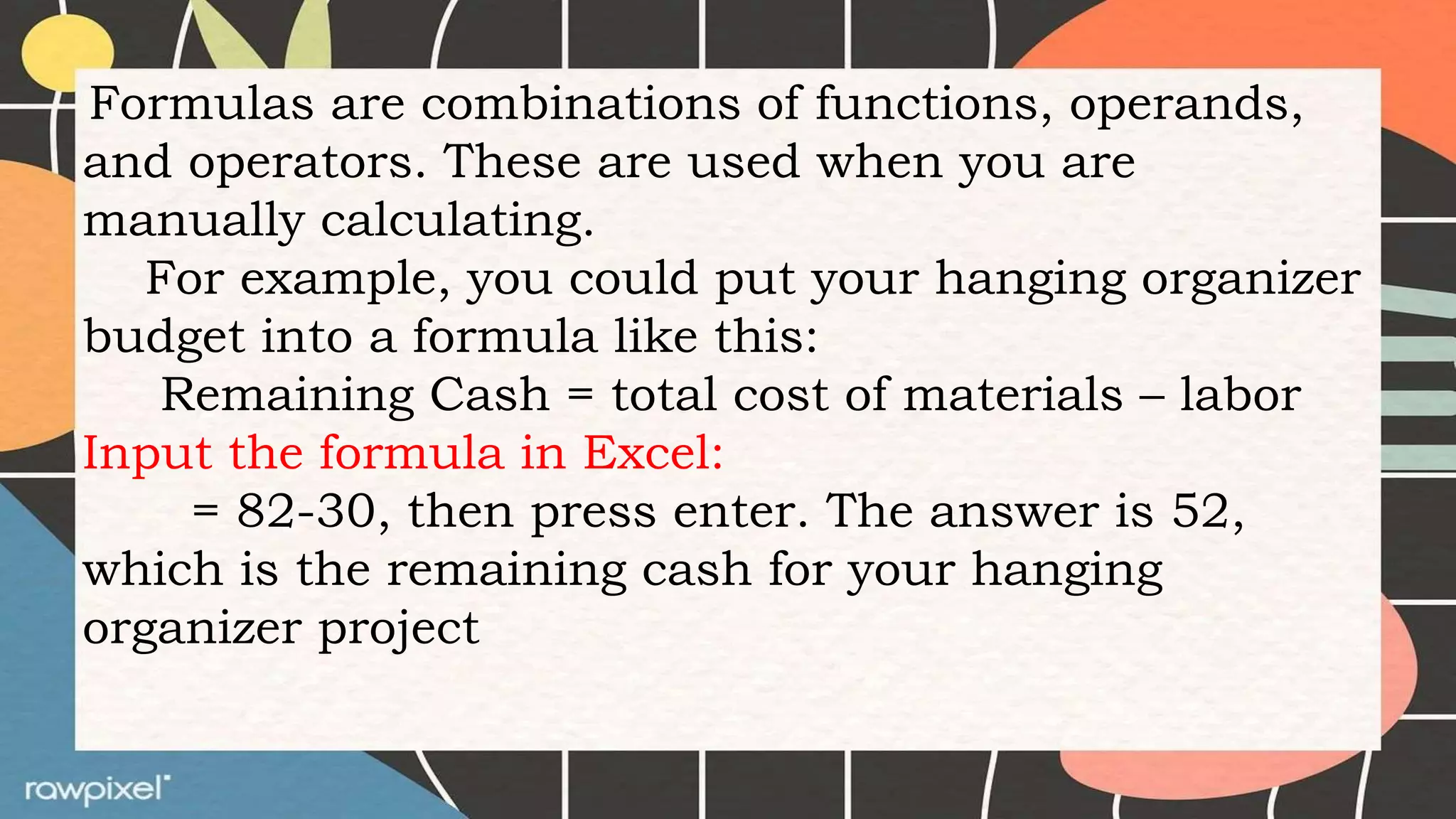
Formulas are combinations of functions, operands,
and operators. These are used when you are
manually calculating.
For example, you could put your hanging organizer
budget into a formula like this:
Remaining Cash = total cost of materials – labor
Input the formula in Excel:
= 82-30, then press enter. The answer is 52,
which is the remaining cash for your hanging
organizer project
What’s More
Activity 3. Let’s do Together!
1.Create an Excel file for the expenses below.
Using the formulas and functions, calculate
the following:
2.=SUM (total cost of ingredients used)
3.=COUNT (total number of materials used)
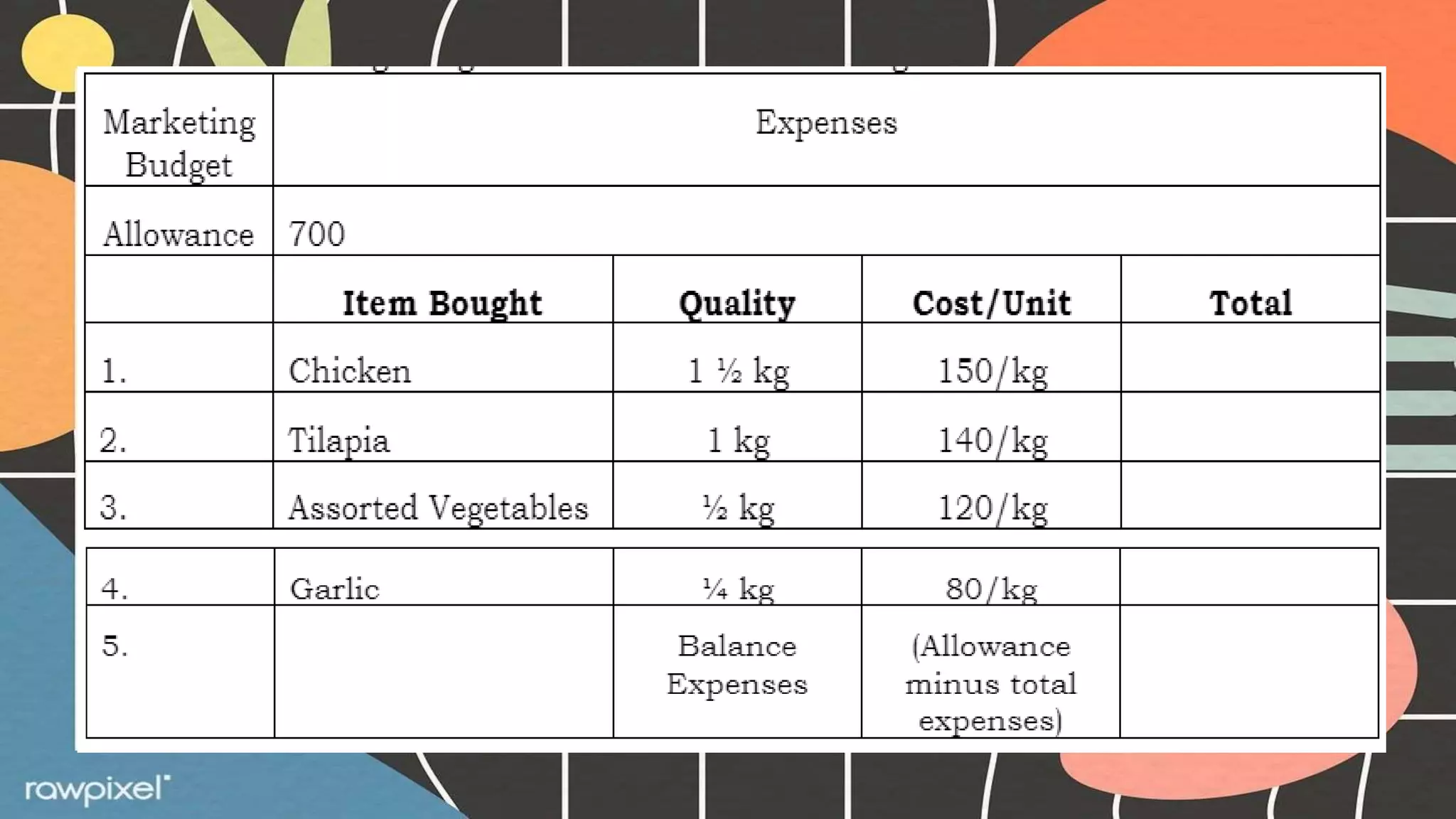
2.Create a marketing budget in Excel with the
following data below:
What I Have Learned
After the exercises that you have
taken, you are already equipped with the
knowledge in electronic spread sheet. Your
learning matters to us. Your reply will
surely be considered for us to be able to
improve you’re your learning. So, take
your time, answer it with sincerity.
Activity 4. Reply Me!
Direction: Read the question below and write your reply.
What I Can Do
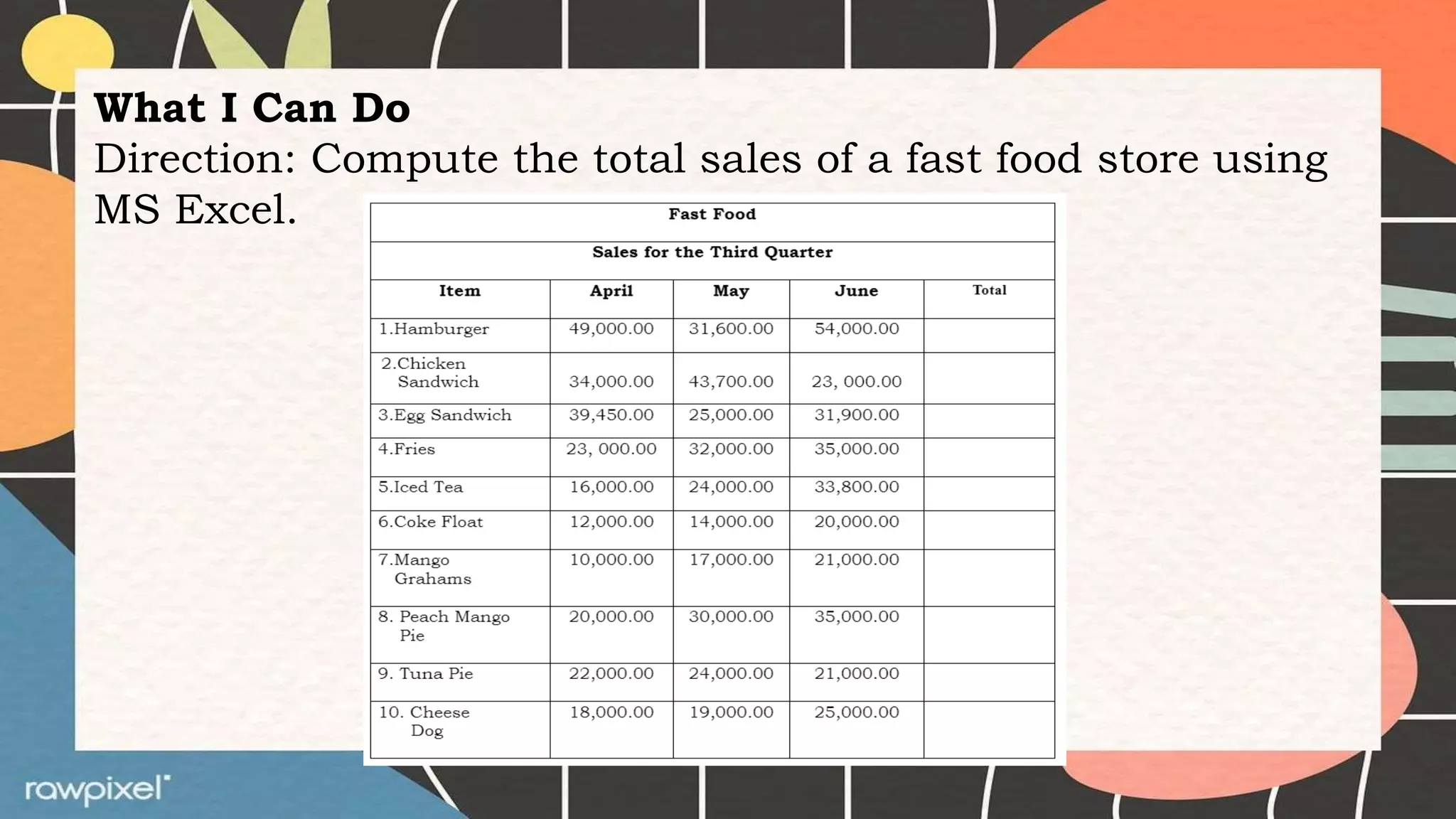
Direction: Compute the total sales of a fast food store using
MS Excel.
Test I. Multiple Choice
Direction: Choose the best answer. Write the letter of your answer on the
space provided before each number.
_____ 1. It is designed to perform basic mathematical and arithmetic
operations.
a.Spread Sheet b. Functions c. Formulas d. Chart
______2. The most commonly used computerized worksheet.
a. MS Chart b. MS Excel c. MS Word d. MS Powerpoint
_____ 3. Which of the following does not belong to the group?
a.Sum b. Average c. Len d. Total
_____ 4. It always begins with an equal sign.
a.Formulas b. Functions c. MS Excel d. M S Chart
_____ 5. The following are commonly used functions in MS Excel, except;
a. Sum b. Average c. Count d. Length
Functions and Formulas in an Electronic Spread Sheet.pptx

Functions and Formulas in an Electronic Spread Sheet.pptx

  • 1.
    Functions and Formulas inan Electronic Spread Sheet
  • 2.
    Activity 1. ArrangeMe! Direction: Arrange the following jumbled letters to form a word/s. ______________1. eapsdr etehs ______________2. smoifcrto eeclx ______________3. omaufrls _____________ 4. uicnsntfo _____________ 5. ualeq ngis
  • 3.
  • 4.
    What is It? ElectronicSpread Sheet application program is designed to perform basic mathematical and arithmetic operations. Microsoft Excel is one example of the most commonly used computerized worksheets.
  • 5.
    Uses of MSExcel: 1. Accounting and Financial applications 2. Statistics 3. Engineering and Calculations 4. Analyzing Data
  • 6.
    Spread Sheets aredesigned with functions and formulas that will make calculating numerical data easier and convenient for you. Using formulas and functions will help you increase the accuracy of your calculations while decreasing the amount of time you need to spend in Excel.
  • 7.
  • 8.
    Functions are calculationsthat return a result. To create and enter functions, always start with and equal sign (=). Without it Excel will not calculate a result.
  • 9.
    Arguments are theinput in functions. Arguments can be in a form of numbers, cell, reference, or texts.
  • 10.
    There are hundredsof functions found in Excel. All these can be accessed using either of the following methods: 1.Click the Insert Function button–fx from the left side of formulas tab.
  • 11.
    2.Select a functionfrom one of the lists in the Insert Function dialog box. Then click OK.
  • 15.
    MS Excel Chartis a visual representation of data in worksheet of the spread sheet program. It makes it easy to study and interpret data.
  • 17.
    Formulas are combinationsof functions, operands, and operators. These are used when you are manually calculating. For example, you could put your hanging organizer budget into a formula like this: Remaining Cash = total cost of materials – labor Input the formula in Excel: = 82-30, then press enter. The answer is 52, which is the remaining cash for your hanging organizer project
  • 18.
    What’s More Activity 3.Let’s do Together! 1.Create an Excel file for the expenses below. Using the formulas and functions, calculate the following: 2.=SUM (total cost of ingredients used) 3.=COUNT (total number of materials used) 2.Create a marketing budget in Excel with the following data below:
  • 20.
    What I HaveLearned After the exercises that you have taken, you are already equipped with the knowledge in electronic spread sheet. Your learning matters to us. Your reply will surely be considered for us to be able to improve you’re your learning. So, take your time, answer it with sincerity.
  • 21.
    Activity 4. ReplyMe! Direction: Read the question below and write your reply.
  • 22.
    What I CanDo Direction: Compute the total sales of a fast food store using MS Excel.
  • 23.
    Test I. MultipleChoice Direction: Choose the best answer. Write the letter of your answer on the space provided before each number. _____ 1. It is designed to perform basic mathematical and arithmetic operations. a.Spread Sheet b. Functions c. Formulas d. Chart ______2. The most commonly used computerized worksheet. a. MS Chart b. MS Excel c. MS Word d. MS Powerpoint _____ 3. Which of the following does not belong to the group? a.Sum b. Average c. Len d. Total _____ 4. It always begins with an equal sign. a.Formulas b. Functions c. MS Excel d. M S Chart _____ 5. The following are commonly used functions in MS Excel, except; a. Sum b. Average c. Count d. Length