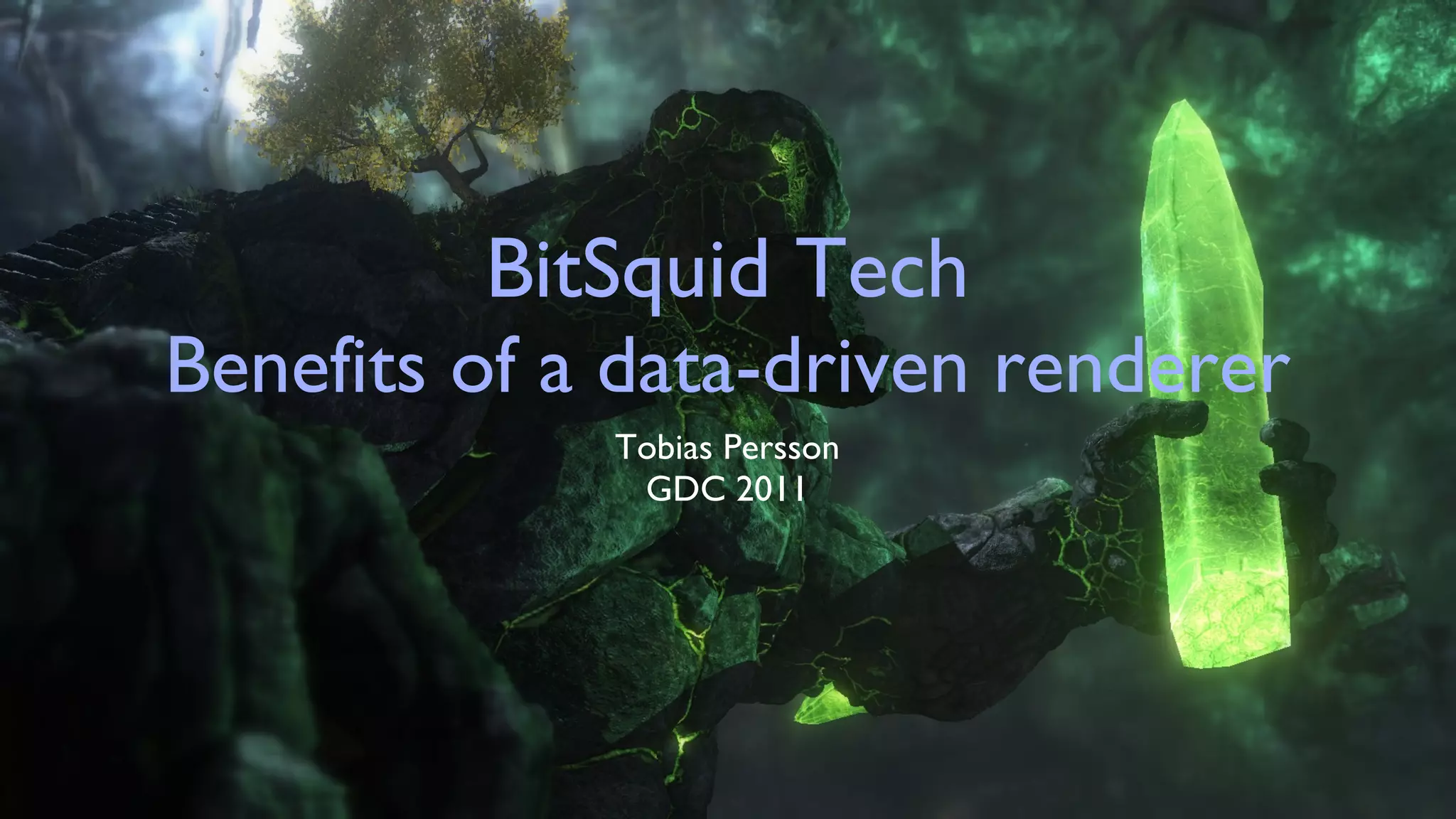
BitSquid Tech Benefits of a data-driven renderer Tobias Persson GDC 2011
Agenda An introduction to BitSquid  Key design principles of BitSquid Tech Benefits of having a data-driven rendering pipe
BitSquid Core team consists of me (rendering) and Niklas Frykholm (system) Based in Stockholm, Sweden Founded in September 2009 after GRINs unfortunate bankruptcy
Ambitious Goal To develop a new high-end game engine for licensing Cross-platform: PS3, X360, PC/DX11 (+ future  “console”  HW) We call it  BitSquid Tech
Fatshark collaboration Impossible to build game technology without close collaboration with end-users (i.e. game developers) Fatshark is an independent mid-sized game developer [Lead and Gold, BCR2, Hamilton] BitSquid and Fatshark shares office space Fatshark are our crash test dummies
Products running BSTech Stone Giant  [BitSquid / Fatshark] - DX11/HW-tessellation tech-demo Hamilton’s Great Adventure  [Fatshark] - 3rd person puzzle game to be released on PSN and Steam Two external developers working on unannounced projects
Stone Giant Demo
Key design principles of BitSquid Tech
Fast Content Iterations Being able to iterate fast over content is key to create great games In BSTech content is everything from low-level engine configuration files to high-level art assets Support hot-reloading of all content
Multi-core All bulk workload run through our job-system Mixture of task & data-parallel jobs Data oriented design Heavy focus on memory-layout of input/output data Easy DMA to coprocessors (SPU/GPGPU)
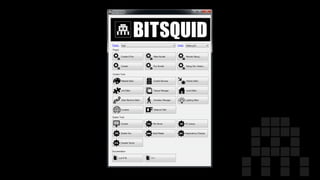
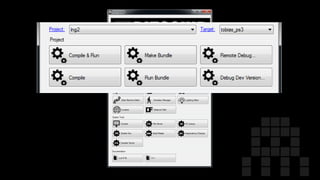
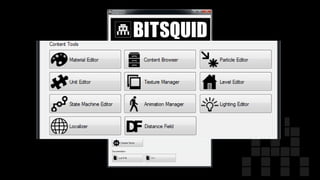
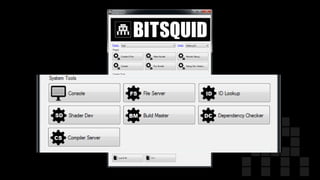
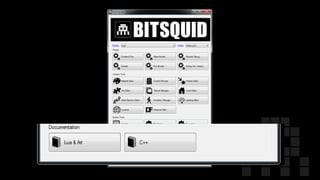
Tools No mega-editor™ Instead: multiple tools designed for specific purposes Much easier to extend and add new tools Gathered in a central launcher called “ tool center”


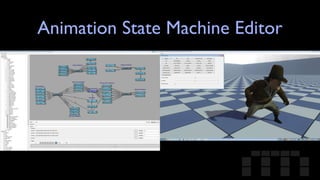
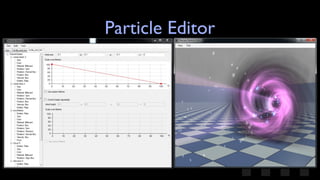
Tools cont. All visualization using “real” engine runtime Avoids strong coupling to engine by forcing all communication over TCP/IP  Boot engine running tool slave script Tool sends windows handle to engine, engine creates child window with swap-chain Write tools in the language you prefer
Animation State Machine Editor
Particle Editor
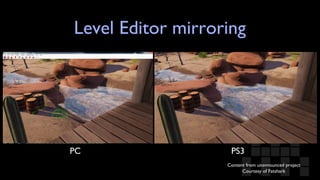
Console Focus Hard to get all departments to test their content on console HW Two options: 1. Make PC runtime suck or 2. Make console testing easy All tools run on console - very useful, examples: Mirroring of level editor Simultaneous tweaking of lighting / material properties
Level Editor mirroring PC PS3 Content from unannounced project Courtesy of Fatshark
Benefits of a data-driven renderer
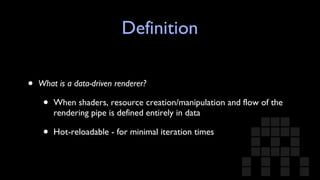
Definition What is a data-driven renderer? When shaders, resource creation/manipulation and flow of the rendering pipe is defined entirely in data Hot-reloadable - for minimal iteration times
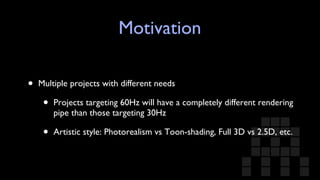
Motivation Multiple projects with different needs Projects targeting 60Hz will have a completely different rendering pipe than those targeting 30Hz Artistic style: Photorealism vs Toon-shading, Full 3D vs 2.5D, etc.
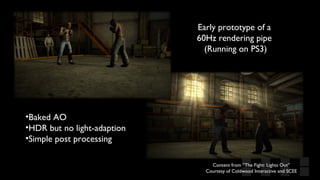
Early prototype of a  60Hz rendering pipe  (Running on PS3) Content from ”The Fight: Lights Out” Courtesy of Coldwood Interactive and SCEE Baked AO HDR but no light-adaption Simple post processing
Motivation cont. Flexibility: Easy debugging and experimentation Scalability: Targeting a wide range of HW requires a rendering pipe that scales Game context aware rendering pipe – e.g. stop rendering sun shadows when indoors, simplify rendering in split-screen, etc. High-level render pipe code not performance critical
Hamilton Trailer Stone Giant (DX11)
.. is very different from ..
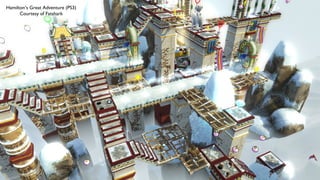
Hamilton’s Great Adventure (PS3) Courtesy of Fatshark
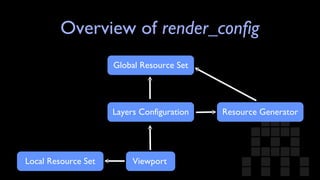
Implementation The  render_config  file: JSON* configuration file describing the entire rendering pipe Supports hot-reloading * Well, not really JSON. We call it SJSON: http://bitsquid.blogspot.com/2009/10/simplified-json-notation.html
Overview of  render_config Resource Generator Global Resource Set Layers Configuration Viewport Local Resource Set
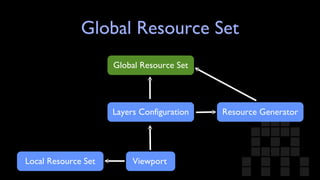
Global Resource Set Resource Generator Global Resource Set Layers Configuration Viewport Local Resource Set
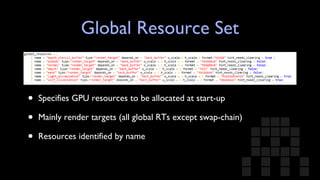
Global Resource Set Specifies GPU resources to be allocated at start-up Mainly render targets (all global RTs except swap-chain) Resources identified by name
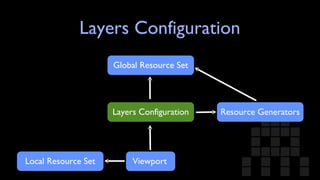
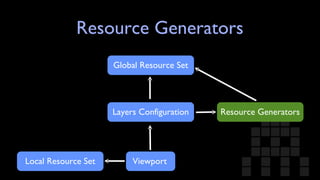
Layers Configuration Resource Generators Global Resource Set Layers Configuration Viewport Local Resource Set
Layers Configuration Defines the draw order of the visible batches in a game world Layers are processed in the order they are declared Shader system points out which layer to render in
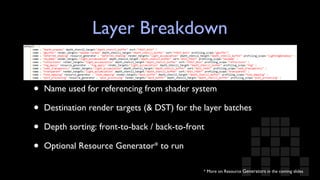
Layer Breakdown Name used for referencing from shader system Destination render targets (& DST) for the layer batches Depth sorting: front-to-back / back-to-front Optional Resource Generator* to run * More on Resource  Generators  in the coming slides
Resource Generators Resource Generators Global Resource Set Layers Configuration Viewport Local Resource Set
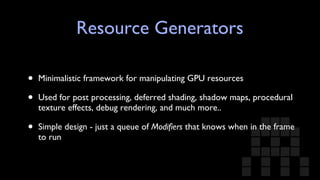
Resource Generators Minimalistic framework for manipulating GPU resources Used for post processing, deferred shading, shadow maps, procedural texture effects, debug rendering, and much more.. Simple design - just a queue of  Modifiers  that knows when in the frame to run
A Simple  Modifier : Fullscreen Pass Draws a single triangle covering entire viewport Input:  Shader and input resources Output:  Destination render target(s)
Example of a few  Modifiers Branch Compute Shader [DX11] SPU Job [PS3] Deferred Shading  Shadow Mapping Mesh Drawer
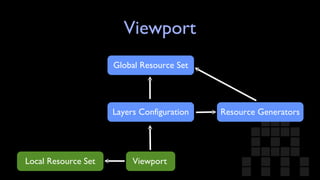
Viewport Resource Generators Global Resource Set Layers Configuration Viewport Local Resource Set
Viewport Ties everything together Specifies which layer configuration to use Local resource set - resources unique for each instance of a viewport (useful for stuff like current adapted luminance) GP programmer renders a game world by calling render_world(world, camera, viewport)
Questions? tobias.persson@bitsquid.se  @tobias_persson http://www.bitsquid.se   http://bitsquid.blogspot.com

BitSquid Tech: Benefits of a data-driven renderer

  • 1.
    BitSquid Tech Benefitsof a data-driven renderer Tobias Persson GDC 2011
  • 2.
    Agenda An introductionto BitSquid Key design principles of BitSquid Tech Benefits of having a data-driven rendering pipe
  • 3.
    BitSquid Core teamconsists of me (rendering) and Niklas Frykholm (system) Based in Stockholm, Sweden Founded in September 2009 after GRINs unfortunate bankruptcy
  • 4.
    Ambitious Goal Todevelop a new high-end game engine for licensing Cross-platform: PS3, X360, PC/DX11 (+ future “console” HW) We call it BitSquid Tech
  • 5.
    Fatshark collaboration Impossibleto build game technology without close collaboration with end-users (i.e. game developers) Fatshark is an independent mid-sized game developer [Lead and Gold, BCR2, Hamilton] BitSquid and Fatshark shares office space Fatshark are our crash test dummies
  • 6.
    Products running BSTechStone Giant [BitSquid / Fatshark] - DX11/HW-tessellation tech-demo Hamilton’s Great Adventure [Fatshark] - 3rd person puzzle game to be released on PSN and Steam Two external developers working on unannounced projects
  • 7.
  • 8.
    Key design principlesof BitSquid Tech
  • 9.
    Fast Content IterationsBeing able to iterate fast over content is key to create great games In BSTech content is everything from low-level engine configuration files to high-level art assets Support hot-reloading of all content
  • 10.
    Multi-core All bulkworkload run through our job-system Mixture of task & data-parallel jobs Data oriented design Heavy focus on memory-layout of input/output data Easy DMA to coprocessors (SPU/GPGPU)
  • 11.
    Tools No mega-editor™Instead: multiple tools designed for specific purposes Much easier to extend and add new tools Gathered in a central launcher called “ tool center”
  • 12.
  • 13.
  • 14.
  • 15.
  • 16.
  • 17.
    Tools cont. Allvisualization using “real” engine runtime Avoids strong coupling to engine by forcing all communication over TCP/IP Boot engine running tool slave script Tool sends windows handle to engine, engine creates child window with swap-chain Write tools in the language you prefer
  • 18.
  • 19.
  • 20.
    Console Focus Hardto get all departments to test their content on console HW Two options: 1. Make PC runtime suck or 2. Make console testing easy All tools run on console - very useful, examples: Mirroring of level editor Simultaneous tweaking of lighting / material properties
  • 21.
    Level Editor mirroringPC PS3 Content from unannounced project Courtesy of Fatshark
  • 22.
    Benefits of adata-driven renderer
  • 23.
    Definition What isa data-driven renderer? When shaders, resource creation/manipulation and flow of the rendering pipe is defined entirely in data Hot-reloadable - for minimal iteration times
  • 24.
    Motivation Multiple projectswith different needs Projects targeting 60Hz will have a completely different rendering pipe than those targeting 30Hz Artistic style: Photorealism vs Toon-shading, Full 3D vs 2.5D, etc.
  • 25.
    Early prototype ofa 60Hz rendering pipe (Running on PS3) Content from ”The Fight: Lights Out” Courtesy of Coldwood Interactive and SCEE Baked AO HDR but no light-adaption Simple post processing
  • 26.
    Motivation cont. Flexibility:Easy debugging and experimentation Scalability: Targeting a wide range of HW requires a rendering pipe that scales Game context aware rendering pipe – e.g. stop rendering sun shadows when indoors, simplify rendering in split-screen, etc. High-level render pipe code not performance critical
  • 27.
  • 28.
    .. is verydifferent from ..
  • 29.
    Hamilton’s Great Adventure(PS3) Courtesy of Fatshark
  • 30.
    Implementation The render_config file: JSON* configuration file describing the entire rendering pipe Supports hot-reloading * Well, not really JSON. We call it SJSON: http://bitsquid.blogspot.com/2009/10/simplified-json-notation.html
  • 31.
    Overview of render_config Resource Generator Global Resource Set Layers Configuration Viewport Local Resource Set
  • 32.
    Global Resource SetResource Generator Global Resource Set Layers Configuration Viewport Local Resource Set
  • 33.
    Global Resource SetSpecifies GPU resources to be allocated at start-up Mainly render targets (all global RTs except swap-chain) Resources identified by name
  • 34.
    Layers Configuration ResourceGenerators Global Resource Set Layers Configuration Viewport Local Resource Set
  • 35.
    Layers Configuration Definesthe draw order of the visible batches in a game world Layers are processed in the order they are declared Shader system points out which layer to render in
  • 36.
    Layer Breakdown Nameused for referencing from shader system Destination render targets (& DST) for the layer batches Depth sorting: front-to-back / back-to-front Optional Resource Generator* to run * More on Resource Generators in the coming slides
  • 37.
    Resource Generators ResourceGenerators Global Resource Set Layers Configuration Viewport Local Resource Set
  • 38.
    Resource Generators Minimalisticframework for manipulating GPU resources Used for post processing, deferred shading, shadow maps, procedural texture effects, debug rendering, and much more.. Simple design - just a queue of Modifiers that knows when in the frame to run
  • 39.
    A Simple Modifier : Fullscreen Pass Draws a single triangle covering entire viewport Input: Shader and input resources Output: Destination render target(s)
  • 40.
    Example of afew Modifiers Branch Compute Shader [DX11] SPU Job [PS3] Deferred Shading Shadow Mapping Mesh Drawer
  • 41.
    Viewport Resource GeneratorsGlobal Resource Set Layers Configuration Viewport Local Resource Set
  • 42.
    Viewport Ties everythingtogether Specifies which layer configuration to use Local resource set - resources unique for each instance of a viewport (useful for stuff like current adapted luminance) GP programmer renders a game world by calling render_world(world, camera, viewport)
  • 43.
    Questions? tobias.persson@bitsquid.se @tobias_persson http://www.bitsquid.se http://bitsquid.blogspot.com