WiFi login:
smarterteacher@gmail.com
flipped4science.blogspot.com
www.youtube.com/user/SMARTERTEACHER
WiFi Login:
Brian S. Miller
La Salle High School Pasadena, CA
30 Year Science Educator
(Chemistry, Biology, Physics, Anatomy, Environmental Science)
SMART Board Consultant
Socratic Chemistry Founder
NSTA & CSTA Presenter
smarterteacher@gmail.com
flipped4science.blogspot.com
www.youtube.com/user/SMARTERTEACHER
• Graduate Credit for
Professional Development
from Brandman University
pA-E
• Resources Page -p80
• Notes -p82
• Evaluation – p89
• Page NotationsP
OUR DAY
8:00 – 8:30 - Arrival
8:35 – 9:00 - Introductions and Housekeeping
9:00 – 10:00 - The Essentials of Flipping
10:00 – 10:15 - Break
10:15 – 10:45 - Stepping Stones to Flipping
10:45 – 11:15 - Creating Accountability
11:15 – 11:45 - Starting With Online Videos
11:45 – 1:00 - Lunch
1:00 – 2:00 - Lets Make a Resource
2:00 – 2:10 - Break
2:10 – 2:50 - Back to Your Classroom
2:50 – 3:00 - WPA’s and Closure
smarterteacher@gmail.com
flipped4science.blogspot.com
www.youtube.com/user/SMARTERTEACHER
smarterteacher@gmail.com
flipped4science.blogspot.com
www.youtube.com/user/SMARTERTEACHER
2
Objectives
By the end of the day you should be able to
• Explain how you could get started in implementing a successful flipped
classroom for your science discipline.
• List tools for using mobile technology to create “flipped” learning
experiences for your students
• Design effective flipped science lessons with highly effective apps and
other tech tools to meet the needs of your students
• Identify Step-by-step techniques for using the flipped classroom to
effectively teach rigorous science skills and concepts, including those
aligned with the Next Generation Science Standards
smarterteacher@gmail.com
flipped4science.blogspot.com
www.youtube.com/user/SMARTERTEACHER
2
Objectives
By the end of the day you should be able to
• Explain how to create a more accessible learning environment for all
students
• Identify creative ways to reach students in their world through online tools
and media they already use
• Initiate innovative, student-centered strategies to implement the flipped
classroom in secondary science classes
• Identify Low-cost and no-cost ideas for flipping your classroom for
science.
smarterteacher@gmail.com
flipped4science.blogspot.com
www.youtube.com/user/SMARTERTEACHER
2
Objectives
By the end of the day you should be able to
• Evaluate what is new in educational technology, including apps and
outstanding software that are ideal for differentiated learning in a flipped
classroom
• List ways to fully involve ALL of your students during in-class learning
• Step-by-step instructions for creating effective videotaped lessons that
can be used to pre-teach, re-teach and strengthen understanding
• Identify Proven techniques to involve students in “seeing and doing”
science with effective video clips that enhance your science instruction
INTRODUCTORY QUESTIONS
1. After looking over the objectives, what questions do you feel
are most important for your purposes in attending today’s
seminar?
2. Are there any other questions or concepts that are not
represented in the objectives that you would like to see
addressed?
smarterteacher@gmail.com
flipped4science.blogspot.com
www.youtube.com/user/SMARTERTEACHER
3
smarterteacher@gmail.com
flipped4science.blogspot.com
www.youtube.com/user/SMARTERTEACHER
4
THE PARABLE OF THE STONES
A man was out walking in the desert when a voice said to him,
"Pick up some pebbles and put them in your pocket, and
tomorrow you will be both happy and sad."
The man obeyed. He stooped down and picked up a handful of
pebbles and put them in his pocket. The next morning he
reached into his pocket and found diamonds, sapphires,
rubies and emeralds.
And he was both happy and sad.
Happy he had taken some –
sad that he hadn't taken more.
5-11
Four Essential Elements of the
Flipped Classroom
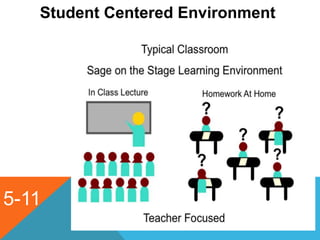
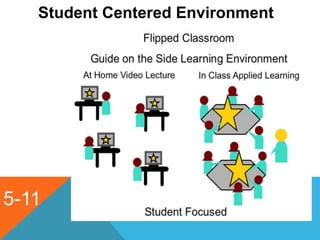
• Student Centered Environment
• Teacher as Learning Facilitator
• Content Delivery Resources
• Higher-Order Questions
smarterteacher@gmail.com
flipped4science.blogspot.com
www.youtube.com/user/SMARTERTEACHER
5-11
Student Centered Environment
5-11
Student Centered Environment
5-11
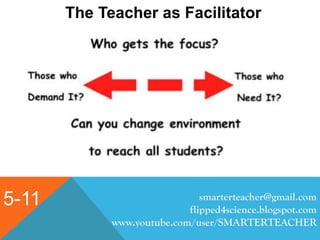
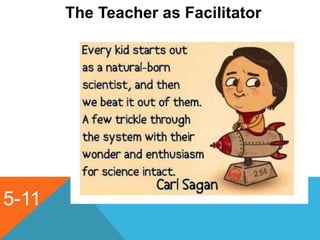
The Teacher as Facilitator
smarterteacher@gmail.com
flipped4science.blogspot.com
www.youtube.com/user/SMARTERTEACHER
5-11
The Teacher as Facilitator
5-11
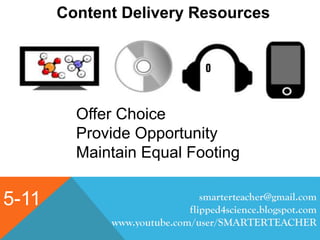
Content Delivery Resources
smarterteacher@gmail.com
flipped4science.blogspot.com
www.youtube.com/user/SMARTERTEACHER
Offer Choice
Provide Opportunity
Maintain Equal Footing
5-11
Higher Order Questions
smarterteacher@gmail.com
flipped4science.blogspot.com
www.youtube.com/user/SMARTERTEACHER
5-11
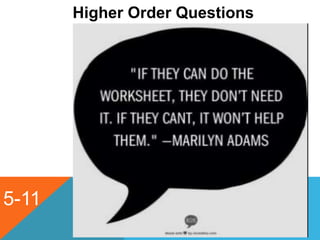
Higher Order Questions
5-11
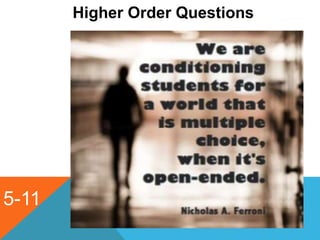
Higher Order Questions
5-11
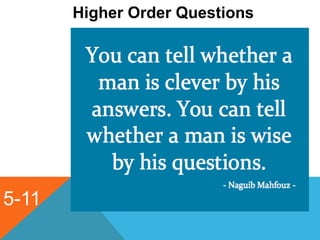
Higher Order Questions
CHECKPOINT QUESTIONS
smarterteacher@gmail.com
flipped4science.blogspot.com
www.youtube.com/user/SMARTERTEACHER
12
• Where are you at currently, in regards to using the
flipped lesson format?
• What do you need to do to begin/increase/continue
your flipped learning classroom? What are the
obstacles you need to overcome?
• What has fueled your interest in the flipped learning
format?
Rebecca Navarro – Program
Manager
smarterteacher@gmail.com
flipped4science.blogspot.com
www.youtube.com/user/SMARTERTEACHER
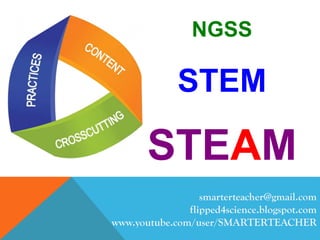
NGSS
STEM
STEAM
13-18
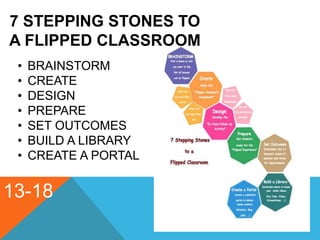
7 STEPPING STONES TO
A FLIPPED CLASSROOM
• BRAINSTORM
• CREATE
• DESIGN
• PREPARE
• SET OUTCOMES
• BUILD A LIBRARY
• CREATE A PORTAL
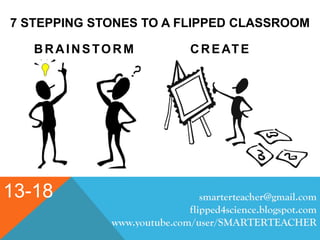
7 STEPPING STONES TO A FLIPPED CLASSROOM
BRAINSTORM CREATE
smarterteacher@gmail.com
flipped4science.blogspot.com
www.youtube.com/user/SMARTERTEACHER
13-18
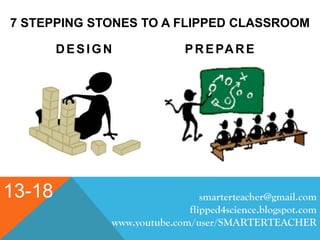
7 STEPPING STONES TO A FLIPPED CLASSROOM
DESIGN PREPARE
smarterteacher@gmail.com
flipped4science.blogspot.com
www.youtube.com/user/SMARTERTEACHER
13-18
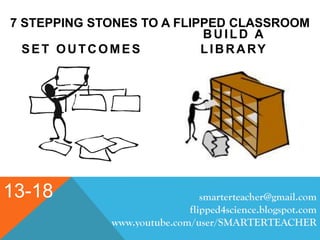
7 STEPPING STONES TO A FLIPPED CLASSROOM
SET OUTCOMES
BUILD A
LIBRARY
smarterteacher@gmail.com
flipped4science.blogspot.com
www.youtube.com/user/SMARTERTEACHER
13-18
7 STEPPING STONES TO A FLIPPED CLASSROOM
C R E AT E A P O R TA L START FLIPPING
smarterteacher@gmail.com
flipped4science.blogspot.com
www.youtube.com/user/SMARTERTEACHER
13-18
19-24
CREATING ACCOUNTABILITY IN THE
FLIPPED CLASSROOM
• C - CHOICE
• A – ACCOUNTABILITY
• N – NO EXCUSES
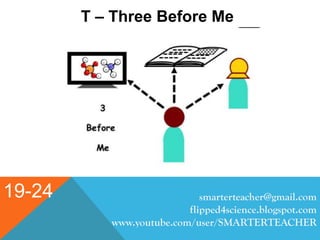
• T – THREE BEFORE ME
smarterteacher@gmail.com
flipped4science.blogspot.com
www.youtube.com/user/SMARTERTEACHER
19-24
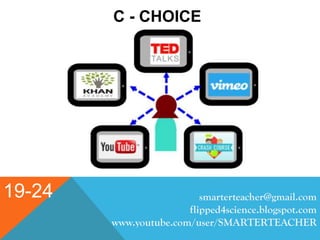
C - CHOICE
smarterteacher@gmail.com
flipped4science.blogspot.com
www.youtube.com/user/SMARTERTEACHER
19-24
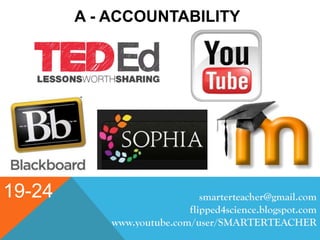
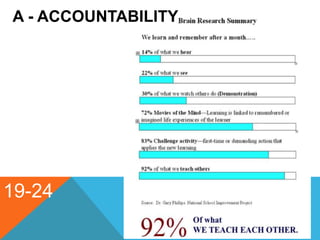
A - ACCOUNTABILITY
smarterteacher@gmail.com
flipped4science.blogspot.com
www.youtube.com/user/SMARTERTEACHER
19-24
A - ACCOUNTABILITY
19-24
N – No Excuses
smarterteacher@gmail.com
flipped4science.blogspot.com
www.youtube.com/user/SMARTERTEACHER
19-24
T – Three Before Me
smarterteacher@gmail.com
flipped4science.blogspot.com
www.youtube.com/user/SMARTERTEACHER
CHECKPOINT QUESTIONS
smarterteacher@gmail.com
flipped4science.blogspot.com
www.youtube.com/user/SMARTERTEACHER
25
• How do you see student accountability and the flipped
lesson format playing a role in your classroom
environment?
• What methods do you currently utilize to hold students
accountable in your traditional classroom? How can
these be adapted to the flipped lesson format?
• What methods do currently utilize in your use of the
flipped lesson format to maintain and encourage
student accountability?
BENEFITS OF THE FLIPPED CLASSROOM
smarterteacher@gmail.com
flipped4science.blogspot.com
www.youtube.com/user/SMARTERTEACHER
27
• Students can take ownership of their learning.
• Teachers can create or select educationally entertaining videos to
capture student attention, instead of having students absorb through
textbooks and homework problems.
• The classroom becomes a student centered learning environment,
rather than teacher directed a content driven.
• Students receive instant feedback in class as they are problem
solving.
BENEFITS OF THE FLIPPED CLASSROOM
smarterteacher@gmail.com
flipped4science.blogspot.com
www.youtube.com/user/SMARTERTEACHER
27
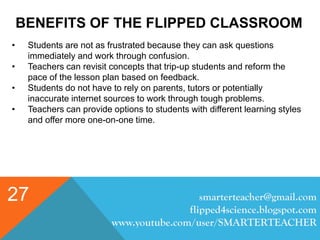
• Students are not as frustrated because they can ask questions
immediately and work through confusion.
• Teachers can revisit concepts that trip-up students and reform the
pace of the lesson plan based on feedback.
• Students do not have to rely on parents, tutors or potentially
inaccurate internet sources to work through tough problems.
• Teachers can provide options to students with different learning styles
and offer more one-on-one time.
BENEFITS OF THE FLIPPED CLASSROOM
smarterteacher@gmail.com
flipped4science.blogspot.com
www.youtube.com/user/SMARTERTEACHER
27
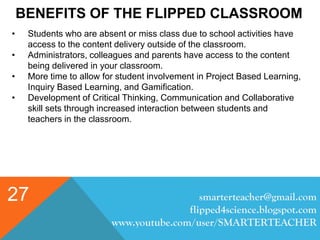
• Students who are absent or miss class due to school activities have
access to the content delivery outside of the classroom.
• Administrators, colleagues and parents have access to the content
being delivered in your classroom.
• More time to allow for student involvement in Project Based Learning,
Inquiry Based Learning, and Gamification.
• Development of Critical Thinking, Communication and Collaborative
skill sets through increased interaction between students and
teachers in the classroom.
POSSIBLE DRAW-BACKS
OF THE FLIPPED CLASSROOM
smarterteacher@gmail.com
flipped4science.blogspot.com
www.youtube.com/user/SMARTERTEACHER
28
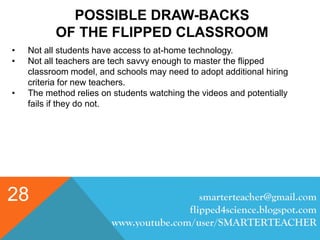
• Not all students have access to at-home technology.
• Not all teachers are tech savvy enough to master the flipped
classroom model, and schools may need to adopt additional hiring
criteria for new teachers.
• The method relies on students watching the videos and potentially
fails if they do not.
POSSIBLE DRAW-BACKS
OF THE FLIPPED CLASSROOM
smarterteacher@gmail.com
flipped4science.blogspot.com
www.youtube.com/user/SMARTERTEACHER
28
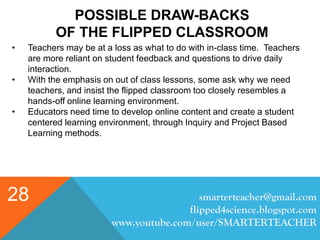
• Teachers may be at a loss as what to do with in-class time. Teachers
are more reliant on student feedback and questions to drive daily
interaction.
• With the emphasis on out of class lessons, some ask why we need
teachers, and insist the flipped classroom too closely resembles a
hands-off online learning environment.
• Educators need time to develop online content and create a student
centered learning environment, through Inquiry and Project Based
Learning methods.
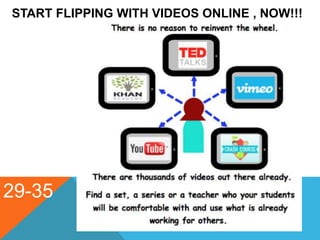
START FLIPPING WITH VIDEOS ONLINE , NOW!!!
29-35
START FLIPPING WITH VIDEOS ONLINE , NOW!!!
29-35 smarterteacher@gmail.com
flipped4science.blogspot.com
www.youtube.com/user/SMARTERTEACHER
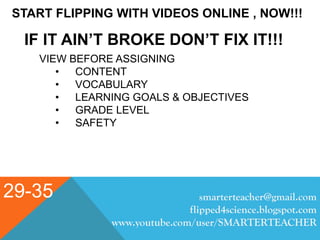
IF IT AIN’T BROKE DON’T FIX IT!!!
VIEW BEFORE ASSIGNING
• CONTENT
• VOCABULARY
• LEARNING GOALS & OBJECTIVES
• GRADE LEVEL
• SAFETY
CHECKPOINT QUESTIONS
smarterteacher@gmail.com
flipped4science.blogspot.com
www.youtube.com/user/SMARTERTEACHER
25
• What online resources do you currently utilize to find, use,
and introduce media, for your flipped lesson format?
• What format are you currently using to share your flipped
lessons with your students for your classroom
environment?
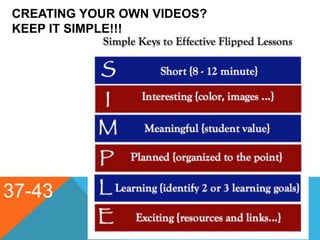
CREATING YOUR OWN VIDEOS?
KEEP IT SIMPLE!!!
37-43
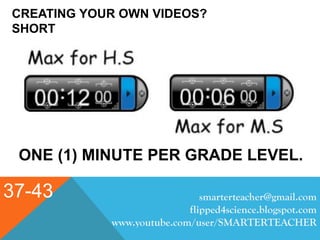
CREATING YOUR OWN VIDEOS?
SHORT
37-43
ONE (1) MINUTE PER GRADE LEVEL.
smarterteacher@gmail.com
flipped4science.blogspot.com
www.youtube.com/user/SMARTERTEACHER
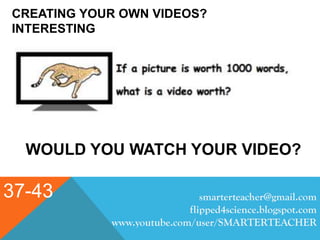
CREATING YOUR OWN VIDEOS?
INTERESTING
37-43
WOULD YOU WATCH YOUR VIDEO?
smarterteacher@gmail.com
flipped4science.blogspot.com
www.youtube.com/user/SMARTERTEACHER
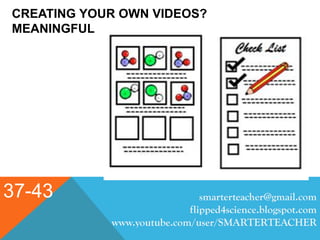
CREATING YOUR OWN VIDEOS?
MEANINGFUL
37-43 smarterteacher@gmail.com
flipped4science.blogspot.com
www.youtube.com/user/SMARTERTEACHER
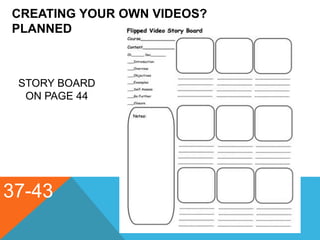
CREATING YOUR OWN VIDEOS?
PLANNED
37-43
STORY BOARD
ON PAGE 44
CREATING YOUR OWN VIDEOS?
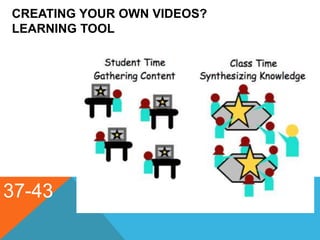
LEARNING TOOL
37-43
smarterteacher@gmail.com
flipped4science.blogspot.com
www.youtube.com/user/SMARTERTEACHER
CREATING YOUR OWN VIDEOS?
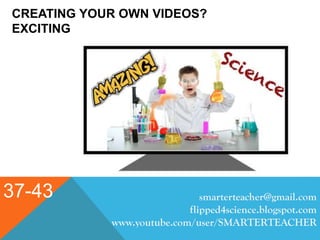
EXCITING
37-43 smarterteacher@gmail.com
flipped4science.blogspot.com
www.youtube.com/user/SMARTERTEACHER
PLANNING THE VIDEO LESSON
37-43 smarterteacher@gmail.com
flipped4science.blogspot.com
www.youtube.com/user/SMARTERTEACHER
Introduction - Introduce the puropose of the video. Identify the
concept and create a connection to previous knowledge if necessary.
Objectives - Identify 1 or 2 objectives or standards that will be
addressed in the video. Whenever possible list Common Core or State
Standards or Next Generation Science Standards met by the concepts
in the video.
Overview - Provide a brief explanation of the concept that will be
modeled in the lesson. Include new vocabulary, skills necessary and
other related materials.
PLANNING THE VIDEO LESSON
37-43 smarterteacher@gmail.com
flipped4science.blogspot.com
www.youtube.com/user/SMARTERTEACHER
Examples - Model concept providing as many examples as possible.
Keep in mind lesson link. If necessary make more than one video to
provide additional examples and solutions.
Self Assess – Provide opportunities troughout the lesson for students to
check their understanding. Encourage students to pause the lesson in
order to answer questions, think about the concept or complete a
sample problem.
PLANNING THE VIDEO LESSON
37-43 smarterteacher@gmail.com
flipped4science.blogspot.com
www.youtube.com/user/SMARTERTEACHER
Going Further – Provide opportunities for students to continue to explore
the concept through additional sample problems, further research, articles,
websites or additional videos to add to the knowledge base. Add higher
order questions to help students synthesize the content into a knowledge
base that can transition back to the classroom.
Closure – Bring the lesson to a close by revisiting the objectives or
standards that were demonstrated in the video lesson. There is no need to
summarize or repeat the key concepts as this will only increase video time.
Students always have the option to re-watch any part of the video as many
times as may be necessary.
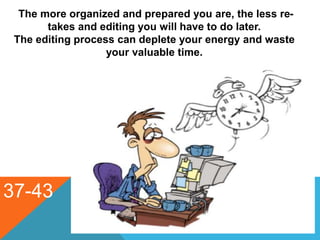
The more organized and prepared you are, the less re-
takes and editing you will have to do later.
The editing process can deplete your energy and waste
your valuable time.
37-43
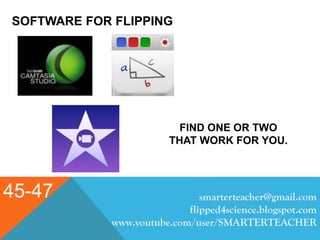
SOFTWARE FOR FLIPPING
45-47 smarterteacher@gmail.com
flipped4science.blogspot.com
www.youtube.com/user/SMARTERTEACHER
FIND ONE OR TWO
THAT WORK FOR YOU.
SOFTWARE FOR FLIPPING
45-47 smarterteacher@gmail.com
flipped4science.blogspot.com
www.youtube.com/user/SMARTERTEACHER
YOU CAN KEEP IT
SIMPLEOR YOU CAN
PRODUCE EPICS,
WHAT ARE THE NEEDS
OF YOUR STUDENTS.
SOFTWARE FOR FLIPPING
45-47 smarterteacher@gmail.com
flipped4science.blogspot.com
www.youtube.com/user/SMARTERTEACHER
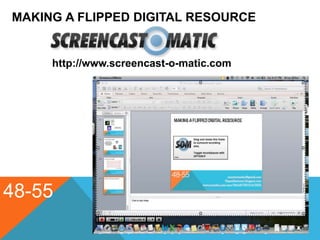
MAKING A FLIPPED DIGITAL RESOURCE
48-55
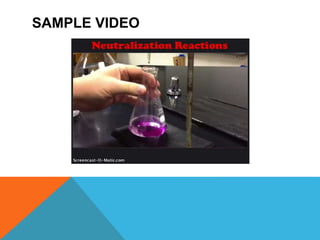
http://www.screencast-o-matic.com
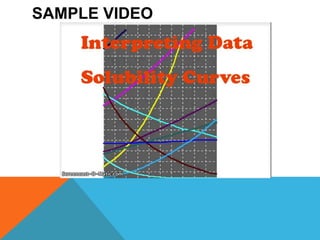
SAMPLE VIDEO
SAMPLE VIDEO
smarterteacher@gmail.com
flipped4science.blogspot.com
www.youtube.com/user/SMARTERTEACHER
smarterteacher@gmail.com
flipped4science.blogspot.com
www.youtube.com/user/SMARTERTEACHER
smarterteacher@gmail.com
flipped4science.blogspot.com
www.youtube.com/user/SMARTERTEACHER
smarterteacher@gmail.com
flipped4science.blogspot.com
www.youtube.com/user/SMARTERTEACHER
TECHNOLOGY
45-47 smarterteacher@gmail.com
flipped4science.blogspot.com
www.youtube.com/user/SMARTERTEACHER
“You can be a good teacher and never use
technology and technology will never turn a bad
teacher into a good one.
However, a good teacher who uses technology
well, can make great things happen.”
- Rushton Hurley
BACK TO THE CLASSROOM
TAKING IT BEYOND THE CONTENT
71-75 smarterteacher@gmail.com
flipped4science.blogspot.com
www.youtube.com/user/SMARTERTEACHER
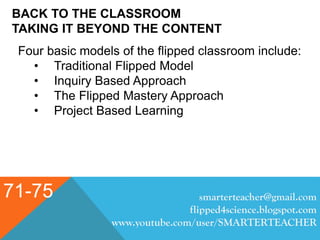
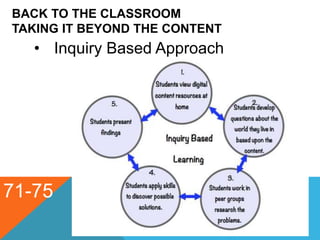
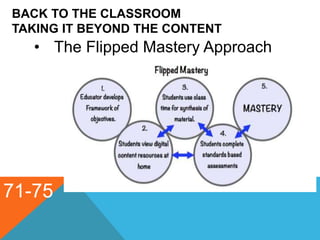
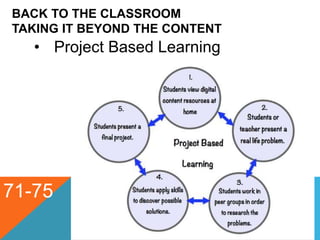
Four basic models of the flipped classroom include:
• Traditional Flipped Model
• Inquiry Based Approach
• The Flipped Mastery Approach
• Project Based Learning
BACK TO THE CLASSROOM
TAKING IT BEYOND THE CONTENT
71-75
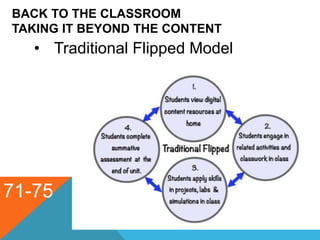
• Traditional Flipped Model
BACK TO THE CLASSROOM
TAKING IT BEYOND THE CONTENT
71-75
• Inquiry Based Approach
BACK TO THE CLASSROOM
TAKING IT BEYOND THE CONTENT
71-75
• The Flipped Mastery Approach
BACK TO THE CLASSROOM
TAKING IT BEYOND THE CONTENT
71-75
• Project Based Learning
Pick up your certifictes on the registration tab

Flip your science instruction ss

  • 1.
  • 3.
  • 4.
    Brian S. Miller LaSalle High School Pasadena, CA 30 Year Science Educator (Chemistry, Biology, Physics, Anatomy, Environmental Science) SMART Board Consultant Socratic Chemistry Founder NSTA & CSTA Presenter smarterteacher@gmail.com flipped4science.blogspot.com www.youtube.com/user/SMARTERTEACHER
  • 5.
    • Graduate Creditfor Professional Development from Brandman University pA-E • Resources Page -p80 • Notes -p82 • Evaluation – p89 • Page NotationsP
  • 6.
    OUR DAY 8:00 –8:30 - Arrival 8:35 – 9:00 - Introductions and Housekeeping 9:00 – 10:00 - The Essentials of Flipping 10:00 – 10:15 - Break 10:15 – 10:45 - Stepping Stones to Flipping 10:45 – 11:15 - Creating Accountability 11:15 – 11:45 - Starting With Online Videos 11:45 – 1:00 - Lunch 1:00 – 2:00 - Lets Make a Resource 2:00 – 2:10 - Break 2:10 – 2:50 - Back to Your Classroom 2:50 – 3:00 - WPA’s and Closure smarterteacher@gmail.com flipped4science.blogspot.com www.youtube.com/user/SMARTERTEACHER
  • 7.
    smarterteacher@gmail.com flipped4science.blogspot.com www.youtube.com/user/SMARTERTEACHER 2 Objectives By the endof the day you should be able to • Explain how you could get started in implementing a successful flipped classroom for your science discipline. • List tools for using mobile technology to create “flipped” learning experiences for your students • Design effective flipped science lessons with highly effective apps and other tech tools to meet the needs of your students • Identify Step-by-step techniques for using the flipped classroom to effectively teach rigorous science skills and concepts, including those aligned with the Next Generation Science Standards
  • 8.
    smarterteacher@gmail.com flipped4science.blogspot.com www.youtube.com/user/SMARTERTEACHER 2 Objectives By the endof the day you should be able to • Explain how to create a more accessible learning environment for all students • Identify creative ways to reach students in their world through online tools and media they already use • Initiate innovative, student-centered strategies to implement the flipped classroom in secondary science classes • Identify Low-cost and no-cost ideas for flipping your classroom for science.
  • 9.
    smarterteacher@gmail.com flipped4science.blogspot.com www.youtube.com/user/SMARTERTEACHER 2 Objectives By the endof the day you should be able to • Evaluate what is new in educational technology, including apps and outstanding software that are ideal for differentiated learning in a flipped classroom • List ways to fully involve ALL of your students during in-class learning • Step-by-step instructions for creating effective videotaped lessons that can be used to pre-teach, re-teach and strengthen understanding • Identify Proven techniques to involve students in “seeing and doing” science with effective video clips that enhance your science instruction
  • 10.
    INTRODUCTORY QUESTIONS 1. Afterlooking over the objectives, what questions do you feel are most important for your purposes in attending today’s seminar? 2. Are there any other questions or concepts that are not represented in the objectives that you would like to see addressed? smarterteacher@gmail.com flipped4science.blogspot.com www.youtube.com/user/SMARTERTEACHER 3
  • 11.
    smarterteacher@gmail.com flipped4science.blogspot.com www.youtube.com/user/SMARTERTEACHER 4 THE PARABLE OFTHE STONES A man was out walking in the desert when a voice said to him, "Pick up some pebbles and put them in your pocket, and tomorrow you will be both happy and sad." The man obeyed. He stooped down and picked up a handful of pebbles and put them in his pocket. The next morning he reached into his pocket and found diamonds, sapphires, rubies and emeralds. And he was both happy and sad. Happy he had taken some – sad that he hadn't taken more.
  • 14.
    5-11 Four Essential Elementsof the Flipped Classroom • Student Centered Environment • Teacher as Learning Facilitator • Content Delivery Resources • Higher-Order Questions smarterteacher@gmail.com flipped4science.blogspot.com www.youtube.com/user/SMARTERTEACHER
  • 15.
  • 16.
  • 17.
    5-11 The Teacher asFacilitator smarterteacher@gmail.com flipped4science.blogspot.com www.youtube.com/user/SMARTERTEACHER
  • 19.
  • 20.
  • 21.
  • 22.
  • 23.
  • 24.
  • 25.
    CHECKPOINT QUESTIONS smarterteacher@gmail.com flipped4science.blogspot.com www.youtube.com/user/SMARTERTEACHER 12 • Whereare you at currently, in regards to using the flipped lesson format? • What do you need to do to begin/increase/continue your flipped learning classroom? What are the obstacles you need to overcome? • What has fueled your interest in the flipped learning format?
  • 26.
    Rebecca Navarro –Program Manager
  • 28.
  • 29.
    13-18 7 STEPPING STONESTO A FLIPPED CLASSROOM • BRAINSTORM • CREATE • DESIGN • PREPARE • SET OUTCOMES • BUILD A LIBRARY • CREATE A PORTAL
  • 30.
    7 STEPPING STONESTO A FLIPPED CLASSROOM BRAINSTORM CREATE smarterteacher@gmail.com flipped4science.blogspot.com www.youtube.com/user/SMARTERTEACHER 13-18
  • 31.
    7 STEPPING STONESTO A FLIPPED CLASSROOM DESIGN PREPARE smarterteacher@gmail.com flipped4science.blogspot.com www.youtube.com/user/SMARTERTEACHER 13-18
  • 32.
    7 STEPPING STONESTO A FLIPPED CLASSROOM SET OUTCOMES BUILD A LIBRARY smarterteacher@gmail.com flipped4science.blogspot.com www.youtube.com/user/SMARTERTEACHER 13-18
  • 33.
    7 STEPPING STONESTO A FLIPPED CLASSROOM C R E AT E A P O R TA L START FLIPPING smarterteacher@gmail.com flipped4science.blogspot.com www.youtube.com/user/SMARTERTEACHER 13-18
  • 34.
    19-24 CREATING ACCOUNTABILITY INTHE FLIPPED CLASSROOM • C - CHOICE • A – ACCOUNTABILITY • N – NO EXCUSES • T – THREE BEFORE ME smarterteacher@gmail.com flipped4science.blogspot.com www.youtube.com/user/SMARTERTEACHER
  • 35.
  • 36.
  • 37.
  • 38.
    19-24 N – NoExcuses smarterteacher@gmail.com flipped4science.blogspot.com www.youtube.com/user/SMARTERTEACHER
  • 39.
    19-24 T – ThreeBefore Me smarterteacher@gmail.com flipped4science.blogspot.com www.youtube.com/user/SMARTERTEACHER
  • 40.
    CHECKPOINT QUESTIONS smarterteacher@gmail.com flipped4science.blogspot.com www.youtube.com/user/SMARTERTEACHER 25 • Howdo you see student accountability and the flipped lesson format playing a role in your classroom environment? • What methods do you currently utilize to hold students accountable in your traditional classroom? How can these be adapted to the flipped lesson format? • What methods do currently utilize in your use of the flipped lesson format to maintain and encourage student accountability?
  • 41.
    BENEFITS OF THEFLIPPED CLASSROOM smarterteacher@gmail.com flipped4science.blogspot.com www.youtube.com/user/SMARTERTEACHER 27 • Students can take ownership of their learning. • Teachers can create or select educationally entertaining videos to capture student attention, instead of having students absorb through textbooks and homework problems. • The classroom becomes a student centered learning environment, rather than teacher directed a content driven. • Students receive instant feedback in class as they are problem solving.
  • 42.
    BENEFITS OF THEFLIPPED CLASSROOM smarterteacher@gmail.com flipped4science.blogspot.com www.youtube.com/user/SMARTERTEACHER 27 • Students are not as frustrated because they can ask questions immediately and work through confusion. • Teachers can revisit concepts that trip-up students and reform the pace of the lesson plan based on feedback. • Students do not have to rely on parents, tutors or potentially inaccurate internet sources to work through tough problems. • Teachers can provide options to students with different learning styles and offer more one-on-one time.
  • 43.
    BENEFITS OF THEFLIPPED CLASSROOM smarterteacher@gmail.com flipped4science.blogspot.com www.youtube.com/user/SMARTERTEACHER 27 • Students who are absent or miss class due to school activities have access to the content delivery outside of the classroom. • Administrators, colleagues and parents have access to the content being delivered in your classroom. • More time to allow for student involvement in Project Based Learning, Inquiry Based Learning, and Gamification. • Development of Critical Thinking, Communication and Collaborative skill sets through increased interaction between students and teachers in the classroom.
  • 44.
    POSSIBLE DRAW-BACKS OF THEFLIPPED CLASSROOM smarterteacher@gmail.com flipped4science.blogspot.com www.youtube.com/user/SMARTERTEACHER 28 • Not all students have access to at-home technology. • Not all teachers are tech savvy enough to master the flipped classroom model, and schools may need to adopt additional hiring criteria for new teachers. • The method relies on students watching the videos and potentially fails if they do not.
  • 45.
    POSSIBLE DRAW-BACKS OF THEFLIPPED CLASSROOM smarterteacher@gmail.com flipped4science.blogspot.com www.youtube.com/user/SMARTERTEACHER 28 • Teachers may be at a loss as what to do with in-class time. Teachers are more reliant on student feedback and questions to drive daily interaction. • With the emphasis on out of class lessons, some ask why we need teachers, and insist the flipped classroom too closely resembles a hands-off online learning environment. • Educators need time to develop online content and create a student centered learning environment, through Inquiry and Project Based Learning methods.
  • 46.
    START FLIPPING WITHVIDEOS ONLINE , NOW!!! 29-35
  • 47.
    START FLIPPING WITHVIDEOS ONLINE , NOW!!! 29-35 smarterteacher@gmail.com flipped4science.blogspot.com www.youtube.com/user/SMARTERTEACHER IF IT AIN’T BROKE DON’T FIX IT!!! VIEW BEFORE ASSIGNING • CONTENT • VOCABULARY • LEARNING GOALS & OBJECTIVES • GRADE LEVEL • SAFETY
  • 48.
    CHECKPOINT QUESTIONS smarterteacher@gmail.com flipped4science.blogspot.com www.youtube.com/user/SMARTERTEACHER 25 • Whatonline resources do you currently utilize to find, use, and introduce media, for your flipped lesson format? • What format are you currently using to share your flipped lessons with your students for your classroom environment?
  • 50.
    CREATING YOUR OWNVIDEOS? KEEP IT SIMPLE!!! 37-43
  • 51.
    CREATING YOUR OWNVIDEOS? SHORT 37-43 ONE (1) MINUTE PER GRADE LEVEL. smarterteacher@gmail.com flipped4science.blogspot.com www.youtube.com/user/SMARTERTEACHER
  • 52.
    CREATING YOUR OWNVIDEOS? INTERESTING 37-43 WOULD YOU WATCH YOUR VIDEO? smarterteacher@gmail.com flipped4science.blogspot.com www.youtube.com/user/SMARTERTEACHER
  • 53.
    CREATING YOUR OWNVIDEOS? MEANINGFUL 37-43 smarterteacher@gmail.com flipped4science.blogspot.com www.youtube.com/user/SMARTERTEACHER
  • 54.
    CREATING YOUR OWNVIDEOS? PLANNED 37-43 STORY BOARD ON PAGE 44
  • 55.
    CREATING YOUR OWNVIDEOS? LEARNING TOOL 37-43
  • 56.
  • 57.
    CREATING YOUR OWNVIDEOS? EXCITING 37-43 smarterteacher@gmail.com flipped4science.blogspot.com www.youtube.com/user/SMARTERTEACHER
  • 58.
    PLANNING THE VIDEOLESSON 37-43 smarterteacher@gmail.com flipped4science.blogspot.com www.youtube.com/user/SMARTERTEACHER Introduction - Introduce the puropose of the video. Identify the concept and create a connection to previous knowledge if necessary. Objectives - Identify 1 or 2 objectives or standards that will be addressed in the video. Whenever possible list Common Core or State Standards or Next Generation Science Standards met by the concepts in the video. Overview - Provide a brief explanation of the concept that will be modeled in the lesson. Include new vocabulary, skills necessary and other related materials.
  • 59.
    PLANNING THE VIDEOLESSON 37-43 smarterteacher@gmail.com flipped4science.blogspot.com www.youtube.com/user/SMARTERTEACHER Examples - Model concept providing as many examples as possible. Keep in mind lesson link. If necessary make more than one video to provide additional examples and solutions. Self Assess – Provide opportunities troughout the lesson for students to check their understanding. Encourage students to pause the lesson in order to answer questions, think about the concept or complete a sample problem.
  • 60.
    PLANNING THE VIDEOLESSON 37-43 smarterteacher@gmail.com flipped4science.blogspot.com www.youtube.com/user/SMARTERTEACHER Going Further – Provide opportunities for students to continue to explore the concept through additional sample problems, further research, articles, websites or additional videos to add to the knowledge base. Add higher order questions to help students synthesize the content into a knowledge base that can transition back to the classroom. Closure – Bring the lesson to a close by revisiting the objectives or standards that were demonstrated in the video lesson. There is no need to summarize or repeat the key concepts as this will only increase video time. Students always have the option to re-watch any part of the video as many times as may be necessary.
  • 61.
    The more organizedand prepared you are, the less re- takes and editing you will have to do later. The editing process can deplete your energy and waste your valuable time. 37-43
  • 62.
    SOFTWARE FOR FLIPPING 45-47smarterteacher@gmail.com flipped4science.blogspot.com www.youtube.com/user/SMARTERTEACHER FIND ONE OR TWO THAT WORK FOR YOU.
  • 63.
    SOFTWARE FOR FLIPPING 45-47smarterteacher@gmail.com flipped4science.blogspot.com www.youtube.com/user/SMARTERTEACHER YOU CAN KEEP IT SIMPLEOR YOU CAN PRODUCE EPICS, WHAT ARE THE NEEDS OF YOUR STUDENTS.
  • 64.
    SOFTWARE FOR FLIPPING 45-47smarterteacher@gmail.com flipped4science.blogspot.com www.youtube.com/user/SMARTERTEACHER
  • 65.
    MAKING A FLIPPEDDIGITAL RESOURCE 48-55 http://www.screencast-o-matic.com
  • 66.
  • 67.
  • 68.
  • 69.
  • 70.
  • 71.
  • 72.
    TECHNOLOGY 45-47 smarterteacher@gmail.com flipped4science.blogspot.com www.youtube.com/user/SMARTERTEACHER “You canbe a good teacher and never use technology and technology will never turn a bad teacher into a good one. However, a good teacher who uses technology well, can make great things happen.” - Rushton Hurley
  • 73.
    BACK TO THECLASSROOM TAKING IT BEYOND THE CONTENT 71-75 smarterteacher@gmail.com flipped4science.blogspot.com www.youtube.com/user/SMARTERTEACHER Four basic models of the flipped classroom include: • Traditional Flipped Model • Inquiry Based Approach • The Flipped Mastery Approach • Project Based Learning
  • 74.
    BACK TO THECLASSROOM TAKING IT BEYOND THE CONTENT 71-75 • Traditional Flipped Model
  • 76.
    BACK TO THECLASSROOM TAKING IT BEYOND THE CONTENT 71-75 • Inquiry Based Approach
  • 77.
    BACK TO THECLASSROOM TAKING IT BEYOND THE CONTENT 71-75 • The Flipped Mastery Approach
  • 78.
    BACK TO THECLASSROOM TAKING IT BEYOND THE CONTENT 71-75 • Project Based Learning
  • 81.
    Pick up yourcertifictes on the registration tab