Financial Information Exchange (FIX) Protocol Introduction Guide
The document provides an introduction to the Financial Information Exchange (FIX) protocol. It describes FIX as an open electronic communications protocol used for trading between financial entities. The document outlines the core components of FIX including messages, protocol architecture, and engines. It also provides a brief history and overview of why FIX is used as the de facto standard for financial information exchange.
Introduction to the FIX (Financial Information eXchange) protocol, its purpose, and key components.
FIX is an open protocol for financial communication, ensuring real-time information delivery and standardization.
Timeline of FIX protocol development from 1992 to 2006, detailing significant versions released.
Introduction to FIX message structure with categories: Admin and Application messages.
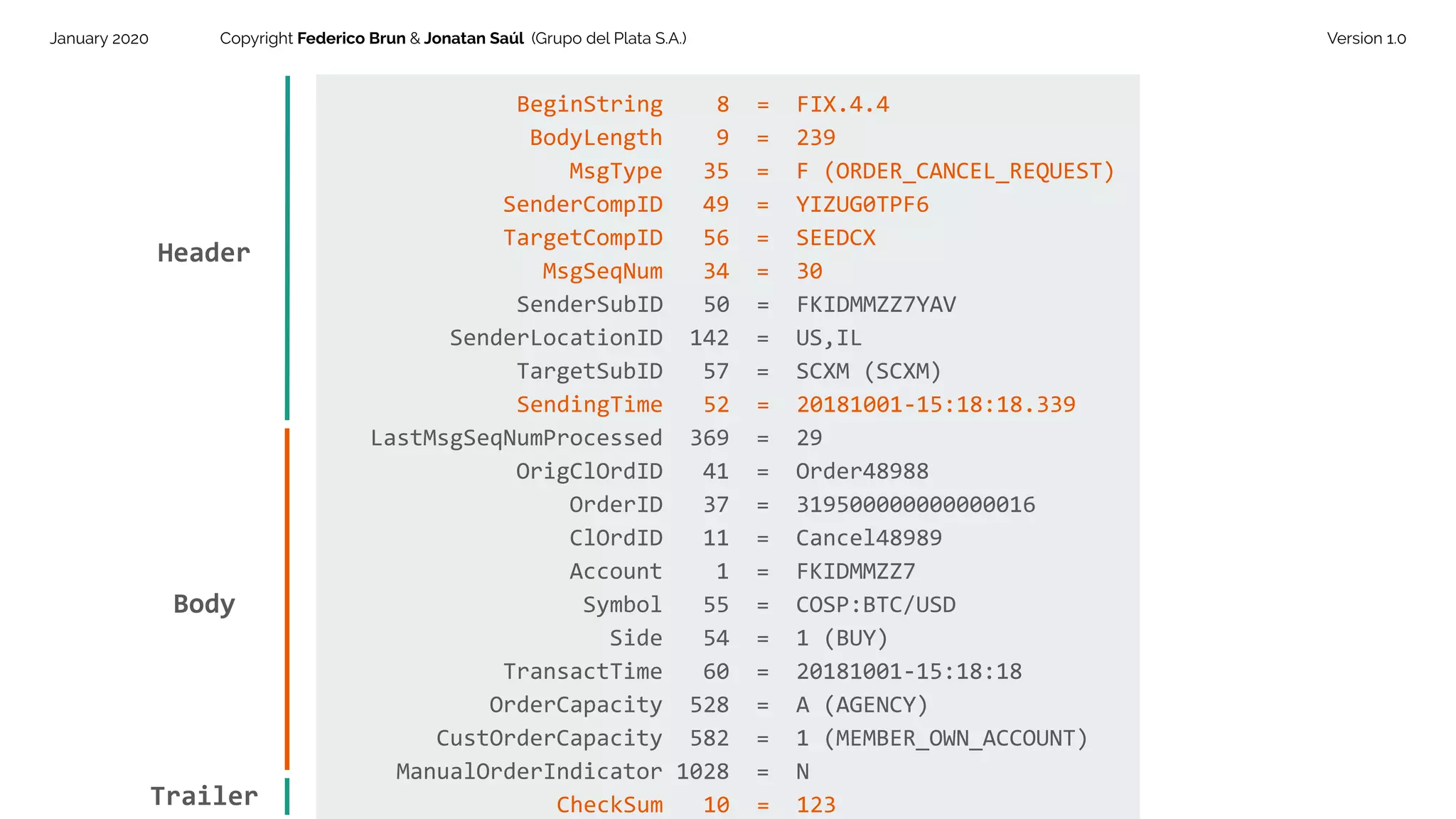
Application Messages for transferring business information, including trade-related actions.Overview of FIX message structure: Header, Body, and Trailer, detailing message formatting rules.
Breakdown of an example FIX message components (Header, Body, Trailer) and checksum validation.
Overview of the FIX application infrastructure, discussing the Session and Application communication layers.Discussion of the Session Layer roles, communication models, and the management of session lifecycles.
Details about Application Layer exchanges, focusing on specific business message types like OrderCancelRequest.
Functions of FIX Engines including message parsing, session management, and continuous operation.
Wrap-up of the presentation and thanks to the audience.
Financial Information Exchange (FIX) Protocol Introduction Guide
1.
January 2020 CopyrightFederico Brun & Jonatan Saúl (Grupo del Plata S.A.) Version 1.0
Financial Information
Exchange Protocol (FIX)
Introduction Guide
2.
January 2020 CopyrightFederico Brun & Jonatan Saúl (Grupo del Plata S.A.) Version 1.0
AGENDA
What is FIX?
FIX Messages
FIX Protocol Architecture
FIX Engines
3.
January 2020 CopyrightFederico Brun & Jonatan Saúl (Grupo del Plata S.A.) Version 1.0
What is FIX?
4.
January 2020 CopyrightFederico Brun & Jonatan Saúl (Grupo del Plata S.A.) Version 1.0
What is FIX?
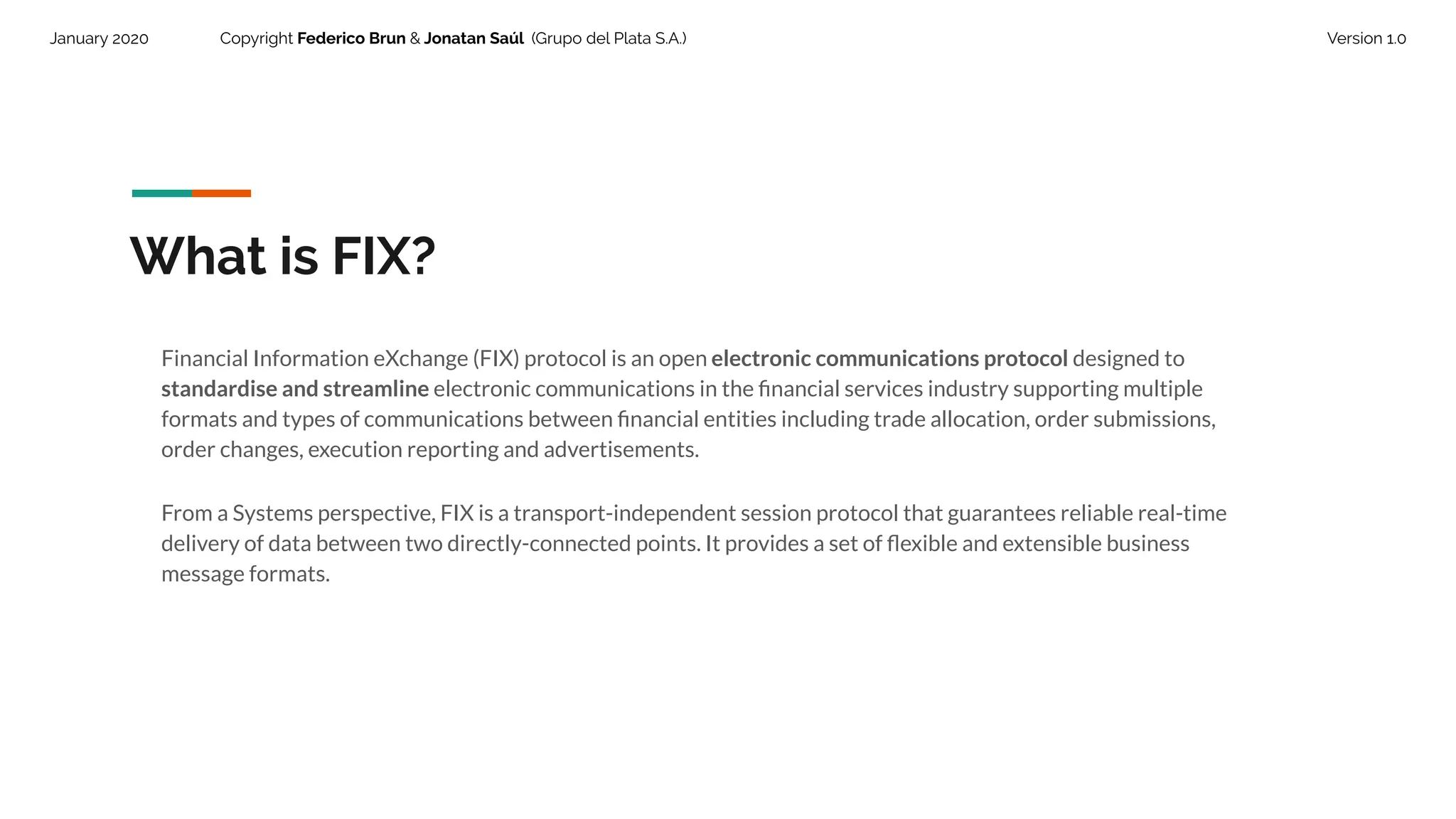
Financial Information eXchange (FIX) protocol is an open electronic communications protocol designed to
standardise and streamline electronic communications in the financial services industry supporting multiple
formats and types of communications between financial entities including trade allocation, order submissions,
order changes, execution reporting and advertisements.
From a Systems perspective, FIX is a transport-independent session protocol that guarantees reliable real-time
delivery of data between two directly-connected points. It provides a set of flexible and extensible business
message formats.
5.
January 2020 CopyrightFederico Brun & Jonatan Saúl (Grupo del Plata S.A.) Version 1.0
What is FIX?
The core FIX protocol and family of messaging specification standards is maintained by FIX Trading Community™ ,
an independent non-profit, industry-driven standards body, formed by major industry players like banks, brokers,
exchanges, funds and other financial entities.
www.fixtrading.org
6.
January 2020 CopyrightFederico Brun & Jonatan Saúl (Grupo del Plata S.A.) Version 1.0
What is FIX?
FIX is the de facto standard for financial information exchange, and is widely supported in different platforms and
programming languages. It is Open Protocol and has been openly embraced and perfectioned by its community.
Latest protocol version to the date is FIX 5.0 Service Pack 2 .
7.
January 2020 CopyrightFederico Brun & Jonatan Saúl (Grupo del Plata S.A.) Version 1.0
Why FIX?
1. Delivers real-time information.
2. Provides industry standard means to communicate electronically.
3. Improves transactions flow by minimizing redundancy and reducing time and documentation associated to
each transaction.
4. Easier monitoring of the overall positions of markets and flows within them (eg, for regulatory purposes) as
the inputs are supplied in the same format and use the same protocol.
5. Guarantees order message delivery.
6. Supports data security (encryption).
7. Supports multiple currencies and instrument types.
8. Allows for cost-effective connectivity.
8.
January 2020 CopyrightFederico Brun & Jonatan Saúl (Grupo del Plata S.A.) Version 1.0
Why FIX?
When a significant number or high proportion of firms use the same standard, all these benefits are greatly
enhanced. That is why many important players are part of its community.
https://www.fixtrading.org/member-firms/
9.
January 2020 CopyrightFederico Brun & Jonatan Saúl (Grupo del Plata S.A.) Version 1.0
FIX History
1998
FIX 4.1
Version 4.1 is released and FIX
Committee Structure is
formalized. Fix is introduced in
Tokyo.
2000
FIX 4.2
Version 4.2 is released and
Asia Pacific Committee
Structure is formalized.
1992
Fidelity-Salomon Pilot
FIX is developed as a bilateral
communications framework for
equity trading between Fidelity
Investments and Salomon
Brothers.
1995
FIX 2.7
During the New York
FIX General
Conference version
2.7 is released.
2006
FIX 5.0
Version 5.0 is
released and widely
adopted. Today it is
used with Service
pack (SP)
10.
January 2020 CopyrightFederico Brun & Jonatan Saúl (Grupo del Plata S.A.) Version 1.0
FIX Messages
11.
January 2020 CopyrightFederico Brun & Jonatan Saúl (Grupo del Plata S.A.) Version 1.0
At its core, the FIX protocol consists of a list of predefined messages with a set of fields.
In order to understand a FIX message, a receiving party must have a dictionary to decode it.
This messages are exchanged following a proper format, which will be explained in further detail.
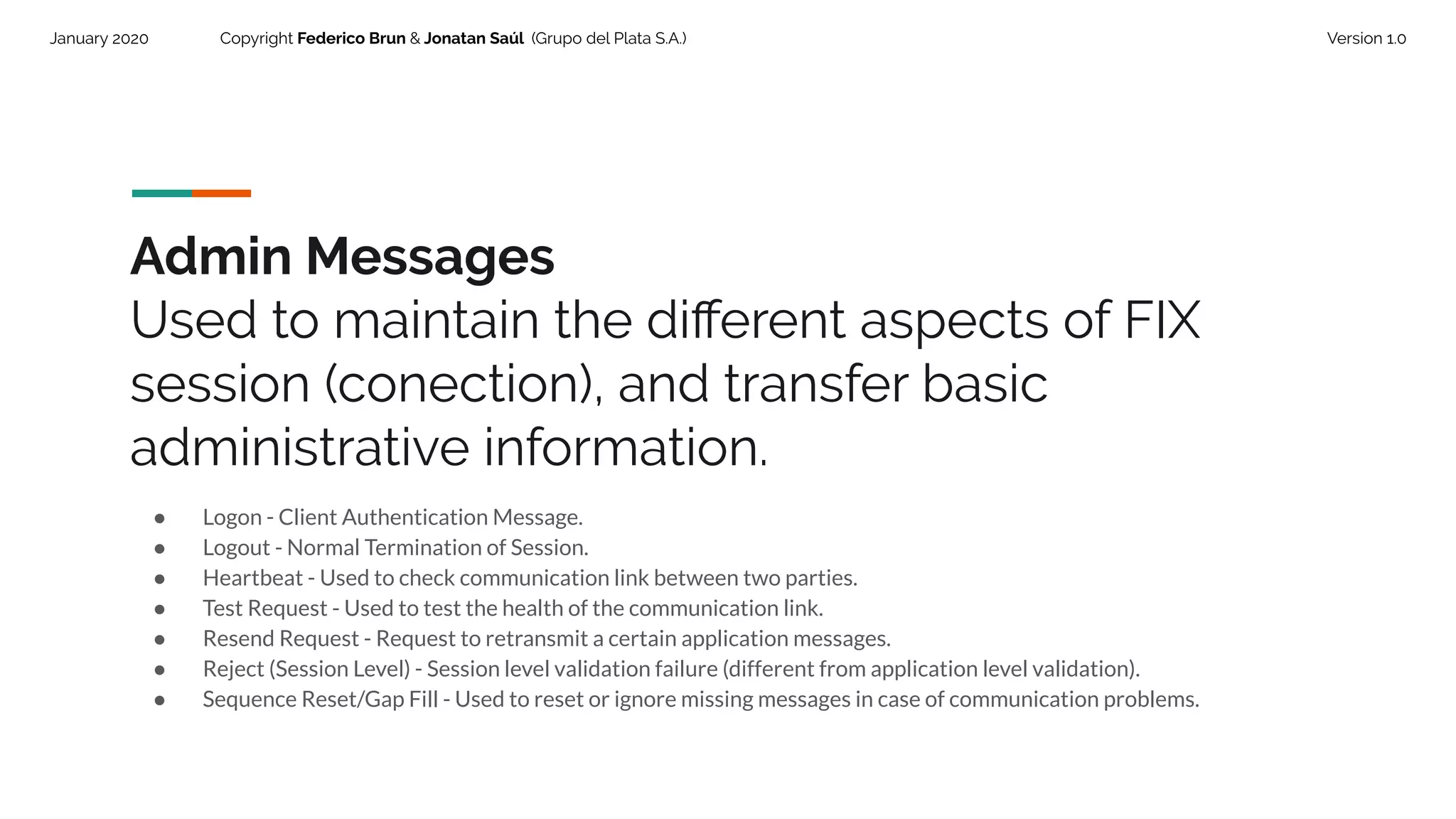
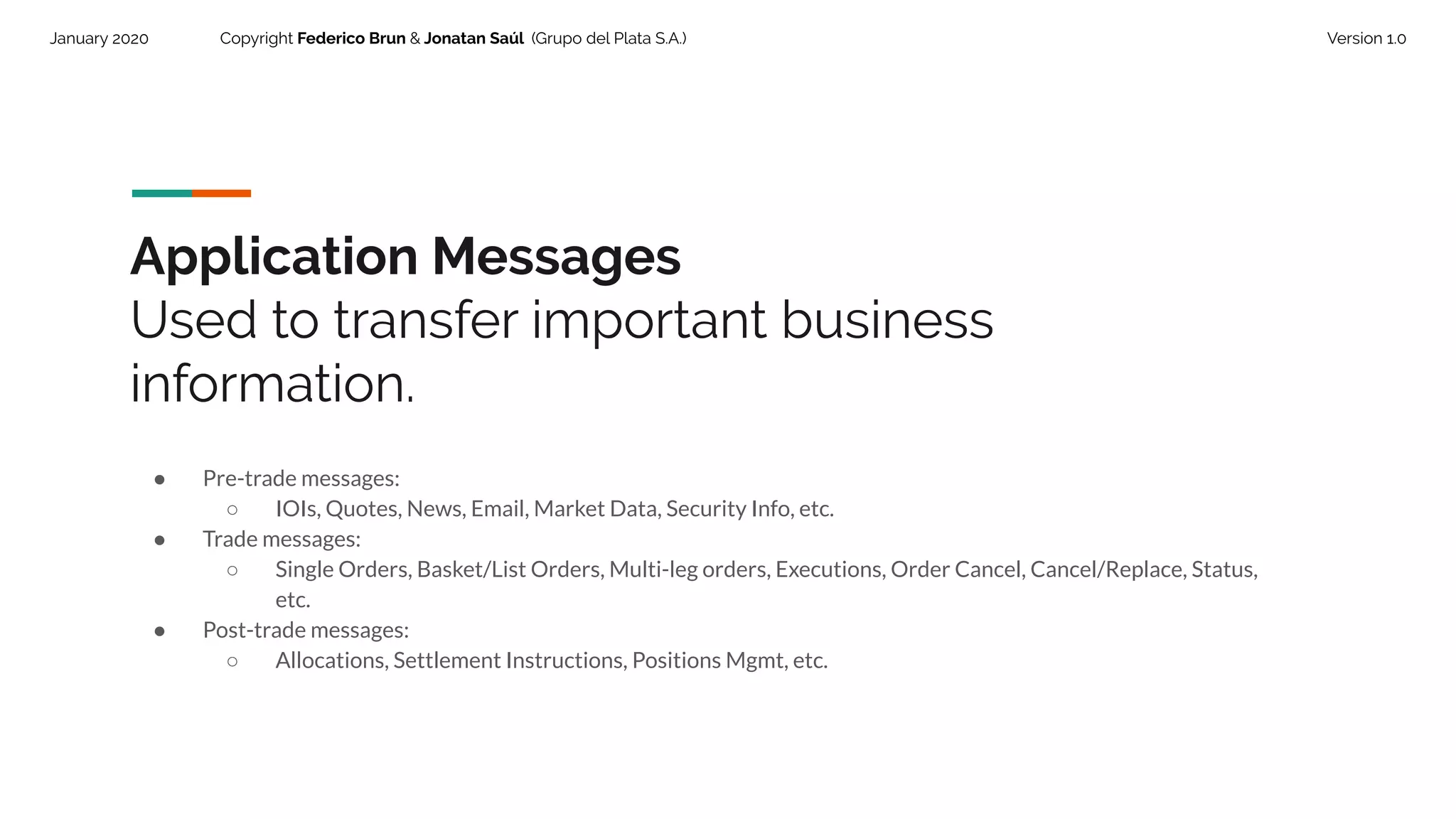
There are two categories of messages:
● Admin Messages (Session Messages)
● Application Messages
12.
January 2020 CopyrightFederico Brun & Jonatan Saúl (Grupo del Plata S.A.) Version 1.0
Admin Messages
Used to maintain the different aspects of FIX
session (conection), and transfer basic
administrative information.
● Logon - Client Authentication Message.
● Logout - Normal Termination of Session.
● Heartbeat - Used to check communication link between two parties.
● Test Request - Used to test the health of the communication link.
● Resend Request - Request to retransmit a certain application messages.
● Reject (Session Level) - Session level validation failure (different from application level validation).
● Sequence Reset/Gap Fill - Used to reset or ignore missing messages in case of communication problems.
13.
January 2020 CopyrightFederico Brun & Jonatan Saúl (Grupo del Plata S.A.) Version 1.0
Application Messages
Used to transfer important business
information.
● Pre-trade messages:
○ IOIs, Quotes, News, Email, Market Data, Security Info, etc.
● Trade messages:
○ Single Orders, Basket/List Orders, Multi-leg orders, Executions, Order Cancel, Cancel/Replace, Status,
etc.
● Post-trade messages:
○ Allocations, Settlement Instructions, Positions Mgmt, etc.
14.
January 2020 CopyrightFederico Brun & Jonatan Saúl (Grupo del Plata S.A.) Version 1.0
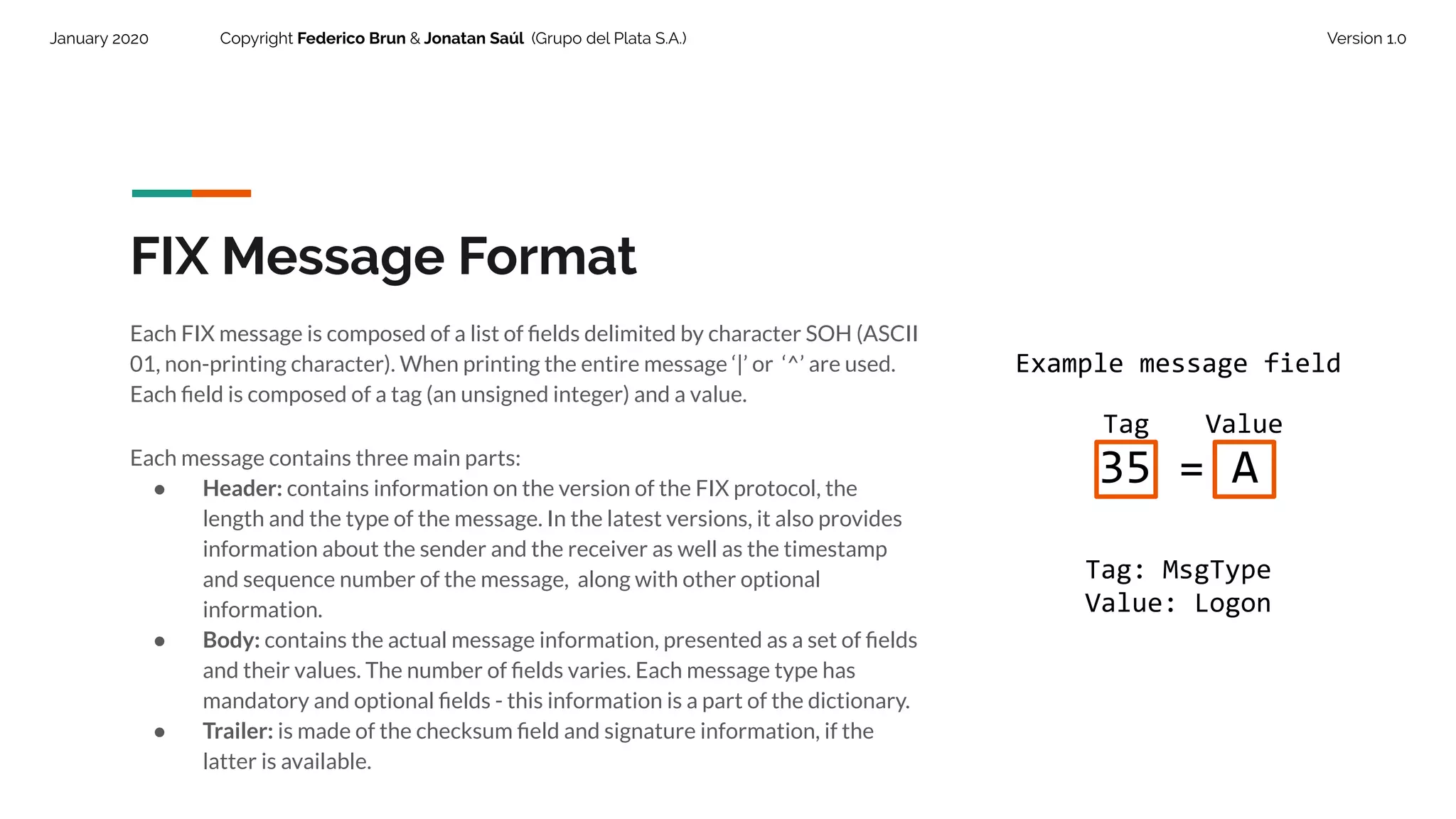
FIX Message Format
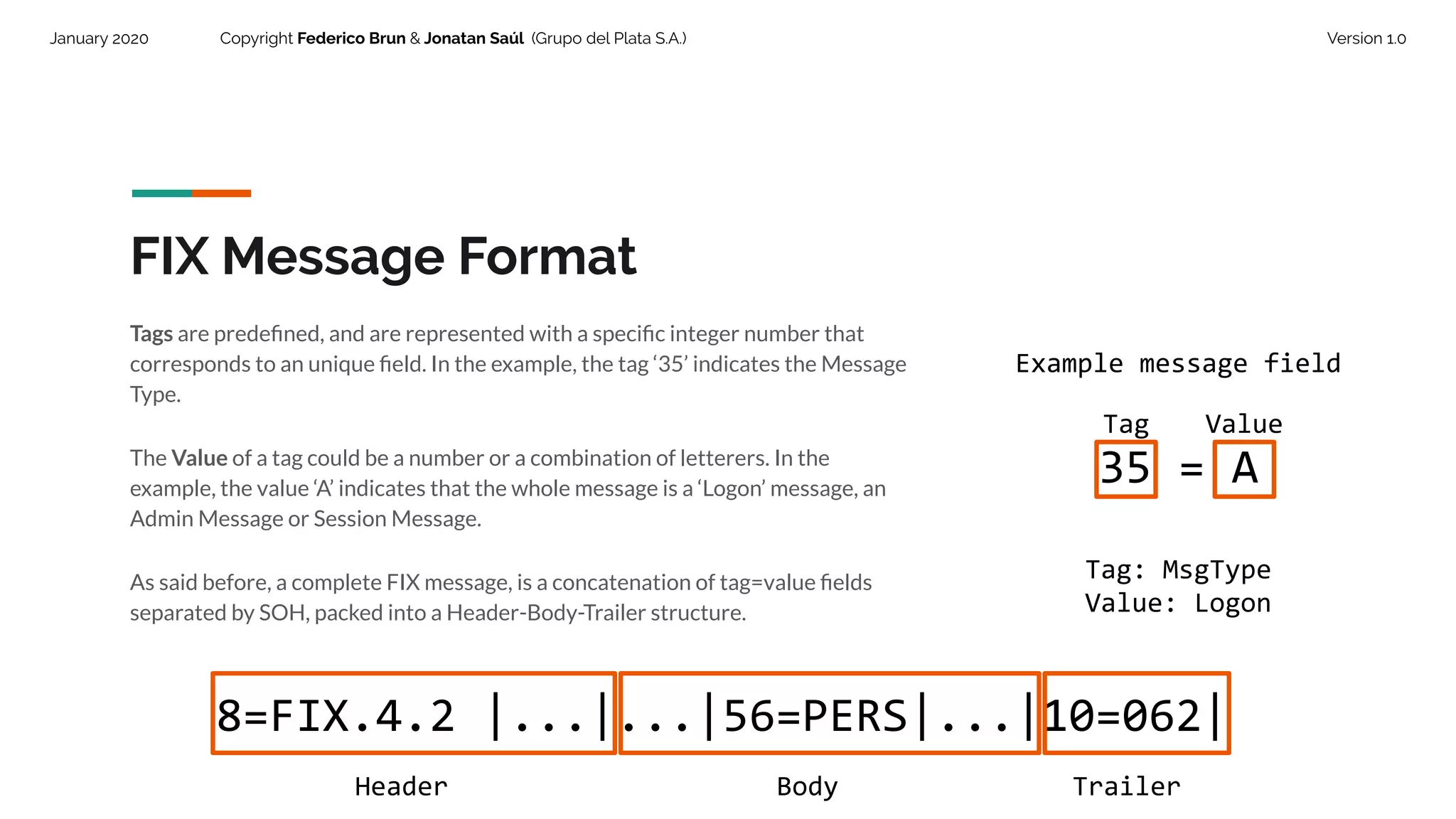
Each FIX message is composed of a list of fields delimited by character SOH (ASCII
01, non-printing character). When printing the entire message ‘|’ or ‘^’ are used.
Each field is composed of a tag (an unsigned integer) and a value.
Each message contains three main parts:
● Header: contains information on the version of the FIX protocol, the
length and the type of the message. In the latest versions, it also provides
information about the sender and the receiver as well as the timestamp
and sequence number of the message, along with other optional
information.
● Body: contains the actual message information, presented as a set of fields
and their values. The number of fields varies. Each message type has
mandatory and optional fields - this information is a part of the dictionary.
● Trailer: is made of the checksum field and signature information, if the
latter is available.
Example message field
35 = A
Tag: MsgType
Value: Logon
Tag Value
15.
January 2020 CopyrightFederico Brun & Jonatan Saúl (Grupo del Plata S.A.) Version 1.0
FIX Message Format
Tags are predefined, and are represented with a specific integer number that
corresponds to an unique field. In the example, the tag ‘35’ indicates the Message
Type.
The Value of a tag could be a number or a combination of letterers. In the
example, the value ‘A’ indicates that the whole message is a ‘Logon’ message, an
Admin Message or Session Message.
As said before, a complete FIX message, is a concatenation of tag=value fields
separated by SOH, packed into a Header-Body-Trailer structure.
8=FIX.4.2 |...|...|56=PERS|...|10=062|
Header Body Trailer
Example message field
35 = A
Tag: MsgType
Value: Logon
Tag Value
16.
January 2020 CopyrightFederico Brun & Jonatan Saúl (Grupo del Plata S.A.) Version 1.0
FIX Message Format
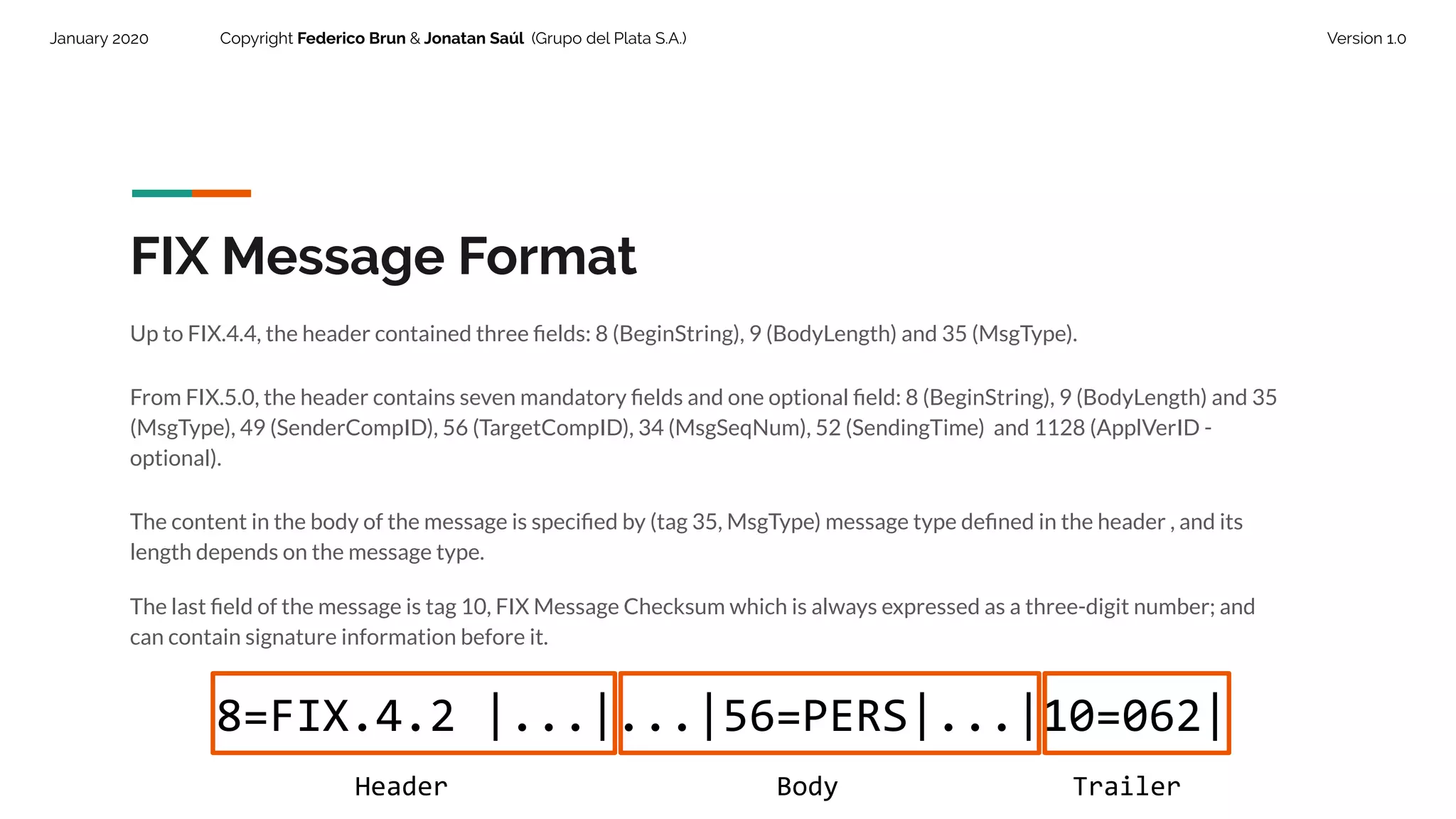
Up to FIX.4.4, the header contained three fields: 8 (BeginString), 9 (BodyLength) and 35 (MsgType).
From FIX.5.0, the header contains seven mandatory fields and one optional field: 8 (BeginString), 9 (BodyLength) and 35
(MsgType), 49 (SenderCompID), 56 (TargetCompID), 34 (MsgSeqNum), 52 (SendingTime) and 1128 (ApplVerID -
optional).
The content in the body of the message is specified by (tag 35, MsgType) message type defined in the header , and its
length depends on the message type.
The last field of the message is tag 10, FIX Message Checksum which is always expressed as a three-digit number; and
can contain signature information before it.
8=FIX.4.2 |...|...|56=PERS|...|10=062|
Header Body Trailer
17.
January 2020 CopyrightFederico Brun & Jonatan Saúl (Grupo del Plata S.A.) Version 1.0
Header and Trailer are common
blocks to all messages and must
always contain the standard field
specified for each one. Body
structure and syntax is not
standardized since it varies.
January 2020 CopyrightFederico Brun & Jonatan Saúl (Grupo del Plata S.A.) Version 1.0
Header.
The standard header must
contain the following fields.
20.
January 2020 CopyrightFederico Brun & Jonatan Saúl (Grupo del Plata S.A.) Version 1.0
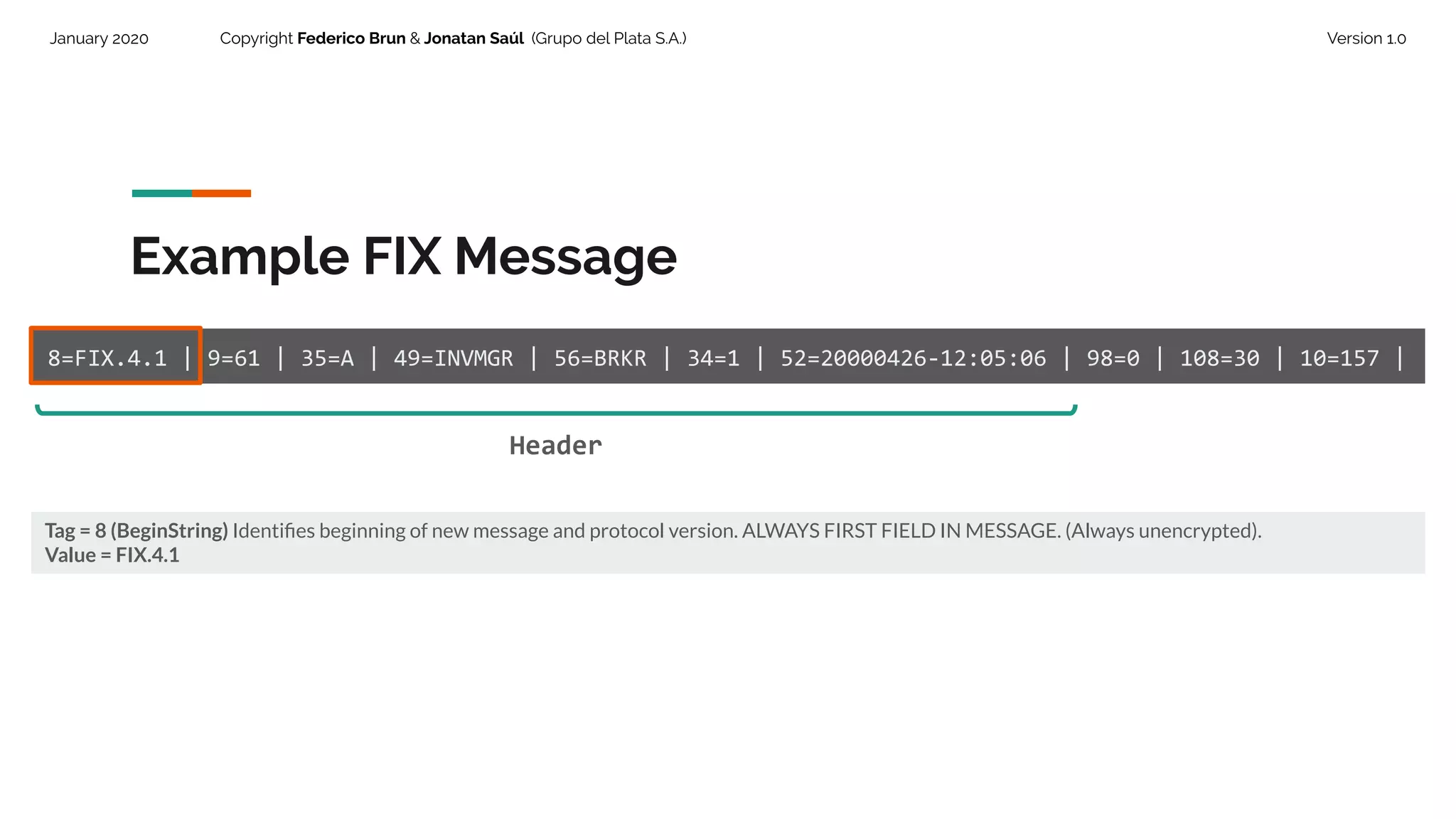
Example FIX Message
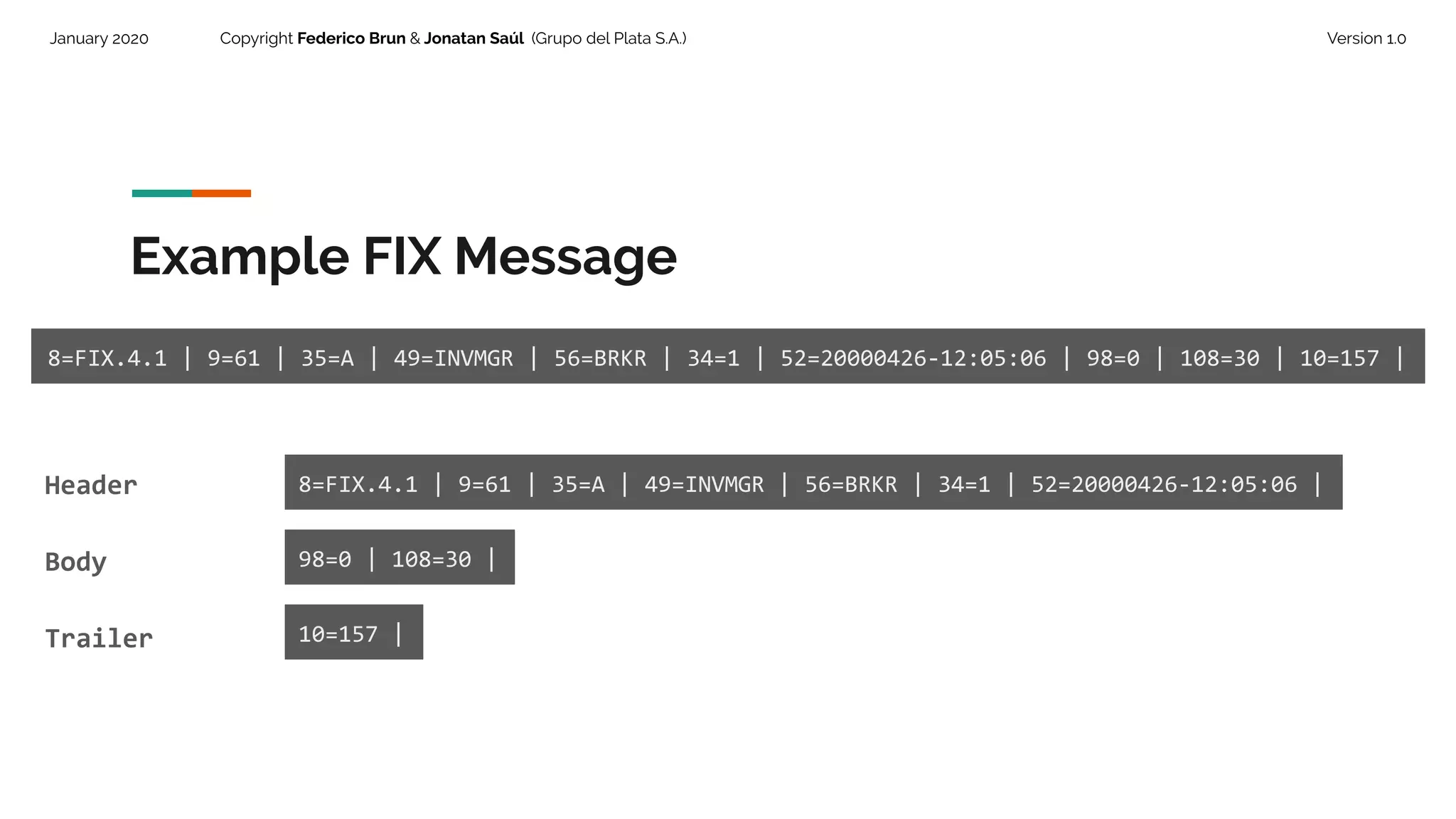
8=FIX.4.1 | 9=61 | 35=A | 49=INVMGR | 56=BRKR | 34=1 | 52=20000426-12:05:06 | 98=0 | 108=30 | 10=157 |
Tag = 8 (BeginString) Identifies beginning of new message and protocol version. ALWAYS FIRST FIELD IN MESSAGE. (Always unencrypted).
Value = FIX.4.1
Header
21.
January 2020 CopyrightFederico Brun & Jonatan Saúl (Grupo del Plata S.A.) Version 1.0
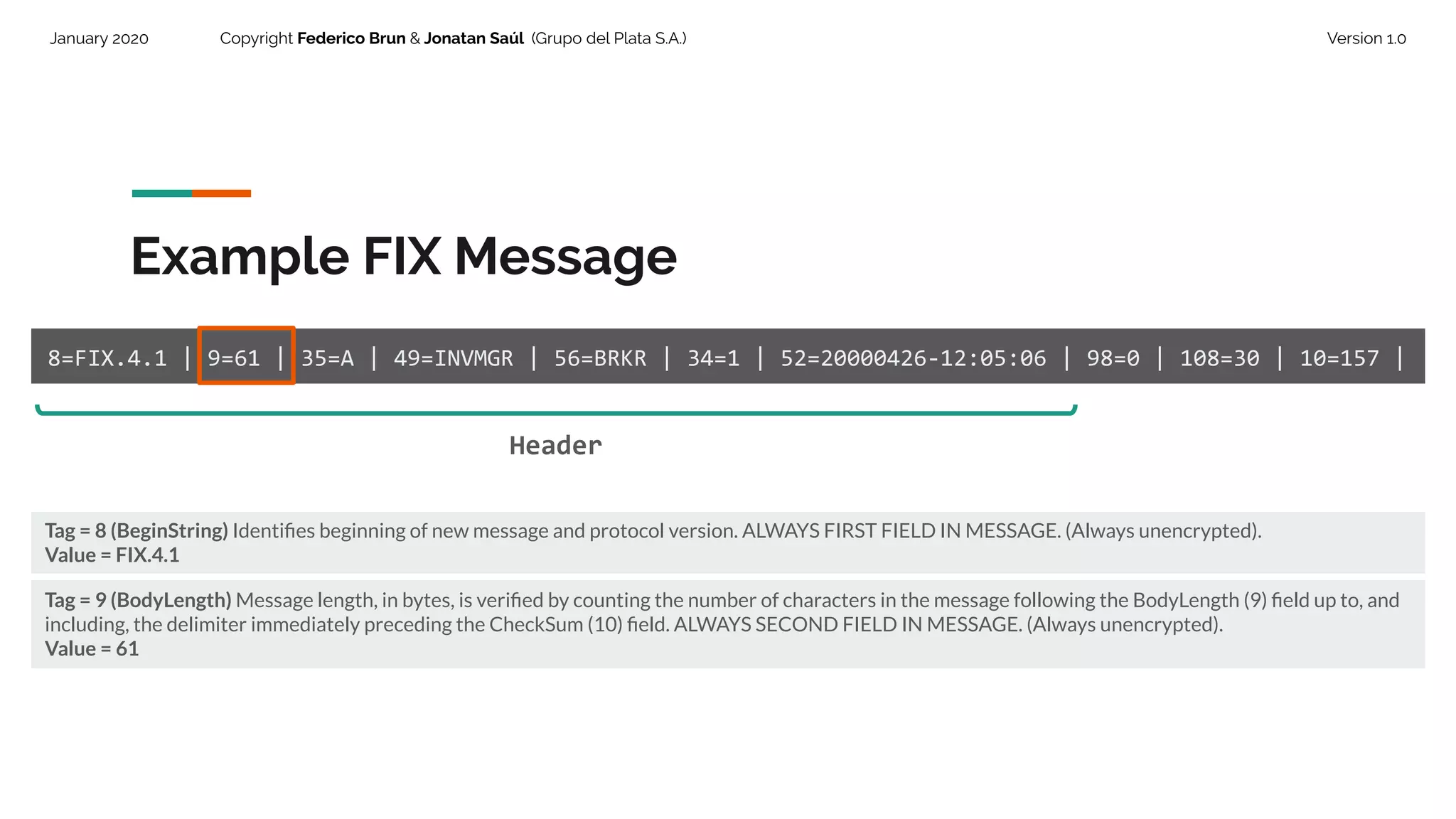
Example FIX Message
8=FIX.4.1 | 9=61 | 35=A | 49=INVMGR | 56=BRKR | 34=1 | 52=20000426-12:05:06 | 98=0 | 108=30 | 10=157 |
Tag = 8 (BeginString) Identifies beginning of new message and protocol version. ALWAYS FIRST FIELD IN MESSAGE. (Always unencrypted).
Value = FIX.4.1
Tag = 9 (BodyLength) Message length, in bytes, is verified by counting the number of characters in the message following the BodyLength (9) field up to, and
including, the delimiter immediately preceding the CheckSum (10) field. ALWAYS SECOND FIELD IN MESSAGE. (Always unencrypted).
Value = 61
Header
22.
January 2020 CopyrightFederico Brun & Jonatan Saúl (Grupo del Plata S.A.) Version 1.0
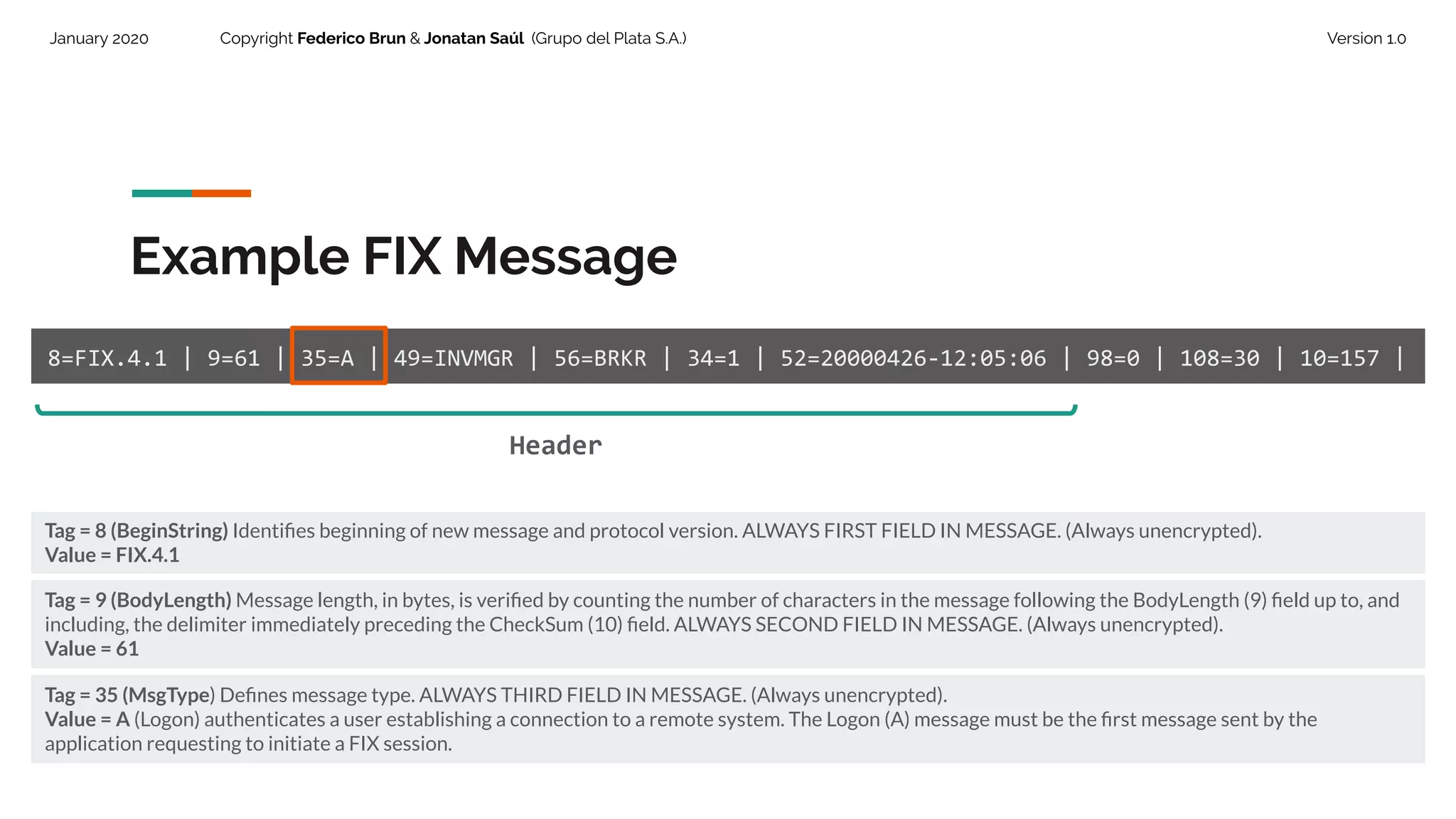
Example FIX Message
8=FIX.4.1 | 9=61 | 35=A | 49=INVMGR | 56=BRKR | 34=1 | 52=20000426-12:05:06 | 98=0 | 108=30 | 10=157 |
Tag = 8 (BeginString) Identifies beginning of new message and protocol version. ALWAYS FIRST FIELD IN MESSAGE. (Always unencrypted).
Value = FIX.4.1
Tag = 9 (BodyLength) Message length, in bytes, is verified by counting the number of characters in the message following the BodyLength (9) field up to, and
including, the delimiter immediately preceding the CheckSum (10) field. ALWAYS SECOND FIELD IN MESSAGE. (Always unencrypted).
Value = 61
Tag = 35 (MsgType) Defines message type. ALWAYS THIRD FIELD IN MESSAGE. (Always unencrypted).
Value = A (Logon) authenticates a user establishing a connection to a remote system. The Logon (A) message must be the first message sent by the
application requesting to initiate a FIX session.
Header
23.
January 2020 CopyrightFederico Brun & Jonatan Saúl (Grupo del Plata S.A.) Version 1.0
Example FIX Message
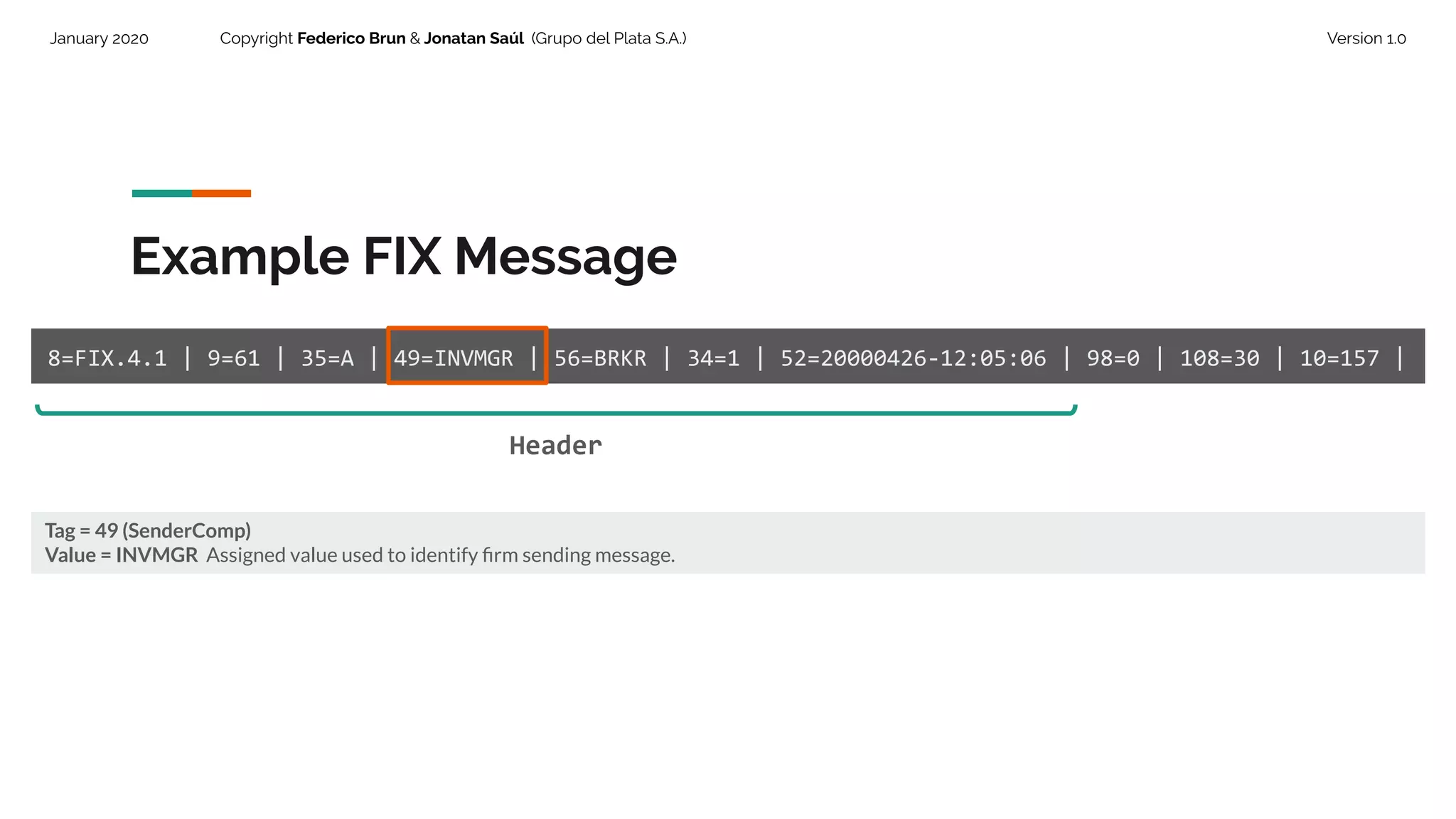
8=FIX.4.1 | 9=61 | 35=A | 49=INVMGR | 56=BRKR | 34=1 | 52=20000426-12:05:06 | 98=0 | 108=30 | 10=157 |
Tag = 49 (SenderComp)
Value = INVMGR Assigned value used to identify firm sending message.
Header
24.
January 2020 CopyrightFederico Brun & Jonatan Saúl (Grupo del Plata S.A.) Version 1.0
Example FIX Message
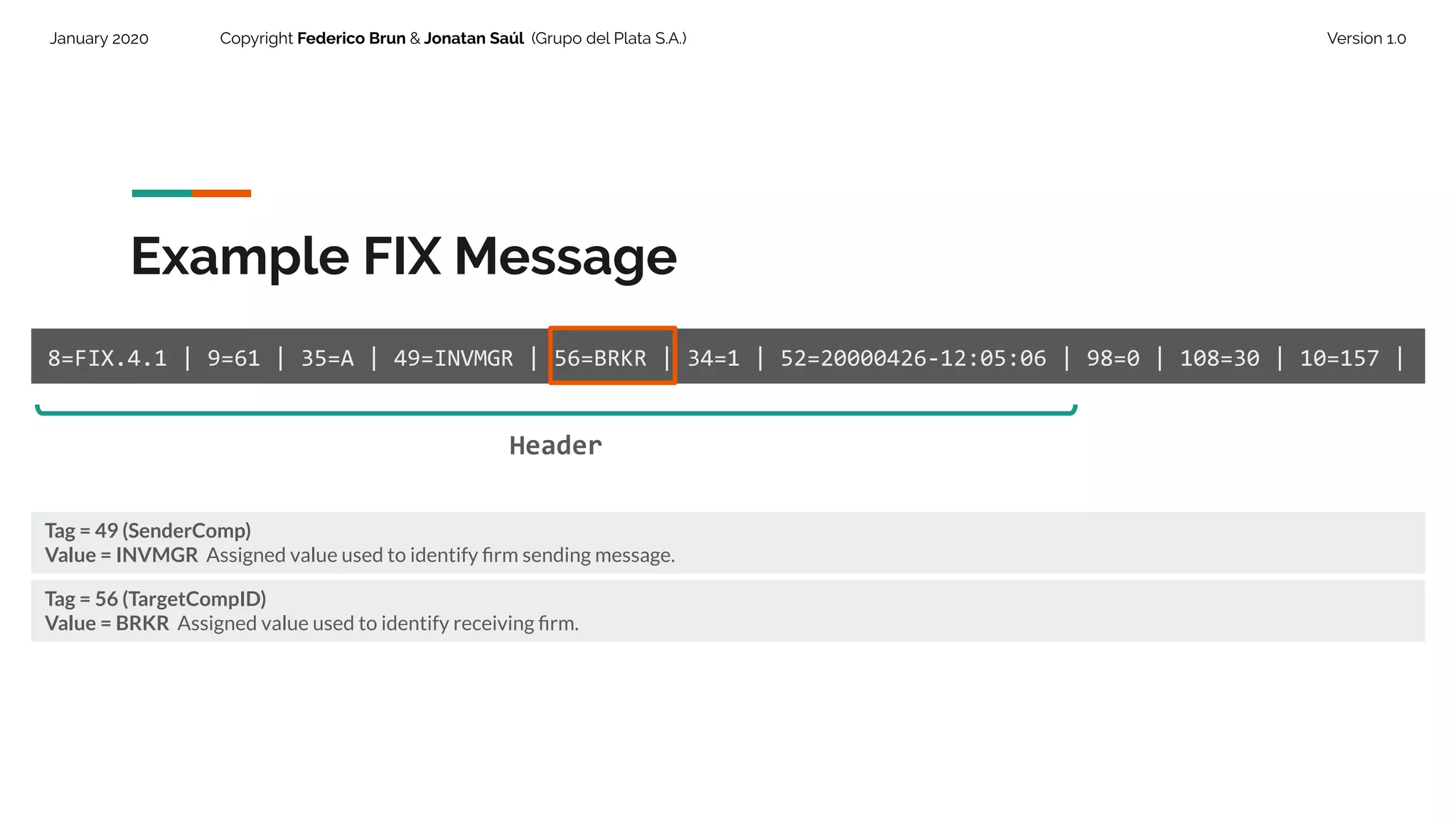
8=FIX.4.1 | 9=61 | 35=A | 49=INVMGR | 56=BRKR | 34=1 | 52=20000426-12:05:06 | 98=0 | 108=30 | 10=157 |
Tag = 49 (SenderComp)
Value = INVMGR Assigned value used to identify firm sending message.
Tag = 56 (TargetCompID)
Value = BRKR Assigned value used to identify receiving firm.
Header
25.
January 2020 CopyrightFederico Brun & Jonatan Saúl (Grupo del Plata S.A.) Version 1.0
Example FIX Message
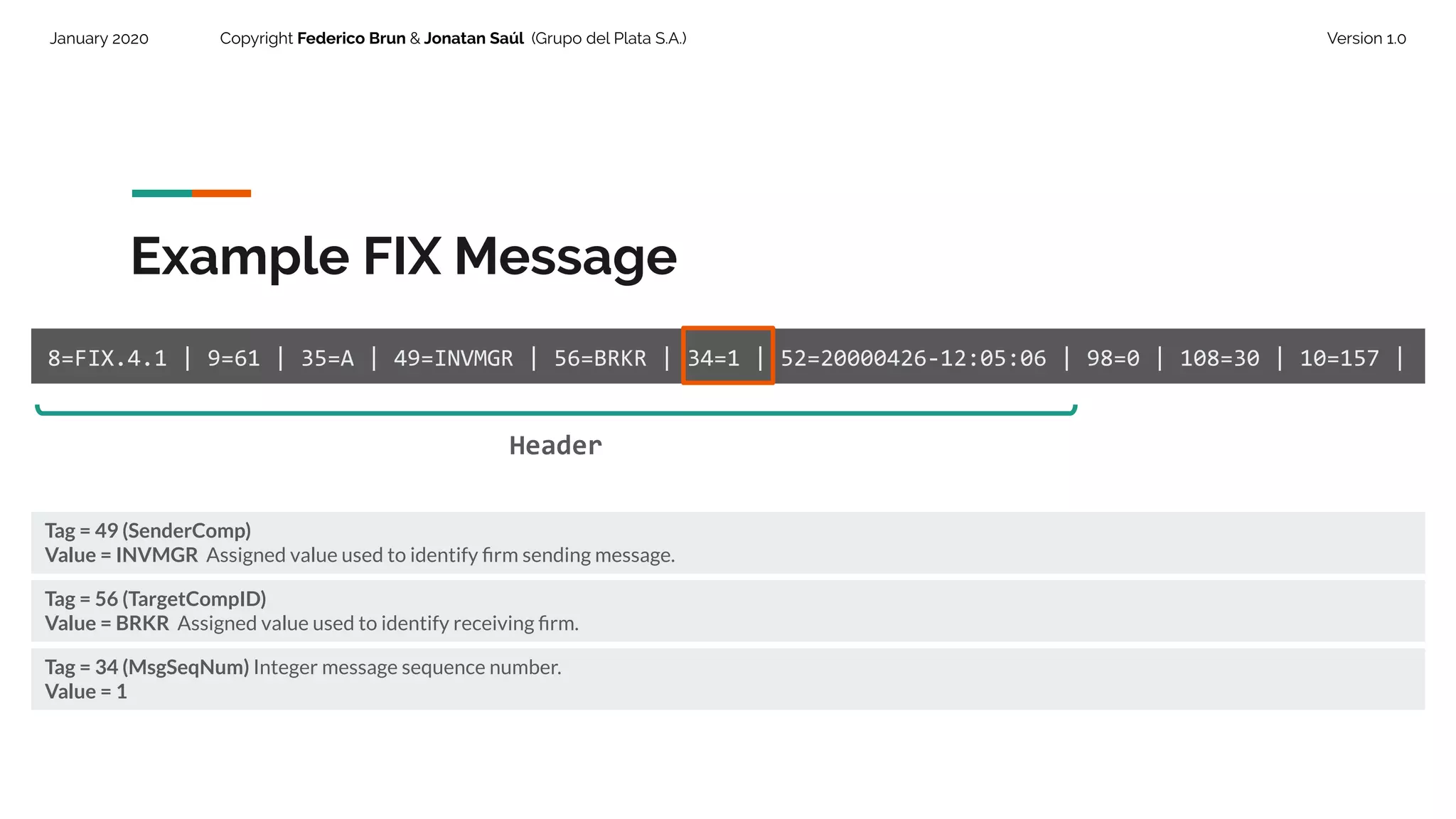
8=FIX.4.1 | 9=61 | 35=A | 49=INVMGR | 56=BRKR | 34=1 | 52=20000426-12:05:06 | 98=0 | 108=30 | 10=157 |
Tag = 49 (SenderComp)
Value = INVMGR Assigned value used to identify firm sending message.
Tag = 56 (TargetCompID)
Value = BRKR Assigned value used to identify receiving firm.
Header
Tag = 34 (MsgSeqNum) Integer message sequence number.
Value = 1
26.
January 2020 CopyrightFederico Brun & Jonatan Saúl (Grupo del Plata S.A.) Version 1.0
Example FIX Message
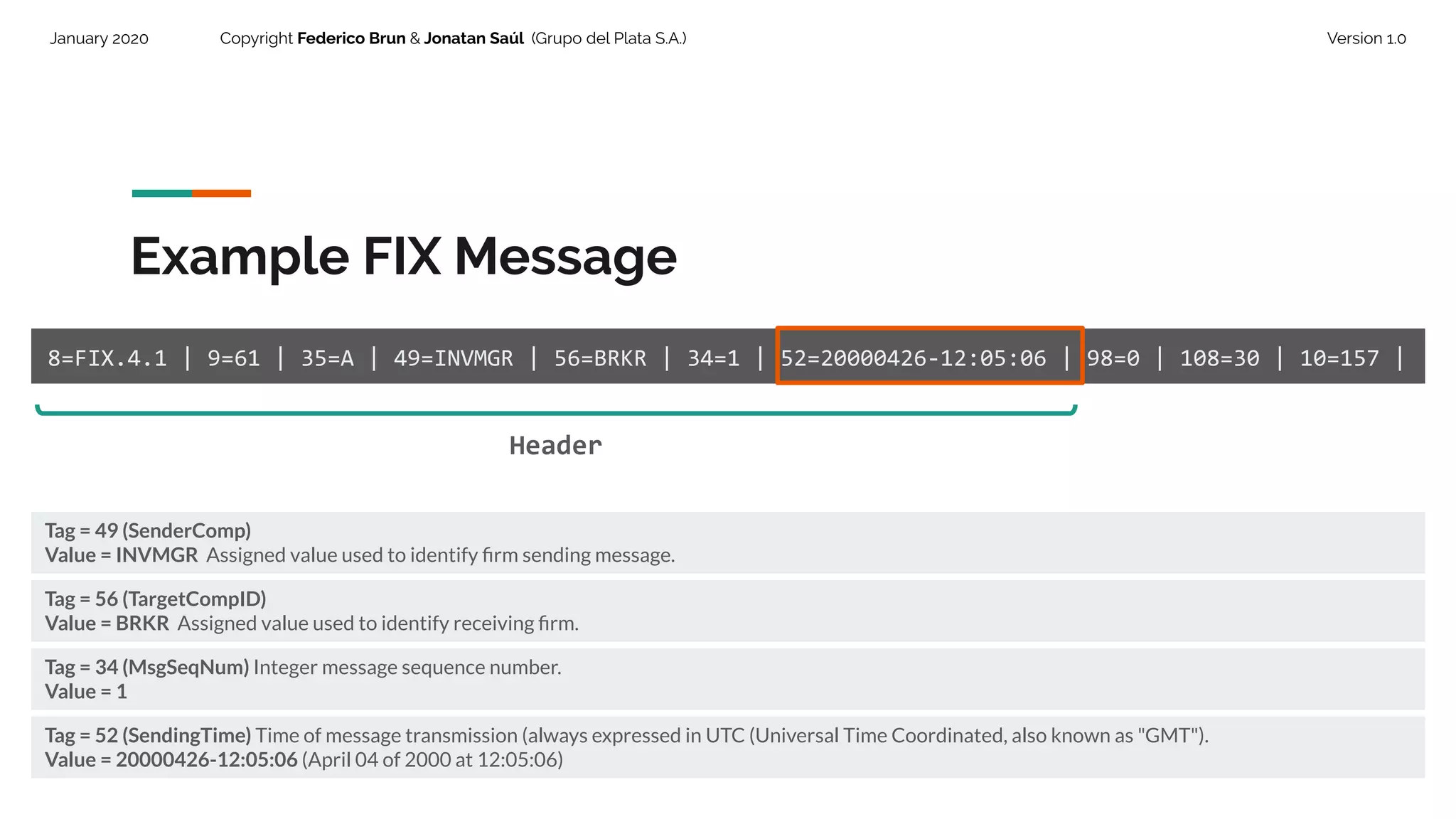
8=FIX.4.1 | 9=61 | 35=A | 49=INVMGR | 56=BRKR | 34=1 | 52=20000426-12:05:06 | 98=0 | 108=30 | 10=157 |
Tag = 49 (SenderComp)
Value = INVMGR Assigned value used to identify firm sending message.
Tag = 56 (TargetCompID)
Value = BRKR Assigned value used to identify receiving firm.
Header
Tag = 34 (MsgSeqNum) Integer message sequence number.
Value = 1
Tag = 52 (SendingTime) Time of message transmission (always expressed in UTC (Universal Time Coordinated, also known as "GMT").
Value = 20000426-12:05:06 (April 04 of 2000 at 12:05:06)
27.
January 2020 CopyrightFederico Brun & Jonatan Saúl (Grupo del Plata S.A.) Version 1.0
Body.
The content of this block is
variable and depends on
message type.
28.
January 2020 CopyrightFederico Brun & Jonatan Saúl (Grupo del Plata S.A.) Version 1.0
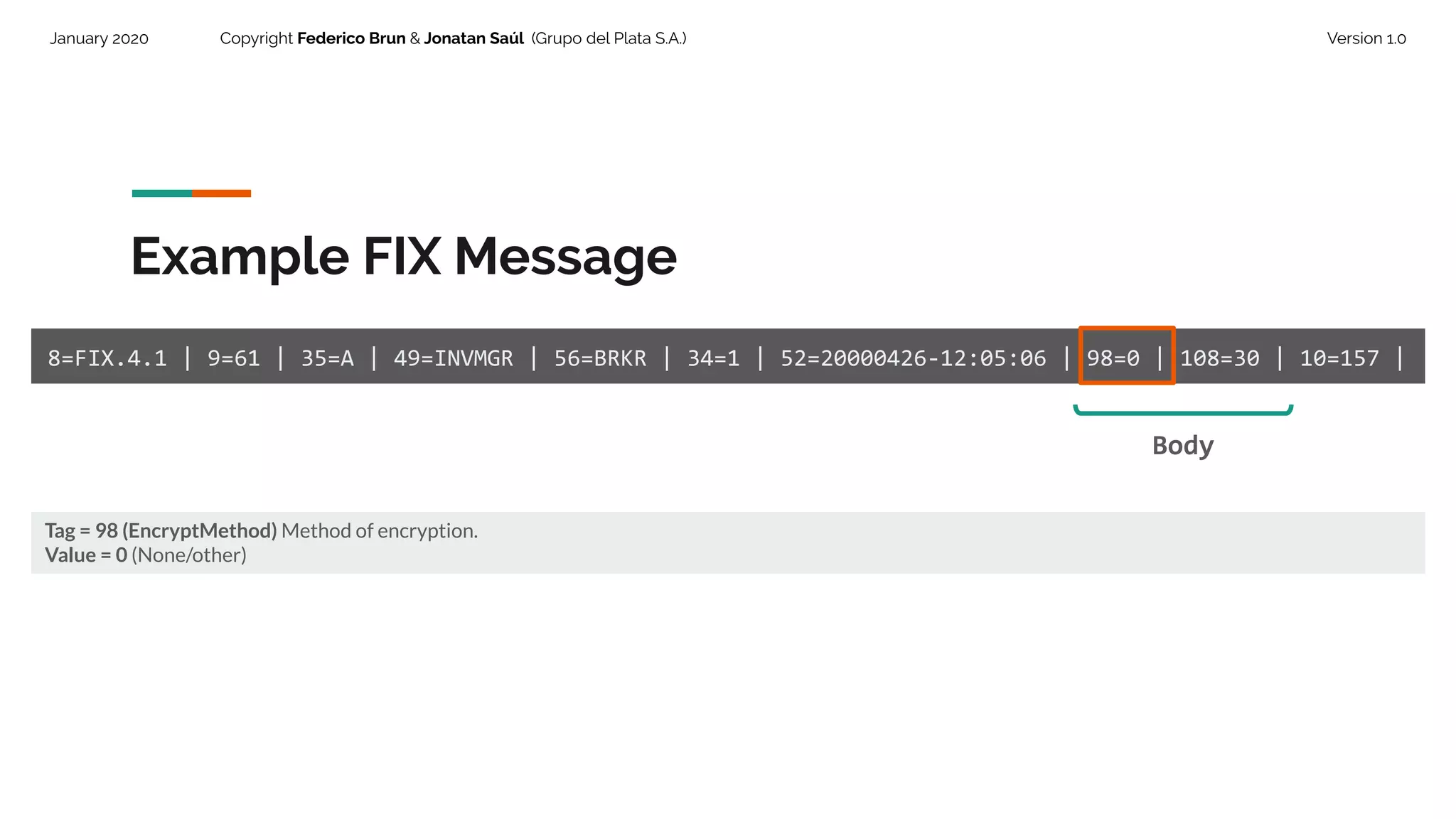
Tag = 98 (EncryptMethod) Method of encryption.
Value = 0 (None/other)
Example FIX Message
8=FIX.4.1 | 9=61 | 35=A | 49=INVMGR | 56=BRKR | 34=1 | 52=20000426-12:05:06 | 98=0 | 108=30 | 10=157 |
Body
29.
January 2020 CopyrightFederico Brun & Jonatan Saúl (Grupo del Plata S.A.) Version 1.0
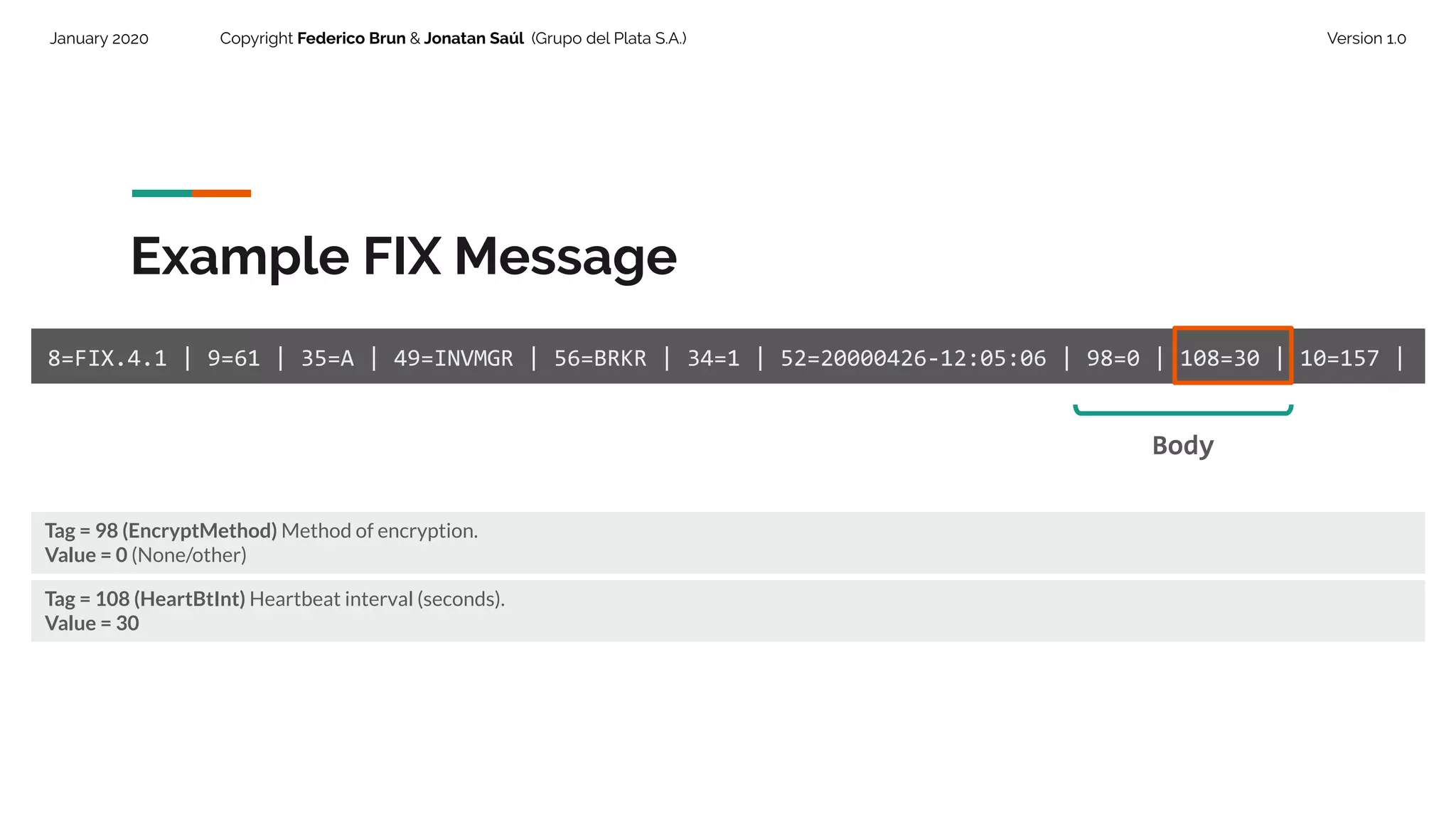
Tag = 98 (EncryptMethod) Method of encryption.
Value = 0 (None/other)
Example FIX Message
8=FIX.4.1 | 9=61 | 35=A | 49=INVMGR | 56=BRKR | 34=1 | 52=20000426-12:05:06 | 98=0 | 108=30 | 10=157 |
Body
Tag = 108 (HeartBtInt) Heartbeat interval (seconds).
Value = 30
30.
January 2020 CopyrightFederico Brun & Jonatan Saúl (Grupo del Plata S.A.) Version 1.0
Trailer.
The standard trailer must
contain the checksum field.
31.
January 2020 CopyrightFederico Brun & Jonatan Saúl (Grupo del Plata S.A.) Version 1.0
Example FIX Message
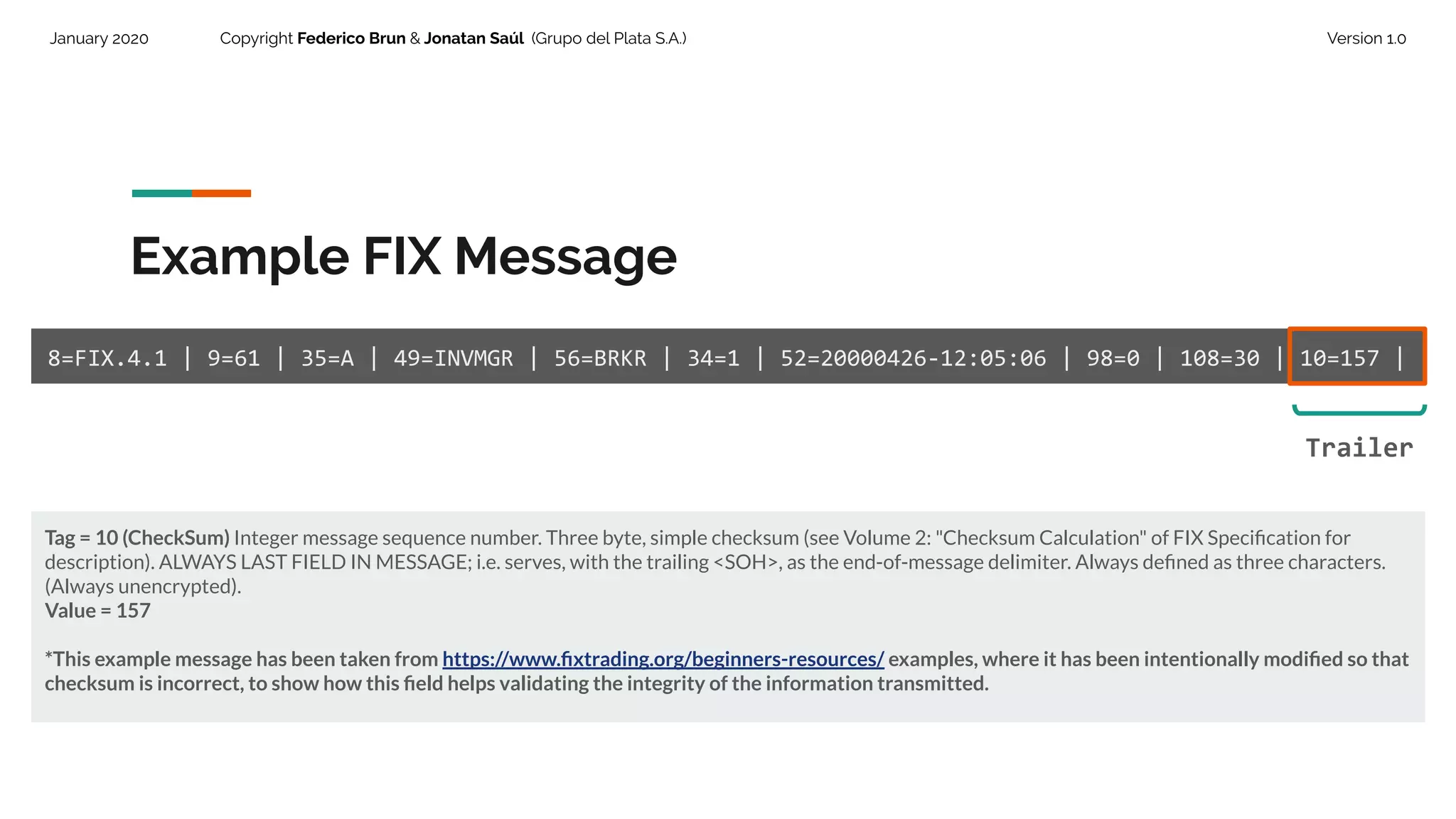
8=FIX.4.1 | 9=61 | 35=A | 49=INVMGR | 56=BRKR | 34=1 | 52=20000426-12:05:06 | 98=0 | 108=30 | 10=157 |
Tag = 10 (CheckSum) Integer message sequence number. Three byte, simple checksum (see Volume 2: "Checksum Calculation" of FIX Specification for
description). ALWAYS LAST FIELD IN MESSAGE; i.e. serves, with the trailing <SOH>, as the end-of-message delimiter. Always defined as three characters.
(Always unencrypted).
Value = 157
*This example message has been taken from https://www.fixtrading.org/beginners-resources/ examples, where it has been intentionally modified so that
checksum is incorrect, to show how this field helps validating the integrity of the information transmitted.
Trailer
32.
January 2020 CopyrightFederico Brun & Jonatan Saúl (Grupo del Plata S.A.) Version 1.0
Example FIX Message Checks
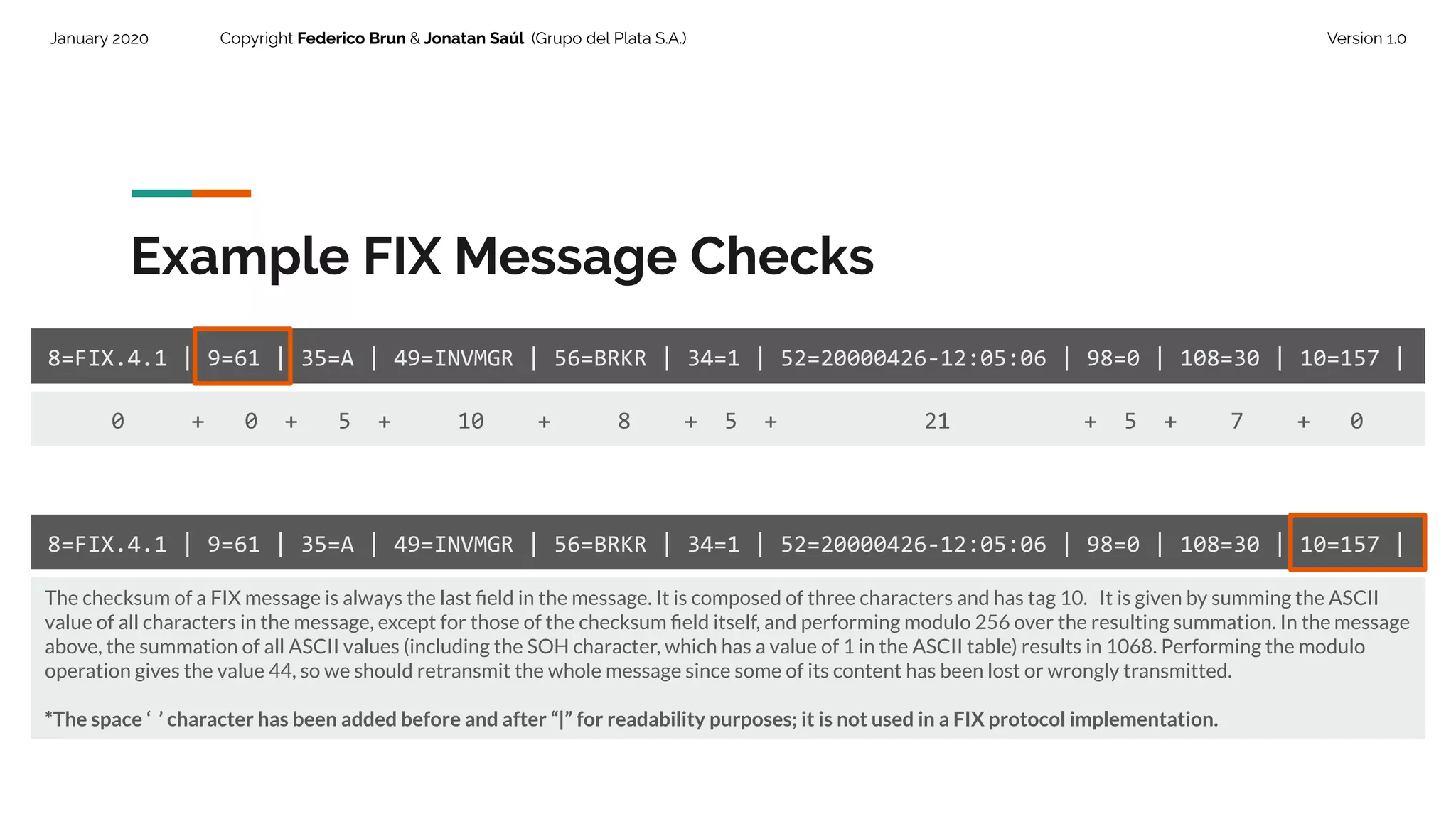
8=FIX.4.1 | 9=61 | 35=A | 49=INVMGR | 56=BRKR | 34=1 | 52=20000426-12:05:06 | 98=0 | 108=30 | 10=157 |
The checksum of a FIX message is always the last field in the message. It is composed of three characters and has tag 10. It is given by summing the ASCII
value of all characters in the message, except for those of the checksum field itself, and performing modulo 256 over the resulting summation. In the message
above, the summation of all ASCII values (including the SOH character, which has a value of 1 in the ASCII table) results in 1068. Performing the modulo
operation gives the value 44, so we should retransmit the whole message since some of its content has been lost or wrongly transmitted.
*The space ‘ ’ character has been added before and after “|” for readability purposes; it is not used in a FIX protocol implementation.
0 + 0 + 5 + 10 + 8 + 5 + 21 + 5 + 7 + 0
8=FIX.4.1 | 9=61 | 35=A | 49=INVMGR | 56=BRKR | 34=1 | 52=20000426-12:05:06 | 98=0 | 108=30 | 10=157 |
33.
January 2020 CopyrightFederico Brun & Jonatan Saúl (Grupo del Plata S.A.) Version 1.0
FIX Messages Reference
The following, are some useful resources for online consulting of FIX messages documentation:
● https://fiximate.fixtrading.org/ (by FIX Trading Community )
● https://www.onixs.biz/fix-dictionary.html
● https://fixparser.targetcompid.com/
● https://btobits.com/fixopaedia/index.html
34.
January 2020 CopyrightFederico Brun & Jonatan Saúl (Grupo del Plata S.A.) Version 1.0
FIX Protocol
Architecture
35.
January 2020 CopyrightFederico Brun & Jonatan Saúl (Grupo del Plata S.A.) Version 1.0
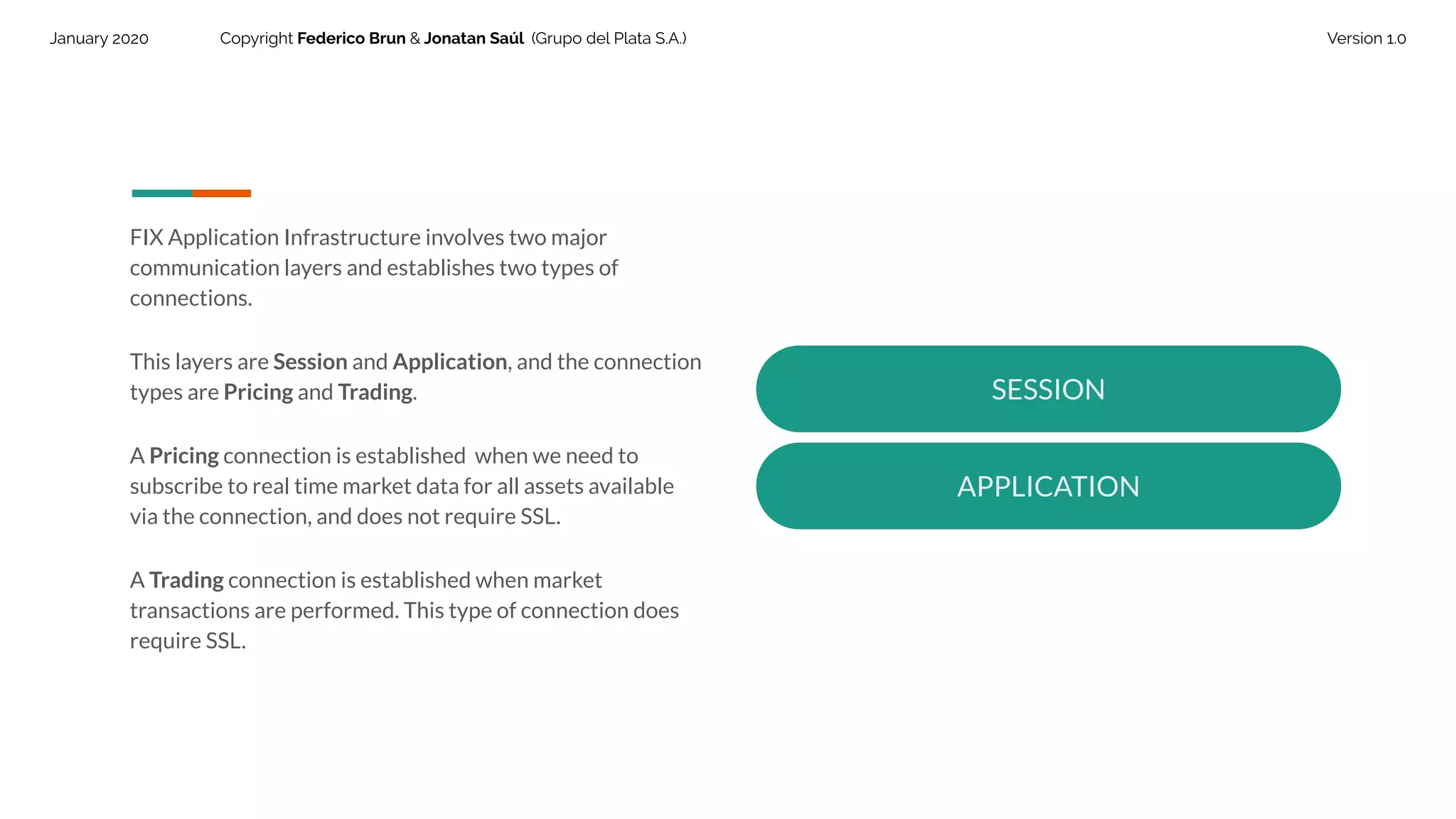
FIX Application Infrastructure involves two major
communication layers and establishes two types of
connections.
This layers are Session and Application, and the connection
types are Pricing and Trading.
A Pricing connection is established when we need to
subscribe to real time market data for all assets available
via the connection, and does not require SSL.
A Trading connection is established when market
transactions are performed. This type of connection does
require SSL.
SESSION
APPLICATION
36.
January 2020 CopyrightFederico Brun & Jonatan Saúl (Grupo del Plata S.A.) Version 1.0
Session Layer deals with
initialization, maintenance and
termination of connections.
37.
January 2020 CopyrightFederico Brun & Jonatan Saúl (Grupo del Plata S.A.) Version 1.0
Session Based Communication Model
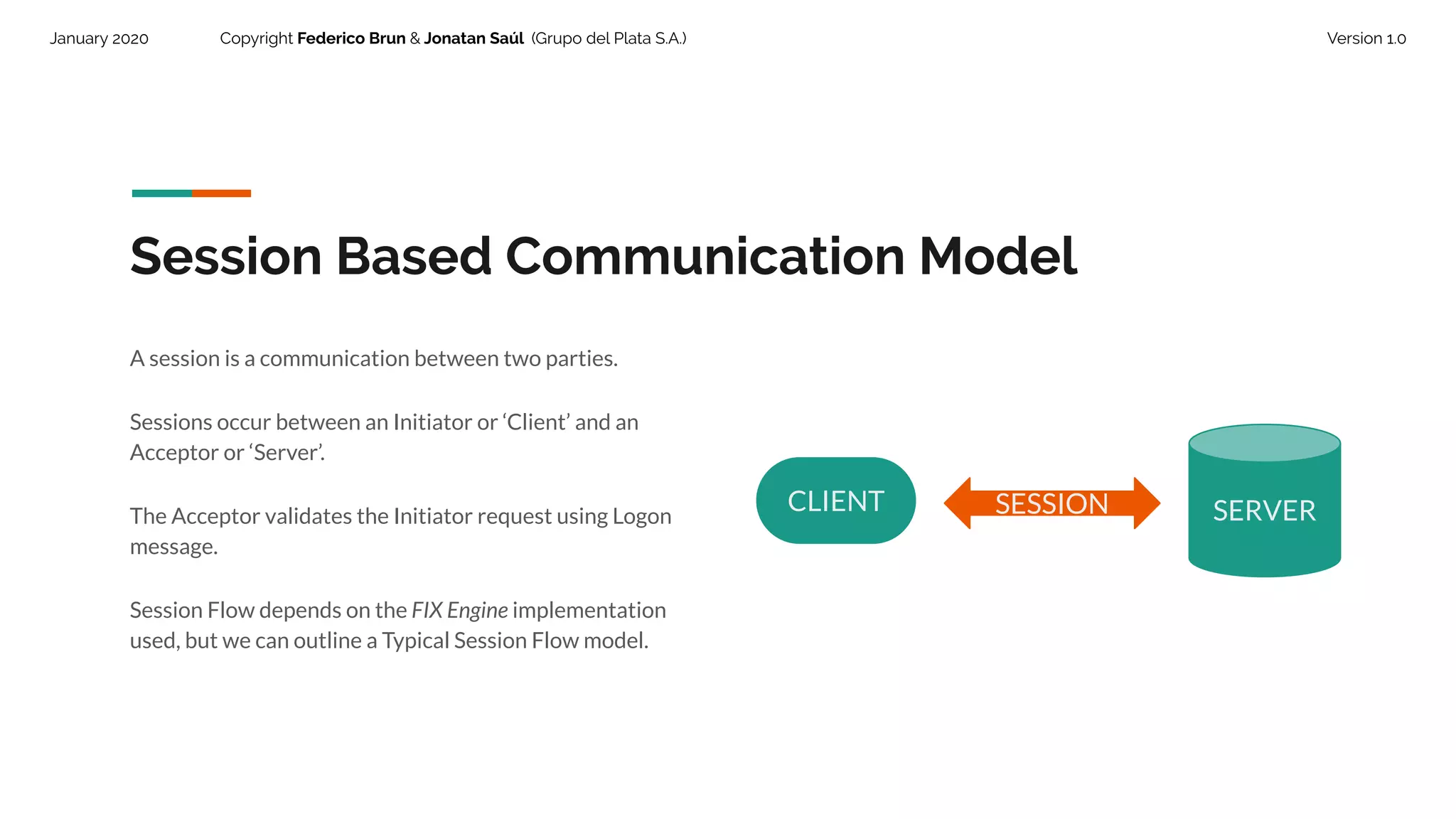
A session is a communication between two parties.
Sessions occur between an Initiator or ‘Client’ and an
Acceptor or ‘Server’.
The Acceptor validates the Initiator request using Logon
message.
Session Flow depends on the FIX Engine implementation
used, but we can outline a Typical Session Flow model.
CLIENT SERVERSESSION
38.
January 2020 CopyrightFederico Brun & Jonatan Saúl (Grupo del Plata S.A.) Version 1.0
Each session maintains the bidirectional messages between the two parties.
Session can spread across multiple physical connections.
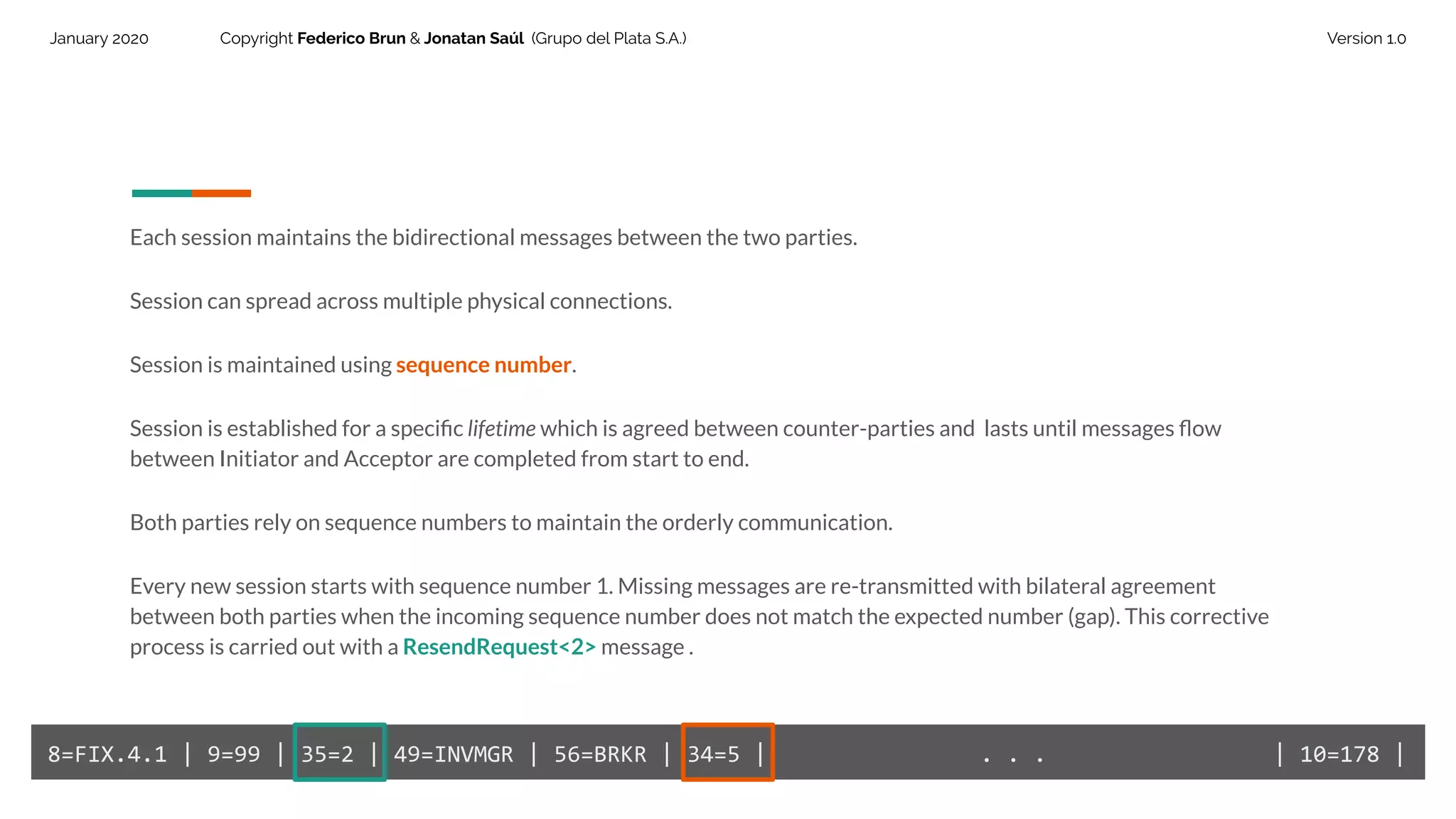
Session is maintained using sequence number.
Session is established for a specific lifetime which is agreed between counter-parties and lasts until messages flow
between Initiator and Acceptor are completed from start to end.
Both parties rely on sequence numbers to maintain the orderly communication.
Every new session starts with sequence number 1. Missing messages are re-transmitted with bilateral agreement
between both parties when the incoming sequence number does not match the expected number (gap). This corrective
process is carried out with a ResendRequest<2> message .
8=FIX.4.1 | 9=99 | 35=2 | 49=INVMGR | 56=BRKR | 34=5 | . . . | 10=178 |
39.
January 2020 CopyrightFederico Brun & Jonatan Saúl (Grupo del Plata S.A.) Version 1.0
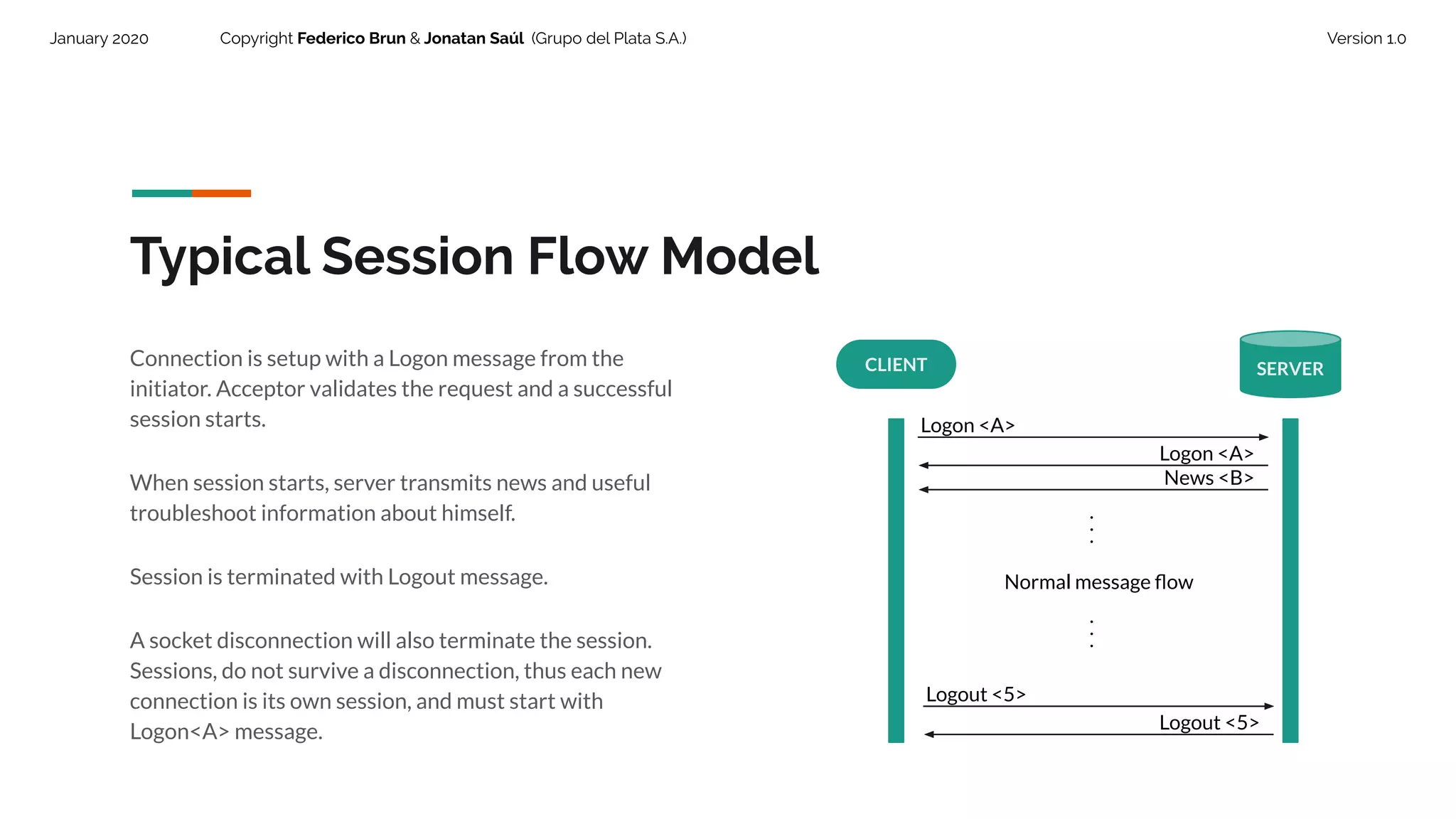
Typical Session Flow Model
CLIENT SERVER
Logon <A>
Logon <A>
...
Normal message flow
...
Logout <5>
Logout <5>
Connection is setup with a Logon message from the
initiator. Acceptor validates the request and a successful
session starts.
When session starts, server transmits news and useful
troubleshoot information about himself.
Session is terminated with Logout message.
A socket disconnection will also terminate the session.
Sessions, do not survive a disconnection, thus each new
connection is its own session, and must start with
Logon<A> message.
News <B>
40.
January 2020 CopyrightFederico Brun & Jonatan Saúl (Grupo del Plata S.A.) Version 1.0
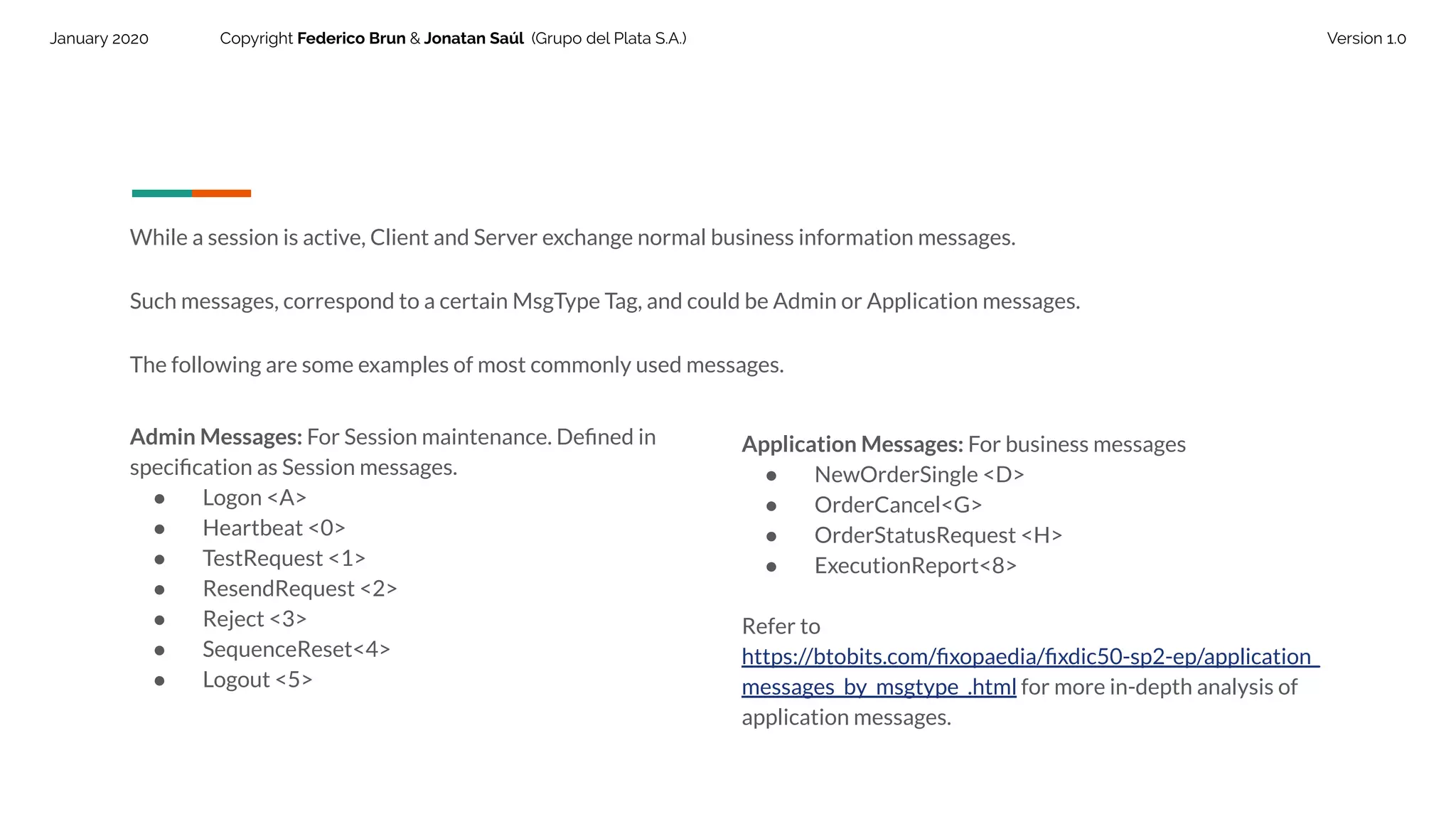
While a session is active, Client and Server exchange normal business information messages.
Such messages, correspond to a certain MsgType Tag, and could be Admin or Application messages.
The following are some examples of most commonly used messages.
Admin Messages: For Session maintenance. Defined in
specification as Session messages.
● Logon <A>
● Heartbeat <0>
● TestRequest <1>
● ResendRequest <2>
● Reject <3>
● SequenceReset<4>
● Logout <5>
Application Messages: For business messages
● NewOrderSingle <D>
● OrderCancel<G>
● OrderStatusRequest <H>
● ExecutionReport<8>
Refer to
https://btobits.com/fixopaedia/fixdic50-sp2-ep/application_
messages_by_msgtype_.html for more in-depth analysis of
application messages.
41.
January 2020 CopyrightFederico Brun & Jonatan Saúl (Grupo del Plata S.A.) Version 1.0
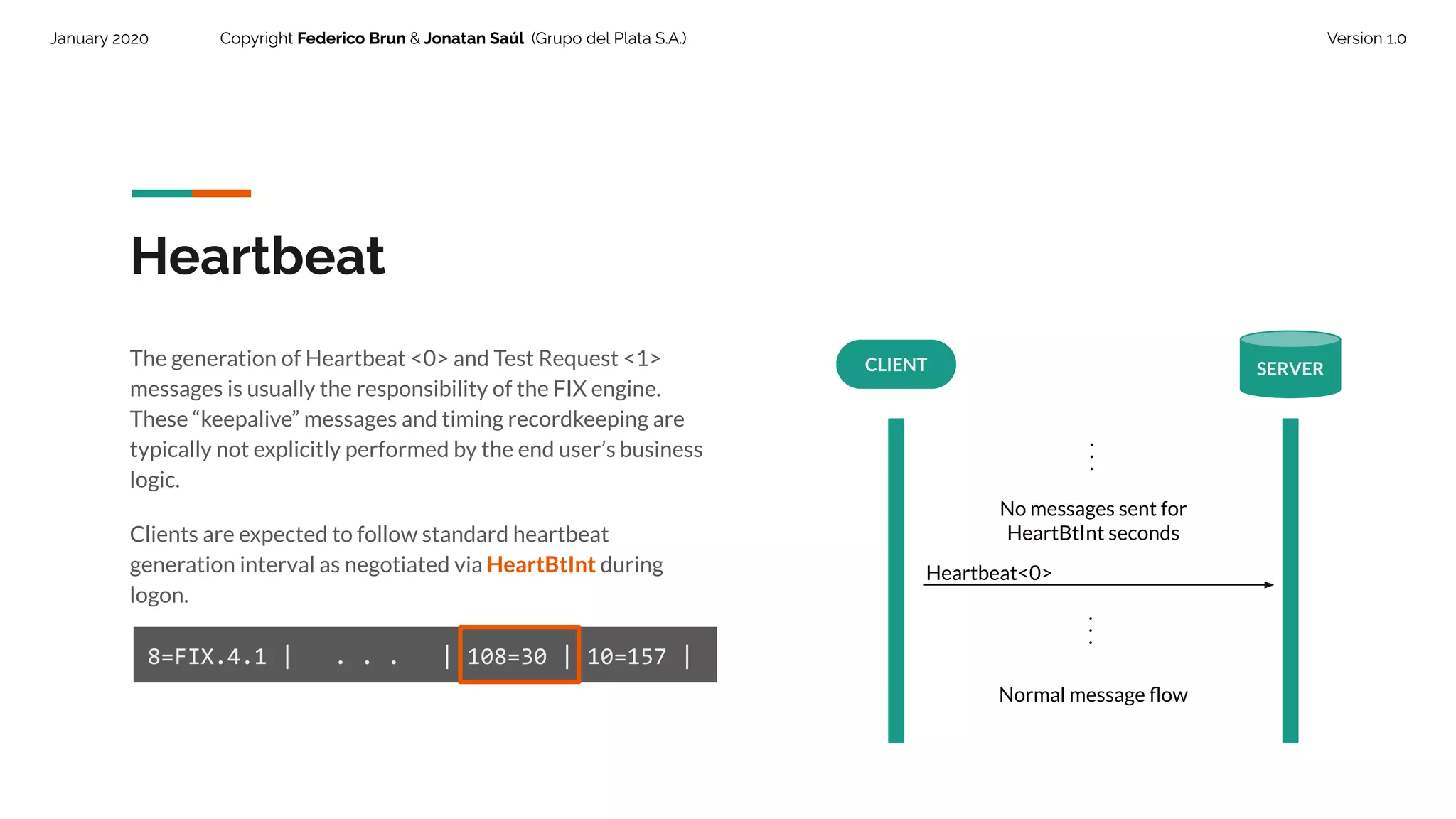
Heartbeat
CLIENT SERVER
...
No messages sent for
HeartBtInt seconds
Heartbeat<0>
The generation of Heartbeat <0> and Test Request <1>
messages is usually the responsibility of the FIX engine.
These “keepalive” messages and timing recordkeeping are
typically not explicitly performed by the end user’s business
logic.
Clients are expected to follow standard heartbeat
generation interval as negotiated via HeartBtInt during
logon.
8=FIX.4.1 | . . . | 108=30 | 10=157 |
...
Normal message flow
42.
January 2020 CopyrightFederico Brun & Jonatan Saúl (Grupo del Plata S.A.) Version 1.0
Application Layer deals with
business related messages
exchange.
43.
January 2020 CopyrightFederico Brun & Jonatan Saúl (Grupo del Plata S.A.) Version 1.0
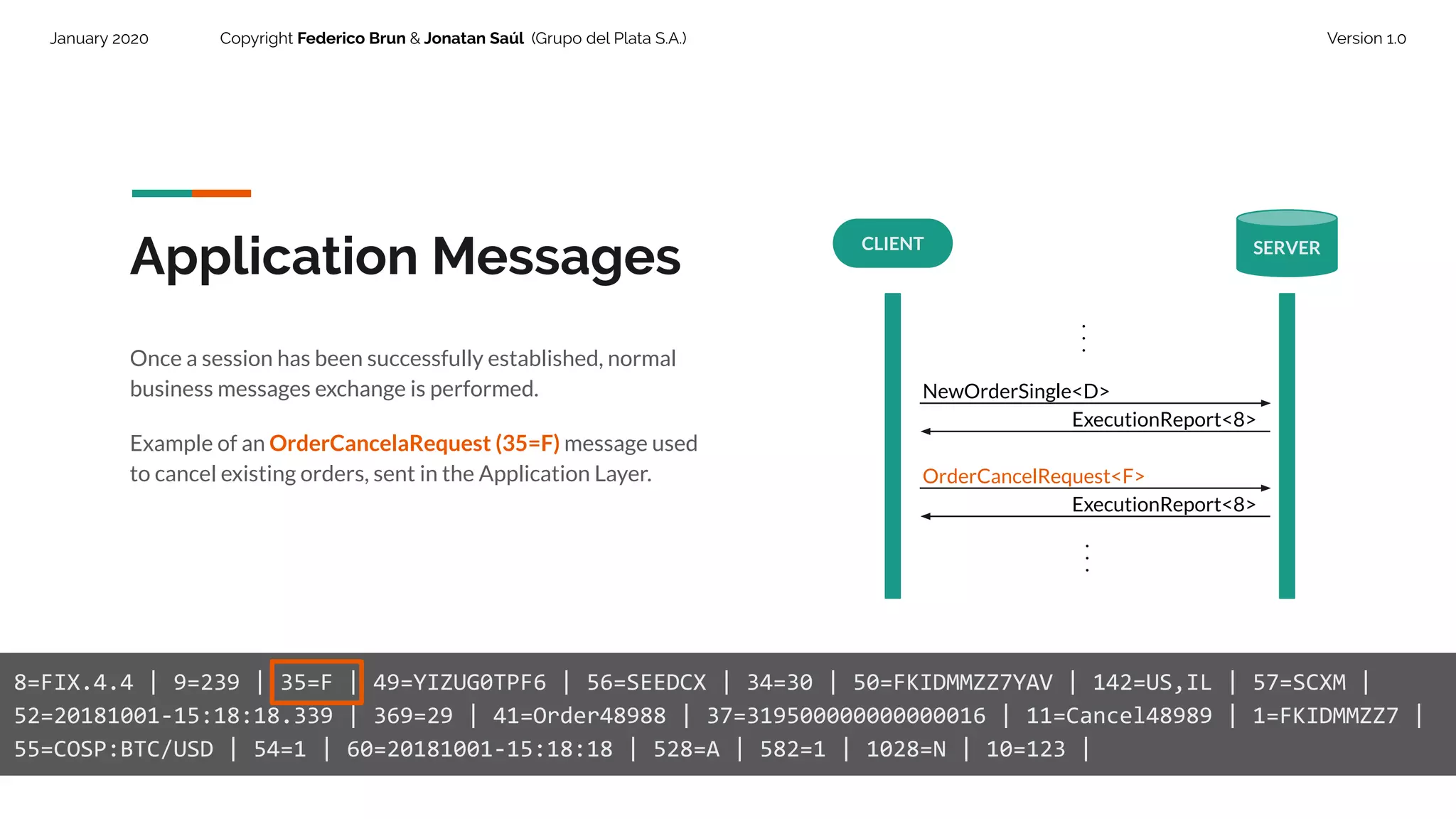
Application Messages
Once a session has been successfully established, normal
business messages exchange is performed.
Example of an OrderCancelaRequest (35=F) message used
to cancel existing orders, sent in the Application Layer.
8=FIX.4.4 | 9=239 | 35=F | 49=YIZUG0TPF6 | 56=SEEDCX | 34=30 | 50=FKIDMMZZ7YAV | 142=US,IL | 57=SCXM |
52=20181001-15:18:18.339 | 369=29 | 41=Order48988 | 37=319500000000000016 | 11=Cancel48989 | 1=FKIDMMZZ7 |
55=COSP:BTC/USD | 54=1 | 60=20181001-15:18:18 | 528=A | 582=1 | 1028=N | 10=123 |
CLIENT SERVER
...
NewOrderSingle<D>
...
ExecutionReport<8>
OrderCancelRequest<F>
ExecutionReport<8>
January 2020 CopyrightFederico Brun & Jonatan Saúl (Grupo del Plata S.A.) Version 1.0
FIX Engines
46.
January 2020 CopyrightFederico Brun & Jonatan Saúl (Grupo del Plata S.A.) Version 1.0
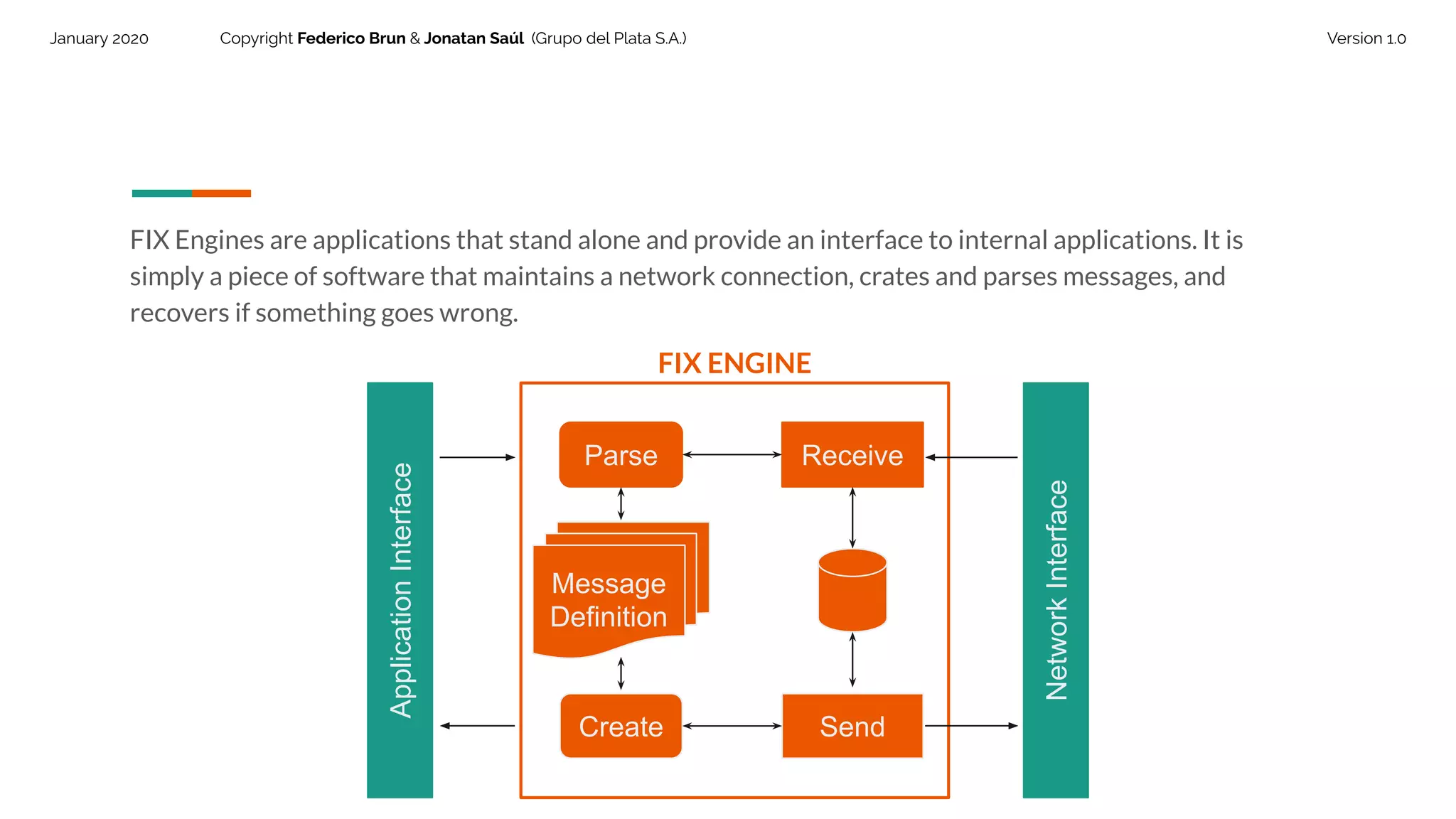
FIX Engines are applications that stand alone and provide an interface to internal applications. It is
simply a piece of software that maintains a network connection, crates and parses messages, and
recovers if something goes wrong.
ApplicationInterface
NetworkInterface
Send
ReceiveParse
Create
Message
Definition
FIX ENGINE
47.
January 2020 CopyrightFederico Brun & Jonatan Saúl (Grupo del Plata S.A.) Version 1.0
FIX Engine Functions
48.
January 2020 CopyrightFederico Brun & Jonatan Saúl (Grupo del Plata S.A.) Version 1.0
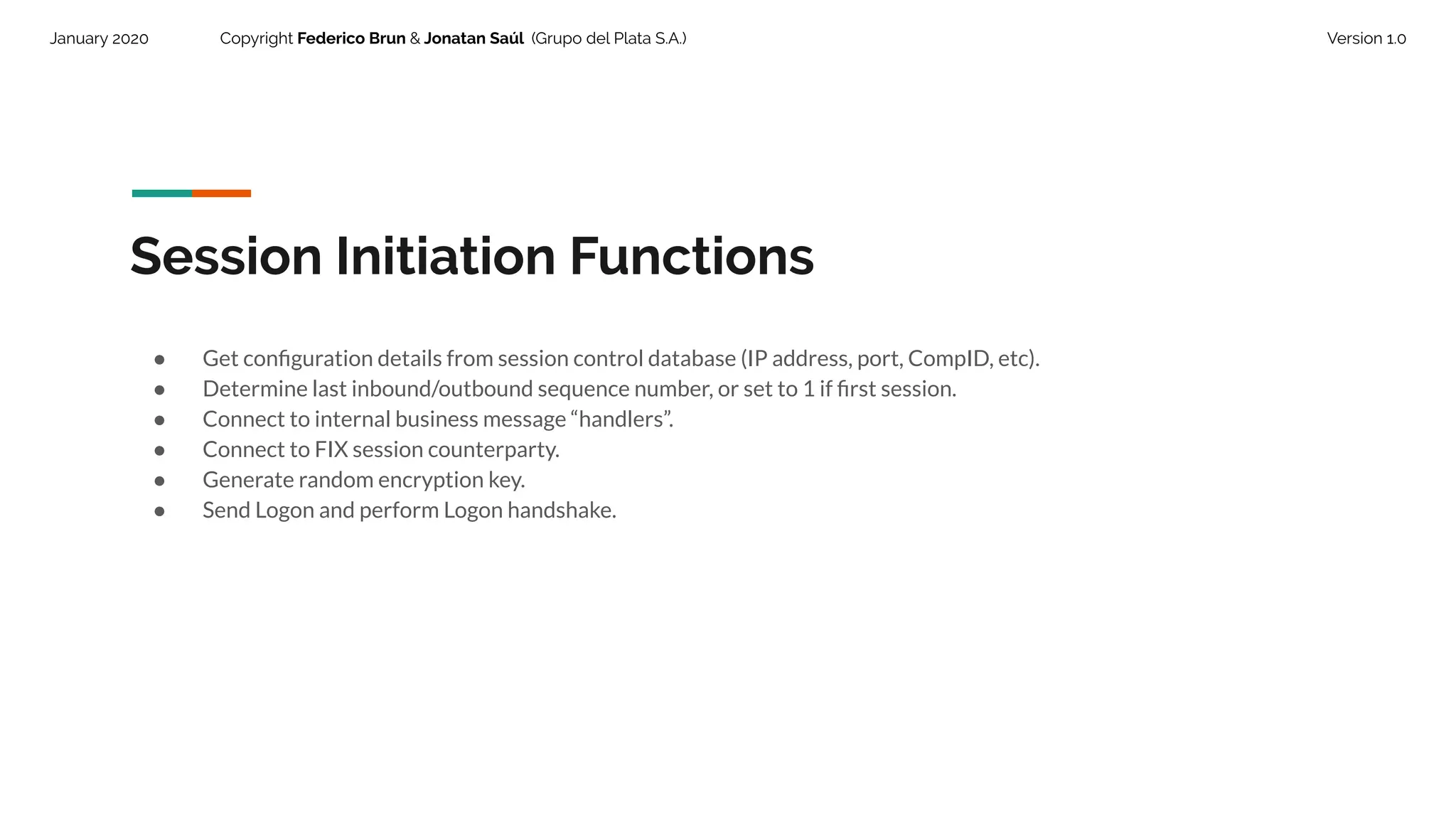
Session Initiation Functions
● Get configuration details from session control database (IP address, port, CompID, etc).
● Determine last inbound/outbound sequence number, or set to 1 if first session.
● Connect to internal business message “handlers”.
● Connect to FIX session counterparty.
● Generate random encryption key.
● Send Logon and perform Logon handshake.
49.
January 2020 CopyrightFederico Brun & Jonatan Saúl (Grupo del Plata S.A.) Version 1.0
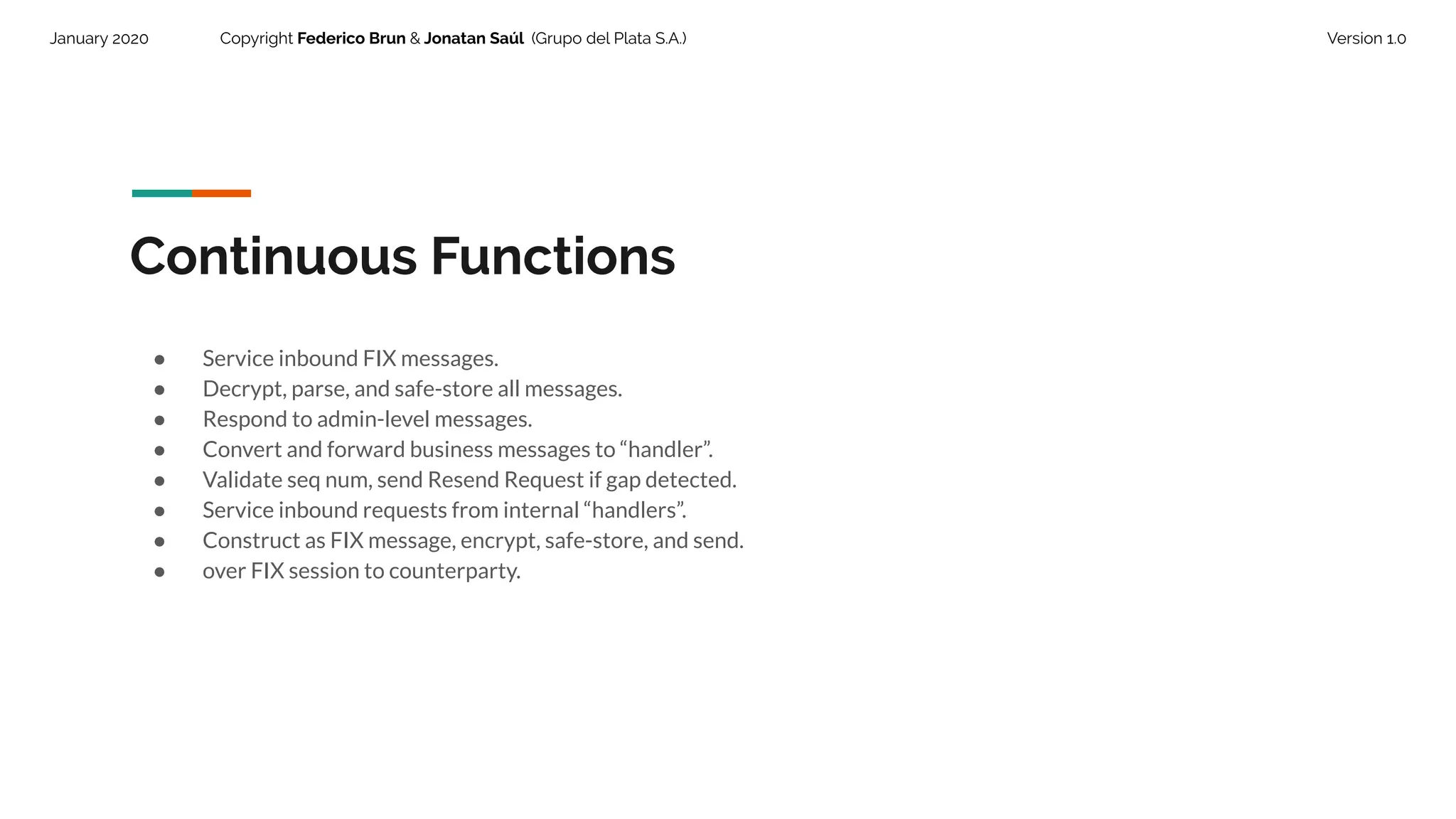
Continuous Functions
● Service inbound FIX messages.
● Decrypt, parse, and safe-store all messages.
● Respond to admin-level messages.
● Convert and forward business messages to “handler”.
● Validate seq num, send Resend Request if gap detected.
● Service inbound requests from internal “handlers”.
● Construct as FIX message, encrypt, safe-store, and send.
● over FIX session to counterparty.
50.
January 2020 CopyrightFederico Brun & Jonatan Saúl (Grupo del Plata S.A.) Version 1.0
Admin Functions
● Send Heartbeats, Test Requests, system status
● Logout at session “end” time
51.
January 2020 CopyrightFederico Brun & Jonatan Saúl (Grupo del Plata S.A.) Version 1.0
Thank you.





![DTCC Securities - Life Cycle " [LcoaS.pdf]](https://cdn.slidesharecdn.com/ss_thumbnails/lcoas-160626072717-thumbnail.jpg?width=640&height=640&fit=bounds)


