ADOBE
ILLUSTRATOR


By Kelsha & Debora
Adobe Illustrator

   Primarily a vector graphic manipulation
    software.

   Widely used in the design work place.

   Similar to Adobe Photoshop with important
    differences.
What Can It Do?


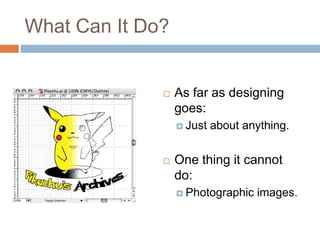
                 As far as designing
                  goes:
                   Just   about anything.


                 One thing it cannot
                  do:
                   Photographic   images.
Examples

   Reduce or enlarge artwork using vectors.

   Make charts and graphs using imported data.

   Manipulate data without changing the entire
    document.
Why Use Adobe Illustrator?

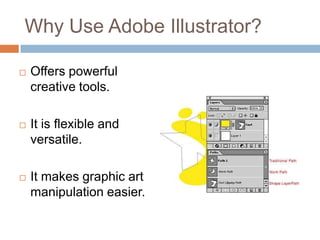
   Offers powerful
    creative tools.

   It is flexible and
    versatile.

   It makes graphic art
    manipulation easier.
Who Uses It?

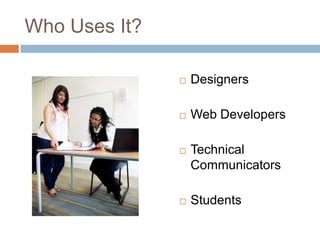
                  Designers

                  Web Developers

                  Technical
                   Communicators

                  Students
Examples

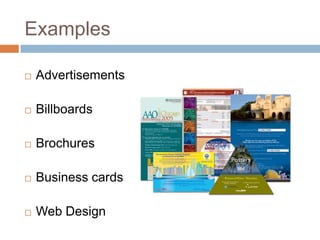
   Advertisements

   Billboards

   Brochures

   Business cards

   Web Design
Where Is It In The Business
World?

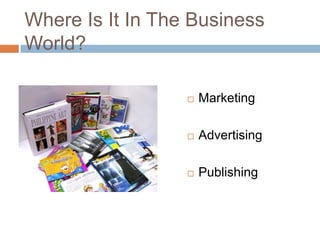
                     Marketing

                     Advertising

                     Publishing
Things To Remember

   Very user friendly software.

   Most professions dealing with design use it.

   Recommended by most designers.
FOR MORE INFORMATION VISIT THESE WEBSITES:

http://graphic-design
software.suite101.com/article.cfm/adobe_illustrator_cs3_uses

http://graphic-design.com/Photoshop/tutorial/0403-15.html

http://wiki.answers.com/Q/What_are_some_pros_and_cons_for_
Adobe_Illustrator
Final illustratorpresentation

Final illustratorpresentation

  • 1.
  • 2.
    Adobe Illustrator  Primarily a vector graphic manipulation software.  Widely used in the design work place.  Similar to Adobe Photoshop with important differences.
  • 3.
    What Can ItDo?  As far as designing goes:  Just about anything.  One thing it cannot do:  Photographic images.
  • 4.
    Examples  Reduce or enlarge artwork using vectors.  Make charts and graphs using imported data.  Manipulate data without changing the entire document.
  • 5.
    Why Use AdobeIllustrator?  Offers powerful creative tools.  It is flexible and versatile.  It makes graphic art manipulation easier.
  • 6.
    Who Uses It?  Designers  Web Developers  Technical Communicators  Students
  • 7.
    Examples  Advertisements  Billboards  Brochures  Business cards  Web Design
  • 8.
    Where Is ItIn The Business World?  Marketing  Advertising  Publishing
  • 9.
    Things To Remember  Very user friendly software.  Most professions dealing with design use it.  Recommended by most designers.
  • 10.
    FOR MORE INFORMATIONVISIT THESE WEBSITES: http://graphic-design software.suite101.com/article.cfm/adobe_illustrator_cs3_uses http://graphic-design.com/Photoshop/tutorial/0403-15.html http://wiki.answers.com/Q/What_are_some_pros_and_cons_for_ Adobe_Illustrator

Editor's Notes

  • #3 Differences between Photoshop and illustrator
  • #5 Data from spreadsheet programs can be imported to Illustrator. Styles and effects can be added, changed, or removed from individual items without changing the rest of the document’s elements.
  • #9 Basically any company requiring illustrations or graphic artwork.