Second Quarter
School Year 2023 - 2024
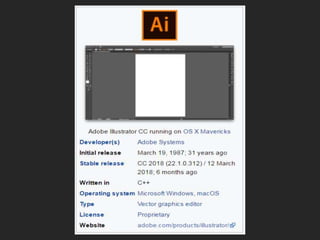
ADOBE ILLUSTRATOR
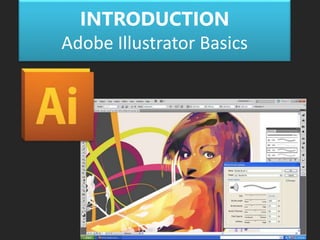
INTRODUCTION
Adobe Illustrator Basics
HISTORY
1. Versions 1–1.6 (Illustrator 88)
2. Versions 2–6 (1990)
3. Versions 7–10 (1997)
4. Versions CS–CS6
CS2, CS3 (2007), CS4 (2008),
CS5 (2010)
CS6 – 16th Gen (2012)
5. Version CC
• Compatibility with Inkscape:
Inkscape's native format is SVG (Scalable Vector
Graphics), which is supported by Adobe Illustrator, but
the two implementations are not 100% compatible.
Inkscape also exports to PS, EPS and PDF, formats
which Illustrator can recognize.
Note: PS – PostScript
EPS – Encapsulated PostScript
COMPATIBILITY
What is Illustrator?
• Illustrator is a vector drawing program.
• It is used to draw illustrations, cartoons,
diagrams, charts and logos.
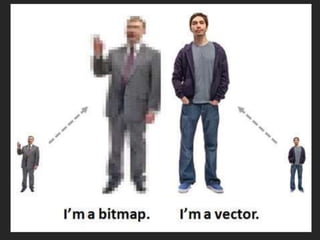
• Unlike bitmap images that store information
in a grid of dots, Illustrator uses mathematical
equations to draw out the shapes.
• This makes vector graphics scalable without
the loss of resolution.
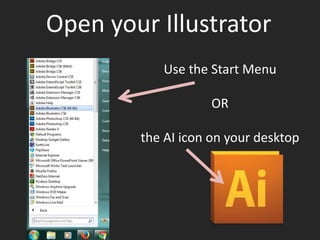
Open your Illustrator
Use the Start Menu
OR
the AI icon on your desktop
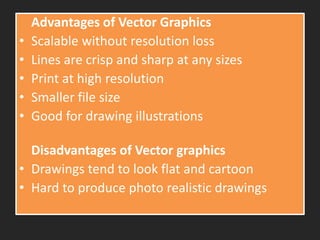
Advantages of Vector Graphics
• Scalable without resolution loss
• Lines are crisp and sharp at any sizes
• Print at high resolution
• Smaller file size
• Good for drawing illustrations
Disadvantages of Vector graphics
• Drawings tend to look flat and cartoon
• Hard to produce photo realistic drawings
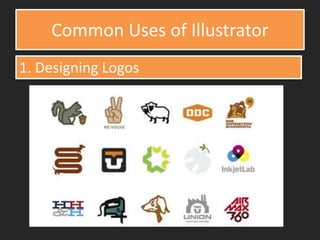
Common Uses of Illustrator
1. Designing Logos
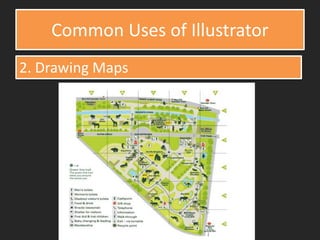
Common Uses of Illustrator
2. Drawing Maps
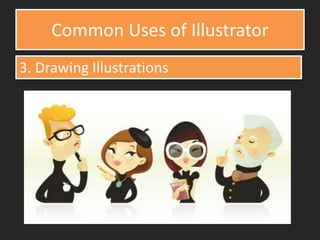
Common Uses of Illustrator
3. Drawing Illustrations
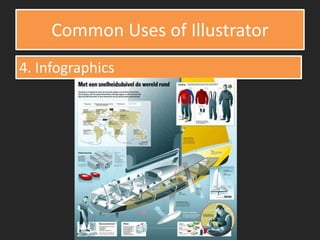
Common Uses of Illustrator
4. Infographics
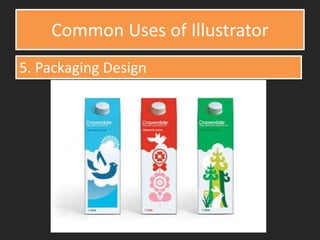
Common Uses of Illustrator
5. Packaging Design
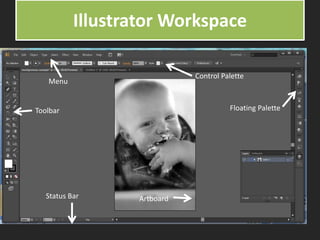
Illustrator Workspace
Toolbar
Status Bar
Menu
Control Palette
Artboard
Floating Palette
Introduction to Adobe Illustrator a software for designing and creating drawing.

Introduction to Adobe Illustrator a software for designing and creating drawing.

  • 1.
    Second Quarter School Year2023 - 2024 ADOBE ILLUSTRATOR
  • 3.
  • 5.
    HISTORY 1. Versions 1–1.6(Illustrator 88) 2. Versions 2–6 (1990) 3. Versions 7–10 (1997) 4. Versions CS–CS6 CS2, CS3 (2007), CS4 (2008), CS5 (2010) CS6 – 16th Gen (2012) 5. Version CC
  • 6.
    • Compatibility withInkscape: Inkscape's native format is SVG (Scalable Vector Graphics), which is supported by Adobe Illustrator, but the two implementations are not 100% compatible. Inkscape also exports to PS, EPS and PDF, formats which Illustrator can recognize. Note: PS – PostScript EPS – Encapsulated PostScript COMPATIBILITY
  • 7.
    What is Illustrator? •Illustrator is a vector drawing program. • It is used to draw illustrations, cartoons, diagrams, charts and logos. • Unlike bitmap images that store information in a grid of dots, Illustrator uses mathematical equations to draw out the shapes. • This makes vector graphics scalable without the loss of resolution.
  • 8.
    Open your Illustrator Usethe Start Menu OR the AI icon on your desktop
  • 10.
    Advantages of VectorGraphics • Scalable without resolution loss • Lines are crisp and sharp at any sizes • Print at high resolution • Smaller file size • Good for drawing illustrations Disadvantages of Vector graphics • Drawings tend to look flat and cartoon • Hard to produce photo realistic drawings
  • 11.
    Common Uses ofIllustrator 1. Designing Logos
  • 12.
    Common Uses ofIllustrator 2. Drawing Maps
  • 13.
    Common Uses ofIllustrator 3. Drawing Illustrations
  • 14.
    Common Uses ofIllustrator 4. Infographics
  • 15.
    Common Uses ofIllustrator 5. Packaging Design
  • 17.