1
File Management in C
Faculty : Gaurav Garg
Asst. Prof CSE,
AITM Palwal
www.advanced.edu.in
2
Often it is not enough to just display the data on the screen. This
is because if the data is large, only a limited amount of it can be
stored in memory and only a limited amount of it can be
displayed on the screen. It would be inappropriate to store this
data in memory for one more reason. Memory is volatile and its
contents would be lost .
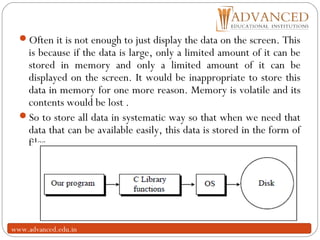
So to store all data in systematic way so that when we need that
data that can be available easily, this data is stored in the form of
files.
www.advanced.edu.in
3
www.advanced.edu.in
Console oriented Input/Output
4
Console oriented – use terminal (keyboard/screen)
scanf(“%d”,&i) – read data from keyboard
printf(“%d”,i) – print data to monitor
Suitable for small volumes of data
Data lost when program terminated
www.advanced.edu.in
Real-life applications
5
Large data volumes
E.g. physical experiments (CERN collider), human genome,
population records etc.
Need for flexible approach to store/retrieve data
Concept of files
www.advanced.edu.in
Files
6
File – place on disc where group of related data is stored
E.g. your C programs, executables
High-level programming languages support file operations
Naming
Opening
Reading
Writing
Closing
www.advanced.edu.in
Defining and opening file
7
To store data file in secondary memory (disc) must specify to
OS
Filename (e.g. sort.c, input.data)
Data structure (e.g. FILE)
Purpose (e.g. reading, writing, appending)
www.advanced.edu.in
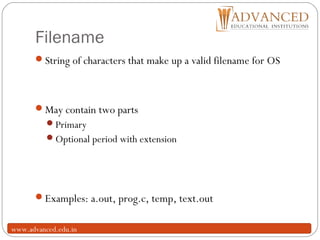
Filename
8
String of characters that make up a valid filename for OS
May contain two parts
Primary
Optional period with extension
Examples: a.out, prog.c, temp, text.out
www.advanced.edu.in
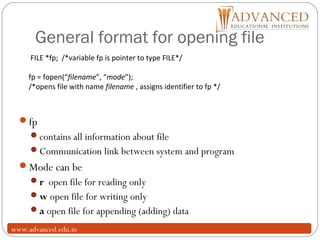
General format for opening file
9
fp
contains all information about file
Communication link between system and program
Mode can be
r open file for reading only
w open file for writing only
a open file for appending (adding) data
FILE *fp; /*variable fp is pointer to type FILE*/
fp = fopen(“filename”, “mode”);
/*opens file with name filename , assigns identifier to fp */
www.advanced.edu.in
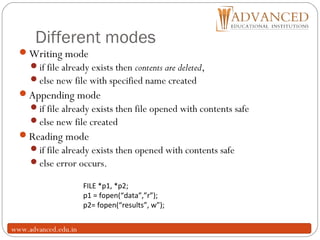
Different modes
10
Writing mode
if file already exists then contents are deleted,
else new file with specified name created
Appending mode
if file already exists then file opened with contents safe
else new file created
Reading mode
if file already exists then opened with contents safe
else error occurs.
FILE *p1, *p2;
p1 = fopen(“data”,”r”);
p2= fopen(“results”, w”);
www.advanced.edu.in
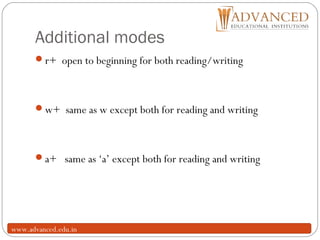
Additional modes
11
r+ open to beginning for both reading/writing
w+ same as w except both for reading and writing
a+ same as ‘a’ except both for reading and writing
www.advanced.edu.in
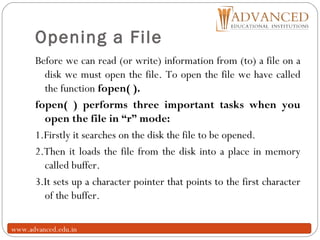
Opening a File
12
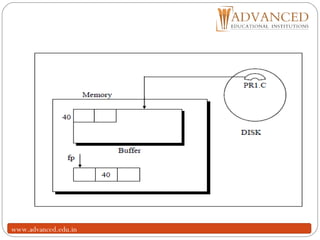
Before we can read (or write) information from (to) a file on a
disk we must open the file. To open the file we have called
the function fopen( ).
fopen( ) performs three important tasks when you
open the file in “r” mode:
1.Firstly it searches on the disk the file to be opened.
2.Then it loads the file from the disk into a place in memory
called buffer.
3.It sets up a character pointer that points to the first character
of the buffer.
www.advanced.edu.in
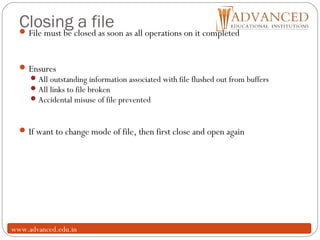
Closing a file
13
File must be closed as soon as all operations on it completed
Ensures
All outstanding information associated with file flushed out from buffers
All links to file broken
Accidental misuse of file prevented
If want to change mode of file, then first close and open again
www.advanced.edu.in
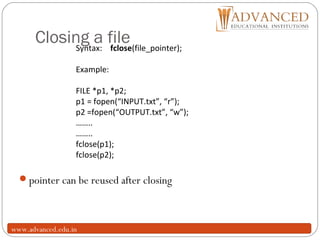
Closing a file
14
pointer can be reused after closing
Syntax: fclose(file_pointer);
Example:
FILE *p1, *p2;
p1 = fopen(“INPUT.txt”, “r”);
p2 =fopen(“OUTPUT.txt”, “w”);
……..
……..
fclose(p1);
fclose(p2);
www.advanced.edu.in
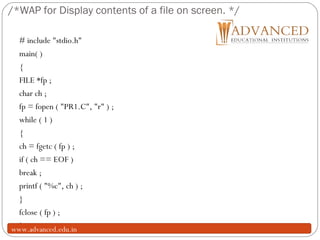
/*WAP for Display contents of a file on screen. */
15
# include "stdio.h"
main( )
{
FILE *fp ;
char ch ;
fp = fopen ( "PR1.C", "r" ) ;
while ( 1 )
{
ch = fgetc ( fp ) ;
if ( ch == EOF )
break ;
printf ( "%c", ch ) ;
}
fclose ( fp ) ;
}www.advanced.edu.in
Input/Output operations on files
16
C provides several different functions for reading/writing
getc() – read a character
putc() – write a character
fprintf() – write set of data values
fscanf() – read set of data values
getw() – read integer
putw() – write integer
www.advanced.edu.in
getc() and putc()
17
handle one character at a time like getchar() and putchar()
syntax: putc(c,fp1);
c : a character variable
fp1 : pointer to file opened with mode w
syntax: c = getc(fp2);
c : a character variable
fp2 : pointer to file opened with mode r
file pointer moves by one character position after every getc()
and putc()
getc() returns end-of-file marker EOF when file end reached
www.advanced.edu.in
Trouble in Opening a File
18
There is a possibility that when we try to open a file using the
function fopen( ), the file may not be opened. While
opening the file in “r” mode, this may happen because
the file being opened may not be present on the disk at
all. And you obviously cannot read a file that doesn’t
exist. Similarly, while opening the file for writing,
fopen( ) may fail due to a number of reasons, like, disk
space may be insufficient to open a new file, or the disk
may be write protected or the disk is damaged and so
on.
it is important for any program that accesses disk files to check
whether a file has been opened successfully before trying to read
or write to the file.
www.advanced.edu.in
19
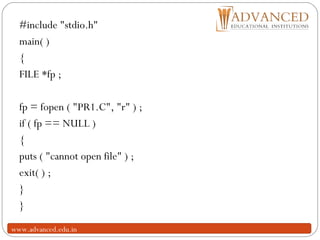
#include "stdio.h"
main( )
{
FILE *fp ;
fp = fopen ( "PR1.C", "r" ) ;
if ( fp == NULL )
{
puts ( "cannot open file" ) ;
exit( ) ;
}
}
www.advanced.edu.in
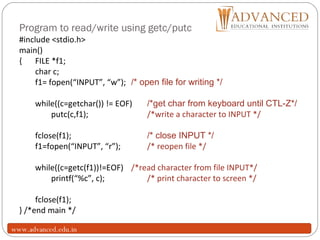
Program to read/write using getc/putc
20
#include <stdio.h>
main()
{ FILE *f1;
char c;
f1= fopen(“INPUT”, “w”); /* open file for writing */
while((c=getchar()) != EOF) /*get char from keyboard until CTL-Z*/
putc(c,f1); /*write a character to INPUT */
fclose(f1); /* close INPUT */
f1=fopen(“INPUT”, “r”); /* reopen file */
while((c=getc(f1))!=EOF) /*read character from file INPUT*/
printf(“%c”, c); /* print character to screen */
fclose(f1);
} /*end main */
www.advanced.edu.in
Record I/O in Files
21
So far we have dealt with reading and writing only
characters and strings. What if we want to read or write
numbers from/to file? Furthermore, what if we desire to
read/write a combination of characters, strings and
numbers? For this first we would organize this dissimilar data
together in a structure and then use fprintf( ) and fscanf( )
library functions to read/write data from/to file. Following
program illustrates the use of structures for writing records
of employees.
www.advanced.edu.in
/* Writes records to a file using structure */
22
#include "stdio.h"
main( )
{
FILE *fp ;
char another = 'Y' ;
struct emp
{
char name[40] ;
int age ;
float bs ;
} ;
struct emp e ;
www.advanced.edu.in
23
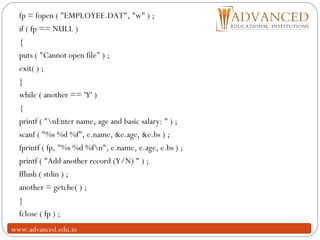
fp = fopen ( "EMPLOYEE.DAT", "w" ) ;
if ( fp == NULL )
{
puts ( "Cannot open file" ) ;
exit( ) ;
}
while ( another == 'Y' )
{
printf ( "nEnter name, age and basic salary: " ) ;
scanf ( "%s %d %f", e.name, &e.age, &e.bs ) ;
fprintf ( fp, "%s %d %fn", e.name, e.age, e.bs ) ;
printf ( "Add another record (Y/N) " ) ;
fflush ( stdin ) ;
another = getche( ) ;
}
fclose ( fp ) ;
www.advanced.edu.in
24
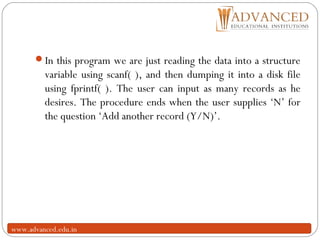
In this program we are just reading the data into a structure
variable using scanf( ), and then dumping it into a disk file
using fprintf( ). The user can input as many records as he
desires. The procedure ends when the user supplies ‘N’ for
the question ‘Add another record (Y/N)’.
www.advanced.edu.in
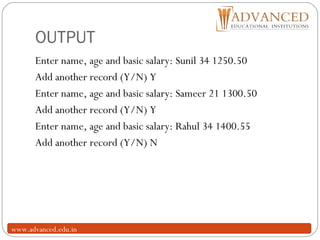
OUTPUT
25
Enter name, age and basic salary: Sunil 34 1250.50
Add another record (Y/N) Y
Enter name, age and basic salary: Sameer 21 1300.50
Add another record (Y/N) Y
Enter name, age and basic salary: Rahul 34 1400.55
Add another record (Y/N) N
www.advanced.edu.in
fscanf() and fprintf()
26
similar to scanf() and printf()
in addition provide file-pointer
given the following
file-pointer f1 (points to file opened in write mode)
file-pointer f2 (points to file opened in read mode)
integer variable i
float variable f
Example:
fprintf(f1, “%d %fn”, i, f);
fprintf(stdout, “%f n”, f); /*note: stdout refers to screen */
fscanf(f2, “%d %f”, &i, &f);
fscanf returns EOF when end-of-file reached
www.advanced.edu.in
getw() and putw()
27
handle one integer at a time
syntax: putw(i,fp1);
i : an integer variable
fp1 : pointer to file ipened with mode w
syntax: i = getw(fp2);
i : an integer variable
fp2 : pointer to file opened with mode r
file pointer moves by one integer position, data stored in binary
format native to local system
getw() returns end-of-file marker EOF when file end reached
www.advanced.edu.in
Errors that occur during I/O
28
Typical errors that occur
trying to read beyond end-of-file
trying to use a file that has not been opened
perform operation on file not permitted by ‘fopen’ mode
open file with invalid filename
write to write-protected file
www.advanced.edu.in
Error handling
29
given file-pointer, check if EOF reached, errors while handling
file, problems opening file etc.
check if EOF reached: feof()
feof() takes file-pointer as input, returns nonzero if all data read
and zero otherwise
if(feof(fp))
printf(“End of datan”);
ferror() takes file-pointer as input, returns nonzero integer if
error detected else returns zero
if(ferror(fp) !=0)
printf(“An error has occurredn”);
www.advanced.edu.in
Error while opening file
30
if file cannot be opened then fopen returns a NULL pointer
Good practice to check if pointer is NULL before proceeding
 fp = fopen(“input.dat”, “r”);

 if (fp == NULL)
 printf(“File could not be opened n ”);
www.advanced.edu.in
Dynamic memory allocation
31
Malloc() and calloc():
int *ptr;
ptr = malloc(10 * sizeof (*ptr)); /* without a cast */
ptr = (int *)malloc(10 * sizeof (*ptr));
Differences between malloc() and calloc()
There are 2 differences between these functions.
First, malloc() takes a single argument (the amount of memory to
allocate in bytes), while calloc() needs 2 arguments (the number
of variables to allocate in memory, and the size in bytes of a single
variable). Secondly, malloc() does not initialize the memory
allocated, while calloc() initializes the allocated memory to
ZERO.
www.advanced.edu.in
?www.advanced.edu.in

File handling in 'C'

  • 1.
    1 File Management inC Faculty : Gaurav Garg Asst. Prof CSE, AITM Palwal www.advanced.edu.in
  • 2.
    2 Often it isnot enough to just display the data on the screen. This is because if the data is large, only a limited amount of it can be stored in memory and only a limited amount of it can be displayed on the screen. It would be inappropriate to store this data in memory for one more reason. Memory is volatile and its contents would be lost . So to store all data in systematic way so that when we need that data that can be available easily, this data is stored in the form of files. www.advanced.edu.in
  • 3.
  • 4.
    Console oriented Input/Output 4 Consoleoriented – use terminal (keyboard/screen) scanf(“%d”,&i) – read data from keyboard printf(“%d”,i) – print data to monitor Suitable for small volumes of data Data lost when program terminated www.advanced.edu.in
  • 5.
    Real-life applications 5 Large datavolumes E.g. physical experiments (CERN collider), human genome, population records etc. Need for flexible approach to store/retrieve data Concept of files www.advanced.edu.in
  • 6.
    Files 6 File – placeon disc where group of related data is stored E.g. your C programs, executables High-level programming languages support file operations Naming Opening Reading Writing Closing www.advanced.edu.in
  • 7.
    Defining and openingfile 7 To store data file in secondary memory (disc) must specify to OS Filename (e.g. sort.c, input.data) Data structure (e.g. FILE) Purpose (e.g. reading, writing, appending) www.advanced.edu.in
  • 8.
    Filename 8 String of charactersthat make up a valid filename for OS May contain two parts Primary Optional period with extension Examples: a.out, prog.c, temp, text.out www.advanced.edu.in
  • 9.
    General format foropening file 9 fp contains all information about file Communication link between system and program Mode can be r open file for reading only w open file for writing only a open file for appending (adding) data FILE *fp; /*variable fp is pointer to type FILE*/ fp = fopen(“filename”, “mode”); /*opens file with name filename , assigns identifier to fp */ www.advanced.edu.in
  • 10.
    Different modes 10 Writing mode iffile already exists then contents are deleted, else new file with specified name created Appending mode if file already exists then file opened with contents safe else new file created Reading mode if file already exists then opened with contents safe else error occurs. FILE *p1, *p2; p1 = fopen(“data”,”r”); p2= fopen(“results”, w”); www.advanced.edu.in
  • 11.
    Additional modes 11 r+ opento beginning for both reading/writing w+ same as w except both for reading and writing a+ same as ‘a’ except both for reading and writing www.advanced.edu.in
  • 12.
    Opening a File 12 Beforewe can read (or write) information from (to) a file on a disk we must open the file. To open the file we have called the function fopen( ). fopen( ) performs three important tasks when you open the file in “r” mode: 1.Firstly it searches on the disk the file to be opened. 2.Then it loads the file from the disk into a place in memory called buffer. 3.It sets up a character pointer that points to the first character of the buffer. www.advanced.edu.in
  • 13.
    Closing a file 13 Filemust be closed as soon as all operations on it completed Ensures All outstanding information associated with file flushed out from buffers All links to file broken Accidental misuse of file prevented If want to change mode of file, then first close and open again www.advanced.edu.in
  • 14.
    Closing a file 14 pointercan be reused after closing Syntax: fclose(file_pointer); Example: FILE *p1, *p2; p1 = fopen(“INPUT.txt”, “r”); p2 =fopen(“OUTPUT.txt”, “w”); …….. …….. fclose(p1); fclose(p2); www.advanced.edu.in
  • 15.
    /*WAP for Displaycontents of a file on screen. */ 15 # include "stdio.h" main( ) { FILE *fp ; char ch ; fp = fopen ( "PR1.C", "r" ) ; while ( 1 ) { ch = fgetc ( fp ) ; if ( ch == EOF ) break ; printf ( "%c", ch ) ; } fclose ( fp ) ; }www.advanced.edu.in
  • 16.
    Input/Output operations onfiles 16 C provides several different functions for reading/writing getc() – read a character putc() – write a character fprintf() – write set of data values fscanf() – read set of data values getw() – read integer putw() – write integer www.advanced.edu.in
  • 17.
    getc() and putc() 17 handleone character at a time like getchar() and putchar() syntax: putc(c,fp1); c : a character variable fp1 : pointer to file opened with mode w syntax: c = getc(fp2); c : a character variable fp2 : pointer to file opened with mode r file pointer moves by one character position after every getc() and putc() getc() returns end-of-file marker EOF when file end reached www.advanced.edu.in
  • 18.
    Trouble in Openinga File 18 There is a possibility that when we try to open a file using the function fopen( ), the file may not be opened. While opening the file in “r” mode, this may happen because the file being opened may not be present on the disk at all. And you obviously cannot read a file that doesn’t exist. Similarly, while opening the file for writing, fopen( ) may fail due to a number of reasons, like, disk space may be insufficient to open a new file, or the disk may be write protected or the disk is damaged and so on. it is important for any program that accesses disk files to check whether a file has been opened successfully before trying to read or write to the file. www.advanced.edu.in
  • 19.
    19 #include "stdio.h" main( ) { FILE*fp ; fp = fopen ( "PR1.C", "r" ) ; if ( fp == NULL ) { puts ( "cannot open file" ) ; exit( ) ; } } www.advanced.edu.in
  • 20.
    Program to read/writeusing getc/putc 20 #include <stdio.h> main() { FILE *f1; char c; f1= fopen(“INPUT”, “w”); /* open file for writing */ while((c=getchar()) != EOF) /*get char from keyboard until CTL-Z*/ putc(c,f1); /*write a character to INPUT */ fclose(f1); /* close INPUT */ f1=fopen(“INPUT”, “r”); /* reopen file */ while((c=getc(f1))!=EOF) /*read character from file INPUT*/ printf(“%c”, c); /* print character to screen */ fclose(f1); } /*end main */ www.advanced.edu.in
  • 21.
    Record I/O inFiles 21 So far we have dealt with reading and writing only characters and strings. What if we want to read or write numbers from/to file? Furthermore, what if we desire to read/write a combination of characters, strings and numbers? For this first we would organize this dissimilar data together in a structure and then use fprintf( ) and fscanf( ) library functions to read/write data from/to file. Following program illustrates the use of structures for writing records of employees. www.advanced.edu.in
  • 22.
    /* Writes recordsto a file using structure */ 22 #include "stdio.h" main( ) { FILE *fp ; char another = 'Y' ; struct emp { char name[40] ; int age ; float bs ; } ; struct emp e ; www.advanced.edu.in
  • 23.
    23 fp = fopen( "EMPLOYEE.DAT", "w" ) ; if ( fp == NULL ) { puts ( "Cannot open file" ) ; exit( ) ; } while ( another == 'Y' ) { printf ( "nEnter name, age and basic salary: " ) ; scanf ( "%s %d %f", e.name, &e.age, &e.bs ) ; fprintf ( fp, "%s %d %fn", e.name, e.age, e.bs ) ; printf ( "Add another record (Y/N) " ) ; fflush ( stdin ) ; another = getche( ) ; } fclose ( fp ) ; www.advanced.edu.in
  • 24.
    24 In this programwe are just reading the data into a structure variable using scanf( ), and then dumping it into a disk file using fprintf( ). The user can input as many records as he desires. The procedure ends when the user supplies ‘N’ for the question ‘Add another record (Y/N)’. www.advanced.edu.in
  • 25.
    OUTPUT 25 Enter name, ageand basic salary: Sunil 34 1250.50 Add another record (Y/N) Y Enter name, age and basic salary: Sameer 21 1300.50 Add another record (Y/N) Y Enter name, age and basic salary: Rahul 34 1400.55 Add another record (Y/N) N www.advanced.edu.in
  • 26.
    fscanf() and fprintf() 26 similarto scanf() and printf() in addition provide file-pointer given the following file-pointer f1 (points to file opened in write mode) file-pointer f2 (points to file opened in read mode) integer variable i float variable f Example: fprintf(f1, “%d %fn”, i, f); fprintf(stdout, “%f n”, f); /*note: stdout refers to screen */ fscanf(f2, “%d %f”, &i, &f); fscanf returns EOF when end-of-file reached www.advanced.edu.in
  • 27.
    getw() and putw() 27 handleone integer at a time syntax: putw(i,fp1); i : an integer variable fp1 : pointer to file ipened with mode w syntax: i = getw(fp2); i : an integer variable fp2 : pointer to file opened with mode r file pointer moves by one integer position, data stored in binary format native to local system getw() returns end-of-file marker EOF when file end reached www.advanced.edu.in
  • 28.
    Errors that occurduring I/O 28 Typical errors that occur trying to read beyond end-of-file trying to use a file that has not been opened perform operation on file not permitted by ‘fopen’ mode open file with invalid filename write to write-protected file www.advanced.edu.in
  • 29.
    Error handling 29 given file-pointer,check if EOF reached, errors while handling file, problems opening file etc. check if EOF reached: feof() feof() takes file-pointer as input, returns nonzero if all data read and zero otherwise if(feof(fp)) printf(“End of datan”); ferror() takes file-pointer as input, returns nonzero integer if error detected else returns zero if(ferror(fp) !=0) printf(“An error has occurredn”); www.advanced.edu.in
  • 30.
    Error while openingfile 30 if file cannot be opened then fopen returns a NULL pointer Good practice to check if pointer is NULL before proceeding  fp = fopen(“input.dat”, “r”);   if (fp == NULL)  printf(“File could not be opened n ”); www.advanced.edu.in
  • 31.
    Dynamic memory allocation 31 Malloc()and calloc(): int *ptr; ptr = malloc(10 * sizeof (*ptr)); /* without a cast */ ptr = (int *)malloc(10 * sizeof (*ptr)); Differences between malloc() and calloc() There are 2 differences between these functions. First, malloc() takes a single argument (the amount of memory to allocate in bytes), while calloc() needs 2 arguments (the number of variables to allocate in memory, and the size in bytes of a single variable). Secondly, malloc() does not initialize the memory allocated, while calloc() initializes the allocated memory to ZERO. www.advanced.edu.in
  • 32.