Faster New Product Introduction Using Oracle Project Portfolio Management Author: Kirit Goyal, Program Manager Presenter: Mohan Dutt Session # 1482
Issue at hand Improve product development, product innovation and engineering processes in order to increase revenues, decrease cost and improve profitability
Pressures from product life cycle development Shorter development cycles / time to market Cost pressures Need for more innovation Need for revenue growth Support global growth and outsourcing
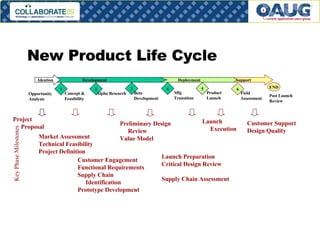
New Product Life Cycle 1 2 3 4 5 6 Concept & Feasibility Alpha Research Beta Development Mfg Transition Product Launch Field Assessment Deployment Support Market Assessment Technical Feasibility  Project Definition Launch Preparation Critical Design Review Supply Chain Assessment Customer Engagement Functional Requirements Supply Chain Identification Prototype Development Preliminary Design Review Value Model Launch Execution Customer Support Design Quality Development Key Phase Milestones Post Launch Review END Opportunity Analysis Project Proposal Ideation
Project Collaboration Sharing project data Sharing product data in a project context Shared workflows Task management Resource management
Project Collaboration Actions Improving execution of cross team performances Improving actions of cross enterprise projects Improving visibility of project status Enforce common project methodologies Providing a common repository for project deliverables Provide management oversight task execution
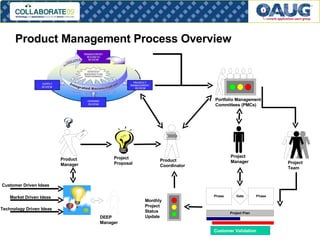
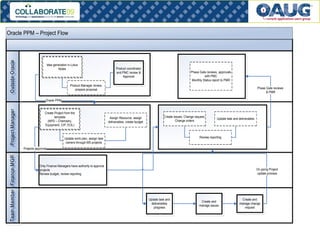
Product Management Process Overview Project Proposal Portfolio Management Committees (PMCs) DEEP Manager Customer Driven Ideas Idea Screening Market Driven Ideas Technology Driven Ideas Product  Manager Product Coordinator Monthly Project Status Update Project Manager Project Team Customer Validation
 
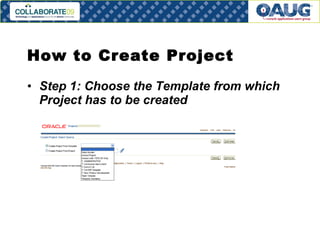
How to Create Project  Step 1: Choose the Template from which Project has to be created  
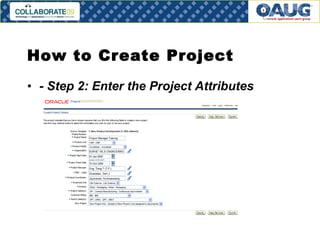
How to Create Project  - Step 2: Enter the Project Attributes  
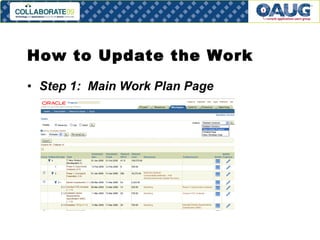
How to Update the Work  Step 1:  Main Work Plan Page
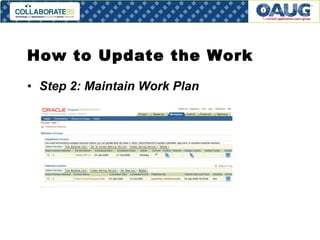
How to Update the Work  Step 2: Maintain Work Plan
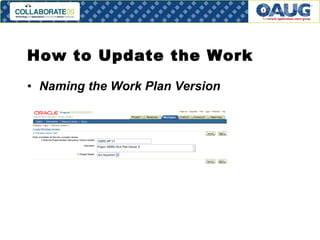
How to Update the Work  Naming the Work Plan Version
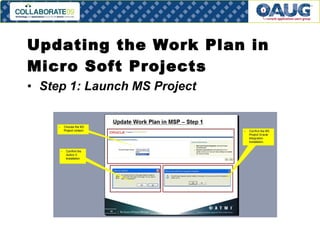
Updating the Work Plan in Micro Soft Projects Step 1: Launch MS Project
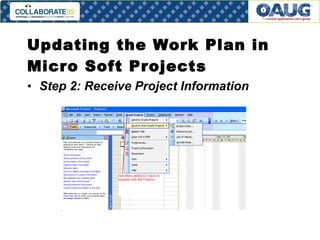
Updating the Work Plan in Micro Soft Projects Step 2: Receive Project Information
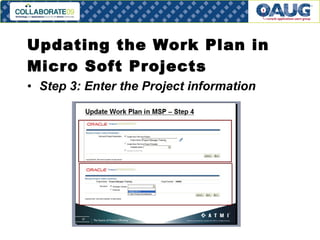
Updating the Work Plan in Micro Soft Projects Step 3: Enter the Project information
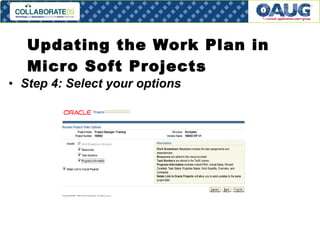
Updating the Work Plan in Micro Soft Projects Step 4: Select your options
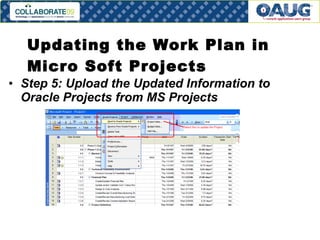
Updating the Work Plan in Micro Soft Projects Step 5: Upload the Updated Information to Oracle Projects from MS Projects
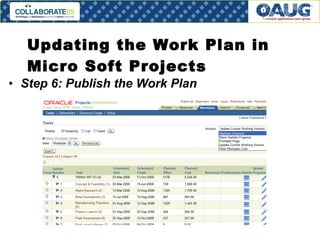
Updating the Work Plan in Micro Soft Projects Step 6: Publish the Work Plan
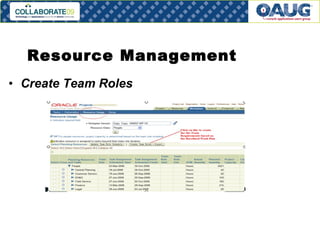
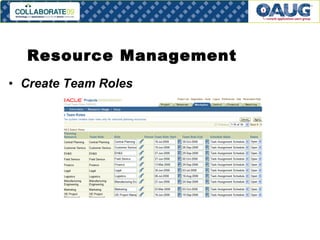
Resource Management Create Team Roles
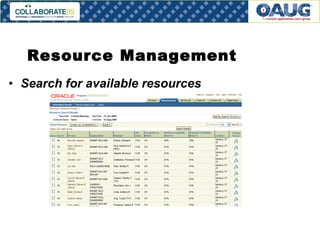
Resource Management Search for available resources
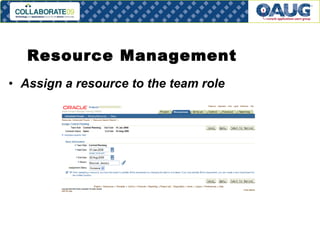
Resource Management Assign a resource to the team role
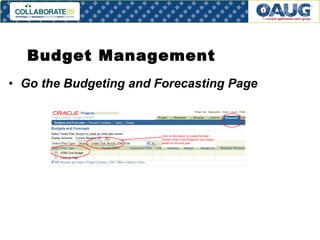
Budget Management Go the Budgeting and Forecasting Page
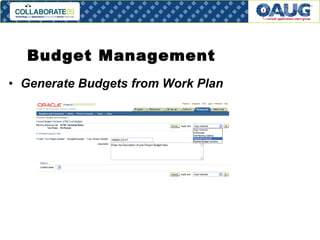
Budget Management Generate Budgets from Work Plan
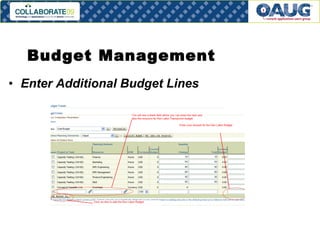
Budget Management Enter Additional Budget Lines
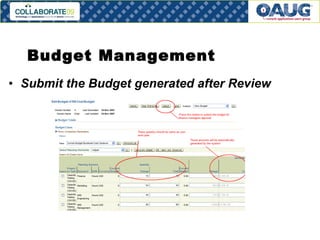
Budget Management Submit the Budget generated after Review
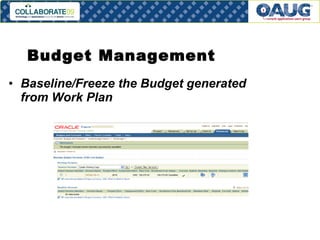
Budget Management Baseline/Freeze the Budget generated from Work Plan
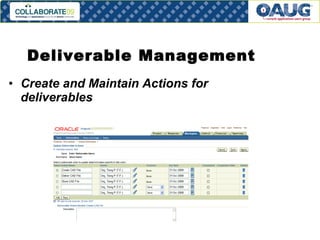
Deliverable Management Create and Maintain Actions for deliverables
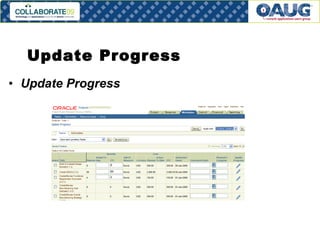
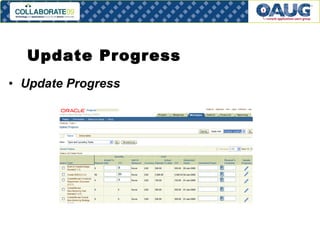
Update Progress Update Progress
More Features Create forecasts Create and manage issues Create change orders
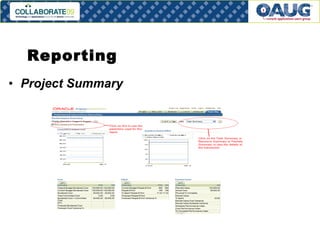
Reporting Project Summary
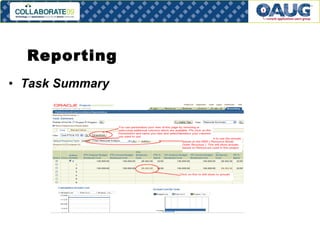
Reporting Task Summary
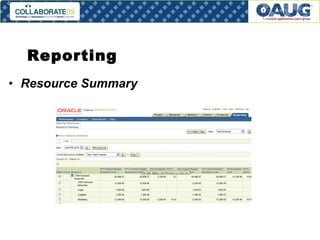
Reporting Resource Summary
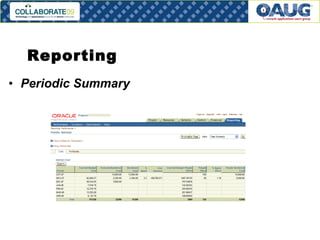
Reporting Periodic Summary
Metrics  Percent new product meeting revenue targets Percent new products meeting product cost targets Percent new products meeting launch date targets Percent of new products meeting product quality targets Percent of new products meeting product development cost targets
Q & A  Please e-mail your questions to the author, Kirit Goyal. E-Mail:  [email_address] Please complete your session survey and hand it over to the room coordinator – Session #  1482 Session Presenter: Mohan Dutt The presentation is available for download at  http://tinyurl.com/col09session1482

Faster New Product Introduction Using Oracle Project Portfolio Management

  • 1.
    Faster New ProductIntroduction Using Oracle Project Portfolio Management Author: Kirit Goyal, Program Manager Presenter: Mohan Dutt Session # 1482
  • 2.
    Issue at handImprove product development, product innovation and engineering processes in order to increase revenues, decrease cost and improve profitability
  • 3.
    Pressures from productlife cycle development Shorter development cycles / time to market Cost pressures Need for more innovation Need for revenue growth Support global growth and outsourcing
  • 4.
    New Product LifeCycle 1 2 3 4 5 6 Concept & Feasibility Alpha Research Beta Development Mfg Transition Product Launch Field Assessment Deployment Support Market Assessment Technical Feasibility Project Definition Launch Preparation Critical Design Review Supply Chain Assessment Customer Engagement Functional Requirements Supply Chain Identification Prototype Development Preliminary Design Review Value Model Launch Execution Customer Support Design Quality Development Key Phase Milestones Post Launch Review END Opportunity Analysis Project Proposal Ideation
  • 5.
    Project Collaboration Sharingproject data Sharing product data in a project context Shared workflows Task management Resource management
  • 6.
    Project Collaboration ActionsImproving execution of cross team performances Improving actions of cross enterprise projects Improving visibility of project status Enforce common project methodologies Providing a common repository for project deliverables Provide management oversight task execution
  • 7.
    Product Management ProcessOverview Project Proposal Portfolio Management Committees (PMCs) DEEP Manager Customer Driven Ideas Idea Screening Market Driven Ideas Technology Driven Ideas Product Manager Product Coordinator Monthly Project Status Update Project Manager Project Team Customer Validation
  • 8.
  • 9.
    How to CreateProject Step 1: Choose the Template from which Project has to be created  
  • 10.
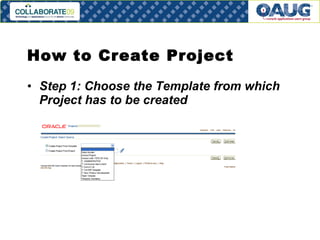
    How to CreateProject Step 1: Choose the Template from which Project has to be created  
  • 11.
    How to CreateProject - Step 2: Enter the Project Attributes  
  • 12.
    How to Updatethe Work Step 1: Main Work Plan Page
  • 13.
    How to Updatethe Work Step 2: Maintain Work Plan
  • 14.
    How to Updatethe Work Naming the Work Plan Version
  • 15.
    Updating the WorkPlan in Micro Soft Projects Step 1: Launch MS Project
  • 16.
    Updating the WorkPlan in Micro Soft Projects Step 2: Receive Project Information
  • 17.
    Updating the WorkPlan in Micro Soft Projects Step 3: Enter the Project information
  • 18.
    Updating the WorkPlan in Micro Soft Projects Step 4: Select your options
  • 19.
    Updating the WorkPlan in Micro Soft Projects Step 5: Upload the Updated Information to Oracle Projects from MS Projects
  • 20.
    Updating the WorkPlan in Micro Soft Projects Step 6: Publish the Work Plan
  • 21.
  • 22.
  • 23.
    Resource Management Searchfor available resources
  • 24.
    Resource Management Assigna resource to the team role
  • 25.
    Budget Management Gothe Budgeting and Forecasting Page
  • 26.
    Budget Management GenerateBudgets from Work Plan
  • 27.
    Budget Management EnterAdditional Budget Lines
  • 28.
    Budget Management Submitthe Budget generated after Review
  • 29.
    Budget Management Baseline/Freezethe Budget generated from Work Plan
  • 30.
    Deliverable Management Createand Maintain Actions for deliverables
  • 31.
  • 32.
  • 33.
    More Features Createforecasts Create and manage issues Create change orders
  • 34.
  • 35.
  • 36.
  • 37.
  • 38.
    Metrics Percentnew product meeting revenue targets Percent new products meeting product cost targets Percent new products meeting launch date targets Percent of new products meeting product quality targets Percent of new products meeting product development cost targets
  • 39.
    Q & A Please e-mail your questions to the author, Kirit Goyal. E-Mail: [email_address] Please complete your session survey and hand it over to the room coordinator – Session # 1482 Session Presenter: Mohan Dutt The presentation is available for download at http://tinyurl.com/col09session1482