Systems Analysis and Design
9th Edition
Chapter 7
Development Strategies
Chapter Objectives
• Describe the concept of Software as a Service
• Define Web 2.0 and cloud computing
• Explain software acquisition alternatives,
including traditional and Web-based software
development strategies
• Describe software outsourcing options,
including offshore outsourcing and the role of
service providers
2
Chapter Objectives
• Explain advantages and disadvantages of in-
house software development
• Explain cost-benefit analysis and financial
analysis tools
• Explain the differences between a request for
proposal (RFP) and a request for quotation
(RFQ)
• Describe the system requirements document
3
Chapter Objectives
• Explain the transition from systems analysis to
systems design, and the importance of
prototyping
• Discuss guidelines for systems design
• Describe software development trends
4
Introduction
• Chapter 7 describes the remaining activities in
the systems analysis phase
• The chapter also describes the transition to
systems design, prototyping, and systems
design guidelines
• The chapter concludes with a discussion of
trends in software development
5
Development Strategies Overview
• Selecting the best development path is an
important decision that requires companies to
consider three key topics
– The impact of the Internet
– Software outsourcing options
– In-house software development alternatives
6
The Impact of the Internet
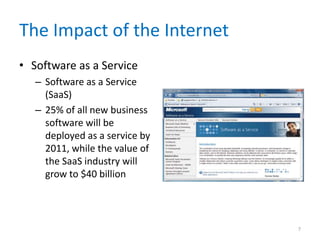
• Software as a Service
– Software as a Service
(SaaS)
– 25% of all new business
software will be
deployed as a service by
2011, while the value of
the SaaS industry will
grow to $40 billion
7
The Impact of the Internet
• Traditional vs. Web-Based Systems
Development
– Traditional development
• System design is influenced by compatibility issues
• Systems are designed to run on local and wide-area
company networks
• Systems often utilize Internet links and resources, but
Web-based features are treated as enhancements
rather than core elements of the design
8
The Impact of the Internet
• Traditional vs. Web-Based Systems
Development
– Web-based development
• Systems are developed and delivered in an Internet-
based framework such as .NET or WebSphere
• Although there is a major trend toward Web-based
architecture, many firms rely on traditional systems
9
The Impact of the Internet
• Looking to the Future:
Web 2.0 and Cloud
Computing
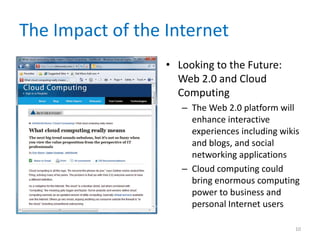
– The Web 2.0 platform will
enhance interactive
experiences including wikis
and blogs, and social
networking applications
– Cloud computing could
bring enormous computing
power to business and
personal Internet users
10
Outsourcing
• The Growth of
Outsourcing
– A firm that offers
outsourcing solutions is
called a service provider
– Application service
providers (ASP)
– Internet business
services (IBS)
• Also called managed
hosting
11
Outsourcing
• Outsourcing Fees
– A fixed fee model uses a set fee based on a
specified level of service and user support
– A subscription model has a variable fee based on
the number of users or workstations that have
access to the application
– A usage model or transaction model charges a
variable fee based on the volume of transactions
or operations performed by the application
12
Outsourcing
• Outsourcing Issues and Concerns
– Mission-critical IT systems should be outsourced
only if the result is a cost-
attractive, reliable, business solution that fits the
company’s long-term business strategy
– Outsourcing also can affect day-to-day company
operations and can raise some concerns
13
Outsourcing
• Offshore Outsourcing
– Offshore outsourcing – global outsourcing
– Many firms are sending IT work overseas at an
increasing rate
– The main reason for offshore outsourcing is the
same as domestic outsourcing: lower bottom-line
costs
– Offshore outsourcing, however, involves some
unique risks and concerns
14
In-House Software Development
Options
• Make or Buy Decision
– The choice between developing versus purchasing
software often is called a make or buy, or build or
buy decision
– The company’s IT department makes, builds, and
develops in-house software
– A software package is obtained from a vendor or
application service provider.
15
In-House Software Development
Options
• Developing Software In-House
– Satisfy unique business requirements
– Minimize changes in business procedures and
policies
– Meet constraints of existing systems
– Meet constraints of existing technology
– Develop internal resources and capabilities
16
In-House Software Development
Options
• Purchasing a Software Package
– Lower costs
– Requires less time to implement
– Proven reliability and performance benchmarks
– Requires less technical development staff
– Future upgrades provided by the vendor
– Input from other companies
17
In-House Software Development
Options
• Customizing a Software Package
1. You can purchase a basic package that vendors
will customize to suit your needs
2. You can negotiate directly with the software
vendor to make enhancements to meet your
needs by paying for the changes
3. You can purchase the package and make your
own modifications, if this is permissible under
the terms of the software license
18
In-House Software Development
Options
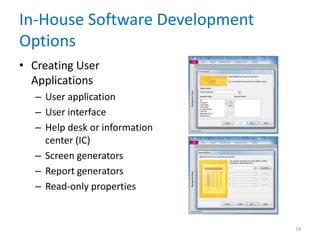
• Creating User
Applications
– User application
– User interface
– Help desk or information
center (IC)
– Screen generators
– Report generators
– Read-only properties
19
Role of the Systems Analyst
• When selecting hardware and
software, systems analysts often work as an
evaluation and selection team
• The primary objective of the evaluation and
selection team is to eliminate system
alternatives that will not meet
requirements, rank the system alternatives
that are feasible, and present the viable
alternatives to management for a final
decision
20
Analyzing Cost and Benefits
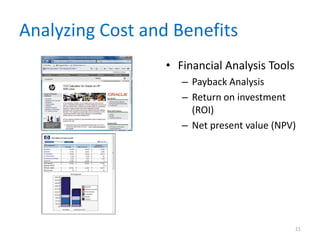
• Financial Analysis Tools
– Payback Analysis
– Return on investment
(ROI)
– Net present value (NPV)
21
Analyzing Cost and Benefits
• Cost-Benefit Analysis Checklist
– List each development strategy being considered
– Identify all costs and benefits for each alternative.
Be sure to indicate when costs will be incurred
and benefits realized
– Consider future growth and the need for
scalability
– Include support costs for hardware and software
22
Analyzing Cost and Benefits
• Cost-Benefit Analysis Checklist
– Analyze various software licensing
options, including fixed fees and formulas based
on the number of users or transactions
– Apply the financial analysis tools to each
alternative
– Study the results and prepare a report to
management
23
The Software Acquisition Process
• Step 1: Evaluate the Information System
Requirements
– Identify key features
– Consider network and web-related issues
– Estimate volume and future growth
– Specify hardware, software, or personnel
constraints
– Prepare a request for proposal or quotation
24
The Software Acquisition Process
• Step 2: Identify Potential Vendors or
Outsourcing Options
– The Internet is a primary marketplace
– Another approach is to work with a consulting
firm
– Another valuable resource is the Internet bulletin
board system that contains thousands of forums,
called newsgroups
25
The Software Acquisition Process
• Step 3: Evaluate the Alternatives
– Existing users
– Application testing
– Benchmarking - benchmark
– Match each package against the RFP features and
rank the choices
26
The Software Acquisition Process
• Step 4: Perform Cost-Benefit Analysis
– Identify and calculate TCO for each option you are
considering
– When you purchase software, what you are
buying is a software license
– If you purchase a software package, consider a
supplemental maintenance agreement
27
The Software Acquisition Process
• Step 5: Prepare a Recommendation
– You should prepare a recommendation that
evaluates and describes the alternatives, together
with the costs, benefits, advantages, and
disadvantages of each option
– At this point, you may be required to submit a
formal system requirements document and
deliver a presentation
28
The Software Acquisition Process
• Step 6: Implement the Solution
– Implementation tasks will depend on the solution
selected
– Before the new software becomes
operational, you must complete all
implementation steps, including
loading, configuring, and testing the software;
training users; and converting data files to the
new system’s format
29
Completion of Systems Analysis Tasks
• System Requirements Document
– The system requirements document, or software
requirements specification, contains the
requirements for the new system, describes the
alternatives that were considered, and makes a
specific recommendation to management
– Like a contract
– Format and organize it so it is easy to read and use
30
Completion of Systems Analysis Tasks
• Presentation to Management
– Summarize the primary viable alternatives
– Explain why the evaluation and selection team
chose the recommended alternative
– Allow time for discussion and for questions and
answers
– Obtain a final decision from management or agree
on a timetable for the next step in the process
31
Completion of Systems Analysis Tasks
• Presentation to Management
– Depending on their decision, your next task as a
systems analyst will be one of the following
1. Implement an outsourcing alternative
2. Develop an in-house system
3. Purchase or customize a software package
4. Perform additional systems analysis work
5. Stop all further work
32
The Transition to Systems Design
• Preparing for Systems Design Tasks
– It is essential to have an accurate and
understandable system requirements document
• Logical and Physical Design
– The logical design defines the functions and
features of the system and the relationships
among its components
– The physical design of an information system is a
plan for the actual implementation of the system
33
Systems Design Guidelines
• Overview
– A system is effective if it supports business
requirements and meets user needs
– A system is reliable if it handles input errors,
processing errors, hardware failures, or human
mistakes
– A system is maintainable if it is flexible, scalable,
and easily modified
34
Systems Design Guidelines
• Overview
– User Considerations
• Carefully consider any point where users receive output
from, or provide input
• Anticipate future needs - Y2K Issue
• Provide flexibility
• Parameter, default
35
Systems Design Guidelines
• Overview
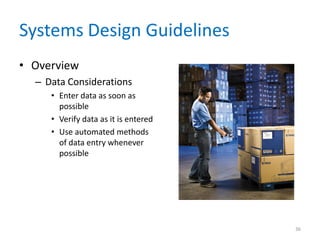
– Data Considerations
• Enter data as soon as
possible
• Verify data as it is entered
• Use automated methods
of data entry whenever
possible
36
Systems Design Guidelines
• Overview
– Data Considerations
• Control data entry access and report all entries or
changes to critical values – audit trail
• Log every instance of data entry and changes
• Enter data once
• Avoid data duplication
37
Systems Design Guidelines
• Overview
– Architecture considerations
• Use a modular design
• Design modules that perform a single function are
easier to understand, implement, and maintain
38
Systems Design Guidelines
• Design Trade-Offs
– Design goals often conflict with each other
– Most design trade-off decisions that you will face
come down to the basic conflict of quality versus
cost
– Avoid decisions that achieve short-term savings
but might mean higher costs later
39
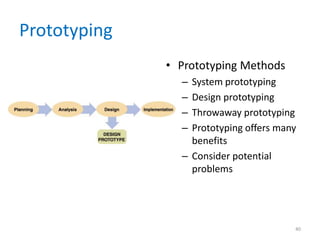
Prototyping
• Prototyping Methods
– System prototyping
– Design prototyping
– Throwaway prototyping
– Prototyping offers many
benefits
– Consider potential
problems
40
Prototyping
• Prototyping Tools
– CASE tools
– Application generators
– Report generators
– Screen generators
– Fourth-generation language (4GL)
– Fourth-generation environment
41
Prototyping
• Limitations of Prototypes
– A prototype is a functioning system, but it is less
efficient than a fully developed system
– Systems developers can upgrade the prototype
into the final information system by adding the
necessary capability
– Otherwise, the prototype is discarded
42
Software Development Trends
• Views from the IT Community
– Software quality will be more important than ever
– Project management will be a major focus of IT
managers
43
Software Development Trends
• Views from the IT Community
– Service-oriented architecture (SOA)
• Loose coupling
– Growth in open-source software
– Developers will use more Web services
– Programmers will continue to use dynamic
languages
44
Chapter Summary
• This chapter describes system development
strategies, the preparation and presentation of
the system requirements document, and the
transition to the systems design phase of the
SDLC
• An important trend that views software as a
service, rather than a product, has created new
software acquisition options
• Systems analysts must consider Web-based
development environments
45
Chapter Summary
• The systems analyst’s role in the software
development process depends on the specific
development strategy
• The most important factor in choosing a
development strategy is total cost of ownership
(TCO)
• The process of acquiring software involves a
series of steps
• A prototype is a working model of the proposed
system
46
Chapter Summary
• Chapter 7 complete
47

chapter07-120827115403-phpapp01.pdf

  • 1.
    Systems Analysis andDesign 9th Edition Chapter 7 Development Strategies
  • 2.
    Chapter Objectives • Describethe concept of Software as a Service • Define Web 2.0 and cloud computing • Explain software acquisition alternatives, including traditional and Web-based software development strategies • Describe software outsourcing options, including offshore outsourcing and the role of service providers 2
  • 3.
    Chapter Objectives • Explainadvantages and disadvantages of in- house software development • Explain cost-benefit analysis and financial analysis tools • Explain the differences between a request for proposal (RFP) and a request for quotation (RFQ) • Describe the system requirements document 3
  • 4.
    Chapter Objectives • Explainthe transition from systems analysis to systems design, and the importance of prototyping • Discuss guidelines for systems design • Describe software development trends 4
  • 5.
    Introduction • Chapter 7describes the remaining activities in the systems analysis phase • The chapter also describes the transition to systems design, prototyping, and systems design guidelines • The chapter concludes with a discussion of trends in software development 5
  • 6.
    Development Strategies Overview •Selecting the best development path is an important decision that requires companies to consider three key topics – The impact of the Internet – Software outsourcing options – In-house software development alternatives 6
  • 7.
    The Impact ofthe Internet • Software as a Service – Software as a Service (SaaS) – 25% of all new business software will be deployed as a service by 2011, while the value of the SaaS industry will grow to $40 billion 7
  • 8.
    The Impact ofthe Internet • Traditional vs. Web-Based Systems Development – Traditional development • System design is influenced by compatibility issues • Systems are designed to run on local and wide-area company networks • Systems often utilize Internet links and resources, but Web-based features are treated as enhancements rather than core elements of the design 8
  • 9.
    The Impact ofthe Internet • Traditional vs. Web-Based Systems Development – Web-based development • Systems are developed and delivered in an Internet- based framework such as .NET or WebSphere • Although there is a major trend toward Web-based architecture, many firms rely on traditional systems 9
  • 10.
    The Impact ofthe Internet • Looking to the Future: Web 2.0 and Cloud Computing – The Web 2.0 platform will enhance interactive experiences including wikis and blogs, and social networking applications – Cloud computing could bring enormous computing power to business and personal Internet users 10
  • 11.
    Outsourcing • The Growthof Outsourcing – A firm that offers outsourcing solutions is called a service provider – Application service providers (ASP) – Internet business services (IBS) • Also called managed hosting 11
  • 12.
    Outsourcing • Outsourcing Fees –A fixed fee model uses a set fee based on a specified level of service and user support – A subscription model has a variable fee based on the number of users or workstations that have access to the application – A usage model or transaction model charges a variable fee based on the volume of transactions or operations performed by the application 12
  • 13.
    Outsourcing • Outsourcing Issuesand Concerns – Mission-critical IT systems should be outsourced only if the result is a cost- attractive, reliable, business solution that fits the company’s long-term business strategy – Outsourcing also can affect day-to-day company operations and can raise some concerns 13
  • 14.
    Outsourcing • Offshore Outsourcing –Offshore outsourcing – global outsourcing – Many firms are sending IT work overseas at an increasing rate – The main reason for offshore outsourcing is the same as domestic outsourcing: lower bottom-line costs – Offshore outsourcing, however, involves some unique risks and concerns 14
  • 15.
    In-House Software Development Options •Make or Buy Decision – The choice between developing versus purchasing software often is called a make or buy, or build or buy decision – The company’s IT department makes, builds, and develops in-house software – A software package is obtained from a vendor or application service provider. 15
  • 16.
    In-House Software Development Options •Developing Software In-House – Satisfy unique business requirements – Minimize changes in business procedures and policies – Meet constraints of existing systems – Meet constraints of existing technology – Develop internal resources and capabilities 16
  • 17.
    In-House Software Development Options •Purchasing a Software Package – Lower costs – Requires less time to implement – Proven reliability and performance benchmarks – Requires less technical development staff – Future upgrades provided by the vendor – Input from other companies 17
  • 18.
    In-House Software Development Options •Customizing a Software Package 1. You can purchase a basic package that vendors will customize to suit your needs 2. You can negotiate directly with the software vendor to make enhancements to meet your needs by paying for the changes 3. You can purchase the package and make your own modifications, if this is permissible under the terms of the software license 18
  • 19.
    In-House Software Development Options •Creating User Applications – User application – User interface – Help desk or information center (IC) – Screen generators – Report generators – Read-only properties 19
  • 20.
    Role of theSystems Analyst • When selecting hardware and software, systems analysts often work as an evaluation and selection team • The primary objective of the evaluation and selection team is to eliminate system alternatives that will not meet requirements, rank the system alternatives that are feasible, and present the viable alternatives to management for a final decision 20
  • 21.
    Analyzing Cost andBenefits • Financial Analysis Tools – Payback Analysis – Return on investment (ROI) – Net present value (NPV) 21
  • 22.
    Analyzing Cost andBenefits • Cost-Benefit Analysis Checklist – List each development strategy being considered – Identify all costs and benefits for each alternative. Be sure to indicate when costs will be incurred and benefits realized – Consider future growth and the need for scalability – Include support costs for hardware and software 22
  • 23.
    Analyzing Cost andBenefits • Cost-Benefit Analysis Checklist – Analyze various software licensing options, including fixed fees and formulas based on the number of users or transactions – Apply the financial analysis tools to each alternative – Study the results and prepare a report to management 23
  • 24.
    The Software AcquisitionProcess • Step 1: Evaluate the Information System Requirements – Identify key features – Consider network and web-related issues – Estimate volume and future growth – Specify hardware, software, or personnel constraints – Prepare a request for proposal or quotation 24
  • 25.
    The Software AcquisitionProcess • Step 2: Identify Potential Vendors or Outsourcing Options – The Internet is a primary marketplace – Another approach is to work with a consulting firm – Another valuable resource is the Internet bulletin board system that contains thousands of forums, called newsgroups 25
  • 26.
    The Software AcquisitionProcess • Step 3: Evaluate the Alternatives – Existing users – Application testing – Benchmarking - benchmark – Match each package against the RFP features and rank the choices 26
  • 27.
    The Software AcquisitionProcess • Step 4: Perform Cost-Benefit Analysis – Identify and calculate TCO for each option you are considering – When you purchase software, what you are buying is a software license – If you purchase a software package, consider a supplemental maintenance agreement 27
  • 28.
    The Software AcquisitionProcess • Step 5: Prepare a Recommendation – You should prepare a recommendation that evaluates and describes the alternatives, together with the costs, benefits, advantages, and disadvantages of each option – At this point, you may be required to submit a formal system requirements document and deliver a presentation 28
  • 29.
    The Software AcquisitionProcess • Step 6: Implement the Solution – Implementation tasks will depend on the solution selected – Before the new software becomes operational, you must complete all implementation steps, including loading, configuring, and testing the software; training users; and converting data files to the new system’s format 29
  • 30.
    Completion of SystemsAnalysis Tasks • System Requirements Document – The system requirements document, or software requirements specification, contains the requirements for the new system, describes the alternatives that were considered, and makes a specific recommendation to management – Like a contract – Format and organize it so it is easy to read and use 30
  • 31.
    Completion of SystemsAnalysis Tasks • Presentation to Management – Summarize the primary viable alternatives – Explain why the evaluation and selection team chose the recommended alternative – Allow time for discussion and for questions and answers – Obtain a final decision from management or agree on a timetable for the next step in the process 31
  • 32.
    Completion of SystemsAnalysis Tasks • Presentation to Management – Depending on their decision, your next task as a systems analyst will be one of the following 1. Implement an outsourcing alternative 2. Develop an in-house system 3. Purchase or customize a software package 4. Perform additional systems analysis work 5. Stop all further work 32
  • 33.
    The Transition toSystems Design • Preparing for Systems Design Tasks – It is essential to have an accurate and understandable system requirements document • Logical and Physical Design – The logical design defines the functions and features of the system and the relationships among its components – The physical design of an information system is a plan for the actual implementation of the system 33
  • 34.
    Systems Design Guidelines •Overview – A system is effective if it supports business requirements and meets user needs – A system is reliable if it handles input errors, processing errors, hardware failures, or human mistakes – A system is maintainable if it is flexible, scalable, and easily modified 34
  • 35.
    Systems Design Guidelines •Overview – User Considerations • Carefully consider any point where users receive output from, or provide input • Anticipate future needs - Y2K Issue • Provide flexibility • Parameter, default 35
  • 36.
    Systems Design Guidelines •Overview – Data Considerations • Enter data as soon as possible • Verify data as it is entered • Use automated methods of data entry whenever possible 36
  • 37.
    Systems Design Guidelines •Overview – Data Considerations • Control data entry access and report all entries or changes to critical values – audit trail • Log every instance of data entry and changes • Enter data once • Avoid data duplication 37
  • 38.
    Systems Design Guidelines •Overview – Architecture considerations • Use a modular design • Design modules that perform a single function are easier to understand, implement, and maintain 38
  • 39.
    Systems Design Guidelines •Design Trade-Offs – Design goals often conflict with each other – Most design trade-off decisions that you will face come down to the basic conflict of quality versus cost – Avoid decisions that achieve short-term savings but might mean higher costs later 39
  • 40.
    Prototyping • Prototyping Methods –System prototyping – Design prototyping – Throwaway prototyping – Prototyping offers many benefits – Consider potential problems 40
  • 41.
    Prototyping • Prototyping Tools –CASE tools – Application generators – Report generators – Screen generators – Fourth-generation language (4GL) – Fourth-generation environment 41
  • 42.
    Prototyping • Limitations ofPrototypes – A prototype is a functioning system, but it is less efficient than a fully developed system – Systems developers can upgrade the prototype into the final information system by adding the necessary capability – Otherwise, the prototype is discarded 42
  • 43.
    Software Development Trends •Views from the IT Community – Software quality will be more important than ever – Project management will be a major focus of IT managers 43
  • 44.
    Software Development Trends •Views from the IT Community – Service-oriented architecture (SOA) • Loose coupling – Growth in open-source software – Developers will use more Web services – Programmers will continue to use dynamic languages 44
  • 45.
    Chapter Summary • Thischapter describes system development strategies, the preparation and presentation of the system requirements document, and the transition to the systems design phase of the SDLC • An important trend that views software as a service, rather than a product, has created new software acquisition options • Systems analysts must consider Web-based development environments 45
  • 46.
    Chapter Summary • Thesystems analyst’s role in the software development process depends on the specific development strategy • The most important factor in choosing a development strategy is total cost of ownership (TCO) • The process of acquiring software involves a series of steps • A prototype is a working model of the proposed system 46
  • 47.