Facebook Privacy
Setting Tutorial
By: Lee KarMun
Hi everyone today im going to show you few easy step
to protect your Facebook privacy setting.
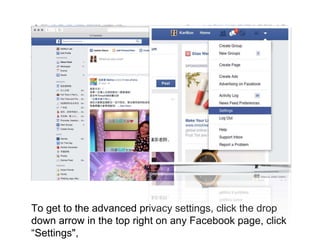
To get to the advanced privacy settings, click the drop
down arrow in the top right on any Facebook page, click
“Settings",
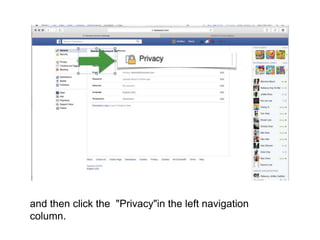
and then click the "Privacy"in the left navigation
column.
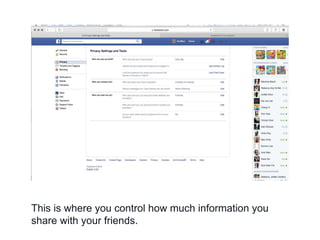
This is where you control how much information you
share with your friends.
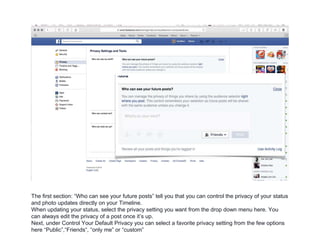
The first section: “Who can see your future posts” tell you that you can control the privacy of your status
and photo updates directly on your Timeline.
When updating your status, select the privacy setting you want from the drop down menu here. You
can always edit the privacy of a post once it’s up.
Next, under Control Your Default Privacy you can select a favorite privacy setting from the few options
here “Public”,“Friends“, “only me” or “custom”
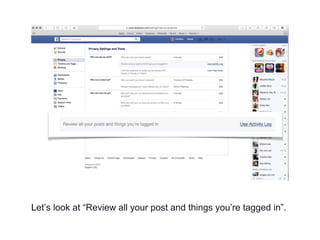
Let’s look at “Review all your post and things you’re tagged in”.
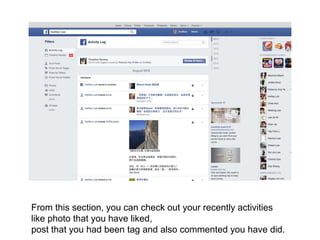
From this section, you can check out your recently activities
like photo that you have liked,
post that you had been tag and also commented you have did.
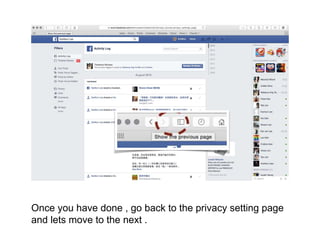
Once you have done , go back to the privacy setting page
and lets move to the next .
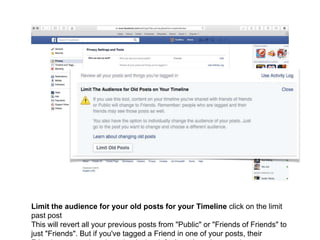
Limit the audience for your old posts for your Timeline click on the limit
past post
This will revert all your previous posts from "Public" or "Friends of Friends" to
just "Friends". But if you've tagged a Friend in one of your posts, their
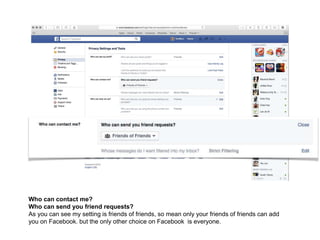
Who can contact me?
Who can send you friend requests?
As you can see my setting is friends of friends, so mean only your friends of friends can add
you on Facebook. but the only other choice on Facebook is everyone.
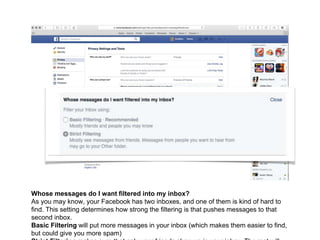
Whose messages do I want filtered into my inbox?
As you may know, your Facebook has two inboxes, and one of them is kind of hard to
find. This setting determines how strong the filtering is that pushes messages to that
second inbox.
Basic Filtering will put more messages in your inbox (which makes them easier to find,
but could give you more spam)
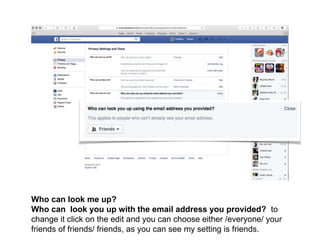
Who can look me up?
Who can look you up with the email address you provided? to
change it click on the edit and you can choose either /everyone/ your
friends of friends/ friends, as you can see my setting is friends.
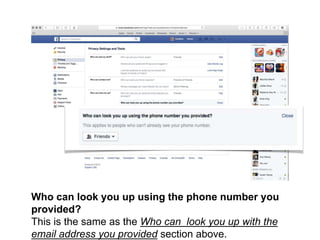
Who can look you up using the phone number you
provided?
This is the same as the Who can look you up with the
email address you provided section above.
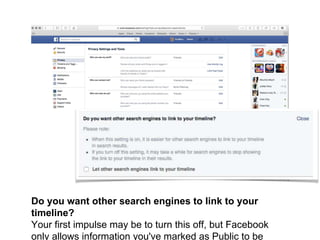
Do you want other search engines to link to your
timeline?
Your first impulse may be to turn this off, but Facebook
only allows information you've marked as Public to be
And that’s it! Thank you for listening and
please leave your comments in the
comments section below.
Have a good day.Bye~~

Facebook Privacy Setting Tutorial

  • 1.
  • 2.
    Hi everyone todayim going to show you few easy step to protect your Facebook privacy setting.
  • 3.
    To get tothe advanced privacy settings, click the drop down arrow in the top right on any Facebook page, click “Settings",
  • 4.
    and then clickthe "Privacy"in the left navigation column.
  • 5.
    This is whereyou control how much information you share with your friends.
  • 6.
    The first section:“Who can see your future posts” tell you that you can control the privacy of your status and photo updates directly on your Timeline. When updating your status, select the privacy setting you want from the drop down menu here. You can always edit the privacy of a post once it’s up. Next, under Control Your Default Privacy you can select a favorite privacy setting from the few options here “Public”,“Friends“, “only me” or “custom”
  • 7.
    Let’s look at“Review all your post and things you’re tagged in”.
  • 8.
    From this section,you can check out your recently activities like photo that you have liked, post that you had been tag and also commented you have did.
  • 9.
    Once you havedone , go back to the privacy setting page and lets move to the next .
  • 10.
    Limit the audiencefor your old posts for your Timeline click on the limit past post This will revert all your previous posts from "Public" or "Friends of Friends" to just "Friends". But if you've tagged a Friend in one of your posts, their
  • 11.
    Who can contactme? Who can send you friend requests? As you can see my setting is friends of friends, so mean only your friends of friends can add you on Facebook. but the only other choice on Facebook is everyone.
  • 12.
    Whose messages doI want filtered into my inbox? As you may know, your Facebook has two inboxes, and one of them is kind of hard to find. This setting determines how strong the filtering is that pushes messages to that second inbox. Basic Filtering will put more messages in your inbox (which makes them easier to find, but could give you more spam)
  • 13.
    Who can lookme up? Who can look you up with the email address you provided? to change it click on the edit and you can choose either /everyone/ your friends of friends/ friends, as you can see my setting is friends.
  • 14.
    Who can lookyou up using the phone number you provided? This is the same as the Who can look you up with the email address you provided section above.
  • 15.
    Do you wantother search engines to link to your timeline? Your first impulse may be to turn this off, but Facebook only allows information you've marked as Public to be
  • 16.
    And that’s it!Thank you for listening and please leave your comments in the comments section below. Have a good day.Bye~~