


Facebook
Groups
MASSIVE
Audience
How to Use
www.becomeablogger.com
to build a
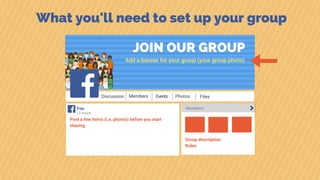
What you'll need to set up your group
JOIN OUR GROUP
Discussion
Add a banner for your group (your group photo)
Members Events Photos Files
13 hours
Members
Post a few items (i.e. photos) before you start
sharing.
Group description
Rules
You
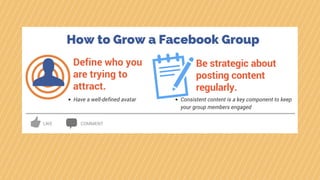
How to Grow a Facebook Group
Define who you
are trying to
attract.
Have a well-defined avatar
Be strategic about
posting content
regularly.
Consistent content is a key component to keep
your group members engaged
LIKE COMMENT
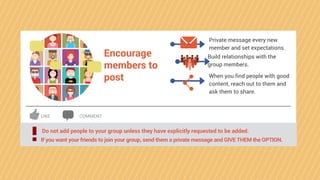
Encourage
members to
post
Private message every new
member and set expectations.
Build relationships with the
group members.
When you find people with good
content, reach out to them and
ask them to share.
Do not add people to your group unless they have explicitly requested to be added.
! If you want your friends to join your group, send them a private message and GIVE THEM the OPTION.
LIKE COMMENT
LIKE COMMENT
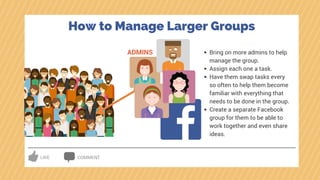
ADMINS Bring on more admins to help
manage the group.
Assign each one a task.
Have them swap tasks every
so often to help them become
familiar with everything that
needs to be done in the group.
Create a separate Facebook
group for them to be able to
work together and even share
ideas.
How to Manage Larger Groups
LIKE COMMENT
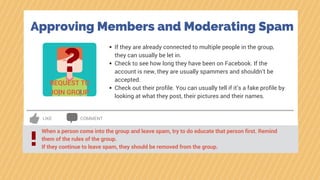
Approving Members and Moderating Spam
?REQUEST TO
JOIN GROUP
If they are already connected to multiple people in the group,
they can usually be let in.
Check to see how long they have been on Facebook. If the
account is new, they are usually spammers and shouldn’t be
accepted.
Check out their profile. You can usually tell if it’s a fake profile by
looking at what they post, their pictures and their names.
When a person come into the group and leave spam, try to do educate that person first. Remind
them of the rules of the group.
If they continue to leave spam, they should be removed from the group.
!
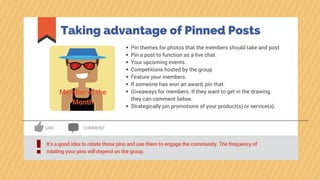
Taking advantage of Pinned Posts
It’s a good idea to rotate these pins and use them to engage the community. The frequency of
rotating your pins will depend on the group.!
LIKE COMMENT
Pin themes for photos that the members should take and post
Pin a post to function as a live chat.
Your upcoming events.
Competitions hosted by the group
Feature your members.
If someone has won an award, pin that.
Giveaways for members. If they want to get in the drawing,
they can comment below.
Strategically pin promotions of your product(s) or service(s).
Member of the
Month
Group Files
Yes, you have the option to upload files in groups.
This is a good place to store resources for your members.
A good place for a member directory and for recommendations.
Might be helpful to remind your members at least once a month about
the available resources.
LIKE COMMENT
Most people don’t understand how to use them, so if you use this feature, you need to explain
to your members.!
More on this at www.becomeablogger.com

Facebook Groups: How to Build a Massive Audience

  • 1.
  • 2.
    What you'll needto set up your group JOIN OUR GROUP Discussion Add a banner for your group (your group photo) Members Events Photos Files 13 hours Members Post a few items (i.e. photos) before you start sharing. Group description Rules You
  • 3.
    How to Growa Facebook Group Define who you are trying to attract. Have a well-defined avatar Be strategic about posting content regularly. Consistent content is a key component to keep your group members engaged LIKE COMMENT
  • 4.
    Encourage members to post Private messageevery new member and set expectations. Build relationships with the group members. When you find people with good content, reach out to them and ask them to share. Do not add people to your group unless they have explicitly requested to be added. ! If you want your friends to join your group, send them a private message and GIVE THEM the OPTION. LIKE COMMENT
  • 5.
    LIKE COMMENT ADMINS Bringon more admins to help manage the group. Assign each one a task. Have them swap tasks every so often to help them become familiar with everything that needs to be done in the group. Create a separate Facebook group for them to be able to work together and even share ideas. How to Manage Larger Groups
  • 6.
    LIKE COMMENT Approving Membersand Moderating Spam ?REQUEST TO JOIN GROUP If they are already connected to multiple people in the group, they can usually be let in. Check to see how long they have been on Facebook. If the account is new, they are usually spammers and shouldn’t be accepted. Check out their profile. You can usually tell if it’s a fake profile by looking at what they post, their pictures and their names. When a person come into the group and leave spam, try to do educate that person first. Remind them of the rules of the group. If they continue to leave spam, they should be removed from the group. !
  • 7.
    Taking advantage ofPinned Posts It’s a good idea to rotate these pins and use them to engage the community. The frequency of rotating your pins will depend on the group.! LIKE COMMENT Pin themes for photos that the members should take and post Pin a post to function as a live chat. Your upcoming events. Competitions hosted by the group Feature your members. If someone has won an award, pin that. Giveaways for members. If they want to get in the drawing, they can comment below. Strategically pin promotions of your product(s) or service(s). Member of the Month
  • 8.
    Group Files Yes, youhave the option to upload files in groups. This is a good place to store resources for your members. A good place for a member directory and for recommendations. Might be helpful to remind your members at least once a month about the available resources. LIKE COMMENT Most people don’t understand how to use them, so if you use this feature, you need to explain to your members.!
  • 9.
    More on thisat www.becomeablogger.com