So what’s a “part”?
• Intuitively a part is a portion of an object…
• For the purposes of image processing a
part is a group of features that are
statistically dependent.
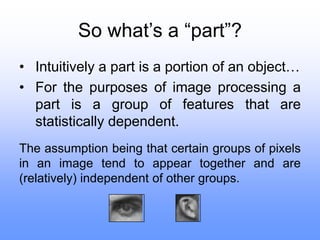
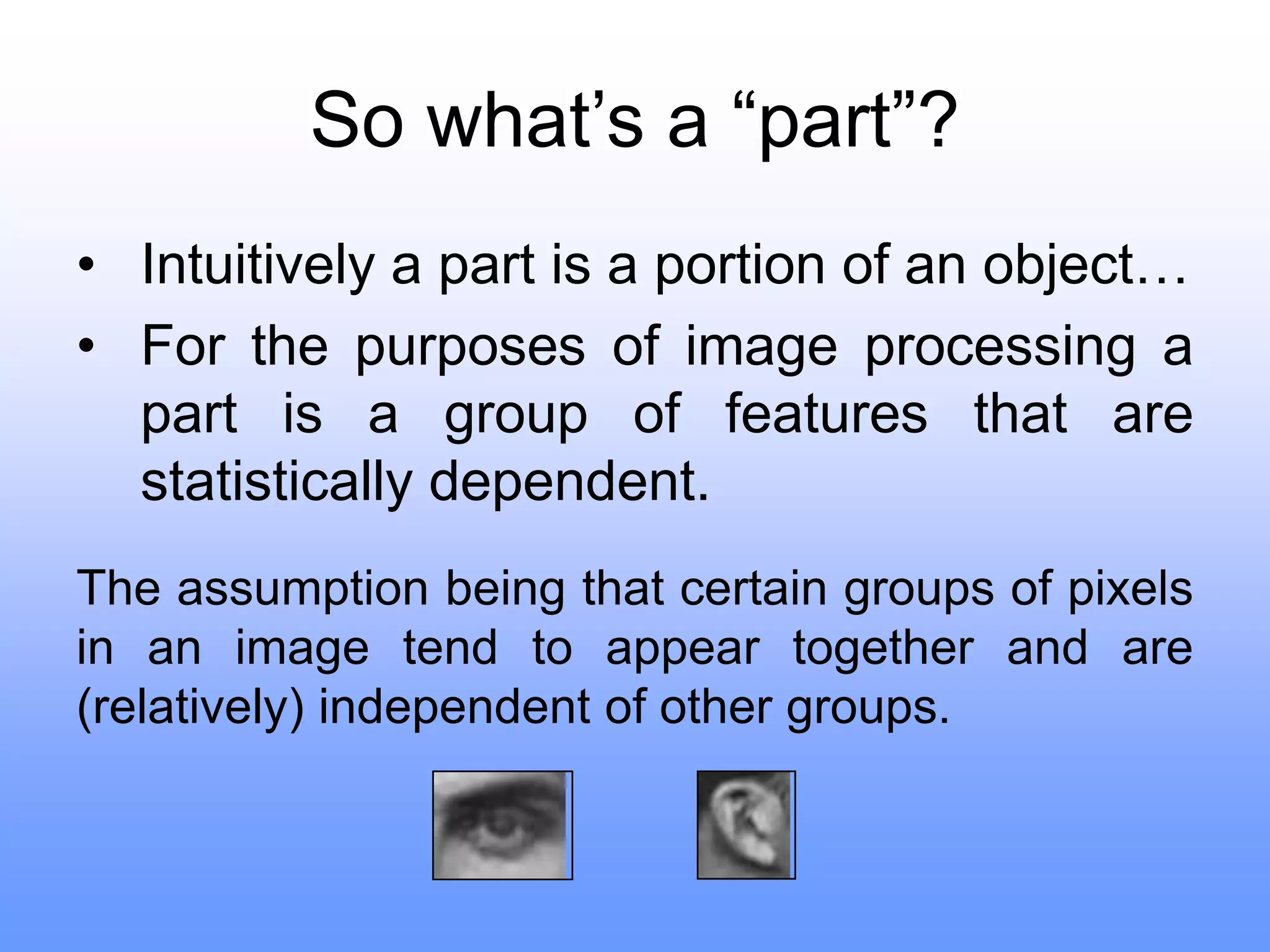
The assumption being that certain groups of pixels
in an image tend to appear together and are
(relatively) independent of other groups.
Choosing parts
First wavelet transform is applied to the image.
This decorrelates the pixels, localizing
dependencies and therefore producing more
“focused” parts.
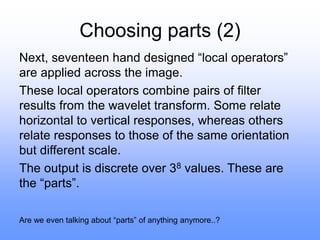
A wavelet transform is the result of
applying a series of wavelet filters to
an image. The result is horizontal,
vertical and diagonal responses for
several scales.
Choosing parts (2)
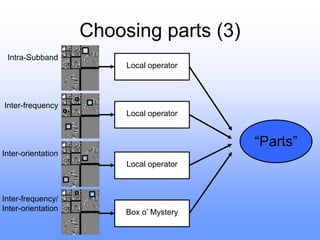
Next, seventeen hand designed “local operators”
are applied across the image.
These local operators combine pairs of filter
results from the wavelet transform. Some relate
horizontal to vertical responses, whereas others
relate responses to those of the same orientation
but different scale.
The output is discrete over 38 values. These are
the “parts”.
Are we even talking about “parts” of anything anymore..?
Choosing parts (3)
Intra-Subband
Inter-orientation
Inter-frequency
Inter-frequency/
Inter-orientation
Local operator
Local operator
Local operator
Box o’ Mystery
“Parts”
Classification by parts
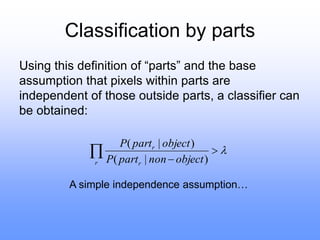
Using this definition of “parts” and the base
assumption that pixels within parts are
independent of those outside parts, a classifier can
be obtained:




r r
r
object
non
part
P
object
part
P
)
|
(
)
|
(
A simple independence assumption…
Learning by parts
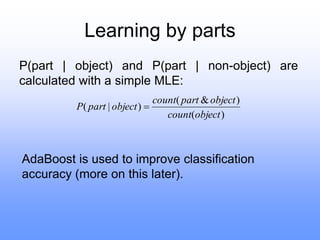
P(part | object) and P(part | non-object) are
calculated with a simple MLE:
)
(
)
&
(
)
|
(
object
count
object
part
count
object
part
P 
AdaBoost is used to improve classification
accuracy (more on this later).
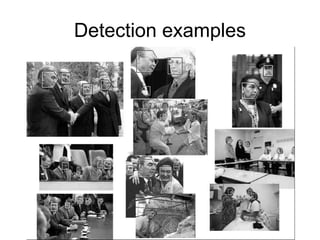
Detection examples
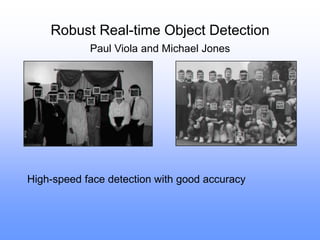
Robust Real-time Object Detection
Paul Viola and Michael Jones
High-speed face detection with good accuracy
The detector
• A simple filter bank with learned weights
applied across the image
• But with some notable performance-
boosting implementation tricks…
Three big speed gains
• Integral image representation and
rectangle features
• Selection of a small but effective feature
set with AdaBoost
• Cascading simple detectors to quickly
eliminate false positives
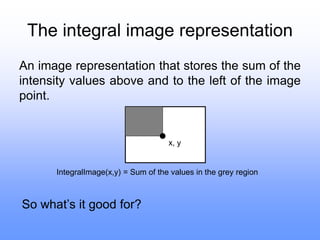
The integral image representation
An image representation that stores the sum of the
intensity values above and to the left of the image
point.
x, y
IntegralImage(x,y) = Sum of the values in the grey region
So what’s it good for?
The integral image representation
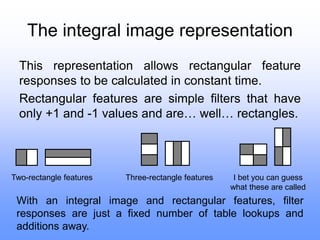
This representation allows rectangular feature
responses to be calculated in constant time.
Rectangular features are simple filters that have
only +1 and -1 values and are… well… rectangles.
Two-rectangle features Three-rectangle features I bet you can guess
what these are called
With an integral image and rectangular features, filter
responses are just a fixed number of table lookups and
additions away.
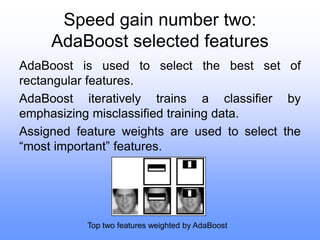
Speed gain number two:
AdaBoost selected features
AdaBoost is used to select the best set of
rectangular features.
AdaBoost iteratively trains a classifier by
emphasizing misclassified training data.
Assigned feature weights are used to select the
“most important” features.
Top two features weighted by AdaBoost
Intermediate results
The face detector using 200 AdaBoost-selected
features achieved a 1 in 14084 false positive rate
when turned for a 95% classification rate.
An 384x288 image took 0.7 seconds to scan.
There are more improvements to be made…
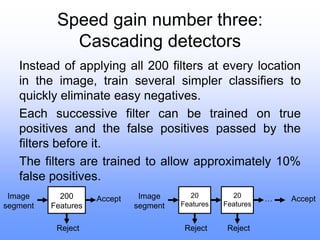
Speed gain number three:
Cascading detectors
Instead of applying all 200 filters at every location
in the image, train several simpler classifiers to
quickly eliminate easy negatives.
Each successive filter can be trained on true
positives and the false positives passed by the
filters before it.
The filters are trained to allow approximately 10%
false positives.
200
Features
Image
segment
Reject
Accept 20
Features
Image
segment
Reject
Accept
20
Features
Reject
…
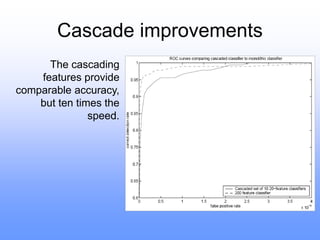
Cascade improvements
The cascading
features provide
comparable accuracy,
but ten times the
speed.
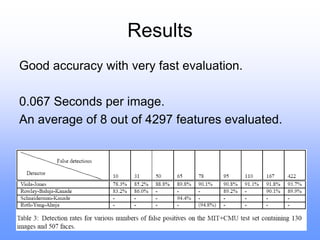
Results
Good accuracy with very fast evaluation.
0.067 Seconds per image.
An average of 8 out of 4297 features evaluated.
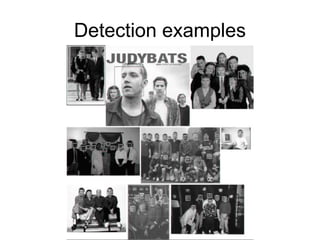
Detection examples

Face recognition.ppt

  • 1.
    So what’s a“part”? • Intuitively a part is a portion of an object… • For the purposes of image processing a part is a group of features that are statistically dependent. The assumption being that certain groups of pixels in an image tend to appear together and are (relatively) independent of other groups.
  • 2.
    Choosing parts First wavelettransform is applied to the image. This decorrelates the pixels, localizing dependencies and therefore producing more “focused” parts. A wavelet transform is the result of applying a series of wavelet filters to an image. The result is horizontal, vertical and diagonal responses for several scales.
  • 3.
    Choosing parts (2) Next,seventeen hand designed “local operators” are applied across the image. These local operators combine pairs of filter results from the wavelet transform. Some relate horizontal to vertical responses, whereas others relate responses to those of the same orientation but different scale. The output is discrete over 38 values. These are the “parts”. Are we even talking about “parts” of anything anymore..?
  • 4.
  • 5.
    Classification by parts Usingthis definition of “parts” and the base assumption that pixels within parts are independent of those outside parts, a classifier can be obtained:     r r r object non part P object part P ) | ( ) | ( A simple independence assumption…
  • 6.
    Learning by parts P(part| object) and P(part | non-object) are calculated with a simple MLE: ) ( ) & ( ) | ( object count object part count object part P  AdaBoost is used to improve classification accuracy (more on this later).
  • 7.
  • 8.
    Robust Real-time ObjectDetection Paul Viola and Michael Jones High-speed face detection with good accuracy
  • 9.
    The detector • Asimple filter bank with learned weights applied across the image • But with some notable performance- boosting implementation tricks…
  • 10.
    Three big speedgains • Integral image representation and rectangle features • Selection of a small but effective feature set with AdaBoost • Cascading simple detectors to quickly eliminate false positives
  • 11.
    The integral imagerepresentation An image representation that stores the sum of the intensity values above and to the left of the image point. x, y IntegralImage(x,y) = Sum of the values in the grey region So what’s it good for?
  • 12.
    The integral imagerepresentation This representation allows rectangular feature responses to be calculated in constant time. Rectangular features are simple filters that have only +1 and -1 values and are… well… rectangles. Two-rectangle features Three-rectangle features I bet you can guess what these are called With an integral image and rectangular features, filter responses are just a fixed number of table lookups and additions away.
  • 13.
    Speed gain numbertwo: AdaBoost selected features AdaBoost is used to select the best set of rectangular features. AdaBoost iteratively trains a classifier by emphasizing misclassified training data. Assigned feature weights are used to select the “most important” features. Top two features weighted by AdaBoost
  • 14.
    Intermediate results The facedetector using 200 AdaBoost-selected features achieved a 1 in 14084 false positive rate when turned for a 95% classification rate. An 384x288 image took 0.7 seconds to scan. There are more improvements to be made…
  • 15.
    Speed gain numberthree: Cascading detectors Instead of applying all 200 filters at every location in the image, train several simpler classifiers to quickly eliminate easy negatives. Each successive filter can be trained on true positives and the false positives passed by the filters before it. The filters are trained to allow approximately 10% false positives. 200 Features Image segment Reject Accept 20 Features Image segment Reject Accept 20 Features Reject …
  • 16.
    Cascade improvements The cascading featuresprovide comparable accuracy, but ten times the speed.
  • 17.
    Results Good accuracy withvery fast evaluation. 0.067 Seconds per image. An average of 8 out of 4297 features evaluated.
  • 18.