© 2013 Paul Borgermans, K-Minds Comm.V.
eZ Find Recipes & Insights
September 4
Bol, Croatia
Paul Borgermans
© 2013 Paul Borgermans, K-Minds Comm.V.
About me
l  12+ years in the eZ ecosystem
-  eZ Lucene → eZ Solr → eZ Find
l  Fancying :
-  Apache Lucene family of projects (mainly Solr)
-  NoSQL (Not only SQL) and scalable architectures
-  eZ Publish & CMS systems in general
-  Semantic aspects
-  PHPBenelux Community & Conference
l  Contact
paul.borgermans@gmail.com
@paulborgermans
© 2013 Paul Borgermans, K-Minds Comm.V.
Part 1: eZ Find Kitchen Basics
•  Get to know the ingredients & tools
•  Installation recipes
•  Basic configuration options
•  Basic indexing
•  Basic searching, filtering and facets
© 2013 Paul Borgermans, K-Minds Comm.V.
Get to know the ingredients &
tools
Powered by
© 2013 Paul Borgermans, K-Minds Comm.V.
eZ Find main search ingredients
l  Tunable relevancy ranking
l  Keyword highlighting
l  Filtering and Facets (drill down navigation)
l  Automatic related content
l  Language dependent optimizations
l  Fast
l  Adaptive to your domain data models
l  Leverages Apache Solr/Lucene
© 2013 Paul Borgermans, K-Minds Comm.V.
eZ Find with two main additional roles
l  eZ Find to replace your (complex) ‘fetch
content’ calls
-  Speed up template rendering, especially with
complex dynamic pages
l  eZ Find/Solr as a content and integration
engine
-  Document oriented storage system
(hello NoSQL)
-  Archive use-case
-  External content
© 2013 Paul Borgermans, K-Minds Comm.V.
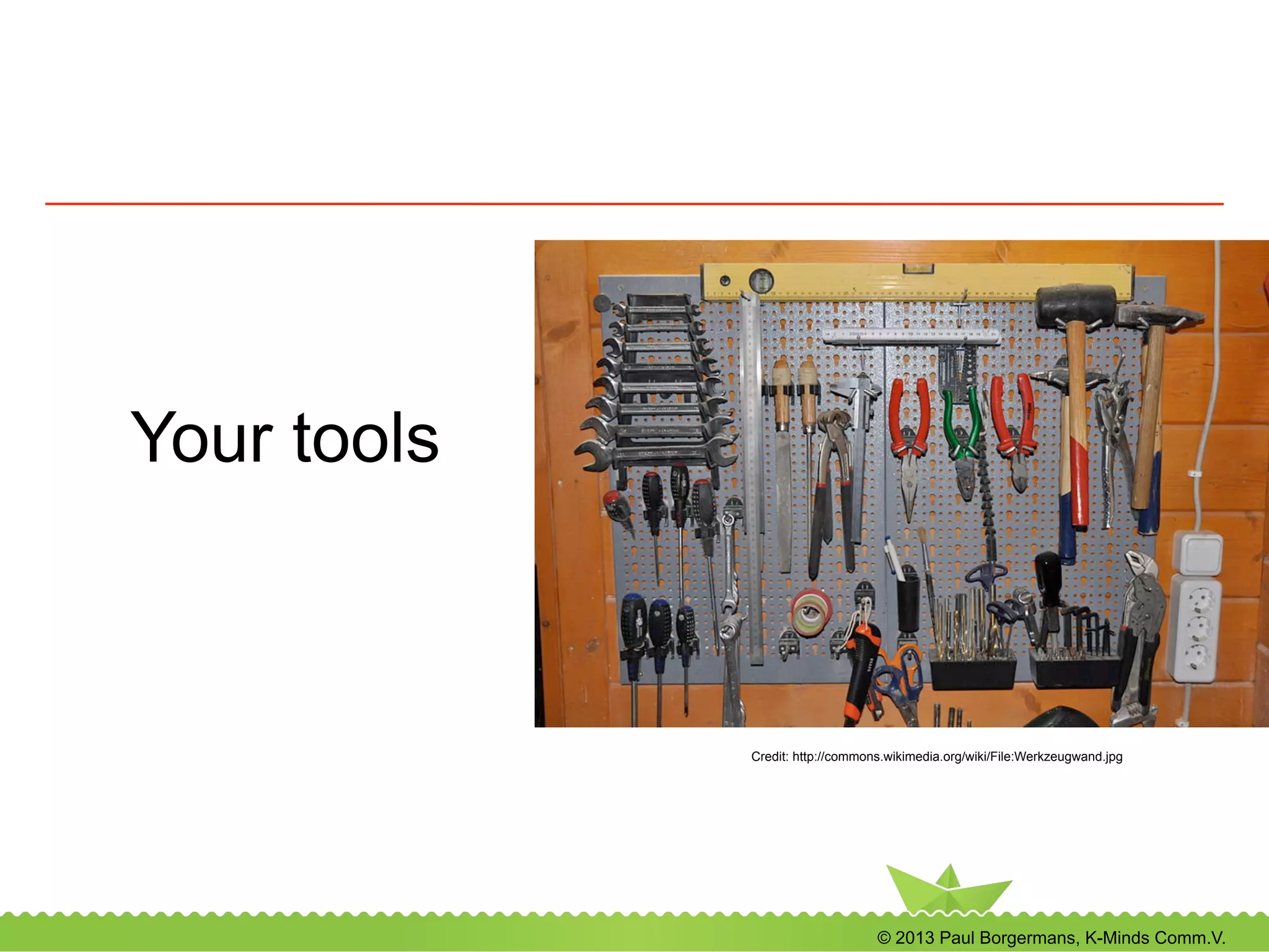
Your tools
Credit: http://commons.wikimedia.org/wiki/File:Werkzeugwand.jpg
© 2013 Paul Borgermans, K-Minds Comm.V.
Core template level tools
l  Dedicated template fetch functions
l  Leveraging Solr search (including spell
check, highlighting, …)
l  More Like This
l  Raw access to Solr index (ex: integrating
foreign sources)
l  JS/AJAX
l  Term suggestions
© 2013 Paul Borgermans, K-Minds Comm.V.
Tuning tools for relevancy
•  Index time
•  Configuration (ezfind.ini)
•  Custom index time plugin
•  Search time
•  Boost functions
•  Elevation of objects
•  Apche Solr schema.xml and
solrconfig.xml magic
© 2013 Paul Borgermans, K-Minds Comm.V.
Tools for extending eZ Find
•  Custom data type plugins
•  Tailor indexing and searching for your data-types
•  General index time plugins
•  Even more tailoring and exotic dishes
•  Custom suggesters
•  Add your own vocabularies
© 2013 Paul Borgermans, K-Minds Comm.V.
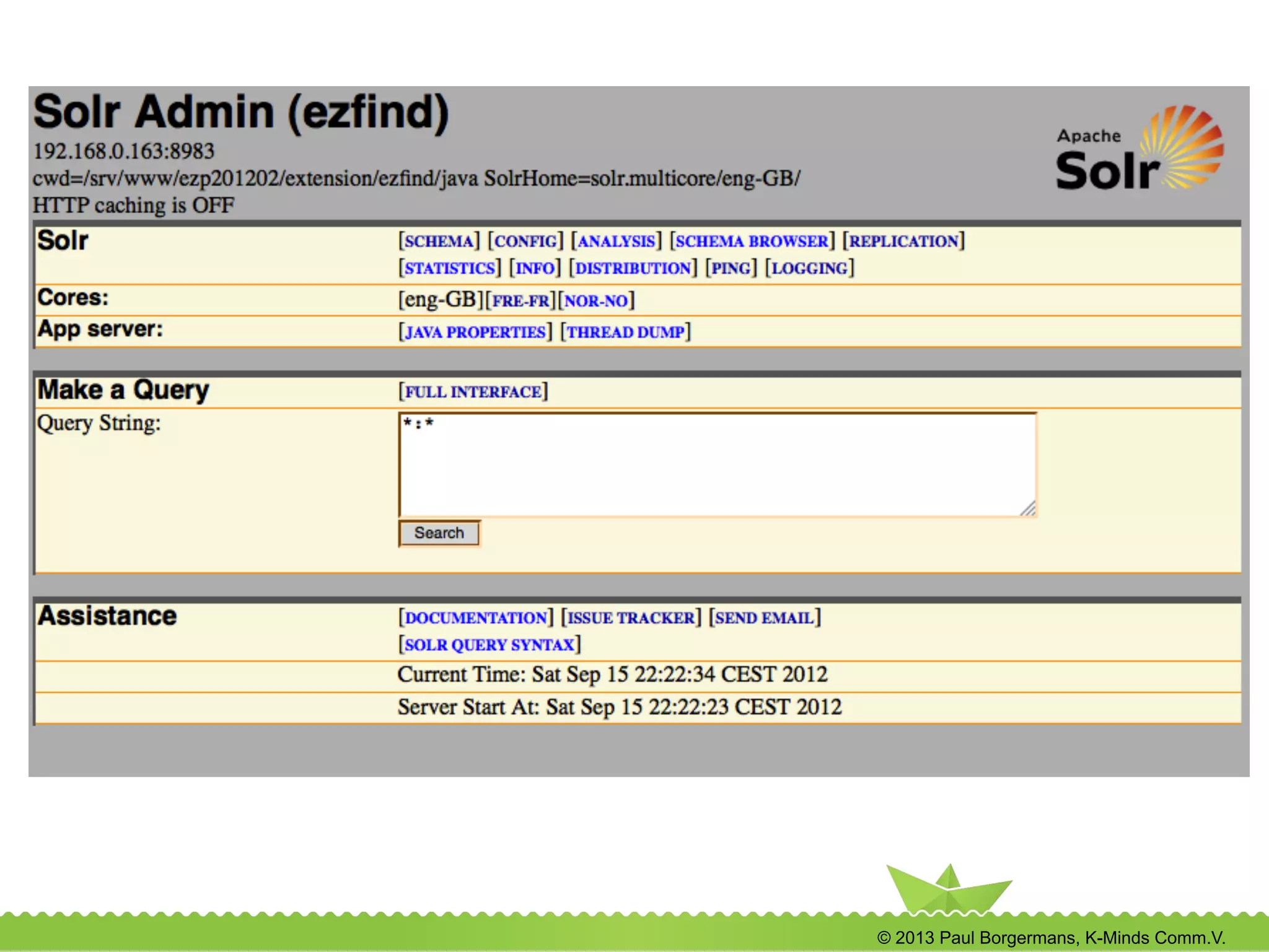
The Solr administration interface
l  http://localhost:8983/solr/<core>/admin
l  Statistics and health monitor
l  Search index
l  Java VM (devops)
l  Advanced use
l  Learning
l  Debugging (understanding search results)
l  Tuning tool
© 2013 Paul Borgermans, K-Minds Comm.V.
Installation and configuration recipes
© 2013 Paul Borgermans, K-Minds Comm.V.
Installation and configuration recipes
l  Requirements
l  Installing the extension
l  Basic installation/activation of Solr
© 2013 Paul Borgermans, K-Minds Comm.V.
Solr backend-requirements
l  Java VM
-  JRE 6 or 7 (OpenJDK, Oracle/Sun)
l  Servlet container
-  Jetty shipped by default, Tomcat, ....
-  Security to be configured (by default:
open)
-  See also http://wiki.apache.org/solr/SolrInstall
l  For larger sites/indexes: enough RAM
-  Yet leave enough for the OS/file caching
© 2013 Paul Borgermans, K-Minds Comm.V.
Extension installation and activation
l  eZ Find extension activated the usual way
-  ActiveExtensions[]=ezfind
-  (!) Regenerate autoloads if using direct
editing of ini settings
l  Execute the DB upgrade script
-  Used for elevation
-  See extension/ezfind/sql/<db>
© 2013 Paul Borgermans, K-Minds Comm.V.
Putting the backend somewhere
•  Inside eZ Find extension
•  Single installation
•  Quick testing
•  Dedicated locations
•  Production setups
•  Multi-tenant setups
•  Multiple instances (development)
•  Separate the binaries and data/conf, example:
/opt/solr for binaries
/srv/solr for data/conf
© 2013 Paul Borgermans, K-Minds Comm.V.
Multiple ways and operating modes
for starting the Solr backend
•  Single core
•  Deprecated
•  Multiple cores
•  Multi-lingual
•  Multi-tenant
•  Multiple instances on your dev installation
•  Setup instructions: see online docs or last years
presentation
© 2013 Paul Borgermans, K-Minds Comm.V.
Multi-core setup advantages
•  Every language / tenant has its own
•  Index
•  Tunable analyzer options
•  Spell checker dictionary
•  Synonyms, stop word list
•  Elevate configuration
•  Additional bonuses:
•  slight increase in performance
•  core admin features
© 2013 Paul Borgermans, K-Minds Comm.V.
How to configure multicore setups ...
•  Create a new Solr home directory under
the java subdir
•  Put a config file solr.xml which specifies the
cores
•  Copy the conf and data directories
•  Specify the solr home when starting the
servlet container
sudo java -jar -Dsolr.solr.home=solr.multicore -jar
start.jar
© 2013 Paul Borgermans, K-Minds Comm.V.
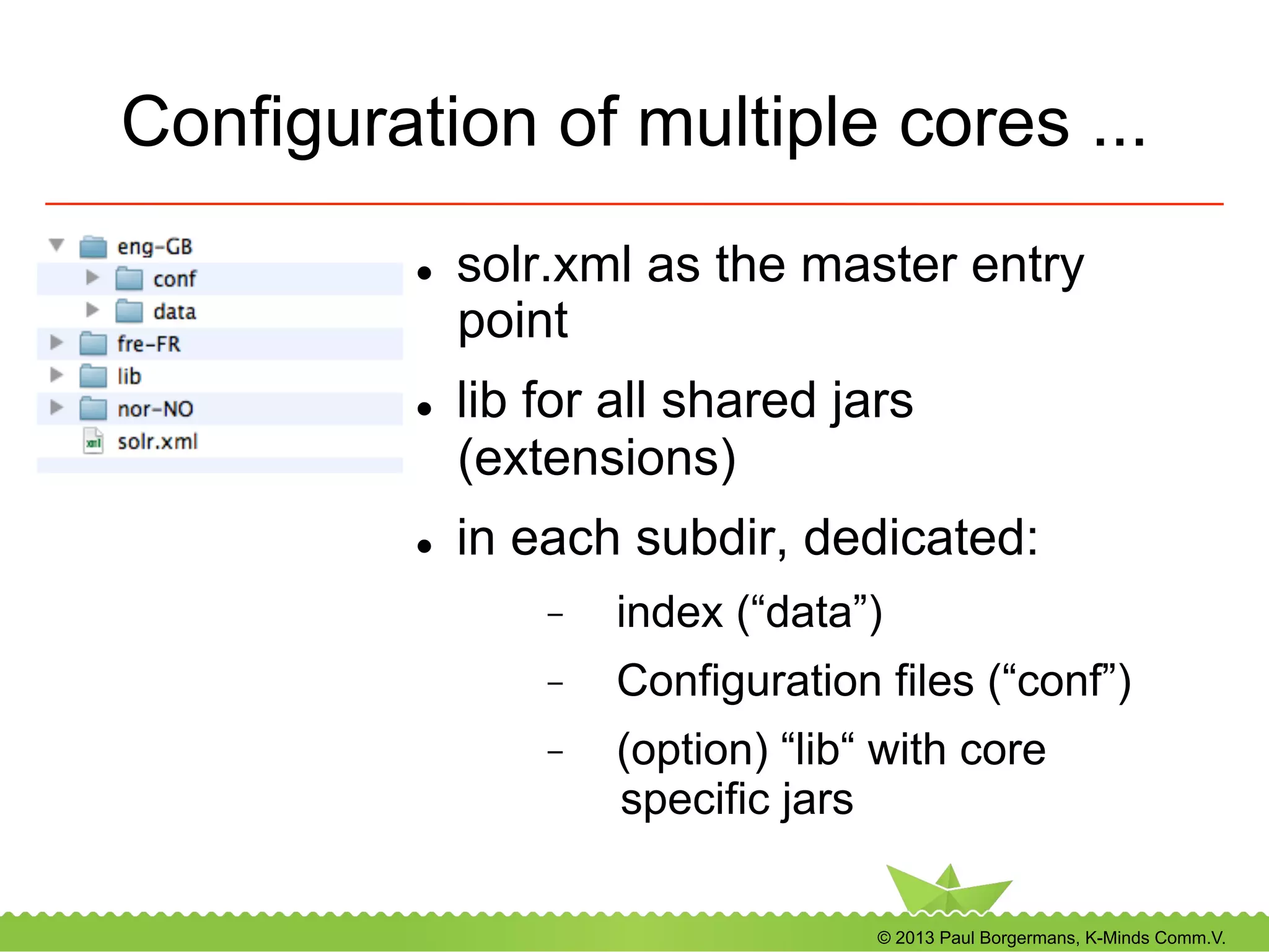
Configuration of multiple cores ...
l  solr.xml as the master entry
point
l  lib for all shared jars
(extensions)
l  in each subdir, dedicated:
-  index (“data”)
-  Configuration files (“conf”)
-  (option) “lib“ with core
specific jars
© 2013 Paul Borgermans, K-Minds Comm.V.
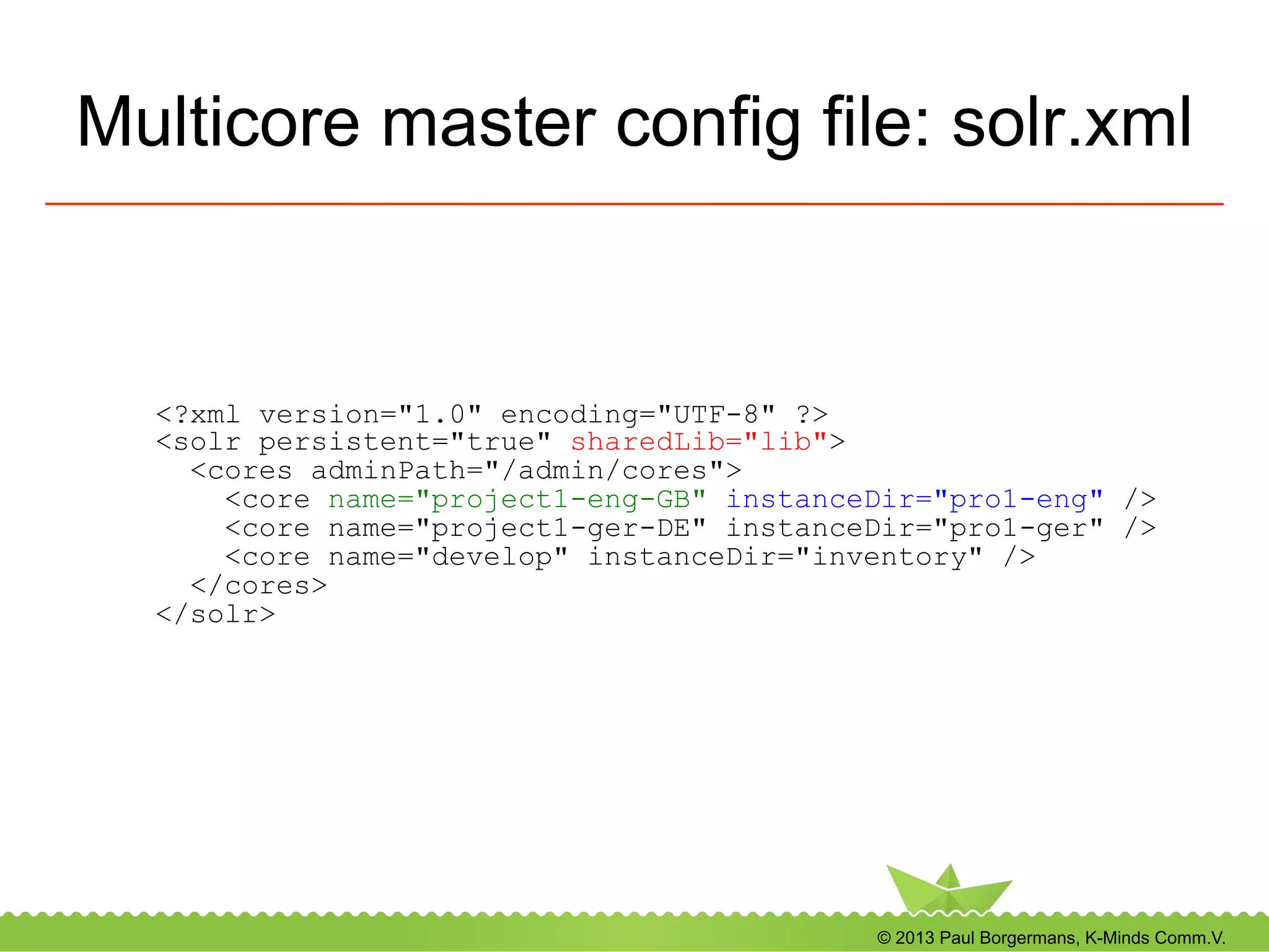
Multicore master config file: solr.xml
<?xml version="1.0" encoding="UTF-8" ?>
<solr persistent="true" sharedLib="lib">
<cores adminPath="/admin/cores">
<core name="project1-eng-GB" instanceDir="pro1-eng" />
<core name="project1-ger-DE" instanceDir="pro1-ger" />
<core name="develop" instanceDir="inventory" />
</cores>
</solr>
© 2013 Paul Borgermans, K-Minds Comm.V.
Performance configuration options
l  Enable delayed indexation of objects (site.ini)
l  Editors will be happier (“faster publishing”)
l  Can be done globally or per class (recommended
for binary file indexing)
l  Downside: objects will only be in search results after
the configured cronjob has run
© 2013 Paul Borgermans, K-Minds Comm.V.
Performance configuration options (...)
l  Disable optimize on commit
-  Configure cronjob to do it once per day/week
-  Makes files compact
-  If many delete operations happen, optimize
accordingly
© 2013 Paul Borgermans, K-Minds Comm.V.
Performance configuration options (...)
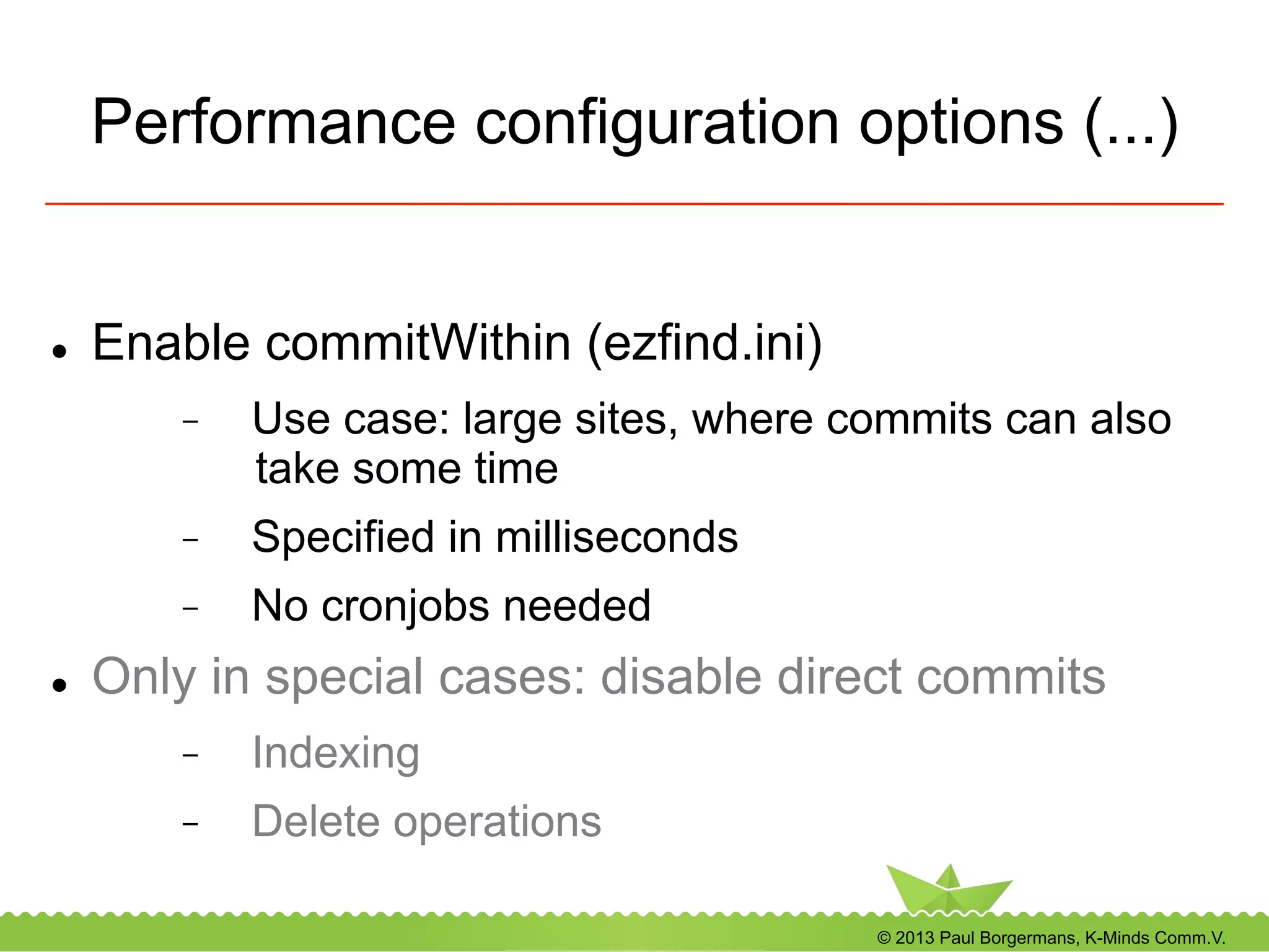
l  Enable commitWithin (ezfind.ini)
-  Use case: large sites, where commits can also
take some time
-  Specified in milliseconds
-  No cronjobs needed
l  Only in special cases: disable direct commits
-  Indexing
-  Delete operations
© 2013 Paul Borgermans, K-Minds Comm.V.
Search handler configuration
l  Defaults to “ezpublish” now (Apache Solr 3.6.1), based
on “eDismax”
l  Supports Lucene syntax (wildcards)
l  Does partial language analysis in presence of wildcards
l  If upgrading from older versions: check value in
ezfind.ini
[SearchHandler]
DefaultSearchHandler=ezpublish
© 2013 Paul Borgermans, K-Minds Comm.V.
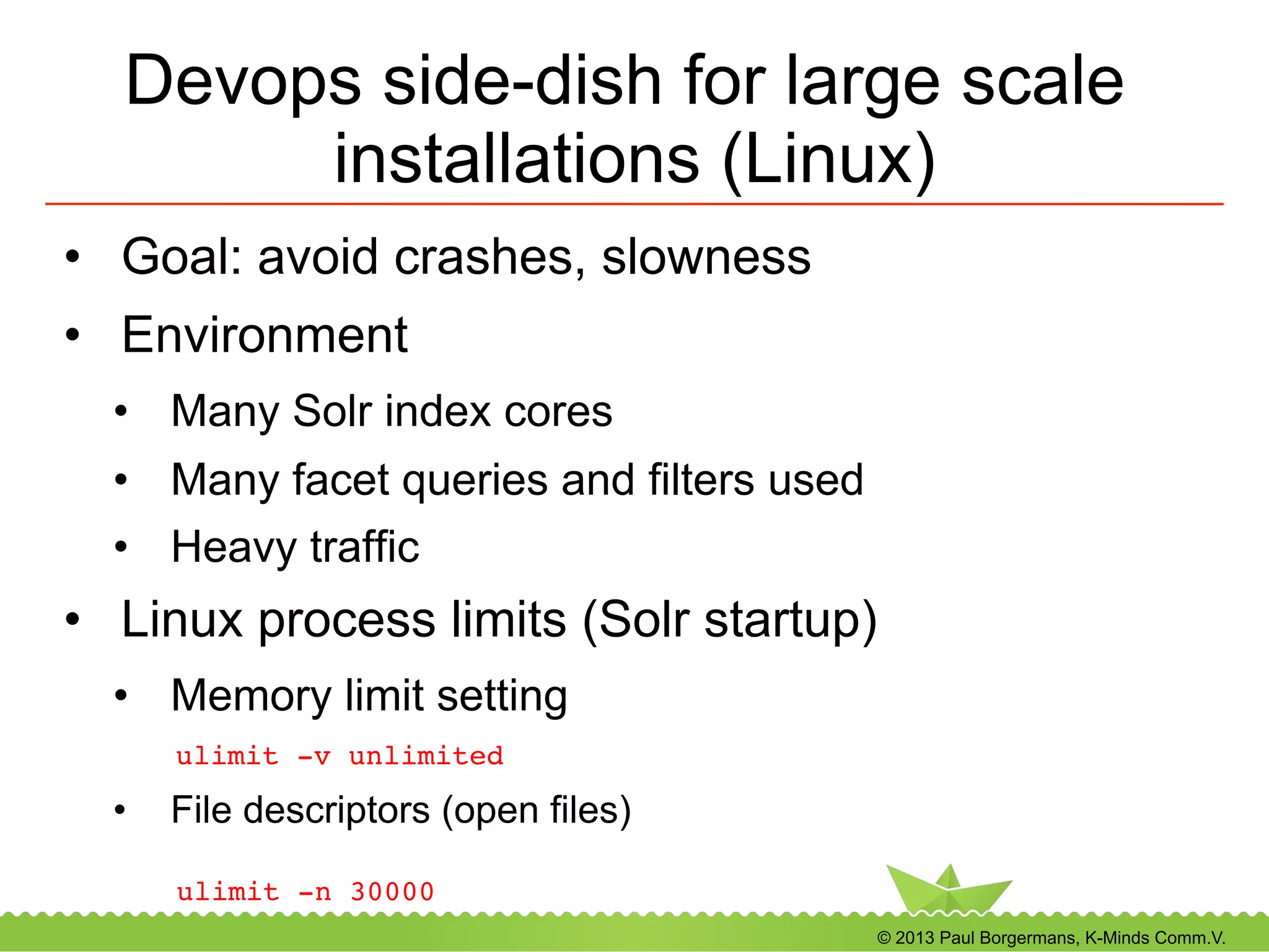
Devops side-dish for large scale
installations (Linux)
•  Goal: avoid crashes, slowness
•  Environment
•  Many Solr index cores
•  Many facet queries and filters used
•  Heavy traffic
•  Linux process limits (Solr startup)
•  Memory limit setting
! !ulimit -v unlimited!
•  File descriptors (open files)
ulimit -n 30000!
© 2013 Paul Borgermans, K-Minds Comm.V.
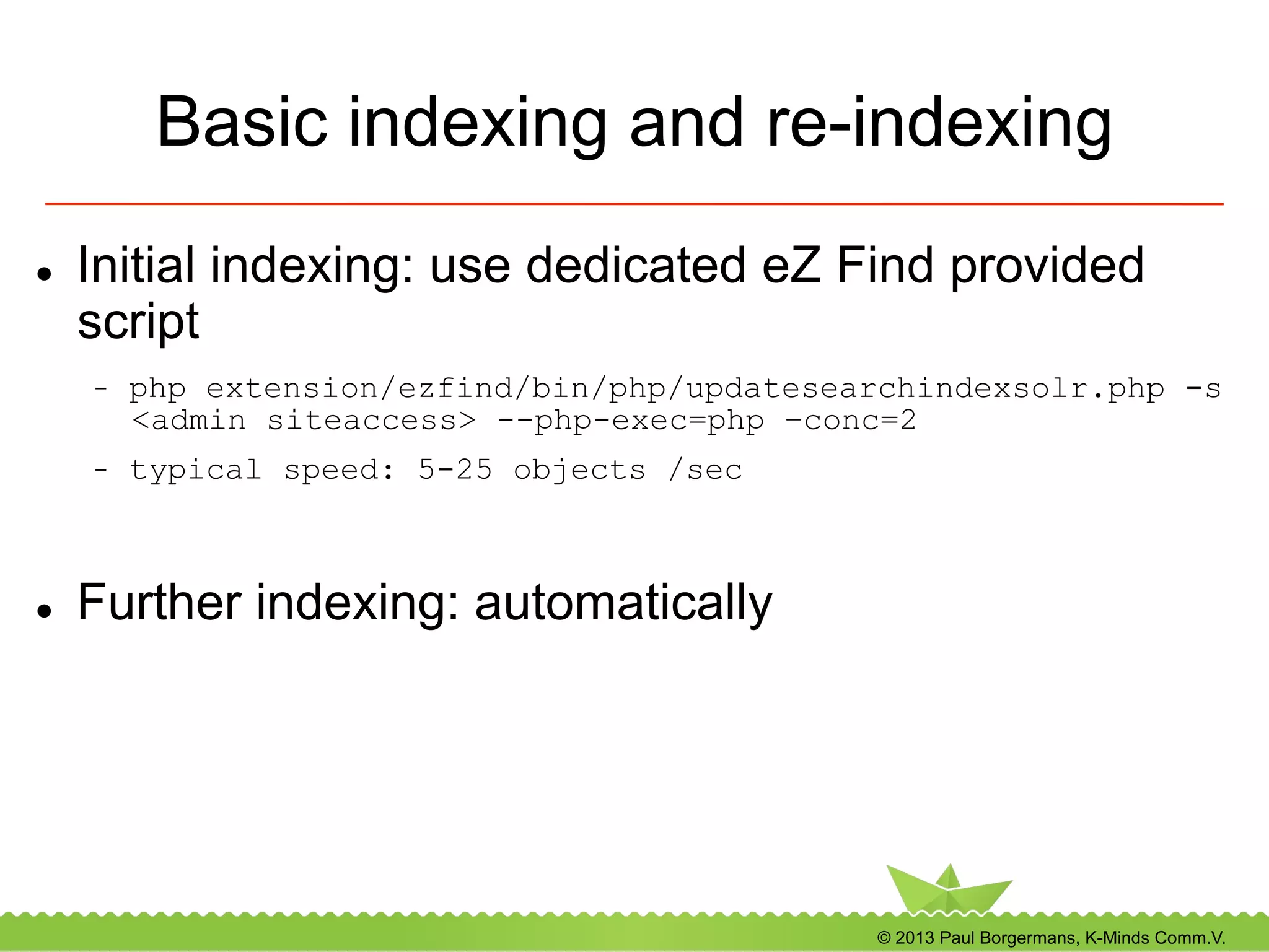
Basic indexing and re-indexing
l  Initial indexing: use dedicated eZ Find provided
script
-  php extension/ezfind/bin/php/updatesearchindexsolr.php -s
<admin siteaccess> --php-exec=php –conc=2
-  typical speed: 5-25 objects /sec
l  Further indexing: automatically
© 2013 Paul Borgermans, K-Minds Comm.V.
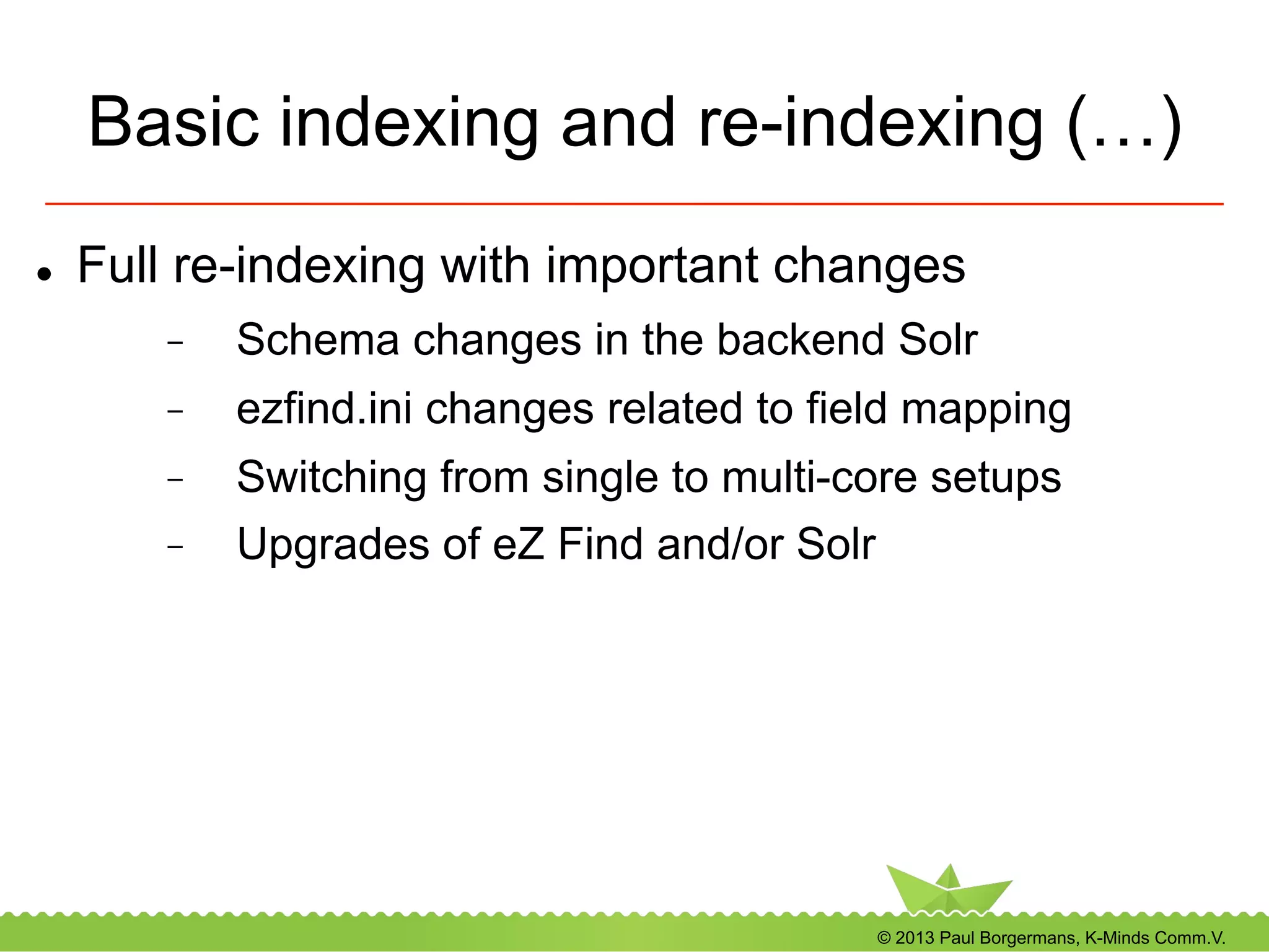
Basic indexing and re-indexing (…)
l  Full re-indexing with important changes
-  Schema changes in the backend Solr
-  ezfind.ini changes related to field mapping
-  Switching from single to multi-core setups
-  Upgrades of eZ Find and/or Solr
© 2013 Paul Borgermans, K-Minds Comm.V.
eZ Tika: indexing binary files
l  http://projects.ez.no/eztika
l  Based on Apache Tika
-  Text and meta-data extraction for a large
variety of file types
l  Extension provides
-  Standalone binary (yet another Java .jar)
-  Configuration settings
-  A stub binary file handler
-  A wrapper shell script
© 2013 Paul Borgermans, K-Minds Comm.V.
Basic searching, filtering and facets
recipes
© 2013 Paul Borgermans, K-Minds Comm.V.
Terminology 101
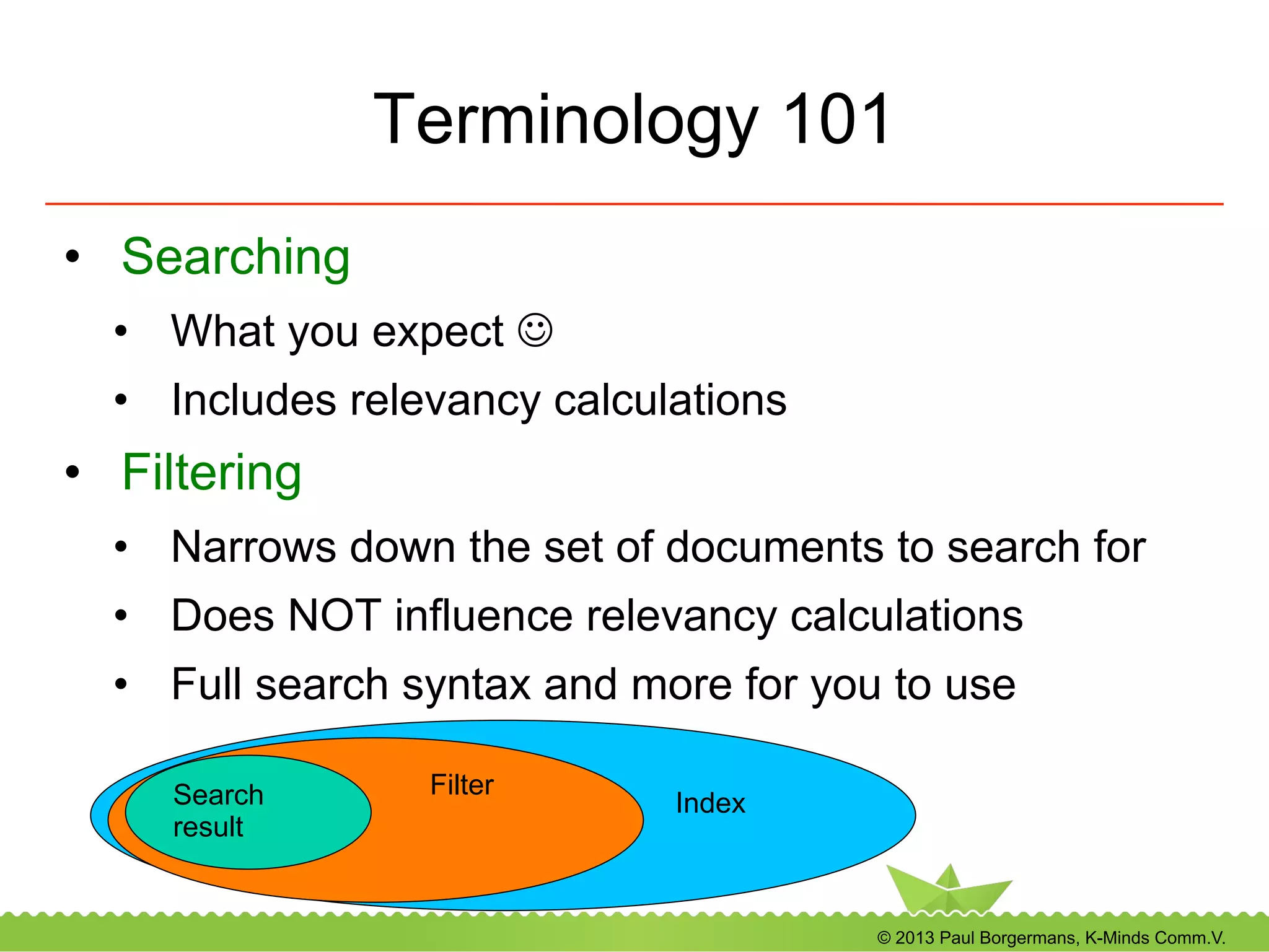
•  Searching
•  What you expect J
•  Includes relevancy calculations
•  Filtering
•  Narrows down the set of documents to search for
•  Does NOT influence relevancy calculations
•  Full search syntax and more for you to use
Index
FilterSearch
result
© 2013 Paul Borgermans, K-Minds Comm.V.
Terminology 101
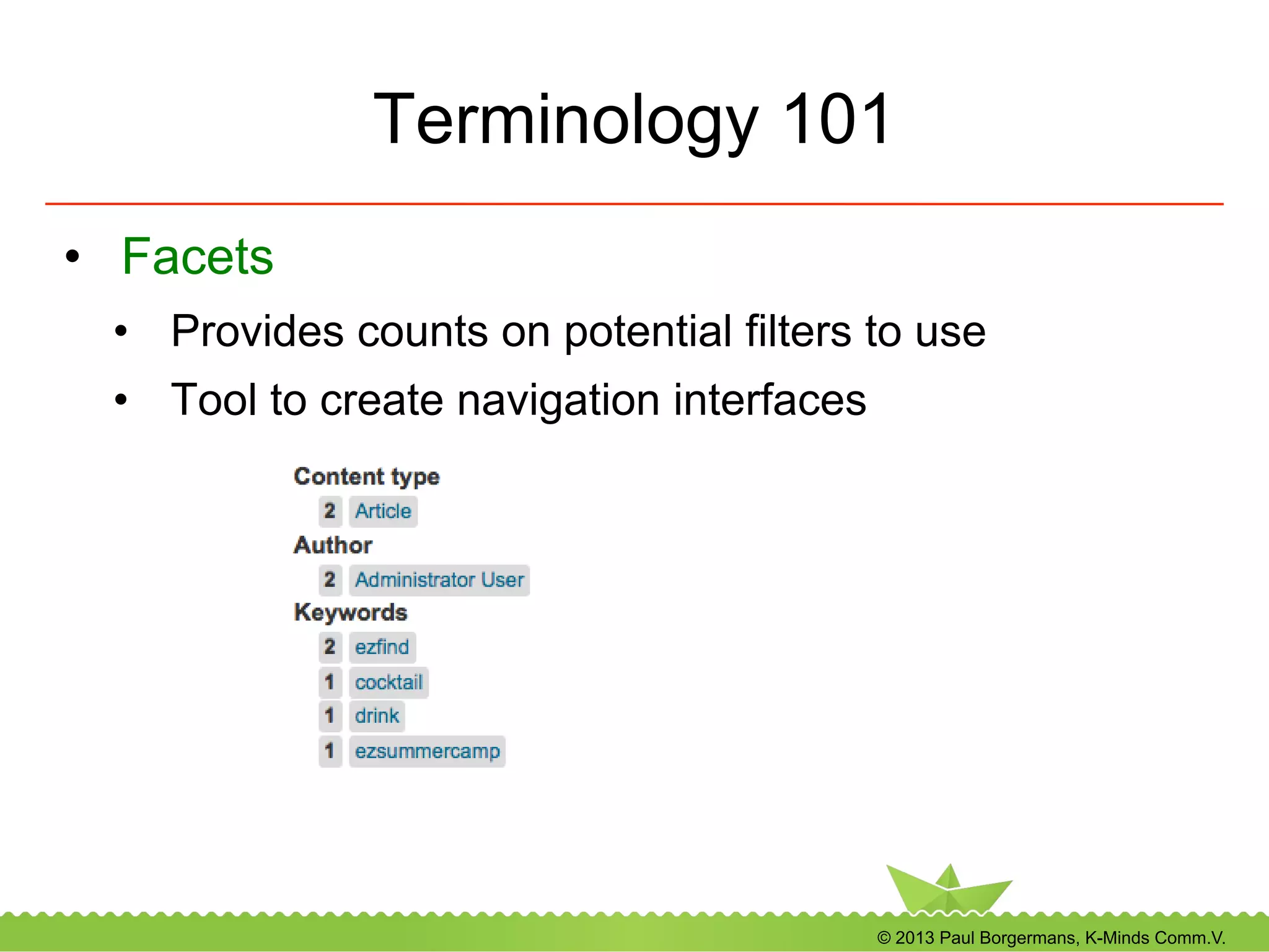
•  Facets
•  Provides counts on potential filters to use
•  Tool to create navigation interfaces
© 2013 Paul Borgermans, K-Minds Comm.V.
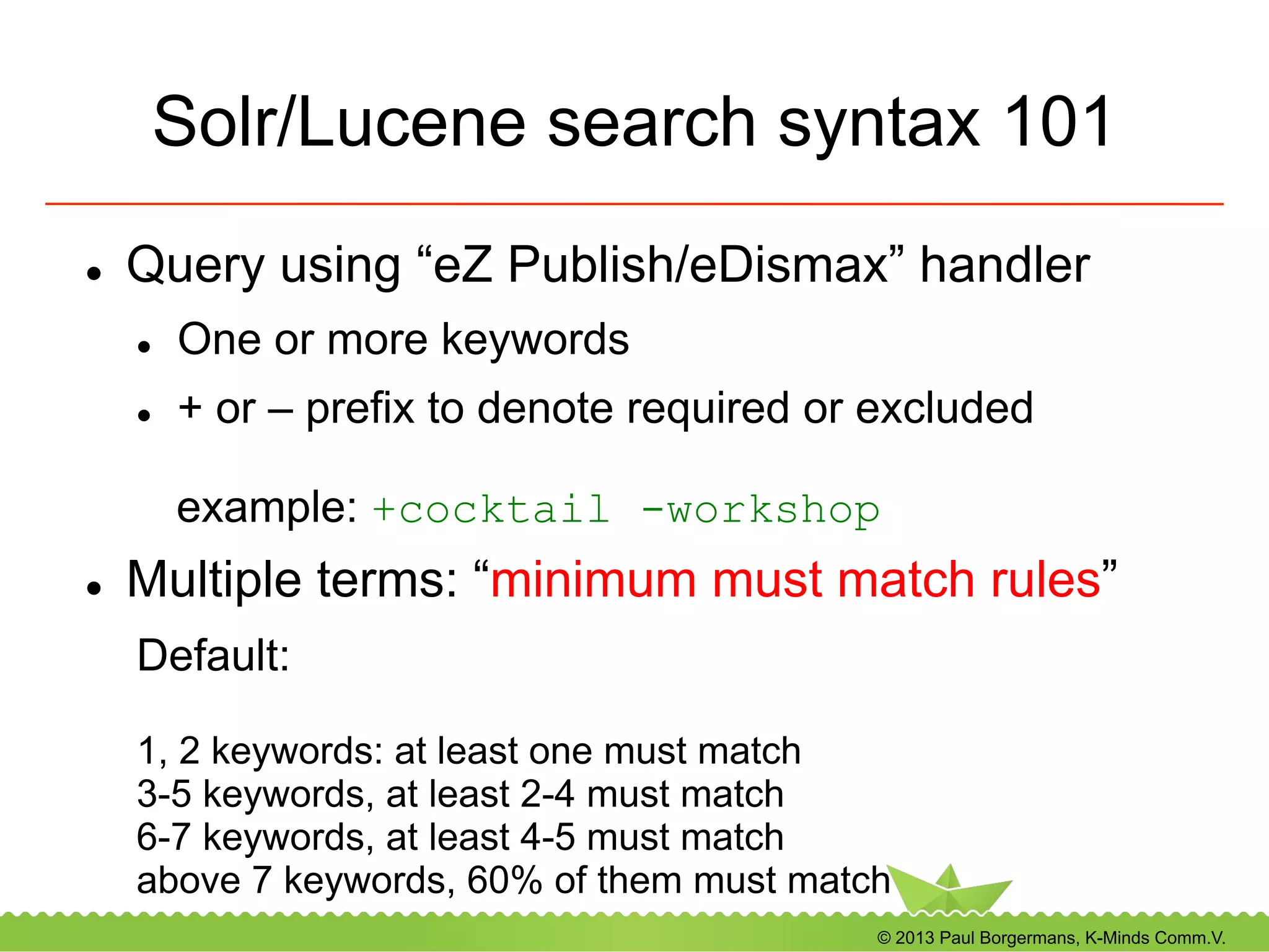
Solr/Lucene search syntax 101
l  Query using “eZ Publish/eDismax” handler
l  One or more keywords
l  + or – prefix to denote required or excluded
example: +cocktail -workshop
l  Multiple terms: “minimum must match rules”
Default:
1, 2 keywords: at least one must match
3-5 keywords, at least 2-4 must match
6-7 keywords, at least 4-5 must match
above 7 keywords, 60% of them must match
© 2013 Paul Borgermans, K-Minds Comm.V.
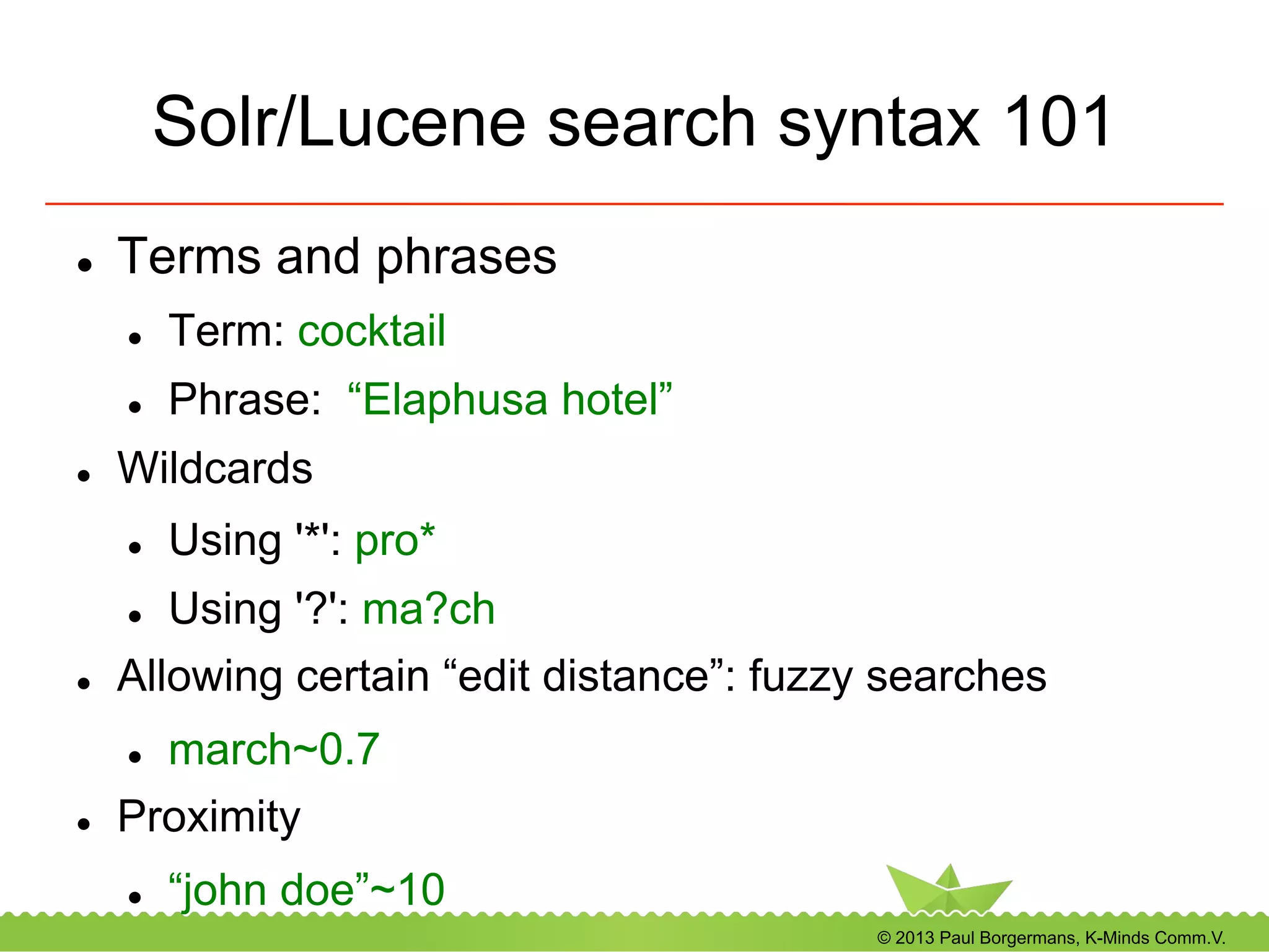
Solr/Lucene search syntax 101
l  Terms and phrases
l  Term: cocktail
l  Phrase: “Elaphusa hotel”
l  Wildcards
l  Using '*': pro*
l  Using '?': ma?ch
l  Allowing certain “edit distance”: fuzzy searches
l  march~0.7
l  Proximity
l  “john doe”~10
© 2013 Paul Borgermans, K-Minds Comm.V.
Solr/Lucene search syntax 101(..)
l  Ranges
-  Inclusive/exclusive
-  One part may be open ended using '*'
l  Inclusive
-  [1 TO 5]
l  Exclusive
-  {0 TO 6}
l  Open ended
-  [NOW/DAY-1YEARS TO *]
© 2013 Paul Borgermans, K-Minds Comm.V.
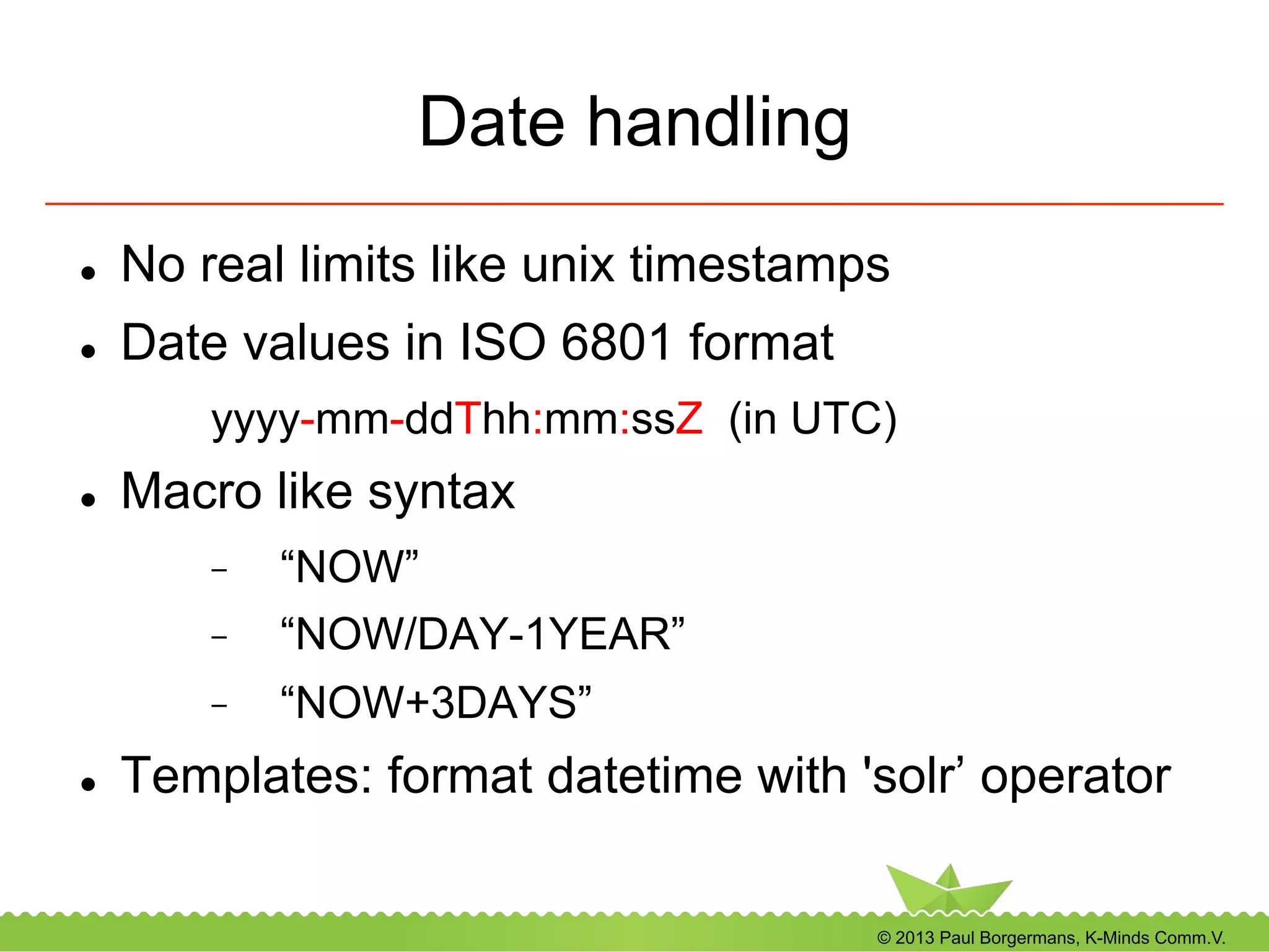
Date handling
l  No real limits like unix timestamps
l  Date values in ISO 6801 format
yyyy-mm-ddThh:mm:ssZ (in UTC)
l  Macro like syntax
-  “NOW”
-  “NOW/DAY-1YEAR”
-  “NOW+3DAYS”
l  Templates: format datetime with 'solr’ operator
© 2013 Paul Borgermans, K-Minds Comm.V.
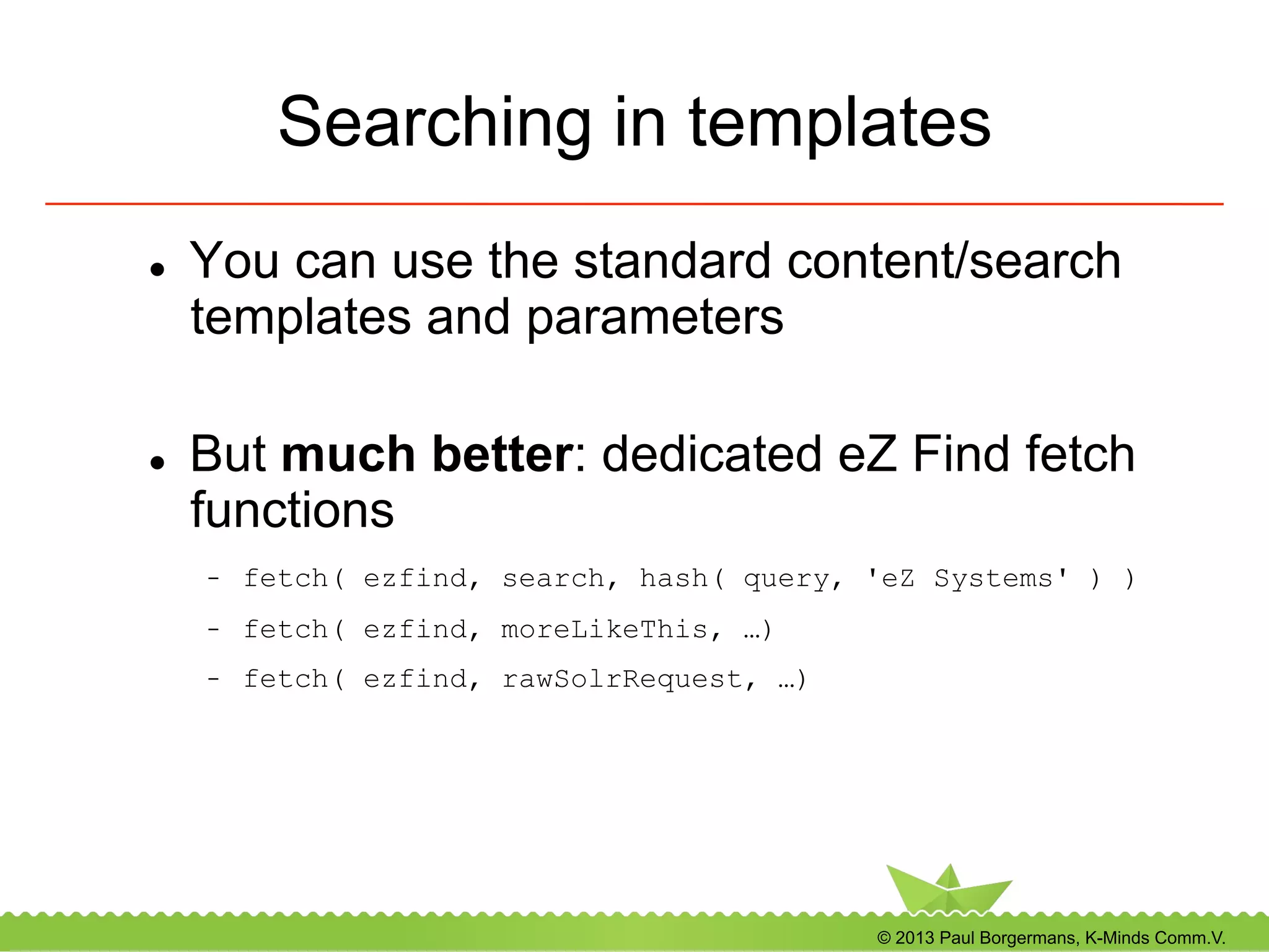
Searching in templates
l  You can use the standard content/search
templates and parameters
l  But much better: dedicated eZ Find fetch
functions
-  fetch( ezfind, search, hash( query, 'eZ Systems' ) )
-  fetch( ezfind, moreLikeThis, …)
-  fetch( ezfind, rawSolrRequest, …)
© 2013 Paul Borgermans, K-Minds Comm.V.
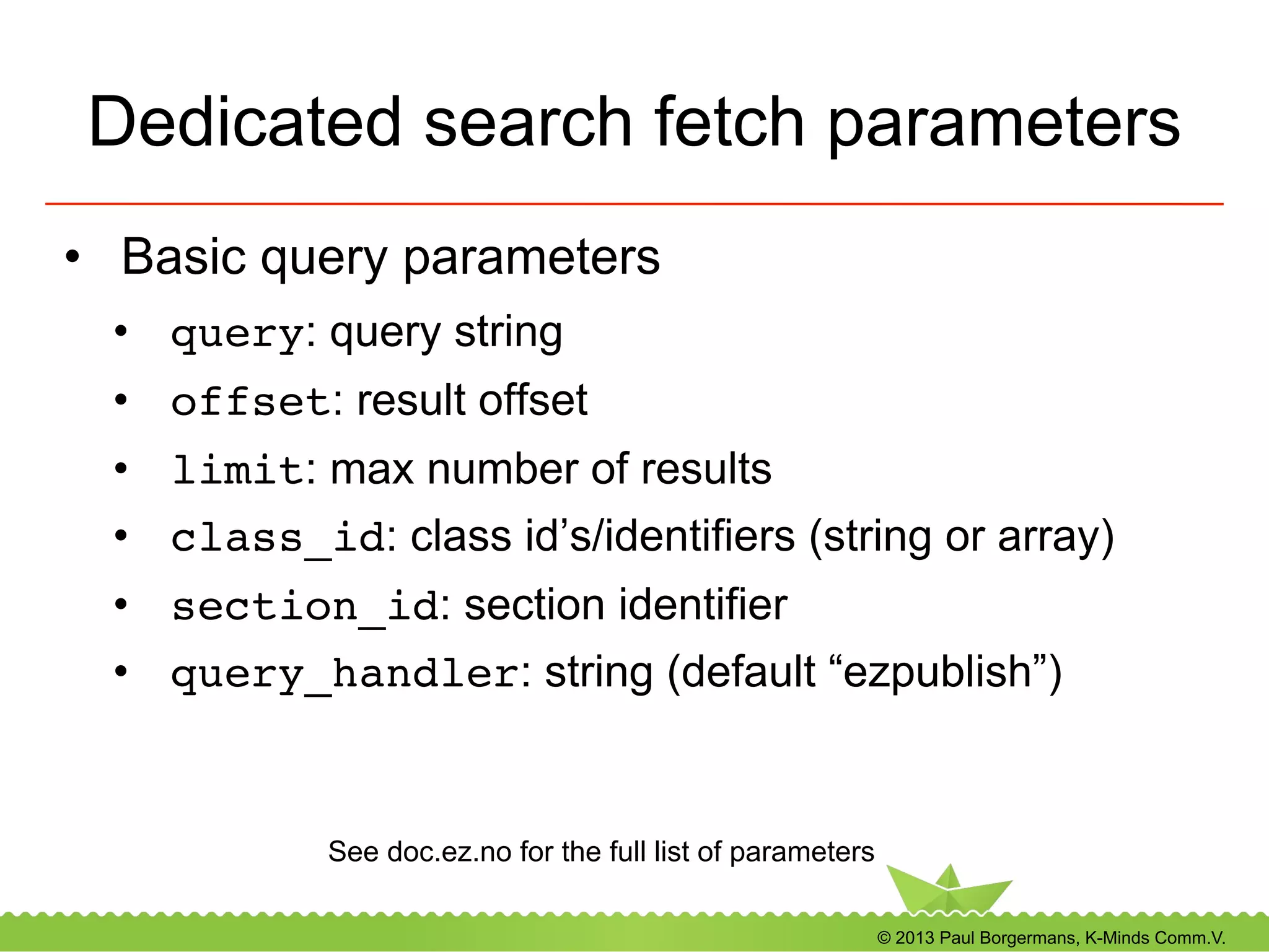
Dedicated search fetch parameters
•  Basic query parameters
•  query: query string
•  offset: result offset
•  limit: max number of results
•  class_id: class id’s/identifiers (string or array)
•  section_id: section identifier
•  query_handler: string (default “ezpublish”)
See doc.ez.no for the full list of parameters
© 2013 Paul Borgermans, K-Minds Comm.V.
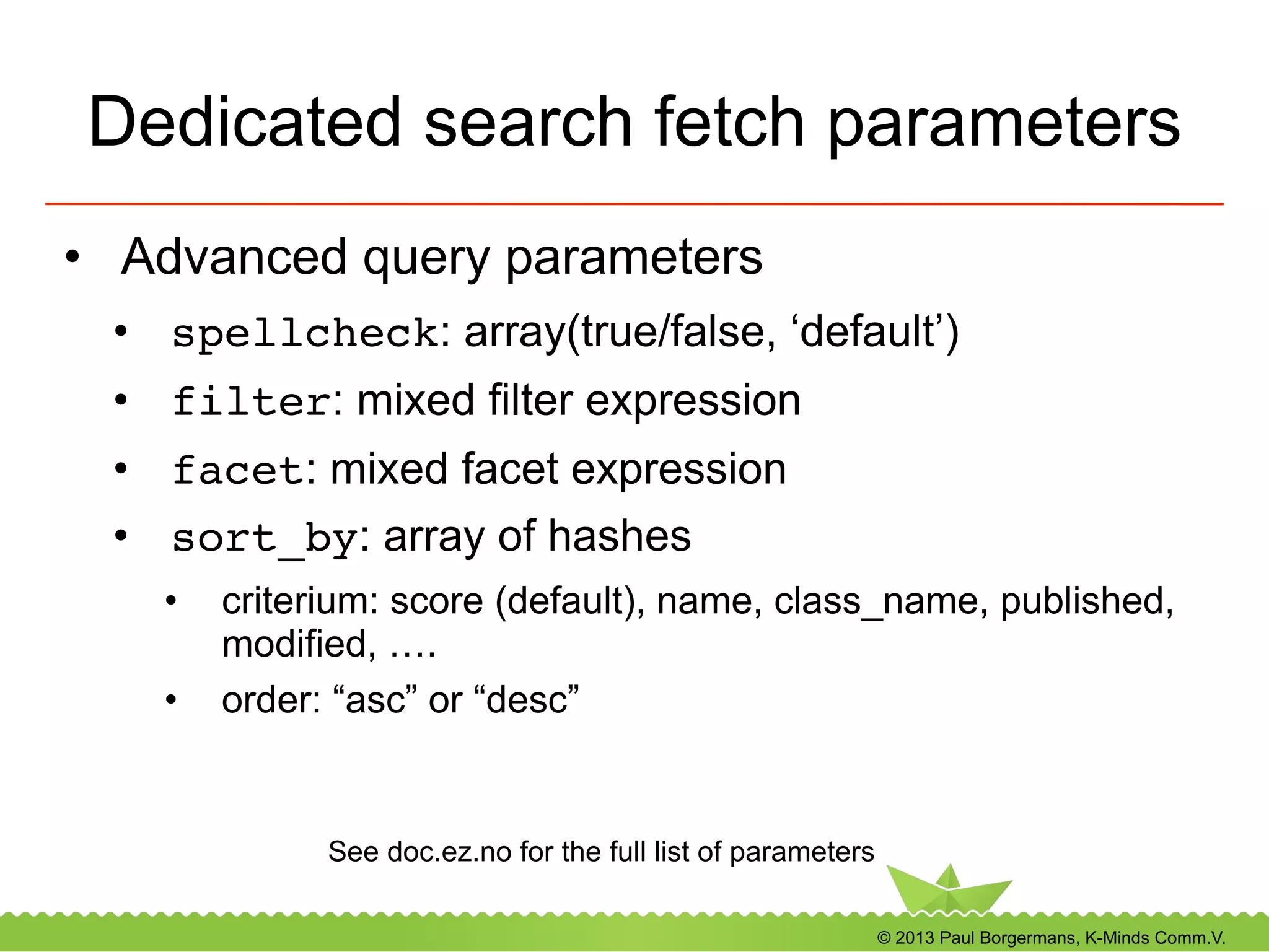
Dedicated search fetch parameters
•  Advanced query parameters
•  spellcheck: array(true/false, ‘default’)
•  filter: mixed filter expression
•  facet: mixed facet expression
•  sort_by: array of hashes
•  criterium: score (default), name, class_name, published,
modified, ….
•  order: “asc” or “desc”
See doc.ez.no for the full list of parameters
© 2013 Paul Borgermans, K-Minds Comm.V.
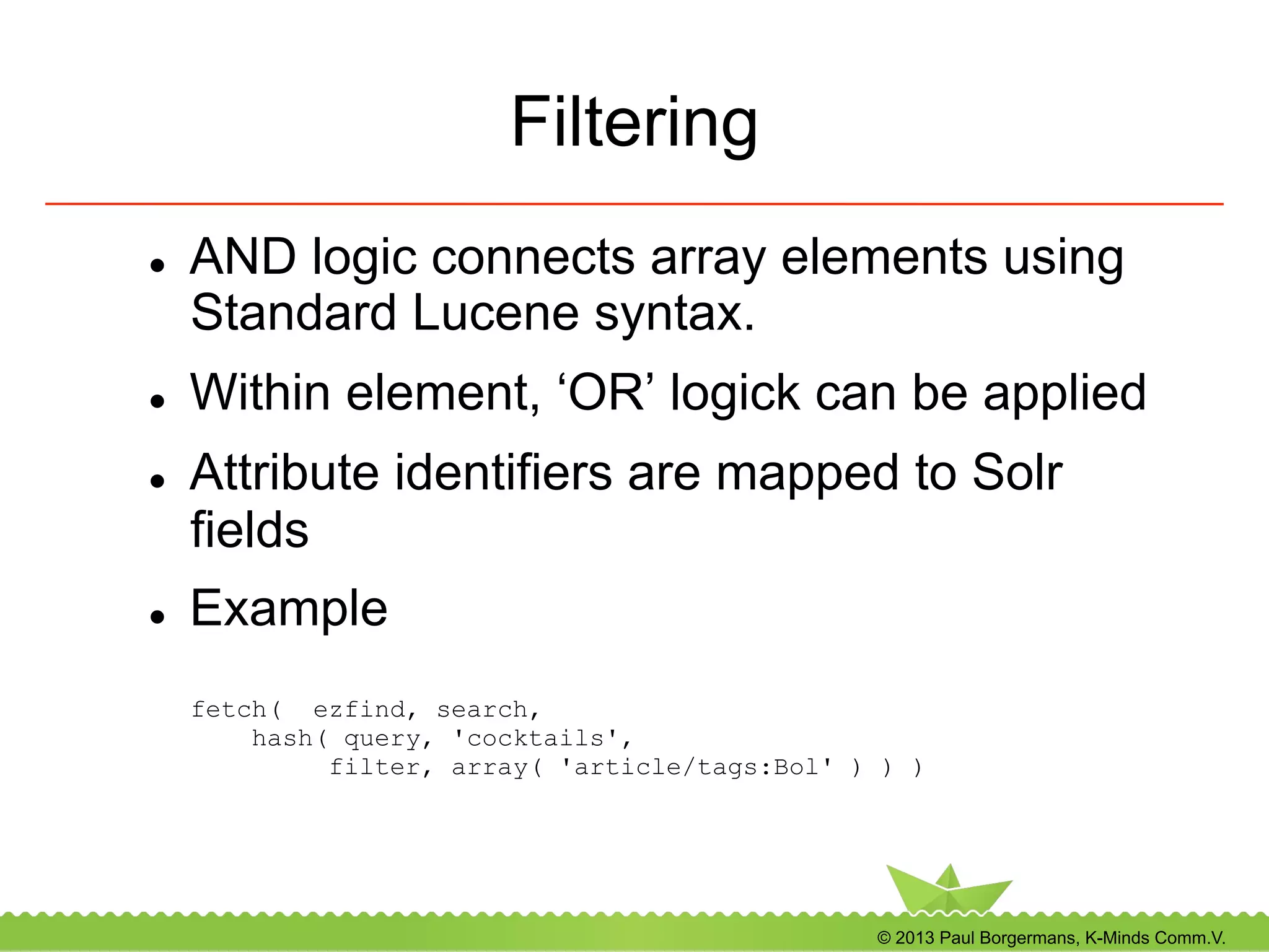
Filtering
l  AND logic connects array elements using
Standard Lucene syntax.
l  Within element, ‘OR’ logick can be applied
l  Attribute identifiers are mapped to Solr
fields
l  Example
fetch( ezfind, search,
hash( query, 'cocktails',
filter, array( 'article/tags:Bol' ) ) )
© 2013 Paul Borgermans, K-Minds Comm.V.
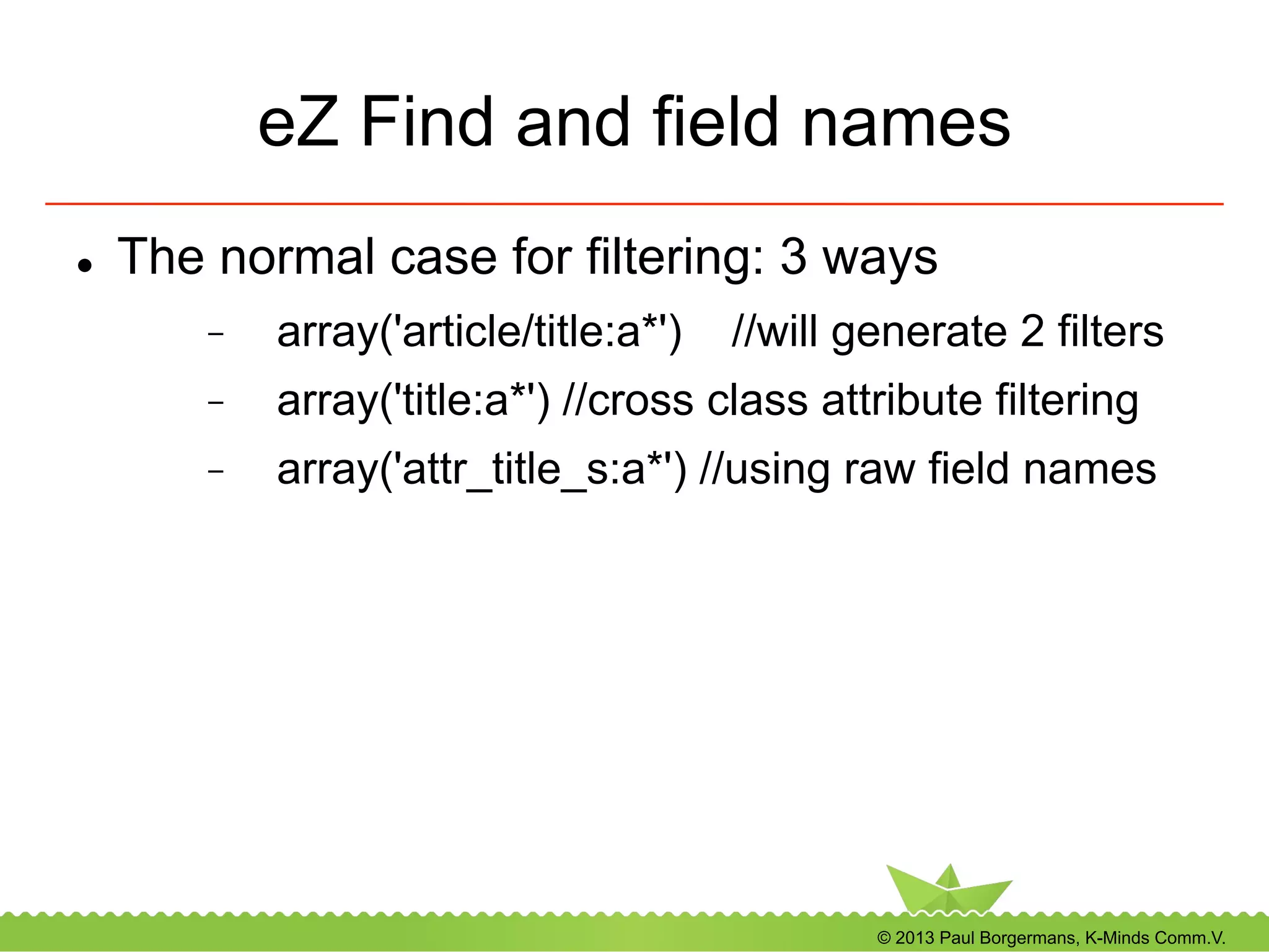
eZ Find and field names
l  The normal case for filtering: 3 ways
-  array('article/title:a*') //will generate 2 filters
-  array('title:a*') //cross class attribute filtering
-  array('attr_title_s:a*') //using raw field names
© 2013 Paul Borgermans, K-Minds Comm.V.
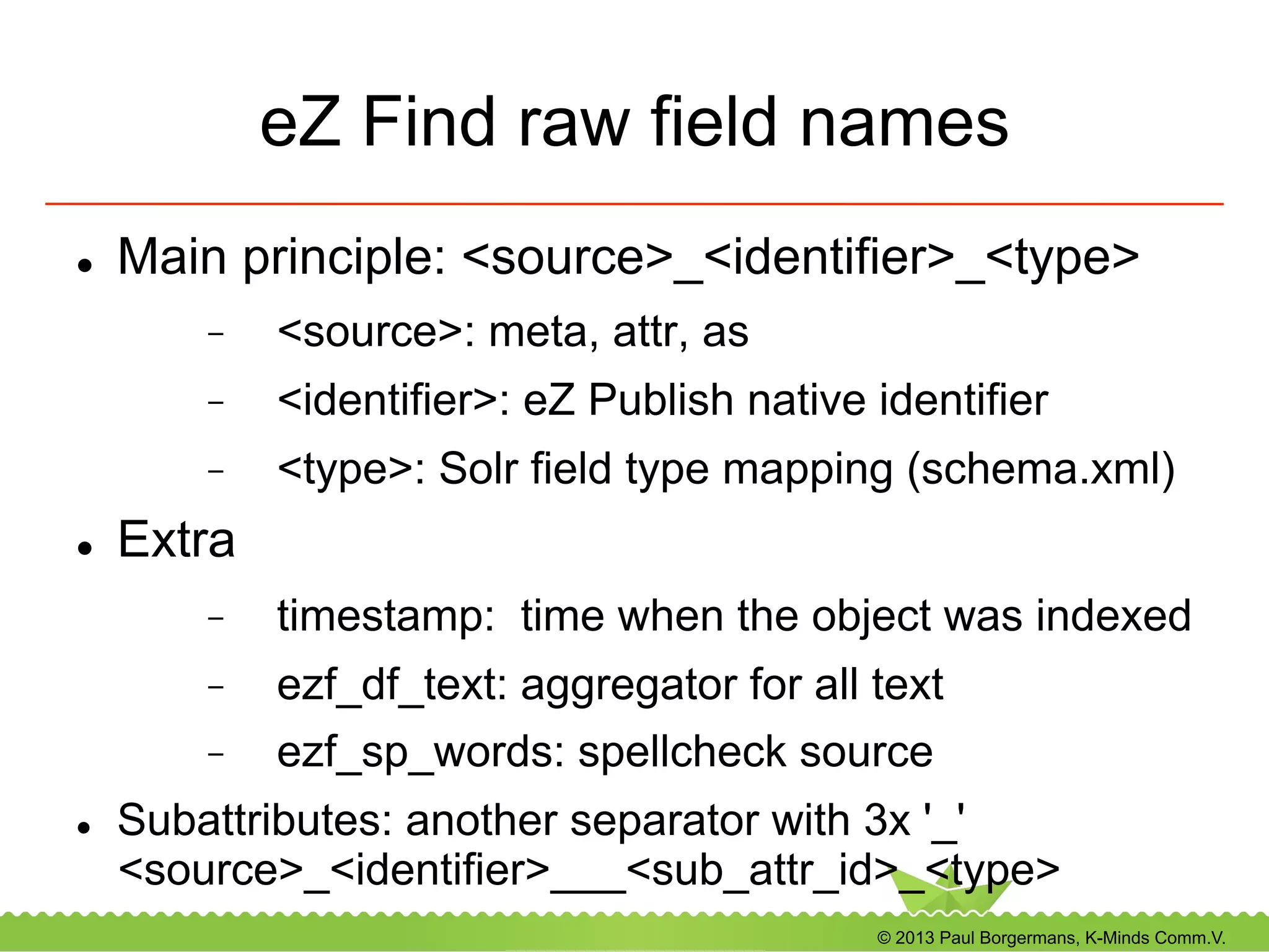
eZ Find raw field names
l  Main principle: <source>_<identifier>_<type>
-  <source>: meta, attr, as
-  <identifier>: eZ Publish native identifier
-  <type>: Solr field type mapping (schema.xml)
l  Extra
-  timestamp: time when the object was indexed
-  ezf_df_text: aggregator for all text
-  ezf_sp_words: spellcheck source
l  Subattributes: another separator with 3x '_'
<source>_<identifier>___<sub_attr_id>_<type>
© 2013 Paul Borgermans, K-Minds Comm.V.
Filter recipes
•  A specific age: last 2 weeks
.. filter, array( 

’meta_published_dt:[NOW/DAY-2WEEKS TO NOW/DAY+1DAYS]’ ) ..

!
Solr filter query cache friendly:
•  Lower bound: rounds on day and substracts 2 weeks
•  Upper bound: rounds on current day + 1 day in order to get also the
published items after 00:00 ‘today’
© 2013 Paul Borgermans, K-Minds Comm.V.
Filter recipes (…)
•  ‘or’ conditions within fields
.. filter, array( 

'attr_tags_lk:(ezfind ezsummercamp netgen)’ ) ..

!
•  ‘or’ conditions across fields
.. filter, array( 

’(attr_length_si:[2 TO 5]) (attr_color_s:red)’ ) ..

!
© 2013 Paul Borgermans, K-Minds Comm.V.
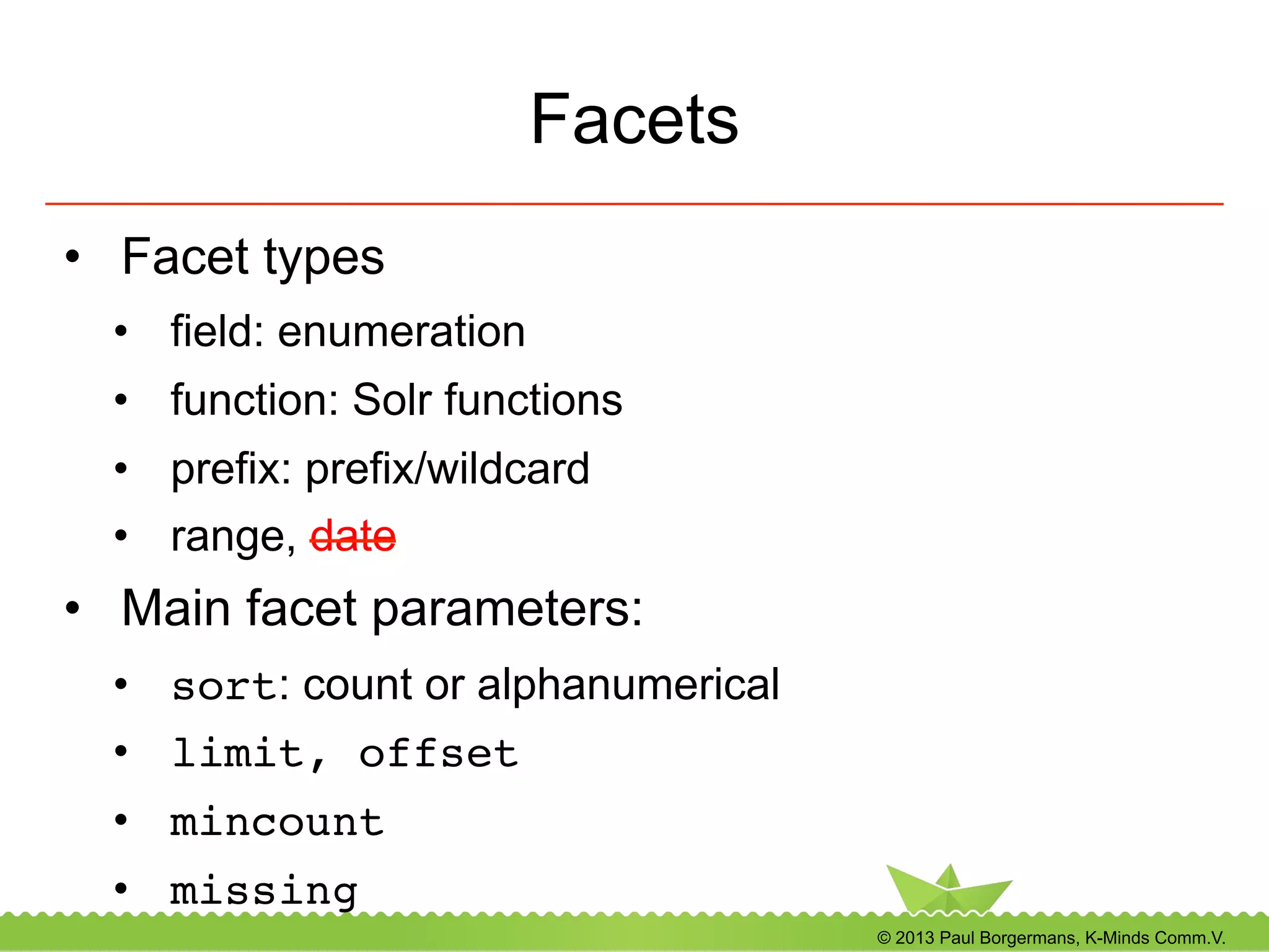
Facets
•  Facet types
•  field: enumeration
•  function: Solr functions
•  prefix: prefix/wildcard
•  range, date
•  Main facet parameters:
•  sort: count or alphanumerical
•  limit, offset!
•  mincount!
•  missing!
© 2013 Paul Borgermans, K-Minds Comm.V.
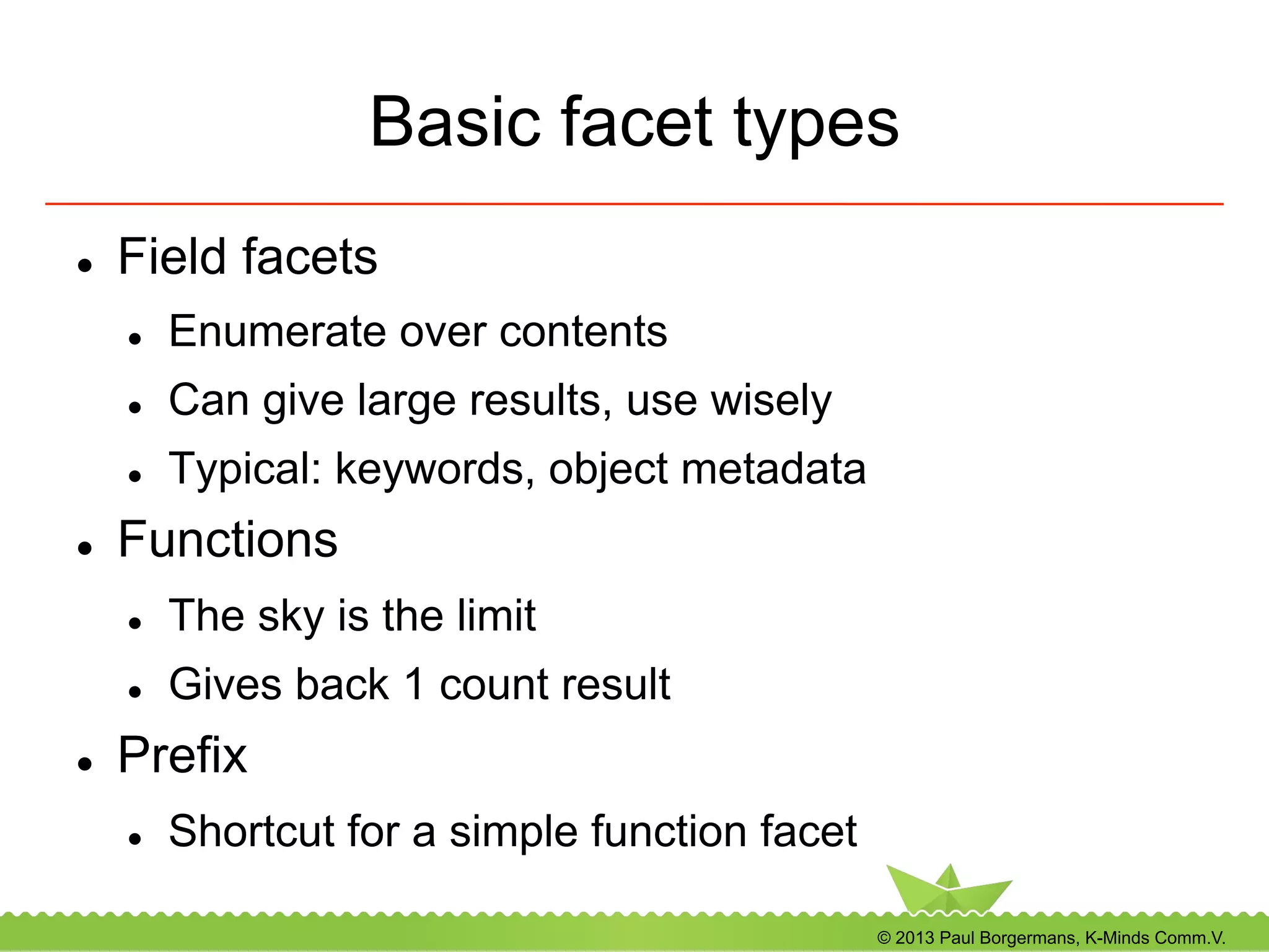
Basic facet types
l  Field facets
l  Enumerate over contents
l  Can give large results, use wisely
l  Typical: keywords, object metadata
l  Functions
l  The sky is the limit
l  Gives back 1 count result
l  Prefix
l  Shortcut for a simple function facet
© 2013 Paul Borgermans, K-Minds Comm.V.
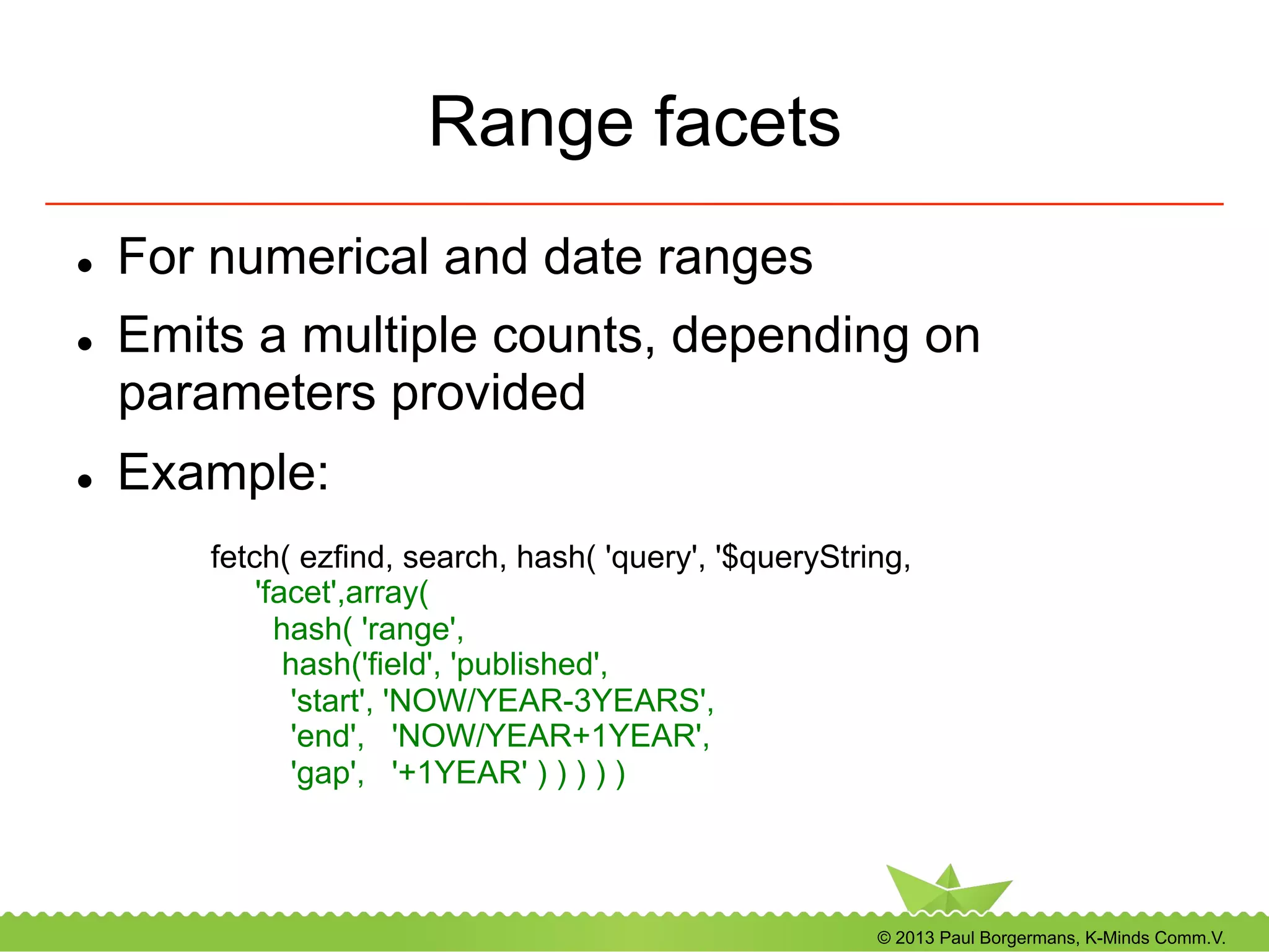
Range facets
l  For numerical and date ranges
l  Emits a multiple counts, depending on
parameters provided
l  Example:
fetch( ezfind, search, hash( 'query', '$queryString,
'facet',array(
hash( 'range',
hash('field', 'published',
'start', 'NOW/YEAR-3YEARS',
'end', 'NOW/YEAR+1YEAR',
'gap', '+1YEAR' ) ) ) ) )
© 2013 Paul Borgermans, K-Minds Comm.V.
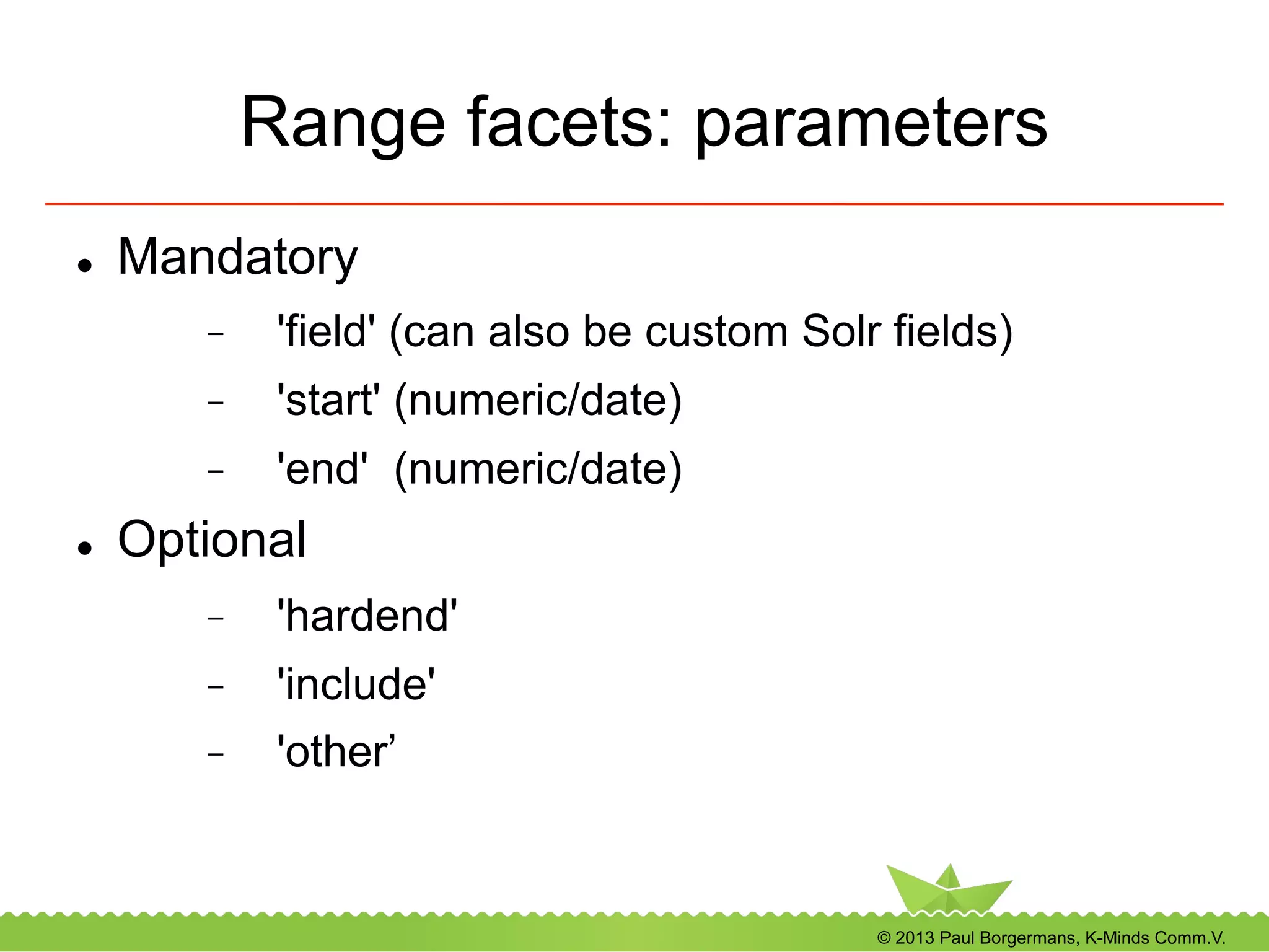
Range facets: parameters
l  Mandatory
-  'field' (can also be custom Solr fields)
-  'start' (numeric/date)
-  'end' (numeric/date)
l  Optional
-  'hardend'
-  'include'
-  'other’
© 2013 Paul Borgermans, K-Minds Comm.V.
Recipes with facets and filters
•  Analytics on publishing activities in the previous
month
fetch( ezfind, search,
hash( query, '',
filter, array(
'meta_published_dt:[NOW/MONTH-1MONTHS TO NOW/MONTH]' ),
facet, array(
hash('field','meta_contentclass_id_si' ),
hash('field','meta_owner_id_si')
) ) )
•  Results in counts on content types and authors
© 2013 Paul Borgermans, K-Minds Comm.V.
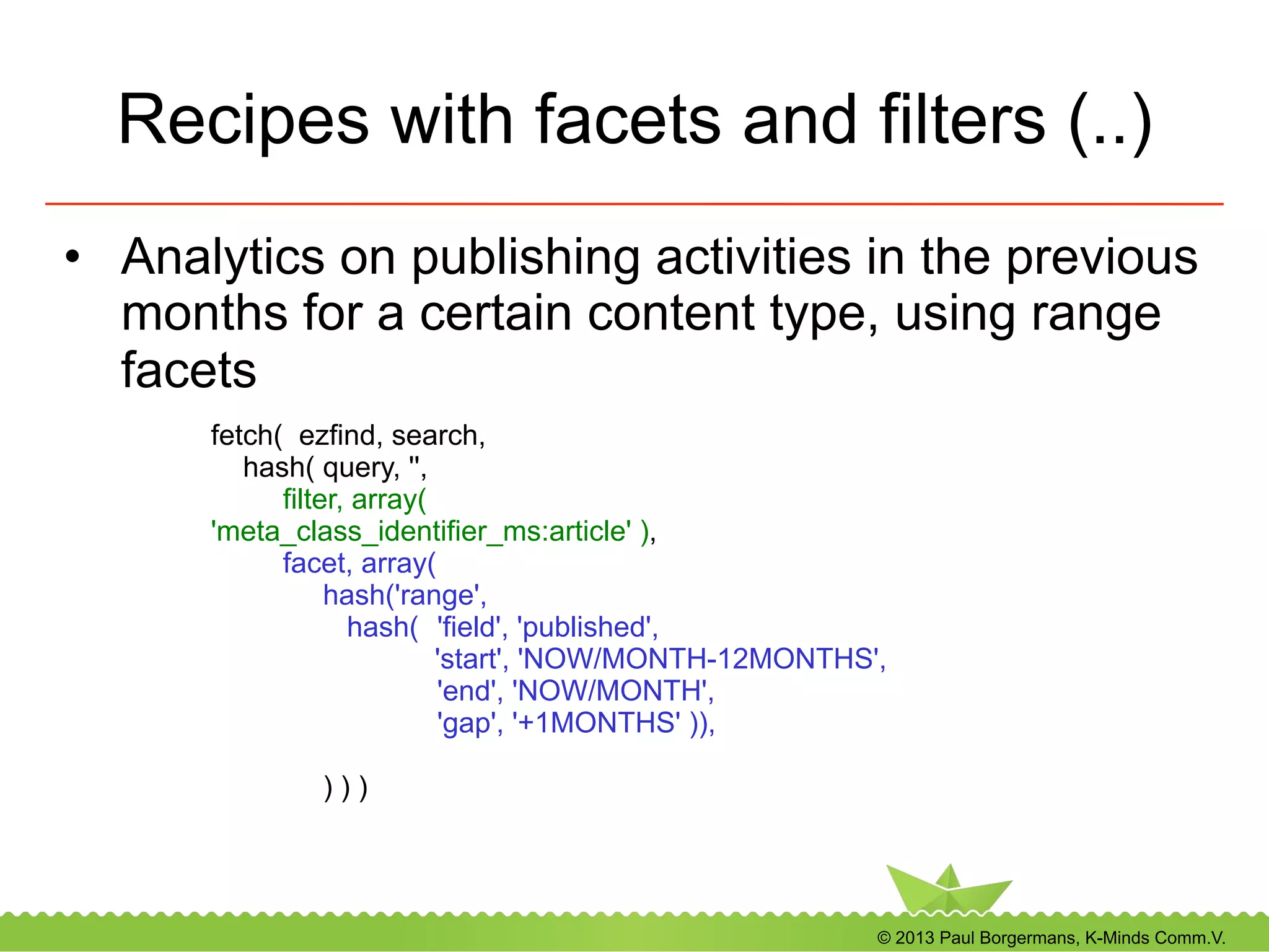
Recipes with facets and filters (..)
•  Analytics on publishing activities in the previous
months for a certain content type, using range
facets
fetch( ezfind, search,
hash( query, '',
filter, array(
'meta_class_identifier_ms:article' ),
facet, array(
hash('range',
hash( 'field', 'published',
'start', 'NOW/MONTH-12MONTHS',
'end', 'NOW/MONTH',
'gap', '+1MONTHS' )),
) ) )
© 2013 Paul Borgermans, K-Minds Comm.V.
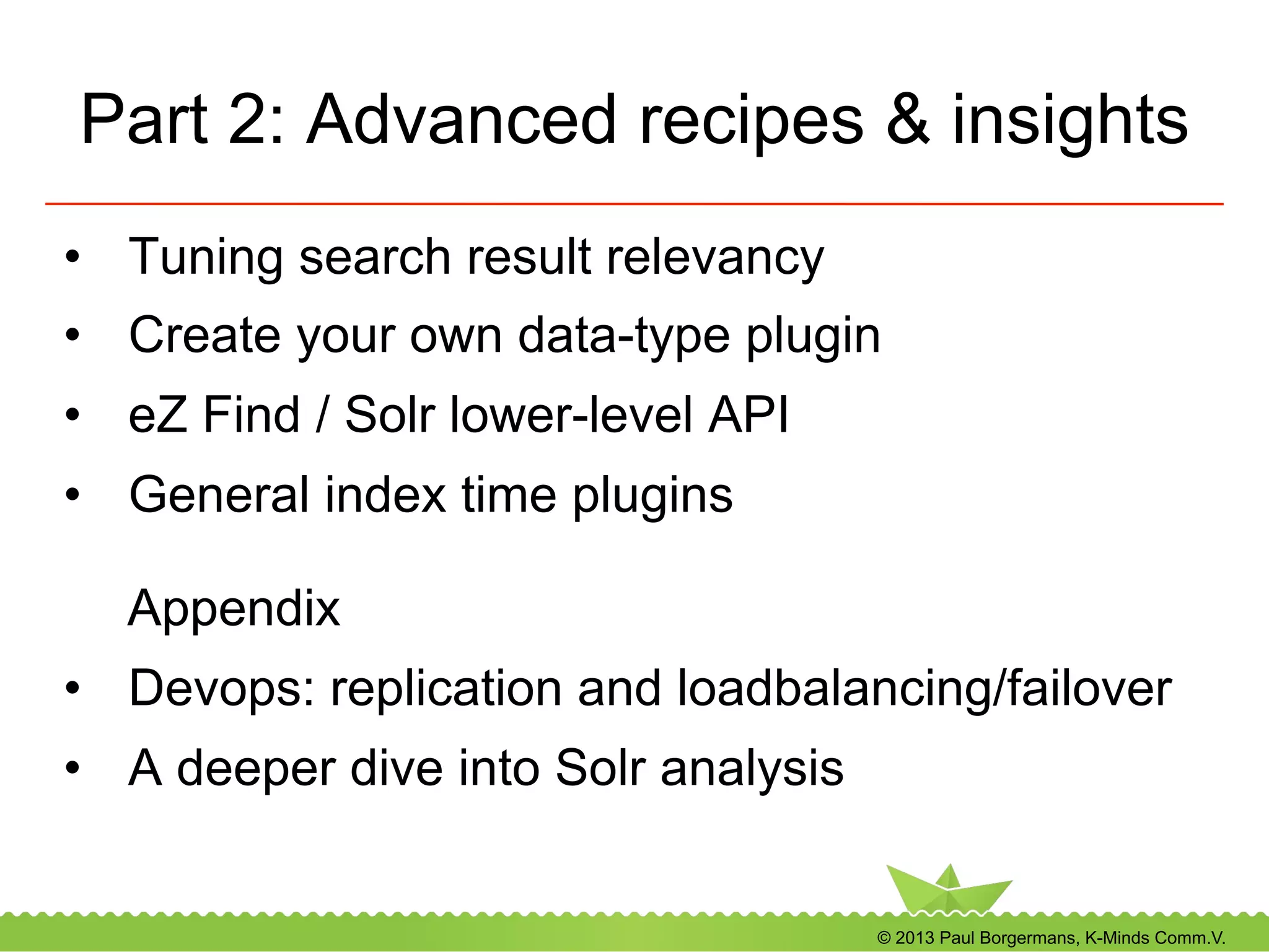
Part 2: Advanced recipes & insights
•  Tuning search result relevancy
•  Create your own data-type plugin
•  eZ Find / Solr lower-level API
•  General index time plugins
Appendix
•  Devops: replication and loadbalancing/failover
•  A deeper dive into Solr analysis
© 2013 Paul Borgermans, K-Minds Comm.V.
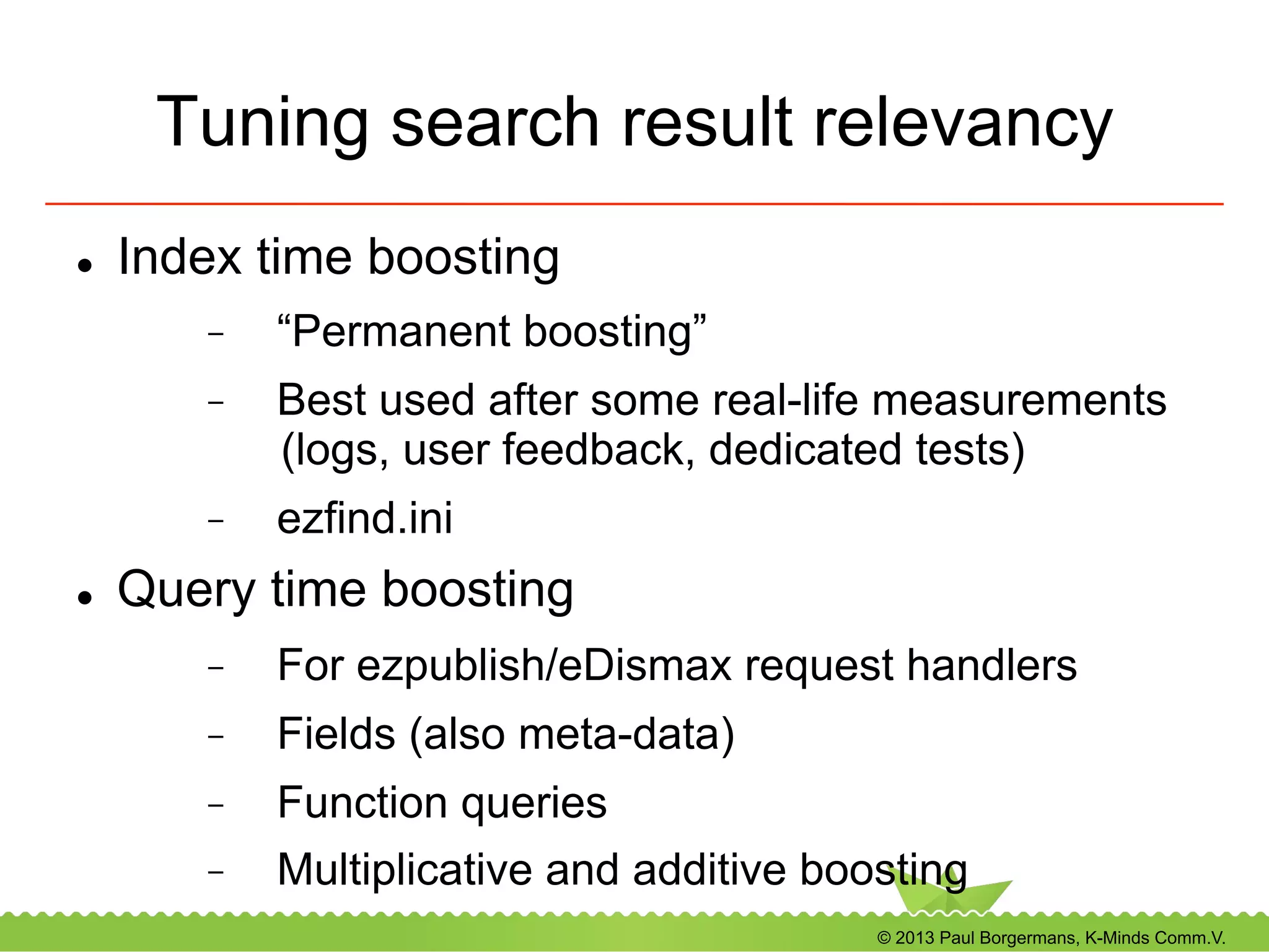
Tuning search result relevancy
l  Index time boosting
-  “Permanent boosting”
-  Best used after some real-life measurements
(logs, user feedback, dedicated tests)
-  ezfind.ini
l  Query time boosting
-  For ezpublish/eDismax request handlers
-  Fields (also meta-data)
-  Function queries
-  Multiplicative and additive boosting
© 2013 Paul Borgermans, K-Minds Comm.V.
Index time boosting
l  Available for:
-  Classes
-  Attributes
-  Datatypes
l  Boost factor ranges
-  [0 … 1] suppression
-  [1 … ] boosting
l  ezfind.ini
© 2013 Paul Borgermans, K-Minds Comm.V.
Index time boosting: ezfind.ini
example
[IndexBoost]
#ClassBoost: set boost factors on document (object) level
#format Class[<attribute identifier>]=<boost factor as int or float>
Class[]
Class[article]=4
Class[folder]=0.1
#AttributeBoost: set boost factors on attributes at field level
#you can specify the class identifier as optional (!) element for greatest flexibility
#If more than attributeidentifier is used, the last one has precedence
Attribute[]
Attribute[product/name]=8.0
Attribute[bio]=1.5
#AttributeBoost: set boost factors on attributes at field level based on their datatype
Datatype[]
Datatype[ezkeyword]=3.0
#ReverseRelatedScale: scale factor to use in $boost = $boost + <scalefactor> * <number of reverse relations>
ReverseRelatedScale=0
ReverseRelatedScale=0.8
© 2013 Paul Borgermans, K-Minds Comm.V.
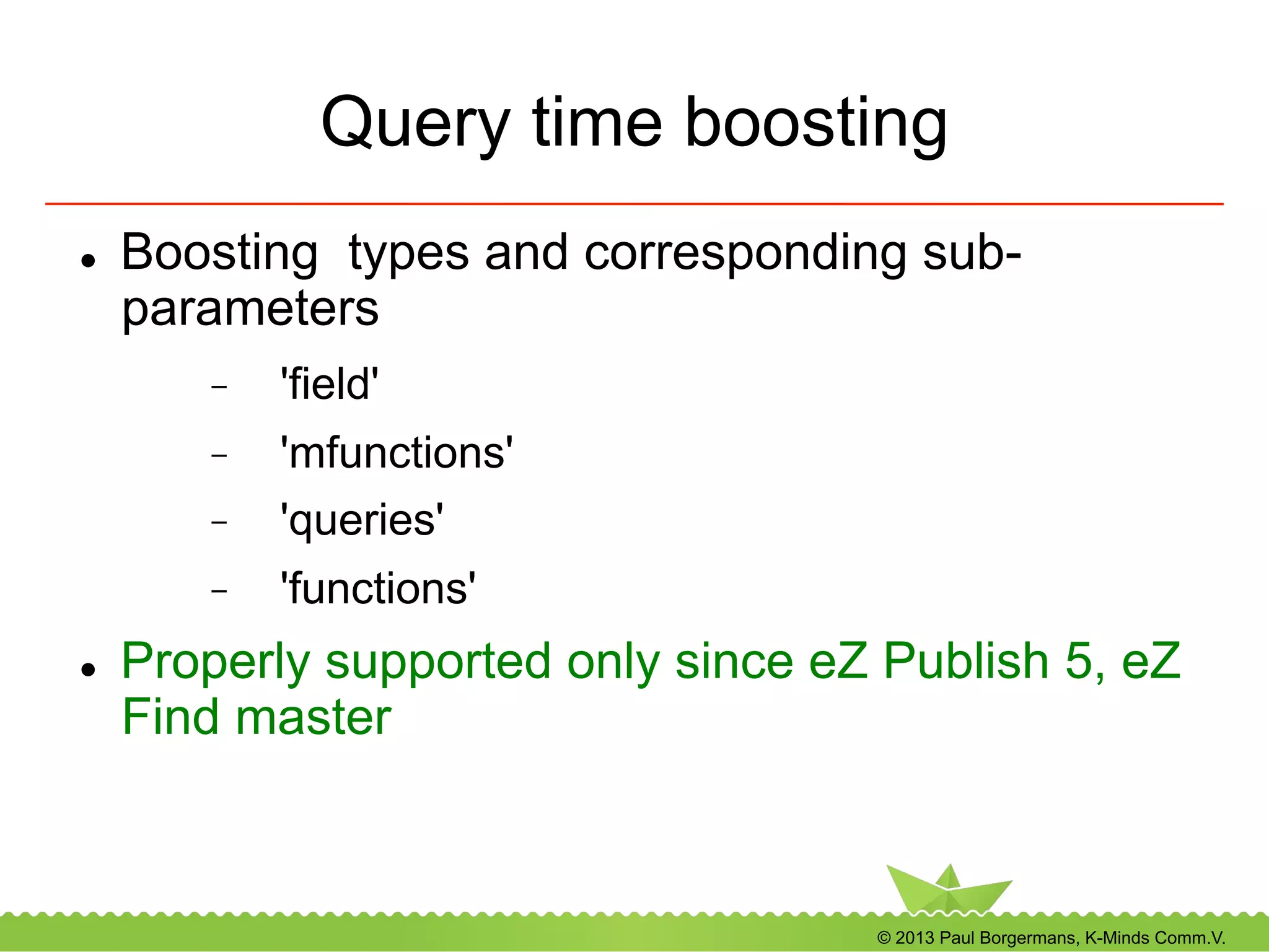
Query time boosting
l  Boosting types and corresponding sub-
parameters
-  'field'
-  'mfunctions'
-  'queries'
-  'functions'
l  Properly supported only since eZ Publish 5, eZ
Find master
© 2013 Paul Borgermans, K-Minds Comm.V.
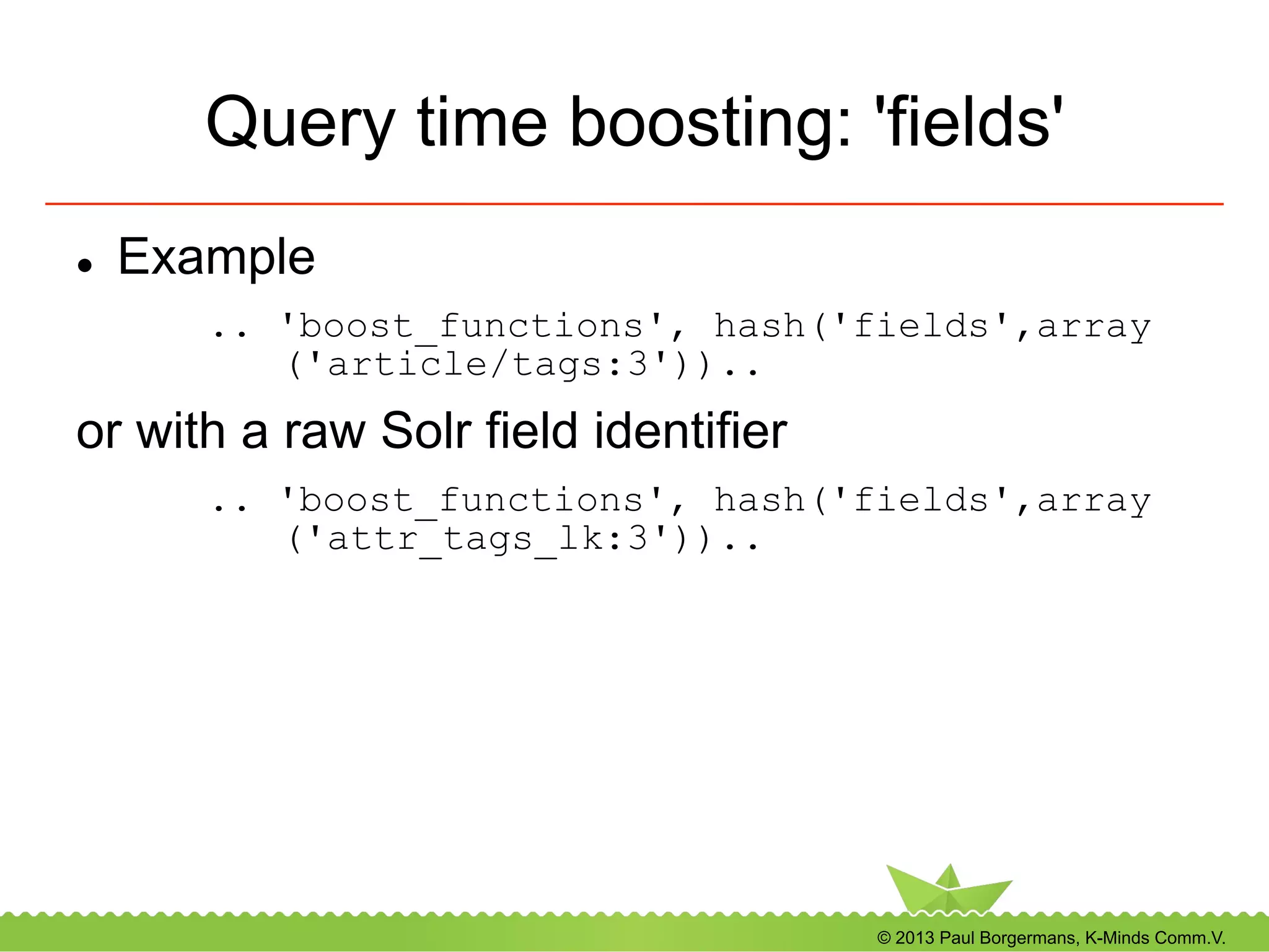
Query time boosting: 'fields'
l  Example
.. 'boost_functions', hash('fields',array
('article/tags:3'))..
or with a raw Solr field identifier
.. 'boost_functions', hash('fields',array
('attr_tags_lk:3'))..
© 2013 Paul Borgermans, K-Minds Comm.V.
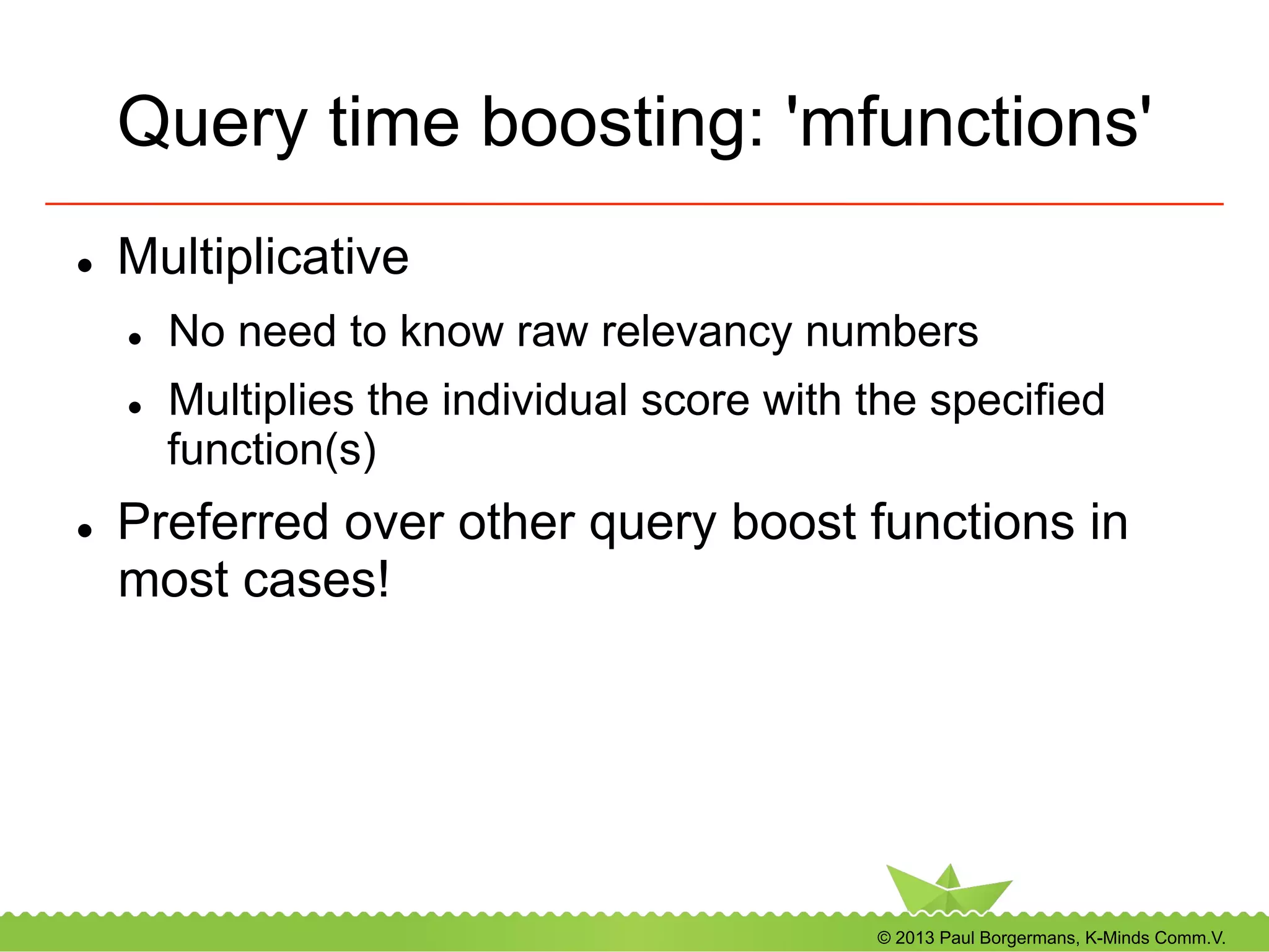
Query time boosting: 'mfunctions'
l  Multiplicative
l  No need to know raw relevancy numbers
l  Multiplies the individual score with the specified
function(s)
l  Preferred over other query boost functions in
most cases!
© 2013 Paul Borgermans, K-Minds Comm.V.
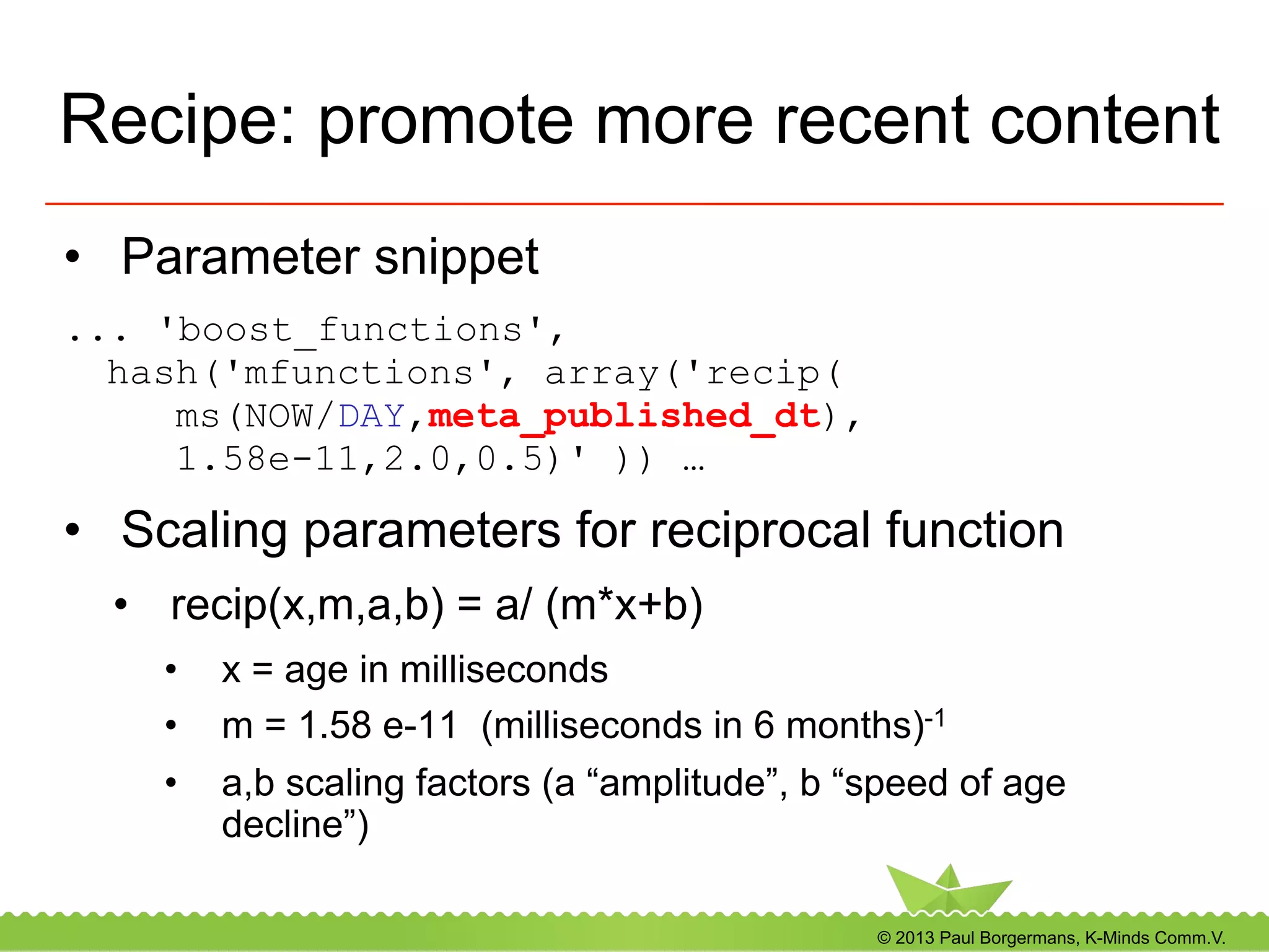
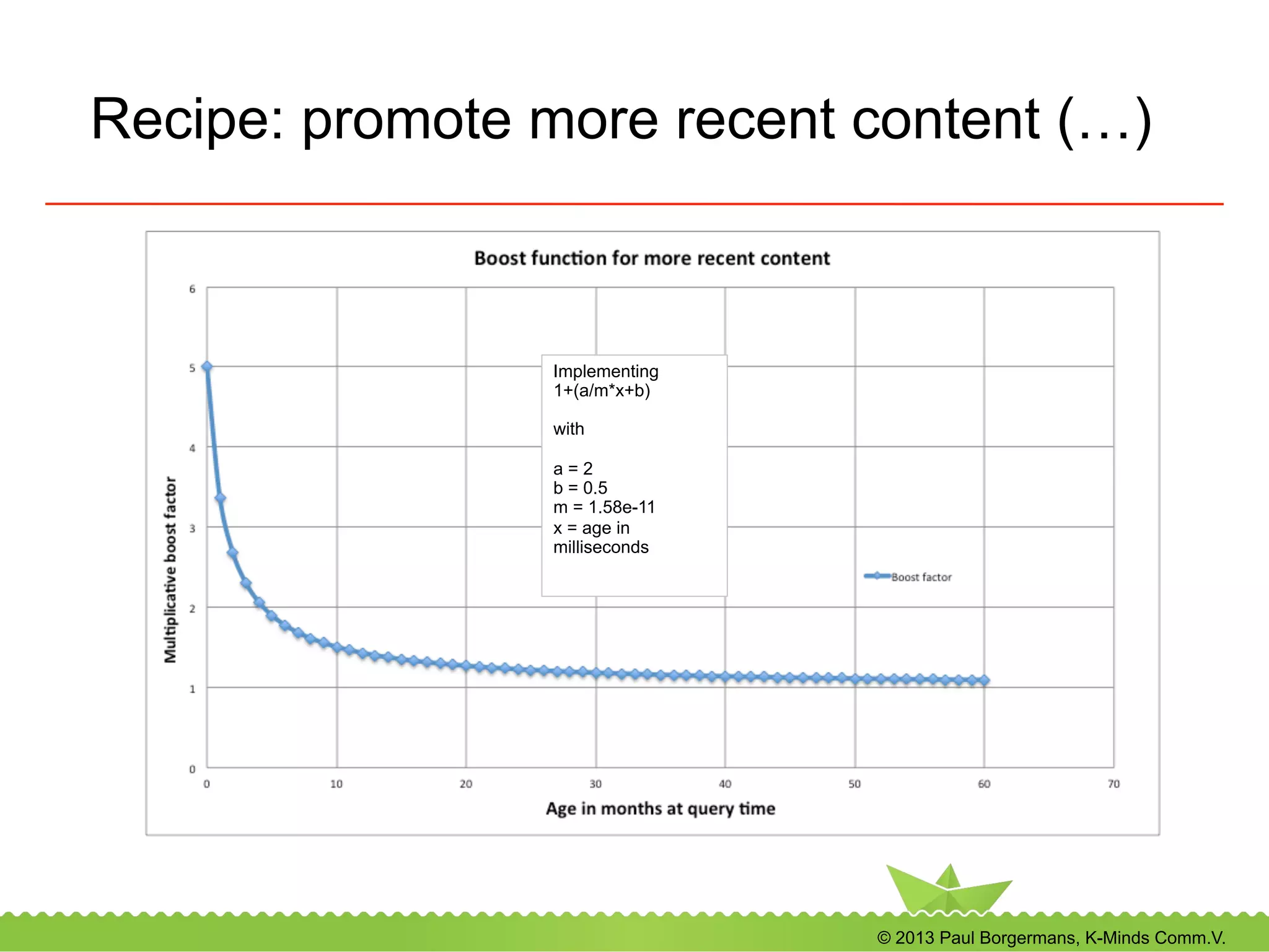
Recipe: promote more recent content
•  Parameter snippet
... 'boost_functions',
hash('mfunctions', array('recip(
ms(NOW/DAY,meta_published_dt),
1.58e-11,2.0,0.5)' )) …
•  Scaling parameters for reciprocal function
•  recip(x,m,a,b) = a/ (m*x+b)
•  x = age in milliseconds
•  m = 1.58 e-11 (milliseconds in 6 months)-1
•  a,b scaling factors (a “amplitude”, b “speed of age
decline”)
© 2013 Paul Borgermans, K-Minds Comm.V.
Recipe: promote more recent content (…)
Implementing
1+(a/m*x+b)
with
a = 2
b = 0.5
m = 1.58e-11
x = age in
milliseconds
© 2013 Paul Borgermans, K-Minds Comm.V.
Query time boosting: 'queries'
l  These are added to the main query and need to
follow the Solr/Lucene query format ans specify
the boost factor explicitely for it
l  Example
..'boost_functions', hash('queries',
array(
'meta_class_identifier_ms:article^10'))..
l  Also available in ini settings (applies always)
[QueryBoost]
#RawBoostQueries[]
RawBoostQueries[]=meta_class_identifier_ms:summary^4
© 2013 Paul Borgermans, K-Minds Comm.V.
Query time boosting: ’ functions'
l  These are like mfunctions, but add their value
to the relevancy score
l  Usually 'mfunctions' are the easier choice
l  Example
..'boost_functions',
hash('functions', array('sum(product
(attr_importance_si,0.1),1)')) ..
© 2013 Paul Borgermans, K-Minds Comm.V.
Solr has many functions to use
l  Strings
l  Numbers and mapping
l  Date math
l  Geospatial
http://wiki.apache.org/solr/FunctionQuery/
© 2013 Paul Borgermans, K-Minds Comm.V.
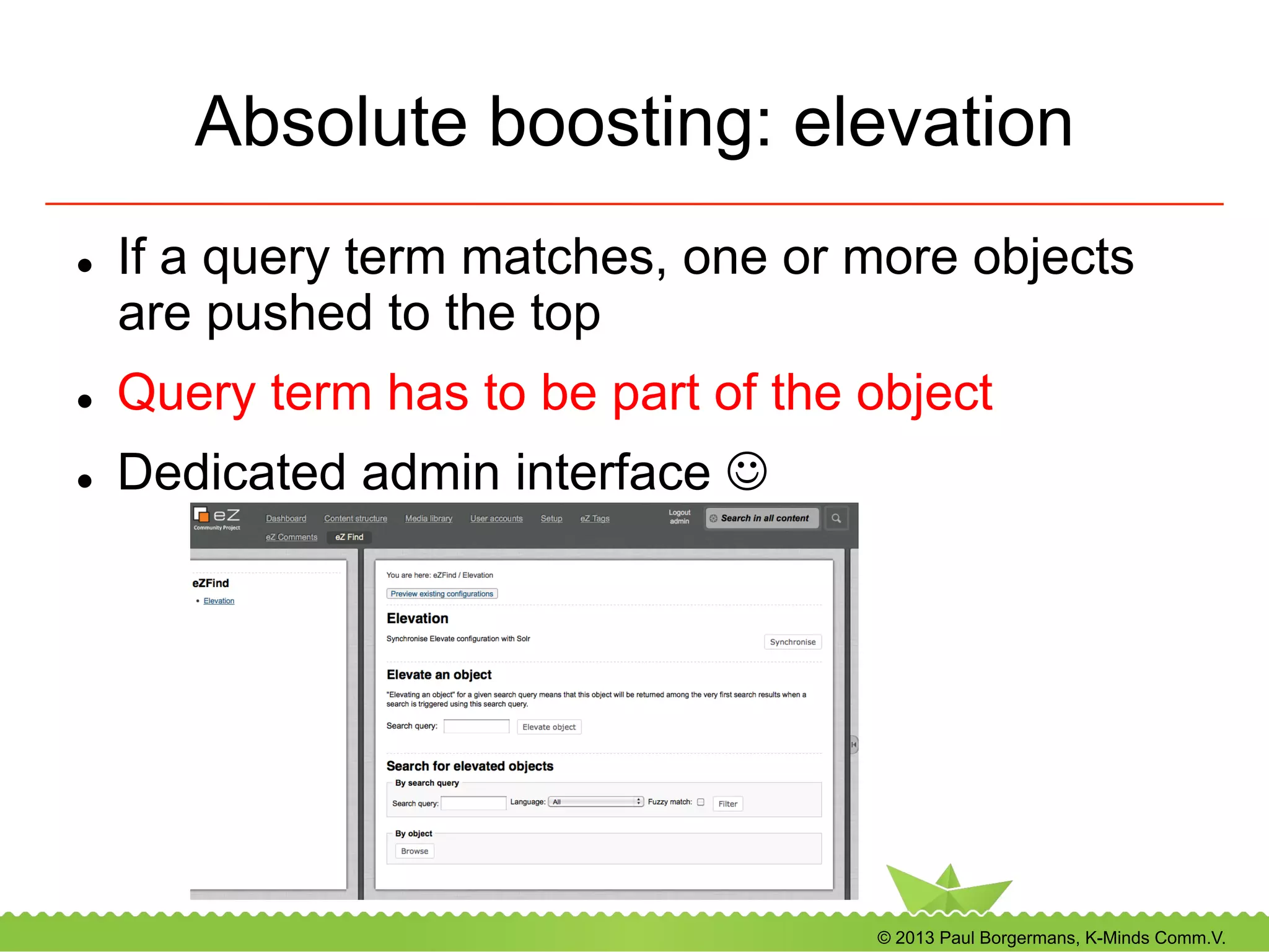
Absolute boosting: elevation
l  If a query term matches, one or more objects
are pushed to the top
l  Query term has to be part of the object
l  Dedicated admin interface J
© 2013 Paul Borgermans, K-Minds Comm.V.
Custom datatype handlers
l  Usually for “complex” datatypes
-  Subfields (!)
l  Can optionally be context aware
-  Facets/Sort
-  Search
-  Filter
© 2013 Paul Borgermans, K-Minds Comm.V.
Create your own datatype handler
l  Derive from a base class:
-  ezfSolrDocumentFieldBase
-  Naming convention
l  Provide at least two methods
-  “schema” data: (sub)field names
-  Data to index
l  Starting point
-  extension/ezfind/classes:
ezfsolrdocumentfielddummyexample.php
l  Add in ezfind.ini, [Indexoptions]
© 2013 Paul Borgermans, K-Minds Comm.V.
Overview of eZ Find / Solr lower level API
© 2013 Paul Borgermans, K-Minds Comm.V.
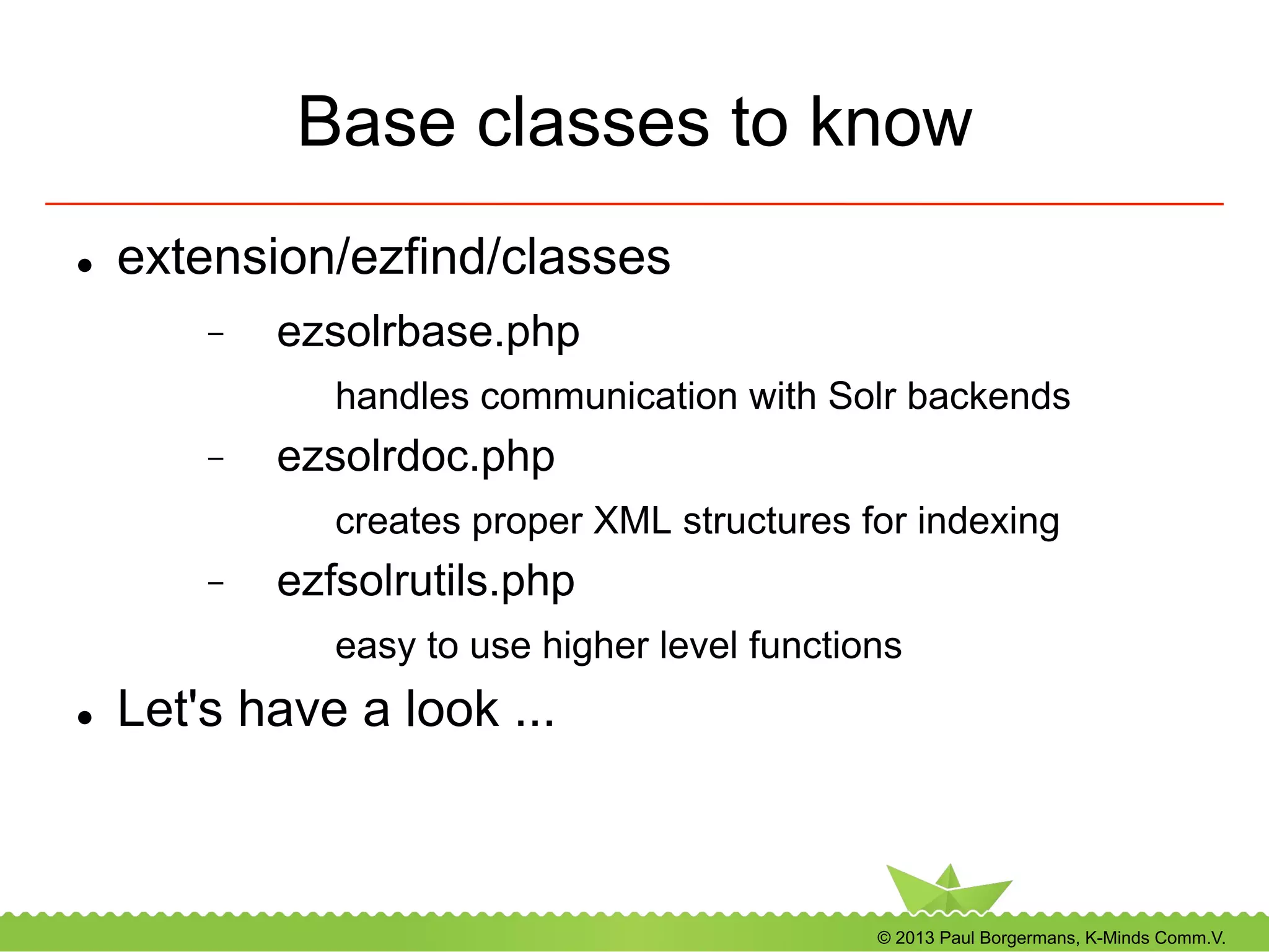
Base classes to know
l  extension/ezfind/classes
-  ezsolrbase.php
handles communication with Solr backends
-  ezsolrdoc.php
creates proper XML structures for indexing
-  ezfsolrutils.php
easy to use higher level functions
l  Let's have a look ...
© 2013 Paul Borgermans, K-Minds Comm.V.
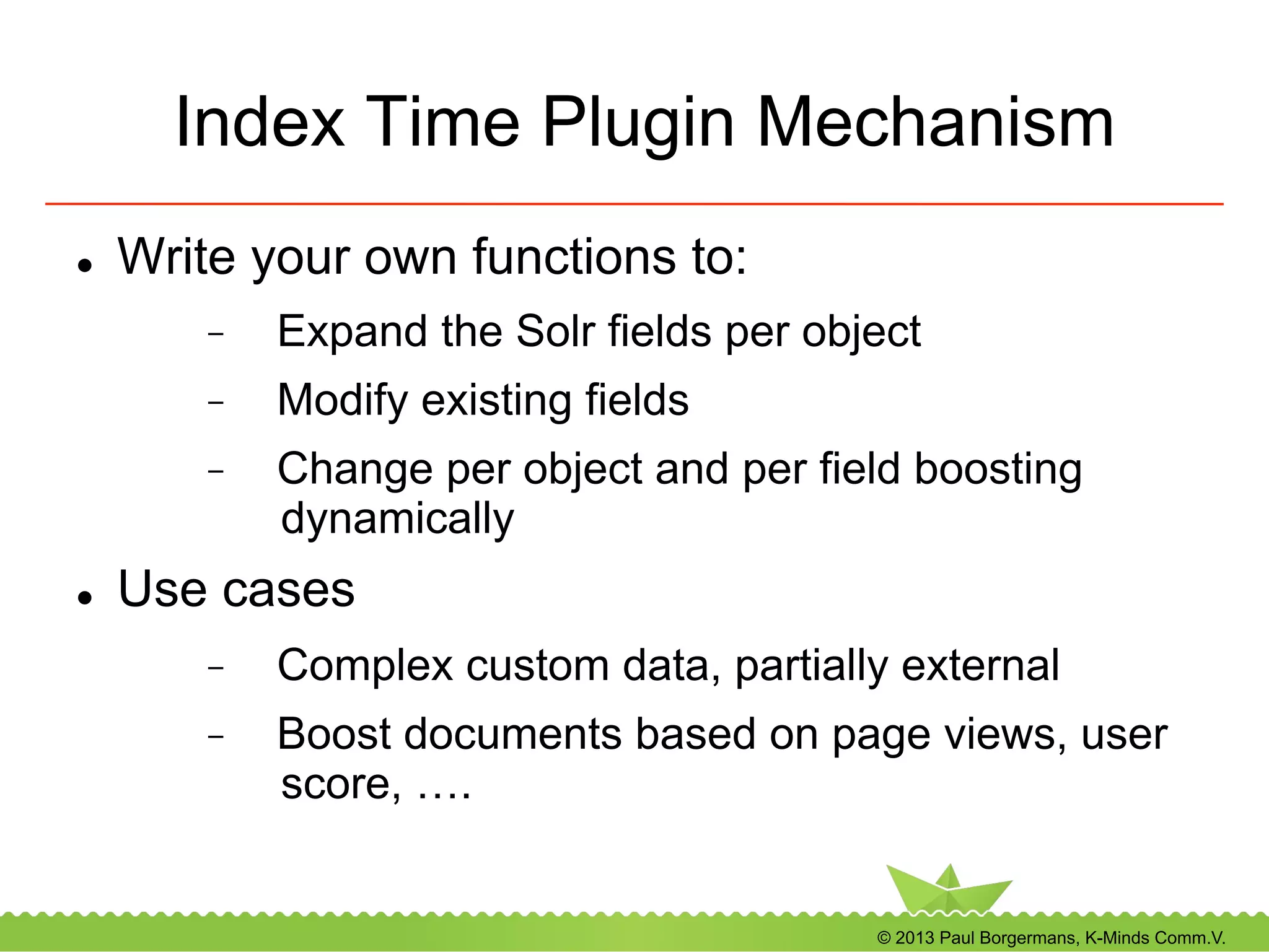
Index Time Plugin Mechanism
l  Write your own functions to:
-  Expand the Solr fields per object
-  Modify existing fields
-  Change per object and per field boosting
dynamically
l  Use cases
-  Complex custom data, partially external
-  Boost documents based on page views, user
score, ….
© 2013 Paul Borgermans, K-Minds Comm.V.
Index time plugins (...)
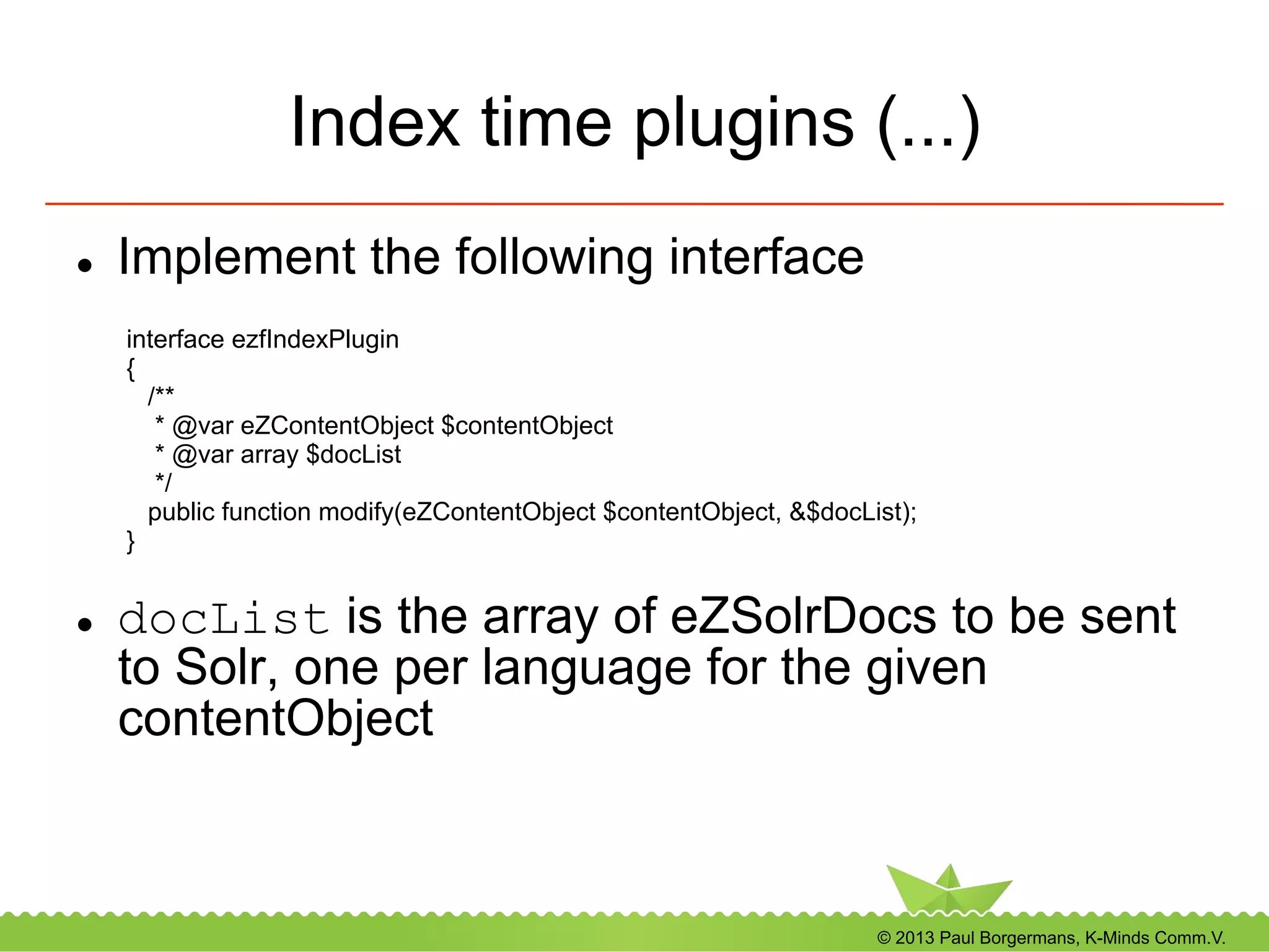
l  Implement the following interface
l  docList is the array of eZSolrDocs to be sent
to Solr, one per language for the given
contentObject
interface ezfIndexPlugin
{
/**
* @var eZContentObject $contentObject
* @var array $docList
*/
public function modify(eZContentObject $contentObject, &$docList);
}
© 2013 Paul Borgermans, K-Minds Comm.V.
Index time plugins (...)
l  Activate your plugin in ezfind.ini
-  Global
-  Per content class
[IndexPlugins]
# Allow injection of custom fields and manipulation of fields/boost parameters
# at index time
# This can be defined at the class level or general
General[]
#General[]=ezfIndexParentName
#Classhooks will only be called for objects of the specified class
Class[]
Class[myspecialclass]=ezfIndexParentName
© 2013 Paul Borgermans, K-Minds Comm.V.
Customizing autocomplete
•  Tweaking schema.xml
•  Goal: decrease "noise"
•  Use copyfield directives to use only selected input
fields and aggregate into a custom autocomplete
source field
•  Adapt ezfind.ini settings
© 2013 Paul Borgermans, K-Minds Comm.V.
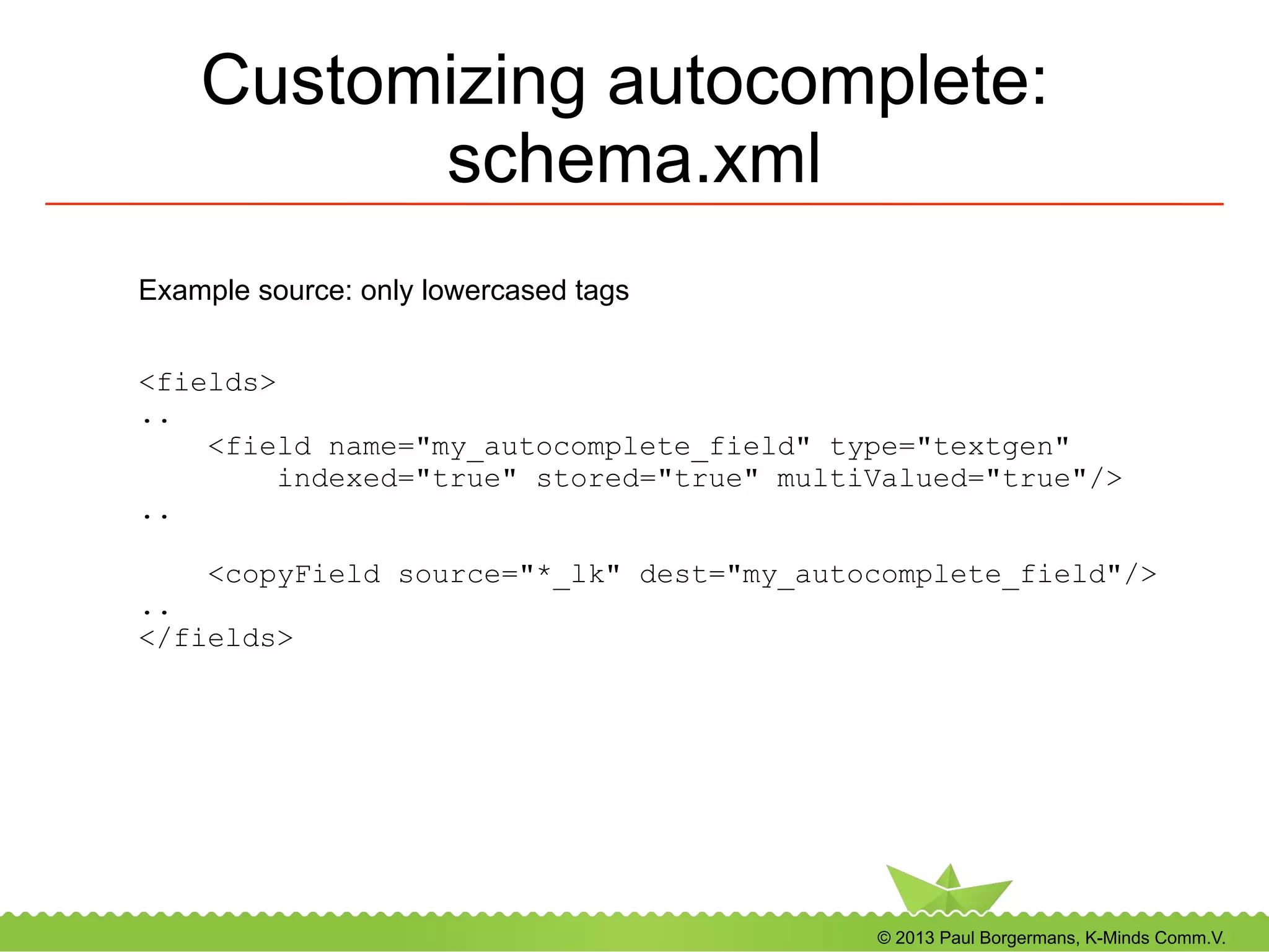
Customizing autocomplete:
schema.xml
<fields>
..
<field name="my_autocomplete_field" type="textgen"
indexed="true" stored="true" multiValued="true"/>
..
<copyField source="*_lk" dest="my_autocomplete_field"/>
..
</fields>
Example source: only lowercased tags
© 2013 Paul Borgermans, K-Minds Comm.V.
Customizing autocomplete:
ezfind.ini
[AutoCompleteSettings]
AutoComplete=enabled
# The maximum number of suggestions to return from search engine.
Limit=10
# Facet field used by autocomplete.
FacetField=my_autocomplete_field
© 2013 Paul Borgermans, K-Minds Comm.V.
Suggested exercises
© 2013 Paul Borgermans, K-Minds Comm.V.
Warm up exercise
l  Make sure you are on the latest code base
l  Play with the Lucene syntax supported by the
new ezpubish/eDismax handler:
-  Proximity searches
-  Fuzzy searches
-  Wildcards
-  Ranges
And see what happens
© 2013 Paul Borgermans, K-Minds Comm.V.
Exercise: boosting
l  Use the new 'mfunctions' parameter to boost
more recent values
l  Tweak your content with ratings and boost
higher rated articles
© 2013 Paul Borgermans, K-Minds Comm.V.
Exercise: Facets & attribute filtering
l  Adapt the previous examples/recipes
l  Try to facet and filters on classnames
-  As a field facet (enumerate all classes)
-  As a set of several query facets (enumerate
only a selection)
l  Range facets
-  Date ranges
© 2013 Paul Borgermans, K-Minds Comm.V.
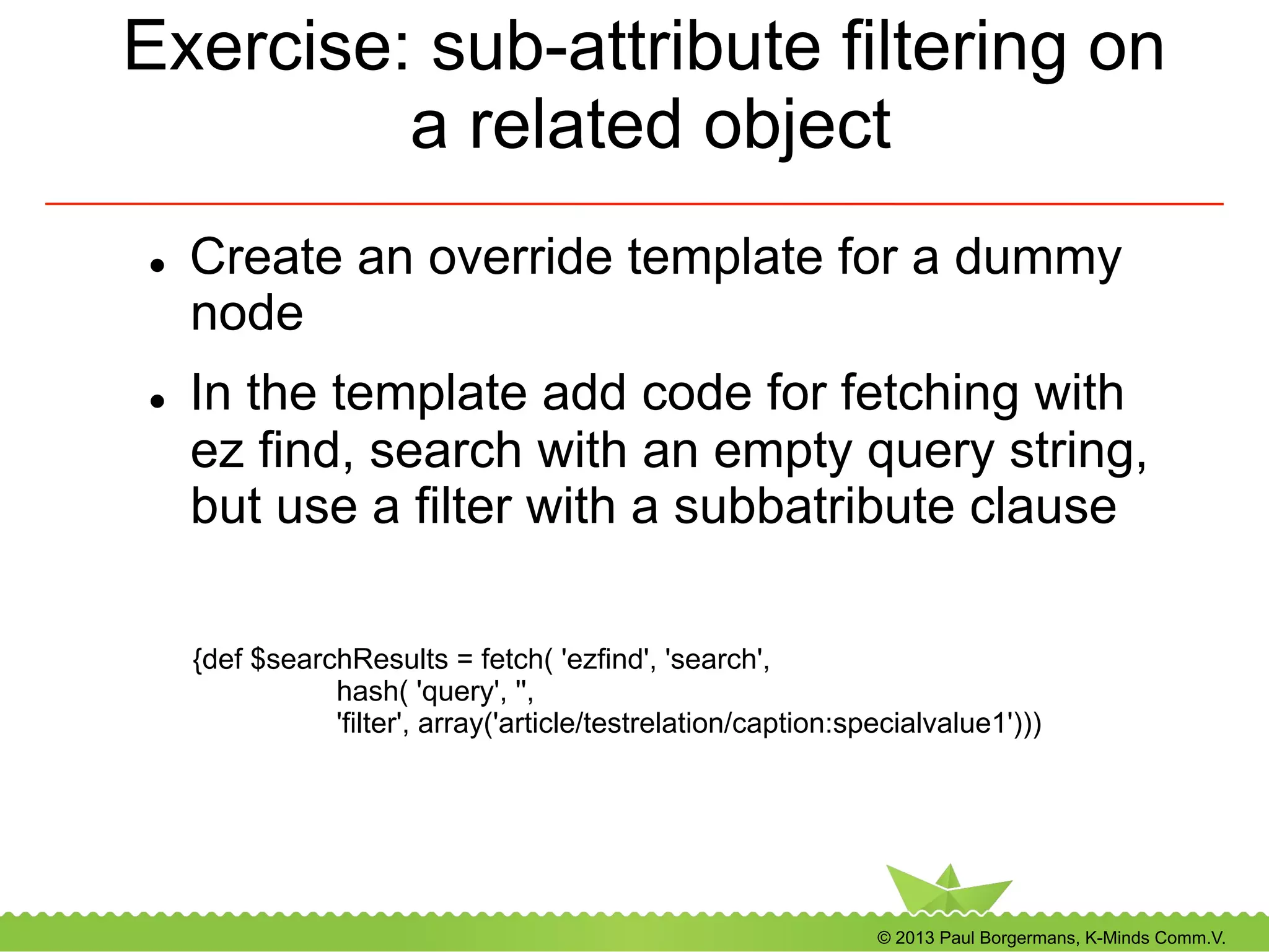
Exercise: sub-attribute filtering on
a related object
l  Create an override template for a dummy
node
l  In the template add code for fetching with
ez find, search with an empty query string,
but use a filter with a subbatribute clause
{def $searchResults = fetch( 'ezfind', 'search',
hash( 'query', '',
'filter', array('article/testrelation/caption:specialvalue1')))
© 2013 Paul Borgermans, K-Minds Comm.V.
A last plug: You are invited to our
5th anniversary!
conference.phpbenelux.eu/2014/
© 2013 Paul Borgermans, K-Minds Comm.V.
Appendix A
Replication and loadbalancing
© 2013 Paul Borgermans, K-Minds Comm.V.
Replication / Distribution
l  Solr 3.x (current stable eZ Find)
-  Master/slave model (pull)
-  Easy to setup
l  Solr 4.x (future eZ Find?)
-  “SolrCloud”, dustributed capabilities (push)
-  Apache Zookeeper based
-  A bit more complicated setup
-  Automatic failover, monitoring
© 2013 Paul Borgermans, K-Minds Comm.V.
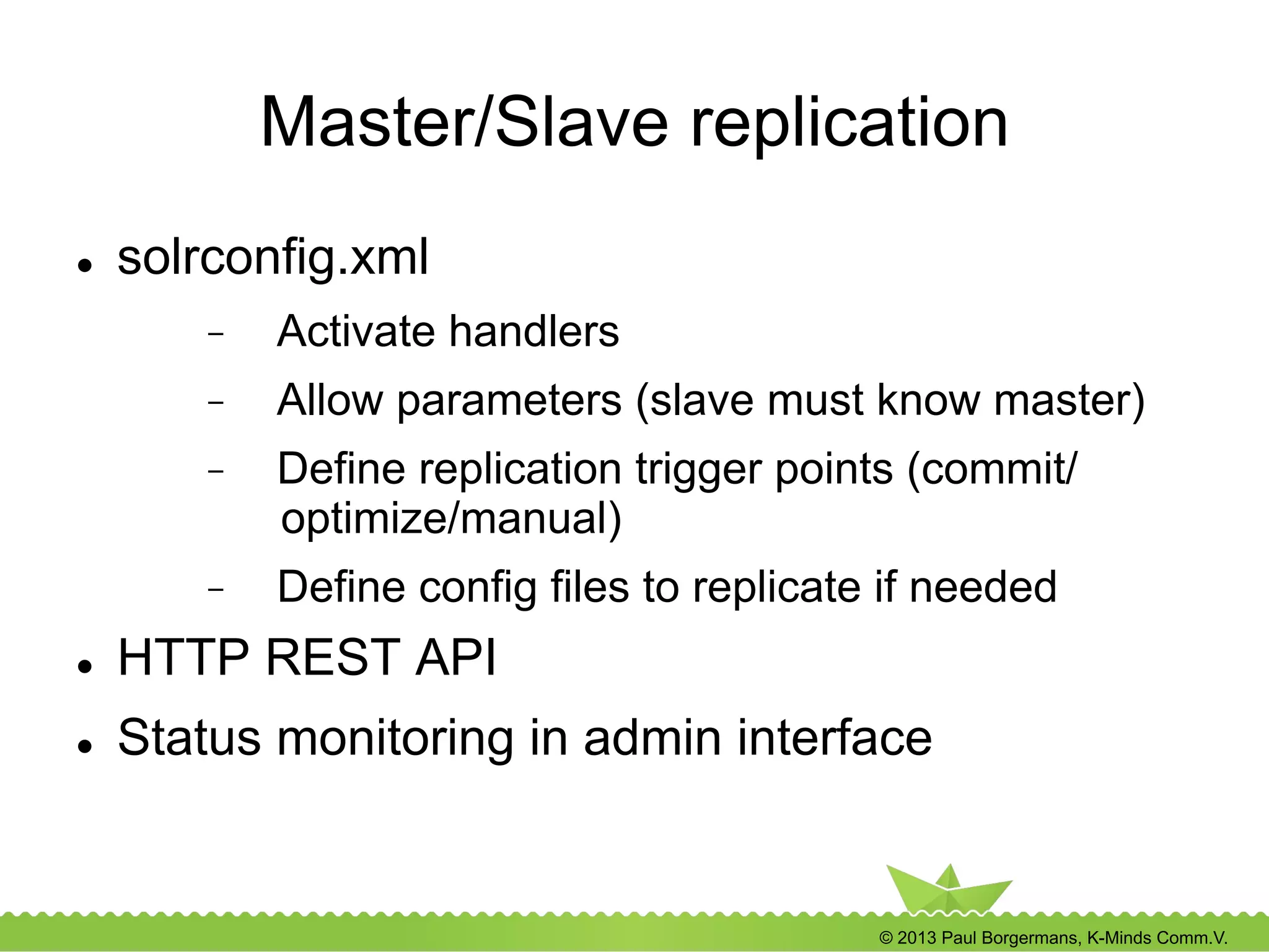
Master/Slave replication
l  solrconfig.xml
-  Activate handlers
-  Allow parameters (slave must know master)
-  Define replication trigger points (commit/
optimize/manual)
-  Define config files to replicate if needed
l  HTTP REST API
l  Status monitoring in admin interface
© 2013 Paul Borgermans, K-Minds Comm.V.
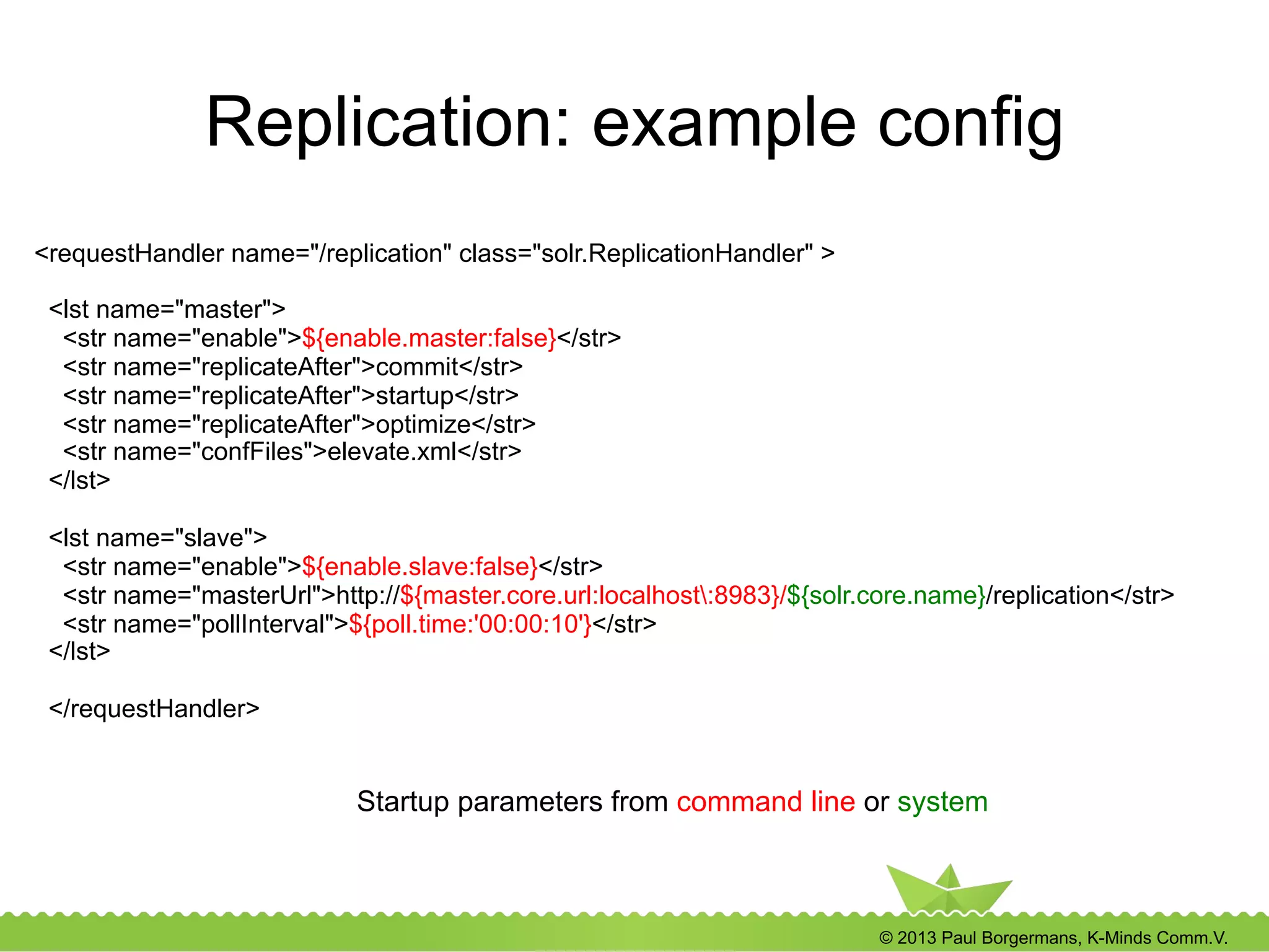
Replication: example config
<requestHandler name="/replication" class="solr.ReplicationHandler" >
<lst name="master">
<str name="enable">${enable.master:false}</str>
<str name="replicateAfter">commit</str>
<str name="replicateAfter">startup</str>
<str name="replicateAfter">optimize</str>
<str name="confFiles">elevate.xml</str>
</lst>
<lst name="slave">
<str name="enable">${enable.slave:false}</str>
<str name="masterUrl">http://${master.core.url:localhost:8983}/${solr.core.name}/replication</str>
<str name="pollInterval">${poll.time:'00:00:10'}</str>
</lst>
</requestHandler>
Startup parameters from command line or system
© 2013 Paul Borgermans, K-Minds Comm.V.
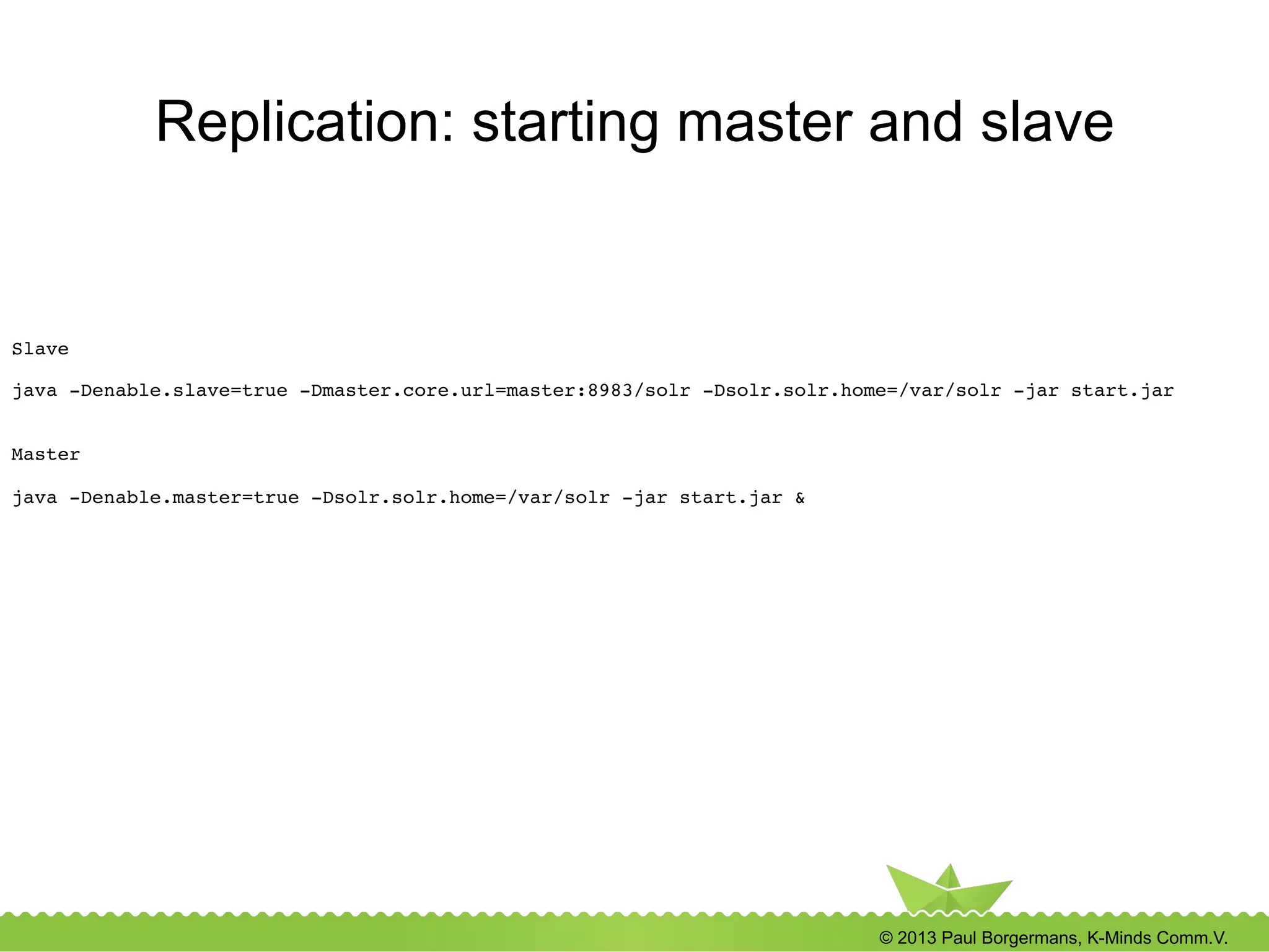
Replication: starting master and slave
Slave!
!
java -Denable.slave=true -Dmaster.core.url=master:8983/solr -Dsolr.solr.home=/var/solr -jar start.jar!
!
!
Master!
!
java -Denable.master=true -Dsolr.solr.home=/var/solr -jar start.jar &!
© 2013 Paul Borgermans, K-Minds Comm.V.
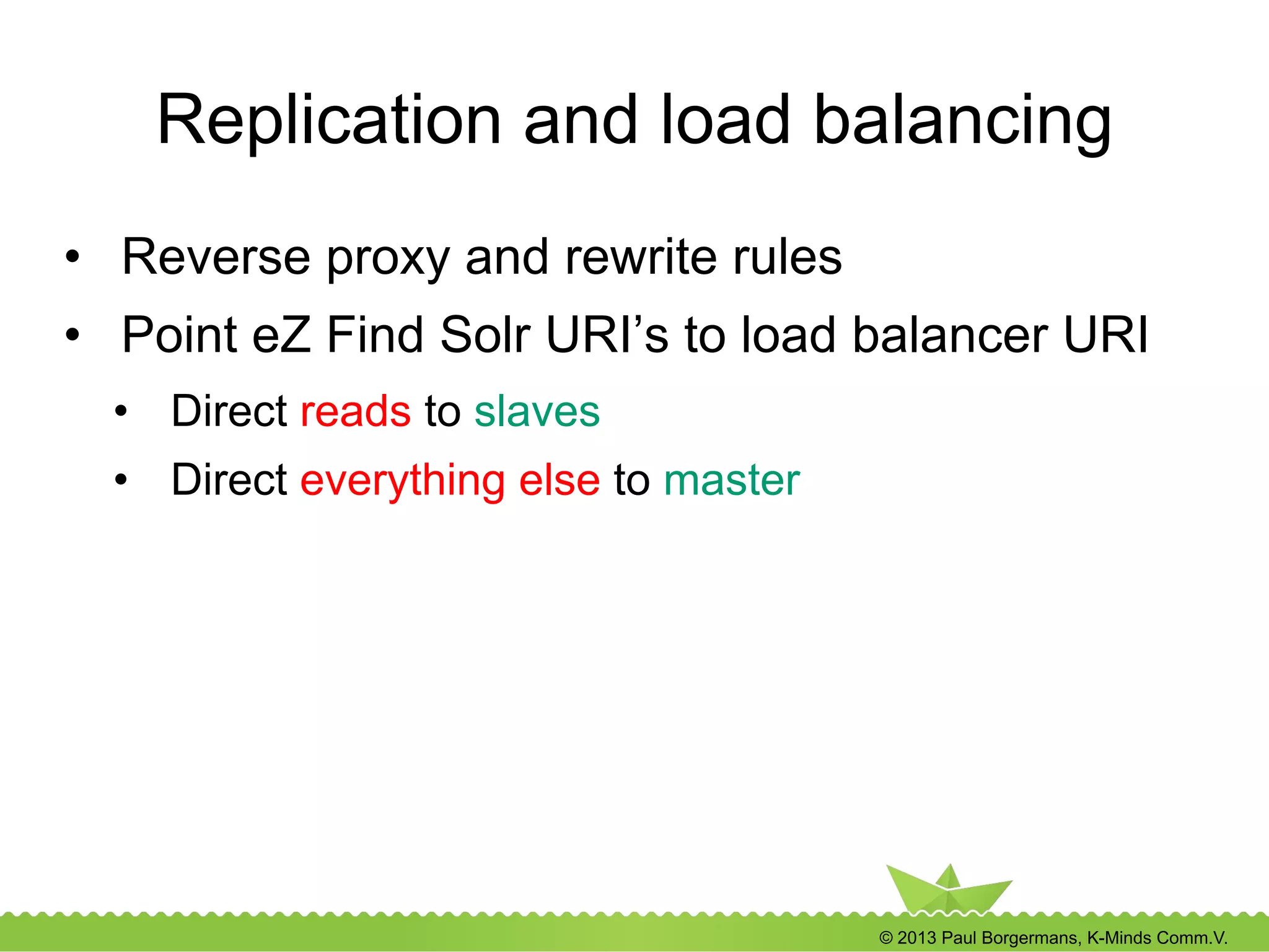
Replication and load balancing
•  Reverse proxy and rewrite rules
•  Point eZ Find Solr URI’s to load balancer URI
•  Direct reads to slaves
•  Direct everything else to master
© 2013 Paul Borgermans, K-Minds Comm.V.
Replication and load balancing (…)
Listen 8988!
<VirtualHost *:8988>!
# Need: mod_proxy mod_proxy_http mod_proxy_balancer active!
!
<Proxy balancer://solrread>!
# just two, localhost and the Solr master server as a hot stand-by: may also add the second
webserver!
BalancerMember http://localhost:8983!
BalancerMember http://master-solr:8983 status=+H!
</Proxy>!
!
<Proxy balancer://solrwrite>!
# just the Solr master server!
BalancerMember http://master-solr:8983!
</Proxy>!
!
RewriteEngine On!
!
# Send select to the solrread balancer!
RewriteCond %{REQUEST_URI} ^/(.*)select/$!
RewriteRule ^/(.*)$ balancer://solrread/$1 [P]!
!
# Send all others to the write balancer!
RewriteRule ^/(.*)$ balancer://solrwrite/$1 [P]!
!
ProxyPassReverse / balancer://solrwrite!
ProxyPassReverse / balancer://solrread!
</VirtualHost>!
Apache mod_proxy example
© 2013 Paul Borgermans, K-Minds Comm.V.
Appendix B
Inside Solr analysis
© 2013 Paul Borgermans, K-Minds Comm.V.
A deeper dive into
Apache Solr
l  From index → document → field
l  Schema.xml
l  What happens under the hood
© 2013 Paul Borgermans, K-Minds Comm.V.
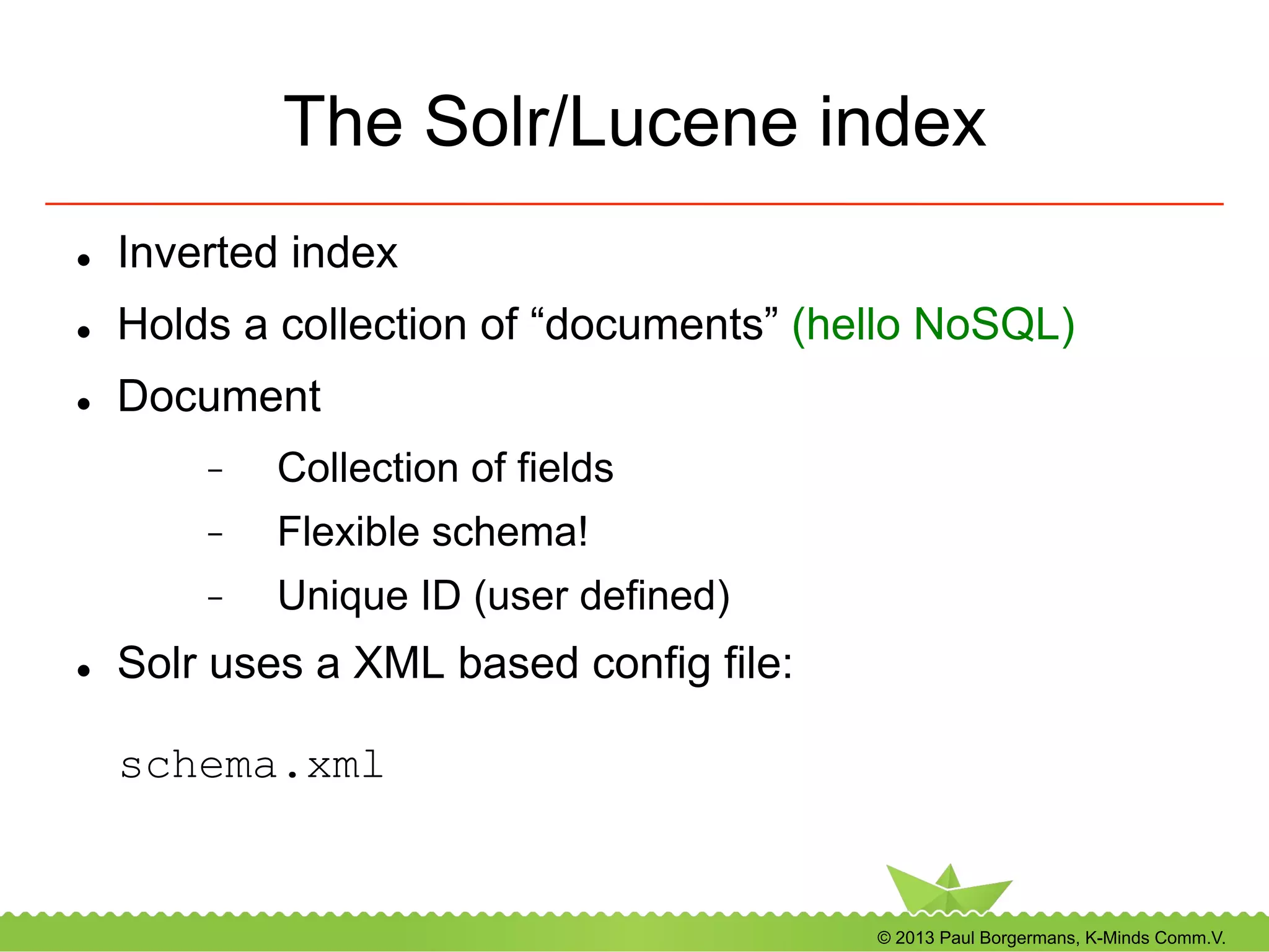
The Solr/Lucene index
l  Inverted index
l  Holds a collection of “documents” (hello NoSQL)
l  Document
-  Collection of fields
-  Flexible schema!
-  Unique ID (user defined)
l  Solr uses a XML based config file:
schema.xml
© 2013 Paul Borgermans, K-Minds Comm.V.
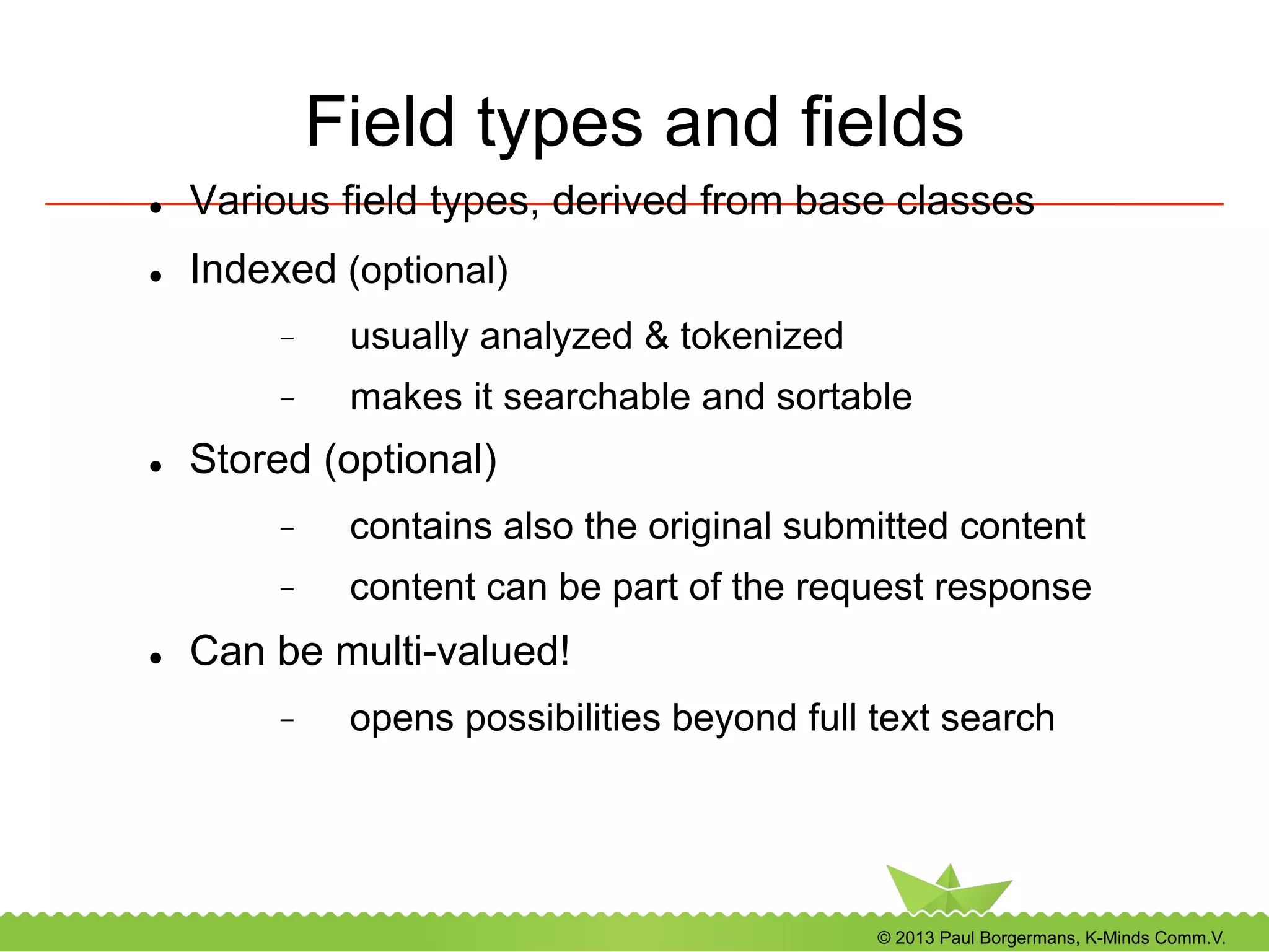
Field types and fields
l  Various field types, derived from base classes
l  Indexed (optional)
-  usually analyzed & tokenized
-  makes it searchable and sortable
l  Stored (optional)
-  contains also the original submitted content
-  content can be part of the request response
l  Can be multi-valued!
-  opens possibilities beyond full text search
© 2013 Paul Borgermans, K-Minds Comm.V.
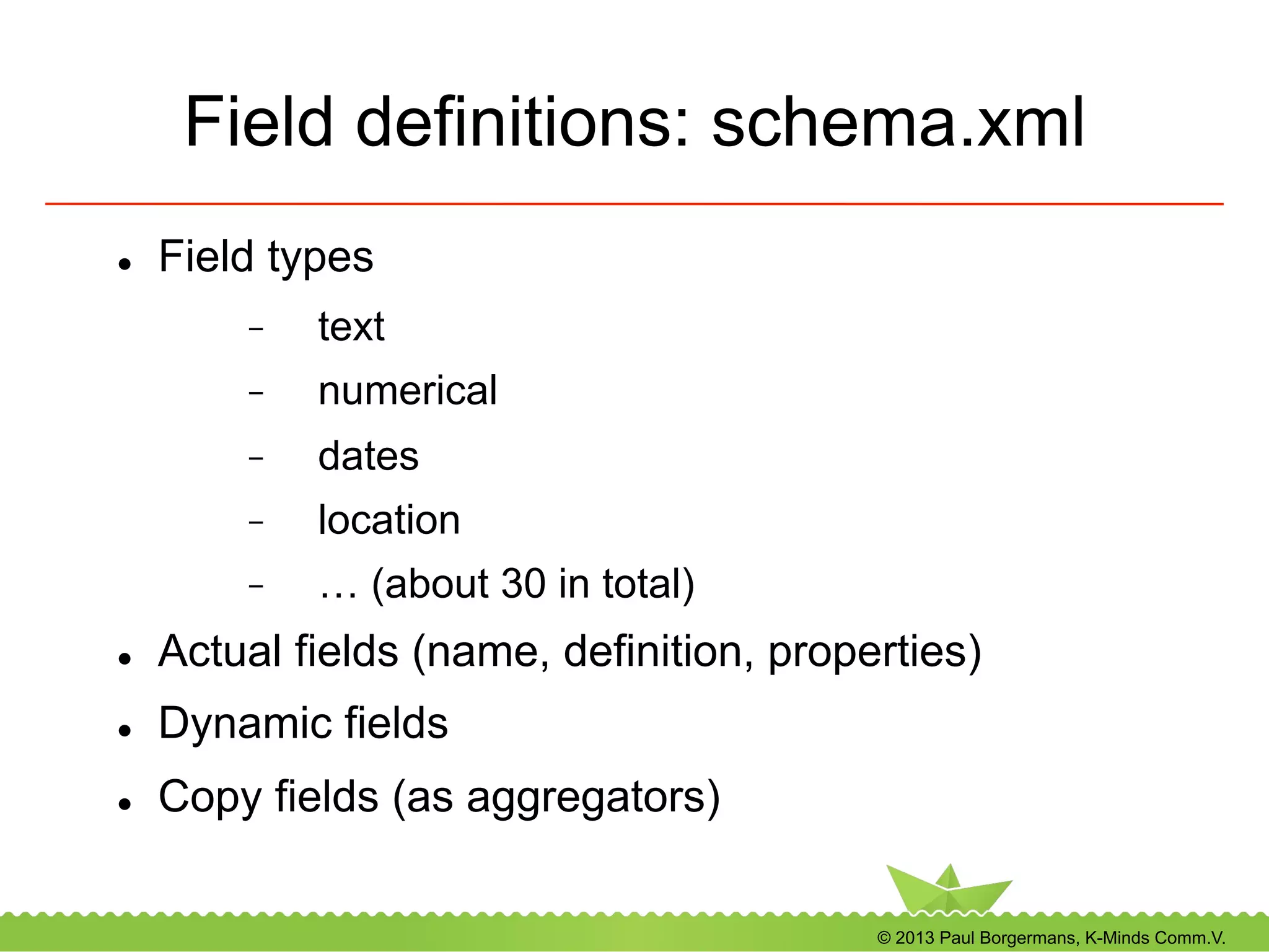
Field definitions: schema.xml
l  Field types
-  text
-  numerical
-  dates
-  location
-  … (about 30 in total)
l  Actual fields (name, definition, properties)
l  Dynamic fields
l  Copy fields (as aggregators)
© 2013 Paul Borgermans, K-Minds Comm.V.
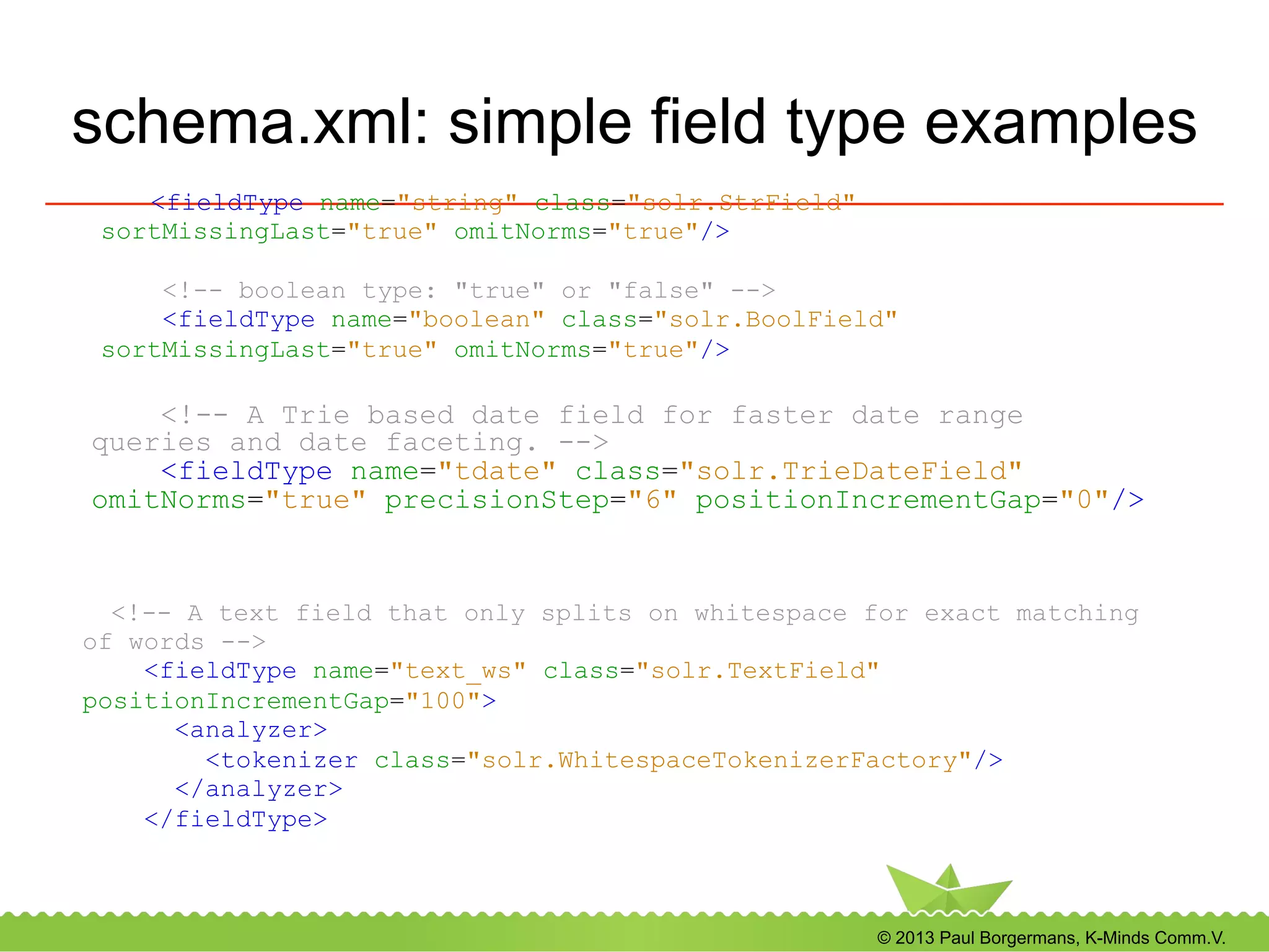
schema.xml: simple field type examples
<fieldType name="string" class="solr.StrField"
sortMissingLast="true" omitNorms="true"/>
<!-- boolean type: "true" or "false" -->
<fieldType name="boolean" class="solr.BoolField"
sortMissingLast="true" omitNorms="true"/>
<!-- A Trie based date field for faster date range
queries and date faceting. -->
<fieldType name="tdate" class="solr.TrieDateField"
omitNorms="true" precisionStep="6" positionIncrementGap="0"/>
<!-- A text field that only splits on whitespace for exact matching
of words -->
<fieldType name="text_ws" class="solr.TextField"
positionIncrementGap="100">
<analyzer>
<tokenizer class="solr.WhitespaceTokenizerFactory"/>
</analyzer>
</fieldType>
© 2013 Paul Borgermans, K-Minds Comm.V.
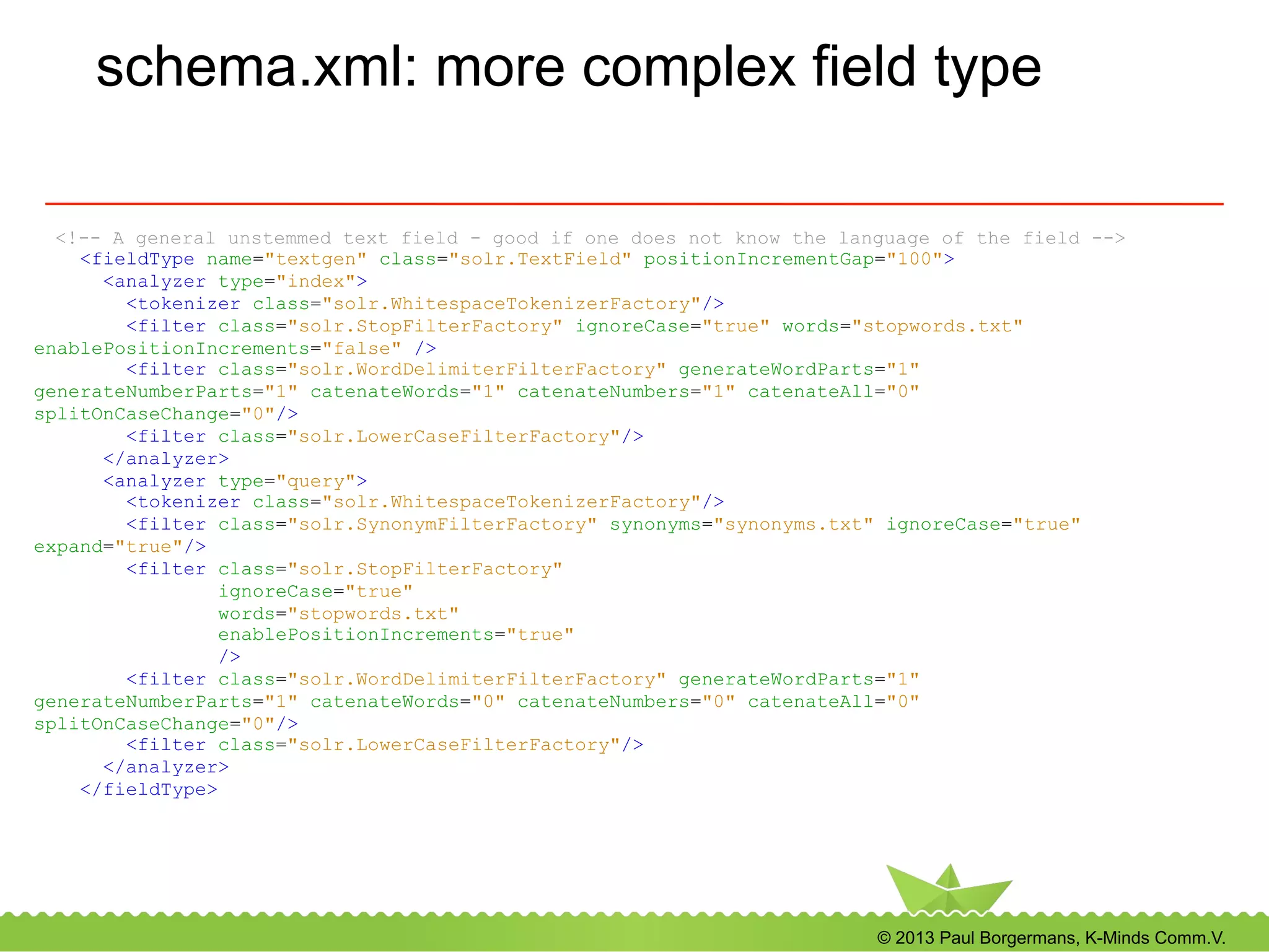
schema.xml: more complex field type
<!-- A general unstemmed text field - good if one does not know the language of the field -->
<fieldType name="textgen" class="solr.TextField" positionIncrementGap="100">
<analyzer type="index">
<tokenizer class="solr.WhitespaceTokenizerFactory"/>
<filter class="solr.StopFilterFactory" ignoreCase="true" words="stopwords.txt"
enablePositionIncrements="false" />
<filter class="solr.WordDelimiterFilterFactory" generateWordParts="1"
generateNumberParts="1" catenateWords="1" catenateNumbers="1" catenateAll="0"
splitOnCaseChange="0"/>
<filter class="solr.LowerCaseFilterFactory"/>
</analyzer>
<analyzer type="query">
<tokenizer class="solr.WhitespaceTokenizerFactory"/>
<filter class="solr.SynonymFilterFactory" synonyms="synonyms.txt" ignoreCase="true"
expand="true"/>
<filter class="solr.StopFilterFactory"
ignoreCase="true"
words="stopwords.txt"
enablePositionIncrements="true"
/>
<filter class="solr.WordDelimiterFilterFactory" generateWordParts="1"
generateNumberParts="1" catenateWords="0" catenateNumbers="0" catenateAll="0"
splitOnCaseChange="0"/>
<filter class="solr.LowerCaseFilterFactory"/>
</analyzer>
</fieldType>
© 2013 Paul Borgermans, K-Minds Comm.V.
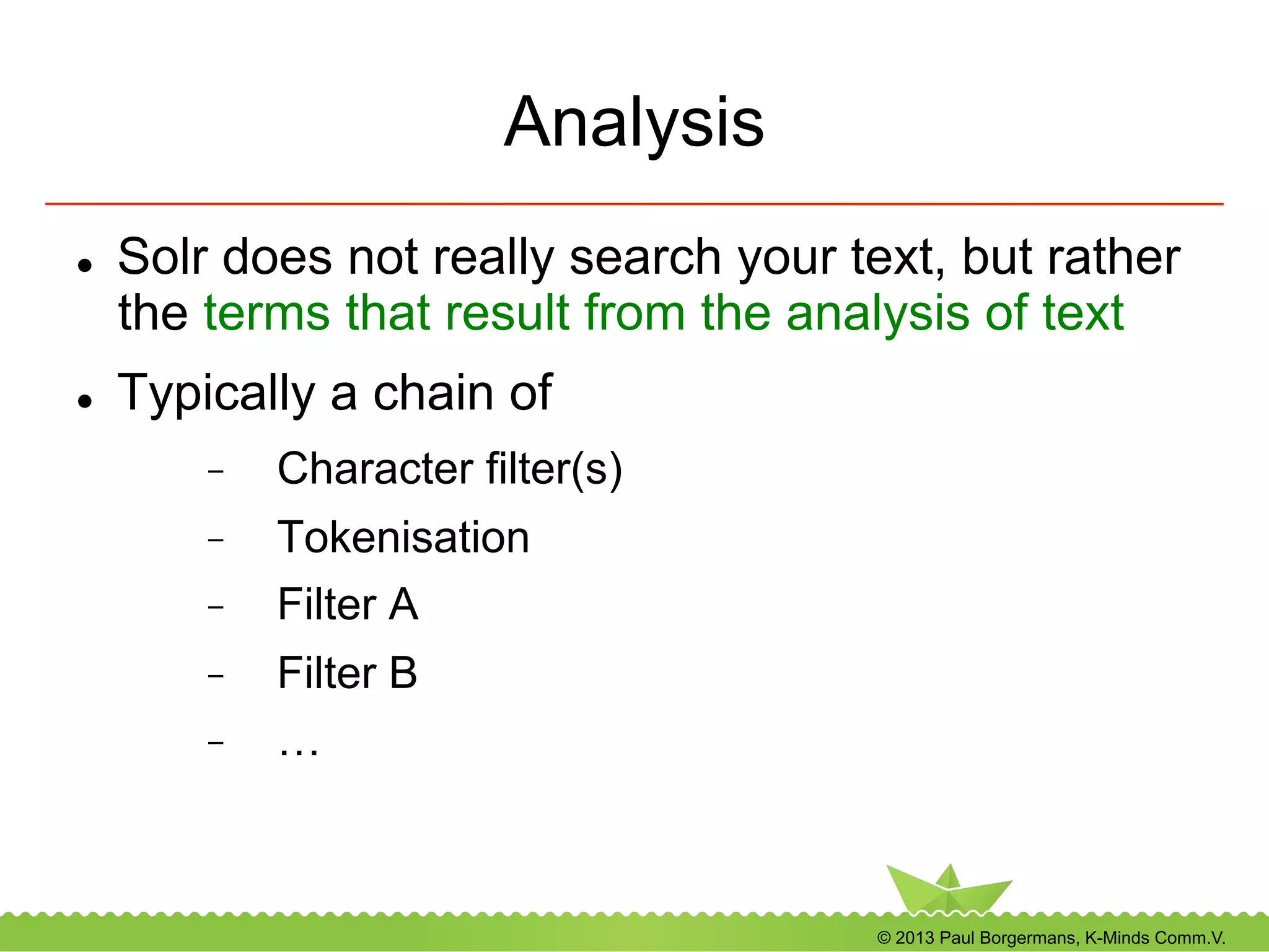
Analysis
l  Solr does not really search your text, but rather
the terms that result from the analysis of text
l  Typically a chain of
-  Character filter(s)
-  Tokenisation
-  Filter A
-  Filter B
-  …
© 2013 Paul Borgermans, K-Minds Comm.V.
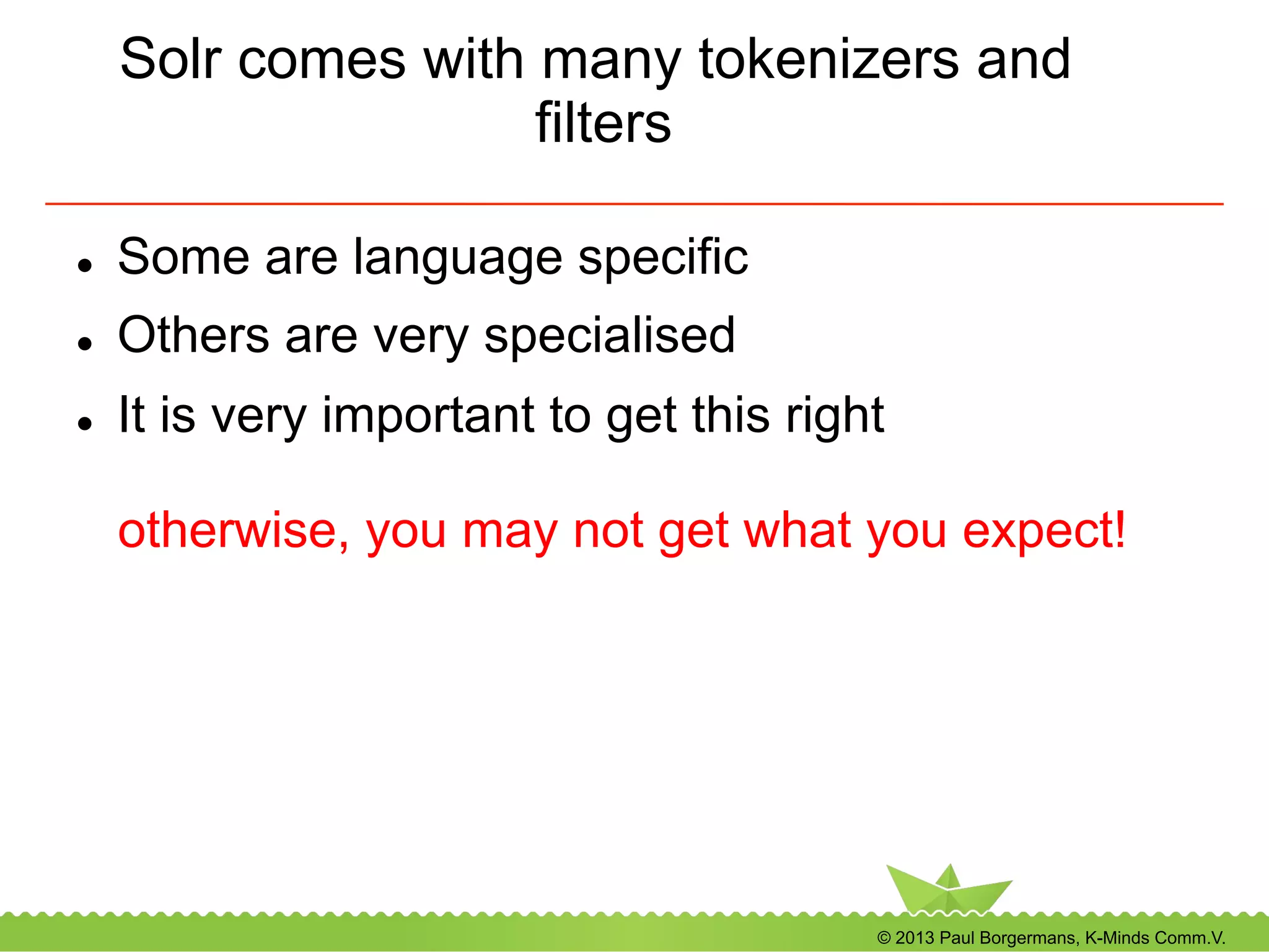
Solr comes with many tokenizers and
filters
l  Some are language specific
l  Others are very specialised
l  It is very important to get this right
otherwise, you may not get what you expect!
© 2013 Paul Borgermans, K-Minds Comm.V.
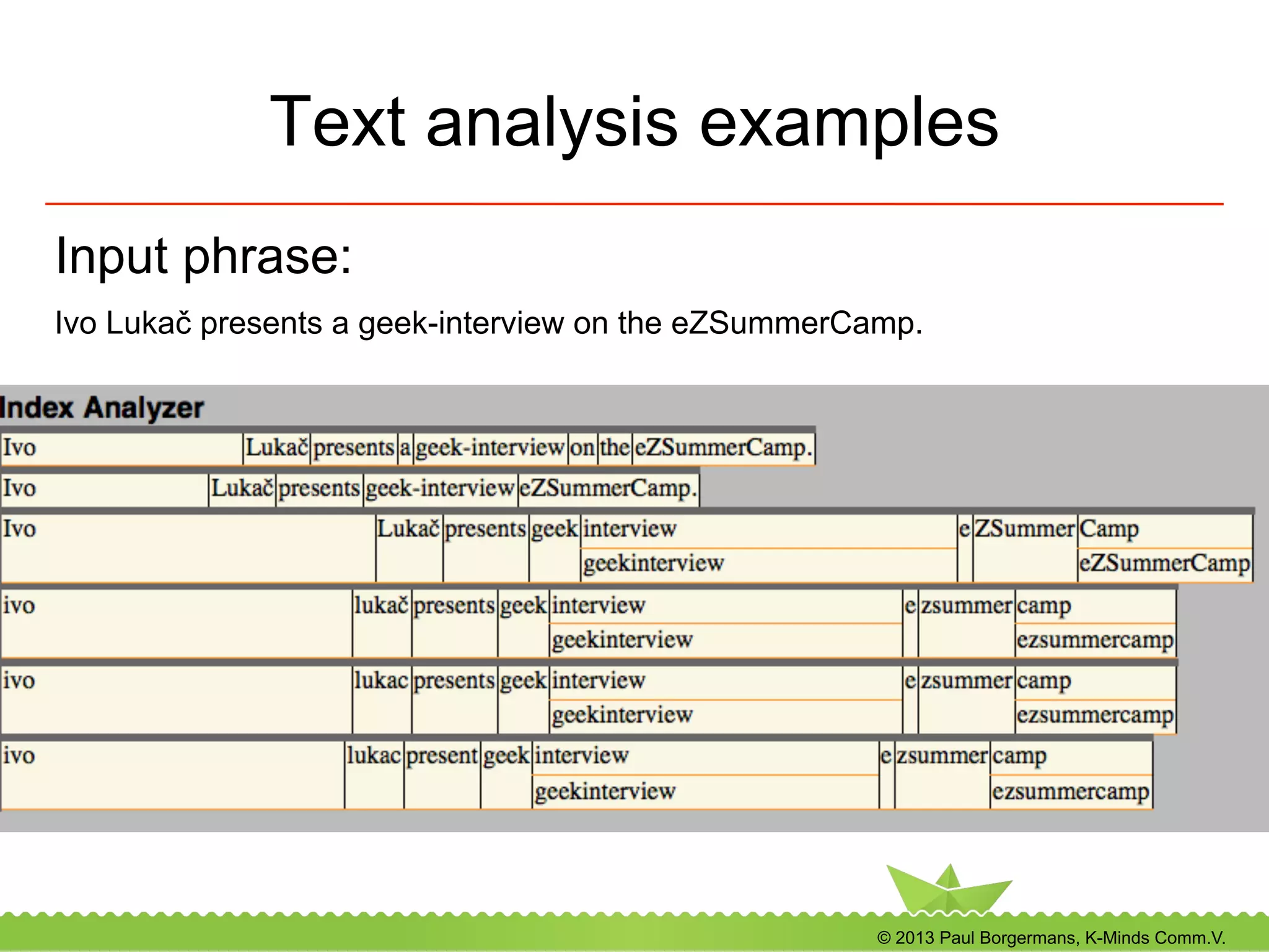
Text analysis examples
Input phrase:
Ivo Lukač presents a geek-interview on the eZSummerCamp.
© 2013 Paul Borgermans, K-Minds Comm.V.
Character filters
l  Used to cleanup text before tokenizing
-  HTMLStripCharFilter (strips html, xml, js, css)
-  MappingCharFilter (normalisation of
characters, removing accents)
-  Regular expression filter
© 2013 Paul Borgermans, K-Minds Comm.V.
Tokenizers
l  Convert text to tokens (terms)
l  You can define only one per field/analyzer
l  Examples
-  WhitespaceTokenizer (splits on white space)
-  StandardTokenizer
-  CJK variants
© 2013 Paul Borgermans, K-Minds Comm.V.
Additional filters
l  Many possible per field/analyzer
l  Many delivered with Solr out of the box
l  If not enough, write a tiny bit of Java or look for
contributions
l  Examples ...
© 2013 Paul Borgermans, K-Minds Comm.V.
Phonetic filters
l  PhoneticFilterFactory
l  “sounds like” transformations and matching
l  Algorithms:
-  Metaphone
-  Double Metaphone
-  Soundex
-  Refined Soundex
© 2013 Paul Borgermans, K-Minds Comm.V.
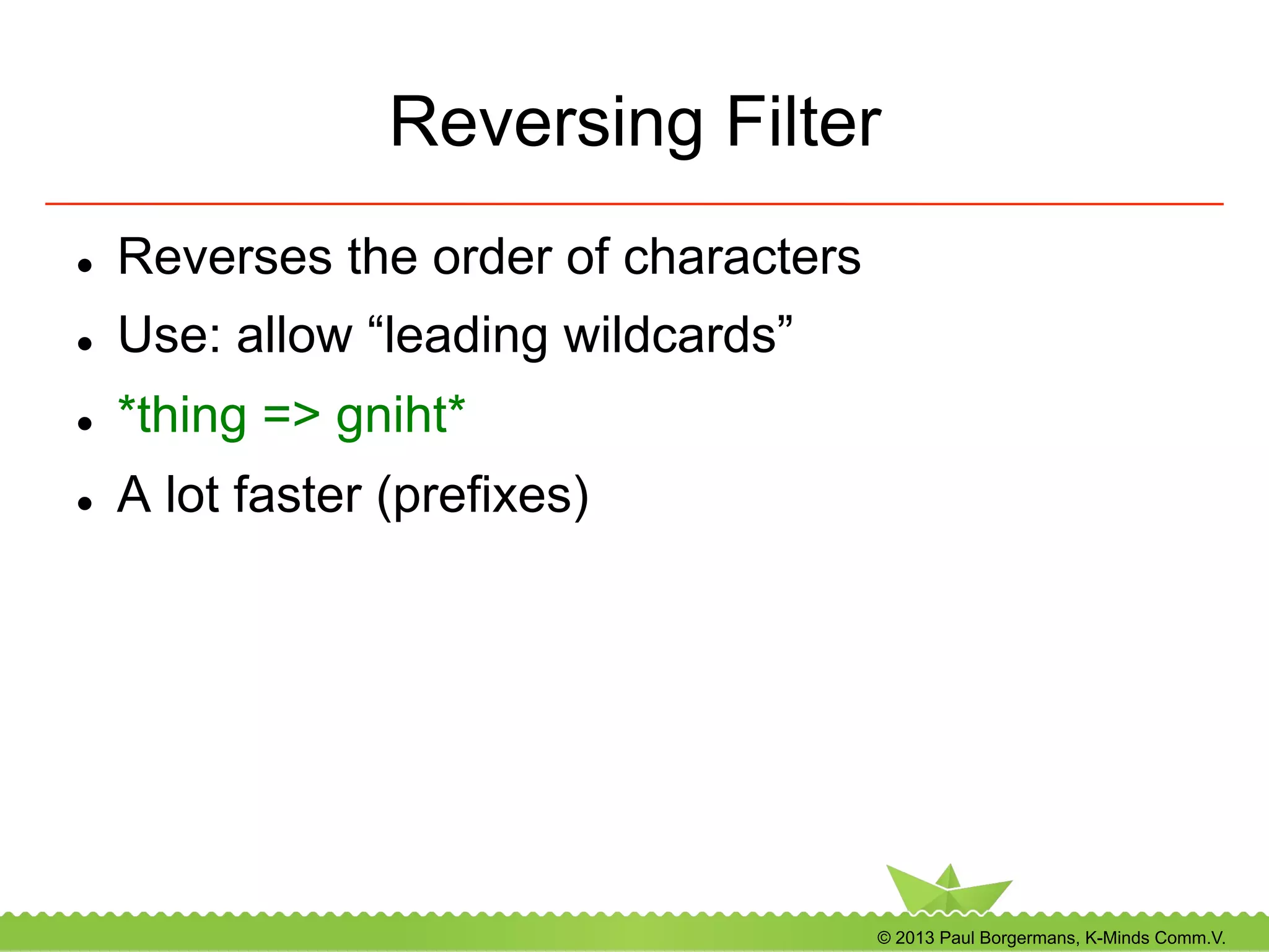
Reversing Filter
l  Reverses the order of characters
l  Use: allow “leading wildcards”
l  *thing => gniht*
l  A lot faster (prefixes)
© 2013 Paul Borgermans, K-Minds Comm.V.
Synonyms
l  Inject synonyms for certain terms
l  Language specific
l  Best used for query time analysis
-  may inflate the search index too much
-  decreases relevancy
© 2013 Paul Borgermans, K-Minds Comm.V.
Stemming
l  Reduce terms to their root form
-  Plural forms
-  Conjugations
l  Language specific (or not relevant, CJK)
l  Many specialised stemmers available
-  Most european languages
-  Some exotic ones through contributions
outside ASF
© 2013 Paul Borgermans, K-Minds Comm.V.
Copy fields
l  Analysis is done differently for
-  searching/filtering
-  faceting/sorting
l  Stemming and not stemming in different fields
can increase relevance of results
l  Use copy fields in schema.xml or do it client
side
© 2013 Paul Borgermans, K-Minds Comm.V.
Geospatial fields
l  Solr dedicated fields
-  Latitude Longitude type (trunk)
l  Special geospatial functions in filtering &
boosting
-  Haversine distance (geosphere)
-  Simple ranges (squares in 2-D)
-  Special query constructs (upcoming)
© 2013 Paul Borgermans, K-Minds Comm.V.
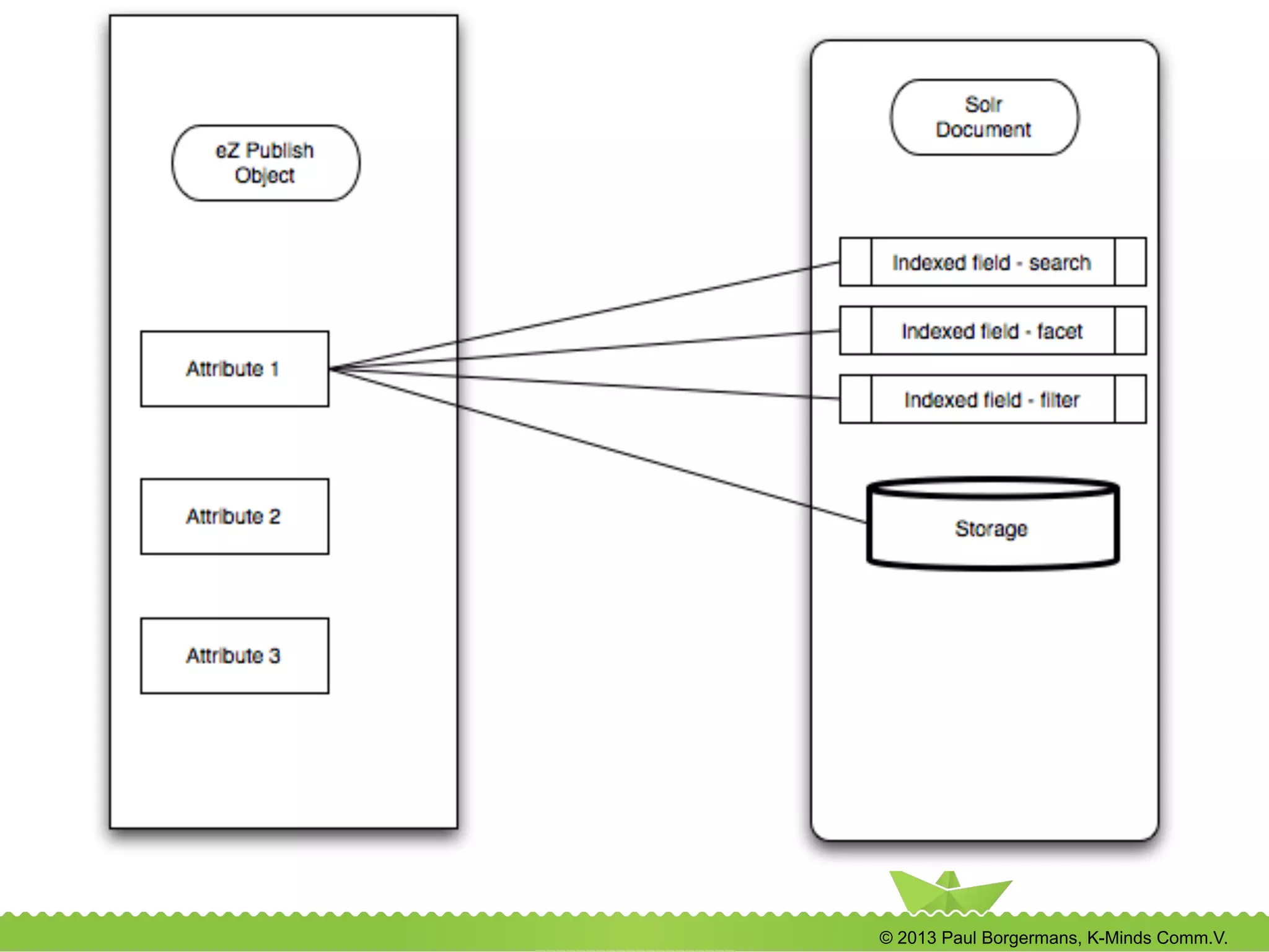
Dedicated fields for every context in
eZ Find if configured
l  Context
-  Search
-  Facets
-  Filtering (usually the same as search)
-  Sorting
l  ezfind.ini
l  Also for custom handlers if needed (see part 6)
© 2013 Paul Borgermans, K-Minds Comm.V.

eZ Find workshop: advanced insights & recipes

  • 1.
    © 2013 PaulBorgermans, K-Minds Comm.V. eZ Find Recipes & Insights September 4 Bol, Croatia Paul Borgermans
  • 2.
    © 2013 PaulBorgermans, K-Minds Comm.V. About me l  12+ years in the eZ ecosystem -  eZ Lucene → eZ Solr → eZ Find l  Fancying : -  Apache Lucene family of projects (mainly Solr) -  NoSQL (Not only SQL) and scalable architectures -  eZ Publish & CMS systems in general -  Semantic aspects -  PHPBenelux Community & Conference l  Contact paul.borgermans@gmail.com @paulborgermans
  • 3.
    © 2013 PaulBorgermans, K-Minds Comm.V. Part 1: eZ Find Kitchen Basics •  Get to know the ingredients & tools •  Installation recipes •  Basic configuration options •  Basic indexing •  Basic searching, filtering and facets
  • 4.
    © 2013 PaulBorgermans, K-Minds Comm.V. Get to know the ingredients & tools Powered by
  • 5.
    © 2013 PaulBorgermans, K-Minds Comm.V. eZ Find main search ingredients l  Tunable relevancy ranking l  Keyword highlighting l  Filtering and Facets (drill down navigation) l  Automatic related content l  Language dependent optimizations l  Fast l  Adaptive to your domain data models l  Leverages Apache Solr/Lucene
  • 6.
    © 2013 PaulBorgermans, K-Minds Comm.V. eZ Find with two main additional roles l  eZ Find to replace your (complex) ‘fetch content’ calls -  Speed up template rendering, especially with complex dynamic pages l  eZ Find/Solr as a content and integration engine -  Document oriented storage system (hello NoSQL) -  Archive use-case -  External content
  • 7.
    © 2013 PaulBorgermans, K-Minds Comm.V. Your tools Credit: http://commons.wikimedia.org/wiki/File:Werkzeugwand.jpg
  • 8.
    © 2013 PaulBorgermans, K-Minds Comm.V. Core template level tools l  Dedicated template fetch functions l  Leveraging Solr search (including spell check, highlighting, …) l  More Like This l  Raw access to Solr index (ex: integrating foreign sources) l  JS/AJAX l  Term suggestions
  • 9.
    © 2013 PaulBorgermans, K-Minds Comm.V. Tuning tools for relevancy •  Index time •  Configuration (ezfind.ini) •  Custom index time plugin •  Search time •  Boost functions •  Elevation of objects •  Apche Solr schema.xml and solrconfig.xml magic
  • 10.
    © 2013 PaulBorgermans, K-Minds Comm.V. Tools for extending eZ Find •  Custom data type plugins •  Tailor indexing and searching for your data-types •  General index time plugins •  Even more tailoring and exotic dishes •  Custom suggesters •  Add your own vocabularies
  • 11.
    © 2013 PaulBorgermans, K-Minds Comm.V. The Solr administration interface l  http://localhost:8983/solr/<core>/admin l  Statistics and health monitor l  Search index l  Java VM (devops) l  Advanced use l  Learning l  Debugging (understanding search results) l  Tuning tool
  • 12.
    © 2013 PaulBorgermans, K-Minds Comm.V.
  • 13.
    © 2013 PaulBorgermans, K-Minds Comm.V. Installation and configuration recipes
  • 14.
    © 2013 PaulBorgermans, K-Minds Comm.V. Installation and configuration recipes l  Requirements l  Installing the extension l  Basic installation/activation of Solr
  • 15.
    © 2013 PaulBorgermans, K-Minds Comm.V. Solr backend-requirements l  Java VM -  JRE 6 or 7 (OpenJDK, Oracle/Sun) l  Servlet container -  Jetty shipped by default, Tomcat, .... -  Security to be configured (by default: open) -  See also http://wiki.apache.org/solr/SolrInstall l  For larger sites/indexes: enough RAM -  Yet leave enough for the OS/file caching
  • 16.
    © 2013 PaulBorgermans, K-Minds Comm.V. Extension installation and activation l  eZ Find extension activated the usual way -  ActiveExtensions[]=ezfind -  (!) Regenerate autoloads if using direct editing of ini settings l  Execute the DB upgrade script -  Used for elevation -  See extension/ezfind/sql/<db>
  • 17.
    © 2013 PaulBorgermans, K-Minds Comm.V. Putting the backend somewhere •  Inside eZ Find extension •  Single installation •  Quick testing •  Dedicated locations •  Production setups •  Multi-tenant setups •  Multiple instances (development) •  Separate the binaries and data/conf, example: /opt/solr for binaries /srv/solr for data/conf
  • 18.
    © 2013 PaulBorgermans, K-Minds Comm.V. Multiple ways and operating modes for starting the Solr backend •  Single core •  Deprecated •  Multiple cores •  Multi-lingual •  Multi-tenant •  Multiple instances on your dev installation •  Setup instructions: see online docs or last years presentation
  • 19.
    © 2013 PaulBorgermans, K-Minds Comm.V. Multi-core setup advantages •  Every language / tenant has its own •  Index •  Tunable analyzer options •  Spell checker dictionary •  Synonyms, stop word list •  Elevate configuration •  Additional bonuses: •  slight increase in performance •  core admin features
  • 20.
    © 2013 PaulBorgermans, K-Minds Comm.V. How to configure multicore setups ... •  Create a new Solr home directory under the java subdir •  Put a config file solr.xml which specifies the cores •  Copy the conf and data directories •  Specify the solr home when starting the servlet container sudo java -jar -Dsolr.solr.home=solr.multicore -jar start.jar
  • 21.
    © 2013 PaulBorgermans, K-Minds Comm.V. Configuration of multiple cores ... l  solr.xml as the master entry point l  lib for all shared jars (extensions) l  in each subdir, dedicated: -  index (“data”) -  Configuration files (“conf”) -  (option) “lib“ with core specific jars
  • 22.
    © 2013 PaulBorgermans, K-Minds Comm.V. Multicore master config file: solr.xml <?xml version="1.0" encoding="UTF-8" ?> <solr persistent="true" sharedLib="lib"> <cores adminPath="/admin/cores"> <core name="project1-eng-GB" instanceDir="pro1-eng" /> <core name="project1-ger-DE" instanceDir="pro1-ger" /> <core name="develop" instanceDir="inventory" /> </cores> </solr>
  • 23.
    © 2013 PaulBorgermans, K-Minds Comm.V. Performance configuration options l  Enable delayed indexation of objects (site.ini) l  Editors will be happier (“faster publishing”) l  Can be done globally or per class (recommended for binary file indexing) l  Downside: objects will only be in search results after the configured cronjob has run
  • 24.
    © 2013 PaulBorgermans, K-Minds Comm.V. Performance configuration options (...) l  Disable optimize on commit -  Configure cronjob to do it once per day/week -  Makes files compact -  If many delete operations happen, optimize accordingly
  • 25.
    © 2013 PaulBorgermans, K-Minds Comm.V. Performance configuration options (...) l  Enable commitWithin (ezfind.ini) -  Use case: large sites, where commits can also take some time -  Specified in milliseconds -  No cronjobs needed l  Only in special cases: disable direct commits -  Indexing -  Delete operations
  • 26.
    © 2013 PaulBorgermans, K-Minds Comm.V. Search handler configuration l  Defaults to “ezpublish” now (Apache Solr 3.6.1), based on “eDismax” l  Supports Lucene syntax (wildcards) l  Does partial language analysis in presence of wildcards l  If upgrading from older versions: check value in ezfind.ini [SearchHandler] DefaultSearchHandler=ezpublish
  • 27.
    © 2013 PaulBorgermans, K-Minds Comm.V. Devops side-dish for large scale installations (Linux) •  Goal: avoid crashes, slowness •  Environment •  Many Solr index cores •  Many facet queries and filters used •  Heavy traffic •  Linux process limits (Solr startup) •  Memory limit setting ! !ulimit -v unlimited! •  File descriptors (open files) ulimit -n 30000!
  • 28.
    © 2013 PaulBorgermans, K-Minds Comm.V. Basic indexing and re-indexing l  Initial indexing: use dedicated eZ Find provided script -  php extension/ezfind/bin/php/updatesearchindexsolr.php -s <admin siteaccess> --php-exec=php –conc=2 -  typical speed: 5-25 objects /sec l  Further indexing: automatically
  • 29.
    © 2013 PaulBorgermans, K-Minds Comm.V. Basic indexing and re-indexing (…) l  Full re-indexing with important changes -  Schema changes in the backend Solr -  ezfind.ini changes related to field mapping -  Switching from single to multi-core setups -  Upgrades of eZ Find and/or Solr
  • 30.
    © 2013 PaulBorgermans, K-Minds Comm.V. eZ Tika: indexing binary files l  http://projects.ez.no/eztika l  Based on Apache Tika -  Text and meta-data extraction for a large variety of file types l  Extension provides -  Standalone binary (yet another Java .jar) -  Configuration settings -  A stub binary file handler -  A wrapper shell script
  • 31.
    © 2013 PaulBorgermans, K-Minds Comm.V. Basic searching, filtering and facets recipes
  • 32.
    © 2013 PaulBorgermans, K-Minds Comm.V. Terminology 101 •  Searching •  What you expect J •  Includes relevancy calculations •  Filtering •  Narrows down the set of documents to search for •  Does NOT influence relevancy calculations •  Full search syntax and more for you to use Index FilterSearch result
  • 33.
    © 2013 PaulBorgermans, K-Minds Comm.V. Terminology 101 •  Facets •  Provides counts on potential filters to use •  Tool to create navigation interfaces
  • 34.
    © 2013 PaulBorgermans, K-Minds Comm.V. Solr/Lucene search syntax 101 l  Query using “eZ Publish/eDismax” handler l  One or more keywords l  + or – prefix to denote required or excluded example: +cocktail -workshop l  Multiple terms: “minimum must match rules” Default: 1, 2 keywords: at least one must match 3-5 keywords, at least 2-4 must match 6-7 keywords, at least 4-5 must match above 7 keywords, 60% of them must match
  • 35.
    © 2013 PaulBorgermans, K-Minds Comm.V. Solr/Lucene search syntax 101 l  Terms and phrases l  Term: cocktail l  Phrase: “Elaphusa hotel” l  Wildcards l  Using '*': pro* l  Using '?': ma?ch l  Allowing certain “edit distance”: fuzzy searches l  march~0.7 l  Proximity l  “john doe”~10
  • 36.
    © 2013 PaulBorgermans, K-Minds Comm.V. Solr/Lucene search syntax 101(..) l  Ranges -  Inclusive/exclusive -  One part may be open ended using '*' l  Inclusive -  [1 TO 5] l  Exclusive -  {0 TO 6} l  Open ended -  [NOW/DAY-1YEARS TO *]
  • 37.
    © 2013 PaulBorgermans, K-Minds Comm.V. Date handling l  No real limits like unix timestamps l  Date values in ISO 6801 format yyyy-mm-ddThh:mm:ssZ (in UTC) l  Macro like syntax -  “NOW” -  “NOW/DAY-1YEAR” -  “NOW+3DAYS” l  Templates: format datetime with 'solr’ operator
  • 38.
    © 2013 PaulBorgermans, K-Minds Comm.V. Searching in templates l  You can use the standard content/search templates and parameters l  But much better: dedicated eZ Find fetch functions -  fetch( ezfind, search, hash( query, 'eZ Systems' ) ) -  fetch( ezfind, moreLikeThis, …) -  fetch( ezfind, rawSolrRequest, …)
  • 39.
    © 2013 PaulBorgermans, K-Minds Comm.V. Dedicated search fetch parameters •  Basic query parameters •  query: query string •  offset: result offset •  limit: max number of results •  class_id: class id’s/identifiers (string or array) •  section_id: section identifier •  query_handler: string (default “ezpublish”) See doc.ez.no for the full list of parameters
  • 40.
    © 2013 PaulBorgermans, K-Minds Comm.V. Dedicated search fetch parameters •  Advanced query parameters •  spellcheck: array(true/false, ‘default’) •  filter: mixed filter expression •  facet: mixed facet expression •  sort_by: array of hashes •  criterium: score (default), name, class_name, published, modified, …. •  order: “asc” or “desc” See doc.ez.no for the full list of parameters
  • 41.
    © 2013 PaulBorgermans, K-Minds Comm.V. Filtering l  AND logic connects array elements using Standard Lucene syntax. l  Within element, ‘OR’ logick can be applied l  Attribute identifiers are mapped to Solr fields l  Example fetch( ezfind, search, hash( query, 'cocktails', filter, array( 'article/tags:Bol' ) ) )
  • 42.
    © 2013 PaulBorgermans, K-Minds Comm.V. eZ Find and field names l  The normal case for filtering: 3 ways -  array('article/title:a*') //will generate 2 filters -  array('title:a*') //cross class attribute filtering -  array('attr_title_s:a*') //using raw field names
  • 43.
    © 2013 PaulBorgermans, K-Minds Comm.V. eZ Find raw field names l  Main principle: <source>_<identifier>_<type> -  <source>: meta, attr, as -  <identifier>: eZ Publish native identifier -  <type>: Solr field type mapping (schema.xml) l  Extra -  timestamp: time when the object was indexed -  ezf_df_text: aggregator for all text -  ezf_sp_words: spellcheck source l  Subattributes: another separator with 3x '_' <source>_<identifier>___<sub_attr_id>_<type>
  • 44.
    © 2013 PaulBorgermans, K-Minds Comm.V. Filter recipes •  A specific age: last 2 weeks .. filter, array( 
 ’meta_published_dt:[NOW/DAY-2WEEKS TO NOW/DAY+1DAYS]’ ) ..
 ! Solr filter query cache friendly: •  Lower bound: rounds on day and substracts 2 weeks •  Upper bound: rounds on current day + 1 day in order to get also the published items after 00:00 ‘today’
  • 45.
    © 2013 PaulBorgermans, K-Minds Comm.V. Filter recipes (…) •  ‘or’ conditions within fields .. filter, array( 
 'attr_tags_lk:(ezfind ezsummercamp netgen)’ ) ..
 ! •  ‘or’ conditions across fields .. filter, array( 
 ’(attr_length_si:[2 TO 5]) (attr_color_s:red)’ ) ..
 !
  • 46.
    © 2013 PaulBorgermans, K-Minds Comm.V. Facets •  Facet types •  field: enumeration •  function: Solr functions •  prefix: prefix/wildcard •  range, date •  Main facet parameters: •  sort: count or alphanumerical •  limit, offset! •  mincount! •  missing!
  • 47.
    © 2013 PaulBorgermans, K-Minds Comm.V. Basic facet types l  Field facets l  Enumerate over contents l  Can give large results, use wisely l  Typical: keywords, object metadata l  Functions l  The sky is the limit l  Gives back 1 count result l  Prefix l  Shortcut for a simple function facet
  • 48.
    © 2013 PaulBorgermans, K-Minds Comm.V. Range facets l  For numerical and date ranges l  Emits a multiple counts, depending on parameters provided l  Example: fetch( ezfind, search, hash( 'query', '$queryString, 'facet',array( hash( 'range', hash('field', 'published', 'start', 'NOW/YEAR-3YEARS', 'end', 'NOW/YEAR+1YEAR', 'gap', '+1YEAR' ) ) ) ) )
  • 49.
    © 2013 PaulBorgermans, K-Minds Comm.V. Range facets: parameters l  Mandatory -  'field' (can also be custom Solr fields) -  'start' (numeric/date) -  'end' (numeric/date) l  Optional -  'hardend' -  'include' -  'other’
  • 50.
    © 2013 PaulBorgermans, K-Minds Comm.V. Recipes with facets and filters •  Analytics on publishing activities in the previous month fetch( ezfind, search, hash( query, '', filter, array( 'meta_published_dt:[NOW/MONTH-1MONTHS TO NOW/MONTH]' ), facet, array( hash('field','meta_contentclass_id_si' ), hash('field','meta_owner_id_si') ) ) ) •  Results in counts on content types and authors
  • 51.
    © 2013 PaulBorgermans, K-Minds Comm.V. Recipes with facets and filters (..) •  Analytics on publishing activities in the previous months for a certain content type, using range facets fetch( ezfind, search, hash( query, '', filter, array( 'meta_class_identifier_ms:article' ), facet, array( hash('range', hash( 'field', 'published', 'start', 'NOW/MONTH-12MONTHS', 'end', 'NOW/MONTH', 'gap', '+1MONTHS' )), ) ) )
  • 52.
    © 2013 PaulBorgermans, K-Minds Comm.V. Part 2: Advanced recipes & insights •  Tuning search result relevancy •  Create your own data-type plugin •  eZ Find / Solr lower-level API •  General index time plugins Appendix •  Devops: replication and loadbalancing/failover •  A deeper dive into Solr analysis
  • 53.
    © 2013 PaulBorgermans, K-Minds Comm.V. Tuning search result relevancy l  Index time boosting -  “Permanent boosting” -  Best used after some real-life measurements (logs, user feedback, dedicated tests) -  ezfind.ini l  Query time boosting -  For ezpublish/eDismax request handlers -  Fields (also meta-data) -  Function queries -  Multiplicative and additive boosting
  • 54.
    © 2013 PaulBorgermans, K-Minds Comm.V. Index time boosting l  Available for: -  Classes -  Attributes -  Datatypes l  Boost factor ranges -  [0 … 1] suppression -  [1 … ] boosting l  ezfind.ini
  • 55.
    © 2013 PaulBorgermans, K-Minds Comm.V. Index time boosting: ezfind.ini example [IndexBoost] #ClassBoost: set boost factors on document (object) level #format Class[<attribute identifier>]=<boost factor as int or float> Class[] Class[article]=4 Class[folder]=0.1 #AttributeBoost: set boost factors on attributes at field level #you can specify the class identifier as optional (!) element for greatest flexibility #If more than attributeidentifier is used, the last one has precedence Attribute[] Attribute[product/name]=8.0 Attribute[bio]=1.5 #AttributeBoost: set boost factors on attributes at field level based on their datatype Datatype[] Datatype[ezkeyword]=3.0 #ReverseRelatedScale: scale factor to use in $boost = $boost + <scalefactor> * <number of reverse relations> ReverseRelatedScale=0 ReverseRelatedScale=0.8
  • 56.
    © 2013 PaulBorgermans, K-Minds Comm.V. Query time boosting l  Boosting types and corresponding sub- parameters -  'field' -  'mfunctions' -  'queries' -  'functions' l  Properly supported only since eZ Publish 5, eZ Find master
  • 57.
    © 2013 PaulBorgermans, K-Minds Comm.V. Query time boosting: 'fields' l  Example .. 'boost_functions', hash('fields',array ('article/tags:3')).. or with a raw Solr field identifier .. 'boost_functions', hash('fields',array ('attr_tags_lk:3'))..
  • 58.
    © 2013 PaulBorgermans, K-Minds Comm.V. Query time boosting: 'mfunctions' l  Multiplicative l  No need to know raw relevancy numbers l  Multiplies the individual score with the specified function(s) l  Preferred over other query boost functions in most cases!
  • 59.
    © 2013 PaulBorgermans, K-Minds Comm.V. Recipe: promote more recent content •  Parameter snippet ... 'boost_functions', hash('mfunctions', array('recip( ms(NOW/DAY,meta_published_dt), 1.58e-11,2.0,0.5)' )) … •  Scaling parameters for reciprocal function •  recip(x,m,a,b) = a/ (m*x+b) •  x = age in milliseconds •  m = 1.58 e-11 (milliseconds in 6 months)-1 •  a,b scaling factors (a “amplitude”, b “speed of age decline”)
  • 60.
    © 2013 PaulBorgermans, K-Minds Comm.V. Recipe: promote more recent content (…) Implementing 1+(a/m*x+b) with a = 2 b = 0.5 m = 1.58e-11 x = age in milliseconds
  • 61.
    © 2013 PaulBorgermans, K-Minds Comm.V. Query time boosting: 'queries' l  These are added to the main query and need to follow the Solr/Lucene query format ans specify the boost factor explicitely for it l  Example ..'boost_functions', hash('queries', array( 'meta_class_identifier_ms:article^10')).. l  Also available in ini settings (applies always) [QueryBoost] #RawBoostQueries[] RawBoostQueries[]=meta_class_identifier_ms:summary^4
  • 62.
    © 2013 PaulBorgermans, K-Minds Comm.V. Query time boosting: ’ functions' l  These are like mfunctions, but add their value to the relevancy score l  Usually 'mfunctions' are the easier choice l  Example ..'boost_functions', hash('functions', array('sum(product (attr_importance_si,0.1),1)')) ..
  • 63.
    © 2013 PaulBorgermans, K-Minds Comm.V. Solr has many functions to use l  Strings l  Numbers and mapping l  Date math l  Geospatial http://wiki.apache.org/solr/FunctionQuery/
  • 64.
    © 2013 PaulBorgermans, K-Minds Comm.V. Absolute boosting: elevation l  If a query term matches, one or more objects are pushed to the top l  Query term has to be part of the object l  Dedicated admin interface J
  • 65.
    © 2013 PaulBorgermans, K-Minds Comm.V. Custom datatype handlers l  Usually for “complex” datatypes -  Subfields (!) l  Can optionally be context aware -  Facets/Sort -  Search -  Filter
  • 66.
    © 2013 PaulBorgermans, K-Minds Comm.V. Create your own datatype handler l  Derive from a base class: -  ezfSolrDocumentFieldBase -  Naming convention l  Provide at least two methods -  “schema” data: (sub)field names -  Data to index l  Starting point -  extension/ezfind/classes: ezfsolrdocumentfielddummyexample.php l  Add in ezfind.ini, [Indexoptions]
  • 67.
    © 2013 PaulBorgermans, K-Minds Comm.V. Overview of eZ Find / Solr lower level API
  • 68.
    © 2013 PaulBorgermans, K-Minds Comm.V. Base classes to know l  extension/ezfind/classes -  ezsolrbase.php handles communication with Solr backends -  ezsolrdoc.php creates proper XML structures for indexing -  ezfsolrutils.php easy to use higher level functions l  Let's have a look ...
  • 69.
    © 2013 PaulBorgermans, K-Minds Comm.V. Index Time Plugin Mechanism l  Write your own functions to: -  Expand the Solr fields per object -  Modify existing fields -  Change per object and per field boosting dynamically l  Use cases -  Complex custom data, partially external -  Boost documents based on page views, user score, ….
  • 70.
    © 2013 PaulBorgermans, K-Minds Comm.V. Index time plugins (...) l  Implement the following interface l  docList is the array of eZSolrDocs to be sent to Solr, one per language for the given contentObject interface ezfIndexPlugin { /** * @var eZContentObject $contentObject * @var array $docList */ public function modify(eZContentObject $contentObject, &$docList); }
  • 71.
    © 2013 PaulBorgermans, K-Minds Comm.V. Index time plugins (...) l  Activate your plugin in ezfind.ini -  Global -  Per content class [IndexPlugins] # Allow injection of custom fields and manipulation of fields/boost parameters # at index time # This can be defined at the class level or general General[] #General[]=ezfIndexParentName #Classhooks will only be called for objects of the specified class Class[] Class[myspecialclass]=ezfIndexParentName
  • 72.
    © 2013 PaulBorgermans, K-Minds Comm.V. Customizing autocomplete •  Tweaking schema.xml •  Goal: decrease "noise" •  Use copyfield directives to use only selected input fields and aggregate into a custom autocomplete source field •  Adapt ezfind.ini settings
  • 73.
    © 2013 PaulBorgermans, K-Minds Comm.V. Customizing autocomplete: schema.xml <fields> .. <field name="my_autocomplete_field" type="textgen" indexed="true" stored="true" multiValued="true"/> .. <copyField source="*_lk" dest="my_autocomplete_field"/> .. </fields> Example source: only lowercased tags
  • 74.
    © 2013 PaulBorgermans, K-Minds Comm.V. Customizing autocomplete: ezfind.ini [AutoCompleteSettings] AutoComplete=enabled # The maximum number of suggestions to return from search engine. Limit=10 # Facet field used by autocomplete. FacetField=my_autocomplete_field
  • 75.
    © 2013 PaulBorgermans, K-Minds Comm.V. Suggested exercises
  • 76.
    © 2013 PaulBorgermans, K-Minds Comm.V. Warm up exercise l  Make sure you are on the latest code base l  Play with the Lucene syntax supported by the new ezpubish/eDismax handler: -  Proximity searches -  Fuzzy searches -  Wildcards -  Ranges And see what happens
  • 77.
    © 2013 PaulBorgermans, K-Minds Comm.V. Exercise: boosting l  Use the new 'mfunctions' parameter to boost more recent values l  Tweak your content with ratings and boost higher rated articles
  • 78.
    © 2013 PaulBorgermans, K-Minds Comm.V. Exercise: Facets & attribute filtering l  Adapt the previous examples/recipes l  Try to facet and filters on classnames -  As a field facet (enumerate all classes) -  As a set of several query facets (enumerate only a selection) l  Range facets -  Date ranges
  • 79.
    © 2013 PaulBorgermans, K-Minds Comm.V. Exercise: sub-attribute filtering on a related object l  Create an override template for a dummy node l  In the template add code for fetching with ez find, search with an empty query string, but use a filter with a subbatribute clause {def $searchResults = fetch( 'ezfind', 'search', hash( 'query', '', 'filter', array('article/testrelation/caption:specialvalue1')))
  • 80.
    © 2013 PaulBorgermans, K-Minds Comm.V. A last plug: You are invited to our 5th anniversary! conference.phpbenelux.eu/2014/
  • 81.
    © 2013 PaulBorgermans, K-Minds Comm.V. Appendix A Replication and loadbalancing
  • 82.
    © 2013 PaulBorgermans, K-Minds Comm.V. Replication / Distribution l  Solr 3.x (current stable eZ Find) -  Master/slave model (pull) -  Easy to setup l  Solr 4.x (future eZ Find?) -  “SolrCloud”, dustributed capabilities (push) -  Apache Zookeeper based -  A bit more complicated setup -  Automatic failover, monitoring
  • 83.
    © 2013 PaulBorgermans, K-Minds Comm.V. Master/Slave replication l  solrconfig.xml -  Activate handlers -  Allow parameters (slave must know master) -  Define replication trigger points (commit/ optimize/manual) -  Define config files to replicate if needed l  HTTP REST API l  Status monitoring in admin interface
  • 84.
    © 2013 PaulBorgermans, K-Minds Comm.V. Replication: example config <requestHandler name="/replication" class="solr.ReplicationHandler" > <lst name="master"> <str name="enable">${enable.master:false}</str> <str name="replicateAfter">commit</str> <str name="replicateAfter">startup</str> <str name="replicateAfter">optimize</str> <str name="confFiles">elevate.xml</str> </lst> <lst name="slave"> <str name="enable">${enable.slave:false}</str> <str name="masterUrl">http://${master.core.url:localhost:8983}/${solr.core.name}/replication</str> <str name="pollInterval">${poll.time:'00:00:10'}</str> </lst> </requestHandler> Startup parameters from command line or system
  • 85.
    © 2013 PaulBorgermans, K-Minds Comm.V. Replication: starting master and slave Slave! ! java -Denable.slave=true -Dmaster.core.url=master:8983/solr -Dsolr.solr.home=/var/solr -jar start.jar! ! ! Master! ! java -Denable.master=true -Dsolr.solr.home=/var/solr -jar start.jar &!
  • 86.
    © 2013 PaulBorgermans, K-Minds Comm.V. Replication and load balancing •  Reverse proxy and rewrite rules •  Point eZ Find Solr URI’s to load balancer URI •  Direct reads to slaves •  Direct everything else to master
  • 87.
    © 2013 PaulBorgermans, K-Minds Comm.V. Replication and load balancing (…) Listen 8988! <VirtualHost *:8988>! # Need: mod_proxy mod_proxy_http mod_proxy_balancer active! ! <Proxy balancer://solrread>! # just two, localhost and the Solr master server as a hot stand-by: may also add the second webserver! BalancerMember http://localhost:8983! BalancerMember http://master-solr:8983 status=+H! </Proxy>! ! <Proxy balancer://solrwrite>! # just the Solr master server! BalancerMember http://master-solr:8983! </Proxy>! ! RewriteEngine On! ! # Send select to the solrread balancer! RewriteCond %{REQUEST_URI} ^/(.*)select/$! RewriteRule ^/(.*)$ balancer://solrread/$1 [P]! ! # Send all others to the write balancer! RewriteRule ^/(.*)$ balancer://solrwrite/$1 [P]! ! ProxyPassReverse / balancer://solrwrite! ProxyPassReverse / balancer://solrread! </VirtualHost>! Apache mod_proxy example
  • 88.
    © 2013 PaulBorgermans, K-Minds Comm.V. Appendix B Inside Solr analysis
  • 89.
    © 2013 PaulBorgermans, K-Minds Comm.V. A deeper dive into Apache Solr l  From index → document → field l  Schema.xml l  What happens under the hood
  • 90.
    © 2013 PaulBorgermans, K-Minds Comm.V. The Solr/Lucene index l  Inverted index l  Holds a collection of “documents” (hello NoSQL) l  Document -  Collection of fields -  Flexible schema! -  Unique ID (user defined) l  Solr uses a XML based config file: schema.xml
  • 91.
    © 2013 PaulBorgermans, K-Minds Comm.V. Field types and fields l  Various field types, derived from base classes l  Indexed (optional) -  usually analyzed & tokenized -  makes it searchable and sortable l  Stored (optional) -  contains also the original submitted content -  content can be part of the request response l  Can be multi-valued! -  opens possibilities beyond full text search
  • 92.
    © 2013 PaulBorgermans, K-Minds Comm.V. Field definitions: schema.xml l  Field types -  text -  numerical -  dates -  location -  … (about 30 in total) l  Actual fields (name, definition, properties) l  Dynamic fields l  Copy fields (as aggregators)
  • 93.
    © 2013 PaulBorgermans, K-Minds Comm.V. schema.xml: simple field type examples <fieldType name="string" class="solr.StrField" sortMissingLast="true" omitNorms="true"/> <!-- boolean type: "true" or "false" --> <fieldType name="boolean" class="solr.BoolField" sortMissingLast="true" omitNorms="true"/> <!-- A Trie based date field for faster date range queries and date faceting. --> <fieldType name="tdate" class="solr.TrieDateField" omitNorms="true" precisionStep="6" positionIncrementGap="0"/> <!-- A text field that only splits on whitespace for exact matching of words --> <fieldType name="text_ws" class="solr.TextField" positionIncrementGap="100"> <analyzer> <tokenizer class="solr.WhitespaceTokenizerFactory"/> </analyzer> </fieldType>
  • 94.
    © 2013 PaulBorgermans, K-Minds Comm.V. schema.xml: more complex field type <!-- A general unstemmed text field - good if one does not know the language of the field --> <fieldType name="textgen" class="solr.TextField" positionIncrementGap="100"> <analyzer type="index"> <tokenizer class="solr.WhitespaceTokenizerFactory"/> <filter class="solr.StopFilterFactory" ignoreCase="true" words="stopwords.txt" enablePositionIncrements="false" /> <filter class="solr.WordDelimiterFilterFactory" generateWordParts="1" generateNumberParts="1" catenateWords="1" catenateNumbers="1" catenateAll="0" splitOnCaseChange="0"/> <filter class="solr.LowerCaseFilterFactory"/> </analyzer> <analyzer type="query"> <tokenizer class="solr.WhitespaceTokenizerFactory"/> <filter class="solr.SynonymFilterFactory" synonyms="synonyms.txt" ignoreCase="true" expand="true"/> <filter class="solr.StopFilterFactory" ignoreCase="true" words="stopwords.txt" enablePositionIncrements="true" /> <filter class="solr.WordDelimiterFilterFactory" generateWordParts="1" generateNumberParts="1" catenateWords="0" catenateNumbers="0" catenateAll="0" splitOnCaseChange="0"/> <filter class="solr.LowerCaseFilterFactory"/> </analyzer> </fieldType>
  • 95.
    © 2013 PaulBorgermans, K-Minds Comm.V. Analysis l  Solr does not really search your text, but rather the terms that result from the analysis of text l  Typically a chain of -  Character filter(s) -  Tokenisation -  Filter A -  Filter B -  …
  • 96.
    © 2013 PaulBorgermans, K-Minds Comm.V. Solr comes with many tokenizers and filters l  Some are language specific l  Others are very specialised l  It is very important to get this right otherwise, you may not get what you expect!
  • 97.
    © 2013 PaulBorgermans, K-Minds Comm.V. Text analysis examples Input phrase: Ivo Lukač presents a geek-interview on the eZSummerCamp.
  • 98.
    © 2013 PaulBorgermans, K-Minds Comm.V. Character filters l  Used to cleanup text before tokenizing -  HTMLStripCharFilter (strips html, xml, js, css) -  MappingCharFilter (normalisation of characters, removing accents) -  Regular expression filter
  • 99.
    © 2013 PaulBorgermans, K-Minds Comm.V. Tokenizers l  Convert text to tokens (terms) l  You can define only one per field/analyzer l  Examples -  WhitespaceTokenizer (splits on white space) -  StandardTokenizer -  CJK variants
  • 100.
    © 2013 PaulBorgermans, K-Minds Comm.V. Additional filters l  Many possible per field/analyzer l  Many delivered with Solr out of the box l  If not enough, write a tiny bit of Java or look for contributions l  Examples ...
  • 101.
    © 2013 PaulBorgermans, K-Minds Comm.V. Phonetic filters l  PhoneticFilterFactory l  “sounds like” transformations and matching l  Algorithms: -  Metaphone -  Double Metaphone -  Soundex -  Refined Soundex
  • 102.
    © 2013 PaulBorgermans, K-Minds Comm.V. Reversing Filter l  Reverses the order of characters l  Use: allow “leading wildcards” l  *thing => gniht* l  A lot faster (prefixes)
  • 103.
    © 2013 PaulBorgermans, K-Minds Comm.V. Synonyms l  Inject synonyms for certain terms l  Language specific l  Best used for query time analysis -  may inflate the search index too much -  decreases relevancy
  • 104.
    © 2013 PaulBorgermans, K-Minds Comm.V. Stemming l  Reduce terms to their root form -  Plural forms -  Conjugations l  Language specific (or not relevant, CJK) l  Many specialised stemmers available -  Most european languages -  Some exotic ones through contributions outside ASF
  • 105.
    © 2013 PaulBorgermans, K-Minds Comm.V. Copy fields l  Analysis is done differently for -  searching/filtering -  faceting/sorting l  Stemming and not stemming in different fields can increase relevance of results l  Use copy fields in schema.xml or do it client side
  • 106.
    © 2013 PaulBorgermans, K-Minds Comm.V. Geospatial fields l  Solr dedicated fields -  Latitude Longitude type (trunk) l  Special geospatial functions in filtering & boosting -  Haversine distance (geosphere) -  Simple ranges (squares in 2-D) -  Special query constructs (upcoming)
  • 107.
    © 2013 PaulBorgermans, K-Minds Comm.V. Dedicated fields for every context in eZ Find if configured l  Context -  Search -  Facets -  Filtering (usually the same as search) -  Sorting l  ezfind.ini l  Also for custom handlers if needed (see part 6)
  • 108.
    © 2013 PaulBorgermans, K-Minds Comm.V.